
4 Data Grid Data View and List View
- Slides: 37
4: Data. Grid, Data. View, and List. View Updated 9/12/2004 Copyright Scott-Jones Publishing, 2004 -2005. All rights reserved.
Overview • • • Data. Grid control Data. Views and List. Views Three-Tier Sports Rental Income Sports Rental Checkout Example Command Objects Advanced Visual Basic. NET (Irvine, Liang, Gaddis) Slide 2
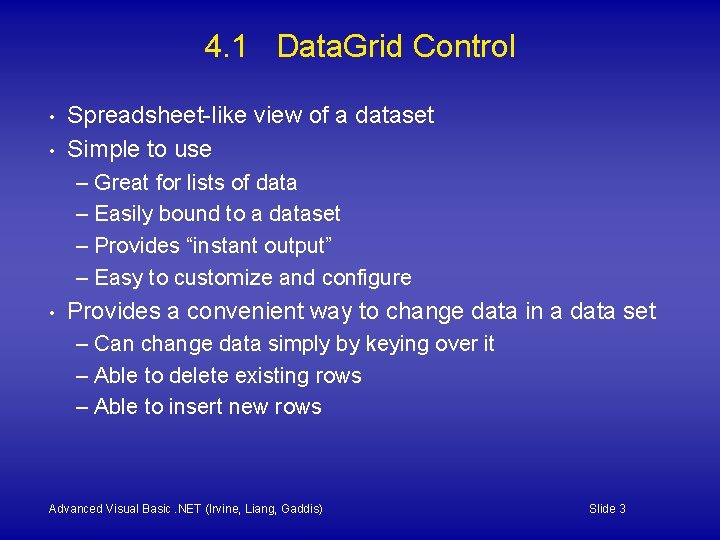
4. 1 Data. Grid Control • • Spreadsheet-like view of a dataset Simple to use – Great for lists of data – Easily bound to a dataset – Provides “instant output” – Easy to customize and configure • Provides a convenient way to change data in a data set – Can change data simply by keying over it – Able to delete existing rows – Able to insert new rows Advanced Visual Basic. NET (Irvine, Liang, Gaddis) Slide 3
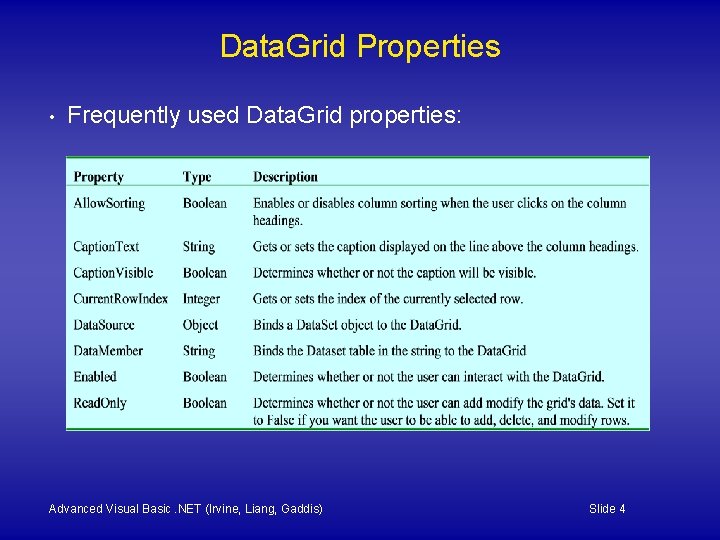
Data. Grid Properties • Frequently used Data. Grid properties: Advanced Visual Basic. NET (Irvine, Liang, Gaddis) Slide 4
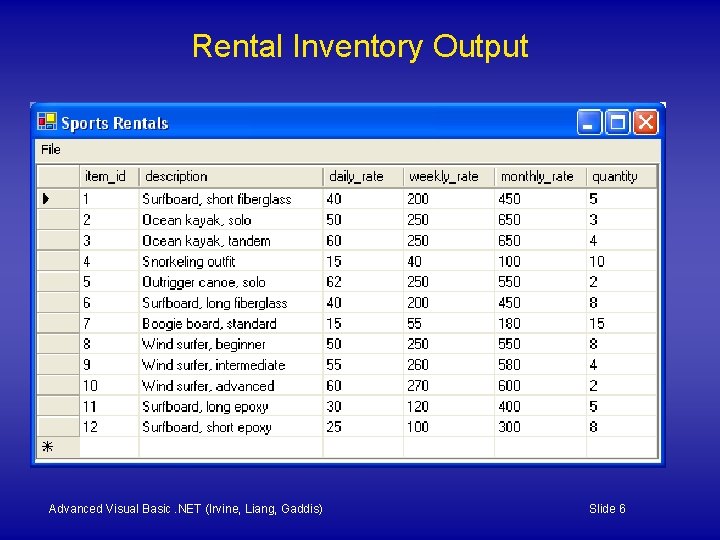
Rental Inventory Data. Grid • • • Hands-on tutorial Program: Rental. Inventory Displays Items table from Sports. Rentals database in a Data. Grid Advanced Visual Basic. NET (Irvine, Liang, Gaddis) Slide 5
Rental Inventory Output Advanced Visual Basic. NET (Irvine, Liang, Gaddis) Slide 6
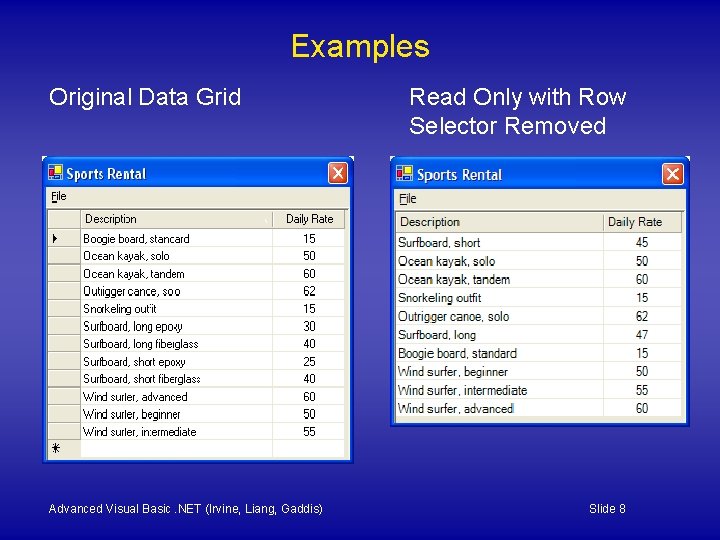
Table and Column Styles • Configure the Data. Grid's Table. Styles property – for each column, set the Header. Text and Width – optional: align and format the column data – optional: remove row headers, make grid read-only • See the Rental. Inventory. Columns program Advanced Visual Basic. NET (Irvine, Liang, Gaddis) Slide 7
Examples Original Data Grid Advanced Visual Basic. NET (Irvine, Liang, Gaddis) Read Only with Row Selector Removed Slide 8
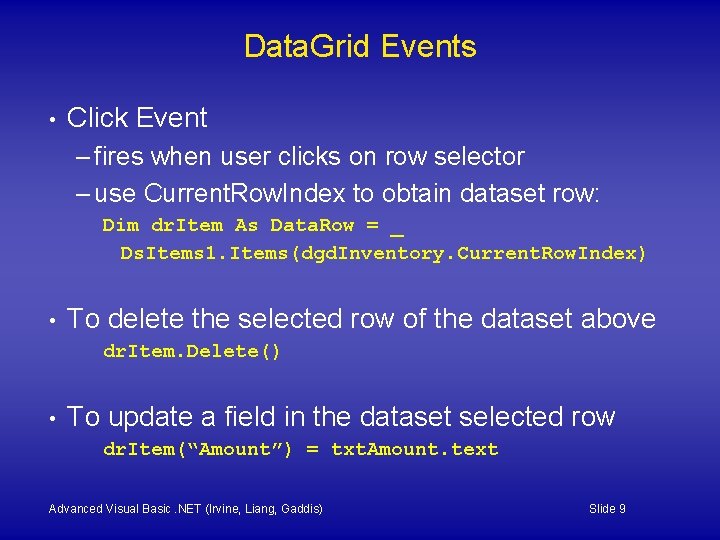
Data. Grid Events • Click Event – fires when user clicks on row selector – use Current. Row. Index to obtain dataset row: Dim dr. Item As Data. Row = _ Ds. Items 1. Items(dgd. Inventory. Current. Row. Index) • To delete the selected row of the dataset above dr. Item. Delete() • To update a field in the dataset selected row dr. Item(“Amount”) = txt. Amount. text Advanced Visual Basic. NET (Irvine, Liang, Gaddis) Slide 9
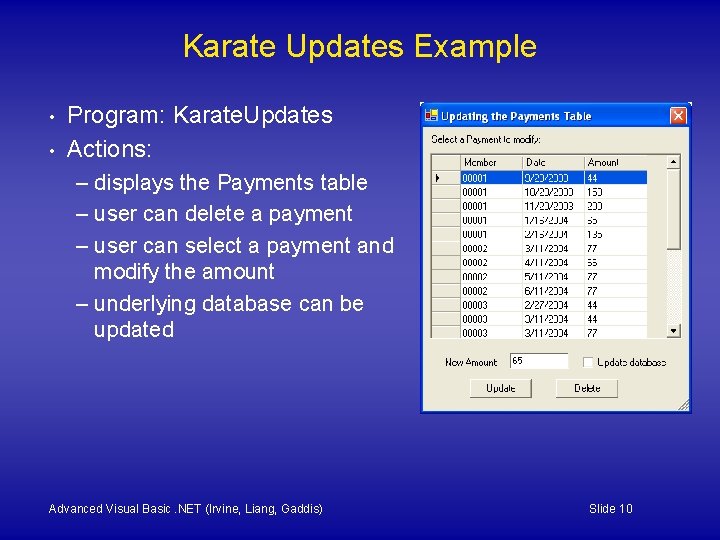
Karate Updates Example • • Program: Karate. Updates Actions: – displays the Payments table – user can delete a payment – user can select a payment and modify the amount – underlying database can be updated Advanced Visual Basic. NET (Irvine, Liang, Gaddis) Slide 10
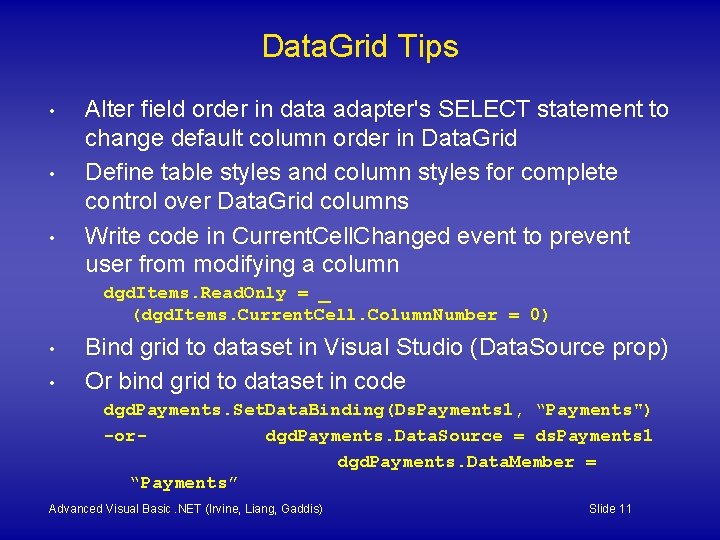
Data. Grid Tips • • • Alter field order in data adapter's SELECT statement to change default column order in Data. Grid Define table styles and column styles for complete control over Data. Grid columns Write code in Current. Cell. Changed event to prevent user from modifying a column dgd. Items. Read. Only = _ (dgd. Items. Current. Cell. Column. Number = 0) • • Bind grid to dataset in Visual Studio (Data. Source prop) Or bind grid to dataset in code dgd. Payments. Set. Data. Binding(Ds. Payments 1, “Payments") -ordgd. Payments. Data. Source = ds. Payments 1 dgd. Payments. Data. Member = “Payments” Advanced Visual Basic. NET (Irvine, Liang, Gaddis) Slide 11
4. 2 Data. Views and List. Views Advanced Visual Basic. NET (Irvine, Liang, Gaddis) Slide 12
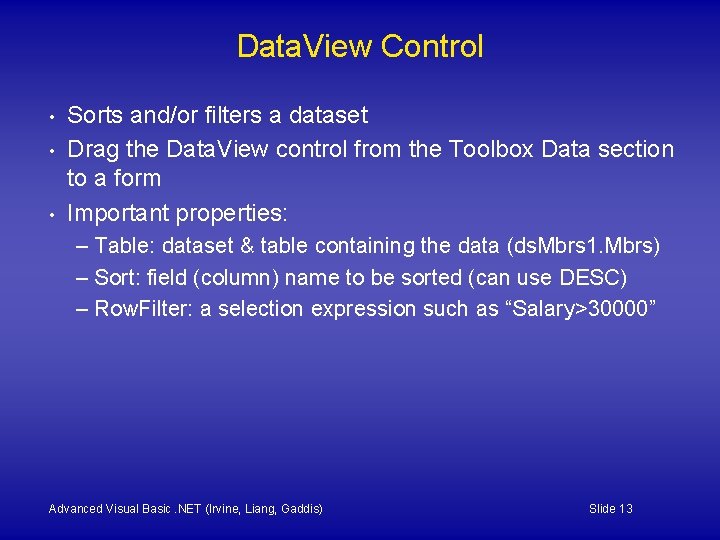
Data. View Control • • • Sorts and/or filters a dataset Drag the Data. View control from the Toolbox Data section to a form Important properties: – Table: dataset & table containing the data (ds. Mbrs 1. Mbrs) – Sort: field (column) name to be sorted (can use DESC) – Row. Filter: a selection expression such as “Salary>30000” Advanced Visual Basic. NET (Irvine, Liang, Gaddis) Slide 13
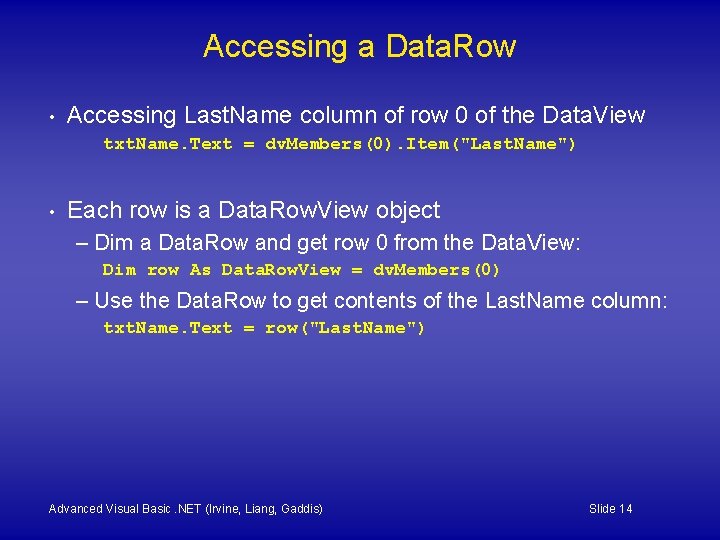
Accessing a Data. Row • Accessing Last. Name column of row 0 of the Data. View txt. Name. Text = dv. Members(0). Item("Last. Name") • Each row is a Data. Row. View object – Dim a Data. Row and get row 0 from the Data. View: Dim row As Data. Row. View = dv. Members(0) – Use the Data. Row to get contents of the Last. Name column: txt. Name. Text = row("Last. Name") Advanced Visual Basic. NET (Irvine, Liang, Gaddis) Slide 14
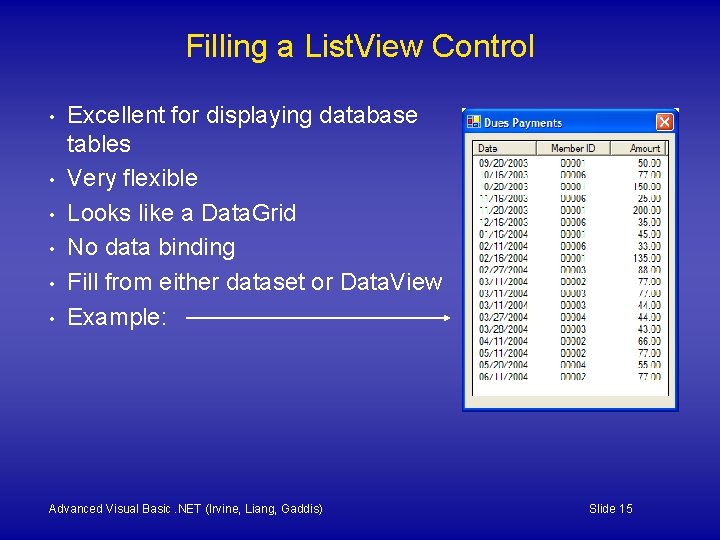
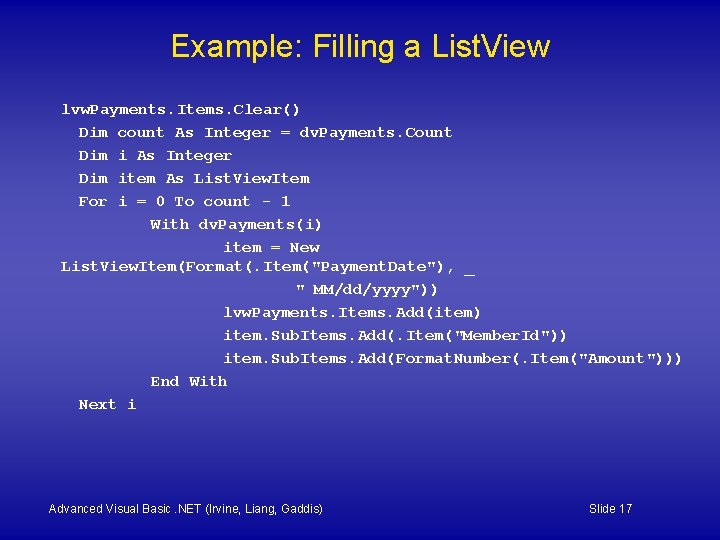
Filling a List. View Control • • • Excellent for displaying database tables Very flexible Looks like a Data. Grid No data binding Fill from either dataset or Data. View Example: Advanced Visual Basic. NET (Irvine, Liang, Gaddis) Slide 15
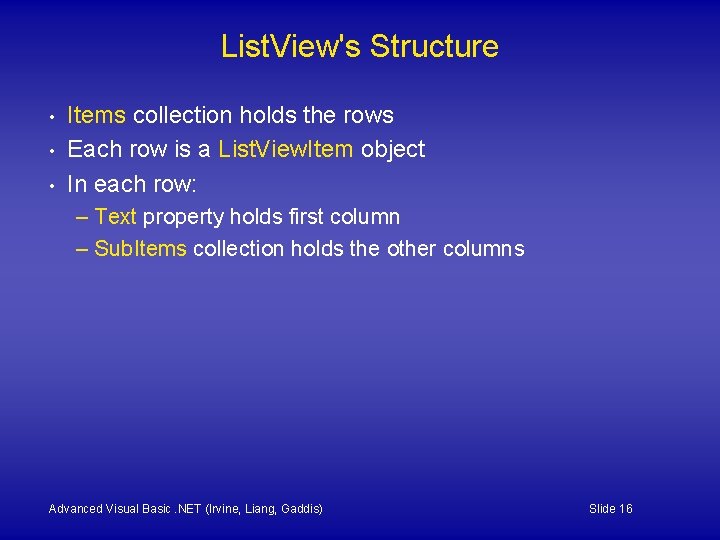
List. View's Structure • • • Items collection holds the rows Each row is a List. View. Item object In each row: – Text property holds first column – Sub. Items collection holds the other columns Advanced Visual Basic. NET (Irvine, Liang, Gaddis) Slide 16
Example: Filling a List. View lvw. Payments. Items. Clear() Dim count As Integer = dv. Payments. Count Dim i As Integer Dim item As List. View. Item For i = 0 To count - 1 With dv. Payments(i) item = New List. View. Item(Format(. Item("Payment. Date"), _ " MM/dd/yyyy")) lvw. Payments. Items. Add(item) item. Sub. Items. Add(. Item("Member. Id")) item. Sub. Items. Add(Format. Number(. Item("Amount"))) End With Next i Advanced Visual Basic. NET (Irvine, Liang, Gaddis) Slide 17
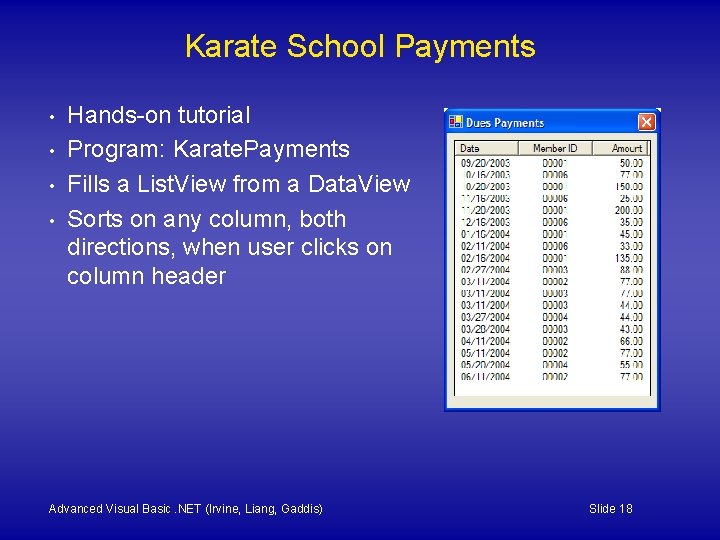
Karate School Payments • • Hands-on tutorial Program: Karate. Payments Fills a List. View from a Data. View Sorts on any column, both directions, when user clicks on column header Advanced Visual Basic. NET (Irvine, Liang, Gaddis) Slide 18
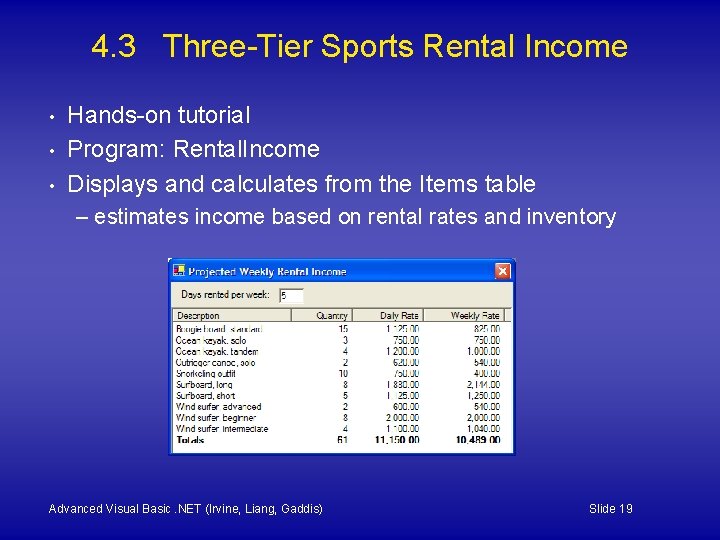
4. 3 Three-Tier Sports Rental Income • • • Hands-on tutorial Program: Rental. Income Displays and calculates from the Items table – estimates income based on rental rates and inventory Advanced Visual Basic. NET (Irvine, Liang, Gaddis) Slide 19
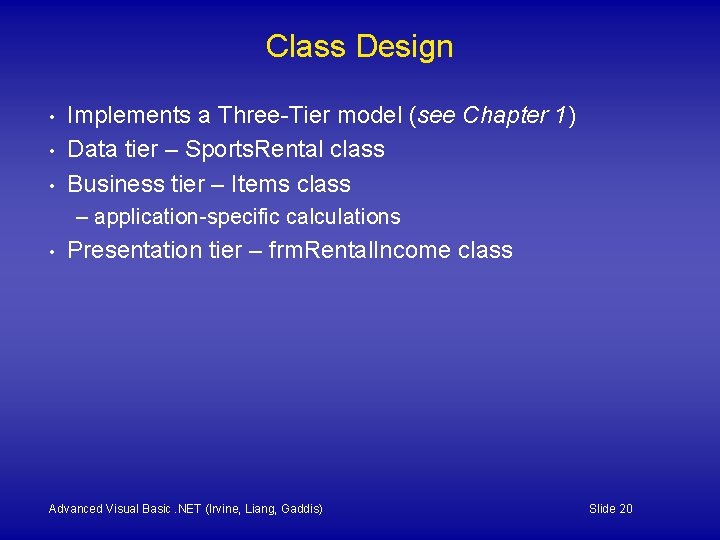
Class Design • • • Implements a Three-Tier model (see Chapter 1) Data tier – Sports. Rental class Business tier – Items class – application-specific calculations • Presentation tier – frm. Rental. Income class Advanced Visual Basic. NET (Irvine, Liang, Gaddis) Slide 20
4. 4 Sports Rental Checkout Example • Program: Rental. Checkout Emphasis on object-oriented design Checks out rental items from a Sports Rental store • Design tool: Use-case scenario • • – describes interaction between user and program – lists anticipated inputs and outcomes Advanced Visual Basic. NET (Irvine, Liang, Gaddis) Slide 21
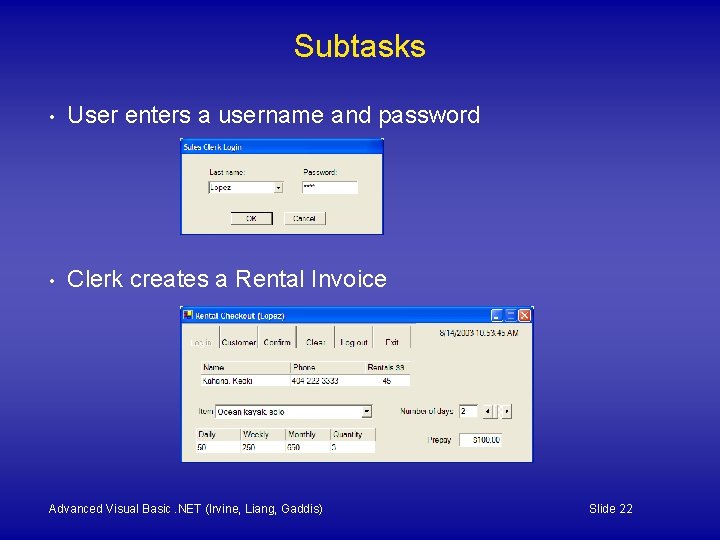
Subtasks • User enters a username and password • Clerk creates a Rental Invoice Advanced Visual Basic. NET (Irvine, Liang, Gaddis) Slide 22
Subtask: Clerk enters username, password 1. 2. 3. Program displays a dialog window containing a list of employee names. The clerk selects a name from the list and inputs a corresponding user password. The program checks the password against the database and does one of the following: – If the password is correct, the program closes the login window and proceeds to the next subtask. – If the password is incorrect, the program displays an error message and asks the clerk to reenter the password. The clerk is given three tries before the program ends. Advanced Visual Basic. NET (Irvine, Liang, Gaddis) Slide 23
4. 5 Command Objects • Visual Studio creates four commands for each data adapter: – Select. Command – Insert. Command – Update. Command – Delete. Command • Primary key required for all but Select. Command Advanced Visual Basic. NET (Irvine, Liang, Gaddis) Slide 24
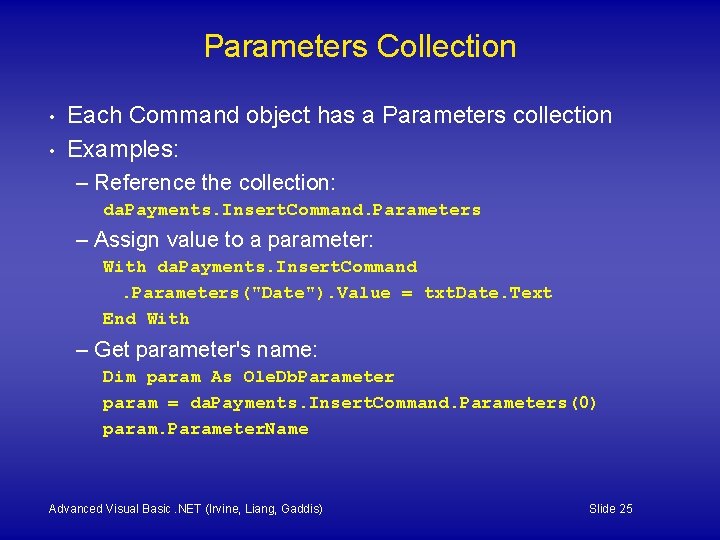
Parameters Collection • • Each Command object has a Parameters collection Examples: – Reference the collection: da. Payments. Insert. Command. Parameters – Assign value to a parameter: With da. Payments. Insert. Command. Parameters("Date"). Value = txt. Date. Text End With – Get parameter's name: Dim param As Ole. Db. Parameter param = da. Payments. Insert. Command. Parameters(0) param. Parameter. Name Advanced Visual Basic. NET (Irvine, Liang, Gaddis) Slide 25
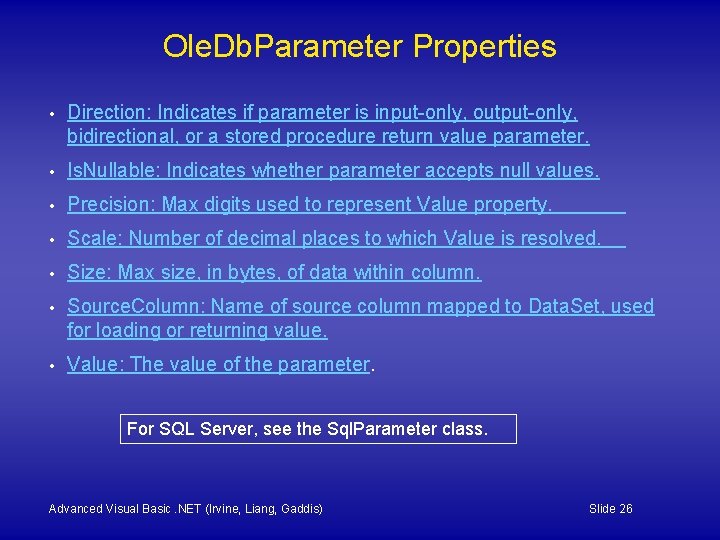
Ole. Db. Parameter Properties • Direction: Indicates if parameter is input-only, output-only, bidirectional, or a stored procedure return value parameter. • Is. Nullable: Indicates whether parameter accepts null values. • Precision: Max digits used to represent Value property. • Scale: Number of decimal places to which Value is resolved. • Size: Max size, in bytes, of data within column. • Source. Column: Name of source column mapped to Data. Set, used for loading or returning value. • Value: The value of the parameter. For SQL Server, see the Sql. Parameter class. Advanced Visual Basic. NET (Irvine, Liang, Gaddis) Slide 26
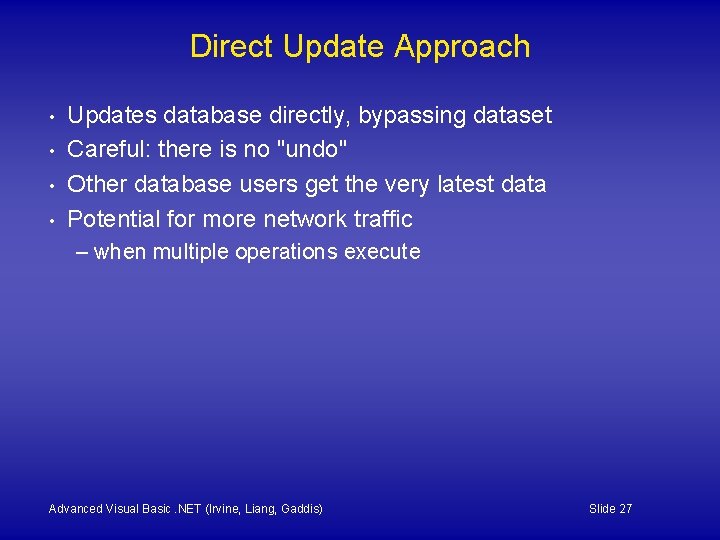
Direct Update Approach • • Updates database directly, bypassing dataset Careful: there is no "undo" Other database users get the very latest data Potential for more network traffic – when multiple operations execute Advanced Visual Basic. NET (Irvine, Liang, Gaddis) Slide 27
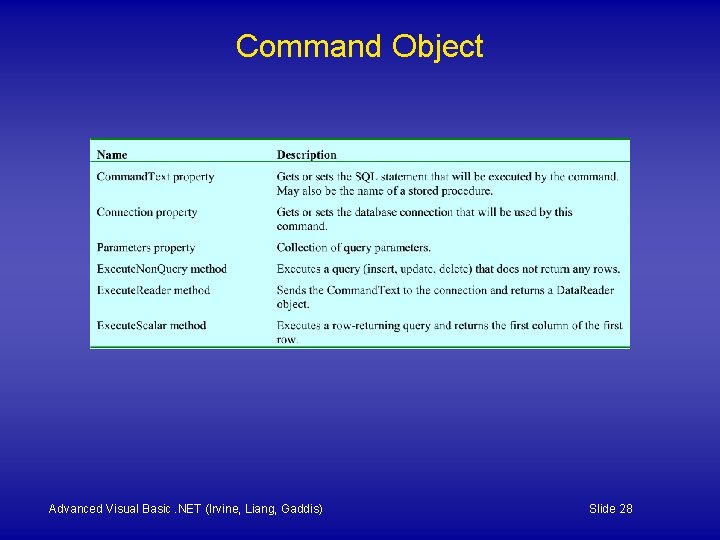
Command Object Advanced Visual Basic. NET (Irvine, Liang, Gaddis) Slide 28
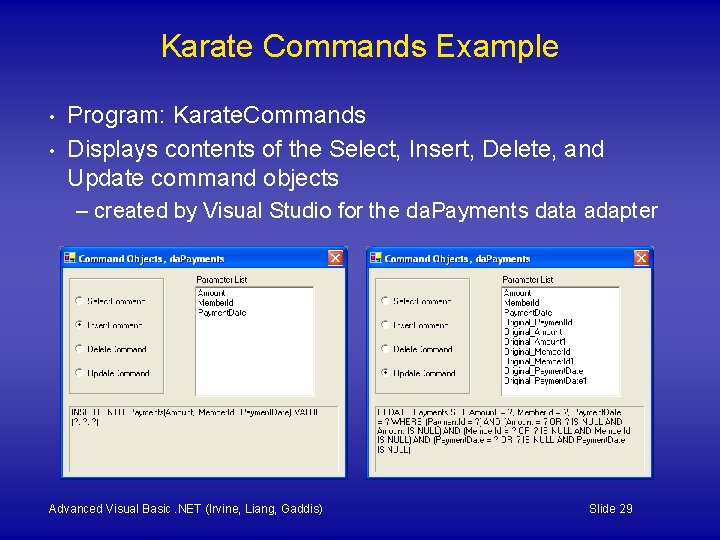
Karate Commands Example • • Program: Karate. Commands Displays contents of the Select, Insert, Delete, and Update command objects – created by Visual Studio for the da. Payments data adapter Advanced Visual Basic. NET (Irvine, Liang, Gaddis) Slide 29
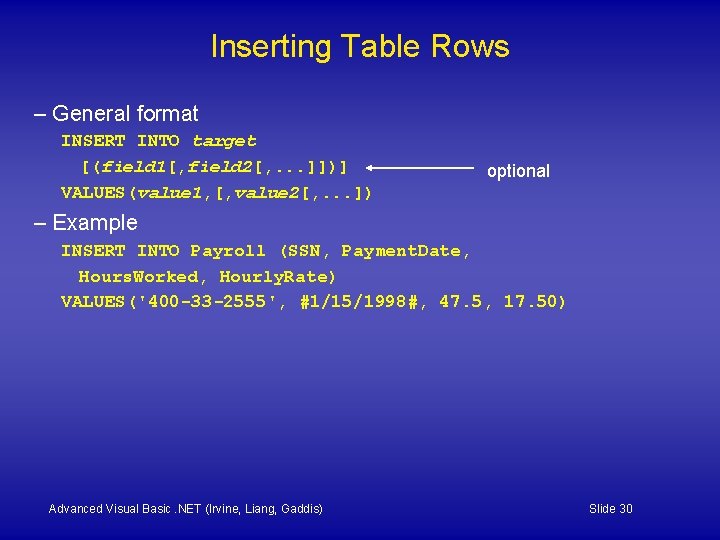
Inserting Table Rows – General format INSERT INTO target [(field 1[, field 2[, . . . ]])] VALUES(value 1, [, value 2[, . . . ]) optional – Example INSERT INTO Payroll (SSN, Payment. Date, Hours. Worked, Hourly. Rate) VALUES('400 -33 -2555', #1/15/1998#, 47. 5, 17. 50) Advanced Visual Basic. NET (Irvine, Liang, Gaddis) Slide 30
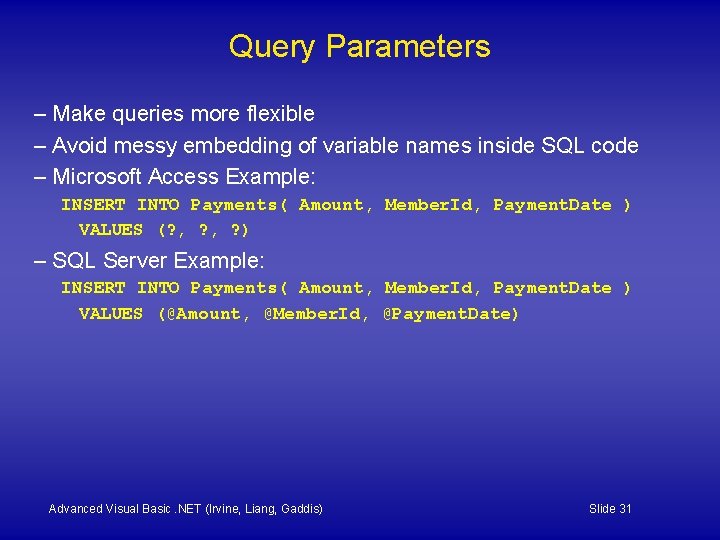
Query Parameters – Make queries more flexible – Avoid messy embedding of variable names inside SQL code – Microsoft Access Example: INSERT INTO Payments( Amount, Member. Id, Payment. Date ) VALUES (? , ? ) – SQL Server Example: INSERT INTO Payments( Amount, Member. Id, Payment. Date ) VALUES (@Amount, @Member. Id, @Payment. Date) Advanced Visual Basic. NET (Irvine, Liang, Gaddis) Slide 31
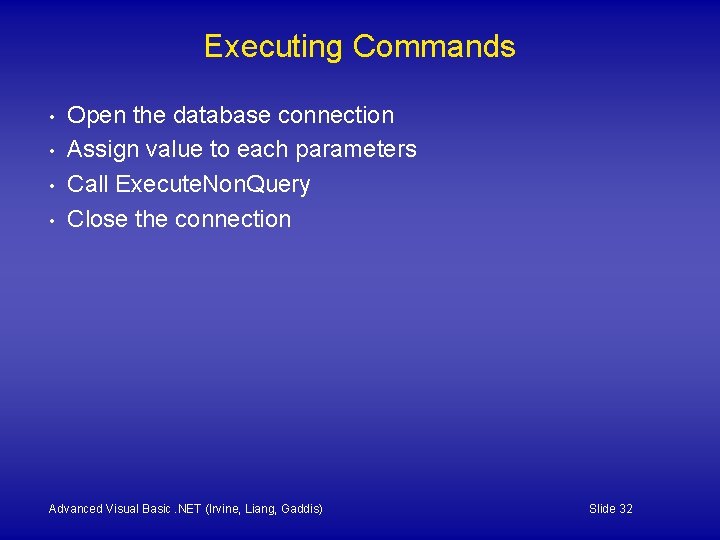
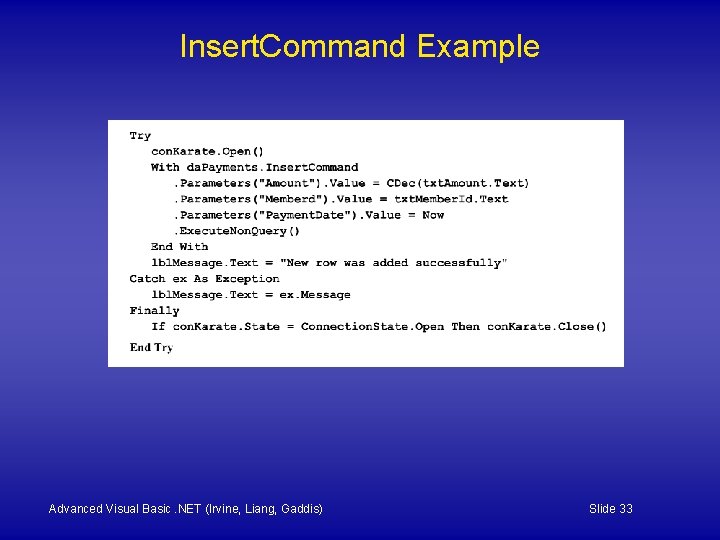
Executing Commands • • Open the database connection Assign value to each parameters Call Execute. Non. Query Close the connection Advanced Visual Basic. NET (Irvine, Liang, Gaddis) Slide 32
Insert. Command Example Advanced Visual Basic. NET (Irvine, Liang, Gaddis) Slide 33
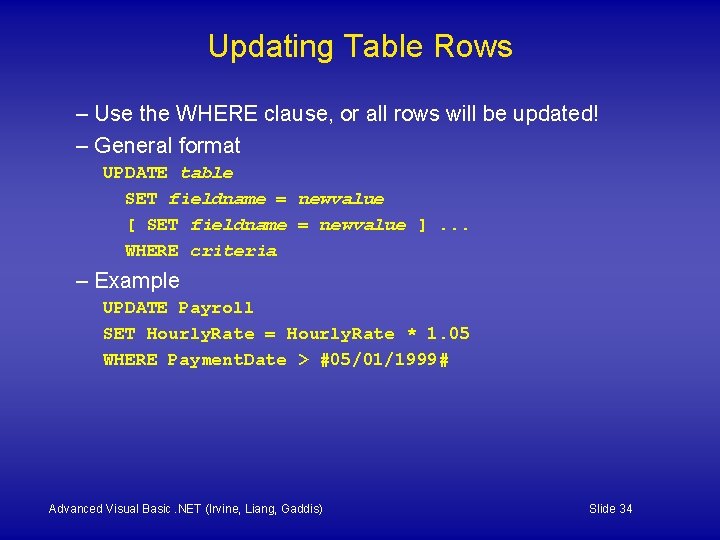
Updating Table Rows – Use the WHERE clause, or all rows will be updated! – General format UPDATE table SET fieldname = newvalue [ SET fieldname = newvalue ]. . . WHERE criteria – Example UPDATE Payroll SET Hourly. Rate = Hourly. Rate * 1. 05 WHERE Payment. Date > #05/01/1999# Advanced Visual Basic. NET (Irvine, Liang, Gaddis) Slide 34
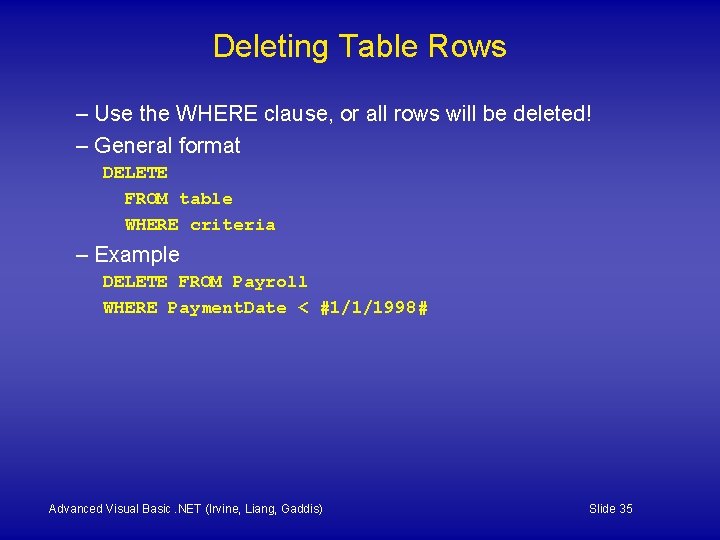
Deleting Table Rows – Use the WHERE clause, or all rows will be deleted! – General format DELETE FROM table WHERE criteria – Example DELETE FROM Payroll WHERE Payment. Date < #1/1/1998# Advanced Visual Basic. NET (Irvine, Liang, Gaddis) Slide 35
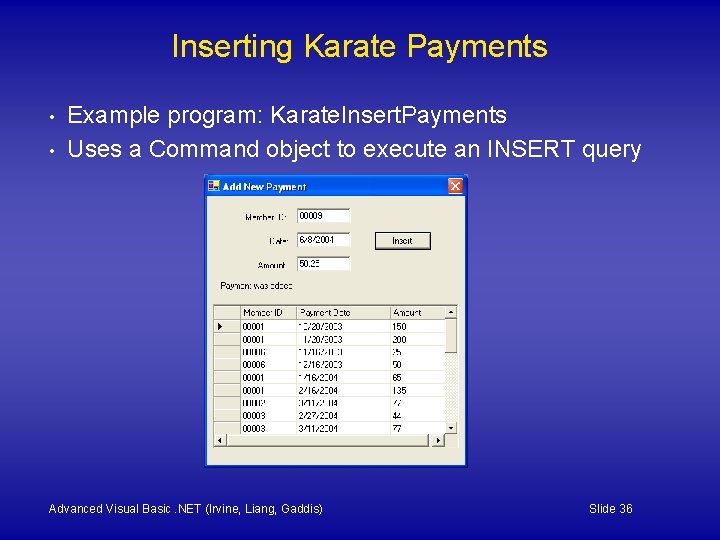
Inserting Karate Payments • • Example program: Karate. Insert. Payments Uses a Command object to execute an INSERT query Advanced Visual Basic. NET (Irvine, Liang, Gaddis) Slide 36
The End Advanced Visual Basic. NET (Irvine, Liang, Gaddis) Slide 37