
4 C An Engaged Classroom Tracina Wyatt Instructional
- Slides: 21
4 C: An Engaged Classroom Tracina Wyatt Instructional Technology Specialist Henry County School System
Before we get started… • Go to your APP Store and download NEARPOD (ios and Droid devices)
Today’s Focus • What are the 4 C’s? • How can I engage students in the 4 C’s using technology tools and apps? • How can I shift my teaching practices to incorporate the 4 C’s?
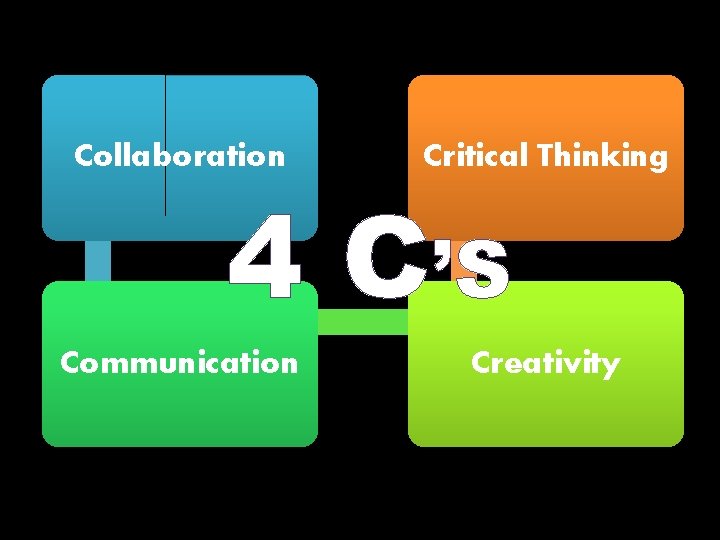
Collaboration Critical Thinking Communication Creativity 4 C’S
Collaboration “Collaboration has been accepted as a skill that’s essential to achieve meaningful and effective results”
Collaboration • Scoot. Pad (Grades K-5) www. scootpad. com • Edmodo (Grades K-8) www. edmodo. com
Collaboration • Evernote (Grades 6 -12) www. evernote. com • Drop. Box www. dropbox. com • Google Docs https: //docs. google. com
Collaboration • Real. Time Board (www. realtimeboard. com) – Example Board http: //realtimeboard. com/app/1975072/Random-Words: Example/ • Meeting Words (www. meetingwords. com) Let’s Try It: http: //meetingwords. com/val. W 4 g. Sg 5 G
Critical Thinking “One can’t learn well without thinking well” “Learning critical thinking leads students to develop other skills, such as a higher level of concentration, deeper analytical abilities, and improved thought processing”
Critical Thinking • APP Development – The APP Builder (guides you through creating an APP) – (http: //www. theappbuilder. com/) – Project Guideline to create an App for your school http: //www. 21 things 4 students. net/21/mobile-computing/q 4 -appcreator-replace-build-a-cellphone/ – APP Inventor (App creator for Android devices; lots of great tutorials) (http: //appinventor. mit. edu/) – Hopscotch (i. Pad App to develop i. Pad Apps!) • Kid Friendly
Critical Thinking • Programming – Scratch - create your very own interactive stories, animations, games, and art • (http: //scratch. mit. edu/) • Project Guidelines http: //www. 21 things 4 students. net/21/game-design/ – Kodu – create your very own games for XBOX and PC • (http: //www. kodugamelab. com/)
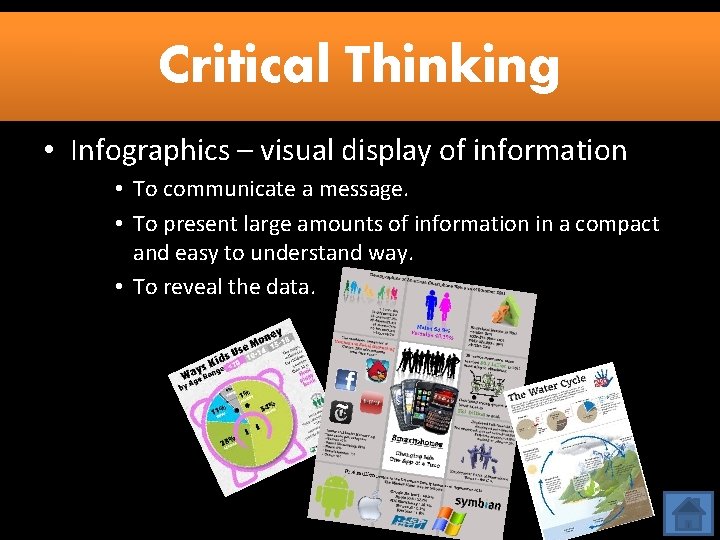
Critical Thinking • Infographics – visual display of information • To communicate a message. • To present large amounts of information in a compact and easy to understand way. • To reveal the data.
Communication “Students must be able to effectively analyze and process the overwhelming amount of communication in their lives today”
Communication • Blogs (provides a real audience for a real purpose) – Edu. Blogs (http: //edublogs. org/) – Kid. Blog (http: //kidblog. org) • Smore (Online Newsletter) – www. smore. com • Voice. Thread – allows students to communicate ideas in a visual and verbal format – https: //voicethread. com/support/howto/Account_Types/ Free/
Let’s Try It: • Open your NEARPOD App or go to www. nearpod. com • and enter the PIN: CNZFV
Creativity “If students leave school without knowing how to continuously create and innovate, they will be underprepared for the challenges of society and the workforce. ”
Creativity • Boomwriter (create authentic stories with the possibility of having them published) – www. boomwriter. com • Fakebook (create Facebook-like pages for historical figures, book characters, etc. ) – (http: //www. classtools. net/FB/home-page )
Creativity • Songsmith (music creating software) – Free Microsoft download – http: //research. microsoft. com/enus/um/redmond/projects/songsmith/ • Voki • (create custom avatars that speak) – www. voki. com
Let’s Try It: • Go to m. socrative. com • Enter Room Number 419658
Additional Resources 21 Things 4 Students • http: //www. 21 things 4 students. net/21/begin-here/ Cool Tools for School • http: //cooltoolsforschools. wikispaces. com/Collaborati ve+Tools Facebook Templates • http: //noshhinghere. blogspot. com/2012/02/updatedfacebook-template. html 5 Ways to Collaborate with Another Class • http: //fluency 21. com/blog/2013/09/03/5 -amazingways-to-collaborate-with-another-class/
Questions/Comments? Tracina Wyatt twyatt@henry. k 12. ga. us Follow Me: @tbwyatt 10 @ITS_HCS Tracina Brown Wyatt