
3 ds Max Data Exchange Interface 3 DXI





- Slides: 41
3 ds Max Data Exchange Interface (3 DXI) and COLLADA Bernard Lefebvre AUTODESK - Media and Entertainment Dev. Tech. Support
> 3 DXI – High Level API for 3 ds Max SDK Overview Goals and Targets > > Interface Scope Overview > Flexibility and Customization > COLLADA - Digital Asset Exchange Schema > Goals and Guidelines > Library types > 3 DXI in COLLADA Export plug-in > How things work together > Data round-trip demonstration
3 DXI - High Level API for 3 ds Max SDK
3 DXI: Goals and Targets > 3 DXI (formerly known as IGame) was introduced as a set of interfaces for rapid data extraction > Dual target > > Allow novice 3 ds Max developers to extract data with minimal effort Allow for the gradual adoption of 3 DXI within existing pipelines
3 DXI: Goals and Targets > M&E is devoting R&D resources to maintain and expand 3 DXI > Short term goal: > Complete the set of entities exposed when parsing the scene graph > Mid term goal: > Incorporate > import capabilities to the API Long term goal: > Become a standard API for data exchange in and out of 3 ds Max
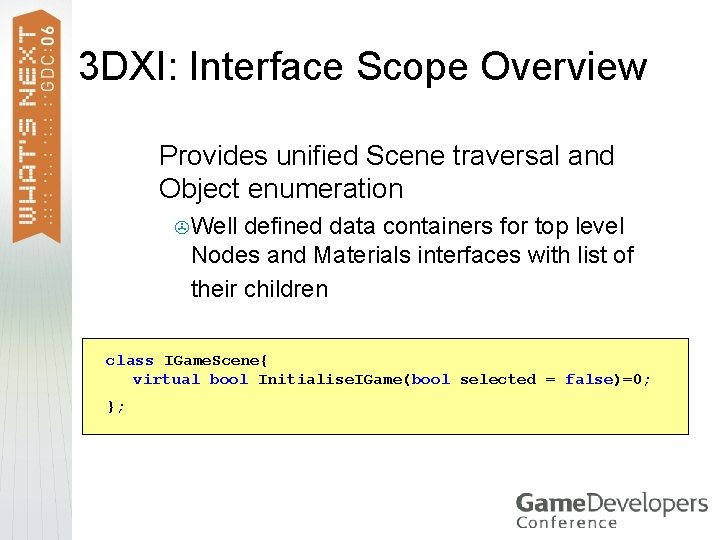
3 DXI: Interface Scope Overview > Provides unified Scene traversal and Object enumeration > Well defined data containers for top level Nodes and Materials interfaces with list of their children class IGame. Scene{ virtual bool Initialise. IGame(bool selected = false)=0; };
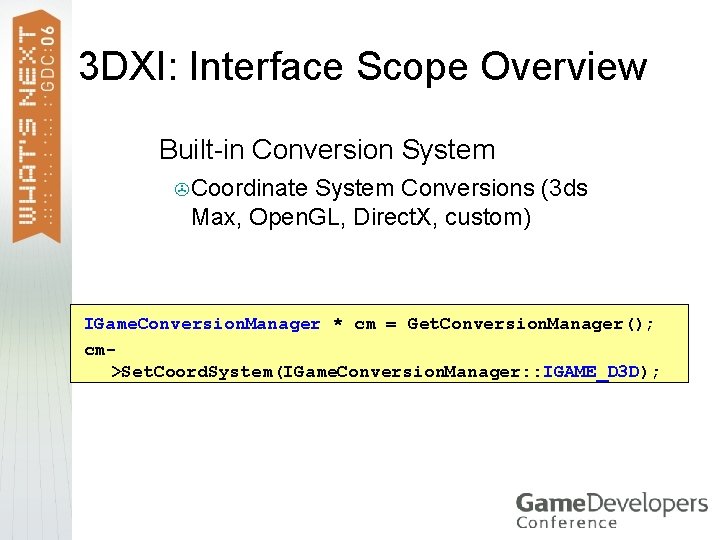
3 DXI: Interface Scope Overview > Built-in Conversion System > Coordinate System Conversions (3 ds Max, Open. GL, Direct. X, custom) IGame. Conversion. Manager * cm = Get. Conversion. Manager(); cm>Set. Coord. System(IGame. Conversion. Manager: : IGAME_D 3 D);
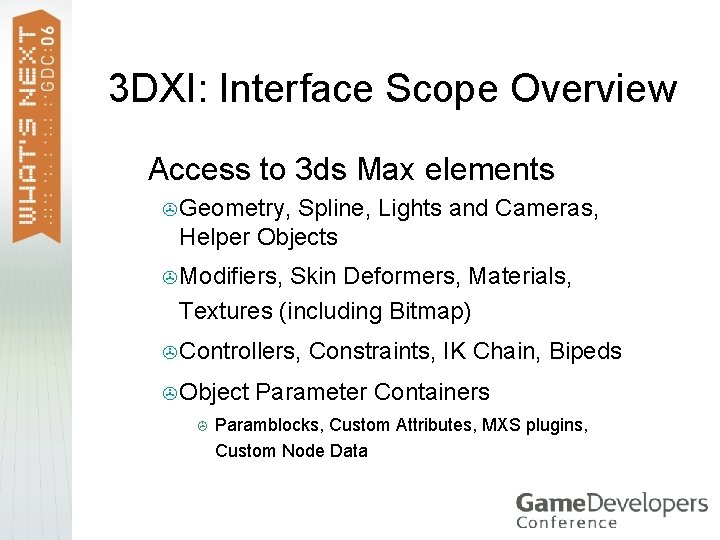
3 DXI: Interface Scope Overview >Access to 3 ds Max elements > Geometry, Spline, Lights and Cameras, Helper Objects > Modifiers, Skin Deformers, Materials, Textures (including Bitmap) > Controllers, > Object > Constraints, IK Chain, Bipeds Parameter Containers Paramblocks, Custom Attributes, MXS plugins, Custom Node Data
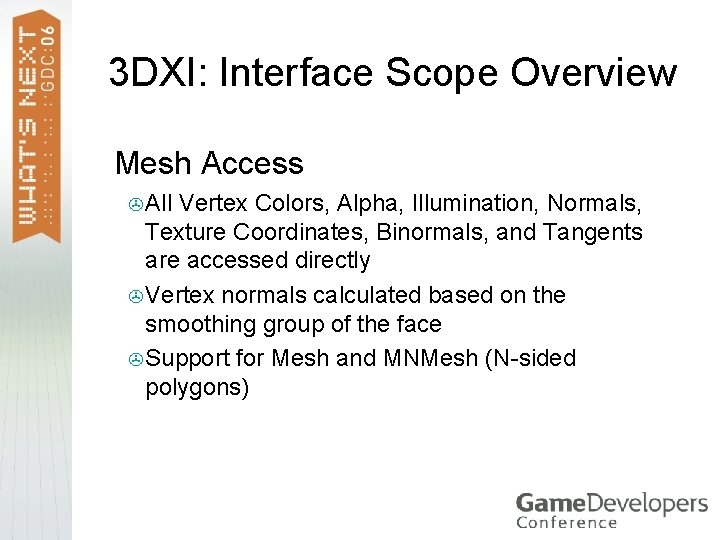
3 DXI: Interface Scope Overview >Mesh Access > All Vertex Colors, Alpha, Illumination, Normals, Texture Coordinates, Binormals, and Tangents are accessed directly > Vertex normals calculated based on the smoothing group of the face > Support for Mesh and MNMesh (N-sided polygons)
3 DXI: Interface Scope Overview >Animation > Access to TCB, Euler Controllers, Constraints and Biped systems > Option for key sampling for parametric controllers
3 DXI: Interface Scope Overview >Direct. X Effects >Direct. X 9 Shader Material supported directly via IGame. Material
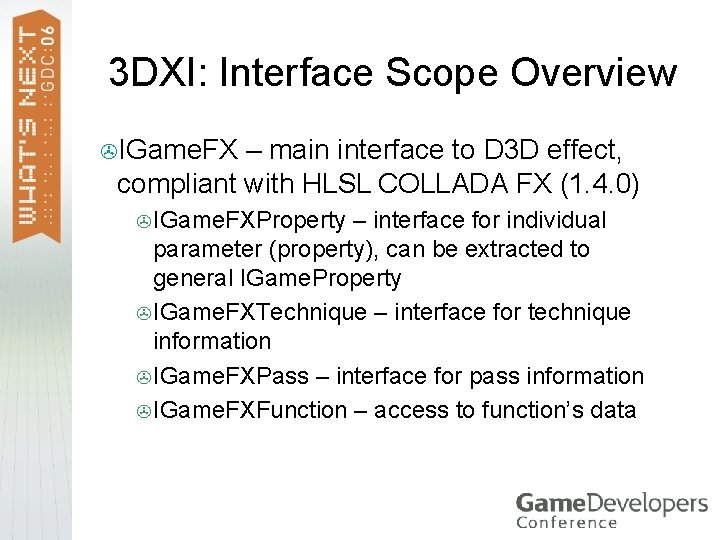
3 DXI: Interface Scope Overview >IGame. FX – main interface to D 3 D effect, compliant with HLSL COLLADA FX (1. 4. 0) > IGame. FXProperty – interface for individual parameter (property), can be extracted to general IGame. Property > IGame. FXTechnique – interface for technique information > IGame. FXPass – interface for pass information > IGame. FXFunction – access to function’s data
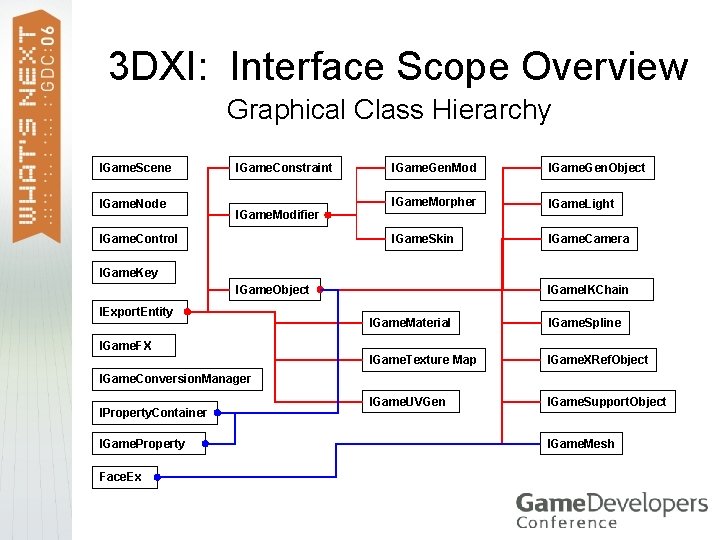
3 DXI: Interface Scope Overview Graphical Class Hierarchy IGame. Scene IGame. Node IGame. Constraint IGame. Modifier IGame. Control IGame. Gen. Mod IGame. Gen. Object IGame. Morpher IGame. Light IGame. Skin IGame. Camera IGame. Key IGame. Object IExport. Entity IGame. IKChain IGame. Material IGame. Spline IGame. Texture Map IGame. XRef. Object IGame. UVGen IGame. Support. Object IGame. FX IGame. Conversion. Manager IProperty. Container IGame. Property Face. Ex IGame. Mesh
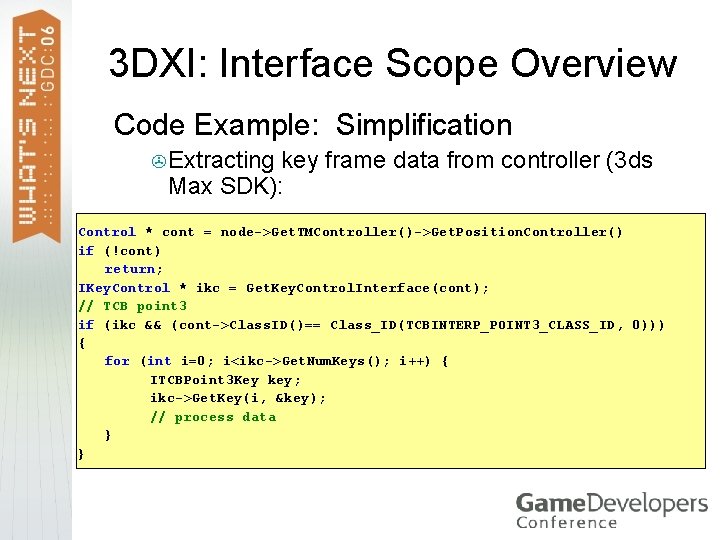
3 DXI: Interface Scope Overview Code Example: Simplification > Extracting key frame data from controller (3 ds Max SDK): Control * cont = node->Get. TMController()->Get. Position. Controller() if (!cont) return; IKey. Control * ikc = Get. Key. Control. Interface(cont); // TCB point 3 if (ikc && (cont->Class. ID()== Class_ID(TCBINTERP_POINT 3_CLASS_ID, 0))) { for (int i=0; i<ikc->Get. Num. Keys(); i++) { ITCBPoint 3 Key key; ikc->Get. Key(i, &key); // process data } }
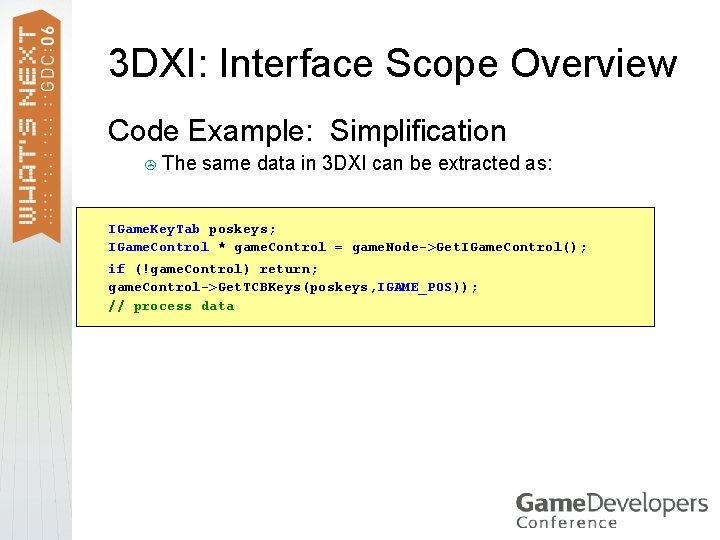
3 DXI: Interface Scope Overview Code Example: Simplification > The same data in 3 DXI can be extracted as: IGame. Key. Tab poskeys; IGame. Control * game. Control = game. Node->Get. IGame. Control(); if (!game. Control) return; game. Control->Get. TCBKeys(poskeys, IGAME_POS)); // process data
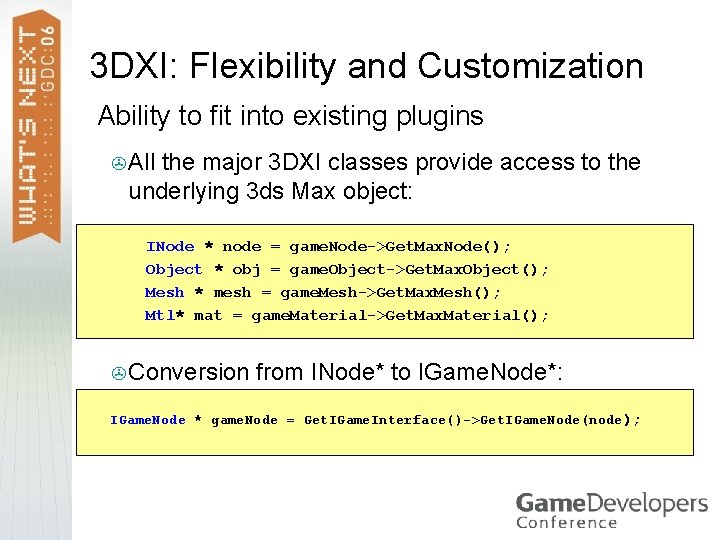
3 DXI: Flexibility and Customization > Ability to fit into existing plugins > All the major 3 DXI classes provide access to the underlying 3 ds Max object: INode * node = game. Node->Get. Max. Node(); Object * obj = game. Object->Get. Max. Object(); Mesh * mesh = game. Mesh->Get. Max. Mesh(); Mtl* mat = game. Material->Get. Max. Material(); > Conversion from INode* to IGame. Node*: IGame. Node * game. Node = Get. IGame. Interface()->Get. IGame. Node(node);
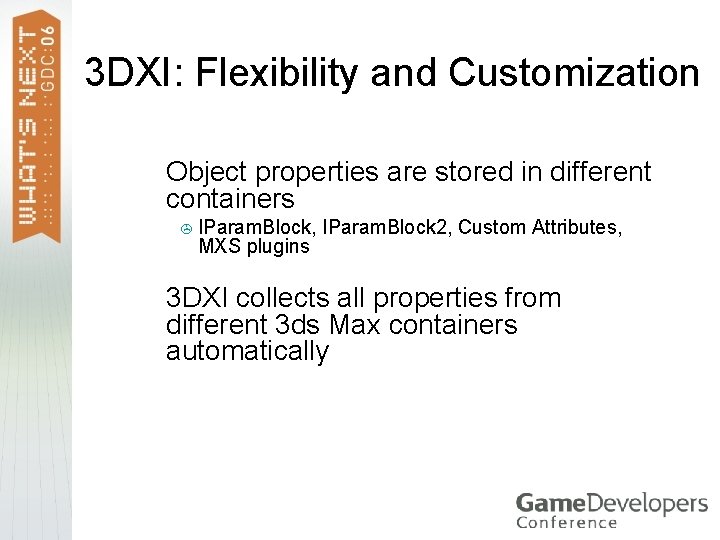
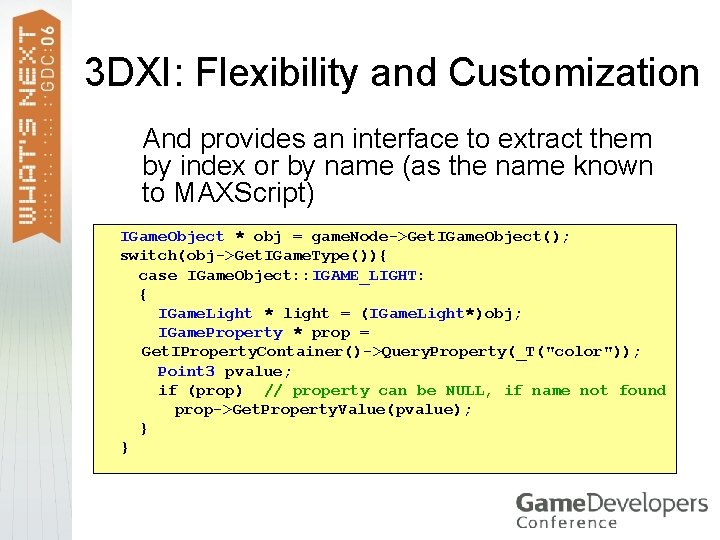
3 DXI: Flexibility and Customization > Object properties are stored in different containers > IParam. Block, MXS plugins > 3 DXI IParam. Block 2, Custom Attributes, collects all properties from different 3 ds Max containers automatically
3 DXI: Flexibility and Customization > And provides an interface to extract them by index or by name (as the name known to MAXScript) IGame. Object * obj = game. Node->Get. IGame. Object(); switch(obj->Get. IGame. Type()){ case IGame. Object: : IGAME_LIGHT: { IGame. Light * light = (IGame. Light*)obj; IGame. Property * prop = Get. IProperty. Container()->Query. Property(_T("color")); Point 3 pvalue; if (prop) // property can be NULL, if name not found prop->Get. Property. Value(pvalue); } }
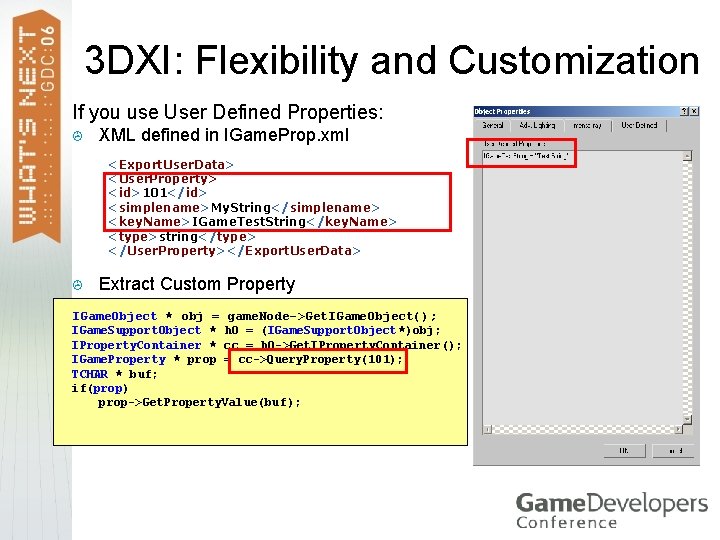
3 DXI: Flexibility and Customization If you use User Defined Properties: > XML defined in IGame. Prop. xml <Export. User. Data> <User. Property> <id>101</id> <simplename>My. String</simplename> <key. Name>IGame. Test. String</key. Name> <type>string</type> </User. Property></Export. User. Data> > Extract Custom Property IGame. Object * obj = game. Node->Get. IGame. Object(); IGame. Support. Object * h. O = (IGame. Support. Object*)obj; IProperty. Container * cc = h. O->Get. IProperty. Container(); IGame. Property * prop = cc->Query. Property(101); TCHAR * buf; if(prop) prop->Get. Property. Value(buf);
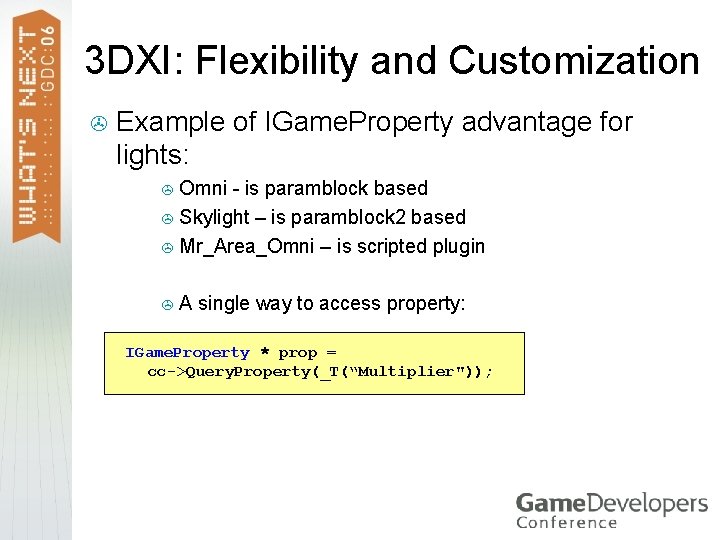
3 DXI: Flexibility and Customization > Example of IGame. Property advantage for lights: > Omni - is paramblock based > Skylight – is paramblock 2 based > Mr_Area_Omni – is scripted plugin >A single way to access property: IGame. Property * prop = cc->Query. Property(_T(“Multiplier"));
COLLADA Digital Asset Exchange Schema
COLLADA: Goals and Guidelines > COLLADA - An open Digital Asset Exchange (XML) Schema for the interactive 3 D industry > > Driven by Sony Computer Entertainment , Inc. Current version is 1. 4. 0 https: //collada. org http: //www. khronos. org/collada/
COLLADA: Goals and Guidelines > COLLADA is not a game engine format > Goals: > To liberate digital assets from proprietary binary formats into XML open-source format > > No binary data within XML Shema Flexibility and Scalability > To provide a standard common format for digital content users > XML Schema, Specification, and API > To be a basis for common data exchange between 3 D applications > User’s quote: “The days of game developers writing custom export plugins for modeling packages are, from what we've seen, over”
COLLADA 1. 4 New features. > COLLADA FX > > Cross-platform standard shader and effects definition written in XML. Targets: > > > High-end systems running Open. GL Shading Language (GLSL) and Cg (HLSL coming), Resource-constrained systems (Open. GL ES 1. x profile). COLLADA Physics > > Rigid Body Dynamics, Rag Dolls, Contraints, Collision Volumes. Enables data interchange between Ageia (Novodex), Havok, Meqon, ODE and other game physics middleware
COLLADA: Library types > library_animations, library_animation_clips > library_geometries > library_controllers > library_nodes > library_materials, library_images > library_cameras, library_lights > library_visual_scenes > library_effects > library_physics_models > library_physics_materials, > library_physics_scenes library_force_fields
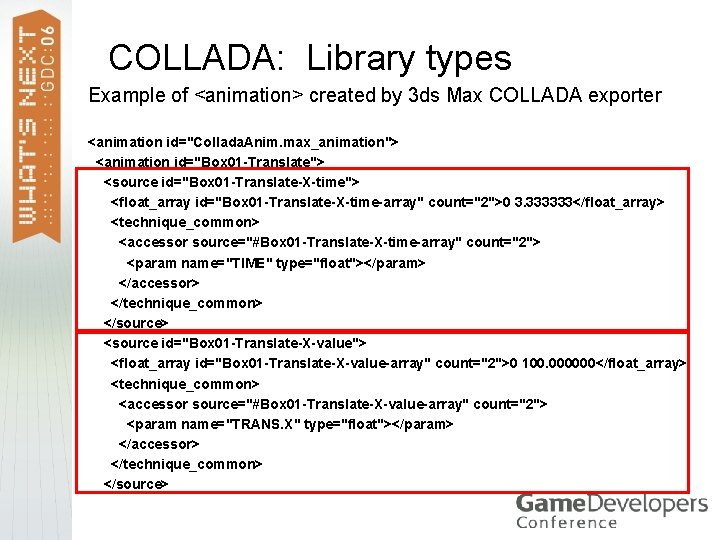
COLLADA: Library types Example of <animation> created by 3 ds Max COLLADA exporter <animation id="Collada. Anim. max_animation"> <animation id="Box 01 -Translate"> <source id="Box 01 -Translate-X-time"> <float_array id="Box 01 -Translate-X-time-array" count="2">0 3. 333333</float_array> <technique_common> <accessor source="#Box 01 -Translate-X-time-array" count="2"> <param name="TIME" type="float"></param> </accessor> </technique_common> </source> <source id="Box 01 -Translate-X-value"> <float_array id="Box 01 -Translate-X-value-array" count="2">0 100. 000000</float_array> <technique_common> <accessor source="#Box 01 -Translate-X-value-array" count="2"> <param name="TRANS. X" type="float"></param> </accessor> </technique_common> </source>
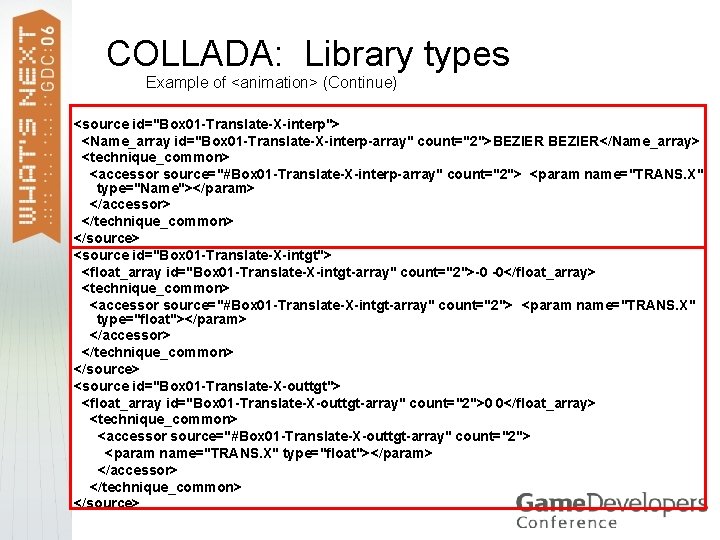
COLLADA: Library types Example of <animation> (Continue) <source id="Box 01 -Translate-X-interp"> <Name_array id="Box 01 -Translate-X-interp-array" count="2">BEZIER</Name_array> <technique_common> <accessor source="#Box 01 -Translate-X-interp-array" count="2"> <param name="TRANS. X" type="Name"></param> </accessor> </technique_common> </source> <source id="Box 01 -Translate-X-intgt"> <float_array id="Box 01 -Translate-X-intgt-array" count="2">-0 -0</float_array> <technique_common> <accessor source="#Box 01 -Translate-X-intgt-array" count="2"> <param name="TRANS. X" type="float"></param> </accessor> </technique_common> </source> <source id="Box 01 -Translate-X-outtgt"> <float_array id="Box 01 -Translate-X-outtgt-array" count="2">0 0</float_array> <technique_common> <accessor source="#Box 01 -Translate-X-outtgt-array" count="2"> <param name="TRANS. X" type="float"></param> </accessor> </technique_common> </source>
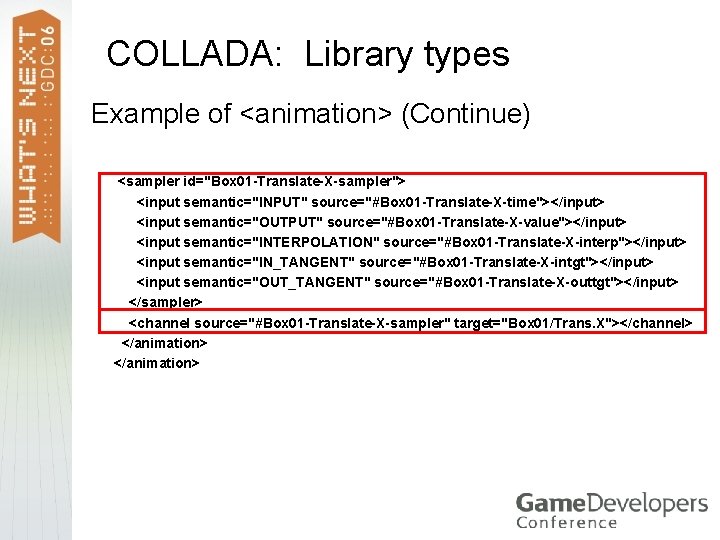
COLLADA: Library types Example of <animation> (Continue) > > > > > <sampler id="Box 01 -Translate-X-sampler"> <input semantic="INPUT" source="#Box 01 -Translate-X-time"></input> <input semantic="OUTPUT" source="#Box 01 -Translate-X-value"></input> <input semantic="INTERPOLATION" source="#Box 01 -Translate-X-interp"></input> <input semantic="IN_TANGENT" source="#Box 01 -Translate-X-intgt"></input> <input semantic="OUT_TANGENT" source="#Box 01 -Translate-X-outtgt"></input> </sampler> <channel source="#Box 01 -Translate-X-sampler" target="Box 01/Trans. X"></channel> </animation>
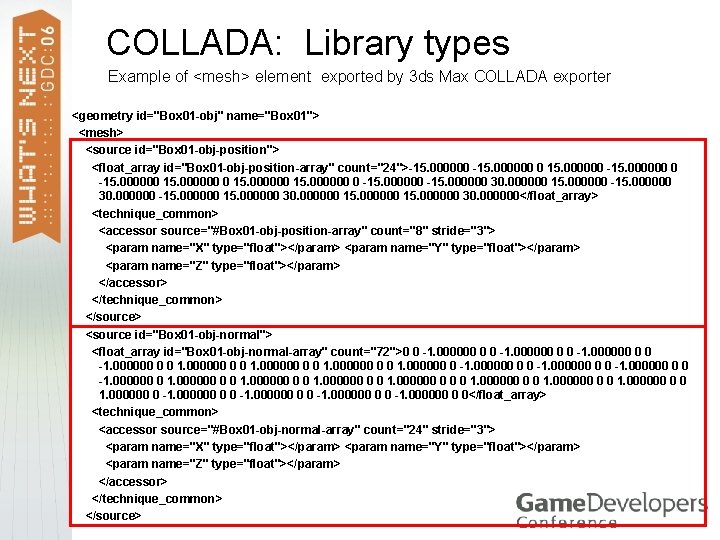
COLLADA: Library types Example of <mesh> element exported by 3 ds Max COLLADA exporter <geometry id="Box 01 -obj" name="Box 01"> <mesh> <source id="Box 01 -obj-position"> <float_array id="Box 01 -obj-position-array" count="24">-15. 000000 0 15. 000000 -15. 000000 0 15. 000000 0 -15. 000000 30. 000000 15. 000000 30. 000000</float_array> <technique_common> <accessor source="#Box 01 -obj-position-array" count="8" stride="3"> <param name="X" type="float"></param> <param name="Y" type="float"></param> <param name="Z" type="float"></param> </accessor> </technique_common> </source> <source id="Box 01 -obj-normal"> <float_array id="Box 01 -obj-normal-array" count="72">0 0 -1. 000000 0 0 1. 000000 0 -1. 000000 0 1. 000000 0 0 0 1. 000000 0 -1. 000000 0 0</float_array> <technique_common> <accessor source="#Box 01 -obj-normal-array" count="24" stride="3"> <param name="X" type="float"></param> <param name="Y" type="float"></param> <param name="Z" type="float"></param> </accessor> </technique_common> </source>
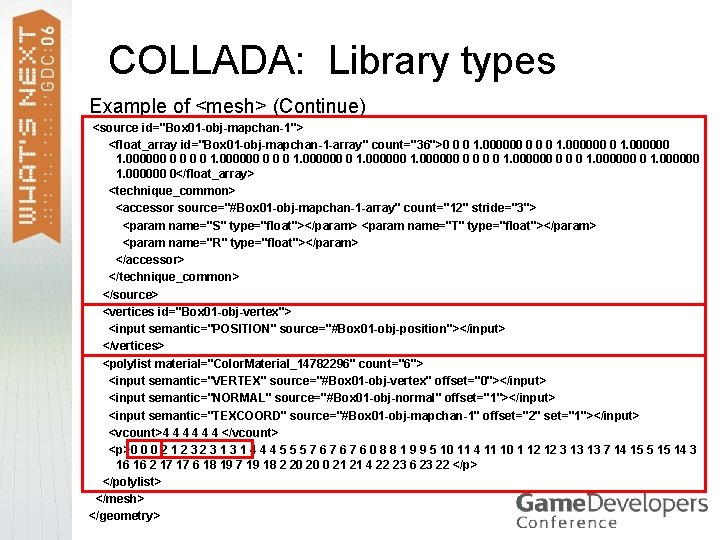
COLLADA: Library types Example of <mesh> (Continue) <source id="Box 01 -obj-mapchan-1"> <float_array id="Box 01 -obj-mapchan-1 -array" count="36">0 0 0 1. 000000 0 1. 000000 0 0 0 0 1. 000000 0</float_array> <technique_common> <accessor source="#Box 01 -obj-mapchan-1 -array" count="12" stride="3"> <param name="S" type="float"></param> <param name="T" type="float"></param> <param name="R" type="float"></param> </accessor> </technique_common> </source> <vertices id="Box 01 -obj-vertex"> <input semantic="POSITION" source="#Box 01 -obj-position"></input> </vertices> <polylist material="Color. Material_14782296" count="6"> <input semantic="VERTEX" source="#Box 01 -obj-vertex" offset="0"></input> <input semantic="NORMAL" source="#Box 01 -obj-normal" offset="1"></input> <input semantic="TEXCOORD" source="#Box 01 -obj-mapchan-1" offset="2" set="1"></input> <vcount>4 4 4 </vcount> <p>0 0 0 2 1 2 3 1 3 1 4 4 4 5 5 5 7 6 7 6 0 8 8 1 9 9 5 10 11 4 11 10 1 12 12 3 13 13 7 14 15 5 15 14 3 16 16 2 17 17 6 18 19 7 19 18 2 20 20 0 21 21 4 22 23 6 23 22 </p> </polylist> </mesh> </geometry>
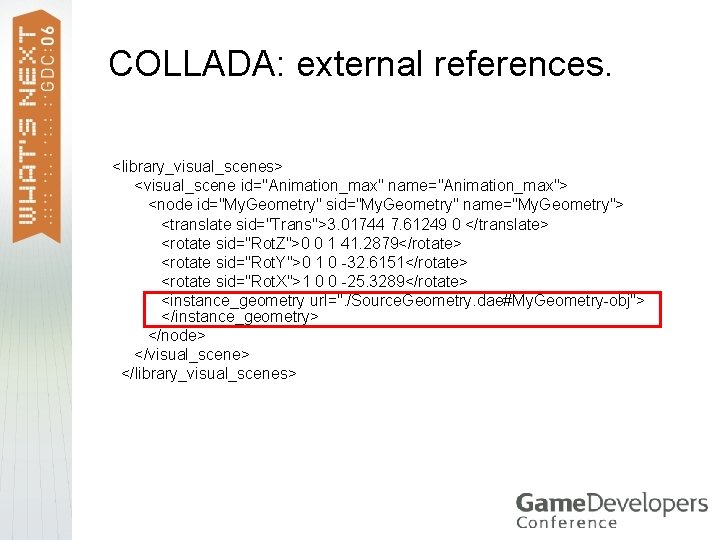
COLLADA: external references. <library_visual_scenes> <visual_scene id="Animation_max" name="Animation_max"> <node id="My. Geometry" sid="My. Geometry" name="My. Geometry"> <translate sid="Trans">3. 01744 7. 61249 0 </translate> <rotate sid="Rot. Z">0 0 1 41. 2879</rotate> <rotate sid="Rot. Y">0 1 0 -32. 6151</rotate> <rotate sid="Rot. X">1 0 0 -25. 3289</rotate> <instance_geometry url=". /Source. Geometry. dae#My. Geometry-obj"> </instance_geometry> </node> </visual_scene> </library_visual_scenes>
3 DXI in COLLADA Export plug-in
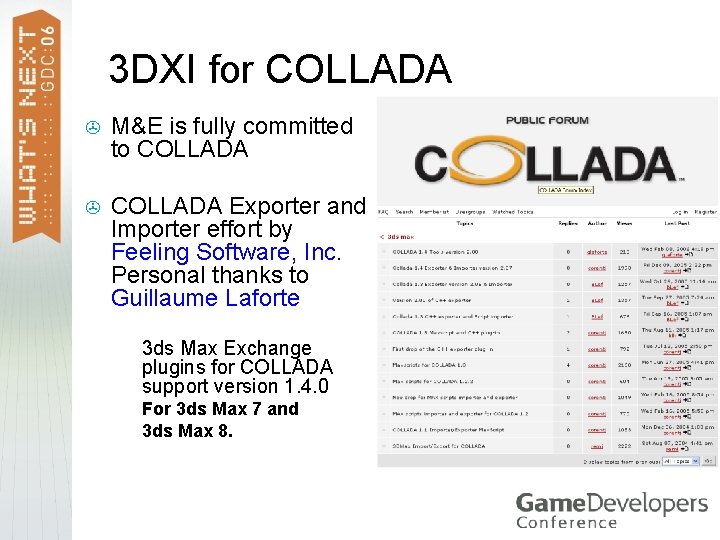
3 DXI for COLLADA > M&E is fully committed to COLLADA > COLLADA Exporter and Importer effort by Feeling Software, Inc. Personal thanks to Guillaume Laforte > 3 ds Max Exchange plugins for COLLADA support version 1. 4. 0 > For 3 ds Max 7 and 3 ds Max 8. >
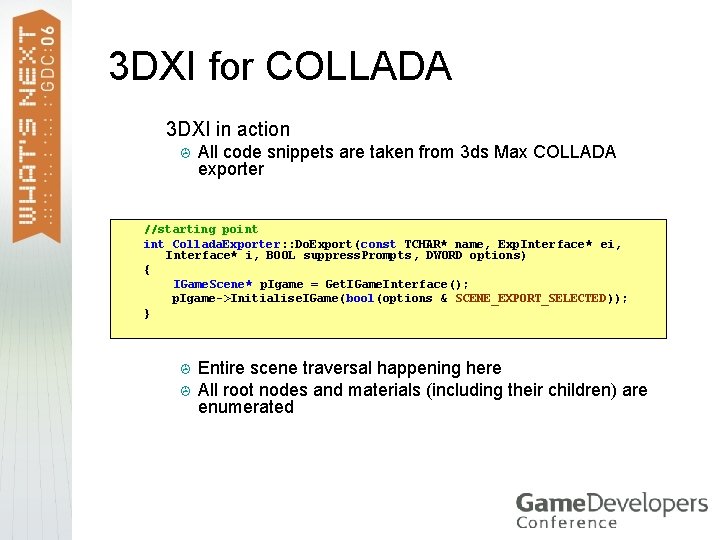
3 DXI for COLLADA > 3 DXI in action > All code snippets are taken from 3 ds Max COLLADA exporter //starting point Collada. Exporter: : Do. Export(const TCHAR* name, Exp. Interface* ei, Interface* i, BOOL suppress. Prompts, DWORD options) { IGame. Scene* p. Igame = Get. IGame. Interface(); p. Igame->Initialise. IGame(bool(options & SCENE_EXPORT_SELECTED)); } > > Entire scene traversal happening here All root nodes and materials (including their children) are enumerated
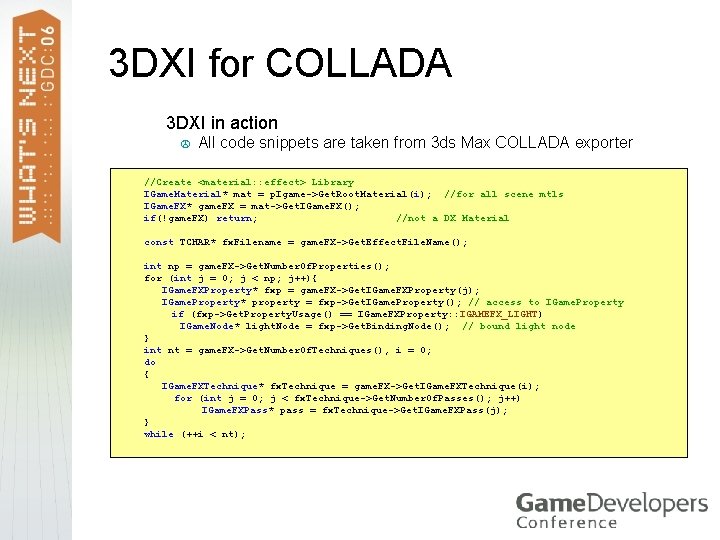
3 DXI for COLLADA > 3 DXI in action > All code snippets are taken from 3 ds Max COLLADA exporter //Create <material: : effect> Library IGame. Material* mat = p. Igame->Get. Root. Material(i); //for all scene mtls IGame. FX* game. FX = mat->Get. IGame. FX(); if(!game. FX) return; //not a DX Material const TCHAR* fx. Filename = game. FX->Get. Effect. File. Name(); int np = game. FX->Get. Number. Of. Properties(); for (int j = 0; j < np; j++){ IGame. FXProperty* fxp = game. FX->Get. IGame. FXProperty(j); IGame. Property* property = fxp->Get. IGame. Property(); // access to IGame. Property if (fxp->Get. Property. Usage() == IGame. FXProperty: : IGAMEFX_LIGHT) IGame. Node* light. Node = fxp->Get. Binding. Node(); // bound light node } int nt = game. FX->Get. Number. Of. Techniques(), i = 0; do { IGame. FXTechnique* fx. Technique = game. FX->Get. IGame. FXTechnique(i); for (int j = 0; j < fx. Technique->Get. Number. Of. Passes(); j++) IGame. FXPass* pass = fx. Technique->Get. IGame. FXPass(j); } while (++i < nt);
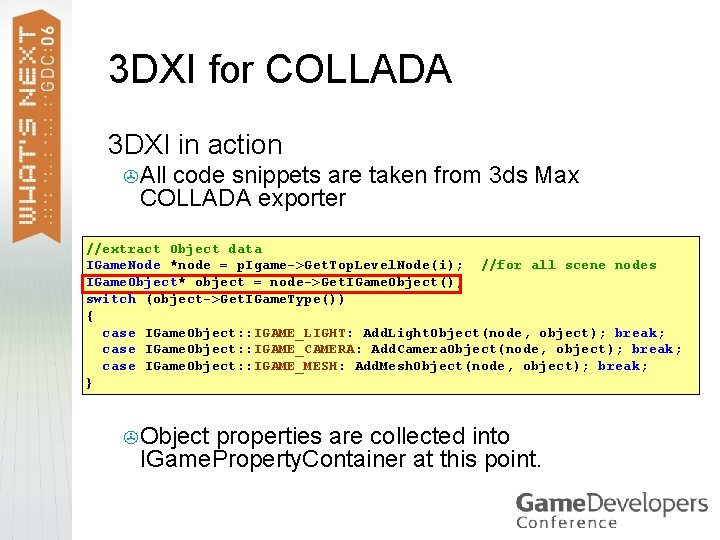
3 DXI for COLLADA > 3 DXI in action > All code snippets are taken from 3 ds Max COLLADA exporter //extract Object data IGame. Node *node = p. Igame->Get. Top. Level. Node(i); //for all scene nodes IGame. Object* object = node->Get. IGame. Object(); switch (object->Get. IGame. Type()) { case IGame. Object: : IGAME_LIGHT: Add. Light. Object(node, object); break; case IGame. Object: : IGAME_CAMERA: Add. Camera. Object(node, object); break; case IGame. Object: : IGAME_MESH: Add. Mesh. Object(node, object); break; } > Object properties are collected into IGame. Property. Container at this point.
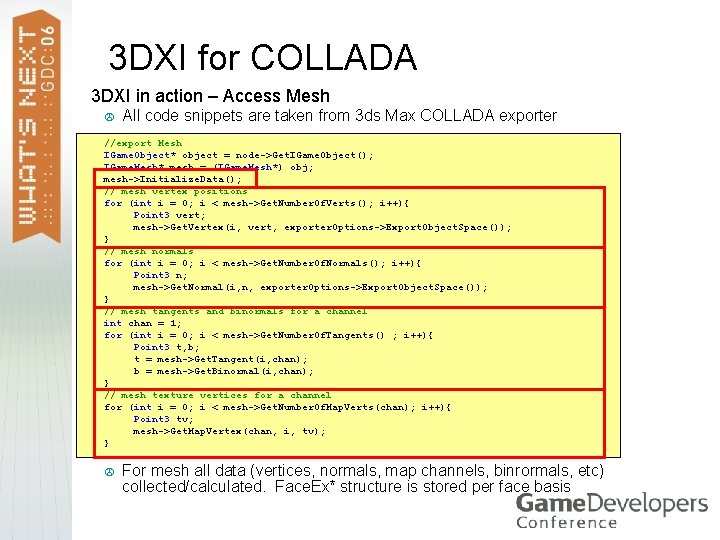
3 DXI for COLLADA > 3 DXI in action – Access Mesh > All code snippets are taken from 3 ds Max COLLADA exporter //export Mesh IGame. Object* object = node->Get. IGame. Object(); IGame. Mesh* mesh = (IGame. Mesh*) obj; mesh->Initialize. Data(); // mesh vertex positions for (int i = 0; i < mesh->Get. Number. Of. Verts(); i++){ Point 3 vert; mesh->Get. Vertex(i, vert, exporter. Options->Export. Object. Space()); } // mesh normals for (int i = 0; i < mesh->Get. Number. Of. Normals(); i++){ Point 3 n; mesh->Get. Normal(i, n, exporter. Options->Export. Object. Space()); } // mesh tangents and binormals for a channel int chan = 1; for (int i = 0; i < mesh->Get. Number. Of. Tangents() ; i++){ Point 3 t, b; t = mesh->Get. Tangent(i, chan); b = mesh->Get. Binormal(i, chan); } // mesh texture vertices for a channel for (int i = 0; i < mesh->Get. Number. Of. Map. Verts(chan); i++){ Point 3 tv; mesh->Get. Map. Vertex(chan, i, tv); } > For mesh all data (vertices, normals, map channels, binrormals, etc) collected/calculated. Face. Ex* structure is stored per face basis
3 DXI for COLLADA >Data round-trip demonstration > Mesh model textured, skinned with animated biped as a rig
3 DXI Resources > http: //beta. discreet. com > http: //sparks. autodesk. com > https: //collada. org/public_forum > On the DVD: > 3 DXIHelp. chm > 3 DXI (maxsdkhelp) Headers (maxsdkincludeIGame) > COLLADA Exporter and Importer (maxsdksamplesCollada)
Questions ? alex. zadorozhny@autodesk. com