
3 D Web Maps Simulate a three dimensional
3 D Web Maps • Simulate a three dimensional scene • There is a camera (i. e. View) that can be moved through the scene • Objects are placed in the scene • Lights make the objects visible • The interactions between objects and lights can make the objects appear more or less real
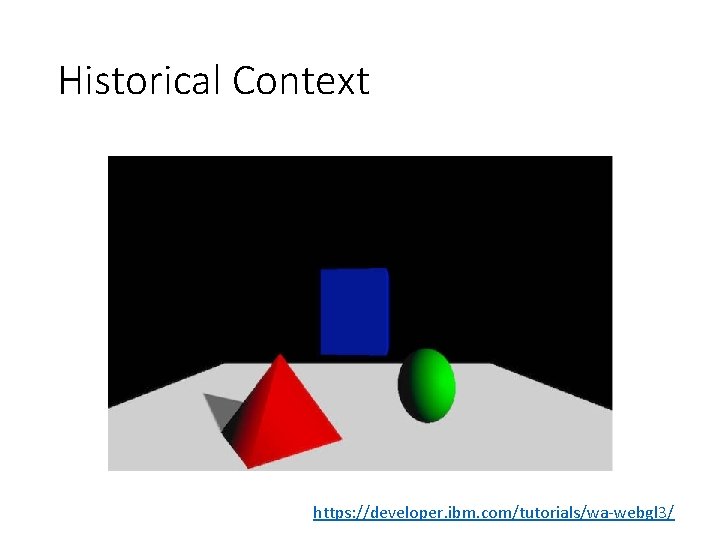
Historical Context https: //developer. ibm. com/tutorials/wa-webgl 3/

Objects represented with polygons Polygons are typically triangles in a mesh. The more polygons the better the image and the slower the rendering http: //www. douk 3 d. com/wireframe-rendering
Open. GL • Open Graphics Language is now available in all browsers (and most phones and computers) • Allows simulated 3 D scenes to be rendered very fast (millions of triangles per second) • The approach is to move the object representations into a circuit called a “Graphics Processing Unit” (GPU) which ahs specialized hardware to render the triangles. • This includes some complex math but there is help. • See Three. js examples
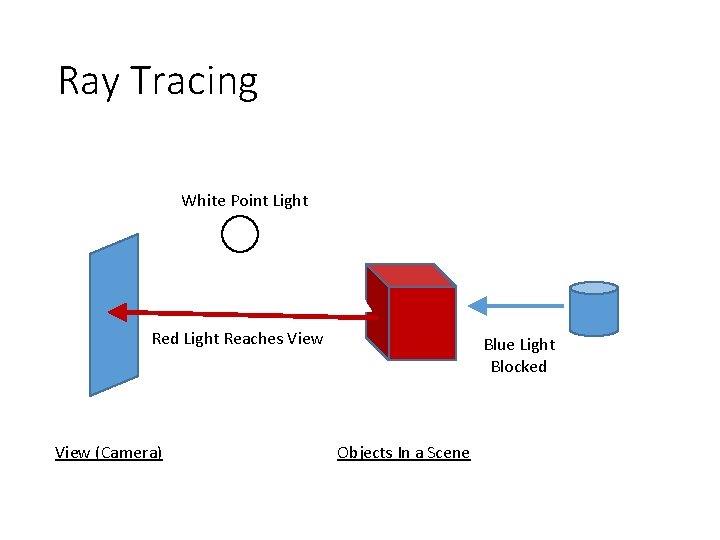
Ray Tracing White Point Light Red Light Reaches View (Camera) Blue Light Blocked Objects In a Scene
Canvas. Map 3 D • Developed to make it easy to put 3 D Maps on the web • Based off of Canvas. Map • Supports many Three. JS features inherently with the ability to extend to infinity and beyond!
New Stuff • Open. GL View: CM 3 View • Camera Controls in 3 Dimensions • Lights • Objects in 3 dimensions with: • Textures • Extrusions • etc.
3 Dimensional Coordinates • 3 D Adds a “z” coordinate • Can be in the spatial data or as a setting • 3 D Objects can also have: • Rotation: pitch, roll, and yaw • Scaling factors • We do not typically use these for spatial data
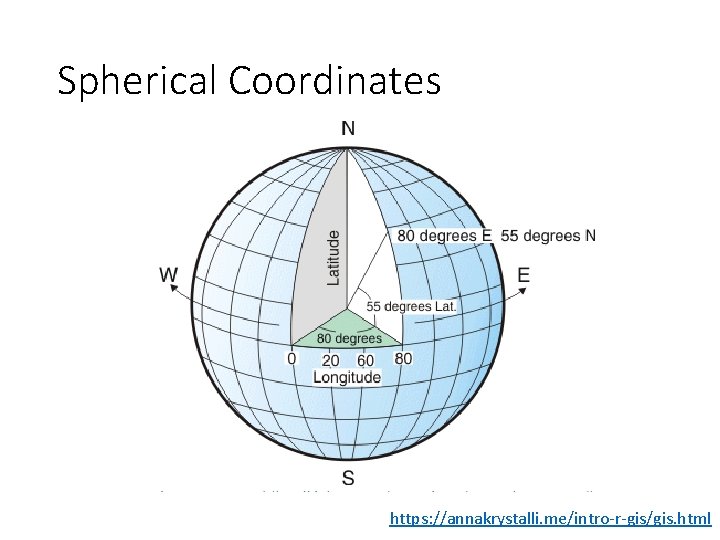
Spherical Coordinates https: //annakrystalli. me/intro-r-gis/gis. html

In “Flat” 3 D Z Elevation Y X Elevation Latitude Northing Longitude Easting Note: It is traditional in 3 D graphics to have y be up-down and z be in and out of the veiw
- Slides: 10