
3 D Model Objects Wireframes A wireframe model
3 D Model Objects
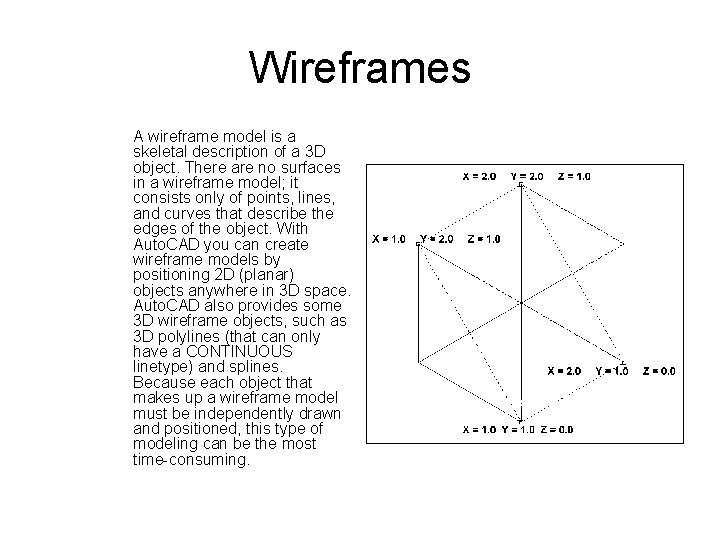
Wireframes A wireframe model is a skeletal description of a 3 D object. There are no surfaces in a wireframe model; it consists only of points, lines, and curves that describe the edges of the object. With Auto. CAD you can create wireframe models by positioning 2 D (planar) objects anywhere in 3 D space. Auto. CAD also provides some 3 D wireframe objects, such as 3 D polylines (that can only have a CONTINUOUS linetype) and splines. Because each object that makes up a wireframe model must be independently drawn and positioned, this type of modeling can be the most time-consuming.

Surfaces Surface modeling is more sophisticated than wireframe modeling in that it defines not only the edges of a 3 D object, but also its surfaces. The Auto. CAD surface modeler defines faceted surfaces using a polygonal mesh. Because the faces of the mesh are planar, the mesh can only approximate curved surfaces. With Mechanical Desktop, you can create true curved surfaces. To differentiate these two types of surfaces, Auto. CAD calls faceted surfaces, meshes.

Solids • Solid modeling is the easiest type of 3 D modeling to use. With the Auto. CAD solid modeler, you can make 3 D objects by creating basic 3 D shapes: boxes, cones, cylinders, spheres, wedges, and tori (donuts). You can then combine these shapes to create more complex solids by joining or subtracting them or finding their intersecting (overlapping) volume. You can also create solids by sweeping a 2 D object along a path or revolving it about an axis. • NOTE: Because each modeling type uses a different method for constructing 3 D models and editing methods vary in their effect on the different model types, it is recommended that you not mix modeling methods.
- Slides: 4