
2020 Cost Report Submission Process Cost Event BAJA
2020 Cost Report Submission Process Cost Event BAJA SAE continues to use and improve the new online cost system in 2020. Several teams have asked about how the cost submission process works, so we have created this step-by-step instruction set to help clarify how to submit your cost report and any addendums. Submission Process Summary (details follow in this guide): • Build your vehicle as accurately as possible prior to the Cost Report due date. Submit your electronic report before the due date. • New this year, the system will allow you to continue to make changes to your submitted vehicle up to 7 days prior to each competition you are registered to attend. • Make your changes before 1 week out from each competition. The changes are automatically included in your Smart Addendum for that competition. You do not need to turn anything else in.
In This Document Cost Event • How to submit your initial electronic report via the Online Cost System • How to make changes to the vehicle you submitted between your initial submission and 1 week before the competition(s) you are attending this season
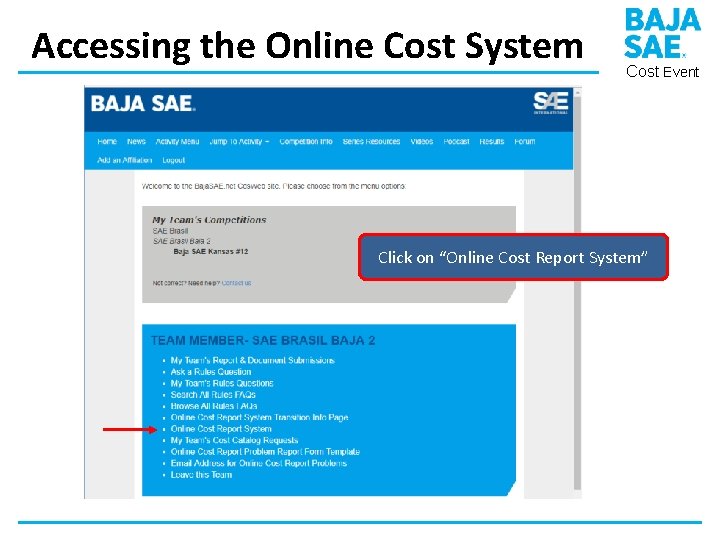
Accessing the Online Cost System Cost Event Click on “Online Cost Report System”
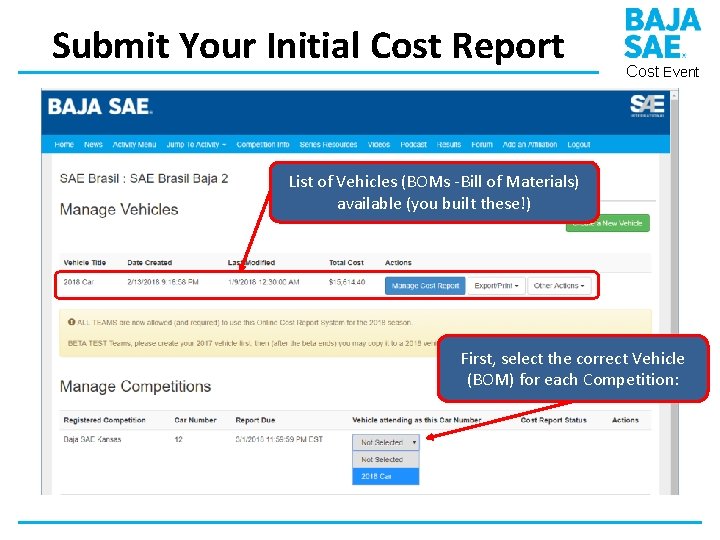
Submit Your Initial Cost Report Cost Event List of Vehicles (BOMs -Bill of Materials) available (you built these!) First, select the correct Vehicle (BOM) for each Competition:
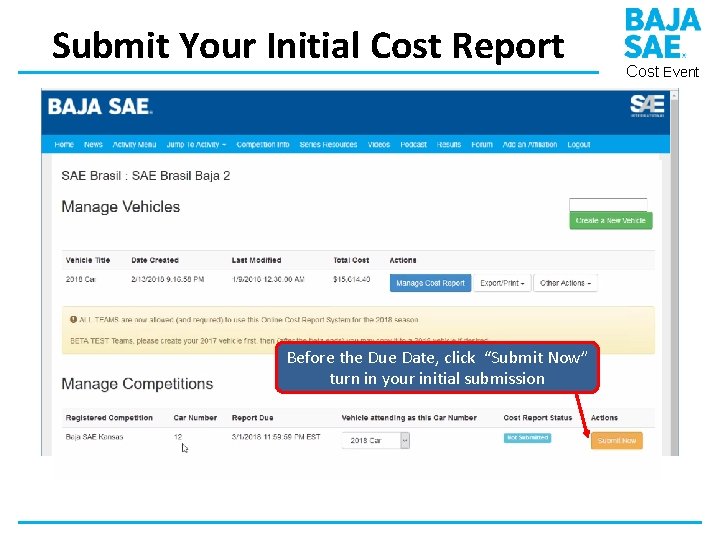
Submit Your Initial Cost Report Before the Due Date, click “Submit Now” turn in your initial submission Cost Event
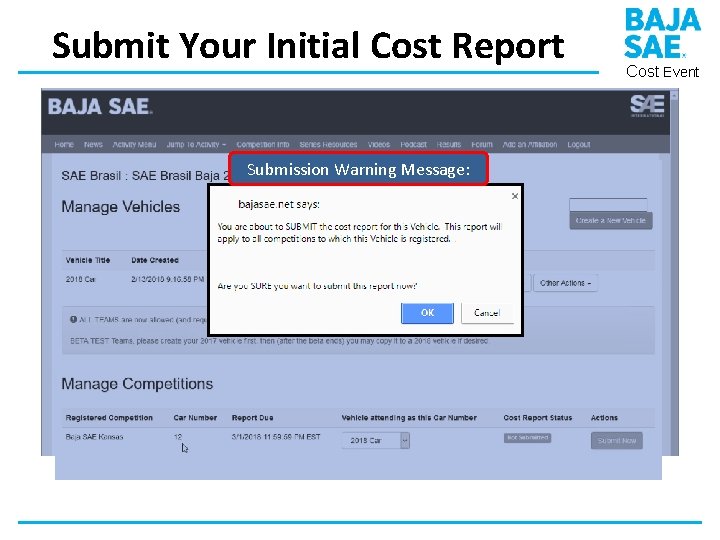
Submit Your Initial Cost Report Submission Warning Message: Cost Event
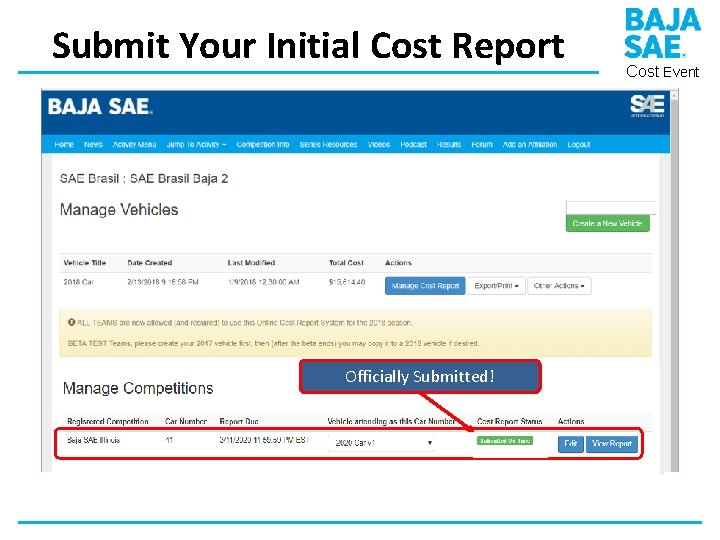
Submit Your Initial Cost Report Officially Submitted! Cost Event
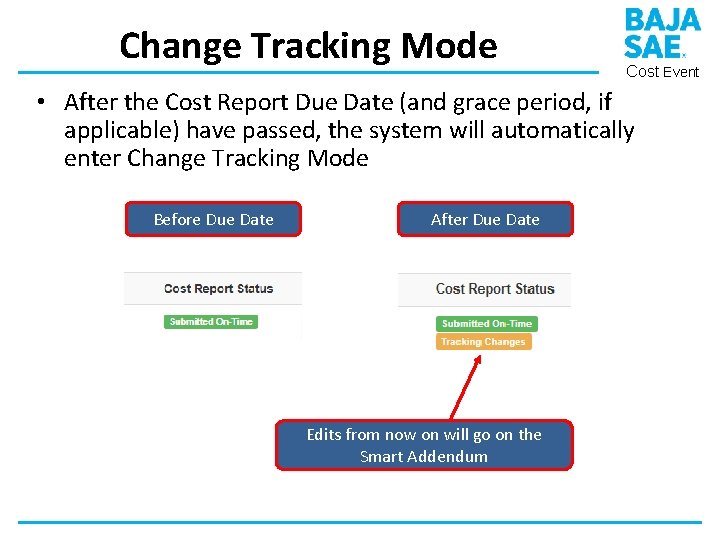
Change Tracking Mode Cost Event • After the Cost Report Due Date (and grace period, if applicable) have passed, the system will automatically enter Change Tracking Mode Before Due Date After Due Date Edits from now on will go on the Smart Addendum
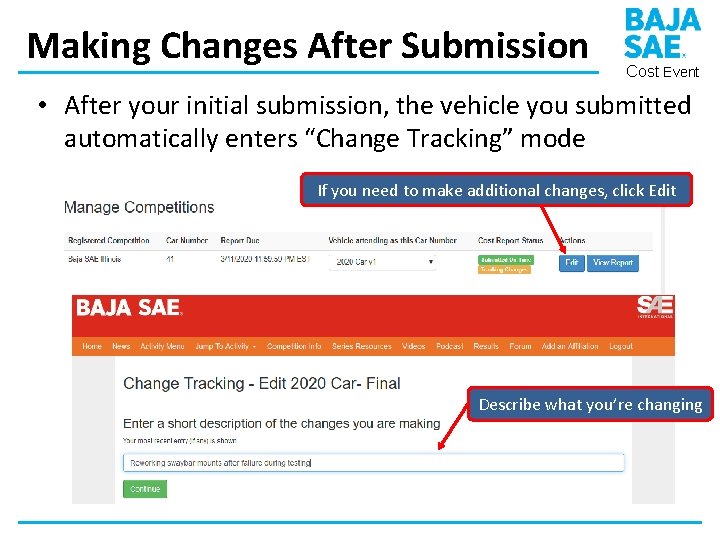
Making Changes After Submission Cost Event • After your initial submission, the vehicle you submitted automatically enters “Change Tracking” mode If you need to make additional changes, click Edit Describe what you’re changing
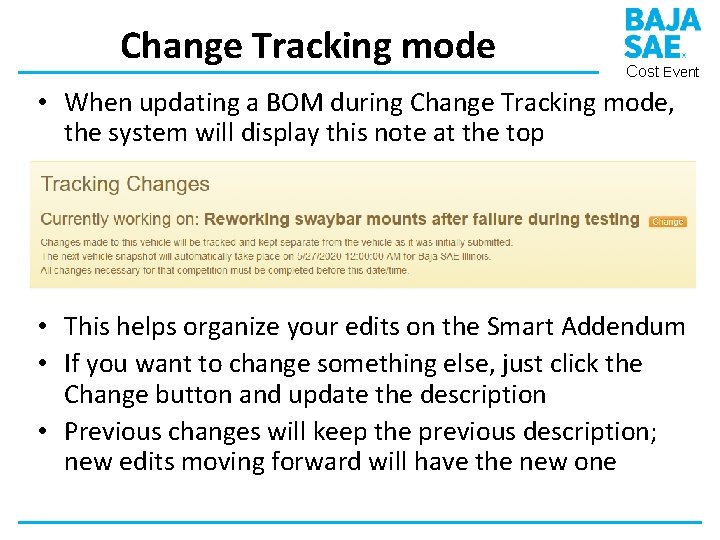
Change Tracking mode Cost Event • When updating a BOM during Change Tracking mode, the system will display this note at the top • This helps organize your edits on the Smart Addendum • If you want to change something else, just click the Change button and update the description • Previous changes will keep the previous description; new edits moving forward will have the new one
Change Tracking: Important Notes Cost Event • After the cost report due date (and grace period) your vehicle will remain in Change Tracking mode for the rest of the season • There is no limit on the number of changes that you may make; however, per the Baja SAE rules, if your vehicle has changed by more than 20% (up or down) from your initial submission, penalties for an incomplete initial report may be applied by the cost judges
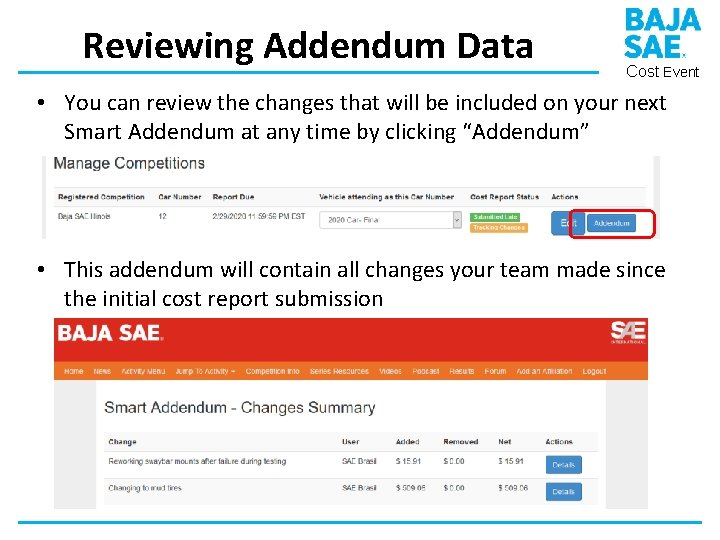
Reviewing Addendum Data Cost Event • You can review the changes that will be included on your next Smart Addendum at any time by clicking “Addendum” • This addendum will contain all changes your team made since the initial cost report submission
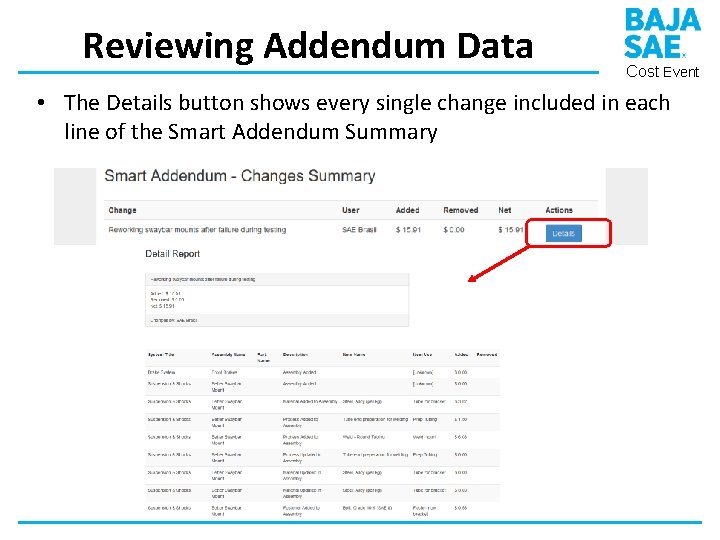
Reviewing Addendum Data Cost Event • The Details button shows every single change included in each line of the Smart Addendum Summary
Change Tracking: Important Notes Cost Event • A vehicle snapshot and finalized Smart Addendum will be automatically generated by the cost system for your vehicle at 12: 00 am ET exactly 7 days prior to each competition that you are registered to attend • This addendum will contain all changes your team made between the initial submission and the snapshot date/time. Changes made after this snapshot will show up on the next snapshot (if applicable). • The read-only vehicle snapshot and the Smart Addendum do not have to be turned in; they are automatically visible to both your team and to the cost judges. The judges will use your initial submission plus your Smart Addendum when evaluating your vehicle in the Cost event.
Recap Cost Event • Submit your initial electronic cost report via the Online Cost System before the Cost Report due date • This year you can continue to make changes • Make any needed changes no later than 7 days before competition • No need to re-submit! The snapshot for each competition is automatically taken 7 days before competition starts and is used by judges • Ask questions via the Rules Question process
Thanks! Cost Event Remember to check for updated info at https: //bajasae. net/go/cost and follow Baja SAE on social media to make sure you don’t miss any updates as we transition this season!
- Slides: 16