
2019 Teradyne TECHNICAL INTERCHANGE MEETING TIM Teradyne Headquarters
![Match requirements to Capability • Signal-based requirements [optionally expanded] Compared and matched to •](https://slidetodoc.com/presentation_image_h2/691e801b331a74a813247c14bfafe595/image-29.jpg "Match requirements to Capability • Signal-based requirements [optionally expanded] Compared and matched to •")
- Slides: 43
2019 Teradyne TECHNICAL INTERCHANGE MEETING (TIM) Teradyne Headquarters North Reading, MA April 30 – May 1, 2019 1 Teradyne Technical Interchange Meeting
Signal Modelling - Tutorial in IEEE Std. 1641 and use in ATML Chris Gorringe Spherea, Christchurch UK, Chris. Gorringe@spherea. co. uk 2 Teradyne Technical Interchange Meeting
This will be a gentle introduction into the key aspects of signal modelling, providing worked examples and demonstrating the power of signal modelling - fusing simulation with test methods. The tutorial will explain mention how signal models are used in the ATML test standards for test programs and describing hardware behaviour. The tutorial will consider demonstrate some practical examples that have been used for modelling and controlling signals for use on the High Speed Bus, Finally we’ll take a very brief look on where the next generation of signal modelling might take us to bridge the gap between design and test through model based testing. Fun With FLAGS Signals 3
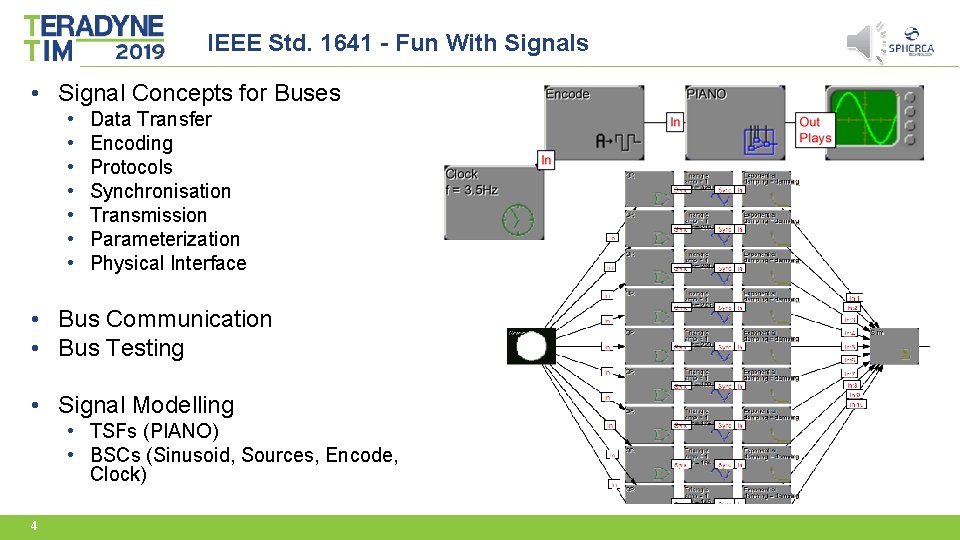
IEEE Std. 1641 - Fun With Signals • Signal Concepts for Buses • • Data Transfer Encoding Protocols Synchronisation Transmission Parameterization Physical Interface • Bus Communication • Bus Testing • Signal Modelling • TSFs (PIANO) • BSCs (Sinusoid, Sources, Encode, Clock) 4
Signal Modelling Overview 5
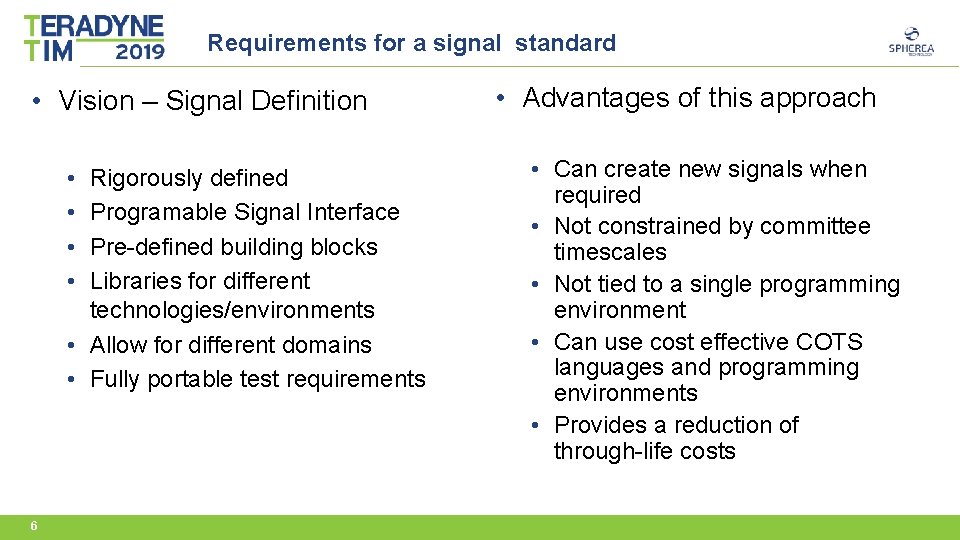
Requirements for a signal standard • Vision – Signal Definition • • Rigorously defined Programable Signal Interface Pre-defined building blocks Libraries for different technologies/environments • Allow for different domains • Fully portable test requirements 6 • Advantages of this approach • Can create new signals when required • Not constrained by committee timescales • Not tied to a single programming environment • Can use cost effective COTS languages and programming environments • Provides a reduction of through-life costs
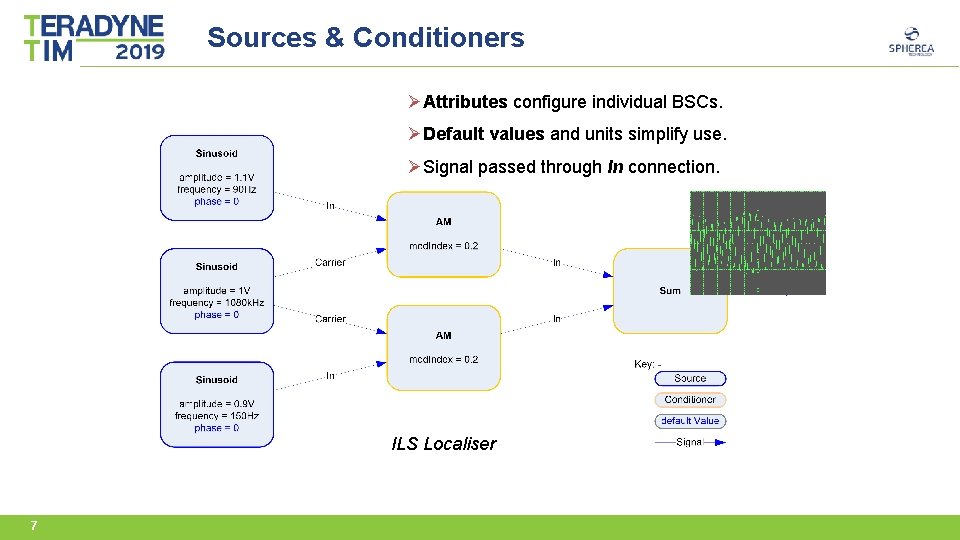
Sources & Conditioners ØAttributes configure individual BSCs. ØDefault values and units simplify use. ØSignal passed through In connection. ILS Localiser 7
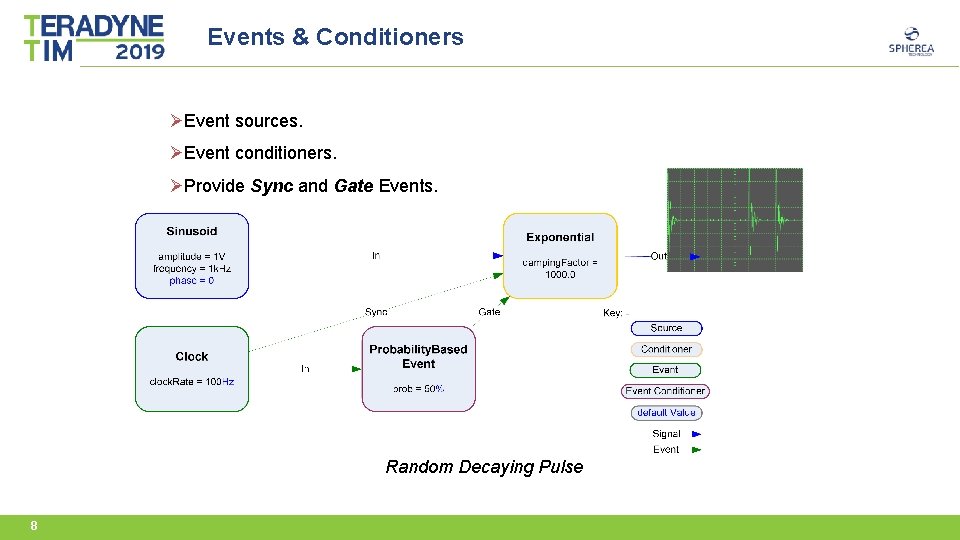
Events & Conditioners ØEvent sources. ØEvent conditioners. ØProvide Sync and Gate Events. Random Decaying Pulse 8
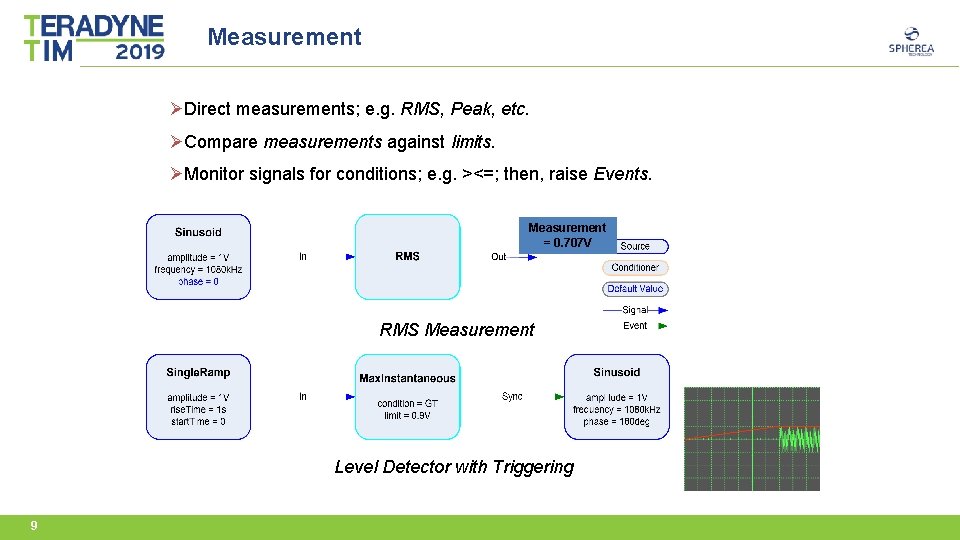
Measurement ØDirect measurements; e. g. RMS, Peak, etc. ØCompare measurements against limits. ØMonitor signals for conditions; e. g. ><=; then, raise Events. Measurement = 0. 707 V RMS Measurement Level Detector with Triggering 9
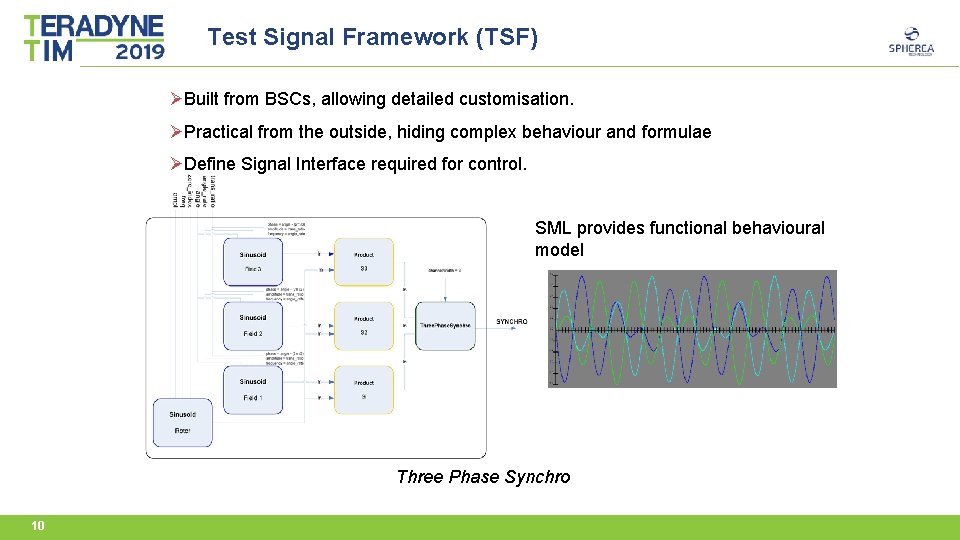
Test Signal Framework (TSF) ØBuilt from BSCs, allowing detailed customisation. ØPractical from the outside, hiding complex behaviour and formulae ØDefine Signal Interface required for control. SML provides functional behavioural model Three Phase Synchro 10
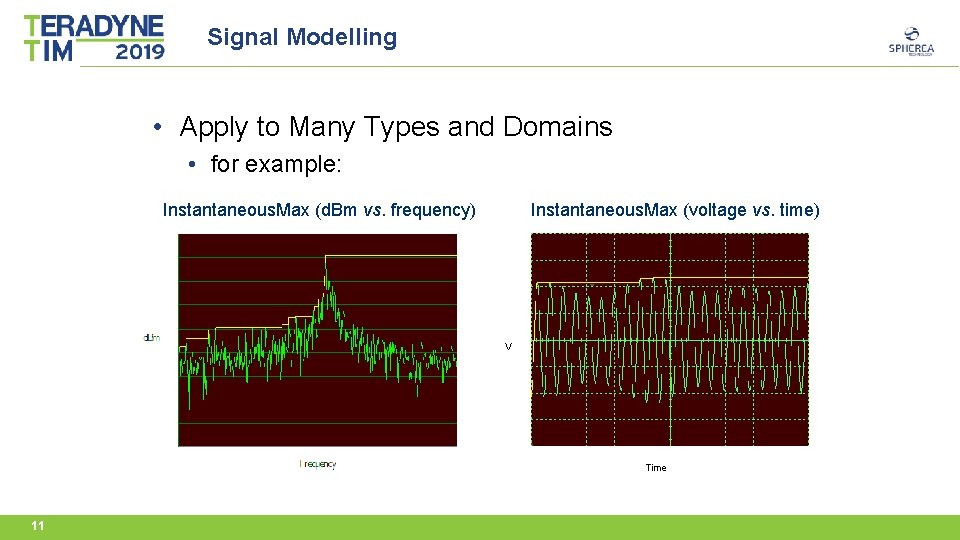
Signal Modelling • Apply to Many Types and Domains • for example: Instantaneous. Max (d. Bm vs. frequency) Instantaneous. Max (voltage vs. time) V Time 11
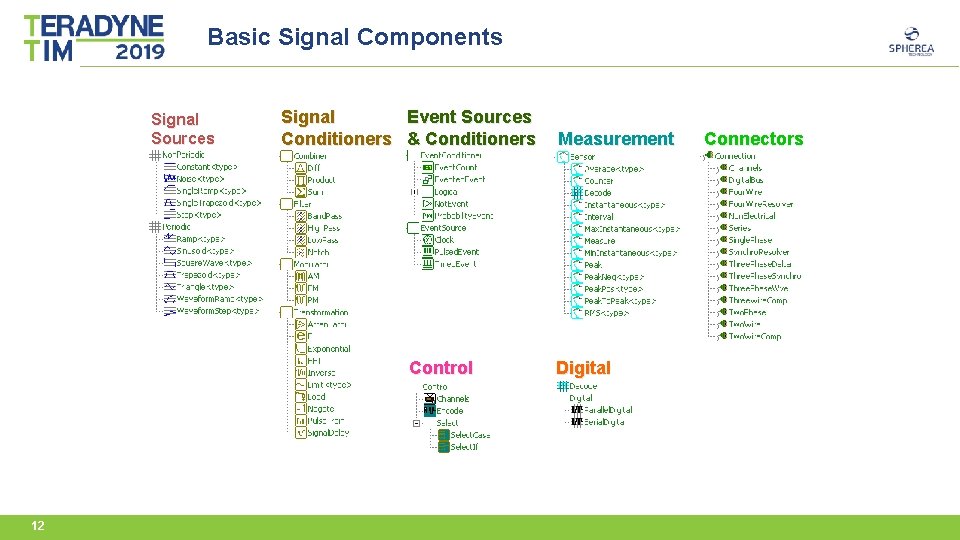
Basic Signal Components Signal Sources Signal Event Sources Conditioners & Conditioners Control 12 Measurement Digital Connectors
Advanced Topics 13
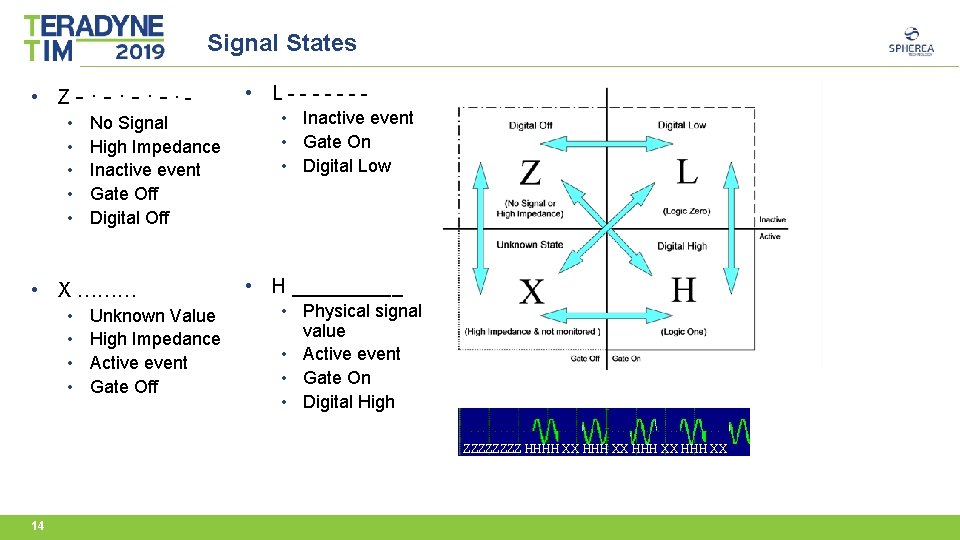
Signal States • Z-∙-∙ • • • No Signal High Impedance Inactive event Gate Off Digital Off • X ……… • • Unknown Value High Impedance Active event Gate Off • L------ • Inactive event • Gate On • Digital Low • H _____ • Physical signal value • Active event • Gate On • Digital High ZZZZ HHHH XX H 14
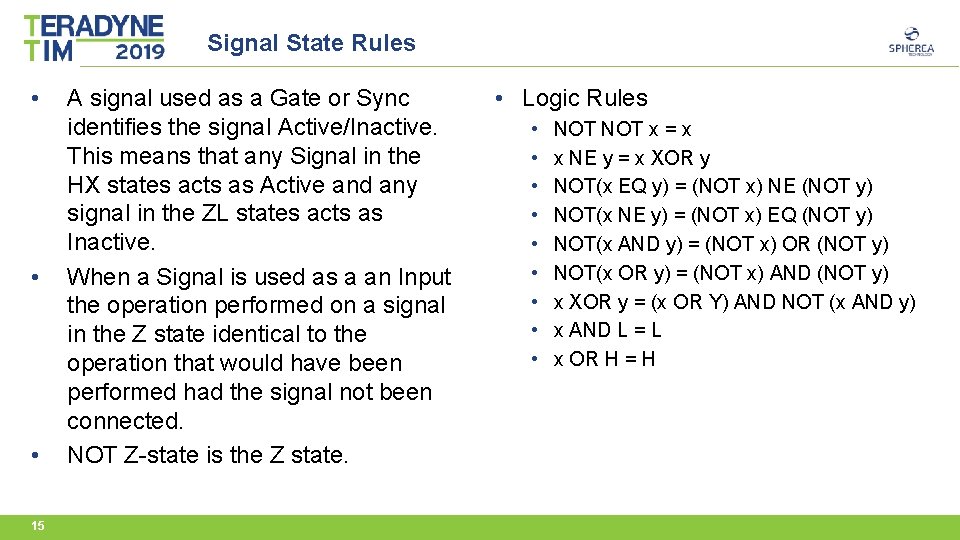
Signal State Rules • • • 15 A signal used as a Gate or Sync identifies the signal Active/Inactive. This means that any Signal in the HX states acts as Active and any signal in the ZL states acts as Inactive. When a Signal is used as a an Input the operation performed on a signal in the Z state identical to the operation that would have been performed had the signal not been connected. NOT Z-state is the Z state. • Logic Rules • • • NOT x = x x NE y = x XOR y NOT(x EQ y) = (NOT x) NE (NOT y) NOT(x NE y) = (NOT x) EQ (NOT y) NOT(x AND y) = (NOT x) OR (NOT y) NOT(x OR y) = (NOT x) AND (NOT y) x XOR y = (x OR Y) AND NOT (x AND y) x AND L = L x OR H = H
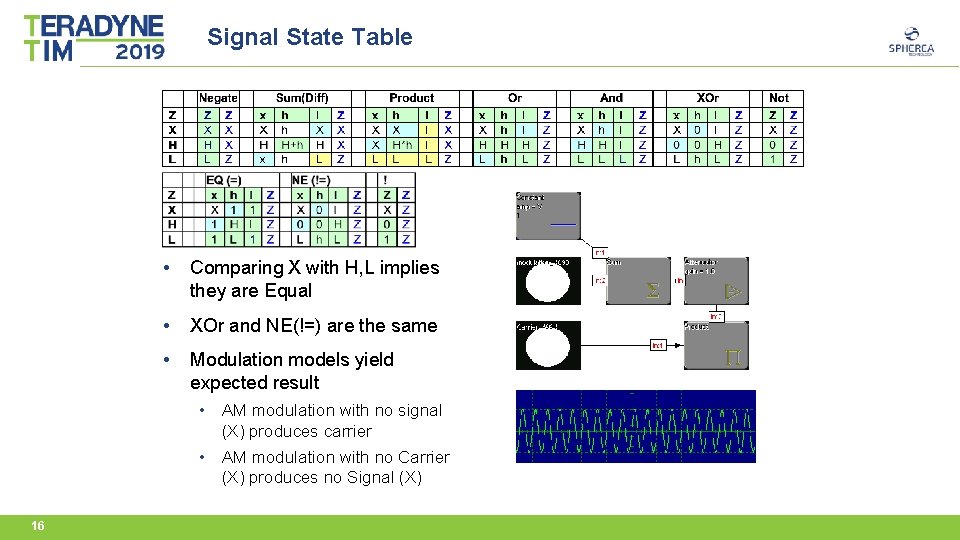
Signal State Table • Comparing X with H, L implies they are Equal • XOr and NE(!=) are the same • Modulation models yield expected result • AM modulation with no signal (X) produces carrier • AM modulation with no Carrier (X) produces no Signal (X) 16
Multi Channel Behaviour • IEEE 1641 Always Supported multi-channels Signals • SYNCHRO • RESOLVER • Multiple Connectors (Two. Phase, Three. Phase. Wye, etc. ) • In general when applying signals with different number of channels • vector signals gain additional Z-No. Signal channels • scalar channels (single) are duplicated the appropriate number of times 17
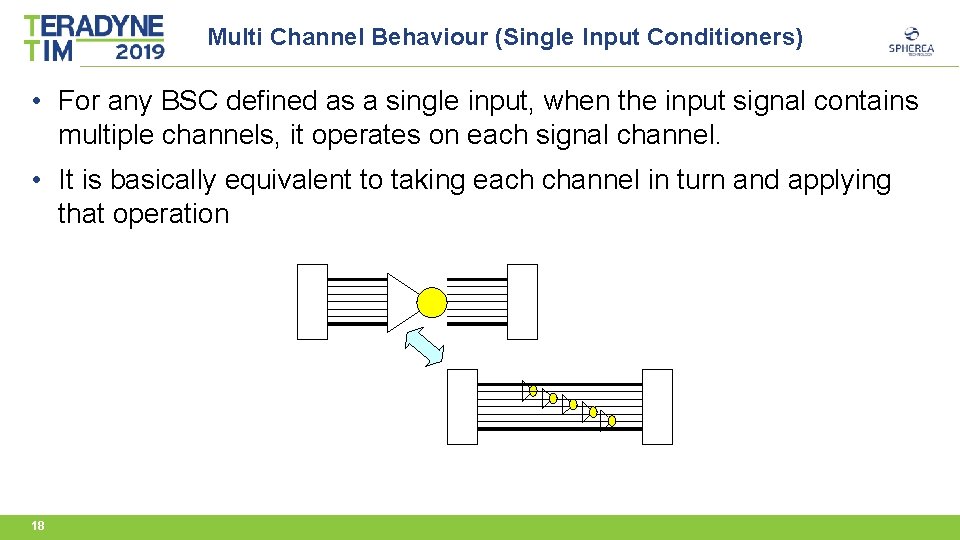
Multi Channel Behaviour (Single Input Conditioners) • For any BSC defined as a single input, when the input signal contains multiple channels, it operates on each signal channel. • It is basically equivalent to taking each channel in turn and applying that operation 18
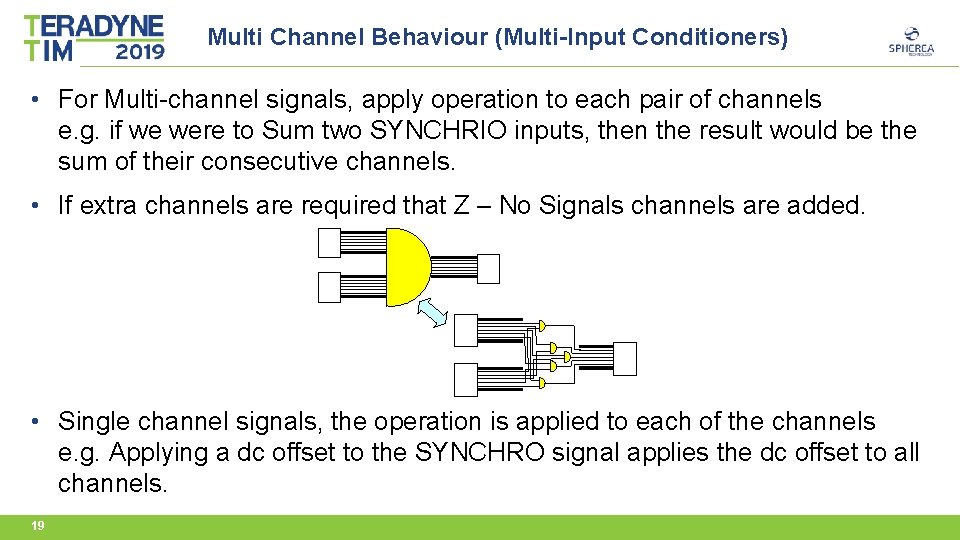
Multi Channel Behaviour (Multi-Input Conditioners) • For Multi-channel signals, apply operation to each pair of channels e. g. if we were to Sum two SYNCHRIO inputs, then the result would be the sum of their consecutive channels. • If extra channels are required that Z – No Signals channels are added. • Single channel signals, the operation is applied to each of the channels e. g. Applying a dc offset to the SYNCHRO signal applies the dc offset to all channels. 19
Multi-Channel Behaviour (Use as Sync or Gate) • Within a Signal Model, Gate & Sync are regarded as special case single channel inputs and can only trigger when the input signal ‘as a whole’ is Active. • For a single channel (scalar) signal this represents the channel state. • For a multi-channel signal (Vector). we need to know when the signal as a whole is Active, not necessarily when individual channels are Active. • The solution is defined in the standard as: A multichannel signal (Vector) is considered Active when one or more of its channels are not in the Z-No. Signal state. 20
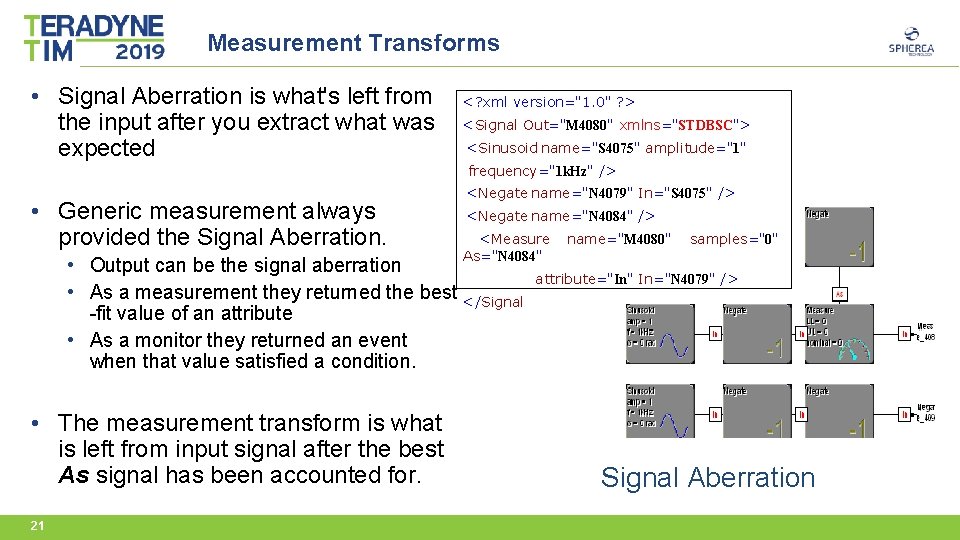
Measurement Transforms • Signal Aberration is what's left from the input after you extract what was expected <? xml version="1. 0" ? > <Signal Out="M 4080" xmlns="STDBSC"> <Sinusoid name="S 4075" amplitude="1" frequency="1 k. Hz" /> • Generic measurement always provided the Signal Aberration. <Negate name="N 4079" In="S 4075" /> <Negate name="N 4084" /> <Measure As="N 4084" • Output can be the signal aberration • As a measurement they returned the best </Signal -fit value of an attribute • As a monitor they returned an event when that value satisfied a condition. • The measurement transform is what is left from input signal after the best As signal has been accounted for. 21 name="M 4080" samples="0" attribute="In" In="N 4079" /> Signal Aberration
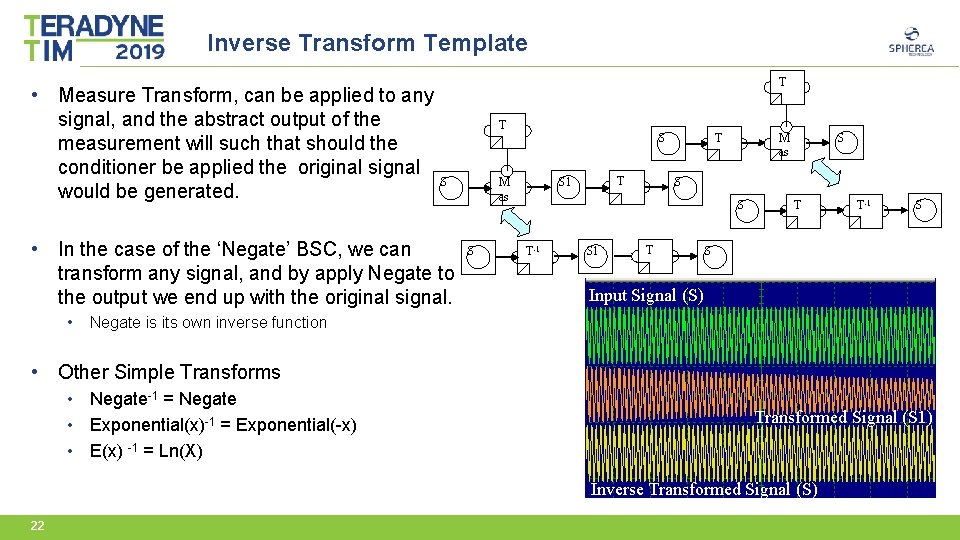
Inverse Transform Template • Measure Transform, can be applied to any signal, and the abstract output of the measurement will such that should the conditioner be applied the original signal would be generated. T T S S • In the case of the ‘Negate’ BSC, we can transform any signal, and by apply Negate to the output we end up with the original signal. • M as S T S 1 T M as S S T-1 S T T T-1 S S Input Signal (S) Negate is its own inverse function • Other Simple Transforms • Negate-1 = Negate • Exponential(x)-1 = Exponential(-x) • E(x) -1 = Ln(X) Transformed Signal (S 1) Inverse Transformed Signal (S) 22
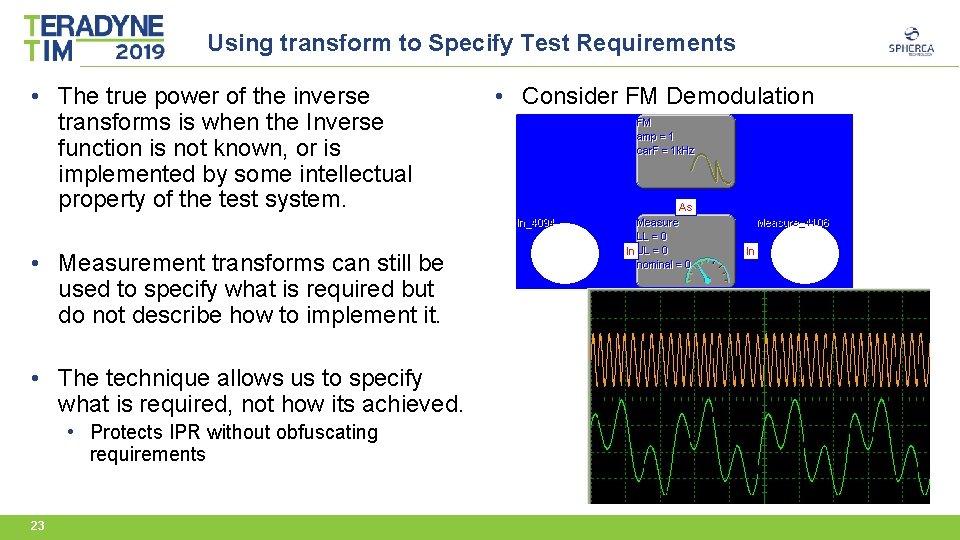
Using transform to Specify Test Requirements • The true power of the inverse transforms is when the Inverse function is not known, or is implemented by some intellectual property of the test system. • Measurement transforms can still be used to specify what is required but do not describe how to implement it. • The technique allows us to specify what is required, not how its achieved. • Protects IPR without obfuscating requirements 23 • Consider FM Demodulation
Using Signal Models 24
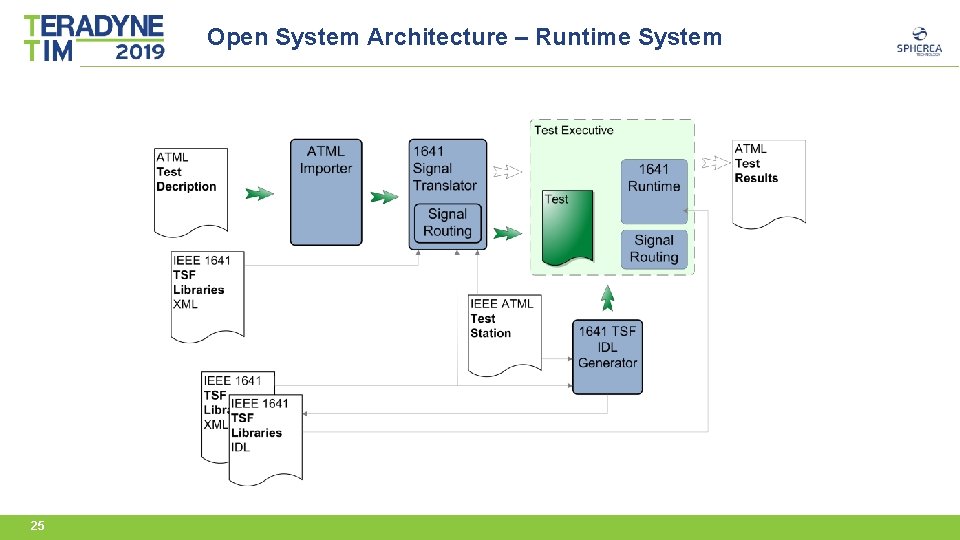
Open System Architecture – Runtime System 25
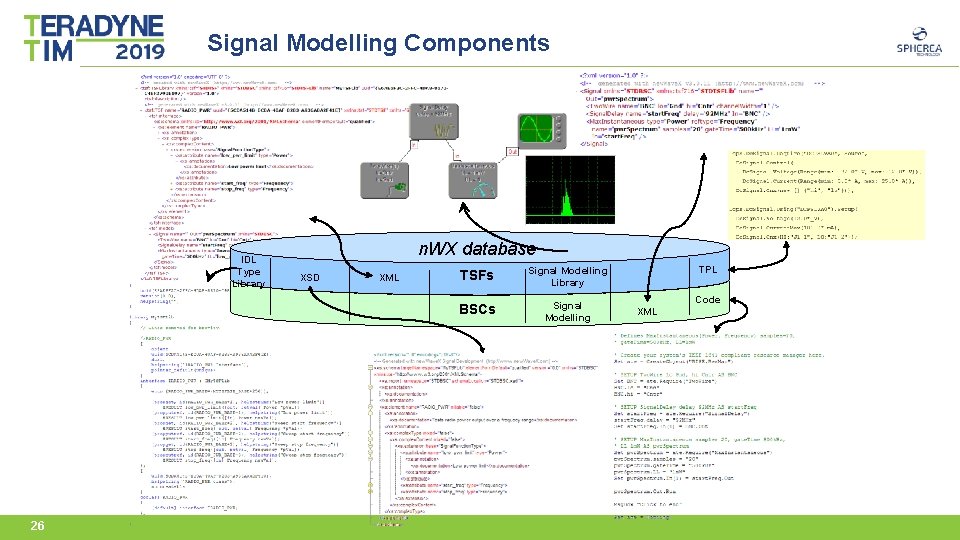
Signal Modelling Components IDL Type Library 26 n. WX database XSD XML TSFs Signal Modelling Library BSCs Signal Modelling TPL Code XML
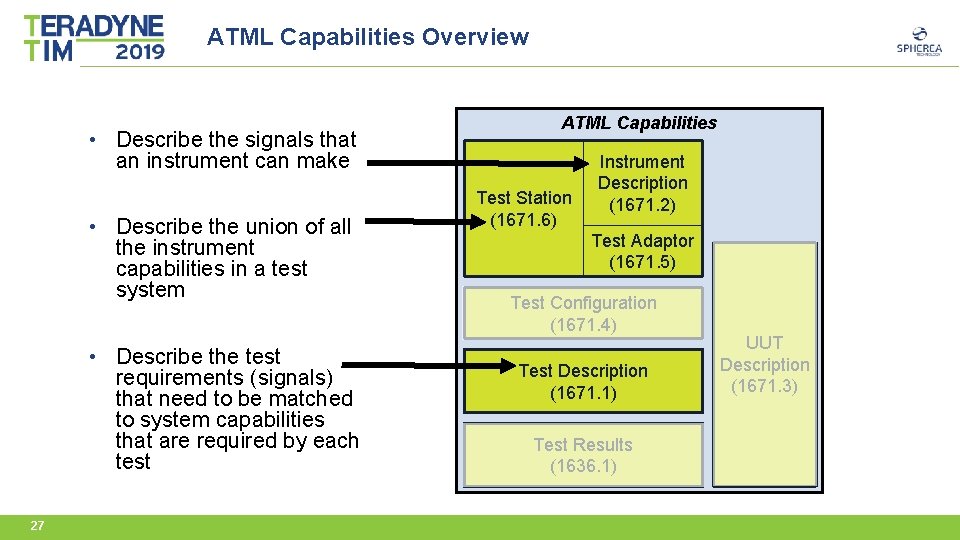
ATML Capabilities Overview • Describe the signals that an instrument can make • Describe the union of all the instrument capabilities in a test system • Describe the test requirements (signals) that need to be matched to system capabilities that are required by each test 27 ATML Capabilities Test Station (1671. 6) Instrument Description (1671. 2) Test Adaptor (1671. 5) Test Configuration (1671. 4) Test Description (1671. 1) Test Results (1636. 1) UUT Description (1671. 3)
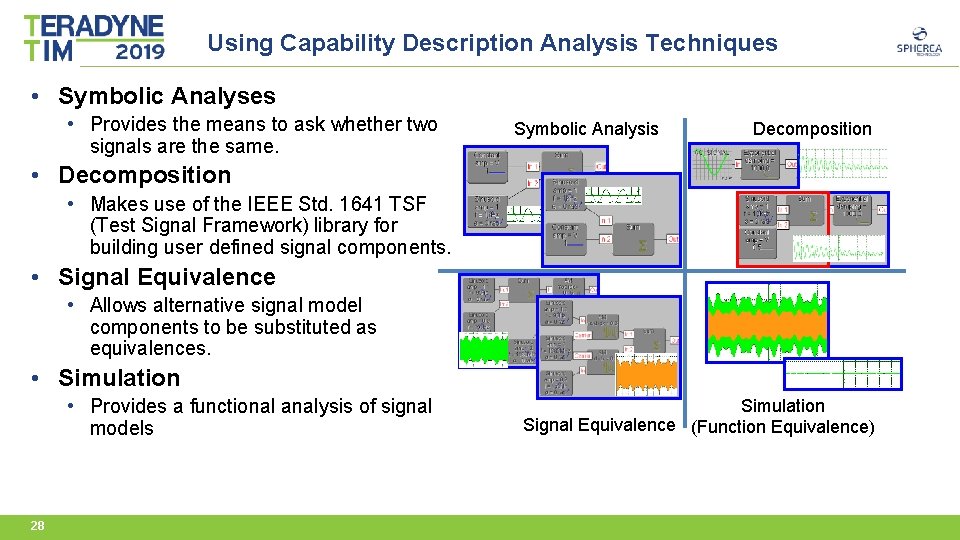
Using Capability Description Analysis Techniques • Symbolic Analyses • Provides the means to ask whether two signals are the same. Symbolic Analysis Decomposition • Decomposition • Makes use of the IEEE Std. 1641 TSF (Test Signal Framework) library for building user defined signal components. • Signal Equivalence • Allows alternative signal model components to be substituted as equivalences. • Simulation • Provides a functional analysis of signal models 28 Simulation Signal Equivalence (Function Equivalence)
Match requirements to Capability • Signal-based requirements [optionally expanded] Compared and matched to • Signal-based capabilities Resource Manager IEEE 1641 Interface Require() TSF BSC TSF Decomposition Signal Equivalence TSF BSC BSC BSC TSF BSC BSC IEEE Capability Description IEEE 1641 TSF Library Resource TSF BSC BSC 29 BSC BSC
Signal Modelling for Buses 30
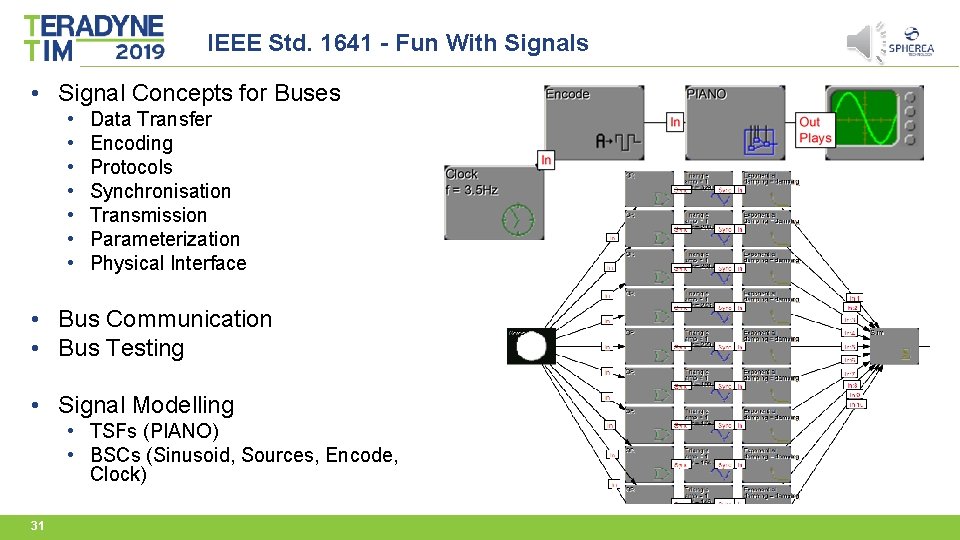
IEEE Std. 1641 - Fun With Signals • Signal Concepts for Buses • • Data Transfer Encoding Protocols Synchronisation Transmission Parameterization Physical Interface • Bus Communication • Bus Testing • Signal Modelling • TSFs (PIANO) • BSCs (Sinusoid, Sources, Encode, Clock) 31
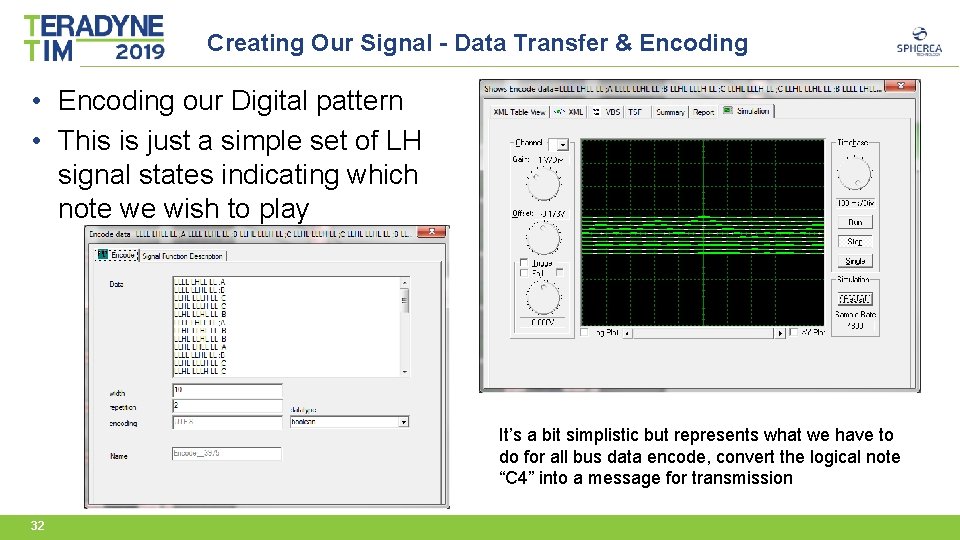
Creating Our Signal - Data Transfer & Encoding • Encoding our Digital pattern • This is just a simple set of LH signal states indicating which note we wish to play It’s a bit simplistic but represents what we have to do for all bus data encode, convert the logical note “C 4” into a message for transmission 32
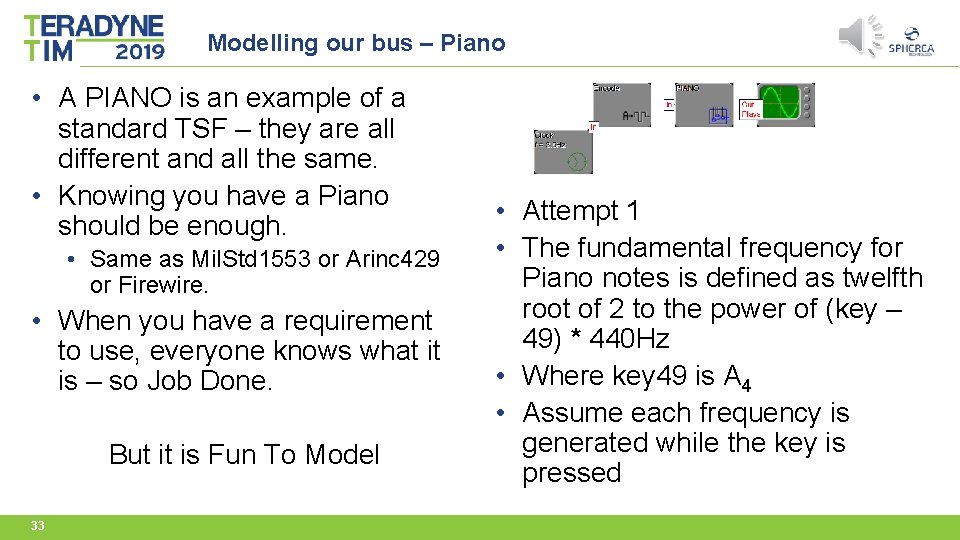
Modelling our bus – Piano • A PIANO is an example of a standard TSF – they are all different and all the same. • Knowing you have a Piano should be enough. • Same as Mil. Std 1553 or Arinc 429 or Firewire. • When you have a requirement to use, everyone knows what it is – so Job Done. But it is Fun To Model 33 • Attempt 1 • The fundamental frequency for Piano notes is defined as twelfth root of 2 to the power of (key – 49) * 440 Hz • Where key 49 is A 4 • Assume each frequency is generated while the key is pressed
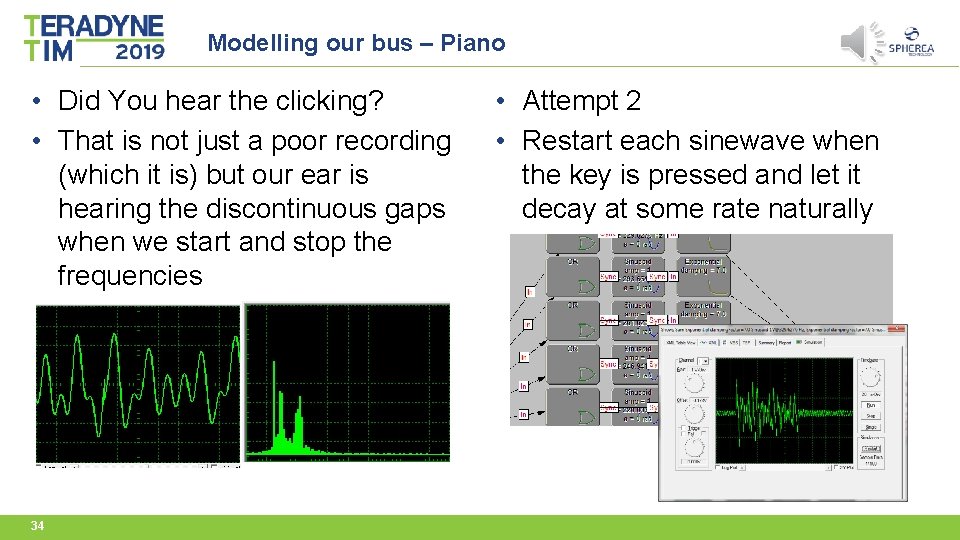
Modelling our bus – Piano • Did You hear the clicking? • That is not just a poor recording (which it is) but our ear is hearing the discontinuous gaps when we start and stop the frequencies 34 • Attempt 2 • Restart each sinewave when the key is pressed and let it decay at some rate naturally
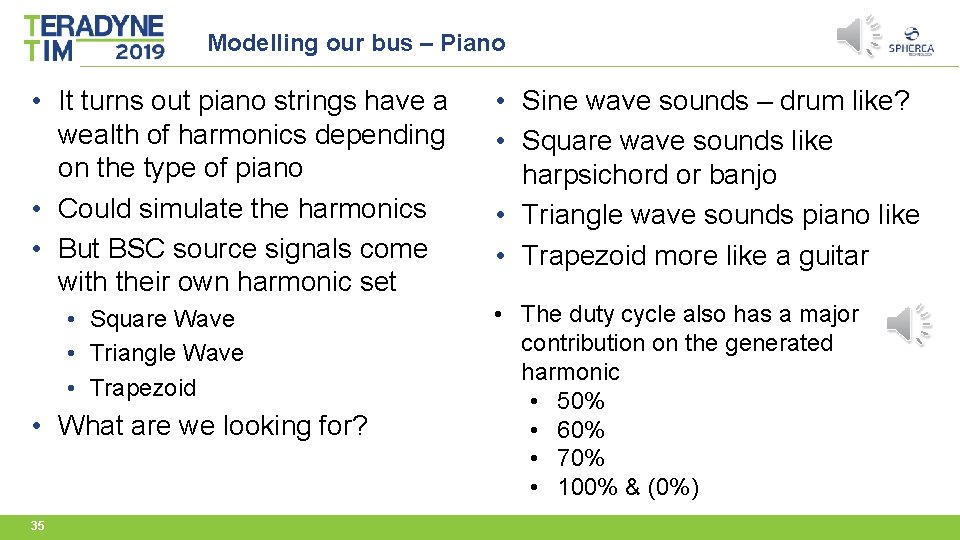
Modelling our bus – Piano • It turns out piano strings have a wealth of harmonics depending on the type of piano • Could simulate the harmonics • But BSC source signals come with their own harmonic set • Square Wave • Triangle Wave • Trapezoid • What are we looking for? 35 • Sine wave sounds – drum like? • Square wave sounds like harpsichord or banjo • Triangle wave sounds piano like • Trapezoid more like a guitar • The duty cycle also has a major contribution on the generated harmonic • 50% • 60% • 70% • 100% & (0%)
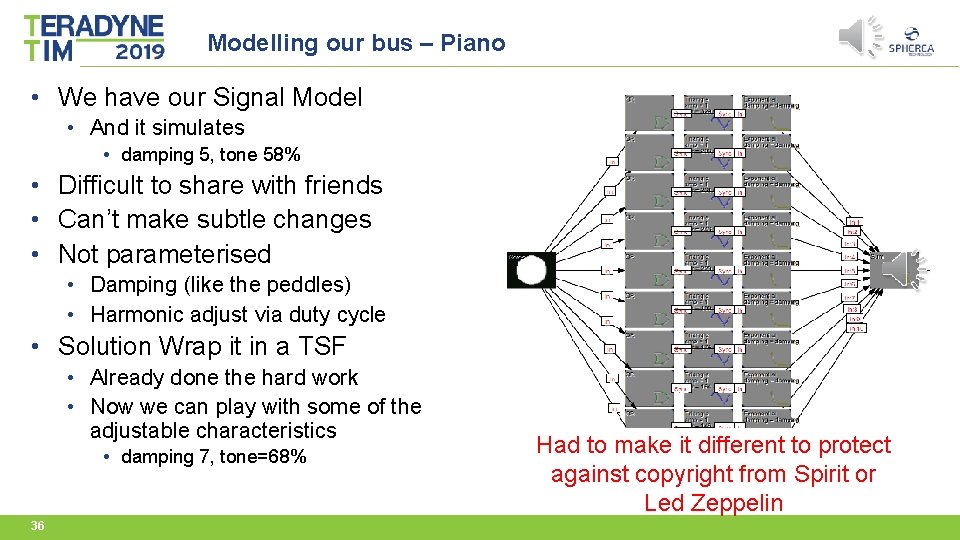
Modelling our bus – Piano • We have our Signal Model • And it simulates • damping 5, tone 58% • Difficult to share with friends • Can’t make subtle changes • Not parameterised • Damping (like the peddles) • Harmonic adjust via duty cycle • Solution Wrap it in a TSF • Already done the hard work • Now we can play with some of the adjustable characteristics • damping 7, tone=68% 36 Had to make it different to protect against copyright from Spirit or Led Zeppelin
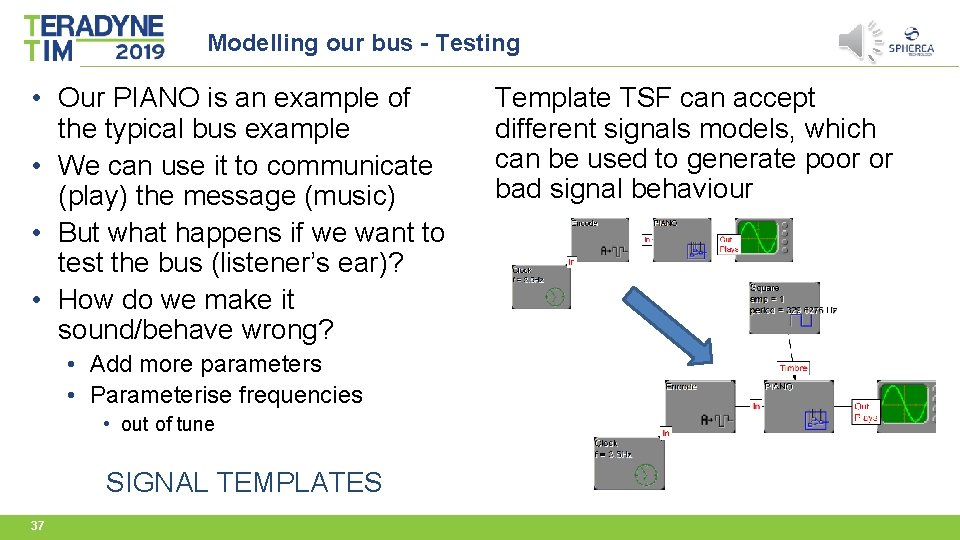
Modelling our bus - Testing • Our PIANO is an example of the typical bus example • We can use it to communicate (play) the message (music) • But what happens if we want to test the bus (listener’s ear)? • How do we make it sound/behave wrong? • Add more parameters • Parameterise frequencies • out of tune SIGNAL TEMPLATES 37 Template TSF can accept different signals models, which can be used to generate poor or bad signal behaviour
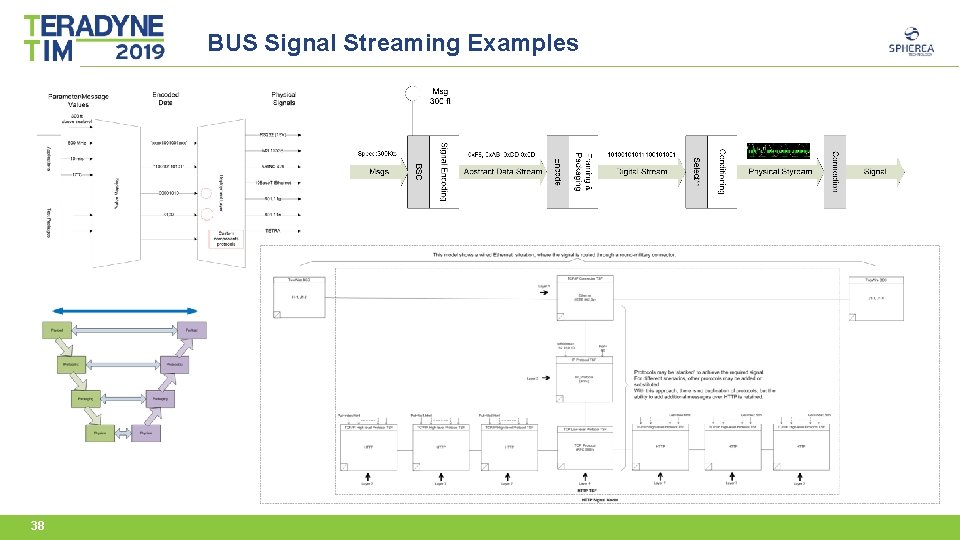
BUS Signal Streaming Examples 38
Model Based Testing 39
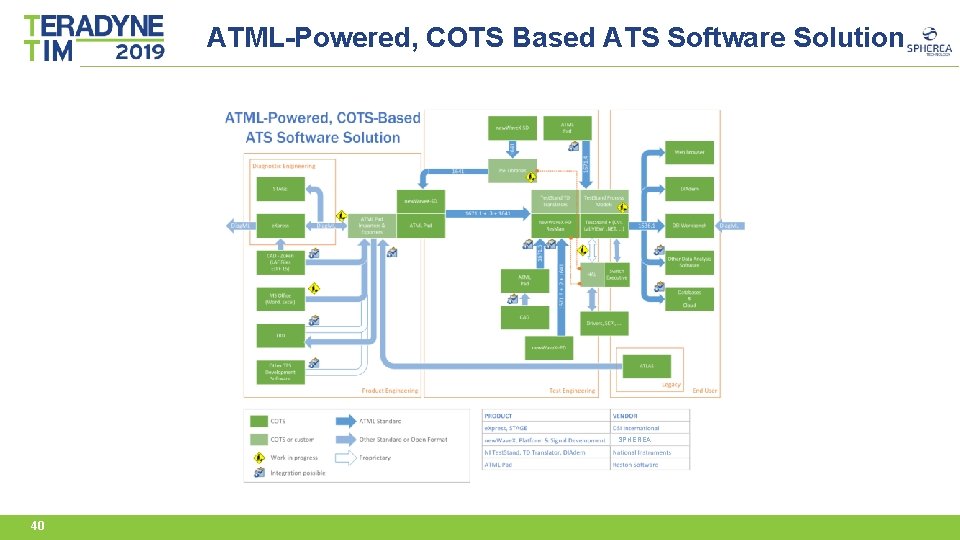
ATML-Powered, COTS Based ATS Software Solution SPHEREA 40
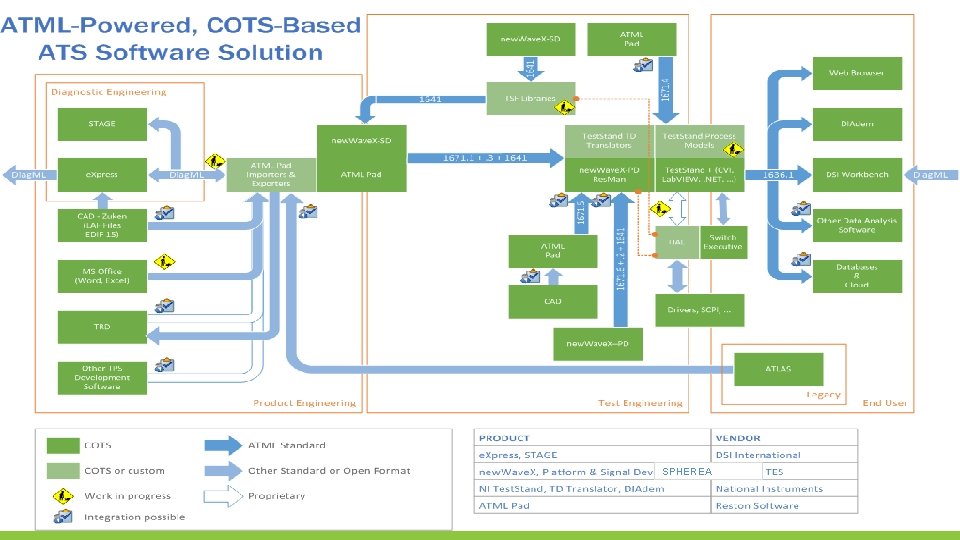
ATML-Powered, COTS Based ATS Software Solution SPHEREA
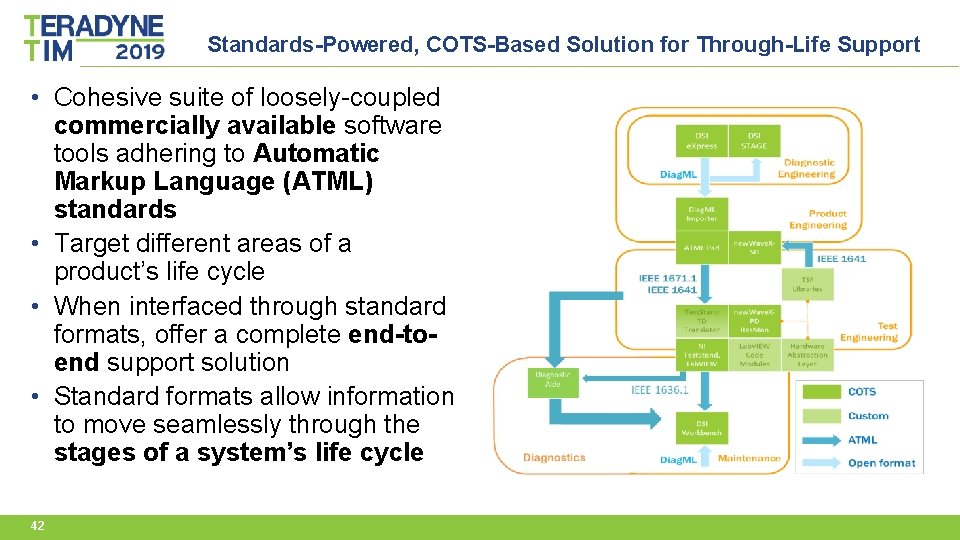
Standards-Powered, COTS-Based Solution for Through-Life Support • Cohesive suite of loosely-coupled commercially available software tools adhering to Automatic Markup Language (ATML) standards • Target different areas of a product’s life cycle • When interfaced through standard formats, offer a complete end-toend support solution • Standard formats allow information to move seamlessly through the stages of a system’s life cycle 42
If you need to capture a test requirement or describe a resource capability why wouldn’t you use signal modelling Fin 43