
2019 Statewide Assessment District Test Coordinator and District
- Slides: 109
2019 Statewide Assessment District Test Coordinator and District Technology Coordinator Training John Boczany Timothy Steele-Dadzie Orlando Vadel Spring 2019 District Test and Technology Coordinator Training
Reminder: Mandatory Turnkey Training District Test Coordinators are responsible for ensuring that all district and school personnel involved in the administration of New Jersey state assessment programs have been trained. Spring 2019 District Test and Technology Coordinator Training
Agenda What’s New for Spring 2019 Scheduling and Testing Site Requirements Who Must Test Accessibility Features and Accommodations Materials and Tools Student Registration and Placement Securely Handling Materials and Post-Testing Important Links and Contact Information District Test and Technology Coordinator Training 2018 -2019 3
What’s New for Spring 2019 • Browser Based Test. Nav is no longer supported and is not available for 2019 online testing • Updated unit test times • Guidance on use of Speech-to-Text as a third party testing device Spring 2019 District Test and Technology Coordinator Training
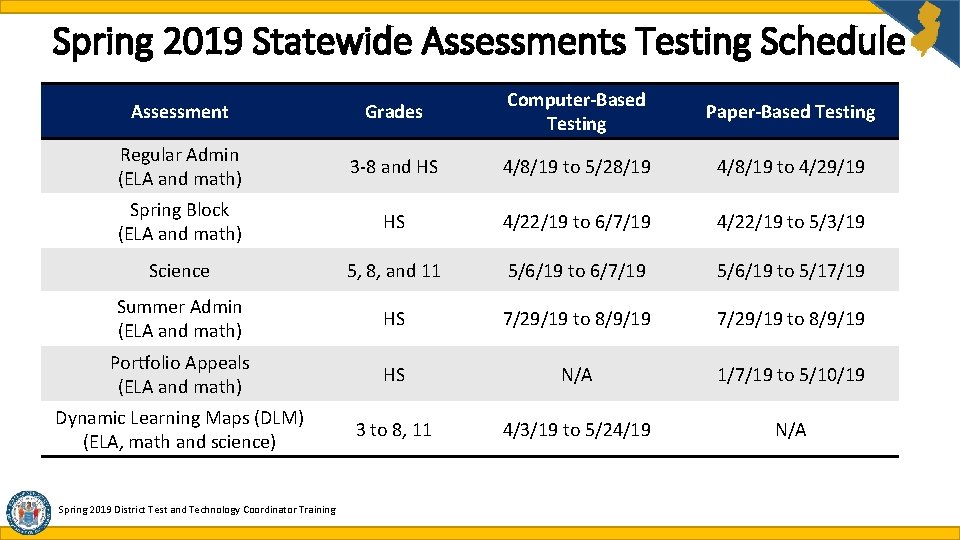
Spring 2019 Statewide Assessments Testing Schedule Assessment Grades Computer-Based Testing Paper-Based Testing Regular Admin (ELA and math) 3 -8 and HS 4/8/19 to 5/28/19 4/8/19 to 4/29/19 Spring Block (ELA and math) HS 4/22/19 to 6/7/19 4/22/19 to 5/3/19 Science 5, 8, and 11 5/6/19 to 6/7/19 5/6/19 to 5/17/19 Summer Admin (ELA and math) HS 7/29/19 to 8/9/19 Portfolio Appeals (ELA and math) HS N/A 1/7/19 to 5/10/19 Dynamic Learning Maps (DLM) (ELA, math and science) 3 to 8, 11 4/3/19 to 5/24/19 N/A Spring 2019 District Test and Technology Coordinator Training
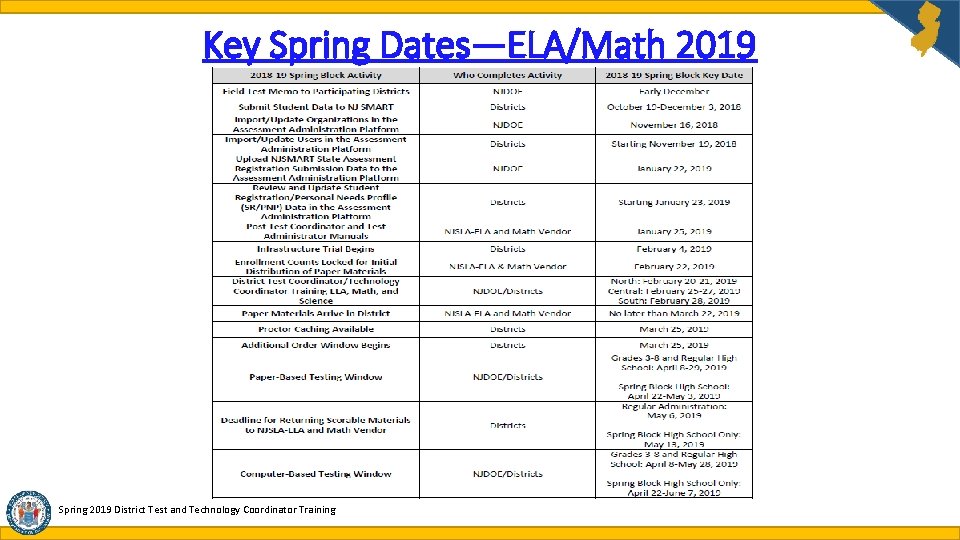
Key Spring Dates—ELA/Math 2019 Spring 2019 District Test and Technology Coordinator Training
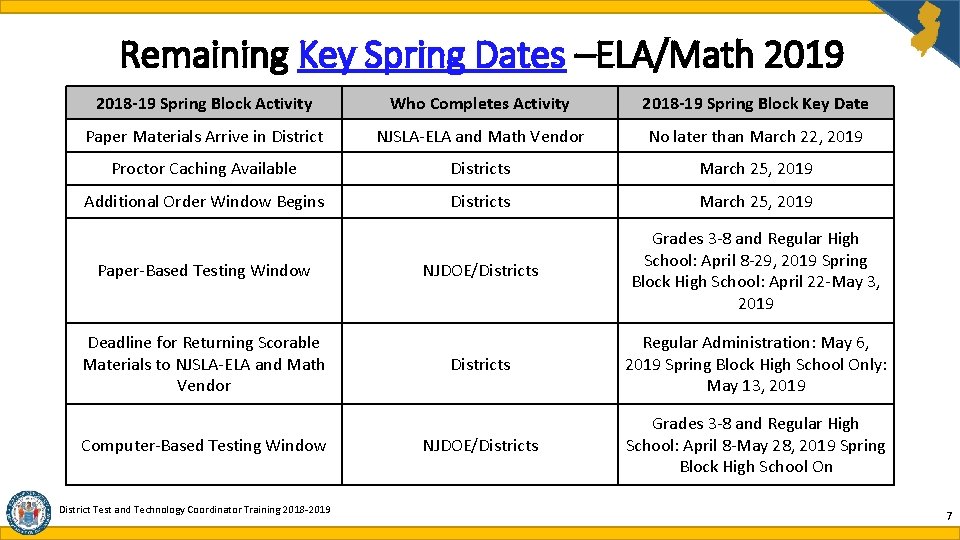
Remaining Key Spring Dates –ELA/Math 2019 2018 -19 Spring Block Activity Who Completes Activity 2018 -19 Spring Block Key Date Paper Materials Arrive in District NJSLA-ELA and Math Vendor No later than March 22, 2019 Proctor Caching Available Districts March 25, 2019 Additional Order Window Begins Districts March 25, 2019 NJDOE/Districts Grades 3 -8 and Regular High School: April 8 -29, 2019 Spring Block High School: April 22 -May 3, 2019 Districts Regular Administration: May 6, 2019 Spring Block High School Only: May 13, 2019 NJDOE/Districts Grades 3 -8 and Regular High School: April 8 -May 28, 2019 Spring Block High School On Paper-Based Testing Window Deadline for Returning Scorable Materials to NJSLA-ELA and Math Vendor Computer-Based Testing Window District Test and Technology Coordinator Training 2018 -2019 7
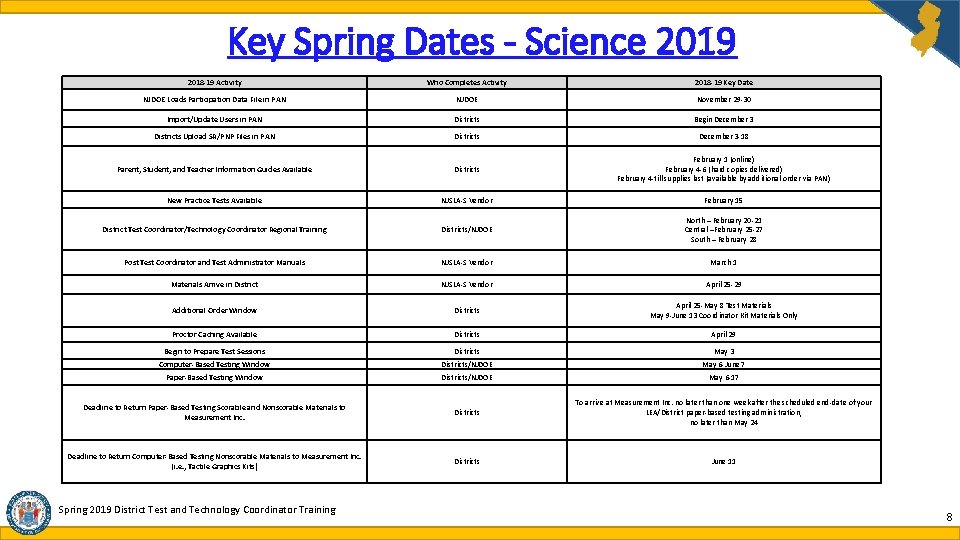
Key Spring Dates - Science 2019 2018 -19 Activity Who Completes Activity 2018 -19 Key Date NJDOE Loads Participation Data File in PAN NJDOE November 29 -30 Import/Update Users in PAN Districts Begin December 3 Districts Upload SR/PNP Files in PAN Districts December 3 -18 Parent, Student, and Teacher Information Guides Available Districts February 1 (online) February 4 -6 (hard copies delivered) February 4 -till supplies last (available by additional order via PAN) New Practice Tests Available NJSLA-S Vendor February 15 District Test Coordinator/Technology Coordinator Regional Training Districts/NJDOE North – February 20 -21 Central –February 25 -27 South – February 28 Post Test Coordinator and Test Administrator Manuals NJSLA-S Vendor March 1 Materials Arrive in District NJSLA-S Vendor April 25 -29 Additional Order Window Districts April 25 -May 8 Test Materials May 9 -June 13 Coordinator Kit Materials Only Proctor Caching Available Districts April 29 Begin to Prepare Test Sessions Districts May 3 Computer-Based Testing Window Districts/NJDOE May 6 -June 7 Paper-Based Testing Window Districts/NJDOE May 6 -17 Deadline to Return Paper-Based Testing Scorable and Nonscorable Materials to Measurement Inc. Districts To arrive at Measurement Inc. no later than one week after the scheduled end-date of your LEA/District paper-based testing administration, no later than May 24 Deadline to Return Computer-Based Testing Nonscorable Materials to Measurement Inc. (i. e. , Tactile Graphics Kits) Districts June 11 Spring 2019 District Test and Technology Coordinator Training 8
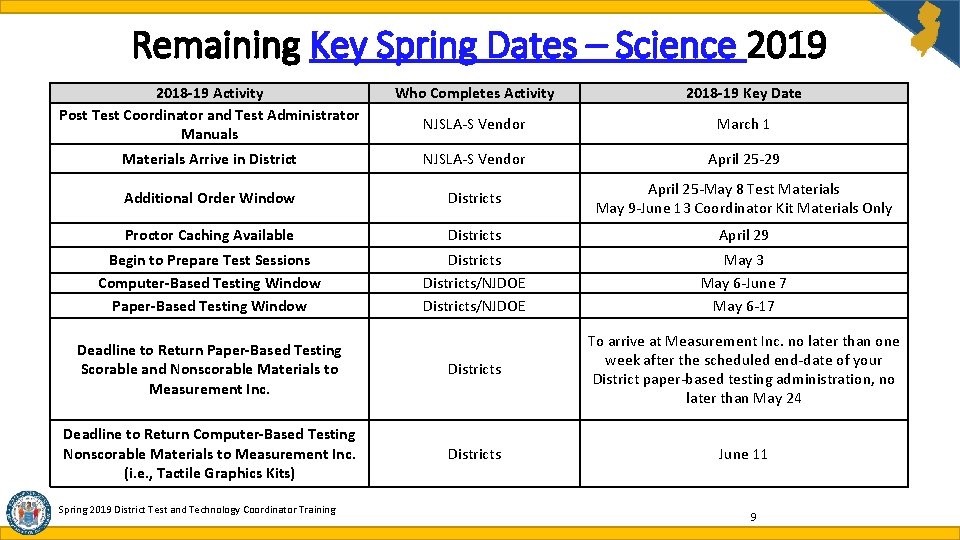
Remaining Key Spring Dates – Science 2019 2018 -19 Activity Post Test Coordinator and Test Administrator Manuals Who Completes Activity 2018 -19 Key Date NJSLA-S Vendor March 1 Materials Arrive in District NJSLA-S Vendor April 25 -29 Additional Order Window Districts April 25 -May 8 Test Materials May 9 -June 13 Coordinator Kit Materials Only Proctor Caching Available Districts April 29 Begin to Prepare Test Sessions Computer-Based Testing Window Paper-Based Testing Window Districts/NJDOE May 3 May 6 -June 7 May 6 -17 Deadline to Return Paper-Based Testing Scorable and Nonscorable Materials to Measurement Inc. Districts To arrive at Measurement Inc. no later than one week after the scheduled end-date of your District paper-based testing administration, no later than May 24 Deadline to Return Computer-Based Testing Nonscorable Materials to Measurement Inc. (i. e. , Tactile Graphics Kits) Districts June 11 Spring 2019 District Test and Technology Coordinator Training 9
Agenda What’s New for Spring 2019 Scheduling and Testing Site Requirements Who Must Test Accessibility Features and Accommodations Materials and Tools Student Registration and Placement Securely Handling Materials and Post-Testing Important Links and Contact Information District Test and Technology Coordinator Training 2018 -2019 10
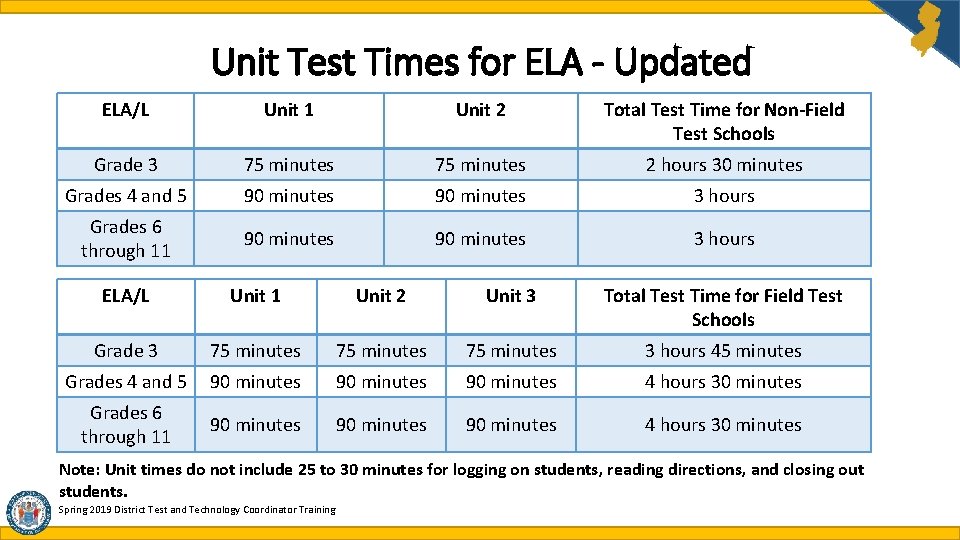
Unit Test Times for ELA - Updated ELA/L Unit 1 Unit 2 Total Test Time for Non-Field Test Schools Grade 3 75 minutes 2 hours 30 minutes Grades 4 and 5 90 minutes 3 hours Grades 6 through 11 90 minutes 3 hours ELA/L Unit 1 Unit 2 Unit 3 Total Test Time for Field Test Schools Grade 3 75 minutes 3 hours 45 minutes Grades 4 and 5 90 minutes 4 hours 30 minutes Grades 6 through 11 90 minutes 4 hours 30 minutes Note: Unit times do not include 25 to 30 minutes for logging on students, reading directions, and closing out students. Spring 2019 District Test and Technology Coordinator Training
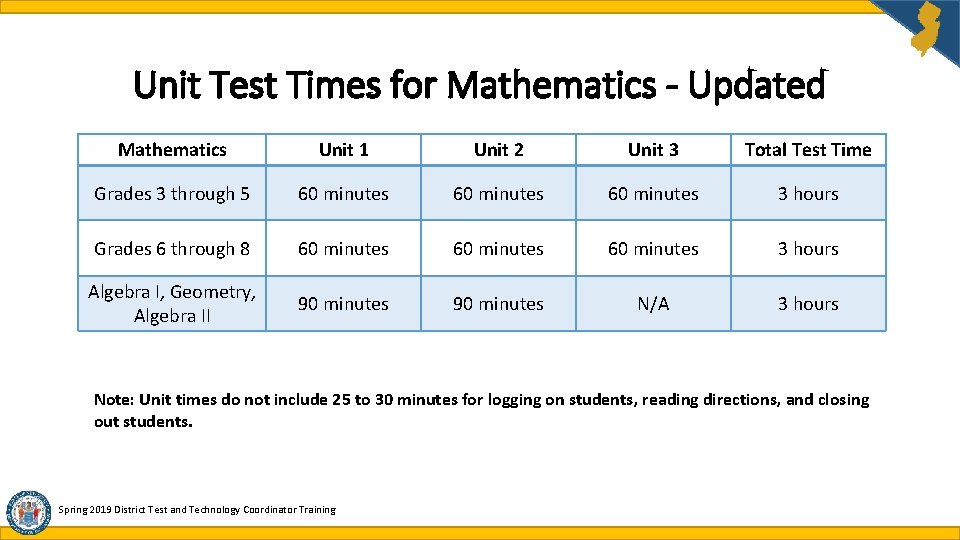
Unit Test Times for Mathematics - Updated Mathematics Unit 1 Unit 2 Unit 3 Total Test Time Grades 3 through 5 60 minutes 3 hours Grades 6 through 8 60 minutes 3 hours Algebra I, Geometry, Algebra II 90 minutes N/A 3 hours Note: Unit times do not include 25 to 30 minutes for logging on students, reading directions, and closing out students. Spring 2019 District Test and Technology Coordinator Training
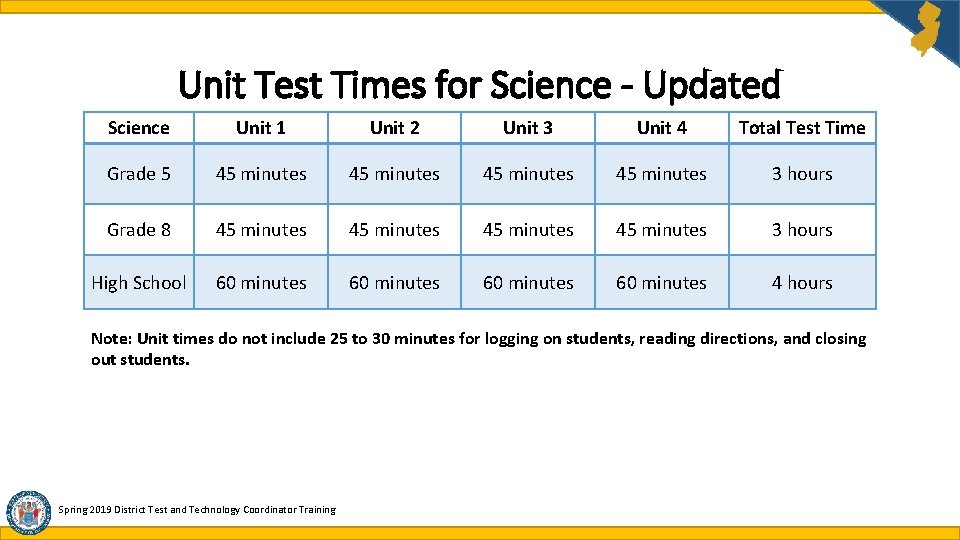
Unit Test Times for Science - Updated Science Unit 1 Unit 2 Unit 3 Unit 4 Total Test Time Grade 5 45 minutes 3 hours Grade 8 45 minutes 3 hours High School 60 minutes 4 hours Note: Unit times do not include 25 to 30 minutes for logging on students, reading directions, and closing out students. Spring 2019 District Test and Technology Coordinator Training
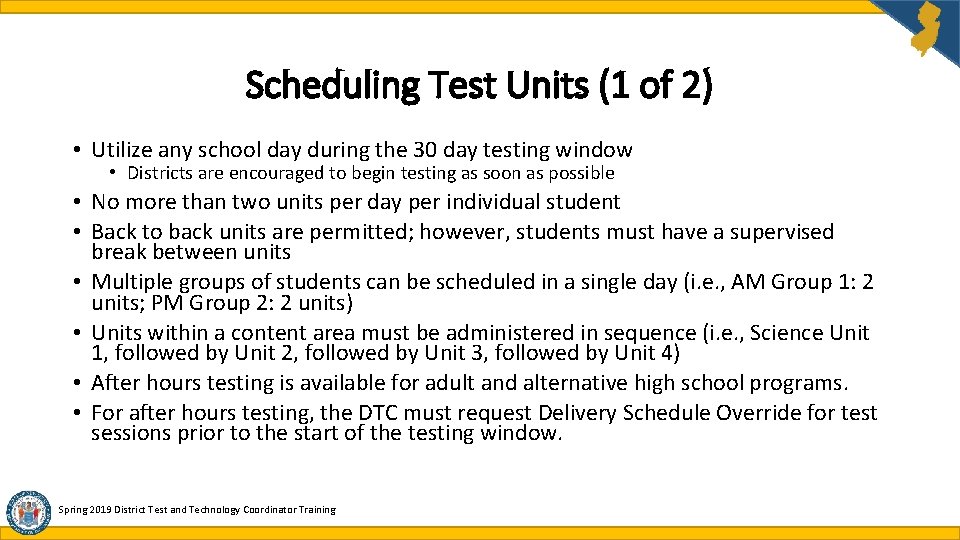
Scheduling Test Units (1 of 2) • Utilize any school day during the 30 day testing window • Districts are encouraged to begin testing as soon as possible • No more than two units per day per individual student • Back to back units are permitted; however, students must have a supervised break between units • Multiple groups of students can be scheduled in a single day (i. e. , AM Group 1: 2 units; PM Group 2: 2 units) • Units within a content area must be administered in sequence (i. e. , Science Unit 1, followed by Unit 2, followed by Unit 3, followed by Unit 4) • After hours testing is available for adult and alternative high school programs. • For after hours testing, the DTC must request Delivery Schedule Override for test sessions prior to the start of the testing window. Spring 2019 District Test and Technology Coordinator Training
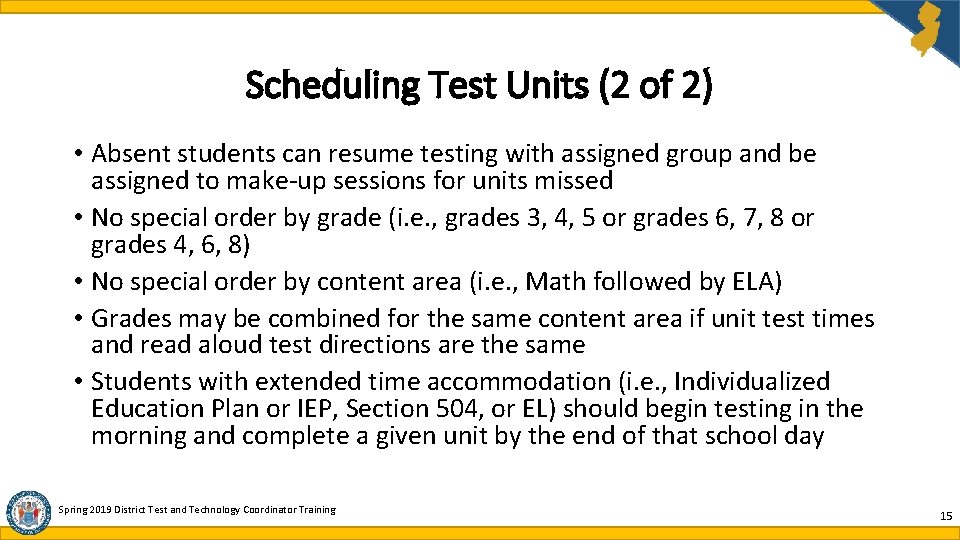
Scheduling Test Units (2 of 2) • Absent students can resume testing with assigned group and be assigned to make-up sessions for units missed • No special order by grade (i. e. , grades 3, 4, 5 or grades 6, 7, 8 or grades 4, 6, 8) • No special order by content area (i. e. , Math followed by ELA) • Grades may be combined for the same content area if unit test times and read aloud test directions are the same • Students with extended time accommodation (i. e. , Individualized Education Plan or IEP, Section 504, or EL) should begin testing in the morning and complete a given unit by the end of that school day Spring 2019 District Test and Technology Coordinator Training 15
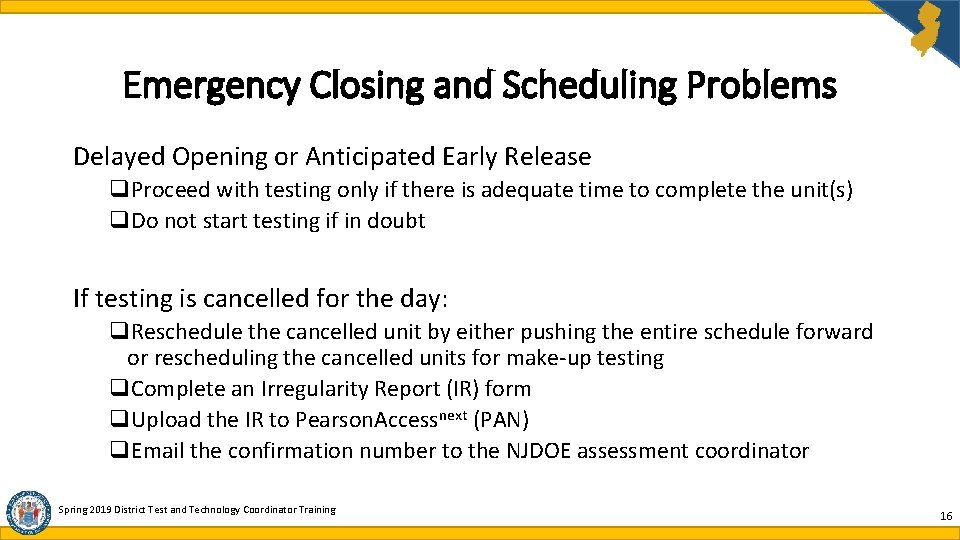
Emergency Closing and Scheduling Problems Delayed Opening or Anticipated Early Release q. Proceed with testing only if there is adequate time to complete the unit(s) q. Do not start testing if in doubt If testing is cancelled for the day: q. Reschedule the cancelled unit by either pushing the entire schedule forward or rescheduling the cancelled units for make-up testing q. Complete an Irregularity Report (IR) form q. Upload the IR to Pearson. Accessnext (PAN) q. Email the confirmation number to the NJDOE assessment coordinator Spring 2019 District Test and Technology Coordinator Training 16
Handling Incomplete, Interrupted, Early Release or Power Outage Problems If students are unable to complete a started unit, the Test Administrator must take the following steps: q Guide students to log out of Test. Nav on the testing devices q Confirm that no students display as actively testing in PAN q Lock all unlocked units in PAN q Secure all testing devices and secure test materials according to district’s Security Plan q Document the time remaining on the clock at the time of interruption q Reschedule incomplete unit for next available day q Complete Irregularity Report (IR) q Upload the IR to PAN q Email the confirmation number to the appropriate NJDOE assessment coordinator Spring 2019 District Test and Technology Coordinator Training 17
Testing Site Requirements (1 of 2) • Students must be well spaced with ample surface area. • Provide assigned seating. • Provide good lighting and ventilation. • Use clock and chart to display time remaining. • Never leave students unattended. • Supervise students at all times including restroom breaks. • Monitors to keep hallways quiet and testing rooms undisturbed. • Post “Testing Do Not Disturb” signs on testing room doors (see Appendix C of the Test Administrator Manual [TAM]). Spring 2019 District Test and Technology Coordinator Training 18
Testing Site Requirements (2 of 2) • The following are examples of discouraged behavior and/or materials: • No coats, backpacks, or purses are permitted in the testing rooms • No instructional displays should be present in the testing rooms • No buzzers, bells, or non-emergency announcements or interruptions during testing • No cell phones, MP 3 players, or any unauthorized electronics are permitted in the testing rooms • No food or beverages (except if by IEP or 504) • No unauthorized materials Spring 2019 District Test and Technology Coordinator Training 19
Agenda What’s New for Spring 2019 Scheduling and Testing Site Requirements Who Must Test Accessibility Features and Accommodations Materials and Tools Student Registration and Placement Securely Handling Materials and Post-Testing Important Links and Contact Information District Test and Technology Coordinator Training 2018 -2019 20
Who Must Test All students currently enrolled in tested grades/course in the state’s public school system are expected to participate in statewide assessment [N. J. A. C. 6 A-8 -4. 1(d)]. This includes the following students: • Students in general education • Students who are newly arrived English Learners (ELs) must take the Math and Science assessment. ELs in grades 3 -8 are exempt from the ELA state assessment. • Additional guidance regarding high school ELs will be provided at a later date. • Students with disabilities except those with the most significant cognitive disabilities, who qualify for the DLM. These students must take the alternate assessment (i. e. , DLM) as specified in their IEP. Spring 2019 District Test and Technology Coordinator Training 21
Who Must Test: Students with IEPs that are exempt from passing are: • required to take all appropriate statewide assessments • required to take each assessment once • not required to pass statewide assessments, alternate graduation assessments, or participate in the appeals process Spring 2019 District Test and Technology Coordinator Training 22
Who Must Test: Middle School Math • Middle school students enrolled in a one year Algebra I or Geometry course must take the Algebra I or Geometry assessment instead of the grade 7 or grade 8 math assessment. • Middle School students enrolled in a two year Algebra I or Geometry course must take their grade level math assessment in the first year of the course (grade 7 or 8 math) then take the Algebra I or Geometry assessment in the second year of the two year course. • Middle school students enrolled in multiple high school level mathematics courses (Algebra I, Geometry, Algebra II) will take only one math assessment – Algebra I or Algebra II. Spring 2019 District Test and Technology Coordinator Training 23
Who Must Test: High School (1 of 4) • High school (HS) students not enrolled in a tested math or ELA course do not take the test. • HS school students currently enrolled in an Algebra I, Geometry, or Algebra II course must take the corresponding state assessment unless they are repeating the course but have previously passed the assessment associated with the course. • HS students enrolled in multiple mathematics courses will take only one state mathematics assessment per assessment administration, that being Algebra I or Algebra II. Spring 2019 District Test and Technology Coordinator Training 24
Who Must Test: High School (2 of 4) • High school (HS) students enrolled in an integrated math course, that includes Algebra I or Geometry and is a prerequisite for an Algebra I or Geometry course, do not take the Algebra I or Geometry assessment while enrolled in the course. These students must wait until they are enrolled in the Algebra I or Geometry course to take the test. • HS students enrolled in a integrated math course, that includes Algebra or Geometry and is an alternative to an Algebra I or Geometry course, must take the Algebra I or Geometry assessment. Spring 2019 District Test and Technology Coordinator Training 25
Who Must Test: High School (3 of 4) • High school students enrolled in tested courses or grades must take the assessment regardless of the type of ELA course they are currently enrolled in. Additional guidance regarding high school testing will be provided at a later date. • Exception: Students repeating a course who have previously passed the assessment associated with that course are not required to re-take that assessment. • English learners (ELs) enrolled in English as a Second Language (ESL) (i. e. , beginner, intermediate, or advanced level) must take the ELA assessment associated with their course equivalent/credit assignment and not the level of the ESL course. Spring 2019 District Test and Technology Coordinator Training
Who Must Test: High School (4 of 4) • Students enrolled in multiple ELA courses will take only one ELA assessment, as deemed appropriate by the school district; unless one of the multiple courses is Grade 10 ELA. In that case, these students must take the Grade 10 ELA assessment. • Grade level ELA course/credit assignment determines participation in statewide assessments, not grade level homeroom assignment. Spring 2019 District Test and Technology Coordinator Training 27
Who Must Test: Adult High School Students Adult High School: Current Assessments vs. Historical Assessments • Adult high school students enrolled in a currently assessed course (Algebra I, Geometry, Algebra II) must take the associated statewide assessment unless they have taken any past statewide graduation test, i. e. MBS, HSPT 9, HSPT 11, SRA, HSPA, or AHSA • Adult high school students who passed any historical statewide assessment, will have their passing scores banked and counted toward their graduation testing requirement. These students do not take state tests. • Adult high school students who took, but did not pass, the historical statewide assessments must meet the graduation testing requirement via the alternative pathways or the portfolio appeal process. • HSPA cohort students do not take the test regardless of course enrollment. • Note: Students who did not pass the HSPA/ASHA in a content area must rely on the alternative pathways or portfolio appeals. Spring 2019 District Test and Technology Coordinator Training 28
Who Must Test: Science • All students enrolled in grades 5, 8, and 11 must take a state science assessment. • For high school students in grade 11, requirement for participation in the assessment is determined by credit total and not homeroom assignment. District Test and Technology Coordinator Training 2018 -2019 29
Students Who Take the DLM Assessment are Exempt From Taking General Statewide Assessments • All students who are exempt from taking the general assessment must participate in the DLM assessments in ELA, mathematics, and science as specified in their IEP. • Detailed Information & Decision Guidelines available at the following links: • http: //www. state. nj. us/education/assessment/apa/dlm/ • http: //www. dynamiclearningmaps. org/newjersey Spring 2019 District Test and Technology Coordinator Training 30
Agenda What’s New for Spring 2019 Scheduling and Testing Sites Who Must Test Accessibility Features and Accommodations Materials and Tools Student Registration and Placement Securely Handling Materials and Post-Testing Important Links and Contact Information District Test and Technology Coordinator Training 2018 -2019 31
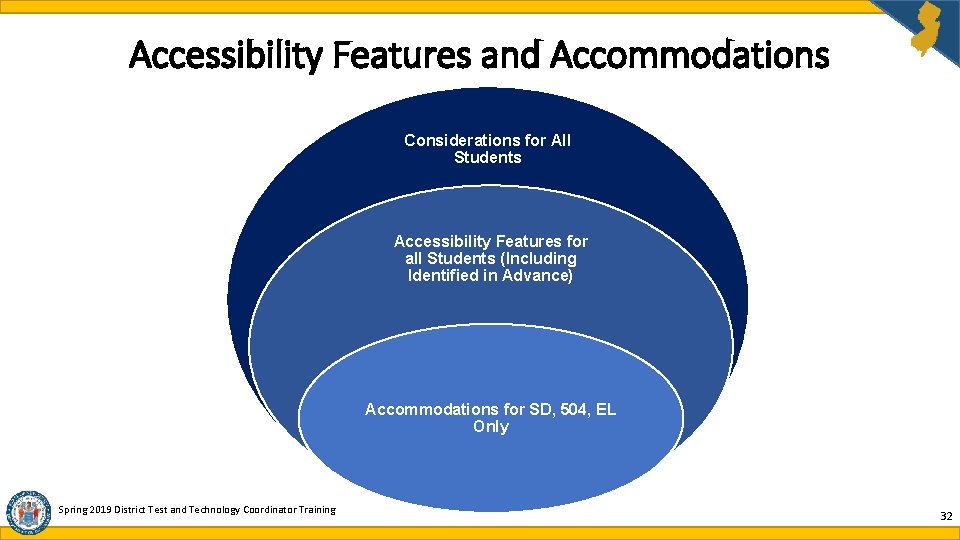
Accessibility Features and Accommodations Considerations for All Students Accessibility Features for all Students (Including Identified in Advance) Accommodations for SD, 504, EL Only Spring 2019 District Test and Technology Coordinator Training 32
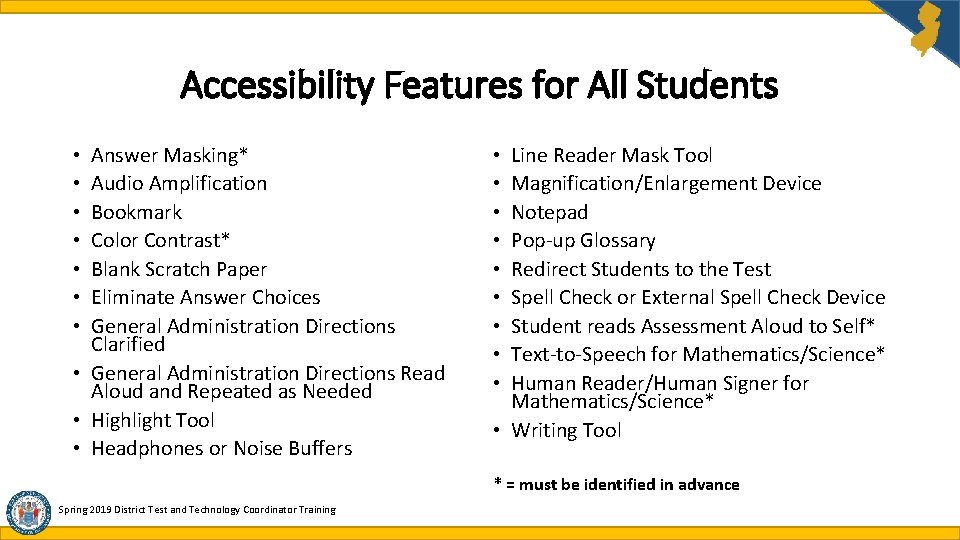
Accessibility Features for All Students Answer Masking* Audio Amplification Bookmark Color Contrast* Blank Scratch Paper Eliminate Answer Choices General Administration Directions Clarified • General Administration Directions Read Aloud and Repeated as Needed • Highlight Tool • Headphones or Noise Buffers • • Line Reader Mask Tool Magnification/Enlargement Device Notepad Pop-up Glossary Redirect Students to the Test Spell Check or External Spell Check Device Student reads Assessment Aloud to Self* Text-to-Speech for Mathematics/Science* Human Reader/Human Signer for Mathematics/Science* • Writing Tool • • • * = must be identified in advance Spring 2019 District Test and Technology Coordinator Training
Administrative Considerations for All Students • Small Group Testing • Time of Day • Separate or Alternate Location Spring 2019 District Test and Technology Coordinator Training • Specified Area or Setting • Adaptive and Specialized Equipment of Furniture • Frequent Breaks 34
Accommodations for Students with Disabilities • IEP or Section 504 Plan teams are responsible for making all accommodation decisions • Accommodations must be documented in an approved IEP or Section 504 Plan • Students should have prior experience using the accommodation routinely during classroom instruction and locally-administered assessments. Spring 2019 District Test and Technology Coordinator Training 35
Presentation Accommodation for Students with Disabilities • Assistive Technology • Screen Reader Version • Refreshable Braille Display with Screen Reader Version for ELA • Hard Copy Braille Edition (provided in Unified English Braille) • Tactile Graphics • Large Print Edition (provided in 18 point font on paper sized 14”x 18”) Spring 2019 District Test and Technology Coordinator Training • Paper-Based Edition (must have a valid IEP or Section 504 Plan) • Closed Captioning of Multimedia on ELA • American Sign Language (ASL) Video for Mathematics/Science • Human Signer for Test Directions • ELA Assessments, including items, response options, and passages • Text-to-Speech • American Sign Language (ASL) Video • Human Reader/Human Signer 36
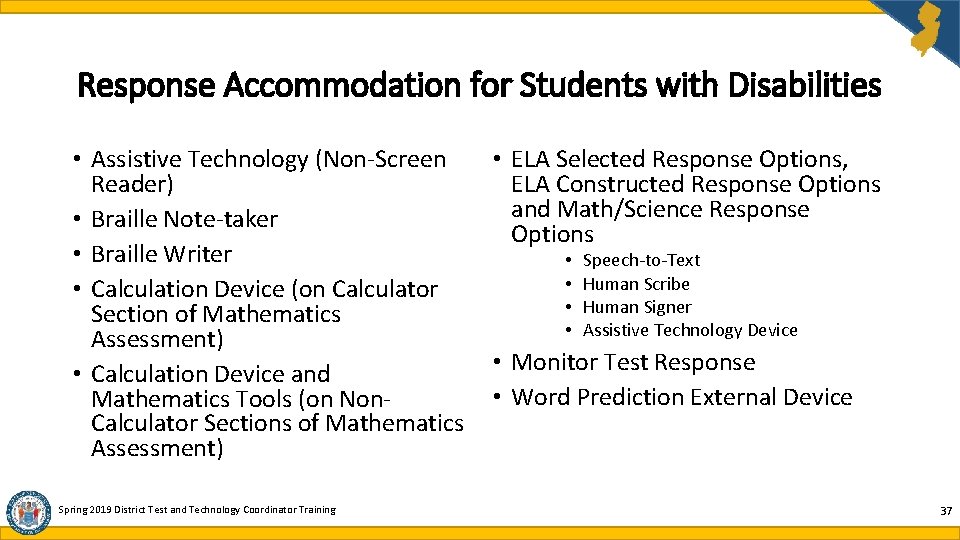
Response Accommodation for Students with Disabilities • Assistive Technology (Non-Screen • ELA Selected Response Options, Reader) ELA Constructed Response Options and Math/Science Response • Braille Note-taker Options • Braille Writer • Speech-to-Text • Human Scribe • Calculation Device (on Calculator • Human Signer Section of Mathematics • Assistive Technology Device Assessment) • Monitor Test Response • Calculation Device and • Word Prediction External Device Mathematics Tools (on Non. Calculator Sections of Mathematics Assessment) Spring 2019 District Test and Technology Coordinator Training 37
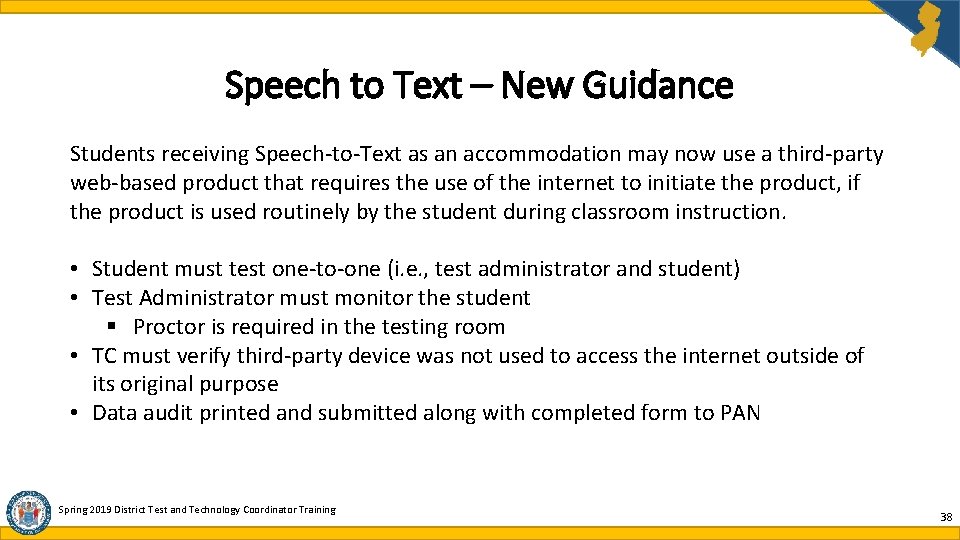
Speech to Text – New Guidance Students receiving Speech-to-Text as an accommodation may now use a third-party web-based product that requires the use of the internet to initiate the product, if the product is used routinely by the student during classroom instruction. • Student must test one-to-one (i. e. , test administrator and student) • Test Administrator must monitor the student § Proctor is required in the testing room • TC must verify third-party device was not used to access the internet outside of its original purpose • Data audit printed and submitted along with completed form to PAN Spring 2019 District Test and Technology Coordinator Training 38
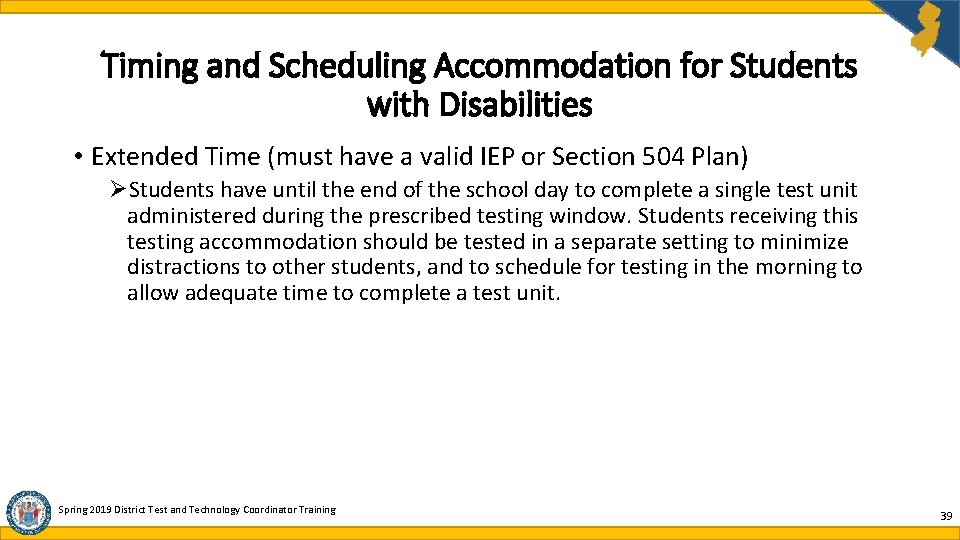
Timing and Scheduling Accommodation for Students with Disabilities • Extended Time (must have a valid IEP or Section 504 Plan) ØStudents have until the end of the school day to complete a single test unit administered during the prescribed testing window. Students receiving this testing accommodation should be tested in a separate setting to minimize distractions to other students, and to schedule for testing in the morning to allow adequate time to complete a test unit. Spring 2019 District Test and Technology Coordinator Training 39
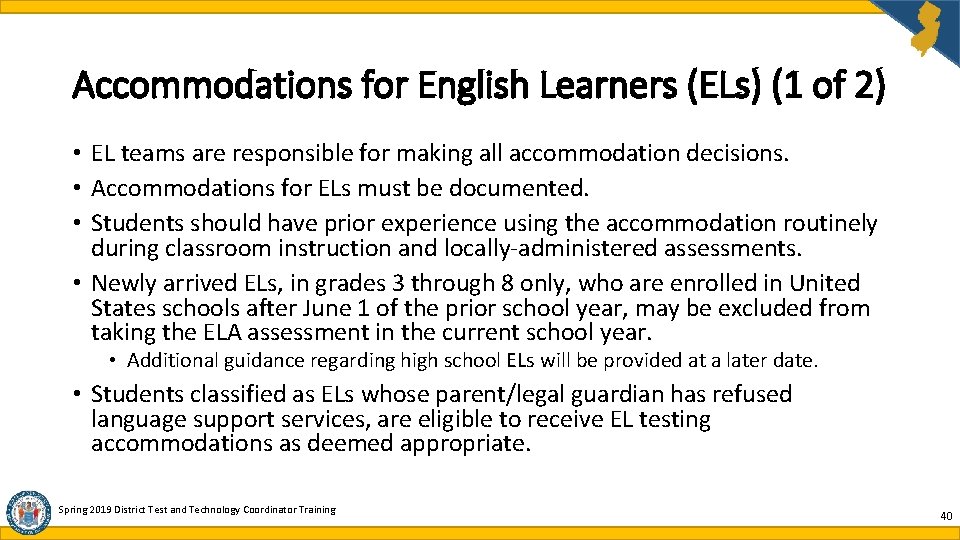
Accommodations for English Learners (ELs) (1 of 2) • EL teams are responsible for making all accommodation decisions. • Accommodations for ELs must be documented. • Students should have prior experience using the accommodation routinely during classroom instruction and locally-administered assessments. • Newly arrived ELs, in grades 3 through 8 only, who are enrolled in United States schools after June 1 of the prior school year, may be excluded from taking the ELA assessment in the current school year. • Additional guidance regarding high school ELs will be provided at a later date. • Students classified as ELs whose parent/legal guardian has refused language support services, are eligible to receive EL testing accommodations as deemed appropriate. Spring 2019 District Test and Technology Coordinator Training 40
Accommodations for ELs (2 of 2) • Extended Time • Word-to-Word Dictionary (English/Native Language) • Mathematics/Science Response Speech-to-Text or Human Scribe • General Administration Directions Read Aloud and Repeated in Student’s Native Language (see note) • General Administration Directions Clarified as Needed in Student’s Native Language • Online Transadaptation of the Mathematics/Science Assessment in Spanish • Paper-Based Edition of Mathematics/Science Assessment in Spanish • Large Print Edition of the Mathematics/Science Assessment in Spanish • Text-to-Speech or Human Reader for the Mathematics/Science Assessment in Spanish Note: Read aloud directions are available in the following languages: , Arabic, Bengali, Chinese Mandarin, Gujarati, Haitian Creole, Korean, Portuguese, Russian, Spanish, Urdu. Science translation available in Spanish only. Spring 2019 District Test and Technology Coordinator Training 41
Agenda What’s New for Spring 2019 Scheduling and Testing Site Requirements Who Must Test Accessibility Features and Accommodations Materials and Tools Student Registration and Placement Securely Handling Materials and Post-Testing Important Links and Contact Information District Test and Technology Coordinator Training 2018 -2019 42
Calculators (1 of 4) • Permitted only on “Calculator Section” of math units • Not permitted on “Non Calculator” sections of math units • Computer Based Testing (CBT) • calculator automatically provided on Test. Nav platform during Calculator Sections • Students must have prior experience with Test. Nav-provided calculator. Practice tests & tutorials are available. • Paper Based Testing (PBT) • hand-held calculators must be used • All hand held calculators must meet grade/course specific calculator requirements. • For Science testing, the grade-appropriate calculator is permitted on all units. • For the state Calculator Policy, please visit the following link: https: //nj. mypearsonsupport. com/manuals/#resources Spring 2019 District Test and Technology Coordinator Training 43
Calculators (2 of 4) • Hand held calculators must be distributed & collected as specified in the Test Administrator Manual (TAM). • District may provide CBT students with hand held calculators as permitted. • Students may use their own calculator as permitted. • Examiners must have extra calculators if hand held calculators are required by IEP or 504 Plan. • Remove instructional manuals & function reference sheets of hand held calculators before testing. • Memories & programs of all hand held calculators must be cleared before & after testing. Spring 2019 District Test and Technology Coordinator Training 44
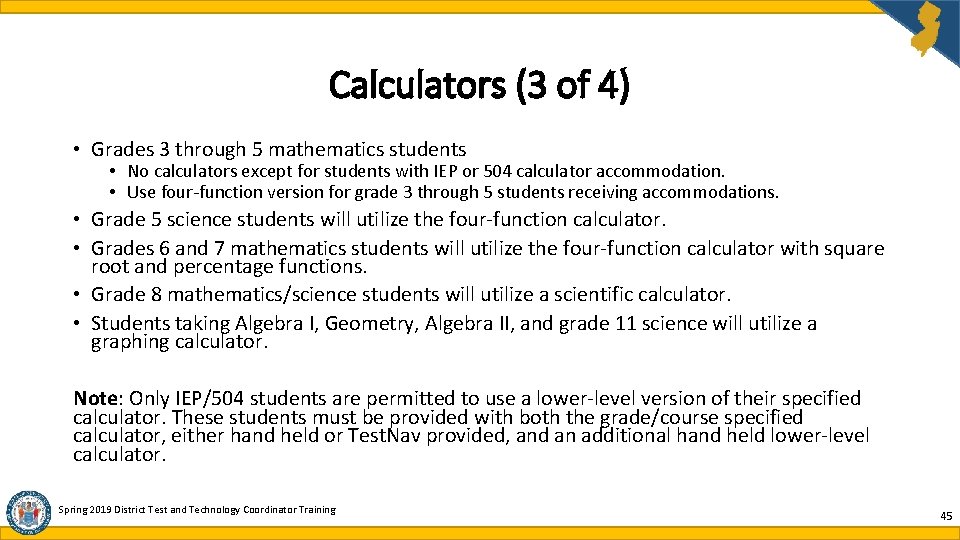
Calculators (3 of 4) • Grades 3 through 5 mathematics students • No calculators except for students with IEP or 504 calculator accommodation. • Use four-function version for grade 3 through 5 students receiving accommodations. • Grade 5 science students will utilize the four-function calculator. • Grades 6 and 7 mathematics students will utilize the four-function calculator with square root and percentage functions. • Grade 8 mathematics/science students will utilize a scientific calculator. • Students taking Algebra I, Geometry, Algebra II, and grade 11 science will utilize a graphing calculator. Note: Only IEP/504 students are permitted to use a lower-level version of their specified calculator. These students must be provided with both the grade/course specified calculator, either hand held or Test. Nav provided, and an additional hand held lower-level calculator. Spring 2019 District Test and Technology Coordinator Training 45
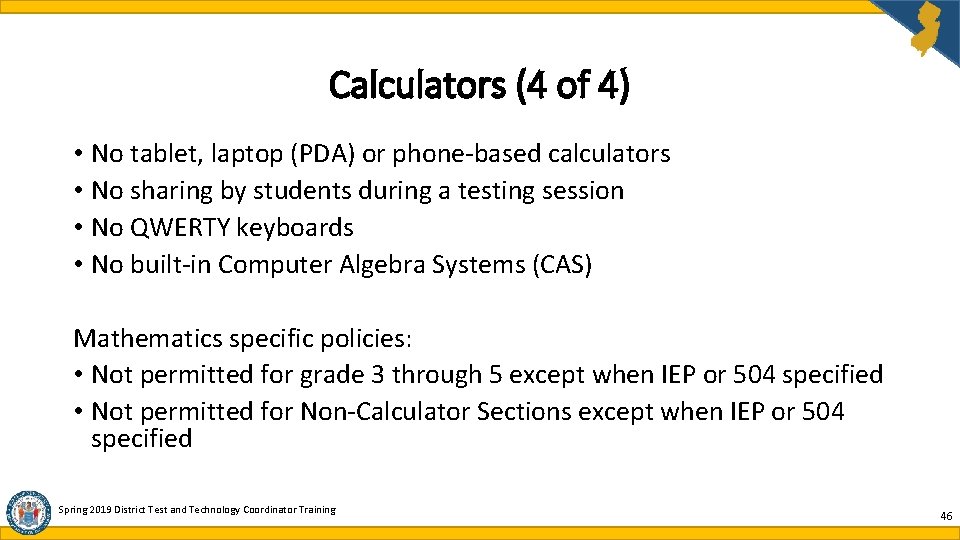
Calculators (4 of 4) • No tablet, laptop (PDA) or phone-based calculators • No sharing by students during a testing session • No QWERTY keyboards • No built-in Computer Algebra Systems (CAS) Mathematics specific policies: • Not permitted for grade 3 through 5 except when IEP or 504 specified • Not permitted for Non-Calculator Sections except when IEP or 504 specified Spring 2019 District Test and Technology Coordinator Training 46
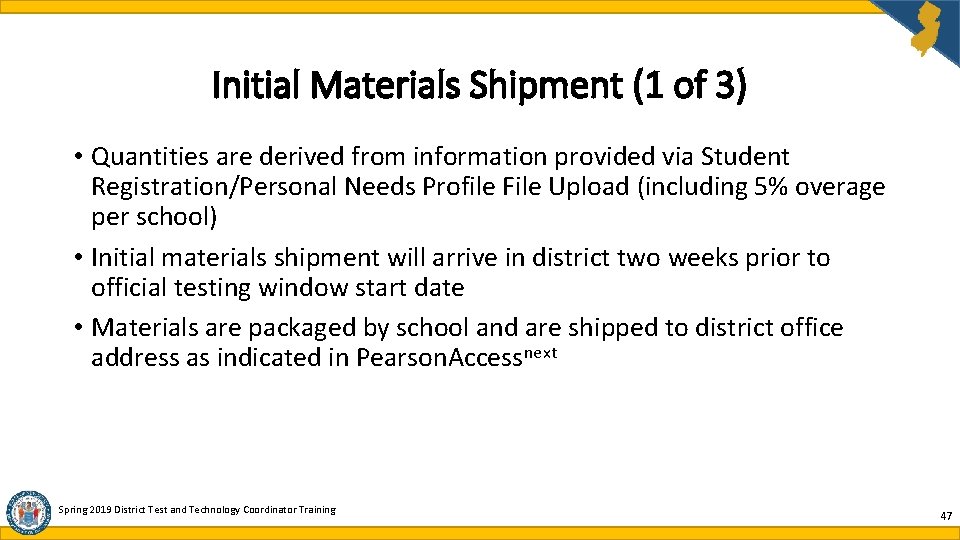
Initial Materials Shipment (1 of 3) • Quantities are derived from information provided via Student Registration/Personal Needs Profile File Upload (including 5% overage per school) • Initial materials shipment will arrive in district two weeks prior to official testing window start date • Materials are packaged by school and are shipped to district office address as indicated in Pearson. Accessnext Spring 2019 District Test and Technology Coordinator Training 47
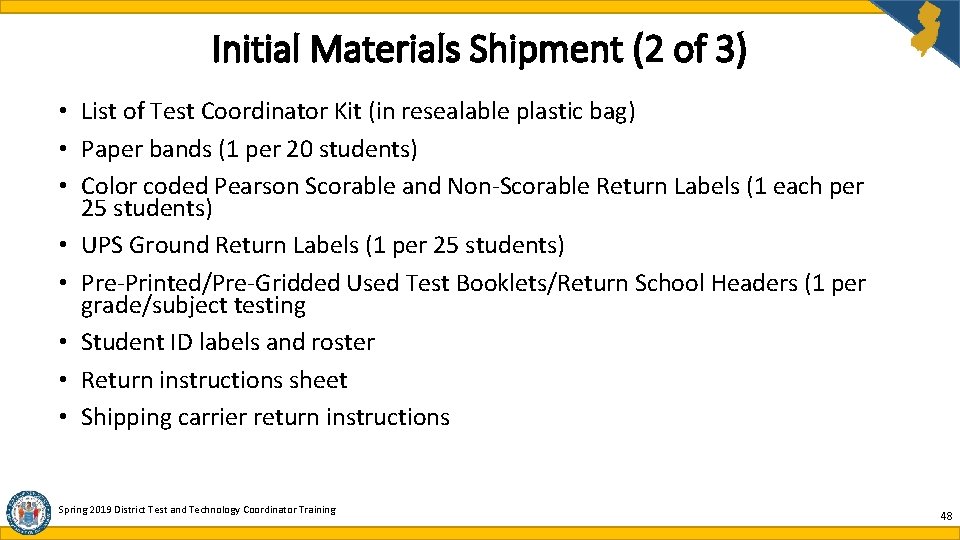
Initial Materials Shipment (2 of 3) • List of Test Coordinator Kit (in resealable plastic bag) • Paper bands (1 per 20 students) • Color coded Pearson Scorable and Non-Scorable Return Labels (1 each per 25 students) • UPS Ground Return Labels (1 per 25 students) • Pre-Printed/Pre-Gridded Used Test Booklets/Return School Headers (1 per grade/subject testing • Student ID labels and roster • Return instructions sheet • Shipping carrier return instructions Spring 2019 District Test and Technology Coordinator Training 48
Initial Materials Shipment (3 of 3) • • • List of Other Materials Packing List and Chain of Custody forms Test Coordinator Manuals (1 per school) Test Administrator Manuals (1 per 25 students) Paper-based test booklets and answer documents Mathematics Reference Sheets (1 per paper based test grade 5 – 8), Rulers and Protractors Periodic Tables (For Science) Large Print Kits Braille Kits Read Aloud Kits Spring 2019 District Test and Technology Coordinator Training 49
Auditing Test Materials Upon receipt of test materials, DTC must: • Remove the packing list, Chain of Custody form and Test Coordinator Kit from box 1. • Inventory materials immediately to verify that all materials have been included and are not damaged or missing. • Count through the shrink wrap without opening it (do not open shrink wrapping until two school days before testing). • Secure materials in locked storage with limited access. • Order additional materials, if necessary. • Keep the shipping boxes to return Scorable and Non-Scorable materials to Pearson (Math/ELA) or Measurement Incorporated (NJSLA-Science) after testing is completed. Please do not mix up these shipments. Send to appropriate vendor as indicated. • Report any contaminated, damaged, or missing materials using the District Return Form. Also, please contact the vendor Helpline immediately regarding any missing/damaged materials: 888 -705 -9416 (follow phone prompts). Spring 2019 District Test and Technology Coordinator Training 50
Additional Orders • Only users with the STC and DTC roles can order additional test materials. • Do not submit additional orders prior to verifying initial shipment of test materials. • Inventory all test materials prior to placing an additional order. • Test Booklets and Answer Documents are shipped in packs of five. • Additional orders will be reviewed by NJDOE. If approved, please allow for three to five business days for arrival. • Additional orders are packaged by school for ELA and math. All science will be at the district-level only. • All orders are shipped to your district’s central office. Spring 2019 District Test and Technology Coordinator Training 51
Test Materials (1 of 3) • Paper-Based Test materials • Test Booklet: pack of five • Answer Document: pack of five • Consumable Test Booklet for grade 3 only: pack of five • Paper version of Mathematics Reference Sheets for grades 5 through high school • Computer-Based Test materials • Student Testing Tickets for Computer-Based Testing • Student Pre-ID labels for Paper-Based Testing Spring 2019 District Test and Technology Coordinator Training 52
Test Materials (2 of 3) • Headphones or ear buds ØRequired for ELA for all students ØRequired for mathematics/science if student is receiving Text-to-Speech ØHeadphones may be used as noise buffers (accessibility feature) • Headsets with Microphones ØUsed by students who will have testing accommodation “Speech-to-Text” • Other Materials ØBlank Scratch Paper – graph, lined or unlined paper ØPencils – wooden No. 2 with erasers ØPeriodic Table for science ØCalculators – download policy at: https: //nj. mypearsonsupport. com/manuals/#resources ØMath Tools – download policy at: https: //nj. mypearsonsupport. com/manuals/#resources Spring 2019 District Test and Technology Coordinator Training 53
Test Materials (3 of 3) • Approved external devices may not access the internet nor store/save information • Timing device • Flip chart or board • Door sign – see Appendix C in the TAM • Leisure reading materials – see Appendix C in the TCM Spring 2019 District Test and Technology Coordinator Training 54
Mathematics Reference Sheets • Mathematics Reference Sheets are based on the state’s standards for mathematics • Mathematics Reference Sheets are required for grade 5 through 8, Algebra I, Geometry, and Algebra II only • For online test takers, the Mathematics Reference Sheets are part of the online platform • Schools may download and print copies for computer-based testers Spring 2019 District Test and Technology Coordinator Training 55
Periodic Table • Periodic Tables will be shipped with paper-based test materials. The Periodic Table is available as part of the online platform for computer -based test takers. The Periodic Table is also available online to download and print at www. measinc. com/nj/Science Spring 2019 District Test and Technology Coordinator Training 56
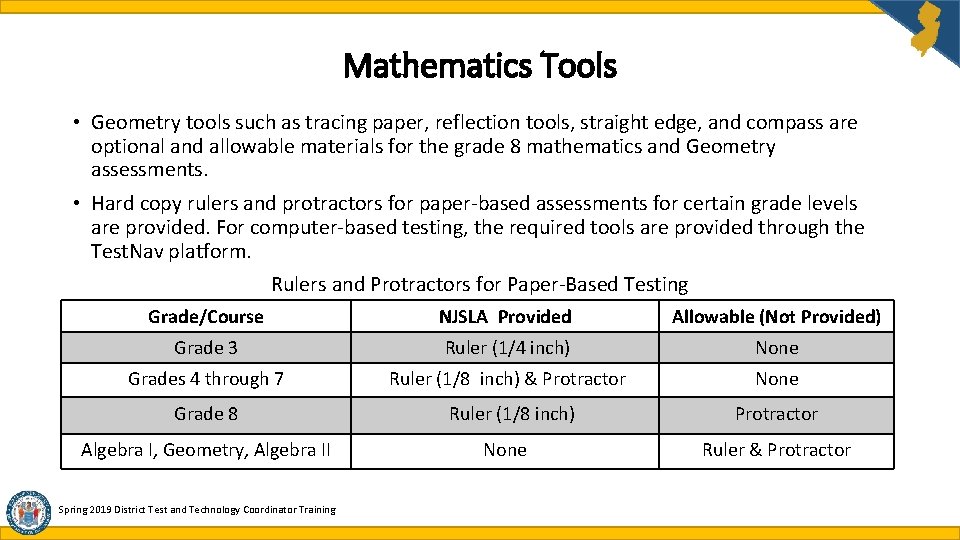
Mathematics Tools • Geometry tools such as tracing paper, reflection tools, straight edge, and compass are optional and allowable materials for the grade 8 mathematics and Geometry assessments. • Hard copy rulers and protractors for paper-based assessments for certain grade levels are provided. For computer-based testing, the required tools are provided through the Test. Nav platform. Rulers and Protractors for Paper-Based Testing Grade/Course NJSLA Provided Allowable (Not Provided) Grade 3 Ruler (1/4 inch) None Grades 4 through 7 Ruler (1/8 inch) & Protractor None Grade 8 Ruler (1/8 inch) Protractor Algebra I, Geometry, Algebra II None Ruler & Protractor Spring 2019 District Test and Technology Coordinator Training
Agenda What’s New for Spring 2019 Scheduling and Testing Site Requirements Who Must Test Accessibility Features and Accommodations Materials and Tools Student Registration and Placement Securely Handling Materials and Post-Testing Important Links and Contact Information District Test and Technology Coordinator Training 2018 -2019 58
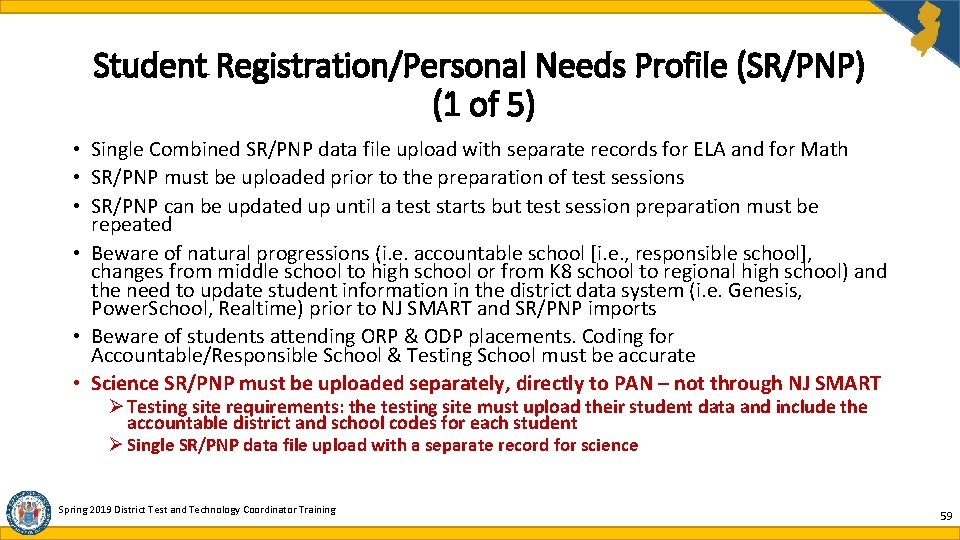
Student Registration/Personal Needs Profile (SR/PNP) (1 of 5) • Single Combined SR/PNP data file upload with separate records for ELA and for Math • SR/PNP must be uploaded prior to the preparation of test sessions • SR/PNP can be updated up until a test starts but test session preparation must be repeated • Beware of natural progressions (i. e. accountable school [i. e. , responsible school], changes from middle school to high school or from K 8 school to regional high school) and the need to update student information in the district data system (i. e. Genesis, Power. School, Realtime) prior to NJ SMART and SR/PNP imports • Beware of students attending ORP & ODP placements. Coding for Accountable/Responsible School & Testing School must be accurate • Science SR/PNP must be uploaded separately, directly to PAN – not through NJ SMART Ø Testing site requirements: the testing site must upload their student data and include the accountable district and school codes for each student Ø Single SR/PNP data file upload with a separate record for science Spring 2019 District Test and Technology Coordinator Training 59
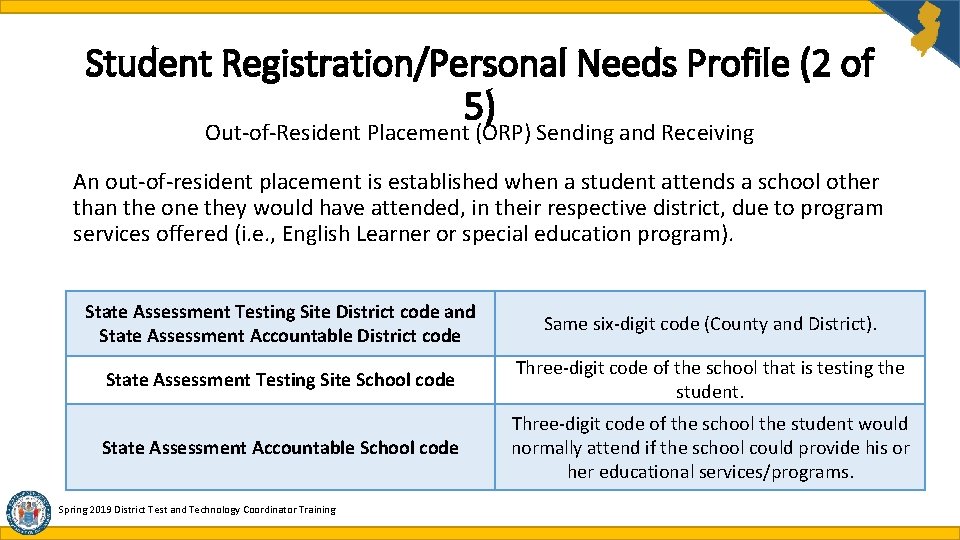
Student Registration/Personal Needs Profile (2 of 5) Out-of-Resident Placement (ORP) Sending and Receiving An out-of-resident placement is established when a student attends a school other than the one they would have attended, in their respective district, due to program services offered (i. e. , English Learner or special education program). State Assessment Testing Site District code and State Assessment Accountable District code Same six-digit code (County and District). State Assessment Testing Site School code Three-digit code of the school that is testing the student. State Assessment Accountable School code Three-digit code of the school the student would normally attend if the school could provide his or her educational services/programs. Spring 2019 District Test and Technology Coordinator Training
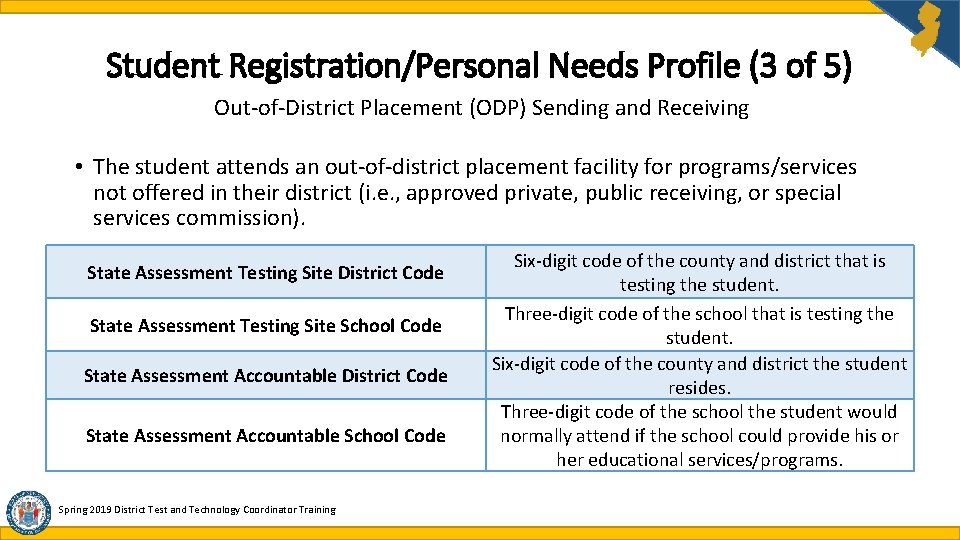
Student Registration/Personal Needs Profile (3 of 5) Out-of-District Placement (ODP) Sending and Receiving • The student attends an out-of-district placement facility for programs/services not offered in their district (i. e. , approved private, public receiving, or special services commission). State Assessment Testing Site District Code State Assessment Testing Site School Code State Assessment Accountable District Code State Assessment Accountable School Code Spring 2019 District Test and Technology Coordinator Training Six-digit code of the county and district that is testing the student. Three-digit code of the school that is testing the student. Six-digit code of the county and district the student resides. Three-digit code of the school the student would normally attend if the school could provide his or her educational services/programs.
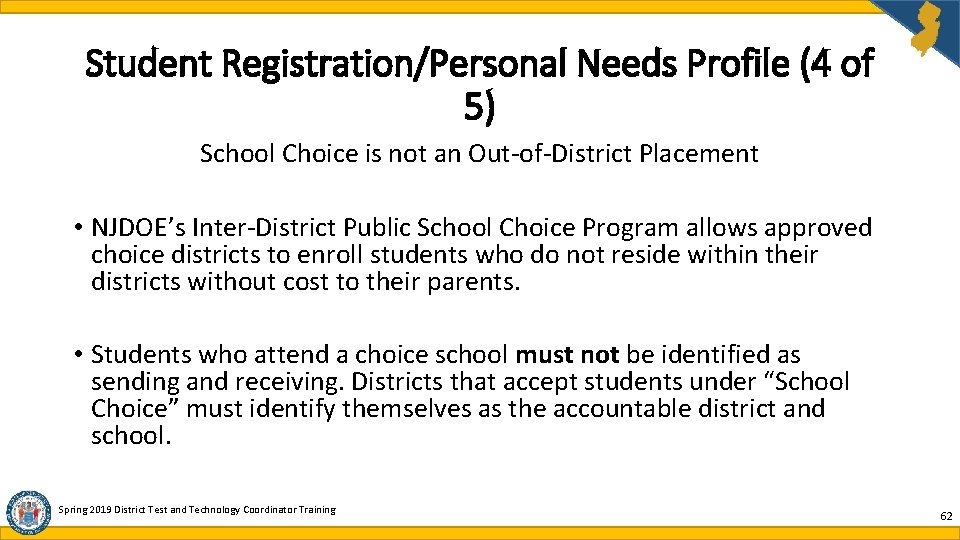
Student Registration/Personal Needs Profile (4 of 5) School Choice is not an Out-of-District Placement • NJDOE’s Inter-District Public School Choice Program allows approved choice districts to enroll students who do not reside within their districts without cost to their parents. • Students who attend a choice school must not be identified as sending and receiving. Districts that accept students under “School Choice” must identify themselves as the accountable district and school. Spring 2019 District Test and Technology Coordinator Training 62
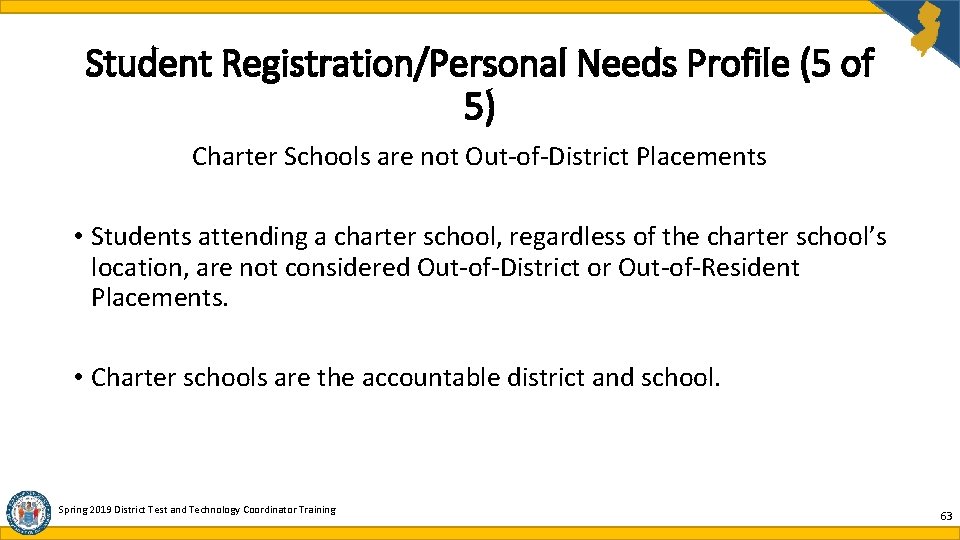
Student Registration/Personal Needs Profile (5 of 5) Charter Schools are not Out-of-District Placements • Students attending a charter school, regardless of the charter school’s location, are not considered Out-of-District or Out-of-Resident Placements. • Charter schools are the accountable district and school. Spring 2019 District Test and Technology Coordinator Training 63
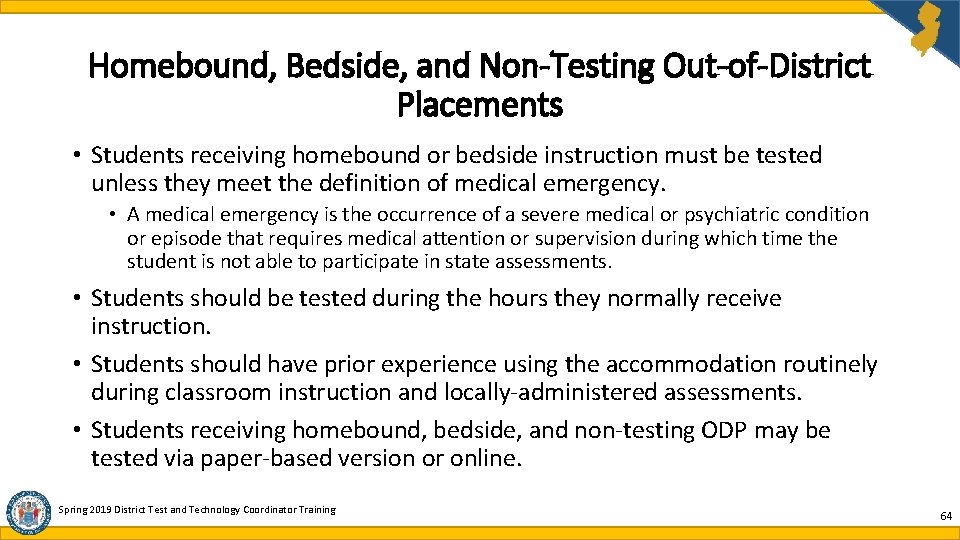
Homebound, Bedside, and Non-Testing Out-of-District Placements • Students receiving homebound or bedside instruction must be tested unless they meet the definition of medical emergency. • A medical emergency is the occurrence of a severe medical or psychiatric condition or episode that requires medical attention or supervision during which time the student is not able to participate in state assessments. • Students should be tested during the hours they normally receive instruction. • Students should have prior experience using the accommodation routinely during classroom instruction and locally-administered assessments. • Students receiving homebound, bedside, and non-testing ODP may be tested via paper-based version or online. Spring 2019 District Test and Technology Coordinator Training 64
Non-Testing Out-of-District Placements Students attending an Out-of-District Placement that will not administer the ELA, math, or science test must either: § Return to their home district to be tested, or § The home district must send a Test Administrator to the student’s ODP site to test the student. Note: If deemed appropriate, students may be brought back to a district office to test (i. e. , in home suspension). Spring 2019 District Test and Technology Coordinator Training 65
Homebound, Bedside, and Non-Testing Out-of-District Placements Test Administrator qualifications and requirements: üLicensed professional employed by the district üTrained by the district or school test coordinator üSigns appropriate chain of custody forms and test security agreement üMaintains test security at all times üHas access to technology coordinator and test coordinator for support and guidance üReturns all secure testing materials to school test coordinator or district test coordinator as soon as possible after testing is completed The following link provides guidance and conditions that must be adhered to in order to administer the assessment to homebound, bedside, and non-testing ODP students: https: //www. state. nj. us/education/assessment/district/ Spring 2019 District Test and Technology Coordinator Training 66
Agenda What’s New for Spring 2019 Scheduling and Testing Site Requirements Who Must Test Accessibility Features and Accommodations Materials and Tools Student Registration and Placement Securely Handling Materials and Post-Testing Important Links and Contact Information District Test and Technology Coordinator Training 2018 -2019 67
Mandatory Turnkey Training • District Test Coordinators must schedule a mandatory training session for all School Test Coordinators and District Technology Coordinators. • School Test Coordinators must schedule a mandatory training session for all Test Administrators, Proctors and School Technology Coordinators. • Please refer to Appendix C in the Test Coordinator Manual (TCM) for required staff qualifications. Spring 2019 District Test and Technology Coordinator Training
Training Staff • Turnkey Training by the District Test Coordinator (DTC) is required for all staff involved in testing. • See training guidelines downloadable at the following link: https: //nj. mypearsonsupport. com/ • Districts are strongly encouraged to hold a special training for accommodated testing (i. e. , Scribes, Small Group Testing, One on One, English Learners or ELs, etc. ). • Responsibilities of School Test Coordinator (STC), Technology Coordinator (TC), Test Administrators (TA) and Proctors must be clearly delineated. • Only Test Administrators may handle secure test materials. • Proctors (1 per 25 students) can handle non-secure materials only. • All staff involved in testing must sign the Security Agreement. Spring 2019 District Test and Technology Coordinator Training 69
Test Security (1 of 2) • Security is a district responsibility [N. J. A. C. 6 A: 8 -4. 1 (e)]. • Absolutely no reproduction or transmittal by any means of test items, passages, or other secure items or materials. • Inform all district and school personnel of security procedures prior to test administration. • Please refer to Section 2. 0 of the TCM available at: • ELA and Math - https: //nj. mypearsonsupport. com/manuals/ • Science - www. measinc. com/nj/science • Security breaches may have: • Financial consequences for the district • Professional consequences for staff • Disciplinary consequences for students Spring 2019 District Test and Technology Coordinator Training 70
Test Security (2 of 2) District Security Plan must cover, but is not limited to, the following: ØMandatory turnkey training ØLocked storage of secure testing materials ØDelivery problems ØTechnology problems ØMissing secure testing materials ØReporting breaches and testing irregularities ØDamaged or contaminated testing materials ØChain of command ØDisruptive or sick students ØFire or emergency procedures ØInclement weather ØSample security plan is available at the following: https: //www. state. nj. us/education/assessment/district/ Spring 2019 District Test and Technology Coordinator Training 71
Test Security: Unauthorized Electronic Devices • Unauthorized devices are not • Include procedures for handling permitted in any testing room any cell phones and other devices each time before, during, or after testing. day prior to testing. • No exceptions • Refer to your district policy on cell phones. • Have a written policy. • Include procedures to have all • Include district approved sanctions violations immediately reported up for violations and parental the chain of command. notification procedures. • Contact appropriate grade level • Notify parents, students and staff NJSLA state coordinator of device-ban policy and district- immediately. approved sanctions well in advance of testing. Spring 2019 District Test and Technology Coordinator Training 72
Test Security: Computer-Based Testing • All computers and other testing devices must have the required software to support computer-based testing. • All computers and other testing devices must have access to broadband secure internet connectivity. • Chain of Custody form, NJDOE provided template or district-designed, must be used to track distribution and collection of Student Testing Tickets. Spring 2019 District Test and Technology Coordinator Training 73
Test Security: Paper-Based Testing • Test Booklets must be stored in a secure location at all times when not in use. • Test Booklets may never be accessible to personnel not responsible for testing. • Each school must have a designated secure location with locked and restricted access to store secure test materials. • Test Coordinators and Test Administrators must use all provided Security Forms to document test booklet distribution and test booklet return. Spring 2019 District Test and Technology Coordinator Training 74
Security Forms • Security Agreement is available at following link: https: //nj. mypearsonsupport. com/manuals/#forms • District Receipt & District Return Forms for Paper Based Tests are available at following link: https: //www. state. nj. us/education/assessment/district/ • Chain of Custody Forms are available at following link: https: //www. state. nj. us/education/assessment/district/ • Form to Report a Testing Irregularity or Security Breach is available at following link: https: //www. state. nj. us/education/assessment/district/ • Form to Report Contaminated, Damaged, or Missing Materials is available at following link: https: //nj. mypearsonsupport. com/manuals/#forms • Post Test Certification Form is available at following link: https: //nj. mypearsonsupport. com/manuals/#forms Spring 2019 District Test and Technology Coordinator Training 75
Security Forms – Handling Protocol (1 of 3) The following forms must stay in district: • • Security Agreements Chain-of-Custody forms for PBT Chain-of-Custody forms for CBT File copy of any form(s) emailed to NJDOE or uploaded to PAN The following forms must be uploaded to PAN: District Receipt Form for PBT District Return Form for PBT Guidance for Speech-to-Text Irregularity Reports documenting routine refusals and minor irregularities • Form to Report Contaminated, Damaged, or Missing Materials • Post Test Certification form • • Spring 2019 District Test and Technology Coordinator Training 76
Security Forms – Handling Protocol (2 of 3) The following forms must be uploaded to PAN and the Support Request (i. e. , confirmation number) emailed to the grade level state coordinator: • Intra-District School to School Chain of Custody form for Transferred Paper Based Testing Materials • District to District Chain of Custody Form for Transferred Paper Based Testing Materials • Irregularity Reports documenting: ØSecurity Breaches ØMajor Irregularities ØCell Phone Incidents • Directions on how to upload forms to PAN can be found at: https: //nj. mypearsonsupport. com Note: Do not fax or email forms that contain student PII Spring 2019 District Test and Technology Coordinator Training 77
Security Forms – Handling Protocol (3 of 3) • DTCs must immediately contact the Office of Assessments as specified in Appendix C of the TCM. However, only include student initials and NJSMART ID when emailing the appropriate grade level NJDOE state coordinator. Do not include any other student information. Relevant test information such as subject and grade should be included. • Until further notice, security forms that are required to be transmitted to the Office of Assessments must be uploaded directly to PAN. At this time, forms containing student PII cannot be emailed. Click on the following link for upload directions: https: //nj. mypearsonsupport. com • Once the form is uploaded, email the support request confirmation number (provided upon successful upload) to the appropriate grade-level NJSLA state coordinator. Include the name of the form, CDS Code, and school and district names in the subject line. Spring 2019 District Test and Technology Coordinator Training 78
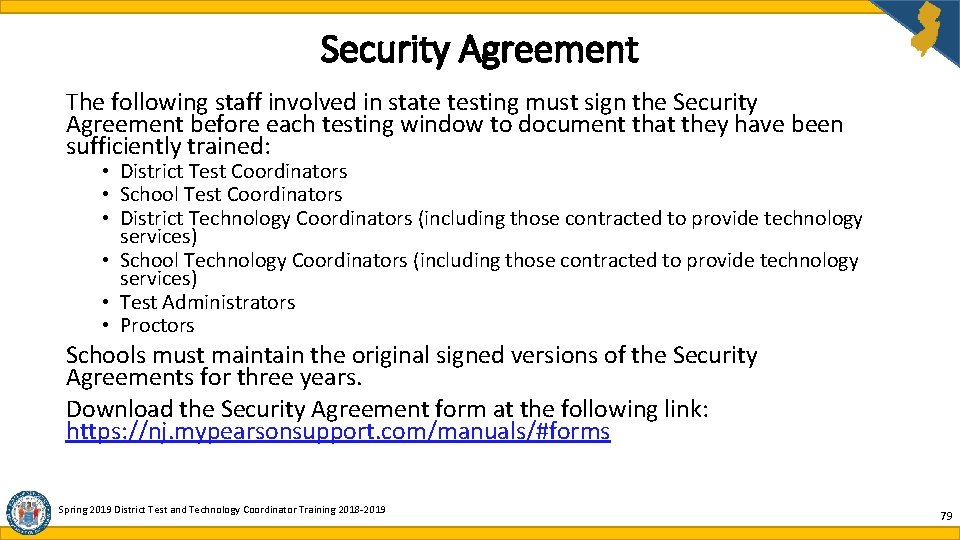
Security Agreement The following staff involved in state testing must sign the Security Agreement before each testing window to document that they have been sufficiently trained: • District Test Coordinators • School Test Coordinators • District Technology Coordinators (including those contracted to provide technology services) • School Technology Coordinators (including those contracted to provide technology services) • Test Administrators • Proctors Schools must maintain the original signed versions of the Security Agreements for three years. Download the Security Agreement form at the following link: https: //nj. mypearsonsupport. com/manuals/#forms Spring 2019 District Test and Technology Coordinator Training 2018 -2019 79
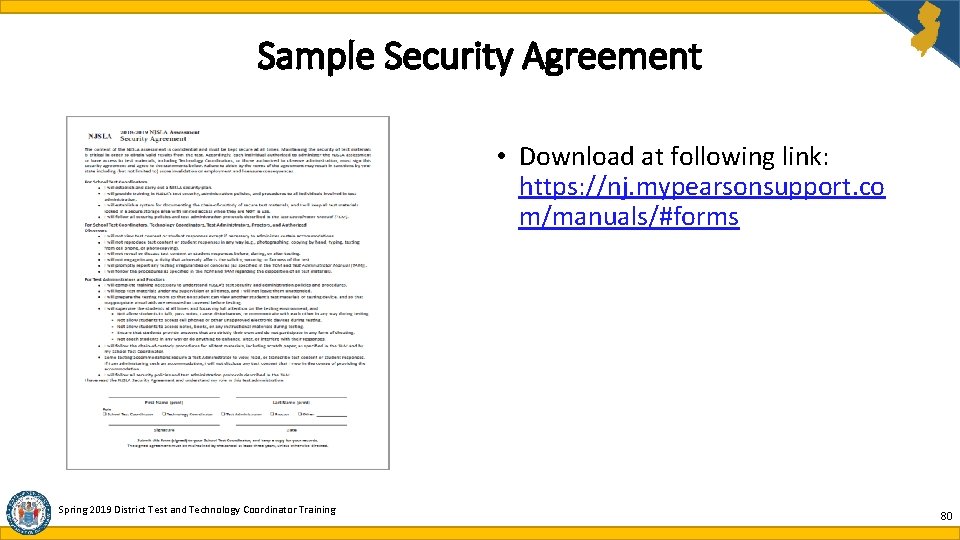
Sample Security Agreement • Download at following link: https: //nj. mypearsonsupport. co m/manuals/#forms Spring 2019 District Test and Technology Coordinator Training 80
Sample District Receipt Form for Paper-Based Testing Materials • Download at following link: https: //www. state. nj. us/educati on/assessment/district/ Spring 2019 District Test and Technology Coordinator Training 81
Sample District Return Form for Paper-Based Testing Materials • Download at following link: https: //www. state. nj. us/educati on/assessment/district/ Spring 2019 District Test and Technology Coordinator Training 82
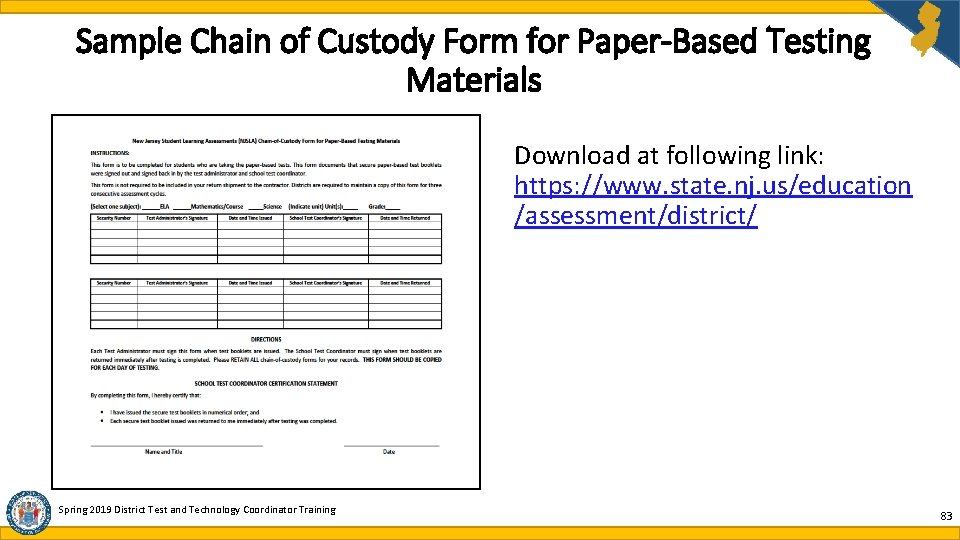
Sample Chain of Custody Form for Paper-Based Testing Materials Download at following link: https: //www. state. nj. us/education /assessment/district/ Spring 2019 District Test and Technology Coordinator Training 83
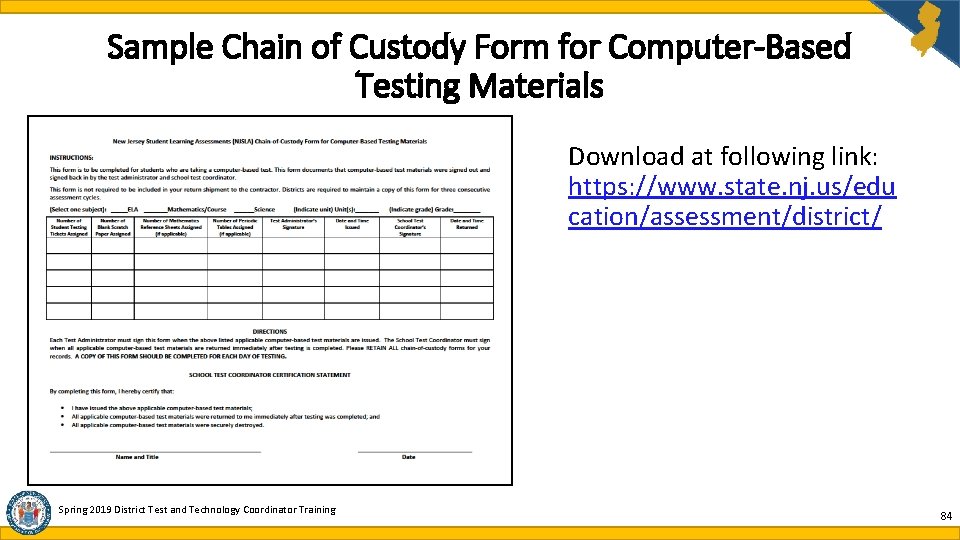
Sample Chain of Custody Form for Computer-Based Testing Materials Download at following link: https: //www. state. nj. us/edu cation/assessment/district/ Spring 2019 District Test and Technology Coordinator Training 84
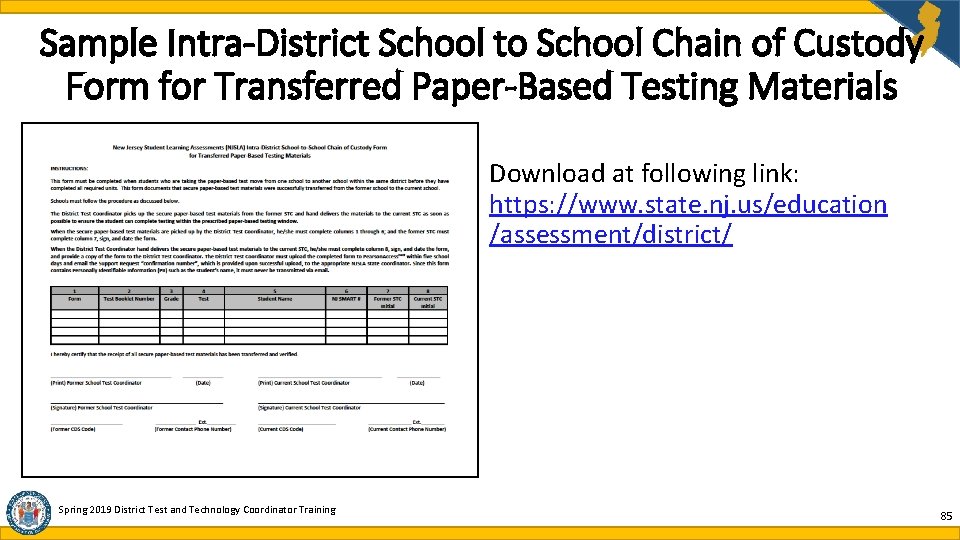
Sample Intra-District School to School Chain of Custody Form for Transferred Paper-Based Testing Materials Download at following link: https: //www. state. nj. us/education /assessment/district/ Spring 2019 District Test and Technology Coordinator Training 85
Sample District to District Chain of Custody Form for Transferred Paper-Based Testing Materials Download at following link: https: //www. state. nj. us/education/ assessment/district/ Spring 2019 District Test and Technology Coordinator Training 86
Inter-District Transfer Work Request for CBT • Districts no longer contact NJDOE to transfer CBT students between districts. • In PAN the District Test Coordinator of the new district will use the Work Request feature to request the transfer. Review the Transfer Student CBT Guidance located here: https: //nj. mypearsonsupport. com/manuals/#pan. Resources • In PAN the District Test Coordinator of the former district will use the Work Request feature to approve the transfer request • If a new student enters your district after initial SR/PNP please refer to page 2 of the Transfer Student CBT Guidance document. • If a student leaves your district after initial SR/PNP please refer to page 9 of the Transfer Student CBT Guidance document. • If a student leaves your district before testing begins you should unregister, unassign all tests, and unenroll the student from your organization. Note: Do not request a Work Transfer from any student who has completed all testing in their previous district and has moved into your district. Spring 2019 District Test and Technology Coordinator Training 87
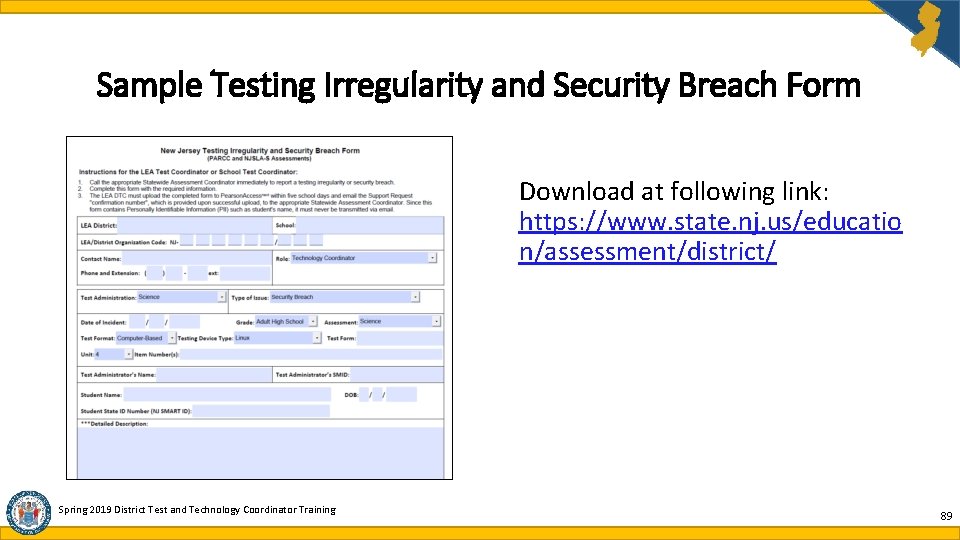
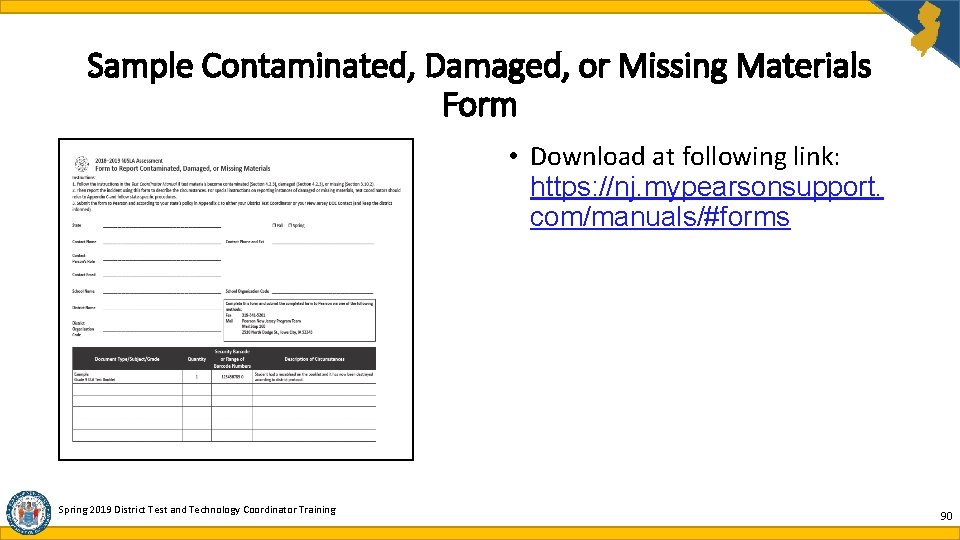
Reporting Testing Irregularities and Security Breaches Contaminated, Missing, and Damaged Materials • STC must report any incident to the DTC immediately. • DTC must then email the appropriate NJSLA state coordinator as soon as possible after receiving notice from the STC. • Do not include PII. Use only the SID number. • STC must complete appropriate form documenting the incident and provide completed form to DTC: • Form to Report a Testing Irregularity or Security Breach (i. e. cell phone incidents, testing disruptions due technical problems, severe weather or safety threats) • Form to Report Contaminated, Damaged, or Missing Materials • DTC must upload form to PAN within five school days and provide NJDOE with support request confirmation number. Spring 2019 District Test and Technology Coordinator Training 88
Sample Testing Irregularity and Security Breach Form Download at following link: https: //www. state. nj. us/educatio n/assessment/district/ Spring 2019 District Test and Technology Coordinator Training 89
Sample Contaminated, Damaged, or Missing Materials Form • Download at following link: https: //nj. mypearsonsupport. com/manuals/#forms Spring 2019 District Test and Technology Coordinator Training 90
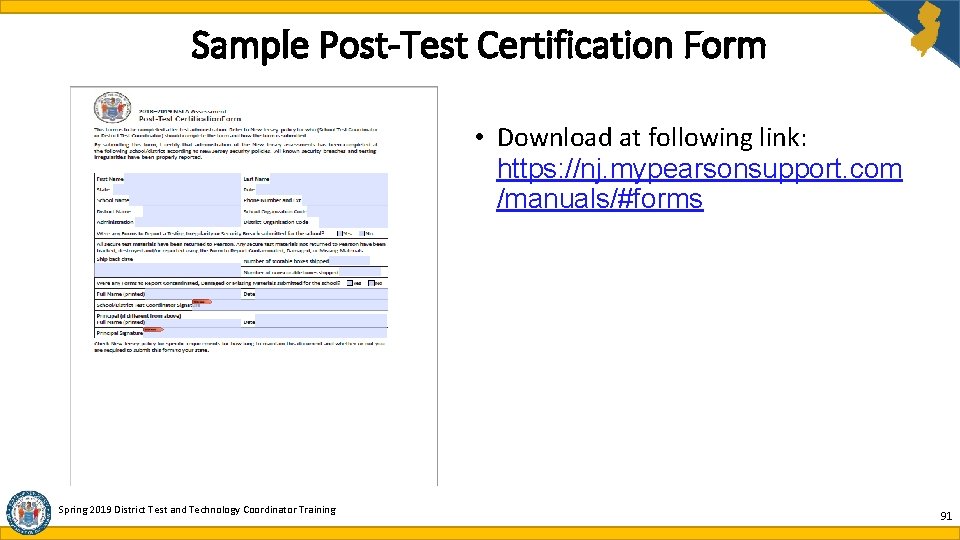
Sample Post-Test Certification Form • Download at following link: https: //nj. mypearsonsupport. com /manuals/#forms Spring 2019 District Test and Technology Coordinator Training 91
Preparing Secure Test Materials For Return Shipments (1 of 2) • DTC receives materials from STC. • Scorable Test Booklets or Answer Folders must include a Student ID Label or hand-gridded student demographic data. • Large Print and Braille responses must be transcribed into answer documents. • Complete School Header Sheets for each grade level and subject. • Scorable and non-scorable materials must be packaged separately in the boxes in which they were delivered. • Do not overfill boxes. • Place one return shipping label on the top of each box. • Sequence of boxes is indicated on each return shipping label. Spring 2019 District Test and Technology Coordinator Training 92
Preparing Secure Test Materials For Return Shipments (2 of 2) • Pickups must be scheduled at least 24 hours in advance and no later than one week after the completion of testing. • Contact UPS at 1 -800 -823 -7459 to schedule pickup of ELA and math test materials for return to Pearson. • Contact Fed. Ex at 1 -800 -Go. Fed. Ex (1 -800 -463 -3339) to schedule pickup of science test materials. • UPS and Fed. Ex customer service is available 24/7. Tell UPS or Fed. Ex you are calling about a pickup request for Pearson or Measurement Incorporated as appropriate and will be using their return service. • Once pickup is confirmed, keep a record of the confirmation numbers you receive from UPS or Fed. Ex in case any question arises. Spring 2019 District Test and Technology Coordinator Training 93
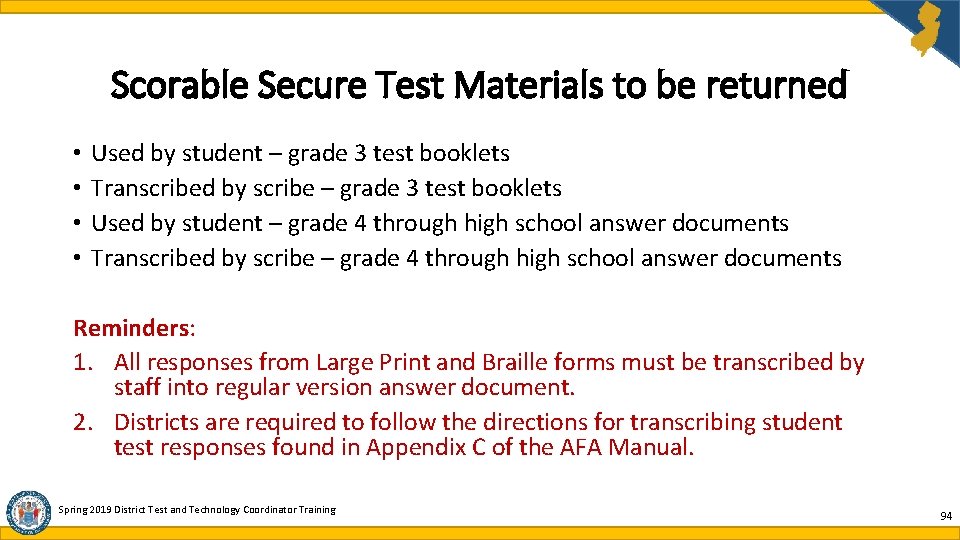
Scorable Secure Test Materials to be returned • • Used by student – grade 3 test booklets Transcribed by scribe – grade 3 test booklets Used by student – grade 4 through high school answer documents Transcribed by scribe – grade 4 through high school answer documents Reminders: 1. All responses from Large Print and Braille forms must be transcribed by staff into regular version answer document. 2. Districts are required to follow the directions for transcribing student test responses found in Appendix C of the AFA Manual. Spring 2019 District Test and Technology Coordinator Training 94
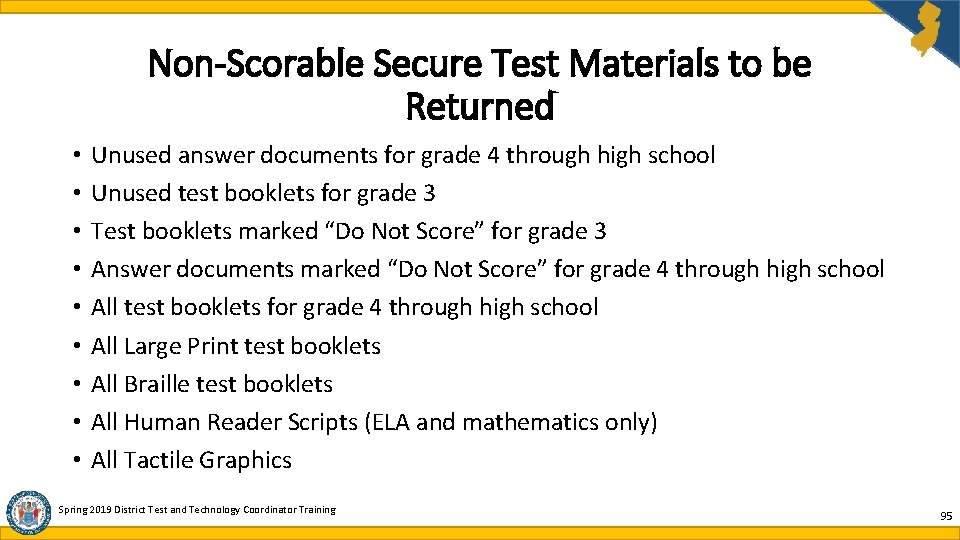
Non-Scorable Secure Test Materials to be Returned • • • Unused answer documents for grade 4 through high school Unused test booklets for grade 3 Test booklets marked “Do Not Score” for grade 3 Answer documents marked “Do Not Score” for grade 4 through high school All test booklets for grade 4 through high school All Large Print test booklets All Braille test booklets All Human Reader Scripts (ELA and mathematics only) All Tactile Graphics Spring 2019 District Test and Technology Coordinator Training 95
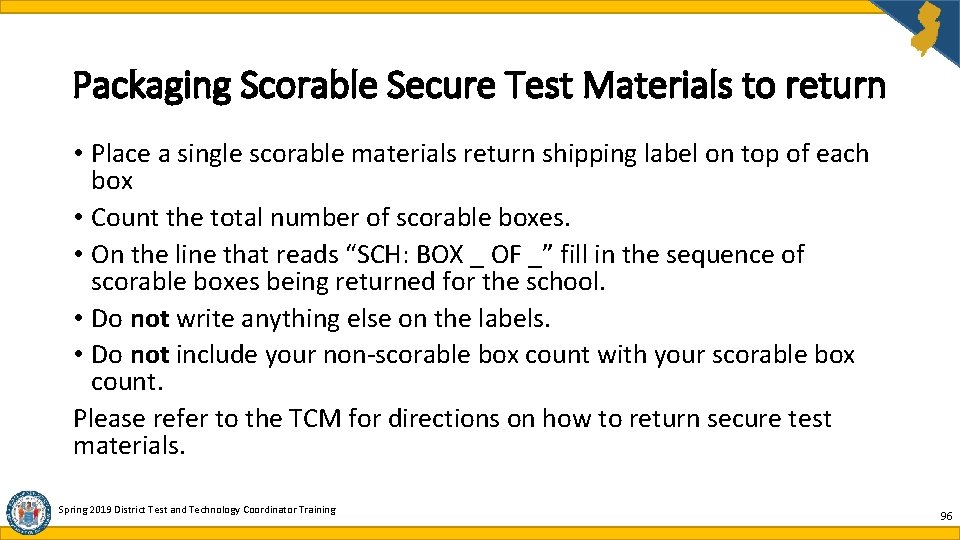
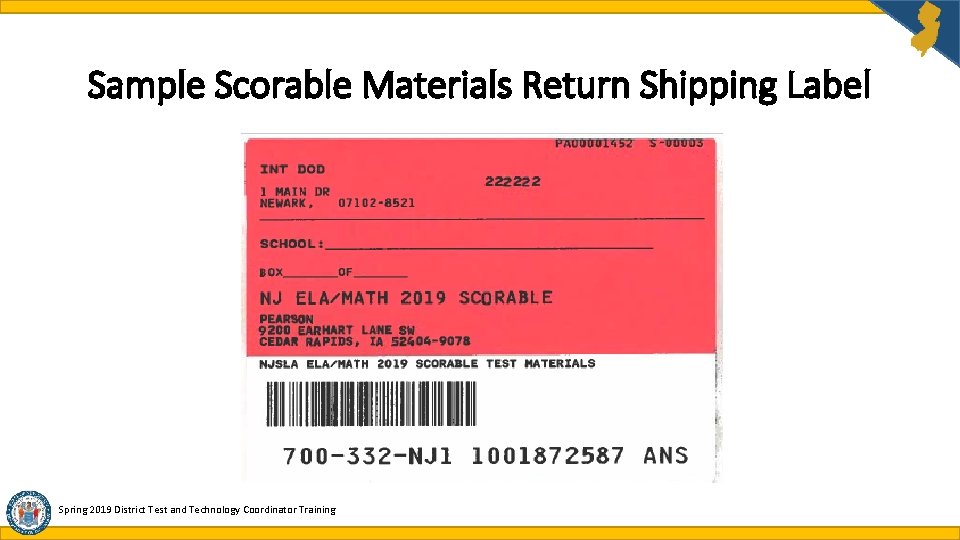
Packaging Scorable Secure Test Materials to return • Place a single scorable materials return shipping label on top of each box • Count the total number of scorable boxes. • On the line that reads “SCH: BOX _ OF _” fill in the sequence of scorable boxes being returned for the school. • Do not write anything else on the labels. • Do not include your non-scorable box count with your scorable box count. Please refer to the TCM for directions on how to return secure test materials. Spring 2019 District Test and Technology Coordinator Training 96
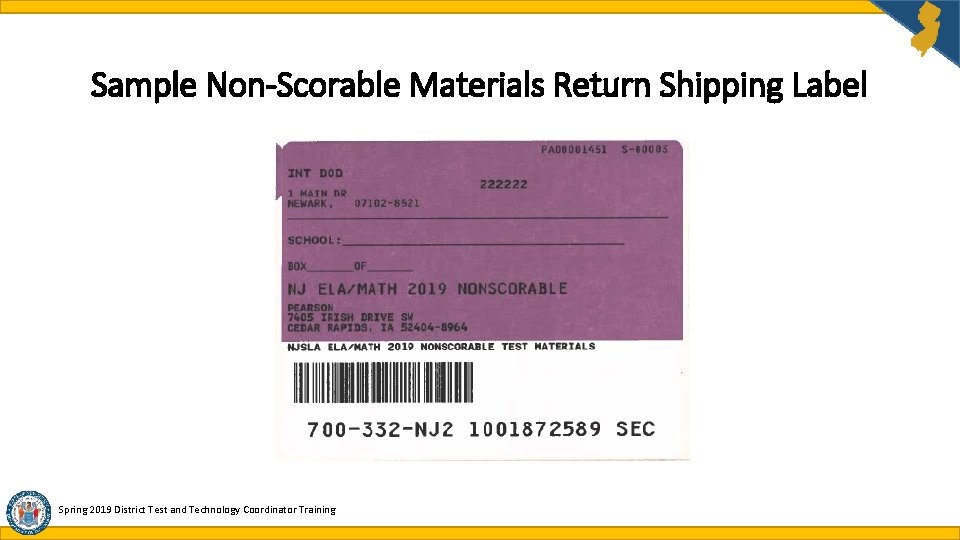
Packaging Non-Scorable Secure Test Materials • Place a single non-scorable materials return shipping label on top of each box. • Count the total number of non-scorable boxes. • On the line that reads “SCH: BOX _ OF _” fill in the sequence of nonscorable boxes being returned for the school. • Do not write anything else on the labels. • Do not include your scorable box count with your scorable box count. Please refer to the TCM for directions on how to return secure test materials. Spring 2019 District Test and Technology Coordinator Training 97
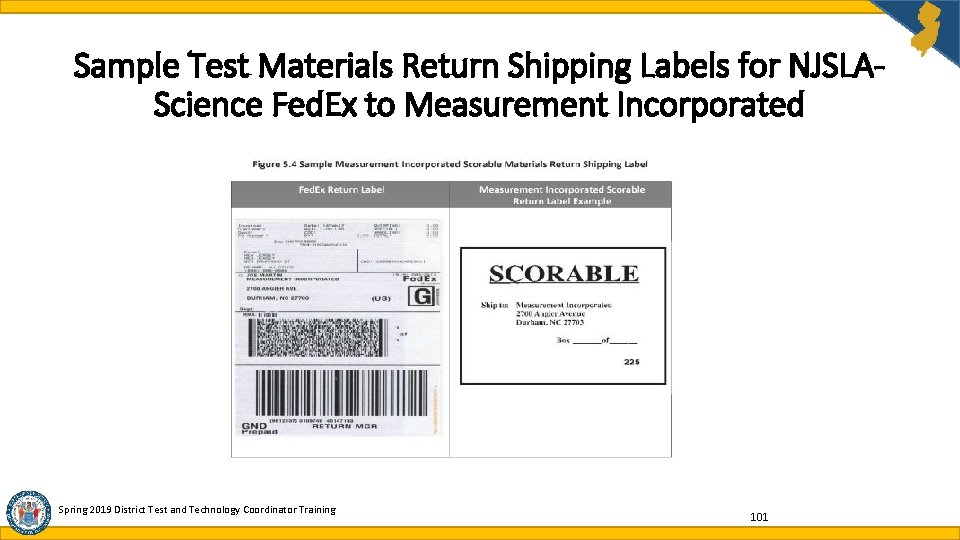
Packaging Secure NJSLA-Science Test Materials for Return to Measurement Incorporated • Package Scorable and Non-scorable Secure Test Materials in separate boxes. • If you are a DTC with more than one school, you do not need to use separate boxes for each school. • See Test Coordinator Manual for full return instructions. • Place one scorable or nonscorable return label on the side of each box. • On the line that reads “BOX _ OF _” fill in the sequence of boxes being returned. • Do not write anything else on the labels. • All materials are returned together to a single location and all boxes should be numbered 1 through XX sequentially and returned in a single shipment. Begin your numbering with the boxes that contain scorable test materials. • Place one Fed. Ex Return Shipping label on the top of each box, covering the previous shipping label (May also remove or mark out the previous shipping label). Note: For directions on how to return secure science test materials to MI please refer to the Science TCM. Spring 2019 District Test and Technology Coordinator Training 98
Sample Scorable Materials Return Shipping Label Spring 2019 District Test and Technology Coordinator Training
Sample Non-Scorable Materials Return Shipping Label Spring 2019 District Test and Technology Coordinator Training
Sample Test Materials Return Shipping Labels for NJSLAScience Fed. Ex to Measurement Incorporated Spring 2019 District Test and Technology Coordinator Training 101
Not-Tested Codes and Void Codes Not-Tested Codes are to be used when a student has never logged into Test. Nav: 1. Absent 2. Medical emergency 3. Other (refusal) Void Codes are to be used when a student has logged into Test. Nav but did not complete testing: 1. Student Cheating 2. Security Breach 3. Other (refusal, wrong form, off-grade level, off-course, accommodation/ accessibility feature provided or not provided in error) Note: A student who starts a test but does not complete it due to being absent for make-up testing cannot be voided. The student’s test must be submitted by marking it complete. Spring 2019 District Test and Technology Coordinator Training 102
Data Clean-Up • It is the responsibility of the accountable district and school to ensure data clean up is completed. • Accountable schools should run the operational report titled “Students Where Responsible District/School is Different from Testing District/School”. • Update incorrect responsible district and school codes on student records via User Interface, SR/PNP file, or Student Test Update file. • For paper-based testing: once test booklets and answer folders have been returned for scanning and processing, Not-Tested and/or Void Codes may be applied. Spring 2019 District Test and Technology Coordinator Training 103
Agenda What’s New for Spring 2019 Scheduling and Testing Site Requirements Who Must Test Accessibility Features and Accommodations Materials and Tools Student Registration and Placement Securely Handling Materials and Post-Testing Important Links and Contact Information District Test and Technology Coordinator Training 2018 -2019 104
Important Links • NJSLA-ELA and Math Information and Practice Tests: https: //nj. mypearsonsupport. com/ • Pearson. Accessnext : https: //nj. pearsonaccessnext. com • Pearson. Accessnext Training: https: //trng-nj. pearsonaccessnext. com • Technology Setup: https: //nj. mypearsonsupport. com/ • Download Test. Nav: https: //download. testnav. com/ • Security Forms: https: //nj. mypearsonsupport. com/manuals/#forms • NJSLA-Science Information & Practice Tests: www. measinc. com/nj/science Spring 2019 District Test and Technology Coordinator Training
NJDOE Contact Information Grades 3 through 8 Orlando. Vadel@doe. nj. gov 609 -376 -3470 High School Timothy. Steele. Dadzie@doe. nj. gov 609 -376 -3469 Grade 5, 8 and 11 Science John. Boczany@doe. nj. gov 609 -376 -3460 • Please contact the appropriate grade level state coordinator. Refrain from sending the same email to multiple coordinators. • When contacting the Office of Assessments only provide the Student Identification (SID) number; do not include the student’s personally identifiable information (PII). • Please include your name and phone number, along with extension, when contacting our office. Spring 2019 District Test and Technology Coordinator Training
Additional NJDOE Contacts • For questions regarding Annual Progress Targets, Student Accountability and Title 1 Office of Supplemental Education Programs Phone Number: 609 -376 -9080 • For questions regarding English Language Learners and ACCESS for ELLs 2. 0 Office of Supplemental Education Programs Bureau of Bilingual /ESL Education Phone Number: 609 -376 -9080 • For questions regarding Students with Disabilities Office of Special Education Policies and Procedures Phone Number: 609 -376 -9060 Spring 2019 District Test and Technology Coordinator Training
Vendor Support Contacts Customer Support for Math, ELA and Science to reach Pearson or Measurement Incorporated (MI): • 888 -705 -9416 - Please follow the recorded telephone prompt • Press ‘ 1’ for assistance with NJSLA-Science q Press ‘ 1’ for assistance with online testing (CBT - PEM) q Press ‘ 2’ for assistance with paper based testing (PBT – MI) • Press ‘ 2’ for assistance with Math and/or ELA q Press ‘ 1’ for assistance with issues involving live testing q Press 2 user/password assistance for Pearson. Accessnext (PAN) Spring 2019 District Test and Technology Coordinator Training
Feedback Survey How are we doing? Take our feedback survey here: https: //www. surveymonkey. com/r/FXQMGDB