
2018 Win GAP Conference Gregg Reese rgreesewingap net

- Slides: 59
2018 Win. GAP Conference Gregg Reese– rgreese@wingap. net LITTLE KNOWN/USED FEATURES & NEW STUFF (DID YOU KNOW…)
TOPICS � Often forgotten or overlooked Win. GAP Tools & Features � Some � Little lives may make your Win. GAP work easier know important facts of our everyday
DID YOU KNOW THAT… � September 1 marked the 6 -year anniversary of my retirement from DOR � Time flies so fast after youth is past that we cannot accomplish one half the many things we have in mind or indeed one half our duties. The only safe and sensible plan is to make others things give way to the essentials, and the first of these is fly fishing…. . Theodore Gordon
DID YOU KNOW THAT… � In May, 2018, the final DBF county converted to SQL � Well � Who �I past our Jan 1 deadline was it? will not tell
DID YOU KNOW THAT… � How many of you know where you SQL Server versioning stands? � The most current version of Microsoft SQL Server is SQL Server 2017 � Is it imperative that you rush home and upgrade to this version? � No, not at all � Win. GAP runs fine on versions from SQL Server 2008 up to and including SQL Server 2017
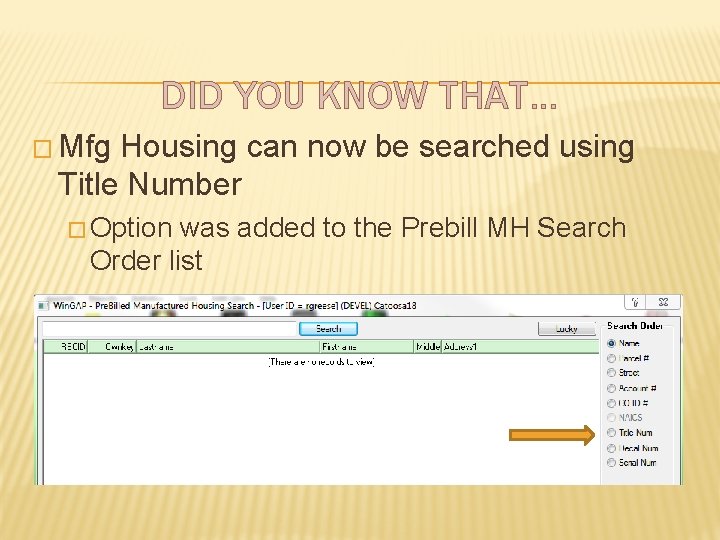
DID YOU KNOW THAT… � Mfg Housing can now be searched using Title Number � Option was added to the Prebill MH Search Order list
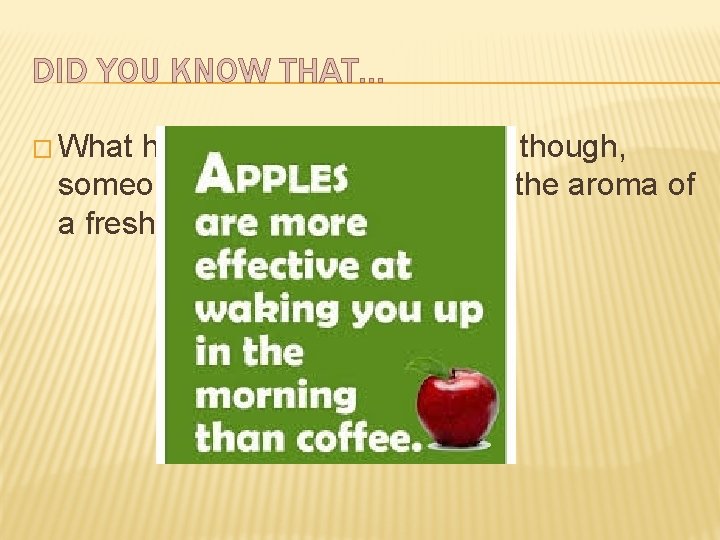
DID YOU KNOW THAT… � What had you rather wake up to though, someone crunching an apple or the aroma of a fresh brewed cup of coffee?
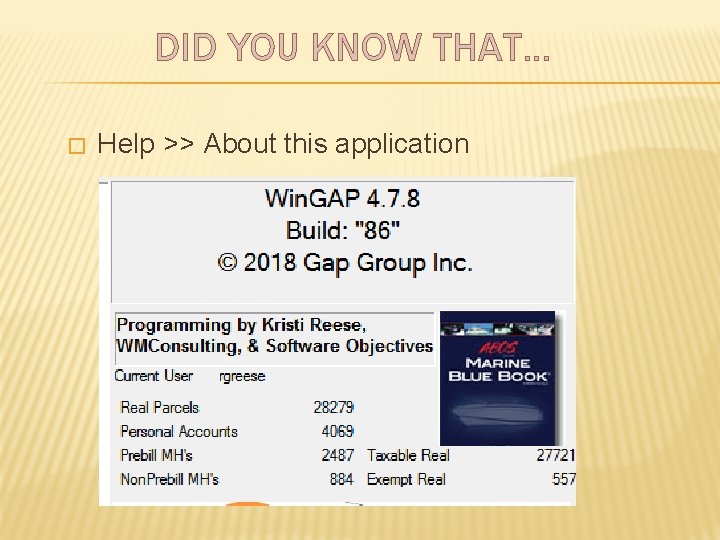
DID YOU KNOW THAT… � Counts for parcels, personal property and MH’s are just a click or two away � Help >> About this application � Real Parcels (includes Exempt parcels) � Personal Accounts � Prebill MH’s � Non. Prebill MH’s � Taxable Real � Exempt Real
DID YOU KNOW THAT… � Help >> About this application
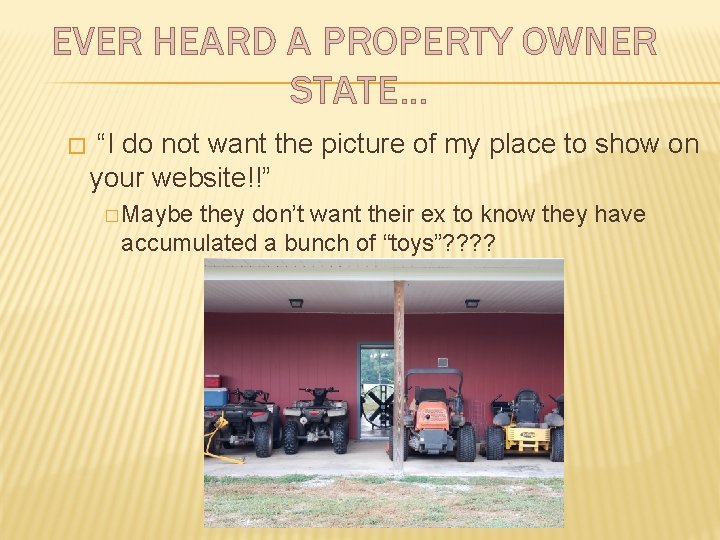
EVER HEARD A PROPERTY OWNER STATE… � “I do not want the picture of my place to show on your website!!” � Maybe they don’t want their ex to know they have accumulated a bunch of “toys”? ?
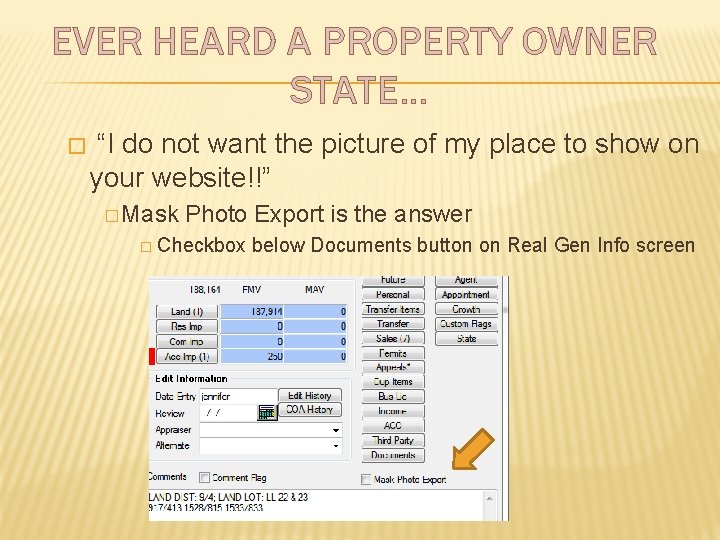
EVER HEARD A PROPERTY OWNER STATE… � “I do not want the picture of my place to show on your website!!” � Mask Photo Export is the answer � Checkbox below Documents button on Real Gen Info screen
EVER HEARD A PROPERTY OWNER STATE… � When checked, Mask Photo Export will set a flag in realprop that the website vendor should acknowledge and not display photo � Realprop. maskphoto = 1 is the flag
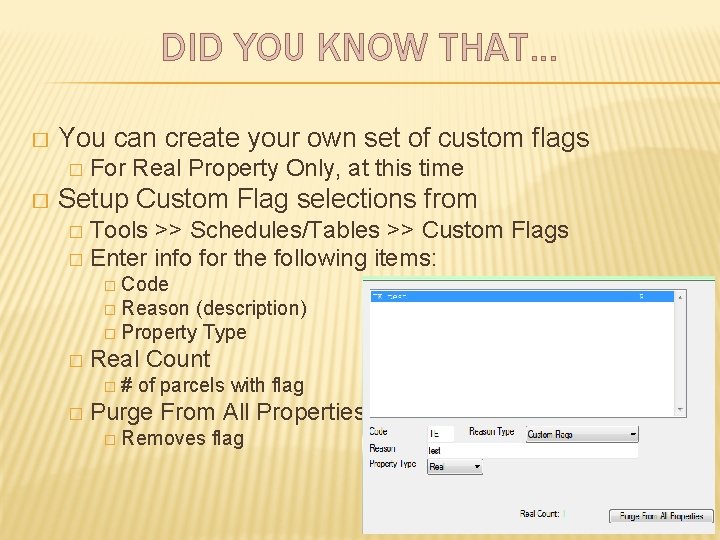
DID YOU KNOW THAT… � You can create your own set of custom flags � � For Real Property Only, at this time Setup Custom Flag selections from Tools >> Schedules/Tables >> Custom Flags � Enter info for the following items: � � Code � Reason (description) � Property Type � Real Count �# � of parcels with flag Purge From All Properties � Removes flag
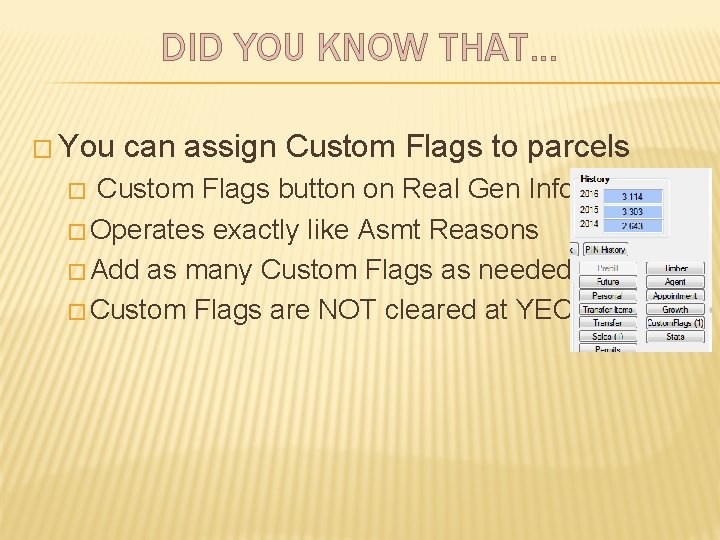
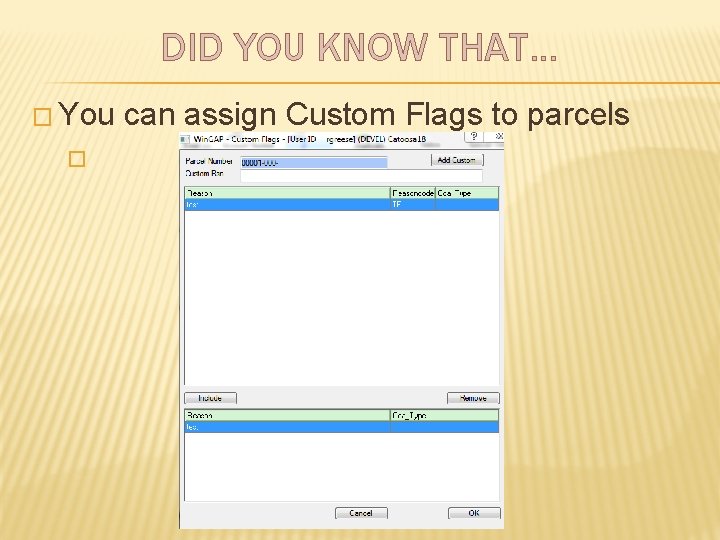
DID YOU KNOW THAT… � You can assign Custom Flags to parcels Custom Flags button on Real Gen Info � Operates exactly like Asmt Reasons � Add as many Custom Flags as needed � Custom Flags are NOT cleared at YEC �
DID YOU KNOW THAT… � You � can assign Custom Flags to parcels
DID YOU KNOW THAT… � You can assign Custom Flags to parcels � Stored in Custom. Flags table � Report can be created to generate list of parcels with specific Custom Flag � SSMS can be used to generate quick list to be copied to Excel � Select parcel_no, reason from customflags c inner join realprop r on c. realkey=r. realkey where reason = ‘bad dog’ order by parcel_no
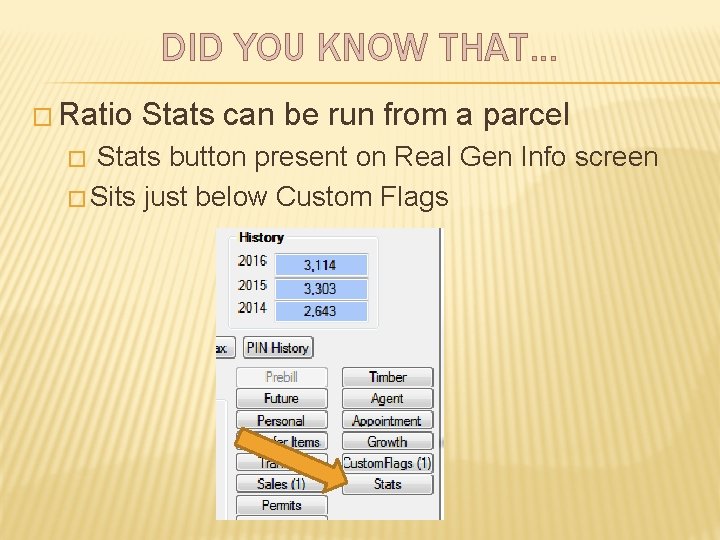
DID YOU KNOW THAT… � Ratio Stats can be run from a parcel Stats button present on Real Gen Info screen � Sits just below Custom Flags �
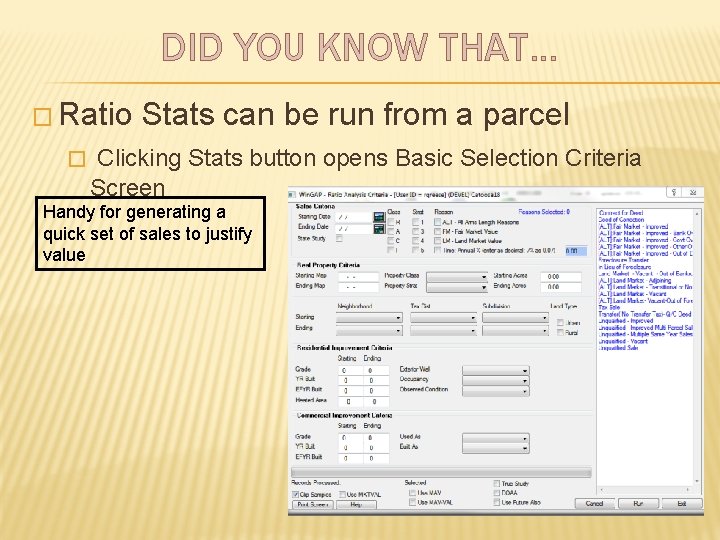
DID YOU KNOW THAT… � Ratio Stats can be run from a parcel � Clicking Stats button opens Basic Selection Criteria Screen Handy for generating a quick set of sales to justify value
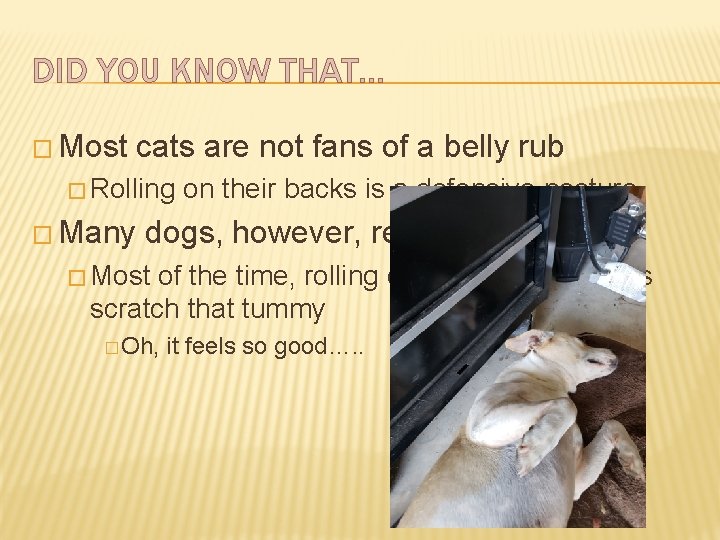
DID YOU KNOW THAT… � Most cats are not fans of a belly rub � Rolling � Many on their backs is a defensive posture dogs, however, really like it � Most of the time, rolling on their backs means scratch that tummy � Oh, it feels so good…. .
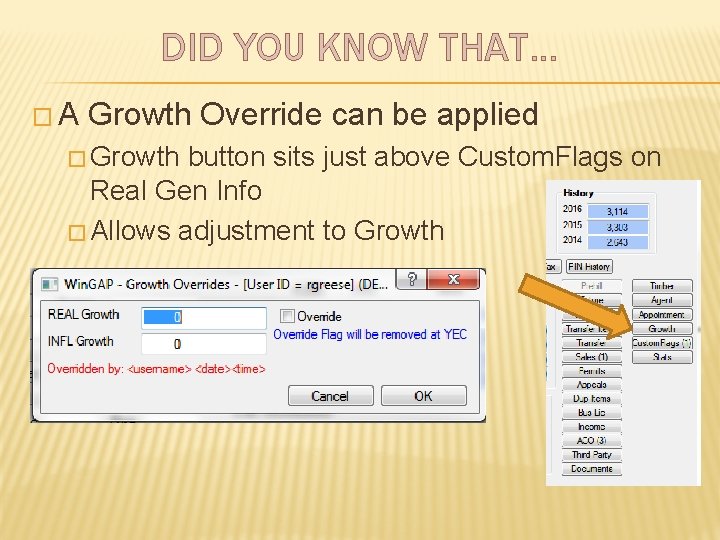
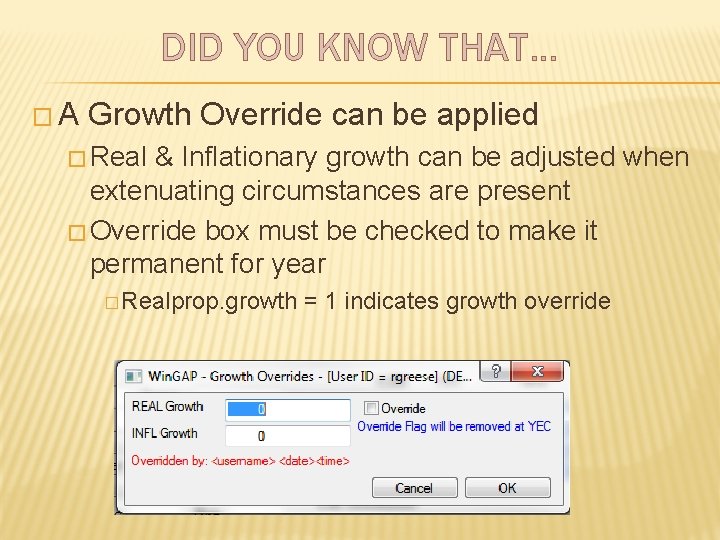
DID YOU KNOW THAT… �A Growth Override can be applied � Growth button sits just above Custom. Flags on Real Gen Info � Allows adjustment to Growth
DID YOU KNOW THAT… �A Growth Override can be applied � Real & Inflationary growth can be adjusted when extenuating circumstances are present � Override box must be checked to make it permanent for year � Realprop. growth = 1 indicates growth override
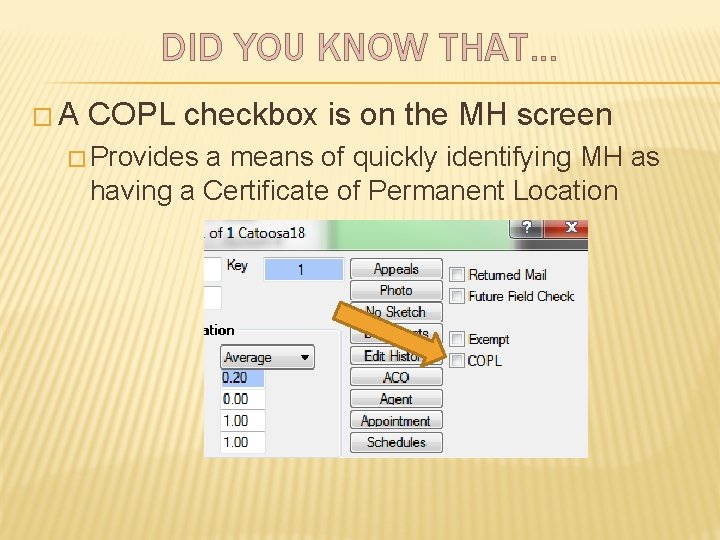
DID YOU KNOW THAT… �A COPL checkbox is on the MH screen � Provides a means of quickly identifying MH as having a Certificate of Permanent Location
DID YOU KNOW THAT… �A COPL checkbox is on the MH screen � Flag set in mobile. copl � List can be generated with the following SQL query statement � Select mobilekey, mobtype from mobile where copl = 1
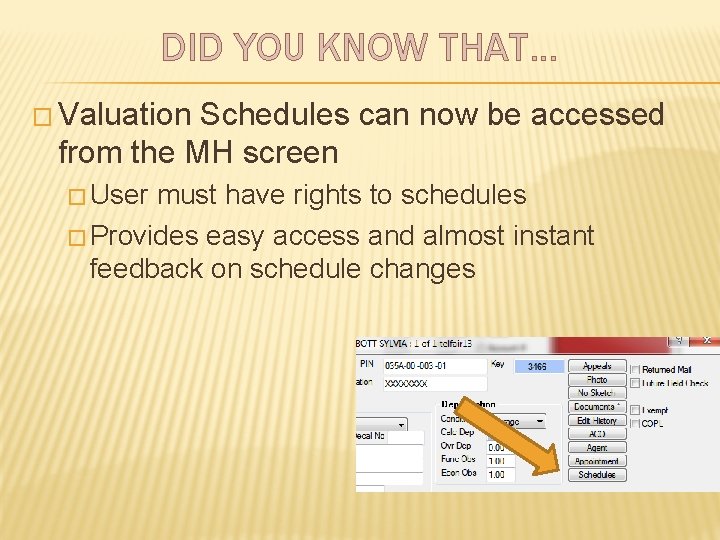
DID YOU KNOW THAT… � Valuation Schedules can now be accessed from the MH screen � User must have rights to schedules � Provides easy access and almost instant feedback on schedule changes
DID YOU KNOW THAT… � Valuation Schedules can be accessed from property screens � Clicking Schedule button opens schedules associated with MH � Changes can be made to schedule items � After exiting schedule, Apply must be clicked on property screen before value change is seen
DID YOU KNOW THAT… � Six years ago having a herd of goats was just a thought… a dream � Now we have 14 goats � It could easily be 1, 000 � It is like having a herd of big rabbits
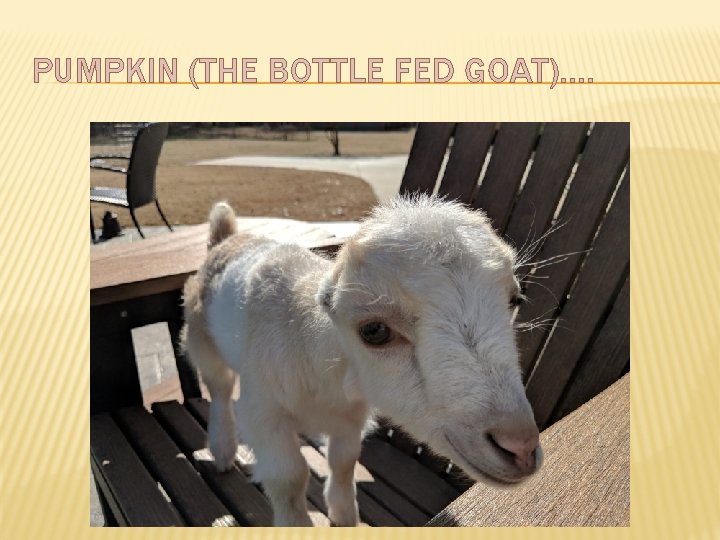
PUMPKIN (THE BOTTLE FED GOAT)….
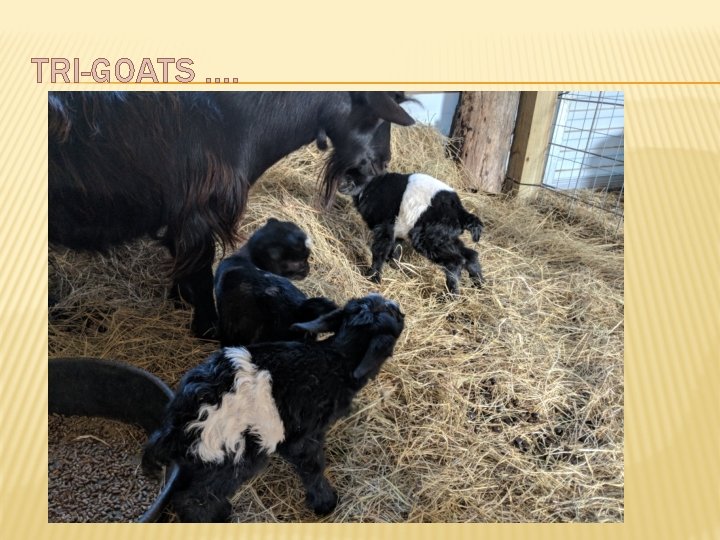
TRI-GOATS ….
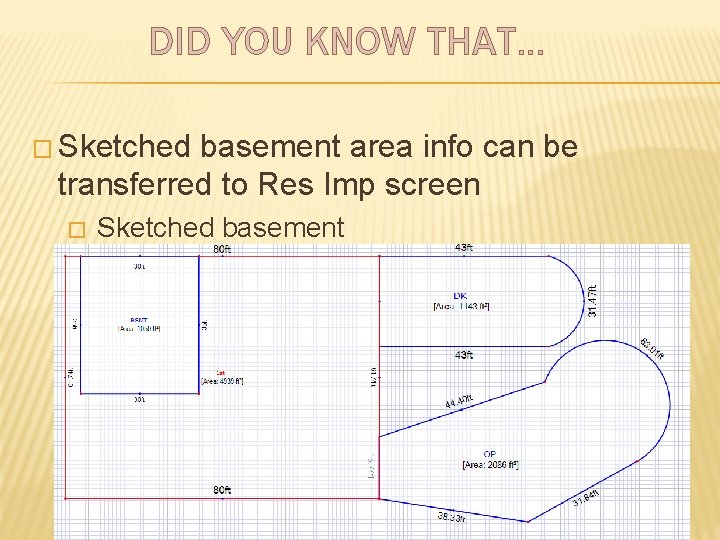
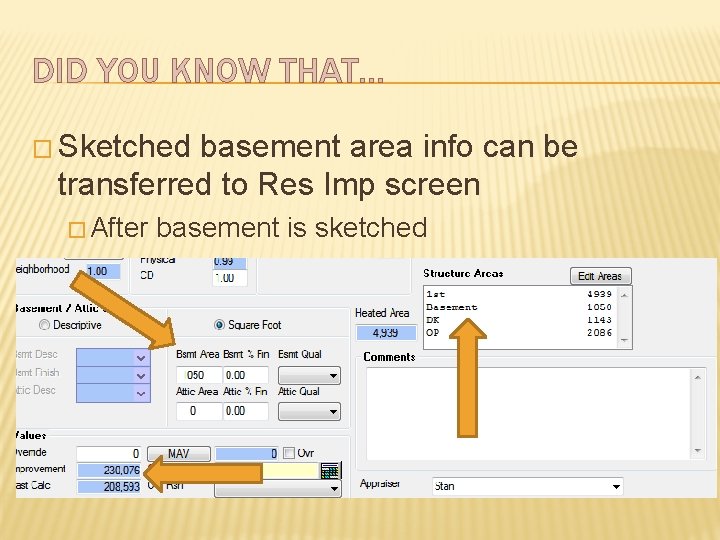
DID YOU KNOW THAT… � Sketched basement area info can be transferred to Res Imp screen � Prevents double data entry � Cuts down on errors � Provides options for valuing finished and unfinished basement areas
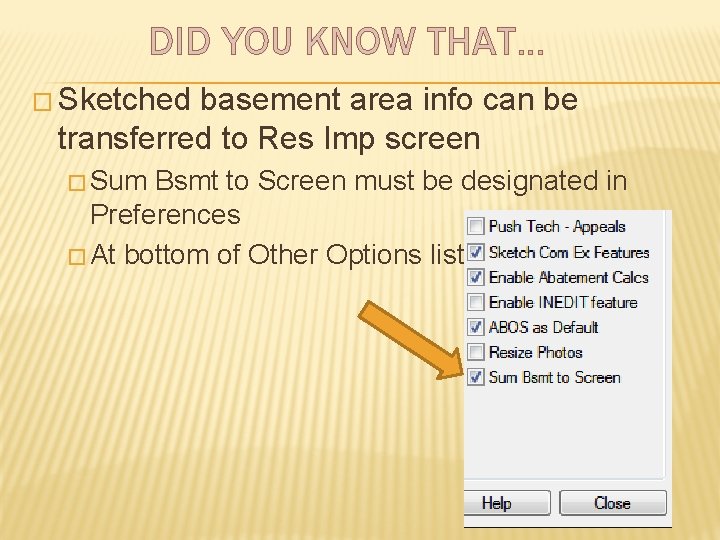
DID YOU KNOW THAT… � Sketched basement area info can be transferred to Res Imp screen � Sum Bsmt to Screen must be designated in Preferences � At bottom of Other Options list
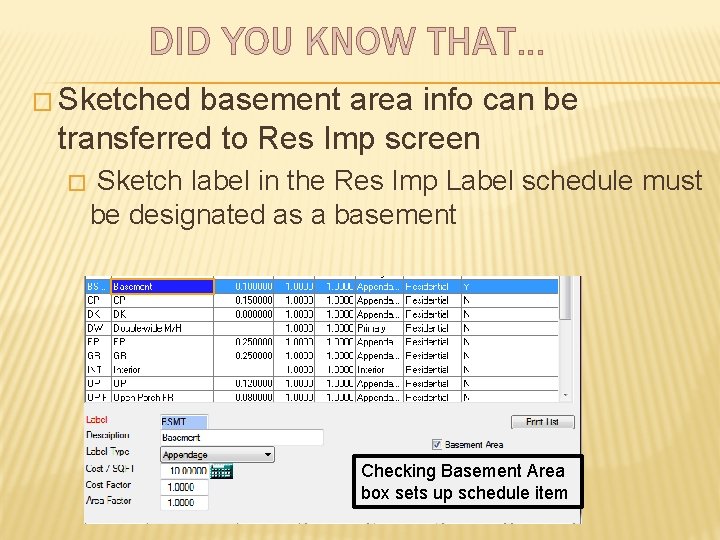
DID YOU KNOW THAT… � Sketched basement area info can be transferred to Res Imp screen � Sketch label in the Res Imp Label schedule must be designated as a basement Checking Basement Area box sets up schedule item
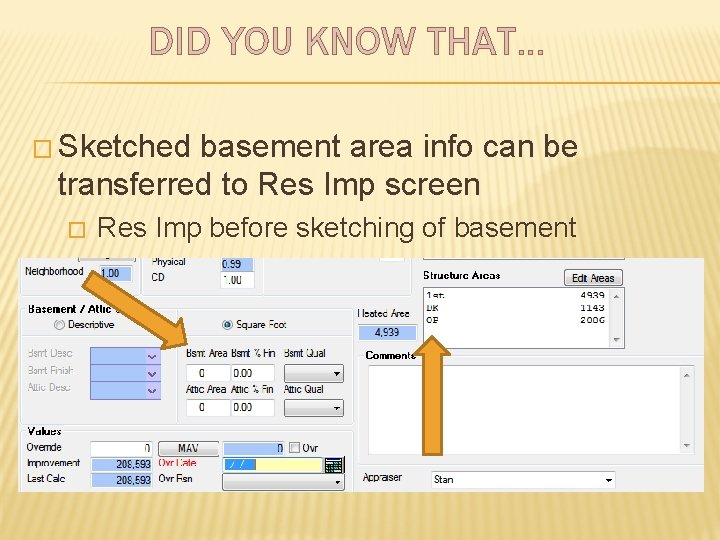
DID YOU KNOW THAT… � Sketched basement area info can be transferred to Res Imp screen � Res Imp before sketching of basement
DID YOU KNOW THAT… � Sketched basement area info can be transferred to Res Imp screen � Sketched basement
DID YOU KNOW THAT… � Sketched basement area info can be transferred to Res Imp screen � After basement is sketched
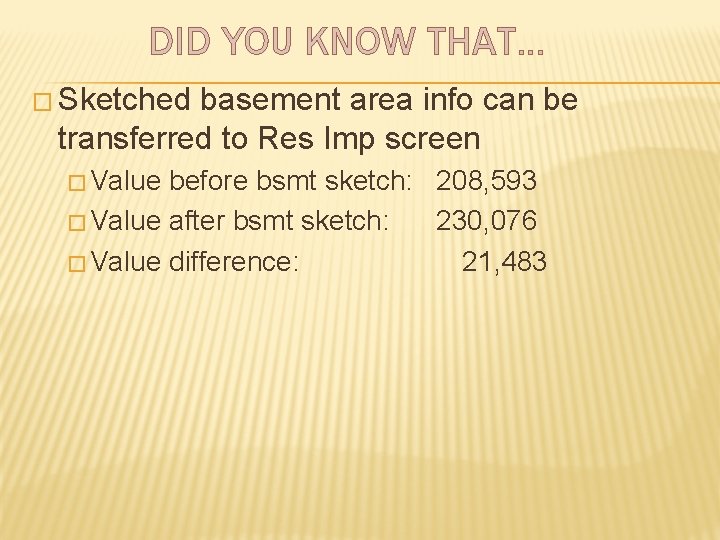
DID YOU KNOW THAT… � Sketched basement area info can be transferred to Res Imp screen � Value before bsmt sketch: 208, 593 � Value after bsmt sketch: 230, 076 � Value difference: 21, 483
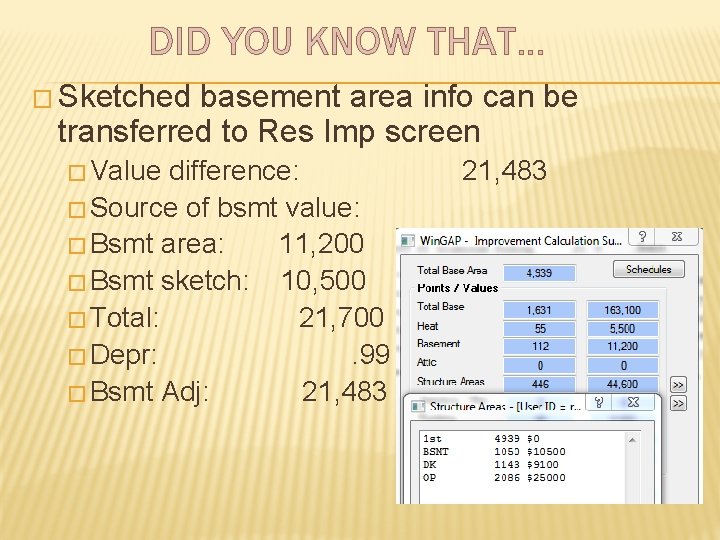
DID YOU KNOW THAT… � Sketched basement area info can be transferred to Res Imp screen � Value difference: � Source of bsmt value: � Bsmt area: 11, 200 � Bsmt sketch: 10, 500 � Total: 21, 700 � Depr: . 99 � Bsmt Adj: 21, 483
DID YOU KNOW THAT… � Sketched basement area info can be transferred to Res Imp screen � Note that value contribution is from the sketch and the area in Bsmt Area � Must be careful not to double dip � Bsmt Area could represent unfinished basement value � Sketched Bsmt might represent basement finish contribution � With the above, you would need a Fin Bsmt sketch label & Unfin Bsmt label
DID YOU KNOW THAT… � Sketched basement area info can be transferred to Res Imp screen � Very careful attention must be paid to the schedules that impact basement values � Improvement Labels � Basement Coverage � Basement Finish � Appraiser must be aware of how the schedules interact with data to provide value
DID YOU KNOW THAT… � Georgia has the 2 nd oldest city in the entire country � Saint � What � St Mary’s is the oldest city in the USA? Augustine
DID YOU KNOW THAT… � There are two ways to change schedules in Future � #1: From the Tools >> File Maintenance >> Future Folder Tasks menu, select Send Live Schedules to Future Folder � All schedules will be sent to future � Watch out for messages concerning schedule duplications � These are update killers
DID YOU KNOW THAT… � There are two ways to change schedules in Future � #2: Open Future and modify schedules as needed � How do I open Future? � On the Win. GAP main screen with no other Win. GAP screens open, press Ctrl + F � Or, select Future Year from Property Maint menu � Changes will NOT be sent to new year during YEC
DID YOU KNOW THAT… � When Strucfix must be done during updates, it can be run without touching the � Press F 4 to start Strucfix space bar on Make sure All Users are out… � Press space bar on Proceed to check all data files… � Press space bar on Completed full check – OK � Use directional arrow to move to next year � Press Enter to select year � Repeat steps from the top
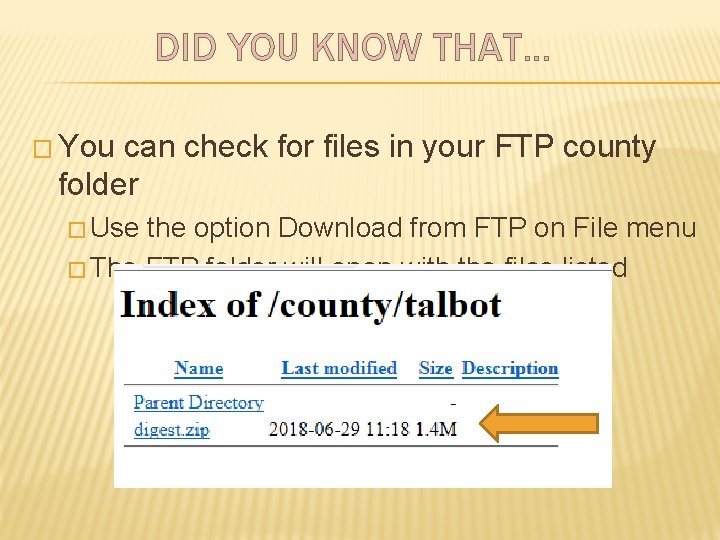
DID YOU KNOW THAT… � You can check for files in your FTP county folder � Use the option Download from FTP on File menu � The FTP folder will open with the files listed
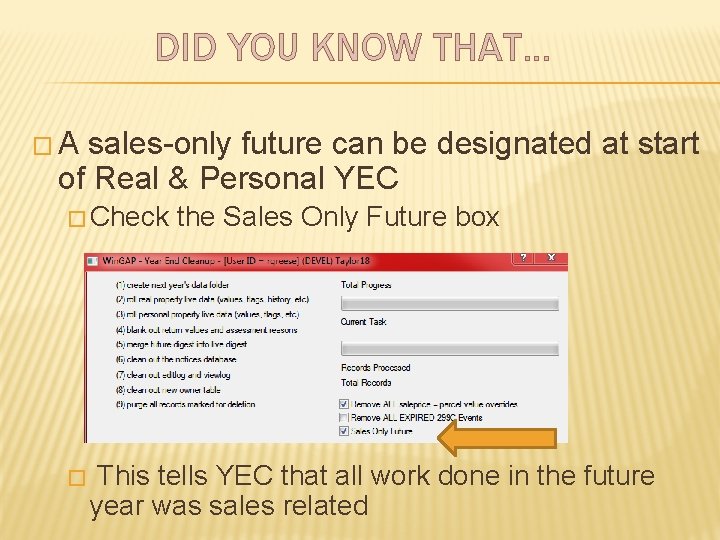
DID YOU KNOW THAT… �A sales-only future can be designated at start of Real & Personal YEC � Check � the Sales Only Future box This tells YEC that all work done in the future year was sales related
DID YOU KNOW THAT… �A sales-only future can be designated at start of Real & Personal YEC � Sales Related Work � Property Transfers � Ownership changes � Sales information � Splits � Parent parcel info will not be processed � New parcel will be passed to new year
DID YOU KNOW THAT… � You can vary the rate of $/SF change for homes above and below the Base Area � Provides a means by which you can zero in on value differences between larger and smaller residential improvements
DID YOU KNOW THAT… � You can vary the rate of $/SF change for homes above and below the Base Area � Increment Factor schedule item governs the rate of change above the Base Area � Increment Factor Low schedule item governs the rate of change below the Base Area � The higher the Increment Factor the higher the rate of change
DID YOU KNOW THAT… � You can vary the rate of $/SF change for homes above and below the Base Area � If median ratio on smaller homes is. 3631, what might you do (select only one)? � Grade them higher � Depreciate them more slowly � Increase the Increment Factor Low � Decrease the Increment Factor Low
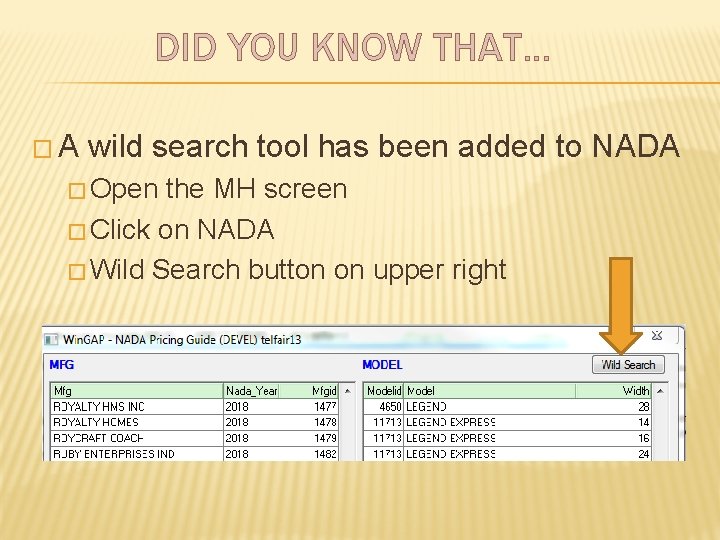
DID YOU KNOW THAT… �A wild search tool has been added to NADA � Open the MH screen � Click on NADA � Wild Search button on upper right
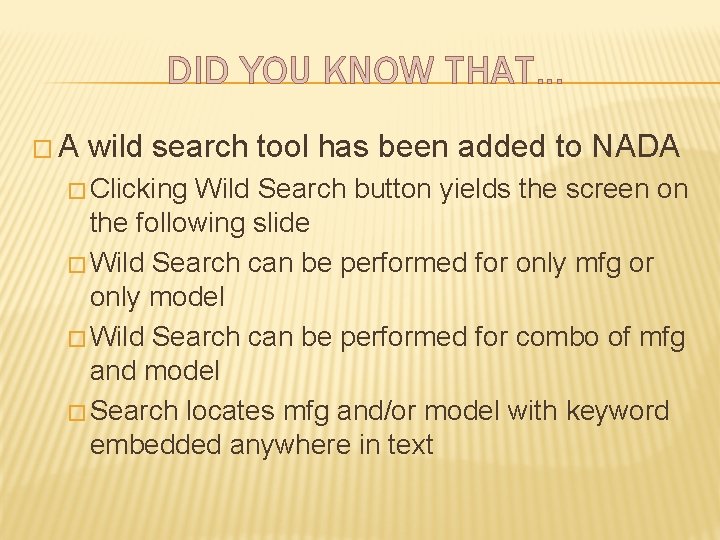
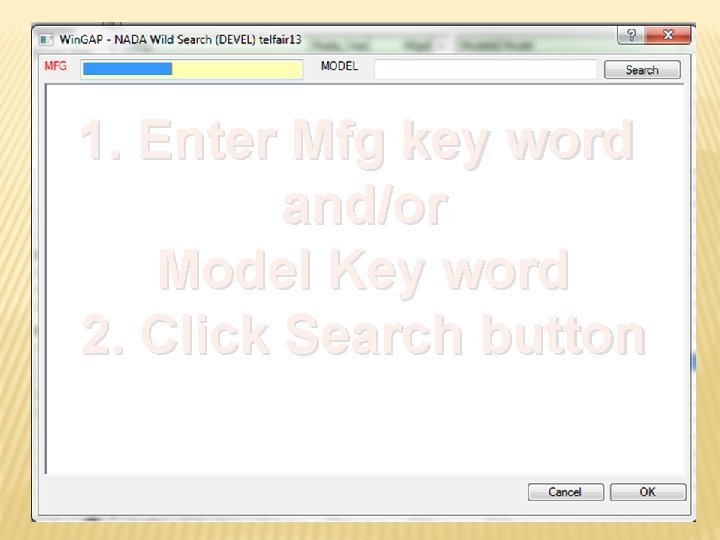
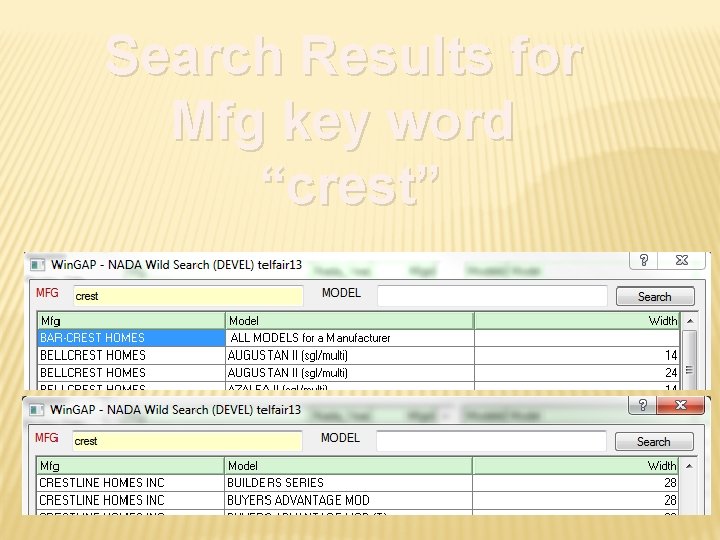
DID YOU KNOW THAT… �A wild search tool has been added to NADA � Clicking Wild Search button yields the screen on the following slide � Wild Search can be performed for only mfg or only model � Wild Search can be performed for combo of mfg and model � Search locates mfg and/or model with keyword embedded anywhere in text
1. Enter Mfg key word and/or Model Key word 2. Click Search button
Search Results for Mfg key word “crest”
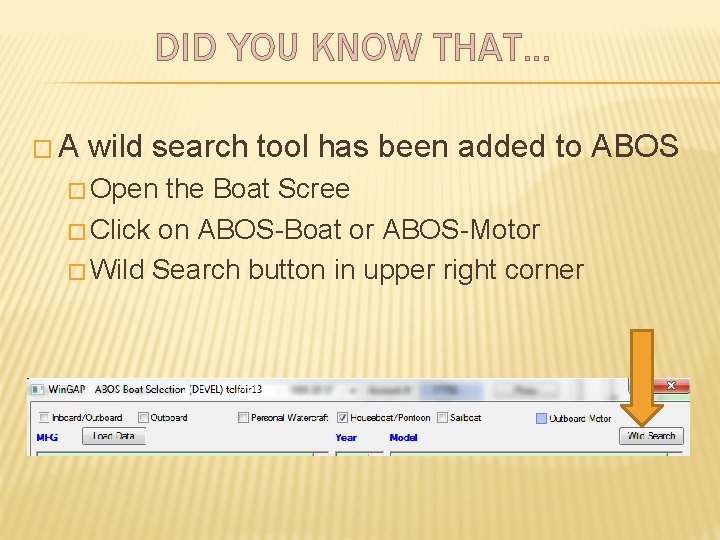
DID YOU KNOW THAT… �A wild search tool has been added to ABOS � Open the Boat Scree � Click on ABOS-Boat or ABOS-Motor � Wild Search button in upper right corner
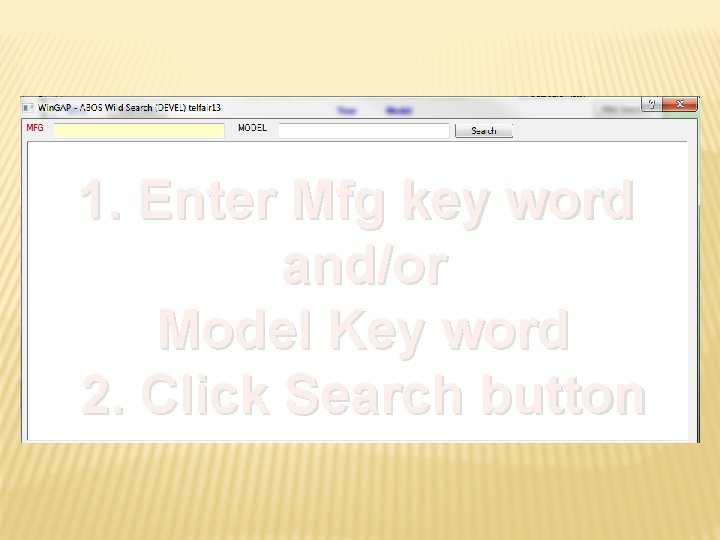
DID YOU KNOW THAT… �A wild search tool has been added to ABOS � Clicking Wild Search button yields the screen on the following slide � Wild Search can be performed for only mfg or only model or � Wild Search can be performed for combo of mfg and model � Search locates mfg and/or model with keyword embedded anywhere in text
1. Enter Mfg key word and/or Model Key word 2. Click Search button
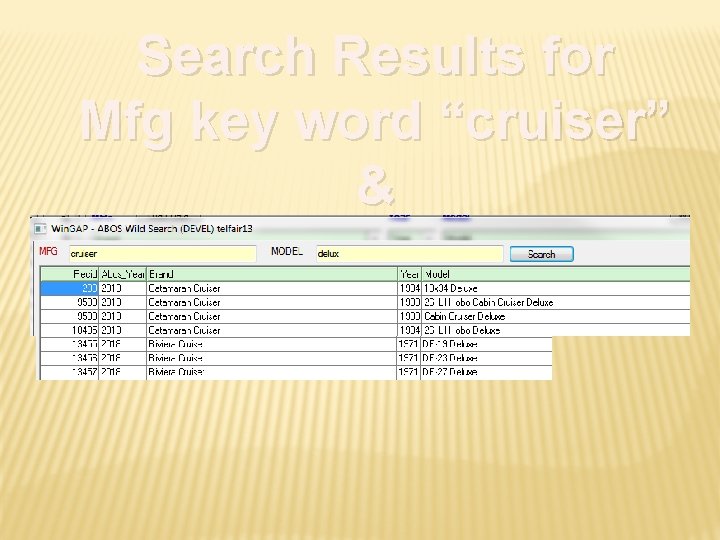
Search Results for Mfg key word “cruiser” & Model key word “delux”
DID YOU KNOW THAT… � ABOS-Motor wild search works exactly like ABOS-Boat wild search