
2018 SPRING IBUG CONFERENCE IDOT UPDATE DAN MLACNIK

2018 SPRING IBUG CONFERENCE IDOT UPDATE DAN MLACNIK ENGINEER OF SURVEYS, MAPPING AND MODELING DREW CHRISTOPHER TECHNOLOGY POLICY AND SUPPORT MANAGER

2018 SPRING IBUG CONFERENCE IDOT UPDATE WHERE WE ARE AT, WHERE WE ARE GOING AND WHAT WE ARE DOING o CADD MANUAL UPDATE o SS 4 ENVIRONMENT UPDATES o SURVEY UPDATES o OPENROADS DESIGNER TESTING
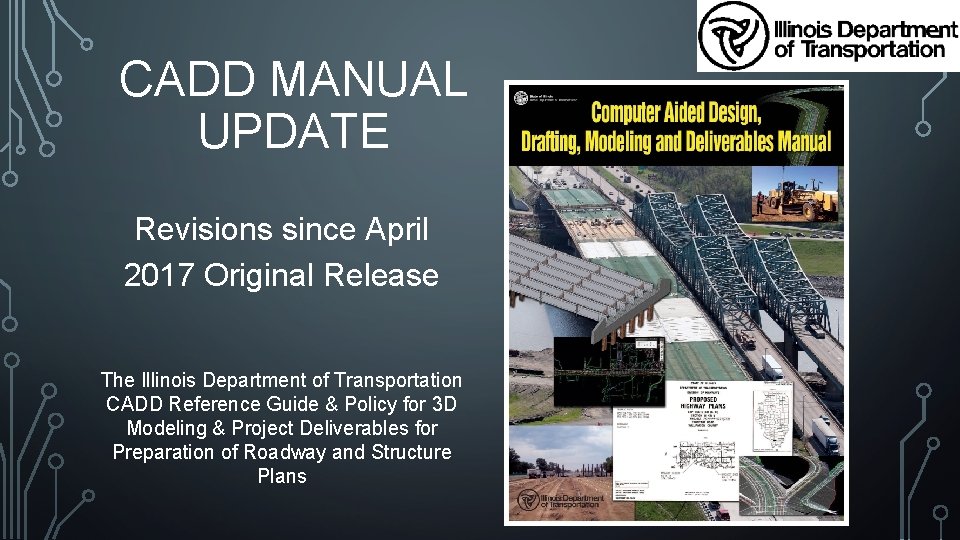
CADD MANUAL UPDATE Revisions since April 2017 Original Release The Illinois Department of Transportation CADD Reference Guide & Policy for 3 D Modeling & Project Deliverables for Preparation of Roadway and Structure Plans
HISTORY On April 27, 2017, IDOT issued Departmental Policy D&E-29 which established the Computer Aided Design, Drafting, Modeling and Deliverables (CADD) Manual. The new policy manual is effective for all new projects started on or after the issuance date of this Departmental Policy.
WHAT HAS CHANGED SINCE APRIL 27, 2017 The following is a brief description of revisions which have been made or are under consideration for 2018: • Roadway Template Library • SUDA Library • Fonts • Text Styles • Bridge Dimension Styles • Sheet Borders • Survey Request • Apparent Errors in Model • Survey Settings • Survey Feature Definitions • Survey 3 D Files • Civil Cells • Contour Labels • Structures Sheets
ROADWAY TEMPLATE LIBRARY • Pavement components – Additional details being considered so that a closer correlation to pay items is possible. • Added a template for culvert replacement projects inspired by D 3. • Added an overlay/widen template from D 4. • Status: released in workspace various times.
SUDA LIBRARY • Has had multiple incremental improvements to add new feature definitions. • Added hydraulic information for drainage design. • Status: released in workspace various times.
FONTS • The switch to true type font brought some unexpected challenges for bold face fonts. • Bold didn’t seem as bold as before. • Added additional text styles with extra bolding to workspace and Appendix D. • • Roadway_text…Italics Roadway_text…Bold • The Franklin Gothic font chosen for titles was found to not exist reliably on all Windows installations. Reverted back to the Swiss Bold Condensed font. Changed in workspace and Appendix D. • From time to time one of the old fonts is discovered in a cell library, VBA app, element template, etc. These are repaired as they are found and included in a workspace release.
TEXT STYLES • The workspace text styles had some typographical errors in text size. • Status: corrected and released in May 2017.
BRIDGE DIMENSION STYLES • Section 3 of Manual documented some bridge dimension styles which did not exist. • Bridgestyles. dgnlib was omitted from original workspace posting. • Status: Manual is updated but not released. Workspace corrected and released August 2017.
SHEET BORDERS • Filename would overlap other portions of border when plotted if the file path was long. • Adjusted position of filename in sheet borders. • Status: workspace corrected in June 2017.
SURVEY REQUEST • Section 2 -3. 01 dealing with survey request probably needs some additional details to encourage yes/no decision of 3 D design early so that survey density can match needs of design density. • Status: Under Internal Review.
APPARENT ERRORS IN MODEL • Notice the waviness when design uses point controls to match existing EOP and slope. • These are often not true errors in the survey but are apparent errors because the designer is matching the existing surveyed features at a much greater density than was collected in the field. • Status: Under Internal Review to possibly adjust density of survey.
SURVEY SETTINGS • On February 7, 2018 at the annual IDOT Survey Chiefs Meeting a new single survey settings file was defined for use in all Districts and by consultants. • Added Appendix J – Survey Settings to Manual. • Status: Under Internal Testing and Review.
SURVEY DATA FORMAT • D 3 has requested a new standard format be added to survey settings. • Format is P, N, E, Code. (Point, Northing, Easting and Point Code) • Central Office CADD Support is currently reviewing and testing the TIW file for inclusion to workspace. • Status: Under Internal Testing and Review.
SURVEY FEATURE DEFINITIONS • Were omitted from Manual thinking that surveyors preferred the list to be on web site only. • Alas, the web site list was also deleted. • Added Appendix I to Manual showing survey feature definitions. • Status: added to Manual but not yet released.
SURVEY 3 D FILES • Survey does not work well in 2 D files. • Surveys are now all using 3 D dgn files. • However, the discussions exposed need for better description of the survey strip map files in section 2 -5. 02(e) of Manual. • • Topo. Survey – better description added Ground shots file removed from strip file list • Status: changes have been made to Manual but not released.
CIVIL CELLS • A variety of civil cells were added to workspace. • The civil cells work also led to a variety of new levels being added. • Levels are of the form “Design CC x” • Status: Added to workspace late summer and fall 2017. Manual updated but not yet released.
CONTOUR LABELS • There is some desire to change the color of contour labels back to white. • Apparently they once were white. No one knows when they changed. • Status: Under Review
STRUCTURES SHEETS • The list of sheet types in Section 4 -4. 02 omitted the details of various structures sheets. • Status: sheet types added to Manual but not released.
EXPECTED CADD MANUAL REVISIONS • April 2018: A minor revision to add the various items listed above. • Late 2018 / Early 2019 – A major revision addressing: • LIDAR deliverables and workflows • Potentially other remotely sensed deliverables and workflow. • Other minor revisions and corrections as discovered. • Possibly start laying groundwork for ORD. • Status: LIDAR Steering Committee just getting started.
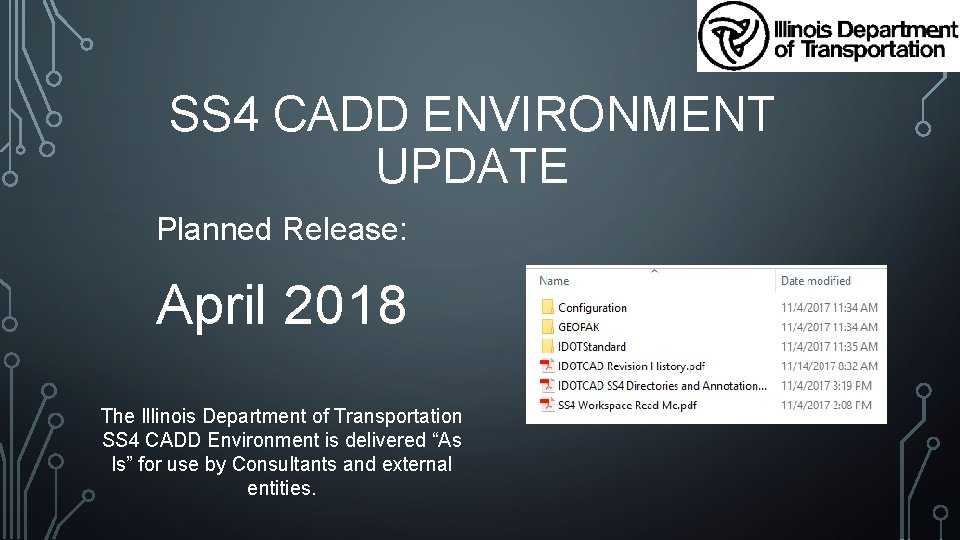
SS 4 CADD ENVIRONMENT UPDATE Planned Release: April 2018 The Illinois Department of Transportation SS 4 CADD Environment is delivered “As Is” for use by Consultants and external entities.
WHAT HAS CHANGED SINCE NOVEMBER 15, 2017 The following is a brief description of revisions which have been made or are under consideration for the Current Release: • Survey Settings • Updated MVBA • Updated Element Templates • IDOTRoad Cell Library Updated
SURVEY SETTINGS • To be discussed in greater detail in next section.
UPDATED MVBA • View. Set. mvba • Updated per Bentley to correct an issue with the F 9 Function key to view the 3 D model. • If you feel that additional MVBA’s need updated please email our office and we will look into the situation.
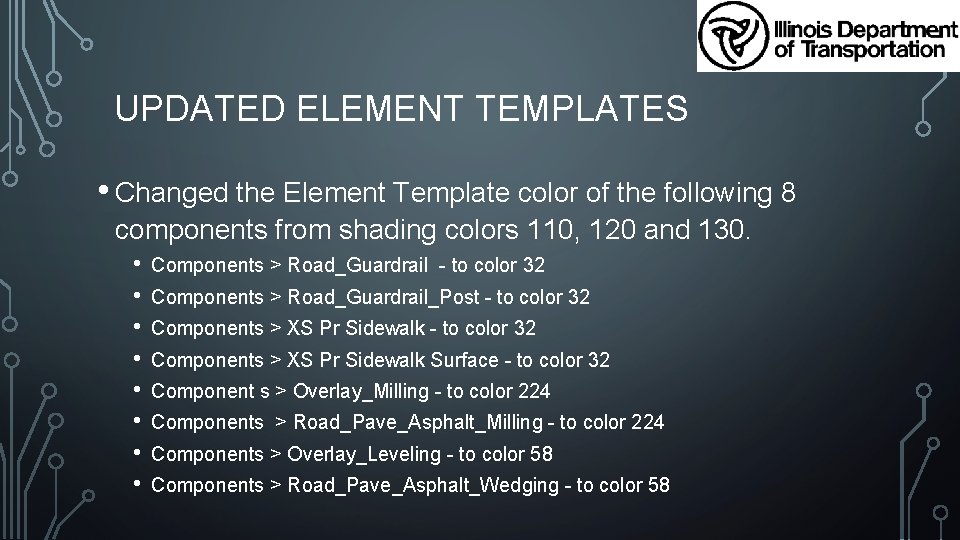
UPDATED ELEMENT TEMPLATES • Changed the Element Template color of the following 8 components from shading colors 110, 120 and 130. • • Components > Road_Guardrail - to color 32 Components > Road_Guardrail_Post - to color 32 Components > XS Pr Sidewalk Surface - to color 32 Component s > Overlay_Milling - to color 224 Components > Road_Pave_Asphalt_Milling - to color 224 Components > Overlay_Leveling - to color 58 Components > Road_Pave_Asphalt_Wedging - to color 58
UPDATED IDOTROAD. CEL LIBRARY • 21 Cells Updated • • Scaling Issues Annotation Scale turned On / Off All existing and proposed pavement markings scaled to correct size as needed. Corrected name on Cover Sheet • 4 Cells added for existing pavement markings
IDOTCAD SS 4 ENVIRONMENT UPDATE EMAIL NOTIFICATION • When there are updates made to the IDOTCAD Environment whom ever is signed up for the Email Notification Service will receive a notification about the update. • If you are not currently signed up to receive Email Notifications from us you can do so by sending a blank email without a subject to: subscribe-dot-caddstandardsdownloads@lists. illinois. gov Or visit http: //www. idot. illinois. gov/doingbusiness/procurements/engineering-architectural-professionalservices/Consultants-Resources/index#CADD
HOW TO OBTAIN THE IDOTCAD SS 4 ENVIRONMENT • You can download a self-extracting EXE file from: http: //www. idot. illinois. gov/doing-business/procurements/engineeringarchitectural-professional-services/Consultants-Resources/index#CADD And go to the “IDOT CADD SS 4 Environment” tab about half way down the page. • Once downloaded run the file and it will extract our environment to a folder named IDOTCAD in the same location that you have the EXE file saved. • Read the “SS 4 Workspace Read Me. pdf” located in the IDOTCAD folder for instructions on setting up our
SS 4 SURVEY UPDATE Planned Release: April 2018 On February 7, 2018 at the annual IDOT Survey Chiefs Meeting a new single survey settings file was defined for use in all Districts and by consultants.
ADVANTAGES OF STANDARD STATEWIDE SURVEY SETTINGS • Allows more efficient cross-training across Districts. • Standardizing as much as possible now, eases the transition to Open. Roads Designer in the future. • Enables more efficient compliance by consultants. • Removes inefficiencies for CADD unit who currently must support 10 different methodologies.
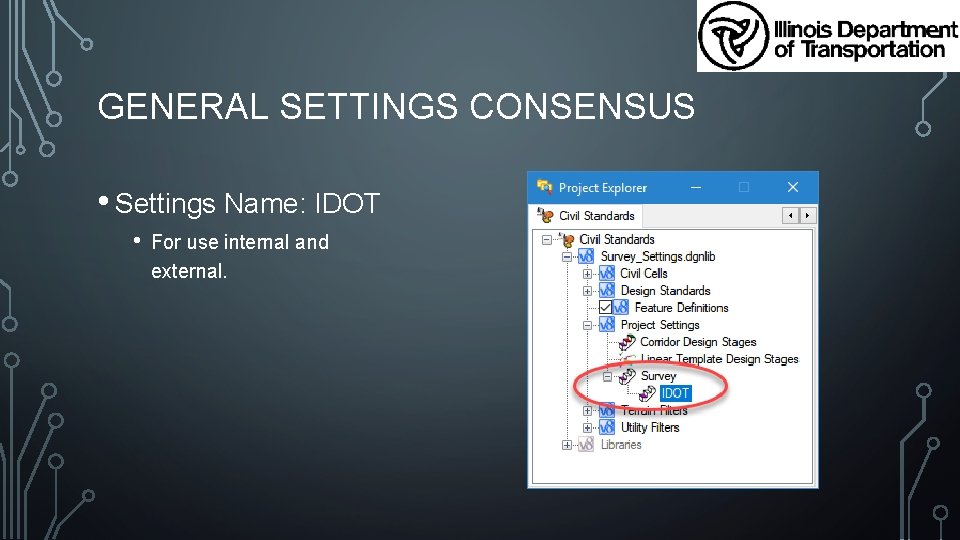
GENERAL SETTINGS CONSENSUS • Settings Name: IDOT • For use internal and external.
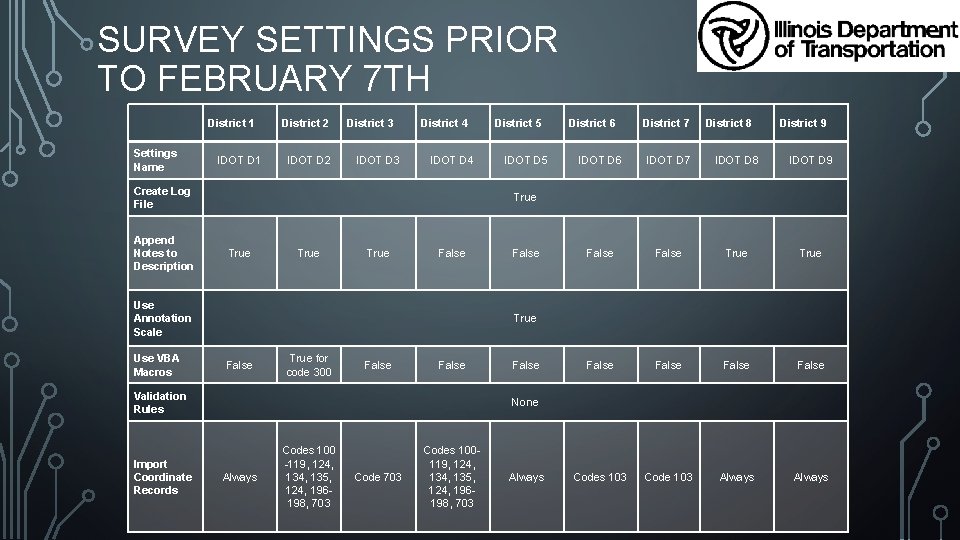
SURVEY SETTINGS PRIOR TO FEBRUARY 7 TH Settings Name District 1 IDOT D 1 District 2 IDOT D 2 District 3 IDOT D 3 District 4 IDOT D 4 Create Log File Append Notes to Description True False District 7 District 8 District 9 IDOT D 6 IDOT D 7 IDOT D 8 IDOT D 9 False True False Codes 103 Code 103 Always True False True for code 300 False Validation Rules Import Coordinate Records IDOT D 5 District 6 True Use Annotation Scale Use VBA Macros District 5 False None Always Codes 100 -119, 124, 134, 135, 124, 196198, 703 Codes 100119, 124, 134, 135, 124, 196198, 703 Always
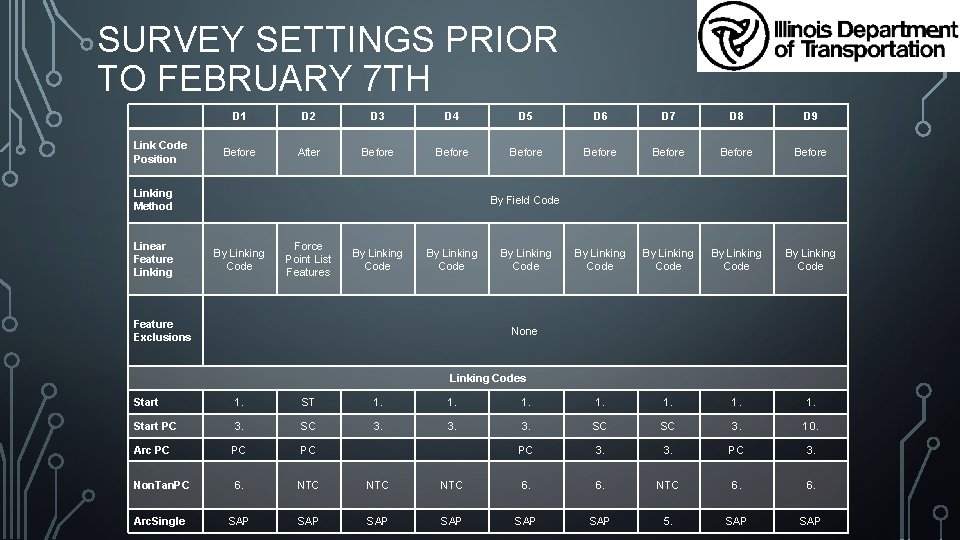
SURVEY SETTINGS PRIOR TO FEBRUARY 7 TH Link Code Position D 1 D 2 D 3 D 4 D 5 D 6 D 7 D 8 D 9 Before After Before Before By Linking Code Linking Method Linear Feature Linking By Field Code By Linking Code Force Point List Features By Linking Code Feature Exclusions By Linking Code None Linking Codes Start 1. ST 1. 1. Start PC 3. SC 3. 3. SC SC 3. 10. Arc PC PC PC 3. Non. Tan. PC 6. NTC NTC 6. 6. Arc. Single SAP SAP SAP 5. SAP
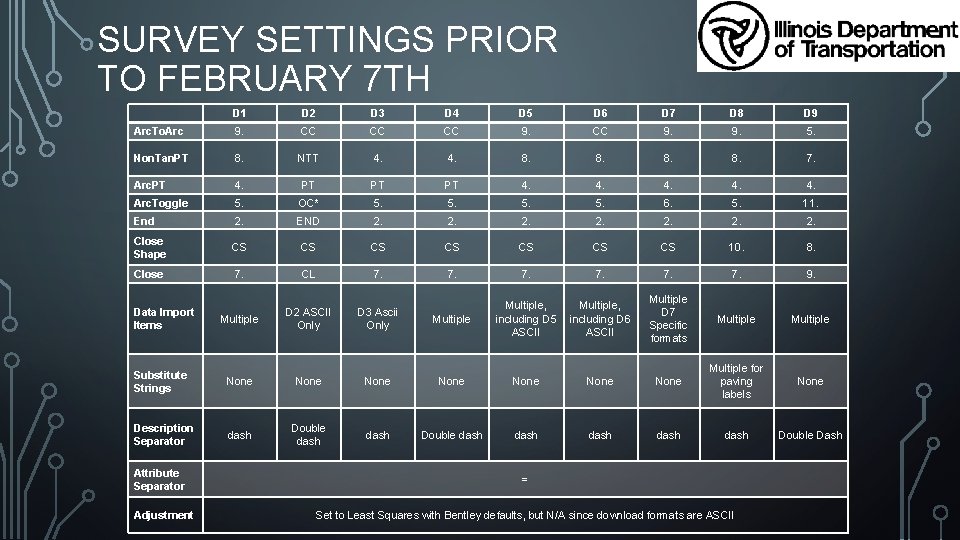
SURVEY SETTINGS PRIOR TO FEBRUARY 7 TH D 1 D 2 D 3 D 4 D 5 D 6 D 7 D 8 D 9 Arc. To. Arc 9. CC CC CC 9. 9. 5. Non. Tan. PT 8. NTT 4. 8. 8. 7. Arc. PT 4. PT PT PT 4. 4. 4. Arc. Toggle 5. OC* 5. 5. 6. 5. 11. End 2. END 2. 2. Close Shape CS CS 10. 8. Close 7. CL 7. 7. 7. 9. Multiple D 7 Specific formats Multiple None Double Dash Data Import Items Multiple D 2 ASCII Only D 3 Ascii Only Multiple, including D 5 including D 6 ASCII Substitute Strings None None Multiple for paving labels Description Separator dash Double dash dash Attribute Separator Adjustment = Set to Least Squares with Bentley defaults, but N/A since download formats are ASCII
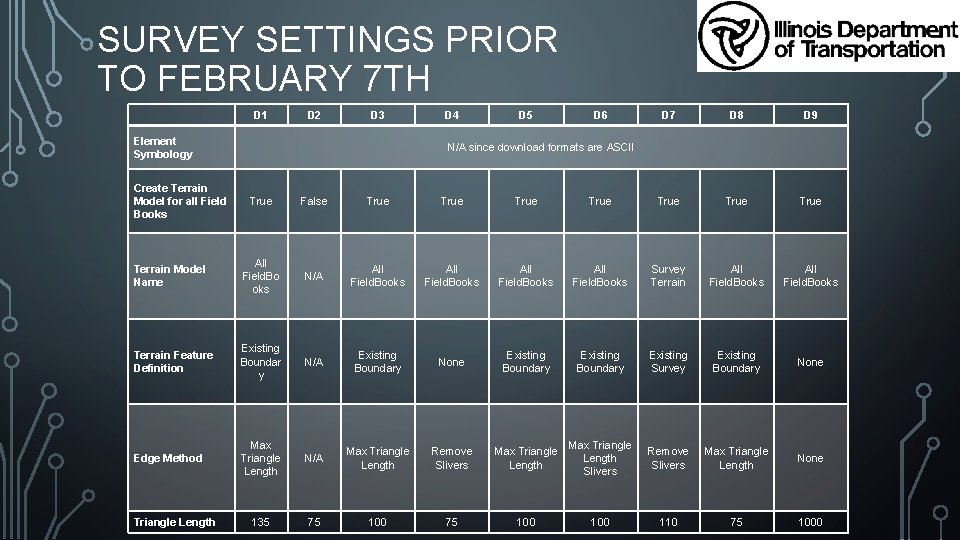
SURVEY SETTINGS PRIOR TO FEBRUARY 7 TH D 1 D 2 D 3 Element Symbology Create Terrain Model for all Field Books D 4 D 5 D 6 D 7 D 8 D 9 N/A since download formats are ASCII True False True True Terrain Model Name All Field. Bo oks N/A All Field. Books Survey Terrain All Field. Books Terrain Feature Definition Existing Boundar y N/A Existing Boundary None Existing Boundary Existing Survey Existing Boundary None Edge Method Max Triangle Length N/A Max Triangle Length Remove Slivers Max Triangle Length Slivers Remove Slivers Max Triangle Length None 135 75 100 100 110 75 1000 Triangle Length
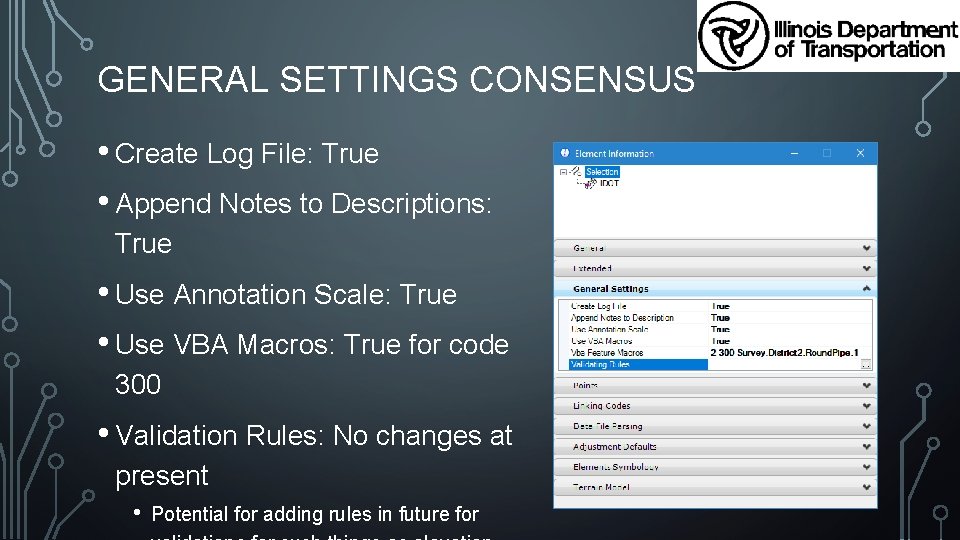
GENERAL SETTINGS CONSENSUS • Create Log File: True • Append Notes to Descriptions: True • Use Annotation Scale: True • Use VBA Macros: True for code 300 • Validation Rules: No changes at present • Potential for adding rules in future for
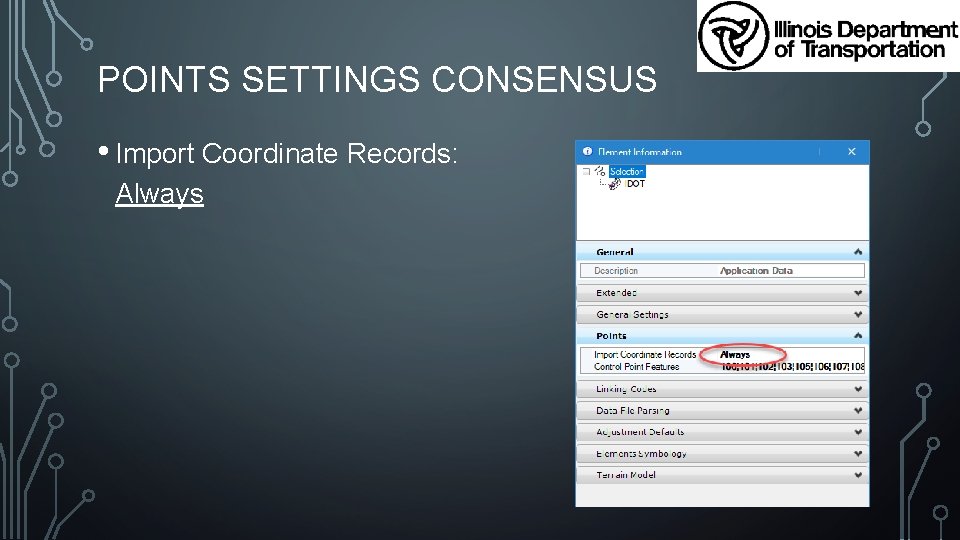
POINTS SETTINGS CONSENSUS • Import Coordinate Records: Always
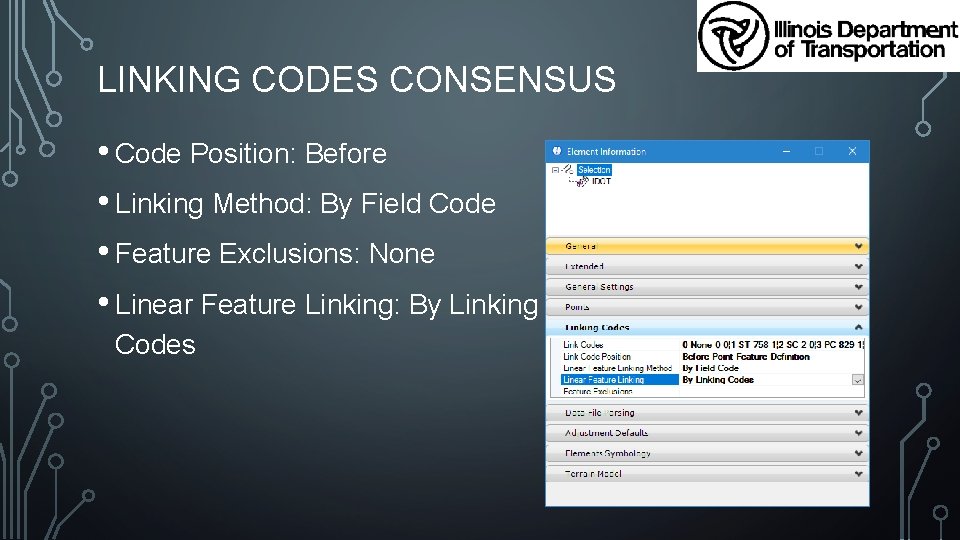
LINKING CODES CONSENSUS • Code Position: Before • Linking Method: By Field Code • Feature Exclusions: None • Linear Feature Linking: By Linking Codes
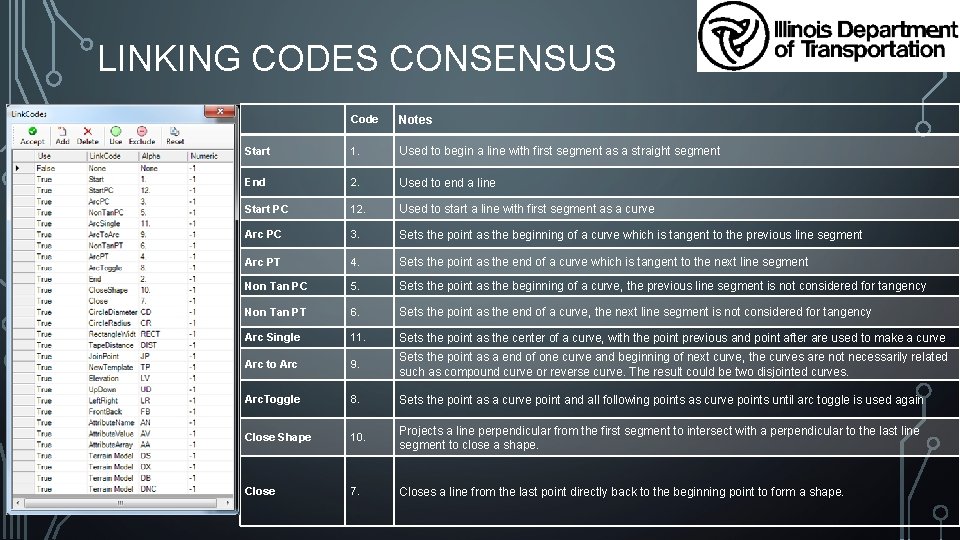
LINKING CODES CONSENSUS Code Notes Start 1. Used to begin a line with first segment as a straight segment End 2. Used to end a line Start PC 12. Used to start a line with first segment as a curve Arc PC 3. Sets the point as the beginning of a curve which is tangent to the previous line segment Arc PT 4. Sets the point as the end of a curve which is tangent to the next line segment Non Tan PC 5. Sets the point as the beginning of a curve, the previous line segment is not considered for tangency Non Tan PT 6. Sets the point as the end of a curve, the next line segment is not considered for tangency Arc Single 11. Sets the point as the center of a curve, with the point previous and point after are used to make a curve Arc to Arc 9. Sets the point as a end of one curve and beginning of next curve, the curves are not necessarily related such as compound curve or reverse curve. The result could be two disjointed curves. Arc. Toggle 8. Sets the point as a curve point and all following points as curve points until arc toggle is used again Close Shape 10. Projects a line perpendicular from the first segment to intersect with a perpendicular to the last line segment to close a shape. Close 7. Closes a line from the last point directly back to the beginning point to form a shape.
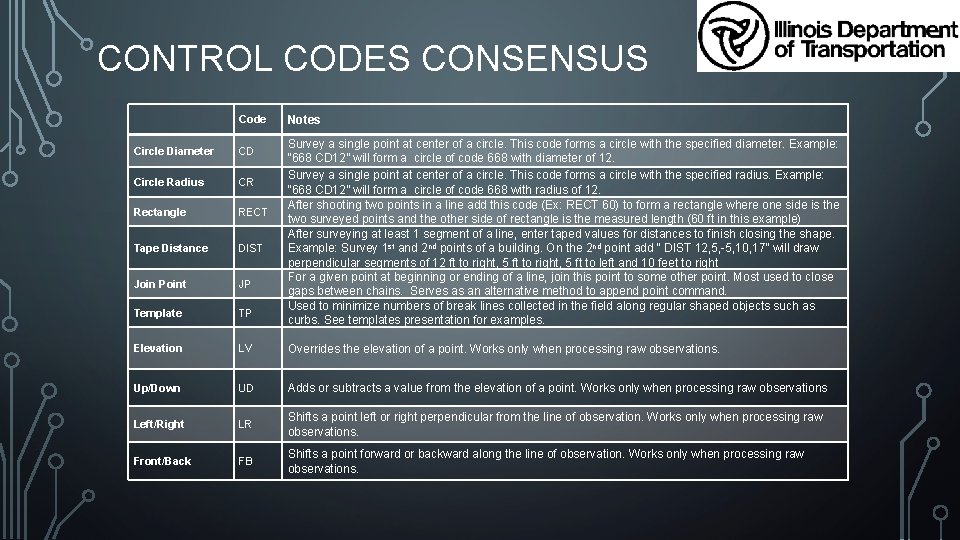
CONTROL CODES CONSENSUS Code Notes Survey a single point at center of a circle. This code forms a circle with the specified diameter. Example: “ 668 CD 12” will form a circle of code 668 with diameter of 12. Survey a single point at center of a circle. This code forms a circle with the specified radius. Example: “ 668 CD 12” will form a circle of code 668 with radius of 12. After shooting two points in a line add this code (Ex: RECT 60) to form a rectangle where one side is the two surveyed points and the other side of rectangle is the measured length (60 ft in this example) After surveying at least 1 segment of a line, enter taped values for distances to finish closing the shape. Example: Survey 1 st and 2 nd points of a building. On the 2 nd point add “ DIST 12, 5, -5, 10, 17” will draw perpendicular segments of 12 ft to right, 5 ft to left and 10 feet to right For a given point at beginning or ending of a line, join this point to some other point. Most used to close gaps between chains. Serves as an alternative method to append point command. Used to minimize numbers of break lines collected in the field along regular shaped objects such as curbs. See templates presentation for examples. Circle Diameter CD Circle Radius CR Rectangle RECT Tape Distance DIST Join Point JP Template TP Elevation LV Overrides the elevation of a point. Works only when processing raw observations. Up/Down UD Adds or subtracts a value from the elevation of a point. Works only when processing raw observations Left/Right LR Shifts a point left or right perpendicular from the line of observation. Works only when processing raw observations. Front/Back FB Shifts a point forward or backward along the line of observation. Works only when processing raw observations.
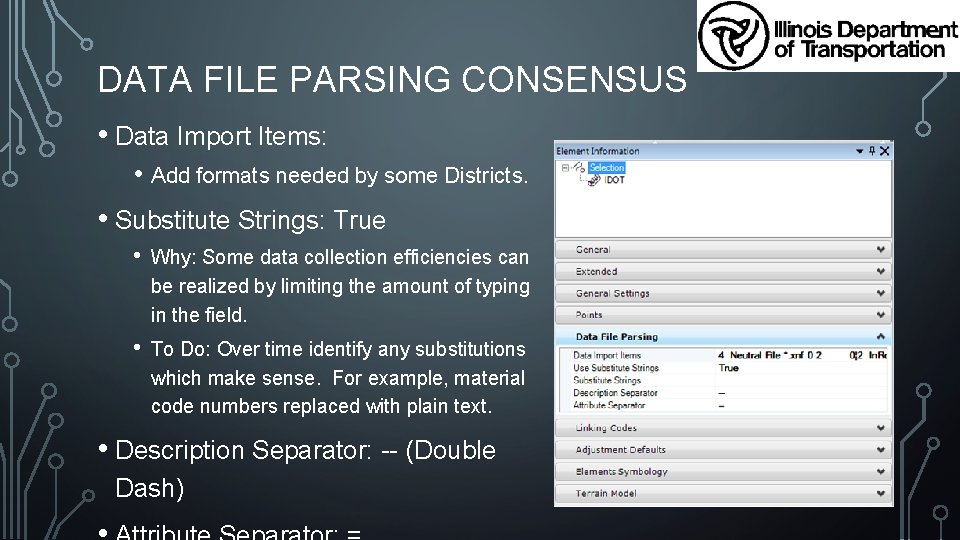
DATA FILE PARSING CONSENSUS • Data Import Items: • Add formats needed by some Districts. • Substitute Strings: True • Why: Some data collection efficiencies can be realized by limiting the amount of typing in the field. • To Do: Over time identify any substitutions which make sense. For example, material code numbers replaced with plain text. • Description Separator: -- (Double Dash)
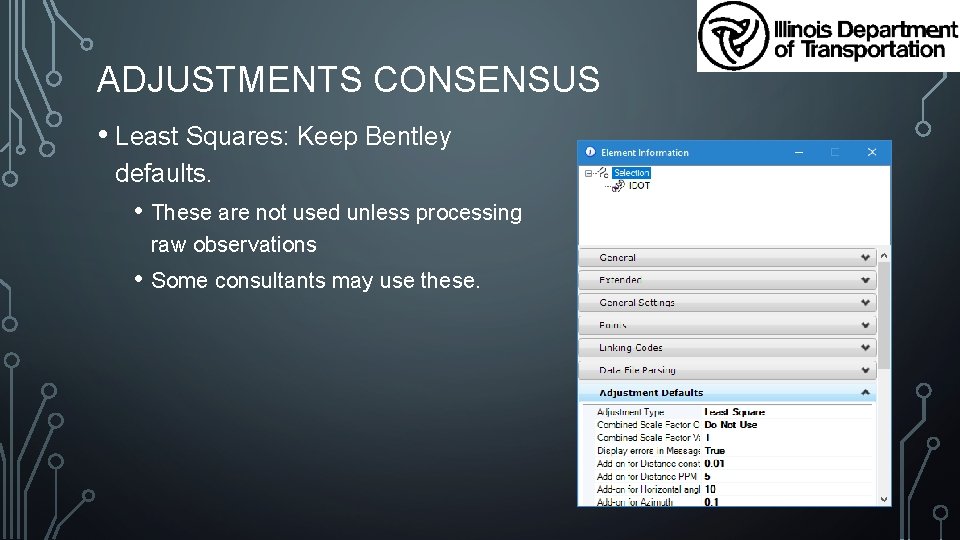
ADJUSTMENTS CONSENSUS • Least Squares: Keep Bentley defaults. • These are not used unless processing raw observations • Some consultants may use these.
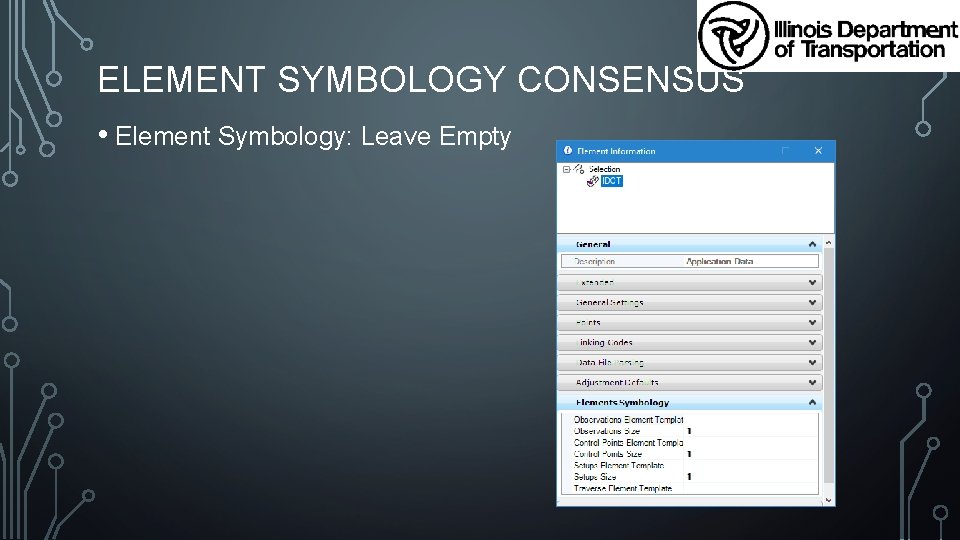
ELEMENT SYMBOLOGY CONSENSUS • Element Symbology: Leave Empty
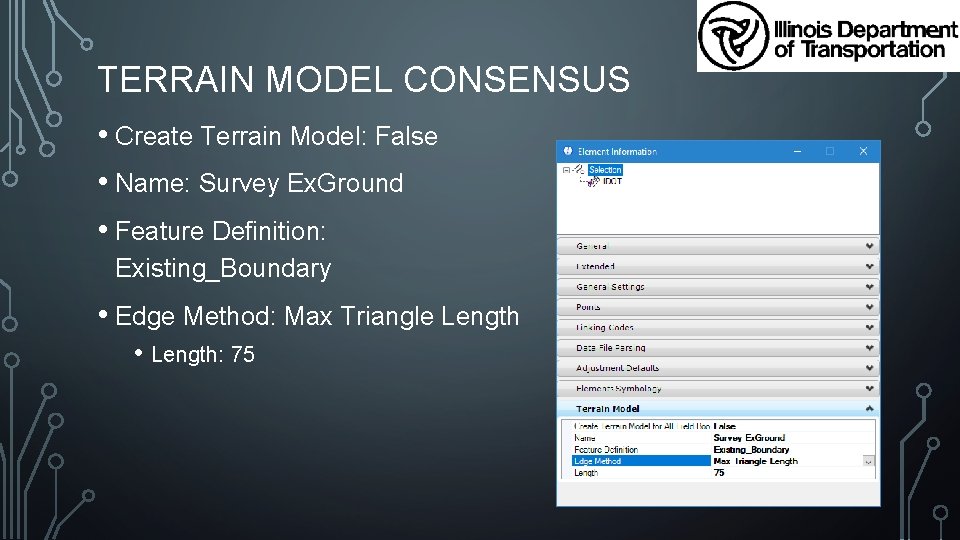
TERRAIN MODEL CONSENSUS • Create Terrain Model: False • Name: Survey Ex. Ground • Feature Definition: Existing_Boundary • Edge Method: Max Triangle Length • Length: 75

IDOT OPENROADS DESIGNER ENVIRONMENT Planned Release: ? ? ? The Illinois Department of Transportation SS 4 CADD Environment is delivered “As Is” for use by Consultants and external entities.
ORD ENVIRONMENT INTERNAL TESTING • Currently IDOT is testing a beta version of our SS 4 environment that has been upgraded for use in ORD. • Internal testing began in early February 2018 and we are almost through that first round. This round included one District Office and the Central Office CADD Support Unit. • Once identified issues are corrected, survey changes incorporated, and Bentley releases ORD R 3, we will start the next round. • Second round testing will be internal to IDOT and is scheduled to begin mid to end of April 2018. The second round of testing will include an additional 3 districts.

ORD ENVIRONMENT EXTERNAL TESTING • Once both rounds of internal ORD Environment testing are complete, IDOT will contact the American Council of Engineering Companies (ACEC) to have them select several Consultants to test the environment. • These Consultants must have a current job with IDOT and be willing to turn over all files associated with their test job to IDOT’s Central Office CADD Support Unit when testing is complete.

CONTACT IDOT CENTRAL CADD & GIS SUPPORT UNIT Support Group Email DOT. CADD. GIS. Support@Illinois. gov Drew Christopher Technology Policy & Support Manager Drew. Christopher@Illinois. gov

QUESTIONS, COMMENTS OR CONCERNS

- Slides: 51