
2018 Prioritization of Cybersecurity and Legacy Systems Projects
2018 Prioritization of Cybersecurity and Legacy Systems Projects (PCLS) Texas Department of Information Resources March 28, 2018 1: 00 -2: 00 pm
Welcome • Key questions into the question pane at any time. • CPE form in handouts section. • Webinar slides and recording will be posted on the DIR website.
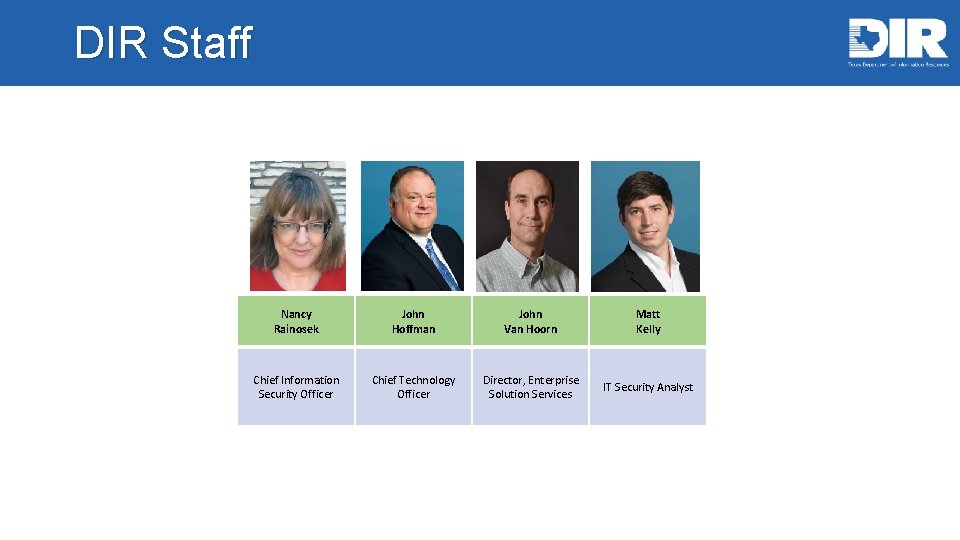
DIR Staff Nancy Rainosek John Hoffman John Van Hoorn Matt Kelly Chief Information Security Officer Chief Technology Officer Director, Enterprise Solution Services IT Security Analyst
Agenda • Chief Technology Office Update • Purpose & Background • 2016 Report • PCLS Project Questionnaire Design • LAR Tracking & Submission • SPECTRIM Demonstration
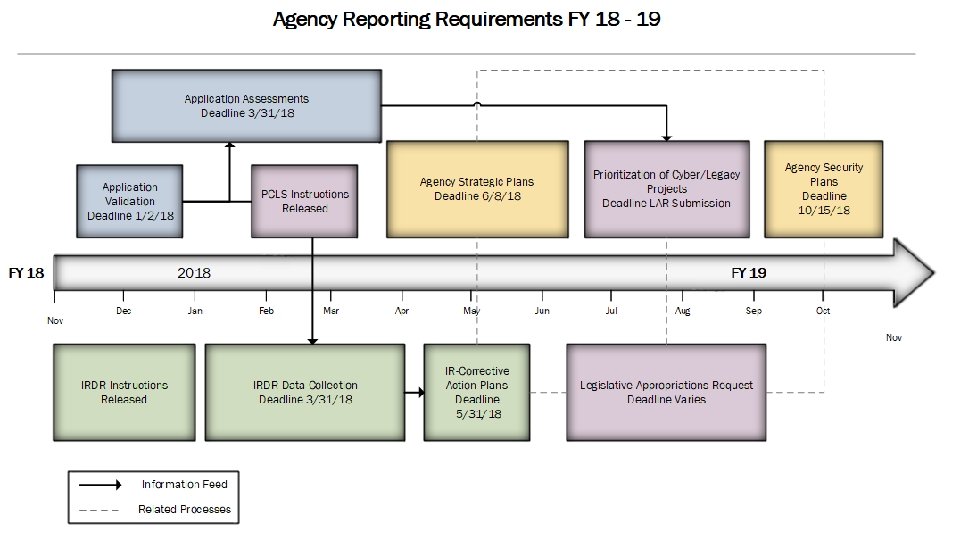
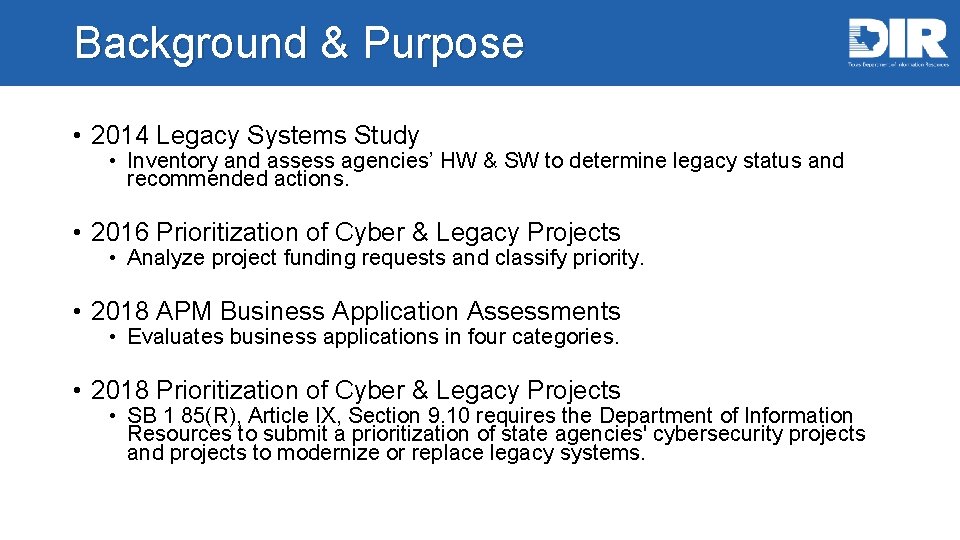
Background & Purpose • 2014 Legacy Systems Study • Inventory and assess agencies’ HW & SW to determine legacy status and recommended actions. • 2016 Prioritization of Cyber & Legacy Projects • Analyze project funding requests and classify priority. • 2018 APM Business Application Assessments • Evaluates business applications in four categories. • 2018 Prioritization of Cyber & Legacy Projects • SB 1 85(R), Article IX, Section 9. 10 requires the Department of Information Resources to submit a prioritization of state agencies' cybersecurity projects and projects to modernize or replace legacy systems.
2016 PCLS Report

PCLS Methodology

Priority Classification
Poll #1 • How many cybersecurity related projects does your agency plan to pursue over the next biennium?
2018 PCLS Structure
Which projects should be included? • Projects that are included in the agency’s Legislative Appropriations Request. • Does not have to be an exceptional item. • Cybersecurity projects – what defines a “cyber project”? • Legacy Modernization projects – what defines a “legacy modernization project? ” • Combination projects

PCLS Questionnaire Structure
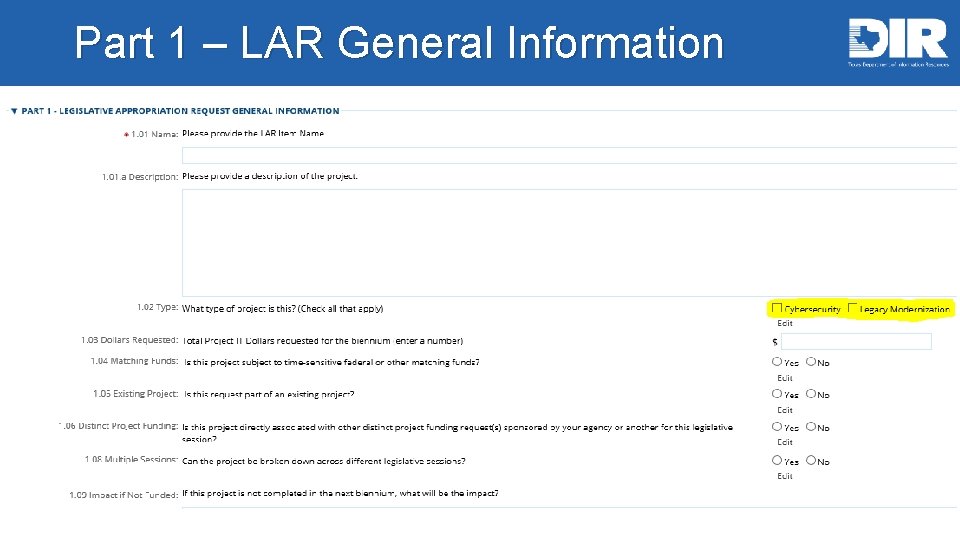
Part 1 – LAR General Information
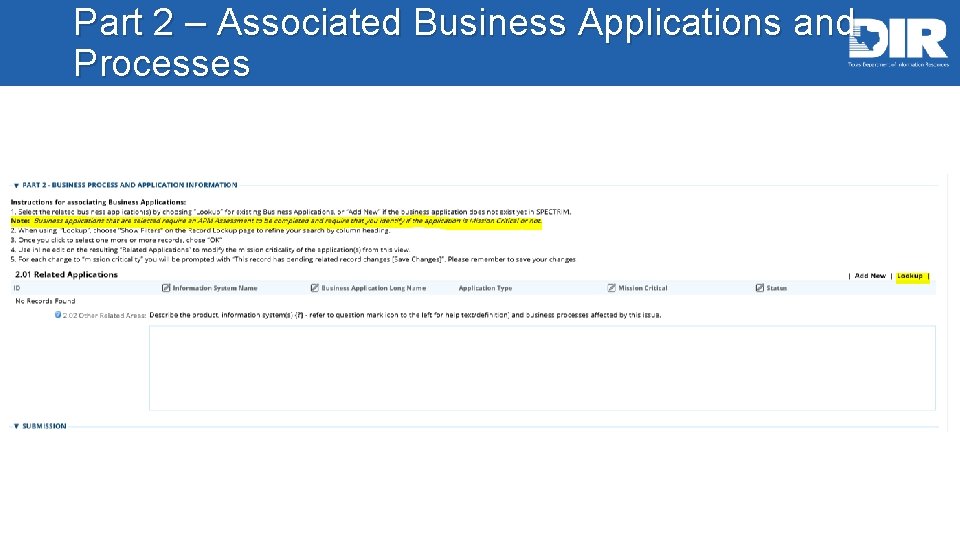
Part 2 – Associated Business Applications and Processes
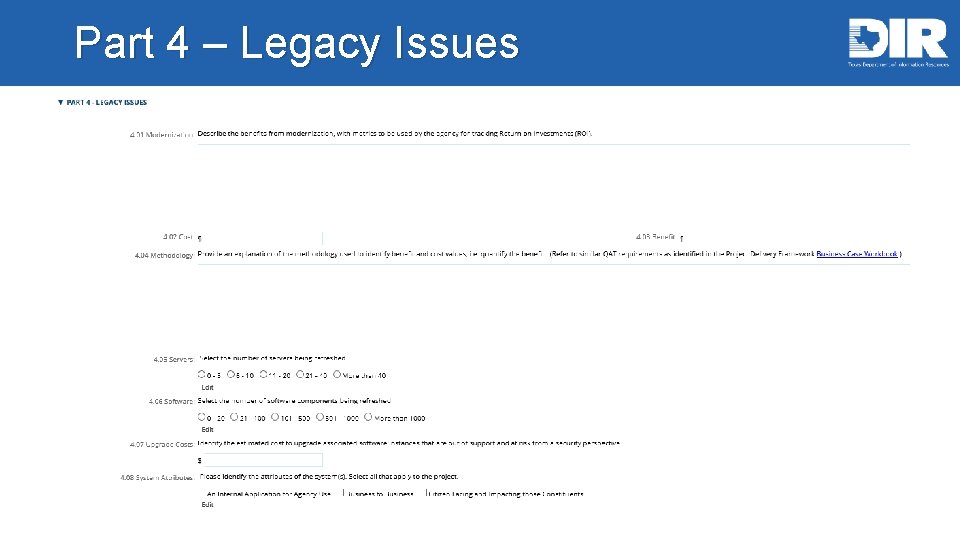
Part 4 – Legacy Issues
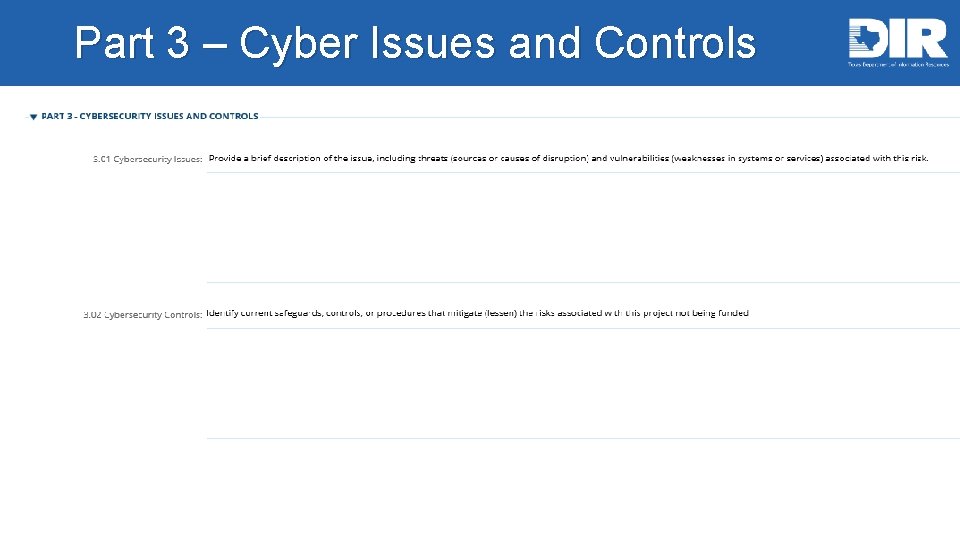
Part 3 – Cyber Issues and Controls • Narrative of issues and controls
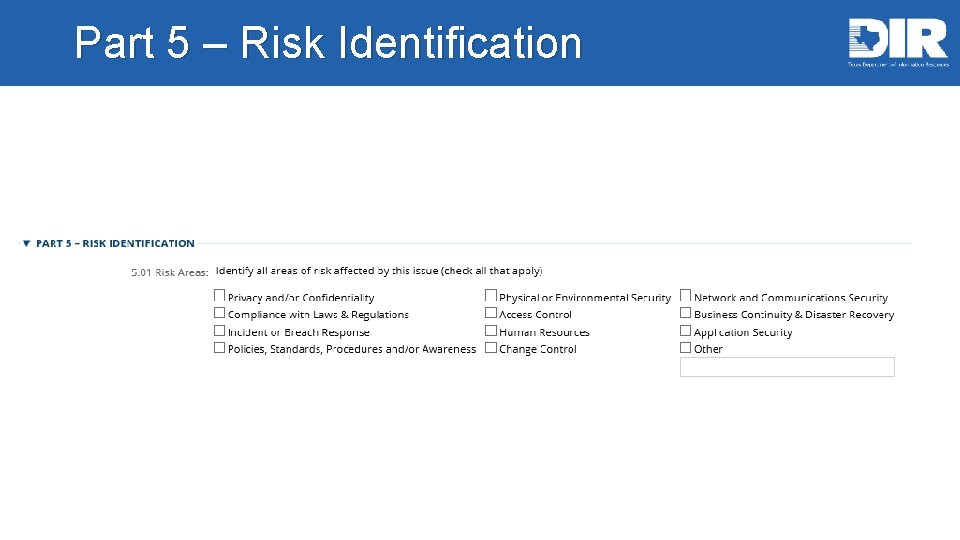
Part 5 – Risk Identification
Part 6 – Probability Determination • Probability is the likelihood or frequency that harm will come to the agency or the state as a result of this weakness or exposure. This can be determined by understanding how easily this weakness can be exploited, what incentive someone might have to gain access or cause damage to the agency or state’s information assets, and the safeguards currently in place to protect the assets. • Probability is ranked on a scale of 1 (rare) to 5 (almost certain).
Part 7 – Impact Determination • Impact can be determined based on the costs to the agency or the state, both tangible (e. g. , human safety or monetary losses) and intangible (e. g. , damage to reputation, brand name or trust). • Impact is determined on a scale of 1 (negligible) to 5 (material).
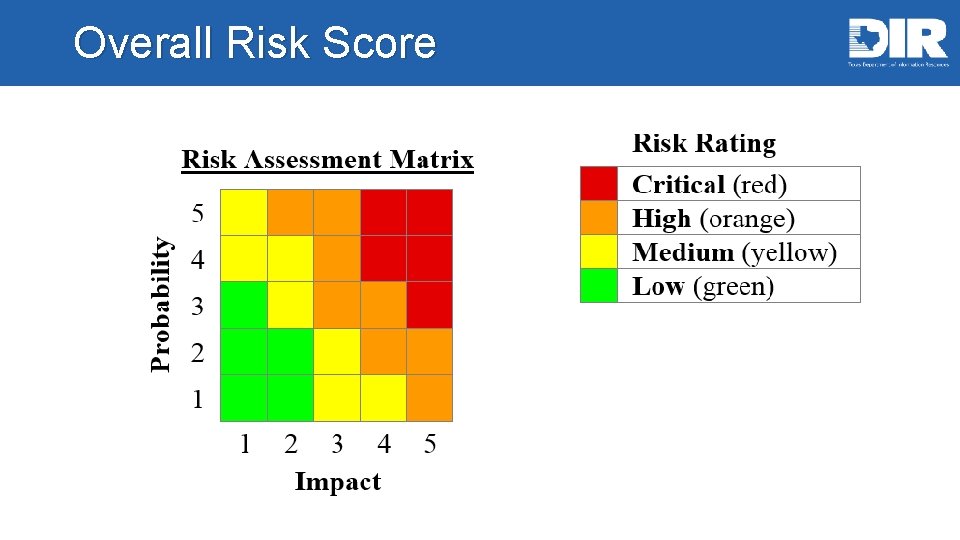
Overall Risk Score
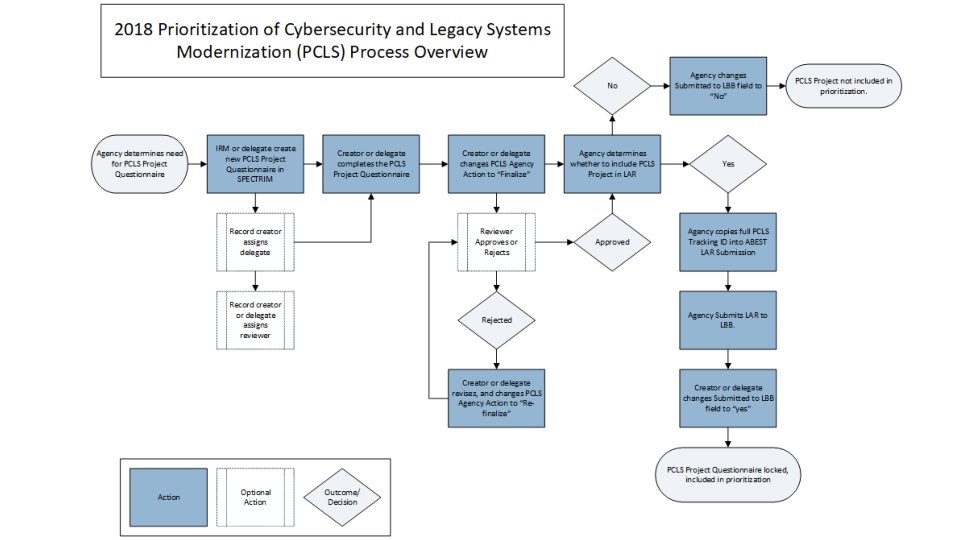
PCLS Project Questionnaire Submission
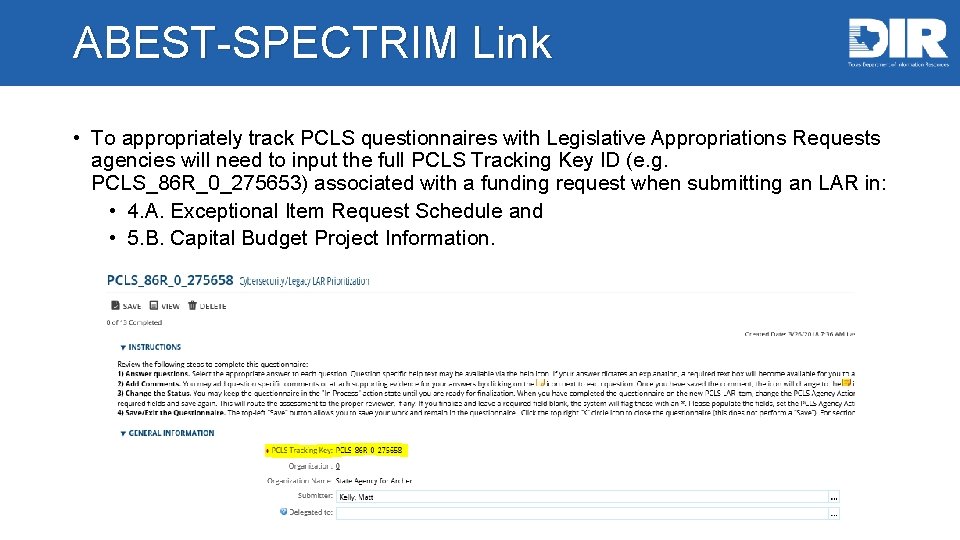
ABEST-SPECTRIM Link • To appropriately track PCLS questionnaires with Legislative Appropriations Requests agencies will need to input the full PCLS Tracking Key ID (e. g. PCLS_86 R_0_275653) associated with a funding request when submitting an LAR in: • 4. A. Exceptional Item Request Schedule and • 5. B. Capital Budget Project Information.
Poll #2 • How many legacy modernization related projects does your agency intend to pursue over the next biennium?
SPECTRIM Demo PCLS Questionnaires
SPECTRIM Demonstration • Logging in • Navigating SPECTRIM • Viewing prior PCLS questionnaires • Creating a new PCLS questionnaire • Assigning reviewers • Open a support ticket • Adding comments • Submitting to LBB (With LAR) • Exporting
SPECTRIM Tips • Recommended to use Internet Explorer • When in a questionnaire, users will need to select “edit” in the upper-left hand corner to make changes. • Do NOT use the browsers “back” button. If you want to go back a page, make sure to save and use the “x” circle icon in the topright corner. • The password self-service reset functionality will not work if your account is inactive. If you have difficulty logging in, please email GRC@dir. texas. gov.
SPECTRIM Tips (cont. ) • You can open support requests in the portal if logged in, which are responded to quickly. • Save often! • If you don’t find a user in a values list (e. g. delegate field), chances are they don’t have credentials, or the appropriate user rights. Email grc@dir. texas. gov to request the user obtain access. • Control + click hyperlinks (open in a new window). • Save before you get up from your computer (inactivity times out session).
Requesting Additional Users • IRM or prior explicit delegate can request additional users. • For requests of many additional users, please provide each user’s first name, last name, email addresses, and the purpose/level of access needed in a spreadsheet to grc@dir. texas. gov.
Q&A Email pcls@dir. texas. gov with general questions/assistance. Email grc@dir. texas. gov for SPECTRIM portal assistance.
- Slides: 31