
2016 Conference WrapUp An ACEware Presentation You Missed





![Separately email faculty contracts from Quick Reports ail m E ] [ is he](https://slidetodoc.com/presentation_image_h/9ce7e46bc0493198223df72b4287811b/image-20.jpg "Separately email faculty contracts from Quick Reports ail m E ] [ is he")


- Slides: 33
2016 Conference Wrap-Up An ACEware Presentation
You Missed one GREAT Conference
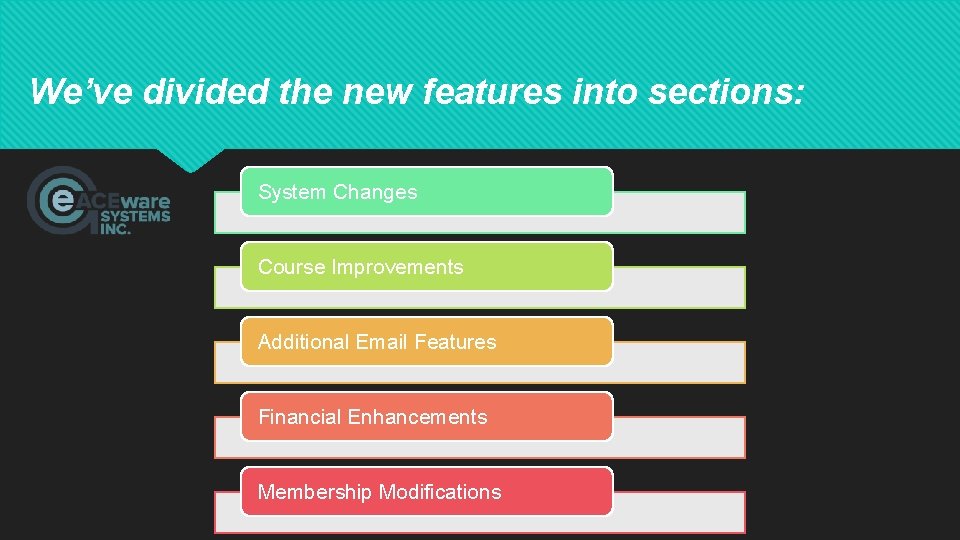
We’ve divided the new features into sections: System Changes Course Improvements Additional Email Features Financial Enhancements Membership Modifications
System Changes These changes impact more than one area of Student Manager, or ar not specific to a specific area
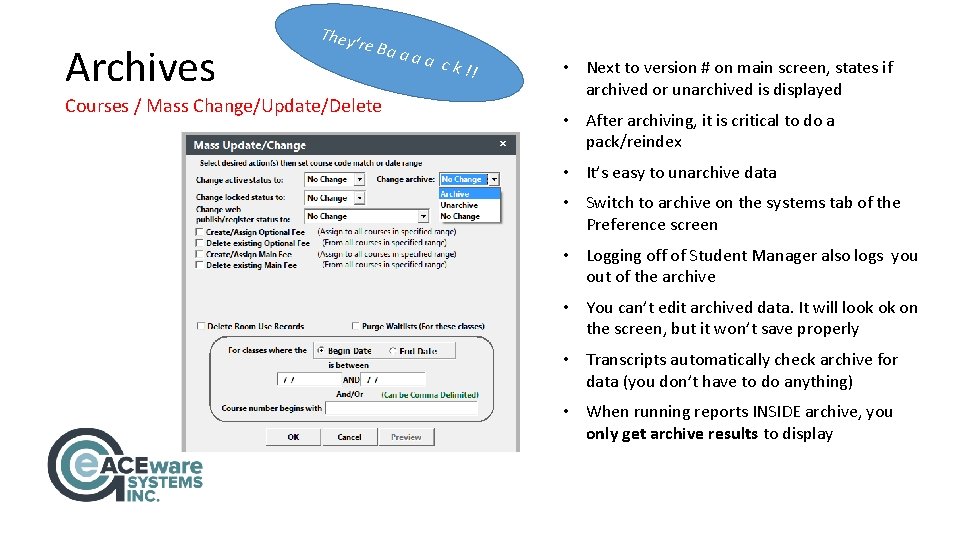
Archives They’ re Ba a a Courses / Mass Change/Update/Delete a ck !! • Next to version # on main screen, states if archived or unarchived is displayed • After archiving, it is critical to do a pack/reindex • It’s easy to unarchive data • Switch to archive on the systems tab of the Preference screen • Logging off of Student Manager also logs you out of the archive • You can’t edit archived data. It will look ok on the screen, but it won’t save properly • Transcripts automatically check archive for data (you don’t have to do anything) • When running reports INSIDE archive, you only get archive results to display
There are so many changes and improvements to archives that we’re going to do an entire ARCHIVE webinar, July 24
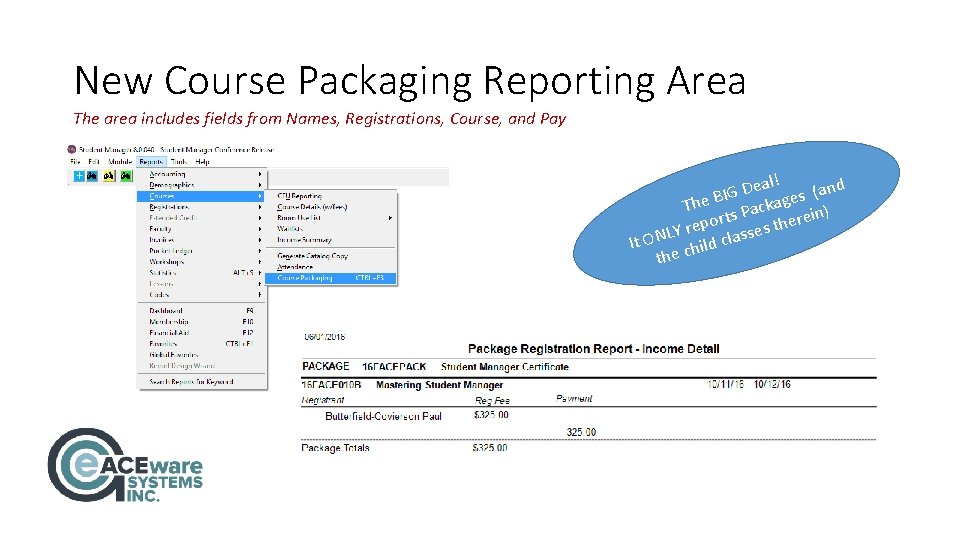
New Course Packaging Reporting Area The area includes fields from Names, Registrations, Course, and Pay ! l a e nd D a ( G I s B The Package in) orts s there p e r LY sse It ON child cla the
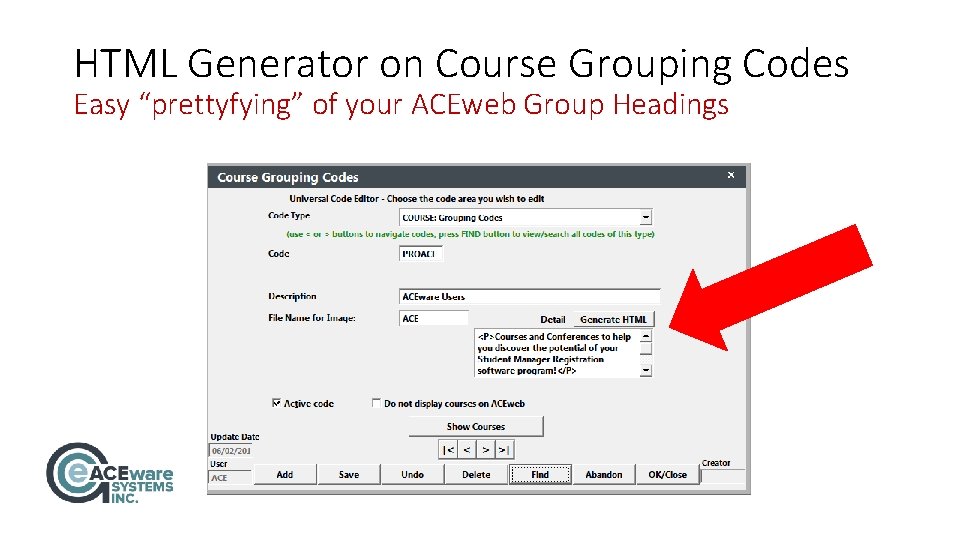
HTML Generator on Course Grouping Codes Easy “prettyfying” of your ACEweb Group Headings
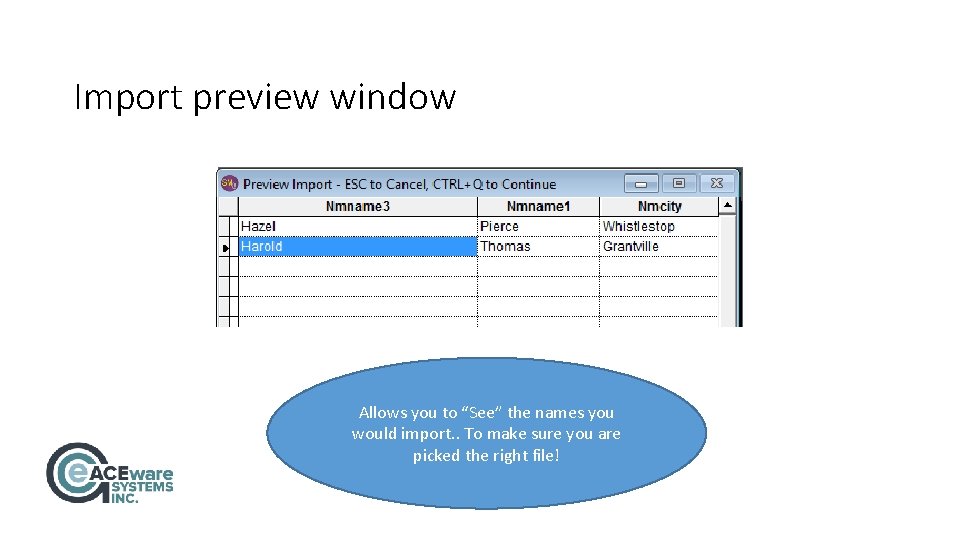
Import preview window Allows you to “See” the names you would import. . To make sure you are picked the right file!
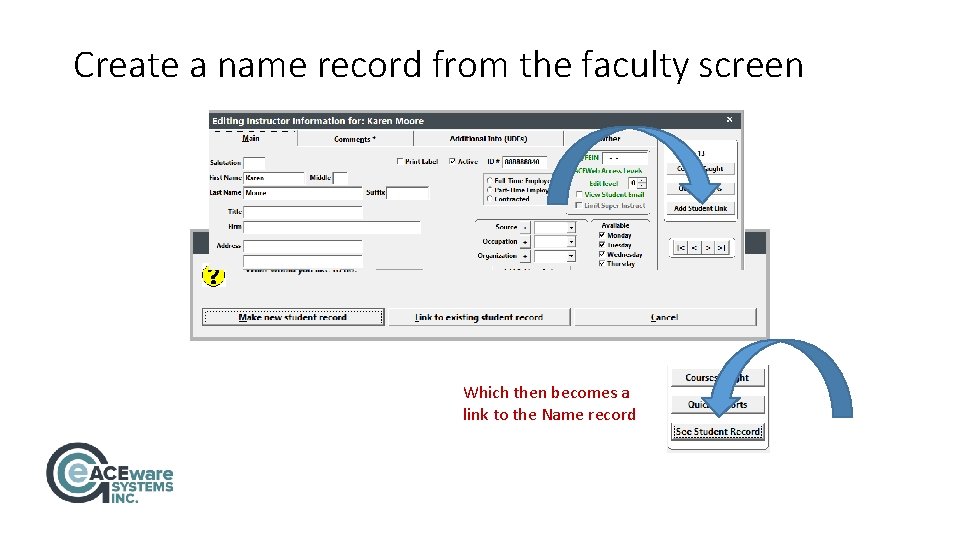
Create a name record from the faculty screen Which then becomes a link to the Name record
Course Improvements The majority of these improvements will be found on the course screen
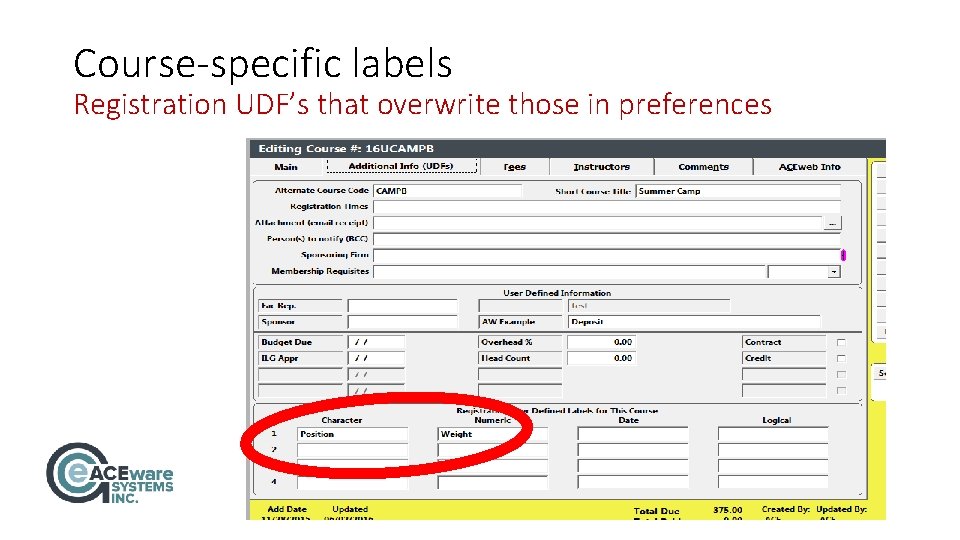
Course-specific labels Registration UDF’s that overwrite those in preferences
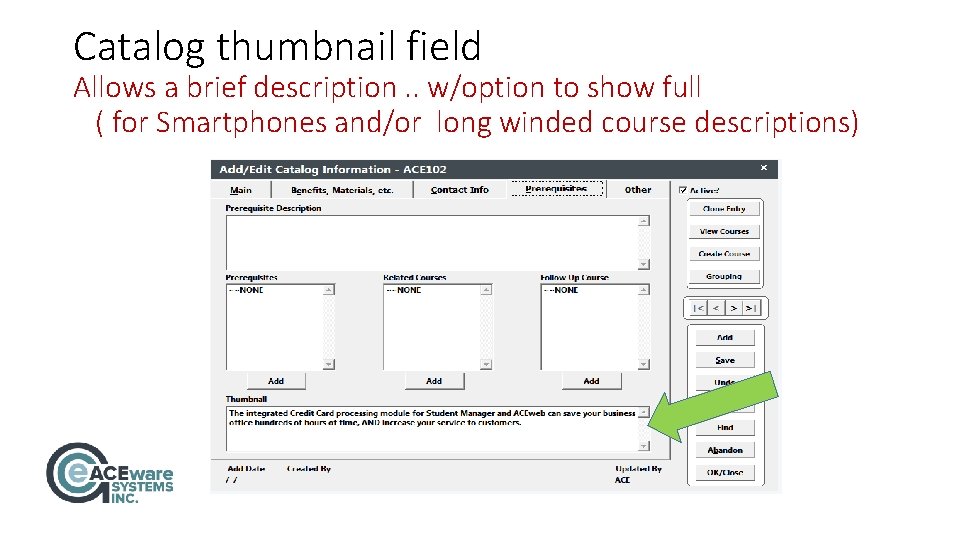
Catalog thumbnail field Allows a brief description. . w/option to show full ( for Smartphones and/or long winded course descriptions)
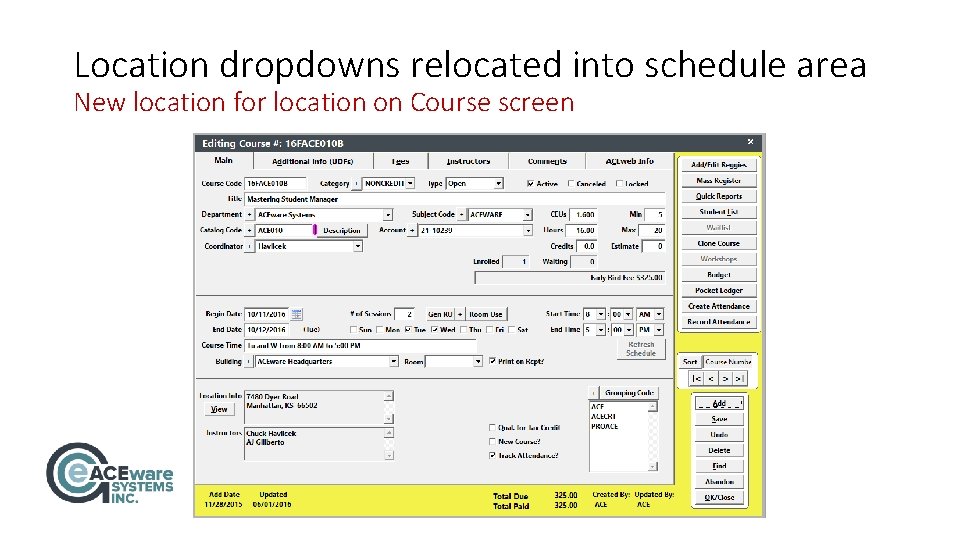
Location dropdowns relocated into schedule area New location for location on Course screen
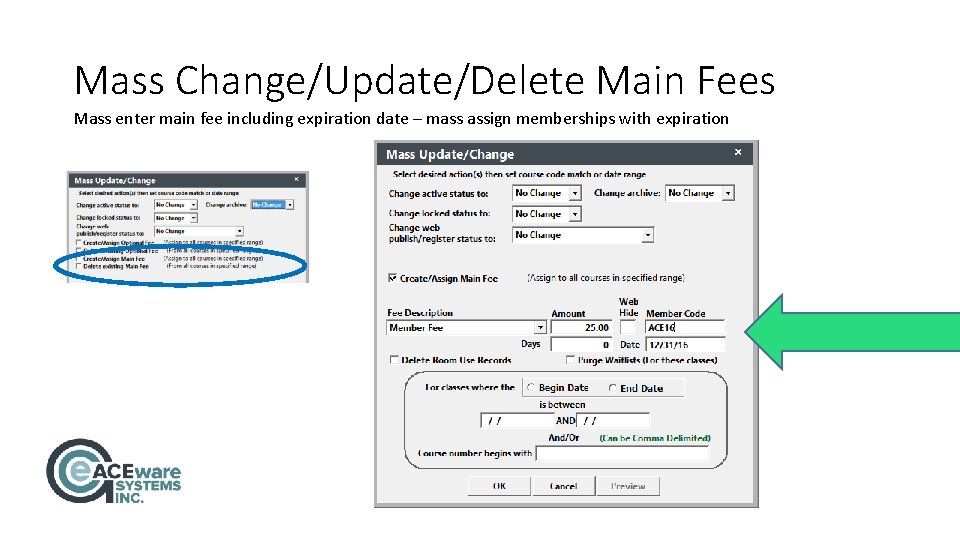
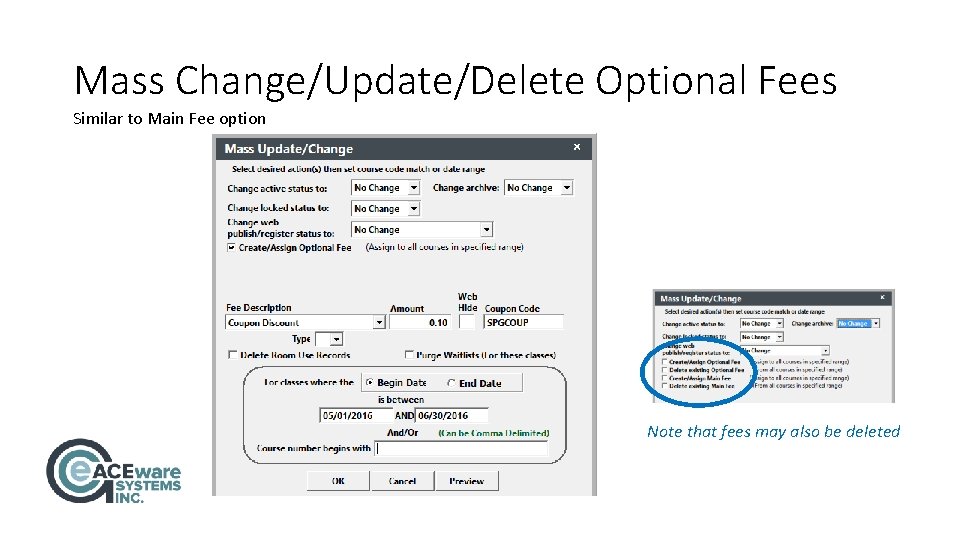
Mass Change/Update/Delete Main Fees Mass enter main fee including expiration date – mass assign memberships with expiration
Mass Change/Update/Delete Optional Fees Similar to Main Fee option Note that fees may also be deleted
Additional Email Features Making communications with colleagues and customers easier
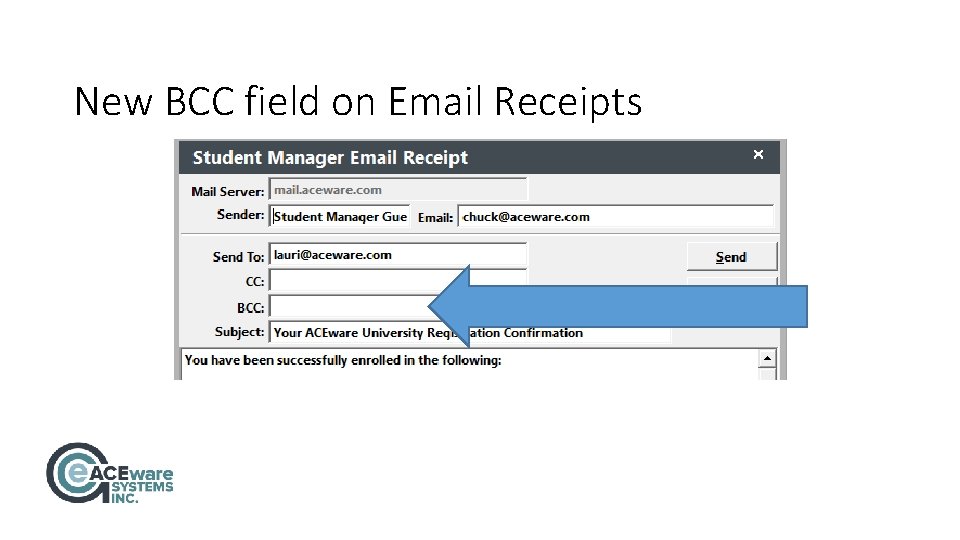
New BCC field on Email Receipts
Separately email faculty contracts from Quick Reports ail m E ] [ is he s T e t : a E NOT r Certific ot! O S L A y fo o this sp l e t a r t Sepa d down move
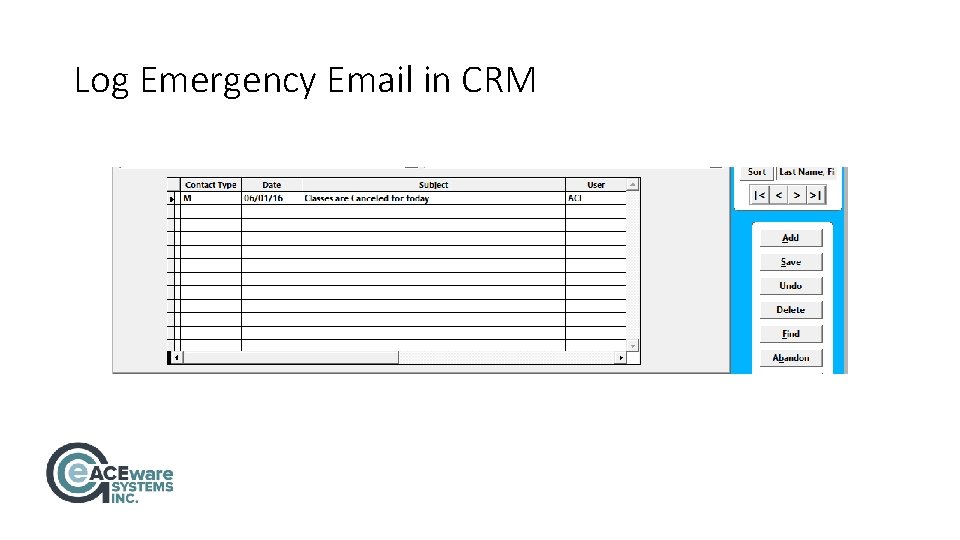
Log Emergency Email in CRM
Financial Enhancements Found in various locations, these changes will help you track financial transactions
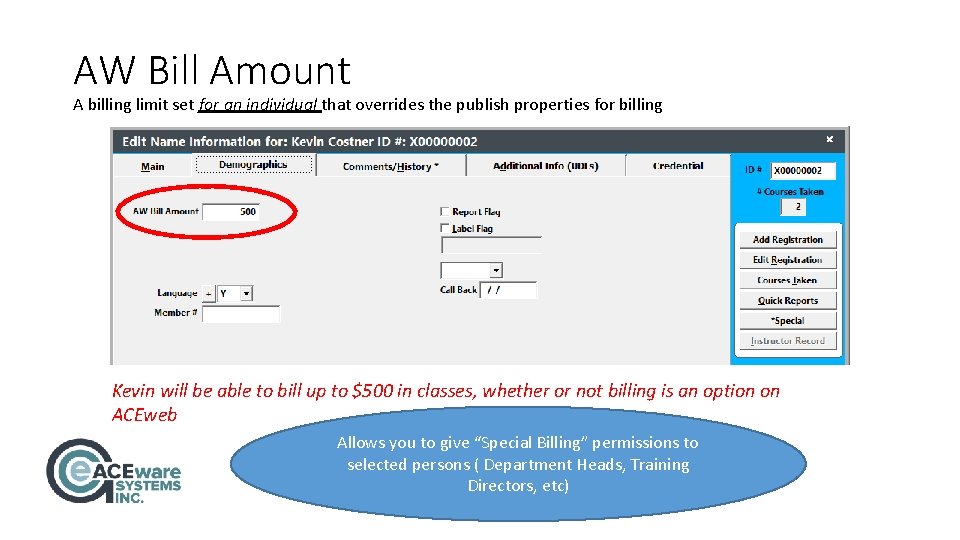
AW Bill Amount A billing limit set for an individual that overrides the publish properties for billing Kevin will be able to bill up to $500 in classes, whether or not billing is an option on ACEweb Allows you to give “Special Billing” permissions to selected persons ( Department Heads, Training Directors, etc)
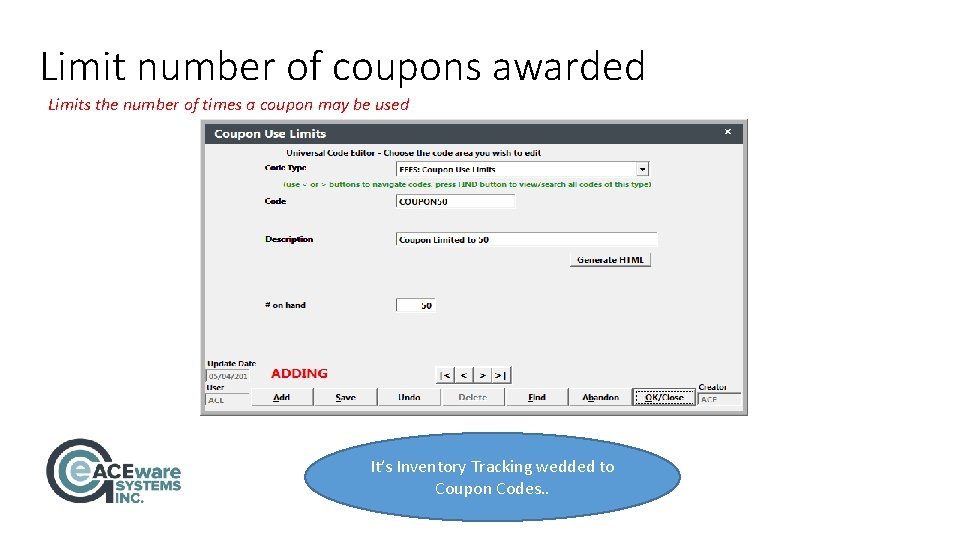
Limit number of coupons awarded Limits the number of times a coupon may be used It’s Inventory Tracking wedded to Coupon Codes. .
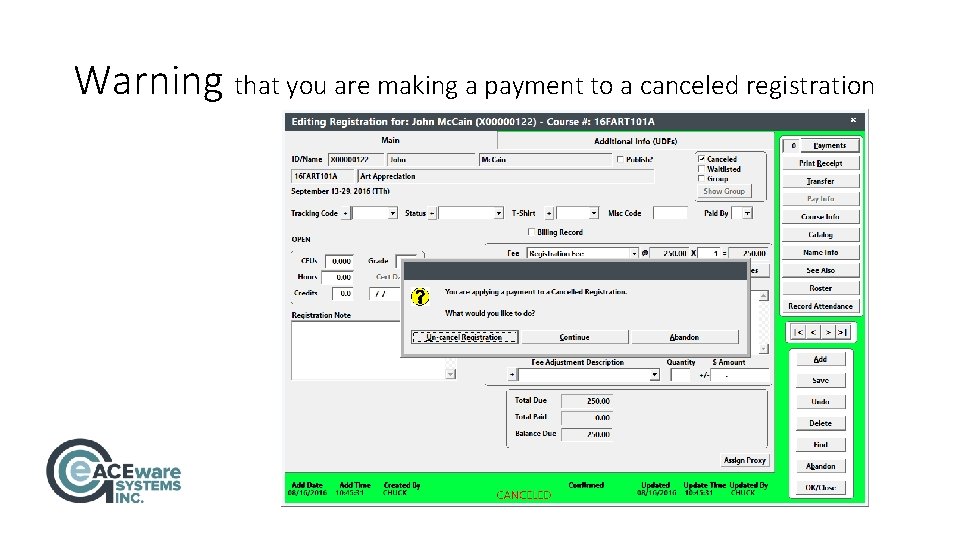
Warning that you are making a payment to a canceled registration
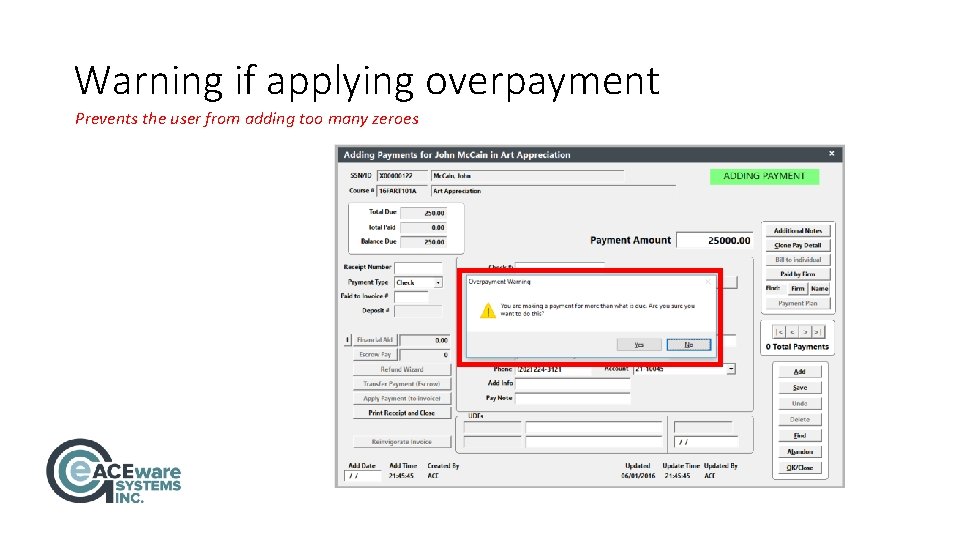
Warning if applying overpayment Prevents the user from adding too many zeroes
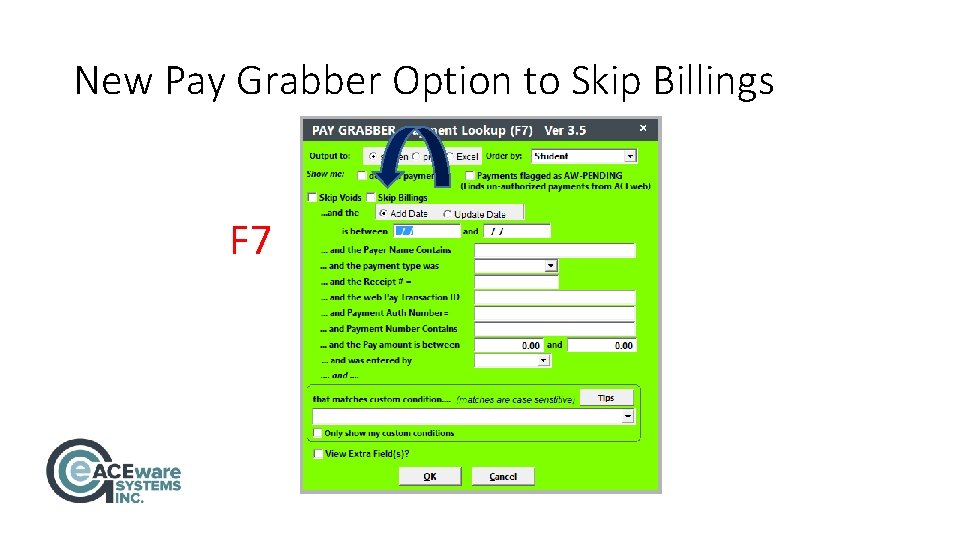
New Pay Grabber Option to Skip Billings F 7
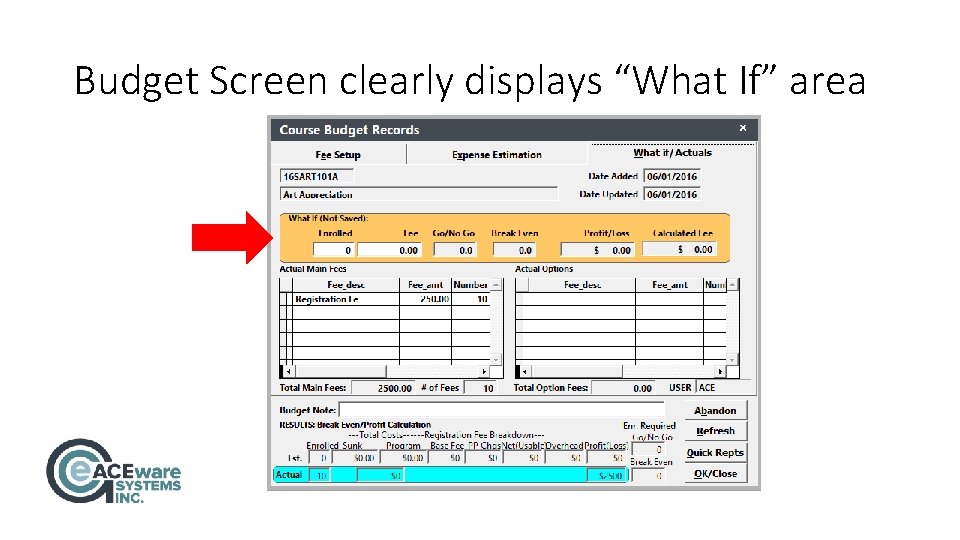
Budget Screen clearly displays “What If” area
Membership Modifications More and more Student Manager users are taking advantage of the Membership features. Taking note, we made improvements
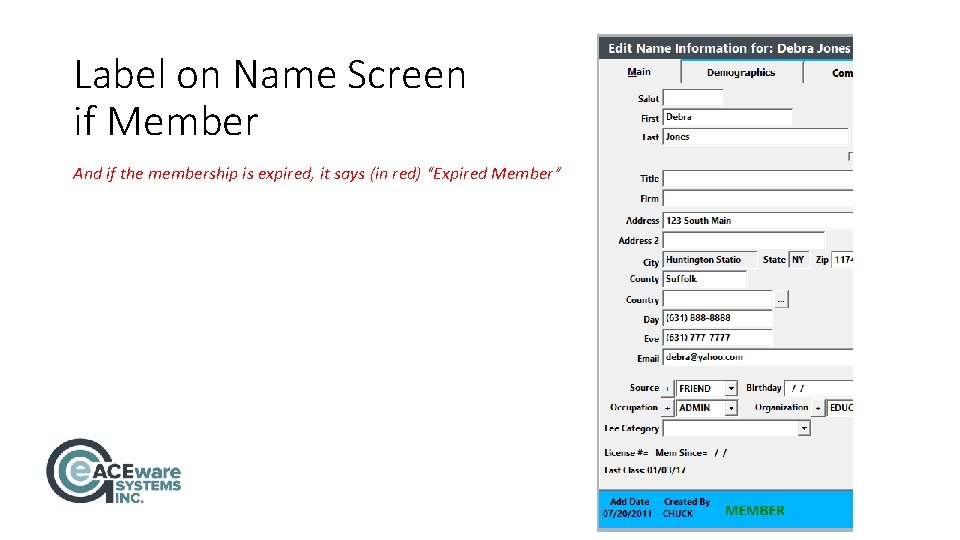
Label on Name Screen if Member And if the membership is expired, it says (in red) “Expired Member”
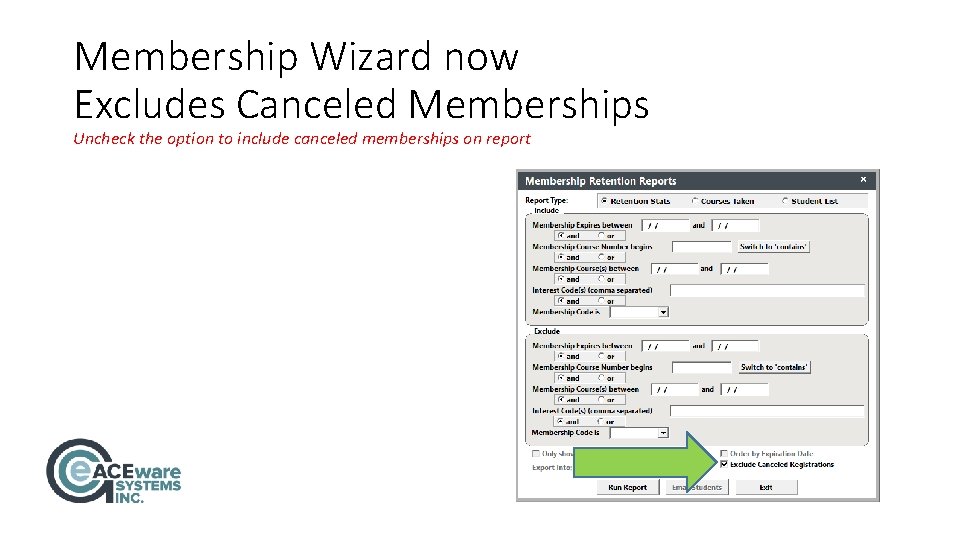
Membership Wizard now Excludes Canceled Memberships Uncheck the option to include canceled memberships on report
Questions? Suggestions?
Watch Your Email for our July Mini-Webinar Series Announcement and Registration Link