
2014 Farm Bill Section 10007 Plant Pest and
2014 Farm Bill: Section 10007 Plant Pest and Disease Management and Disaster Prevention FY 16 Process: Submitting a Suggestion
Live Meeting -- Logistics Ø Q&A Tool - We will monitor for questions Ø Polls – Provide Feedback Ø Mute unless you want to speak Ø *6 will mute a cell phone slide 2
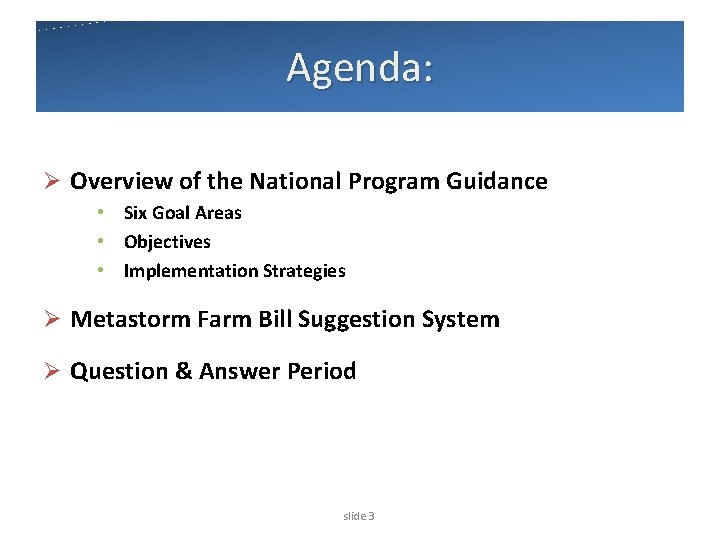
Agenda: Ø Overview of the National Program Guidance • Six Goal Areas • Objectives • Implementation Strategies Ø Metastorm Farm Bill Suggestion System Ø Question & Answer Period slide 3
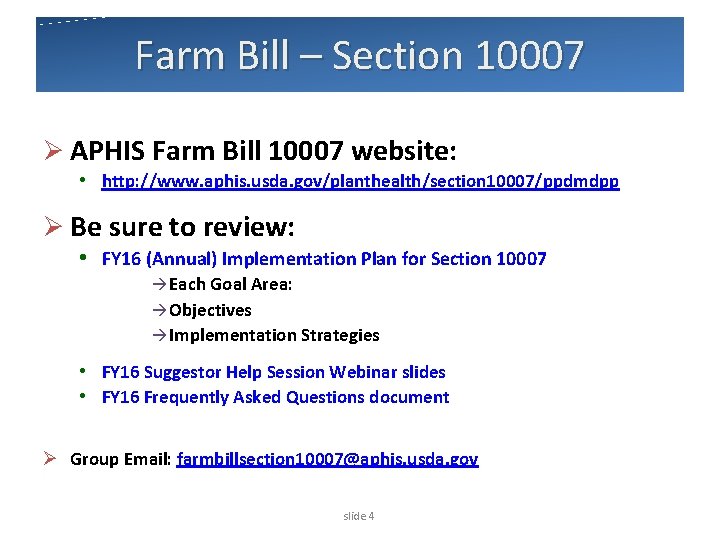
Farm Bill – Section 10007 Ø APHIS Farm Bill 10007 website: • http: //www. aphis. usda. gov/planthealth/section 10007/ppdmdpp Ø Be sure to review: • FY 16 (Annual) Implementation Plan for Section 10007 à Each Goal Area: à Objectives à Implementation Strategies • FY 16 Suggestor Help Session Webinar slides • FY 16 Frequently Asked Questions document Ø Group Email: farmbillsection 10007@aphis. usda. gov slide 4
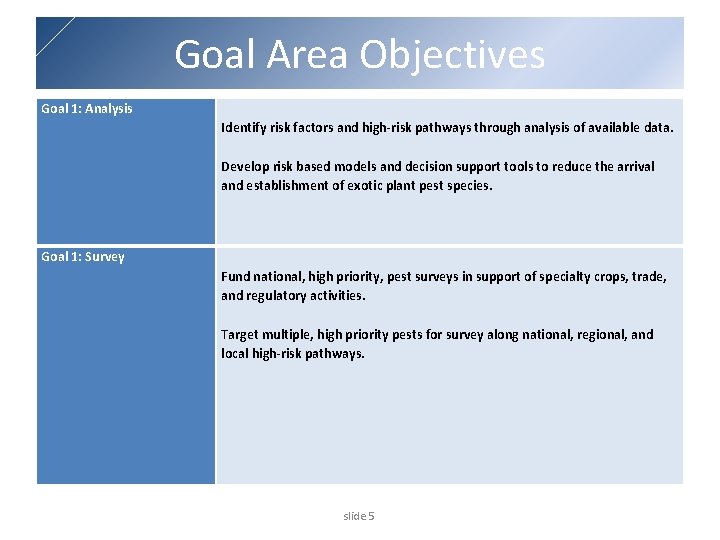
Goal Area Objectives Goal 1: Analysis Identify risk factors and high-risk pathways through analysis of available data. Develop risk based models and decision support tools to reduce the arrival and establishment of exotic plant pest species. Goal 1: Survey Fund national, high priority, pest surveys in support of specialty crops, trade, and regulatory activities. Target multiple, high priority pests for survey along national, regional, and local high-risk pathways. slide 5
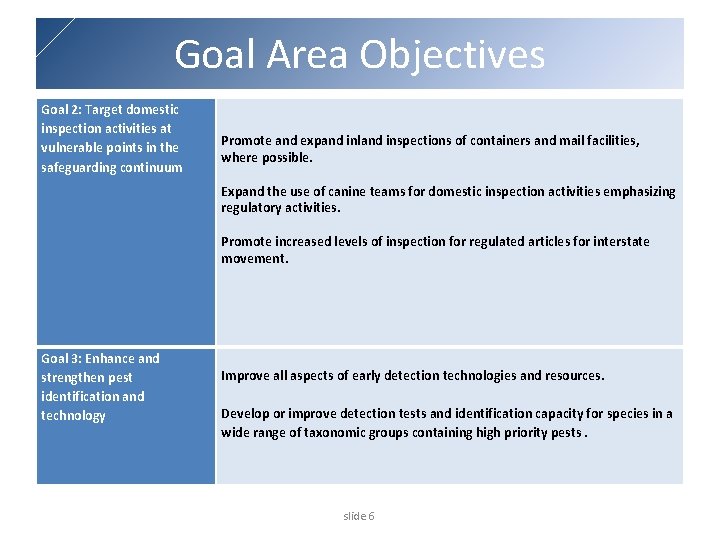
Goal Area Objectives Goal 2: Target domestic inspection activities at vulnerable points in the safeguarding continuum Promote and expand inland inspections of containers and mail facilities, where possible. Expand the use of canine teams for domestic inspection activities emphasizing regulatory activities. Promote increased levels of inspection for regulated articles for interstate movement. Goal 3: Enhance and strengthen pest identification and technology Improve all aspects of early detection technologies and resources. Develop or improve detection tests and identification capacity for species in a wide range of taxonomic groups containing high priority pests. slide 6
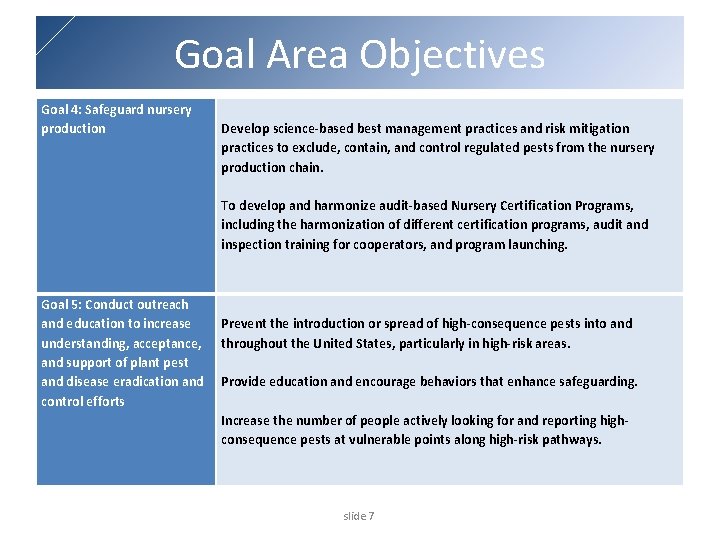
Goal Area Objectives Goal 4: Safeguard nursery production Develop science-based best management practices and risk mitigation practices to exclude, contain, and control regulated pests from the nursery production chain. To develop and harmonize audit-based Nursery Certification Programs, including the harmonization of different certification programs, audit and inspection training for cooperators, and program launching. Goal 5: Conduct outreach and education to increase understanding, acceptance, and support of plant pest and disease eradication and control efforts Prevent the introduction or spread of high-consequence pests into and throughout the United States, particularly in high-risk areas. Provide education and encourage behaviors that enhance safeguarding. Increase the number of people actively looking for and reporting highconsequence pests at vulnerable points along high-risk pathways. slide 7
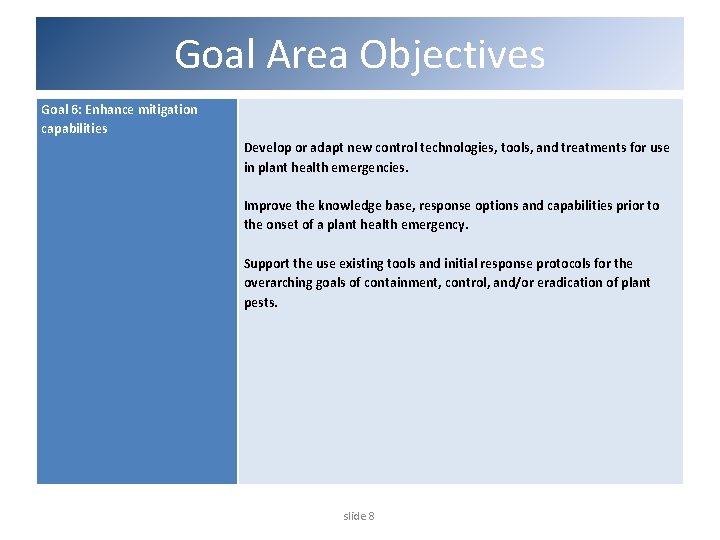
Goal Area Objectives Goal 6: Enhance mitigation capabilities Develop or adapt new control technologies, tools, and treatments for use in plant health emergencies. Improve the knowledge base, response options and capabilities prior to the onset of a plant health emergency. Support the use existing tools and initial response protocols for the overarching goals of containment, control, and/or eradication of plant pests. slide 8
Metastorm Application: Ø Web-Based tool (no downloads) Ø Metastorm works best with Microsoft Internet Explorer (IE) version 9 or 10. If using version 11, close all other programs on your computer as well as any other IE windows that may be open. Any other type of browser (such as Firefox, Opera, and Chrome) may NOT work properly, especially if running on an operating system other than MS Windows. Ø 60 minute time out with no activity • Save your work often https: //bpm. aphis. usda. gov/Metastorm slide 9
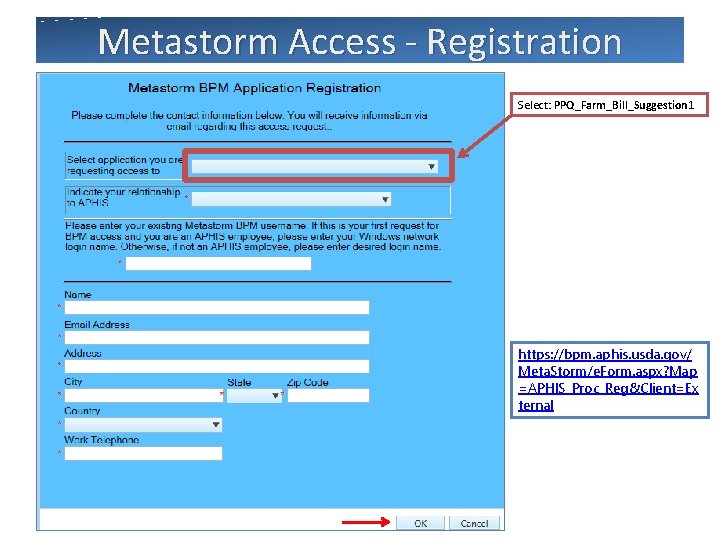
Metastorm Access - Registration Select: PPQ_Farm_Bill_Suggestion 1 https: //bpm. aphis. usda. gov/ Meta. Storm/e. Form. aspx? Map =APHIS_Proc_Reg&Client=Ex ternal slide 10
Metastorm Access - Registration Three E-Mails should be received within 48 hours. 1) User ID 2) Initial Password 3) Access granted to “PPQ Farm Bill Suggestion” emails come from: donotreply@aphis. usda. gov (Check your Junk Mail or Spam folder) slide 11
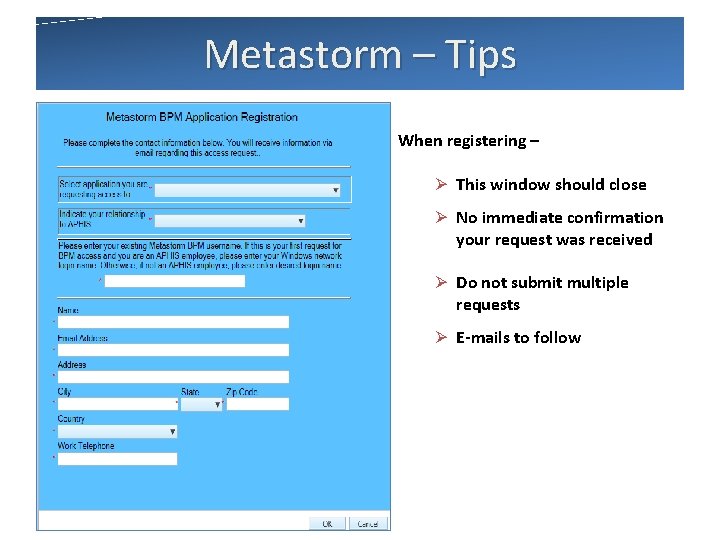
Metastorm – Tips When registering – Ø This window should close Ø No immediate confirmation your request was received Ø Do not submit multiple requests Ø E-mails to follow slide 12
Metastorm – Password Reset Ø Expired, Lost or Forgotten User Name or Passwords? • CALL the APHIS Technical Assistance Center (ATAC) • (877) 944 – 8457, select Option 1 or… • E-mail aphisremedy@aphis. usda. gov Ø ONLY (ATAC) can reset Passwords or User Names. slide 13
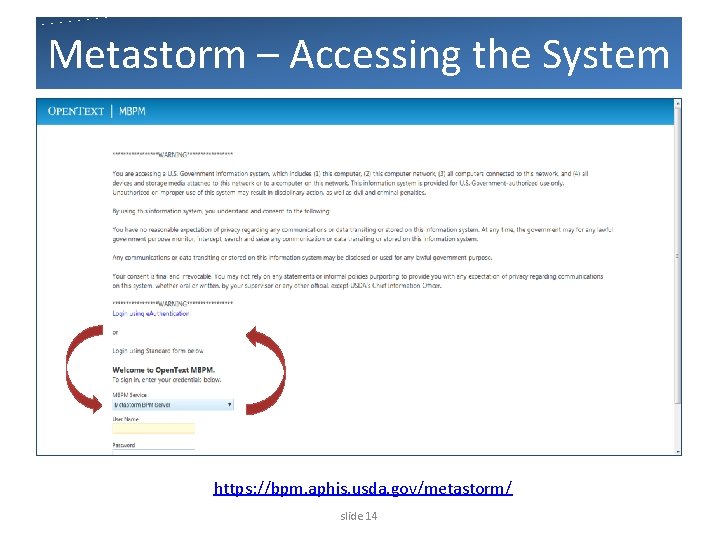
Metastorm – Accessing the System https: //bpm. aphis. usda. gov/metastorm/ slide 14
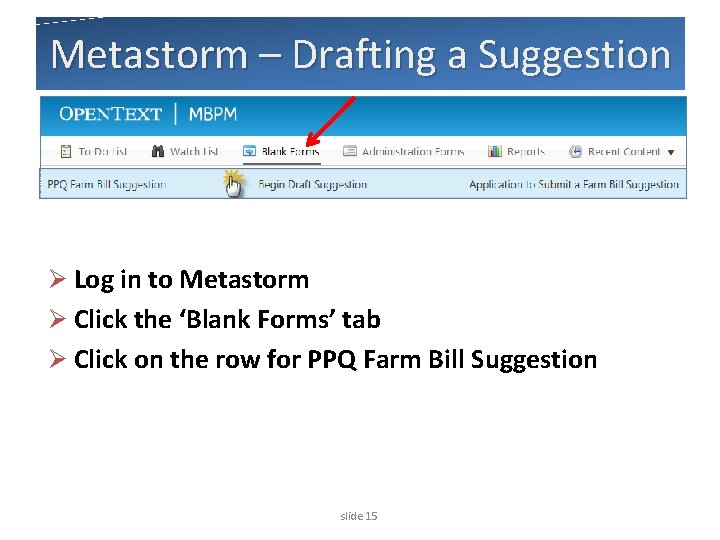
Metastorm – Drafting a Suggestion Ø Log in to Metastorm Ø Click the ‘Blank Forms’ tab Ø Click on the row for PPQ Farm Bill Suggestion slide 15
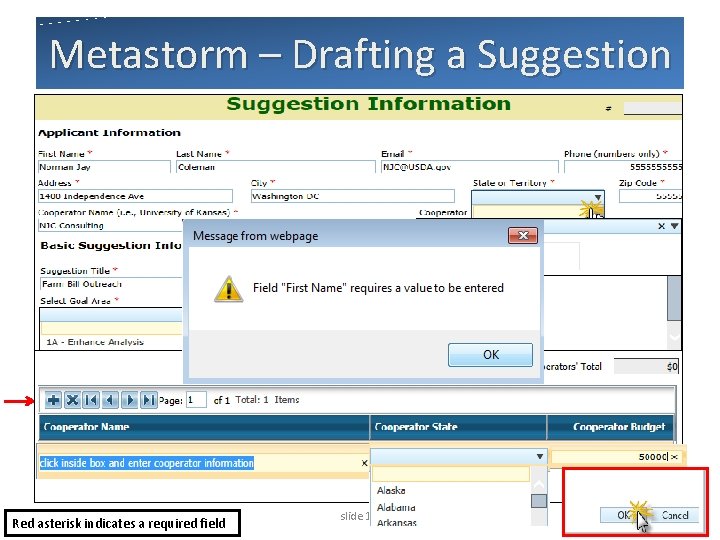
Metastorm – Drafting a Suggestion Red asterisk indicates a required field slide 16
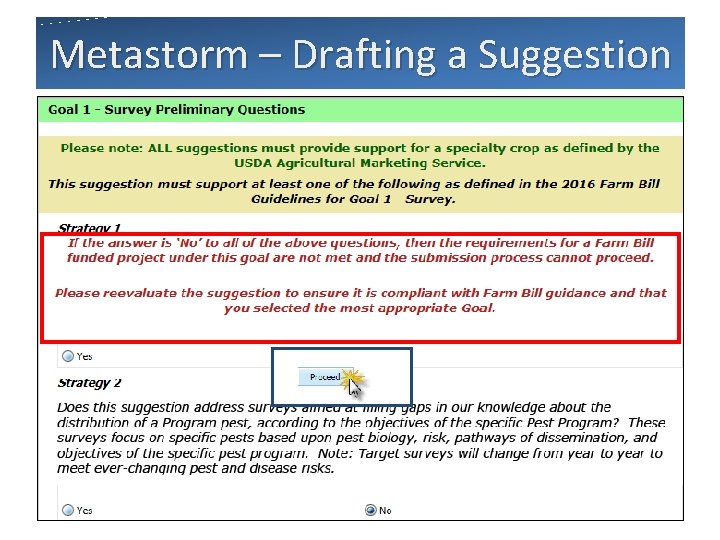
Metastorm – Drafting a Suggestion slide 17
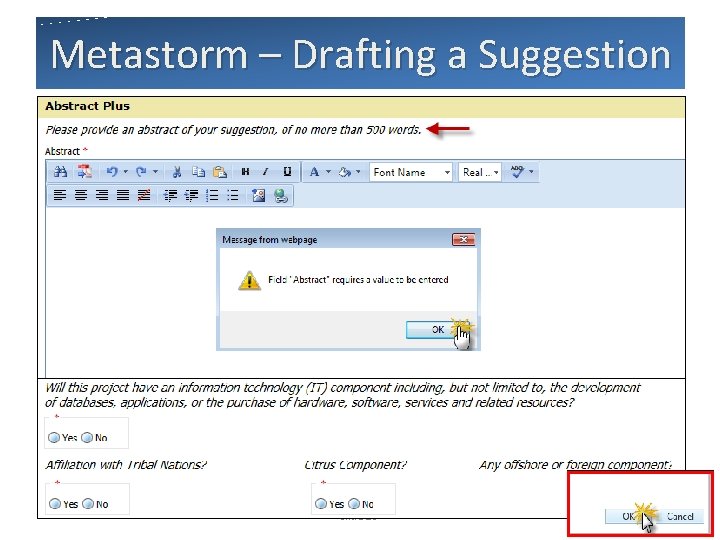
Metastorm – Drafting a Suggestion slide 18
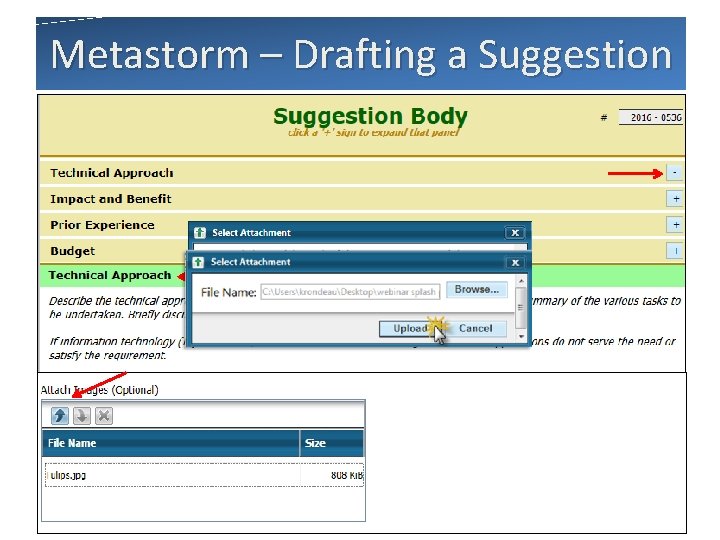
Metastorm – Drafting a Suggestion slide 19
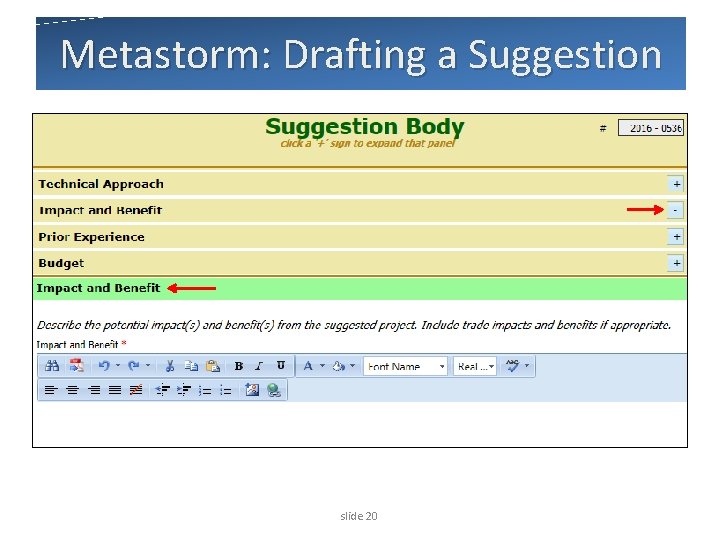
Metastorm: Drafting a Suggestion slide 20
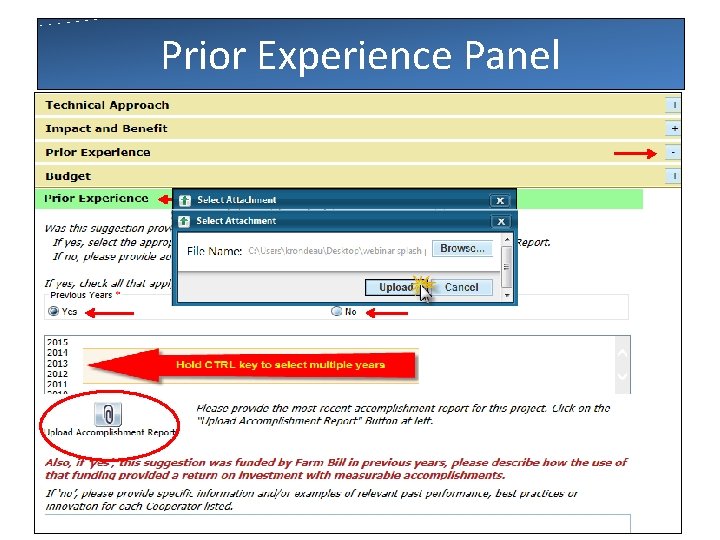
Prior Experience Panel slide 21
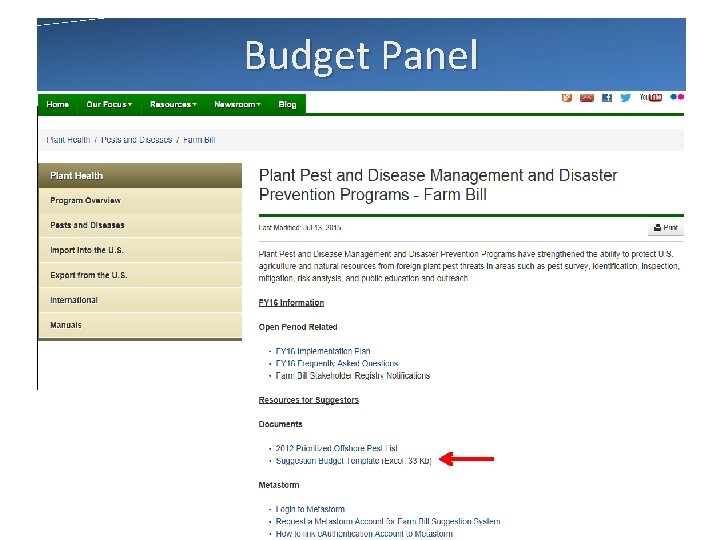
Budget Panel slide 22
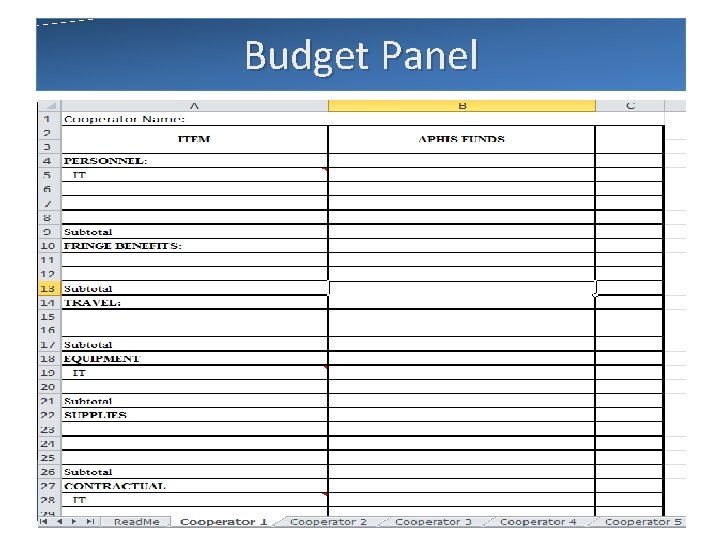
Budget Panel slide 23
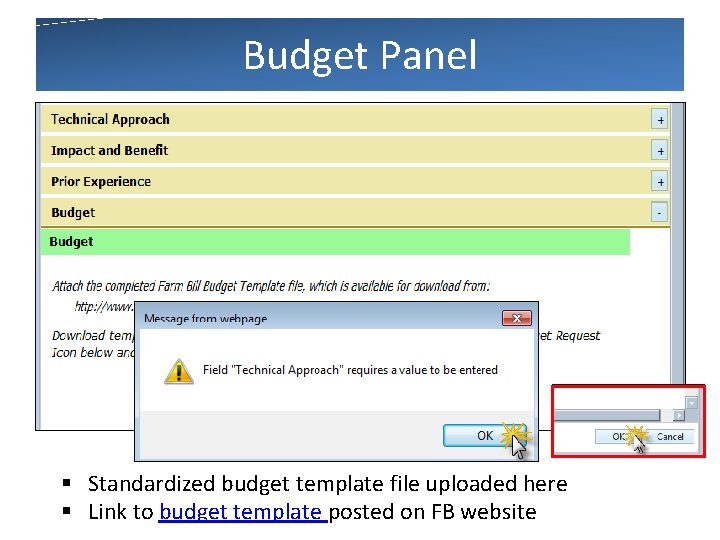
Budget Panel § Standardized budget template file uploaded here § Link to budget template posted on FB website slide 24
Metastorm – Entering a Suggestion What happens when you save a DRAFT: Ø A unique suggestion number is assigned Ø The information in the suggestion form is saved Ø The form refreshes and reopens in read-only mode slide 25
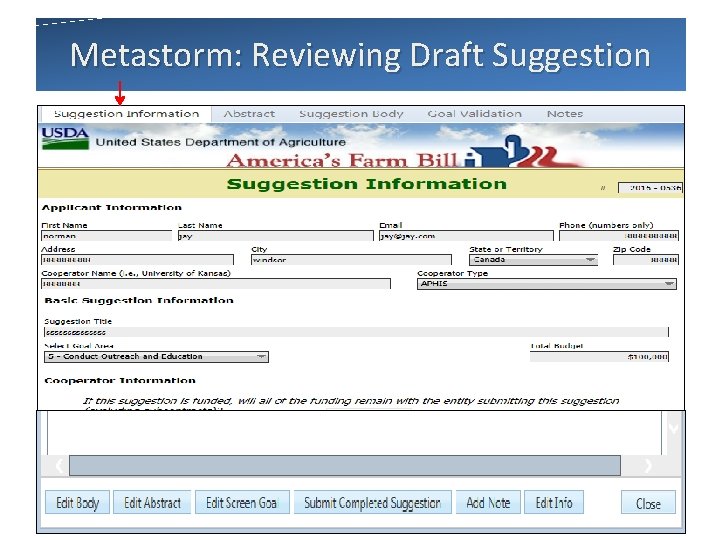
Metastorm: Reviewing Draft Suggestion slide 26
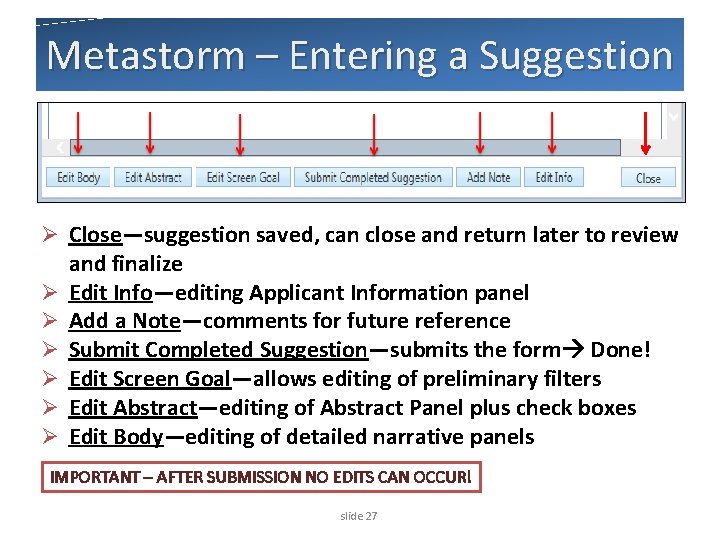
Metastorm – Entering a Suggestion Ø Close—suggestion saved, can close and return later to review Ø Ø Ø and finalize Edit Info—editing Applicant Information panel Add a Note—comments for future reference Submit Completed Suggestion—submits the form Done! Edit Screen Goal—allows editing of preliminary filters Edit Abstract—editing of Abstract Panel plus check boxes Edit Body—editing of detailed narrative panels IMPORTANT – AFTER SUBMISSION NO EDITS CAN OCCUR! slide 27
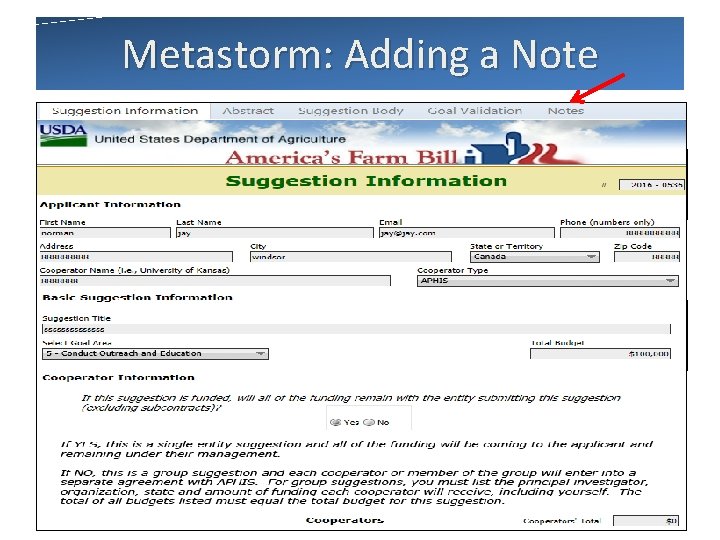
Metastorm: Adding a Note Ø Click Add Note Action Button Ø Enter Comments Ø Click OK to Save Comments for future reference slide 28
Metastorm – Suggestor Notes Ø Suggestor Notes: • added by Suggestors • for the use of the Suggestor only • not included as part of the suggestion • not visible to any reviewer role • will not be considered in the review process slide 29
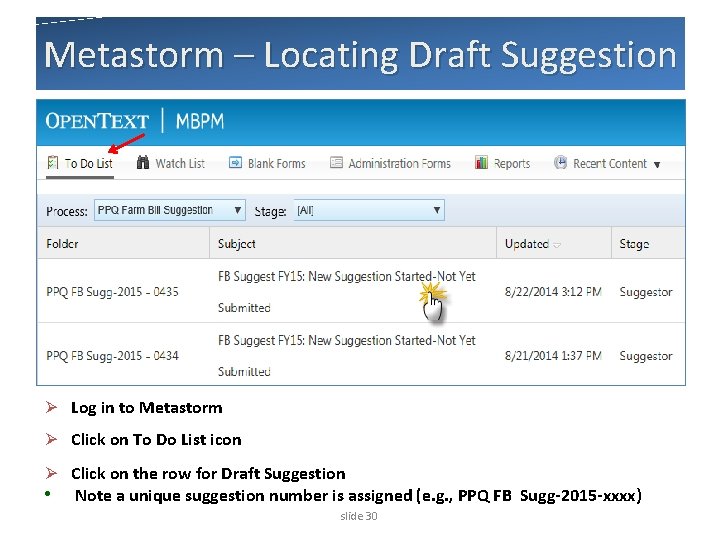
Metastorm – Locating Draft Suggestion Ø Log in to Metastorm Ø Click on To Do List icon Ø Click on the row for Draft Suggestion • Note a unique suggestion number is assigned (e. g. , PPQ FB Sugg-2015 -xxxx) slide 30
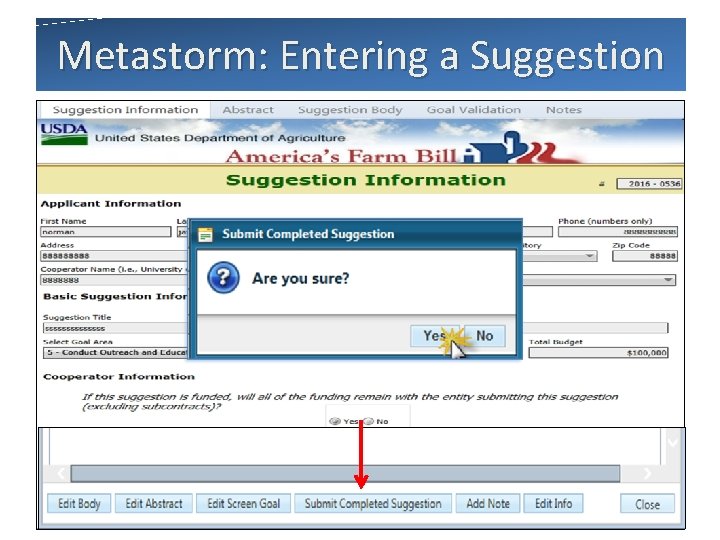
Metastorm: Entering a Suggestion slide 31
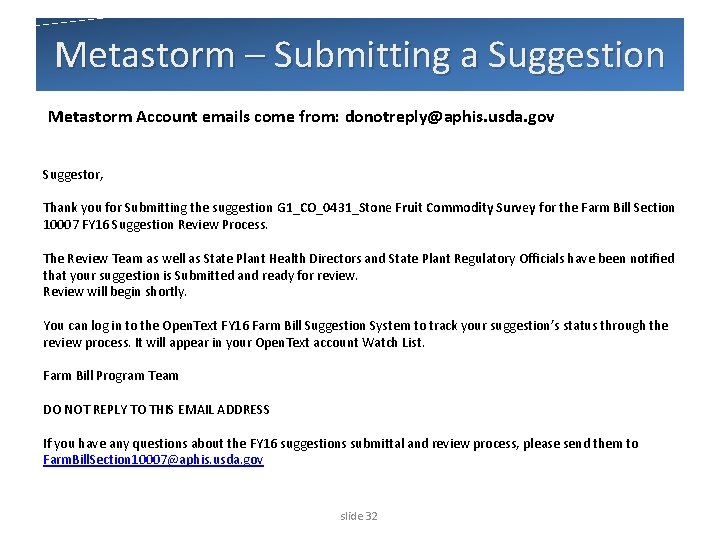
Metastorm – Submitting a Suggestion Metastorm Account emails come from: donotreply@aphis. usda. gov Suggestor, Thank you for Submitting the suggestion G 1_CO_0431_Stone Fruit Commodity Survey for the Farm Bill Section 10007 FY 16 Suggestion Review Process. The Review Team as well as State Plant Health Directors and State Plant Regulatory Officials have been notified that your suggestion is Submitted and ready for review. Review will begin shortly. You can log in to the Open. Text FY 16 Farm Bill Suggestion System to track your suggestion’s status through the review process. It will appear in your Open. Text account Watch List. Farm Bill Program Team DO NOT REPLY TO THIS EMAIL ADDRESS If you have any questions about the FY 16 suggestions submittal and review process, please send them to Farm. Bill. Section 10007@aphis. usda. gov slide 32
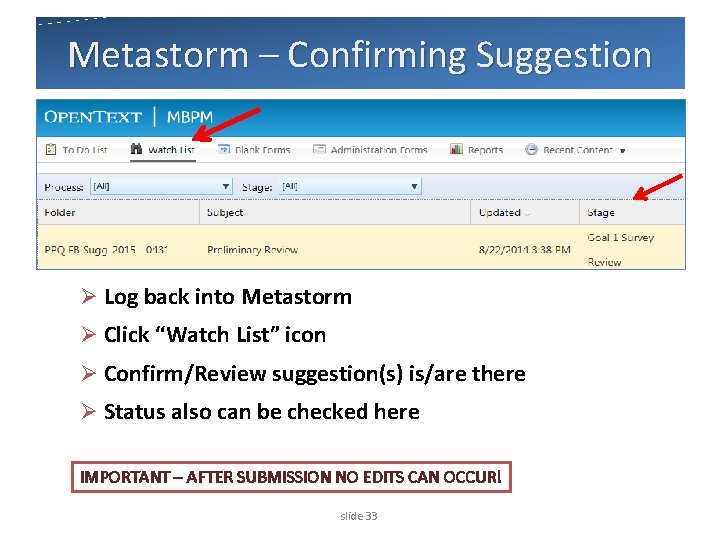
Metastorm – Confirming Suggestion Ø Log back into Metastorm Ø Click “Watch List” icon Ø Confirm/Review suggestion(s) is/are there Ø Status also can be checked here IMPORTANT – AFTER SUBMISSION NO EDITS CAN OCCUR! slide 33
Metastorm – Tips Ø Make sure your Pop-Up blocker is off. Ø Close all Internet Explorer Windows and Reopen. Ø Metastorm Account emails come from: donotreply@aphis. usda. gov • Check your Junk Mail or Spam folder just in case. Ø Make sure you’re using Internet Explorer. slide 34
Contacts: Goal Team Leads Goal 1 Survey Brian Kopper brian. j. kopper@aphis. usda. gov Goal 2 Wendy Beltz Goal 3 Megan Romberg Goal 5 Lora Katz Goal 6 Ron Weeks wendolyn. beltz@aphis. usda. gov megan. k. romberg@aphis. usda. gov Goal 1 Analysis Lisa Kennaway lisa. f. kennaway@aphis. usda. gov Goal 4 Karen Maguylo karen. l. maguylo@aphis. usda. gov lora. katz@aphis. usda. gov ron. d. weeks@aphis. usda. gov Farm Bill Management Team Valerie De. Feo valerie. defeo@aphis. usda. gov Ken Bloem kenneth. bloem@aphis. usda. gov Kristian Rondeau kristian. c. rondeau@aphis. usda. gov Group Email: farmbillsection 10007@aphis. usda. gov slide 35
Stay Connected Ø Go to the Farm Bill Section 10007 Web Site http: //www. aphis. usda. gov/planthealth/section 10007/ ppdmdpp Ø Subscribe to the Stakeholder Registry - Farm Bill Section 10007 topic at: http: //bit. ly/aphisupdates Ø Or go to the APHIS Web site http: //www. aphis. usda. gov and click the red envelope slide 36
Questions? farmbillsection 10007@aphis. usda. gov
- Slides: 37