
2013 PROTECH Users Group ASSA ABLOY is the
2013 PRO-TECH® Users’ Group ASSA ABLOY is the global leader in door opening solutions, dedicated to satisfying end-user needs for security, safety and convenience 1
2013 PRO-TECH Users’ Group (day 1) § Welcome § Introductions § Agenda – 12: 45 - 1: 45 Round table / training – 1: 45 – 2: 00 Break – 2: 00 – 3: 00 Change Management demonstration – 3: 00 – 4: 00 Change Management discussion – 4: 00 – 5: 00 Firebird / Backup databases 2
2013 PRO-TECH Users’ Group (day 1) § Round table / training § Break 3
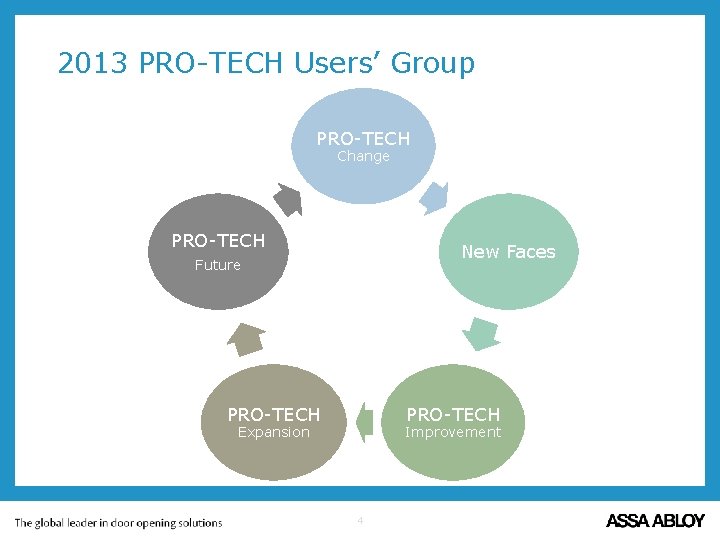
2013 PRO-TECH Users’ Group PRO-TECH Change PRO-TECH New Faces Future PRO-TECH Expansion Improvement 4
2013 PRO-TECH Users’ Group § PRO-TECH Change! – No longer a Door Group entity. . . – Strategic part of Assa Abloy Americas – Why? PRO-TECH Change 5
2013 PRO-TECH Users’ Group § New Faces! – Abbott Brush – Software Architect – Peter Limosani – Software Developer – Beau St Louis – Software Test Engineer – Jodi Dahl – Software Support Technician New Faces 6
2013 PRO-TECH Users’ Group § PRO-TECH Improvment – DB Upgrade (V 7. 8) – Change Management (V 8. 0) – V 8. 1 and beyond. . . PRO-TECH Improvement 7
2013 PRO-TECH Users’ Group § PRO-TECH Expansion – 12 new customer in last 5 months PRO-TECH Expansion 8
2013 PRO-TECH Users’ Group § PRO-TECH Future – BIM (Building Information Modeling) – UI Upgrade – Integration. . . Seamless Flow! PRO-TECH Future 9
Change Management Functions § Track Changes to the Original Project via Revisions (Working Projects). § Track changes to key items (those that affect costs): – Cost, Preps, Modifiers, Print Codes, Order Codes – Track changes in Estimating Detailed Materials – Track changes in Scheduling Detailed Materials – Track changes in Estimating Detailed Hardware – Track changes in Scheduling Detailed Hardware – Track changes in Edit Project Hardware – Track changes in Bulk Materials (no Revision Hints) 10
Change Management Features § Manage a Set of Revisions to a Project. § Original and Working Projects § Create, Approve, Cancel, or Delete a Revision to a Project. § Revision History via Highlighted fields and Pop-up Revision Hints. § Modifications to the User Interface: Visual indication when a Project is under Revision. 11
Change Management Reports § Material Delta Cost Report: Shows the changes to Door and Frame costs for the project based on the Revision. § Hardware Delta Cost Report: Shows the changes to Hardware cost for the project based on the Revision. § Revision Report: Details all changes (additions, deletions, and modifications) to an opening made under the specified revision. § Approved Revision Summary Report: Presents the Delta cost and positive Delta costs of each approved revision from the original project. 12
Change Management Demo – Tim Armstrong 13
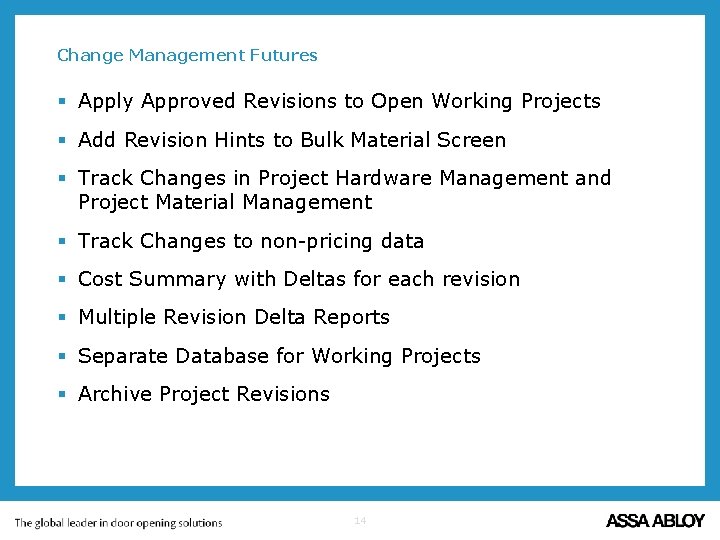
Change Management Futures § Apply Approved Revisions to Open Working Projects § Add Revision Hints to Bulk Material Screen § Track Changes in Project Hardware Management and Project Material Management § Track Changes to non-pricing data § Cost Summary with Deltas for each revision § Multiple Revision Delta Reports § Separate Database for Working Projects § Archive Project Revisions 14
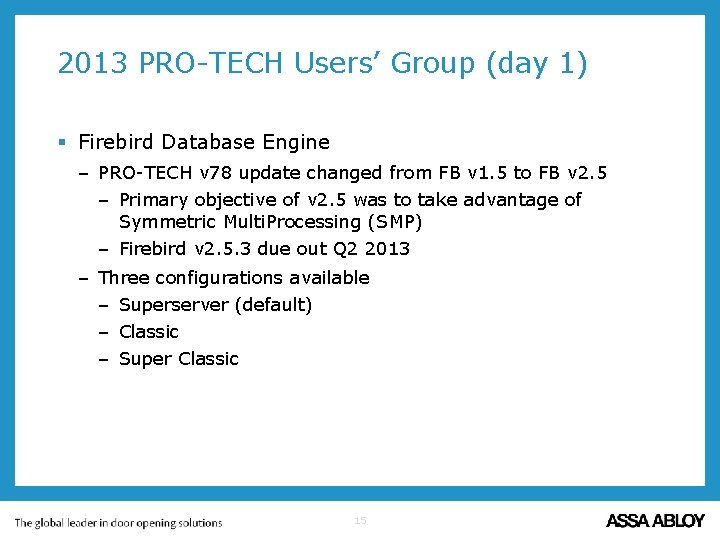
2013 PRO-TECH Users’ Group (day 1) § Firebird Database Engine – PRO-TECH v 78 update changed from FB v 1. 5 to FB v 2. 5 – Primary objective of v 2. 5 was to take advantage of Symmetric Multi. Processing (SMP) – Firebird v 2. 5. 3 due out Q 2 2013 – Three configurations available – Superserver (default) – Classic – Super Classic 15
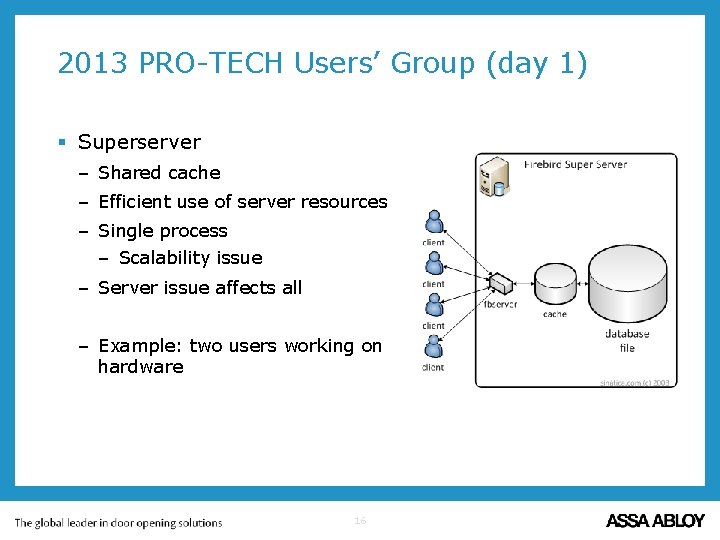
2013 PRO-TECH Users’ Group (day 1) § Superserver – Shared cache – Efficient use of server resources – Single process – Scalability issue – Server issue affects all – Example: two users working on hardware 16
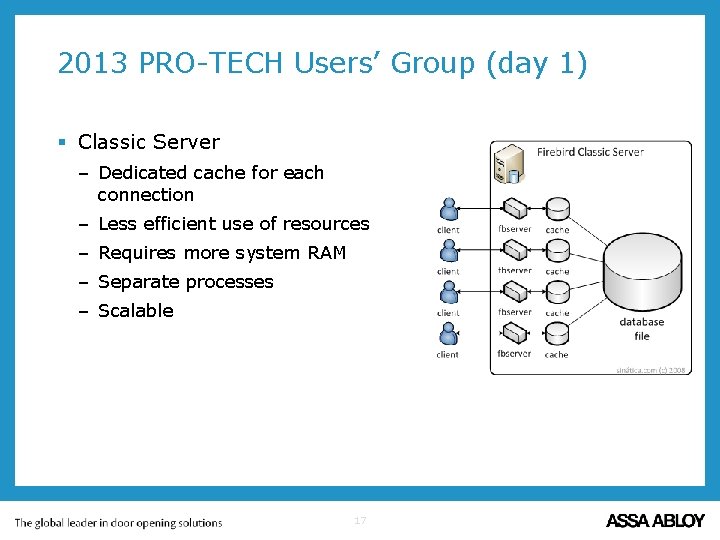
2013 PRO-TECH Users’ Group (day 1) § Classic Server – Dedicated cache for each connection – Less efficient use of resources – Requires more system RAM – Separate processes – Scalable 17
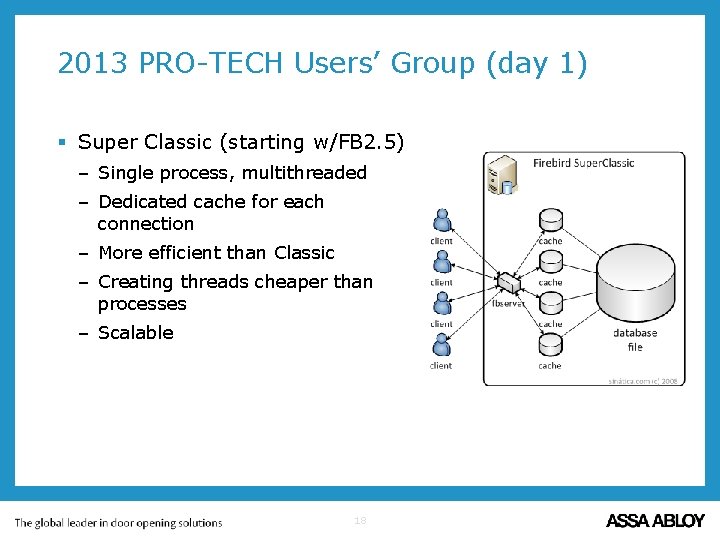
2013 PRO-TECH Users’ Group (day 1) § Super Classic (starting w/FB 2. 5) – Single process, multithreaded – Dedicated cache for each connection – More efficient than Classic – Creating threads cheaper than processes – Scalable 18
2013 PRO-TECH Users’ Group (day 1) § Firebird Database Engine – Conclusions: – http: //www. firebirdsql. org/manual/qsg 25 -appx-architectures. html – None out shines the other two on all fronts. – Classic Server or Super Classic if system performance is impacted with many users or specific task affects other users. – Super Classic is better for 64 bit systems 19
2013 PRO-TECH Users’ Group (day 1) § Database Backup – Backup *. fdb files daily – Three methods – Operating system (o/s) – Firebird nbackup utility – Firebird gbak utility – Operating system – Tape, usb, external hard drive, Mozy. Pro, etc. – Database corruption can occur if user is in PRO-TECH and o/s backup occurs 20
2013 PRO-TECH Users’ Group (day 1) § Database Backup – Firebird nbackup utility – Main database file is locked –. delta file created – All transactions saved in. delta file – Main database file can be copied via o/s – Main database file is unlocked –. delta file transactions applied to main db file –. delta file deleted – Incremental backups available – Can be done while using PRO-TECH 21
2013 PRO-TECH Users’ Group (day 1) § Database Backup – Firebird utility (gbak) – Can be used to ”defragment” a database. – Backup – Saves database structure – Saves flat data – Restore – Builds database structure – Inserts records – Balances indices 22
2013 PRO-TECH Users’ Group (day 1) § Database Backup – Options – Operating system – Schedule stop/start of Firebird service before/after backup software – Stop/start of Firebird service – Ends any open transaction – Frees memory – No one can access PRO-TECH while service is stopped – If needed, restore time is determined by media – Database compression possible before backup 23
2013 PRO-TECH Users’ Group (day 1) § Database Backup – Options – Operating system with Firebird nbackup – Can be used in conjunction with o/s backup – Can be done while database is in use – Does not ”defrag” database 24
2013 PRO-TECH Users’ Group (day 1) § Database Backup – Options – Firebird backup - gbak – Can be used to create database backup file – Can be done while database is in use – If needed, restore may take several hours – Backup file needs to be restored to test validity – Firebird restore -gbak – At least once every two months to ”defrag” § Balance of Backup time / File size / Restore Time 25
2013 PRO-TECH Users’ Group (day 1) § Database Backup – Utility – Backup_routine_svc. bat – Interactive or scheduled – Interactive will not delete any file; scheduled will – Options to: – Validate, Mend, Backup, and Restore (1, 4) – Backup and Restore only (2, 6) – 7 zip *. fdb files (3, 7) 26
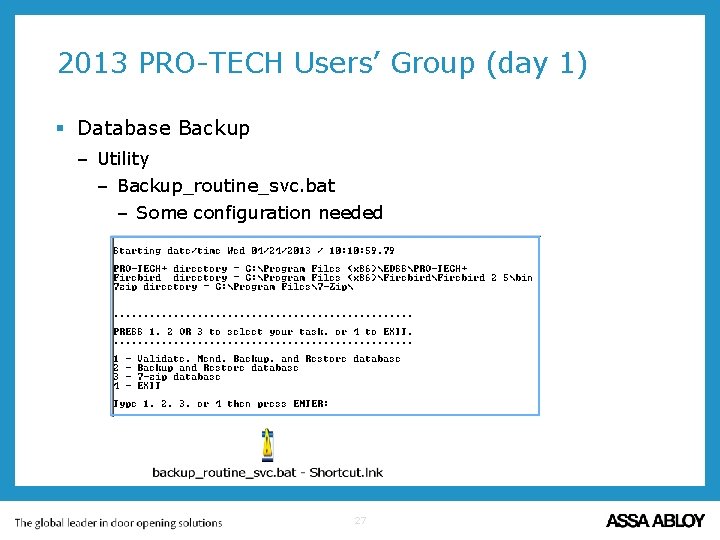
2013 PRO-TECH Users’ Group (day 1) § Database Backup – Utility – Backup_routine_svc. bat – Some configuration needed 27
2013 PRO-TECH Users’ Group (day 1) § Questions? 28
2013 PRO-TECH® Users’ Group ASSA ABLOY is the global leader in door opening solutions, dedicated to satisfying end-user needs for security, safety and convenience 29

2013 PRO-TECH Users’ Group (day 2) § Welcome § Agenda – 12: 00 - 1: 00 ASSA ABLOY Opening Studio (AAOS) / BIM – 1: 00 – 2: 00 Datamover – AAOS import, project, price books – 2: 00 – 2: 30 AAOS project in PRO-TECH – 2: 30 – 2: 45 break – 2: 45 – 3: 30 DOT ordering – Doors, Frames, Hardware – PRO-TECH website – 3: 30 - 5: 00 Round table discussion 30

2013 PRO-TECH Users’ Group (day 2) § ASSA ABLOY Opening Studio (AAOS) – Tom Lewis § Datamover – AAOS import – PRO-TECH project import/export – PRO-TECH pricebook import – PRO-TECH project from AAOS import 31
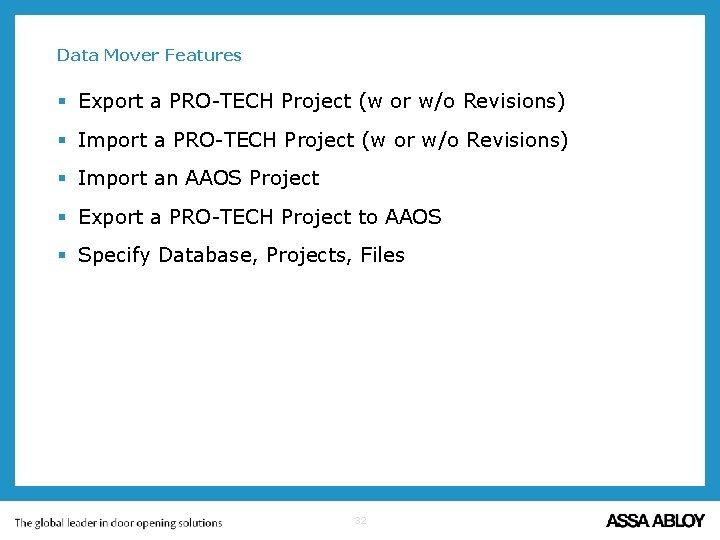
Data Mover Features § Export a PRO-TECH Project (w or w/o Revisions) § Import an AAOS Project § Export a PRO-TECH Project to AAOS § Specify Database, Projects, Files 32
Data Mover Demo – Pete Limosani 33

Data Mover Futures § Direct Integration with PRO-TECH § Import Support for Old Format Project Files (PRJ, PPRJ) § Project Archive (Database to Database Move) § Price Book Import (New Format) 34
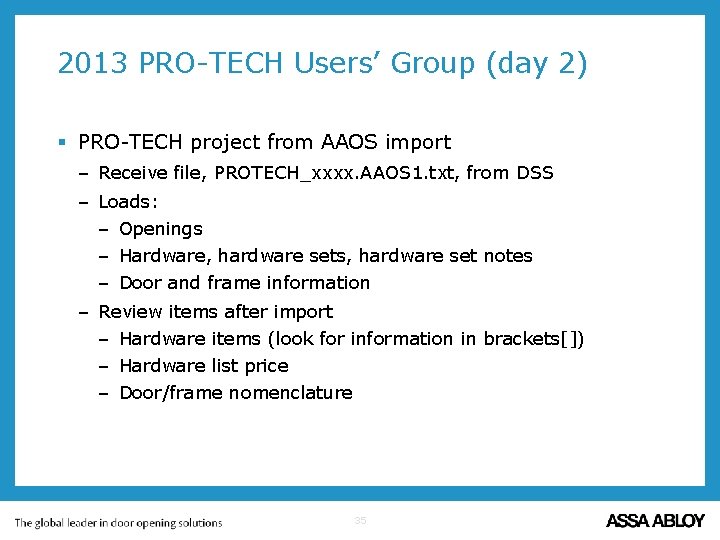
2013 PRO-TECH Users’ Group (day 2) § PRO-TECH project from AAOS import – Receive file, PROTECH_xxxx. AAOS 1. txt, from DSS – Loads: – Openings – Hardware, hardware sets, hardware set notes – Door and frame information – Review items after import – Hardware items (look for information in brackets[]) – Hardware list price – Door/frame nomenclature 35
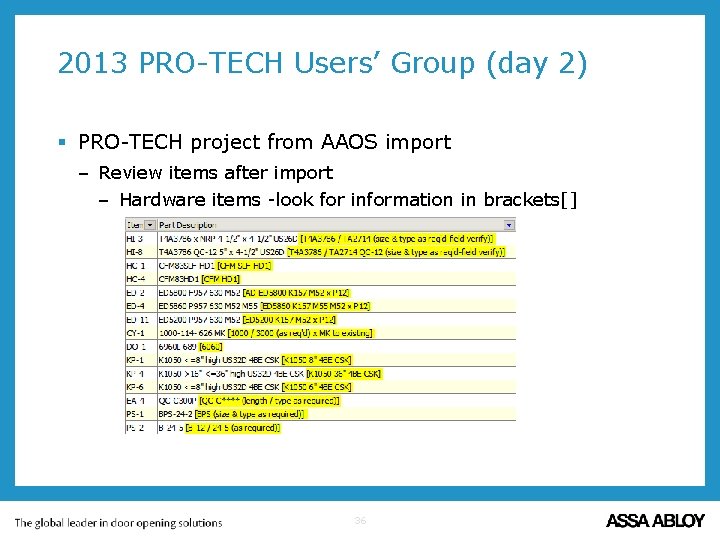
2013 PRO-TECH Users’ Group (day 2) § PRO-TECH project from AAOS import – Review items after import – Hardware items -look for information in brackets[] 36

2013 PRO-TECH Users’ Group (day 2) § PRO-TECH project from AAOS import – Review items after import – Hardware list price – List price = $0 – List price for ”generic” item – Items from ACP pricebooks 37
2013 PRO-TECH Users’ Group (day 2) § PRO-TECH project from AAOS import – Review items after import – Door/frame nomenclature – Items imported as specified (Ceco or Curries) – Easy to switch vendor - example 38
2013 PRO-TECH Users’ Group (day 2) § Questions? 39
2013 PRO-TECH® Users’ Group ASSA ABLOY is the global leader in door opening solutions, dedicated to satisfying end-user needs for security, safety and convenience 40
2013 PRO-TECH Users’ Group (day 3) § Welcome § Agenda – 8: 00 – 8: 30 Testing – 8: 30 – 10: 00 Future Path / Road map – 10: 00 – 10: 15 break – 10: 15 – 11: 30 Accounting integration – 11: 30 – 12: 30 Lunch – 12: 30 – 1: 30 Round table discussion – 1: 30 – 2: 00 Miscellaneous items 41
Quality Assurance § New Department at EDSS § Automated Testing Tools § Fully Scripted with Screen and Report Comparisons § Regression Testing for each Application Build § Use Case and Scenario based Testing (Requirements) § Each New Test Case is Added to the Test Library § Customer Databases & Projects for Stress Testing § All Tests Executed in Multiple Environments § Manual Testing 42
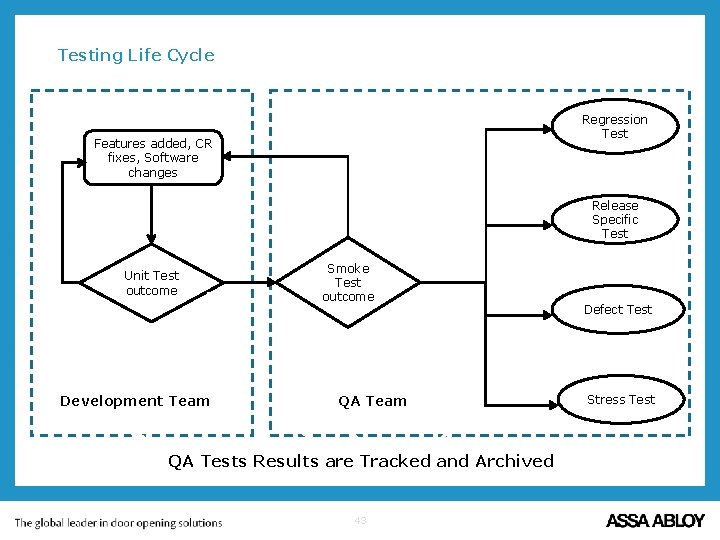
Testing Life Cycle Regression Test Features added, CR fixes, Software changes Fail Unit Test outcome Pas s Software Development Team Developer s Smoke Test outcome QA Team QA (Beau) QA Tests Results are Tracked and Archived 43 Release Specific Test Defect Test Stress Test
Testing Methodology § Smoke Test – The Smoke Test is a quick sanity check of the build. It tests the basic features of the build such as creating Hardware Sets, creating Openings and producing the Material Cost Summary. § Regression Test – The Regression Test contains a list of features and CRs that are used to test on every build. This test is to make sure that all previous features and previous defect repairs are not “broken” due to a new feature or repair. § Release Specific Test – The Release Specific Test validates the new features added to the release. It also tests internal code changes (e. g. conversions, algorithms). Successful test cases are added to the Regression Test Library. § Defect Test – The Defect Test validates the defect repairs added to the release. Successful test cases are added to the Regression Test Library. § Stress Test – The Stress Test determines the robustness of the software by testing at and beyond the limits of normal operation. 44
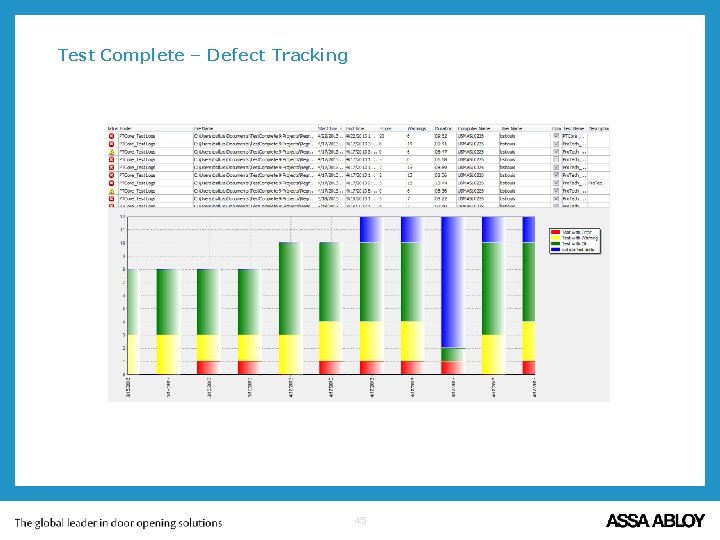
Test Complete – Defect Tracking 45
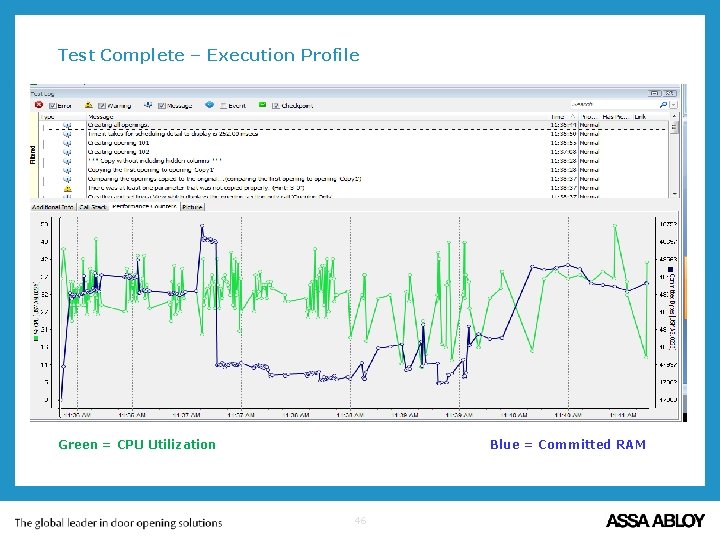
Test Complete – Execution Profile Green = CPU Utilization Blue = Committed RAM 46
Release 8. 0 – April 2013 – Focus: Change Management § Project Revision Tracking § Delta Cost Reports § Revision History and Summary Reports § Data Mover for PRO-TECH and AAOS § Updated Users Guide / Help § Multiple Row Singleton Select – Repair & Prevention § Customer Requests & Defect Repairs § Automated Testing 47

Release 8. 01 – Summer 2013 – Focus: Customer Requests & Stability § Enhanced Change Management Features § Enhanced Data Mover Features (Archive & Price Books) § Grid Copy/Paste with Filtering; Performance § Copy User Created Hardware from Existing Project § Quick. Books Integration (PO, SO, Estimate) § Material Ordering Worksheet § PRO-TECH News Splash Screen § Customer Requests & Defect Repairs 48

Release 8. 1 – Late Fall 2013 – Focus: Integration & Modernization § User Interface Enhancements § Customer Requests & Defect Repairs § Modernize Detail Grid & Edit Project Hardware § System Performance Enhancements § Streamline Material Pricebooks in Projects § contract. ERP Integration Enhancements § Quick. Books Integration (Customers, Vendors, Inventory) § TOAD Integration § Componentized Update System 49
Enhancing the User Experience § PRO-TECH Welcome / Notification Screen § Novice and Expert Navigation § Opening Panel: Opening, Frame, Door(s), Hardware Set § Integrated Add/Create Project Hardware Panel § Workflow Navigation § Windows 7 & Windows 8 Look and Feel § Modifiable Report Formatting § Simplified Quoting § Barcodes, Tablets § Web Interface 50
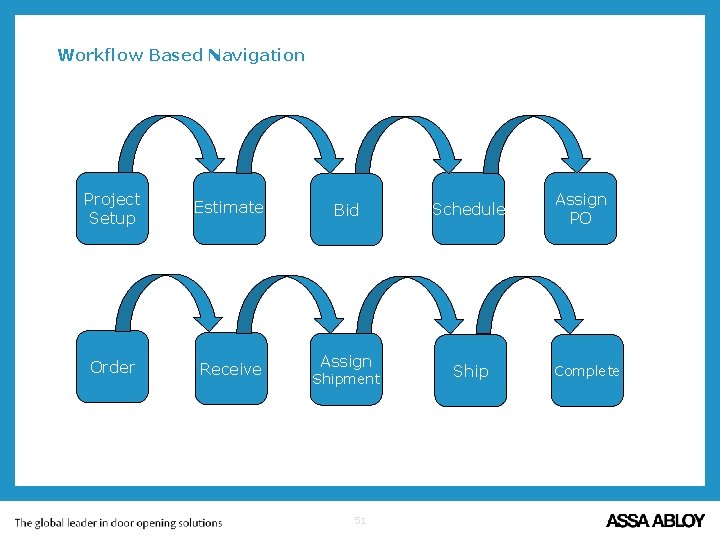
Workflow Based Navigation Project Setup Estimate Bid Order Receive Assign Shipment 51 Schedule Ship Assign PO Complete
Enhancing the User Experience Demo – Beau St Louis 52
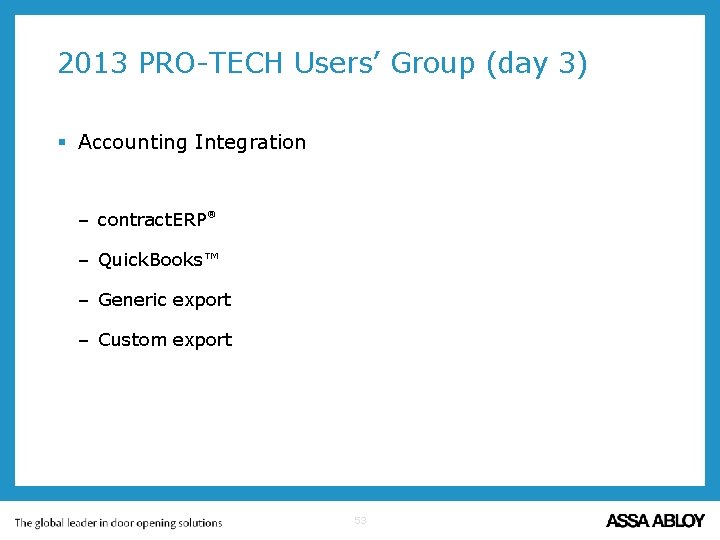
2013 PRO-TECH Users’ Group (day 3) § Accounting Integration – contract. ERP ® – Quick. Books™ – Generic export – Custom export 53
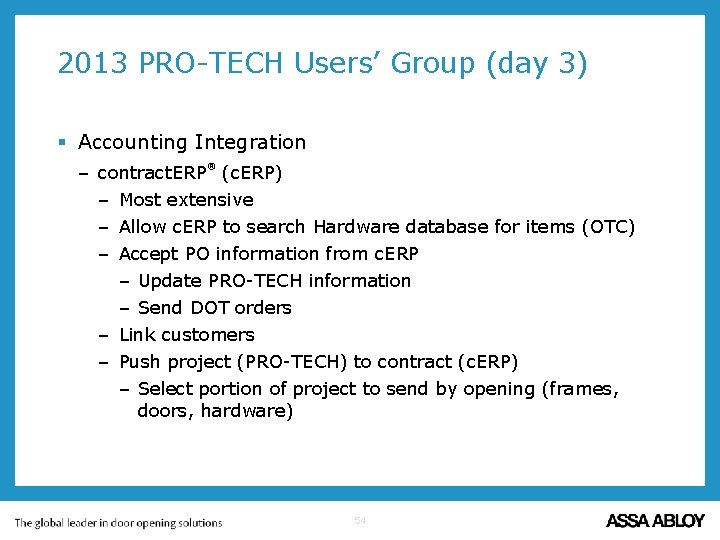
2013 PRO-TECH Users’ Group (day 3) § Accounting Integration ® – contract. ERP (c. ERP) – Most extensive – Allow c. ERP to search Hardware database for items (OTC) – Accept PO information from c. ERP – Update PRO-TECH information – Send DOT orders – Link customers – Push project (PRO-TECH) to contract (c. ERP) – Select portion of project to send by opening (frames, doors, hardware) 54
2013 PRO-TECH Users’ Group (day 3) § Accounting Integration ® – contract. ERP (c. ERP) – PRO-TECH will be able to launch c. ERP windows in browser and make changes in c. ERP – Contract page – Material List – PRO-TECH will be able to check status of material in c. ERP to determine if change order is needed. – Push Change. Order (PRO-TECH) to contract (c. ERP) – Will be able to display Order status and Release status of individual items within c. ERP – Inventory handled within c. ERP 55
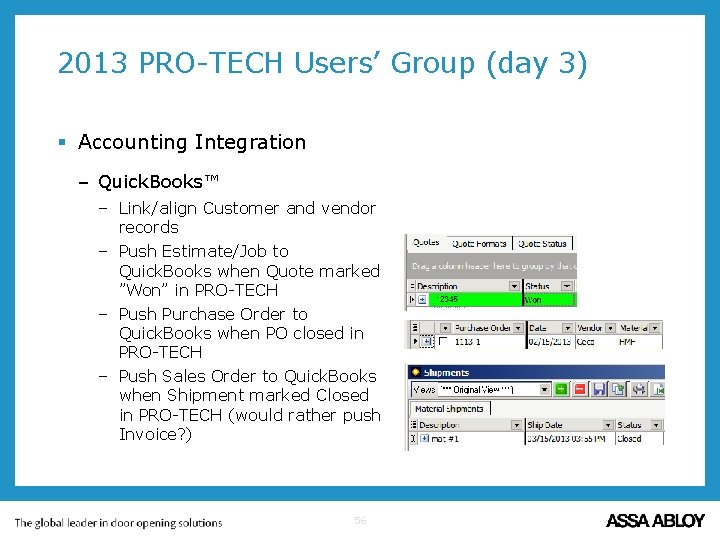
2013 PRO-TECH Users’ Group (day 3) § Accounting Integration – Quick. Books™ – Link/align Customer and vendor records – Push Estimate/Job to Quick. Books when Quote marked ”Won” in PRO-TECH – Push Purchase Order to Quick. Books when PO closed in PRO-TECH – Push Sales Order to Quick. Books when Shipment marked Closed in PRO-TECH (would rather push Invoice? ) 56
2013 PRO-TECH Users’ Group (day 3) § Accounting Integration – Quick. Books™ – Push Inventory from PRO-TECH Inventory project to Quick. Books – Build two hardware sets in Inventory project – Handed items – Non-handed items – Build Openings for needed hands and assign handed hardware set to them – This results in handed and non-handed items for inventory. – Will be able to use these items for comparison when sending PO to Quick. Books 57
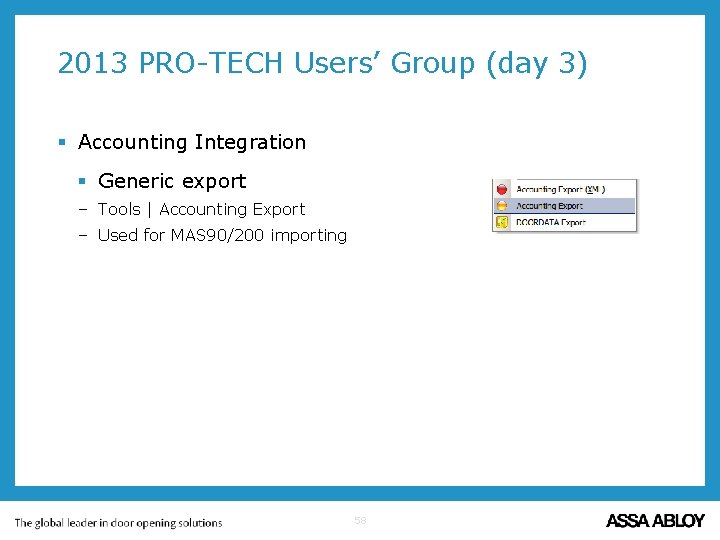
2013 PRO-TECH Users’ Group (day 3) § Accounting Integration § Generic export – Tools | Accounting Export – Used for MAS 90/200 importing 58
2013 PRO-TECH Users’ Group (day 3) § Accounting Integration § Custom export – Two examples – Pulling data from Purchase Order – Pulling data from Scheduled Hardware by Phase (example) § Lunch 59
2013 PRO-TECH Users’ Group (day 3) § Round Table § i. Pad / Tablet access (example using Citrix Receiver) § Hardware Types – New types needed? – PT for Power Transfer – Division 10 items – Order within set – Existing – Installation tools § Request: Closer drop plate – item vs option 60
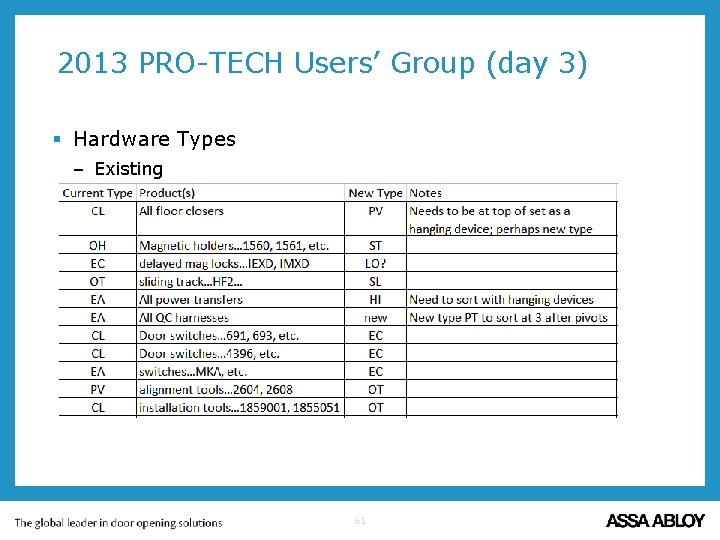
2013 PRO-TECH Users’ Group (day 3) § Hardware Types – Existing 61
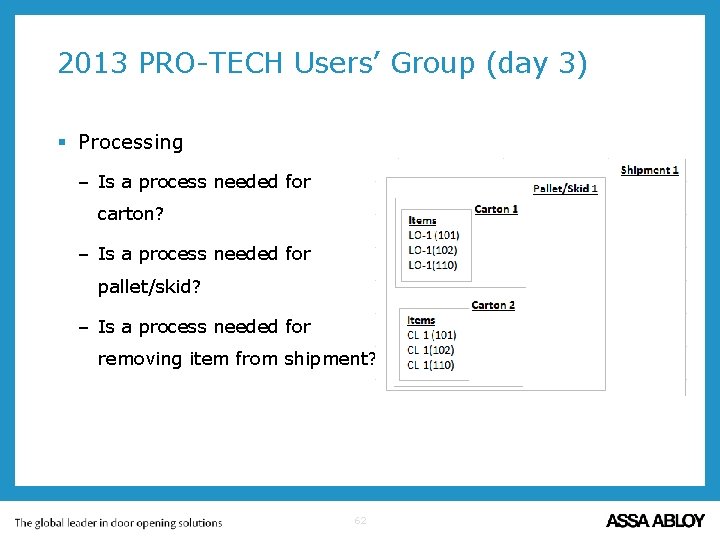
2013 PRO-TECH Users’ Group (day 3) § Processing – Is a process needed for carton? – Is a process needed for pallet/skid? – Is a process needed for removing item from shipment? 62
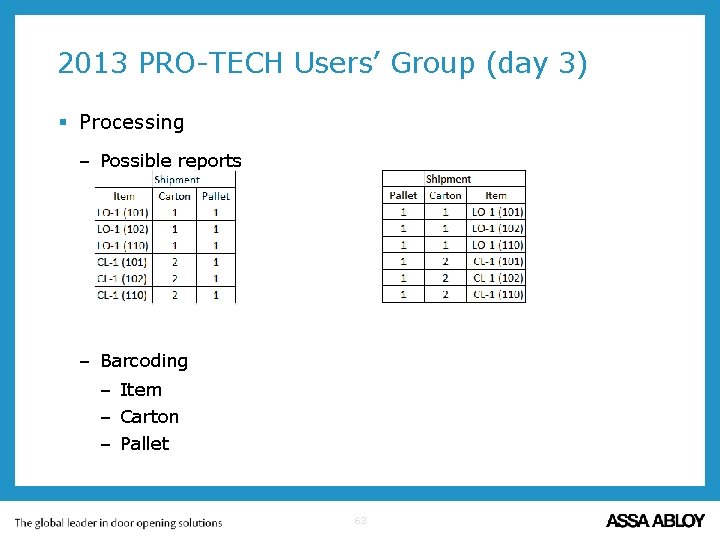
2013 PRO-TECH Users’ Group (day 3) § Processing – Possible reports – Barcoding – Item – Carton – Pallet 63
2013 PRO-TECH Users’ Group (day 3) § Questions? 64
- Slides: 64