
2007 Microsoft Office System Technical Overview Client Michael
![Office Open XML Format Architecture User view: single Office “file” Package [Content Types]. xml](https://slidetodoc.com/presentation_image_h2/d17bd7cef6a40a6a9b162bf042e11d50/image-6.jpg "Office Open XML Format Architecture User view: single Office “file” Package [Content Types]. xml")
- Slides: 25
2007 Microsoft Office System Technical Overview - Client Michael Mc. Clary Microsoft Confidential
Agenda Introduction File Format Office Client Development Tools and UI Info. Path Microsoft Confidential
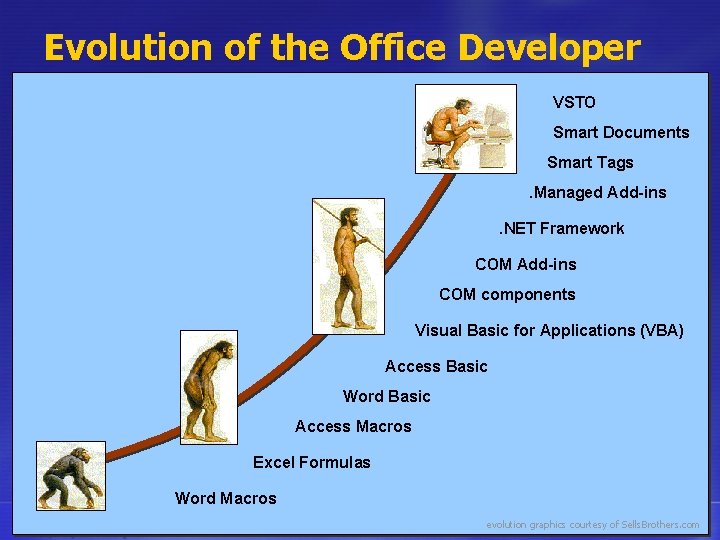
Evolution of the Office Developer VSTO Smart Documents Smart Tags. Managed Add-ins. NET Framework COM Add-ins COM components Visual Basic for Applications (VBA) Access Basic Word Basic Access Macros Excel Formulas Word Macros Microsoft Confidential evolution graphics courtesy of Sells. Brothers. com
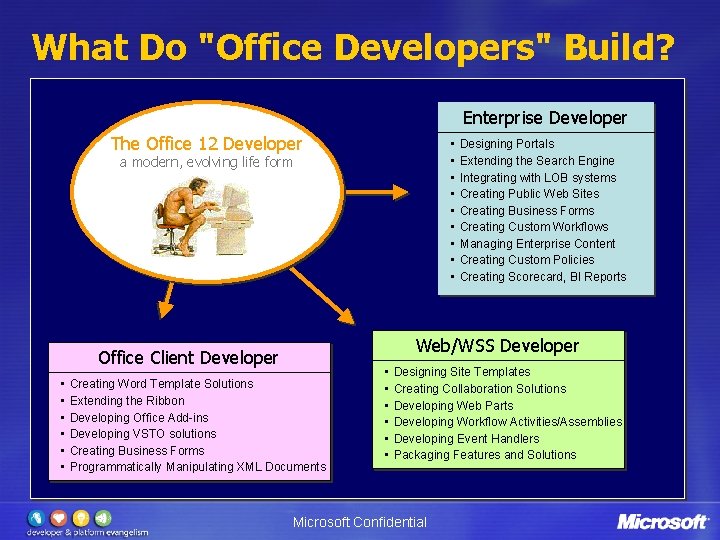
What Do "Office Developers" Build? Enterprise Developer The Office 12 Developer • • • a modern, evolving life form Web/WSS Developer Office Client Developer • • • Designing Portals Extending the Search Engine Integrating with LOB systems Creating Public Web Sites Creating Business Forms Creating Custom Workflows Managing Enterprise Content Creating Custom Policies Creating Scorecard, BI Reports Creating Word Template Solutions Extending the Ribbon Developing Office Add-ins Developing VSTO solutions Creating Business Forms Programmatically Manipulating XML Documents • • • Designing Site Templates Creating Collaboration Solutions Developing Web Parts Developing Workflow Activities/Assemblies Developing Event Handlers Packaging Features and Solutions Microsoft Confidential
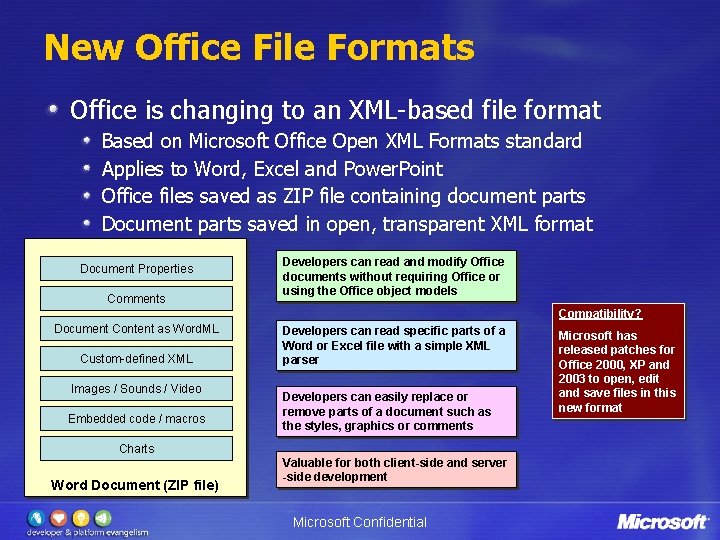
New Office File Formats Office is changing to an XML-based file format Based on Microsoft Office Open XML Formats standard Applies to Word, Excel and Power. Point Office files saved as ZIP file containing document parts Document parts saved in open, transparent XML format Document Properties Comments Developers can read and modify Office documents without requiring Office or using the Office object models Compatibility? Document Content as Word. ML Custom-defined XML Images / Sounds / Video Embedded code / macros Charts Word Document (ZIP file) Developers can read specific parts of a Word or Excel file with a simple XML parser Developers can easily replace or remove parts of a document such as the styles, graphics or comments Valuable for both client-side and server -side development Microsoft Confidential Microsoft has released patches for Office 2000, XP and 2003 to open, edit and save files in this new format
Office Open XML Format Architecture User view: single Office “file” Package [Content Types]. xml Questionnaire. docx Document Parts word / xl / ppt doc. Props Questionnaire. docx Document, Application, Custom Document Properties Relationships _rels custom fld Custom Defined XML, Macros, … Developer view: modular file Microsoft Confidential
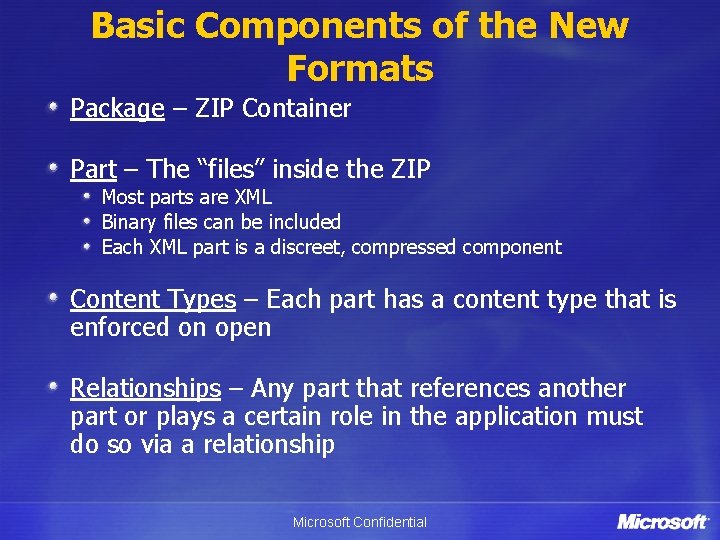
Basic Components of the New Formats Package – ZIP Container Part – The “files” inside the ZIP Most parts are XML Binary files can be included Each XML part is a discreet, compressed component Content Types – Each part has a content type that is enforced on open Relationships – Any part that references another part or plays a certain role in the application must do so via a relationship Microsoft Confidential
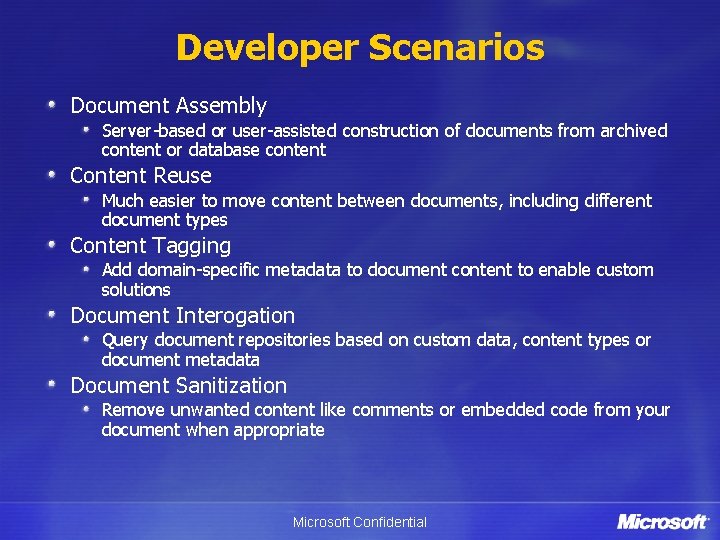
Developer Scenarios Document Assembly Server-based or user-assisted construction of documents from archived content or database content Content Reuse Much easier to move content between documents, including different document types Content Tagging Add domain-specific metadata to document content to enable custom solutions Document Interogation Query document repositories based on custom data, content types or document metadata Document Sanitization Remove unwanted content like comments or embedded code from your document when appropriate Microsoft Confidential
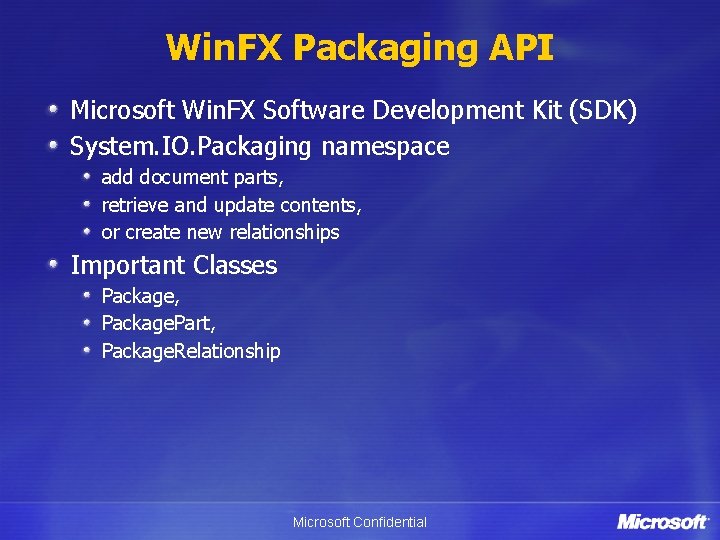
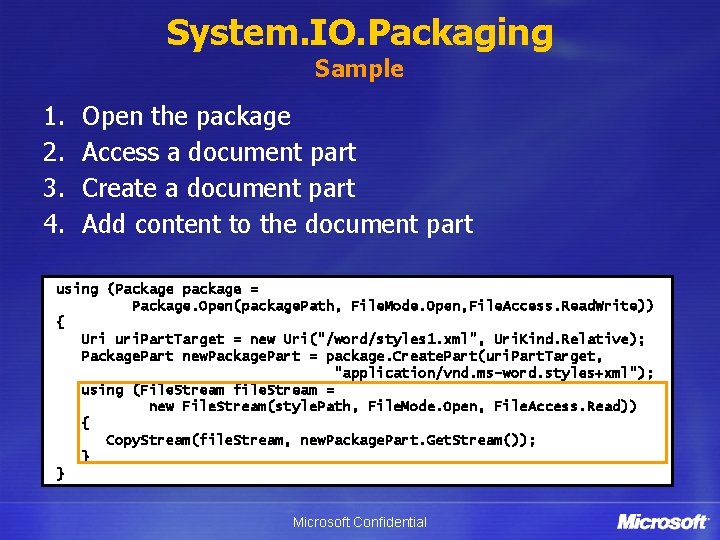
Win. FX Packaging API Microsoft Win. FX Software Development Kit (SDK) System. IO. Packaging namespace add document parts, retrieve and update contents, or create new relationships Important Classes Package, Package. Part, Package. Relationship Microsoft Confidential
System. IO. Packaging Sample 1. 2. 3. 4. Open the package Access a document part Create a document part Add content to the document part using (Package package = Package. Open(package. Path, File. Mode. Open, File. Access. Read. Write)) { Uri uri. Part. Target = new Uri("/word/styles 1. xml", Uri. Kind. Relative); Package. Part new. Package. Part = package. Create. Part(uri. Part. Target, "application/vnd. ms-word. styles+xml"); using (File. Stream file. Stream = new File. Stream(style. Path, File. Mode. Open, File. Access. Read)) { Copy. Stream(file. Stream, new. Package. Part. Get. Stream()); } } Microsoft Confidential
The new Office Open XML File Formats DEMO Microsoft Confidential
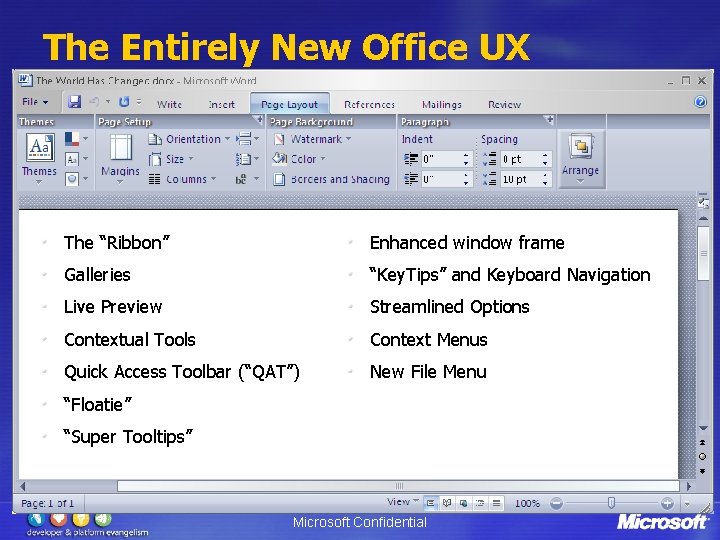
The Entirely New Office UX The “Ribbon” Enhanced window frame Galleries “Key. Tips” and Keyboard Navigation Live Preview Streamlined Options Contextual Tools Context Menus Quick Access Toolbar (“QAT”) New File Menu “Floatie” “Super Tooltips” Microsoft Confidential
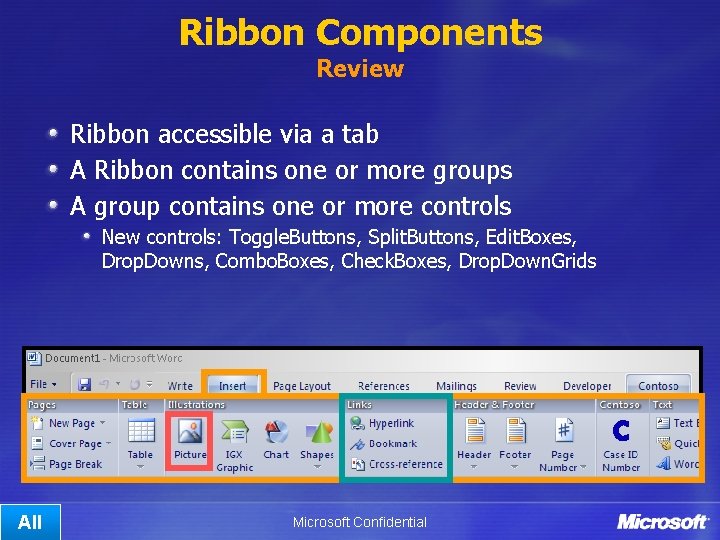
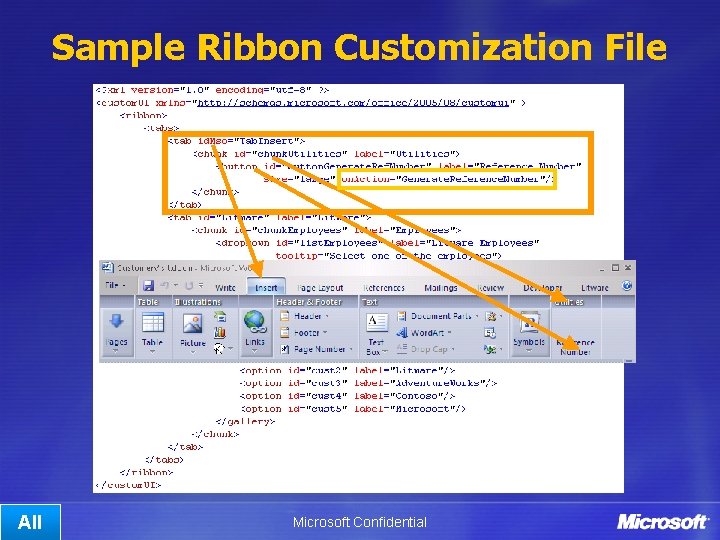
Ribbon Components Review Ribbon accessible via a tab A Ribbon contains one or more groups A group contains one or more controls New controls: Toggle. Buttons, Split. Buttons, Edit. Boxes, Drop. Downs, Combo. Boxes, Check. Boxes, Drop. Down. Grids All Microsoft Confidential
Sample Ribbon Customization File All Microsoft Confidential
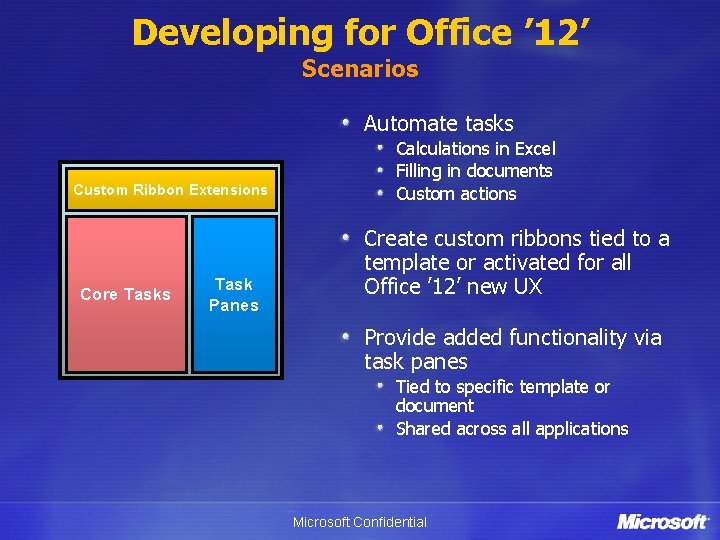
Developing for Office ’ 12’ Scenarios Automate tasks Custom Ribbon Extensions Core Tasks Task Panes Calculations in Excel Filling in documents Custom actions Create custom ribbons tied to a template or activated for all Office ’ 12’ new UX Provide added functionality via task panes Tied to specific template or document Shared across all applications Microsoft Confidential
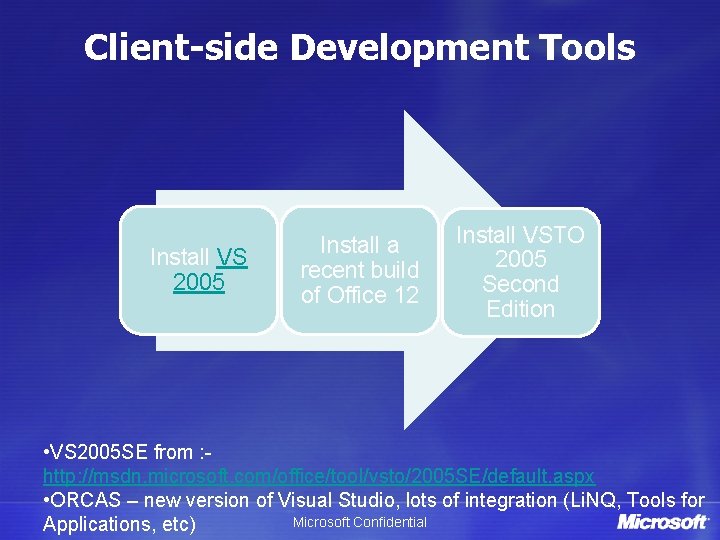
Client-side Development Tools Install VS 2005 Install a recent build of Office 12 Install VSTO 2005 Second Edition • VS 2005 SE from : http: //msdn. microsoft. com/office/tool/vsto/2005 SE/default. aspx • ORCAS – new version of Visual Studio, lots of integration (Li. NQ, Tools for Microsoft Confidential Applications, etc)
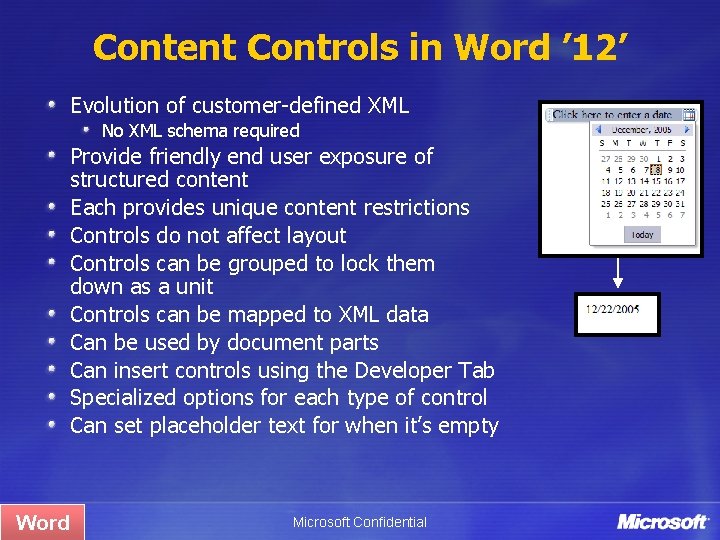
Content Controls in Word ’ 12’ Evolution of customer-defined XML No XML schema required Provide friendly end user exposure of structured content Each provides unique content restrictions Controls do not affect layout Controls can be grouped to lock them down as a unit Controls can be mapped to XML data Can be used by document parts Can insert controls using the Developer Tab Specialized options for each type of control Can set placeholder text for when it’s empty Word Microsoft Confidential
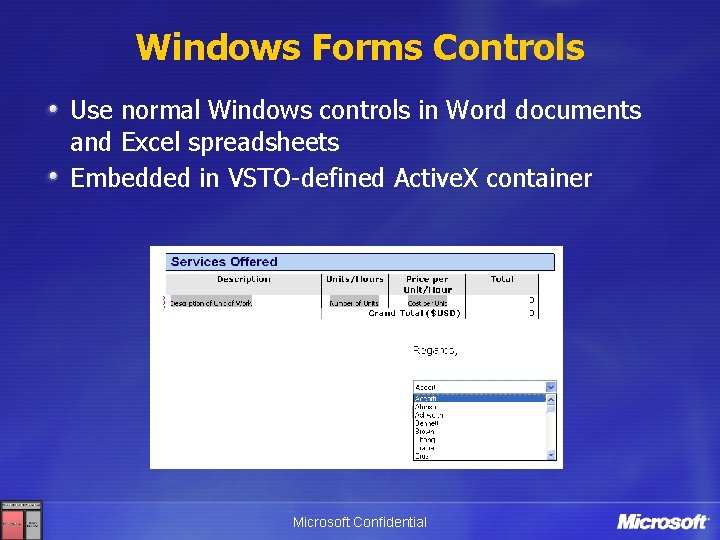
Windows Forms Controls Use normal Windows controls in Word documents and Excel spreadsheets Embedded in VSTO-defined Active. X container Microsoft Confidential
Challenges today with Info. Path ISVs like the idea of integrating with and leveraging Info. Path, but Reach more users (smart vs thin clients) Support them better with off-line capabilities Integrate Info. Path forms in a better way into the Office clients Leverage Info. Path forms in our own applications Have a cleaner way of programming against Info. Path And integrate even better with back-end systems Microsoft Confidential
Info. Path 12 and Forms Services First generation: Info. Path 2003 Capture business data with dynamic, XML-based forms Rich data entry and validation Integration with multiple back-end systems and services Next generation: Info. Path 12 and Forms Services New form templates Integration with Office 12 client applications Info. Path + Forms services support browser as well as rich client Microsoft Confidential
Improvements with Info. Path ’ 12’ introduces major improvements for Template Designers IT People Responsible for the Deployment Users Filling-In Forms Integrating Developers Microsoft Confidential
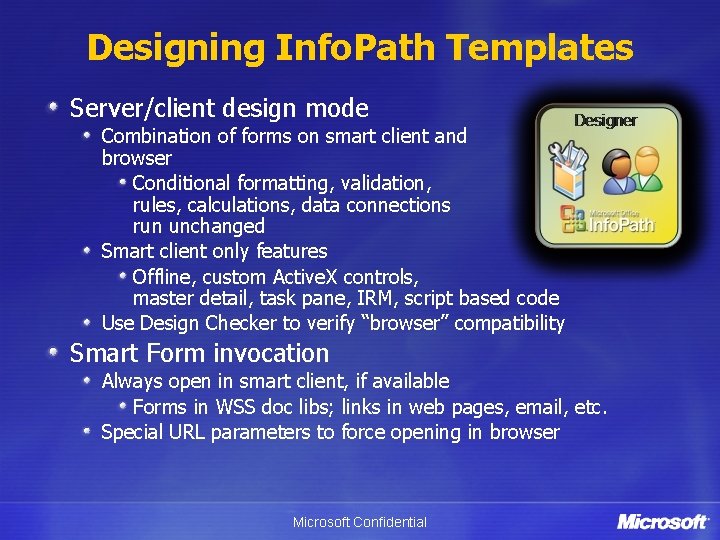
Designing Info. Path Templates Server/client design mode Combination of forms on smart client and browser Conditional formatting, validation, rules, calculations, data connections run unchanged Smart client only features Offline, custom Active. X controls, master detail, task pane, IRM, script based code Use Design Checker to verify “browser” compatibility Smart Form invocation Always open in smart client, if available Forms in WSS doc libs; links in web pages, email, etc. Special URL parameters to force opening in browser Microsoft Confidential
Template Parts Designer support for creating reusable chunks of forms Auto-update across solutions Supports Formatting and control properties Main data source, secondary data connections Rules, Data Validation, Conditional Formatting Formulas/Calculations Caveats No Code Microsoft Confidential
Summary Office Client Development File Format Tools and UI Info. Path Microsoft Confidential
Resources Blogs Brian Jones Jensen Harris Andrew Whitechapel Mishna Shneerson Office Training http: //www. microsoft. co. uk/events/eventdetail. aspx? eventid=85 60 Other links: http: //msdn 2. microsoft. com/en-us/office/default. aspx http: //channel 9. msdn. com/ Microsoft Confidential