
2 Process 2 1 Software Development Life Cycle
- Slides: 21
2. Process • 2. 1 Software Development Life Cycle • 2. 2 Software Effort Estimation • 2. 3 Implementation
2. 3 Implementation 1. 2. 3. 4. Construction Testing Documentation Installation
1. Construction • Assigning the programmers • Coordinating the activities • Managing the schedule
Assigning Programmers • Start by looking at the package diagrams • Assign similar modules to the same programmer • Remember the "programmer paradox" • Can't just add more people • Fewer programmers is normally better • Adding manpower to a late project makes it later (Brook, 1975) • “Just because a woman can make a baby in nine months, it does not follow that nine women can make a baby in one month”
Coordinating Activities • Hold weekly project meetings • discuss changes to the system • discuss other issues of the past week • Create and follow standards • Set up separate workspace for • development, testing, production • as a minimum, separate files • Use change control • program log, sign-in/-out • Use CASE tools
Managing the Schedule Use initial time estimates as a baseline Revise time estimates as construction proceeds Fight against scope creep Monitor “minor” slippage Create risk assessment and track changing risks • Risks change as deadline approaches • Fight the temptation to lower quality to meet unreasonable schedule demands • • •
Anekdot di Pengembangan Software • Project Manager is a Person who thinks nine women can deliver a baby in One month • Developer is a Person who thinks it will take 18 months to deliver a Baby • Client is the one who doesn't know why he wants a baby • Marketing Manager is a person who thinks he can deliver a baby even if no man and woman are available • Tester is a person who always tells his wife that this is not the Right baby • Human Resource is a person who thinks that a donkey can deliver a human baby if given 9 months
2. Testing • Testing can never prove there are no errors • The purpose is not to demonstrate that the system is free of errors • The purpose is to detect as many errors as possible • It is dangerous to test early modules without an overall testing plan • It may be difficult to reproduce sequence of events causing an error • Testing must be done systematically and results documented carefully
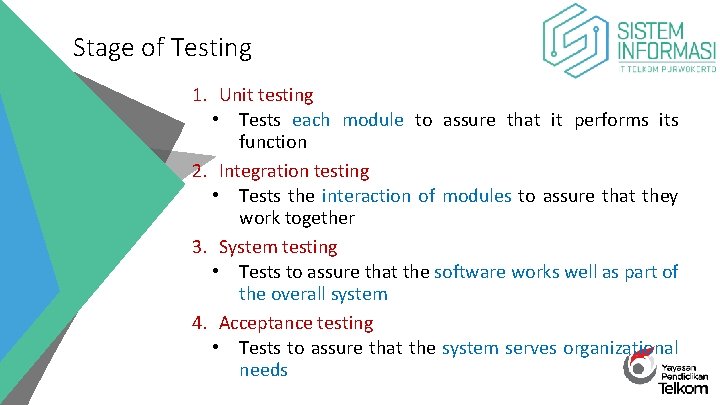
Stage of Testing 1. Unit testing • Tests each module to assure that it performs its function 2. Integration testing • Tests the interaction of modules to assure that they work together 3. System testing • Tests to assure that the software works well as part of the overall system 4. Acceptance testing • Tests to assure that the system serves organizational needs
3. Documentation 1. System Documentation 2. User Documentation
System Documentation • Compiled and refined System Specification • Helps programmers and analysts understand application • Used for development and maintenance • Largely a by product of the SDLC phases • Often can be automated (Java. Doc) the
User Documentation • Help users operate the system • High quality documentation takes about 3 hours per page to produce • Should not be left to the end of the project • User Documentation Type: • Reference documents (help system) • User needs to learn a specific task • Procedures manuals • How to perform a business function • May require several tasks • Tutorials • How to use major function of system
4. Installation • Transitioning to new systems involves managing change from pre-existing norms and habits • Change management involves: 1. Unfreezing -- loosening up peoples’ habits and norms 2. Moving – conversion from old to new systems 3. Refreezing -- institutionalize and make efficient the new way of doing things
Unfreezing • Activities to date facilitate unfreezing • Users: • Already know of the new system • Helped in the analysis phase • Helped in the design • This probably has already unfreezed current habits and norms
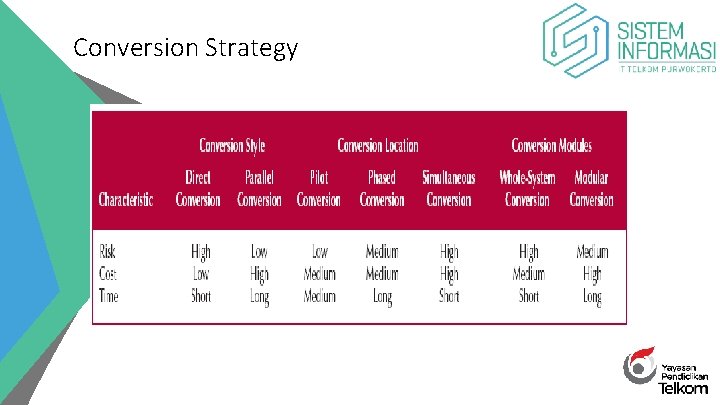
Conversion Strategy
Types of System Adopters • Ready Adopters (20% - 30%) • Recognize the benefits • Quickly adopt the system • Become proponents of the system • Resistant adopters (20% - 30%) • Refuse to accept the change • Fight against the system • Reluctant Adopters (40% - 60%) • Apathetic & blow with the wind
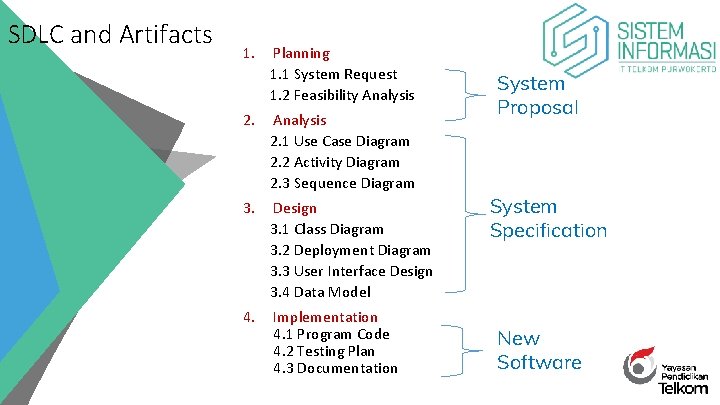
SDLC and Artifacts 1. Planning 1. 1 System Request 1. 2 Feasibility Analysis 2. 1 Use Case Diagram 2. 2 Activity Diagram 2. 3 Sequence Diagram 3. Design 3. 1 Class Diagram 3. 2 Deployment Diagram 3. 3 User Interface Design 3. 4 Data Model 4. Implementation 4. 1 Program Code 4. 2 Testing Plan 4. 3 Documentation System Proposal System Specification New Software
• 2. 2 Software Effort Estimation
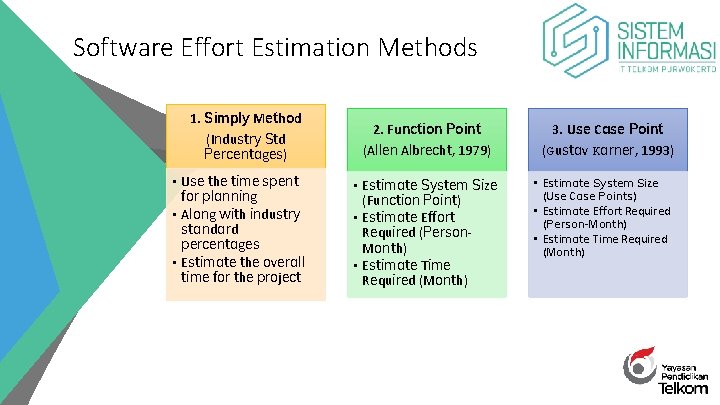
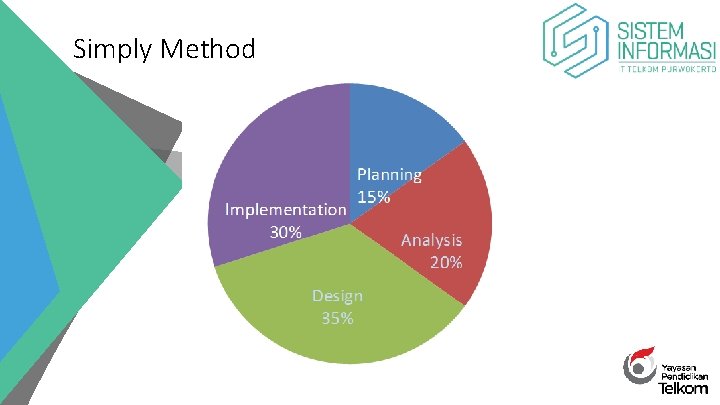
Software Effort Estimation Methods 1. Simply Method (Industry Std Percentages) • Use the time spent for planning • Along with industry standard percentages • Estimate the overall time for the project 2. Function Point 3. Use Case Point (Allen Albrecht, 1979) (Gustav Karner, 1993) • Estimate System Size (Function Point) • Estimate Effort Required (Person. Month) • Estimate Time Required (Month) • Estimate System Size (Use Case Points) • Estimate Effort Required (Person-Month) • Estimate Time Required (Month)
• 1. Simply Method
Simply Method