
2 Paradigm Publishing Inc Computer Concepts Topics 3
2 Paradigm Publishing, Inc. Computer Concepts Topics
3 1. 1 Personal Computers 1. 2 Mobile Devices, Wearable Computers, and Embedded Computers 1. 3 Computers for Connecting Multiple Users and Specialized Processing 1. 4 Computer Innovations and Converging Technologies 1. 5 Information Technology and the Information Processing Cycle 1. 6 Cloud Computing 1. 7 Green Computing 1. 8 Computers and Your Health Chapter Summary Paradigm Publishing, Inc. Computer Concepts Topics
4 1. 1 Personal Computers Ø A computer is an electronic device programmed to process, store, and output data Ø A computer needs: § hardware: all of the physical components and devices § software: instructions that tell the computer what to do Ø Personal computer (PC): input, processing, storage, and output are self-contained Paradigm Publishing, Inc. Computer Concepts Topics
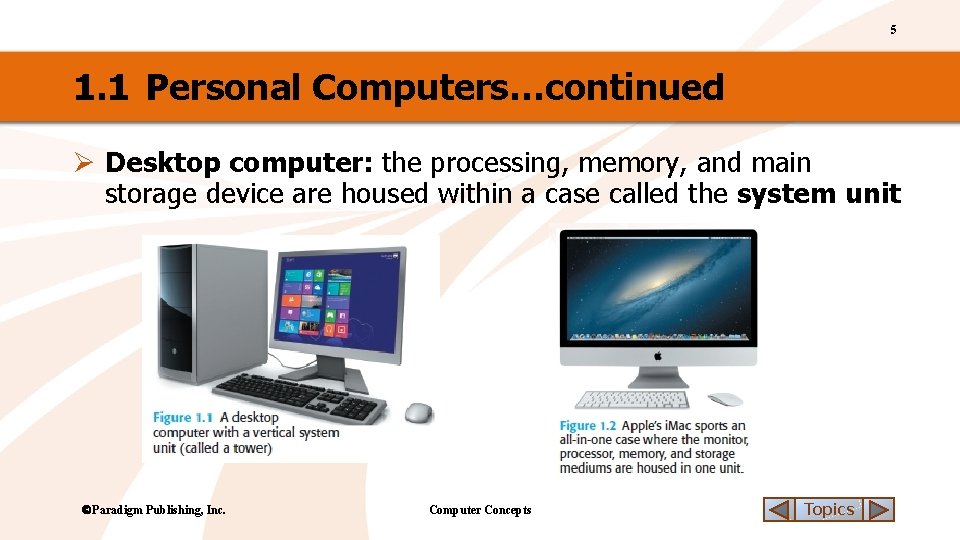
5 1. 1 Personal Computers…continued Ø Desktop computer: the processing, memory, and main storage device are housed within a case called the system unit Paradigm Publishing, Inc. Computer Concepts Topics
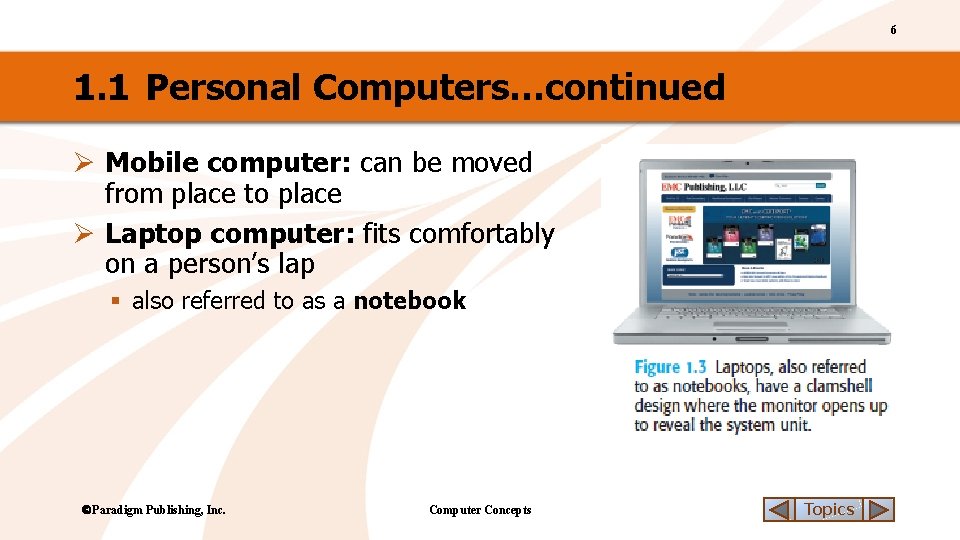
6 1. 1 Personal Computers…continued Ø Mobile computer: can be moved from place to place Ø Laptop computer: fits comfortably on a person’s lap § also referred to as a notebook Paradigm Publishing, Inc. Computer Concepts Topics
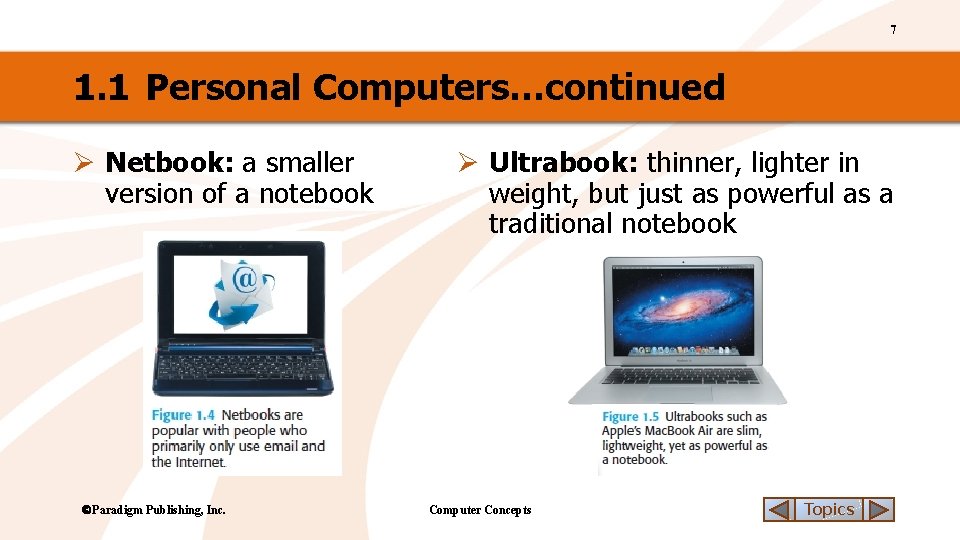
7 1. 1 Personal Computers…continued Ø Netbook: a smaller version of a notebook Paradigm Publishing, Inc. Ø Ultrabook: thinner, lighter in weight, but just as powerful as a traditional notebook Computer Concepts Topics
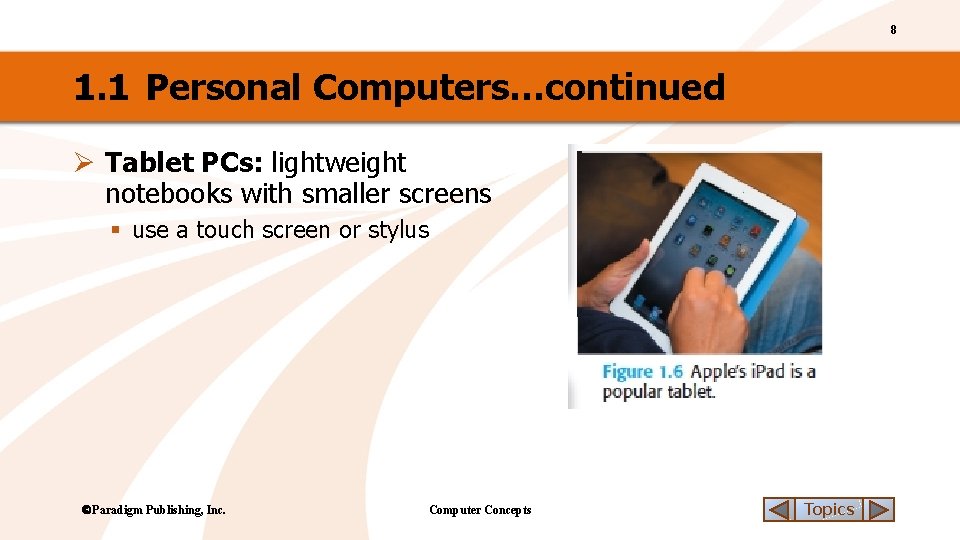
8 1. 1 Personal Computers…continued Ø Tablet PCs: lightweight notebooks with smaller screens § use a touch screen or stylus Paradigm Publishing, Inc. Computer Concepts Topics
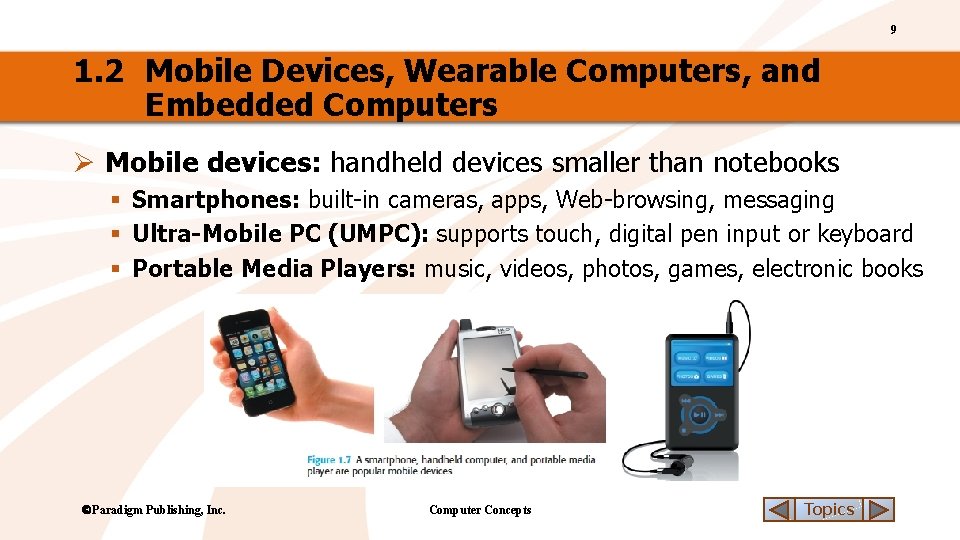
9 1. 2 Mobile Devices, Wearable Computers, and Embedded Computers Ø Mobile devices: handheld devices smaller than notebooks § Smartphones: built-in cameras, apps, Web-browsing, messaging § Ultra-Mobile PC (UMPC): supports touch, digital pen input or keyboard § Portable Media Players: music, videos, photos, games, electronic books Paradigm Publishing, Inc. Computer Concepts Topics
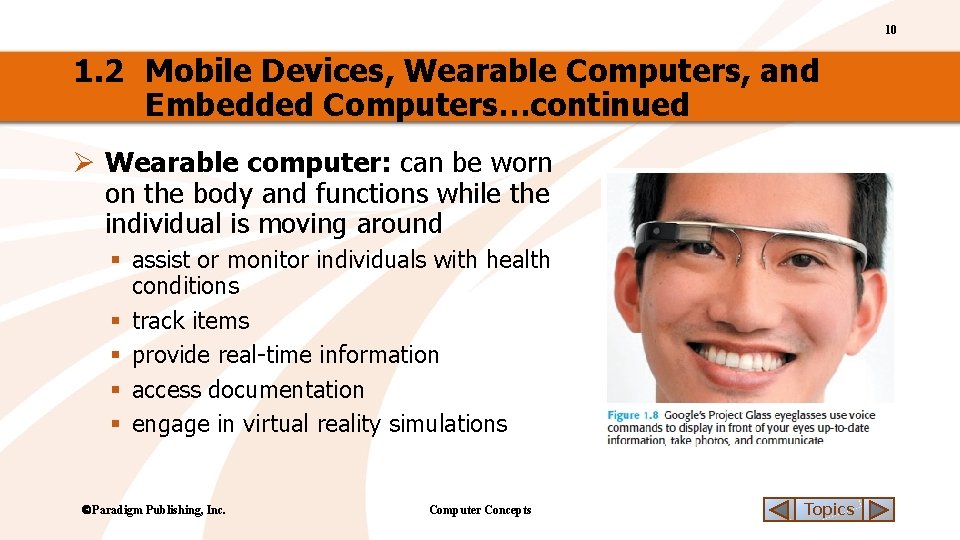
10 1. 2 Mobile Devices, Wearable Computers, and Embedded Computers…continued Ø Wearable computer: can be worn on the body and functions while the individual is moving around § assist or monitor individuals with health conditions § track items § provide real-time information § access documentation § engage in virtual reality simulations Paradigm Publishing, Inc. Computer Concepts Topics
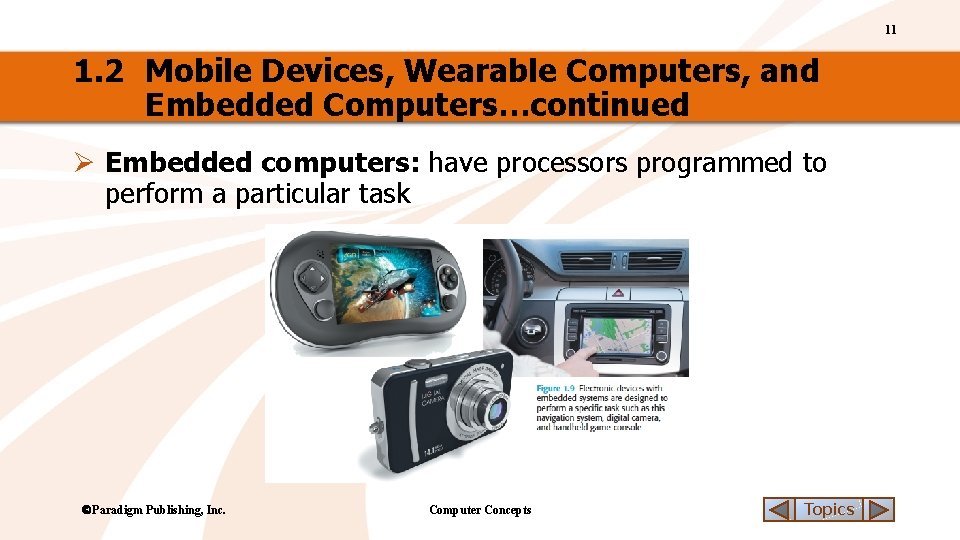
11 1. 2 Mobile Devices, Wearable Computers, and Embedded Computers…continued Ø Embedded computers: have processors programmed to perform a particular task Paradigm Publishing, Inc. Computer Concepts Topics
12 CHECK YOUR UNDERSTANDING 1 1. Apple’s Mac. Book Air is an example of this type of notebook computer. a. b. c. d. 2. 4. Computer Concepts Supercomputer Wearable Server Desktop PC These computers have a processor that is programmed to perform a particular task. a. b. c. d. Mainframe Laptop Netbook Desktop computer Paradigm Publishing, Inc. Google’s Project Glass eyeglasses fit into this category of computers. a. b. c. d. Netbook Laptop Tablet PC Ultrabook Which of the following computers is NOT a personal computer (PC)? a. b. c. d. 3. Multi-core processors Embedded computers Servers Thin clients Topics
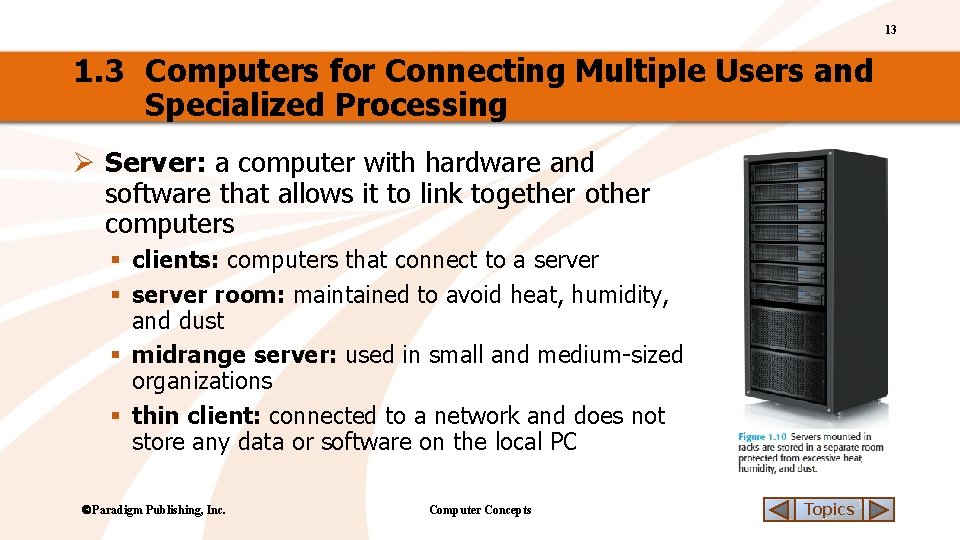
13 1. 3 Computers for Connecting Multiple Users and Specialized Processing Ø Server: a computer with hardware and software that allows it to link together other computers § clients: computers that connect to a server § server room: maintained to avoid heat, humidity, and dust § midrange server: used in small and medium-sized organizations § thin client: connected to a network and does not store any data or software on the local PC Paradigm Publishing, Inc. Computer Concepts Topics
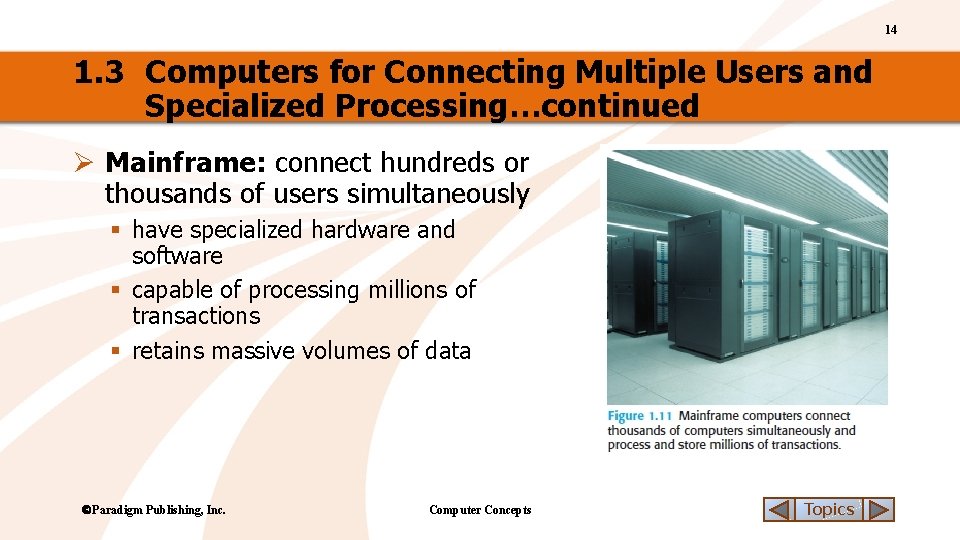
14 1. 3 Computers for Connecting Multiple Users and Specialized Processing…continued Ø Mainframe: connect hundreds or thousands of users simultaneously § have specialized hardware and software § capable of processing millions of transactions § retains massive volumes of data Paradigm Publishing, Inc. Computer Concepts Topics
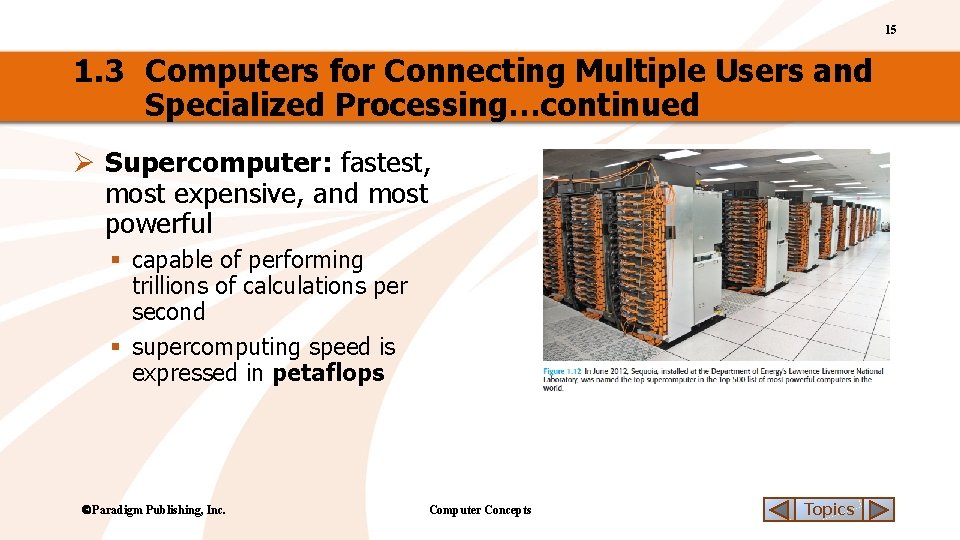
15 1. 3 Computers for Connecting Multiple Users and Specialized Processing…continued Ø Supercomputer: fastest, most expensive, and most powerful § capable of performing trillions of calculations per second § supercomputing speed is expressed in petaflops Paradigm Publishing, Inc. Computer Concepts Topics
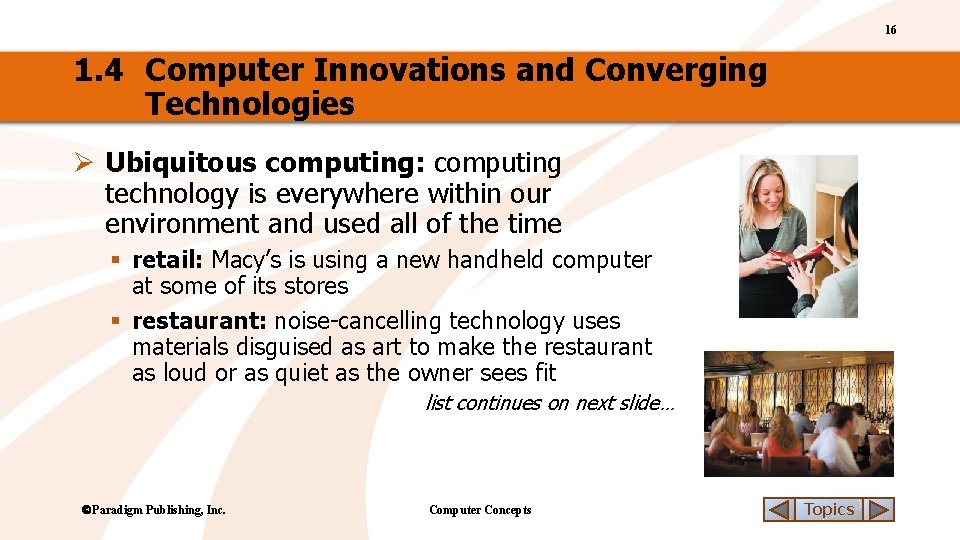
16 1. 4 Computer Innovations and Converging Technologies Ø Ubiquitous computing: computing technology is everywhere within our environment and used all of the time § retail: Macy’s is using a new handheld computer at some of its stores § restaurant: noise-cancelling technology uses materials disguised as art to make the restaurant as loud or as quiet as the owner sees fit list continues on next slide… Paradigm Publishing, Inc. Computer Concepts Topics
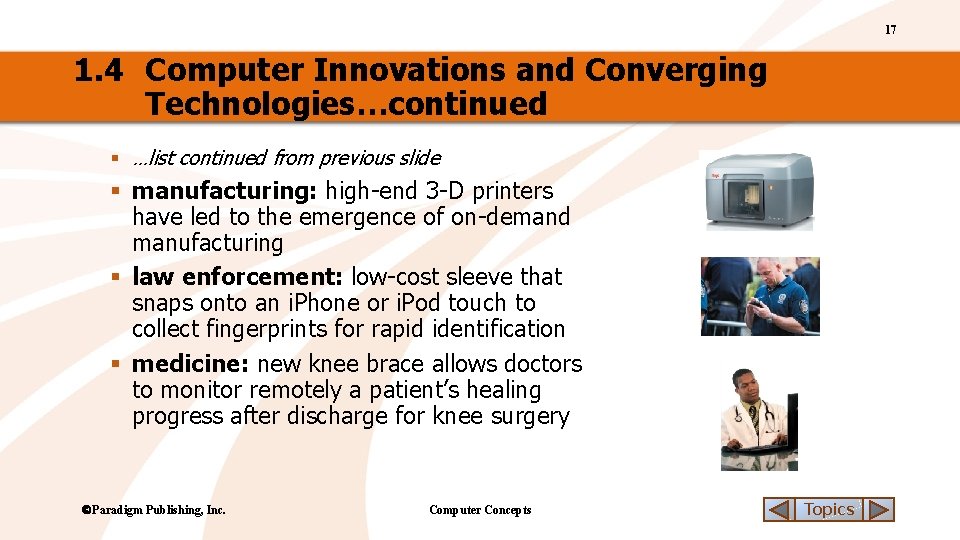
17 1. 4 Computer Innovations and Converging Technologies…continued § …list continued from previous slide § manufacturing: high-end 3 -D printers have led to the emergence of on-demand manufacturing § law enforcement: low-cost sleeve that snaps onto an i. Phone or i. Pod touch to collect fingerprints for rapid identification § medicine: new knee brace allows doctors to monitor remotely a patient’s healing progress after discharge for knee surgery Paradigm Publishing, Inc. Computer Concepts Topics
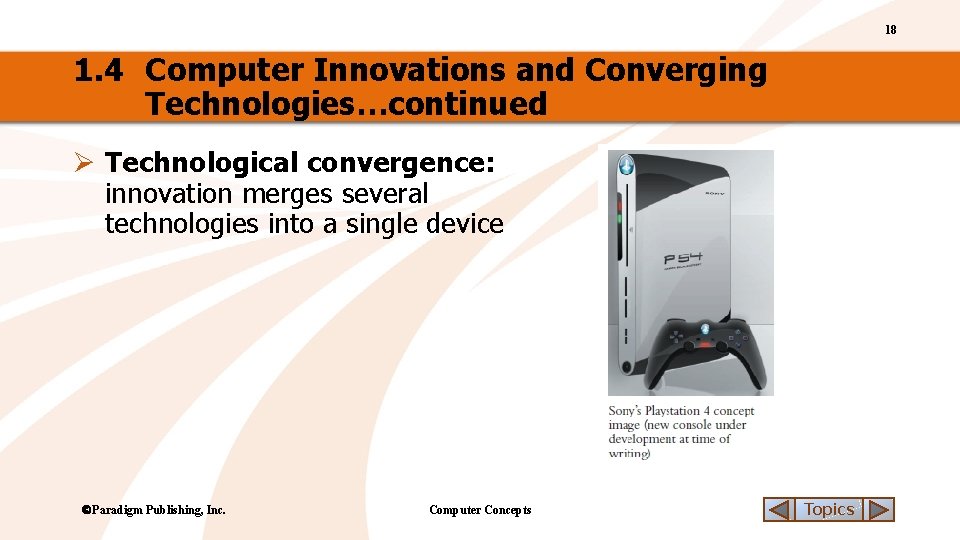
18 1. 4 Computer Innovations and Converging Technologies…continued Ø Technological convergence: innovation merges several technologies into a single device Paradigm Publishing, Inc. Computer Concepts Topics
19 CHECK YOUR UNDERSTANDING 2 1. This type of computer is used to link together other computers in order to share resources. a. b. c. d. 2. 4. Megabytes Gigabytes Petaflops Gigahertz Paradigm Publishing, Inc. This term is used to describe computing that is everywhere at the same time. a. b. c. d. Ultra-mobile PC (UMPC) Ultrabook Netbook Server Supercomputing speed is measured in _____. a. b. c. d. 3. This term describes the merging of multiple technologies into a single device such as a game console being used to play movies and surf the Web. a. b. c. d. Computer Concepts Technological convergence 24/7 access Supercomputing Ubiquitous computing Supercomputing Technological convergence Embedded computing Topics
20 1. 5 Information Technology and the Information Processing Cycle Ø Information technology (IT): use of computers, software, networks, and other communication systems and processes to store, retrieve, send, process, and protect information § raw data: characters that are typed or otherwise entered into a computer Paradigm Publishing, Inc. Computer Concepts Topics
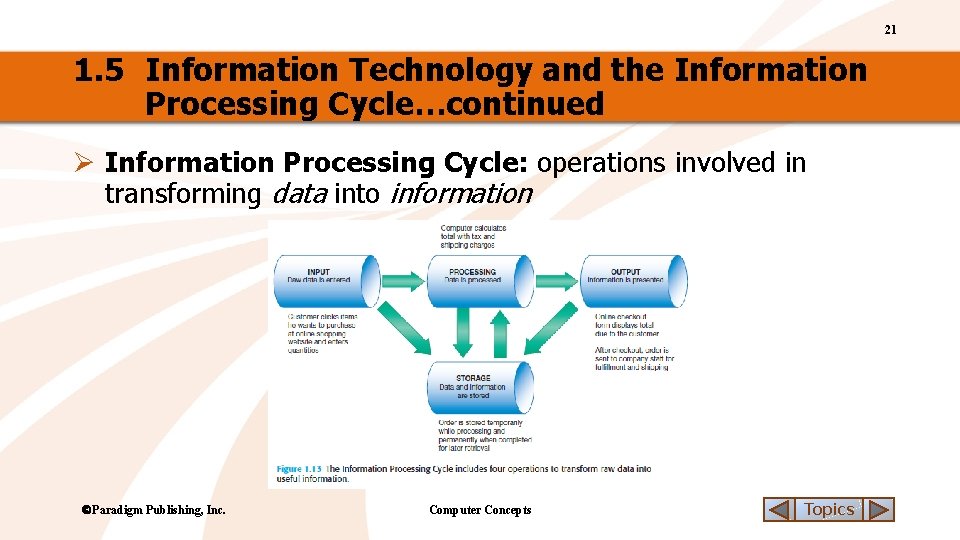
21 1. 5 Information Technology and the Information Processing Cycle…continued Ø Information Processing Cycle: operations involved in transforming data into information Paradigm Publishing, Inc. Computer Concepts Topics
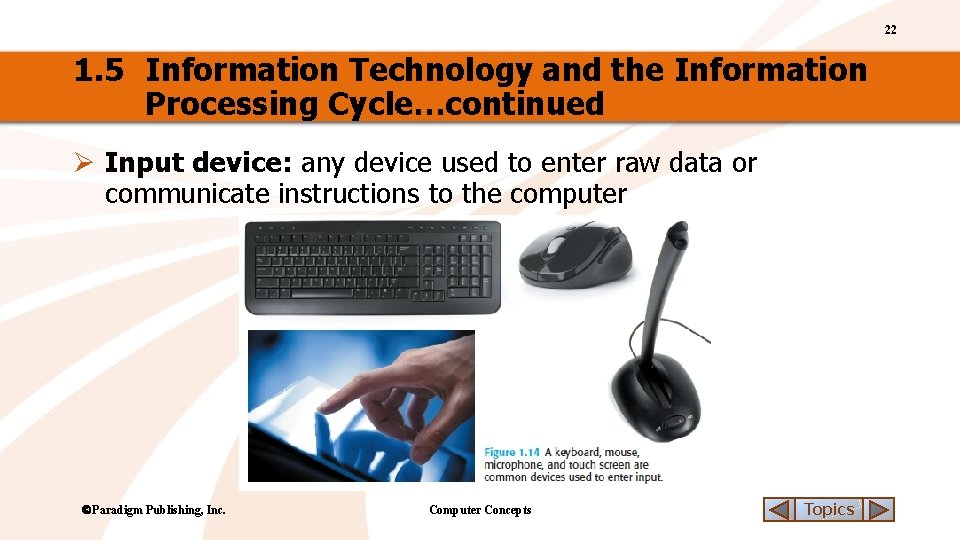
22 1. 5 Information Technology and the Information Processing Cycle…continued Ø Input device: any device used to enter raw data or communicate instructions to the computer Paradigm Publishing, Inc. Computer Concepts Topics
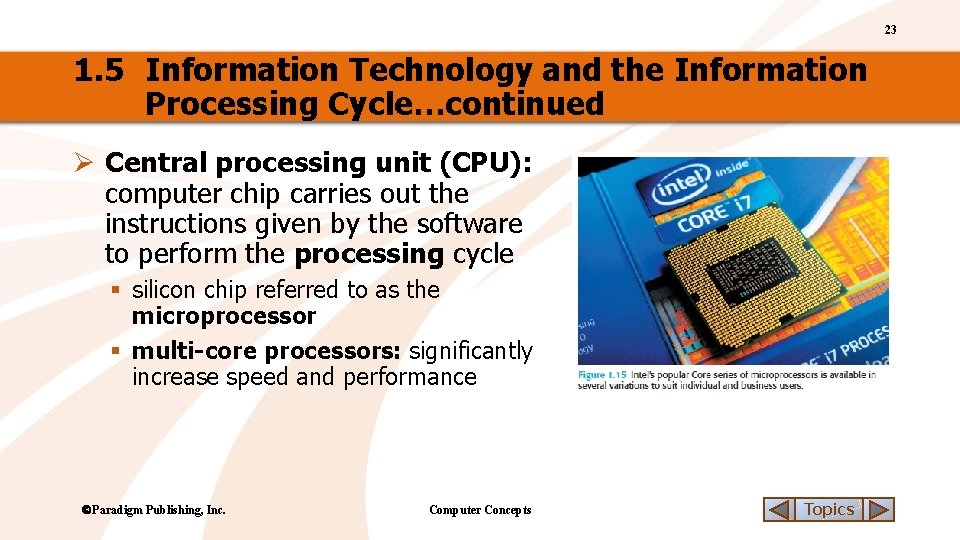
23 1. 5 Information Technology and the Information Processing Cycle…continued Ø Central processing unit (CPU): computer chip carries out the instructions given by the software to perform the processing cycle § silicon chip referred to as the microprocessor § multi-core processors: significantly increase speed and performance Paradigm Publishing, Inc. Computer Concepts Topics
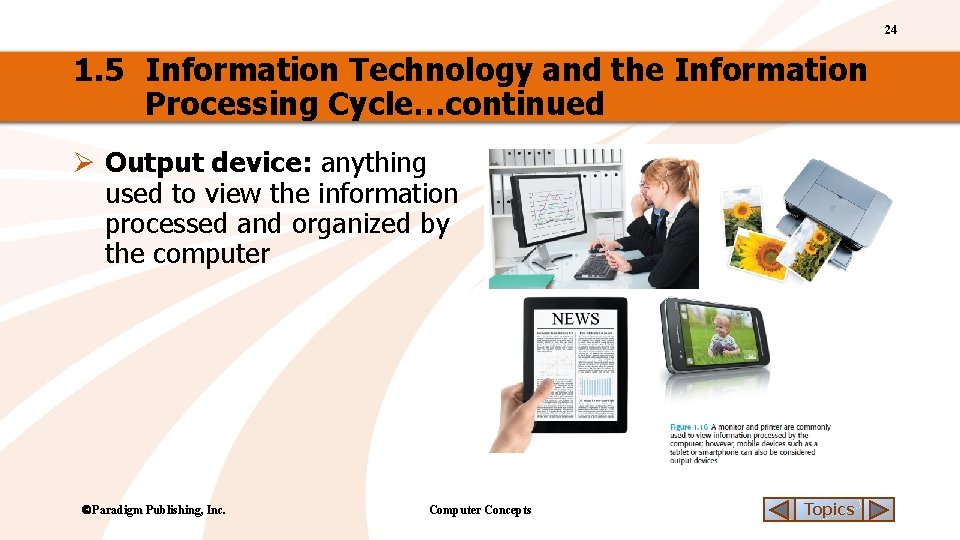
24 1. 5 Information Technology and the Information Processing Cycle…continued Ø Output device: anything used to view the information processed and organized by the computer Paradigm Publishing, Inc. Computer Concepts Topics
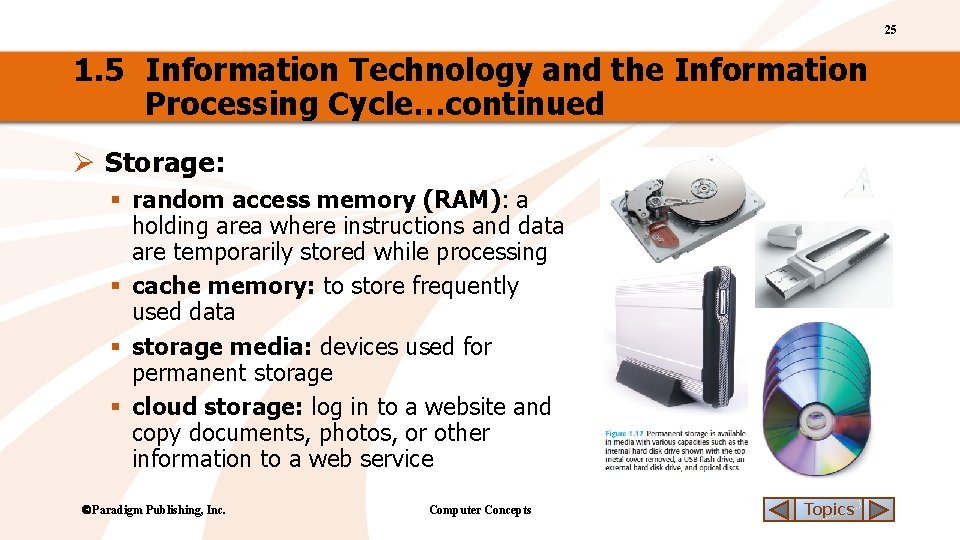
25 1. 5 Information Technology and the Information Processing Cycle…continued Ø Storage: § random access memory (RAM): a holding area where instructions and data are temporarily stored while processing § cache memory: to store frequently used data § storage media: devices used for permanent storage § cloud storage: log in to a website and copy documents, photos, or other information to a web service Paradigm Publishing, Inc. Computer Concepts Topics
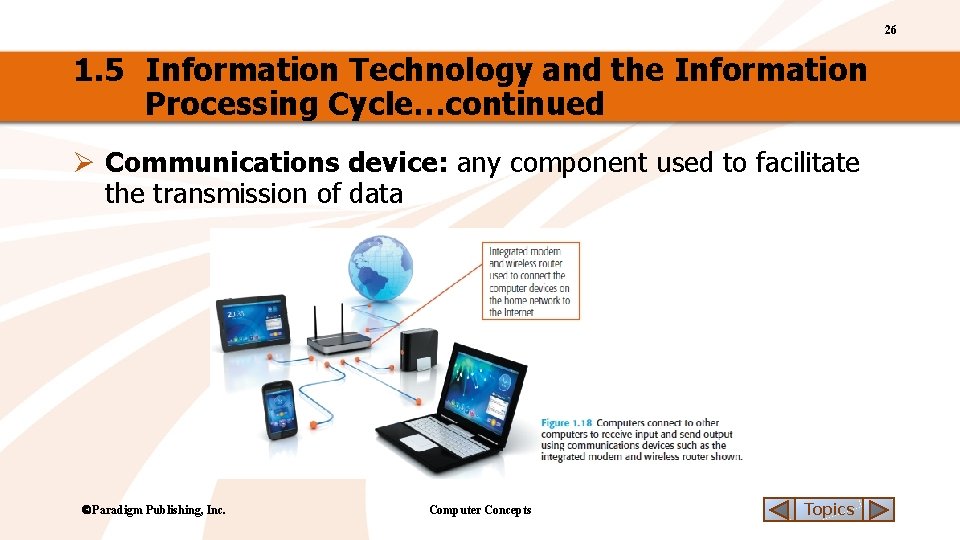
26 1. 5 Information Technology and the Information Processing Cycle…continued Ø Communications device: any component used to facilitate the transmission of data Paradigm Publishing, Inc. Computer Concepts Topics
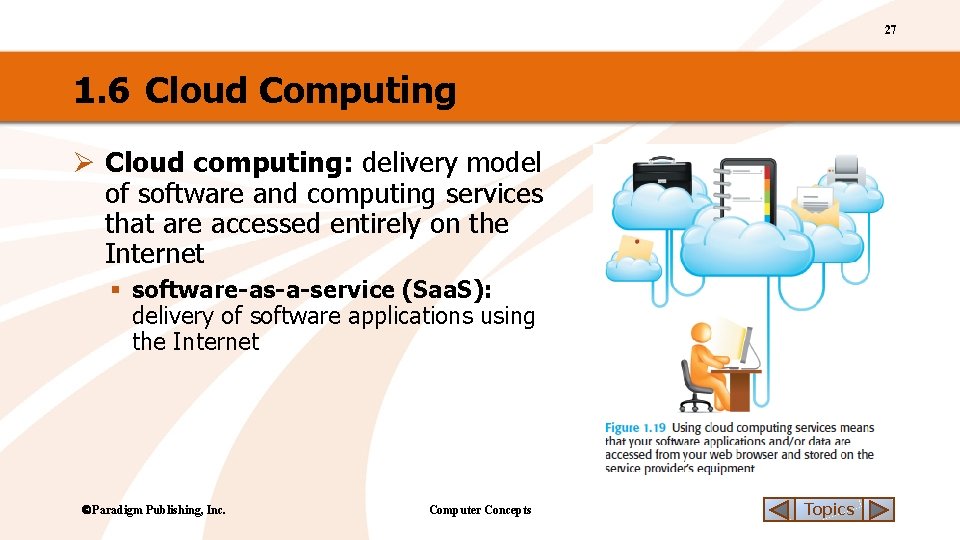
27 1. 6 Cloud Computing Ø Cloud computing: delivery model of software and computing services that are accessed entirely on the Internet § software-as-a-service (Saa. S): delivery of software applications using the Internet Paradigm Publishing, Inc. Computer Concepts Topics
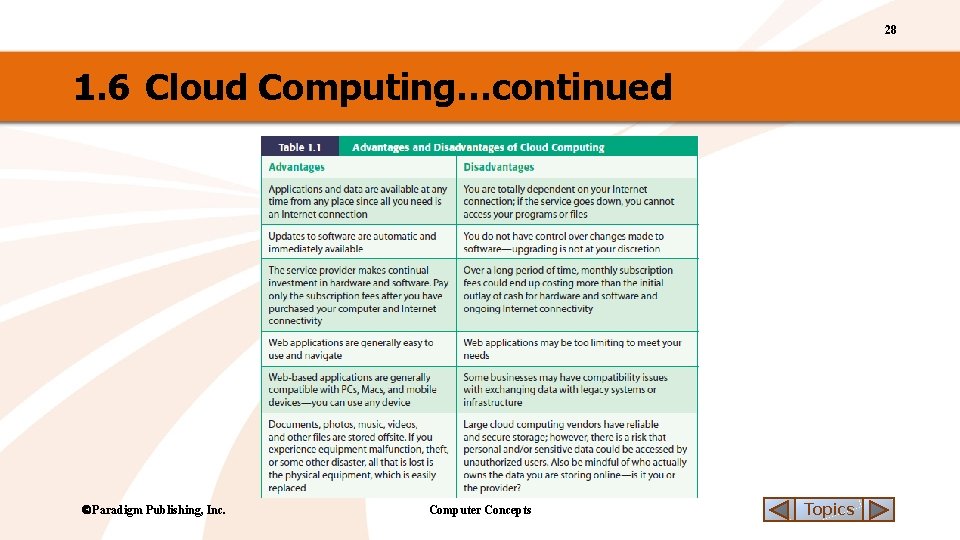
28 1. 6 Cloud Computing…continued Paradigm Publishing, Inc. Computer Concepts Topics
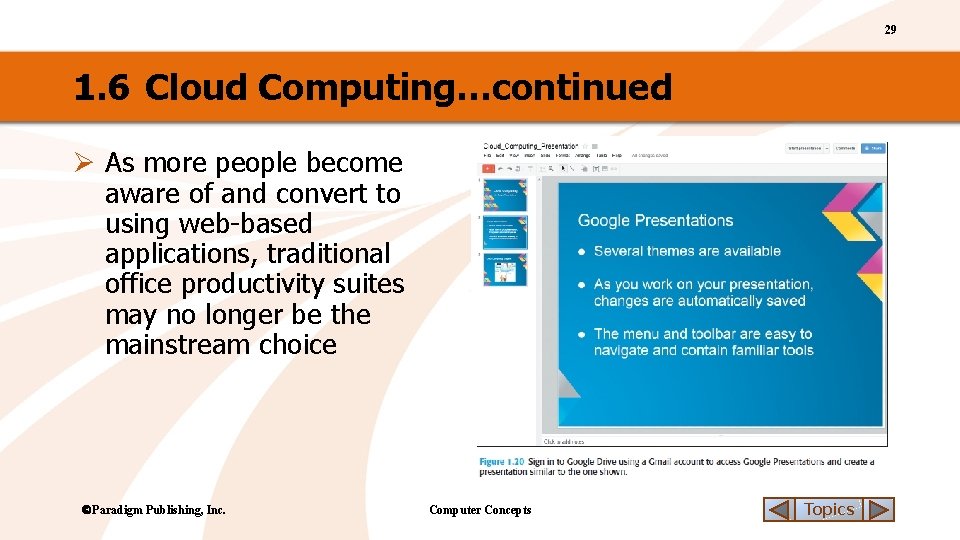
29 1. 6 Cloud Computing…continued Ø As more people become aware of and convert to using web-based applications, traditional office productivity suites may no longer be the mainstream choice Paradigm Publishing, Inc. Computer Concepts Topics
30 CHECK YOUR UNDERSTANDING 3 1. Which of the following operations is NOT in the Information Processing Cycle? a. b. c. d. 2. Printing Processing Input Output 4. Computer Concepts Random Access Memory (RAM) Central Processing Unit (CPU) Cache memory Storage media This term describes a delivery method where software applications are accessed from the Web. a. b. c. d. Input Processing Output Storage Paradigm Publishing, Inc. The computer chip that carries out the instructions given by software is called the ______. a. b. c. d. A scanner is an example of this type of device used in the Information Processing Cycle. a. b. c. d. 3. Software-as-a-Service (Saa. S) Infrastructure-as-a-Service (Iaa. S) Cloud-as-a-Service (Caa. S) Subscriptions-as-a-Service (Saa. S) Topics
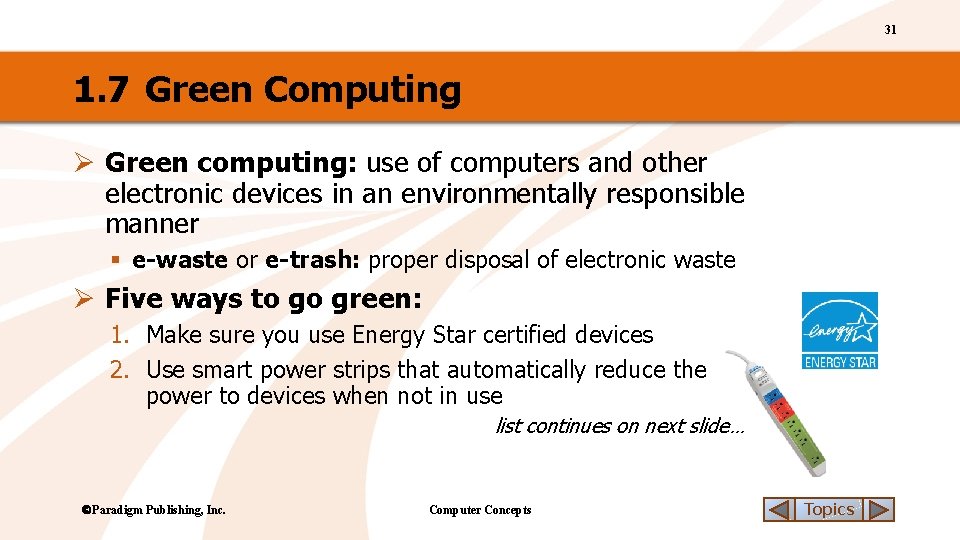
31 1. 7 Green Computing Ø Green computing: use of computers and other electronic devices in an environmentally responsible manner § e-waste or e-trash: proper disposal of electronic waste Ø Five ways to go green: 1. Make sure you use Energy Star certified devices 2. Use smart power strips that automatically reduce the power to devices when not in use list continues on next slide… Paradigm Publishing, Inc. Computer Concepts Topics
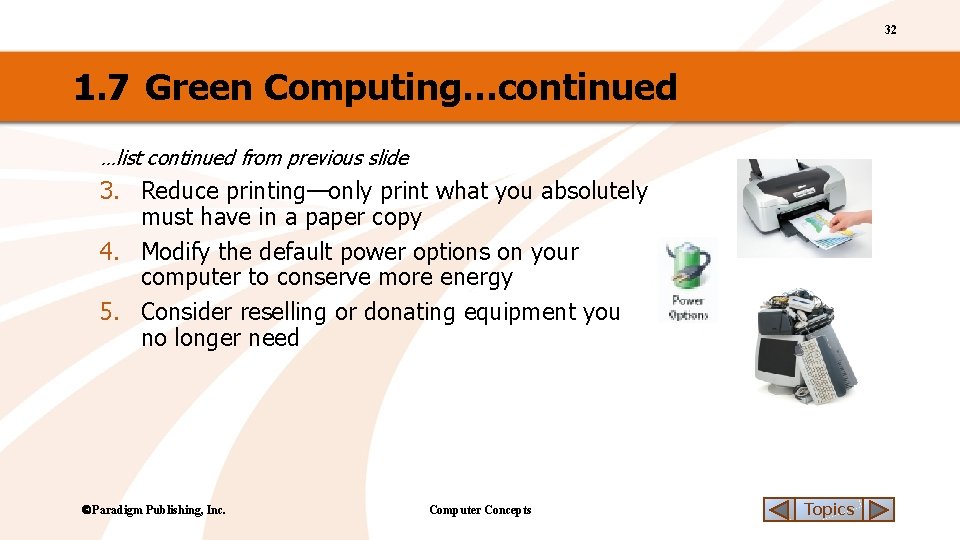
32 1. 7 Green Computing…continued …list continued from previous slide 3. Reduce printing—only print what you absolutely must have in a paper copy 4. Modify the default power options on your computer to conserve more energy 5. Consider reselling or donating equipment you no longer need Paradigm Publishing, Inc. Computer Concepts Topics
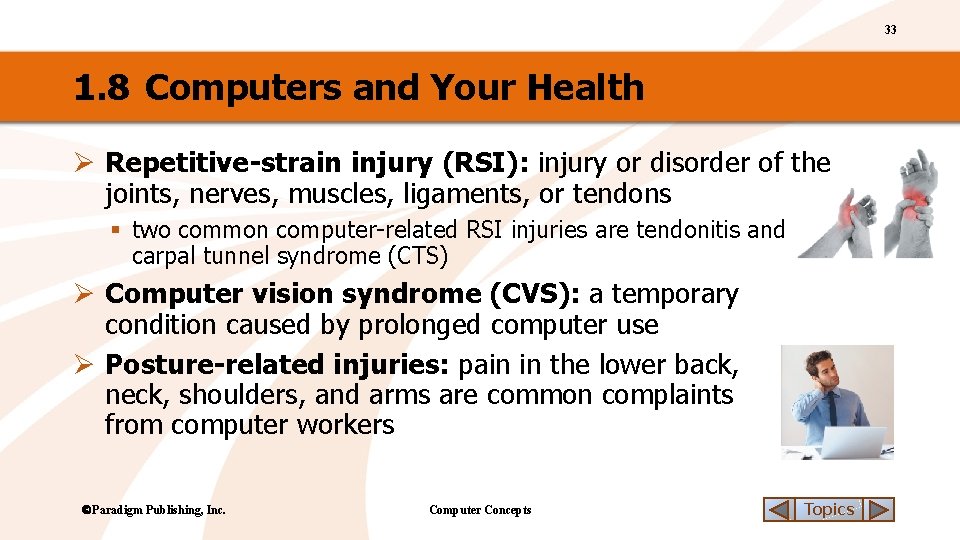
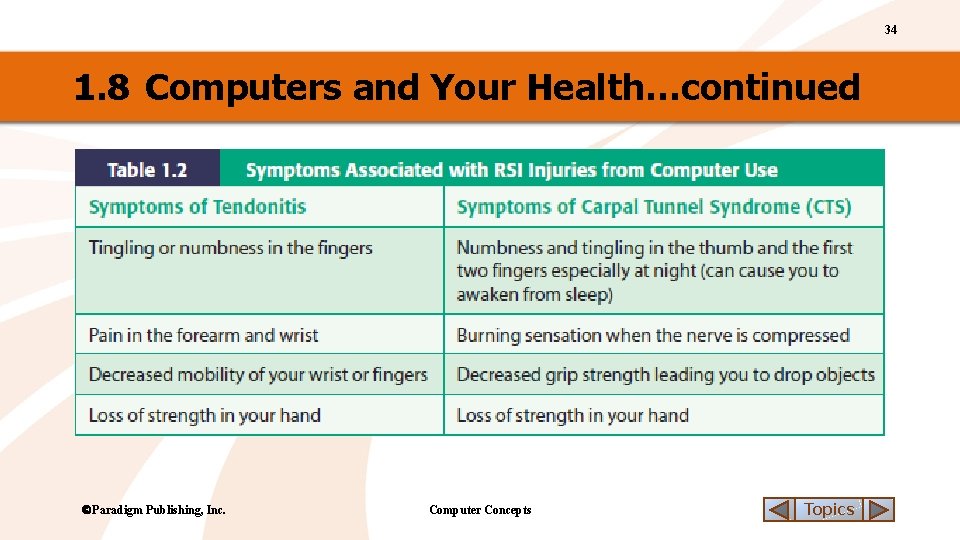
33 1. 8 Computers and Your Health Ø Repetitive-strain injury (RSI): injury or disorder of the joints, nerves, muscles, ligaments, or tendons § two common computer-related RSI injuries are tendonitis and carpal tunnel syndrome (CTS) Ø Computer vision syndrome (CVS): a temporary condition caused by prolonged computer use Ø Posture-related injuries: pain in the lower back, neck, shoulders, and arms are common complaints from computer workers Paradigm Publishing, Inc. Computer Concepts Topics
34 1. 8 Computers and Your Health…continued Paradigm Publishing, Inc. Computer Concepts Topics
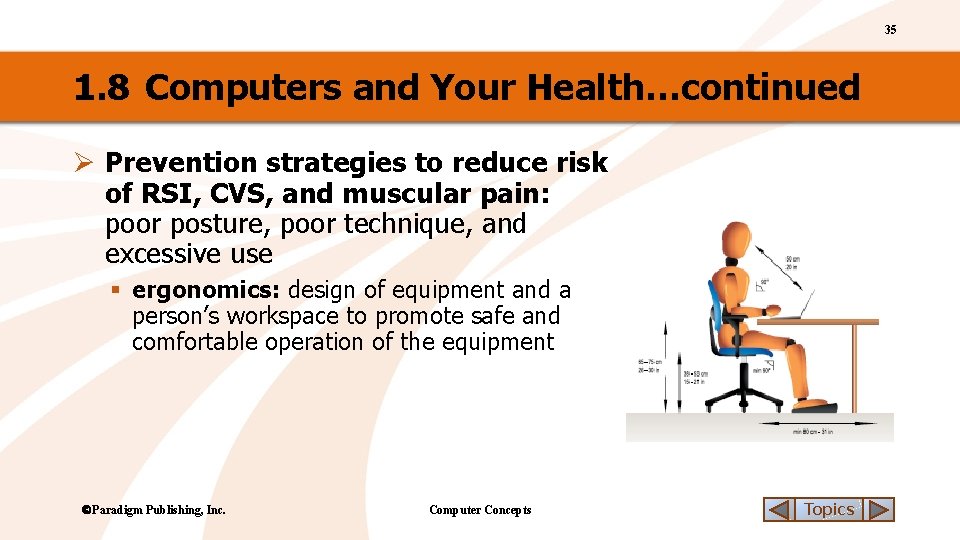
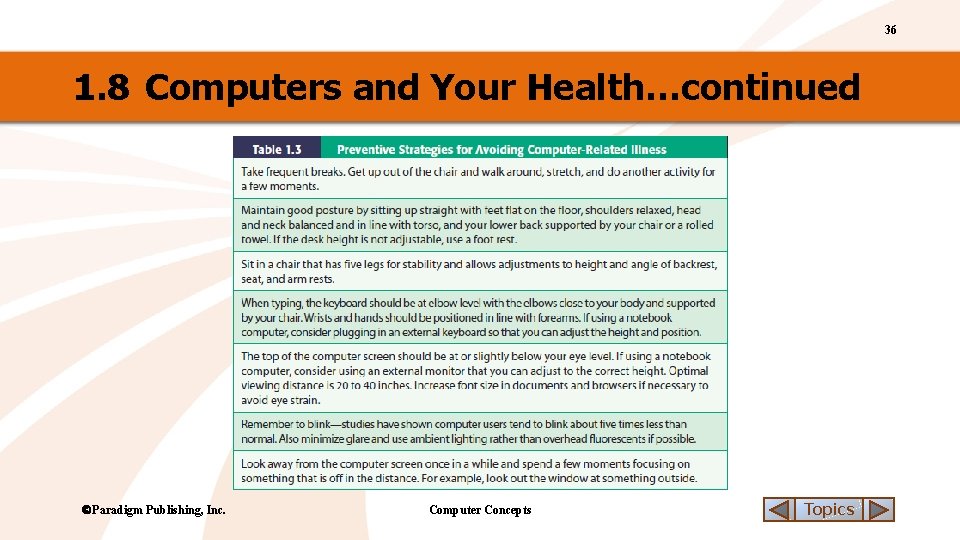
35 1. 8 Computers and Your Health…continued Ø Prevention strategies to reduce risk of RSI, CVS, and muscular pain: poor posture, poor technique, and excessive use § ergonomics: design of equipment and a person’s workspace to promote safe and comfortable operation of the equipment Paradigm Publishing, Inc. Computer Concepts Topics
36 1. 8 Computers and Your Health…continued Paradigm Publishing, Inc. Computer Concepts Topics
37 CHECK YOUR UNDERSTANDING 4 1. 2. Cloud computing places the processing and _______ operations in the Information Processing Cycle at the service provider’s server. a. Output b. Storage c. Input d. Communications 3. This label on a device indicates the manufacturer has met or exceeded minimum federal standards for energy consumption. 4. a. b. c. d. Computer Concepts Computer vision syndrome Repetitive-strain injury Computer fatigue Repetitive-work injury This term describes the design of equipment and workspace for the individual’s safety and comfort. a. b. c. d. Green Star Plus Energy Star Eco Star Paradigm Publishing, Inc. A leading cause of job-related illness in North America is _______. Healthy computing Work smart E-computing Ergonomics Topics
38 Chapter Summary v After successfully completing this chapter, you are now able to: ü Define Computer and identify the various types of computers ü Give an example of technological convergence and ubiquitous computing ü Define Information Technology and describe the four processes of a computer: input, output, processing, and storage ü Explain cloud computing and list advantages to individuals and businesses ü Describe the goals of green computing and identify green computing practices ü Recognize ways to use computing devices that conform to good ergonomic design Paradigm Publishing, Inc. Computer Concepts Topics
- Slides: 38