
2 1 Chapter 2 The Internet the World




- Slides: 53
2 -1
Chapter 2 The Internet & the World Wide Web Exploring Cyberspace u. Connecting to the Internet u. How Does the Internet work? u. The World Wide Web u. Email & Other Ways of Communicating over the Net u. Telephony, Multimedia, Webcasting, Blogs, E- Commerce u. Snooping, Spoofing, Phishing, Pharming, Cookies, & Spyware (gangguan pada jaringan) Mc. Graw-Hill/Irwin © 2007 The Mc. Graw-Hill Companies, Inc. All rights reserved.
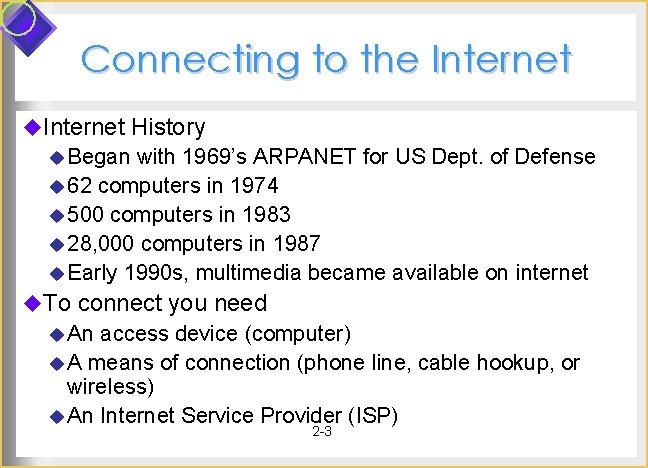
Connecting to the Internet u. Internet History u Began with 1969’s ARPANET for US Dept. of Defense u 62 computers in 1974 u 500 computers in 1983 u 28, 000 computers in 1987 u Early 1990 s, multimedia became available on internet u. To connect you need u An access device (computer) u A means of connection (phone line, cable hookup, or wireless) u An Internet Service Provider (ISP) 2 -3
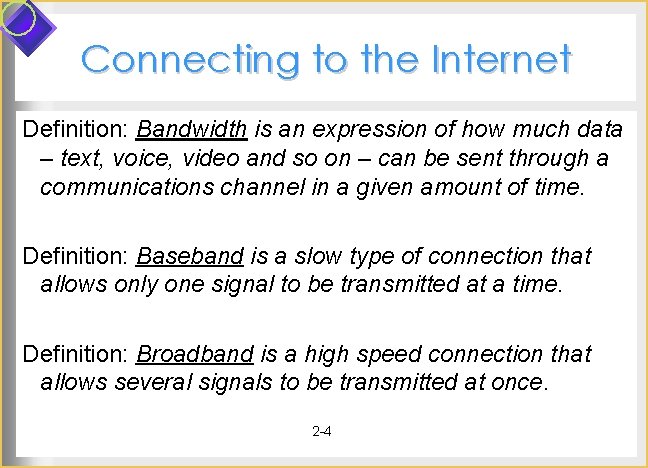
Connecting to the Internet Definition: Bandwidth is an expression of how much data – text, voice, video and so on – can be sent through a communications channel in a given amount of time. Definition: Baseband is a slow type of connection that allows only one signal to be transmitted at a time. Definition: Broadband is a high speed connection that allows several signals to be transmitted at once. 2 -4
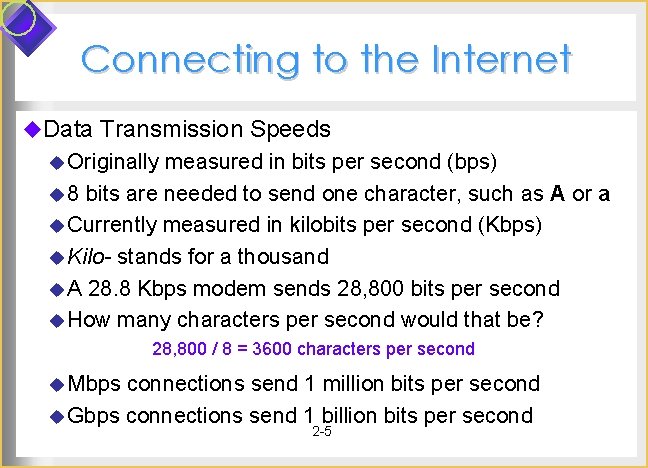
Connecting to the Internet u. Data Transmission Speeds u Originally measured in bits per second (bps) u 8 bits are needed to send one character, such as A or a u Currently measured in kilobits per second (Kbps) u Kilo- stands for a thousand u A 28. 8 Kbps modem sends 28, 800 bits per second u How many characters per second would that be? 28, 800 / 8 = 3600 characters per second u Mbps connections send 1 million bits per second u Gbps connections send 1 billion bits per second 2 -5
Connecting to the Internet u. Modems u Can be either internal or external to your PC u Most ISPs offer local access numbers u Need call waiting turned off; either manually or in Windows u. High-speed phone lines u ISDN line u DSL line u. Cable Modems u. Satellite u. Wi-Fi & 3 G 2 -6
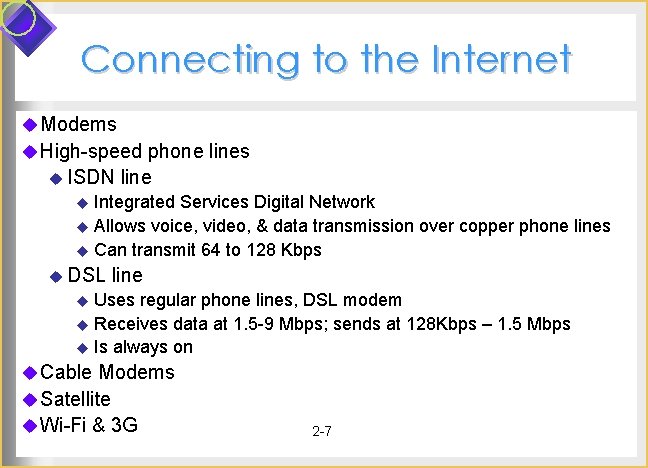
Connecting to the Internet u Modems u High-speed phone lines u ISDN line u Integrated Services Digital Network u Allows voice, video, & data transmission over copper phone lines u Can transmit 64 to 128 Kbps u DSL line u Uses regular phone lines, DSL modem u Receives data at 1. 5 -9 Mbps; sends at 128 Kbps – 1. 5 Mbps u Is always on u Cable Modems u Satellite u Wi-Fi & 3 G 2 -7
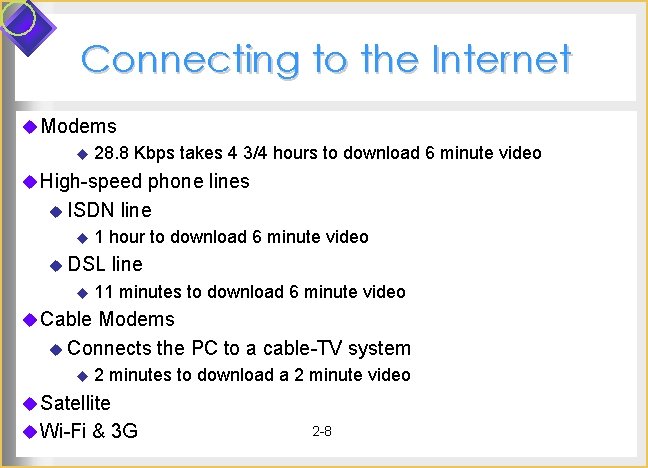
Connecting to the Internet u Modems u 28. 8 Kbps takes 4 3/4 hours to download 6 minute video u High-speed phone lines u ISDN u 1 line hour to download 6 minute video u DSL line u 11 minutes to download 6 minute video u Cable Modems u Connects u 2 the PC to a cable-TV system minutes to download a 2 minute video u Satellite u Wi-Fi & 3 G 2 -8
Connecting to the Internet u. Modems u. High-speed phone lines u ISDN line u DSL line u. Cable Modems u. Satellite u Always-on connection using satellite dish to satellite orbiting earth u Send data at 56 – 500 Kbps; receive at 1. 5 Mbps u. Wi-Fi & 3 G 2 -9
Connecting to the Internet u Modems u High-speed phone lines u ISDN line u DSL line u Cable Modems u Satellite u Wi-Fi & 3 G u Wi-Fi u Name for a set of wireless standards set by IEEE u Typically used with laptops that have Wi-Fi hardware u 3 G u High-speed wireless that does not need access points 2 -10 u Uses cell phones
Connecting to the Internet u. Internet Access Providers u Internet Service Providers (ISP) u Local, regional, or national organization that provides internet access u Examples: AT&T Worldnet, Earth. Link u Commercial Online Service u. A members-only company that provides specialized content and internet access u Examples: AOL, MSN u Wireless Internet Service Providers 2 -11
Connecting to the Internet u. Internet Access Providers u. Commercial Online Service u. Wireless Internet Service Providers u Internet Access for laptops, notebooks, smartphones, PDA users u These devices contain wireless modems u Examples: AT&T Wireless, Verizon Wireless, Earthlink Net Zero 2 -12
How Does the Internet Work? u. The internet consists of thousands of smaller networks u. These link educational, commercial, nonprofit, and military organizations u. Most are Client/Server networks u Client: a computer requesting data or services u Server or Host: a central computer supplying data or services requested of it 2 -13
How Does the Internet Work? u. Point of Presence (POP) u. A local access point to the internet u A local gateway to the ISP’s network u. Network Access Point (NAP) u. A routing computer at a point on the internet where several connections come together u Owned by Network Service Providers (NAP) u Four major NAPs established in 1993 when the internet was privatized u Source of much internet congestion PNAPS 2 -14 u P= Privat, S=System
How Does the Internet Work? u. Private/Peer NAPs (PNAP) u Established in late 1990 s u Provide more backbone access locations than the original 4 NAPs in Chicago, Washington D. C. , New Jersey and San Francisco u >100 in U. S. A. at present u Facilitate more efficient routing since there are more backbone access locations 2 -15
How Does the Internet Work? u. Internet Backbone u High-capacity, high-speed data transmission lines u Use the newest technology u Providers include AT&T, Cable & Wireless, Sprint, Teleglobe, UUNET u. Internet 2 u Cooperative university/business research project u New standards for large-scale higher-speed data transmission u Requires state-of-the-art infrastructure 2 -16
How Does the Internet Work? u. Protocols u The set of rules a computer follows to electronically transmit data. u TCP/IP is the internet protocol u Developed in 1978 u Used for all internet transactions u. Packets u Fixed-length blocks of data for transmission u Data transmissions are broken up into packets 2 -17
How Does the Internet Work? u. IP Addresses u Every device connected to the internet has an address u Each IP address uniquely identifies that device u The address is four sets of 3 -digit numbers separated by periods u Example: 95. 160. 10. 240 u Each number is between 0 and 255 u Static IP addresses don’t change u Dynamic IP addresses don’t change u Since addresses are limited, and most PCs are not connected a lot of the time, dynamic addresses are common 2 -18
How Does the Internet Work? u. The board of trustees of the Internet Society (ISOC) oversees the standards u. Internet Corporation for Assigned Names and Numbers (ICANN) regulates domain names u. American Registry for Internet Numbers (ARINN) administers the unique IP addresses for North & South America, Caribbean, and sub-Saharan Africa u. Two other organizations administer the unique IP addresses for Europe and the Asia-Pacific region 2 -19
The World Wide Web u. Browsers u Software for web-surfing u Examples: Internet Explorer, Netscape Navigator, Mozilla Fire. Fox, Opera, Apple Macintosh browser u. Website u The location on a particular computer that has a unique address u Example: www. barnesandnoble. com, www. mcgrawhill. com u The website could be anywhere – not necessarily at company headquarters 2 -20
The World Wide Web u. Web Pages u The documents and files on a company’s website u Can include text, pictures, sound, and video u. Home page u The main entry point for the website u Contains links to other pages on the website 2 -21
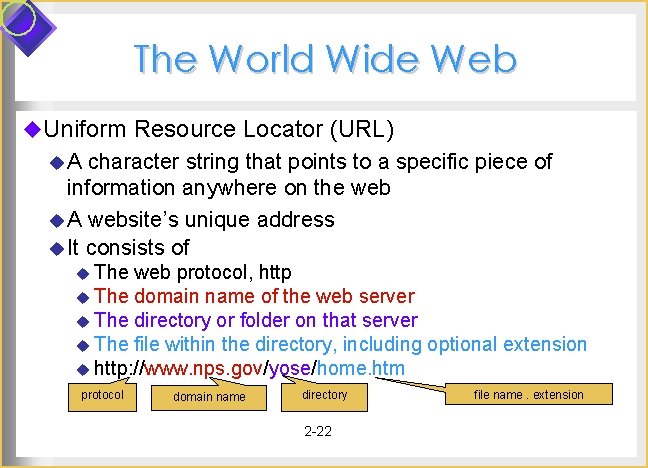
The World Wide Web u. Uniform Resource Locator (URL) u. A character string that points to a specific piece of information anywhere on the web u A website’s unique address u It consists of u The web protocol, http u The domain name of the web server u The directory or folder on that server u The file within the directory, including optional extension u http: //www. nps. gov/yose/home. htm protocol domain name directory 2 -22 file name. extension
The World Wide Web u. Domain names u Must be unique u Identify the website, and the type of site it is u www. whitehouse. gov is NOT the same as www. whitehouse. org u. gov means government u. org means professional or nonprofit organization Discussion Question: Have you ever mistyped a URL and gone to a website you weren’t expecting? As we learn later in this chapter, some unscrupulous websites take advantage of this. 2 -23
The World Wide Web u. HTTP u The internet protocol used to access the World Wide Web u. HTTPS u The secure version of HTTP u. Hypertext Markup Language (HTML) u The language used in writing and publishing web pages u The set of tags used to specify document structure, formatting, and links to other documents on the web u. Hypertext links connect one web document to another 2 -24
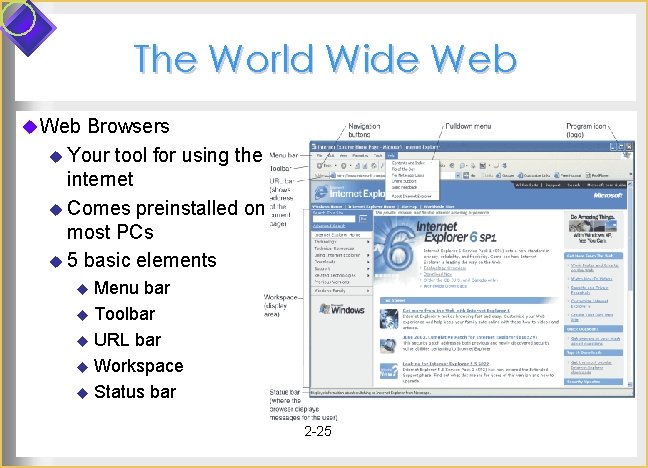
The World Wide Web u Web Browsers u Your tool for using the internet u Comes preinstalled on most PCs u 5 basic elements u Menu bar u Toolbar u URL bar u Workspace u Status bar 2 -25
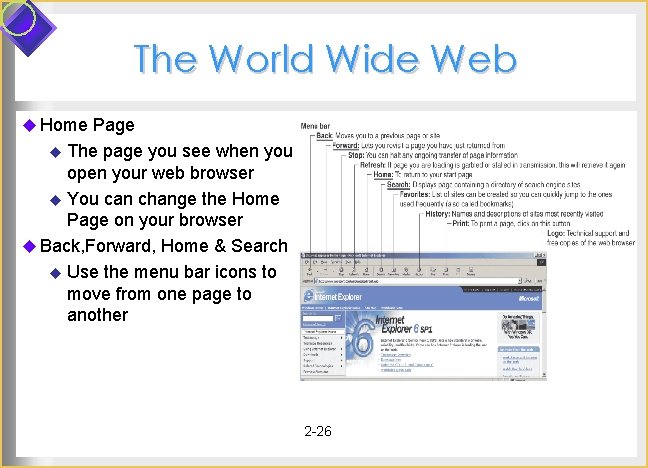
The World Wide Web u Home Page u The page you see when you open your web browser u You can change the Home Page on your browser u Back, Forward, Home & Search u Use the menu bar icons to move from one page to another 2 -26
The World Wide Web u. Navigation u History Lists u. A list of websites you visited since you opened up your browser for this session u Allows you to easily return to a particular site u Bookmarks u Allows you to store the URL from a site on your PC so you can find it again in another browser session u To save the URL for a site, click on “Bookmark” in Internet Explorer or Mozilla Firefox u Or just type in the URL of the page you want to visit 2 -27
The World Wide Web u. Web portals u. A gateway website that offers a broad array of resources and services, online shopping malls, email support, community forums, stock quotes, travel info, and links to other categories. u Examples: Yahoo, AOL, Microsoft Network (MSN), Lycos, or Google u Most require you to log in, so you can u Check the home page for general information u Use the subject guide to find a topic you want u Use a keyword to search for a topic 2 -28
The World Wide Web u. Search Services u Organizations that maintain databases accessible through websites to help you find information on the internet u Examples: portals like Yahoo Search and MSN, and Google, Ask Jeeves, and Gigablast u Databases are compiled using software programs called Discussion spiders u Spiders crawl through the World Wide Web u Follow links from one page to another u Index the words on that site 2 -29 Question: If you publish an embarrassing web page and then take it down, is it REALLY gone?
The World Wide Web u 4 web search tools u. Keyword Indexes u Type one or more search keywords, and you see web pages “hits” that contain those words u For phrases with two or more words, put phrase in quotes u Examples are Google, Gigablast, Hot. Bot, MSN Search, Teoma u. Subject Directories u Search by selecting lists of categories or topics u Example sites are Beaucoup, Galaxy, Look. Smart, MSN Directory, Netscape, Open Directory Project, Yahoo u. Metasearch Engines u. Specialized Search Engines 2 -30
The World Wide Web u 4 web search tools u. Keyword Indexes u. Subject Directories u. Metasearch Engines u. Allows you to search several search engines simultaneously u. Examples are Dogpile, Ixquick, Mamma, Meta. Crawler, Pro. Fusion, Search, Vivisimo u. Specialized Search Engines u. Help locate specialized subject matter, like info on movies, health, jobs 2 -31
The World Wide Web u Multimedia Search Tools u Allow you to search for nontext resources Search Tool Site A 9 (Amazon. com) http: //a 9. com Blinkx www. blinkx. com Google www. google. com/video Shadow. TV www. shadowtv. com Stream. Sage www. streamsage. com Virage www. virage. com Yahoo! http: //video. search. yahoo. com 2 -32
The World Wide Web u. Should you trust information you find online? u. There is no central authority that verifies all internet sites u. Guidelines to evaluate Web Resources u Does the information appear on a professional site maintained by a professional organization? u Does the website authority appear to be legitimate? u Is the website objective, complete, and current? 2 -33
Email & Other Ways of Communicating over the Net u. Email Program u Enables you to send email by running email software on your computer that interacts with an email server at your ISP u Incoming mail is stored on the server in an electronic mailbox u Upon access, mail is sent to your client’s inbox u Examples: Microsoft’s Outlook Express, Netscape’s Mail, Apple Computer’s Apple Mail, Qual. Comm’s Eudora Discussion Question: If your email is stored at the server and servers are backed up, when you delete an email is it gone for good? 2 -34
Email & Other Ways of Communicating over the Net u. Web-based Email u You send and receive messages by interacting via a browser with a website u Advantage: You can easily send and receive messages while traveling u Examples: Yahoo! Mail, Hotmail, Bluebottle, Sacmail 2 -35
Email & Other Ways of Communicating over the Net u Using email 1. Get an email address, following the format Joe_Black@earthlink. net. us User Name 2. 3. 4. 5. Domain name Type addresses carefully, including capitalization, underscores, and periods Use the reply command to avoid addressing mistakes Use the address-book feature to store email addresses 2 -36 or use filters Sort your email into folders
Email & Other Ways of Communicating over the Net u. Email Attachments u. A copy of a file or document that you send attached to an email to one or more people u Be careful about opening attachments u Many viruses hide in them u Know who is sending it to you before you open it u The recipient must have compatible software to open the attachment. If they don’t have Excel, they probably can’t read the spreadsheet you sent them. 2 -37
Email & Other Ways of Communicating over the Net u. Instant Messaging u Any user on a given email system can send a message and have it pop up instantly on the screen of anyone logged into that system u Examples: AOL Instant Messenger, MSN Messenger, ICQ, AT&T IM Anywhere, Yahoo Messenger u Not all IM systems interoperate u To get it, you: u download the software u connect to the internet u register with the service 2 -38
Email & Other Ways of Communicating over the Net u. FTP – File Transfer Protocol u. A software standard for transferring files between computers with different Operating Systems u Microsoft Windows Linux u Unix Macintosh OS, and so forth u You can transfer files from an FTP site on the internet to your PC u Know your FTP site! u If the FTP site is offering copyrighted material such as music and movies for free, you are breaking US law if you download files! u You may also get a virus or spyware on your PC from them 2 -39
Email & Other Ways of Communicating over the Net u. Newsgroups u. A giant electronic discussion board u There are thousands of free internet newsgroups u Usenet is the worldwide public network of servers on the internet www. usenet. com u To participate you need a newsreader u. Listserv u An email-based discussion group u Uses an automatic mailing-list server that sends email to subscribers on selected topics 2 -40
Email & Other Ways of Communicating over the Net u. Real-Time Chat (RTC) u Participants have a typed discussion while online at the same time u This is not allowed in most college classrooms u IM is one-on-one, but RTC has a list of participants u. Netiquette – appropriate online behavior u Before you ask a question, consult the FAQ u Avoid flaming u Don’t SHOUT – use all capital letters u Be careful with jokes u Don’t send huge file attachments unless requested 2 -41
Telephony, Multimedia, Webcasting, Blogs, E-Commerce u. Internet Telephony u Uses the internet to make phone calls u Long-distance calls are either very inexpensive or free u With no PC, dial a special phone number to packetize your call u With a PC that has a sound card, microphone, Internet connection, and internet telephone software such as Netscape Conference or Microsoft Net. Meeting u Currently inferior in quality to normal phone connections u Also allows videoconferencing 2 -42
Telephony, Multimedia, Webcasting, Blogs, E-Commerce u. Multimedia on the Web u Allows you to get images, sound, video, and animation u May require a plug-in, player, or viewer u. A program that adds a specific feature to a browser so it can view certain files u Example: Adobe Acrobat Reader, Real. Player, Quick. Time u Multimedia Applets u Small programs that can be quickly downloaded and run by most browsers u Java is the most common Applet language u Microsoft’s Visual Studio creates Active. X and com objects 2 -43
Telephony, Multimedia, Webcasting, Blogs, E-Commerce u. Multimedia on the Web u Animation u The rapid sequencing of still images to create the appearance of motion u Used in video games and web images that seem to move u Video u Streaming video is process of transferring data in a continuous flow so you can begin viewing a file before it is all completely sent u Audio may be transmitted either: u Downloaded completely before the file can be played, or u Downloaded as streaming audio 2 -44
Telephony, Multimedia, Webcasting, Blogs, E-Commerce u. RSS newsreaders u Programs that scour the web and pull together “feeds” from several websites to one place u. Blog u Short for web log, a diary-style web page u Have become popular, both privately and in politics u. Podcasting u Recording internet radio or similar internet audio programs u Some radio stations webcast their audio programs over the internet 2 -45
Telephony, Multimedia, Webcasting, Blogs, E-Commerce u Conducting business activities online u B 2 B Commerce is business-to-business e-commerce u Online Finance now involves online banking, stock trading online, and e-money such as Pay. Pal u Online auctions link buyers with sellers u e. Bay is the most well-known example of person-to-person auctions u On. Sale is a vendor-based auction that buys merchandise and sells it at a discount u Priceline is an auction site for airline tickets and other items 2 -46
Snooping, Spoofing, Phishing, Pharming, Cookies, & Spyware u. The internet was founded as a collaborative tool based on trust u. Not everyone on the internet is honest u. Snooping u Email is not private u Corporate management has the right to view employees’ email u Email that travels over the internet may be captured and monitored and read by someone else u Not all ISPs protect their customers’ privacy 2 -47
Snooping, Spoofing, Phishing, Pharming, Cookies, & Spyware u. Spam: Electronic Junk Mail u Unsolicited email that takes up your time and may carry viruses or spyware u Delete it without opening the message u Never reply to a spam message u When you sign up for something, don’t give your email address u Use spam filters u Fight back by reporting new spammers to www. abuse. net or www. spamhaus. org or www. rahul. net/falk 2 -48
Snooping, Spoofing, Phishing, Pharming, Cookies, & Spyware u. Spoofing u Using fake email sender names so the message appears to be from a different source, so you will trust it. u If you don’t know the sender, don’t open it. u. Phishing u Using trusted institutional names to elicit confidential information u Some common schemes look like they are from your bank or from e. Bay and ask you to “update” your account. u Don’t do it – the legitimate company already knows your account information! u If you want to update your information, CALL the number in the phone book, not the number in the email! 2 -49
Snooping, Spoofing, Phishing, Pharming, Cookies, & Spyware u. Pharming u Redirecting you to an imposter web page. u Thieves implant malicious software on your PC u Redirects you to an imposter web page even when you type the correct URL! u To foil it, type the URL with https first (for http secure) https: //www. microsoft. com Use this one with https, not http: //www. microsoft. com Since it has http, it could be spoofed 2 -50
Snooping, Spoofing, Phishing, Pharming, Cookies, & Spyware u. Cookies u Little text files left on your hard disk by some websites you visit u Can include your log-in name, password, and browser preferences u Can be convenient u But they can be used to gather information about you and your browsing habits 2 -51
Snooping, Spoofing, Phishing, Pharming, Cookies, & Spyware u Applications that download without your knowledge u They hide on your PC and capture information about what is on the PC and what you are doing u That information is then transmitted to the spyware master’s website on the internet u Information may be used against you to steal your identity, get credit cards in your name, or for other crimes 2 -52
Snooping, Spoofing, Phishing, Pharming, Cookies, & Spyware u. Spyware (continued) u To prevent spyware, you must install and use “Antispyware software” at all times u Examples: Ad Aware, Anti. Spyware, Spybot Search & Destroy, Pest Patrol, Spy. Catcher, Yahoo toolbar with Anti -Spy u Be careful about free and illegal downloads since they are a source of spyware u Don’t say “I agree” when you are downloading something – read the fine print u Beware of unsolicited downloads 2 -53