
16 VLAN introduction VLANs logically segment switched networks




![Configuring VTP Set-Based Switch(enable) set vtp [domain-name] [mode {server | client | transparent}[password] Switch(enable)](https://slidetodoc.com/presentation_image_h/cd78283aae7201222a773954bcd264ca/image-59.jpg "Configuring VTP Set-Based Switch(enable) set vtp [domain-name] [mode {server | client | transparent}[password] Switch(enable)")
- Slides: 64
16
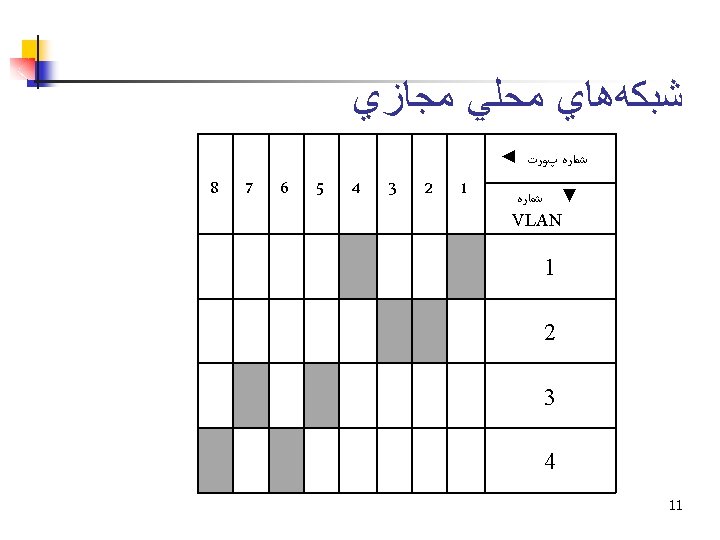
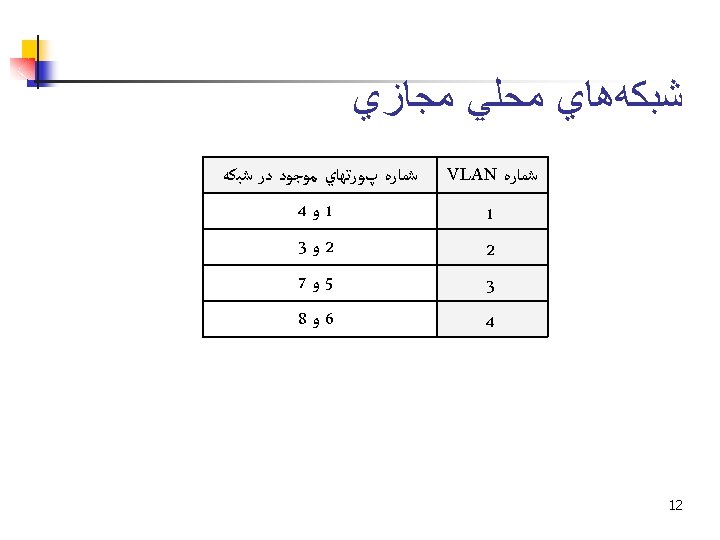
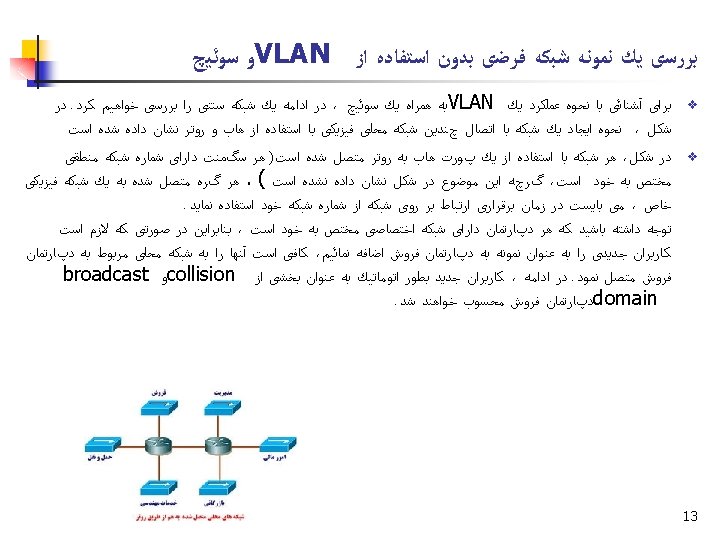
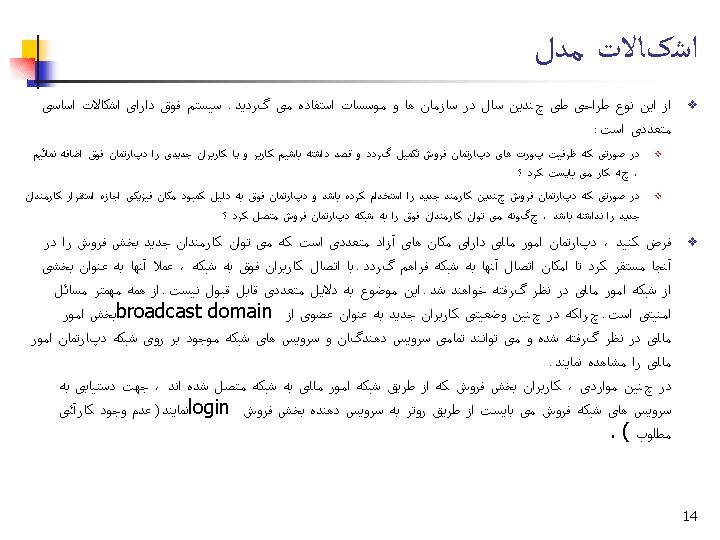
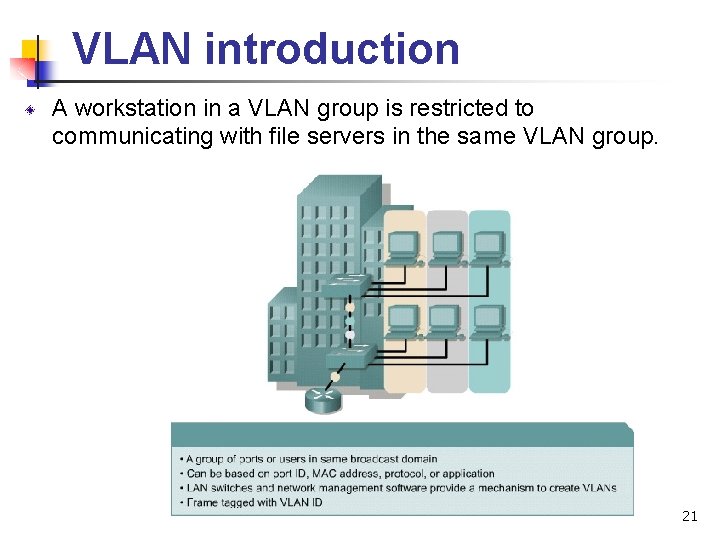
VLAN introduction VLANs logically segment switched networks based on the functions, project teams, or applications of the organization regardless of the physical location or connections to the network. All workstations and servers used by a particular workgroup share the same VLAN, regardless of the physical connection or location. 20
VLAN introduction A workstation in a VLAN group is restricted to communicating with file servers in the same VLAN group. 21
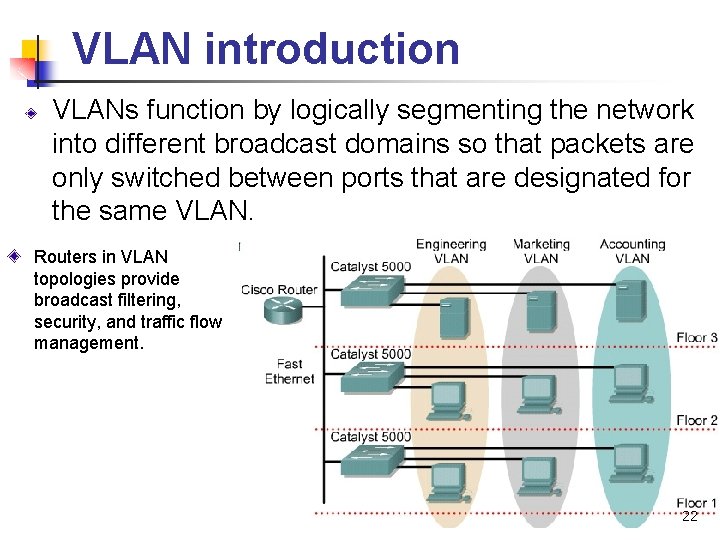
VLAN introduction VLANs function by logically segmenting the network into different broadcast domains so that packets are only switched between ports that are designated for the same VLAN. Routers in VLAN topologies provide broadcast filtering, security, and traffic flow management. 22
VLAN introduction VLANs address scalability, security, and network management. Switches may not bridge any traffic between VLANs, as this would violate the integrity of the VLAN broadcast domain. Traffic should only be routed between VLANs. 23
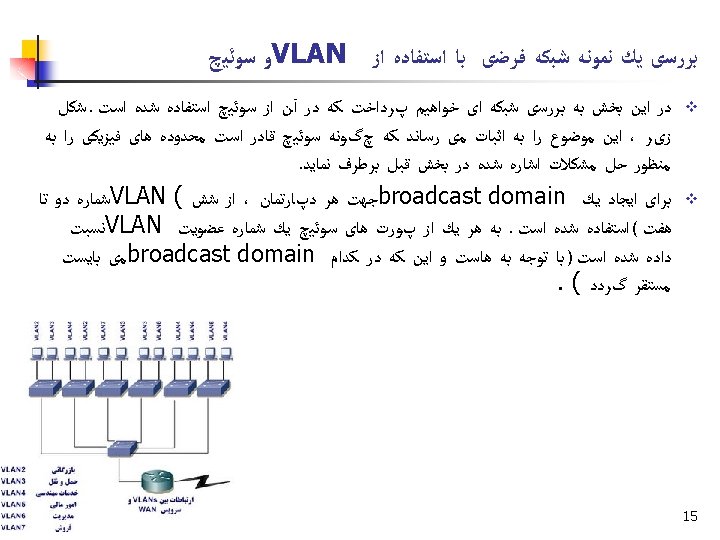
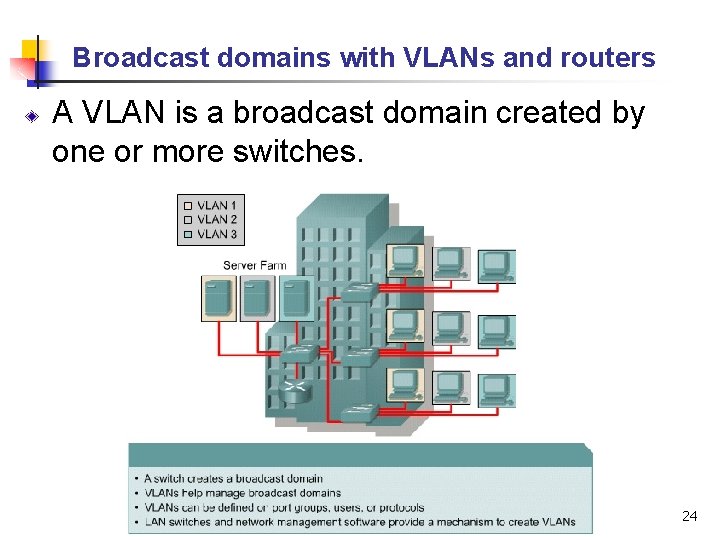
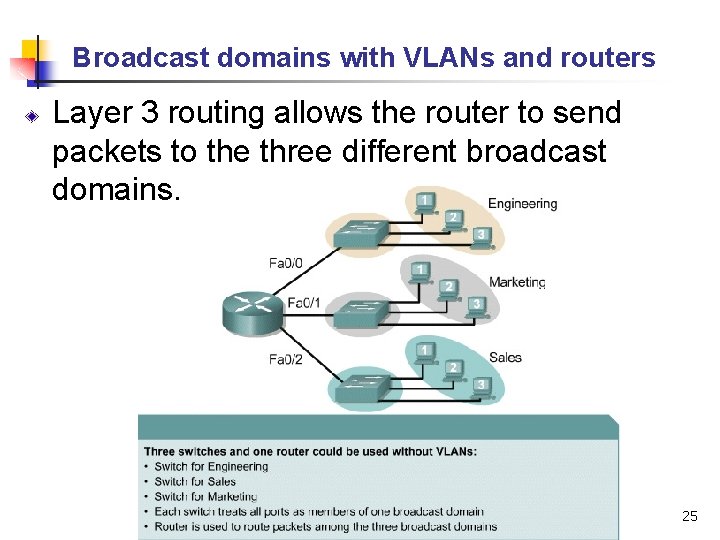
Broadcast domains with VLANs and routers A VLAN is a broadcast domain created by one or more switches. 24
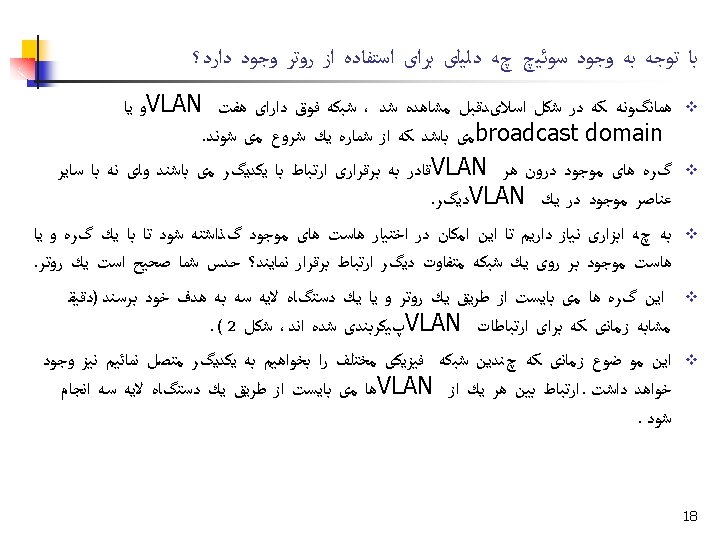
Broadcast domains with VLANs and routers Layer 3 routing allows the router to send packets to the three different broadcast domains. 25
Broadcast domains with VLANs and routers Implementing VLANs on a switch causes the following to occur: n n n The switch maintains a separate bridging table for each VLAN. If the frame comes in on a port in VLAN 1, the switch searches the bridging table for VLAN 1. When the frame is received, the switch adds the source address to the bridging table if it is currently unknown. The destination is checked so a forwarding decision can be made. For learning and forwarding the search is made against the address table for that VLAN only. 26
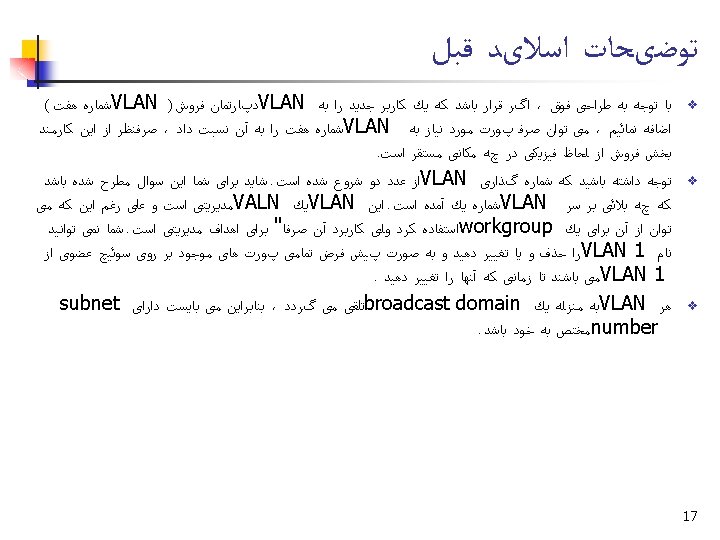
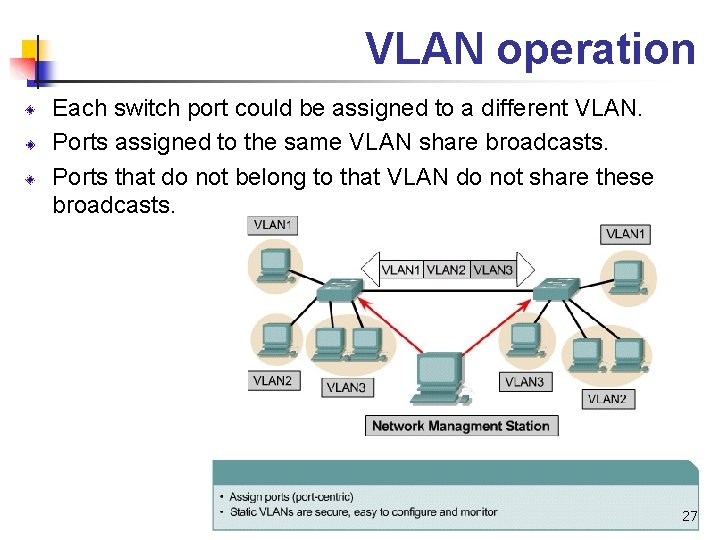
VLAN operation Each switch port could be assigned to a different VLAN. Ports assigned to the same VLAN share broadcasts. Ports that do not belong to that VLAN do not share these broadcasts. 27
VLAN operation Users attached to the same shared segment, share the bandwidth of that segment. Each additional user attached to the shared medium means less bandwidth and deterioration of network performance. VLANs offer more bandwidth to users than a shared network. The default VLAN for every port in the switch is the management VLAN. The management VLAN is always VLAN 1 and may not be deleted. All other ports on the switch may be reassigned to alternate VLANs. 28
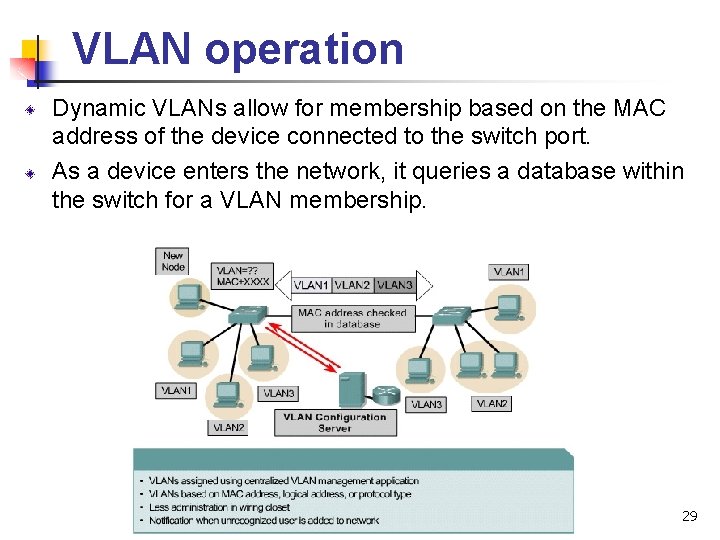
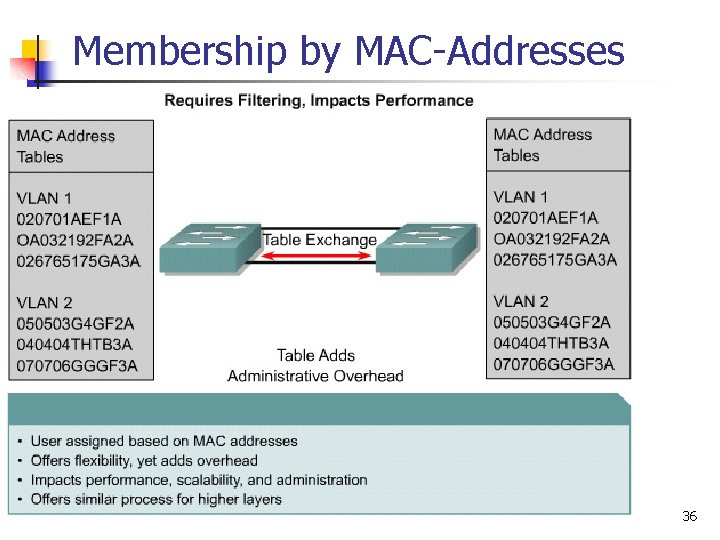
VLAN operation Dynamic VLANs allow for membership based on the MAC address of the device connected to the switch port. As a device enters the network, it queries a database within the switch for a VLAN membership. 29
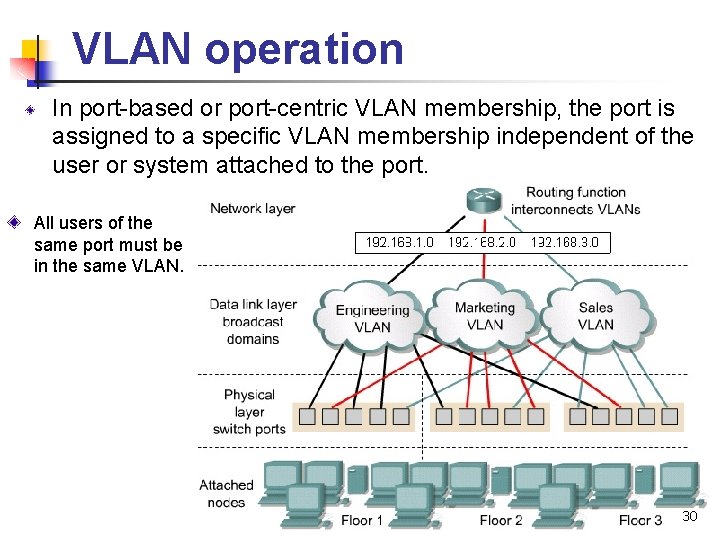
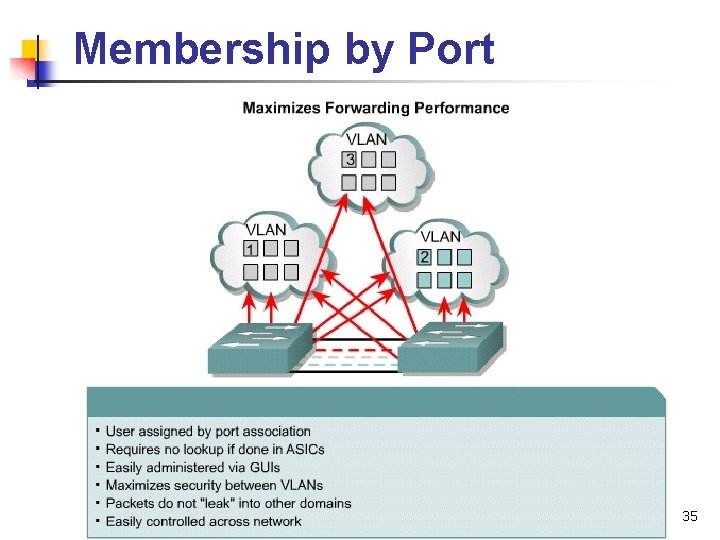
VLAN operation In port-based or port-centric VLAN membership, the port is assigned to a specific VLAN membership independent of the user or system attached to the port. All users of the same port must be in the same VLAN. 30
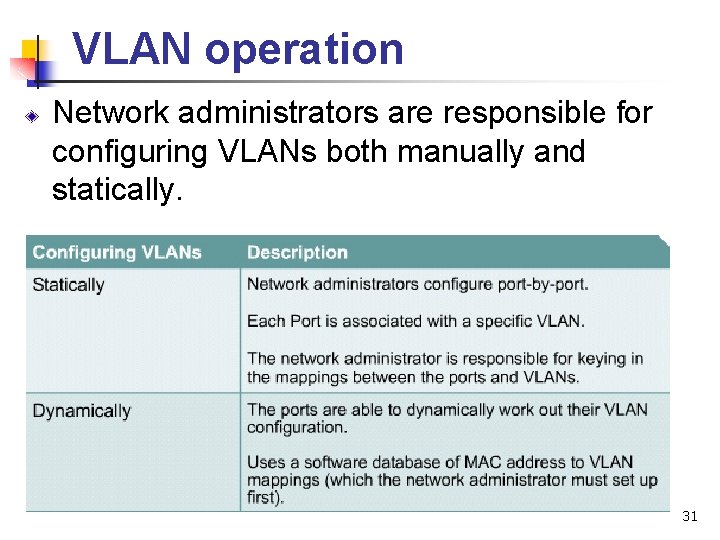
VLAN operation Network administrators are responsible for configuring VLANs both manually and statically. 31
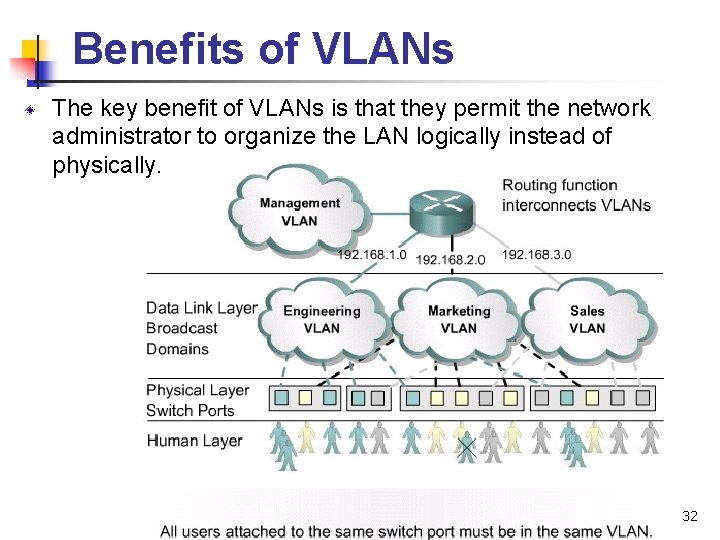
Benefits of VLANs The key benefit of VLANs is that they permit the network administrator to organize the LAN logically instead of physically. 32
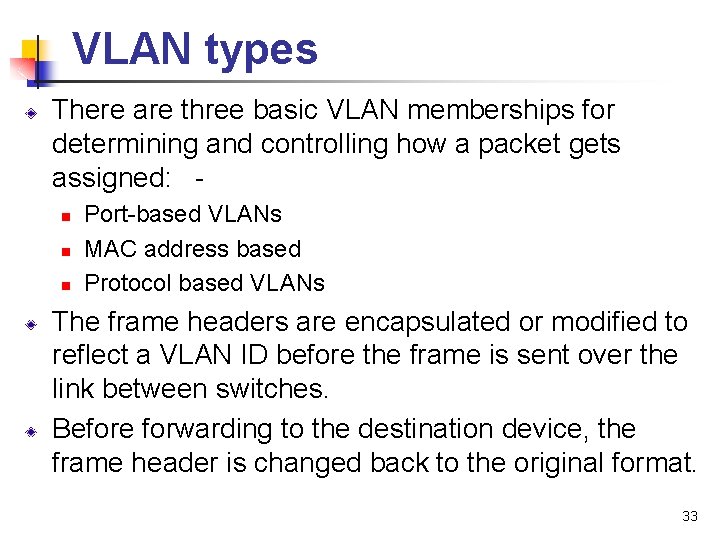
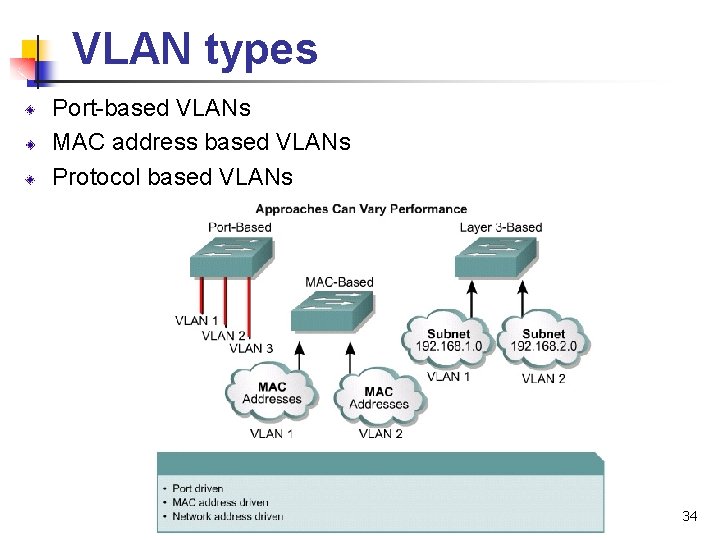
VLAN types There are three basic VLAN memberships for determining and controlling how a packet gets assigned: - n n n Port-based VLANs MAC address based Protocol based VLANs The frame headers are encapsulated or modified to reflect a VLAN ID before the frame is sent over the link between switches. Before forwarding to the destination device, the frame header is changed back to the original format. 33
VLAN types Port-based VLANs MAC address based VLANs Protocol based VLANs 34
Membership by Port 35
Membership by MAC-Addresses 36
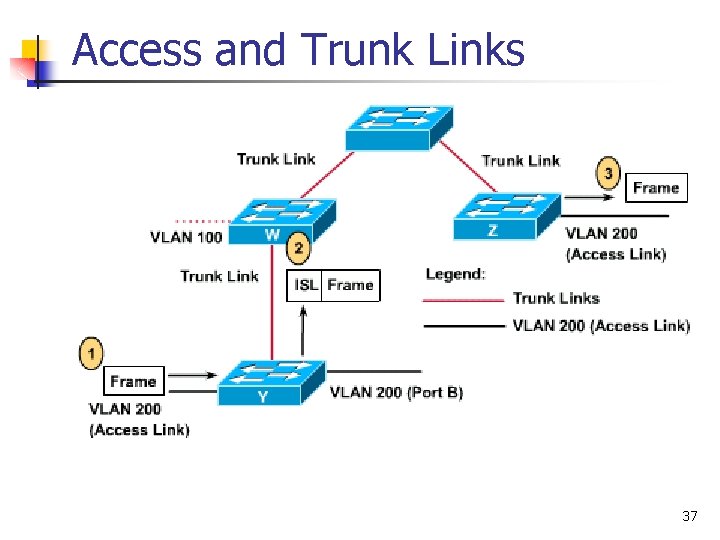
Access and Trunk Links 37
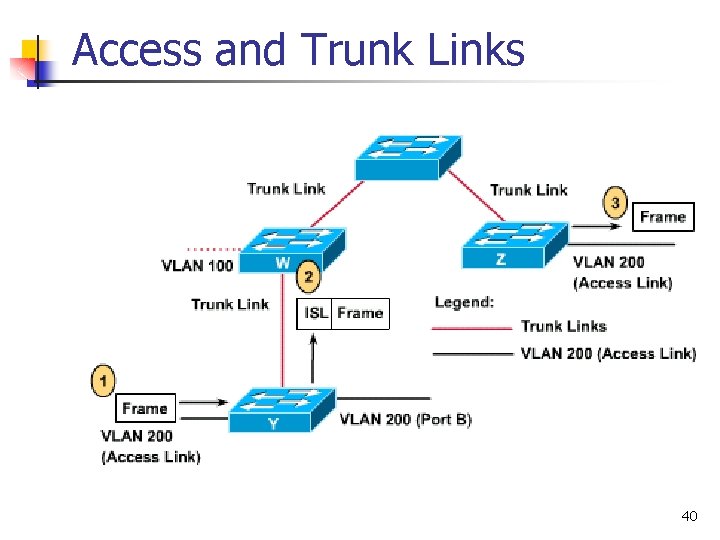
Access Links v v An access link is a link on the switch that is a member of only one VLAN. This VLAN is referred to as the native VLAN of the port. v Any device that is attached to the port is completely unaware that a VLAN exists. 38
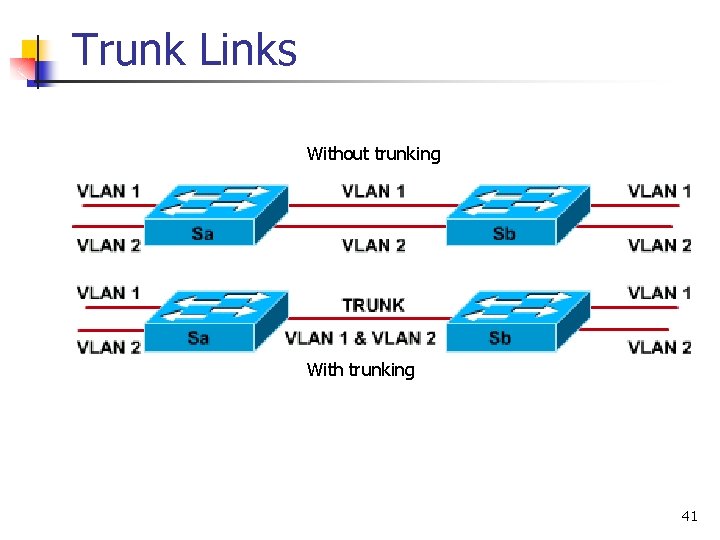
Trunk Links v v v A trunk link is capable of supporting multiple VLANs. Trunk links are typically used to connect switches to other switches or routers. Switches support trunk links on both Fast Ethernet and Gigabit Ethernet ports. 39
Access and Trunk Links 40
Trunk Links Without trunking With trunking 41
Trunking v v v A trunk is a point-to-point link that supports several VLANs A trunk is to saves ports when creating a link between two devices implementing VLANs Trunking covered in more detail in next section 42
Trunk Links v v v A trunk link does not belong to a specific VLAN. v Acts as a conduit for VLANs between switches and routers. The trunk link can be configured to transport all VLANs or to transport a limited number of VLANs. A trunk link may, however, have a native VLAN. v The native VLAN of the trunk is the VLAN that the trunk uses if the trunk link fails for any reason. 43
Trunk Links v In Ethernet, the switch has two methods of identifying the VLAN that a frame belongs to: v ISL – Inter. Switch Link v (Cisco proprietary) v IEEE 802. 1 Q (standards-based) v aka, dot 1 q 44
VLAN Trunking Protocol v v v VTP maintains VLAN configuration consistency across the entire network. VTP is a messaging protocol that uses Layer 2 trunk frames to manage the addition, deletion, and renaming of VLANs on a network-wide basis. Further, VTP allows you to make centralized changes that are communicated to all other switches in the network. 45
VTP Create VLANs on the VTP Server v Those VLANs get sent to other client switches v On the client switches, you can now assign ports to those vlans. v Cannot create vlans on the client switches like you could previously before configuring the switch to be a VTP client. v 46
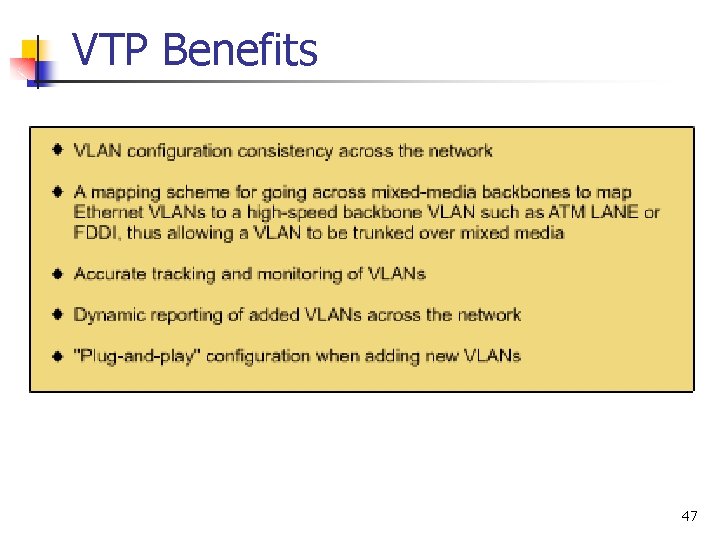
VTP Benefits 47
VTP v v v All switches in the same management domain share their VLAN information with each other, and a switch can participate in only one VTP management domain. Switches in different domains do not share VTP information. Using VTP, switches advertise: v v v Management domain Configuration revision number Known VLANs and their specific parameters 48
VTP v v Switches can be configured not to accept VTP information. These switches will forward VTP information on trunk ports in order to ensure that other switches receive the update, but the switches will not modify their database, nor will the switches send out an update indicating a change in VLAN status. v This is referred to as transparent mode. 49
VTP By default, management domains are set to a nonsecure mode, meaning that the switches interact without using a password. v Adding a password automatically sets the management domain to secure mode. v v A password must be configured on every switch in the management domain to use secure mode. 50
VTP The VTP database contains a revision number. v Each time a change is made, the switch increments the revision number v 51
VTP v v A higher configuration revision number indicates that the VLAN information that is being sent is more current then the stored copy. Any time a switch receives an update that has a higher configuration revision number, the switch will overwrite the stored information with the new information being sent in the VTP update. 52
VTP Modes v Switches can operate in any one of the following three VTP modes: Server v Client v Transparent v 53
VTP Modes v v Server - If you configure the switch for server mode, you can create, modify, and delete VLANs, and specify other configuration parameters (such as VTP version and VTP pruning) for the entire VTP domain. VTP servers: v v advertise their VLAN configuration to other switches in the same VTP domain synchronize the VLAN configuration with other switches based on advertisements received over trunk links. Recommended you have at least 2 VTP servers in case one goes down This is the default mode on the switch. 54
VTP Modes v Client - VTP clients behave the same way as VTP servers. However, you cannot create, change, or delete VLANs on a VTP client. 55
VTP Modes v v Transparent - VTP transparent switches do not participate in VTP. A VTP transparent switch does not advertise its VLAN configuration, and does not synchronize its VLAN configuration based on received advertisements. v However, in VTP Version 2, transparent switches do forward VTP advertisements that the switches receive out their trunk ports. 56
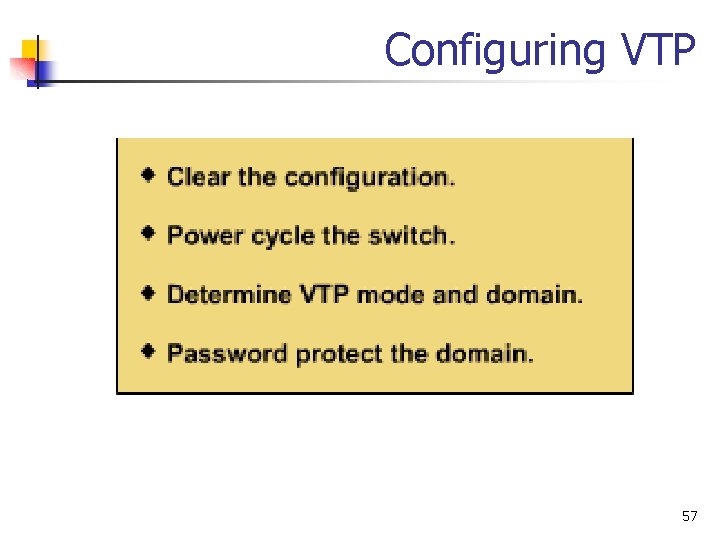
Configuring VTP 57
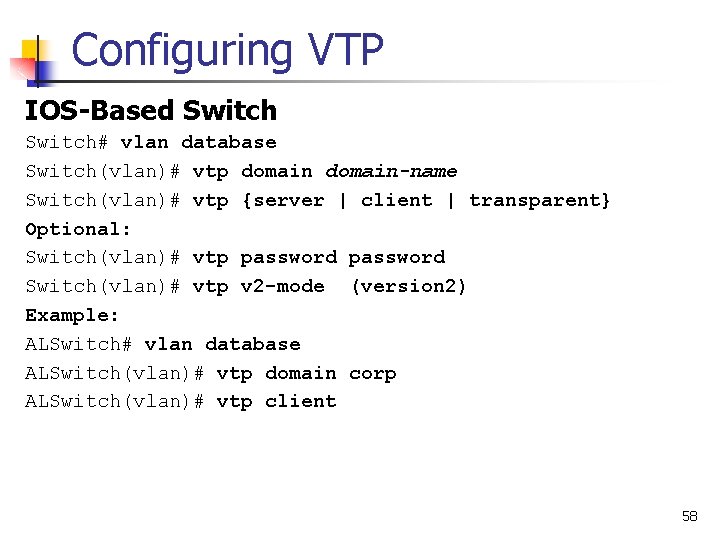
Configuring VTP IOS-Based Switch# vlan database Switch(vlan)# vtp domain-name Switch(vlan)# vtp {server | client | transparent} Optional: Switch(vlan)# vtp password Switch(vlan)# vtp v 2 -mode (version 2) Example: ALSwitch# vlan database ALSwitch(vlan)# vtp domain corp ALSwitch(vlan)# vtp client 58
Configuring VTP Set-Based Switch(enable) set vtp [domain-name] [mode {server | client | transparent}[password] Switch(enable) set vtp v 2 enable (version 2) Example: DLSwitch(enable) set vtp domain corp DLSwitch(enable) set vtp mode server 59
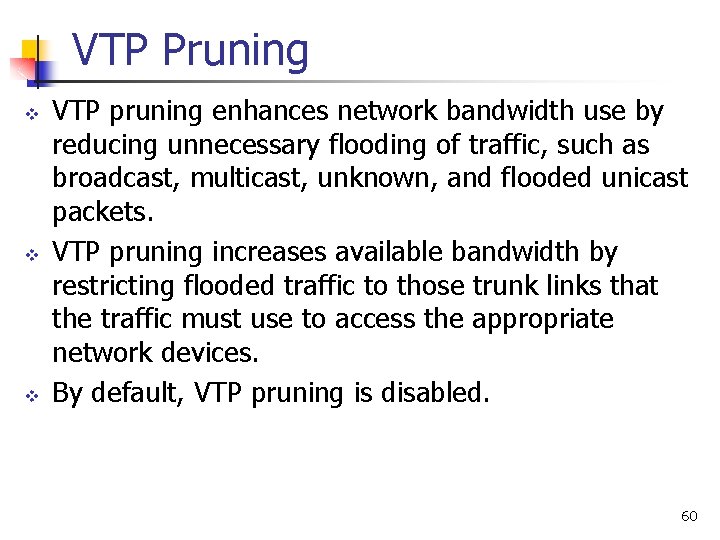
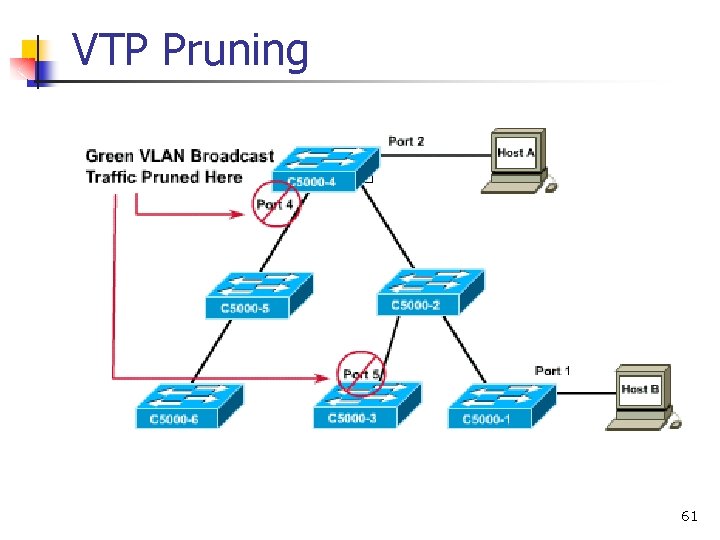
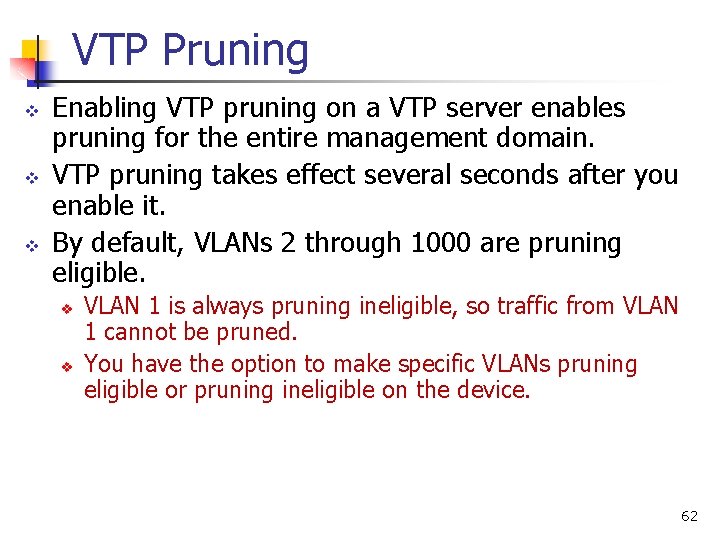
VTP Pruning v v v VTP pruning enhances network bandwidth use by reducing unnecessary flooding of traffic, such as broadcast, multicast, unknown, and flooded unicast packets. VTP pruning increases available bandwidth by restricting flooded traffic to those trunk links that the traffic must use to access the appropriate network devices. By default, VTP pruning is disabled. 60
VTP Pruning 61
VTP Pruning v v v Enabling VTP pruning on a VTP server enables pruning for the entire management domain. VTP pruning takes effect several seconds after you enable it. By default, VLANs 2 through 1000 are pruning eligible. v v VLAN 1 is always pruning ineligible, so traffic from VLAN 1 cannot be pruned. You have the option to make specific VLANs pruning eligible or pruning ineligible on the device. 62
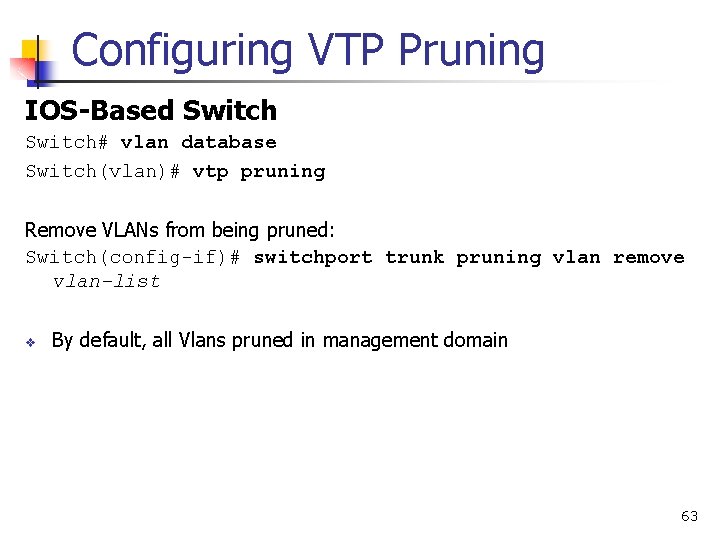
Configuring VTP Pruning IOS-Based Switch# vlan database Switch(vlan)# vtp pruning Remove VLANs from being pruned: Switch(config-if)# switchport trunk pruning vlan remove vlan-list v By default, all Vlans pruned in management domain 63
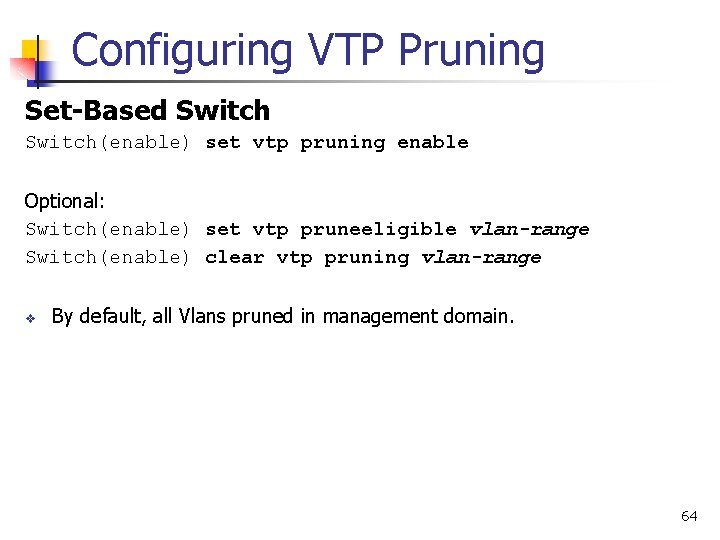
Configuring VTP Pruning Set-Based Switch(enable) set vtp pruning enable Optional: Switch(enable) set vtp pruneeligible vlan-range Switch(enable) clear vtp pruning vlan-range v By default, all Vlans pruned in management domain. 64