
16 UCT 502 COMPUTER INSTALLATION SERVICING By N
16 UCT 502 COMPUTER INSTALLATION & SERVICING By N. Sekar System Administrator Dr. SNS Rajalakshmi College of Arts & Science(Autonomous) DRSNSRCAS/CT DEPT/Computer Installation & Servicing/Unit V/Introduction/N. Sekar 1/2/2022 1
Troubleshooting and Servicing 1/2/2022 DRSNSRCAS/CT DEPT/Computer Installation & Servicing/Unit V/Introduction/N. Sekar 2
What does Troubleshooting mean? Troubleshooting is the process or identifying and fixing problems Ø Beep Sounds Ø Error Screen Ø Blue Screen DRSNSRCAS/CT DEPT/Computer Installation & Servicing/Unit V/Introduction/N. Sekar 1/2/2022 3
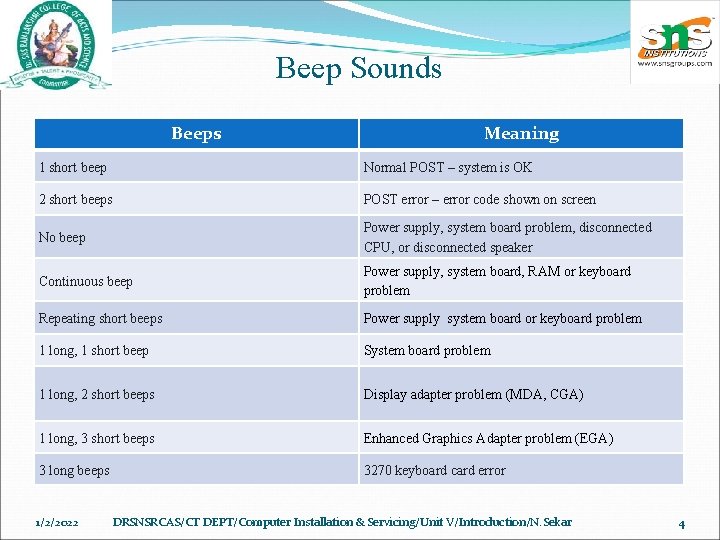
Beep Sounds Beeps Meaning 1 short beep Normal POST – system is OK 2 short beeps POST error – error code shown on screen No beep Power supply, system board problem, disconnected CPU, or disconnected speaker Continuous beep Power supply, system board, RAM or keyboard problem Repeating short beeps Power supply system board or keyboard problem 1 long, 1 short beep System board problem 1 long, 2 short beeps Display adapter problem (MDA, CGA) 1 long, 3 short beeps Enhanced Graphics Adapter problem (EGA) 3 long beeps 3270 keyboard card error 1/2/2022 DRSNSRCAS/CT DEPT/Computer Installation & Servicing/Unit V/Introduction/N. Sekar 4
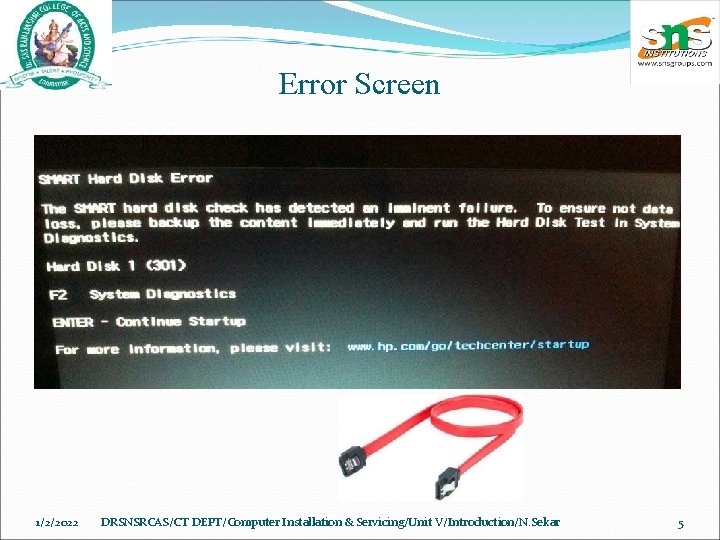
Error Screen 1/2/2022 DRSNSRCAS/CT DEPT/Computer Installation & Servicing/Unit V/Introduction/N. Sekar 5
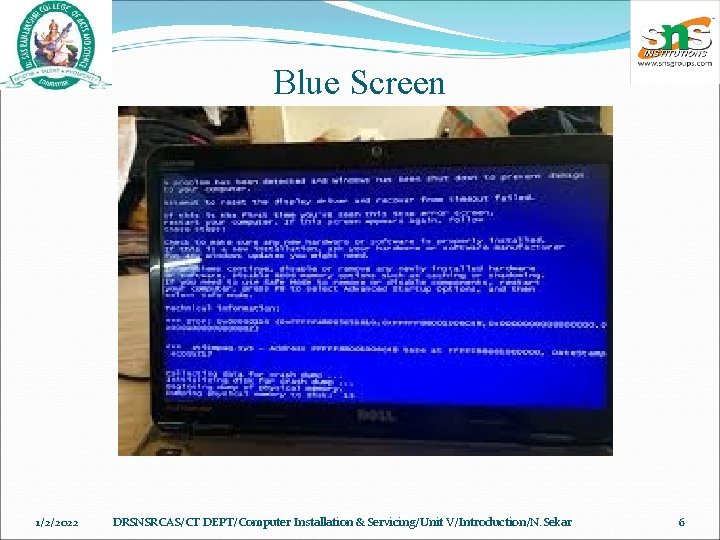
Blue Screen 1/2/2022 DRSNSRCAS/CT DEPT/Computer Installation & Servicing/Unit V/Introduction/N. Sekar 6
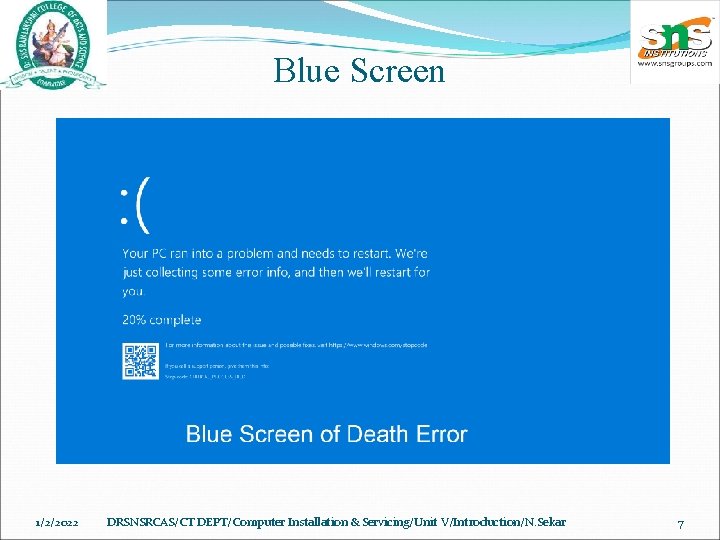
Blue Screen 1/2/2022 DRSNSRCAS/CT DEPT/Computer Installation & Servicing/Unit V/Introduction/N. Sekar 7
What does Blue Screen of Death (BSo. D) mean? Blue screen of death (BSo. D) is a Microsoft Windows operating system error BSo. D errors relate to system hardware, temperature, timing, resources, corrupt registries or viruses The BSo. D error screen serves as an alert to avert further computer and system damage A BSo. D freezes Windows and requires that the system be rebooted in order to continue to operate. 1/2/2022 DRSNSRCAS/CT DEPT/Computer Installation & Servicing/Unit V/Introduction/N. Sekar 8
What does Troubleshooting mean? The basic process of troubleshooting is to check the most general possible problems first, and then gradually check for more specific problems This provides a logical approach to problem solving and can apply to multiple types of products. DRSNSRCAS/CT DEPT/Computer Installation & Servicing/Unit V/Introduction/N. Sekar 1/2/2022 9
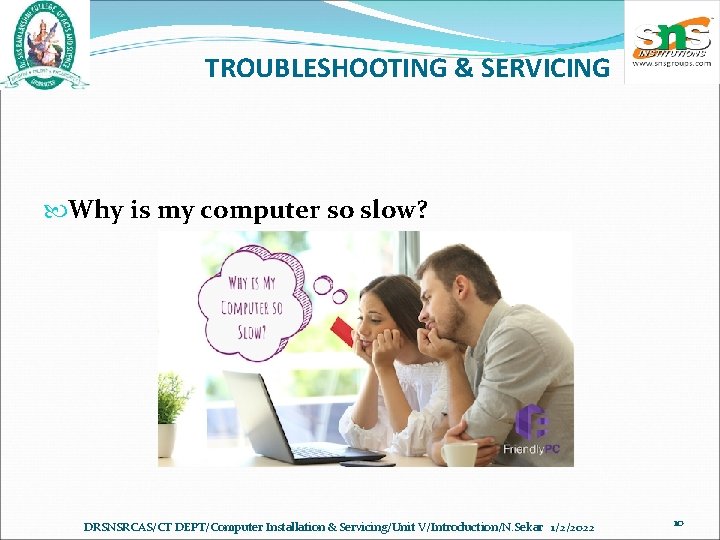
TROUBLESHOOTING & SERVICING Why is my computer so slow? DRSNSRCAS/CT DEPT/Computer Installation & Servicing/Unit V/Introduction/N. Sekar 1/2/2022 10
Why is my computer so slow? § Background programs Press and hold the CTRL and ALT keys, and then press the DELETE key. The Windows Security window appears. From the Windows Security window, click Task Manager or Start Task Manager. The Windows Task Manager opens. From the Windows Task Manager, open the Applications tab. . Now open the Processes tab DRSNSRCAS/CT DEPT/Computer Installation & Servicing/Unit V/Introduction/N. Sekar 1/2/2022 11
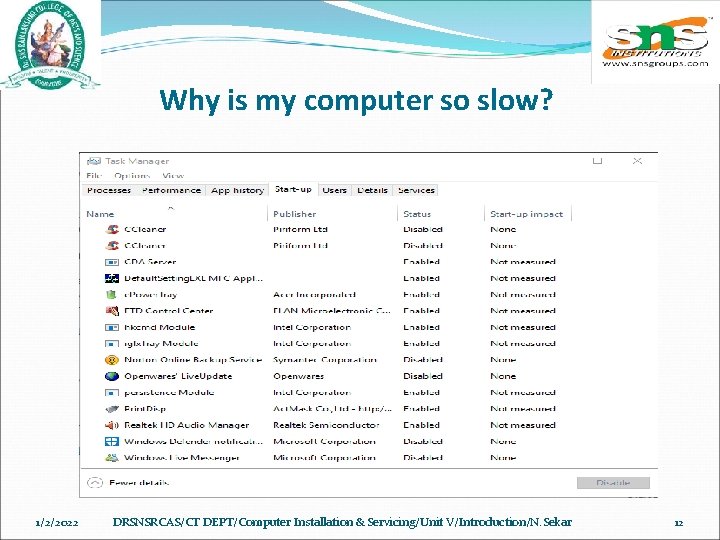
Why is my computer so slow? 1/2/2022 DRSNSRCAS/CT DEPT/Computer Installation & Servicing/Unit V/Introduction/N. Sekar 12
Why is my computer so slow? Delete temp files Open the Start menu or and press the Windows key, then type %temp% in the Search field. Press Enter and a Temp folder should open. You can delete all files found in this folder and, if any files are in use and cannot be deleted, they can be skipped. DRSNSRCAS/CT DEPT/Computer Installation & Servicing/Unit V/Introduction/N. Sekar 1/2/2022 13
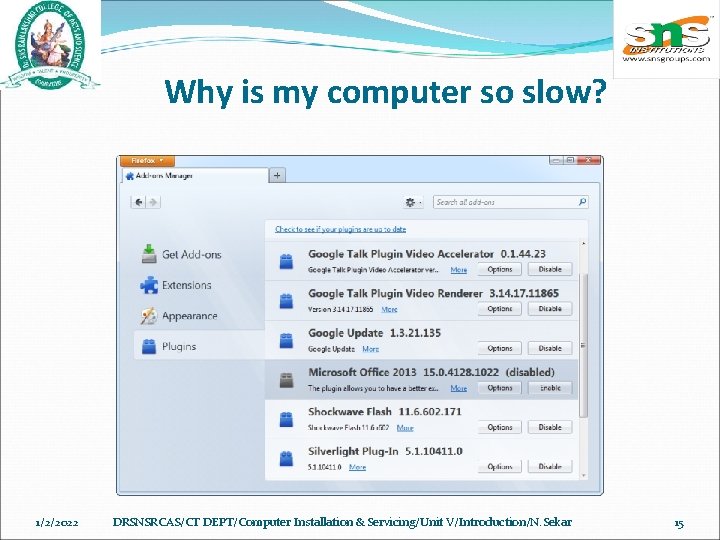
Why is my computer so slow? Disable browser plug-ins Google Chrome Open Google Chrome. Click the Customize and control Google Chrome icon in the upper-right corner of the window. In the menu, click More tools, and then Extensions. The Extensions tab opens. To disable an extension, click the blue toggle switch so it turns gray. To remove an extension, click the Remove button. DRSNSRCAS/CT DEPT/Computer Installation & Servicing/Unit V/Introduction/N. Sekar 1/2/2022 14
Why is my computer so slow? 1/2/2022 DRSNSRCAS/CT DEPT/Computer Installation & Servicing/Unit V/Introduction/N. Sekar 15
Scan for viruses Ø If your computer is infected with one or more viruses, it may run more slowly Ø If your computer doesn't have an antivirus program installed, run Trend Micro's free House call online utility to scan and remove viruses on your computer. Ø We also recommend you install an antivirus program for active protection against viruses. DRSNSRCAS/CT DEPT/Computer Installation & Servicing/Unit V/Introduction/N. Sekar 1/2/2022 16
Why is my computer so slow? Memory upgrade we suggest computers have a minimum of 2 GB memory (RAM) for a 32 -bit system and 4 GB for a 64 -bit system DRSNSRCAS/CT DEPT/Computer Installation & Servicing/Unit V/Introduction/N. Sekar 1/2/2022 17
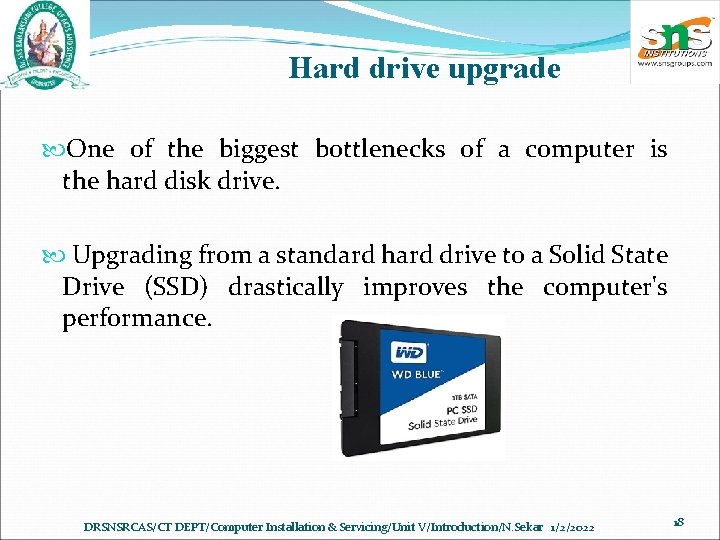
Hard drive upgrade One of the biggest bottlenecks of a computer is the hard disk drive. Upgrading from a standard hard drive to a Solid State Drive (SSD) drastically improves the computer's performance. DRSNSRCAS/CT DEPT/Computer Installation & Servicing/Unit V/Introduction/N. Sekar 1/2/2022 18
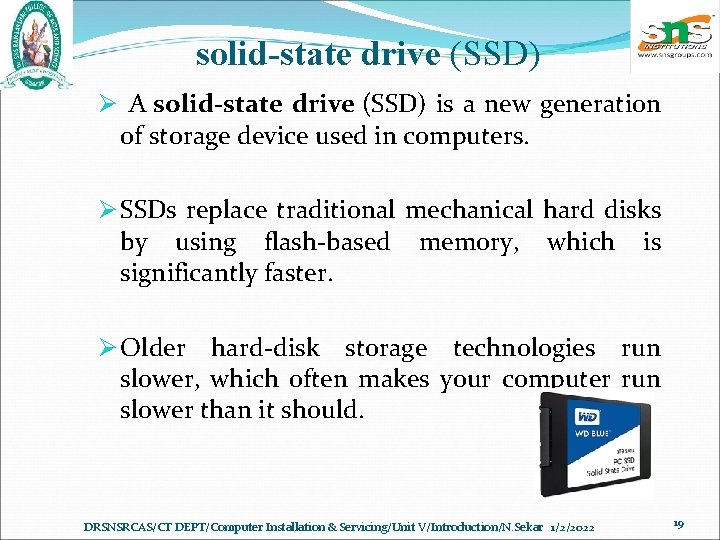
solid-state drive (SSD) Ø A solid-state drive (SSD) is a new generation of storage device used in computers. Ø SSDs replace traditional mechanical hard disks by using flash-based memory, which is significantly faster. Ø Older hard-disk storage technologies run slower, which often makes your computer run slower than it should. DRSNSRCAS/CT DEPT/Computer Installation & Servicing/Unit V/Introduction/N. Sekar 1/2/2022 19
Reinstalling OS If none of the solutions above resolve your issues, another option is to reinstall the operating system, or you can erase everything and start over. Erasing everything on your computer and reinstalling the operating system can increase performance by getting rid of old software or drivers. Installing a fresh copy of mac. OS or Windows, software programs, and the latest drivers help verify there are no software related issues causing your computer to be slow. DRSNSRCAS/CT DEPT/Computer Installation & Servicing/Unit V/Introduction/N. Sekar 1/2/2022 20
QUIZ 1 Troubleshooting https: //tinyurl. com/y 65 gnce 4 1/2/2022 DRSNSRCAS/CT DEPT/Computer Installation & Servicing/Unit V/Introduction/N. Sekar 21
- Slides: 21