
159 339 Lecture Clientside Programming Java Applets Miniapplications

- Slides: 57
159. 339 Lecture Client-side Programming Java Applets Mini-applications 1
159. 339 What is an applet? Requirements to run an applet Life cycle of an applet Java Applet Examples Topics for Discussion
159. 339 Java Applets Applicationlets - mini-applications
What is an applet? 159. 339 • An applet is a special kind of Java program that a browser enabled with Java technology can download from the internet and run. • An applet is typically embedded inside a web page and runs in the context of a browser. • When a browser loads a Web page containing an applet, the applet downloads into the Web browser and executes. The browser that executes an applet is generically called the applet container. • Appletviewer is also an applet container that comes with the JDK. It can be used for testing applets as you develop them and before embedding them in Web pages. • You should be aware that some web browsers do not support J 2 SE by default.
Java Applets • Java’s first exposure to the mass market was via the Web • Applets was an early attempt to expand functionality of web pages • Ideally suited to the internet –Classes are small and fast –Java will run on any platform –Classes can be dynamically downloaded as required –Java is inherently secure 159. 339
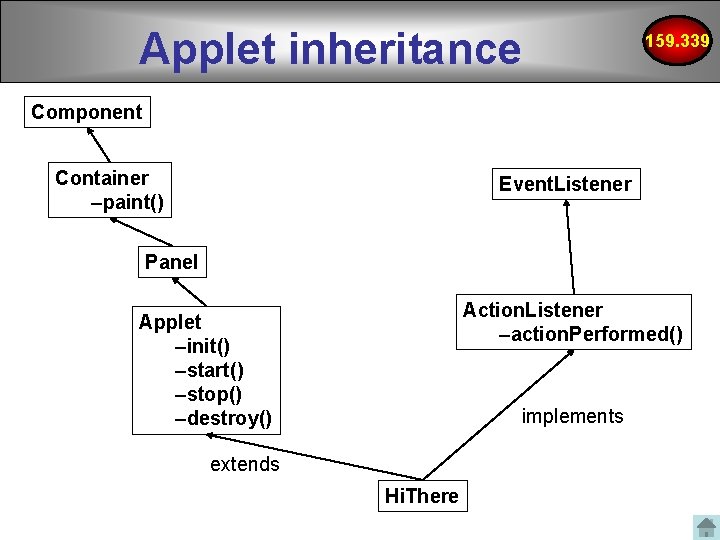
An applet inherits from a class 159. 339 • An applet must be a subclass of the java. applet. Applet class. • The Applet class provides the standard interface between the applet and the browser environment. • Swing provides a special subclass of the Applet class called javax. swing. JApplet • The JApplet class should be used for all applets that use Swing components to construct their graphical user interfaces (GUIs). GUI • The browser's Java Plug-in software manages the lifecycle of an applet.
Java applets are compiled 159. 339 • the Java programming language compiler (javac), javac takes your source file and translates its text into instructions that the Java virtual machine can understand. The instructions contained within this file are known as bytecodes • bytecode. class files are generated
Requirements 159. 339 JAVA SDK 1. You will need a Compiler for Java, Java to translate your source code into something executable: - download Sun's Java Software Development Kit (abbreviated as JDK or SDK), which includes a compiler, utilities, example applets, and a boat-load of documentation - be sure to get the Java SDK and not the JRE (Java Runtime Environment) -- the former allows you to compile java programs, the latter only allows you to run them. 2. You can use Scite or Net. Beans IDE to edit and compile your applets. Note: If you don't see the example running, you might need to enable the Java. Script interpreter in your browser so that the Deployment Toolkit script can function properly.
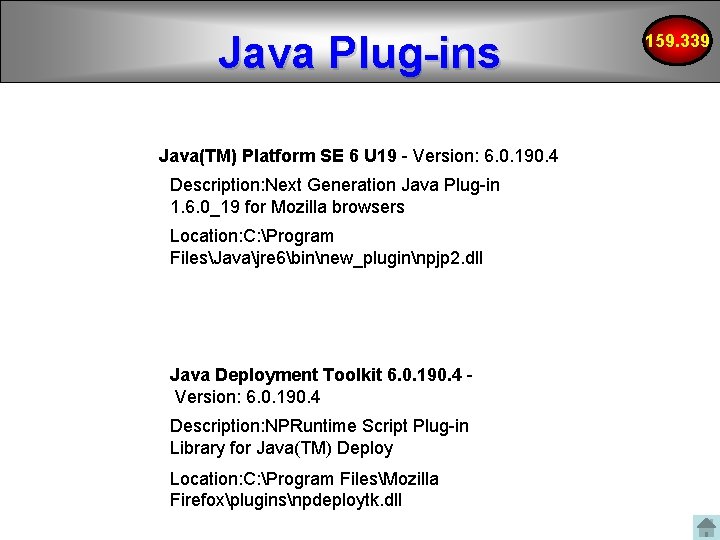
Java Plug-ins Java(TM) Platform SE 6 U 19 - Version: 6. 0. 190. 4 Description: Next Generation Java Plug-in 1. 6. 0_19 for Mozilla browsers Location: C: Program FilesJavajre 6binnew_pluginnpjp 2. dll Java Deployment Toolkit 6. 0. 190. 4 Version: 6. 0. 190. 4 Description: NPRuntime Script Plug-in Library for Java(TM) Deploy Location: C: Program FilesMozilla Firefoxpluginsnpdeploytk. dll 159. 339
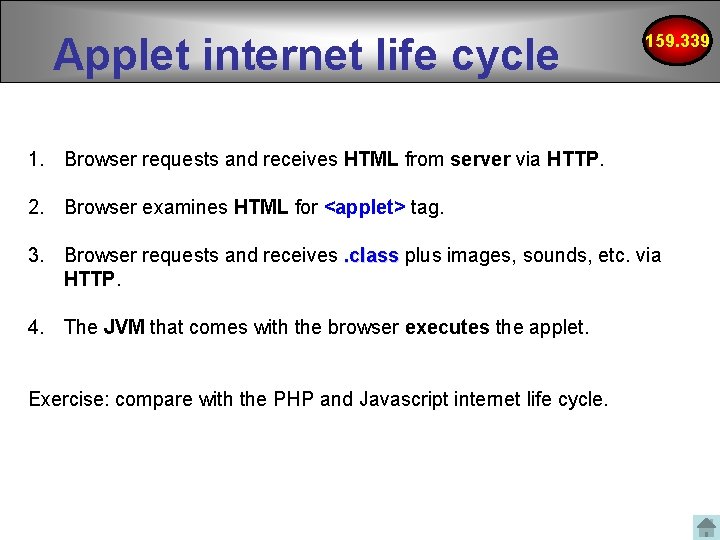
Applet internet life cycle 159. 339 1. Browser requests and receives HTML from server via HTTP. 2. Browser examines HTML for <applet> tag. 3. Browser requests and receives. class plus images, sounds, etc. via HTTP. 4. The JVM that comes with the browser executes the applet. Exercise: compare with the PHP and Javascript internet life cycle.
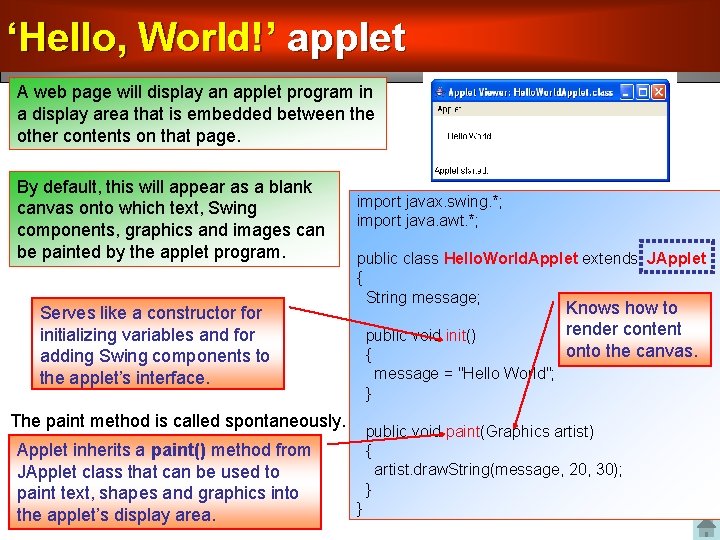
‘Hello, World!’ applet 159. 339 A web page will display an applet program in a display area that is embedded between the other contents on that page. By default, this will appear as a blank canvas onto which text, Swing components, graphics and images can be painted by the applet program. Serves like a constructor for initializing variables and for adding Swing components to the applet’s interface. import javax. swing. *; import java. awt. *; public class Hello. World. Applet extends JApplet { String message; public void init() { message = "Hello World"; } The paint method is called spontaneously. Applet inherits a paint() method from JApplet class that can be used to paint text, shapes and graphics into the applet’s display area. Knows how to render content onto the canvas. public void paint(Graphics artist) { artist. draw. String(message, 20, 30); } } 12
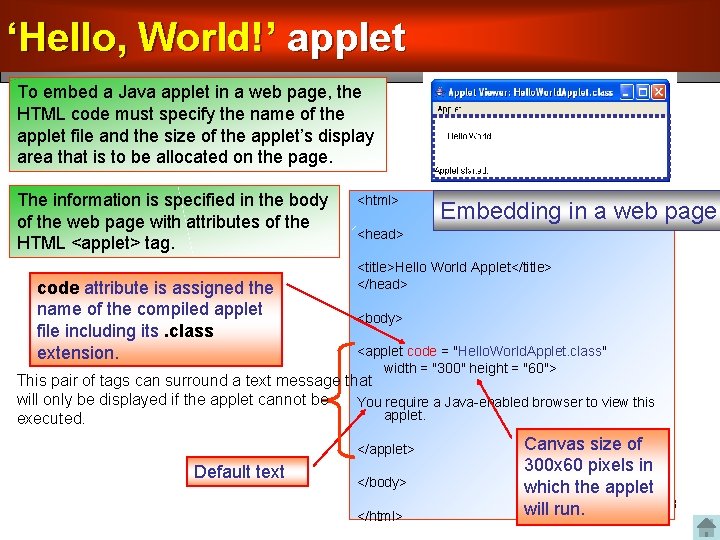
‘Hello, World!’ applet 159. 339 To embed a Java applet in a web page, the HTML code must specify the name of the applet file and the size of the applet’s display area that is to be allocated on the page. The information is specified in the body of the web page with attributes of the HTML <applet> tag. code attribute is assigned the name of the compiled applet file including its. class extension. <html> Embedding in a web page <head> <title>Hello World Applet</title> </head> <body> <applet code = "Hello. World. Applet. class" width = "300" height = "60"> This pair of tags can surround a text message that will only be displayed if the applet cannot be You require a Java-enabled browser to view this applet. executed. </applet> Default text </body> </html> Canvas size of 300 x 60 pixels in which the applet will run. 13
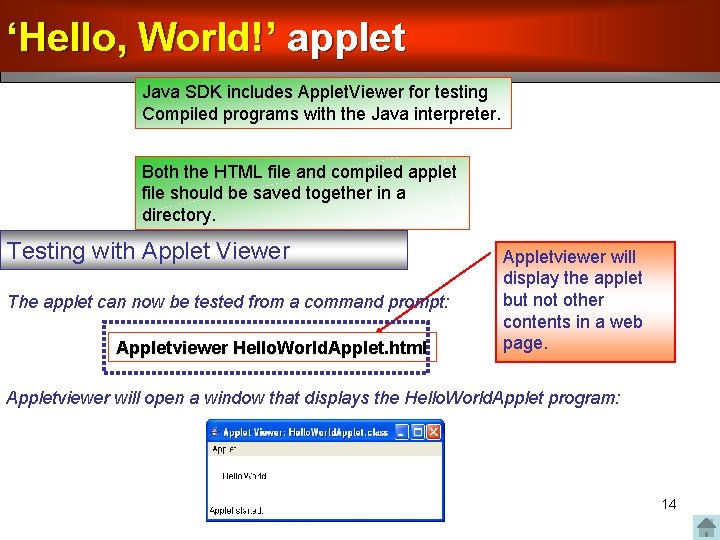
‘Hello, World!’ applet 159. 339 Java SDK includes Applet. Viewer for testing Compiled programs with the Java interpreter. Both the HTML file and compiled applet file should be saved together in a directory. Testing with Applet Viewer The applet can now be tested from a command prompt: Appletviewer Hello. World. Applet. html Appletviewer will display the applet but not other contents in a web page. Appletviewer will open a window that displays the Hello. World. Applet program: 14
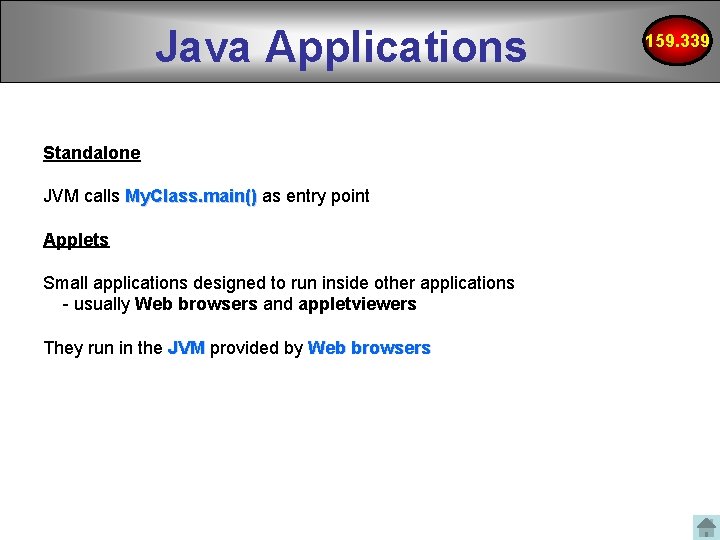
Java Applications Standalone JVM calls My. Class. main() as entry point Applets Small applications designed to run inside other applications - usually Web browsers and appletviewers They run in the JVM provided by Web browsers 159. 339
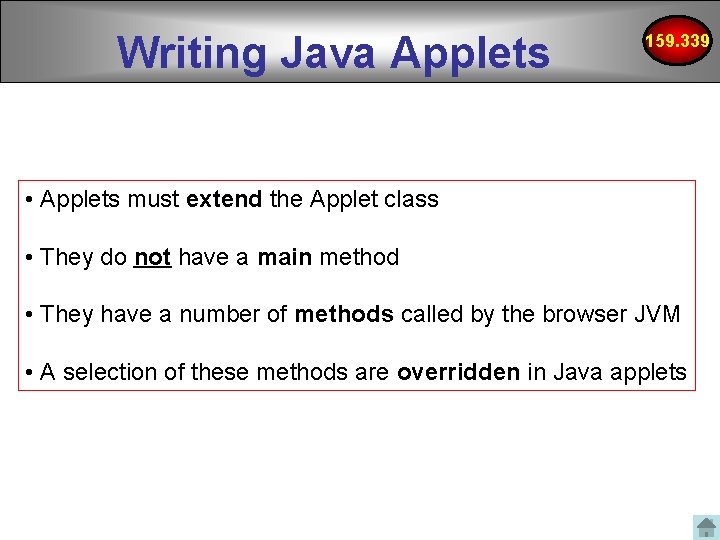
Writing Java Applets 159. 339 • Applets must extend the Applet class • They do not have a main method • They have a number of methods called by the browser JVM • A selection of these methods are overridden in Java applets
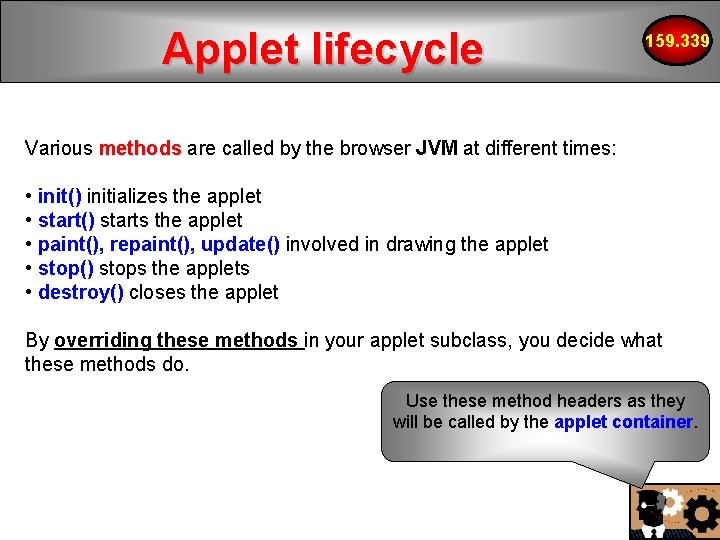
Applet lifecycle 159. 339 Various methods are called by the browser JVM at different times: • init() initializes the applet • start() starts the applet • paint(), repaint(), update() involved in drawing the applet • stop() stops the applets • destroy() closes the applet By overriding these methods in your applet subclass, you decide what these methods do. Use these method headers as they will be called by the applet container.
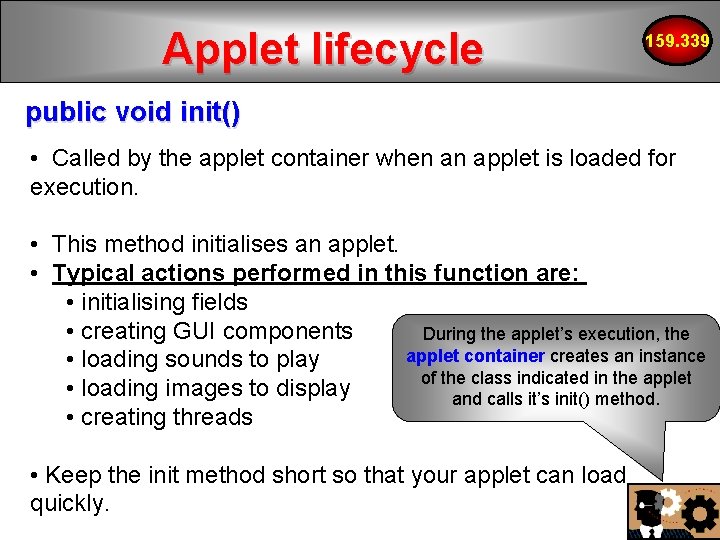
Applet lifecycle 159. 339 public void init() • Called by the applet container when an applet is loaded for execution. • This method initialises an applet. • Typical actions performed in this function are: • initialising fields • creating GUI components During the applet’s execution, the applet container creates an instance • loading sounds to play of the class indicated in the applet • loading images to display and calls it’s init() method. • creating threads • Keep the init method short so that your applet can load quickly.
Applet lifecycle 159. 339 public void start() • Called by the applet container after init() completes execution. • If the user browses to another Web site and later returns to the applet’s HTML page, start() is called again. • The method performs tasks that must be completed when the applet is loaded for the first time and that must be performed every time the applet’s HTML page is revisited. • Typical actions performed in this function are: • starting an animation • starting other threads of execution for computationallyintensive tasks.
Applet lifecycle 159. 339 public void paint( Graphics g) • Called by the applet container after init() and start(). • paint() is also called when the applet needs to be repainted – whenever the applet is covered and uncovered by another open window. • Typical actions performed in this function are: • drawing with the g Graphics object. This is passed by the applet container.
Applet lifecycle 159. 339 public void stop() • Called by the applet container when the user leaves the applet’s Web page by browsing to another Web page. • stop() performs tasks that might be required to suspend the applet’s execution, so that the applet does not use computer processing time when it is not displayed on screen. • Typical actions performed in this function are: • stop execution of animations and threads.
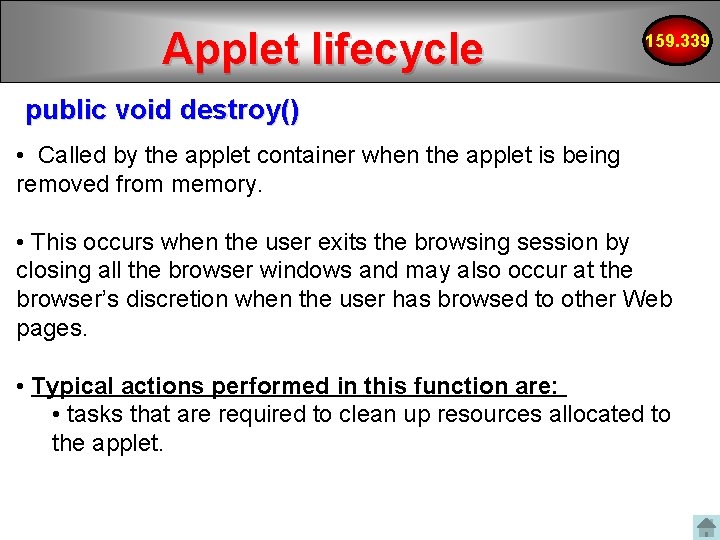
Applet lifecycle 159. 339 public void destroy() • Called by the applet container when the applet is being removed from memory. • This occurs when the user exits the browsing session by closing all the browser windows and may also occur at the browser’s discretion when the user has browsed to other Web pages. • Typical actions performed in this function are: • tasks that are required to clean up resources allocated to the applet.
Applet inheritance 159. 339 Component Container –paint() Event. Listener Panel Action. Listener –action. Performed() Applet –init() –start() –stop() –destroy() implements extends Hi. There
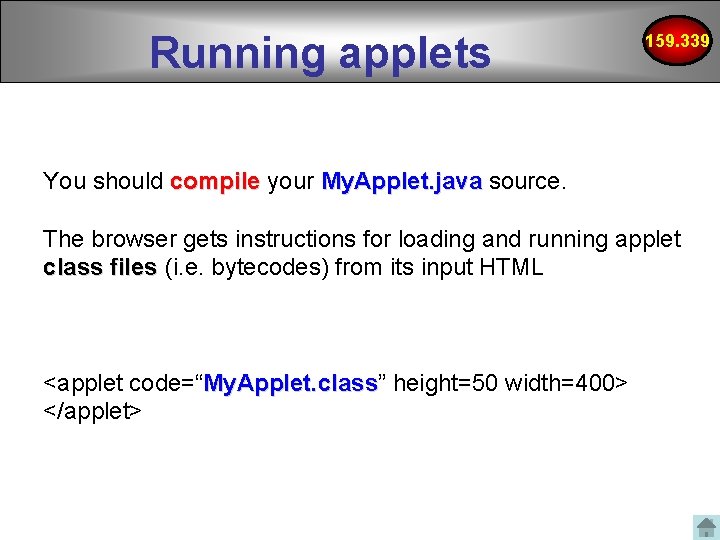
Running applets 159. 339 You should compile your My. Applet. java source. The browser gets instructions for loading and running applet class files (i. e. bytecodes) from its input HTML <applet code=“My. Applet. class” My. Applet. class height=50 width=400> </applet>
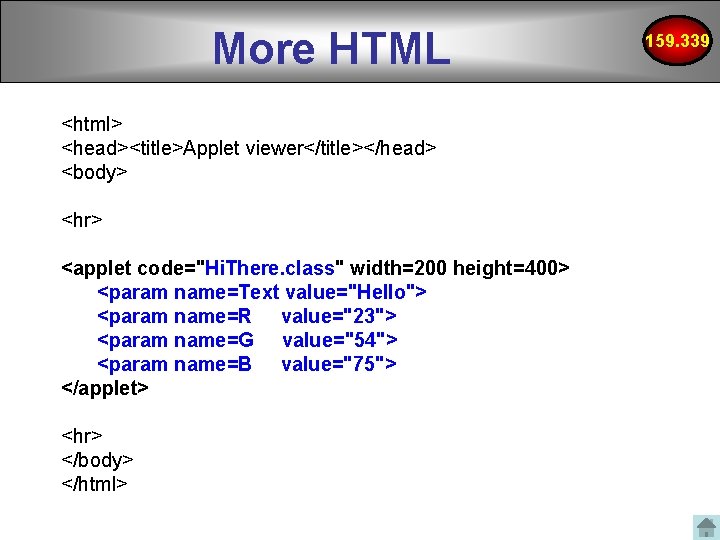
More HTML <html> <head><title>Applet viewer</title></head> <body> <hr> <applet code="Hi. There. class" width=200 height=400> <param name=Text value="Hello"> <param name=R value="23"> <param name=G value="54"> <param name=B value="75"> </applet> <hr> </body> </html> 159. 339
Reading Applet Parameters See Applet. Parameter. Test. htm http: //www. devdaily. com/java/edu/pj/pj 010003 159. 339
Applet tag 159. 339 Despite <object> being officially a recommended tag, as of 2010, the support of the object tag was not yet consistent among browsers. Sun kept recommending the older <applet> tag for deploying in multibrowser environments, as it remained the only tag consistently supported by the most popular browsers. To support multiple browsers, the object tag currently requires Java. Script (that recognizes the browser and adjusts the tag), usage of additional browser-specific tags or delivering adapted output from the server side. Deprecating applet tag has been criticised. Oracle now provides a maintained Java. Script code to launch applets with cross platform workarounds. You use the <object> tag to deploy applets that are to be used only with Internet Explorer. http: //download. java. net/jdk 7/docs/technotes/guides/plugin/developer_guide/using_tags. html#object http: //www. answers. com/topic/java-applet
Images can be downloaded via HTTP using applets Place the URL of THIS applet into the URL object URL url. Base = this. get. Code. Base(); Applet fetches image via HTTP my. Image = this. get. Image(url. Base, ”An. Image. jpg"); Draw the image on the graphics tablet g. draw. Image(my. Image, 30, 110, 128, 96, this); 159. 339
Applet security 159. 339 Applets cannot • Read/write to or from the file system • Access your network • Launch applications • Launch new windows without a warning message • Go to other websites and download files to your machine
Sandbox Security Model Client protection from malicious applets • The Java platform uses the sandbox security model to prevent code that is downloaded to your local computer from accessing local system resources, such as files. • Code executing in the sandbox is not allowed to “play outside the sandbox” 159. 339
Sandbox Security Model 159. 339 Client protection from malicious applets • Applets can be signed with a digital signature (security certificate) to indicate that its from a trusted source) and certified to relax security. These applets have extensive capabilities to access the client, but only if the user accepts the applet’s security certificate. • Not commonly seen on the internet • On the other hand, unsigned applets operate within a security sandbox that allows only a set of safe operations.
Sandbox Security Model 159. 339 Client protection from malicious applets Note: • When a signed applet is accessed from Java. Script code in an HTML page, the applet is executed within the security sandbox. • This implies that the signed applet essentially behaves likes an unsigned applet.
159. 339 Java Applet Examples
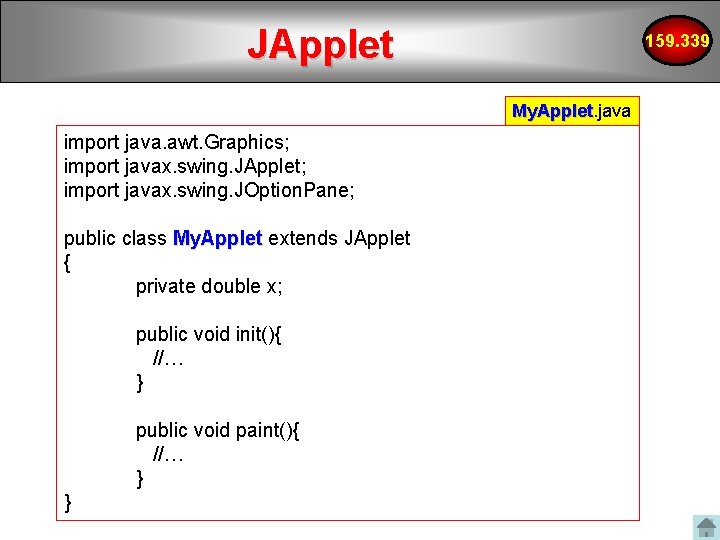
JApplet 159. 339 My. Applet. java My. Applet import java. awt. Graphics; import javax. swing. JApplet; import javax. swing. JOption. Pane; public class My. Applet extends JApplet { private double x; public void init(){ //… } public void paint(){ //… } }
159. 339 Input Dialog
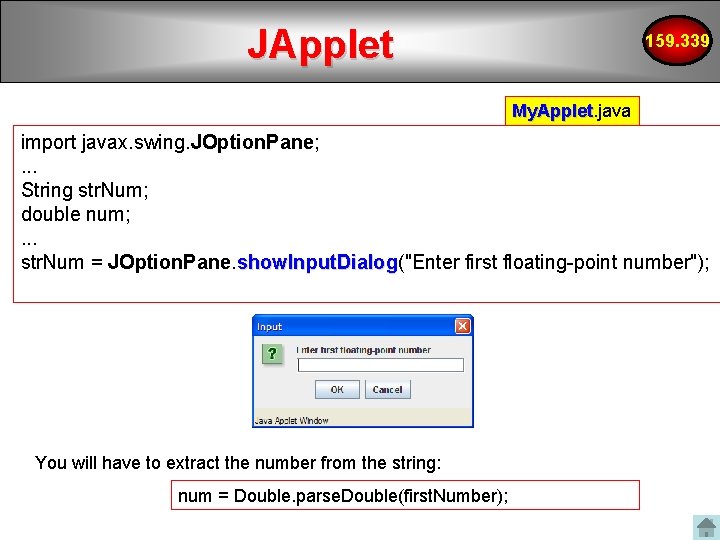
JApplet 159. 339 My. Applet. java My. Applet import javax. swing. JOption. Pane; . . . String str. Num; double num; . . . str. Num = JOption. Pane. show. Input. Dialog("Enter first floating-point number"); show. Input. Dialog You will have to extract the number from the string: num = Double. parse. Double(first. Number);
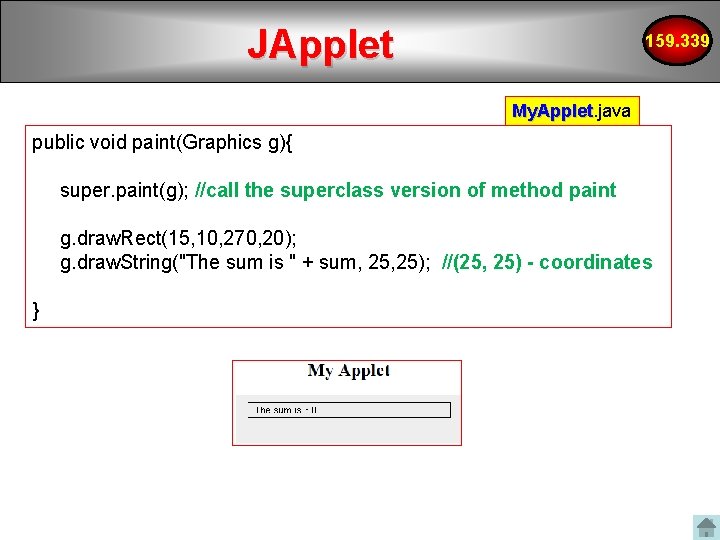
JApplet 159. 339 My. Applet. java My. Applet public void paint(Graphics g){ super. paint(g); //call the superclass version of method paint g. draw. Rect(15, 10, 270, 20); g. draw. String("The sum is " + sum, 25); //(25, 25) - coordinates }
159. 339 combobox
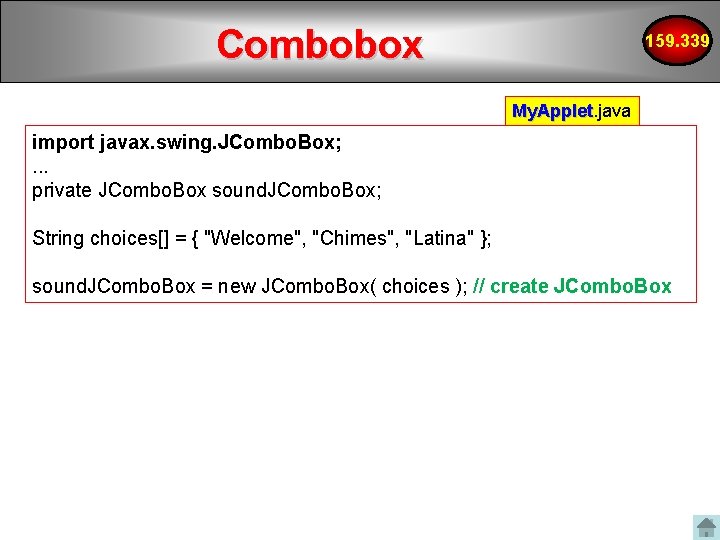
Combobox 159. 339 My. Applet. java My. Applet import javax. swing. JCombo. Box; . . . private JCombo. Box sound. JCombo. Box; String choices[] = { "Welcome", "Chimes", "Latina" }; sound. JCombo. Box = new JCombo. Box( choices ); // create JCombo. Box
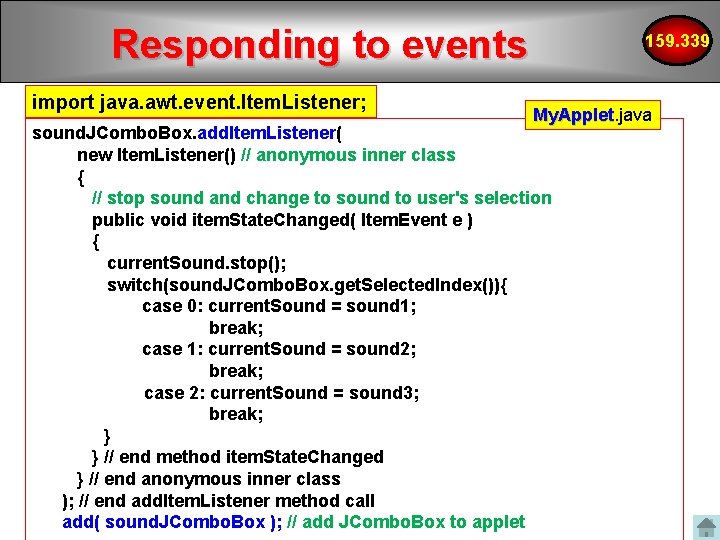
Responding to events import java. awt. event. Item. Listener; 159. 339 My. Applet. java My. Applet sound. JCombo. Box. add. Item. Listener( new Item. Listener() // anonymous inner class { // stop sound and change to sound to user's selection public void item. State. Changed( Item. Event e ) { current. Sound. stop(); switch(sound. JCombo. Box. get. Selected. Index()){ case 0: current. Sound = sound 1; break; case 1: current. Sound = sound 2; break; case 2: current. Sound = sound 3; break; } } // end method item. State. Changed } // end anonymous inner class ); // end add. Item. Listener method call add( sound. JCombo. Box ); // add JCombo. Box to applet
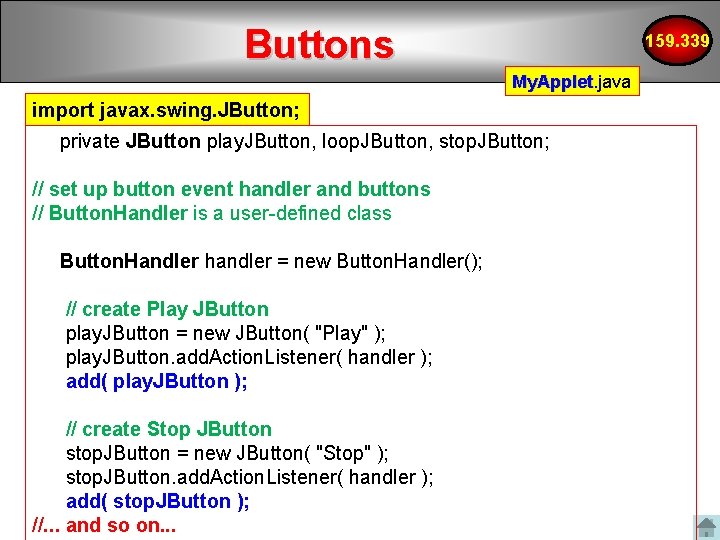
159. 339 Buttons
Buttons 159. 339 My. Applet. java My. Applet import javax. swing. JButton; private JButton play. JButton, loop. JButton, stop. JButton; // set up button event handler and buttons // Button. Handler is a user-defined class Button. Handler handler = new Button. Handler(); // create Play JButton play. JButton = new JButton( "Play" ); play. JButton. add. Action. Listener( handler ); add( play. JButton ); // create Stop JButton stop. JButton = new JButton( "Stop" ); stop. JButton. add. Action. Listener( handler ); add( stop. JButton ); //. . . and so on. . .
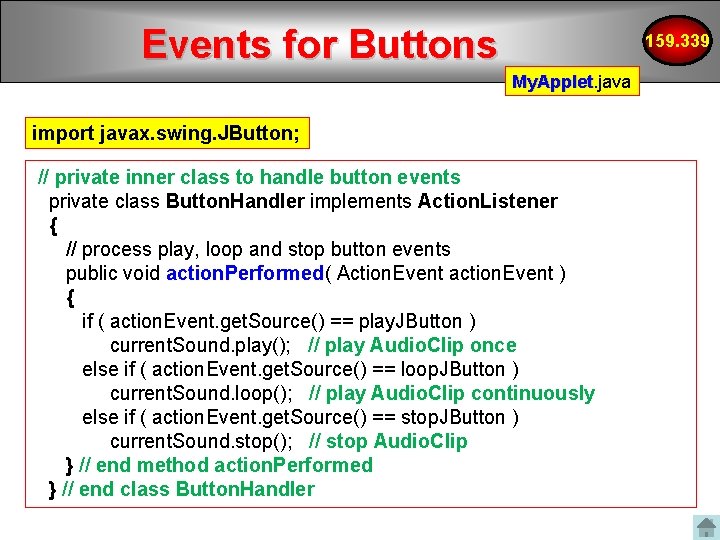
Events for Buttons 159. 339 My. Applet. java My. Applet import javax. swing. JButton; // private inner class to handle button events private class Button. Handler implements Action. Listener { // process play, loop and stop button events public void action. Performed( Action. Event action. Event ) { if ( action. Event. get. Source() == play. JButton ) current. Sound. play(); // play Audio. Clip once else if ( action. Event. get. Source() == loop. JButton ) current. Sound. loop(); // play Audio. Clip continuously else if ( action. Event. get. Source() == stop. JButton ) current. Sound. stop(); // stop Audio. Clip } // end method action. Performed } // end class Button. Handler
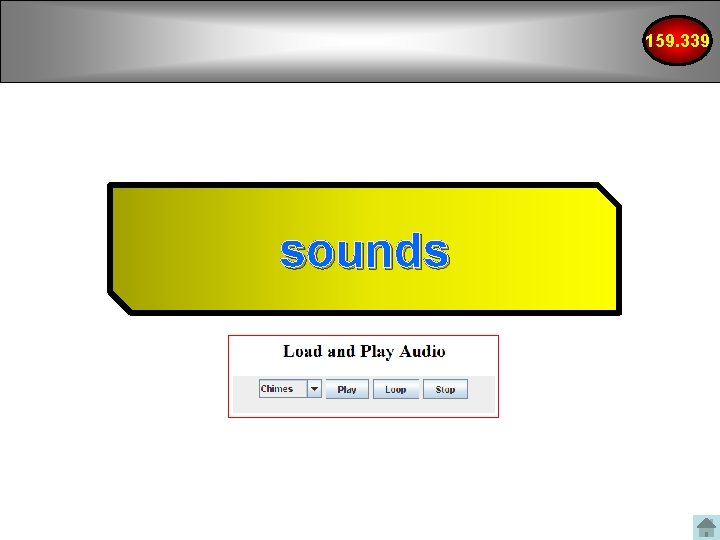
159. 339 sounds
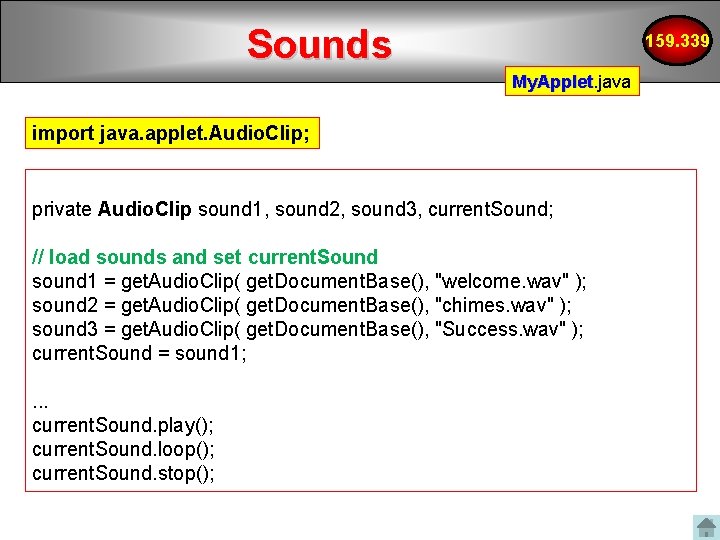
Sounds 159. 339 My. Applet. java My. Applet import java. applet. Audio. Clip; private Audio. Clip sound 1, sound 2, sound 3, current. Sound; // load sounds and set current. Sound sound 1 = get. Audio. Clip( get. Document. Base(), "welcome. wav" ); sound 2 = get. Audio. Clip( get. Document. Base(), "chimes. wav" ); sound 3 = get. Audio. Clip( get. Document. Base(), "Success. wav" ); current. Sound = sound 1; . . . current. Sound. play(); current. Sound. loop(); current. Sound. stop();
159. 339 animation …LecturesAppletapplet - Animationcomponents-Tumble. Item. Project
Do we still need applets? 159. 339 In early days, not much could be on a web page without Java applets Now with dynamic HTML 4, Javascript, cascading style sheets, Java applets are not so necessary for many functions But maybe applets will make a comeback
Current uses of applets • Online banking sites • Gaming sites • Sites which require real-time data transfer • Client-side applications that need to make use of Java’s powerful features Applet examples/showcases http: //www. dgp. toronto. edu/~mjmcguff/learn/java/ javaboutique. internet. com www. anfyjava. com Also see java. sun. com for examples 159. 339
Java Web plug-in 159. 339 • Version conflicts is one disadvantage of using applets • To avoid version problems, associated with the Java applets, there is the Java plugin • This is an up-to-date virtual machine that can be installed on your machine • See java. sun. com for more details
Recent Improvements 159. 339 With recent improvements to the Java Plug-in software, unsigned applets launched using Java Network Launch Protocol (JNLP) can safely access the client with the user's permission. You will have to use Java Net. Beans IDE to use this properly …LecturesAppletapplet - Animationcomponents. Tumble. Item. Project
Applet Deployment 159. 339 Applets can be launched in two ways: 1. You can launch an applet by specifying the applet's launch properties directly in the <applet> tag. This old way of deploying applets imposes severe security restrictions on the applet. 2. Alternatively, you can launch your applet by using Java Network Launch Protocol (JNLP). Applets launched by using JNLP have access to powerful JNLP APIs and extensions. http: //download. oracle. com/docs/cd/E 17409_01/javase/tutorial/deployment/applet/deploying. Applet. html
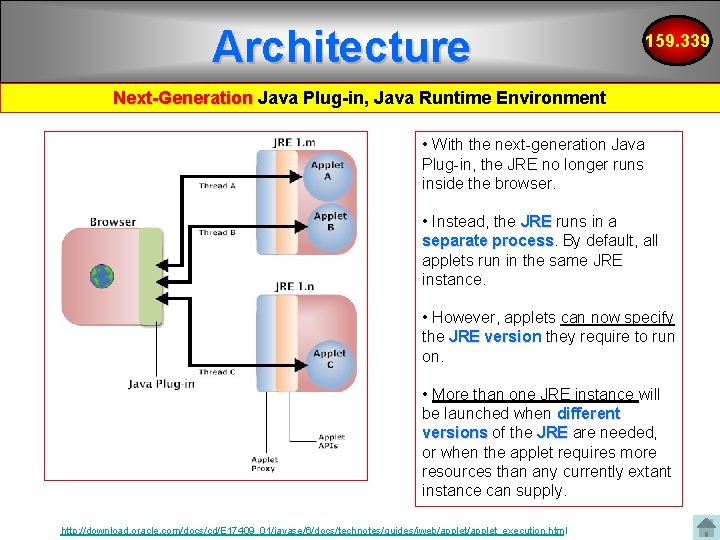
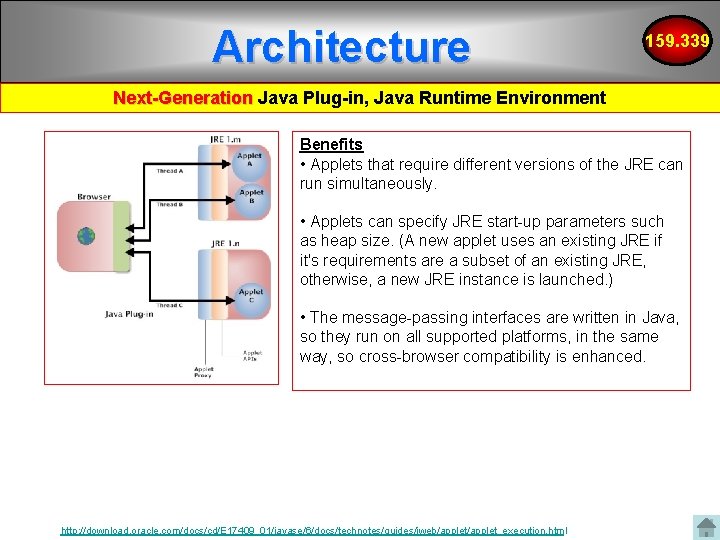
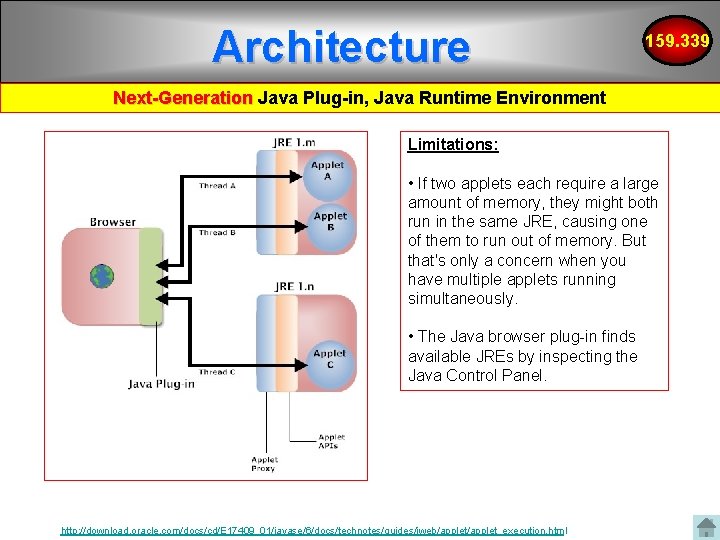
Architecture 159. 339 Next-Generation Java Plug-in, Java Runtime Environment • With the next-generation Java Plug-in, the JRE no longer runs inside the browser. • Instead, the JRE runs in a separate process By default, all applets run in the same JRE instance. • However, applets can now specify the JRE version they require to run on. • More than one JRE instance will be launched when different versions of the JRE are needed, or when the applet requires more resources than any currently extant instance can supply. http: //download. oracle. com/docs/cd/E 17409_01/javase/6/docs/technotes/guides/jweb/applet_execution. html
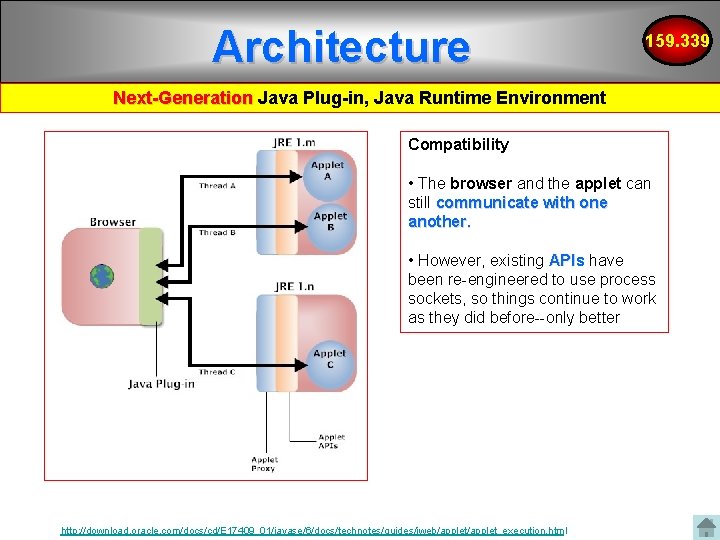
Architecture 159. 339 Next-Generation Java Plug-in, Java Runtime Environment Compatibility • The browser and the applet can still communicate with one another. • However, existing APIs have been re-engineered to use process sockets, so things continue to work as they did before--only better http: //download. oracle. com/docs/cd/E 17409_01/javase/6/docs/technotes/guides/jweb/applet_execution. html
Architecture 159. 339 Next-Generation Java Plug-in, Java Runtime Environment Benefits • Applets that require different versions of the JRE can run simultaneously. • Applets can specify JRE start-up parameters such as heap size. (A new applet uses an existing JRE if it's requirements are a subset of an existing JRE, otherwise, a new JRE instance is launched. ) • The message-passing interfaces are written in Java, so they run on all supported platforms, in the same way, so cross-browser compatibility is enhanced. http: //download. oracle. com/docs/cd/E 17409_01/javase/6/docs/technotes/guides/jweb/applet_execution. html
Architecture 159. 339 Next-Generation Java Plug-in, Java Runtime Environment Limitations: • If two applets each require a large amount of memory, they might both run in the same JRE, causing one of them to run out of memory. But that's only a concern when you have multiple applets running simultaneously. • The Java browser plug-in finds available JREs by inspecting the Java Control Panel. http: //download. oracle. com/docs/cd/E 17409_01/javase/6/docs/technotes/guides/jweb/applet_execution. html
Summary • Applet properties • Applet life cycle • Writing an applet • Passing parameters to an applet • Sandbox security model • Some Java components • Applet traffic over the internet • How does this compare with PHP and Javascript? 159. 339
References • • 159. 339 Applet Tag – http: //download. java. net/jdk 7/docs/technotes/guides/plugin/developer_guide/ using_tags. html#object Java applet tutorial: – http: //download. oracle. com/docs/cd/E 17409_01/javase/tutorial/deployment/a pplet/ Demonstration Applets – http: //www. dgp. toronto. edu/~mjmcguff/learn/java/ – http: //download. oracle. com/docs/cd/E 17476_01/javase/1. 5. 0/docs/relnotes/d emos. html – http: //java. sun. com/applets/jdk/1. 4/index. html – http: //www. walter-fendt. de/ph 14 e/projectile. htm Netbeans IDE – http: //download. oracle. com/docs/cd/E 17409_01/javase/tutorial/information/e xamples. html#opening – http: //download. oracle. com/docs/cd/E 17409_01/javase/tutorial/get. Started/cu pojava/netbeans. html
References 159. 339 JAVA Swing components • http: //www. java 2 s. com/Code/Java. API/javax. swing/JCombo. Boxadd. Item. Liste ner. Ite Best Practices http: //download. oracle. com/docs/cd/E 17409_01/javase/6/docs/technotes/guides/j web/applet/best_practices. html