
15 th Edition Understanding Computers Today and Tomorrow

- Slides: 59
15 th Edition Understanding Computers Today and Tomorrow Comprehensive Chapter 14: Databases and Database Management Systems Deborah Morley Charles S. Parker Copyright 2015 Cengage Learning
Learning Objectives • Explain what a database is, including common database terminology, and list some of the advantages and disadvantages of using databases. • Discuss some basic concepts and characteristics of data, such as data hierarchy, entity relationships, and data definition. • Describe the importance of data integrity, security, and privacy and how they affect database design. • Identify some basic database classifications and discuss their differences. Understanding Computers: Today and Tomorrow, 15 th Edition 2
Learning Objectives 4. List the most common database models and discuss how they are used today. 5. Understand how a relational database is designed, created, used, and maintained. 6. Describe some ways databases are used on the Web. Understanding Computers: Today and Tomorrow, 15 th Edition 3
Overview • This chapter covers: – What a database is, the individuals who use them, and how databases evolved – Important database concepts and vocabulary – Database classifications and models – The relational database – How databases are used on the Web Understanding Computers: Today and Tomorrow, 15 th Edition 4
What Is a Database? • Database – A collection of related data stored in a manner that enables information to be retrieved as needed • Database Management System (DBMS) – Used to create, maintain, and access databases – Database engine • The part of the program that actually stores and retrieves data – Microsoft Access, Open. Office Base, Corel Paradox, Oracle Database, etc. Understanding Computers: Today and Tomorrow, 15 th Edition 5
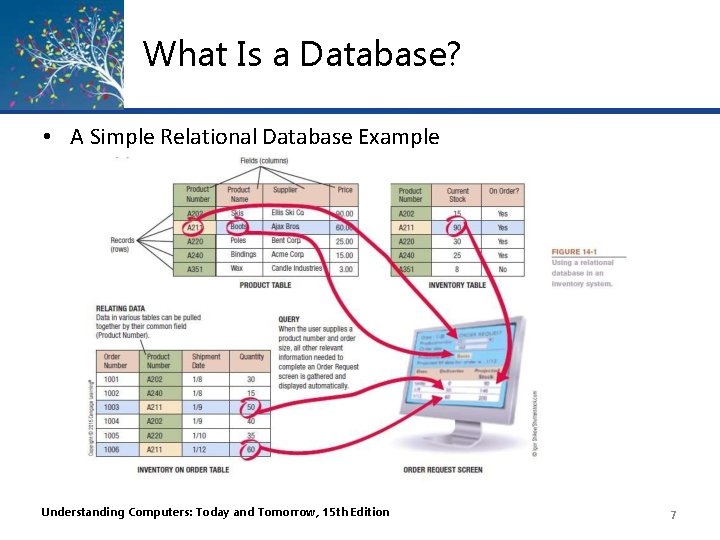
What Is a Database? • A database typically consists of: – Tables • Collection of related records – Fields (columns) • Single category of data to be stored in a database (name, telephone number, etc. ) – Records (rows) • Collection of related fields in a database (all the fields for one customer, for example) Understanding Computers: Today and Tomorrow, 15 th Edition 6
What Is a Database? • A Simple Relational Database Example Understanding Computers: Today and Tomorrow, 15 th Edition 7
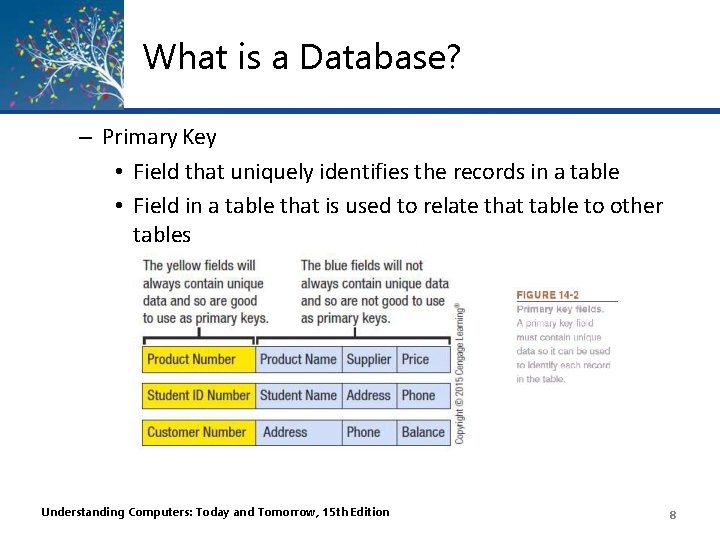
What is a Database? – Primary Key • Field that uniquely identifies the records in a table • Field in a table that is used to relate that table to other tables Understanding Computers: Today and Tomorrow, 15 th Edition 8
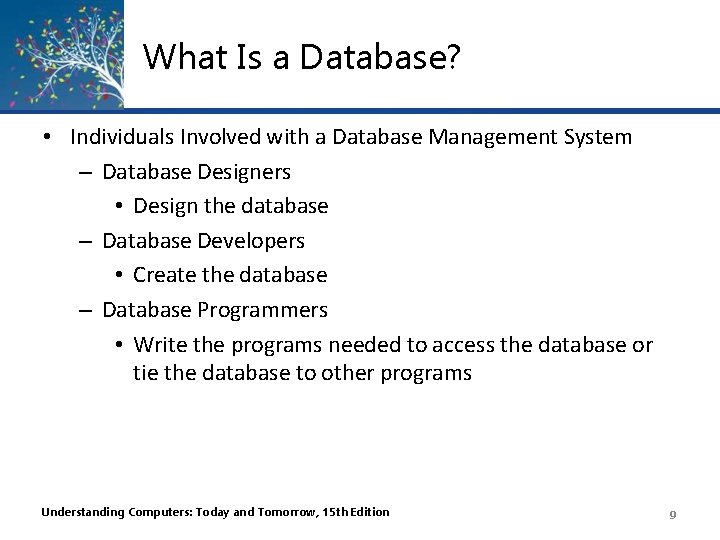
What Is a Database? • Individuals Involved with a Database Management System – Database Designers • Design the database – Database Developers • Create the database – Database Programmers • Write the programs needed to access the database or tie the database to other programs Understanding Computers: Today and Tomorrow, 15 th Edition 9
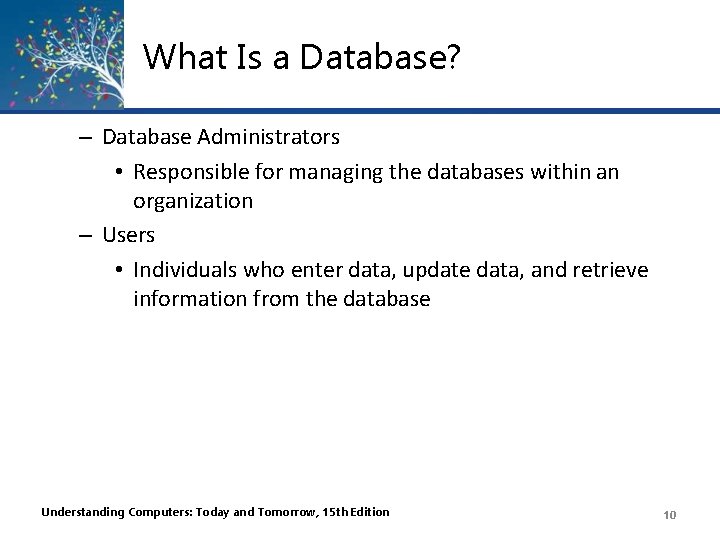
What Is a Database? – Database Administrators • Responsible for managing the databases within an organization – Users • Individuals who enter data, update data, and retrieve information from the database Understanding Computers: Today and Tomorrow, 15 th Edition 10
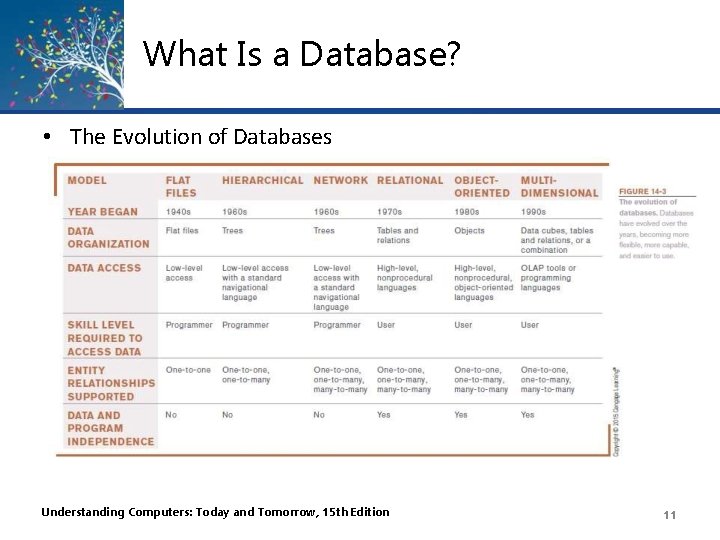
What Is a Database? • The Evolution of Databases Understanding Computers: Today and Tomorrow, 15 th Edition 11
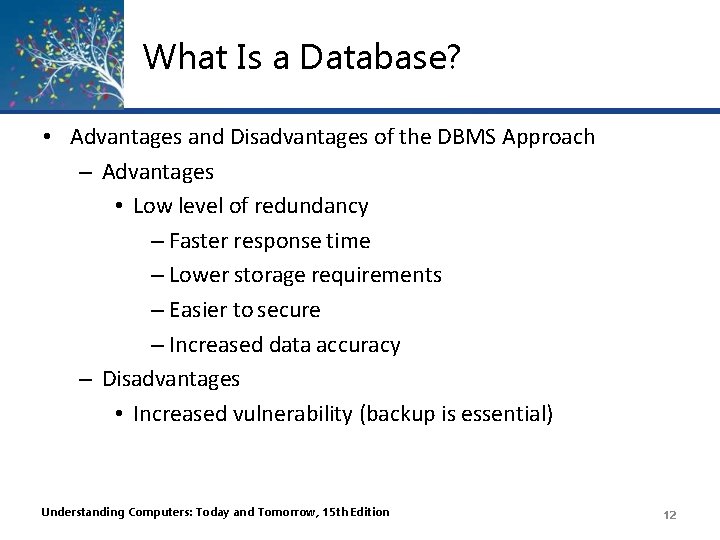
What Is a Database? • Advantages and Disadvantages of the DBMS Approach – Advantages • Low level of redundancy – Faster response time – Lower storage requirements – Easier to secure – Increased data accuracy – Disadvantages • Increased vulnerability (backup is essential) Understanding Computers: Today and Tomorrow, 15 th Edition 12
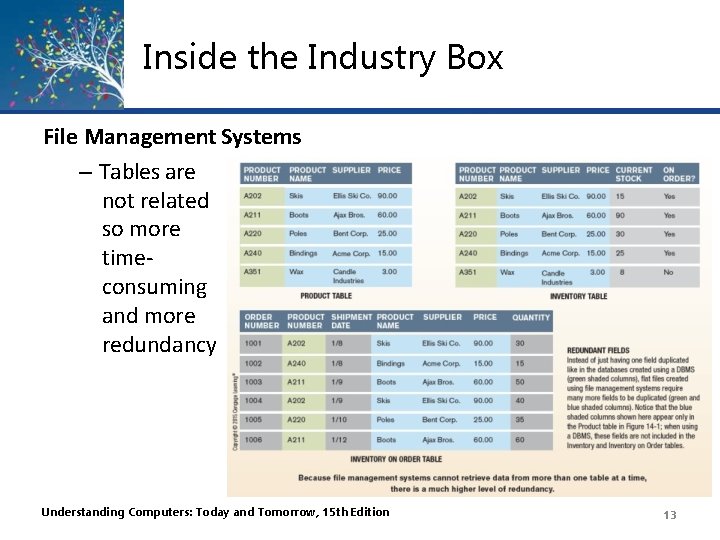
Inside the Industry Box File Management Systems – Tables are not related so more timeconsuming and more redundancy Understanding Computers: Today and Tomorrow, 15 th Edition 13
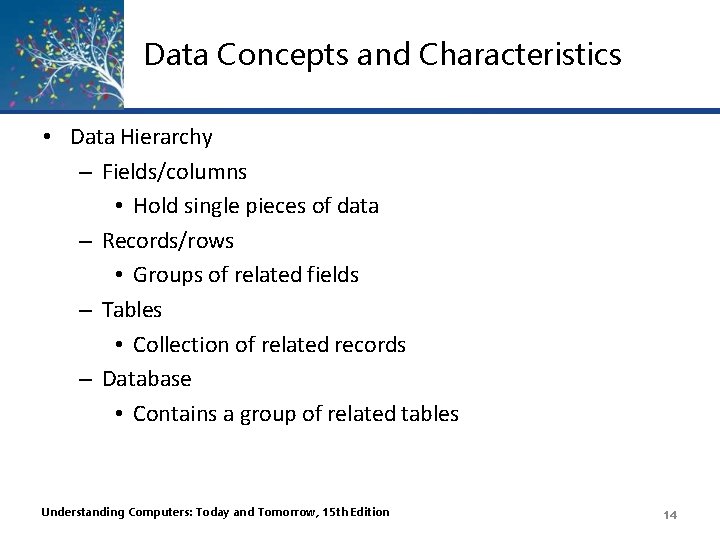
Data Concepts and Characteristics • Data Hierarchy – Fields/columns • Hold single pieces of data – Records/rows • Groups of related fields – Tables • Collection of related records – Database • Contains a group of related tables Understanding Computers: Today and Tomorrow, 15 th Edition 14
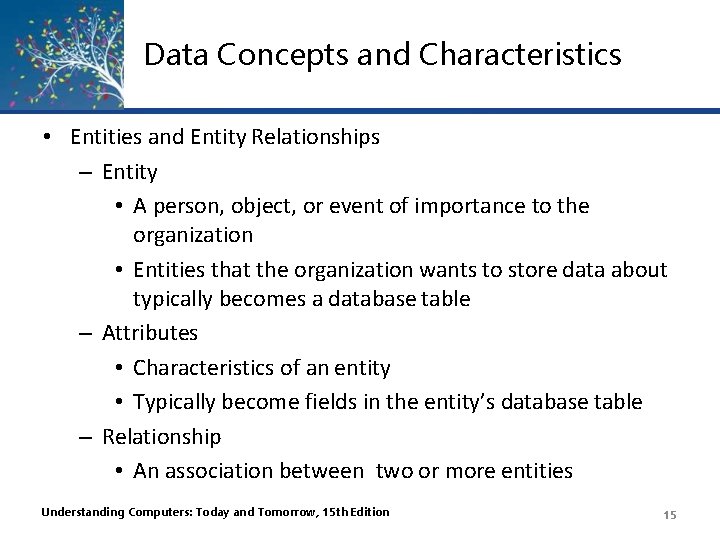
Data Concepts and Characteristics • Entities and Entity Relationships – Entity • A person, object, or event of importance to the organization • Entities that the organization wants to store data about typically becomes a database table – Attributes • Characteristics of an entity • Typically become fields in the entity’s database table – Relationship • An association between two or more entities Understanding Computers: Today and Tomorrow, 15 th Edition 15
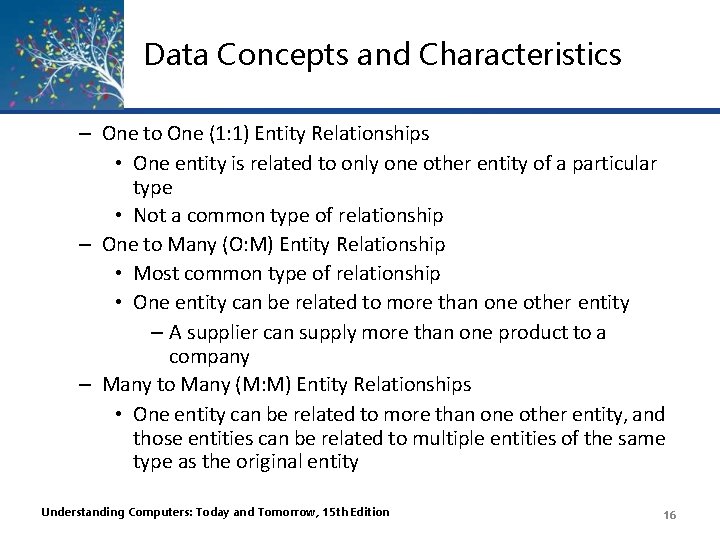
Data Concepts and Characteristics – One to One (1: 1) Entity Relationships • One entity is related to only one other entity of a particular type • Not a common type of relationship – One to Many (O: M) Entity Relationship • Most common type of relationship • One entity can be related to more than one other entity – A supplier can supply more than one product to a company – Many to Many (M: M) Entity Relationships • One entity can be related to more than one other entity, and those entities can be related to multiple entities of the same type as the original entity Understanding Computers: Today and Tomorrow, 15 th Edition 16
Data Concepts and Characteristics • Data Definition – The process of describing the properties of data to be included in a database table – During data definition, each field is assigned: • Name (must be unique within the table) • Data type (such as Text, Number, Currency, Date/Time) • Description (optional description of the field) • Properties (field size, format of the field, allowable range, if field is required, etc. ) – Finished specifications for a table become the table structure Understanding Computers: Today and Tomorrow, 15 th Edition 17
Data Concepts and Characteristics Understanding Computers: Today and Tomorrow, 15 th Edition 18
Data Concepts and Characteristics • The Data Dictionary – Contains all data definitions in a database, including: • Table structures • Security information (passwords, etc. ) • Relationships between the tables in the database • Basic information about each table, such as the current number of records – Does not contain any of the data in the tables – Does contain metadata, which is information about the database tables – Ensures that data being entered into the database does not violate any specified criteria Understanding Computers: Today and Tomorrow, 15 th Edition 19
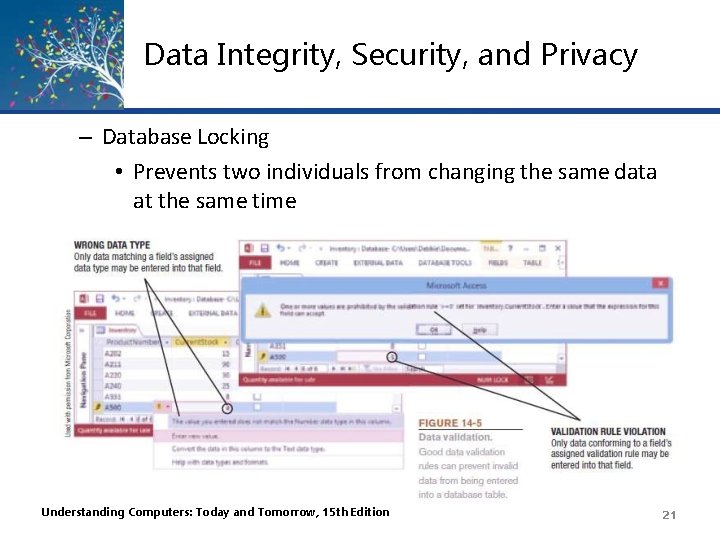
Data Integrity, Security, and Privacy • Data Integrity – Accuracy of Data • Quality of data entered determines the quality of generated information – Data Validation • Process of ensuring that data entered into the database is valid • Record validation rules – Checks all fields before changes to a record are saved • Can be enforced on a per transaction basis so the entire transaction will fail if one part is invalid Understanding Computers: Today and Tomorrow, 15 th Edition 20
Data Integrity, Security, and Privacy – Database Locking • Prevents two individuals from changing the same data at the same time Understanding Computers: Today and Tomorrow, 15 th Edition 21
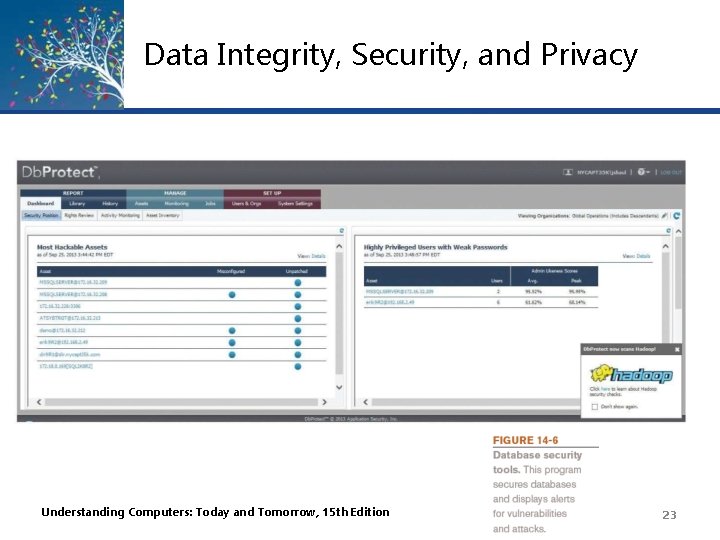
Data Integrity, Security, and Privacy • Data Security – Protects data against destruction and misuse – Protects against unauthorized access to and unauthorized use of a database – Database activity monitoring programs can be used to detect possible intrusions and risks – Prevents data loss – Should include strict backup and disaster-recovery procedures (disaster-recovery plan) – Should be used with both in-house and cloud databases Understanding Computers: Today and Tomorrow, 15 th Edition 22
Data Integrity, Security, and Privacy Understanding Computers: Today and Tomorrow, 15 th Edition 23
Data Integrity, Security, and Privacy – Data Privacy • Growing concern because of the vast amounts of personal data stored in databases today • Many states require businesses to notify customers when their personal data has been compromised • Data breaches can be costly – One estimate is $200 per breached record Understanding Computers: Today and Tomorrow, 15 th Edition 24
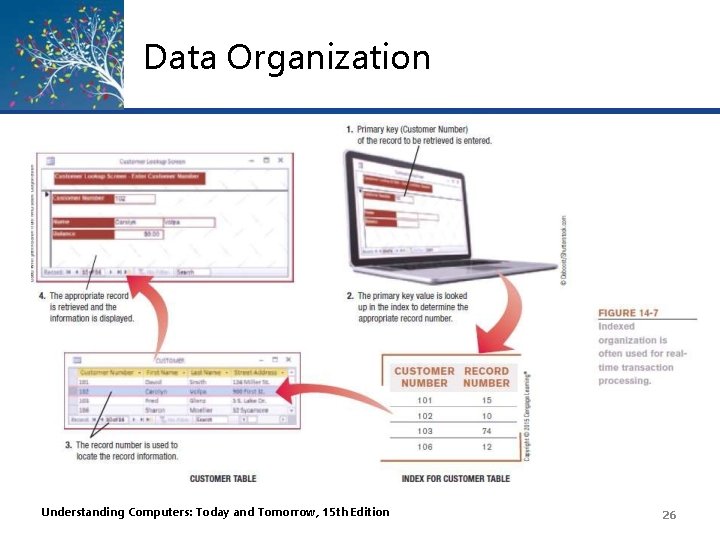
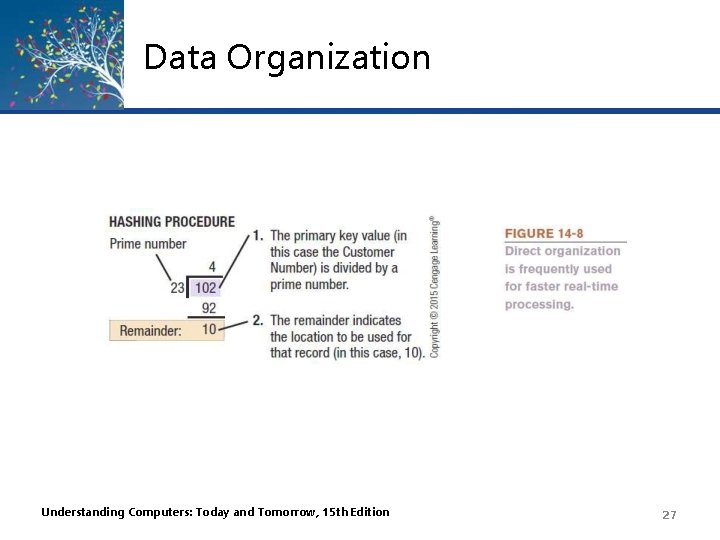
Data Organization • Data Organization – Arranging data for efficient retrieval – Indexed organization • Uses an index to keep track of where data is stored in a database • Direct Organization – Uses hashing algorithms to specify the exact storage location – Algorithms should be designed to limit collisions – Some systems use a combination of both indexed and direct organization Understanding Computers: Today and Tomorrow, 15 th Edition 25
Data Organization Understanding Computers: Today and Tomorrow, 15 th Edition 26
Data Organization Understanding Computers: Today and Tomorrow, 15 th Edition 27
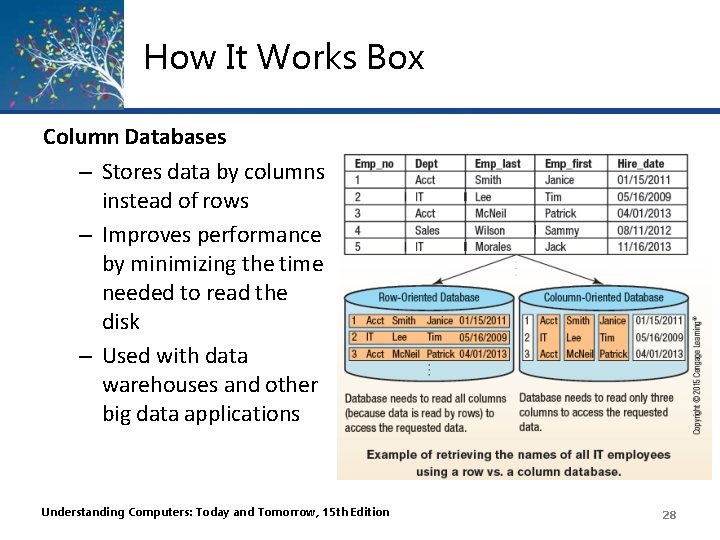
How It Works Box Column Databases – Stores data by columns instead of rows – Improves performance by minimizing the time needed to read the disk – Used with data warehouses and other big data applications Understanding Computers: Today and Tomorrow, 15 th Edition 28
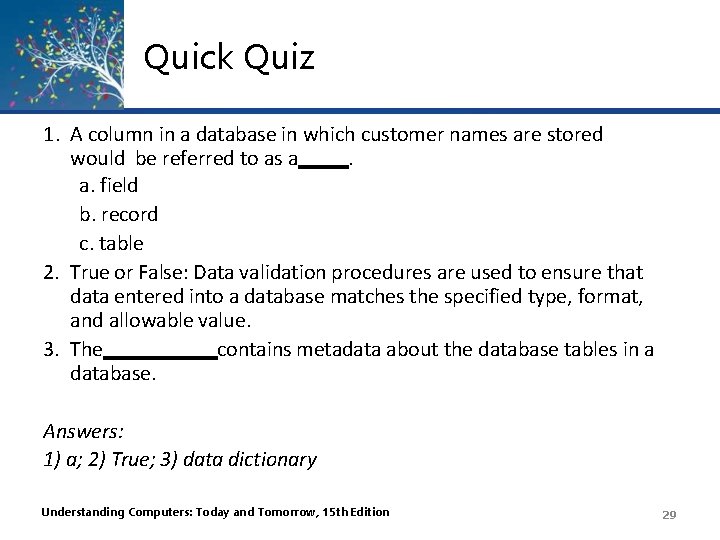
Quick Quiz 1. A column in a database in which customer names are stored would be referred to as a. a. field b. record c. table 2. True or False: Data validation procedures are used to ensure that data entered into a database matches the specified type, format, and allowable value. 3. The contains metadata about the database tables in a database. Answers: 1) a; 2) True; 3) data dictionary Understanding Computers: Today and Tomorrow, 15 th Edition 29
Database Classifications • Single-User vs. Multiuser Database Systems – Single-User Database System • Located on a single computer • Designed to be accessed by one user • Widely used for personal applications and very small businesses – Multiuser Database System • Designed to be accessed by multiple users (most business databases today) Understanding Computers: Today and Tomorrow, 15 th Edition 30
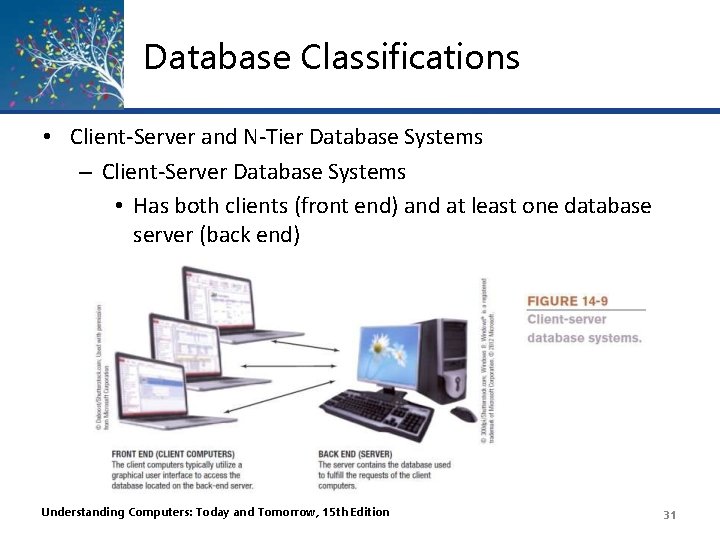
Database Classifications • Client-Server and N-Tier Database Systems – Client-Server Database Systems • Has both clients (front end) and at least one database server (back end) Understanding Computers: Today and Tomorrow, 15 th Edition 31
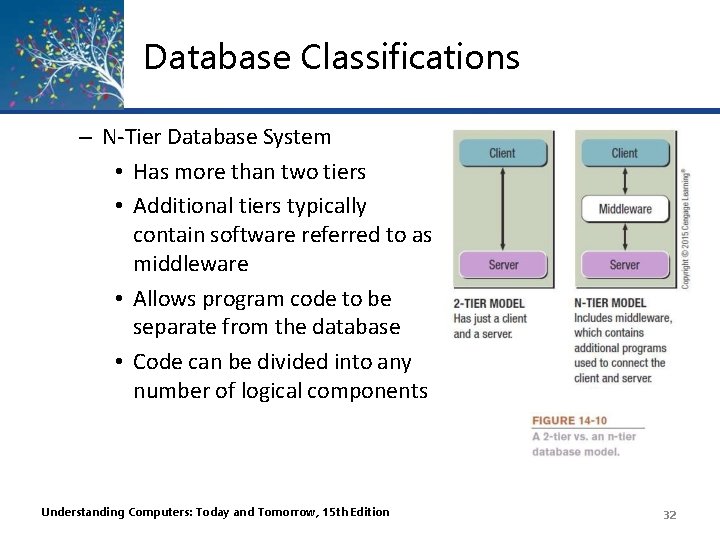
Database Classifications – N-Tier Database System • Has more than two tiers • Additional tiers typically contain software referred to as middleware • Allows program code to be separate from the database • Code can be divided into any number of logical components Understanding Computers: Today and Tomorrow, 15 th Edition 32
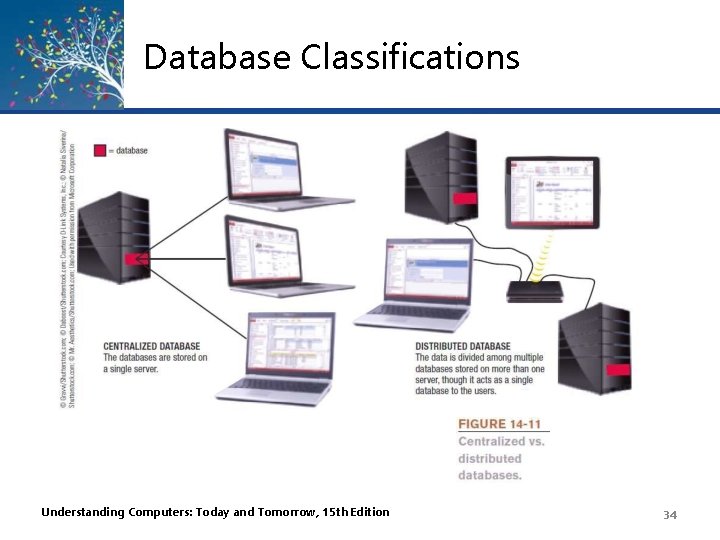
Database Classifications • Centralized vs. Distributed Database Systems – Centralized Database System • Database is located on a single computer, such as a server or mainframe – Distributed Database System • Data is physically divided among several computers connected by a network, but the database logically looks like it is a single database Understanding Computers: Today and Tomorrow, 15 th Edition 33
Database Classifications Understanding Computers: Today and Tomorrow, 15 th Edition 34
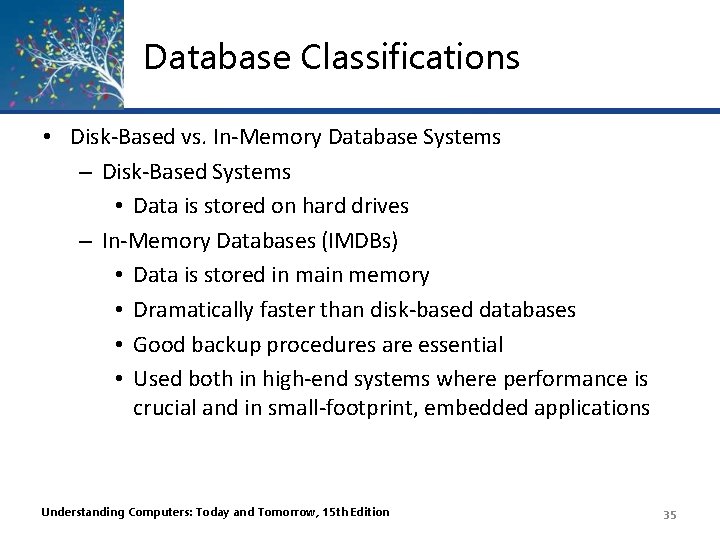
Database Classifications • Disk-Based vs. In-Memory Database Systems – Disk-Based Systems • Data is stored on hard drives – In-Memory Databases (IMDBs) • Data is stored in main memory • Dramatically faster than disk-based databases • Good backup procedures are essential • Used both in high-end systems where performance is crucial and in small-footprint, embedded applications Understanding Computers: Today and Tomorrow, 15 th Edition 35
Quick Quiz 1. Which type of database system is beginning to be used in high-end systems where performance is crucial? a. In-memory databases b. Disk-based databases c. Single-user databases 2. True or False: With the n-tier database model, there is at least one middle piece of software between the client and the server. 3. With a(n) database system, the databases used by the system are all located on a single computer. Answers: 1) a; 2) True; 3) centralized Understanding Computers: Today and Tomorrow, 15 th Edition 36
Database Models • The Hierarchical and Network Database Models – Hierarchical Databases • Organizes data in a tree structure • Typically a one-to-many relationship between data entities – Network Databases • Allow both one-to-many and many-to-many relationships between data elements – Most databases today are neither hierarchical or network models Understanding Computers: Today and Tomorrow, 15 th Edition 37
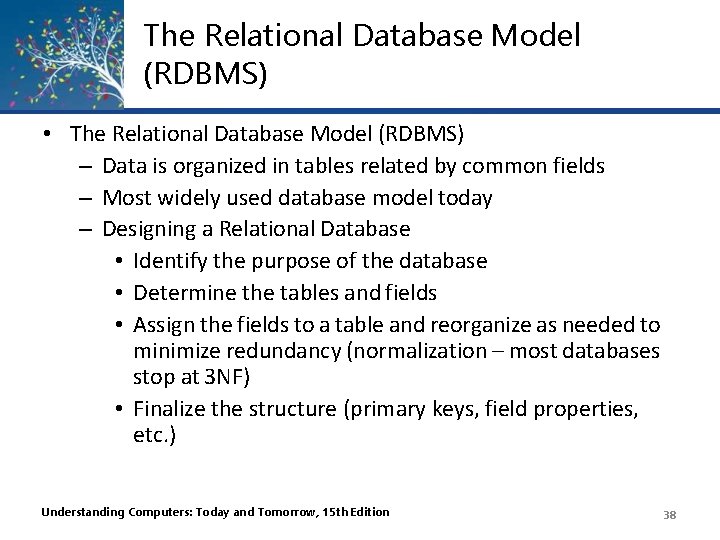
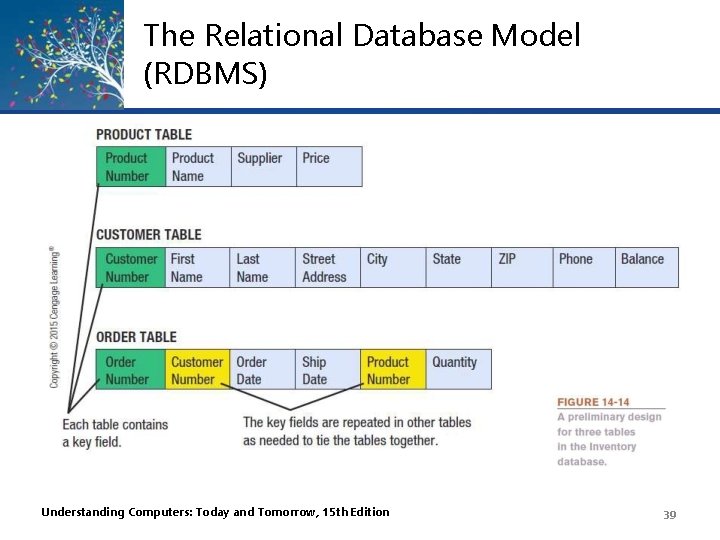
The Relational Database Model (RDBMS) • The Relational Database Model (RDBMS) – Data is organized in tables related by common fields – Most widely used database model today – Designing a Relational Database • Identify the purpose of the database • Determine the tables and fields • Assign the fields to a table and reorganize as needed to minimize redundancy (normalization – most databases stop at 3 NF) • Finalize the structure (primary keys, field properties, etc. ) Understanding Computers: Today and Tomorrow, 15 th Edition 38
The Relational Database Model (RDBMS) Understanding Computers: Today and Tomorrow, 15 th Edition 39
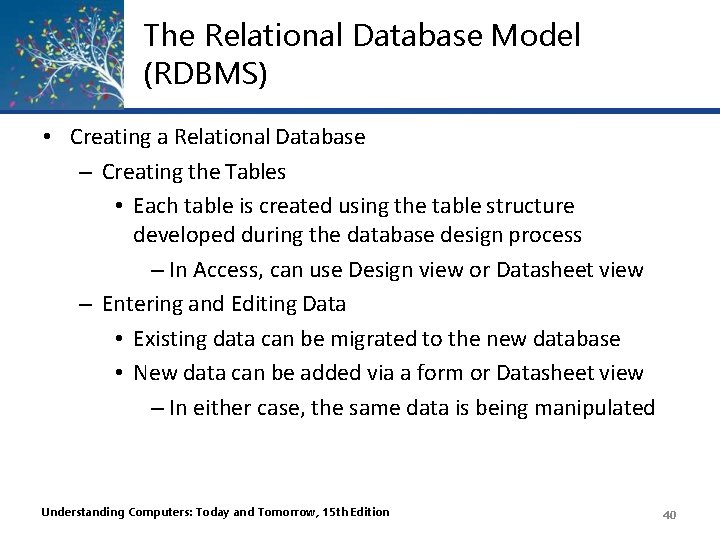
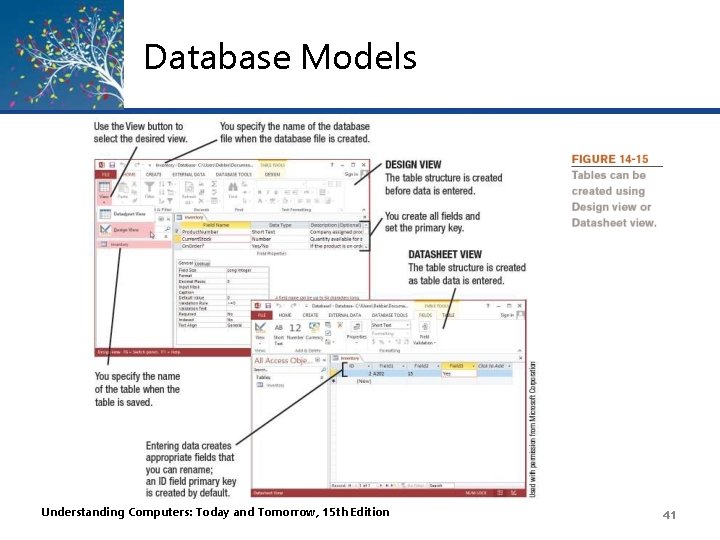
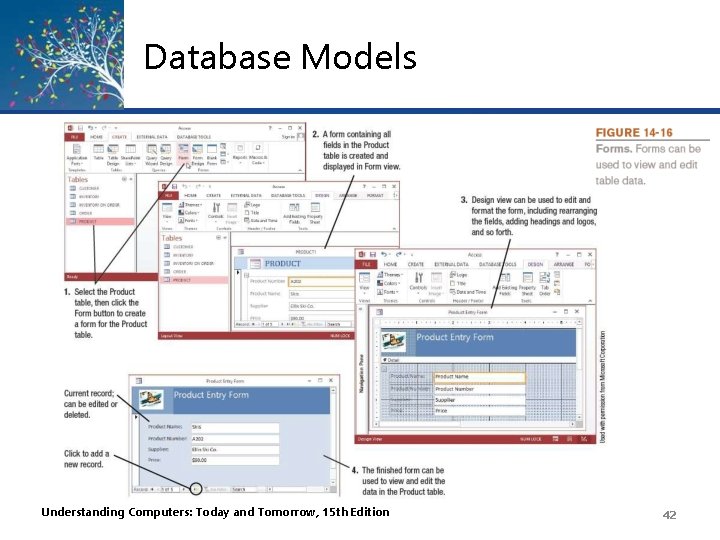
The Relational Database Model (RDBMS) • Creating a Relational Database – Creating the Tables • Each table is created using the table structure developed during the database design process – In Access, can use Design view or Datasheet view – Entering and Editing Data • Existing data can be migrated to the new database • New data can be added via a form or Datasheet view – In either case, the same data is being manipulated Understanding Computers: Today and Tomorrow, 15 th Edition 40
Database Models Understanding Computers: Today and Tomorrow, 15 th Edition 41
Database Models Understanding Computers: Today and Tomorrow, 15 th Edition 42
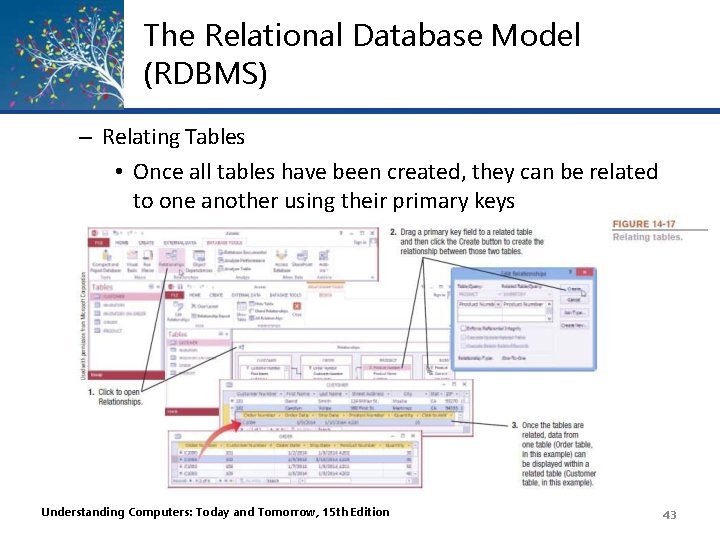
The Relational Database Model (RDBMS) – Relating Tables • Once all tables have been created, they can be related to one another using their primary keys Understanding Computers: Today and Tomorrow, 15 th Edition 43
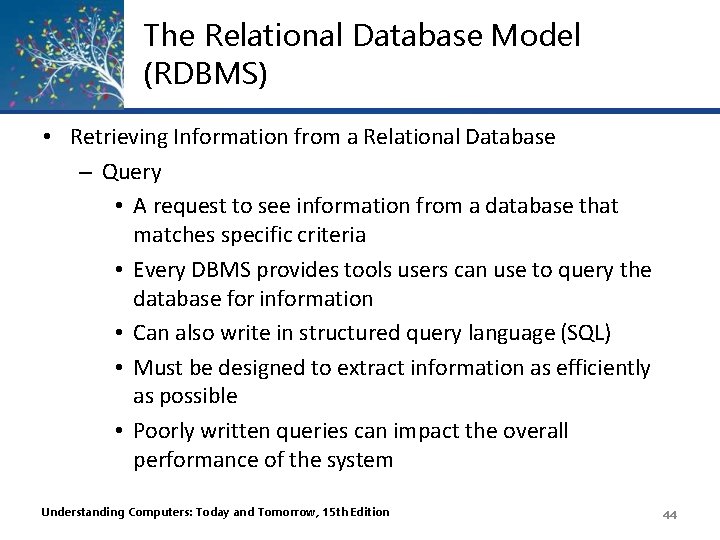
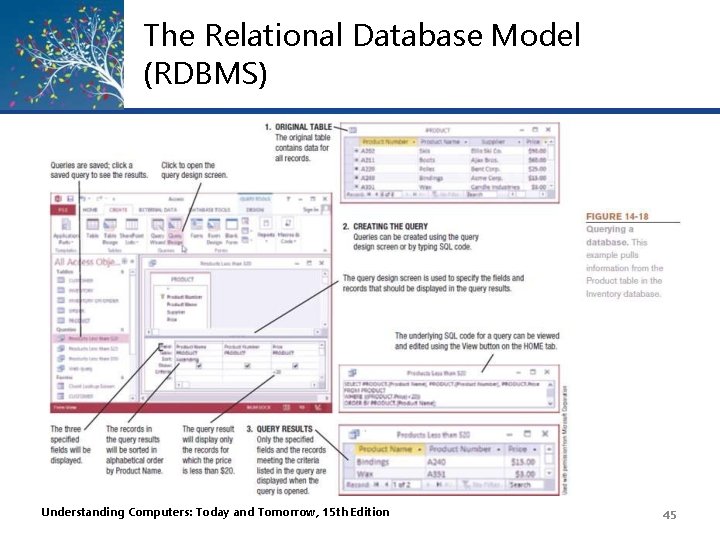
The Relational Database Model (RDBMS) • Retrieving Information from a Relational Database – Query • A request to see information from a database that matches specific criteria • Every DBMS provides tools users can use to query the database for information • Can also write in structured query language (SQL) • Must be designed to extract information as efficiently as possible • Poorly written queries can impact the overall performance of the system Understanding Computers: Today and Tomorrow, 15 th Edition 44
The Relational Database Model (RDBMS) Understanding Computers: Today and Tomorrow, 15 th Edition 45
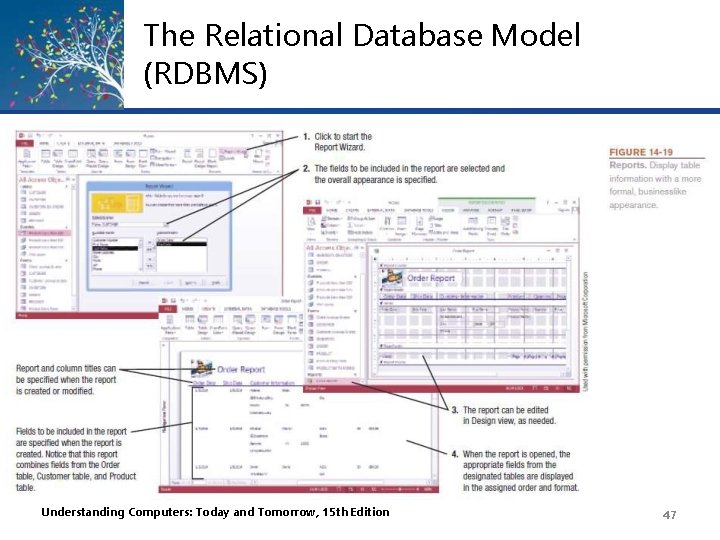
The Relational Database Model (RDBMS) – Reports • Formatted way of looking at a database table or the results of a query • Can pull data from more than one table • Many programs have wizards or other tools to make it easy to create a report • Can be modified and customized using the Design view • Reports in Microsoft Access are saved as objects in the database file Understanding Computers: Today and Tomorrow, 15 th Edition 46
The Relational Database Model (RDBMS) Understanding Computers: Today and Tomorrow, 15 th Edition 47
The Relational Database Model (RDBMS) • Maintaining a Relational Database – Table structures can be modified when needed – Other possible modifications: • Adding new indexes to speed up queries • Deleting obsolete data • Upgrading database software, installing patches • Repairing/restoring data that has become corrupt • Continuing to evaluate and improve security Understanding Computers: Today and Tomorrow, 15 th Edition 48
The Object-Oriented Database Model • The Object-Oriented Database Model – Object-Oriented Database Management System (OODBMS) • Database system in which multiple types of data are stored as objects along with their related code • Can contain virtually any type of data (video clip, text with music, etc. ) along with the methods to be used with that data • Objects can be retrieved using queries (object query language or OQL) • Objects can be reused in other applications to create new applications quickly Understanding Computers: Today and Tomorrow, 15 th Edition 49
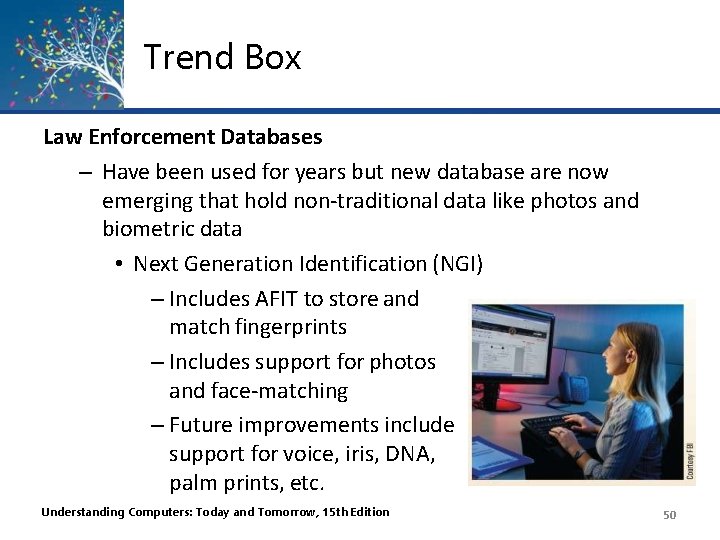
Trend Box Law Enforcement Databases – Have been used for years but new database are now emerging that hold non-traditional data like photos and biometric data • Next Generation Identification (NGI) – Includes AFIT to store and match fingerprints – Includes support for photos and face-matching – Future improvements include support for voice, iris, DNA, palm prints, etc. Understanding Computers: Today and Tomorrow, 15 th Edition 50
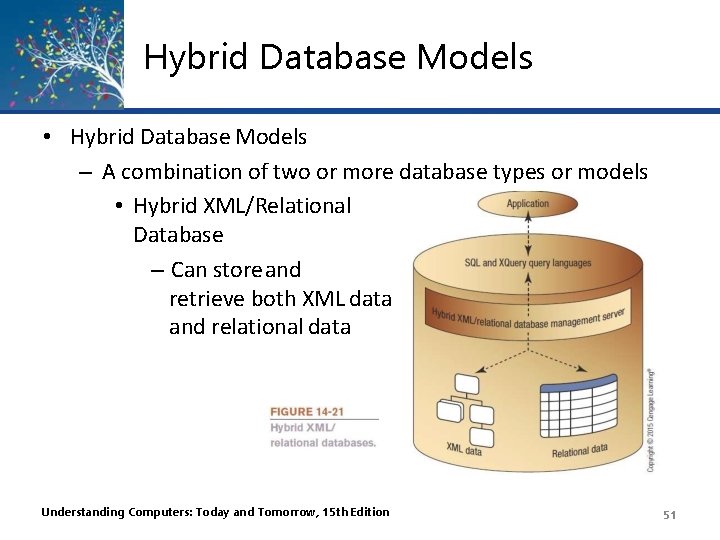
Hybrid Database Models • Hybrid Database Models – A combination of two or more database types or models • Hybrid XML/Relational Database – Can store and retrieve both XML data and relational data Understanding Computers: Today and Tomorrow, 15 th Edition 51
Multidimensional Databases (MDDB) • Multidimensional Databases (MDDB) – Designed to be used with data warehousing – Often used in conjunction with Online Analytical Processing (OLAP) • MOLAP (Multidimensional OLAP) – Data is stored in single structures called data cubes • ROLAP (Relational OLAP) – Data is stored in an existing relational database using tables to store the summary information • HOLAP (Hybrid OLAP) – Combination of MOLAP and ROLAP technologies Understanding Computers: Today and Tomorrow, 15 th Edition 52
Cloud Databases • Typically hosted on a cloud database provider’s servers that is accessible to users via the Web • Examples of Cloud Databases in Use – Information retrieval • Data to be accessed and displayed on a Web page is often stored in a database, i. e, Search sites – Support and facilitate e-commerce • Display product information, pricing, customer information, shopping cart content, etc. – Cloud databases allow Web pages to be dynamic Web pages Understanding Computers: Today and Tomorrow, 15 th Edition 53
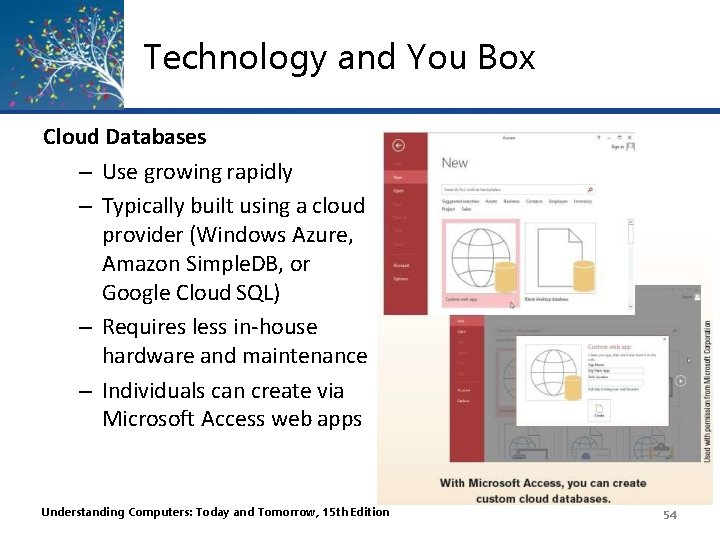
Technology and You Box Cloud Databases – Use growing rapidly – Typically built using a cloud provider (Windows Azure, Amazon Simple. DB, or Google Cloud SQL) – Requires less in-house hardware and maintenance – Individuals can create via Microsoft Access web apps Understanding Computers: Today and Tomorrow, 15 th Edition 54
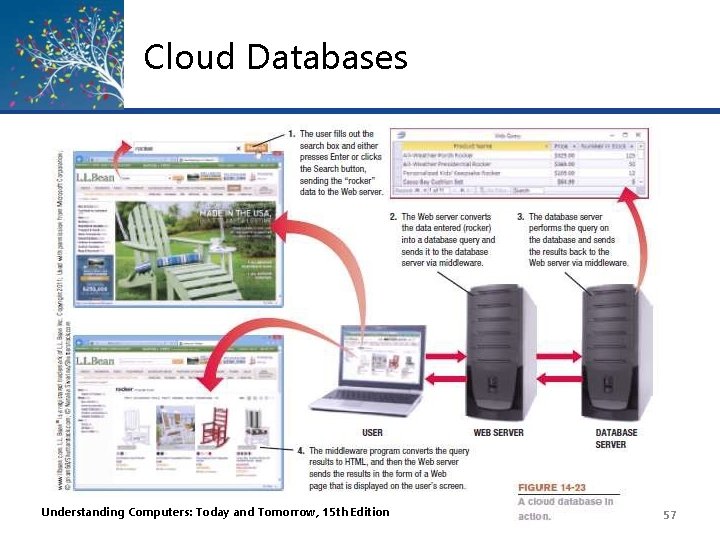
Cloud Databases • How Cloud Databases Work – Visitor makes request by • Filling out a Web page form • Selecting an option from a menu displayed on a Web page form – Web server converts the request into a database query, passes it onto the database server, and then sends the results back to the visitor Understanding Computers: Today and Tomorrow, 15 th Edition 55
Cloud Databases – Middleware • Software used to connect two otherwise separate applications, such as a Web server and a database management system • Commonly written as scripts • Common languages include – Java. Script – VBScript – CGI Scripts – Active Server Pages (ASPs) – PHP Scripts Understanding Computers: Today and Tomorrow, 15 th Edition 56
Cloud Databases Understanding Computers: Today and Tomorrow, 15 th Edition 57
Quick Quiz 1. Which of the following is the most widely used type of database today? a. Network b. Relational c. Object-oriented 2. True or False: Databases are often used in conjunction with dynamic Web pages. 3. A(n) is used to extract specific information from a database by specifying particular conditions about the data to be retrieved. Answers: 1) b; 2) True; 3) query Understanding Computers: Today and Tomorrow, 15 th Edition 58
Summary • • • What Is a Database? Data Concepts and Characteristics Database Classifications Database Models Cloud Databases Understanding Computers: Today and Tomorrow, 15 th Edition 59