
15 Enhancing a Presentation with Digital Media Section

- Slides: 37
15 Enhancing a Presentation with Digital Media
Section 15. 1 Digital Media Basics
Objectives • Explain the role of digital media in presentations. • Discuss licensing agreements that accompany software programs. Copyright Goodheart-Willcox Co. , Inc. May not be posted to a publicly accessible website.
Key Terms digital media end user license agreement (EULA) site license Copyright Goodheart-Willcox Co. , Inc. May not be posted to a publicly accessible website.
ssential uestion How can technology make a presentation more effective? Copyright Goodheart-Willcox Co. , Inc. May not be posted to a publicly accessible website.
Digital Media Presentations • Digital media – Refers to visuals, animation, video, audio, or other media created in a format that can be read by computers – A presentation that uses the components of digital media to inform or persuade an audience is a digital media presentation – Tools for the project • Hardware • Software Copyright Goodheart-Willcox Co. , Inc. May not be posted to a publicly accessible website.
Digital Media Presentations (continued) • Computer hardware – Input devices • Mouse • Digital camera or digital recorder • Synthesizer or music keyboard – Output devices • Smartphone • Touch screen • Interactive whiteboard • Video projector Copyright Goodheart-Willcox Co. , Inc. May not be posted to a publicly accessible website.
Digital Media Presentations (continued) • Computer software – word processing software – audio software – video software – graphics software – website development software • Always check system requirements for both hardware and software Copyright Goodheart-Willcox Co. , Inc. May not be posted to a publicly accessible website.
Licensing Agreements • When buying software, the purchaser is agreeing to follow the terms of a license – A license is the legal permission to use a software program – A licensing agreement is a contract that gives one party permission to use, market, or produce a product or service owned by another party • nonexclusive • exclusive Copyright Goodheart-Willcox Co. , Inc. May not be posted to a publicly accessible website.
Licensing Agreements (continued) • Software programs are governed by an end user license agreement. – An end user license agreement (EULA) is the set of rules that every user must agree to before using the software • Software to be installed only on one machine • May be installed multiple times on same machine in case of hard drive failure – A site license allows the software to be installed on any machine owned by the company that purchased the software Copyright Goodheart-Willcox Co. , Inc. May not be posted to a publicly accessible website.
Licensing Agreements (continued) • Audio and video files are also controlled with EULAs – Define how the material can be used – Usually grant the purchaser the right to use the audio or video file • Licenses to use digital media presentations may also be purchased Copyright Goodheart-Willcox Co. , Inc. May not be posted to a publicly accessible website.
Section 15. 1 Review 1. What is a digital media presentation? A digital media presentation is a presentation that uses the components of digital media to inform or persuade an audience. 2. What are two important tools that are used to create a digital media presentation? Hardware and software. 3. Name the five main types of digital media–development software. Text, audio, video, graphics, and website development. Copyright Goodheart-Willcox Co. , Inc. May not be posted to a publicly accessible website.
Section 15. 1 Review 4. What is a license? A license is the legal permission to use a software program. 5. What is a licensing agreement? A licensing agreement is a contract that gives one party permission to use, market, or produce a product or service owned by another party. Copyright Goodheart-Willcox Co. , Inc. May not be posted to a publicly accessible website.
Section 15. 2 Creating Digital Media Presentations
Objectives • Describe media elements used in a digital media presentation. • Explain the steps involved in creating a digital presentation. Copyright Goodheart-Willcox Co. , Inc. May not be posted to a publicly accessible website.
Key Terms pixel resolution filtering layering footage canvas size movement rhythm perspective milestone production storyboard Copyright Goodheart-Willcox Co. , Inc. May not be posted to a publicly accessible website.
ssential uestion Why is planning the use of digital media important? Copyright Goodheart-Willcox Co. , Inc. May not be posted to a publicly accessible website.
Digital Media Elements • Digital media may be created and used within a software application or saved as separate files for use in other applications – Files can be inserted into a presentation or linked to from within the presentation – Object linking and embedding (OLE) is a way to reference the source file from within another file Copyright Goodheart-Willcox Co. , Inc. May not be posted to a publicly accessible website.
Digital Media Elements (continued) • A medium is any means of conveying information – animation – digital photography – video – audio Copyright Goodheart-Willcox Co. , Inc. May not be posted to a publicly accessible website.
Digital Media Elements (continued) • Animation – Often saved as an animated GIF, AVI, or MPEG file – Motion is created by displaying still frames that each contain a small difference in rapid succession Copyright Goodheart-Willcox Co. , Inc. May not be posted to a publicly accessible website.
Digital Media Elements (continued) • Digital photography – Photo resolution • Pixel refers to the tiny dots of color that make up a digital image • Resolution is the number of pixels that make up an image – Photo editing • Filtering is applying a special effect to an image • Layering is the process of putting different parts of the image on different levels Copyright Goodheart-Willcox Co. , Inc. May not be posted to a publicly accessible website.
Digital Media Elements (continued) • Video – Live action movies – A script provides an outline and structure Copyright Goodheart-Willcox Co. , Inc. May not be posted to a publicly accessible website.
Digital Media Elements (continued) • Video cameras – Studio camera – Camcorder – Webcam – Footage is the recorded video content • Video quality – Resolution is determined by pixels – Frames per second (fps) determine sharpness – Canvas size is the area in which the video will be displayed Copyright Goodheart-Willcox Co. , Inc. May not be posted to a publicly accessible website.
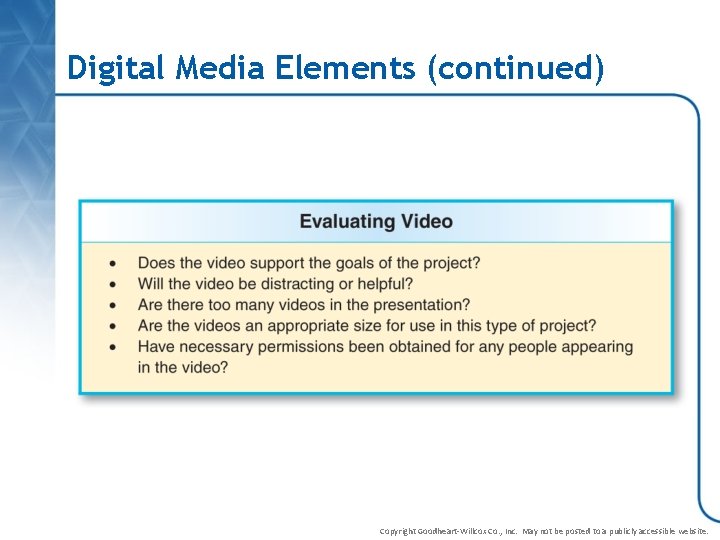
Digital Media Elements (continued) Copyright Goodheart-Willcox Co. , Inc. May not be posted to a publicly accessible website.
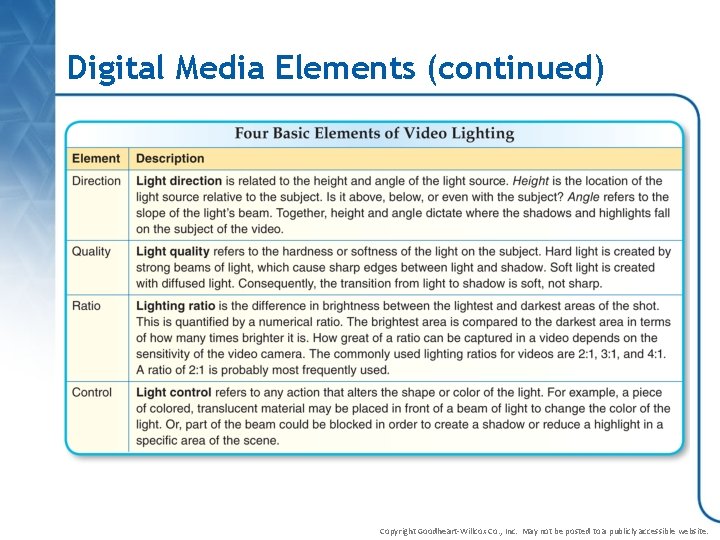
Digital Media Elements (continued) • Videography basics – Camera shots are wide shot, medium-wide shot, medium shot, bust or head shot, medium closeup, and close-up – Camera movement effects are pan, tilt, truck, and dolly – Lighting elements include direction, quality, ratio, and control Copyright Goodheart-Willcox Co. , Inc. May not be posted to a publicly accessible website.
Digital Media Elements (continued) • Editing video footage – Create clips – Cut clips – Overlay and synchronize audio, text, and narration – Change the canvas size, color depth, and frame rate. – Add informational graphics, illustrations, and animations – Save the video in different file formats Copyright Goodheart-Willcox Co. , Inc. May not be posted to a publicly accessible website.
Digital Media Elements (continued) Copyright Goodheart-Willcox Co. , Inc. May not be posted to a publicly accessible website.
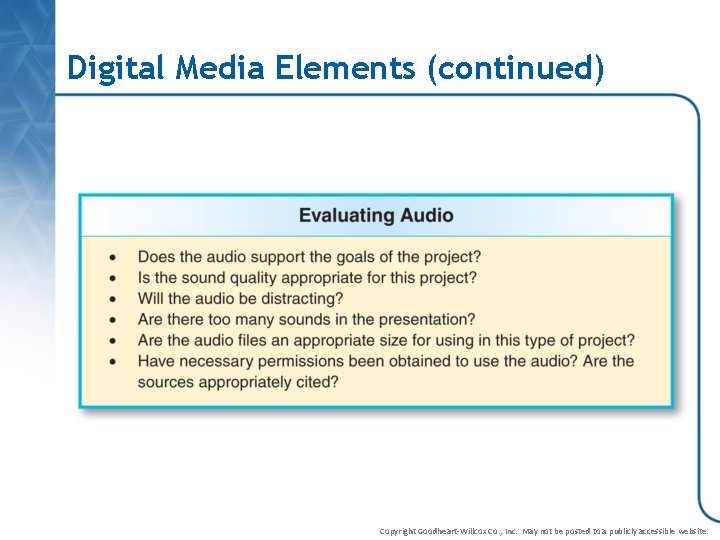
Digital Media Elements (continued) • Audio – Do not overuse – Can be sound effects, music, or voiceovers – May be recorded, created with a computer or musical instrument, or obtained online – Read and follow the terms and conditions for using any downloaded files Copyright Goodheart-Willcox Co. , Inc. May not be posted to a publicly accessible website.
Digital Media Elements (continued) Copyright Goodheart-Willcox Co. , Inc. May not be posted to a publicly accessible website.
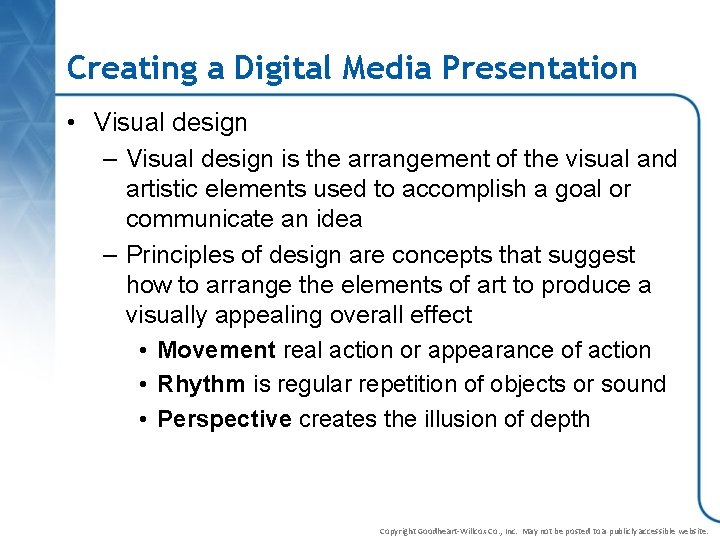
Creating a Digital Media Presentation • Visual design – Visual design is the arrangement of the visual and artistic elements used to accomplish a goal or communicate an idea – Principles of design are concepts that suggest how to arrange the elements of art to produce a visually appealing overall effect • Movement real action or appearance of action • Rhythm is regular repetition of objects or sound • Perspective creates the illusion of depth Copyright Goodheart-Willcox Co. , Inc. May not be posted to a publicly accessible website.
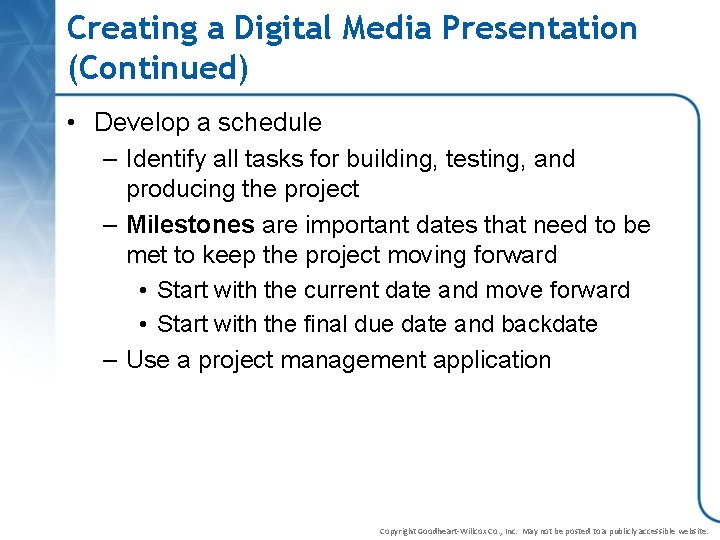
Creating a Digital Media Presentation (Continued) • Develop a schedule – Identify all tasks for building, testing, and producing the project – Milestones are important dates that need to be met to keep the project moving forward • Start with the current date and move forward • Start with the final due date and backdate – Use a project management application Copyright Goodheart-Willcox Co. , Inc. May not be posted to a publicly accessible website.
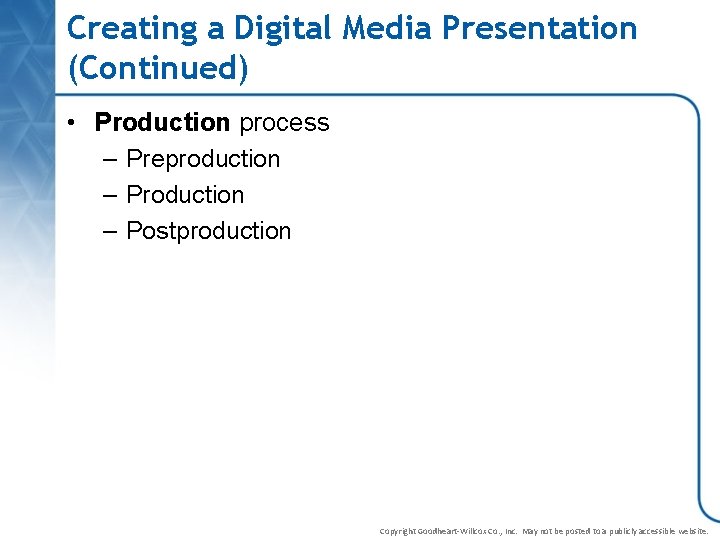
Creating a Digital Media Presentation (Continued) • Production process – Preproduction – Postproduction Copyright Goodheart-Willcox Co. , Inc. May not be posted to a publicly accessible website.
Creating a Digital Media Presentation (Continued) • Preproduction – The planning, scripting, and storyboarding • Planning follows the writing process • Scripting is the words and actions • Storyboard illustrates the content of the presentation along with a brief description of what will happen Copyright Goodheart-Willcox Co. , Inc. May not be posted to a publicly accessible website.
Creating a Digital Media Presentation (Continued) • Production is the creation of the graphic, video, and audio elements • Postproduction is everything else that happens after production – Creation of the final master copy – Editing Copyright Goodheart-Willcox Co. , Inc. May not be posted to a publicly accessible website.
Section 15. 2 Review 1. What media are typically used in a digital media presentation? Media typically used are animation, digital photography, video, and audio. 2. What is OLE? Object linking and embedding (OLE) is a way to reference the source file from within another file. 3. What does photo-editing software allow a user to do? An image can be cropped, rotated, or resized. The contrast of the image, along with the brightness and the color, can be altered. The image itself can also be altered. Copyright Goodheart-Willcox Co. , Inc. May not be posted to a publicly accessible website.
Section 15. 2 Review 4. List four basic options for moving a video camera when recording. Pan, tilt, truck, and dolly. 5. What are three stages of production? The three main stages of production are preproduction, and postproduction. Copyright Goodheart-Willcox Co. , Inc. May not be posted to a publicly accessible website.