
15 110 Principles of Computing Decision Structures Part

- Slides: 28
15 -110: Principles of Computing Decision Structures- Part I Lecture 5, September 16, 2018 Mohammad Hammoud Carnegie Mellon University in Qatar
Today… • Last Session: • Functions- Part II • Today’s Session: • Decision Structures- Part I: • One- and Two-way Decisions • Booleans • Relational, Logical, Membership, and Identity Operators
Decision Structures • So far, we have mostly viewed computer programs as sequences of instructions that are interpreted one after the other • Sequencing is a fundamental concept of programming, but alone it is not sufficient to solve every problem • Often it is necessary to alter the sequential flow of a program to suit the needs of a particular situation • We will study decision structures, which are statements that allow a program to execute different sequences of instructions for different cases
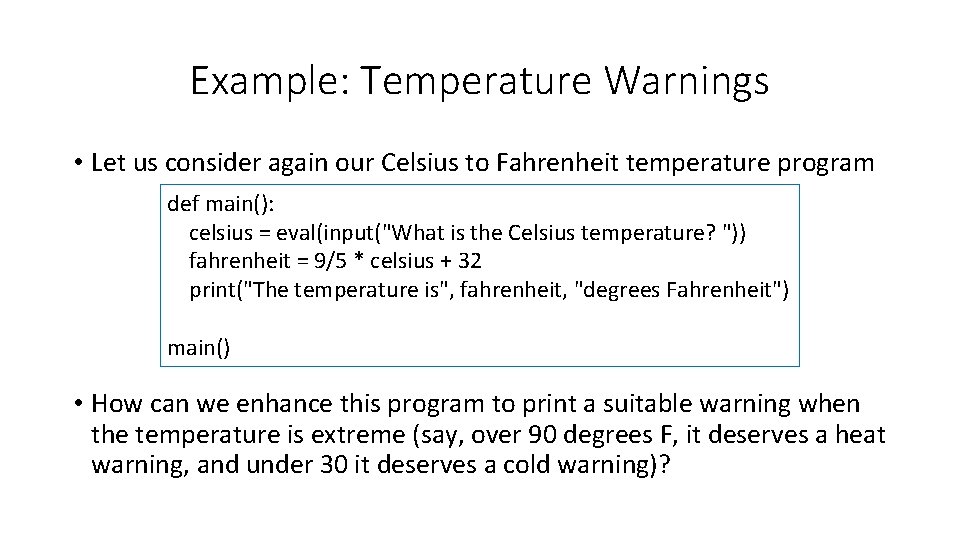
Example: Temperature Warnings • Let us consider again our Celsius to Fahrenheit temperature program def main(): celsius = eval(input("What is the Celsius temperature? ")) fahrenheit = 9/5 * celsius + 32 print("The temperature is", fahrenheit, "degrees Fahrenheit") main() • How can we enhance this program to print a suitable warning when the temperature is extreme (say, over 90 degrees F, it deserves a heat warning, and under 30 it deserves a cold warning)?
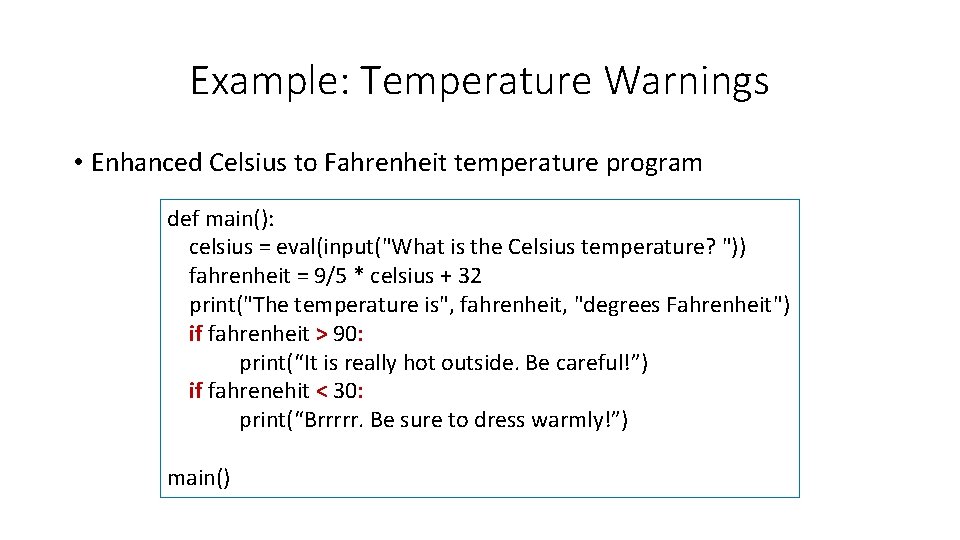
Example: Temperature Warnings • Enhanced Celsius to Fahrenheit temperature program def main(): celsius = eval(input("What is the Celsius temperature? ")) fahrenheit = 9/5 * celsius + 32 print("The temperature is", fahrenheit, "degrees Fahrenheit") if fahrenheit > 90: print(“It is really hot outside. Be careful!”) if fahrenehit < 30: print(“Brrrrr. Be sure to dress warmly!”) main()
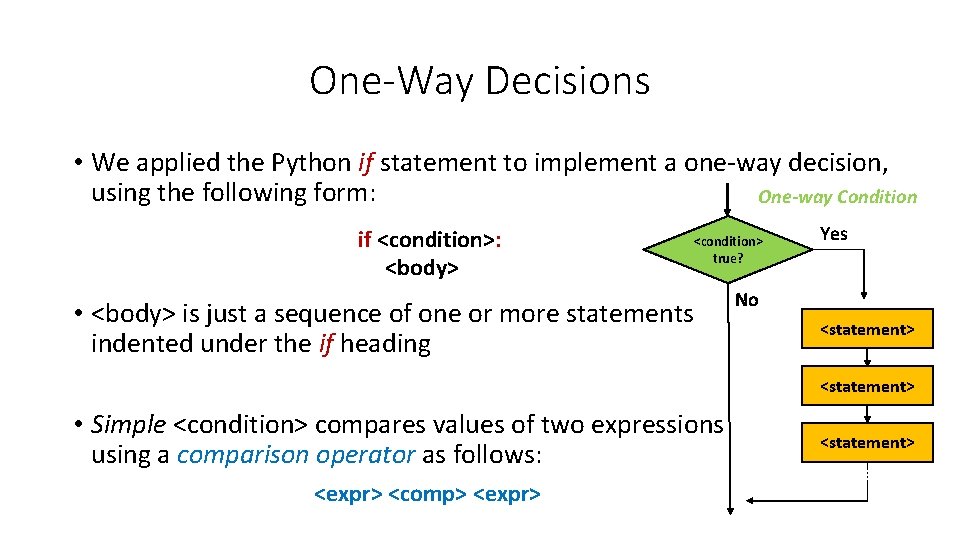
One-Way Decisions • We applied the Python if statement to implement a one-way decision, using the following form: One-way Condition if <condition>: <body> <condition> true? • <body> is just a sequence of one or more statements indented under the if heading Yes No <statement> • Simple <condition> compares values of two expressions using a comparison operator as follows: <expr> <comp> <expr> <statement>
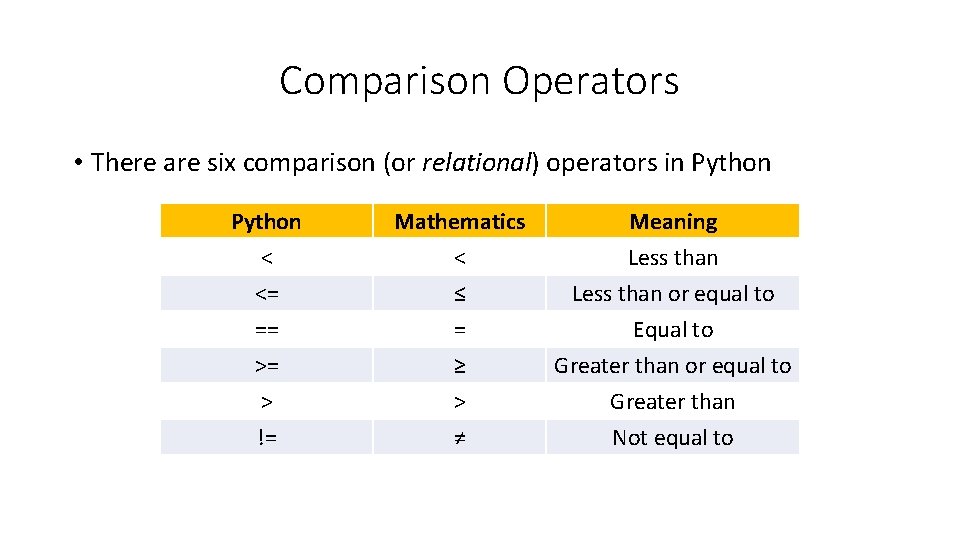
Comparison Operators • There are six comparison (or relational) operators in Python < <= == Mathematics < ≤ = Meaning Less than or equal to Equal to >= > != ≥ > ≠ Greater than or equal to Greater than Not equal to
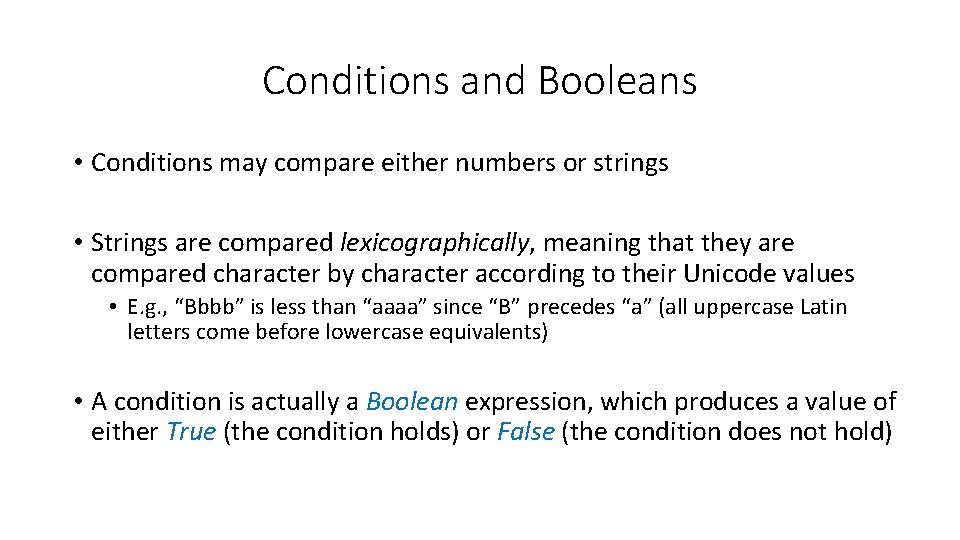
Conditions and Booleans • Conditions may compare either numbers or strings • Strings are compared lexicographically, meaning that they are compared character by character according to their Unicode values • E. g. , “Bbbb” is less than “aaaa” since “B” precedes “a” (all uppercase Latin letters come before lowercase equivalents) • A condition is actually a Boolean expression, which produces a value of either True (the condition holds) or False (the condition does not hold)
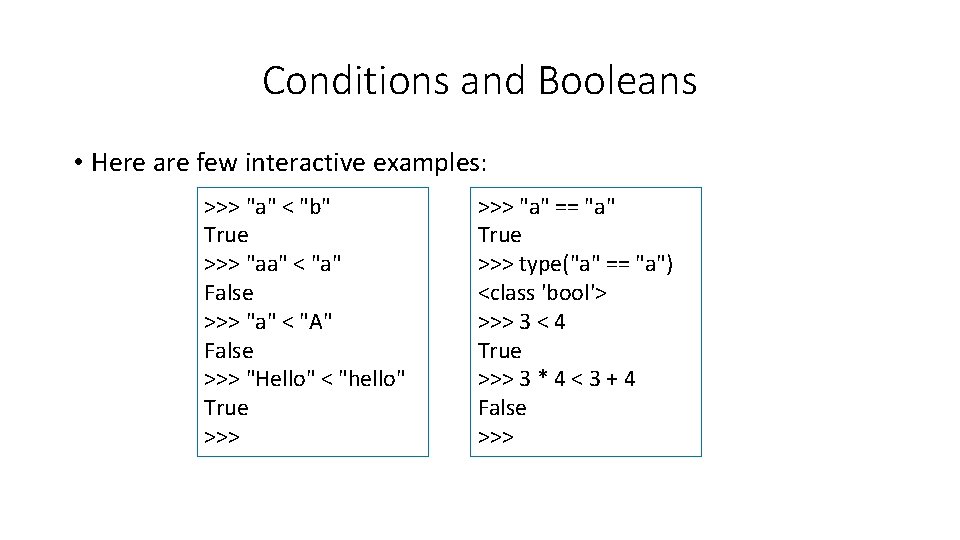
Conditions and Booleans • Here are few interactive examples: >>> "a" < "b" True >>> "aa" < "a" False >>> "a" < "A" False >>> "Hello" < "hello" True >>> "a" == "a" True >>> type("a" == "a") <class 'bool'> >>> 3 < 4 True >>> 3 * 4 < 3 + 4 False >>>
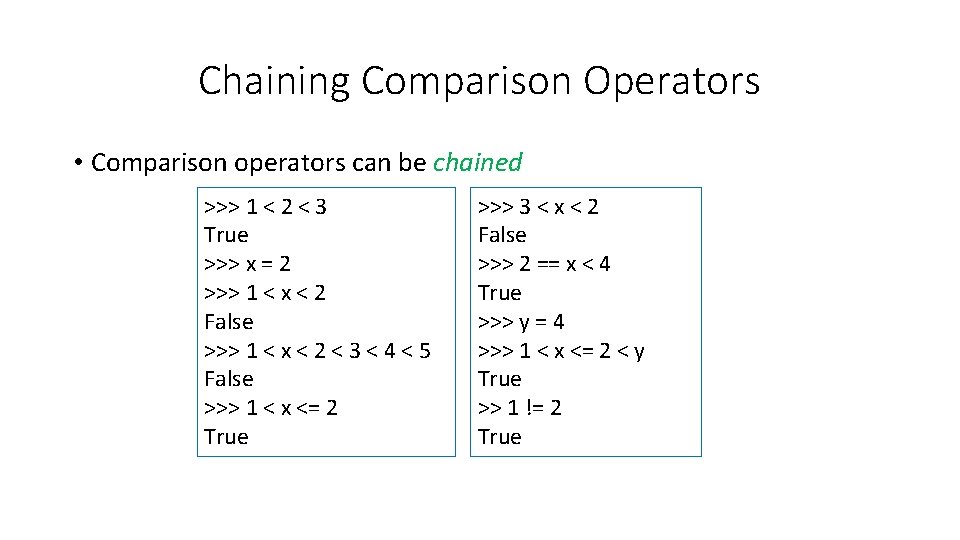
Chaining Comparison Operators • Comparison operators can be chained >>> 1 < 2 < 3 True >>> x = 2 >>> 1 < x < 2 False >>> 1 < x < 2 < 3 < 4 < 5 False >>> 1 < x <= 2 True >>> 3 < x < 2 False >>> 2 == x < 4 True >>> y = 4 >>> 1 < x <= 2 < y True >> 1 != 2 True
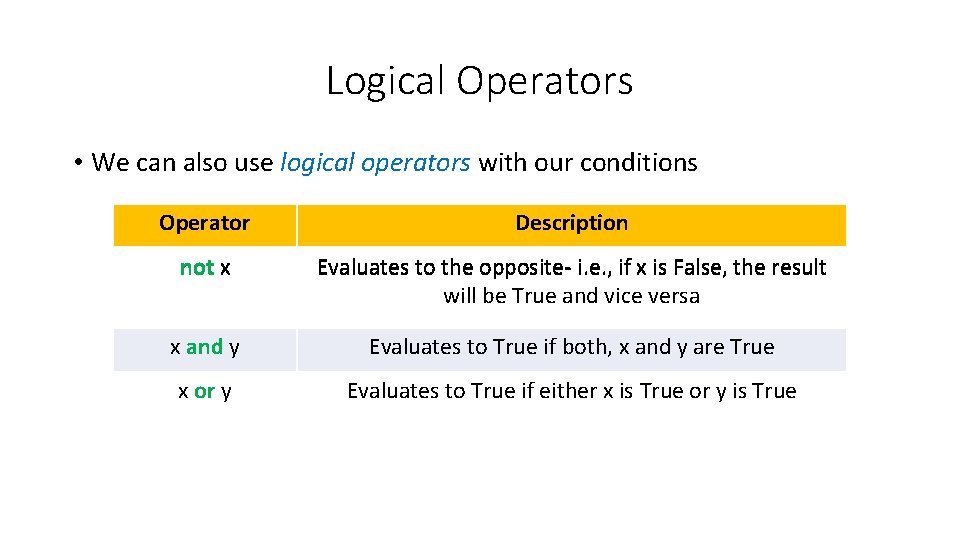
Logical Operators • We can also use logical operators with our conditions Operator Description not x Evaluates to the opposite- i. e. , if x is False, the result will be True and vice versa x and y Evaluates to True if both, x and y are True x or y Evaluates to True if either x is True or y is True
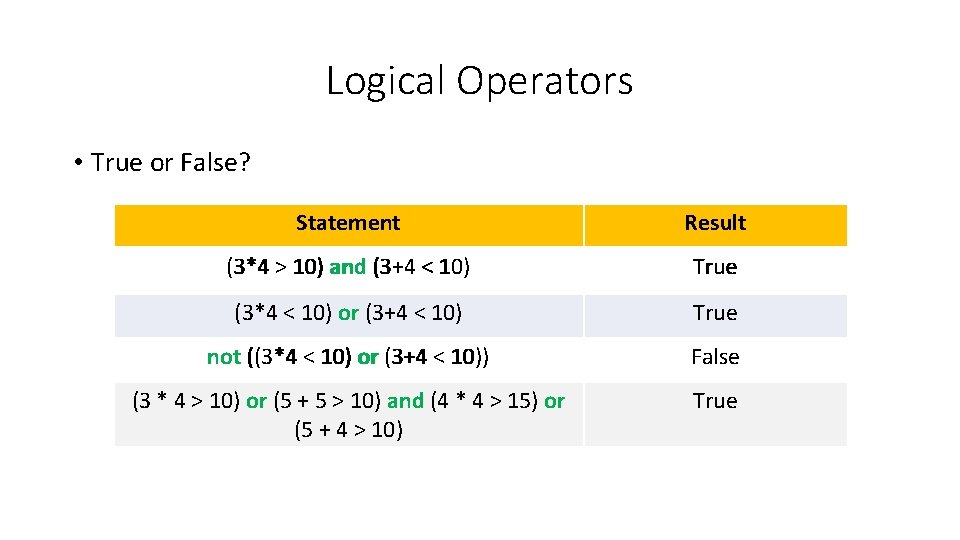
Logical Operators • True or False? Statement Result (3*4 > 10) and (3+4 < 10) True (3*4 < 10) or (3+4 < 10) True not ((3*4 < 10) or (3+4 < 10)) False (3 * 4 > 10) or (5 + 5 > 10) and (4 * 4 > 15) or (5 + 4 > 10) True
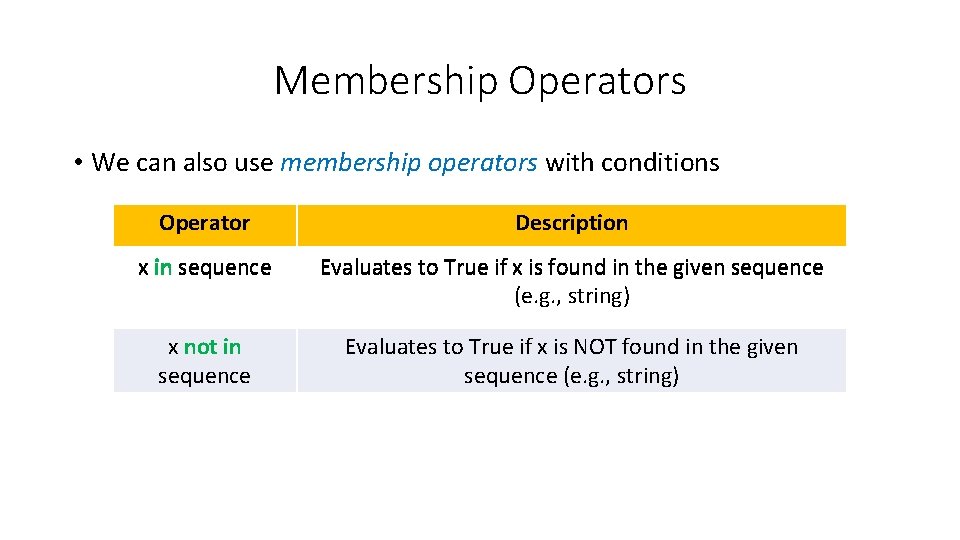
Membership Operators • We can also use membership operators with conditions Operator Description x in sequence Evaluates to True if x is found in the given sequence (e. g. , string) x not in sequence Evaluates to True if x is NOT found in the given sequence (e. g. , string)
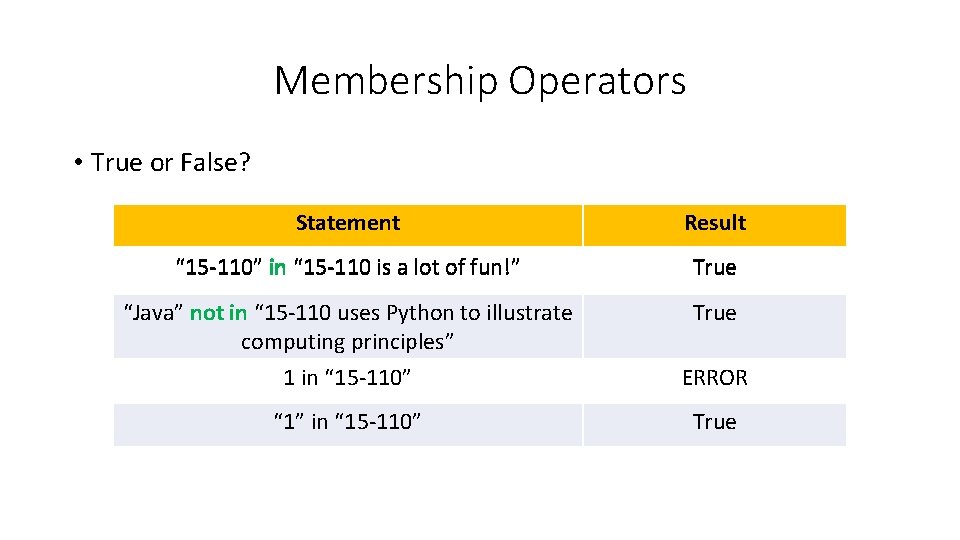
Membership Operators • True or False? Statement Result “ 15 -110” in “ 15 -110 is a lot of fun!” True “Java” not in “ 15 -110 uses Python to illustrate computing principles” True 1 in “ 15 -110” ERROR “ 1” in “ 15 -110” True
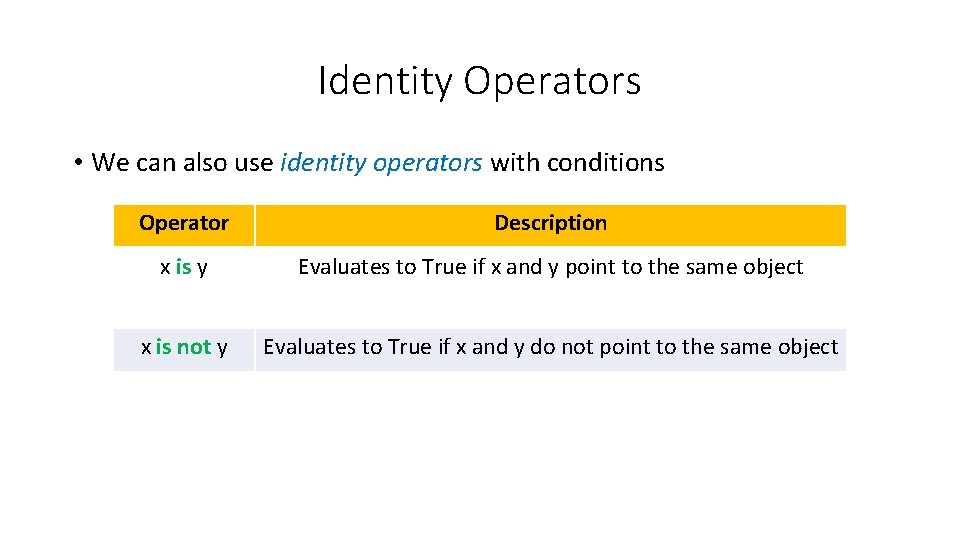
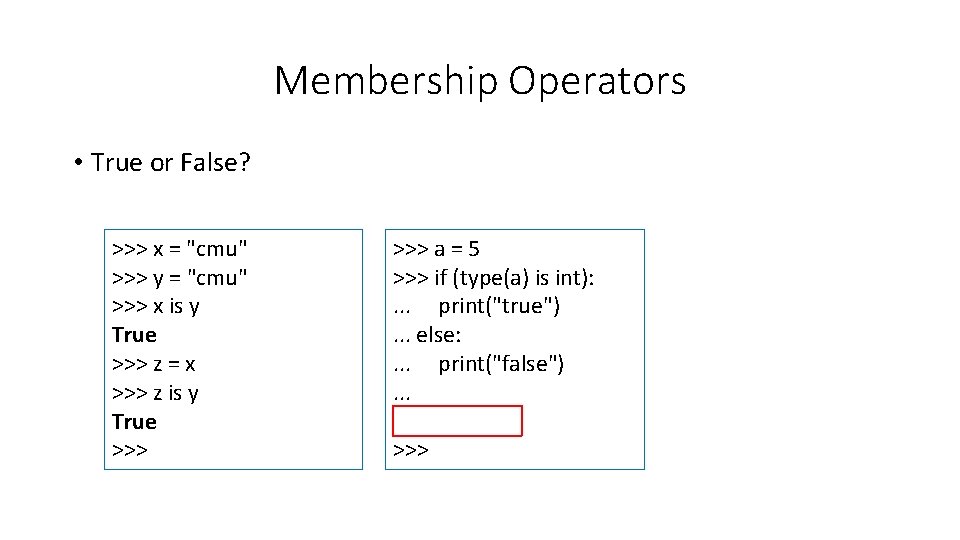
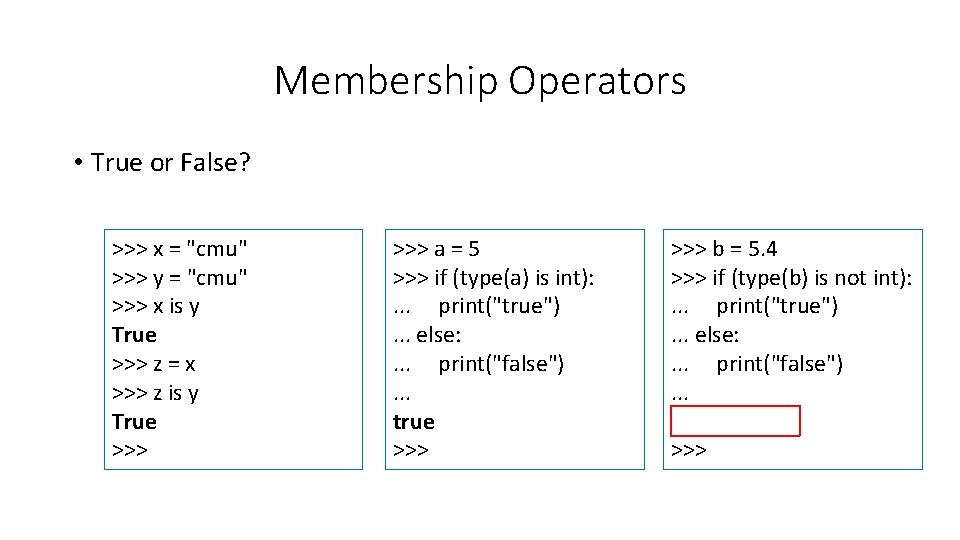
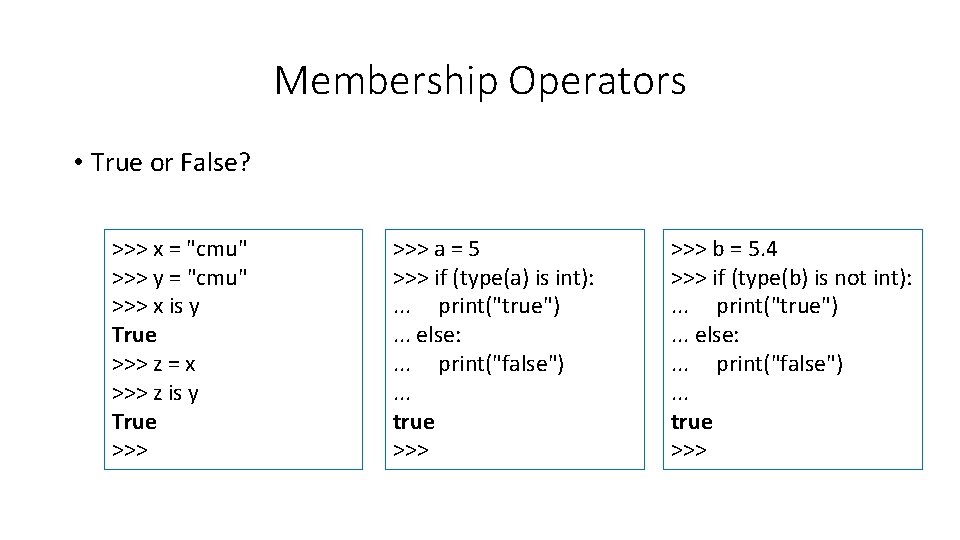
Identity Operators • We can also use identity operators with conditions Operator Description x is y Evaluates to True if x and y point to the same object x is not y Evaluates to True if x and y do not point to the same object
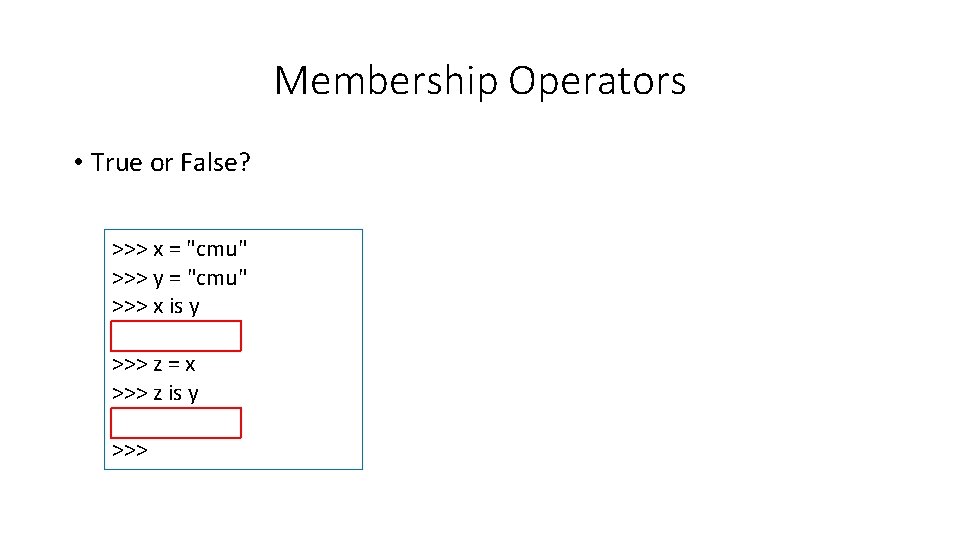
Membership Operators • True or False? >>> x = "cmu" >>> y = "cmu" >>> x is y True >>> z = x >>> z is y True >>>
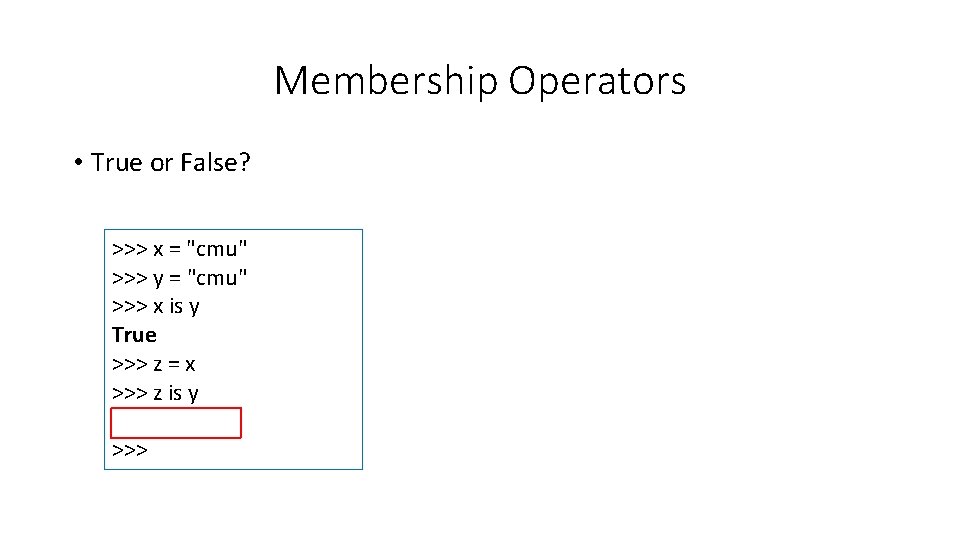
Membership Operators • True or False? >>> x = "cmu" >>> y = "cmu" >>> x is y True >>> z = x >>> z is y True >>>
Membership Operators • True or False? >>> x = "cmu" >>> y = "cmu" >>> x is y True >>> z = x >>> z is y True >>> a = 5 >>> if (type(a) is int): . . . print("true"). . . else: . . . print("false"). . . true >>>
Membership Operators • True or False? >>> x = "cmu" >>> y = "cmu" >>> x is y True >>> z = x >>> z is y True >>> a = 5 >>> if (type(a) is int): . . . print("true"). . . else: . . . print("false"). . . true >>> b = 5. 4 >>> if (type(b) is not int): . . . print("true"). . . else: . . . print("false"). . . true >>>
Membership Operators • True or False? >>> x = "cmu" >>> y = "cmu" >>> x is y True >>> z = x >>> z is y True >>> a = 5 >>> if (type(a) is int): . . . print("true"). . . else: . . . print("false"). . . true >>> b = 5. 4 >>> if (type(b) is not int): . . . print("true"). . . else: . . . print("false"). . . true >>>
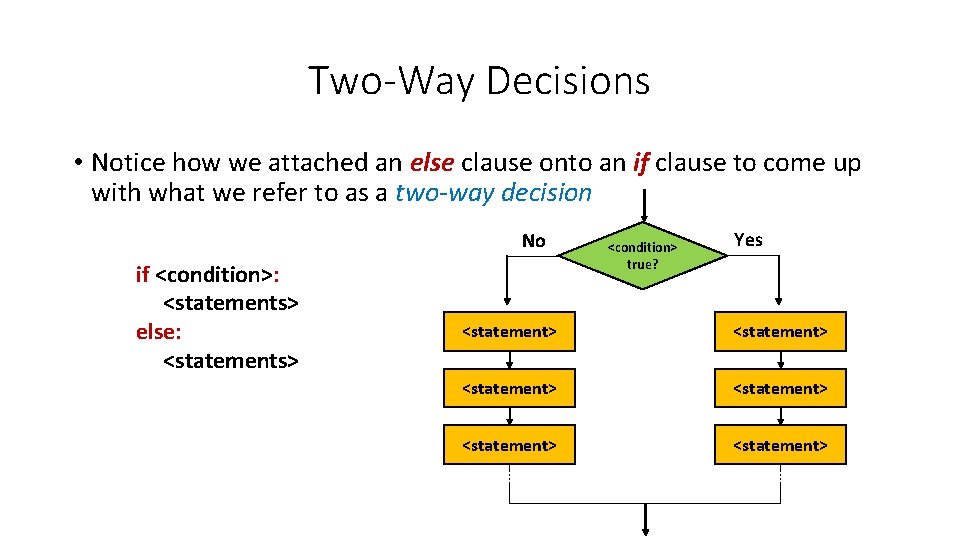
Two-Way Decisions • Notice how we attached an else clause onto an if clause to come up with what we refer to as a two-way decision No if <condition>: <statements> else: <statements> <condition> true? Yes <statement> <statement>
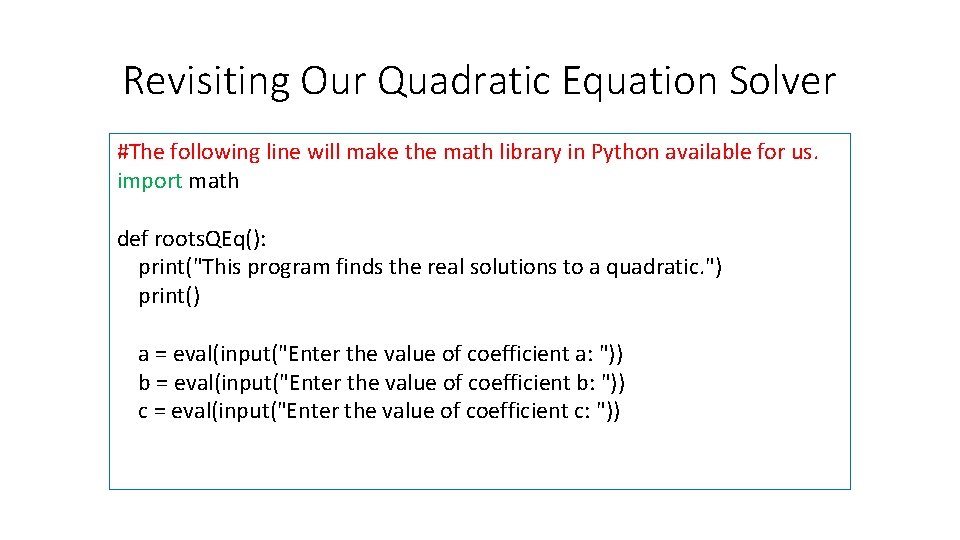
Revisiting Our Quadratic Equation Solver #The following line will make the math library in Python available for us. import math def roots. QEq(): print("This program finds the real solutions to a quadratic. ") print() a = eval(input("Enter the value of coefficient a: ")) b = eval(input("Enter the value of coefficient b: ")) c = eval(input("Enter the value of coefficient c: "))
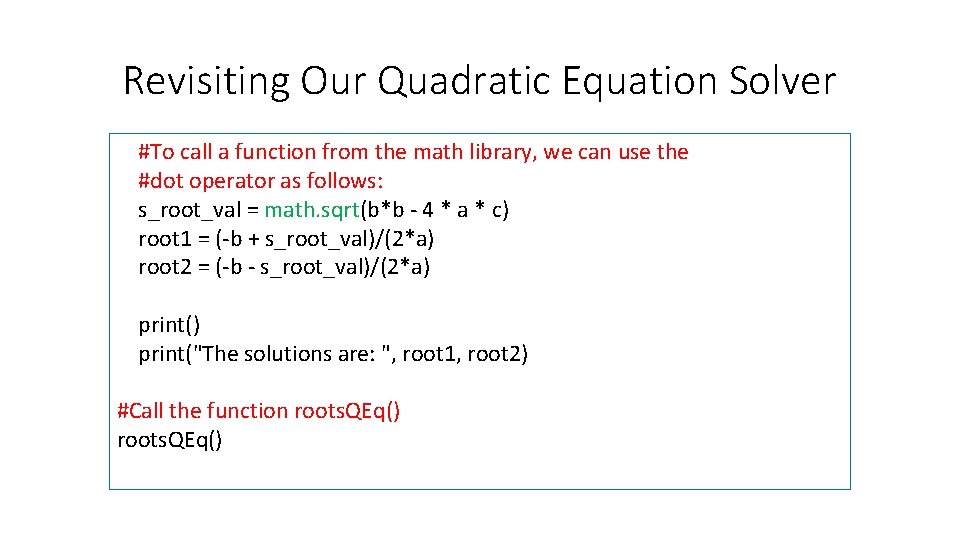
Revisiting Our Quadratic Equation Solver #To call a function from the math library, we can use the #dot operator as follows: s_root_val = math. sqrt(b*b - 4 * a * c) root 1 = (-b + s_root_val)/(2*a) root 2 = (-b - s_root_val)/(2*a) print("The solutions are: ", root 1, root 2) #Call the function roots. QEq()
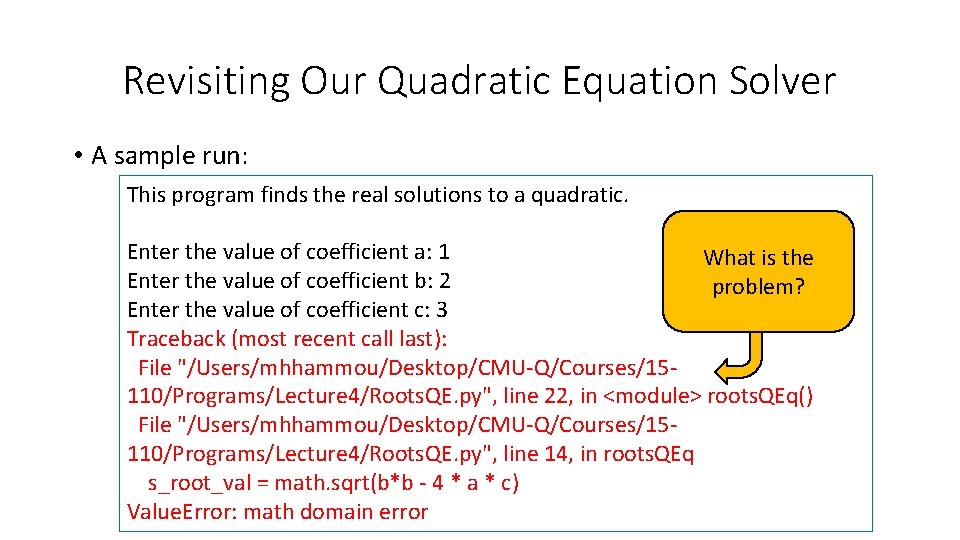
Revisiting Our Quadratic Equation Solver • A sample run: This program finds the real solutions to a quadratic. Enter the value of coefficient a: 1 What is the Enter the value of coefficient b: 2 problem? Enter the value of coefficient c: 3 Traceback (most recent call last): File "/Users/mhhammou/Desktop/CMU-Q/Courses/15110/Programs/Lecture 4/Roots. QE. py", line 22, in <module> roots. QEq() File "/Users/mhhammou/Desktop/CMU-Q/Courses/15110/Programs/Lecture 4/Roots. QE. py", line 14, in roots. QEq s_root_val = math. sqrt(b*b - 4 * a * c) Value. Error: math domain error
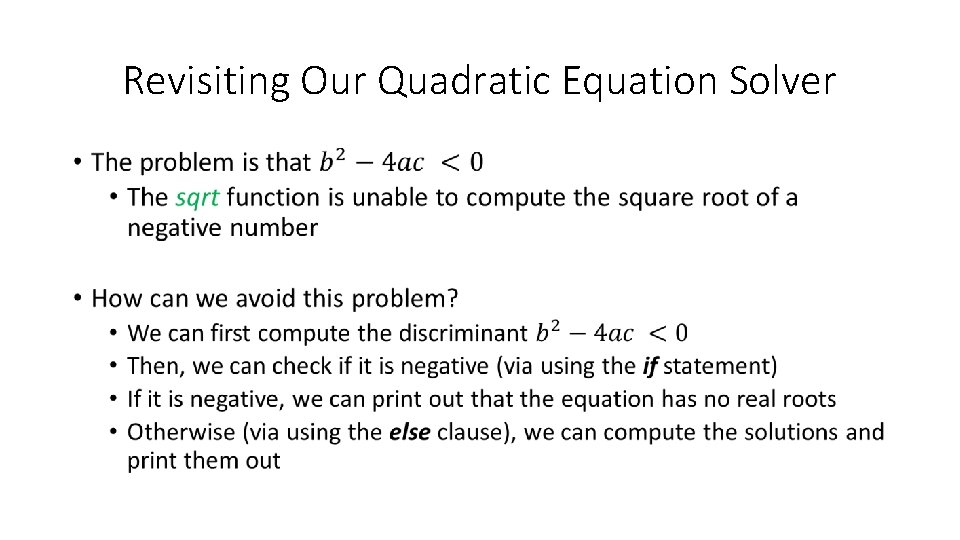
Revisiting Our Quadratic Equation Solver •
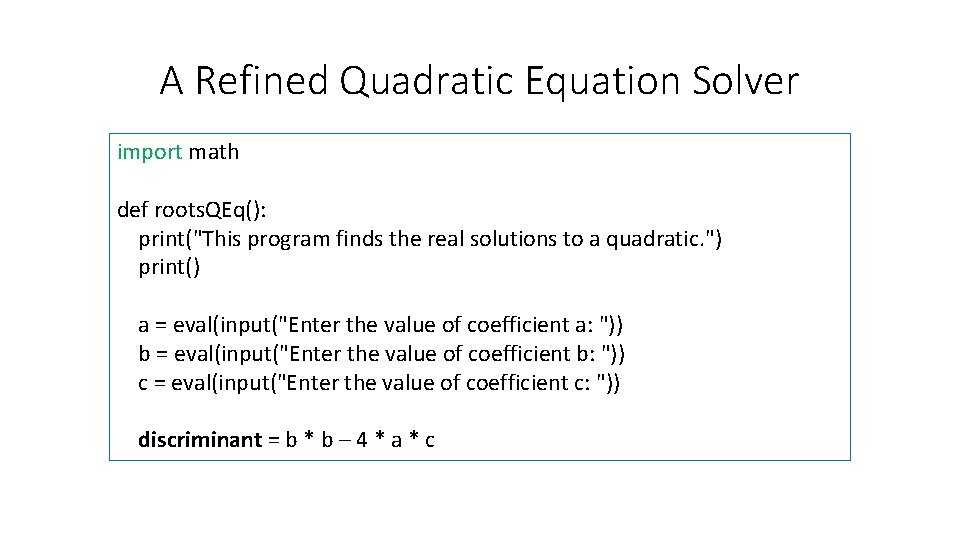
A Refined Quadratic Equation Solver import math def roots. QEq(): print("This program finds the real solutions to a quadratic. ") print() a = eval(input("Enter the value of coefficient a: ")) b = eval(input("Enter the value of coefficient b: ")) c = eval(input("Enter the value of coefficient c: ")) discriminant = b * b – 4 * a * c
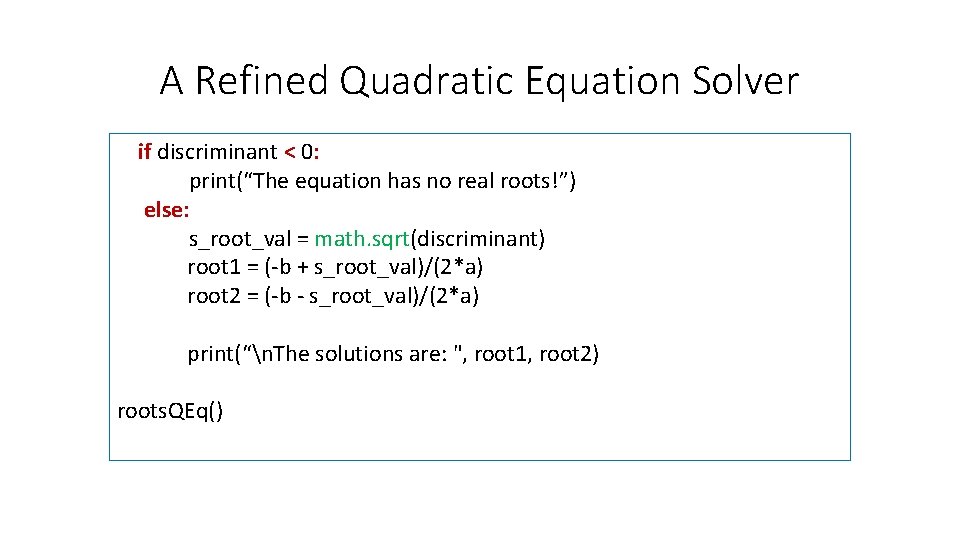
A Refined Quadratic Equation Solver if discriminant < 0: print(“The equation has no real roots!”) else: s_root_val = math. sqrt(discriminant) root 1 = (-b + s_root_val)/(2*a) root 2 = (-b - s_root_val)/(2*a) print(“n. The solutions are: ", root 1, root 2) roots. QEq()
Next Lecture… • Decision Structures- Part II