
14 760 ADVANCED REALWORLD NETWORKS LECTURE 16 SPRING
- Slides: 23
14 -760: ADVANCED REAL-WORLD NETWORKS LECTURE 16 * SPRING 2019 * KESDEN
CREDITS • Today’s lecture below the network layer is largely a summary of the following tutorial. Please review the tutorial in its entirety: • RF Wireless world post, "z-wave Tutorial-frequency, frame, protocol, PHY, MAC, z-wave security basic tutorial” • https: //www. idomus. com. au/blogs/news/z-wave-protocol-stack • Today’s lecture above the network layer is, in part, a summary of the following tutorial. Please review the tutorial in its entirety: • Galeev, Makhail, “Catch the Z-Wave”, Dr. Dobb’s Journal, Mikhail T. Galeev, October 02, 2006. • https: //web. archive. org/web/20121125003436/http: //www. drdobbs. com/embedded-systems/catching-the-zwave/193104353 • Today’s lecture above the network layer is, in part, a summary of the following tutorial. Please review the tutorial in its entirety: • Sergio, Giuseppe “Z-Wave Protocol Stack”, Idomus. com, Jul 14, 2016 • https: //www. idomus. com. au/blogs/news/z-wave-protocol-stack
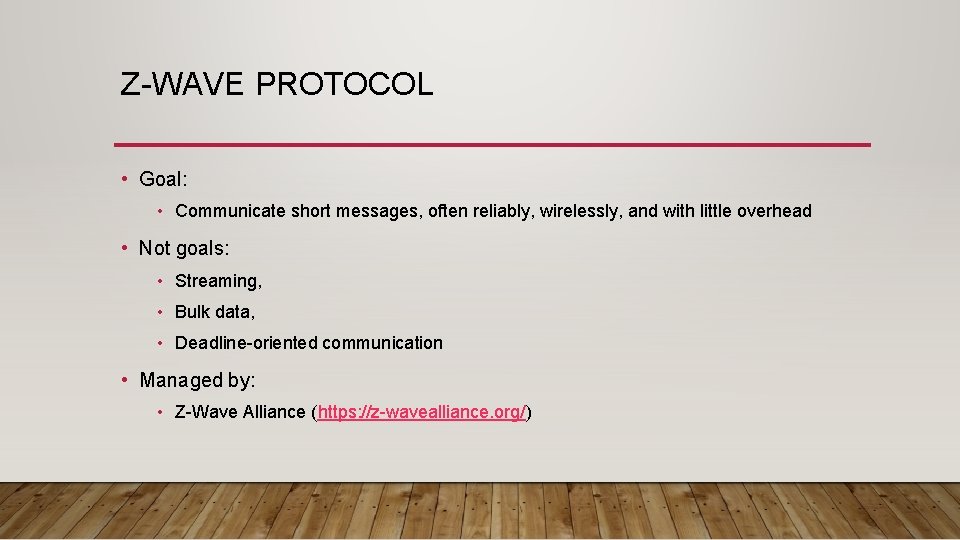
Z-WAVE PROTOCOL • Goal: • Communicate short messages, often reliably, wirelessly, and with little overhead • Not goals: • Streaming, • Bulk data, • Deadline-oriented communication • Managed by: • Z-Wave Alliance (https: //z-wavealliance. org/)
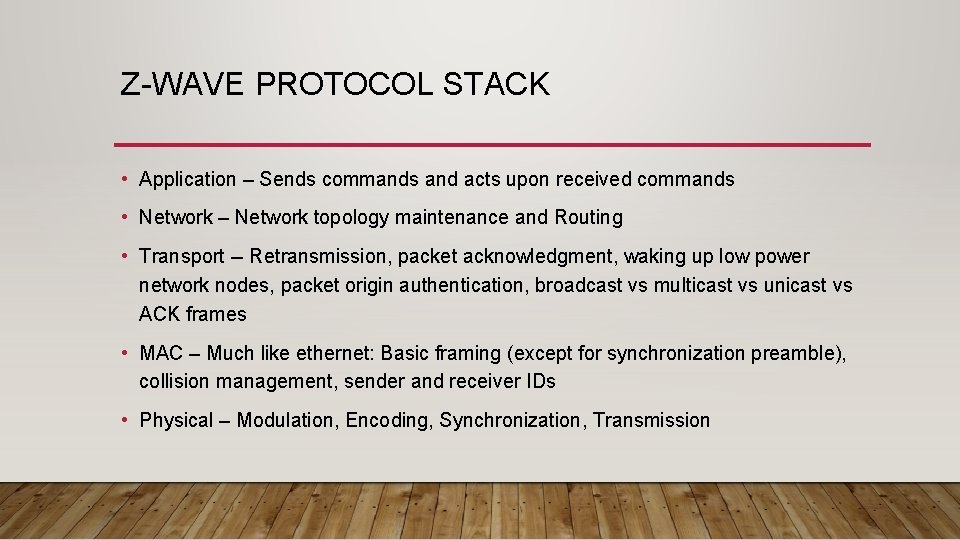
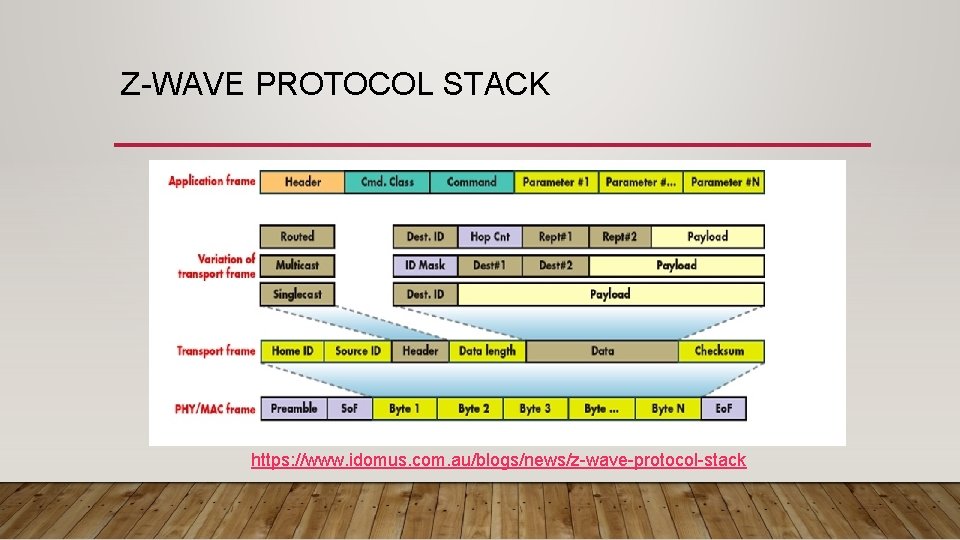
Z-WAVE PROTOCOL STACK • Application – Sends commands and acts upon received commands • Network – Network topology maintenance and Routing • Transport -- Retransmission, packet acknowledgment, waking up low power network nodes, packet origin authentication, broadcast vs multicast vs unicast vs ACK frames • MAC – Much like ethernet: Basic framing (except for synchronization preamble), collision management, sender and receiver IDs • Physical – Modulation, Encoding, Synchronization, Transmission
Z-WAVE PROTOCOL STACK https: //www. idomus. com. au/blogs/news/z-wave-protocol-stack
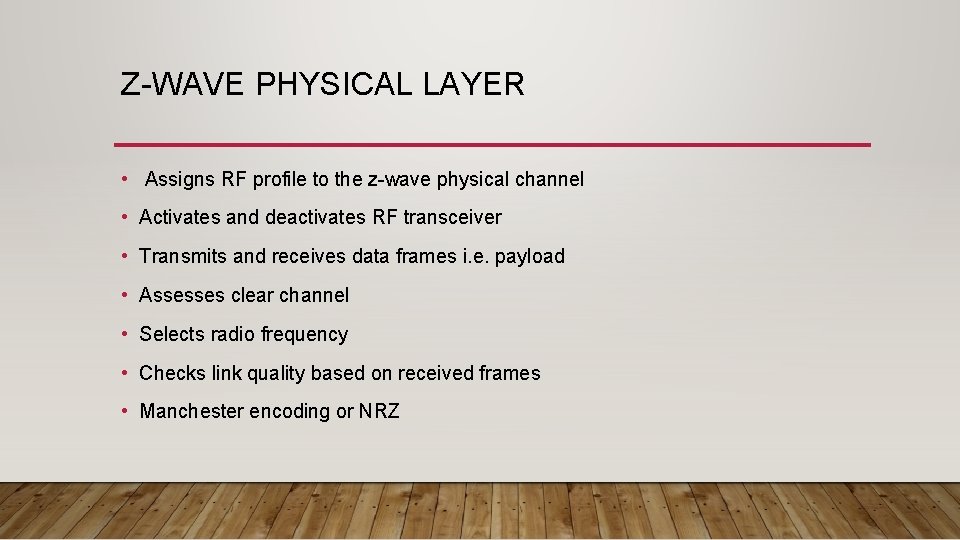
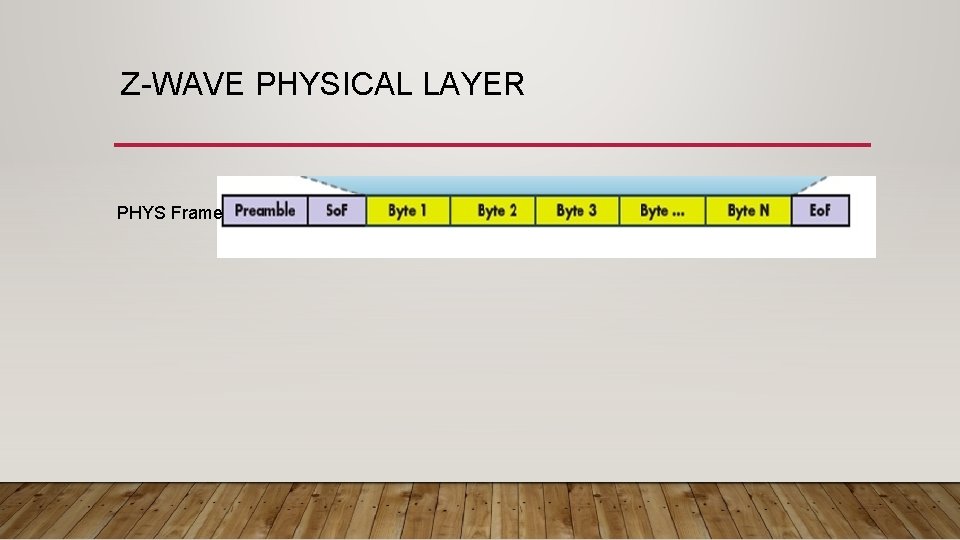
Z-WAVE PHYSICAL LAYER • Assigns RF profile to the z-wave physical channel • Activates and deactivates RF transceiver • Transmits and receives data frames i. e. payload • Assesses clear channel • Selects radio frequency • Checks link quality based on received frames • Manchester encoding or NRZ
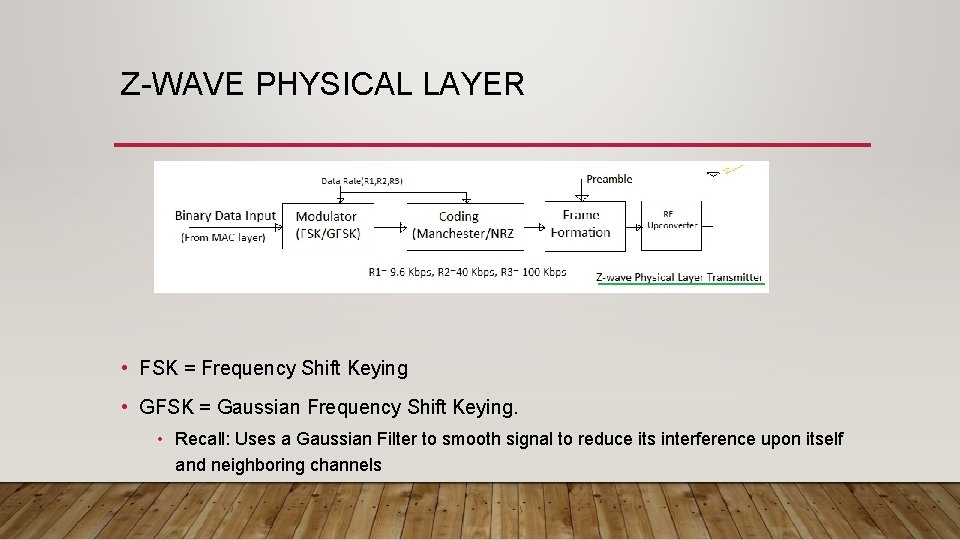
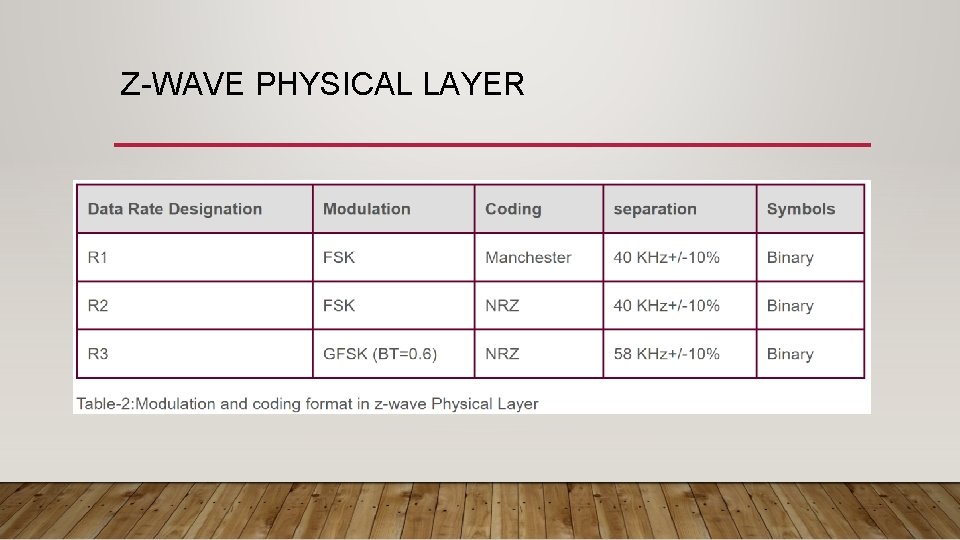
Z-WAVE PHYSICAL LAYER • FSK = Frequency Shift Keying • GFSK = Gaussian Frequency Shift Keying. • Recall: Uses a Gaussian Filter to smooth signal to reduce its interference upon itself and neighboring channels
Z-WAVE PHYSICAL LAYER
Z-WAVE PHYSICAL LAYER PHYS Frame
Z-WAVE MAC LAYER • unique network ID number (Home. ID) • up to 232 nodes in one network • CSMA/CA • Backoff algorithm • 10 ms – 40 ms random backoff • Also used before transmitting a frame on clear to avoid “starting gun” effect • Automatic retransmission for reliable data transfer • Aupport for low-power operation via dedicated wakeup patterns.
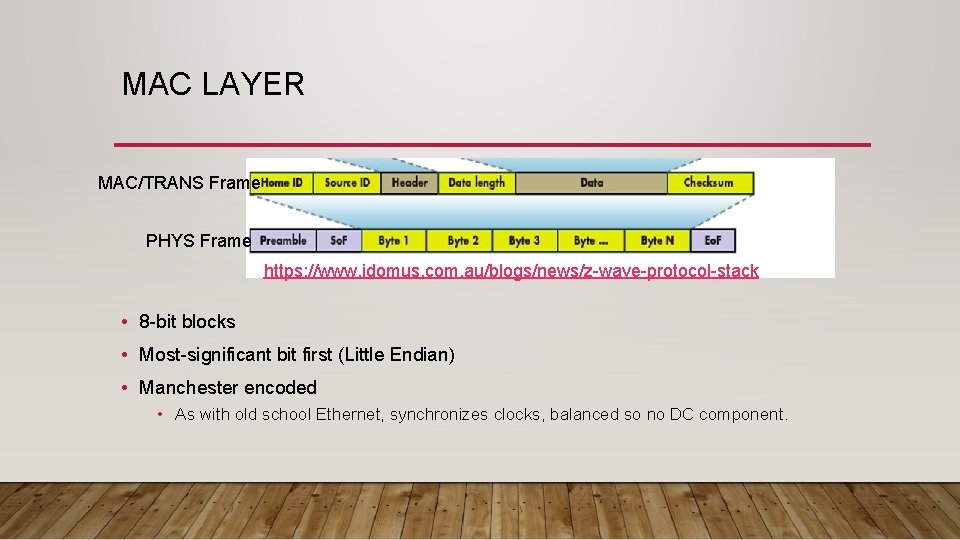
MAC LAYER MAC/TRANS Frame PHYS Frame https: //www. idomus. com. au/blogs/news/z-wave-protocol-stack • 8 -bit blocks • Most-significant bit first (Little Endian) • Manchester encoded • As with old school Ethernet, synchronizes clocks, balanced so no DC component.
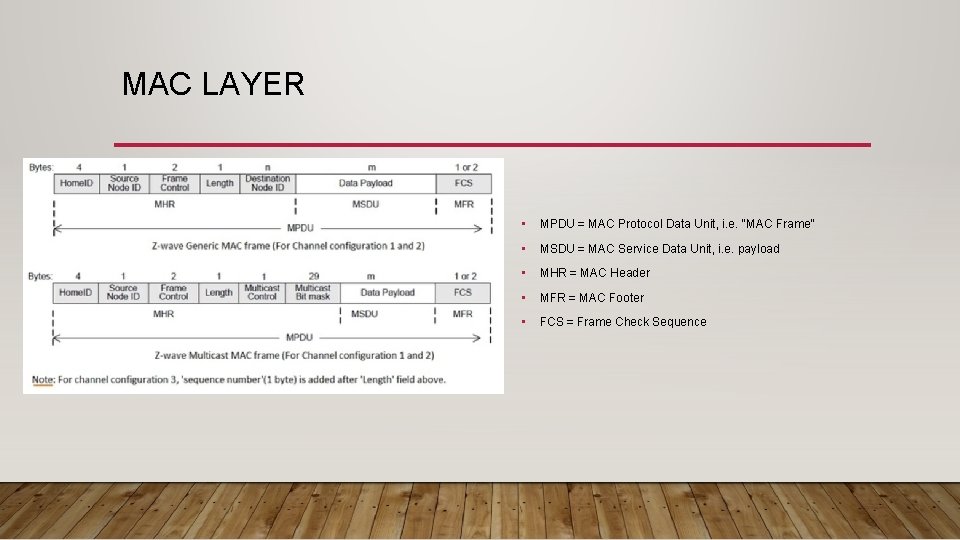
MAC LAYER • MPDU = MAC Protocol Data Unit, i. e. “MAC Frame” • MSDU = MAC Service Data Unit, i. e. payload • MHR = MAC Header • MFR = MAC Footer • FCS = Frame Check Sequence
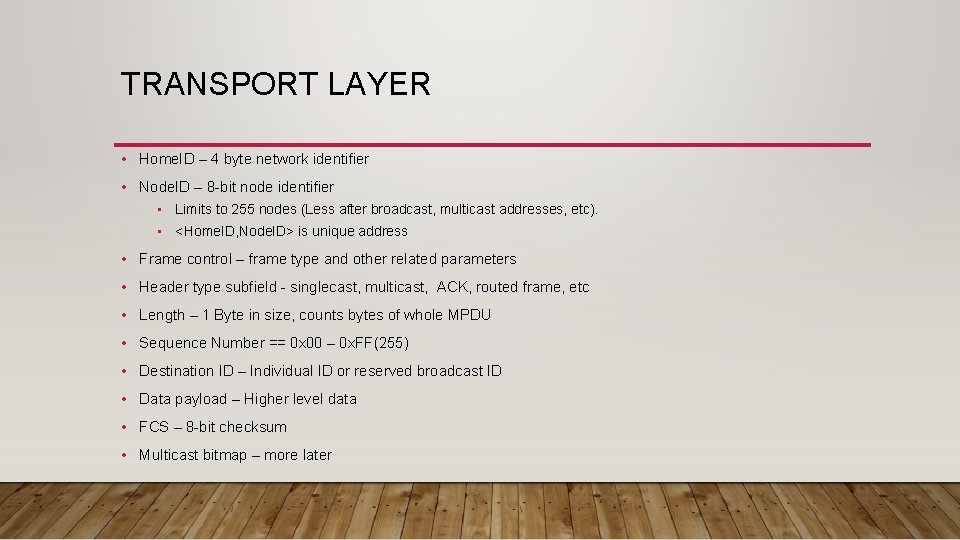
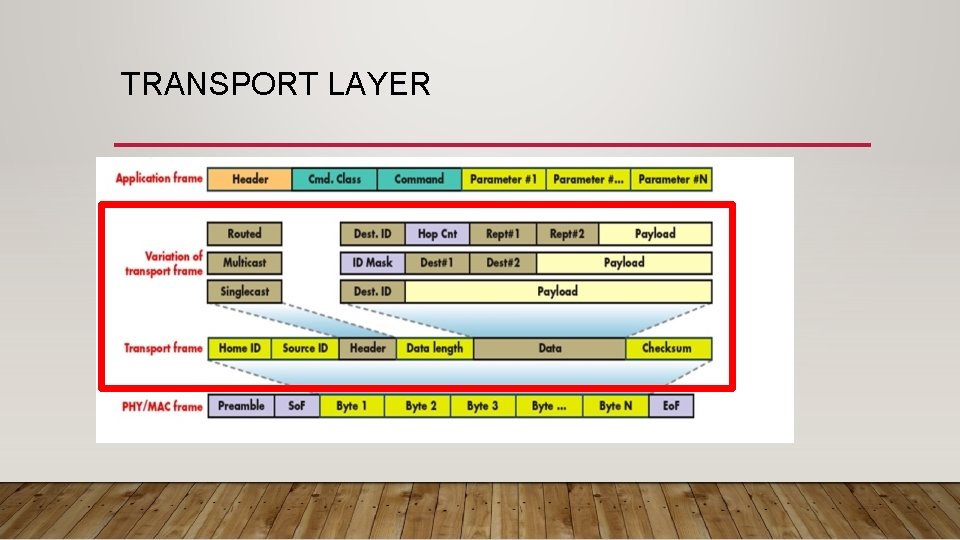
TRANSPORT LAYER • Home. ID – 4 byte network identifier • Node. ID – 8 -bit node identifier • Limits to 255 nodes (Less after broadcast, multicast addresses, etc). • <Home. ID, Node. ID> is unique address • Frame control – frame type and other related parameters • Header type subfield - singlecast, multicast, ACK, routed frame, etc • Length – 1 Byte in size, counts bytes of whole MPDU • Sequence Number == 0 x 00 – 0 x. FF(255) • Destination ID – Individual ID or reserved broadcast ID • Data payload – Higher level data • FCS – 8 -bit checksum • Multicast bitmap – more later
TRANSPORT LAYER
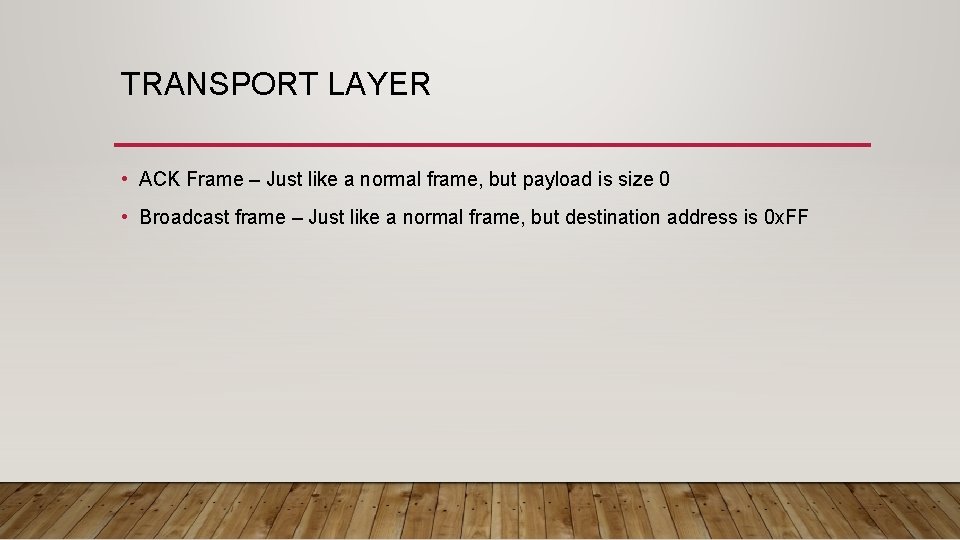
TRANSPORT LAYER • ACK Frame – Just like a normal frame, but payload is size 0 • Broadcast frame – Just like a normal frame, but destination address is 0 x. FF
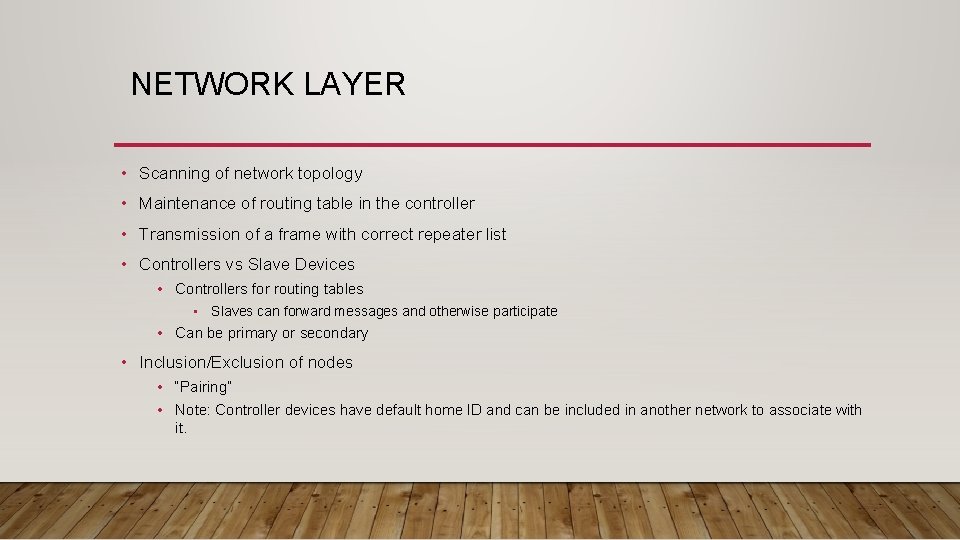
NETWORK LAYER • Scanning of network topology • Maintenance of routing table in the controller • Transmission of a frame with correct repeater list • Controllers vs Slave Devices • Controllers for routing tables • Slaves can forward messages and otherwise participate • Can be primary or secondary • Inclusion/Exclusion of nodes • “Pairing” • Note: Controller devices have default home ID and can be included in another network to associate with it.
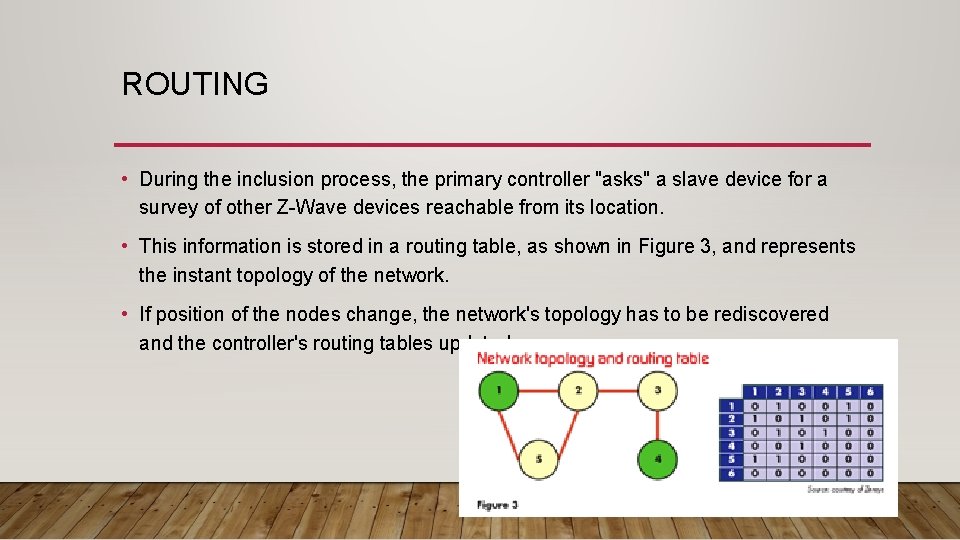
ROUTING • During the inclusion process, the primary controller "asks" a slave device for a survey of other Z-Wave devices reachable from its location. • This information is stored in a routing table, as shown in Figure 3, and represents the instant topology of the network. • If position of the nodes change, the network's topology has to be rediscovered and the controller's routing tables updated.
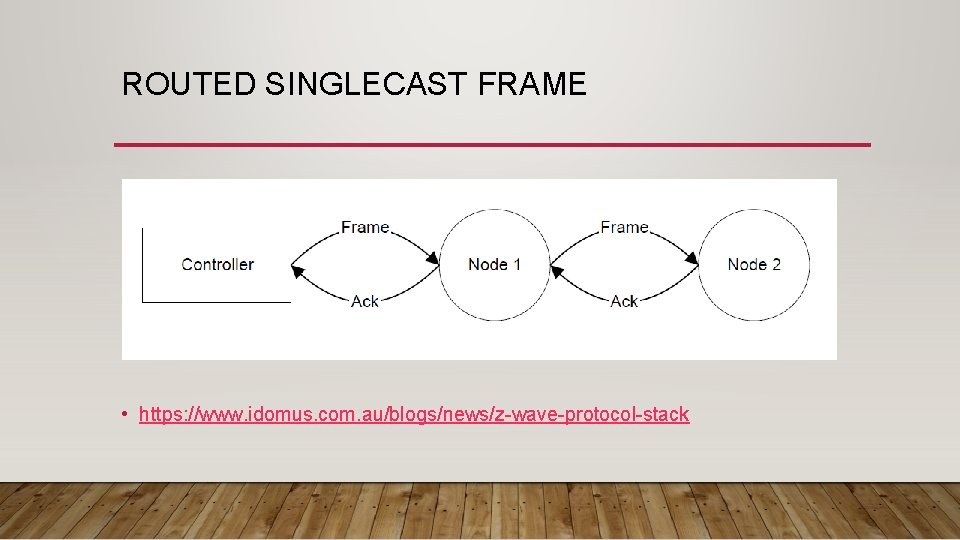
ROUTED SINGLECAST FRAME • https: //www. idomus. com. au/blogs/news/z-wave-protocol-stack
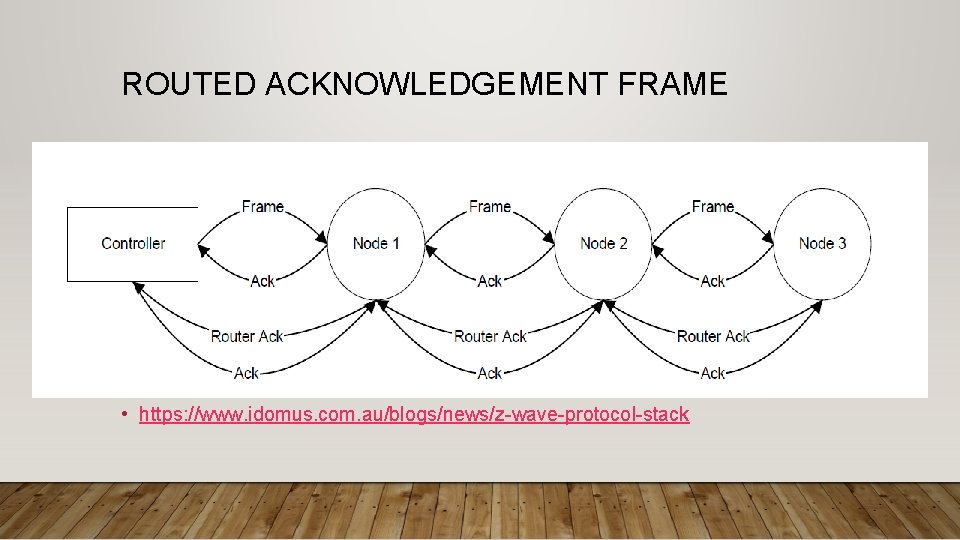
ROUTED ACKNOWLEDGEMENT FRAME • https: //www. idomus. com. au/blogs/news/z-wave-protocol-stack
ROUTING • Z-Wave uses a “source routing” mesh network • This means that the sender (and controller) is responsible for defining the routes. • Up to four routers can be traversed between the source and destination • The controller uses “Explorer Frames” to derive a route to the destination. • For each frame that is transmitted, the controller will make multiple attempts. • Try the last known working route • Derive a route using the Explorer frame • Routes are defined by the controller, and static routes between nodes are configured during the heal Credit: https: //www. openhabfoundation. org/documents/2017 -10_Chris_Jackson_A_Deep_Dive_into_ZWave. pdf
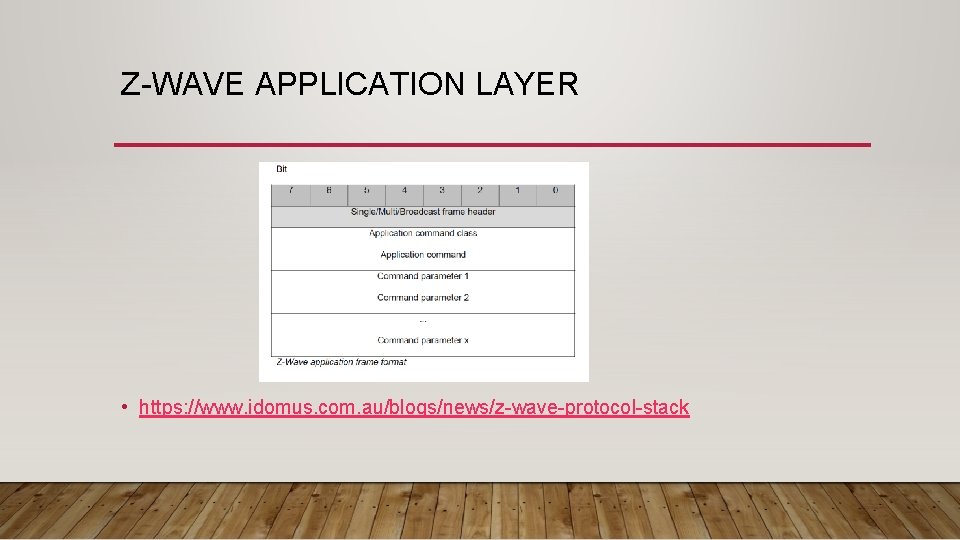
Z-WAVE APPLICATION LAYER • https: //www. idomus. com. au/blogs/news/z-wave-protocol-stack
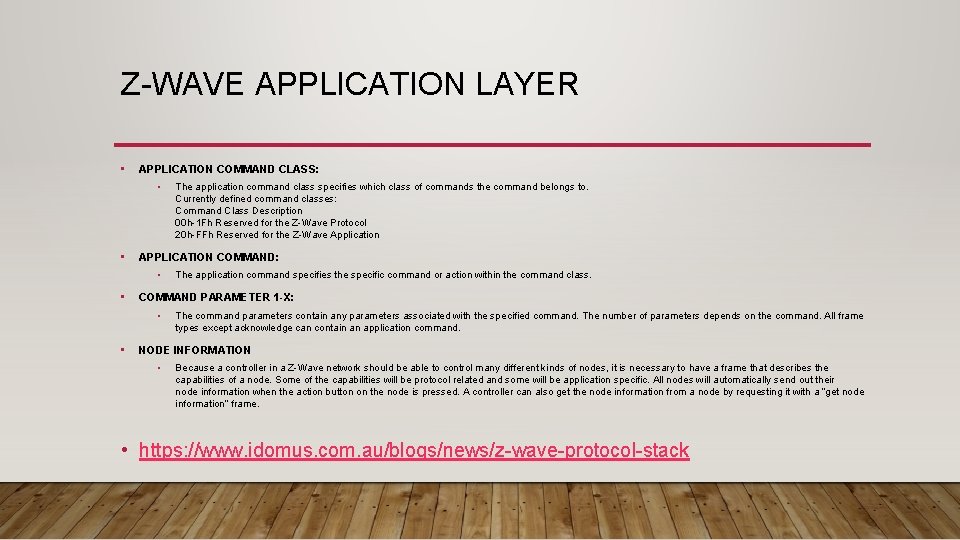
Z-WAVE APPLICATION LAYER • APPLICATION COMMAND CLASS: • • APPLICATION COMMAND: • • The application command specifies the specific command or action within the command class. COMMAND PARAMETER 1 -X: • • The application command class specifies which class of commands the command belongs to. Currently defined command classes: Command Class Description 00 h-1 Fh Reserved for the Z-Wave Protocol 20 h-FFh Reserved for the Z-Wave Application The command parameters contain any parameters associated with the specified command. The number of parameters depends on the command. All frame types except acknowledge can contain an application command. NODE INFORMATION • Because a controller in a Z-Wave network should be able to control many different kinds of nodes, it is necessary to have a frame that describes the capabilities of a node. Some of the capabilities will be protocol related and some will be application specific. All nodes will automatically send out their node information when the action button on the node is pressed. A controller can also get the node information from a node by requesting it with a “get node information” frame. • https: //www. idomus. com. au/blogs/news/z-wave-protocol-stack
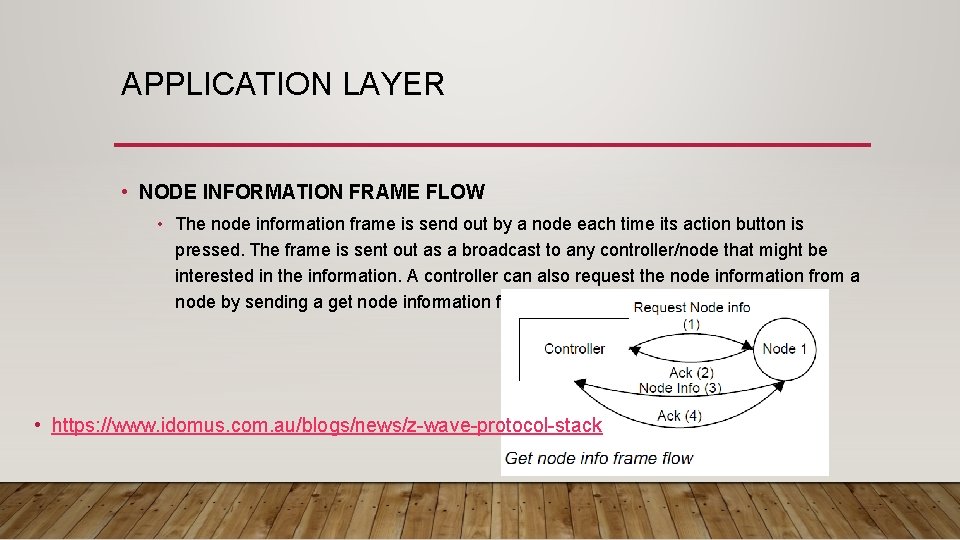
APPLICATION LAYER • NODE INFORMATION FRAME FLOW • The node information frame is send out by a node each time its action button is pressed. The frame is sent out as a broadcast to any controller/node that might be interested in the information. A controller can also request the node information from a node by sending a get node information frame to it. • https: //www. idomus. com. au/blogs/news/z-wave-protocol-stack