
12 Document Object Model DOM Objects and Collections
12 Document Object Model (DOM): Objects and Collections © 1992 -2012 by Pearson Education, Inc. All Rights Reserved. 1
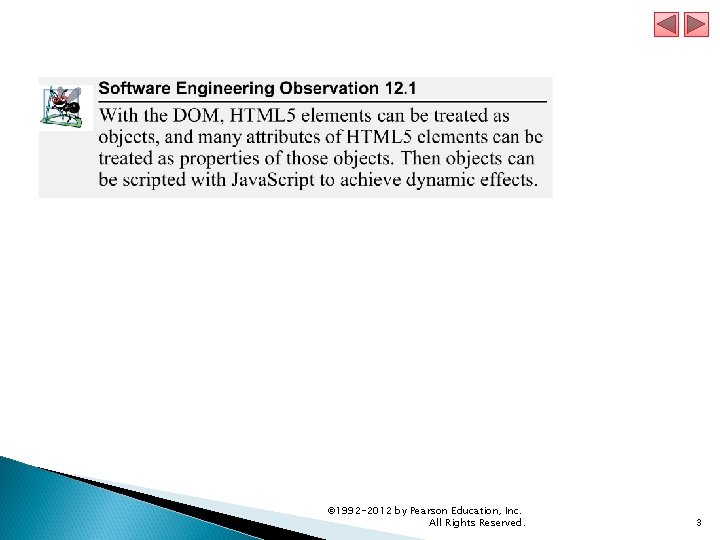
12. 1 Introduction The Document Object Model gives you scripting access to all the elements on a web page. Using Java. Script, you can create, modify and remove elements in the page dynamically. © 1992 -2012 by Pearson Education, Inc. All Rights Reserved. 2
© 1992 -2012 by Pearson Education, Inc. All Rights Reserved. 3
12. 2 Modeling a Document: DOM Nodes and Trees get. Element. By. Id method § Returns objects called DOM nodes § Every piece of an HTML 5 page (elements, attributes, text, etc. ) is modeled in the web browser by a DOM node The nodes in a document make up the page’s DOM tree, which describes the relationships among elements Nodes are related to each other through child-parent relationships A node can have multiple children, but only one parent Nodes with the same parent node are referred to as siblings The html node in a DOM tree is called the root node, because it has no parent © 1992 -2012 by Pearson Education, Inc. All Rights Reserved. 4
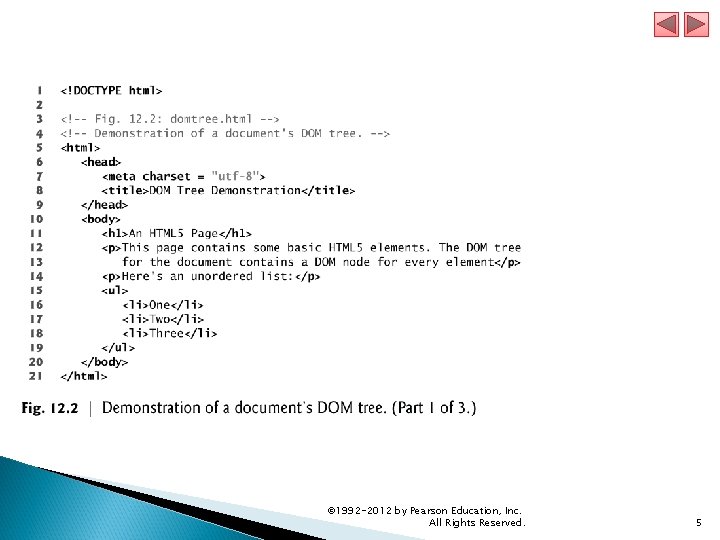
© 1992 -2012 by Pearson Education, Inc. All Rights Reserved. 5
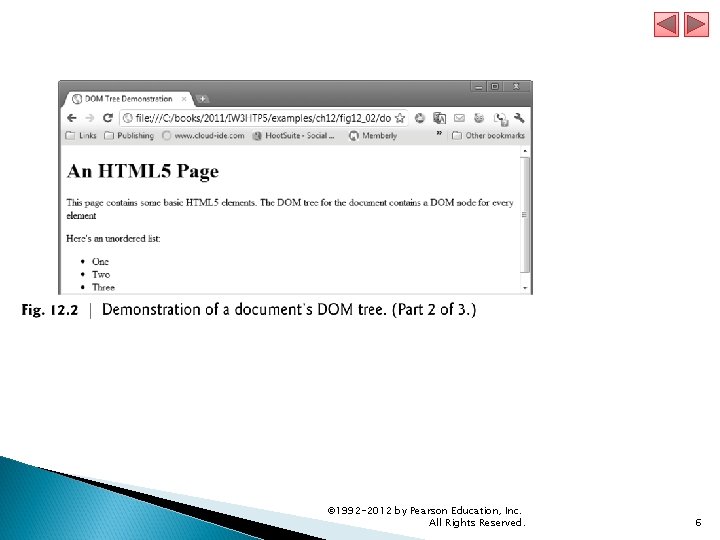
© 1992 -2012 by Pearson Education, Inc. All Rights Reserved. 6
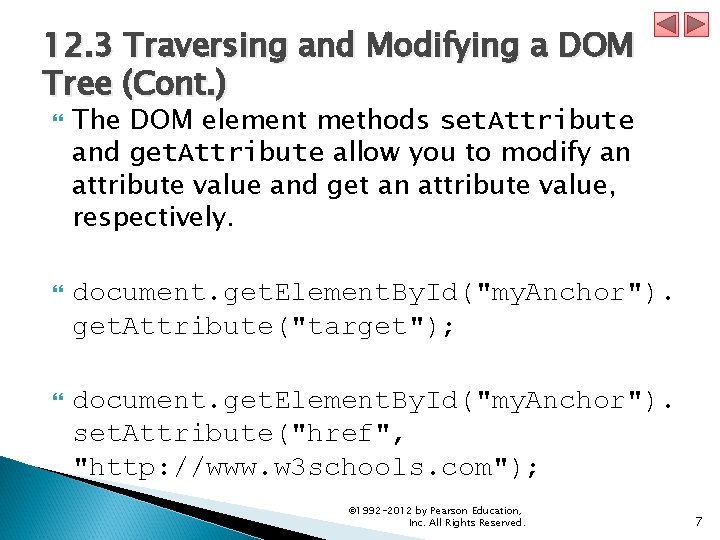
12. 3 Traversing and Modifying a DOM Tree (Cont. ) The DOM element methods set. Attribute and get. Attribute allow you to modify an attribute value and get an attribute value, respectively. document. get. Element. By. Id("my. Anchor"). get. Attribute("target"); document. get. Element. By. Id("my. Anchor"). set. Attribute("href", "http: //www. w 3 schools. com"); © 1992 -2012 by Pearson Education, Inc. All Rights Reserved. 7
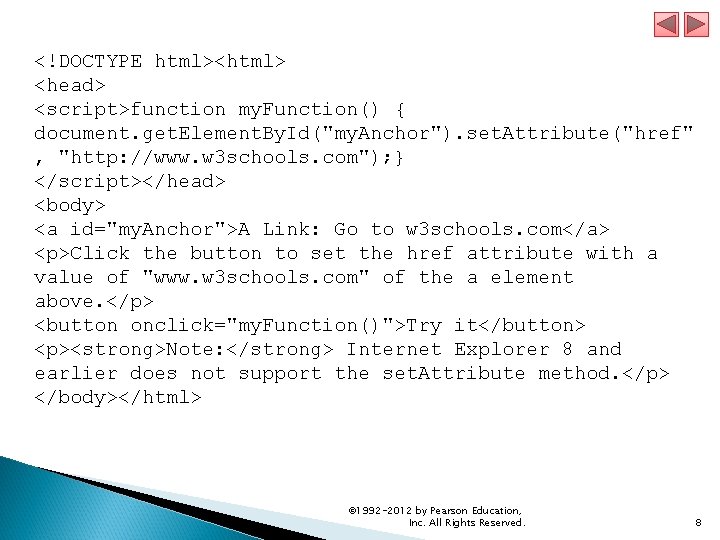
<!DOCTYPE html><html> <head> <script>function my. Function() { document. get. Element. By. Id("my. Anchor"). set. Attribute("href" , "http: //www. w 3 schools. com"); } </script></head> <body> <a id="my. Anchor">A Link: Go to w 3 schools. com</a> <p>Click the button to set the href attribute with a value of "www. w 3 schools. com" of the a element above. </p> <button onclick="my. Function()">Try it</button> <p><strong>Note: </strong> Internet Explorer 8 and earlier does not support the set. Attribute method. </p> </body></html> © 1992 -2012 by Pearson Education, Inc. All Rights Reserved. 8
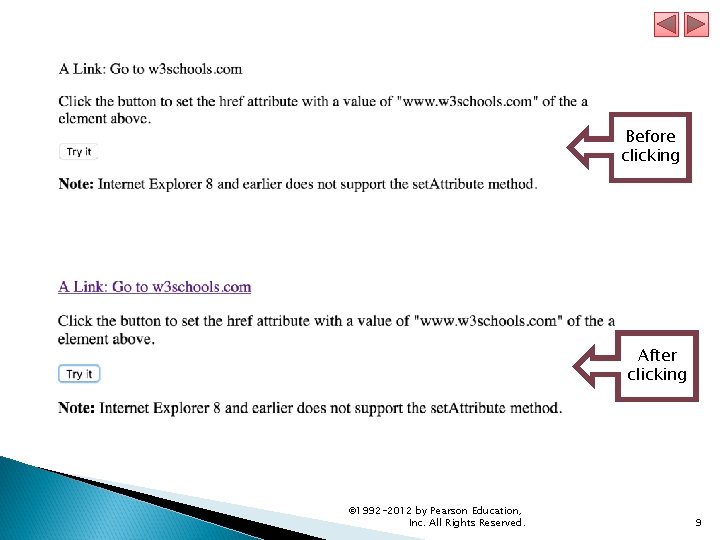
Before clicking After clicking © 1992 -2012 by Pearson Education, Inc. All Rights Reserved. 9
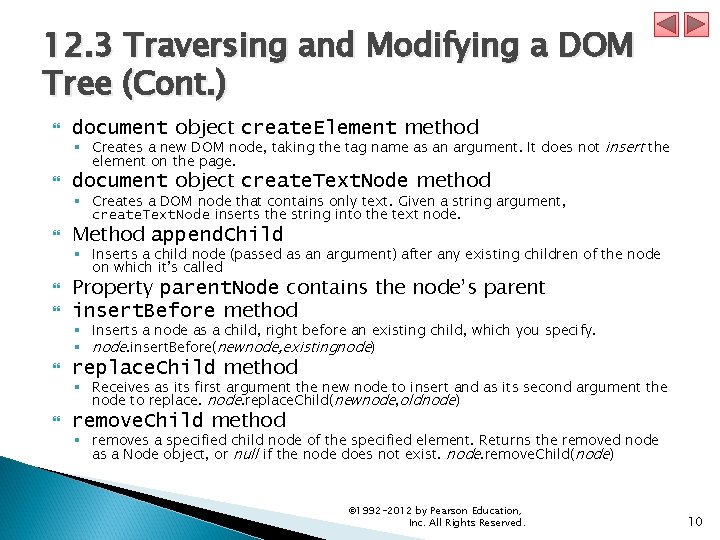
12. 3 Traversing and Modifying a DOM Tree (Cont. ) document object create. Element method document object create. Text. Node method § Creates a new DOM node, taking the tag name as an argument. It does not insert the element on the page. § Creates a DOM node that contains only text. Given a string argument, create. Text. Node inserts the string into the text node. Method append. Child § Inserts a child node (passed as an argument) after any existing children of the node on which it’s called Property parent. Node contains the node’s parent insert. Before method § Inserts a node as a child, right before an existing child, which you specify. § node. insert. Before(newnode, existingnode) replace. Child method § Receives as its first argument the new node to insert and as its second argument the node to replace. node. replace. Child(newnode, oldnode) remove. Child method § removes a specified child node of the specified element. Returns the removed node as a Node object, or null if the node does not exist. node. remove. Child(node) © 1992 -2012 by Pearson Education, Inc. All Rights Reserved. 10
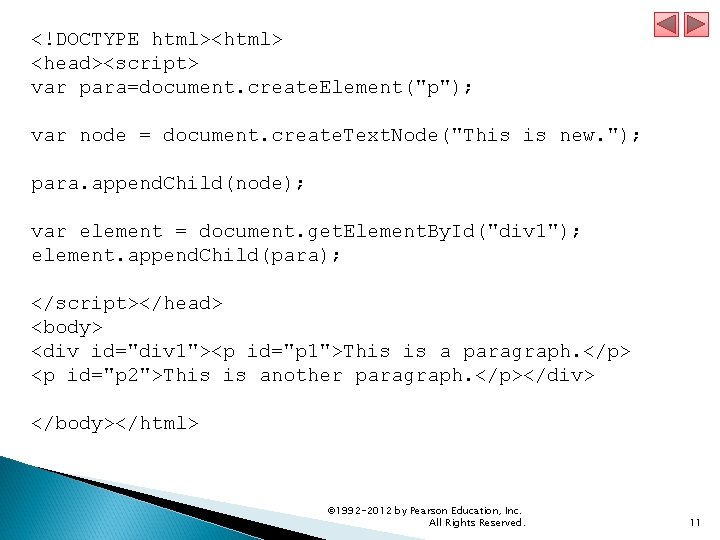
<!DOCTYPE html><html> <head><script> var para=document. create. Element("p"); var node = document. create. Text. Node("This is new. "); para. append. Child(node); var element = document. get. Element. By. Id("div 1"); element. append. Child(para); </script></head> <body> <div id="div 1"><p id="p 1">This is a paragraph. </p> <p id="p 2">This is another paragraph. </p></div> </body></html> © 1992 -2012 by Pearson Education, Inc. All Rights Reserved. 11
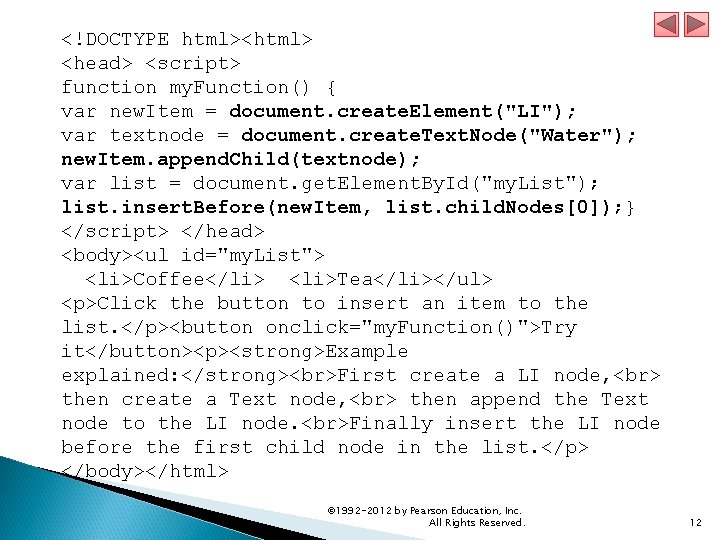
<!DOCTYPE html><html> <head> <script> function my. Function() { var new. Item = document. create. Element("LI"); var textnode = document. create. Text. Node("Water"); new. Item. append. Child(textnode); var list = document. get. Element. By. Id("my. List"); list. insert. Before(new. Item, list. child. Nodes[0]); } </script> </head> <body><ul id="my. List"> <li>Coffee</li> <li>Tea</li></ul> <p>Click the button to insert an item to the list. </p><button onclick="my. Function()">Try it</button><p><strong>Example explained: </strong> First create a LI node, then create a Text node, then append the Text node to the LI node. Finally insert the LI node before the first child node in the list. </p> </body></html> © 1992 -2012 by Pearson Education, Inc. All Rights Reserved. 12
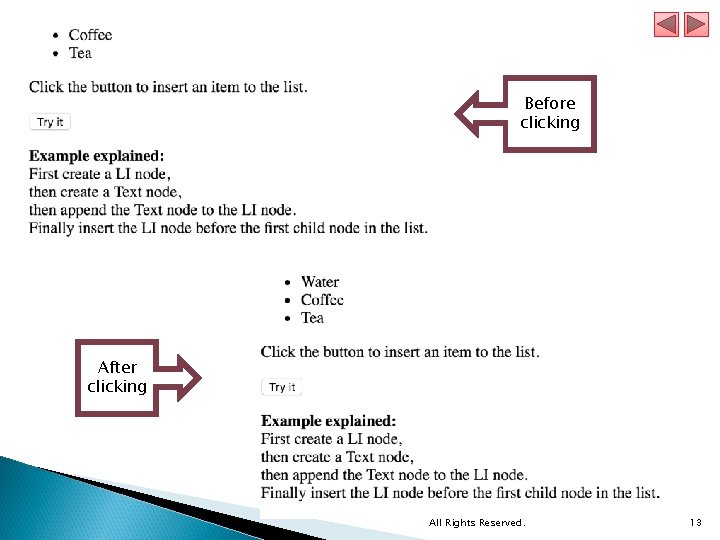
Before clicking After clicking © 1992 -2012 by Pearson Education, Inc. All Rights Reserved. 13
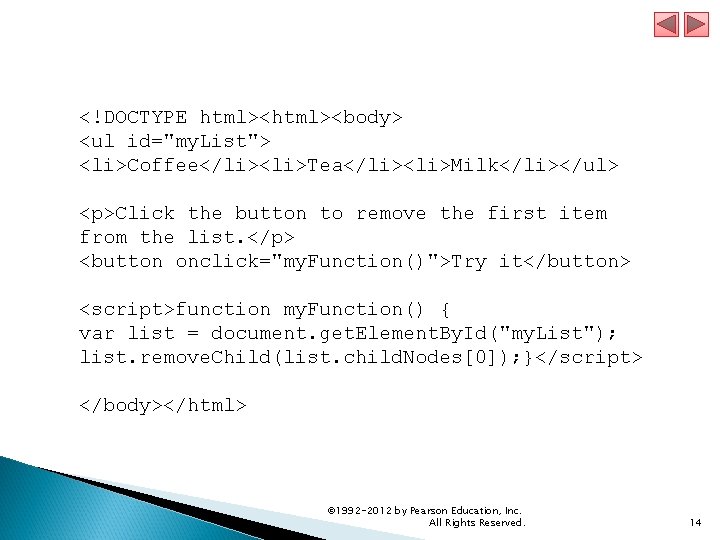
<!DOCTYPE html><body> <ul id="my. List"> <li>Coffee</li><li>Tea</li><li>Milk</li></ul> <p>Click the button to remove the first item from the list. </p> <button onclick="my. Function()">Try it</button> <script>function my. Function() { var list = document. get. Element. By. Id("my. List"); list. remove. Child(list. child. Nodes[0]); }</script> </body></html> © 1992 -2012 by Pearson Education, Inc. All Rights Reserved. 14
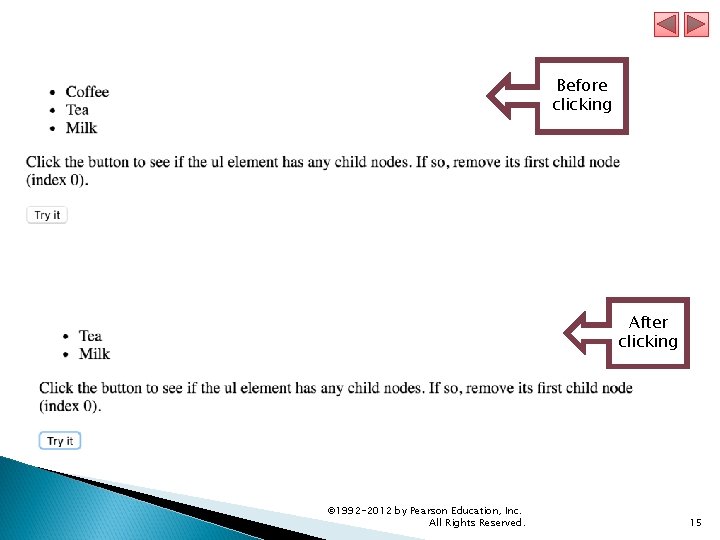
Before clicking After clicking © 1992 -2012 by Pearson Education, Inc. All Rights Reserved. 15
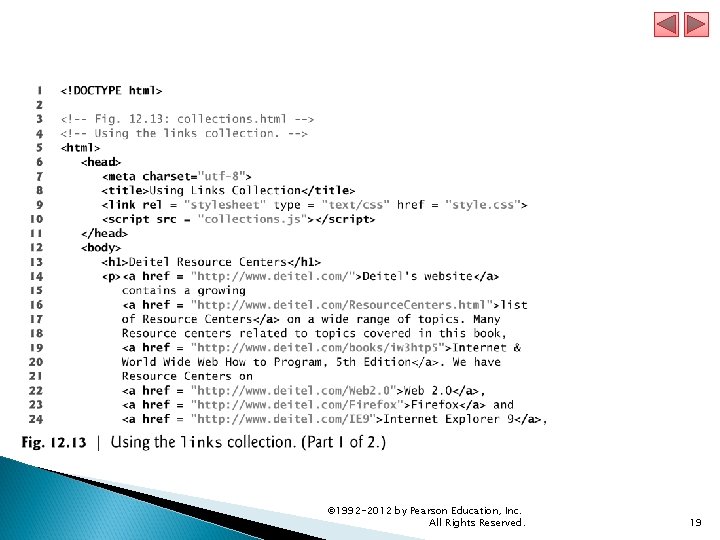
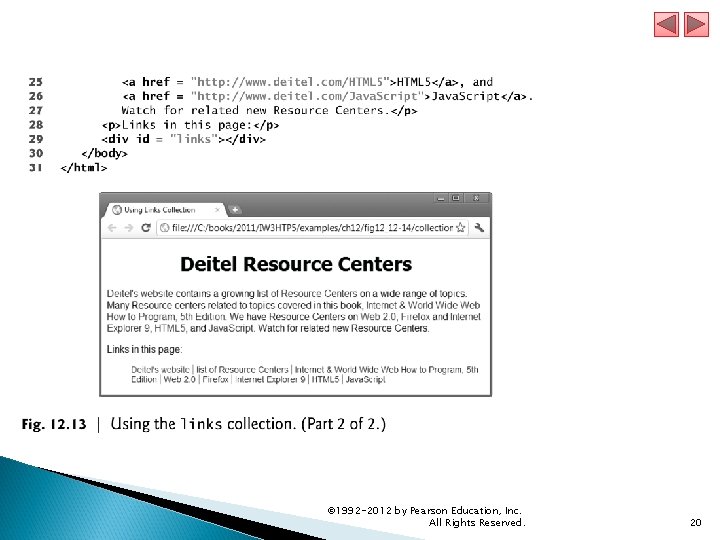
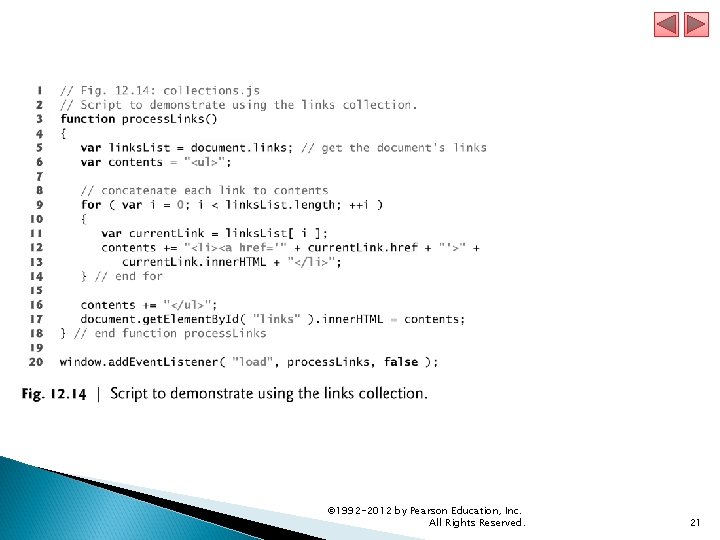
12. 4 DOM Collections DOM has collections—groups of related objects on a page DOM collections are accessed as properties of DOM objects such as the document object or a DOM node The document object has properties containing the images collection, links collection, forms collection and anchors collection § Contain all the elements of the corresponding type on the page The collection’s length property specifies the number of items in the collection © 1992 -2012 by Pearson Education, Inc. All Rights Reserved. 16
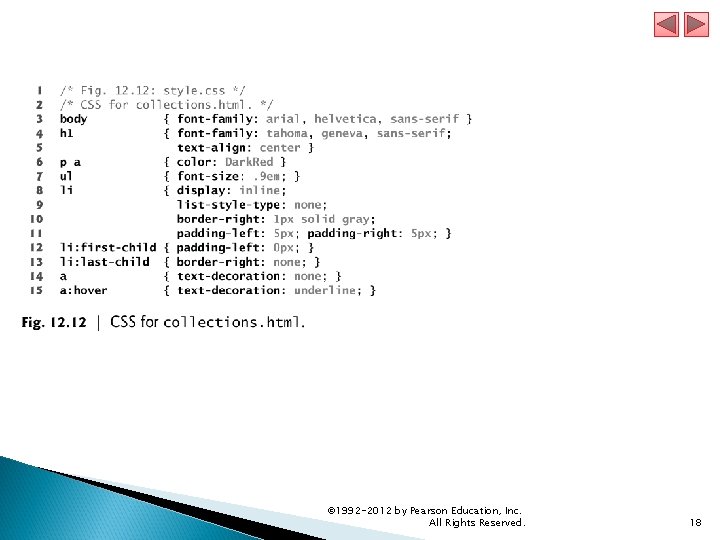
12. 4 DOM Collections (Cont. ) You access the elements of the collection using indices in square brackets item method of a DOM collection named. Item method href property of a DOM link node § An alternative to the square bracketed indices § Receives an integer argument and returns the corresponding item in the collection. § receives an element id as an argument and finds the element with that id in the collection. § Refers to the link’s href attribute Collections allow easy access to all elements of a single type in a page § Useful for gathering elements into one place and for applying changes across an entire page © 1992 -2012 by Pearson Education, Inc. All Rights Reserved. 17
© 1992 -2012 by Pearson Education, Inc. All Rights Reserved. 18
© 1992 -2012 by Pearson Education, Inc. All Rights Reserved. 19
© 1992 -2012 by Pearson Education, Inc. All Rights Reserved. 20
© 1992 -2012 by Pearson Education, Inc. All Rights Reserved. 21
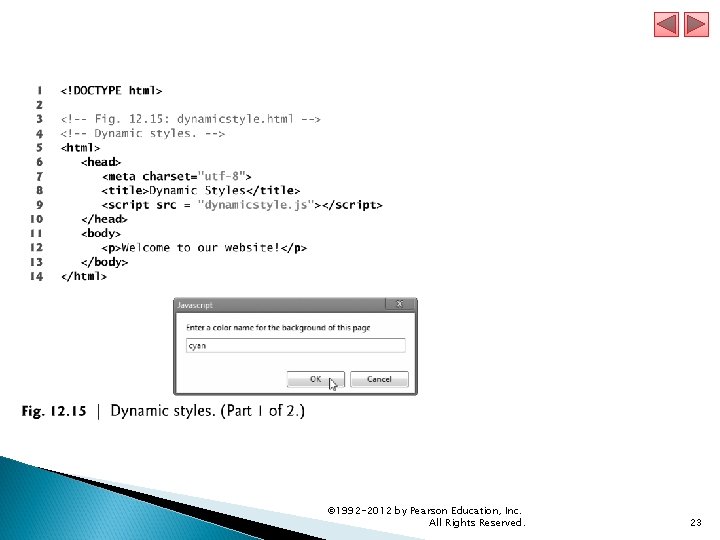
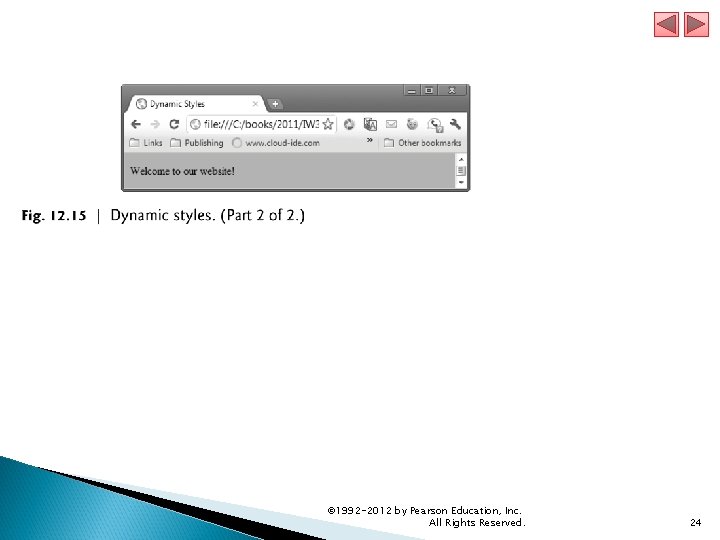
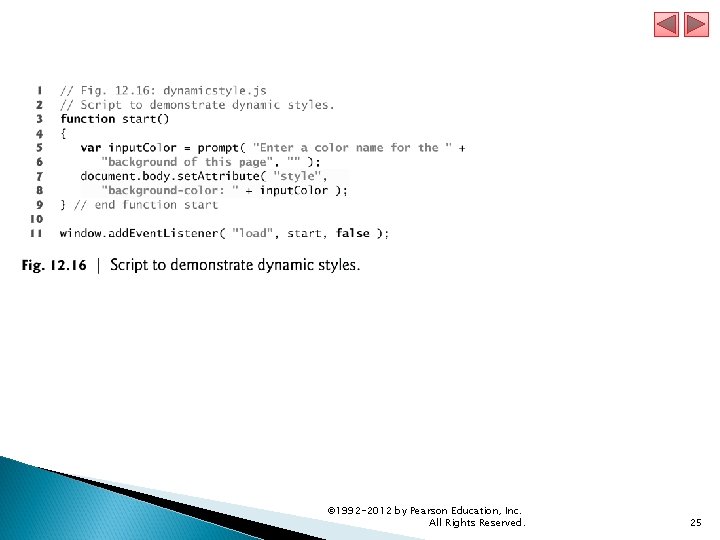
12. 5 Dynamic Styles An element’s style can be changed dynamically § E. g. , in response to user events § Can create mouse-hover effects, interactive menus and animations The document object’s body property § Refers to the body element The set. Attribute method is used to set the style attribute with the user-specified color for the background-color CSS property. If you have predefined CSS style classes defined for your document, you can also use the set. Attribute method to set the class attribute. © 1992 -2012 by Pearson Education, Inc. All Rights Reserved. 22
© 1992 -2012 by Pearson Education, Inc. All Rights Reserved. 23
© 1992 -2012 by Pearson Education, Inc. All Rights Reserved. 24
© 1992 -2012 by Pearson Education, Inc. All Rights Reserved. 25
- Slides: 25