
11 th Edition TODAY AND TOMORROW n 3


- Slides: 49
11 th Edition TODAY AND TOMORROW n 3 Storage CHAPTER Chapter 3 Understanding Computers, 11 th Edition
Learning Objectives n n Chapter 3 Explain the difference between storage systems and memory. Name several general properties of storage systems. Identify the two primary types of magnetic disk systems and describe how they work. Discuss the various types of optical disc systems. available and how they differ from each other and from magnetic systems. Understanding Computers, 11 th Edition 2
Learning Objectives, Cont’d n n n Chapter 3 Explain what flash memory media and flash memory drives are and how they are used today. List at least three other types of storage systems. Summarize the storage alternatives for a PC, including which storage systems should be included on a typical PC and for what applications other storage systems are appropriate. Understanding Computers, 11 th Edition 3
Overview n This chapter covers: n n n Chapter 3 Overall characteristics of storage systems How magnetic disk systems work How optical disc systems work What flash memory systems are and how they are used Other types of storage systems A comparison of storage alternatives Understanding Computers, 11 th Edition 4
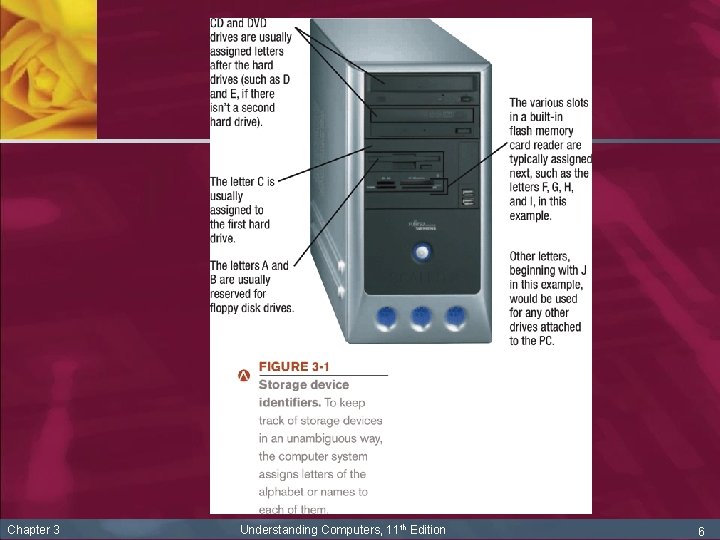
Storage Systems Characteristics n All storage systems have specific characteristics n Storage medium (what data is stored on) n n n Storage device (device into which storage medium is inserted to be used) n n n Chapter 3 Floppy disk, CD or DVD, etc. Can be removable or nonremovable from the storage device Floppy disk drive, CD or DVD drive, etc. Devices are identified by name or letter Can be internal, external, or remote Understanding Computers, 11 th Edition 5
Chapter 3 Understanding Computers, 11 th Edition 6
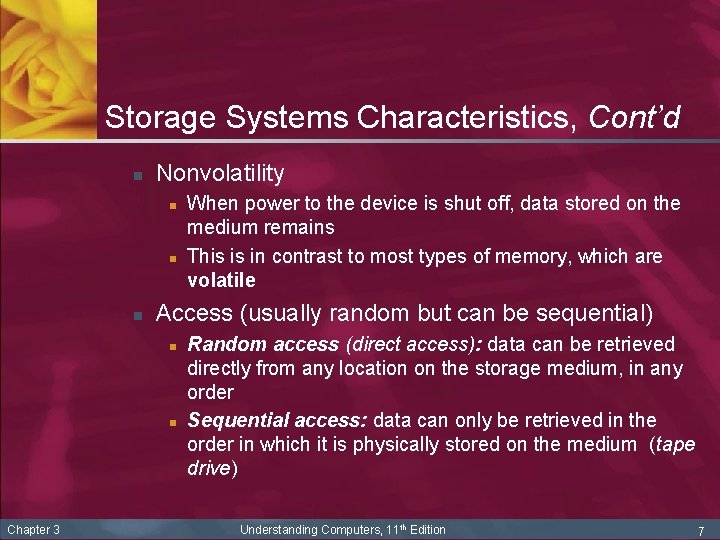
Storage Systems Characteristics, Cont’d n Nonvolatility n n n Access (usually random but can be sequential) n n Chapter 3 When power to the device is shut off, data stored on the medium remains This is in contrast to most types of memory, which are volatile Random access (direct access): data can be retrieved directly from any location on the storage medium, in any order Sequential access: data can only be retrieved in the order in which it is physically stored on the medium (tape drive) Understanding Computers, 11 th Edition 7
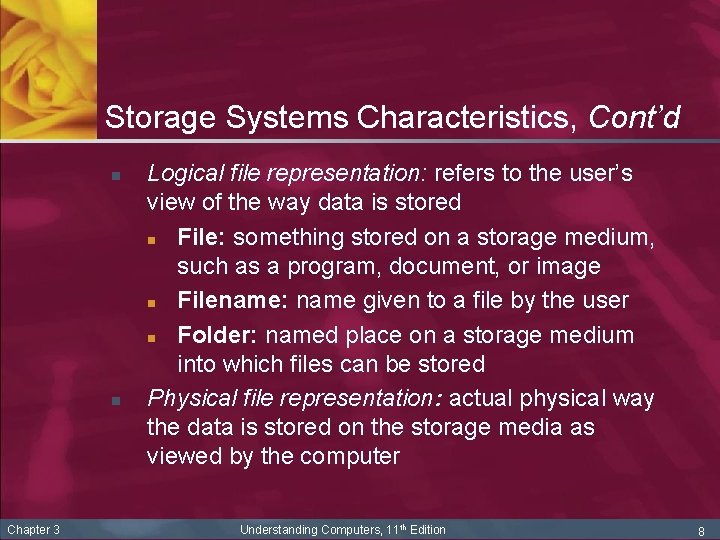
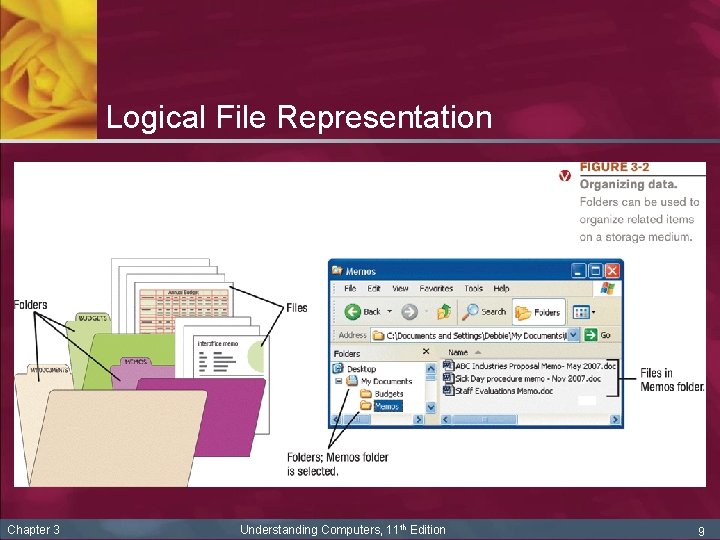
Storage Systems Characteristics, Cont’d n n Chapter 3 Logical file representation: refers to the user’s view of the way data is stored n File: something stored on a storage medium, such as a program, document, or image n Filename: name given to a file by the user n Folder: named place on a storage medium into which files can be stored Physical file representation: actual physical way the data is stored on the storage media as viewed by the computer Understanding Computers, 11 th Edition 8
Logical File Representation Chapter 3 Understanding Computers, 11 th Edition 9
Storage Systems Characteristics, Cont’d n Chapter 3 Magnetic disks vs. optical discs n With magnetic media, such as floppy disks, data is stored magnetically; the data (0 s and 1 s) is represented using different magnetic alignments n Optical storage media (such as CDs and DVDs) store data optically using laser beams n Some storage systems combine magnetic and optical technology. Others represent data using electrons Understanding Computers, 11 th Edition 10
Magnetic Disk Systems n n n Chapter 3 Magnetic disk: storage medium that records data using magnetic spots on disks made of flexible plastic or rigid metal Most widely used storage medium on today’s computers Two common types: n Floppy disks (common removable storage medium in the past; not widely used today) n Hard disks (included on nearly all PCs today) Understanding Computers, 11 th Edition 11
Chapter 3 Understanding Computers, 11 th Edition 12
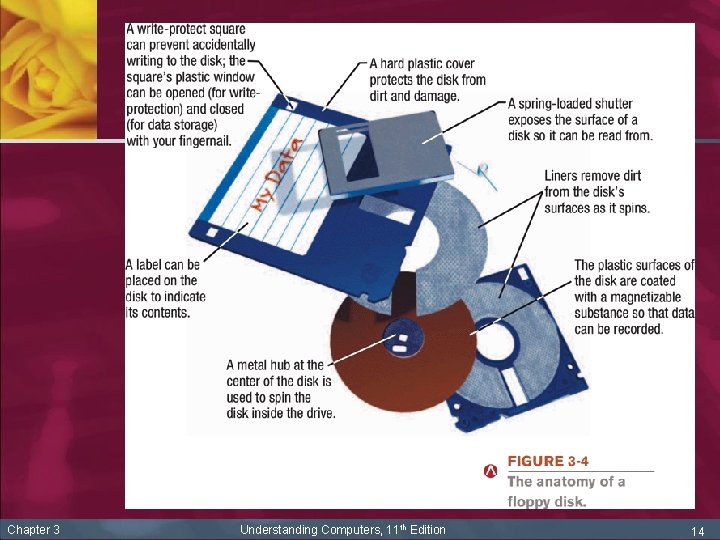
Floppy Disks and Drives n n n Chapter 3 Floppy disk: low capacity, removable magnetic disk made of flexible plastic permanently sealed inside a hard plastic cover Floppy disk drive: storage device that reads from and writes to floppy disks Sometimes referred to as a legacy drive and not included on all new PCs today Understanding Computers, 11 th Edition 13
Chapter 3 Understanding Computers, 11 th Edition 14
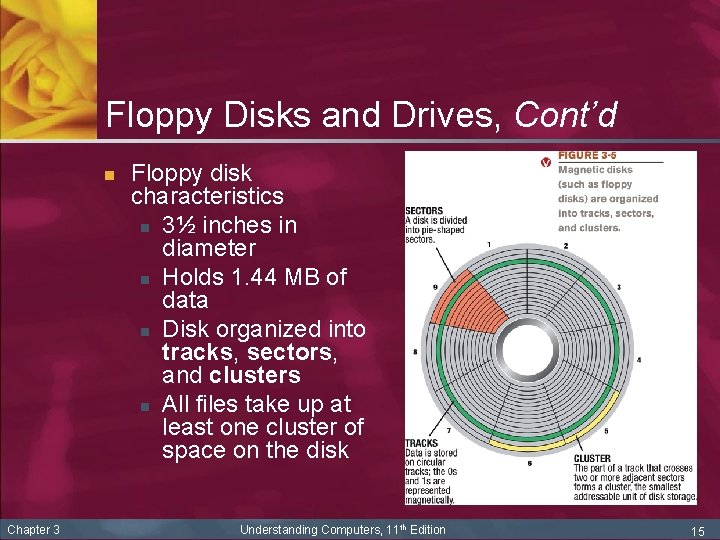
Floppy Disks and Drives, Cont’d n Chapter 3 Floppy disk characteristics n 3½ inches in diameter n Holds 1. 44 MB of data n Disk organized into tracks, sectors, and clusters n All files take up at least one cluster of space on the disk Understanding Computers, 11 th Edition 15
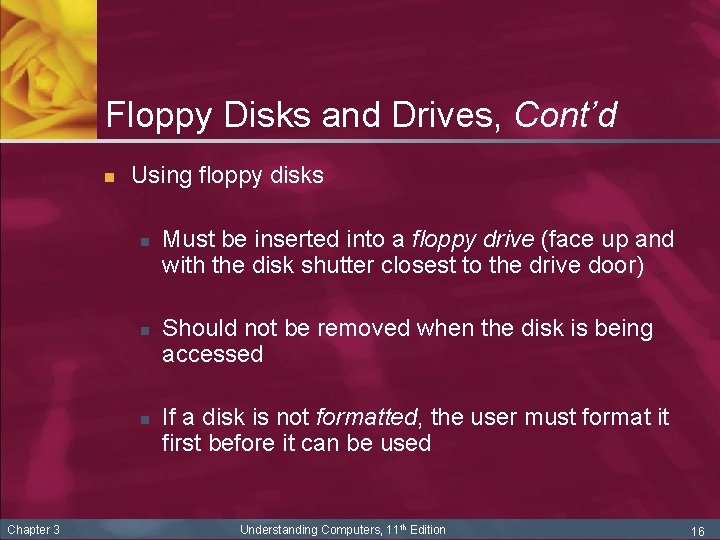
Floppy Disks and Drives, Cont’d n Using floppy disks n n n Chapter 3 Must be inserted into a floppy drive (face up and with the disk shutter closest to the drive door) Should not be removed when the disk is being accessed If a disk is not formatted, the user must format it first before it can be used Understanding Computers, 11 th Edition 16
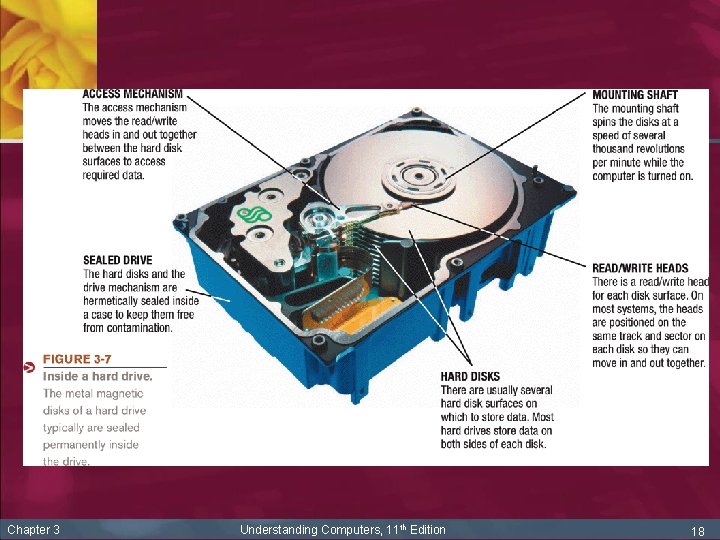
Hard Disk Drives n n Hard disk drive (hard drive): storage system consisting of one or more metal magnetic disks permanently sealed with an access mechanism inside its drive Hard drive characteristics n n n Chapter 3 Stores data magnetically One or more disks made out of metal Disks are permanently sealed inside the hard drive to avoid contamination and to enable the disks to spin faster Understanding Computers, 11 th Edition 17
Chapter 3 Understanding Computers, 11 th Edition 18
Hard Disk Drives, Cont’d n Chapter 3 Hard drive characteristics, Cont’d n Organized into clusters, sectors, tracks, and cylinders (the collection of tracks located in the same location on a set of hard disk surfaces) n Read/write head doesn’t touch the surface of the disk n If the PC is bumped while the hard drive is spinning or a foreign object gets onto the surface of the disk, a head crash occurs, which may permanently damage the hard drive Understanding Computers, 11 th Edition 19
Hard Disk Drives, Cont’d n n Chapter 3 Hard drive speed n Disk access time: total time that it takes for a hard drive to read or write data n Consists of seek time, rotational delay, data movement time Hard disk cache: a dedicated part of RAM used to store additional data adjacent to data retrieved during a disk fetch to improve system performance Understanding Computers, 11 th Edition 20
Hard Disk Drives, Cont’d n Chapter 3 Partitioning: enables you to logically divide the physical capacity of a single drive into separate areas, called partitions or logical drives. Used to: n Install more than one operating system n Create a recovery partition n Create a new logical drive for data n Increase efficiency (smaller drives can use smaller cluster sizes) n The cluster size, maximum drive size, and maximum file size are determined by the file system being used Understanding Computers, 11 th Edition 21
Hard Disk Drives, Cont’d n Hard drive interface standards n Determine how drive connects to the PC and other characteristics n n Chapter 3 Most common, for PCs: n Serial ATA (SATA) and serial ATA II (SATA II) n SCSI and the newer serial attached SCSI (SAS) n Fibre Channel Hard drives can also connect via USB or Fire. Wire Understanding Computers, 11 th Edition 22
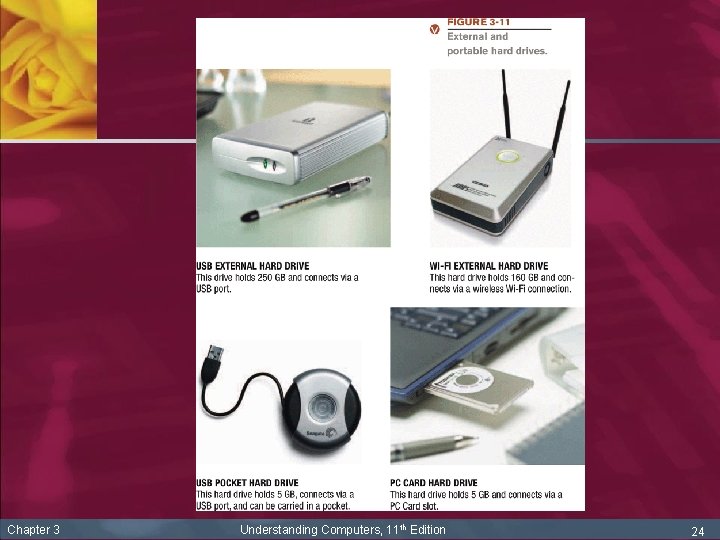
Hard Disk Drives, Cont’d n n n Chapter 3 Usually are installed inside system unit but can also be external and portable External hard drives: connect to an external port on the PC (typically USB, Fire. Wire, or via a wireless connection) n The entire drive can be moved from one PC to another PC when needed n Good for backup purposes Portable hard drives: specifically designed to be carried around and moved from one PC to another Understanding Computers, 11 th Edition 23
Chapter 3 Understanding Computers, 11 th Edition 24
High-Capacity Removable Magnetic Disks and Cartridges n n Chapter 3 Superdiskettes: high-capacity removable storage media, usually proprietary (can only be used with their respective drives) n Most widely used = Zip disk; holds 100, 250, or 750 MB Hard disk cartridges: removable hard disk so higher capacity, but also proprietary n REV disk is one example; holds 35 GB Understanding Computers, 11 th Edition 25
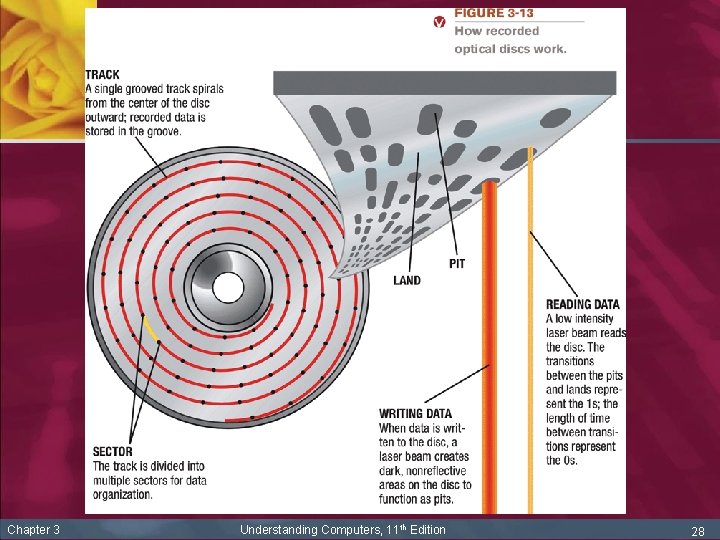
Optical Disc Systems n Optical discs (such as CDs and DVDs) store data optically—using laser beams—instead of magnetically n n Chapter 3 Typically 4½-inch circles, although smaller discs and custom shapes are also available Divided into tracks and sectors like magnetic disks but use a single grooved spiral track n Can be read-only, recordable, or rewritable n High-capacity (usually at least 650 MB) Understanding Computers, 11 th Edition 26
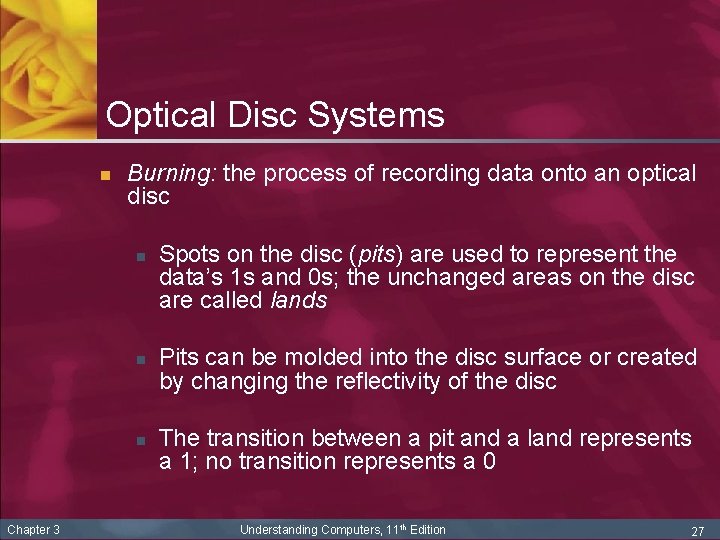
Optical Disc Systems n Burning: the process of recording data onto an optical disc n n n Chapter 3 Spots on the disc (pits) are used to represent the data’s 1 s and 0 s; the unchanged areas on the disc are called lands Pits can be molded into the disc surface or created by changing the reflectivity of the disc The transition between a pit and a land represents a 1; no transition represents a 0 Understanding Computers, 11 th Edition 27
Chapter 3 Understanding Computers, 11 th Edition 28
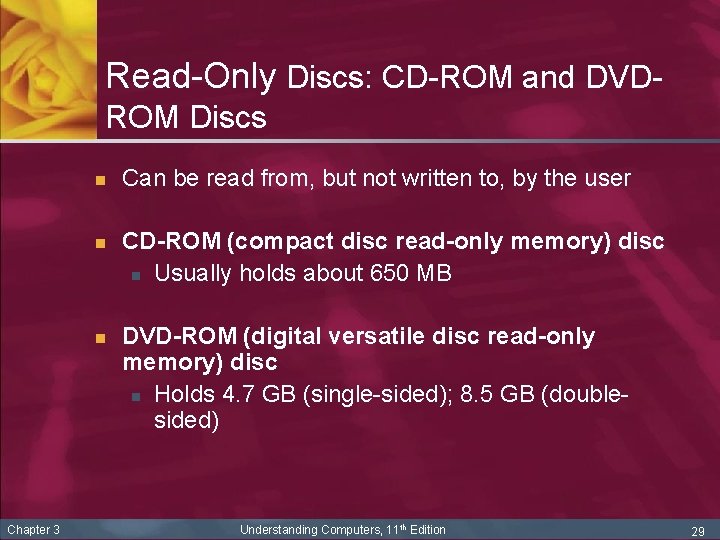
Read-Only Discs: CD-ROM and DVDROM Discs n n n Chapter 3 Can be read from, but not written to, by the user CD-ROM (compact disc read-only memory) disc n Usually holds about 650 MB DVD-ROM (digital versatile disc read-only memory) disc n Holds 4. 7 GB (single-sided); 8. 5 GB (doublesided) Understanding Computers, 11 th Edition 29
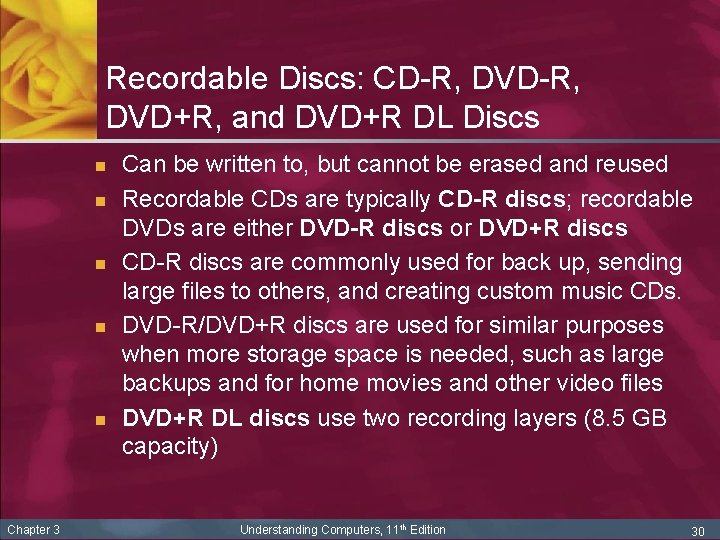
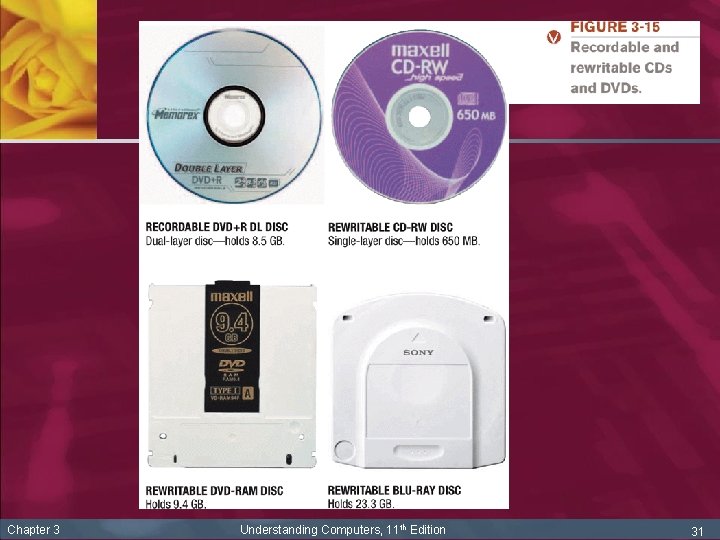
Recordable Discs: CD-R, DVD+R, and DVD+R DL Discs n n n Chapter 3 Can be written to, but cannot be erased and reused Recordable CDs are typically CD-R discs; recordable DVDs are either DVD-R discs or DVD+R discs CD-R discs are commonly used for back up, sending large files to others, and creating custom music CDs. DVD-R/DVD+R discs are used for similar purposes when more storage space is needed, such as large backups and for home movies and other video files DVD+R DL discs use two recording layers (8. 5 GB capacity) Understanding Computers, 11 th Edition 30
Chapter 3 Understanding Computers, 11 th Edition 31
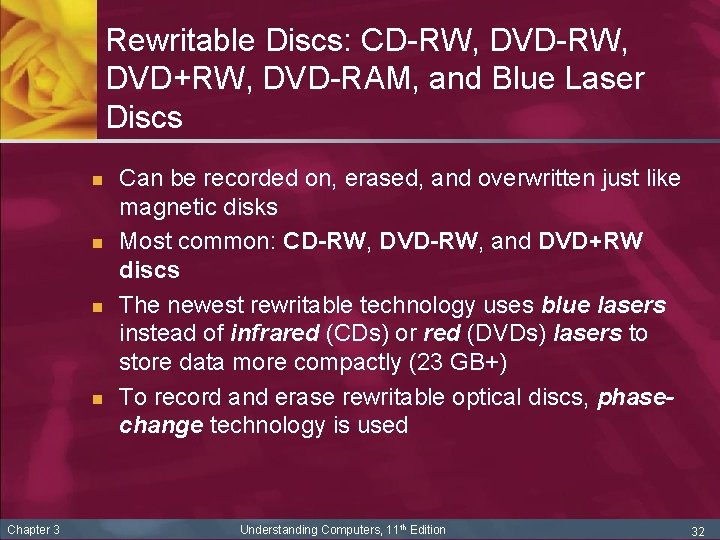
Rewritable Discs: CD-RW, DVD+RW, DVD-RAM, and Blue Laser Discs n n Chapter 3 Can be recorded on, erased, and overwritten just like magnetic disks Most common: CD-RW, DVD-RW, and DVD+RW discs The newest rewritable technology uses blue lasers instead of infrared (CDs) or red (DVDs) lasers to store data more compactly (23 GB+) To record and erase rewritable optical discs, phasechange technology is used Understanding Computers, 11 th Edition 32
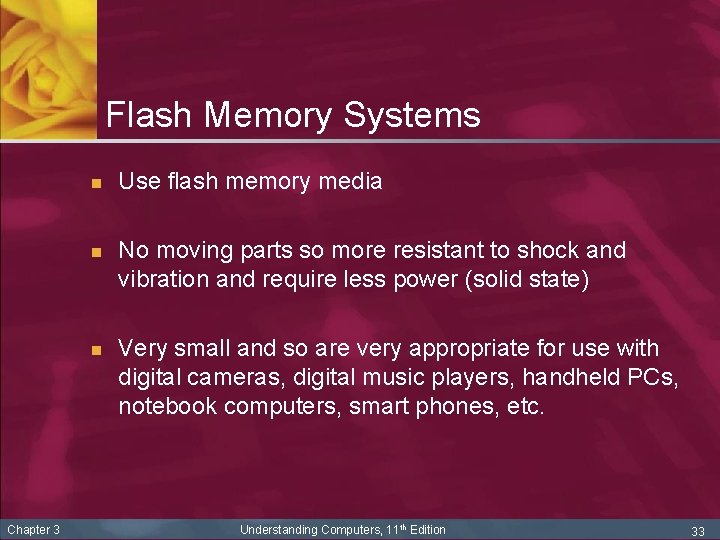
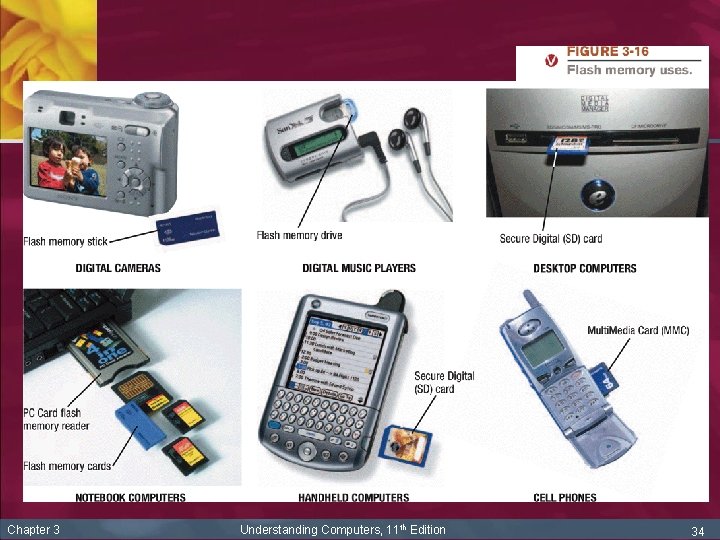
Flash Memory Systems n n n Chapter 3 Use flash memory media No moving parts so more resistant to shock and vibration and require less power (solid state) Very small and so are very appropriate for use with digital cameras, digital music players, handheld PCs, notebook computers, smart phones, etc. Understanding Computers, 11 th Edition 33
Chapter 3 Understanding Computers, 11 th Edition 34
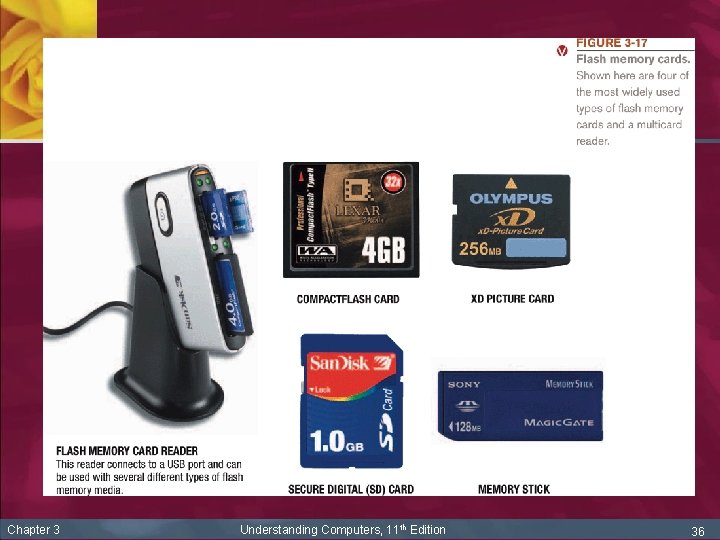
Flash Memory Media n n Chapter 3 Flash memory card—a small card containing flash memory chips and metal contacts to connect the card to the device or reader that it is being used with n Compact. Flash n Secure Digital (SD) n Multi. Media Card (MMC) n x. D n Memory Stick Read by flash memory card reader Understanding Computers, 11 th Edition 35
Chapter 3 Understanding Computers, 11 th Edition 36
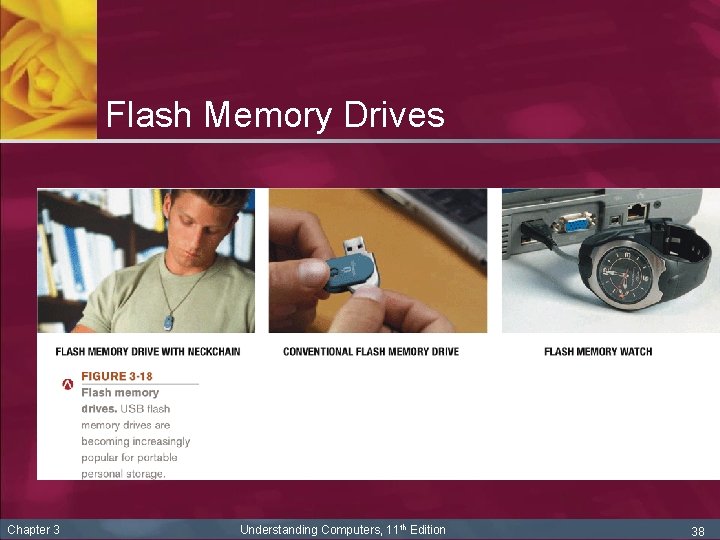
Flash Memory Drives n Chapter 3 Flash memory drives consist of flash memory media and a reader in a single self-contained unit n Typically portable drives that connect via a USB port n Also called USB mini drives, USB flash drives, thumb drives, jump drives, and key drives n Flash memory hard drives (solid state memory disks or SSDs) that use flash memory instead of magnetic media are also available Understanding Computers, 11 th Edition 37
Flash Memory Drives Chapter 3 Understanding Computers, 11 th Edition 38
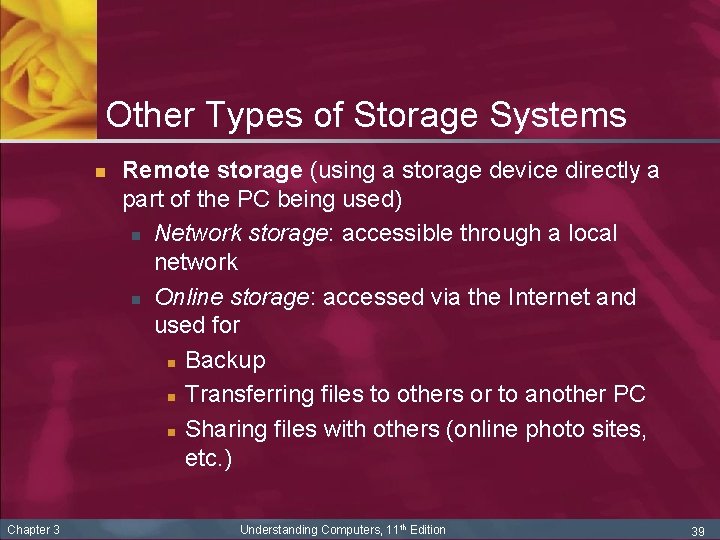
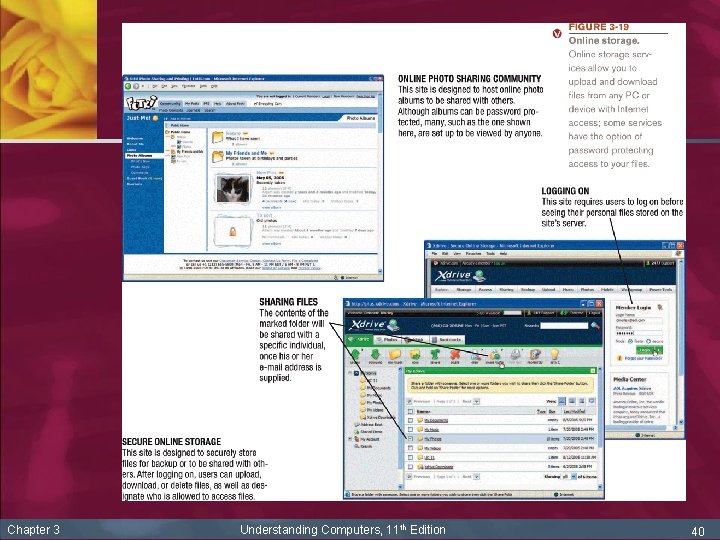
Other Types of Storage Systems n Chapter 3 Remote storage (using a storage device directly a part of the PC being used) n Network storage: accessible through a local network n Online storage: accessed via the Internet and used for n Backup n Transferring files to others or to another PC n Sharing files with others (online photo sites, etc. ) Understanding Computers, 11 th Edition 39
Chapter 3 Understanding Computers, 11 th Edition 40
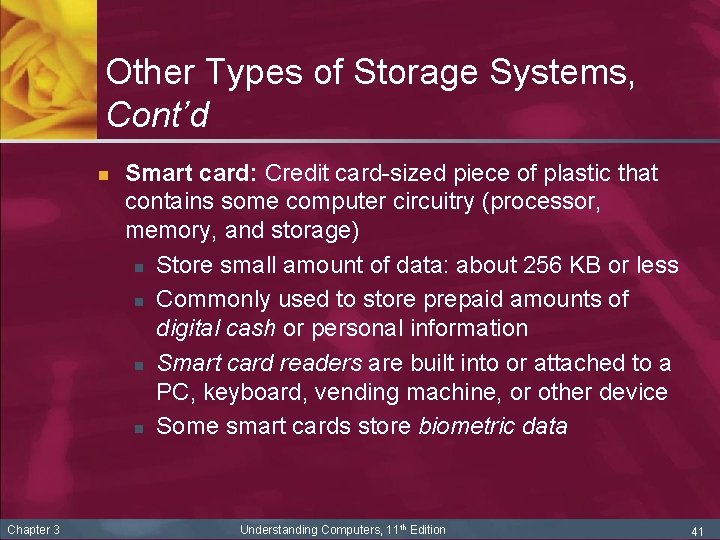
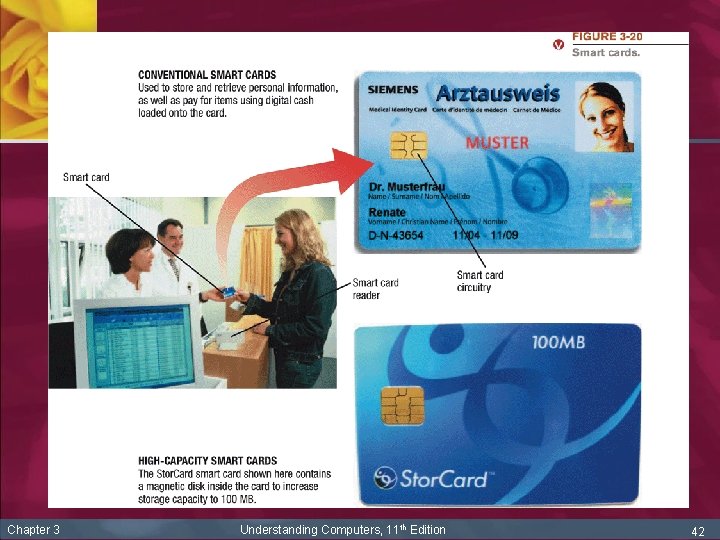
Other Types of Storage Systems, Cont’d n Chapter 3 Smart card: Credit card-sized piece of plastic that contains some computer circuitry (processor, memory, and storage) n Store small amount of data: about 256 KB or less n Commonly used to store prepaid amounts of digital cash or personal information n Smart card readers are built into or attached to a PC, keyboard, vending machine, or other device n Some smart cards store biometric data Understanding Computers, 11 th Edition 41
Chapter 3 Understanding Computers, 11 th Edition 42
Other Types of Storage Systems, Cont’d n Chapter 3 Holographic storage: Emerging type of 3 D storage technology n Uses multiple blue laser beams to store data in three dimensions n Potential initial applications for holographic data storage systems include: n High-speed digital libraries n Image processing for medical, video, and military purposes n Any other applications in which data needs to be stored or retrieved quickly in large quantities but rarely changed Understanding Computers, 11 th Edition 43
Other Types of Storage Systems, Cont’d n Chapter 3 Storage systems for large computer systems and networks n Usually use a storage server: a hardware device containing multiple high-speed hard drives n Network attached storage (NAS): highperformance storage server individually connected to a network to provide storage for computers on that network n Storage area network (SAN): network of hard drives or other storage devices that provide storage for another network of computers Understanding Computers, 11 th Edition 44
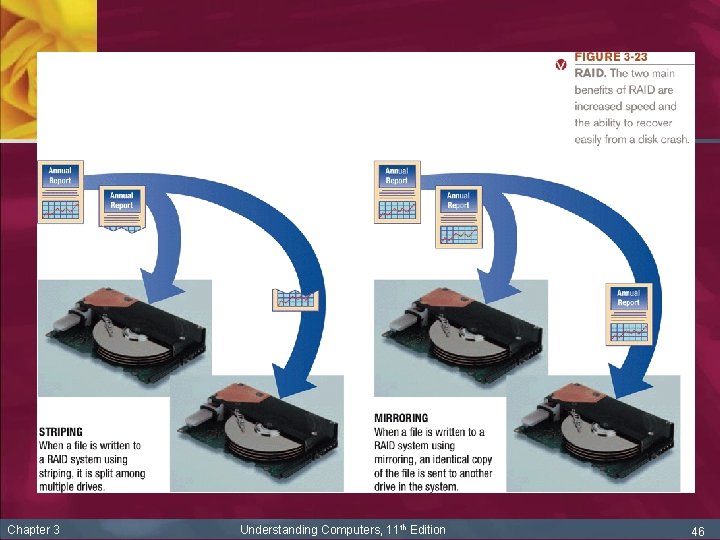
Other Types of Storage Systems, Cont’d n Chapter 3 Storage systems for large computer systems and networks, cont’d n RAID (redundant arrays of independent disks): storage method that uses several small hard disks in parallel to do the job of a larger disk n Usually involves recording redundant copies of stored data n Helps to increase fault tolerance n Different levels of RAID, use combination of disk striping and disk mirroring Understanding Computers, 11 th Edition 45
Chapter 3 Understanding Computers, 11 th Edition 46
Other Types of Storage Systems, Cont’d n Chapter 3 Magnetic tape: plastic tape with a magnetizable surface that stores data as a series of magnetic spots n Uses: primarily for backup and archival purposes (sequential access only) n Advantage: low cost per megabyte n Most tapes today are in the form of cartridge tapes n Read from and written to via a tape drive Understanding Computers, 11 th Edition 47
Comparing Storage Alternatives n Factors to consider n n n Most users require: n n n Chapter 3 Speed Compatibility Storage capacity Convenience Portability Hard drive CD or DVD drive Flash memory card reader and USB port for flash memory drive Understanding Computers, 11 th Edition 48
Summary n n n Chapter 3 Storage Systems Characteristics Magnetic Disk Systems Optical Disc Systems Flash Memory Systems Other Types of Storage Systems Comparing Storage Alternatives Understanding Computers, 11 th Edition 49