
10 X Windows X Window 1 3 User

![2 helping processes (1) X server process (for Display/Input Hardware) [out] Handles display output](https://slidetodoc.com/presentation_image_h2/74c824b82fdaed2e7f8c720a8934c573/image-20.jpg "2 helping processes (1) X server process (for Display/Input Hardware) [out] Handles display output")
![allowed events on widget classes [widget name] [Description] ---------------------------------Button select by clicking Scrollbar user](https://slidetodoc.com/presentation_image_h2/74c824b82fdaed2e7f8c720a8934c573/image-26.jpg "allowed events on widget classes [widget name] [Description] ---------------------------------Button select by clicking Scrollbar user")
![[Hardware side] [Application side] Window Manager application program X-Server (2) wake up X server](https://slidetodoc.com/presentation_image_h2/74c824b82fdaed2e7f8c720a8934c573/image-34.jpg "[Hardware side] [Application side] Window Manager application program X-Server (2) wake up X server")
![[Application Process side] local / remote [Display HW side] X-Server X protocol is integrated](https://slidetodoc.com/presentation_image_h2/74c824b82fdaed2e7f8c720a8934c573/image-36.jpg "[Application Process side] local / remote [Display HW side] X-Server X protocol is integrated")
- Slides: 38
제 10강 : X Windows X Window 1
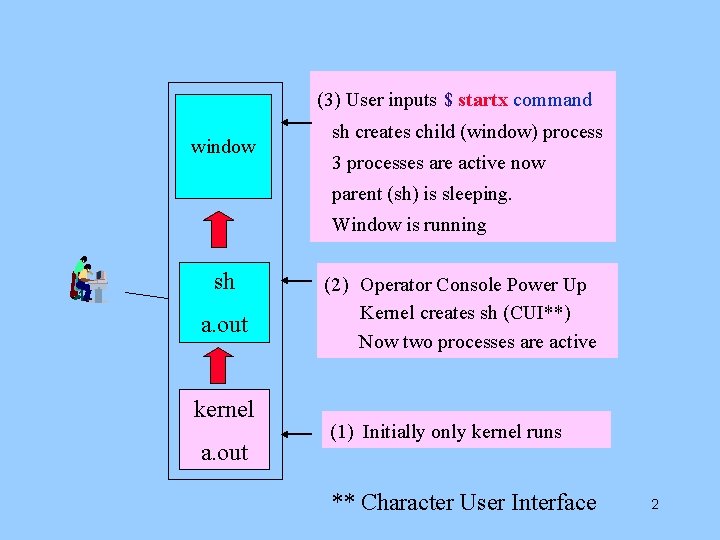
(3) User inputs $ startx command window sh creates child (window) process 3 processes are active now parent (sh) is sleeping. Window is running sh a. out kernel a. out (2) Operator Console Power Up Kernel creates sh (CUI**) Now two processes are active (1) Initially only kernel runs ** Character User Interface 2
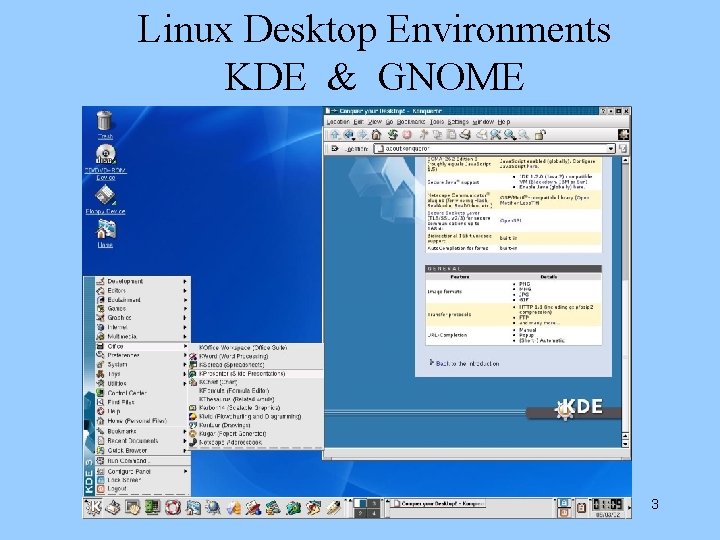
Linux Desktop Environments KDE & GNOME 3
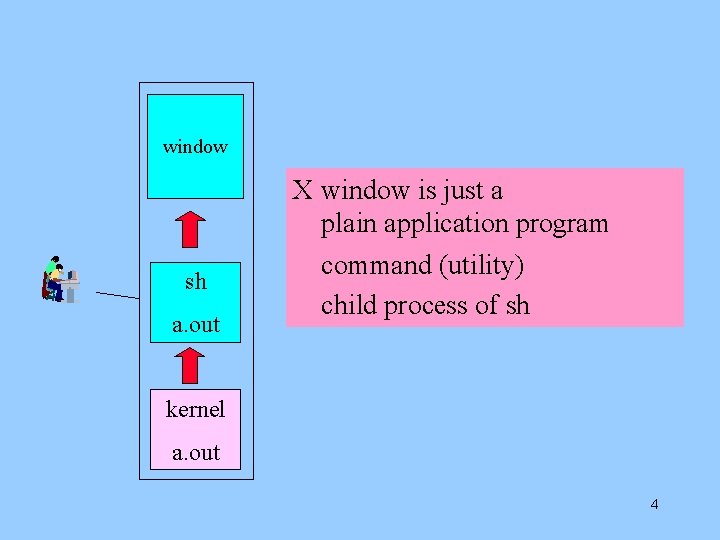
window sh a. out X window is just a plain application program command (utility) child process of sh kernel a. out 4
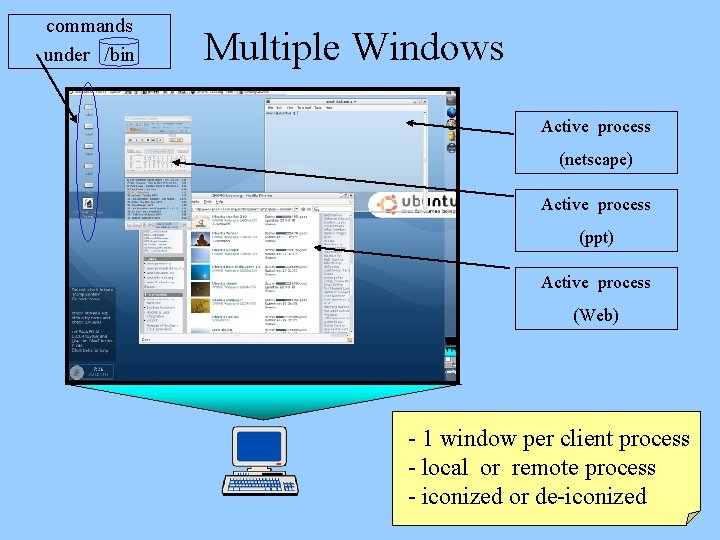
commands under /bin Multiple Windows Active process (netscape) Active process (ppt) Active process (Web) - 1 window per client process - local or remote process - iconized or de-iconized 5
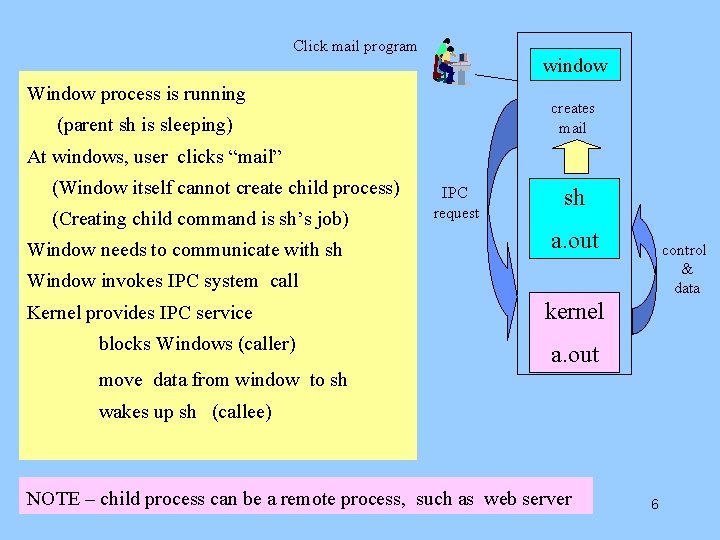
Click mail program window Window process is running creates mail (parent sh is sleeping) At windows, user clicks “mail” (Window itself cannot create child process) (Creating child command is sh’s job) Window needs to communicate with sh IPC request sh a. out control & data Window invokes IPC system call Kernel provides IPC service blocks Windows (caller) kernel a. out move data from window to sh wakes up sh (callee) NOTE – child process can be a remote process, such as web server 6
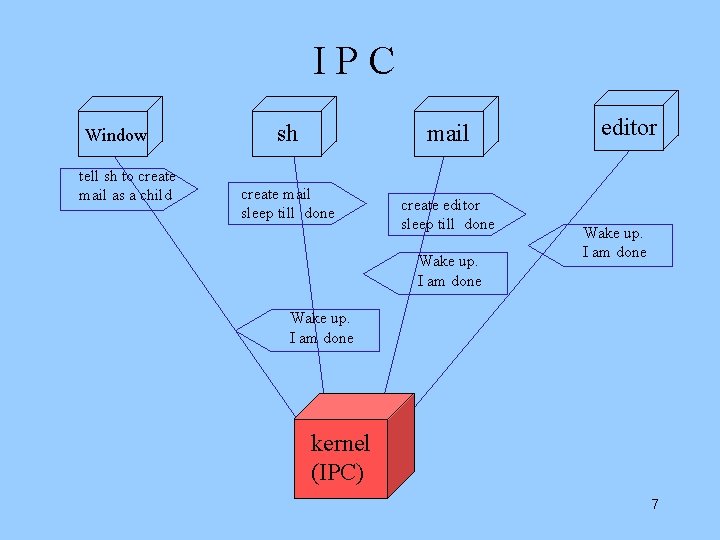
IPC Window tell sh to create mail as a child sh mail create mail sleep till done create editor sleep till done Wake up. I am done editor Wake up. I am done kernel (IPC) 7
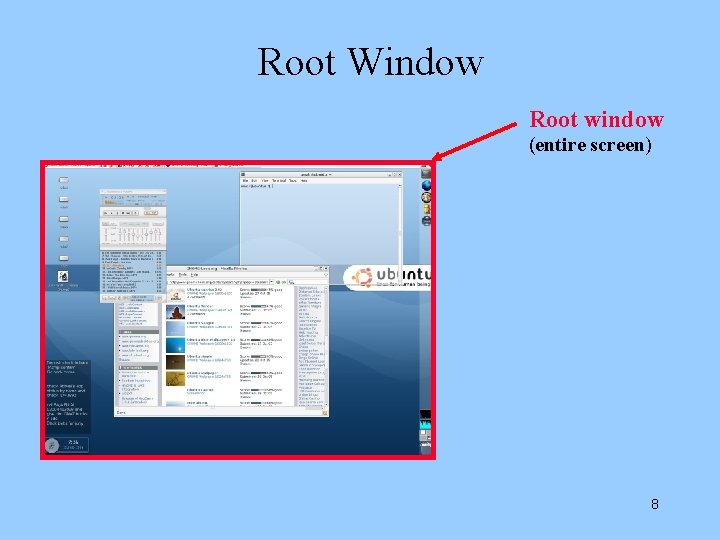
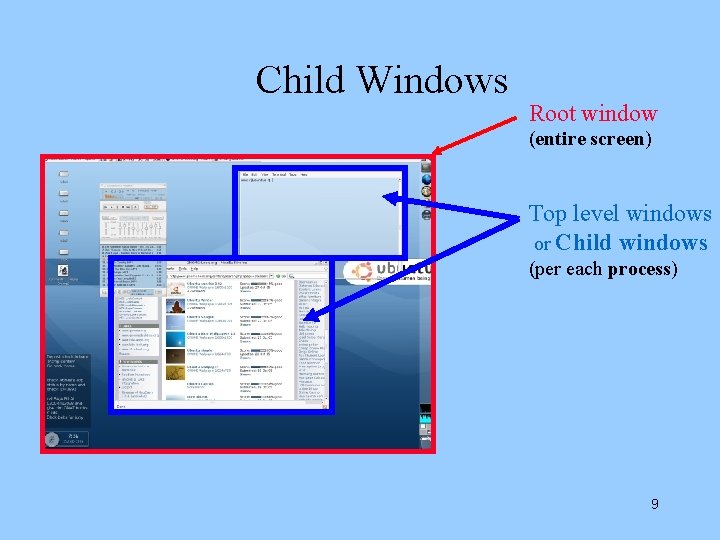
Root Window Root window (entire screen) 8
Child Windows Root window (entire screen) Top level windows or Child windows (per each process) 9
X-Window Protocol 10
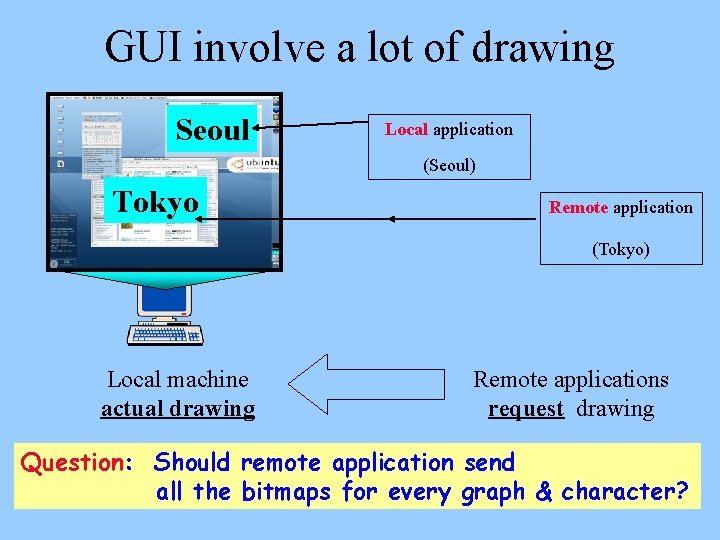
GUI involve a lot of drawing Seoul Local application (Seoul) Tokyo Remote application (Tokyo) Local machine actual drawing Remote applications request drawing Question: Should remote application send all the bitmaps for every graph & character? 11
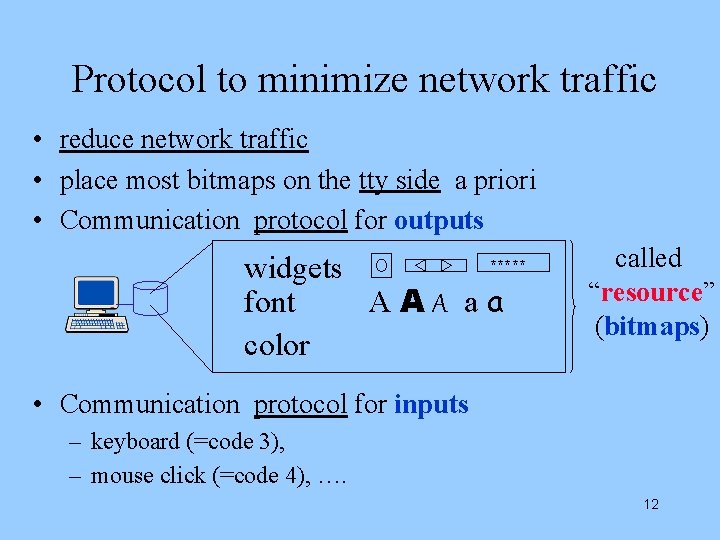
Protocol to minimize network traffic • reduce network traffic • place most bitmaps on the tty side a priori • Communication protocol for outputs widgets font AAA aa color ***** called “resource” (bitmaps) • Communication protocol for inputs – keyboard (=code 3), – mouse click (=code 4), …. 12
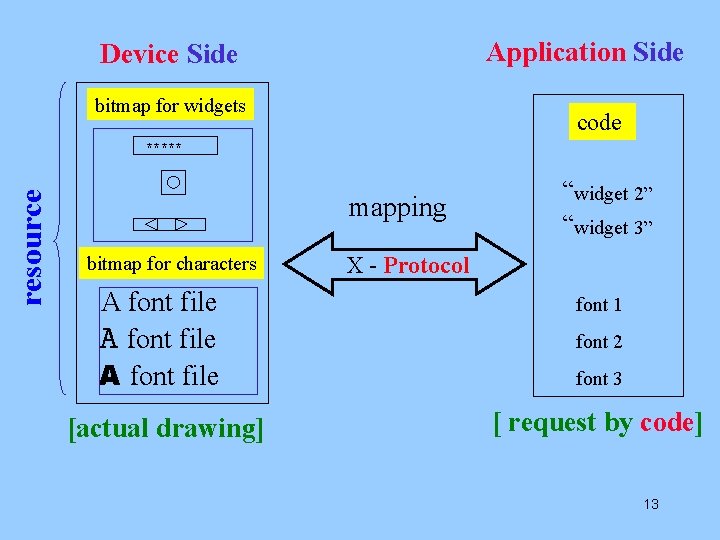
Application Side Device Side bitmap for widgets code resource ***** mapping bitmap for characters A font file [actual drawing] “widget 2” “widget 3” X - Protocol font 1 font 2 font 3 [ request by code] 13
X-Window Processes 14
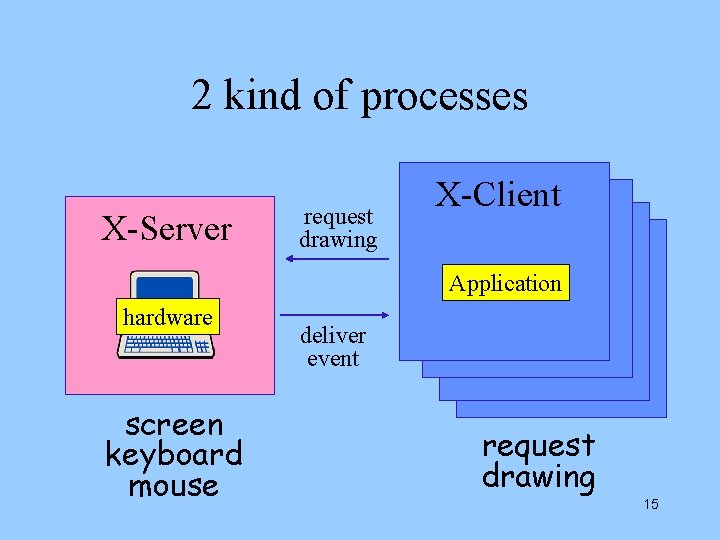
2 kind of processes X-Server request drawing X-Client Application hardware screen keyboard mouse deliver event request drawing 15
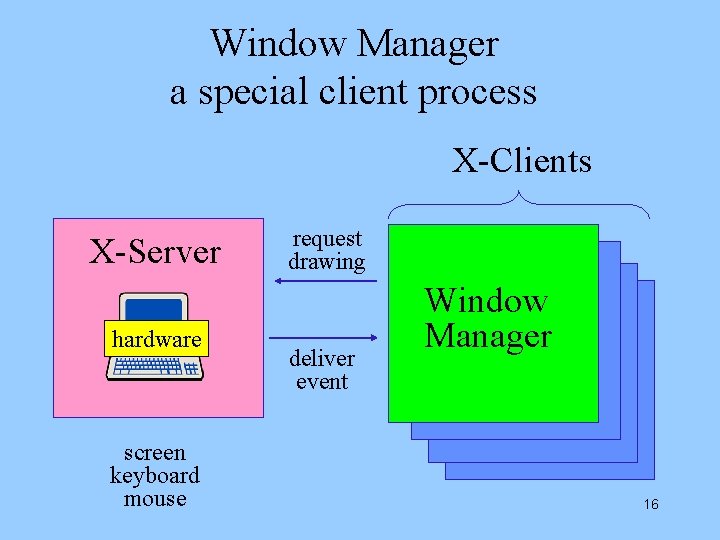
Window Manager a special client process X-Clients X-Server hardware screen keyboard mouse request drawing deliver event Window Manager 16
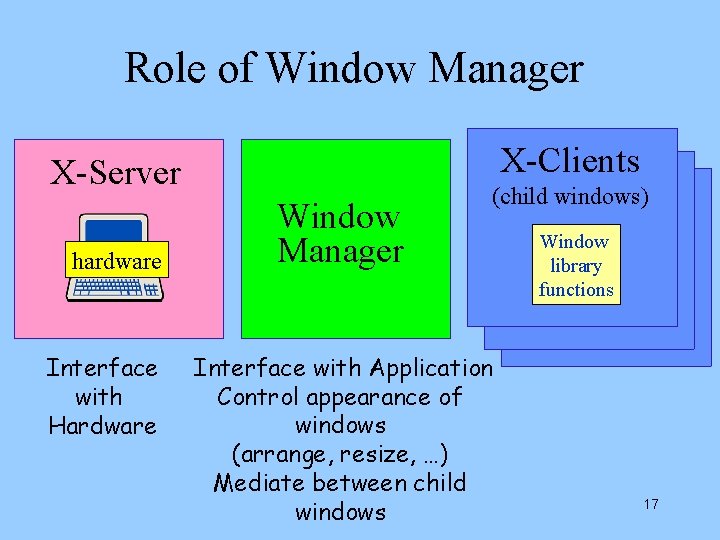
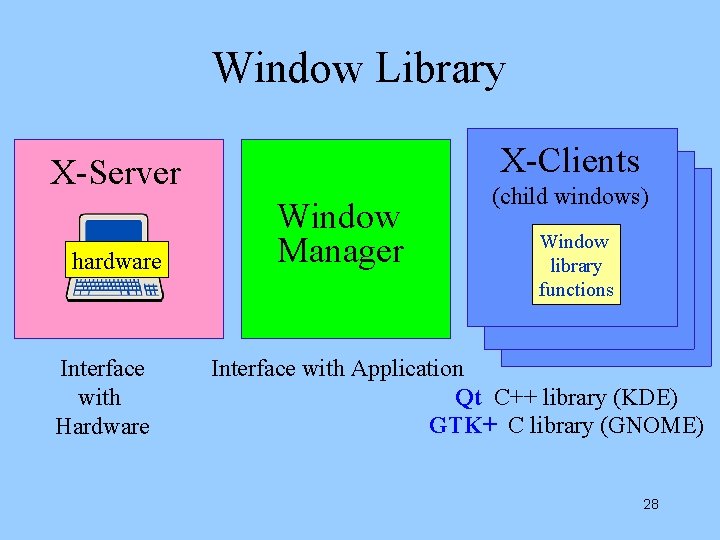
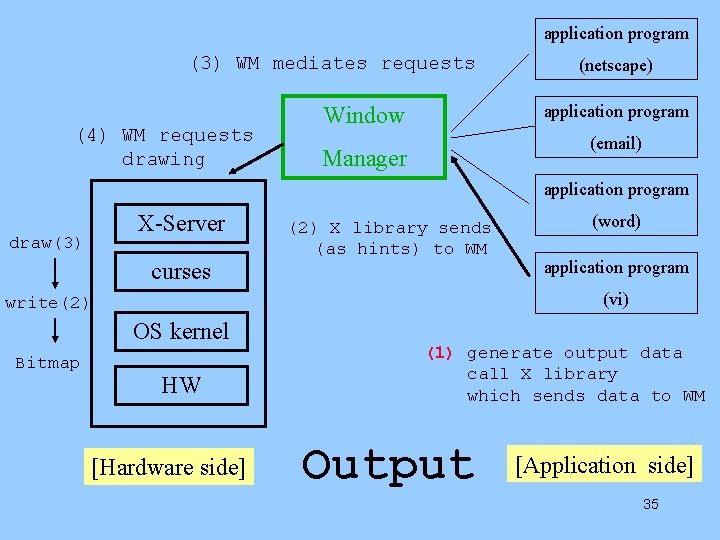
Role of Window Manager X-Clients X-Server hardware Interface with Hardware Window Manager (child windows) Interface with Application Control appearance of windows (arrange, resize, …) Mediate between child windows Window library functions 17
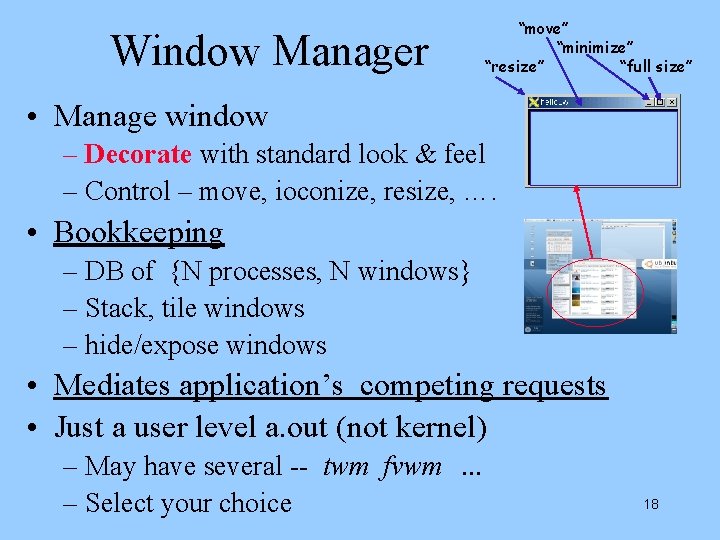
Window Manager “move” “minimize” “resize” “full size” • Manage window – Decorate with standard look & feel – Control – move, ioconize, resize, …. • Bookkeeping – DB of {N processes, N windows} – Stack, tile windows – hide/expose windows • Mediates application’s competing requests • Just a user level a. out (not kernel) – May have several -- twm fvwm. . . – Select your choice 18
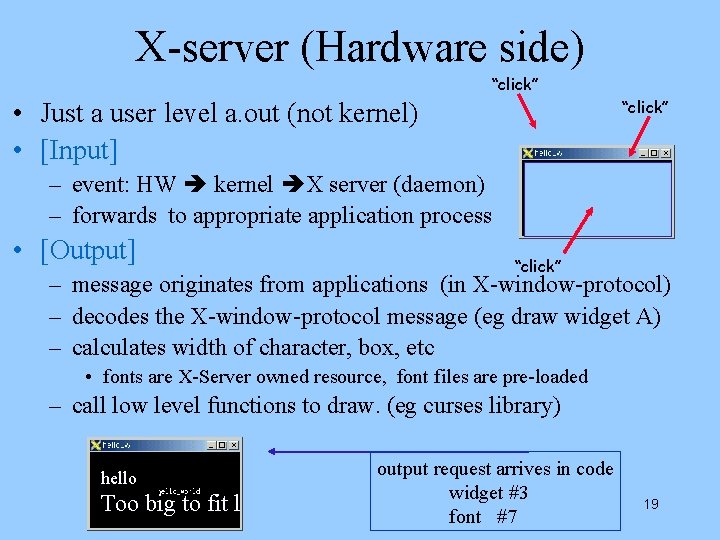
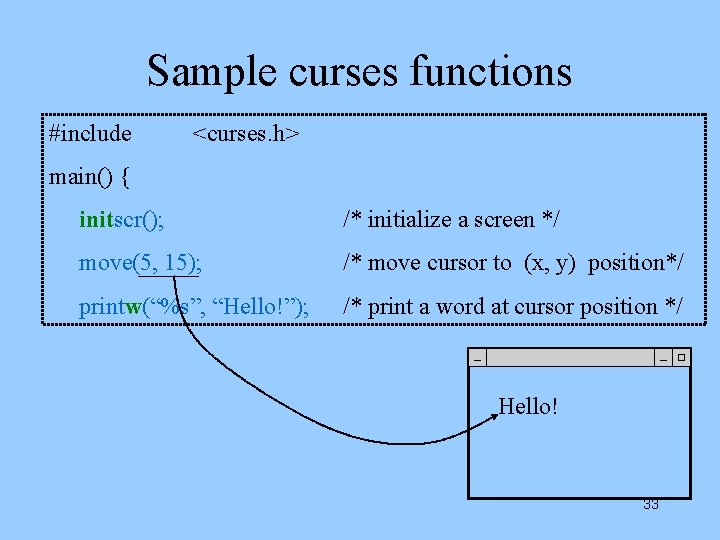
X-server (Hardware side) “click” • Just a user level a. out (not kernel) • [Input] – event: HW kernel X server (daemon) – forwards to appropriate application process • [Output] “click” – message originates from applications (in X-window-protocol) – decodes the X-window-protocol message (eg draw widget A) – calculates width of character, box, etc • fonts are X-Server owned resource, font files are pre-loaded – call low level functions to draw. (eg curses library) hello Too big to fit l output request arrives in code widget #3 font #7 19
2 helping processes (1) X server process (for Display/Input Hardware) [out] Handles display output – manage window hierarchy [in] Handles input (mouse, keyboard) events, forward to appropriate processes (2) Window Manager process (Mediate, Control Processes/Windows) [each] Displays decorative frame around top level window each with title allows users to manipulate top level windows users can (move / resize / iconize / deiconize) windows [N] Windows layout Mediates competing demands from many processes (hide, expose) O Applications (User Program – excel, ppt, . . ) Communicate with X server through X library -- create window, get events Communicate with WM through X library -- specify title, … 20
Window Programming 21
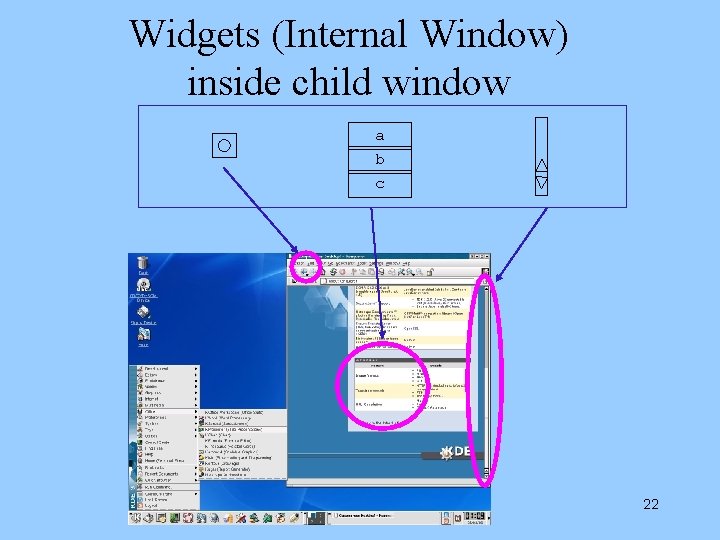
Widgets (Internal Window) inside child window a b c 22
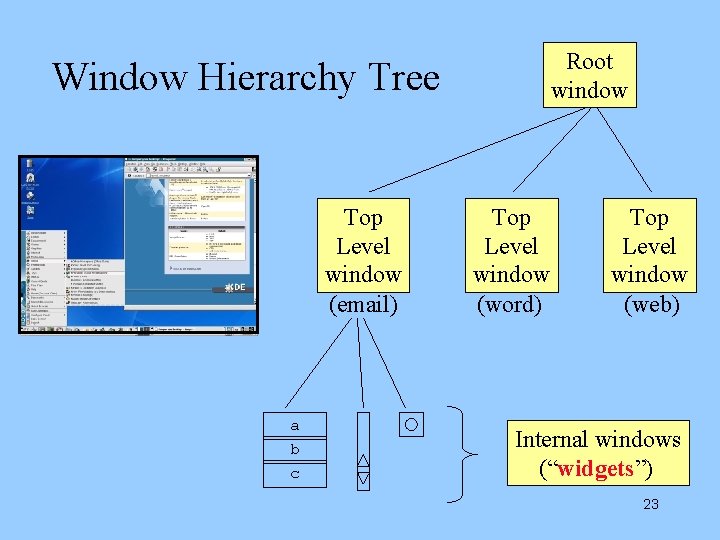
Root window Window Hierarchy Tree Top Level window (email) a b c Top Level window (word) Top Level window (web) Internal windows (“widgets”) 23
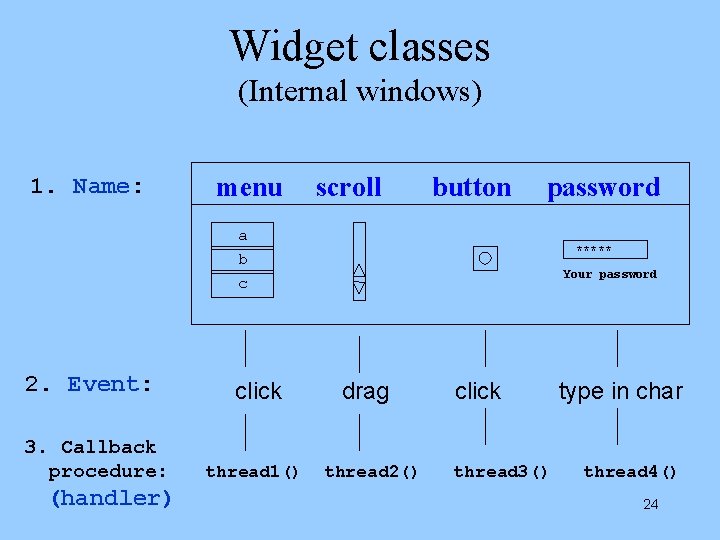
Widget classes (Internal windows) 1. Name: menu scroll button password a b c 2. Event: 3. Callback procedure: (handler) click thread 1() ***** Your password drag thread 2() click thread 3() type in char thread 4() 24
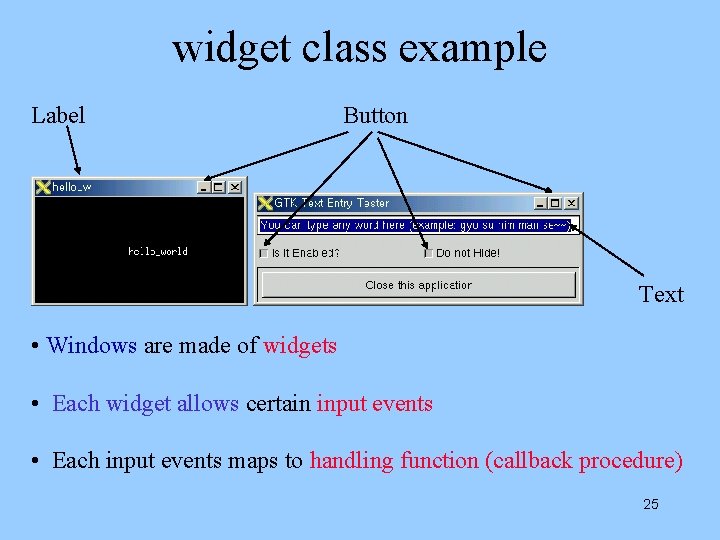
widget class example Label Button Text • Windows are made of widgets • Each widget allows certain input events • Each input events maps to handling function (callback procedure) 25
allowed events on widget classes [widget name] [Description] ---------------------------------Button select by clicking Scrollbar user selects the region Textfield user types text Password user types text but **** echoes Label cannot receive input Menu 26
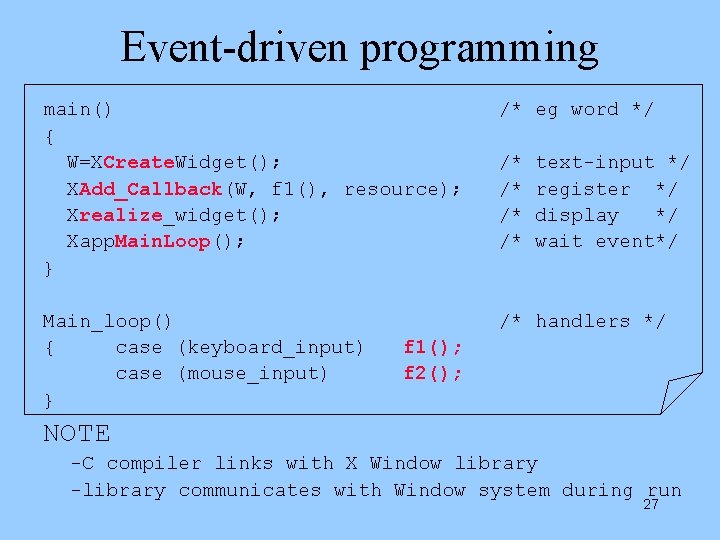
Event-driven programming main() { W=XCreate. Widget(); XAdd_Callback(W, f 1(), resource); Xrealize_widget(); Xapp. Main. Loop(); } /* eg word */ Main_loop() { case (keyboard_input) case (mouse_input) } /* handlers */ /* /* text-input */ register */ display */ wait event*/ f 1(); f 2(); NOTE -C compiler links with X Window library -library communicates with Window system during run 27
Window Library X-Clients X-Server hardware Interface with Hardware Window Manager (child windows) Window library functions Interface with Application Qt C++ library (KDE) GTK+ C library (GNOME) 28
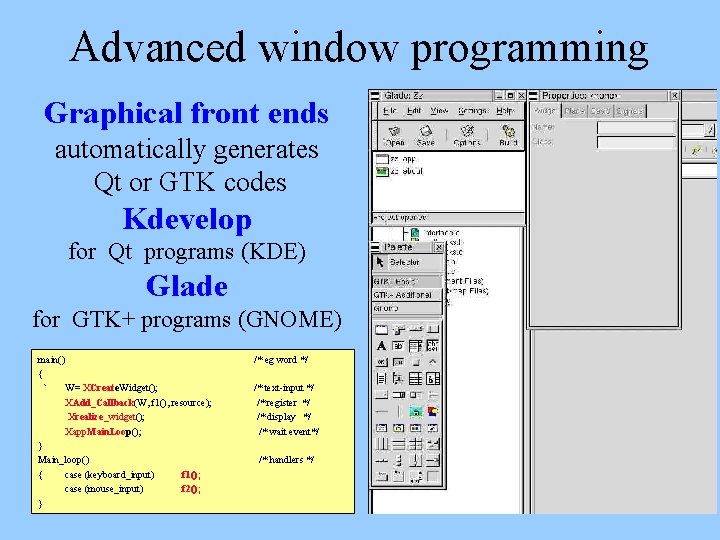
Advanced window programming Graphical front ends automatically generates Qt or GTK codes Kdevelop for Qt programs (KDE) Glade for GTK+ programs (GNOME) main() { ` W= XCreate. Widget(); XAdd_Callback(W, f 1(), resource); Xrealize_widget(); Xapp. Main. Loop(); } Main_loop() { case (keyboard_input) f 1(); case (mouse_input) f 2(); } /* eg word */ /* text-input */ /* register */ /* display */ /* wait event*/ /* handlers */ 29
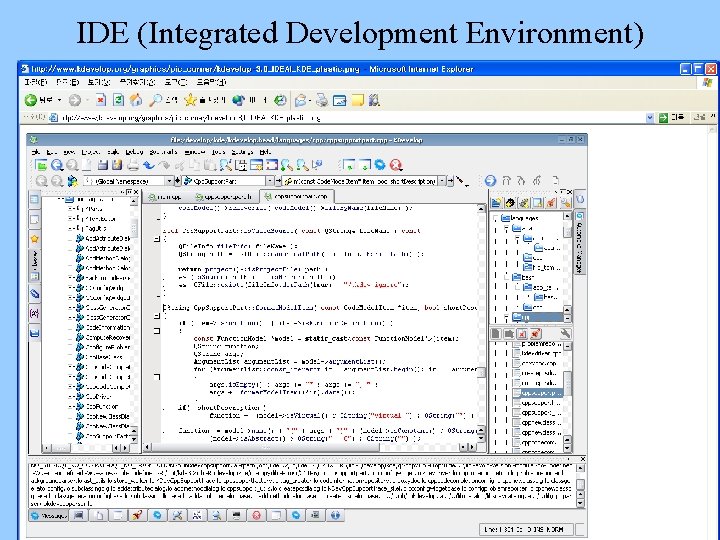
IDE (Integrated Development Environment) 30
Curses library 31
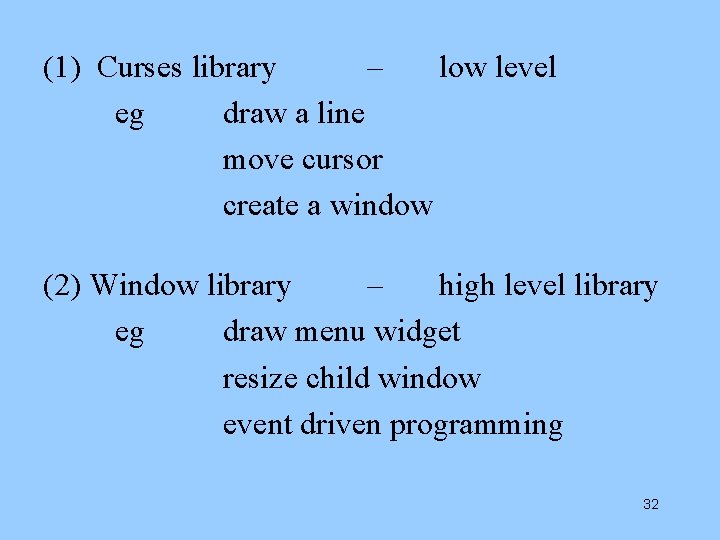
(1) Curses library – low level eg draw a line move cursor create a window (2) Window library – high level library eg draw menu widget resize child window event driven programming 32
Sample curses functions #include <curses. h> main() { initscr(); /* initialize a screen */ move(5, 15); /* move cursor to (x, y) position*/ printw(“%s”, “Hello!”); /* print a word at cursor position */ Hello! 33
[Hardware side] [Application side] Window Manager application program X-Server (2) wake up X server (netscape) OS kernel application program HW (email) (3) deliver (1) Mouse click Input 34
application program (3) WM mediates requests (4) WM requests drawing (netscape) application program Window (email) Manager application program X-Server draw(3) curses (2) X library sends (as hints) to WM application program (vi) write(2) OS kernel Bitmap (word) HW [Hardware side] (1) generate output data call X library which sends data to WM Output [Application side] 35
[Application Process side] local / remote [Display HW side] X-Server X protocol is integrated with TCP/IP OS kernel application program X-library OS kernel X-Protocol HW Hardware TCP/IP Ethernet 36
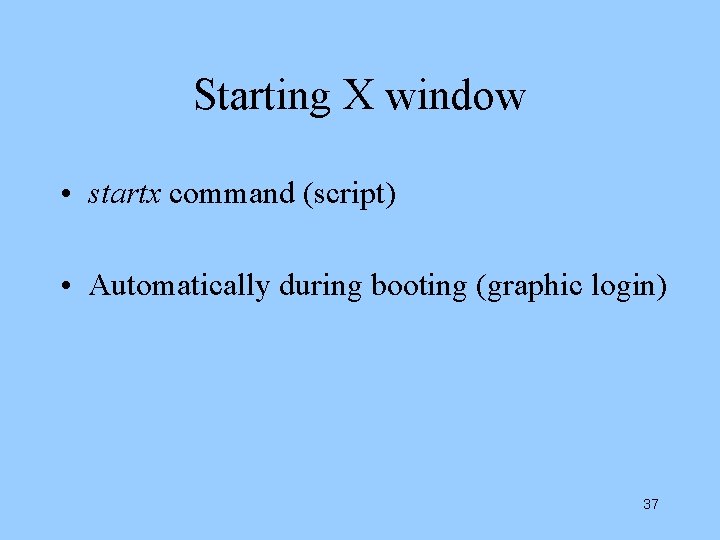
Starting X window • startx command (script) • Automatically during booting (graphic login) 37
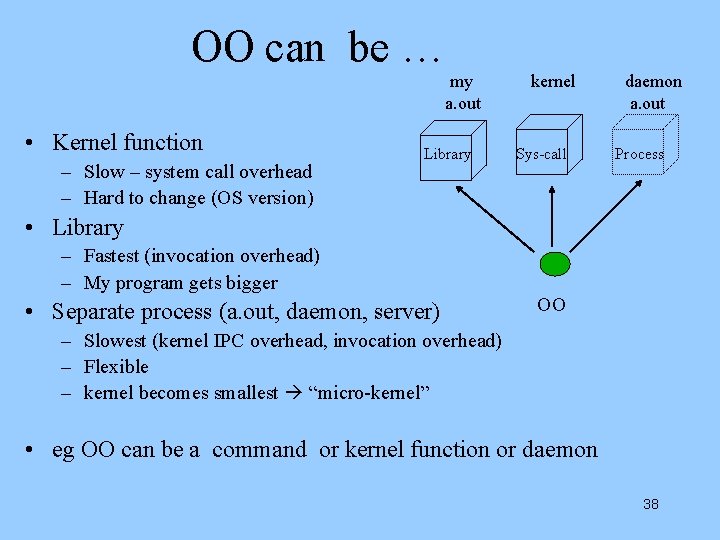
OO can be … my a. out • Kernel function – Slow – system call overhead – Hard to change (OS version) Library kernel Sys-call daemon a. out Process • Library – Fastest (invocation overhead) – My program gets bigger • Separate process (a. out, daemon, server) OO – Slowest (kernel IPC overhead, invocation overhead) – Flexible – kernel becomes smallest “micro-kernel” • eg OO can be a command or kernel function or daemon 38