
1 XML 2 XML 3 XMLDTDXML Schema 4
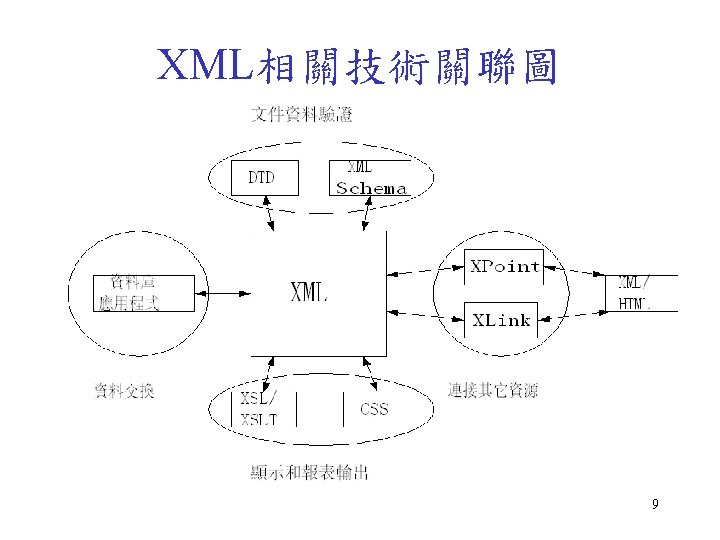
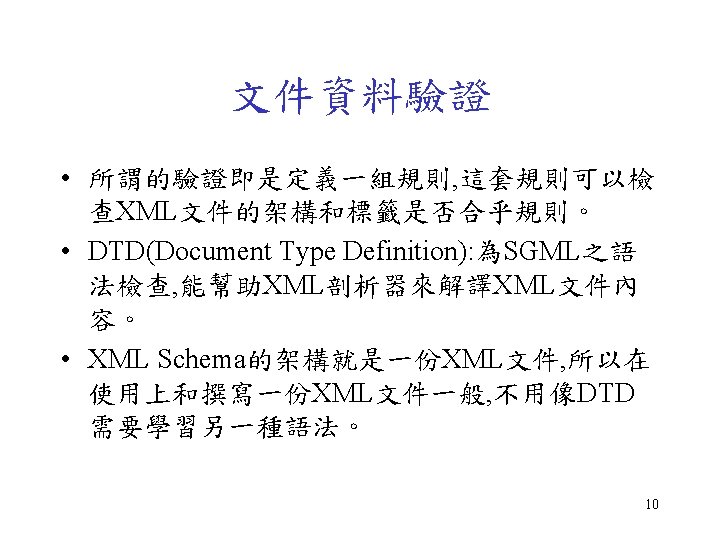
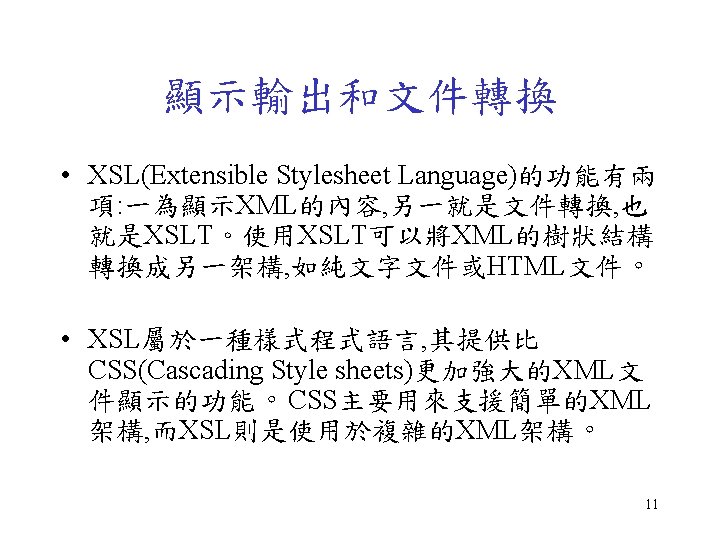
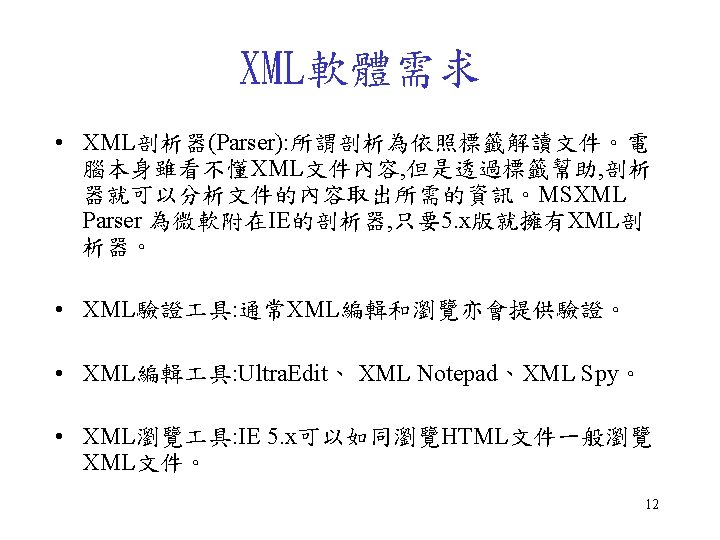
![節點索引條件 • Xpath之位置路徑: 範例 說明 /glossary/item/title 選擇item子元素下的title元素 /glossary/item/title[1] 選擇item子元素的第一個title元素 /glossary/item/title[@version] 選擇item元素擁有屬性version的所有 title元素 /glossary/item/title@version 傳回title子元素之version屬性的值](https://slidetodoc.com/presentation_image_h2/d851f2f61111c0fb6b5b251d10ebc76e/image-43.jpg "節點索引條件 • Xpath之位置路徑: 範例 說明 /glossary/item/title 選擇item子元素下的title元素 /glossary/item/title[1] 選擇item子元素的第一個title元素 /glossary/item/title[@version] 選擇item元素擁有屬性version的所有 title元素 /glossary/item/title@version 傳回title子元素之version屬性的值")
- Slides: 50
主題 • • • 1. XML基礎 2. 建立XML文件 3. XML語法檢查(DTD/XML Schema) 4. XSLT、XPath轉換XML文件 5. XML Document Object Model 2
1. XML基礎 3
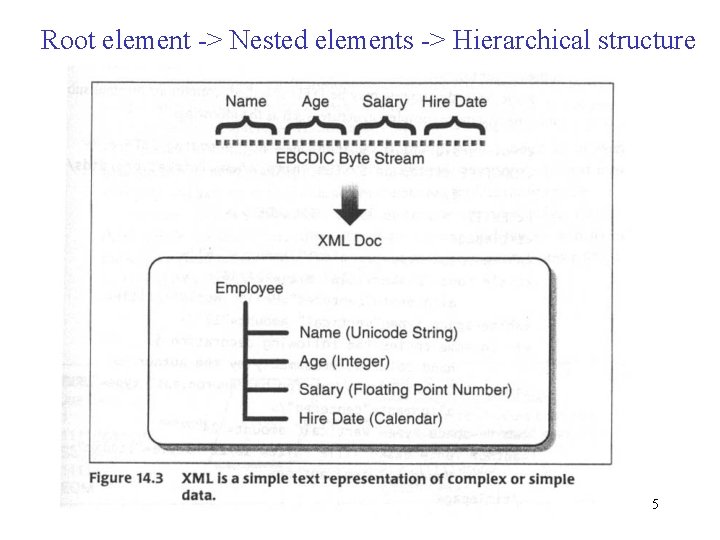
Root element -> Nested elements -> Hierarchical structure 5
What is XML? • • • XML: e. Xtensible Markup Language defines an universal standard for electronically exchanging data for the Internet and Web applications and is supported by major IT vendors. XML在書寫上非常類似HTML, 注重資料的內容而 不是如何顯示, 沒有如HTML的預設標籤, 並非取代 HTML。 使用者必須自行定義描述資料所需的各種標籤以傳 輸有結構性的資料, 即須注意良好格式(Well. Formed)和資料驗證(Validity)。 6
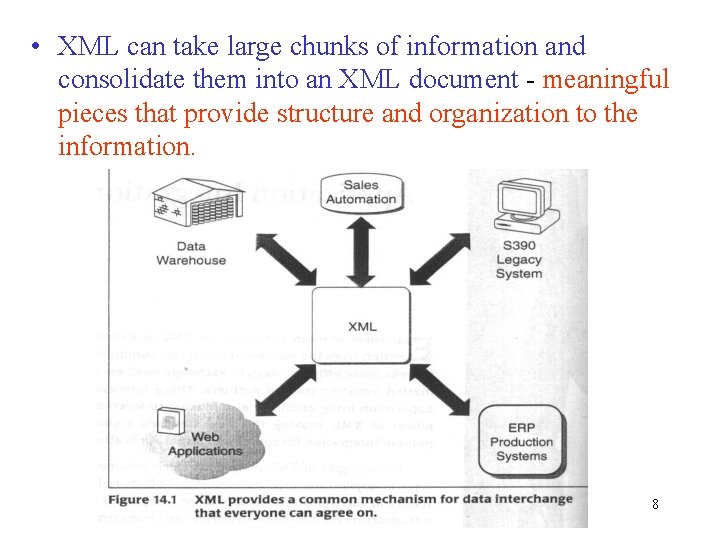
• XML can take large chunks of information and consolidate them into an XML document - meaningful pieces that provide structure and organization to the information. 8
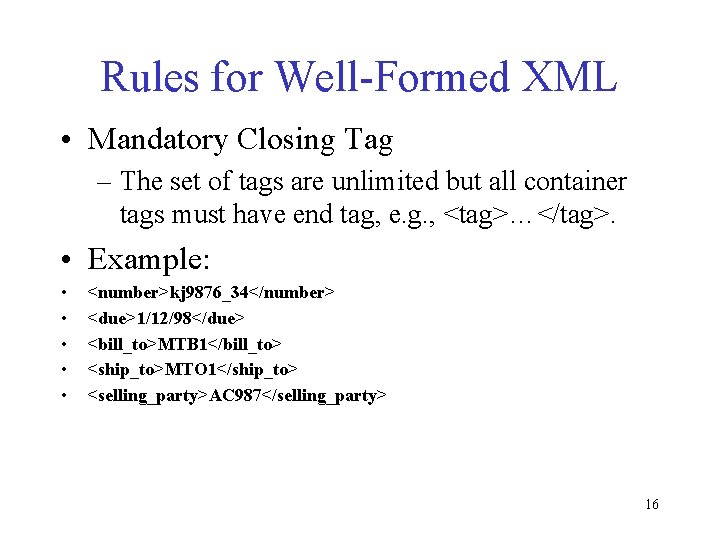
Rules for Well-Formed XML • Mandatory Closing Tag – The set of tags are unlimited but all container tags must have end tag, e. g. , <tag>…</tag>. • Example: • • • <number>kj 9876_34</number> <due>1/12/98</due> <bill_to>MTB 1</bill_to> <ship_to>MTO 1</ship_to> <selling_party>AC 987</selling_party> 16
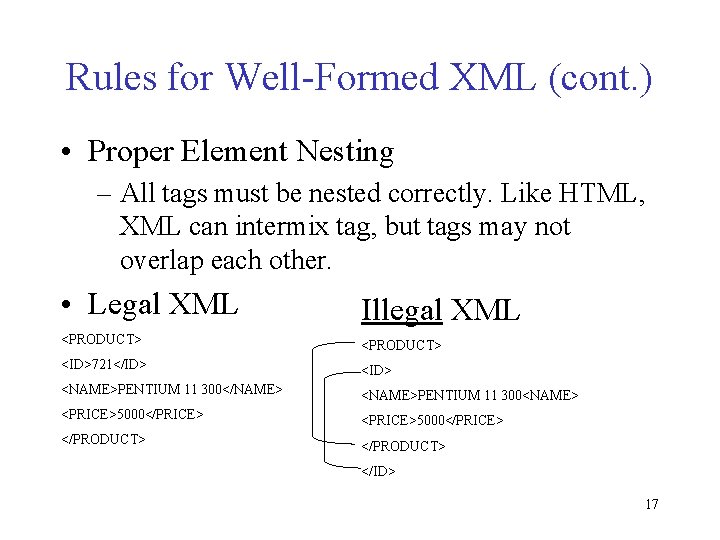
Rules for Well-Formed XML (cont. ) • Proper Element Nesting – All tags must be nested correctly. Like HTML, XML can intermix tag, but tags may not overlap each other. • Legal XML Illegal XML <PRODUCT> <ID>721</ID> <NAME>PENTIUM 11 300</NAME> <NAME>PENTIUM 11 300<NAME> <PRICE>5000</PRICE> </PRODUCT> </ID> 17
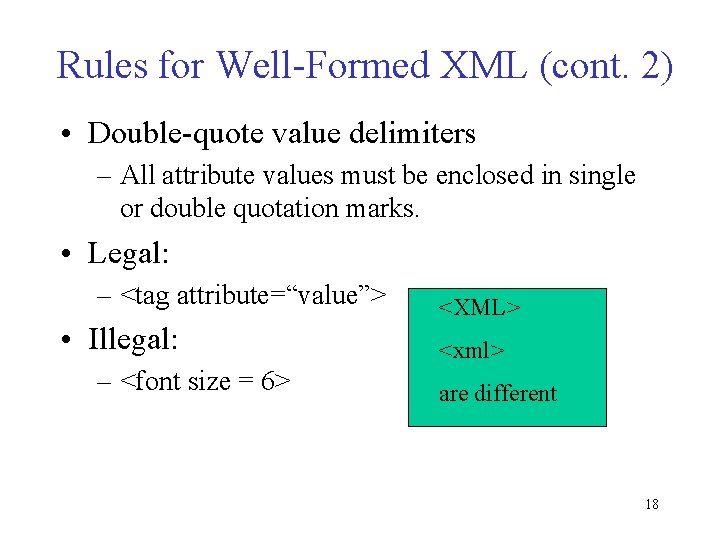
Rules for Well-Formed XML (cont. 2) • Double-quote value delimiters – All attribute values must be enclosed in single or double quotation marks. • Legal: – <tag attribute=“value”> • Illegal: – <font size = 6> <XML> <xml> are different 18
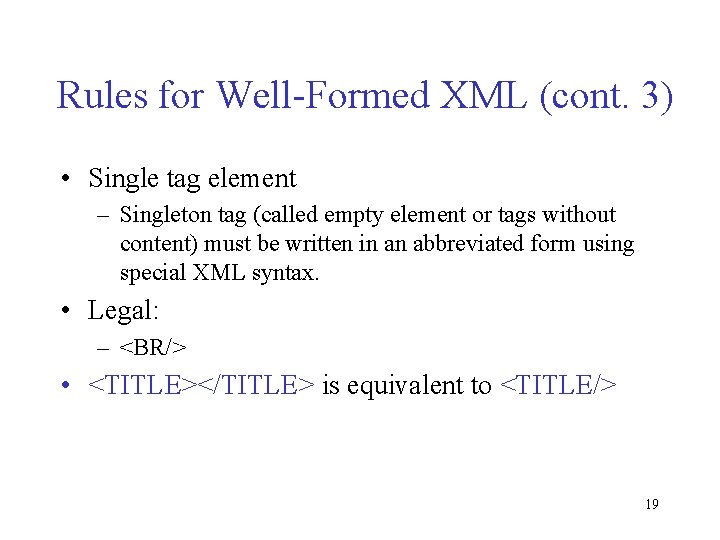
Rules for Well-Formed XML (cont. 3) • Single tag element – Singleton tag (called empty element or tags without content) must be written in an abbreviated form using special XML syntax. • Legal: – <BR/> • <TITLE></TITLE> is equivalent to <TITLE/> 19
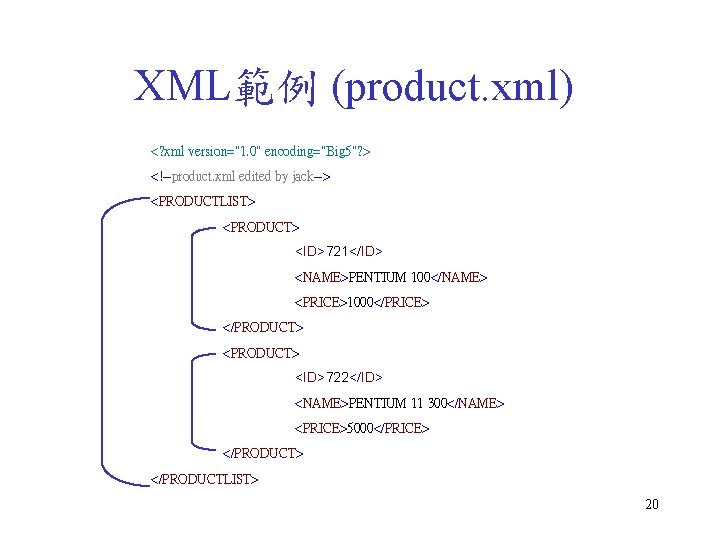
XML範例 (product. xml) <? xml version="1. 0" encoding="Big 5"? > <!--product. xml edited by jack--> <PRODUCTLIST> <PRODUCT> <ID>721</ID> <NAME>PENTIUM 100</NAME> <PRICE>1000</PRICE> </PRODUCT> <ID>722</ID> <NAME>PENTIUM 11 300</NAME> <PRICE>5000</PRICE> </PRODUCTLIST> 20
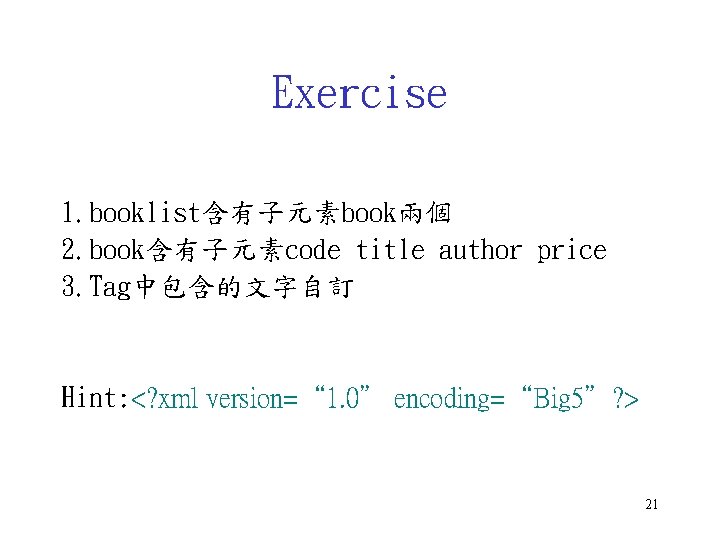
Exercise 1. booklist含有子元素book兩個 2. book含有子元素code title author price 3. Tag中包含的文字自訂 Hint: <? xml version=“ 1. 0” encoding=“Big 5”? > 21
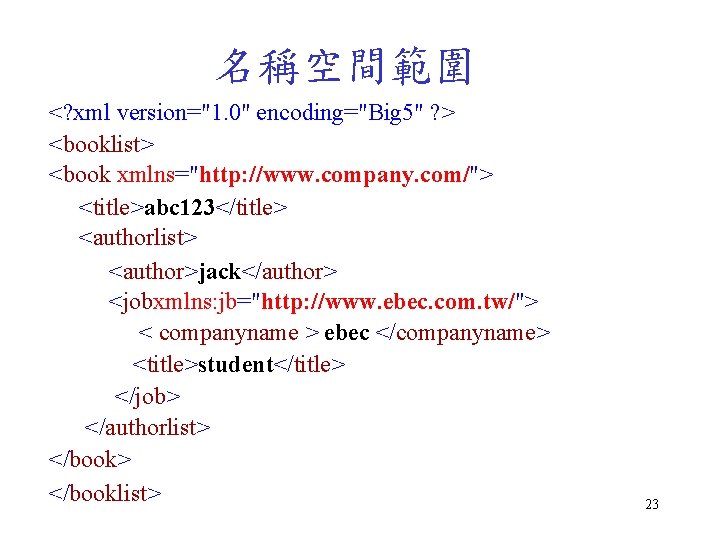
名稱空間範圍 <? xml version="1. 0" encoding="Big 5" ? > <booklist> <book xmlns="http: //www. company. com/"> <title>abc 123</title> <authorlist> <author>jack</author> <jobxmlns: jb="http: //www. ebec. com. tw/"> < companyname > ebec </companyname> <title>student</title> </job> </authorlist> </booklist> 23
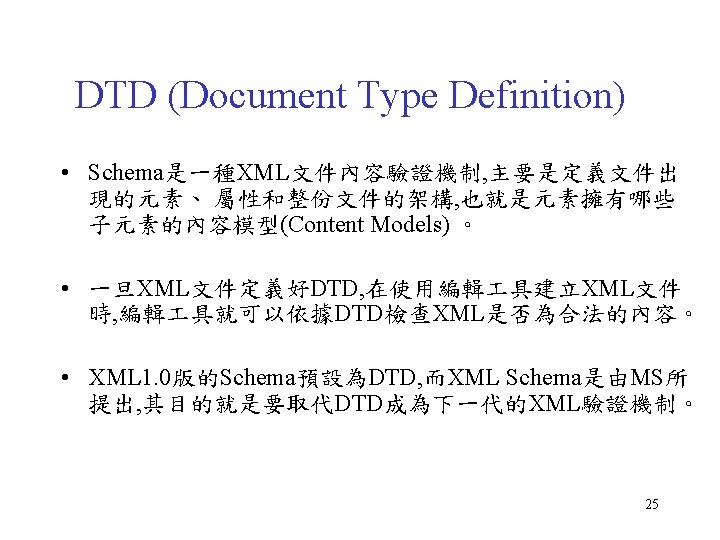
3. XML語法檢查 (DTD/XML Schema) 24
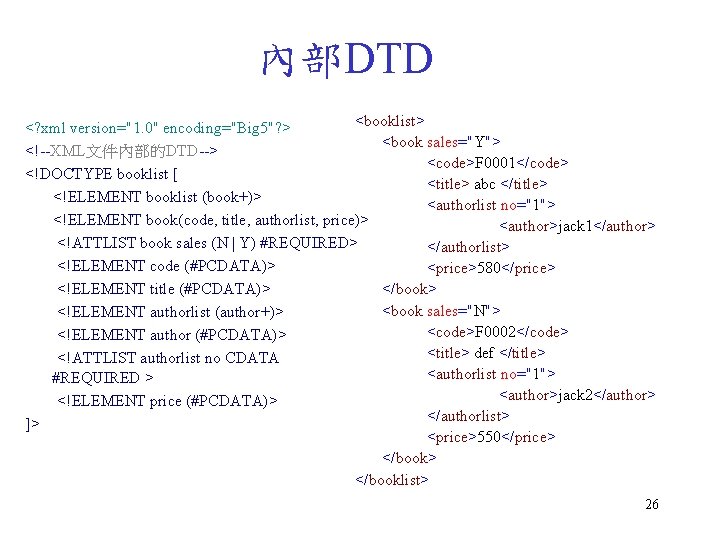
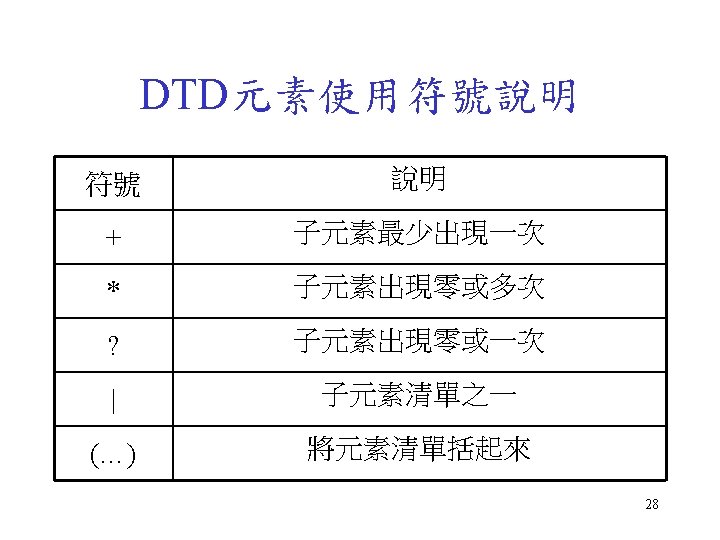
內部DTD <booklist> <? xml version="1. 0" encoding="Big 5"? > <book sales="Y"> <!--XML文件內部的DTD--> <code>F 0001</code> <!DOCTYPE booklist [ <title> abc </title> <!ELEMENT booklist (book+)> <authorlist no="1"> <!ELEMENT book(code, title, authorlist, price)> <author>jack 1</author> <!ATTLIST book sales (N | Y) #REQUIRED> </authorlist> <!ELEMENT code (#PCDATA)> <price>580</price> <!ELEMENT title (#PCDATA)> </book> <book sales="N"> <!ELEMENT authorlist (author+)> <code>F 0002</code> <!ELEMENT author (#PCDATA)> <title> def </title> <!ATTLIST authorlist no CDATA <authorlist no="1"> #REQUIRED > <author>jack 2</author> <!ELEMENT price (#PCDATA)> </authorlist> ]> <price>550</price> </booklist> 26
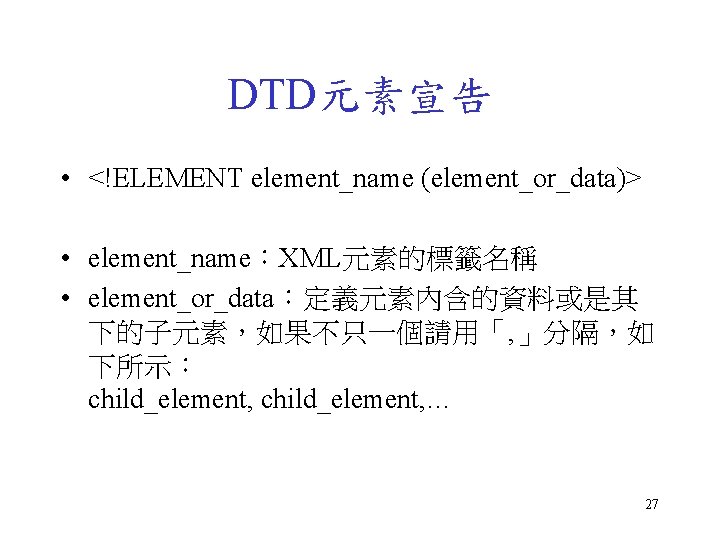
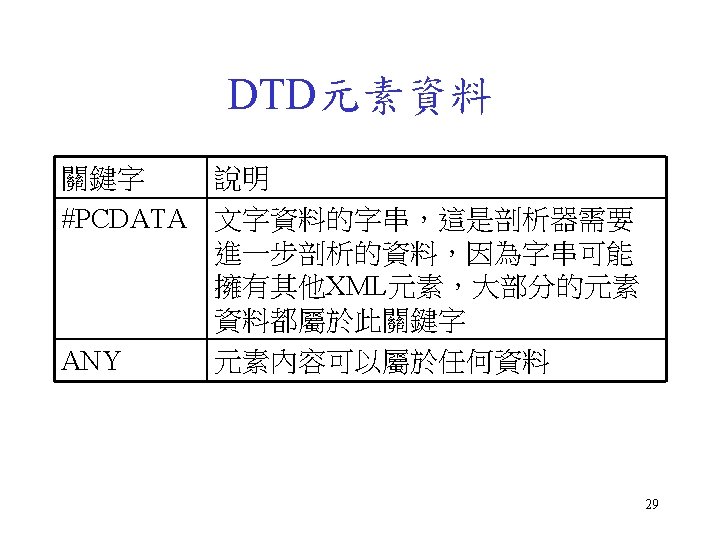
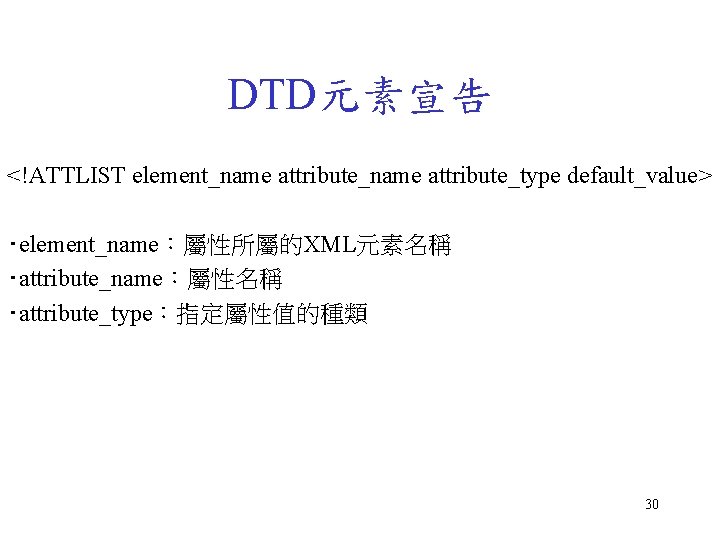
DTD元素宣告 <!ATTLIST element_name attribute_type default_value> ‧element_name:屬性所屬的XML元素名稱 ‧attribute_name:屬性名稱 ‧attribute_type:指定屬性值的種類 30
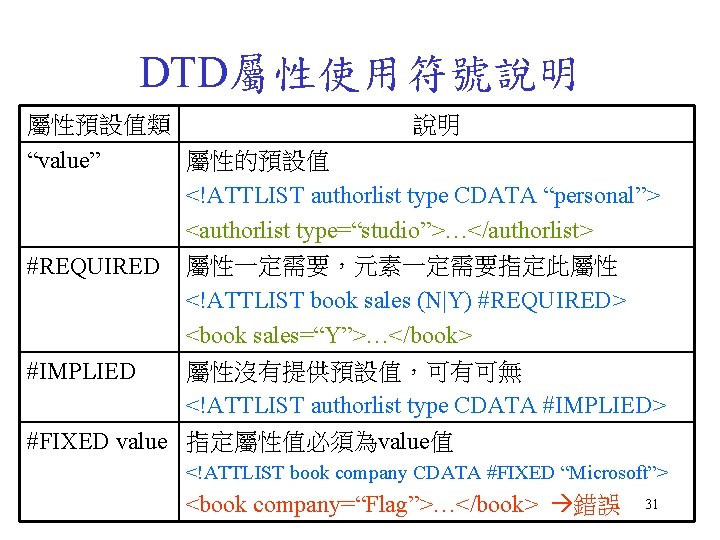
DTD屬性使用符號說明 屬性預設值類 說明 “value” 屬性的預設值 <!ATTLIST authorlist type CDATA “personal”> <authorlist type=“studio”>…</authorlist> #REQUIRED 屬性一定需要,元素一定需要指定此屬性 <!ATTLIST book sales (N|Y) #REQUIRED> <book sales=“Y”>…</book> 屬性沒有提供預設值,可有可無 #IMPLIED <!ATTLIST authorlist type CDATA #IMPLIED> #FIXED value 指定屬性值必須為value值 <!ATTLIST book company CDATA #FIXED “Microsoft”> <book company=“Flag”>…</book> 錯誤 31
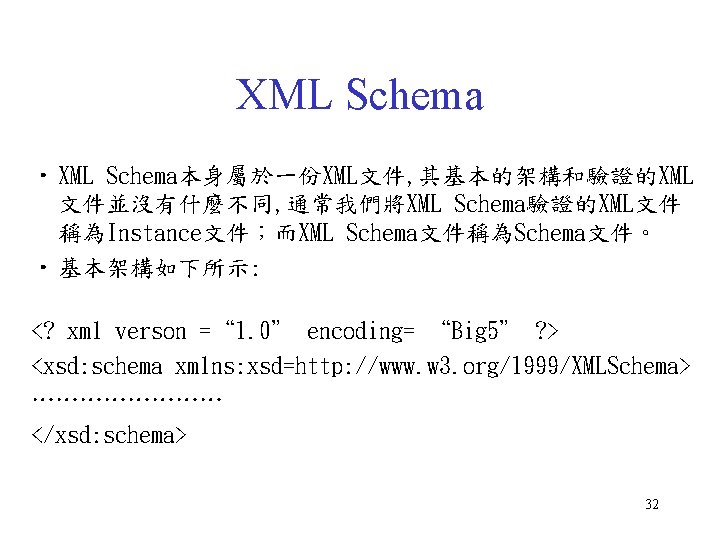
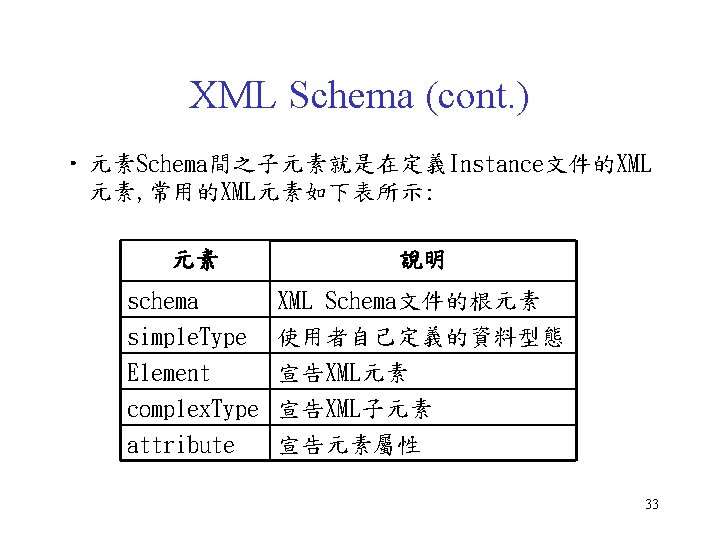
XML Schema • XML Schema本身屬於一份XML文件, 其基本的架構和驗證的XML 文件並沒有什麼不同, 通常我們將XML Schema驗證的XML文件 稱為Instance文件;而XML Schema文件稱為Schema文件。 • 基本架構如下所示: <? xml verson =“ 1. 0” encoding= “Big 5” ? > <xsd: schema xmlns: xsd=http: //www. w 3. org/1999/XMLSchema> ………… </xsd: schema> 32
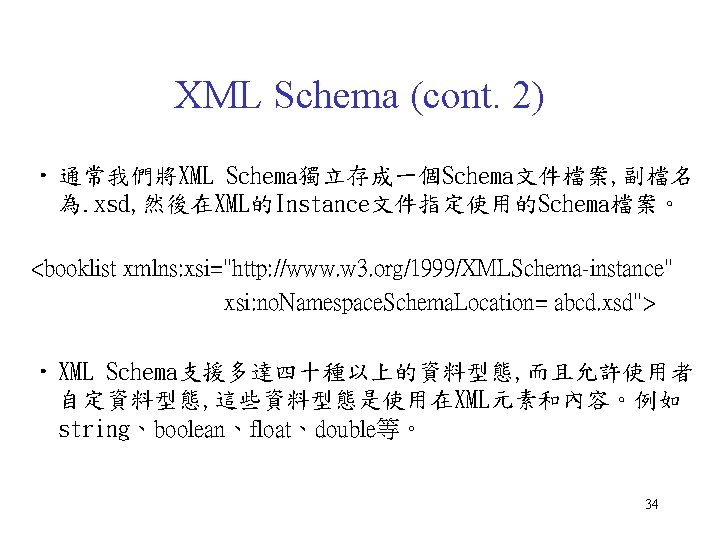
XML Schema (cont. 2) • 通常我們將XML Schema獨立存成一個Schema文件檔案, 副檔名 為. xsd, 然後在XML的Instance文件指定使用的Schema檔案。 <booklist xmlns: xsi="http: //www. w 3. org/1999/XMLSchema-instance" xsi: no. Namespace. Schema. Location= abcd. xsd"> • XML Schema支援多達四十種以上的資料型態, 而且允許使用者 自定資料型態, 這些資料型態是使用在XML元素和內容。例如 string、boolean、float、double等。 34
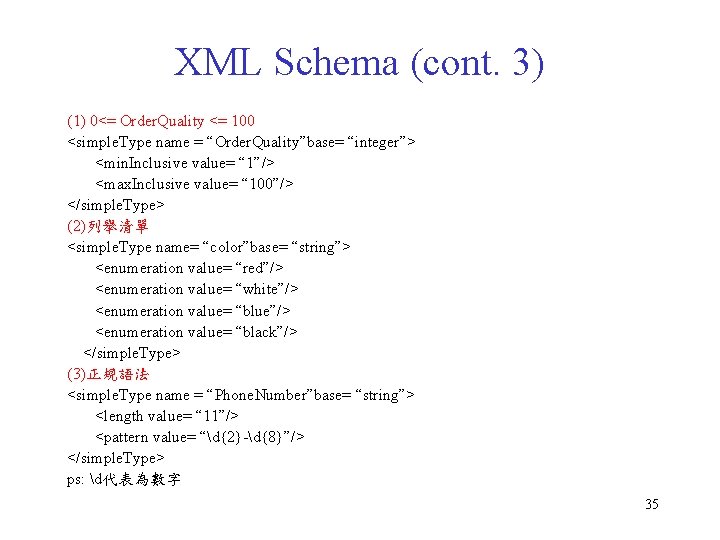
XML Schema (cont. 3) (1) 0<= Order. Quality <= 100 <simple. Type name = “Order. Quality”base= “integer”> <min. Inclusive value= “ 1”/> <max. Inclusive value= “ 100”/> </simple. Type> (2)列舉清單 <simple. Type name= “color”base= “string”> <enumeration value= “red”/> <enumeration value= “white”/> <enumeration value= “blue”/> <enumeration value= “black”/> </simple. Type> (3)正規語法 <simple. Type name = “Phone. Number”base= “string”> <length value= “ 11”/> <pattern value= “d{2}-d{8}”/> </simple. Type> ps: d代表為數字 35
4. XSLT、XPath 轉換XML文件 36
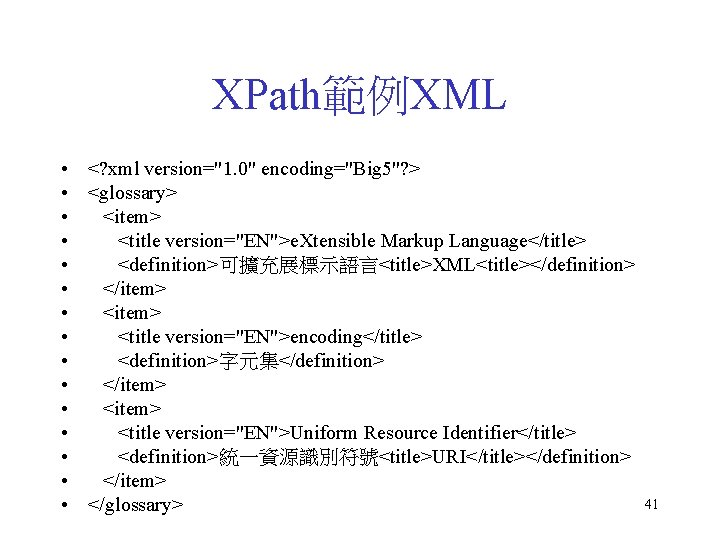
XPath範例XML • <? xml version="1. 0" encoding="Big 5"? > • <glossary> • <item> • <title version="EN">e. Xtensible Markup Language</title> • <definition>可擴充展標示語言<title>XML<title></definition> • </item> • <title version="EN">encoding</title> • <definition>字元集</definition> • </item> • <title version="EN">Uniform Resource Identifier</title> • <definition>統一資源識別符號<title>URI</title></definition> • </item> • </glossary> 41
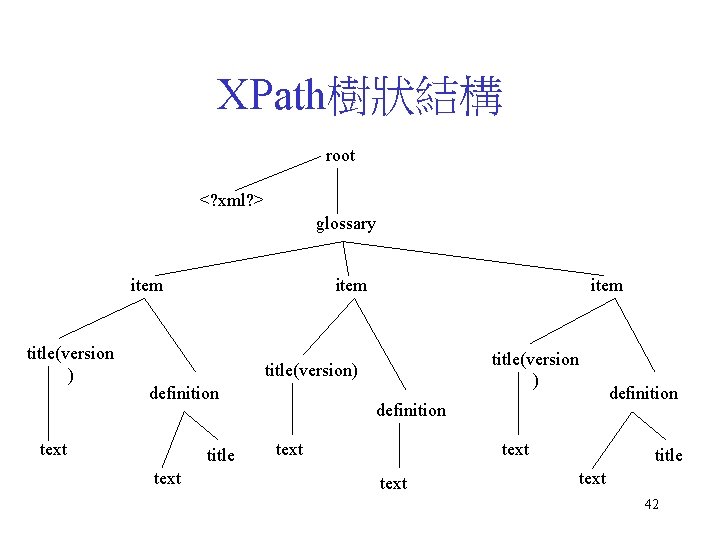
XPath樹狀結構 root <? xml? > glossary item title(version ) title(version) definition text title text definition text definition title text 42
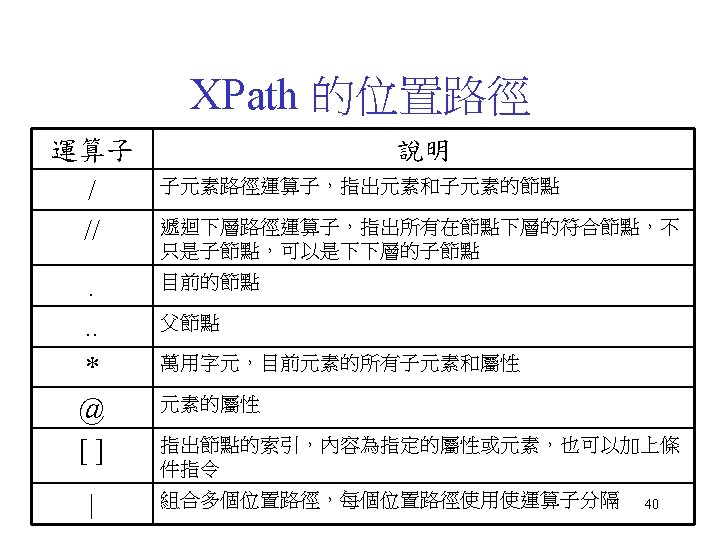
節點索引條件 • Xpath之位置路徑: 範例 說明 /glossary/item/title 選擇item子元素下的title元素 /glossary/item/title[1] 選擇item子元素的第一個title元素 /glossary/item/title[@version] 選擇item元素擁有屬性version的所有 title元素 /glossary/item/title@version 傳回title子元素之version屬性的值 //title 指出根節點下所有之title元素 /glossary/item/* 選擇/glossary/item下的所有元素 43
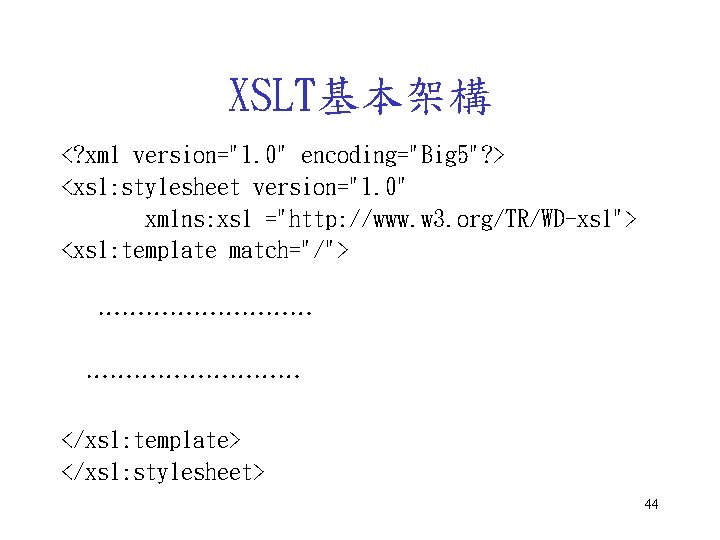
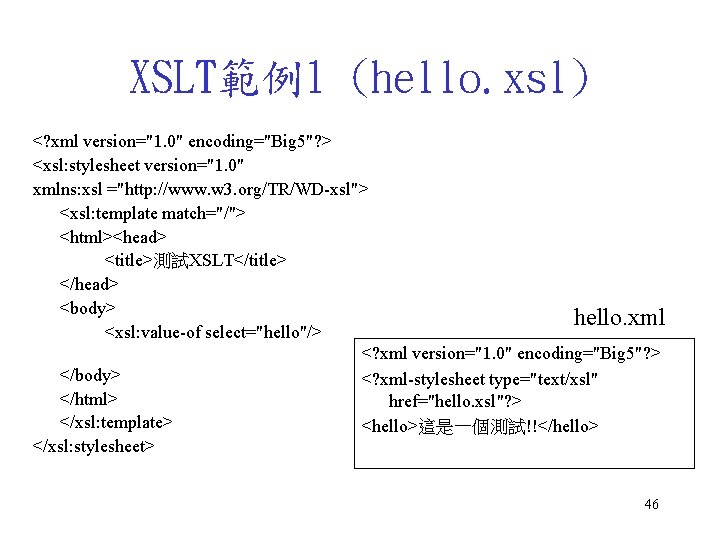
XSLT基本架構 <? xml version="1. 0" encoding="Big 5"? > <xsl: stylesheet version="1. 0" xmlns: xsl ="http: //www. w 3. org/TR/WD-xsl"> <xsl: template match="/"> ……………………… </xsl: template> </xsl: stylesheet> 44
XSLT範例1 (hello. xsl) <? xml version="1. 0" encoding="Big 5"? > <xsl: stylesheet version="1. 0" xmlns: xsl ="http: //www. w 3. org/TR/WD-xsl"> <xsl: template match="/"> <html><head> <title>測試XSLT</title> </head> <body> hello. xml <xsl: value-of select="hello"/> <? xml version="1. 0" encoding="Big 5"? > </body> <? xml-stylesheet type="text/xsl" </html> href="hello. xsl"? > </xsl: template> <hello>這是一個測試!!</hello> </xsl: stylesheet> 46
XSL範例2 (LCD 2. xsl) 47
XSL範例3 (LCD. xsl) 48
References • XML的入門與應用 – http: //www. hpdiy. com. tw/xml. htm • 實戰XML – http: //www. softchina. com. tw • XML IE 5 – http: //webdev. wrox. co. uk/books/1576/ • XML-Data standard – http: //www. w 3. org/TR/NOTE-XML-data/ • XSL standard – http: //www. w 3. org/TR/NOTE-XML-data/ 49
XML網站推薦 • IBM網站 – http: //www. ibm. com/developer/xml/ • 微軟網站 – http: //msdn. microsoft. com/xml/default. asp • Free XML software – http: //www. stud. ifi. uio. no/~lmariusg/linker/XMLtools. html – http: //www. stud. ifi. uio. no/~lmariusg/linker/xmltools/by-platform. html 50