
1 Variance ChiSquare Test When to use this
- Slides: 6
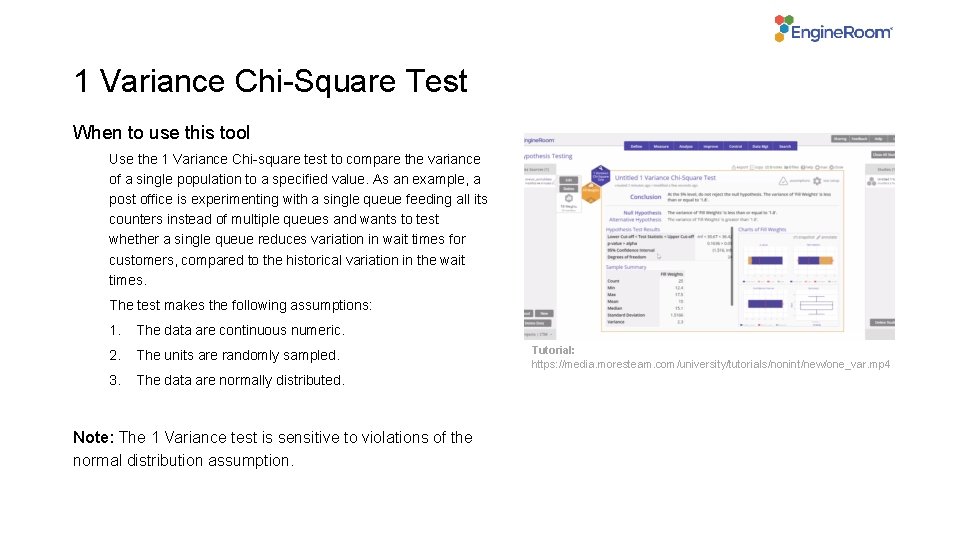
1 Variance Chi-Square Test When to use this tool Use the 1 Variance Chi-square test to compare the variance of a single population to a specified value. As an example, a post office is experimenting with a single queue feeding all its counters instead of multiple queues and wants to test whether a single queue reduces variation in wait times for customers, compared to the historical variation in the wait times. The test makes the following assumptions: 1. The data are continuous numeric. 2. The units are randomly sampled. 3. The data are normally distributed. Note: The 1 Variance test is sensitive to violations of the normal distribution assumption. Tutorial: https: //media. moresteam. com/university/tutorials/nonint/new/one_var. mp 4
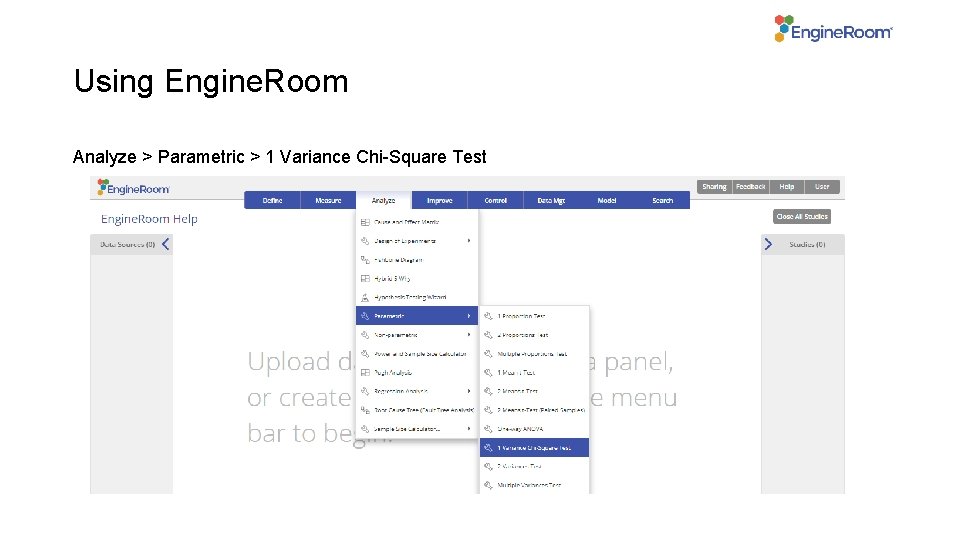
Using Engine. Room Analyze > Parametric > 1 Variance Chi-Square Test
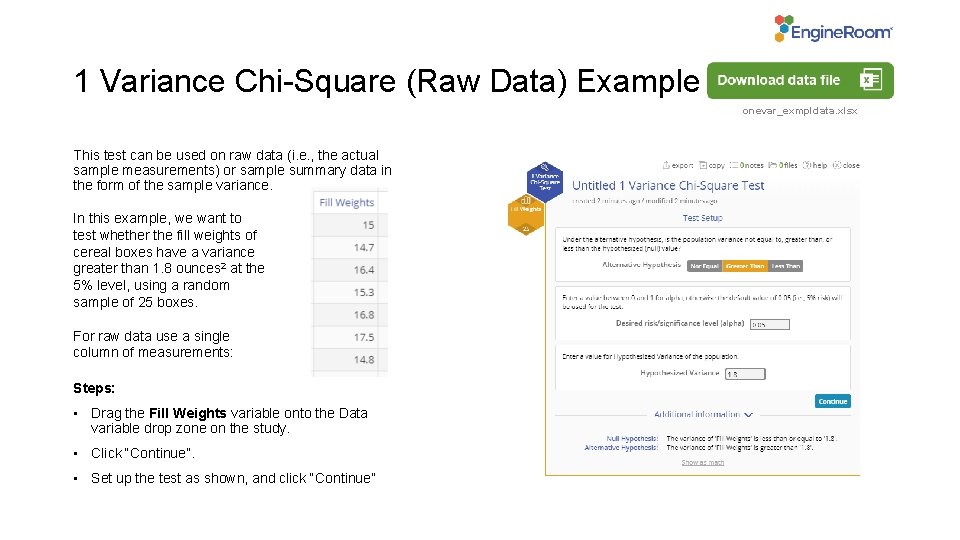
1 Variance Chi-Square (Raw Data) Example onevar_exmpldata. xlsx This test can be used on raw data (i. e. , the actual sample measurements) or sample summary data in the form of the sample variance. In this example, we want to test whether the fill weights of cereal boxes have a variance greater than 1. 8 ounces 2 at the 5% level, using a random sample of 25 boxes. For raw data use a single column of measurements: Steps: • Drag the Fill Weights variable onto the Data variable drop zone on the study. • Click “Continue”. • Set up the test as shown, and click “Continue”
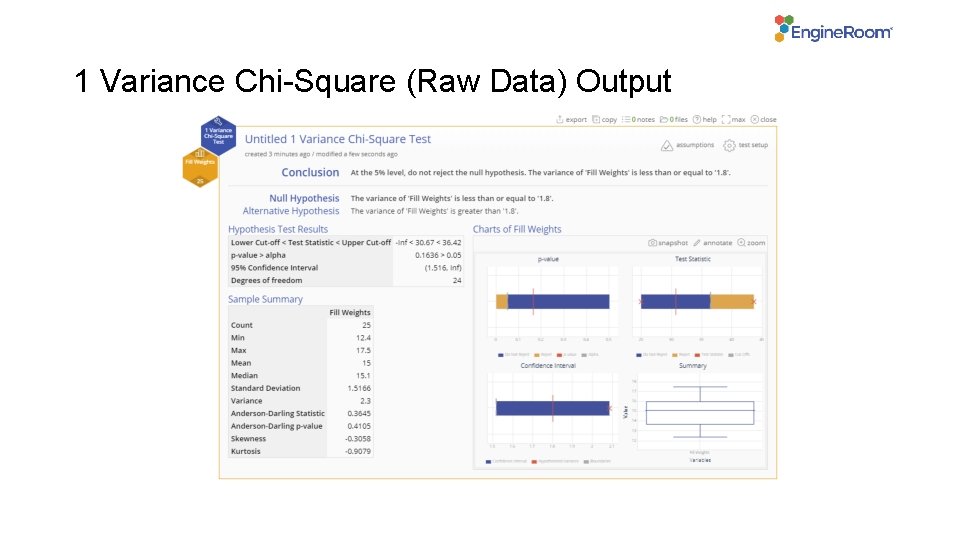
1 Variance Chi-Square (Raw Data) Output
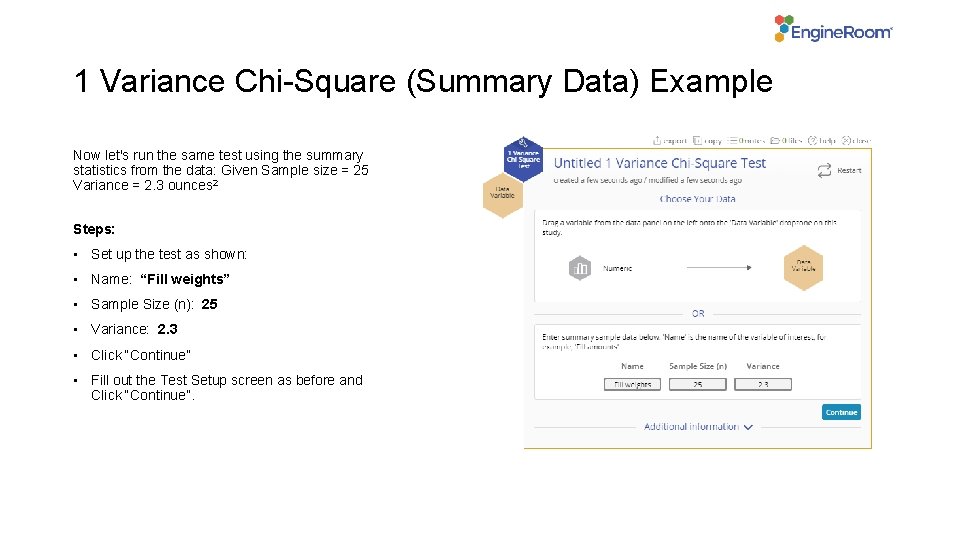
1 Variance Chi-Square (Summary Data) Example Now let's run the same test using the summary statistics from the data: Given Sample size = 25 Variance = 2. 3 ounces 2 Steps: • Set up the test as shown: • Name: “Fill weights” • Sample Size (n): 25 • Variance: 2. 3 • Click “Continue” • Fill out the Test Setup screen as before and Click “Continue”.
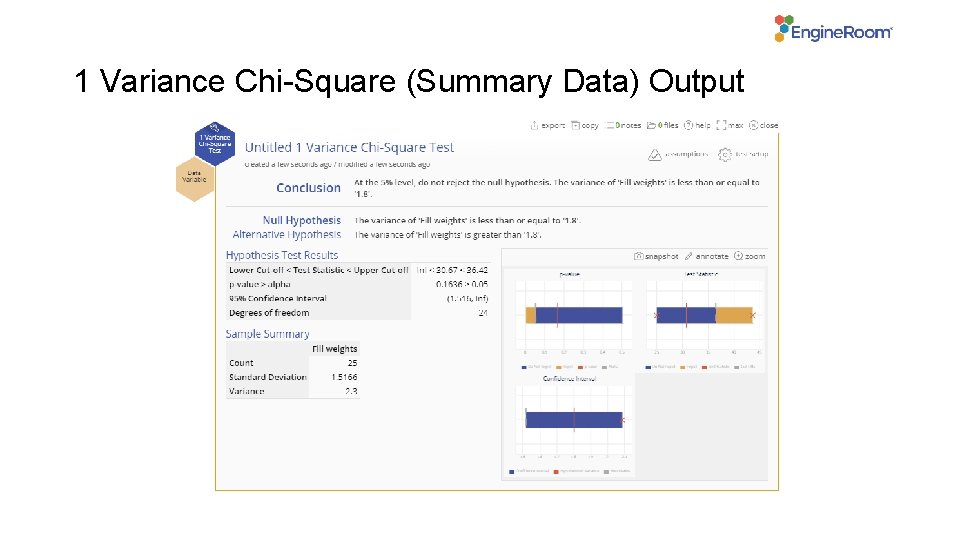
1 Variance Chi-Square (Summary Data) Output