
1 UNITIV INTRODUCTION TO 16 BIT MICROPROCESSOR 8086
1 UNIT-IV INTRODUCTION TO 16 BIT MICROPROCESSOR
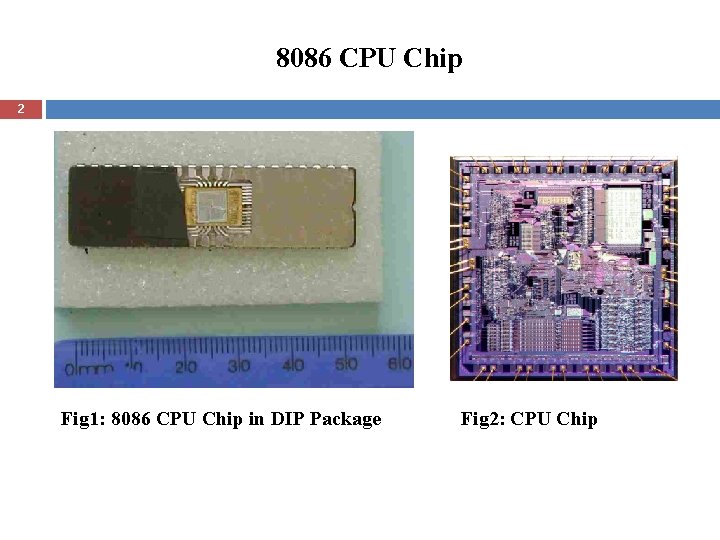
8086 CPU Chip 2 Fig 1: 8086 CPU Chip in DIP Package Fig 2: CPU Chip
3 Features of 8086 Microprocessor I q 16 -bit ALU. q Read data or write data to memory or I/O ports either 16 bits or 8 bits at a time. q 20 -bit address lines. q 40 -pin configuration with HMOS technology having around 20, 000 transistors in its circuitry. q 1 to 10 MHz. q Multiplexed address and data lines. q Higher throughput due to pipe line.
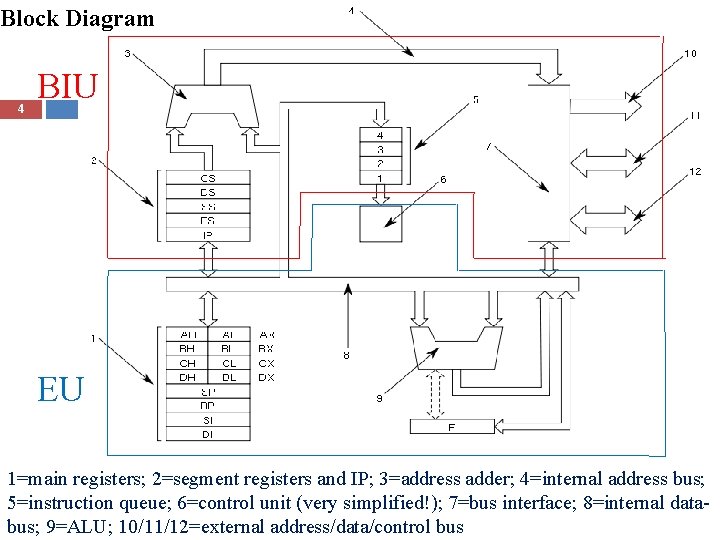
Block Diagram 4 BIU EU 1=main registers; 2=segment registers and IP; 3=address adder; 4=internal address bus; 5=instruction queue; 6=control unit (very simplified!); 7=bus interface; 8=internal databus; 9=ALU; 10/11/12=external address/data/control bus
Bus Interface Unit 5 q It does following, q sends out addresses, q fetches instructions from memory, q reads data from ports and memory, q writes data to ports and memory. BIU handles all transfers of data and addresses on the buses for EU.
Bus Interface Unit… 6 q The Queue: Ø It is FIFO group of registers. Ø Six number of pre-fetched instructions are stored in it. Ø It is pipeline, analogous to bricklayer’s assistant. Ø It increases speed in great sense.
Bus Interface Unit… 7 q Segment Register: Ø Four 16 bit segment registers, viz. ES, CS, SS, DS. Ø It holds upper 16 bits of the starting address of each segment. Ø 8086 works only with four, 64 KB segments in 1 MB memory. Ø Segments can be overlapped. Ø Segments can be multiple in bigger system. Ø All segments can start at same address (e. g. 00000 H) in small system.
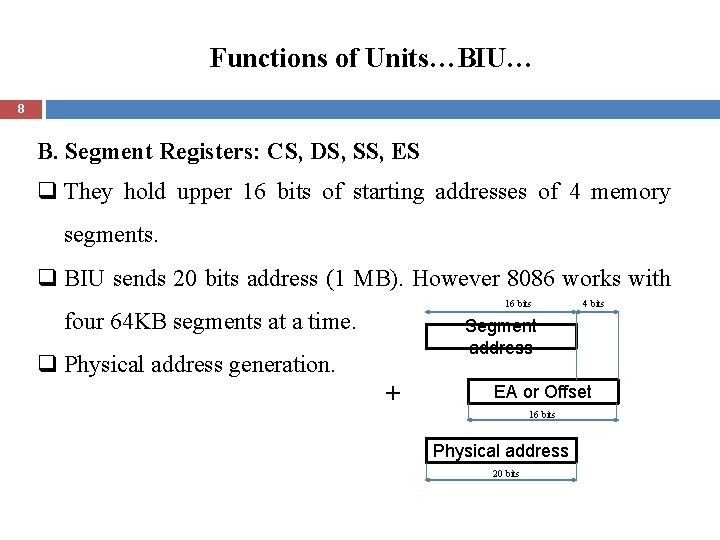
Functions of Units…BIU… 8 B. Segment Registers: CS, DS, SS, ES q They hold upper 16 bits of starting addresses of 4 memory segments. q BIU sends 20 bits address (1 MB). However 8086 works with 16 bits four 64 KB segments at a time. q Physical address generation. 4 bits Segment address + EA or Offset 16 bits Physical address 20 bits
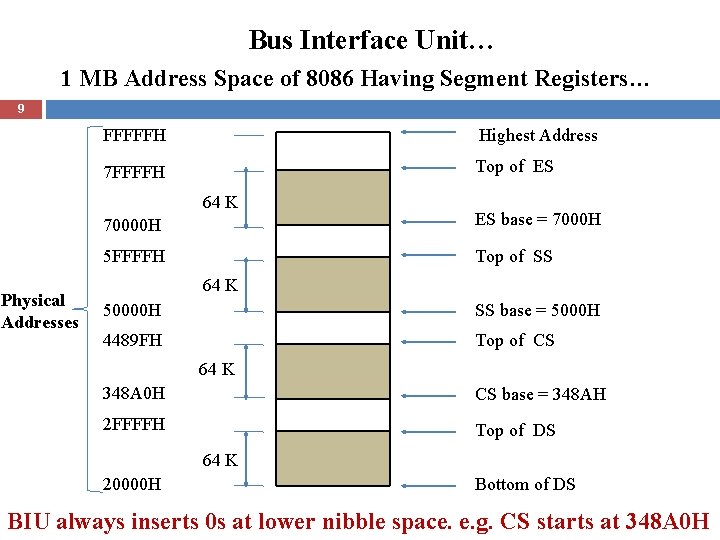
Bus Interface Unit… 1 MB Address Space of 8086 Having Segment Registers… 9 FFFFFH Highest Address 7 FFFFH Top of ES 64 K Physical Addresses 70000 H ES base = 7000 H 5 FFFFH Top of SS 64 K 50000 H SS base = 5000 H 4489 FH Top of CS 64 K 348 A 0 H CS base = 348 AH 2 FFFFH Top of DS 64 K 20000 H Bottom of DS BIU always inserts 0 s at lower nibble space. e. g. CS starts at 348 A 0 H
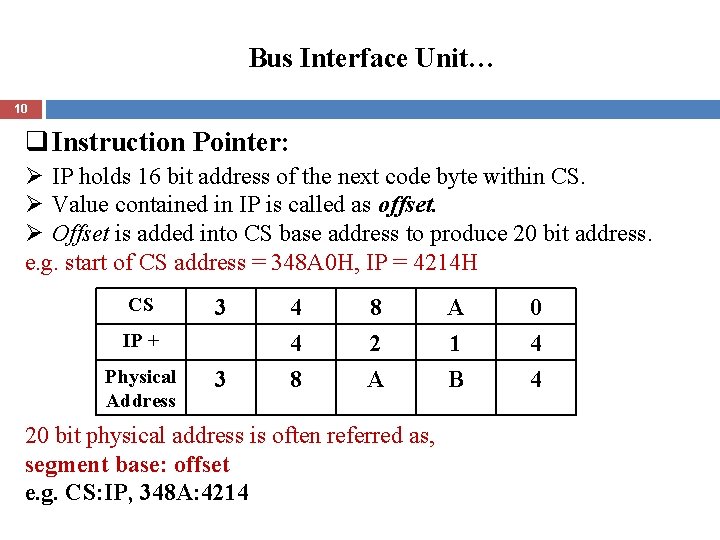
Bus Interface Unit… 10 q Instruction Pointer: Ø IP holds 16 bit address of the next code byte within CS. Ø Value contained in IP is called as offset. Ø Offset is added into CS base address to produce 20 bit address. e. g. start of CS address = 348 A 0 H, IP = 4214 H CS 3 IP + Physical Address 3 4 4 8 8 2 A 20 bit physical address is often referred as, segment base: offset e. g. CS: IP, 348 A: 4214 A 1 B 0 4 4
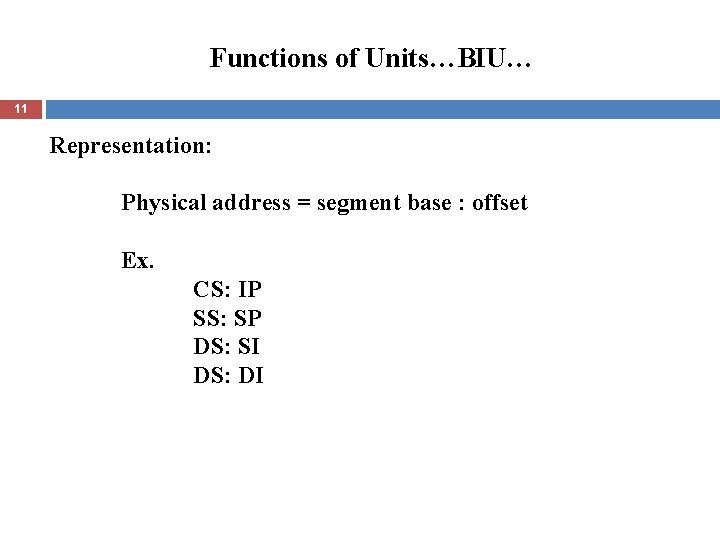
Functions of Units…BIU… 11 Representation: Physical address = segment base : offset Ex. CS: IP SS: SP DS: SI DS: DI
Execution Unit 12 q It tells the BIU, Where to fetch instructions or data from, decodes instructions, and executes instructions. Its functional parts are. Control circuit, Instruction decoder and ALU.
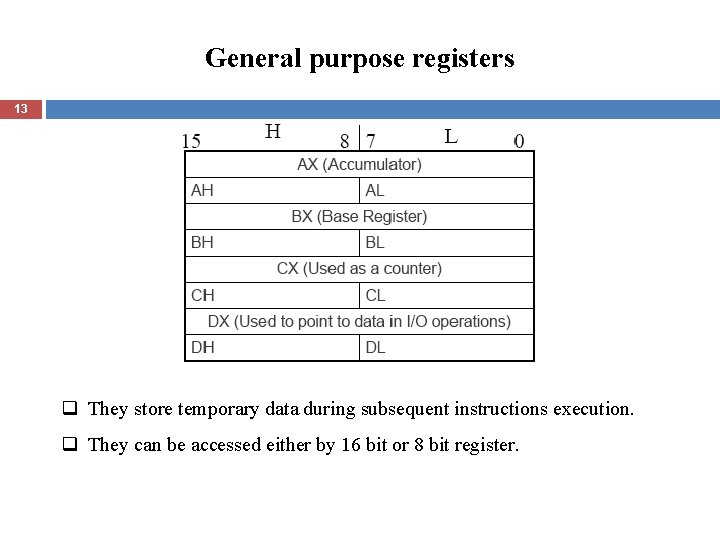
General purpose registers 13 q They store temporary data during subsequent instructions execution. q They can be accessed either by 16 bit or 8 bit register.
Pointers and index registers 14 SP - Stack Pointer, BP - Base Pointer, SI - Source Index, DI - Destination Index, IP - Instruction Pointer. q All are 16 bit registers, low and high bytes are not accessible. q These are used as memory pointers. Ex. MOV AH, [SI] q IP is not under direct control of programmer.
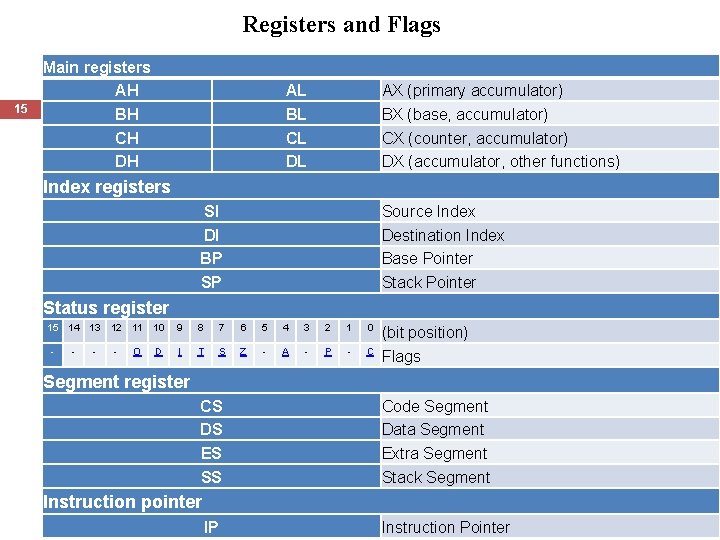
Registers and Flags 15 Main registers AH BH CH DH AL BL CL DL AX (primary accumulator) BX (base, accumulator) CX (counter, accumulator) DX (accumulator, other functions) Index registers SI DI BP SP Source Index Destination Index Base Pointer Stack Pointer Status register 15 14 13 12 11 10 9 8 7 6 5 4 3 2 1 0 - - O D I T S Z - A - P - C (bit position) Flags Segment register CS DS ES SS Code Segment Data Segment Extra Segment Stack Segment Instruction pointer Computer Organization & Architecture IP Prof. More U. R. 15 February 2022 Instruction Pointer
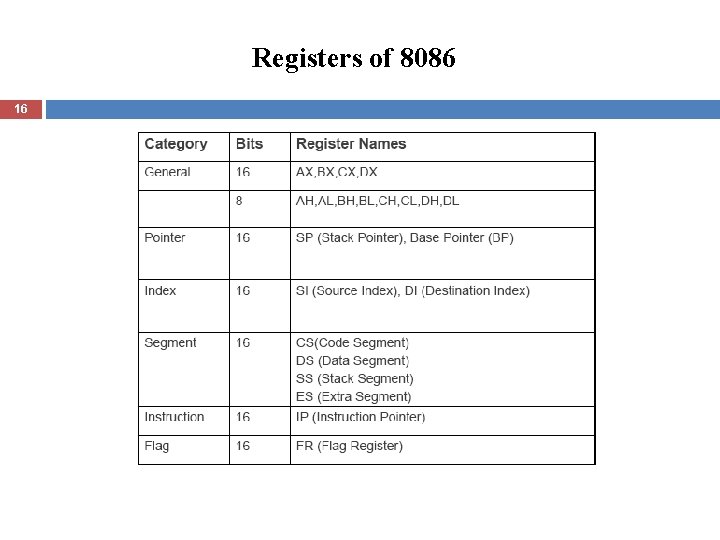
Registers of 8086 16
Functions of Units…EU. . 17 B. Flag Registers q Conditional and Control flags. q 16 bit Register. q Nine flags. q DF – Auto increment/ decrement. q IF – Enabling interrupt. q Trap flag – For single stepping through program. q OF – Overflow flag.
Functions of Units…EU. . 18 Other Pointers and Index Registers: BP- 16 bit base pointer register, also used to access stack. SI, DI- Main use- To hold 16 bit offset of a data word in one of the segments.
Advantages using segment registers 19 q Allow access 1 MB capacity though addresses are 16 bits wide. q Allow the instruction, data and stack portion, more than 64 KB by using more than one code, data, or stack segment. q Facilitate the use of separate memory areas for a program, its data and the stack. q Permit a program and/or its data to be put into different areas of memory each time the program is executed [multiprogramming].
Pin Diagram 20
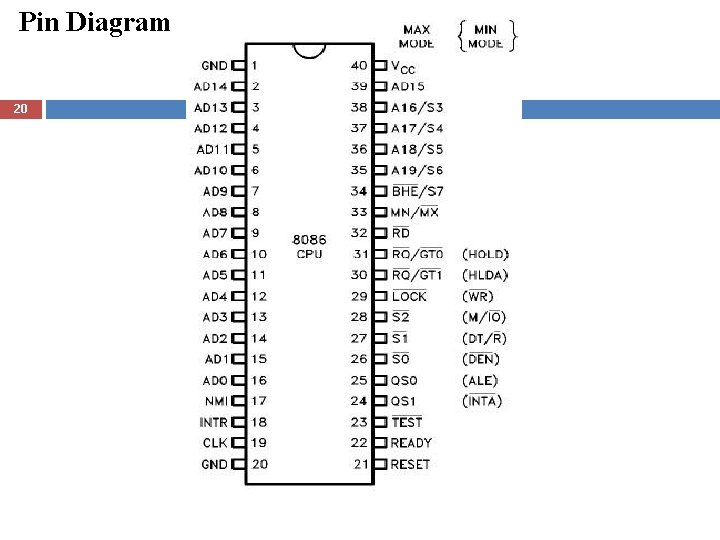
Pin Description 21 AD 15±AD 0 ADDRESS DATA BUS: These lines constitute the time multiplexed memory/IO address and data bus. ALE Address Latch Enable. A HIGH on this line causes the lower order 16 bit address bus to be latched that stores the addresses and then, the lower order 16 bit of the address bus can be used as data bus. READY is the acknowledgement from the addressed memory or I/O device that it will complete the data transfer.
Pin Description … 22 INTR INTERRUPT REQUEST: is a level triggered input which is sampled during the last clock cycle of each instruction to determine if the processor should enter into an interrupt acknowledge operation. A subroutine is vectored to via an interrupt vector lookup table located in system memory. It can be internally masked by software resetting the interrupt enable bit. INTR is internally synchronized. This signal is active HIGH.
Pin Description … 23 INTA Interrupt Acknowledge from the microprocessor. NMI NON-MASKABLE INTERRUPT: an edge triggered input which causes an interrupt request to the microprocessor. A subroutine is vectored to via an interrupt vector lookup table located in system memory. NMI is not maskable internally by software. RESET: causes the processor to immediately terminate its present activity. The signal must be active HIGH for at least four clock cycles. It restarts execution.
Pin Description … 24 MN/MX MINIMUM/MAXIMUM: indicates what mode the processor is operating in. The two modes are discussed in the following sections. M/IO: Differentiate between the Memory and I/O operation. A LOW on this pin indicates I/O operation and a HIGH indicates a Memory Operation.
Pin Description … 25 HOLD: The 8086 has a pin called HOLD. This pin is used by external devices to gain control of the busses. HLDA: When the HOLD signal is activated by an external device, the 8086 stops executing instructions and stops using the busses. This would allow external devices to control the information on the buses.
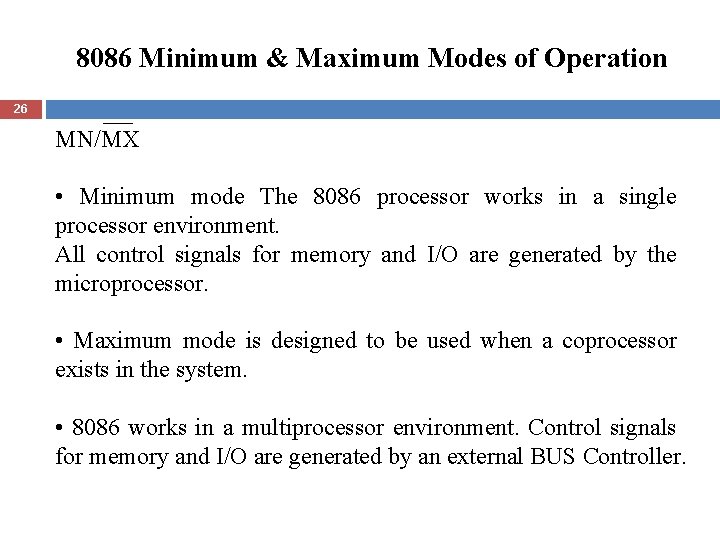
8086 Minimum & Maximum Modes of Operation 26 MN/MX • Minimum mode The 8086 processor works in a single processor environment. All control signals for memory and I/O are generated by the microprocessor. • Maximum mode is designed to be used when a coprocessor exists in the system. • 8086 works in a multiprocessor environment. Control signals for memory and I/O are generated by an external BUS Controller.
Data Read/Write process from /To Memory Word Read 27 Each of 1 MB memory address of 8086 represents a byte wide location. - 16 bit words are stored in two consecutive Memory locations. - If first byte of the data is stored at an even address , 8086 can read the entire word in one operation. Ex. If the 16 bit data stored at even address 00520 H is 2607, MOV BX, [00520] 8086 reads the first byte and stores the data in BL and reads the 2 nd byte and stores the data in BH, BL (00520) BH (00521)
Data Read/Write process from /To Memory … Word Read 28 If the first byte of the data is stored at an ODD address, 8086 needs two operations to read the 16 bit data. Ex. If the 16 bit data is stored at even address 00521 H is F 520 MOV BX, [00521] In first operation , 8086 reads the 16 bit data from the 00520 location and stores the data of 00521 location in register BL and discards the data of 00520 location. In 2 nd operation, 8086 reads the 16 bit data from the 00522 location and stores the data of 00522 location in register BH and discards the data of 00523 location. BL [00521] BH [00522]
![Byte Read 29 Byte Read: MOV BH, [Addr] For Even Address – 8086 reads](http://slidetodoc.com/presentation_image_h2/b880b636d9c9c084172518c19e7da100/image-29.jpg "Byte Read 29 Byte Read: MOV BH, [Addr] For Even Address – 8086 reads")
Byte Read 29 Byte Read: MOV BH, [Addr] For Even Address – 8086 reads the first byte from 00520 location and stores the data in BH and reads the 2 nd byte from the 00521 location and ignores it. BH = [00520]
![Byte Read … 30 Byte Read: MOV BH, [00521] For odd Address – 8086](http://slidetodoc.com/presentation_image_h2/b880b636d9c9c084172518c19e7da100/image-30.jpg "Byte Read … 30 Byte Read: MOV BH, [00521] For odd Address – 8086")
Byte Read … 30 Byte Read: MOV BH, [00521] For odd Address – 8086 reads the first byte from 00520 location and ignores it and reads the 2 nd byte from the 00521 location and stores data in BH. BH = [00521]
Addressing modes 31 An addressing mode is a method of specifying an operand. The 8086 addressing modes categorized into three types: 1] Register operand addressing mode With register operand addressing mode, the operand to be accessed is specified as residing in an internal register. e. g. MOV AX, BX
Addressing modes 32 An addressing mode is a method of specifying an operand. The 8086 addressing modes categorized into three types: 1] Register operand addressing mode With register operand addressing mode, the operand to be accessed is specified as residing in an internal register. e. g. MOV AX, BX AX has contents of BX after execution.
![Addressing modes… 33 2] Immediate operand addressing mode With Immediate operand addressing mode, the](http://slidetodoc.com/presentation_image_h2/b880b636d9c9c084172518c19e7da100/image-33.jpg "Addressing modes… 33 2] Immediate operand addressing mode With Immediate operand addressing mode, the")
Addressing modes… 33 2] Immediate operand addressing mode With Immediate operand addressing mode, the operand is part of the instruction instead of the contents of a register of a memory location. MOV AL, 15 H
![Addressing modes… 34 3] Memory Operand addressing modes: The 8086 use this mode to](http://slidetodoc.com/presentation_image_h2/b880b636d9c9c084172518c19e7da100/image-34.jpg "Addressing modes… 34 3] Memory Operand addressing modes: The 8086 use this mode to")
Addressing modes… 34 3] Memory Operand addressing modes: The 8086 use this mode to reference an operand in memory. The 8086 must calculate the physical address of the operand then initiate a read of write operation of this storage location. The physical address of the operand is calculated from a segment base address (SBA) and an effective address (EA). This mode includes five types:
![Addressing modes… 35 3. 1] Direct addressing: The value of the effective address is](http://slidetodoc.com/presentation_image_h2/b880b636d9c9c084172518c19e7da100/image-35.jpg "Addressing modes… 35 3. 1] Direct addressing: The value of the effective address is")
Addressing modes… 35 3. 1] Direct addressing: The value of the effective address is encoded directly in the instruction. MOV CX, [1234 H]
![Addressing modes… 36 3. 2] Register indirect addressing: This mode is similar to the](http://slidetodoc.com/presentation_image_h2/b880b636d9c9c084172518c19e7da100/image-36.jpg "Addressing modes… 36 3. 2] Register indirect addressing: This mode is similar to the")
Addressing modes… 36 3. 2] Register indirect addressing: This mode is similar to the direct addressing but the offset is specified in a base register (BX), base pointer (BP) or an index register (SI or DI) within the 8086. MOV AX, [SI] Physical address is calculated by adding contents of SI into shifted version of DS. Contents pointed by this physical address are loaded in to AX
![Addressing modes… 37 3. 3] Based addressing: In this mode, the effective address is](http://slidetodoc.com/presentation_image_h2/b880b636d9c9c084172518c19e7da100/image-37.jpg "Addressing modes… 37 3. 3] Based addressing: In this mode, the effective address is")
Addressing modes… 37 3. 3] Based addressing: In this mode, the effective address is obtained by adding a direct or indirect displacement to the contents of either base register BX of Base pointer register BP. MOV [BX]+1234 H , AL Note that if BP is used instead of BX, the calculation of the physical address is performed using the contents of the stack segment (SS) register instead of DS. Note that The displacement could be 8 bits or 16 bits.
Addressing modes… 38 3. 4 Indexed addressing: this mode, work in similar manner to that of the based addressing mode but the effective address is obtained by adding the displacement to the value in an index register (SI or DI). MOV AL, [SI]+1234 H
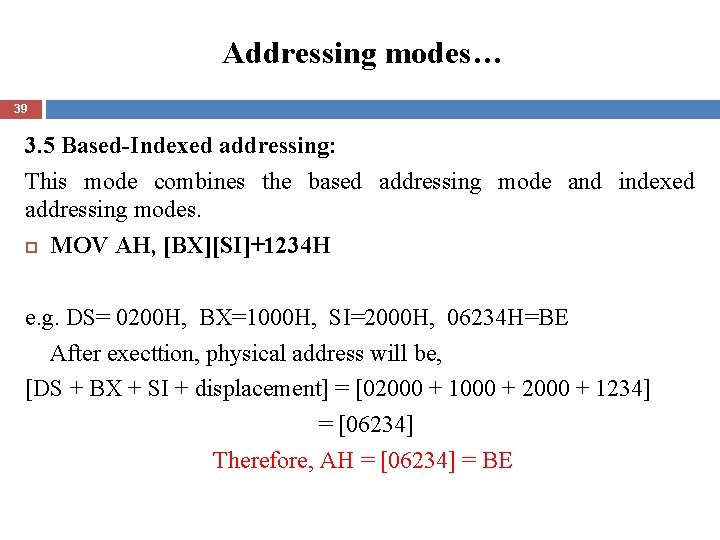
Addressing modes… 39 3. 5 Based-Indexed addressing: This mode combines the based addressing mode and indexed addressing modes. MOV AH, [BX][SI]+1234 H e. g. DS= 0200 H, BX=1000 H, SI=2000 H, 06234 H=BE After execttion, physical address will be, [DS + BX + SI + displacement] = [02000 + 1000 + 2000 + 1234] = [06234] Therefore, AH = [06234] = BE
Instruction Set 40 Data Transfer Instructions: General purpose byte/ word transfer. MOV: copy byte /word from specified source. (No flag) PUSH: copy specified word to top of stack. (No flag) Decrements stack by 2 and copies from source on the stack. e. g. push BX, push DS POP: copy specified word from top of stack. (No flag) XCHG: exchange bytes or words. (No flag) XLAT: translate a byte in AL using a table in memory. (No flag) AL = [BX+AL]; where, BX = starting address of LUT.
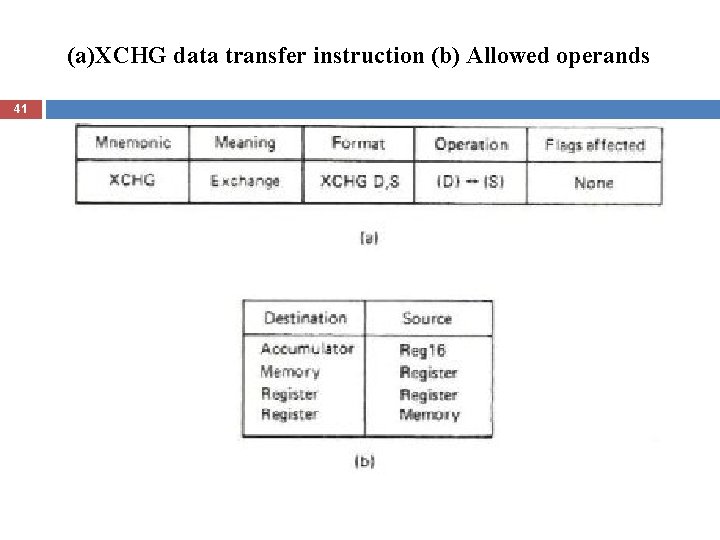
(a)XCHG data transfer instruction (b) Allowed operands 41
![42 XCHG AX , [0002]](http://slidetodoc.com/presentation_image_h2/b880b636d9c9c084172518c19e7da100/image-42.jpg "42 XCHG AX , [0002]")
42 XCHG AX , [0002]
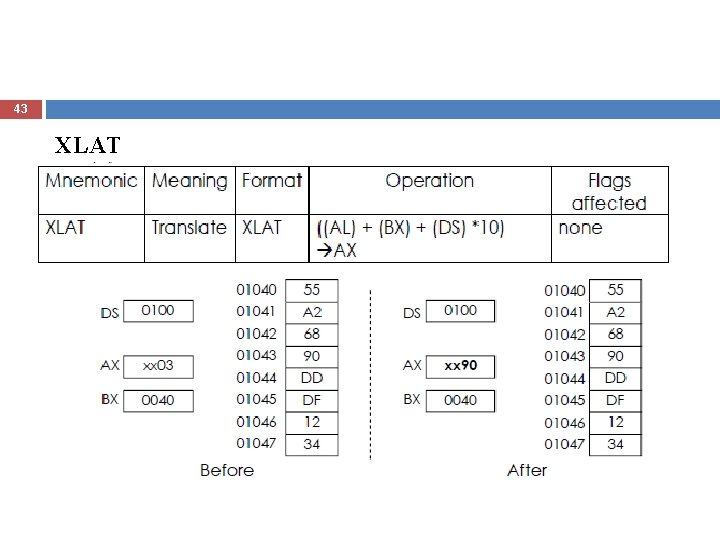
43 XLAT
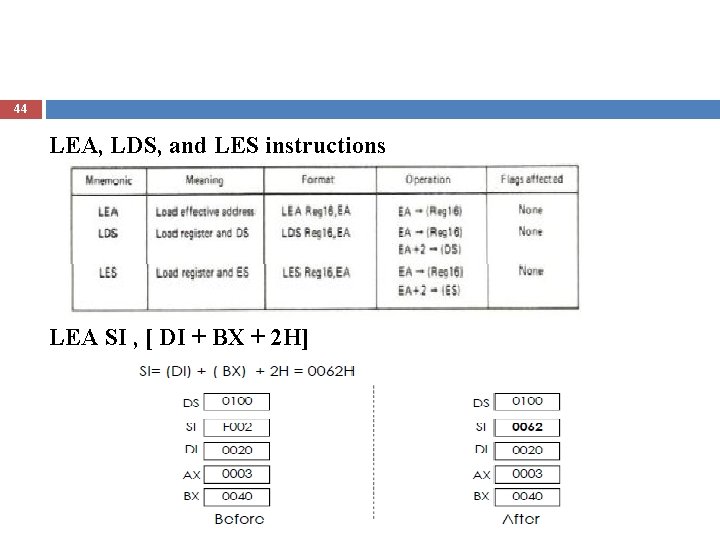
44 LEA, LDS, and LES instructions LEA SI , [ DI + BX + 2 H]
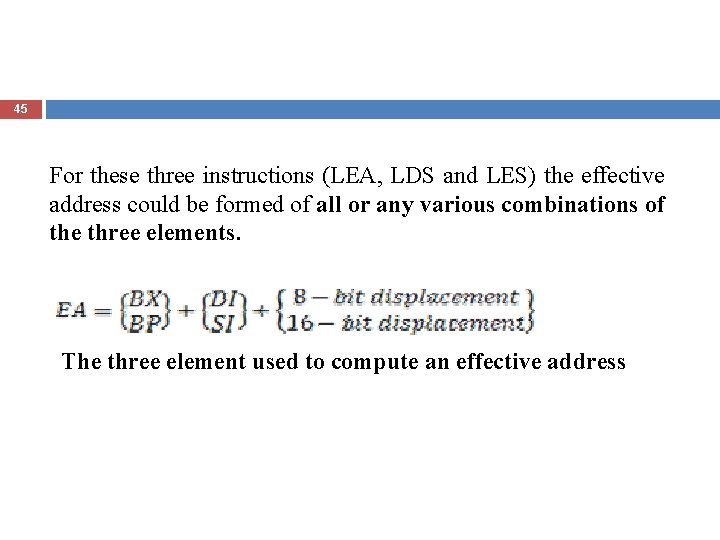
45 For these three instructions (LEA, LDS and LES) the effective address could be formed of all or any various combinations of the three elements. The three element used to compute an effective address
![46 LDS SI , [ DI + BX + 2 H] SI= (DI) +](http://slidetodoc.com/presentation_image_h2/b880b636d9c9c084172518c19e7da100/image-46.jpg "46 LDS SI , [ DI + BX + 2 H] SI= (DI) +")
46 LDS SI , [ DI + BX + 2 H] SI= (DI) + (BX) + 2 H = 0062 H
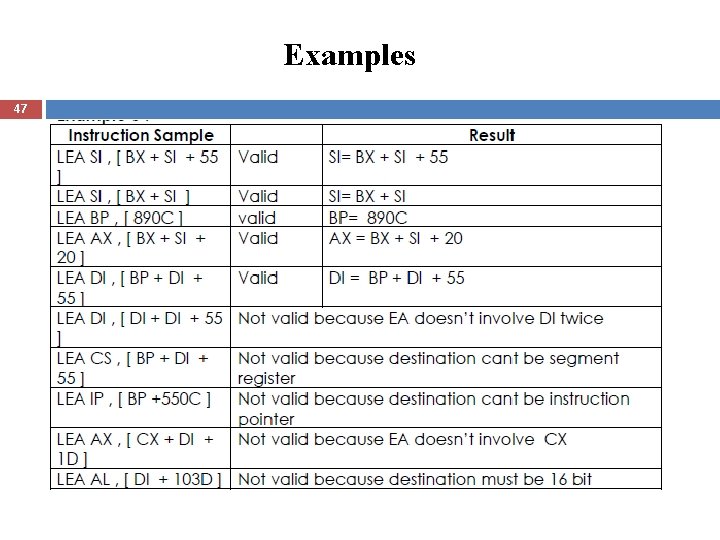
Examples 47
![Examples… 48 LEA BP, [F 004] MOV BP, F 004 MOV BP, [F 004]](http://slidetodoc.com/presentation_image_h2/b880b636d9c9c084172518c19e7da100/image-48.jpg "Examples… 48 LEA BP, [F 004] MOV BP, F 004 MOV BP, [F 004]")
Examples… 48 LEA BP, [F 004] MOV BP, F 004 MOV BP, [F 004] The instruction LES is similar to the instruction LDS except that it load the Extra Segment Register instead of Data Segment Register
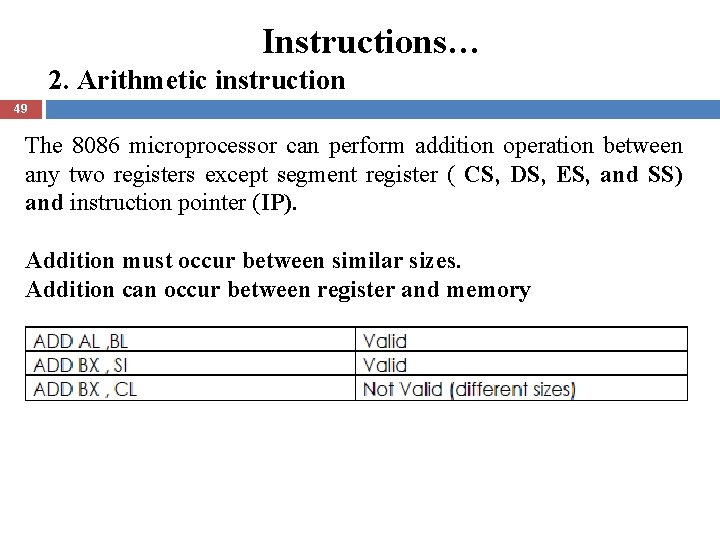
Instructions… 2. Arithmetic instruction 49 The 8086 microprocessor can perform addition operation between any two registers except segment register ( CS, DS, ES, and SS) and instruction pointer (IP). Addition must occur between similar sizes. Addition can occur between register and memory
![50 ADD AX , [ DI + BX + 2 H] EA= [ DI](http://slidetodoc.com/presentation_image_h2/b880b636d9c9c084172518c19e7da100/image-50.jpg "50 ADD AX , [ DI + BX + 2 H] EA= [ DI")
50 ADD AX , [ DI + BX + 2 H] EA= [ DI + BX + 2 H] =[0020 + 0040 + 02 H ]= 0062 H PA = (DS × 10 H) + EA = 1000 H +0062 H= 1062 H Memory word stored at location 1062 H is 9067 AX = AX + 9067 The addressing mode for this instruction is Based Indexed mode. If BP used in the EA, then PA = (SS × 10 H) + 0062 = 2000 H +0062 H= 2062 H
51
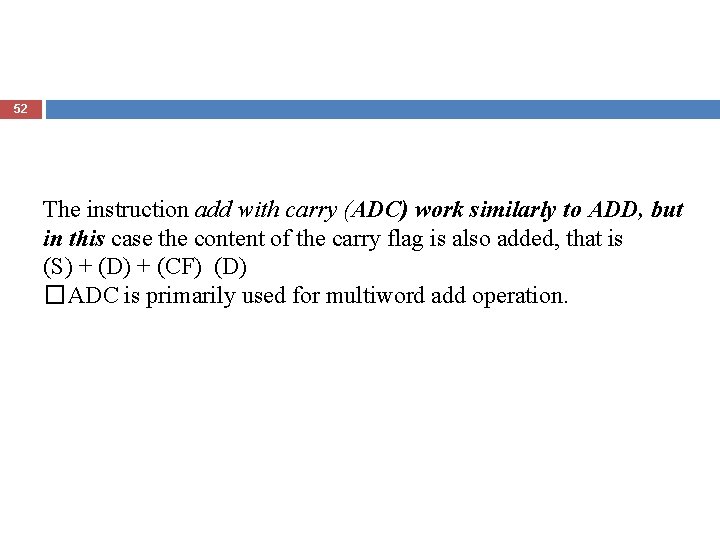
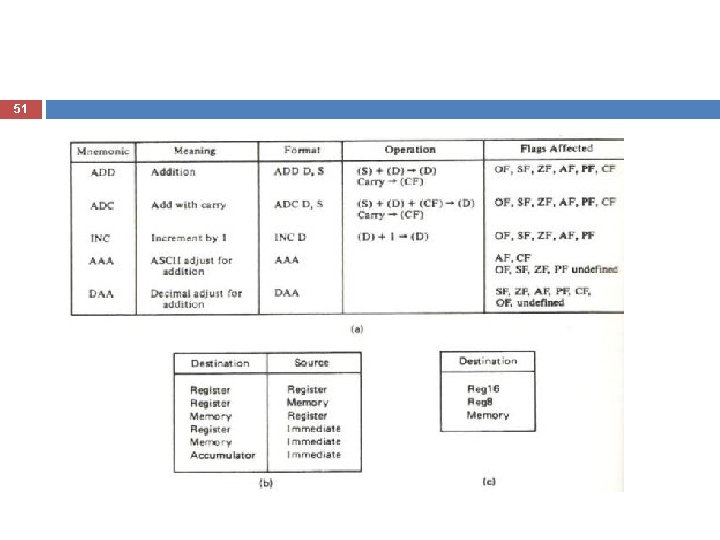
52 The instruction add with carry (ADC) work similarly to ADD, but in this case the content of the carry flag is also added, that is (S) + (D) + (CF) (D) �ADC is primarily used for multiword add operation.
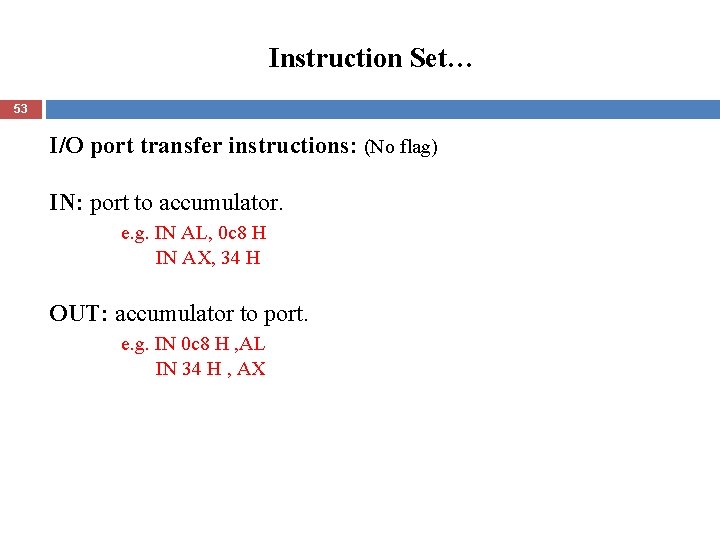
Instruction Set… 53 I/O port transfer instructions: (No flag) IN: port to accumulator. e. g. IN AL, 0 c 8 H IN AX, 34 H OUT: accumulator to port. e. g. IN 0 c 8 H , AL IN 34 H , AX
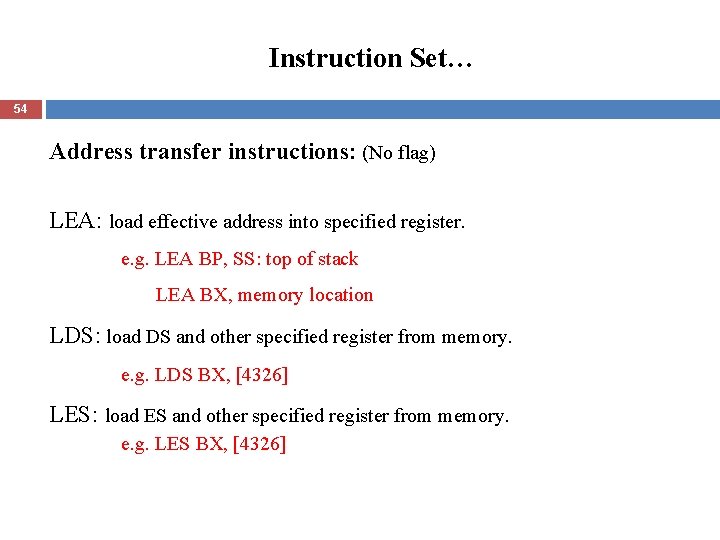
Instruction Set… 54 Address transfer instructions: (No flag) LEA: load effective address into specified register. e. g. LEA BP, SS: top of stack LEA BX, memory location LDS: load DS and other specified register from memory. e. g. LDS BX, [4326] LES: load ES and other specified register from memory. e. g. LES BX, [4326]
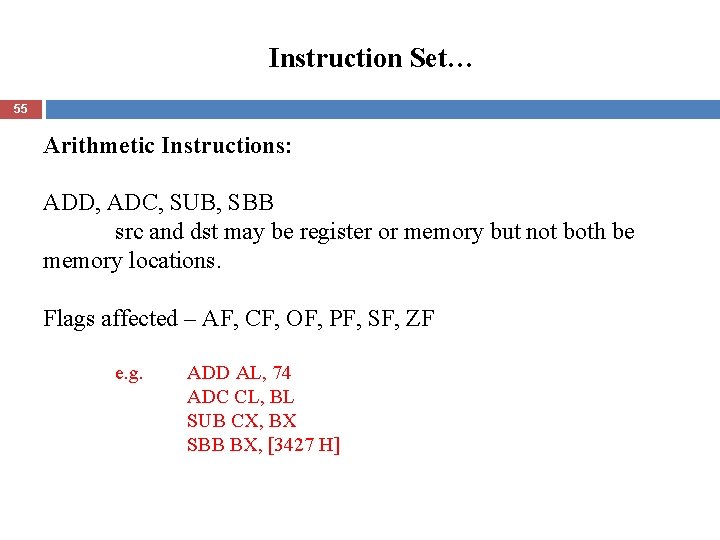
Instruction Set… 55 Arithmetic Instructions: ADD, ADC, SUB, SBB src and dst may be register or memory but not both be memory locations. Flags affected – AF, CF, OF, PF, SF, ZF e. g. ADD AL, 74 ADC CL, BL SUB CX, BX SBB BX, [3427 H]
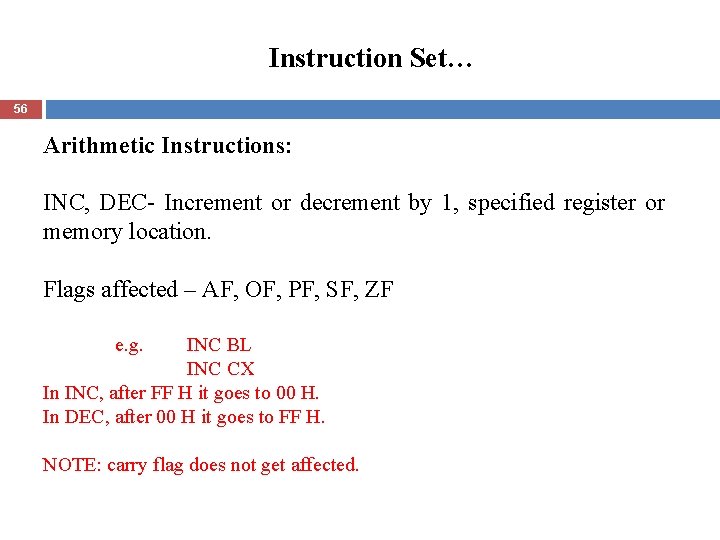
Instruction Set… 56 Arithmetic Instructions: INC, DEC- Increment or decrement by 1, specified register or memory location. Flags affected – AF, OF, PF, SF, ZF e. g. INC BL INC CX In INC, after FF H it goes to 00 H. In DEC, after 00 H it goes to FF H. NOTE: carry flag does not get affected.
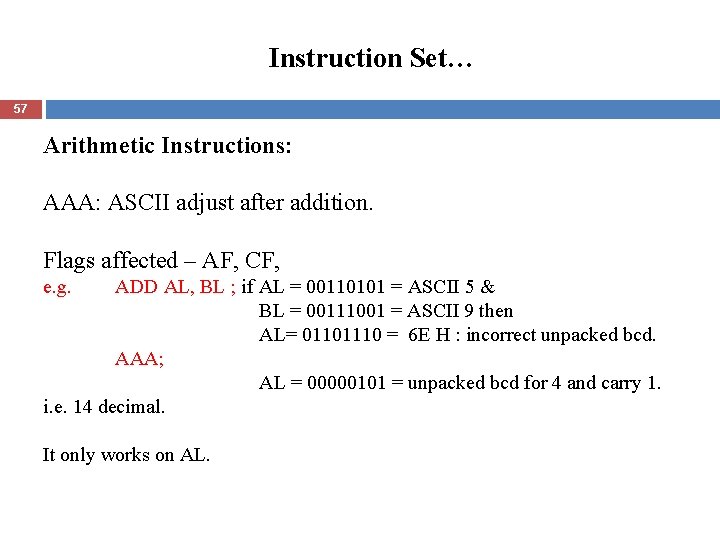
Instruction Set… 57 Arithmetic Instructions: AAA: ASCII adjust after addition. Flags affected – AF, CF, e. g. ADD AL, BL ; if AL = 00110101 = ASCII 5 & BL = 00111001 = ASCII 9 then AL= 01101110 = 6 E H : incorrect unpacked bcd. AAA; AL = 00000101 = unpacked bcd for 4 and carry 1. i. e. 14 decimal. It only works on AL.
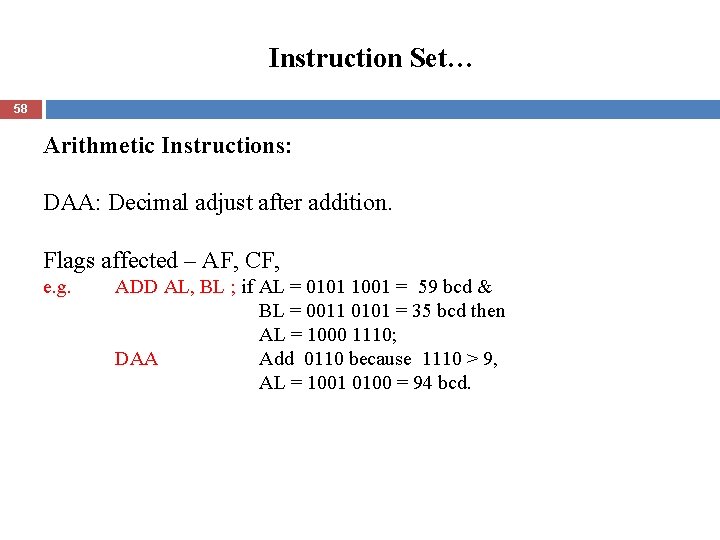
Instruction Set… 58 Arithmetic Instructions: DAA: Decimal adjust after addition. Flags affected – AF, CF, e. g. ADD AL, BL ; if AL = 0101 1001 = 59 bcd & BL = 0011 0101 = 35 bcd then AL = 1000 1110; DAA Add 0110 because 1110 > 9, AL = 1001 0100 = 94 bcd.
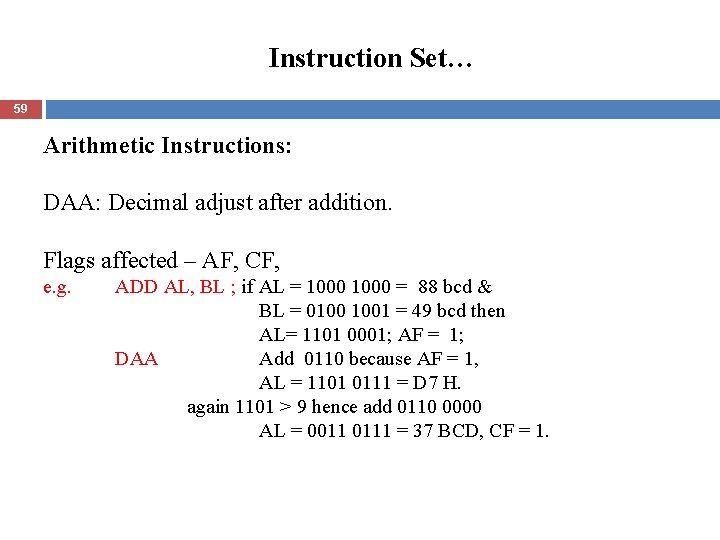
Instruction Set… 59 Arithmetic Instructions: DAA: Decimal adjust after addition. Flags affected – AF, CF, e. g. ADD AL, BL ; if AL = 1000 = 88 bcd & BL = 0100 1001 = 49 bcd then AL= 1101 0001; AF = 1; DAA Add 0110 because AF = 1, AL = 1101 0111 = D 7 H. again 1101 > 9 hence add 0110 0000 AL = 0011 0111 = 37 BCD, CF = 1.
Instruction Set… 60 Arithmetic Instructions: AAS: ASCII adjust after subtraction. Flags affected – AF, CF, Similar to AAA.
Instruction Set… 61 Arithmetic Instructions: DAS: Decimal (bcd) adjust after subtraction. Flags affected – AF, CF, Similar to DAA. NEG: Negate – invert each bit of a specified byte or word and add 1 (form 2’s complement). Flags affected – AF, CF, SF, PF, ZF, OF
Instruction Set… 62 Arithmetic Instructions: MUL: Unsigned byte by byte or word by word multiplication, IMUL: Signed byte by byte or word by word multiplication, AAM: ASCII adjust after multiply. e. g. MUL BH - multiply AL by BH; result in BX DX, low word is in AX. Flags affected – CF
Instruction Set… 63 Arithmetic Instructions: DIV: Unsigned byte by byte or word by word division, IDIV : Signed byte by byte or word by word division, AAD: ASCII adjust after division. CBW: Fill upper byte of word with copies of sign bit of lower byte. CWD: Fill upper word of double word with copies of sign bit of lower word. Flags affected – No flag is affected.
Instruction Set 64 Logical Instructions: NOT, AND, OR, XOR, TEST : AND operands to change flags but don’t change operands.
Instruction Set 65 Shift instructions: SHL/ SAL: shift bits of word or byte left, put zero(s) in LSB(s). SHR: shift bits of word or byte right, put zero/s in MSB/s. SAR: shift bits of word or byte right, copy old MSB in to new MSB.
Instruction Set… 66 Apart above, Rotate instructions, rol, ror, . . String instructions, reps, comps, . . Program execution transfer instructions, call, jump, . . Iteration control instructions, loop, . . Interrupt instructions, into, . . Processor control instructions, stc, clc, . .
Writing a Program 67 Initialization instructions: Initialization list, DS, SS, ES, SP, BP, SI, DI, Ports, Resetting/ clear direction flag and interrupt enable flag.
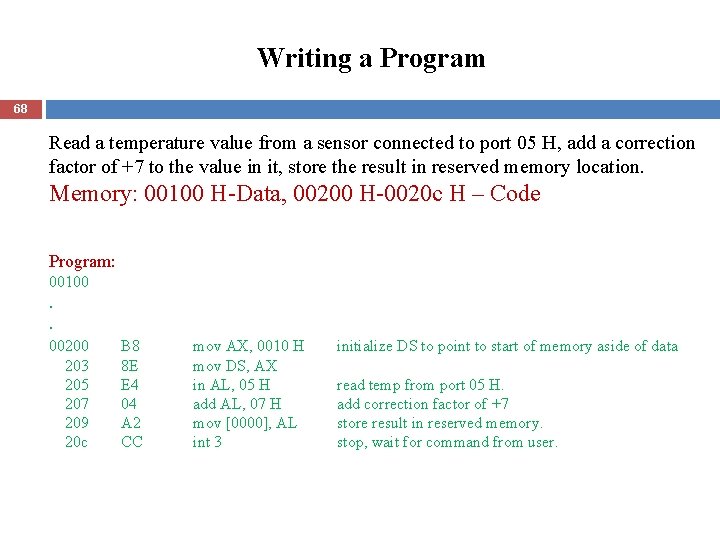
Writing a Program 68 Read a temperature value from a sensor connected to port 05 H, add a correction factor of +7 to the value in it, store the result in reserved memory location. Memory: 00100 H-Data, 00200 H-0020 c H – Code Program: 00100 . . 00200 203 205 207 209 20 c B 8 8 E E 4 04 A 2 CC mov AX, 0010 H mov DS, AX in AL, 05 H add AL, 07 H mov [0000], AL int 3 initialize DS to point to start of memory aside of data read temp from port 05 H. add correction factor of +7 store result in reserved memory. stop, wait for command from user.
- Slides: 68