
1 UML REVIEW PART 1 2 Introduction What
- Slides: 31
1 UML REVIEW –PART 1
2 Introduction • What is UML • visual modelling language • UML is a language not a methodology? • Q: why is this distinction important? • UML Model • repository of all things and relationships
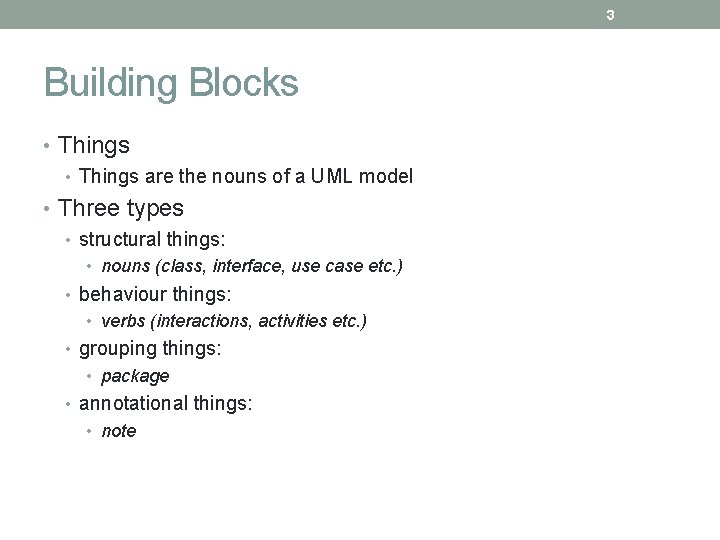
3 Building Blocks • Things are the nouns of a UML model • Three types • structural things: • nouns (class, interface, use case etc. ) • behaviour things: • verbs (interactions, activities etc. ) • grouping things: • package • annotational things: • note
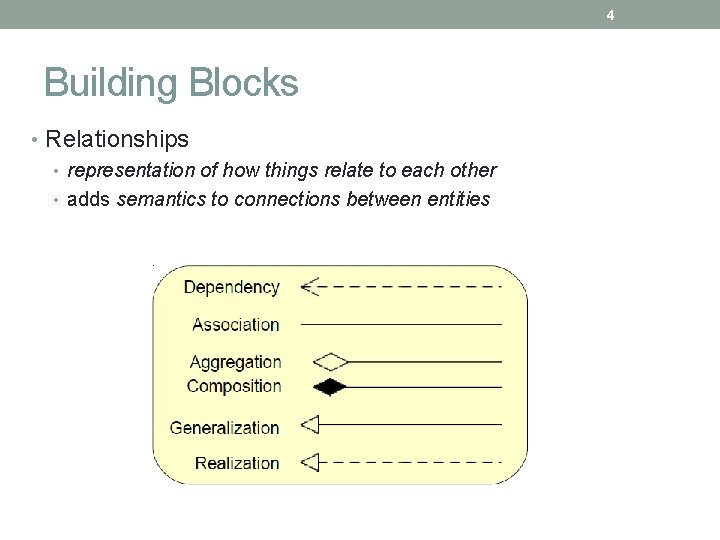
4 Building Blocks • Relationships • representation of how things relate to each other • adds semantics to connections between entities
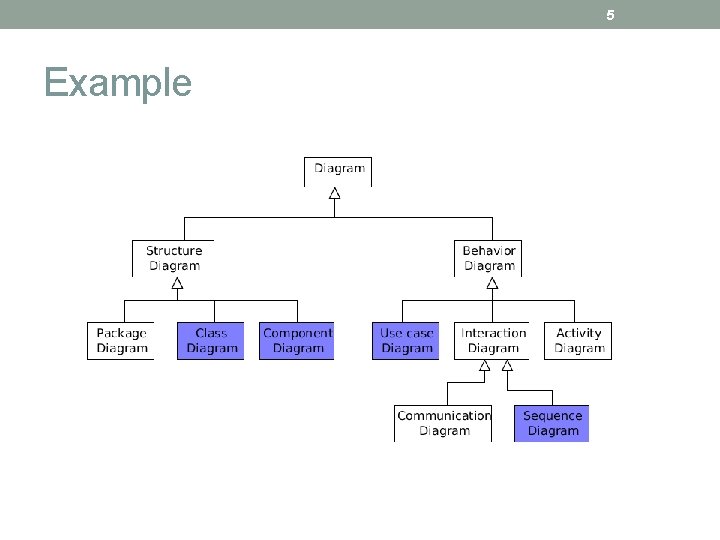
5 Example
6 Building Blocks • Types of UML Diagrams that • represent static model • things • the structural relationship between things • represent dynamic behaviour • how things interact to • generate the required functionality
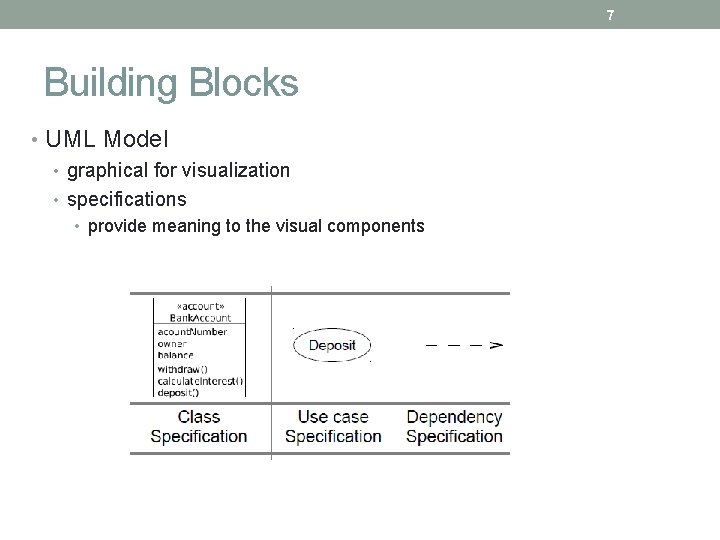
7 Building Blocks • UML Model • graphical for visualization • specifications • provide meaning to the visual components
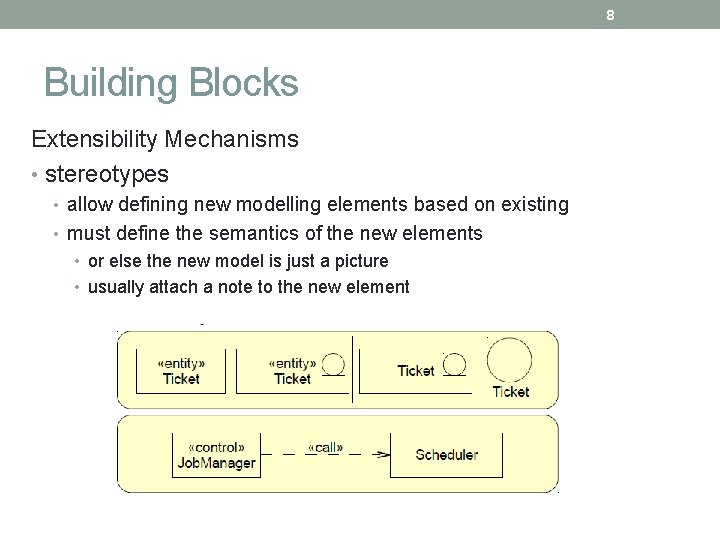
8 Building Blocks Extensibility Mechanisms • stereotypes • allow defining new modelling elements based on existing • must define the semantics of the new elements • or else the new model is just a picture • usually attach a note to the new element
9 Use Case Modelling
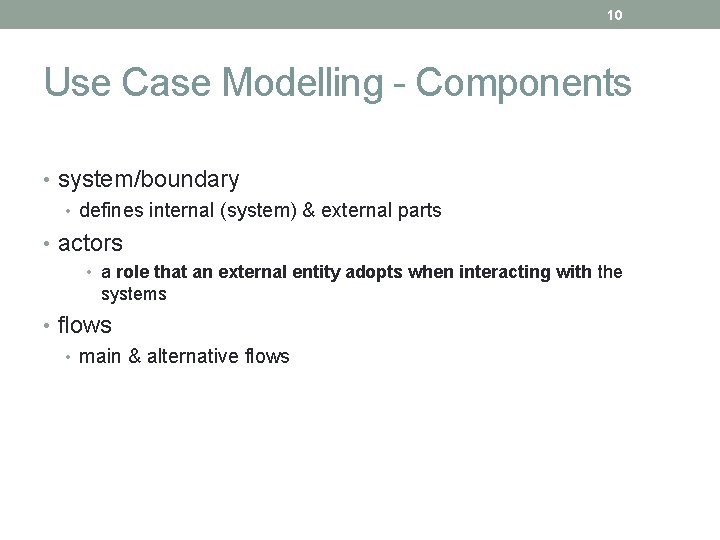
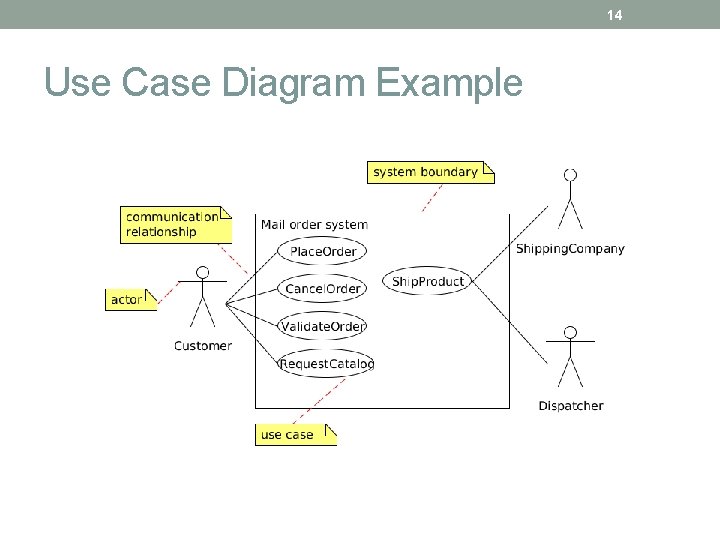
10 Use Case Modelling - Components • system/boundary • defines internal (system) & external parts • actors • a role that an external entity adopts when interacting with the systems • flows • main & alternative flows
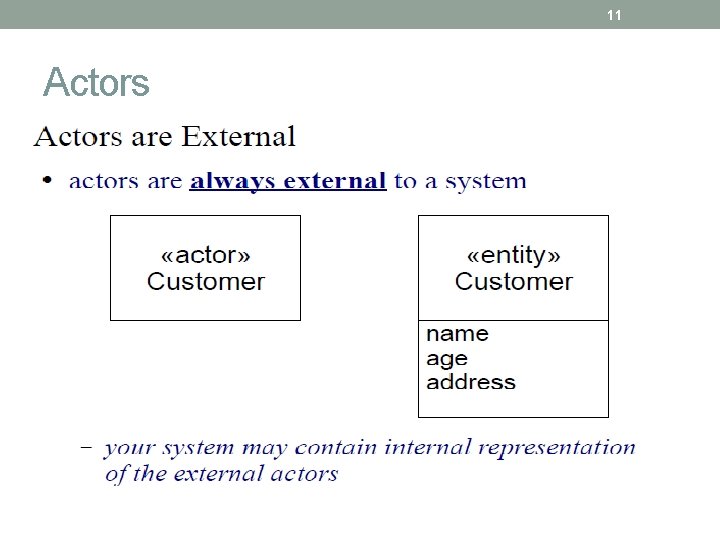
11 Actors
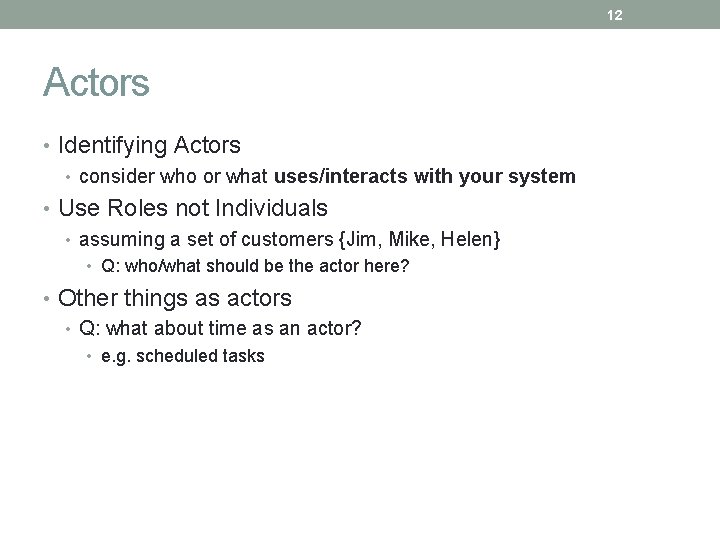
12 Actors • Identifying Actors • consider who or what uses/interacts with your system • Use Roles not Individuals • assuming a set of customers {Jim, Mike, Helen} • Q: who/what should be the actor here? • Other things as actors • Q: what about time as an actor? • e. g. scheduled tasks
13 Use Case Definition • “A specification of sequence of actions, including variant sequences and error sequences, that a system, subsystem or class can perform by interacting with the with outside actors” - UML Reference Manual, 2 nd Edition-2004 • A use case defines system behaviour during interactions with the actors
14 Use Case Diagram Example
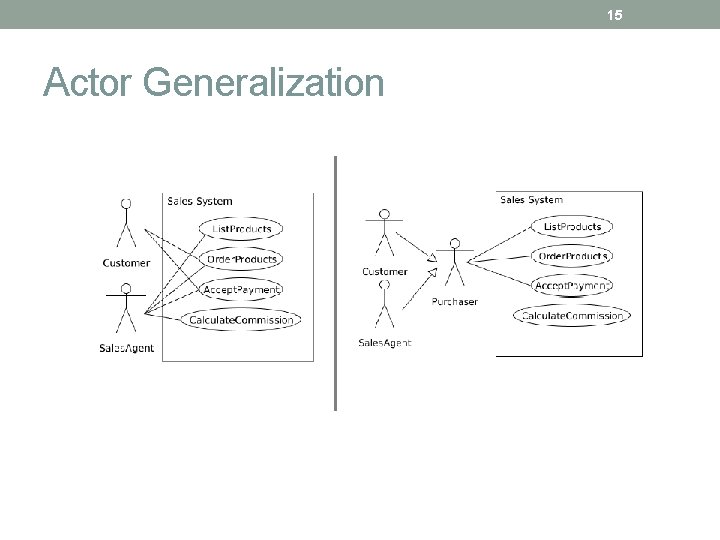
15 Actor Generalization
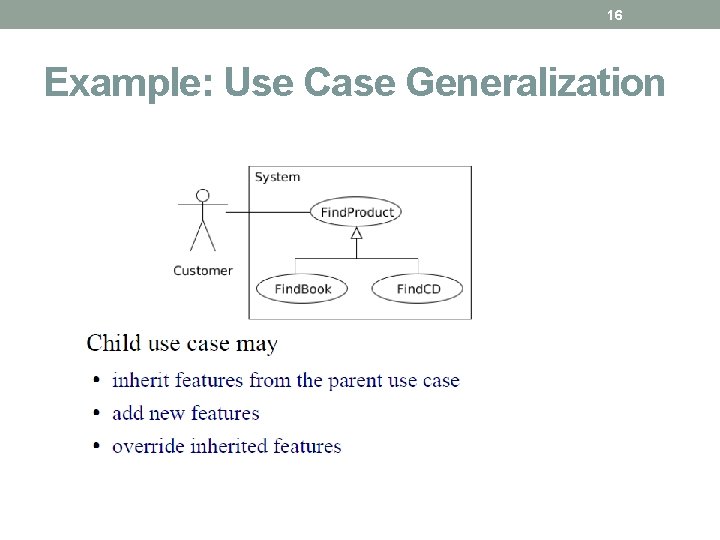
16 Example: Use Case Generalization
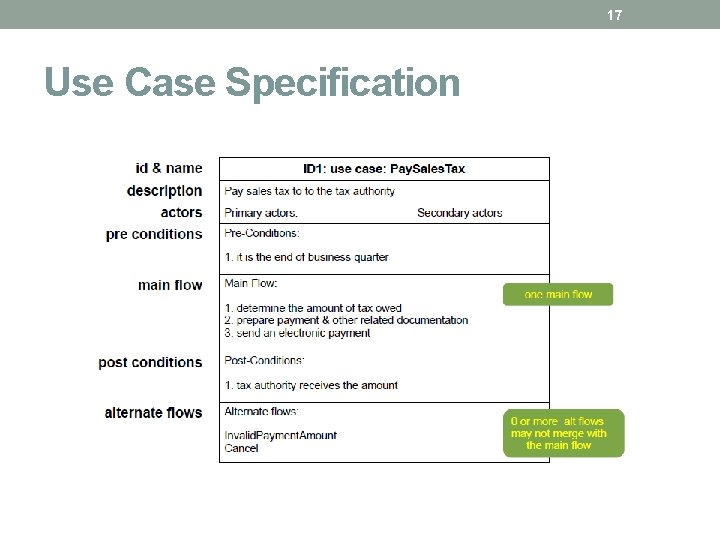
17 Use Case Specification
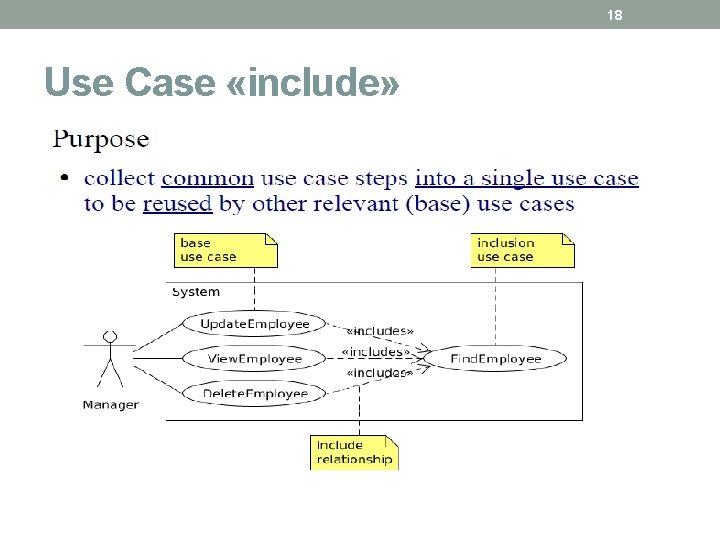
18 Use Case «include»
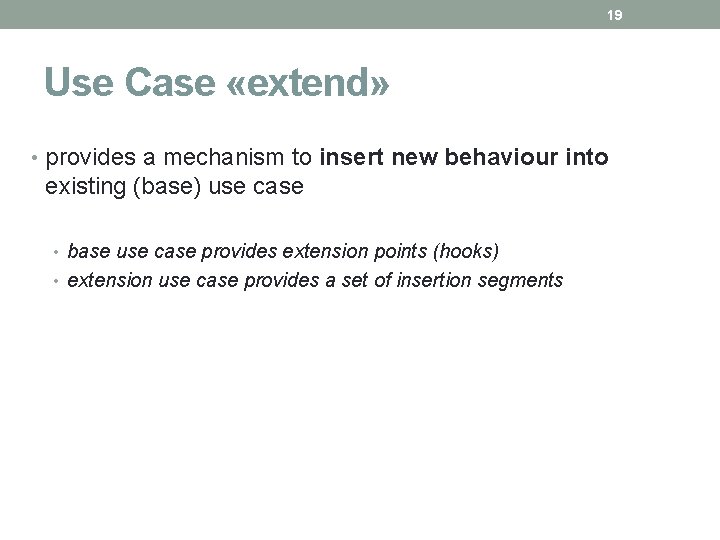
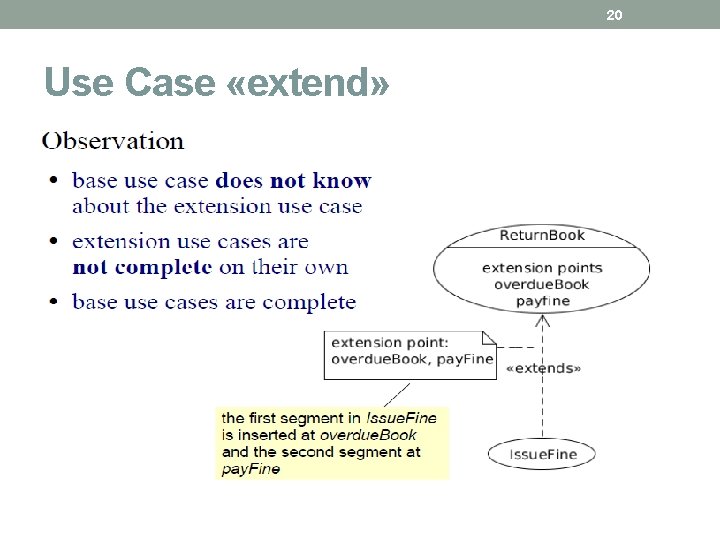
19 Use Case «extend» • provides a mechanism to insert new behaviour into existing (base) use case • base use case provides extension points (hooks) • extension use case provides a set of insertion segments
20 Use Case «extend»
21 Use Case «extend» • Rules • «extend» relationship must identify one or more extension points in the base use case • otherwise the relationship refers to all extension points • extension use case must have the same number of insertion segments as there are extension points in the «extend» relationship • it is legal for two extension use cases to «extend» the same base use case at the same extension point
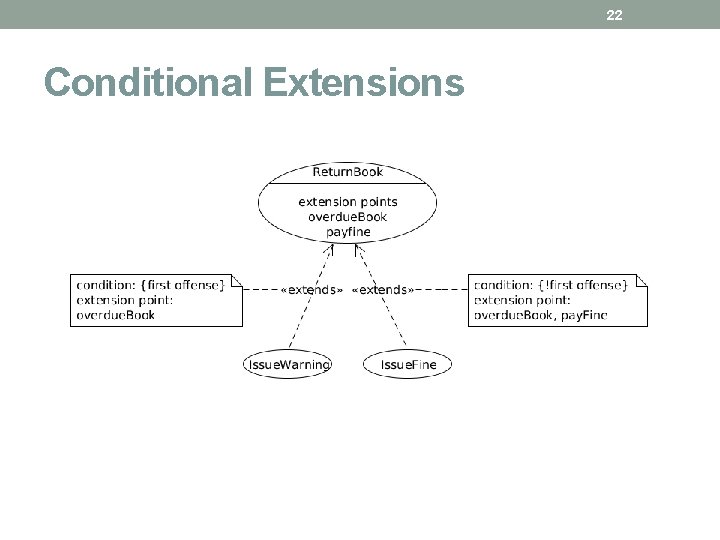
22 Conditional Extensions
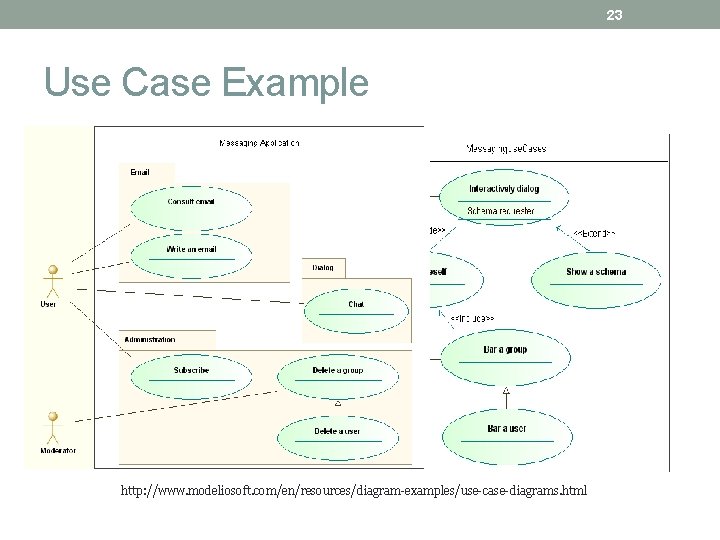
23 Use Case Example http: //www. modeliosoft. com/en/resources/diagram-examples/use-case-diagrams. html
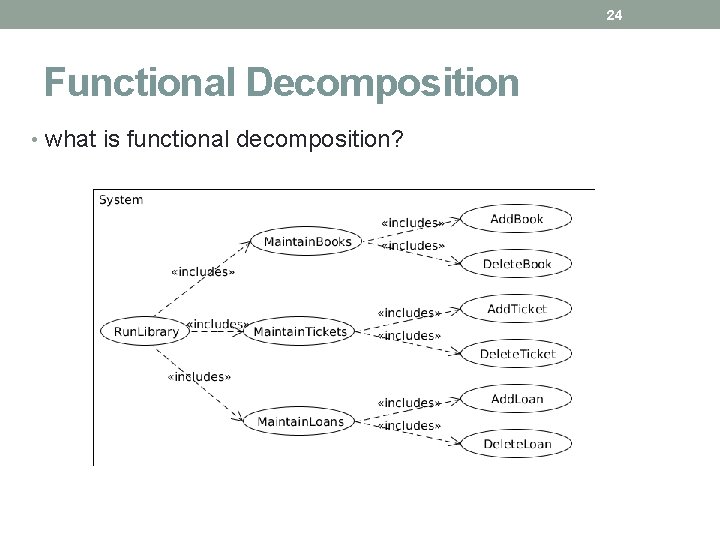
24 Functional Decomposition • what is functional decomposition?
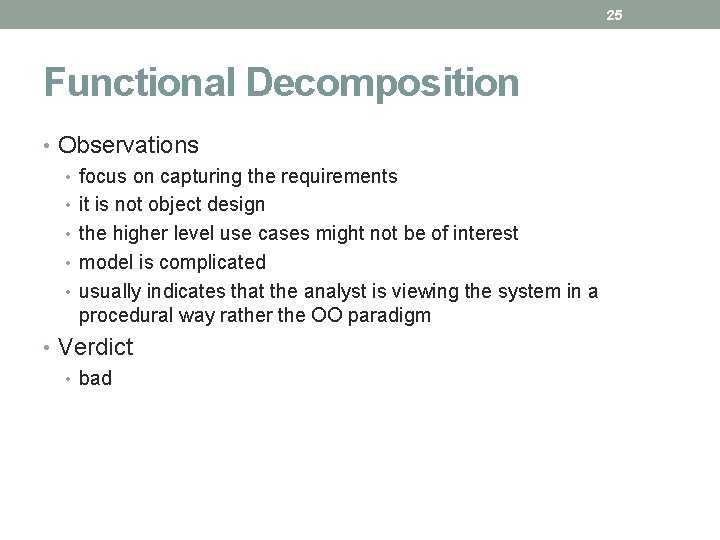
25 Functional Decomposition • Observations • focus on capturing the requirements • it is not object design • the higher level use cases might not be of interest • model is complicated • usually indicates that the analyst is viewing the system in a procedural way rather the OO paradigm • Verdict • bad
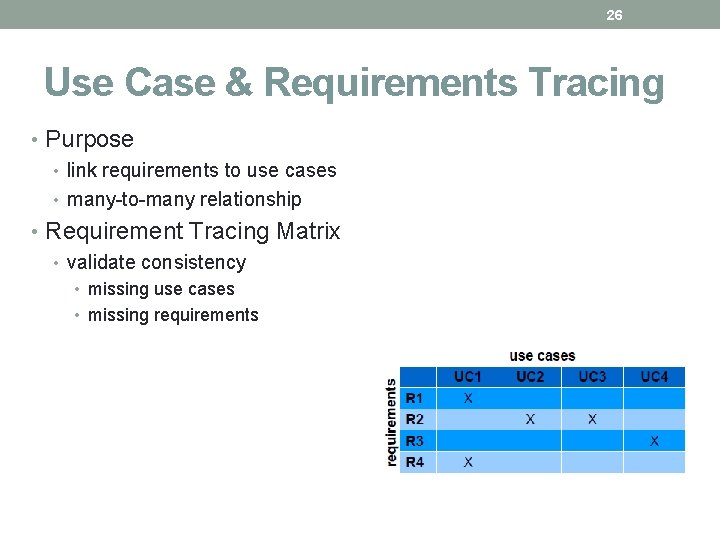
26 Use Case & Requirements Tracing • Purpose • link requirements to use cases • many-to-many relationship • Requirement Tracing Matrix • validate consistency • missing use cases • missing requirements
27 Summary
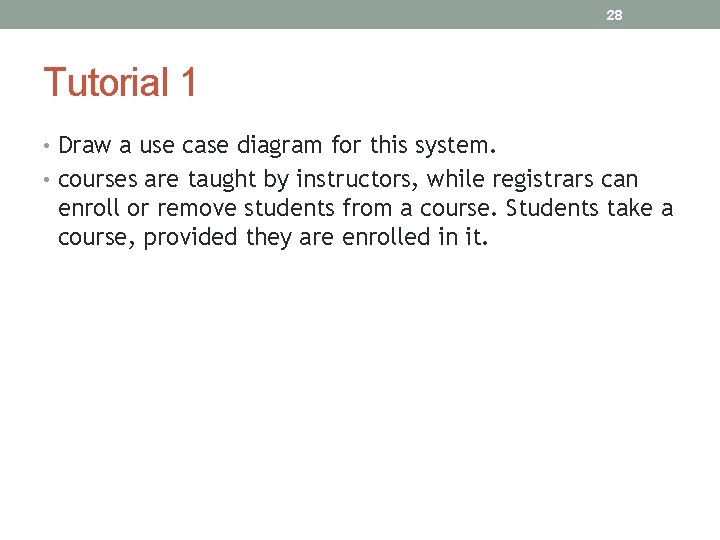
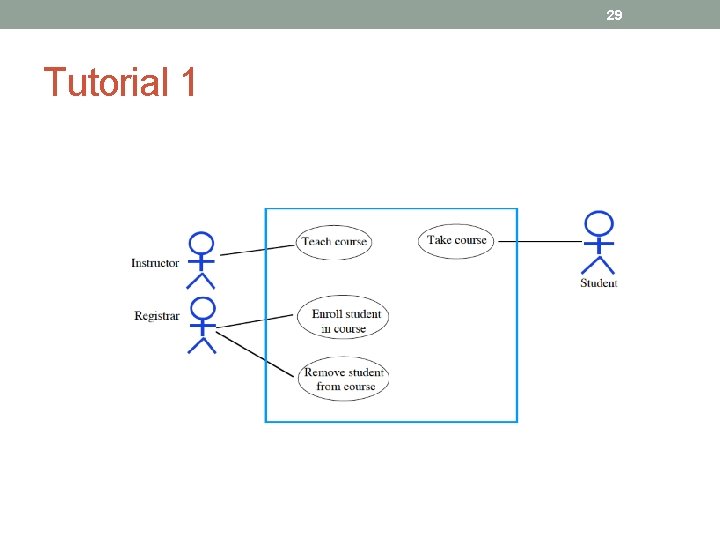
28 Tutorial 1 • Draw a use case diagram for this system. • courses are taught by instructors, while registrars can enroll or remove students from a course. Students take a course, provided they are enrolled in it.
29 Tutorial 1
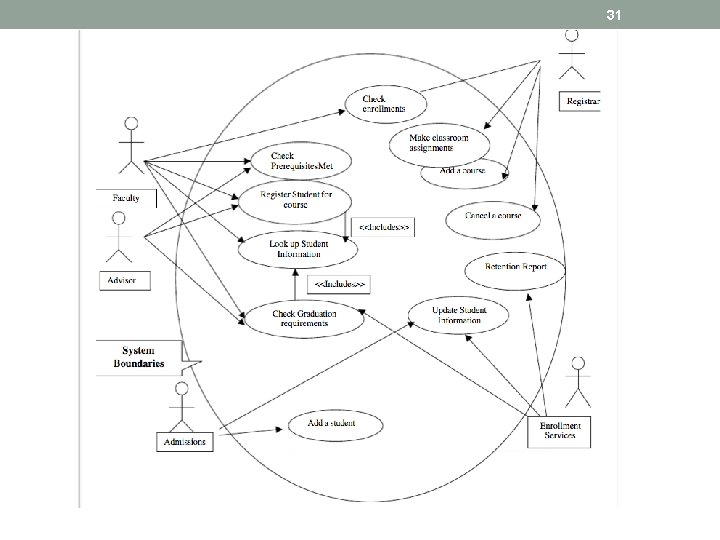
30 Tutorial 2 • A student may register for classes during a specified registration period. To register, a student must see their advisor. The advisor must approve each course that the student has selected. The advisor will use the registration system to determine if the student has met the course prerequisites, is in good academic standings and is eligible to register. If the advisor approves the courses, the advisor enters the student's college id into the course registration system. The course registration number for each course is entered. The course description, course number and section for those courses will automatically display. The system will check for schedule conflicts before saving the registrations. A bill for the courses will print in the Bursar's office. The student should proceed to pick it up. • Faculty can use the registration system to check enrollments in their classes, get a class list, check a student's transcript, look up a student's phone number and other such student information. • The registrar can use the registration system to enter new classes for an up coming semester, cancel a class, and check conflicts in classroom/faculty assignments. • Admissions use the registration system to add new students. Enrollment services use the registration system to report on retention, update student information, and check fulfillment of graduation requirements for those students planning to graduate
31