
1 Tutorial 10 Morphological Operations 2 http www



- Slides: 38
1 Tutorial # 10 Morphological Operations
2 http: //www. youtube. com/watch? v=ICtk. U 7 I 8 o. ZE
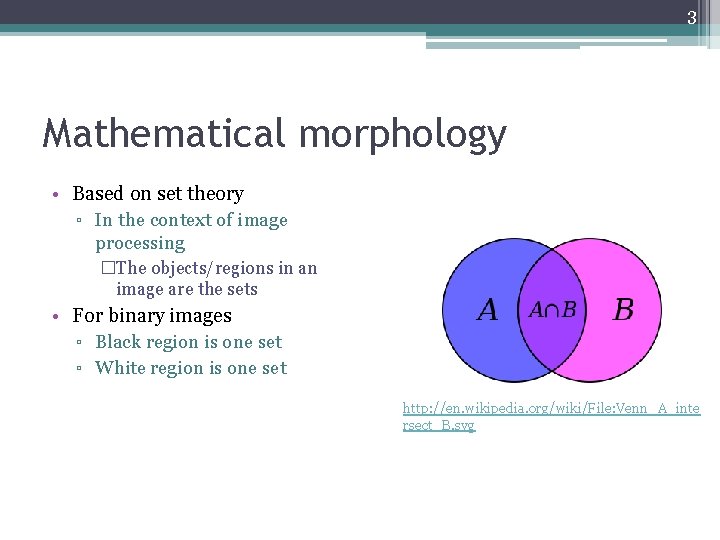
3 Mathematical morphology • Based on set theory ▫ In the context of image processing �The objects/regions in an image are the sets • For binary images ▫ Black region is one set ▫ White region is one set http: //en. wikipedia. org/wiki/File: Venn_A_inte rsect_B. svg
4 Morphological operations • Local pixel transformations for transforming images based on region shapes and patterns • Use logical operations • Often used on binary images • Examples: ▫ ▫ Erosion Dilation Opening Closing
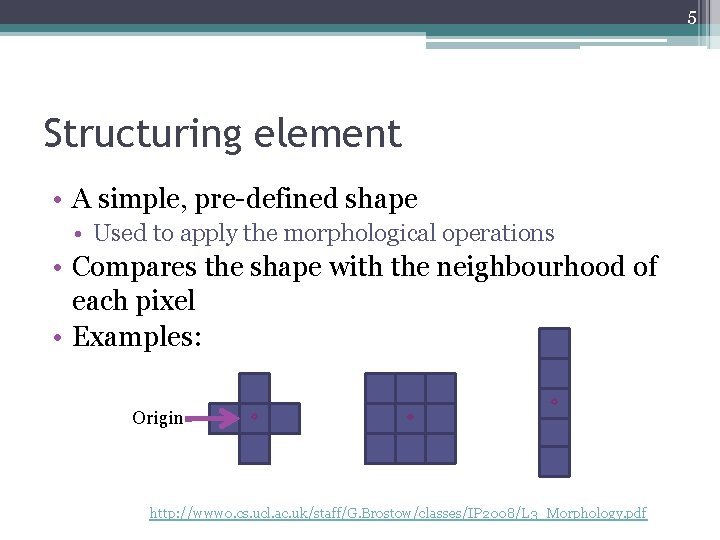
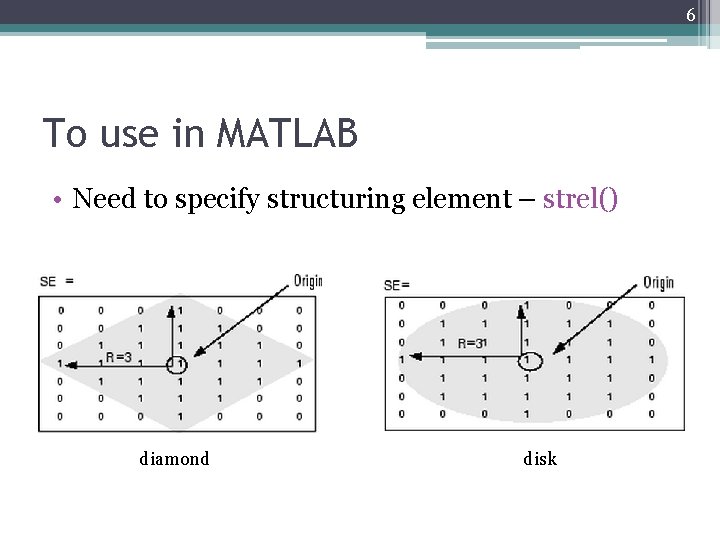
5 Structuring element • A simple, pre-defined shape • Used to apply the morphological operations • Compares the shape with the neighbourhood of each pixel • Examples: Origin http: //www 0. cs. ucl. ac. uk/staff/G. Brostow/classes/IP 2008/L 3_Morphology. pdf
6 To use in MATLAB • Need to specify structuring element – strel() diamond disk
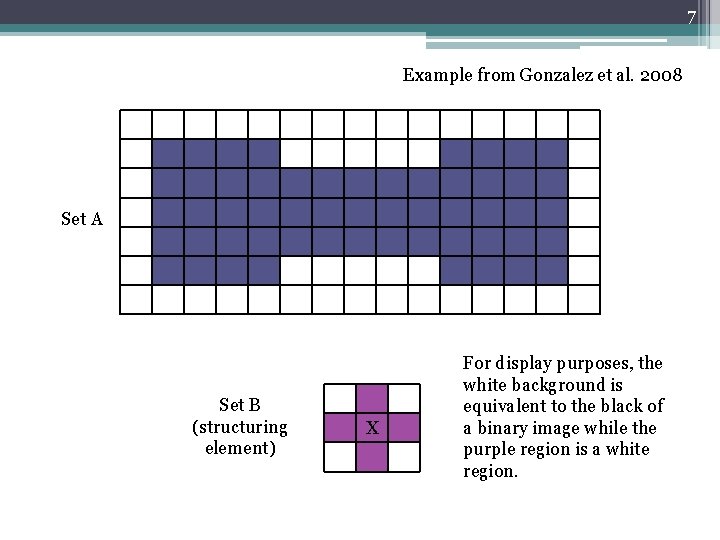
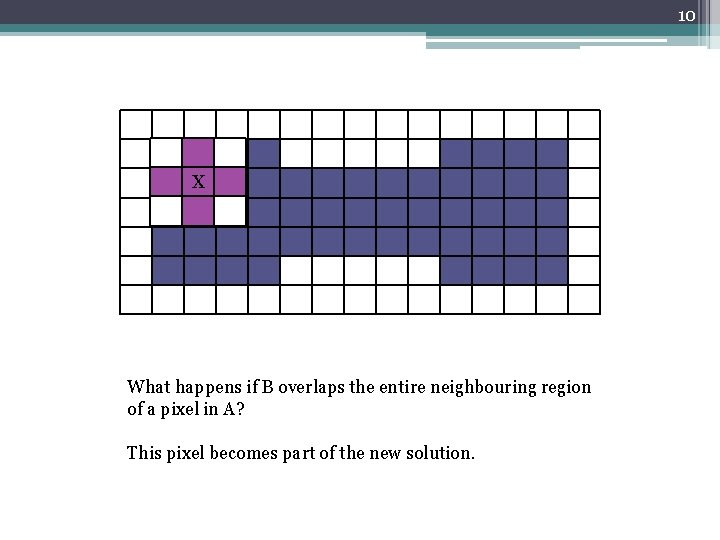
7 Example from Gonzalez et al. 2008 Set A Set B (structuring element) X For display purposes, the white background is equivalent to the black of a binary image while the purple region is a white region.
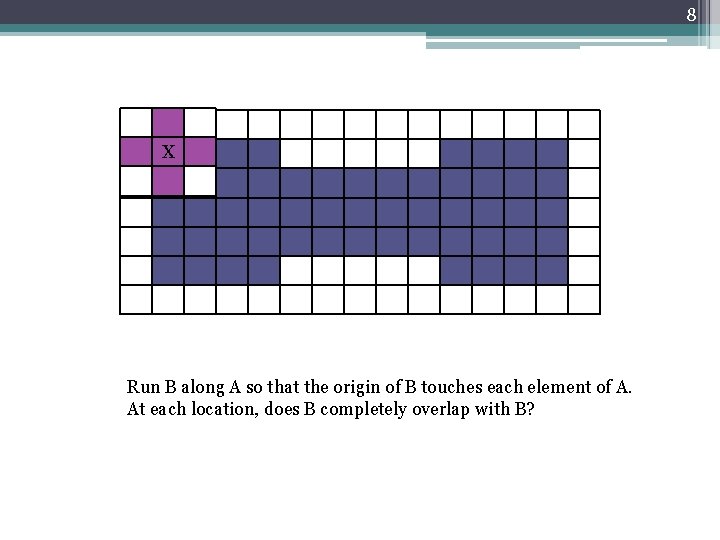
8 X Run B along A so that the origin of B touches each element of A. At each location, does B completely overlap with B?
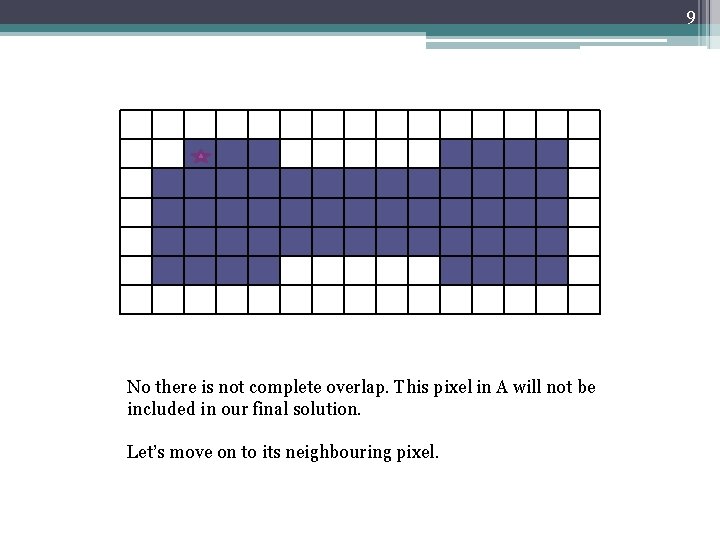
9 No there is not complete overlap. This pixel in A will not be included in our final solution. Let’s move on to its neighbouring pixel.
10 X What happens if B overlaps the entire neighbouring region of a pixel in A? This pixel becomes part of the new solution.
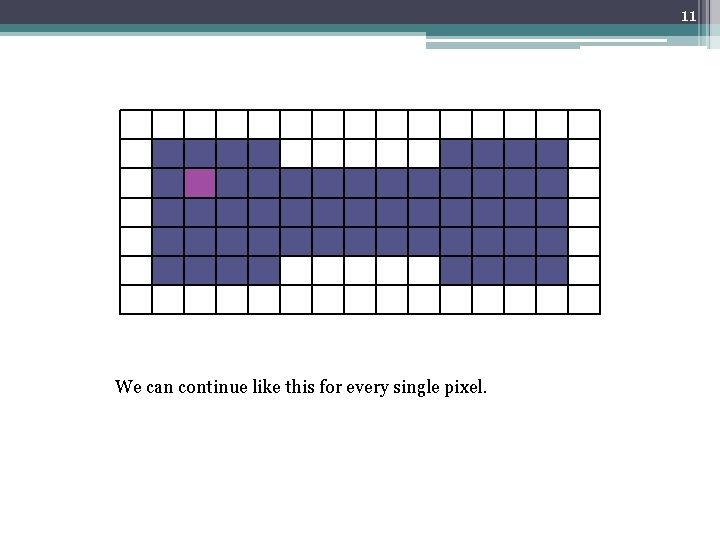
11 We can continue like this for every single pixel.
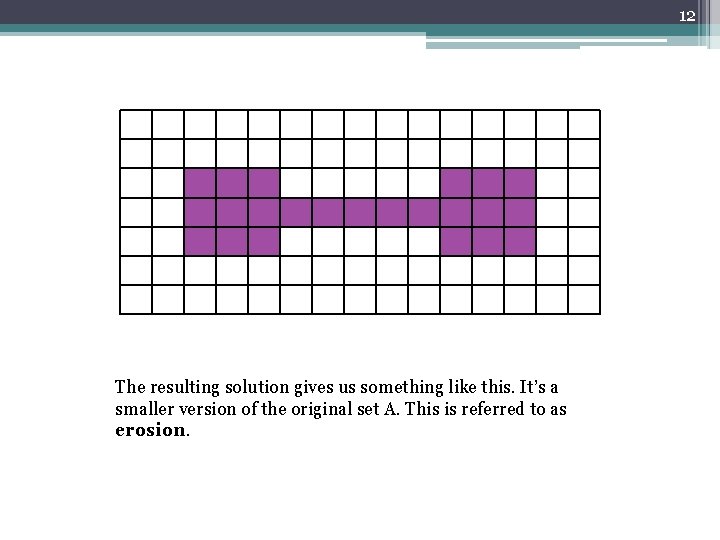
12 The resulting solution gives us something like this. It’s a smaller version of the original set A. This is referred to as erosion.
13 http: //www. youtube. com/watch? v=fmy. E 7 Dia. IYQ
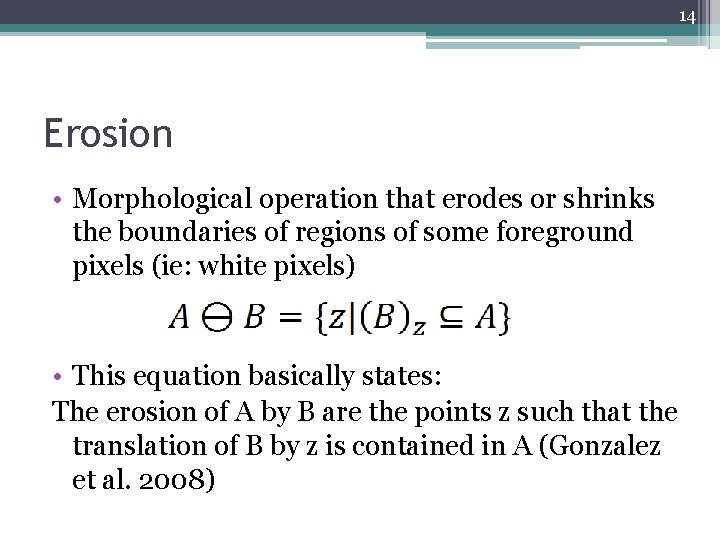
14 Erosion • Morphological operation that erodes or shrinks the boundaries of regions of some foreground pixels (ie: white pixels) • This equation basically states: The erosion of A by B are the points z such that the translation of B by z is contained in A (Gonzalez et al. 2008)
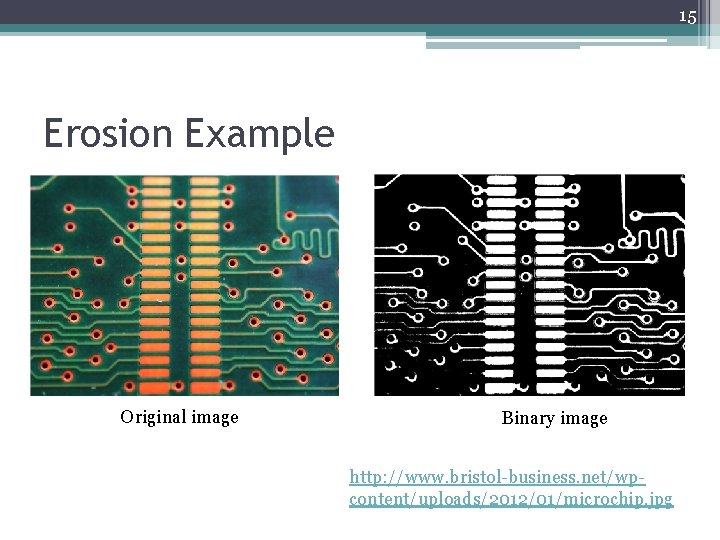
15 Erosion Example Original image Binary image http: //www. bristol-business. net/wpcontent/uploads/2012/01/microchip. jpg
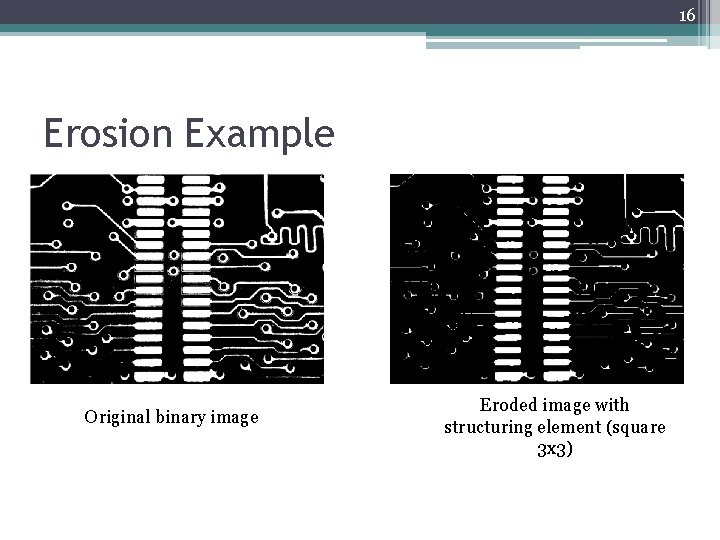
16 Erosion Example Original binary image Eroded image with structuring element (square 3 x 3)
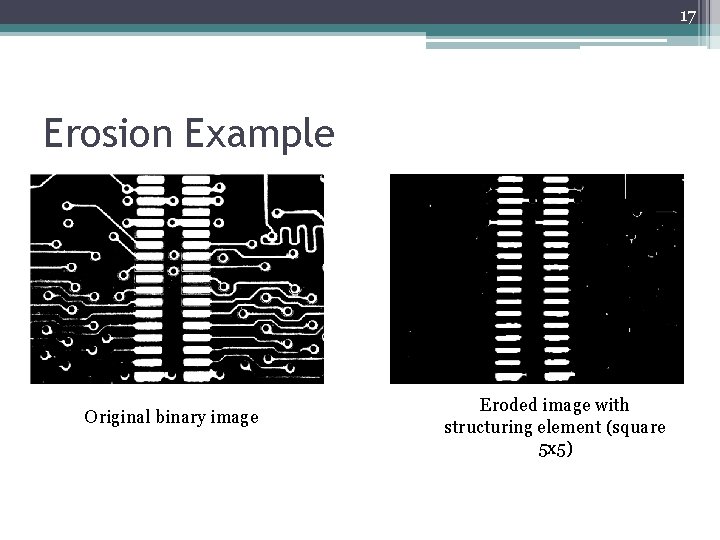
17 Erosion Example Original binary image Eroded image with structuring element (square 5 x 5)
18 Uses • Can be used to filter out image details smaller than the structuring element (as seen in previous example • Reduce thickness of objects
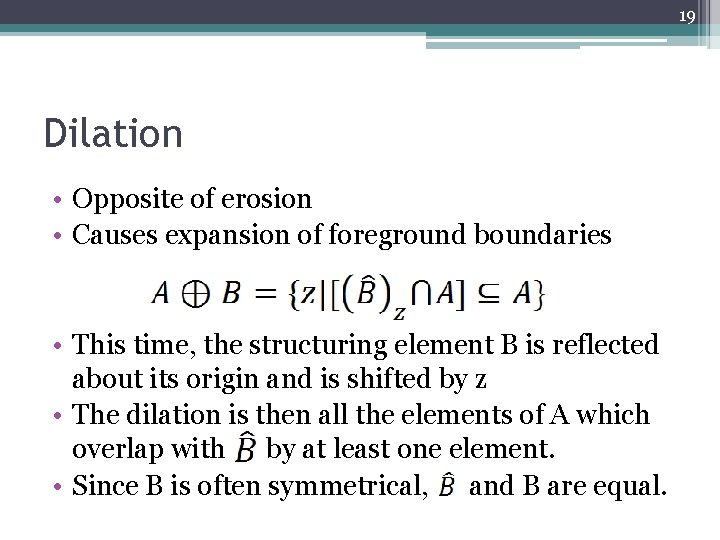
19 Dilation • Opposite of erosion • Causes expansion of foreground boundaries • This time, the structuring element B is reflected about its origin and is shifted by z • The dilation is then all the elements of A which overlap with by at least one element. • Since B is often symmetrical, and B are equal.
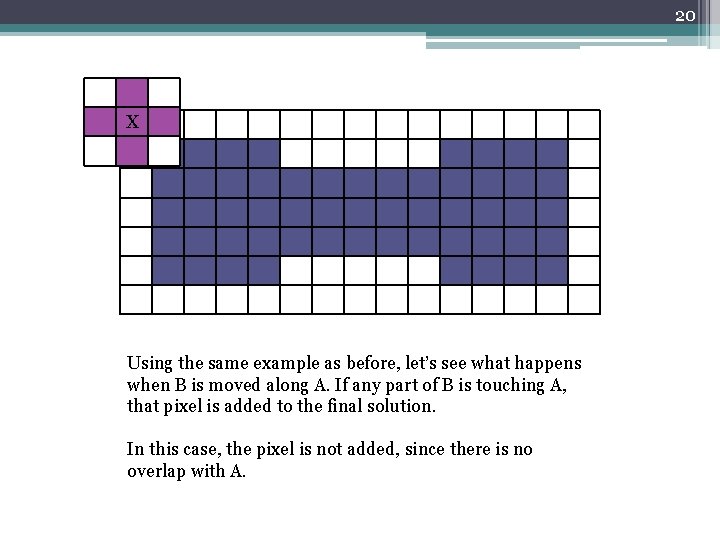
20 X Using the same example as before, let’s see what happens when B is moved along A. If any part of B is touching A, that pixel is added to the final solution. In this case, the pixel is not added, since there is no overlap with A.
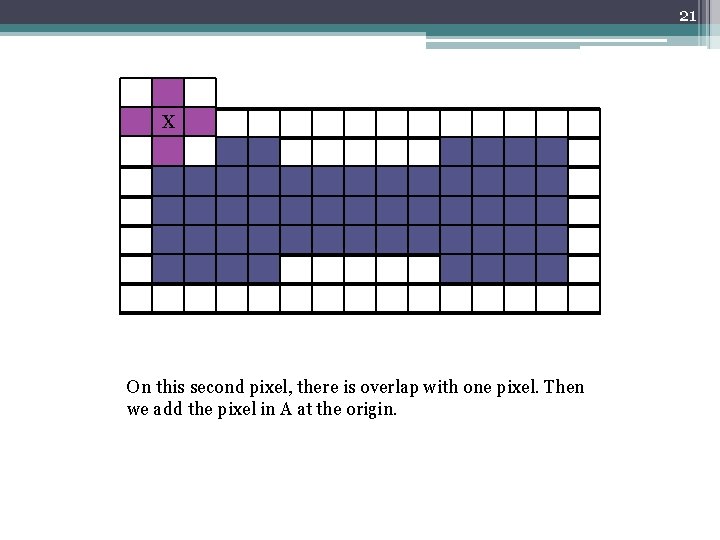
21 X On this second pixel, there is overlap with one pixel. Then we add the pixel in A at the origin.
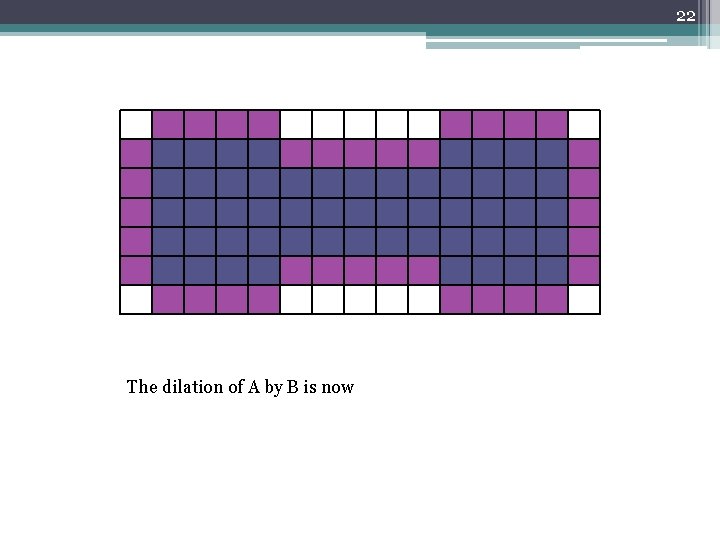
22 The dilation of A by B is now
23 http: //www. youtube. com/watch? v=x. O 3 ED 27 r. MHs
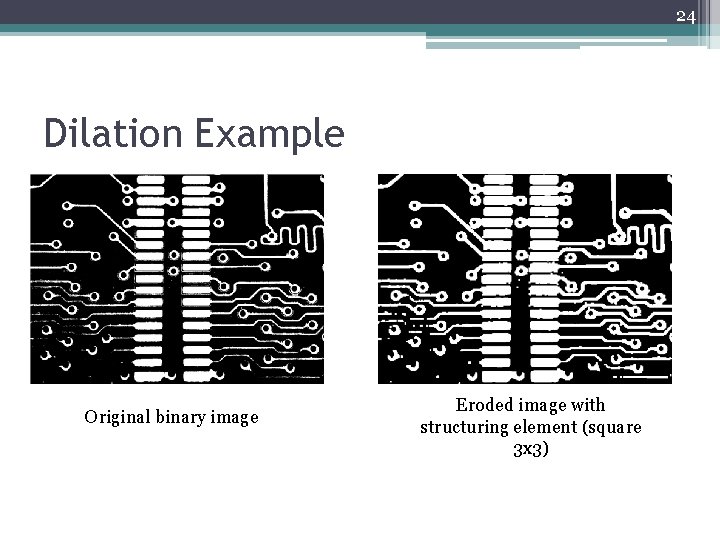
24 Dilation Example Original binary image Eroded image with structuring element (square 3 x 3)
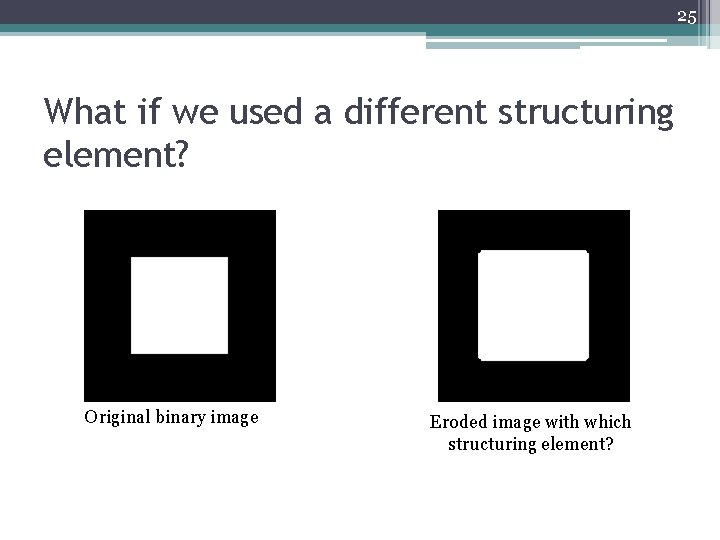
25 What if we used a different structuring element? Original binary image Eroded image with which structuring element?
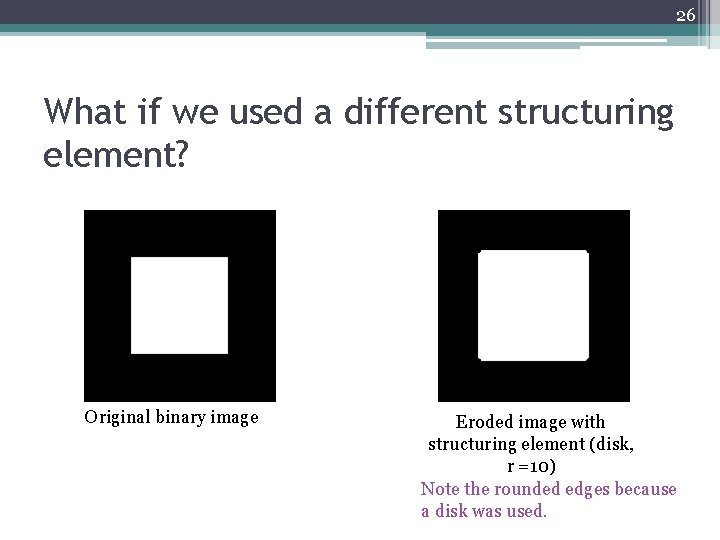
26 What if we used a different structuring element? Original binary image Eroded image with structuring element (disk, r =10) Note the rounded edges because a disk was used.
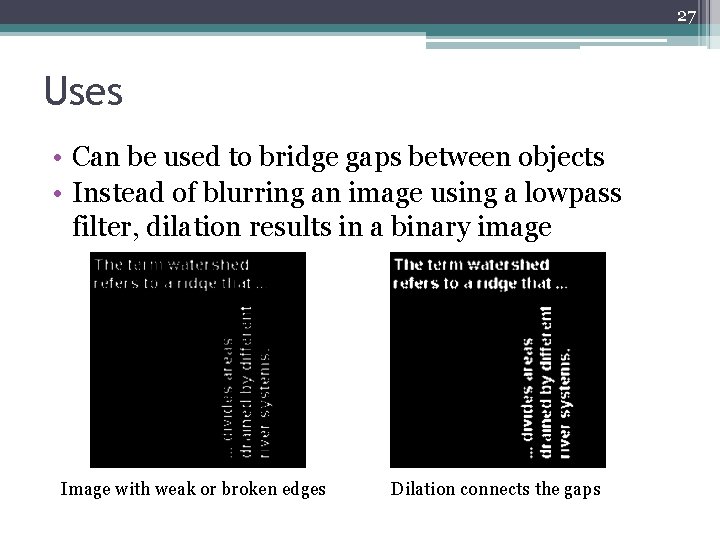
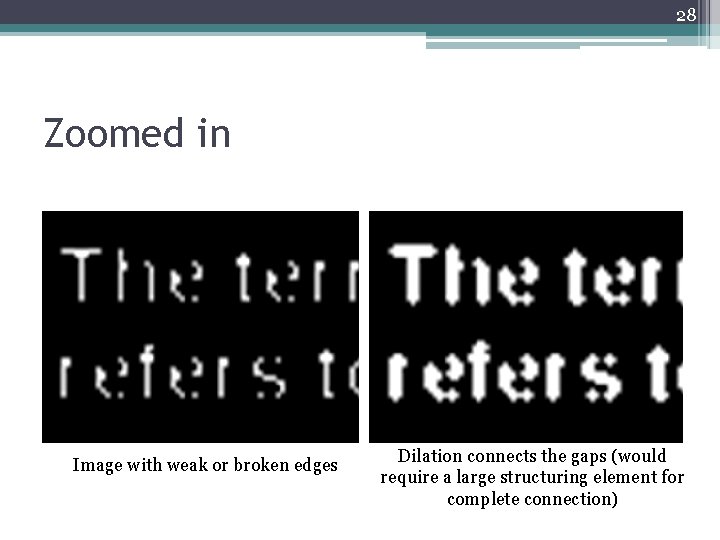
27 Uses • Can be used to bridge gaps between objects • Instead of blurring an image using a lowpass filter, dilation results in a binary image Image with weak or broken edges Dilation connects the gaps
28 Zoomed in Image with weak or broken edges Dilation connects the gaps (would require a large structuring element for complete connection)
29 How can I use this in MATLAB? • Erosion – imerode() • Dilation – imdilate() • General (includes many of the different morphological operations) – bwmorph() • Structuring element – strel()
30 Combinations • Erosion and dilation can then be combined to create two other morphological operations: ▫ Opening ▫ Closing
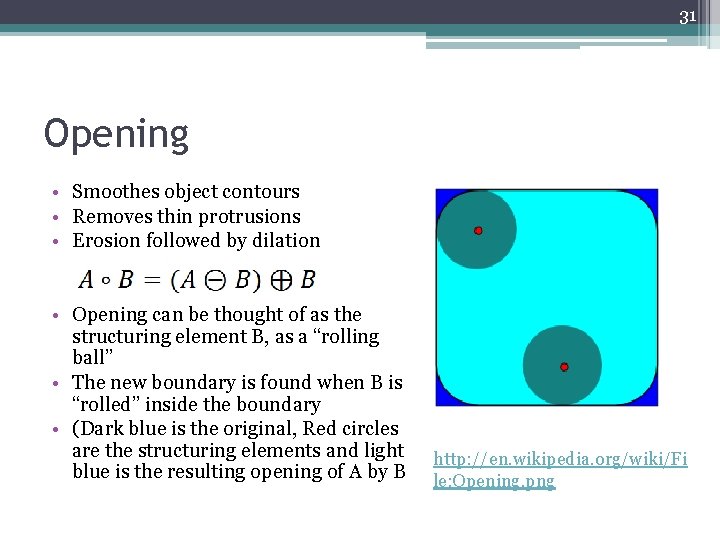
31 Opening • Smoothes object contours • Removes thin protrusions • Erosion followed by dilation • Opening can be thought of as the structuring element B, as a “rolling ball” • The new boundary is found when B is “rolled” inside the boundary • (Dark blue is the original, Red circles are the structuring elements and light blue is the resulting opening of A by B http: //en. wikipedia. org/wiki/Fi le: Opening. png
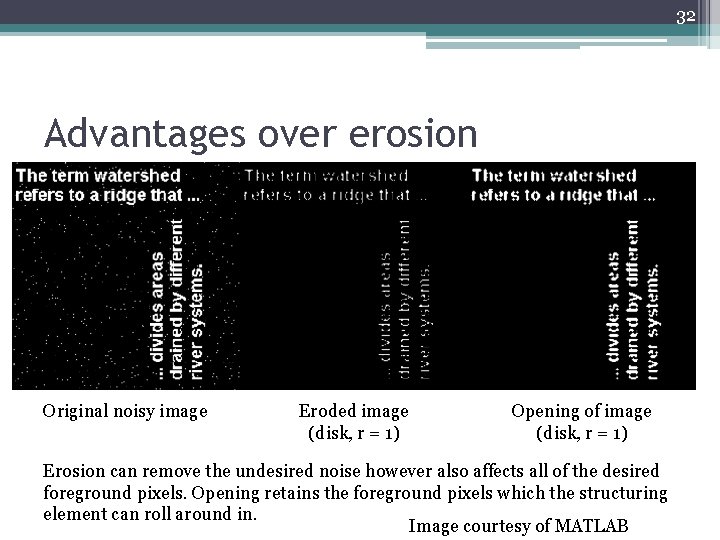
32 Advantages over erosion Original noisy image Eroded image (disk, r = 1) Opening of image (disk, r = 1) Erosion can remove the undesired noise however also affects all of the desired foreground pixels. Opening retains the foreground pixels which the structuring element can roll around in. Image courtesy of MATLAB
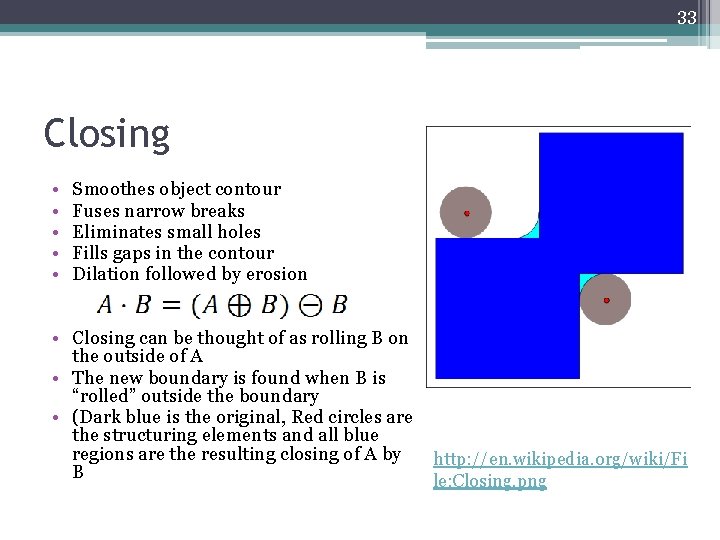
33 Closing • • • Smoothes object contour Fuses narrow breaks Eliminates small holes Fills gaps in the contour Dilation followed by erosion • Closing can be thought of as rolling B on the outside of A • The new boundary is found when B is “rolled” outside the boundary • (Dark blue is the original, Red circles are the structuring elements and all blue regions are the resulting closing of A by B http: //en. wikipedia. org/wiki/Fi le: Closing. png
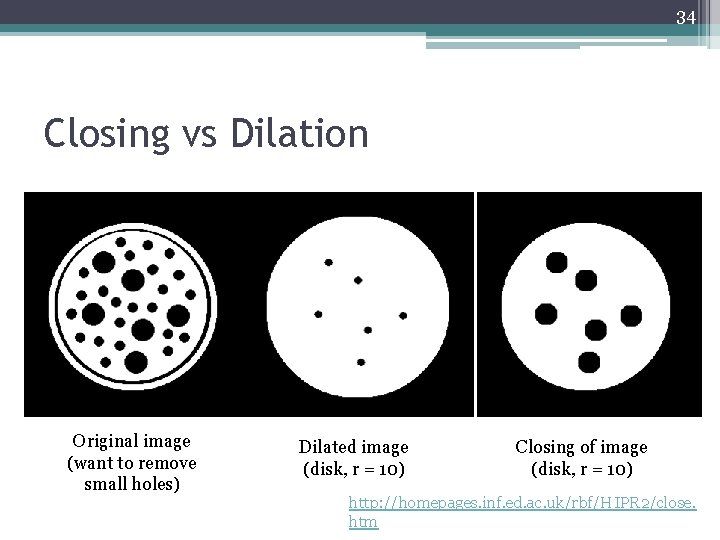
34 Closing vs Dilation Original image (want to remove small holes) Dilated image (disk, r = 10) Closing of image (disk, r = 10) http: //homepages. inf. ed. ac. uk/rbf/HIPR 2/close. htm
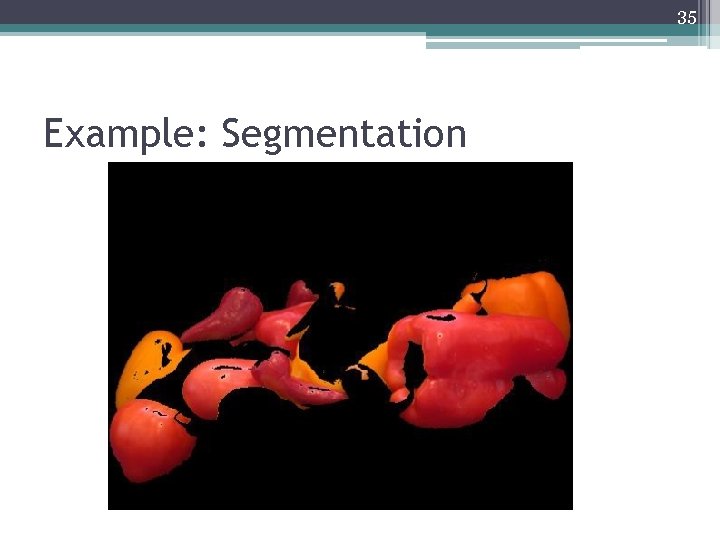
35 Example: Segmentation
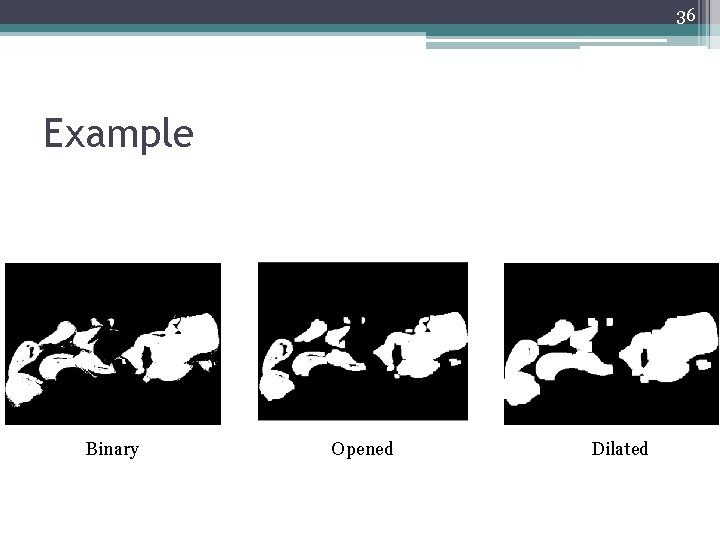
36 Example Binary Opened Dilated
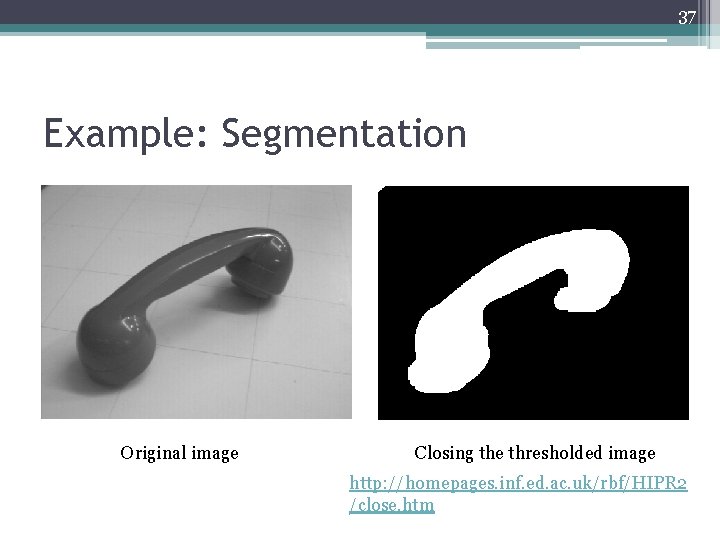
37 Example: Segmentation Original image Closing the thresholded image http: //homepages. inf. ed. ac. uk/rbf/HIPR 2 /close. htm
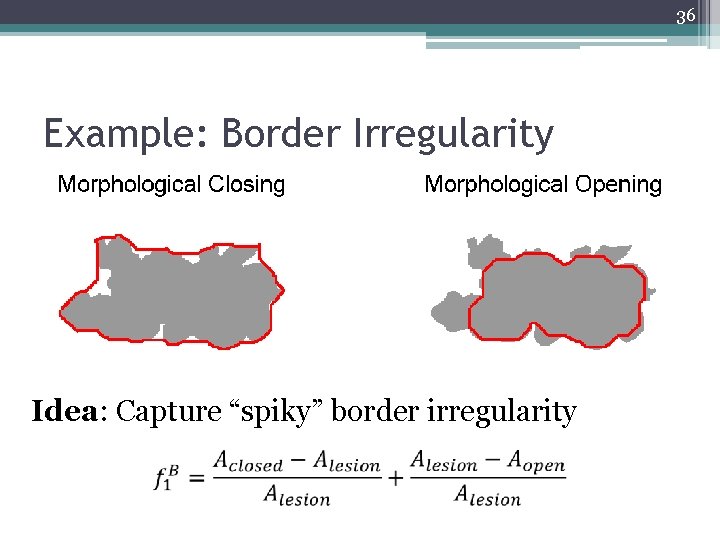
36 Example: Border Irregularity Idea: Capture “spiky” border irregularity