
1 Tutorial 1 Moving Shapes Application Introducing Computers
- Slides: 31
1 Tutorial 1 – Moving Shapes Application Introducing Computers, the Internet and Java Programming Outline 1. 1 What Is a Computer? 1. 2 Computer Organization 1. 3 Machine Languages, Assembly Languages and High-Level Languages 1. 4 Java 1. 5 Other High-Level Languages 1. 6 Structured Programming 1. 7 Key Software Trend: Object Technology 1. 8 The Internet and the World Wide Web 1. 9 Running a Java Application 1. 10 Test-Driving the Moving Shapes Application 1. 11 Internet and Web Resources 1. 12 Wrap-Up © Copyright 1992 -2004 by Deitel & Associates, Inc. and Pearson Education Inc. All Rights Reserved.
2 Objectives • In this tutorial, you will learn: – The units into which typical computers are divided. – To identify the characteristics of low-level and high-level programming languages. – About the history of high-level programming languages. – What objects are and why object technology is important. – The evolution of the Internet and the World Wide Web. – How to run your first Java application. – How to locate additional Java information using the Internet. © Copyright 1992 -2004 by Deitel & Associates, Inc. and Pearson Education Inc. All Rights Reserved.
3 1. 1 What Is a Computer? • Types of computers – Personal computer – Supercomputer • Parts of a computer – Hardware – Software © Copyright 1992 -2004 by Deitel & Associates, Inc. and Pearson Education Inc. All Rights Reserved.
4 1. 2 Computer Organization • Input unit – Input devices • Output unit – Output devices • Memory unit – Primary memory – Volatile • Arithmetic and logic unit – Performs calculation – Determines logic • Central processing unit – Administrative section © Copyright 1992 -2004 by Deitel & Associates, Inc. and Pearson Education Inc. All Rights Reserved.
5 1. 2 Computer Organization (Cont. ) • Secondary storage unit – Long-term – High capacity storage – Nonvolatile © Copyright 1992 -2004 by Deitel & Associates, Inc. and Pearson Education Inc. All Rights Reserved.
1. 3 Machine Languages, Assembly Languages and High-Level Languages • Machine language – “Natural language” – Machine dependent • Assembly language – Machine language too slow – English-like abbreviation – Assemblers • High-level language – Compiler and interpreter – Write instructions that look like everyday English © Copyright 1992 -2004 by Deitel & Associates, Inc. and Pearson Education Inc. All Rights Reserved. 6
7 1. 4 Java • Object Oriented – Objects • Components • Classes – Methods – Graphical User Interface (GUI) – Event Driven • Java Application Programming Interface (API) • Platform Independent © Copyright 1992 -2004 by Deitel & Associates, Inc. and Pearson Education Inc. All Rights Reserved.
8 1. 5 Other High-Level Languages • Fortran – Developed in mid-1950 s – For scientific and engineering applications • COBOL – Developed in late 1950 s – Business software • The C language – Development language of the Unix operating system – C++ extends C • Object-oriented programming language • Basic – Developed in mid-1960 s – Sun Microsystems © Copyright 1992 -2004 by Deitel & Associates, Inc. and Pearson Education Inc. All Rights Reserved.
9 1. 5 Other High-Level Languages (Cont. ) • Visual Basic. NET – Designed for Microsoft’s. NET framework – Object-oriented programming language – Framework Class Library (FCL) • C# – Designed for Microsoft’s. NET framework – Comparable capabilities with Java and Visual Basic. NET © Copyright 1992 -2004 by Deitel & Associates, Inc. and Pearson Education Inc. All Rights Reserved.
10 1. 6 Structured Programming • Evolution of structured programming – Clearer and easy to modify – Pascal • Designed for teaching structured programming • Lacked many features – Ada programming language • Develop with sponsorship of the U. S. Department of Defense © Copyright 1992 -2004 by Deitel & Associates, Inc. and Pearson Education Inc. All Rights Reserved.
11 1. 7 Key Software Trend: Object Technology • Object technology – Objects have attributes – Objects perform actions • Procedural programming language © Copyright 1992 -2004 by Deitel & Associates, Inc. and Pearson Education Inc. All Rights Reserved.
12 1. 8 The Internet and the World Wide Web • Advanced Research Projects Agency – Networking together computer systems – ARPAnet • Today’s internet – Transmission Control Protocol • Sending and receiving packets – Internet Protocol • “Network of networks” • World Wide Web – Collection of hardware and software – Hyper. Text Markup Language © Copyright 1992 -2004 by Deitel & Associates, Inc. and Pearson Education Inc. All Rights Reserved.
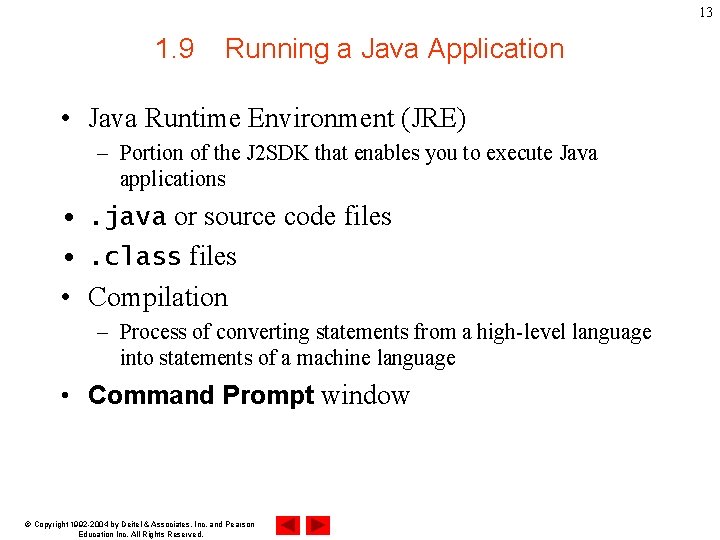
13 1. 9 Running a Java Application • Java Runtime Environment (JRE) – Portion of the J 2 SDK that enables you to execute Java applications • . java or source code files • . class files • Compilation – Process of converting statements from a high-level language into statements of a machine language • Command Prompt window © Copyright 1992 -2004 by Deitel & Associates, Inc. and Pearson Education Inc. All Rights Reserved.
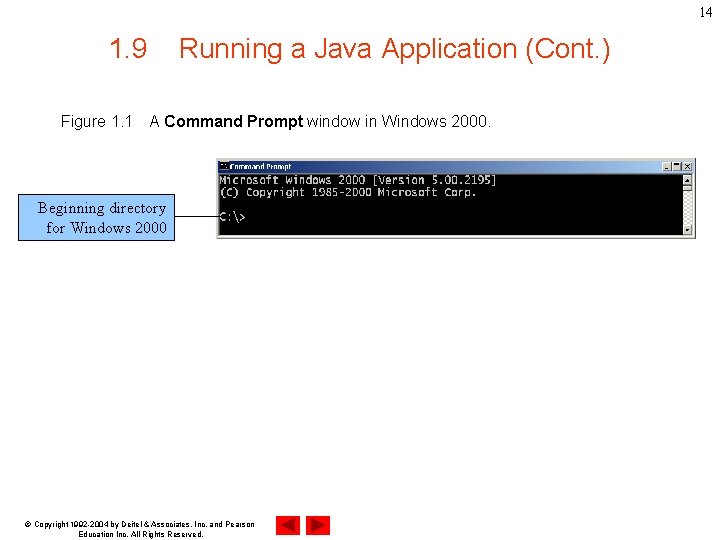
14 1. 9 Figure 1. 1 Running a Java Application (Cont. ) A Command Prompt window in Windows 2000. Beginning directory for Windows 2000 © Copyright 1992 -2004 by Deitel & Associates, Inc. and Pearson Education Inc. All Rights Reserved.
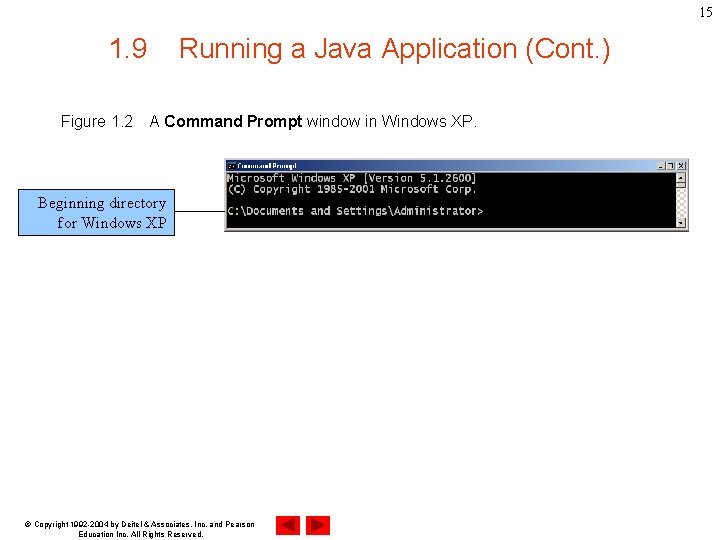
15 1. 9 Figure 1. 2 Running a Java Application (Cont. ) A Command Prompt window in Windows XP. Beginning directory for Windows XP © Copyright 1992 -2004 by Deitel & Associates, Inc. and Pearson Education Inc. All Rights Reserved.
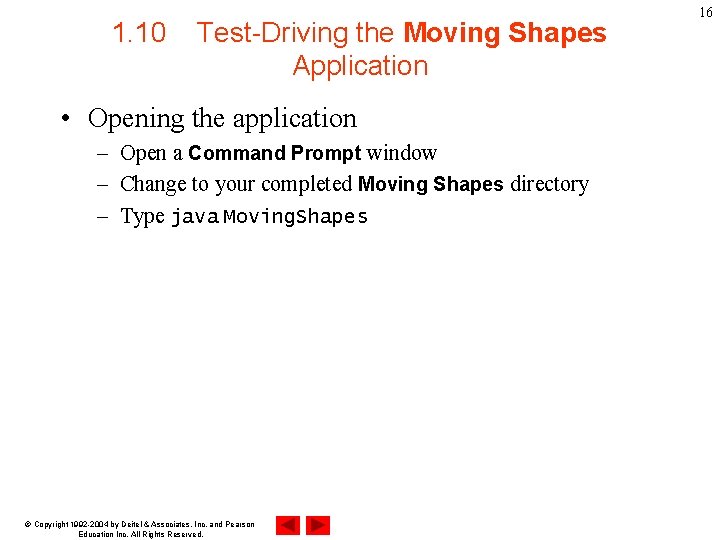
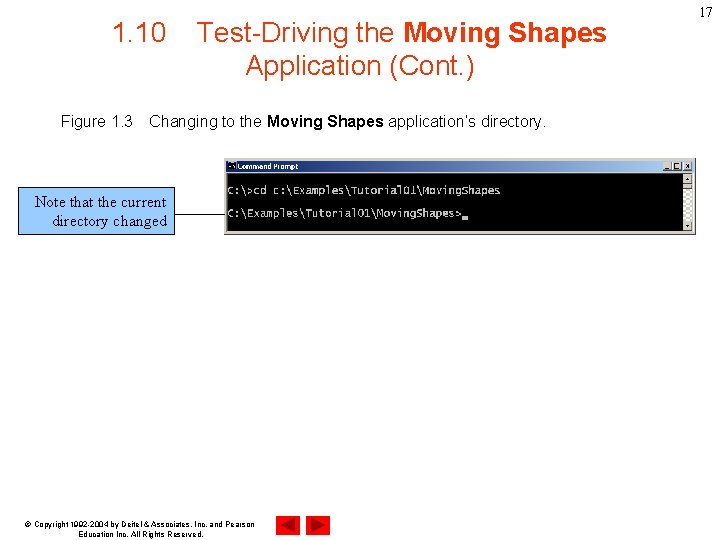
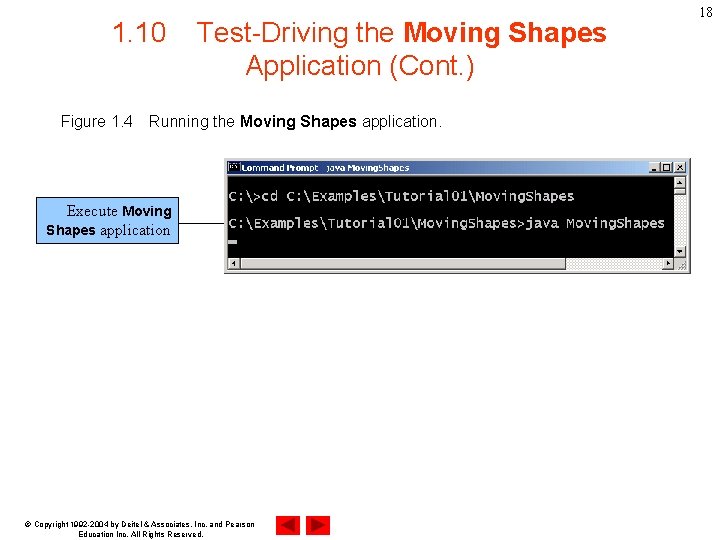
1. 10 Test-Driving the Moving Shapes Application • Opening the application – Open a Command Prompt window – Change to your completed Moving Shapes directory – Type java Moving. Shapes © Copyright 1992 -2004 by Deitel & Associates, Inc. and Pearson Education Inc. All Rights Reserved. 16
1. 10 Figure 1. 3 Test-Driving the Moving Shapes Application (Cont. ) Changing to the Moving Shapes application’s directory. Note that the current directory changed © Copyright 1992 -2004 by Deitel & Associates, Inc. and Pearson Education Inc. All Rights Reserved. 17
1. 10 Figure 1. 4 Test-Driving the Moving Shapes Application (Cont. ) Running the Moving Shapes application. Execute Moving Shapes application © Copyright 1992 -2004 by Deitel & Associates, Inc. and Pearson Education Inc. All Rights Reserved. 18
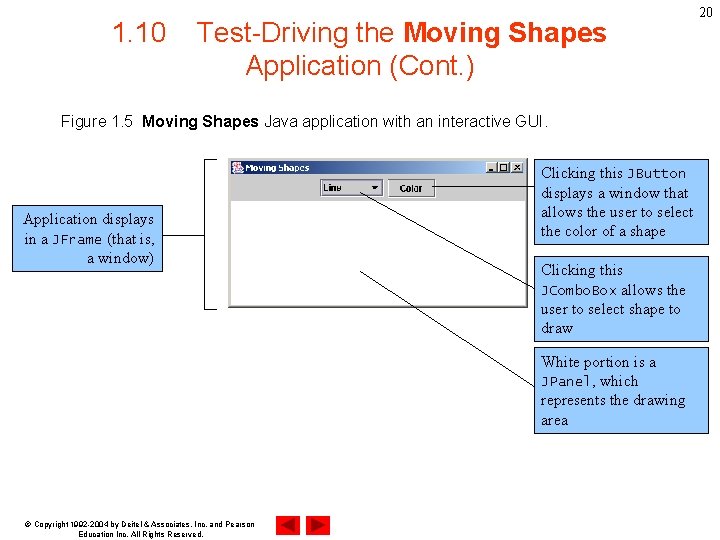
1. 10 Test-Driving the Moving Shapes Application (Cont. ) • GUI Components – Graphical Elements • • JFrame JButton JCombo. Box JPanel © Copyright 1992 -2004 by Deitel & Associates, Inc. and Pearson Education Inc. All Rights Reserved. 19
1. 10 Test-Driving the Moving Shapes Application (Cont. ) Figure 1. 5 Moving Shapes Java application with an interactive GUI. Application displays in a JFrame (that is, a window) Clicking this JButton displays a window that allows the user to select the color of a shape Clicking this JCombo. Box allows the user to select shape to draw White portion is a JPanel, which represents the drawing area © Copyright 1992 -2004 by Deitel & Associates, Inc. and Pearson Education Inc. All Rights Reserved. 20
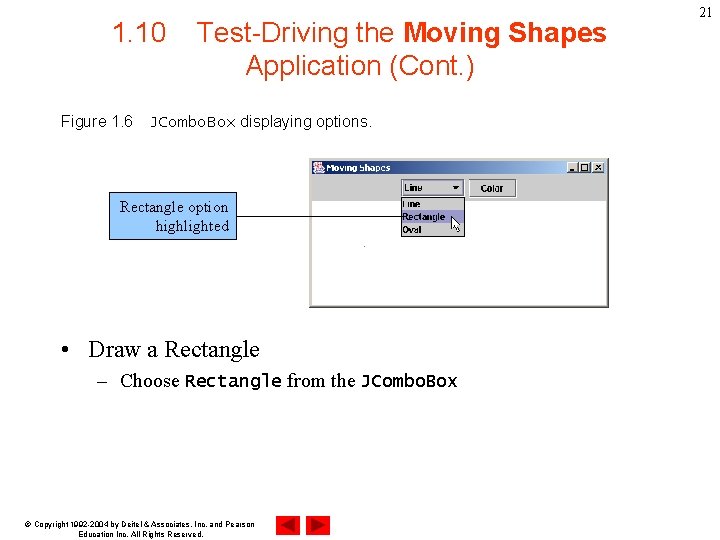
1. 10 Figure 1. 6 Test-Driving the Moving Shapes Application (Cont. ) JCombo. Box displaying options. Rectangle option highlighted • Draw a Rectangle – Choose Rectangle from the JCombo. Box © Copyright 1992 -2004 by Deitel & Associates, Inc. and Pearson Education Inc. All Rights Reserved. 21
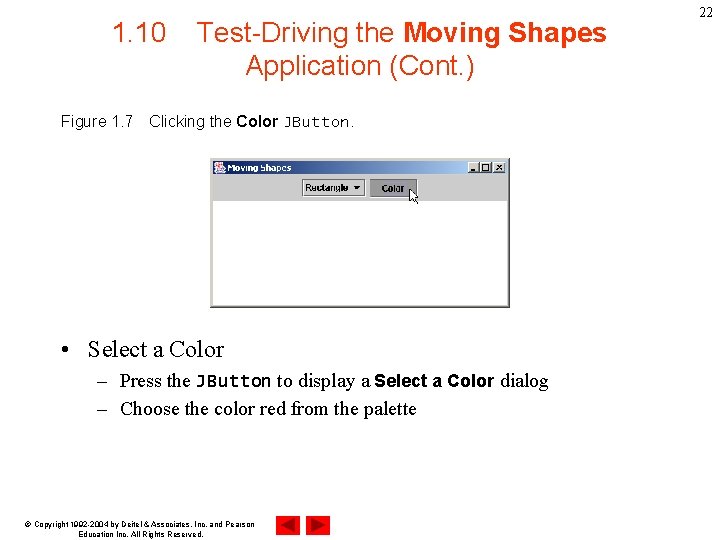
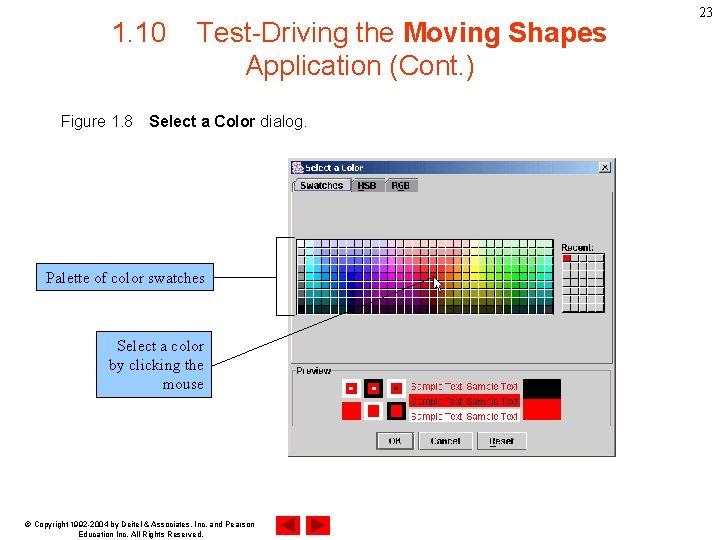
1. 10 Figure 1. 7 Test-Driving the Moving Shapes Application (Cont. ) Clicking the Color JButton. • Select a Color – Press the JButton to display a Select a Color dialog – Choose the color red from the palette © Copyright 1992 -2004 by Deitel & Associates, Inc. and Pearson Education Inc. All Rights Reserved. 22
1. 10 Figure 1. 8 Test-Driving the Moving Shapes Application (Cont. ) Select a Color dialog. Palette of color swatches Select a color by clicking the mouse © Copyright 1992 -2004 by Deitel & Associates, Inc. and Pearson Education Inc. All Rights Reserved. 23
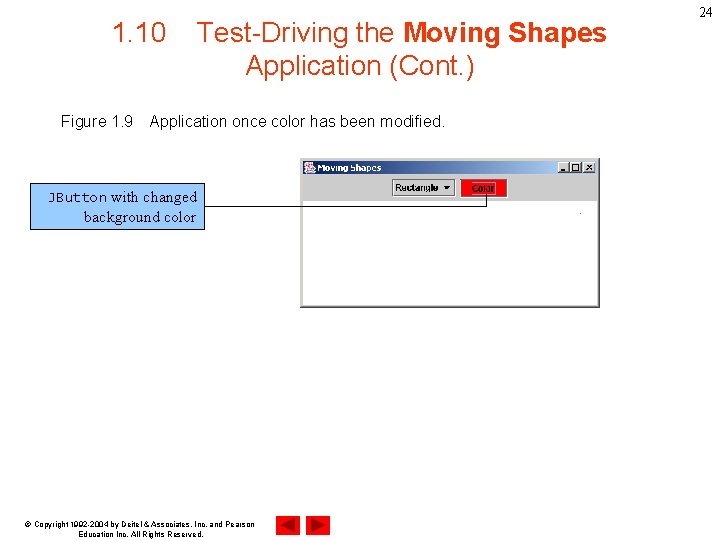
1. 10 Figure 1. 9 Test-Driving the Moving Shapes Application (Cont. ) Application once color has been modified. JButton with changed background color © Copyright 1992 -2004 by Deitel & Associates, Inc. and Pearson Education Inc. All Rights Reserved. 24
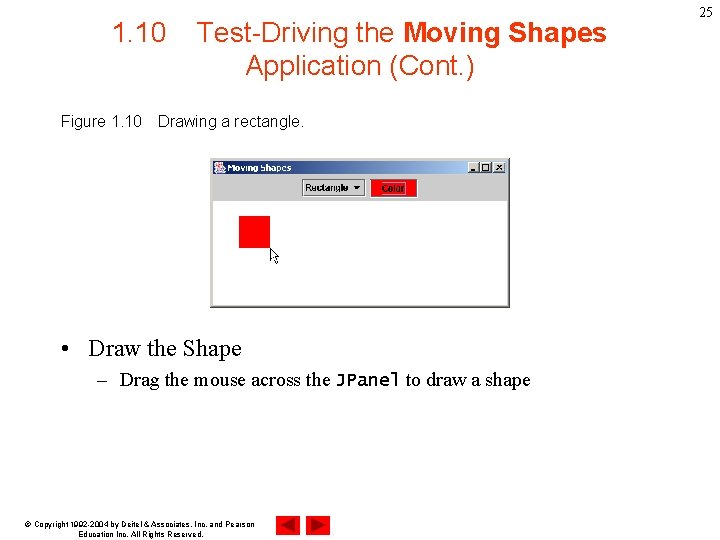
1. 10 Figure 1. 10 Test-Driving the Moving Shapes Application (Cont. ) Drawing a rectangle. • Draw the Shape – Drag the mouse across the JPanel to draw a shape © Copyright 1992 -2004 by Deitel & Associates, Inc. and Pearson Education Inc. All Rights Reserved. 25
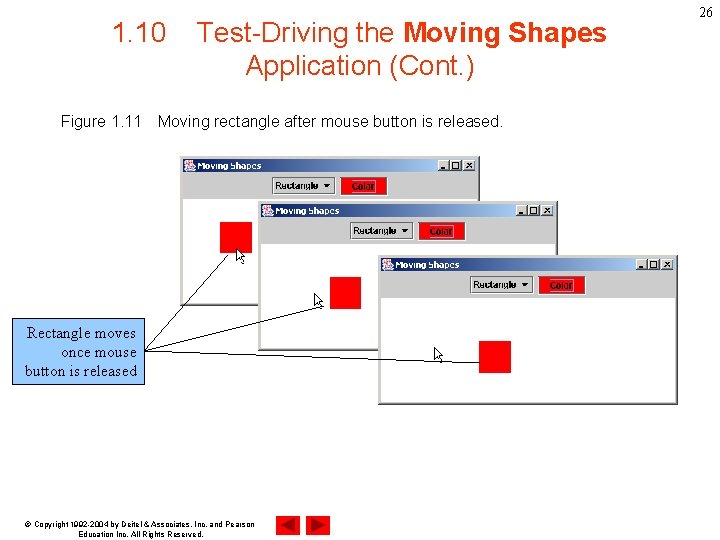
1. 10 Figure 1. 11 Test-Driving the Moving Shapes Application (Cont. ) Moving rectangle after mouse button is released. Rectangle moves once mouse button is released © Copyright 1992 -2004 by Deitel & Associates, Inc. and Pearson Education Inc. All Rights Reserved. 26
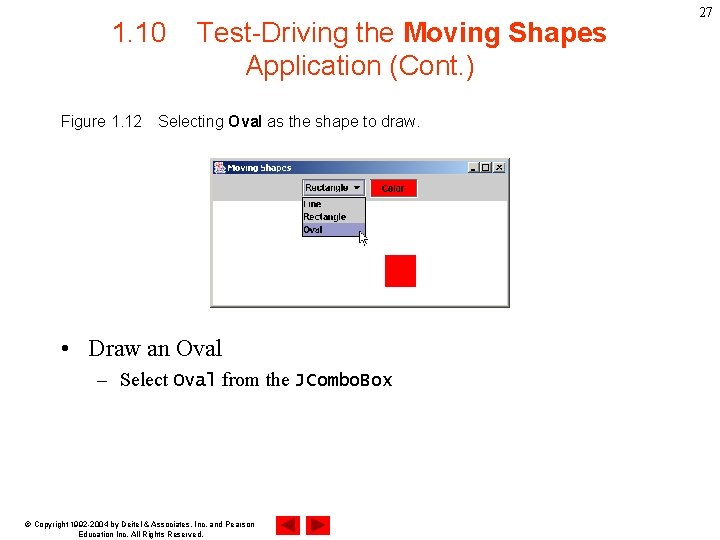
1. 10 Figure 1. 12 Test-Driving the Moving Shapes Application (Cont. ) Selecting Oval as the shape to draw. • Draw an Oval – Select Oval from the JCombo. Box © Copyright 1992 -2004 by Deitel & Associates, Inc. and Pearson Education Inc. All Rights Reserved. 27
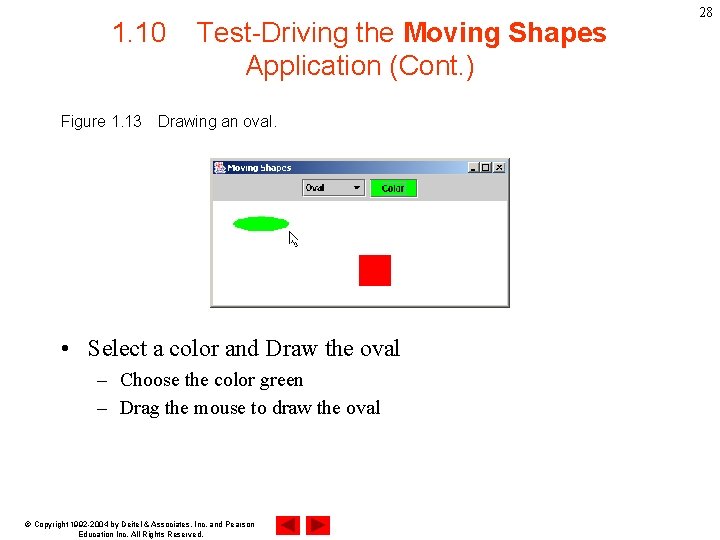
1. 10 Figure 1. 13 Test-Driving the Moving Shapes Application (Cont. ) Drawing an oval. • Select a color and Draw the oval – Choose the color green – Drag the mouse to draw the oval © Copyright 1992 -2004 by Deitel & Associates, Inc. and Pearson Education Inc. All Rights Reserved. 28
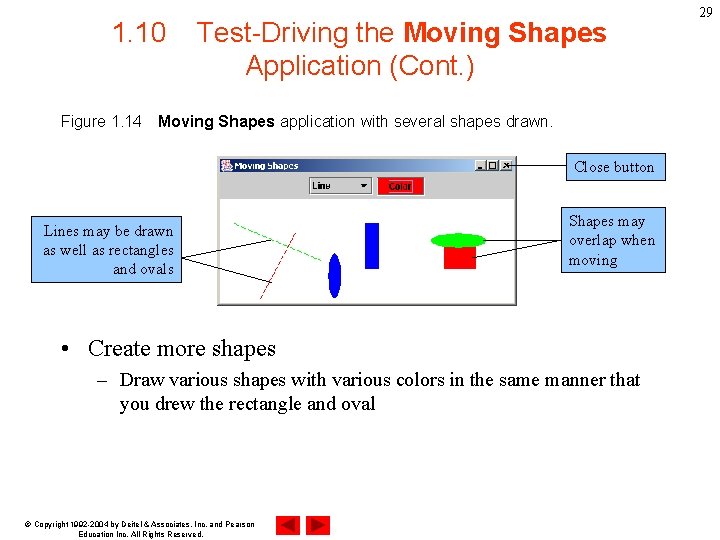
1. 10 Figure 1. 14 Test-Driving the Moving Shapes Application (Cont. ) Moving Shapes application with several shapes drawn. Close button Lines may be drawn as well as rectangles and ovals Shapes may overlap when moving • Create more shapes – Draw various shapes with various colors in the same manner that you drew the rectangle and oval © Copyright 1992 -2004 by Deitel & Associates, Inc. and Pearson Education Inc. All Rights Reserved. 29
1. 10 Test-Driving the Moving Shapes Application (Cont. ) • Software reuse – Did not need to define the general look and feel of some components • Line • Rectangle • Oval © Copyright 1992 -2004 by Deitel & Associates, Inc. and Pearson Education Inc. All Rights Reserved. 30
31 1. 11 • • Internet and Web Resources www. deitel. com www. prenhall. com/deitel www. softlord. com/comp www. elsop. com/wrc/h_comput. htm www. w 3. org/History. html www. netvalley. com/intval. html java. sun. com developer. java. sun. com/developer/online. Training/ new 2 java © Copyright 1992 -2004 by Deitel & Associates, Inc. and Pearson Education Inc. All Rights Reserved.