
1 The network is the computer Sun Microsystems
- Slides: 20
1 The network is the computer. - Sun Microsystems Motto © Keith Vander Linden, 2005, Jeremy D. Frens, 2008
2 Computer Networks ● ● ● History Technology Issues © Keith Vander Linden, 2005, Jeremy D. Frens, 2008
3 Early Computer Networks ● ● Early machines were stand-alone machines. But people wanted to… share data – share resources – ● Growth 1960 s: some mainframes – 1980 s: personal computers at home – 2000 s: everything? mandatory? – © Keith Vander Linden, 2005, Jeremy D. Frens, 2008
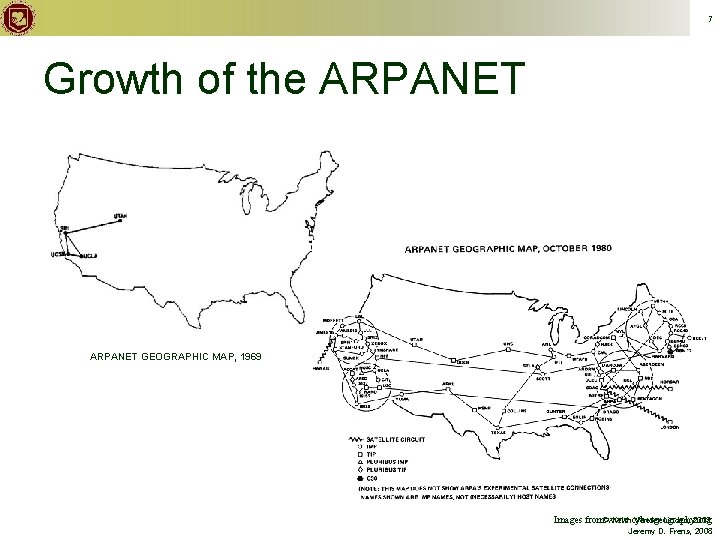
4 ARPANET ● ● 1969 The DOD wanted a network that could handle computers that crashed regularly. © Keith Vander Linden, 2005, Jeremy D. Frens, 2008
5 Internet ● ● ● 1983 ARPANET, CSNET & other networks combined to form the Internet. Network of independent, heterogeneous networks. Within your network, use whatever protocol you want. – On the Internet, use TCP/IP – © Keith Vander Linden, 2005, Jeremy D. Frens, 2008
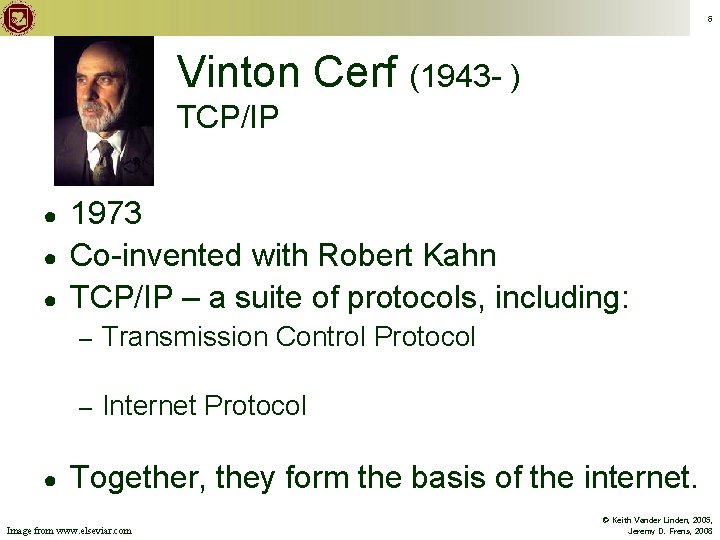
6 Vinton Cerf (1943 - ) TCP/IP ● ● 1973 Co-invented with Robert Kahn TCP/IP – a suite of protocols, including: – Transmission Control Protocol – Internet Protocol Together, they form the basis of the internet. Image from www. elseviar. com © Keith Vander Linden, 2005, Jeremy D. Frens, 2008
7 Growth of the ARPANET GEOGRAPHIC MAP, 1969 Keith Vander Linden, 2005, Images from©www. cybergeography. org Jeremy D. Frens, 2008
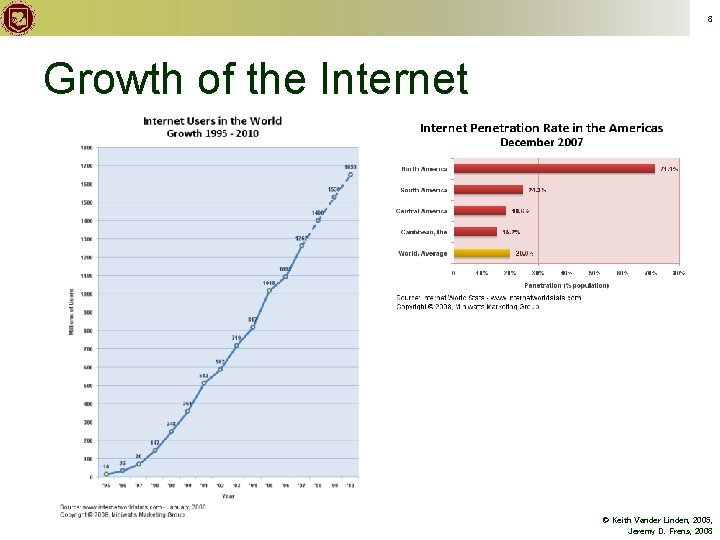
8 Growth of the Internet © Keith Vander Linden, 2005, Jeremy D. Frens, 2008
9 Distributed Network ● No one computer is in charge of the Internet. All computers are in charge! – Some take on more responsibilities. – ● ● Computers are connected to each other in multiple ways. Each computer routes data closer to its destination. – Routers: extra routing responsibilities. © Keith Vander Linden, 2005, Jeremy D. Frens, 2008
10 Packet Switching ● ● Data is split up into small packets. Each packet is sent on its own to a nearby computer. – ● ● Not all packets take the same route! The packets are reassembled into the original data. If a packet goes missing, it’s resent. © Keith Vander Linden, 2005, Jeremy D. Frens, 2008
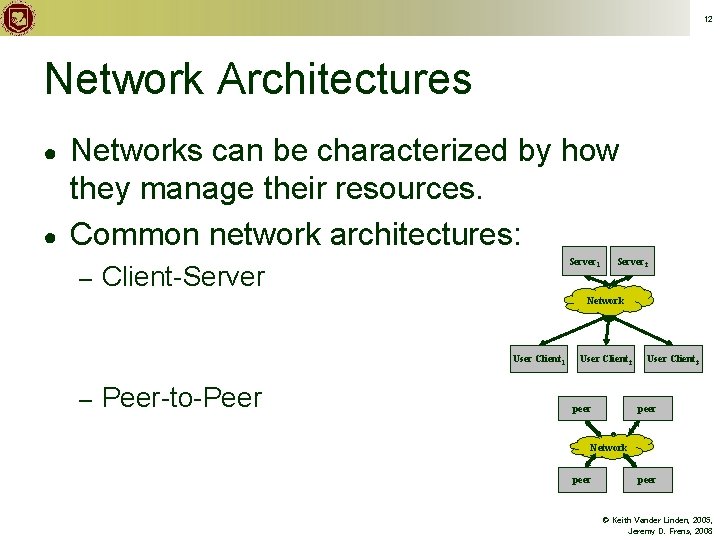
12 Network Architectures ● ● Networks can be characterized by how they manage their resources. Common network architectures: – Server 1 Client-Server 2 Network User Client 1 – Peer-to-Peer User Client 2 peer User Client 3 peer Network peer © Keith Vander Linden, 2005, Jeremy D. Frens, 2008
13 Network Technologies ● Copper wire – ● ● coaxial or twisted pair (telephone wire, cat 5/ethernet cable) Fiber-optics Wireless technology Radio Frequency (RF) – Infrared radiation – Microwave – © Keith Vander Linden, 2005, Jeremy D. Frens, 2008
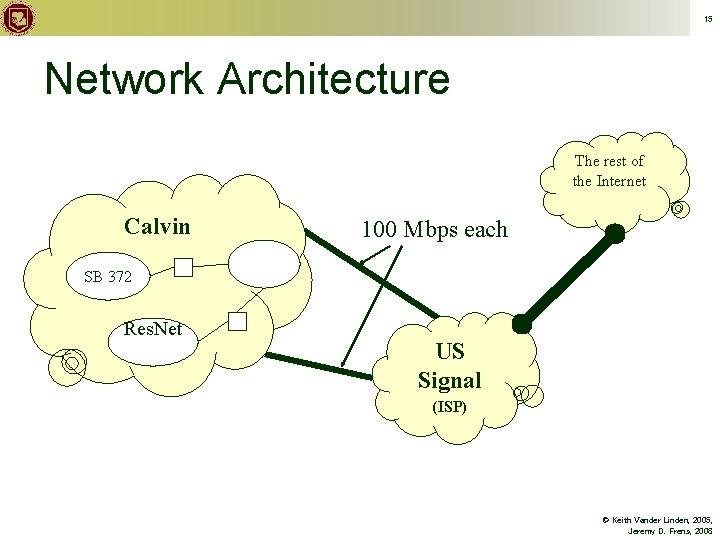
15 Network Architecture The rest of the Internet Calvin 100 Mbps each SB 372 Res. Net US Signal (ISP) © Keith Vander Linden, 2005, Jeremy D. Frens, 2008
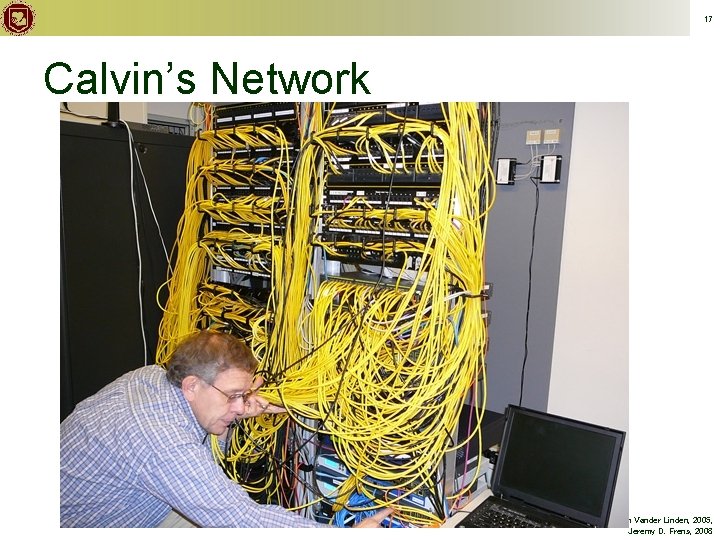
16 Calvin’s Network ● ● Dual 100 Mbps fiber connections to/from US Signal 400 switches Distribution closets in all buildings – with big one in Bolt-Heyns-Timmer All data through a “packet shaper”, “intrusion prevention device”, and “external firewall”. © Keith Vander Linden, 2005, Jeremy D. Frens, 2008
17 Calvin’s Network © Keith Vander Linden, 2005, Jeremy D. Frens, 2008
18 Internet Services ● ● ● The Internet supports a variety of information services. These services use the Internet. Examples: World Wide Web (http) – Email – Telnet/SSH – FTP/SFTP – © Keith Vander Linden, 2005, Jeremy D. Frens, 2008
22 Inclusiveness of the Web What’s the Big Idea ● How “world-wide” is the web? ● How could we make it more international? ● How inclusive or intrusive should it be? © Keith Vander Linden, 2005, Jeremy D. Frens, 2008
23 Malware ● malicious software: “software to infiltrate a computer system without the owner’s informed consent” [wikipedia] definition based on the user’s intent or motive – Note: God judges us based on our motives. – ● includes computer viruses, worms, trojan horses, rootkits, spyware, dishonest adware, crimeware, etc. © Keith Vander Linden, 2005, Jeremy D. Frens, 2008
24 Malware (cont) ● ● ● virus: attached to an existing program, does damage to files, and copies itself. worm: unattached, damages the network, and copies itself. trojan horse: opens up a “backdoor” to the system for future unauthorized access; non-replicating. spyware: collects info about users. crimeware: for identity theft. © Keith Vander Linden, 2005, Jeremy D. Frens, 2008
25 Privacy and the Internet ● The internet never sleeps, it never forgets and it doesn’t always tell the truth. – ● ● ● What’s the Big Idea phishing schemes The internet makes information more vulnerable to improper use. What can be done about this? “…be shrewd as snakes and as innocent as doves. ” - Matthew 10: 16 © Keith Vander Linden, 2005, Jeremy D. Frens, 2008