
1 Storage Capabilities in Cinder Xing Yang Dell

1
Storage Capabilities in Cinder Xing Yang (Dell EMC), Jay Bryant (Lenovo), Sean Mc. Ginnis (Huawei) May 9, 2017 Boston
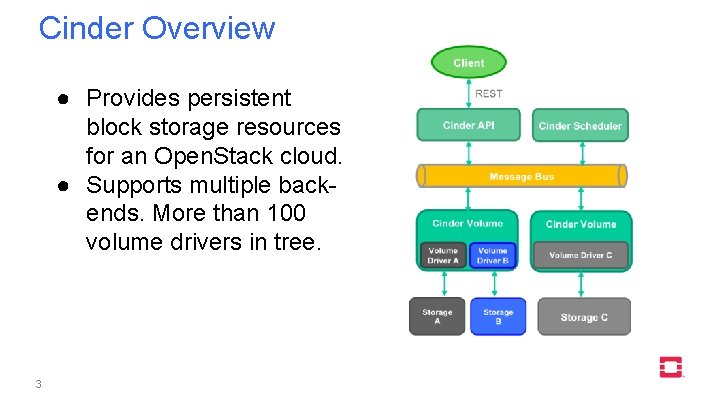
Cinder Overview ● Provides persistent block storage resources for an Open. Stack cloud. ● Supports multiple backends. More than 100 volume drivers in tree. 3
Agenda ● ● ● 4 Volume migration and retype Generic image volume cache Replication V 2. 1 Generic volume groups Backup and restore
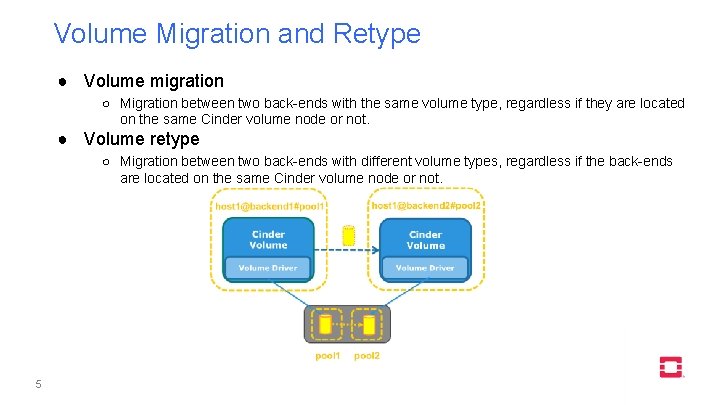
Volume Migration and Retype ● Volume migration ○ Migration between two back-ends with the same volume type, regardless if they are located on the same Cinder volume node or not. ● Volume retype ○ Migration between two back-ends with different volume types, regardless if the back-ends are located on the same Cinder volume node or not. 5
![Volume Migration and Retype - commands ● Volume migration ○ cinder migrate [--force-host-copy [<True|False>]]](http://slidetodoc.com/presentation_image_h/f7133cba6a3a487cadc95efd90b76ea9/image-6.jpg "Volume Migration and Retype - commands ● Volume migration ○ cinder migrate [--force-host-copy [<True|False>]]")
Volume Migration and Retype - commands ● Volume migration ○ cinder migrate [--force-host-copy [<True|False>]] [--lock-volume [<True|False>]] <volume> <host> ● Volume retype ○ cinder retype [--migration-policy <never|on-demand>] <volume> <volume-type> 6
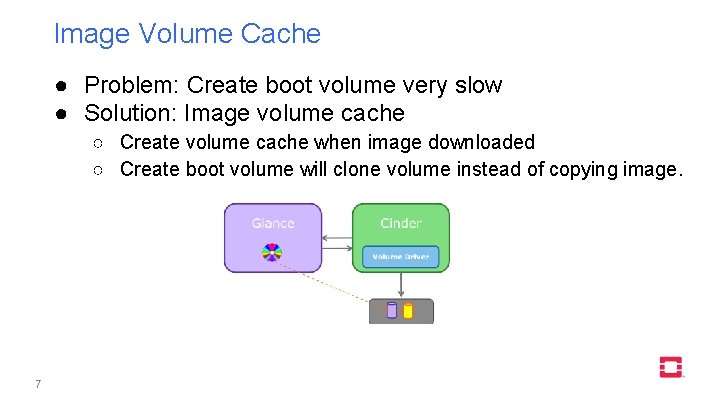
Image Volume Cache ● Problem: Create boot volume very slow ● Solution: Image volume cache ○ Create volume cache when image downloaded ○ Create boot volume will clone volume instead of copying image. 7
Image Volume Cache - configs and cmds ● Configure the internal tenant ○ cinder_internal_tenant_project_id ○ cinder_internal_tenant_user_id ● Configure the Image-Volume cache ○ image_volume_cache_enabled = True ○ image_volume_cache_max_size_gb = SIZE_GB ○ image_volume_cache_max_count = MAX_COUNT ● Create a boot volume and launch a VM from it in two commands ○ openstack volume create --image IMAGE_ID --size SIZE_IN_GB bootable_volume ○ openstack server create --flavor 2 --volume VOLUME_ID --block-device source=volume, id=$VOLUME_ID, dest=volume, size=10, shutdown=preserve, bootindex=0 my. Instance. From. Volume ● Create a boot volume and launch a VM from it in one command ○ openstack server create --flavor FLAVOR --block-device source=SOURCE, id=ID, dest=DEST, size=SIZE, shutdown=PRESERVE, bootindex=INDEX NAME 8
Volume-Backed Image ● Configure the volume-backed image ○ glance-api. conf ■ ■ ■ stores = file, http, swift, cinder show_multiple_locations = True cinder_store_auth_address cinder_store_user_name cinder_store_password cinder_store_project_name ○ cinder. conf ■ ■ glance_api_version = 2 allowed_direct_url_schemes = cinder image_upload_use_cinder_backend = True image_upload_use_internal_tenant = True ● Create a volume-backed image ○ openstack image create --volume SOURCE_VOLUME IMAGE_NAME ○ The disk format and the container format must be raw and bare (default). Otherwise, the image is uploaded to the default store of the Image service. 9
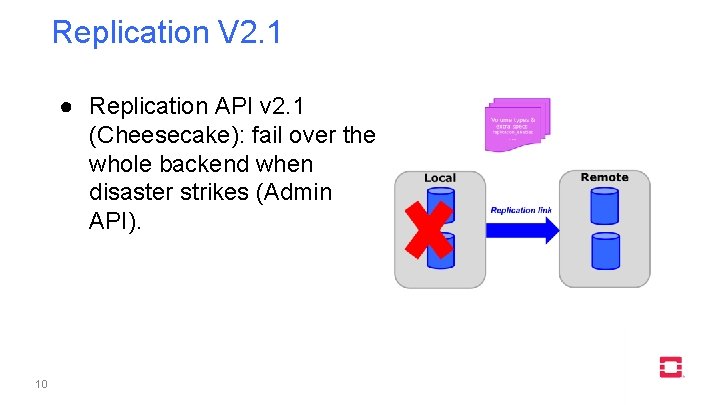
Replication V 2. 1 ● Replication API v 2. 1 (Cheesecake): fail over the whole backend when disaster strikes (Admin API). 10
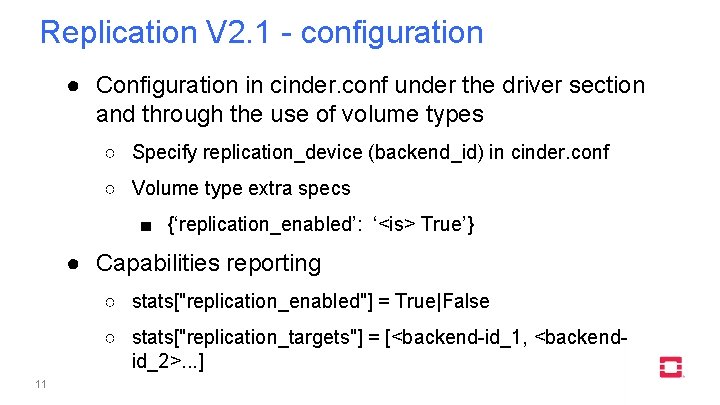
Replication V 2. 1 - configuration ● Configuration in cinder. conf under the driver section and through the use of volume types ○ Specify replication_device (backend_id) in cinder. conf ○ Volume type extra specs ■ {‘replication_enabled’: ‘<is> True’} ● Capabilities reporting ○ stats["replication_enabled"] = True|False ○ stats["replication_targets"] = [<backend-id_1, <backendid_2>. . . ] 11
![Replication V 2. 1 - commands ● Failover host ○ cinder failover-host [--backend_id <backend-id>]](http://slidetodoc.com/presentation_image_h/f7133cba6a3a487cadc95efd90b76ea9/image-12.jpg "Replication V 2. 1 - commands ● Failover host ○ cinder failover-host [--backend_id <backend-id>]")
Replication V 2. 1 - commands ● Failover host ○ cinder failover-host [--backend_id <backend-id>] <hostname> ● Freeze host ○ cinder freeze-host <hostname> ● Thaw host ○ cinder thaw-host <hostname> 12
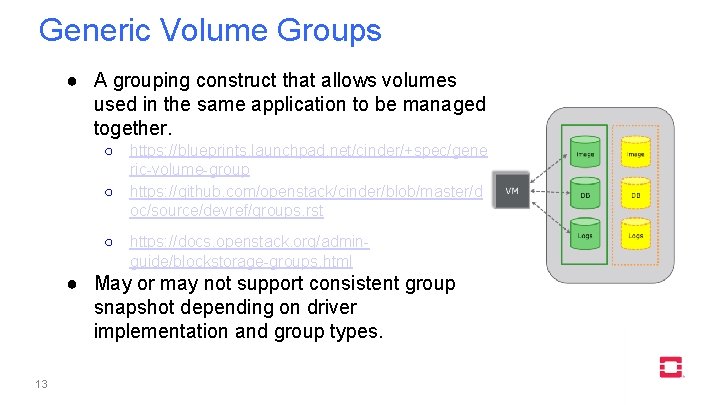
Generic Volume Groups ● A grouping construct that allows volumes used in the same application to be managed together. ○ https: //blueprints. launchpad. net/cinder/+spec/gene ric-volume-group ○ https: //github. com/openstack/cinder/blob/master/d oc/source/devref/groups. rst ○ https: //docs. openstack. org/adminguide/blockstorage-groups. html ● May or may not support consistent group snapshot depending on driver implementation and group types. 13
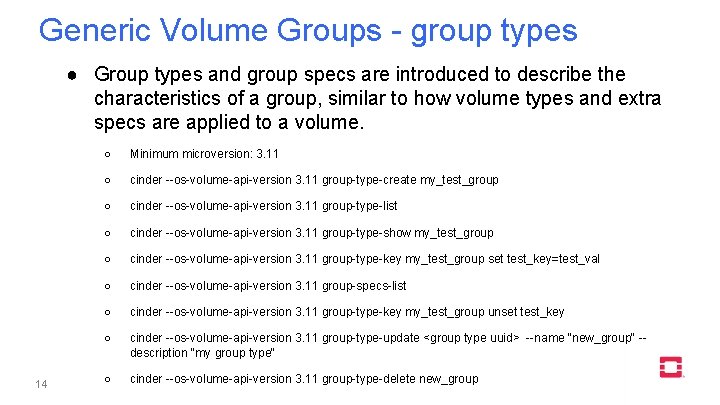
Generic Volume Groups - group types ● Group types and group specs are introduced to describe the characteristics of a group, similar to how volume types and extra specs are applied to a volume. 14 ○ Minimum microversion: 3. 11 ○ cinder --os-volume-api-version 3. 11 group-type-create my_test_group ○ cinder --os-volume-api-version 3. 11 group-type-list ○ cinder --os-volume-api-version 3. 11 group-type-show my_test_group ○ cinder --os-volume-api-version 3. 11 group-type-key my_test_group set test_key=test_val ○ cinder --os-volume-api-version 3. 11 group-specs-list ○ cinder --os-volume-api-version 3. 11 group-type-key my_test_group unset test_key ○ cinder --os-volume-api-version 3. 11 group-type-update <group type uuid> --name "new_group" -description "my group type" ○ cinder --os-volume-api-version 3. 11 group-type-delete new_group
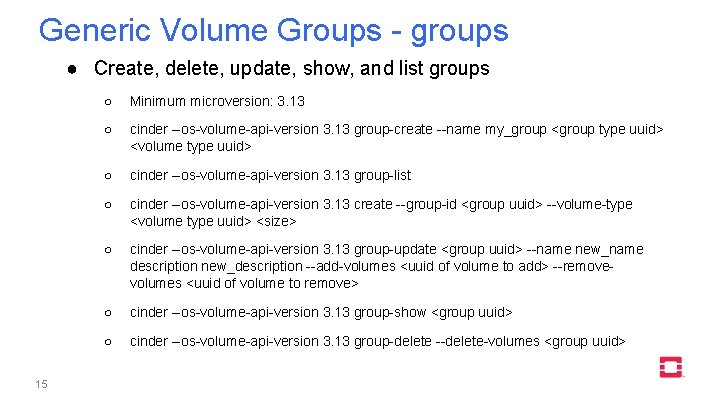
Generic Volume Groups - groups ● Create, delete, update, show, and list groups 15 ○ Minimum microversion: 3. 13 ○ cinder --os-volume-api-version 3. 13 group-create --name my_group <group type uuid> <volume type uuid> ○ cinder --os-volume-api-version 3. 13 group-list ○ cinder --os-volume-api-version 3. 13 create --group-id <group uuid> --volume-type <volume type uuid> <size> ○ cinder --os-volume-api-version 3. 13 group-update <group uuid> --name new_name description new_description --add-volumes <uuid of volume to add> --removevolumes <uuid of volume to remove> ○ cinder --os-volume-api-version 3. 13 group-show <group uuid> ○ cinder --os-volume-api-version 3. 13 group-delete --delete-volumes <group uuid>
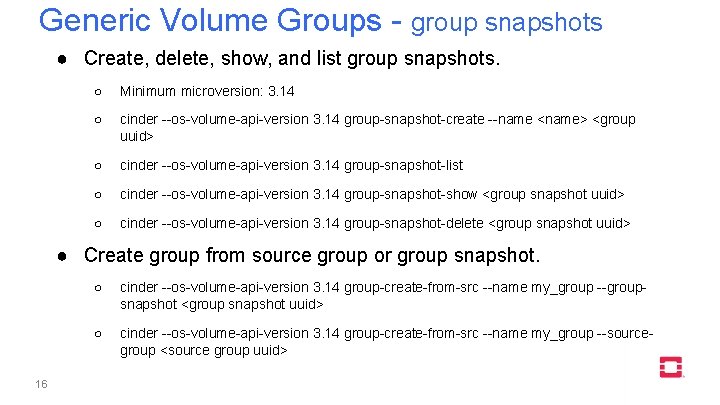
Generic Volume Groups - group snapshots ● Create, delete, show, and list group snapshots. ○ Minimum microversion: 3. 14 ○ cinder --os-volume-api-version 3. 14 group-snapshot-create --name <name> <group uuid> ○ cinder --os-volume-api-version 3. 14 group-snapshot-list ○ cinder --os-volume-api-version 3. 14 group-snapshot-show <group snapshot uuid> ○ cinder --os-volume-api-version 3. 14 group-snapshot-delete <group snapshot uuid> ● Create group from source group or group snapshot. 16 ○ cinder --os-volume-api-version 3. 14 group-create-from-src --name my_group --groupsnapshot <group snapshot uuid> ○ cinder --os-volume-api-version 3. 14 group-create-from-src --name my_group --sourcegroup <source group uuid>
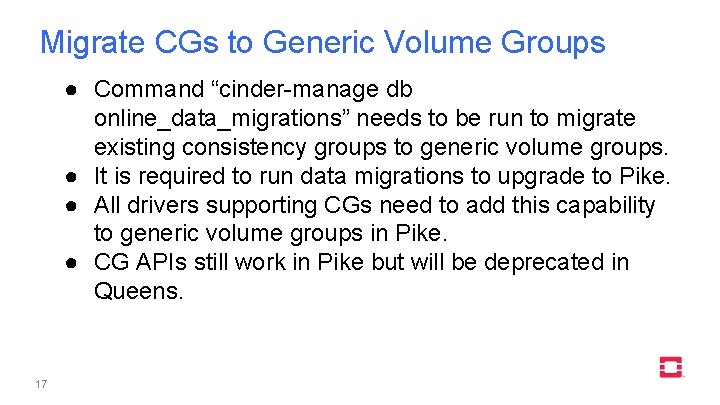
Migrate CGs to Generic Volume Groups ● Command “cinder-manage db online_data_migrations” needs to be run to migrate existing consistency groups to generic volume groups. ● It is required to run data migrations to upgrade to Pike. ● All drivers supporting CGs need to add this capability to generic volume groups in Pike. ● CG APIs still work in Pike but will be deprecated in Queens. 17
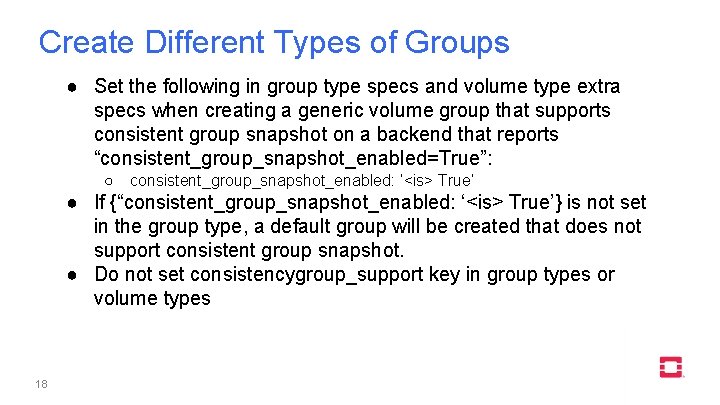
Create Different Types of Groups ● Set the following in group type specs and volume type extra specs when creating a generic volume group that supports consistent group snapshot on a backend that reports “consistent_group_snapshot_enabled=True”: ○ consistent_group_snapshot_enabled: ‘<is> True’ ● If {“consistent_group_snapshot_enabled: ‘<is> True’} is not set in the group type, a default group will be created that does not support consistent group snapshot. ● Do not set consistencygroup_support key in group types or volume types 18
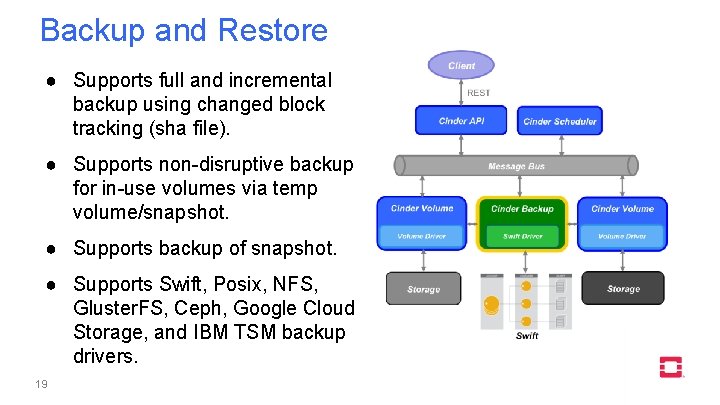
Backup and Restore ● Supports full and incremental backup using changed block tracking (sha file). ● Supports non-disruptive backup for in-use volumes via temp volume/snapshot. ● Supports backup of snapshot. ● Supports Swift, Posix, NFS, Gluster. FS, Ceph, Google Cloud Storage, and IBM TSM backup drivers. 19
Cinder backup - commands ● Create a backup (full, incremental, in-use) ○ openstack volume backup create [--incremental] [--force] VOLUME ● Restore a backup ○ openstack volume backup restore BACKUP_ID VOLUME_ID ● Create a backup from a snapshot ○ openstack volume backup create [--incremental] [--force] [--snapshot SNAPSHOT_ID] VOLUME ● Export metadata of a backup (admin only) ○ cinder backup-export BACKUP_ID ● Import backup metadata (admin only) ○ cinder backup-import METADATA 20
Demos ● Volume migration and retype ● Generic volume groups ● Backup and restore 21
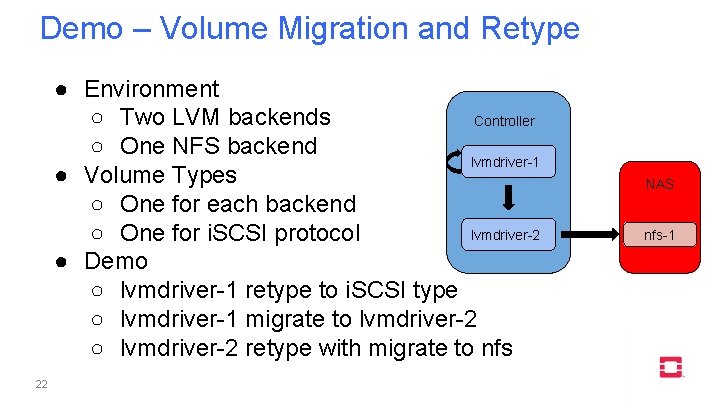
Demo – Volume Migration and Retype ● Environment ○ Two LVM backends Controller ○ One NFS backend lvmdriver-1 ● Volume Types ○ One for each backend lvmdriver-2 ○ One for i. SCSI protocol ● Demo ○ lvmdriver-1 retype to i. SCSI type ○ lvmdriver-1 migrate to lvmdriver-2 ○ lvmdriver-2 retype with migrate to nfs 22 NAS nfs-1

https: //youtu. be/XYNPTpz. E 4 mk 23
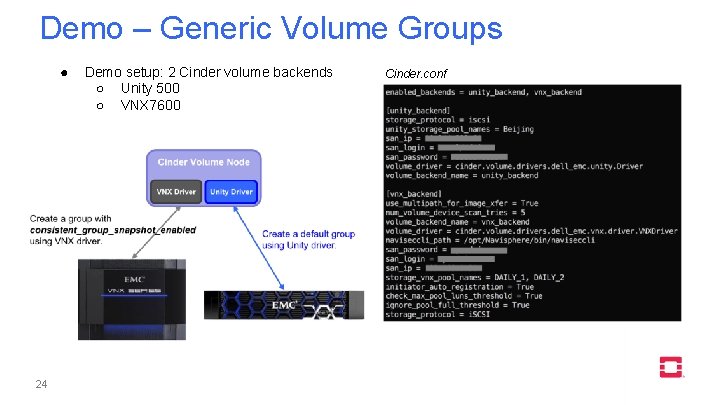
Demo – Generic Volume Groups ● 24 Demo setup: 2 Cinder volume backends ○ Unity 500 ○ VNX 7600 Cinder. conf

https: //youtu. be/IUc. Jf. L 5 t 3 NY 25
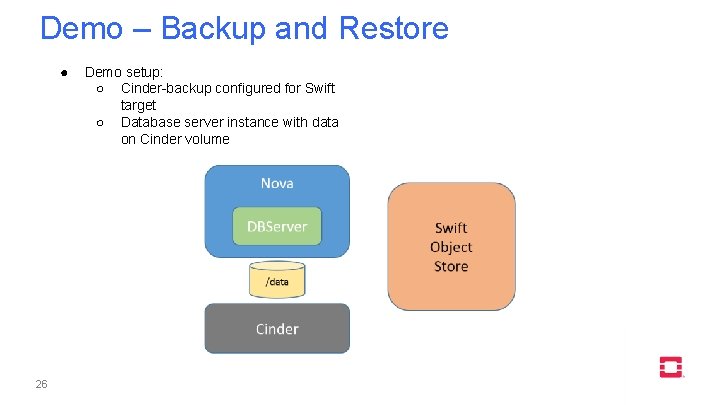
Demo – Backup and Restore ● 26 Demo setup: ○ Cinder-backup configured for Swift target ○ Database server instance with data on Cinder volume

https: //youtu. be/Gm. PPGB 0 g-JQ 27
Reference Links ● Volume migration and retype ○ ● Generic volume image cache ○ ● https: //github. com/openstack/cinder/blob/master/doc/source/devref/migration. rst https: //docs. openstack. org/admin-guide/blockstorage-image-volume-cache. html Volume backed image ○ https: //docs. openstack. org/admin-guide/blockstorage-volume-backed-image. html ● Backup and restore ○ https: //docs. openstack. org/admin-guide/blockstorage-volume-backups. html ● Replication V 2. 1 ○ ● 28 https: //github. com/openstack/cinder/blob/master/doc/source/devref/replication. rst Generic volume groups ○ https: //docs. openstack. org/admin-guide/blockstorage-groups. html

Q&A
- Slides: 29