
1 Practical Active Session History ASH John Beresniewicz

1
Practical Active Session History (ASH) John Beresniewicz Technical Staff, Oracle America 2
The following is intended to outline our general product direction. It is intended for information purposes only, and may not be incorporated into any contract. It is not a commitment to deliver any material, code, or functionality, and should not be relied upon in making purchasing decisions. The development, release, and timing of any features or functionality described for Oracle’s products remains at the sole discretion of Oracle. 3
Background and Credits • • • Enterprise Manager and Average Active Sessions Graham Wood Kyle Hailey David Kurtz Doug Burns 4
Agenda <Insert Picture Here> • Understand ASH • Use ASH 5
<Insert Picture Here> Understand ASH 6
Topics • Mechanics – ASH design is elegant, efficient, effective • Meaning – ASH is the key to multi-scope DB Time analysis – ASH as activity trace – ASH outliers 7
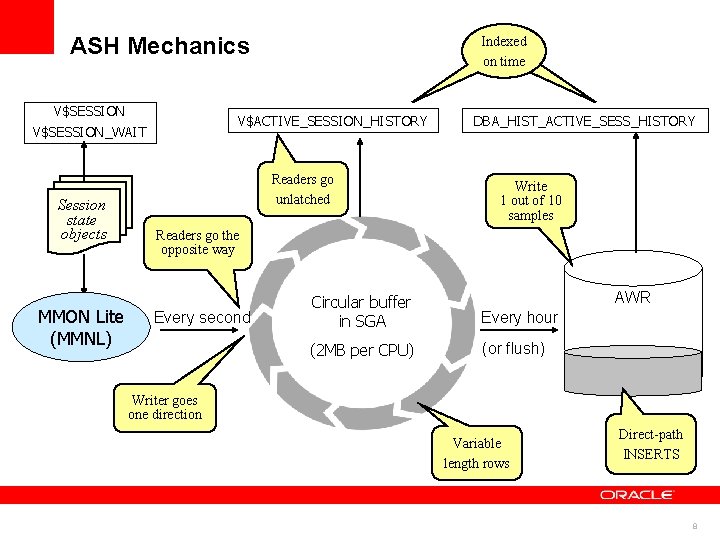
ASH Mechanics V$SESSION V$ACTIVE_SESSION_HISTORY V$SESSION_WAIT Session state objects MMON Lite (MMNL) Indexed on time Readers go unlatched DBA_HIST_ACTIVE_SESS_HISTORY Write 1 out of 10 samples Readers go the opposite way Every second AWR Circular buffer in SGA Every hour (2 MB per CPU) (or flush) Writer goes one direction Variable length rows Direct-path INSERTS 8
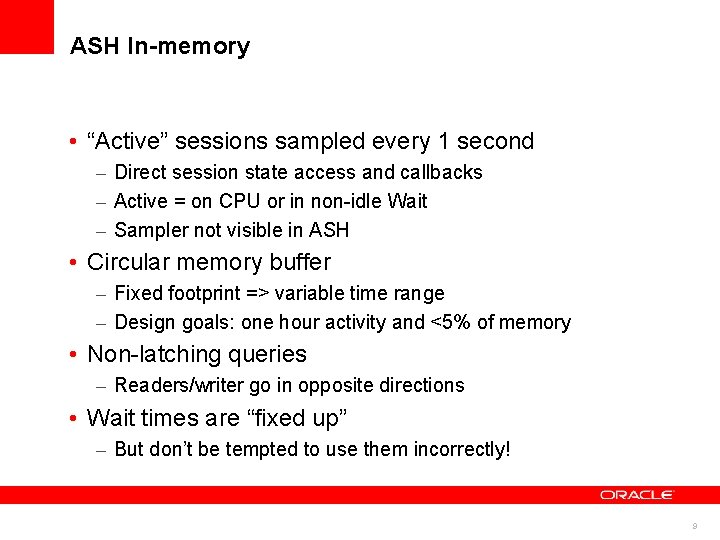
ASH In-memory • “Active” sessions sampled every 1 second – Direct session state access and callbacks – Active = on CPU or in non-idle Wait – Sampler not visible in ASH • Circular memory buffer – Fixed footprint => variable time range – Design goals: one hour activity and <5% of memory • Non-latching queries – Readers/writer go in opposite directions • Wait times are “fixed up” – But don’t be tempted to use them incorrectly! 9
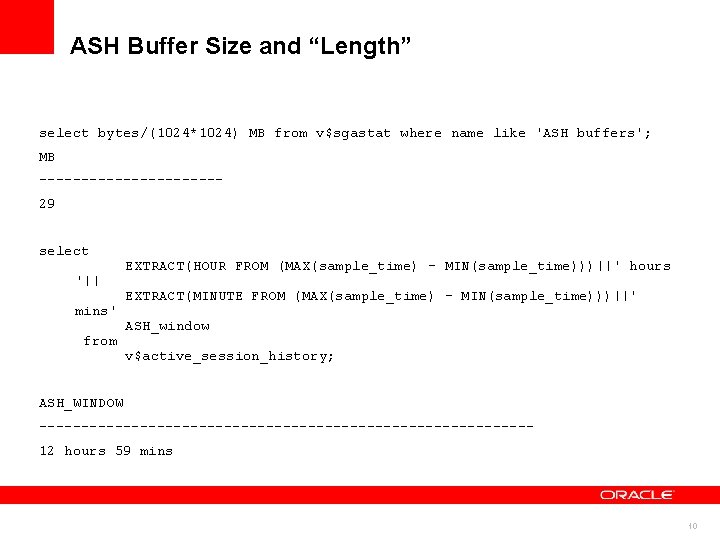
ASH Buffer Size and “Length” select bytes/(1024*1024) MB from v$sgastat where name like 'ASH buffers'; MB ----------- 29 select EXTRACT(HOUR FROM (MAX(sample_time) - MIN(sample_time)))||' hours '|| EXTRACT(MINUTE FROM (MAX(sample_time) - MIN(sample_time)))||' mins' ASH_window from v$active_session_history; ASH_WINDOW -----------------------------12 hours 59 mins 10
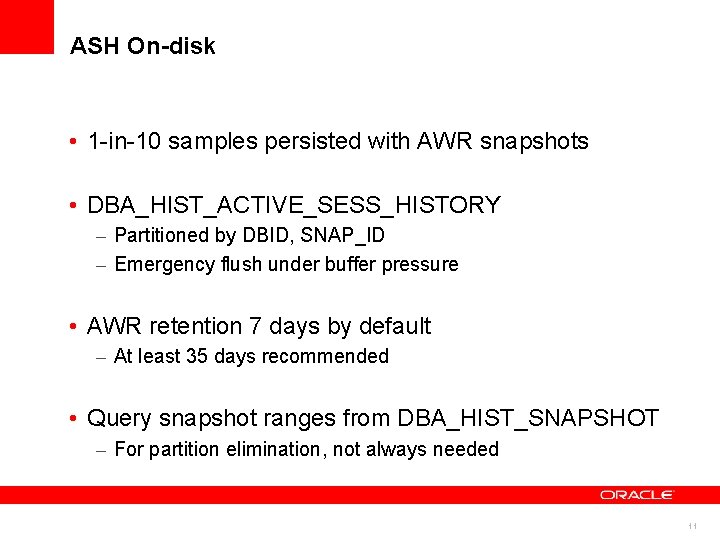
ASH On-disk • 1 -in-10 samples persisted with AWR snapshots • DBA_HIST_ACTIVE_SESS_HISTORY – Partitioned by DBID, SNAP_ID – Emergency flush under buffer pressure • AWR retention 7 days by default – At least 35 days recommended • Query snapshot ranges from DBA_HIST_SNAPSHOT – For partition elimination, not always needed 11
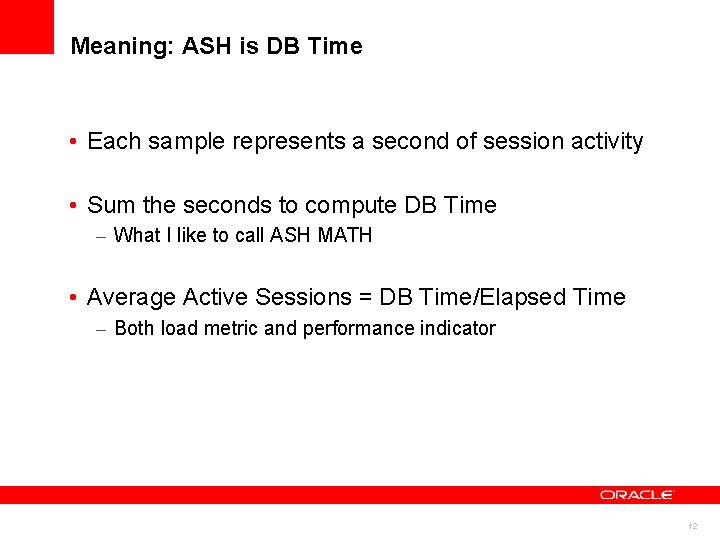
Meaning: ASH is DB Time • Each sample represents a second of session activity • Sum the seconds to compute DB Time – What I like to call ASH MATH • Average Active Sessions = DB Time/Elapsed Time – Both load metric and performance indicator 12
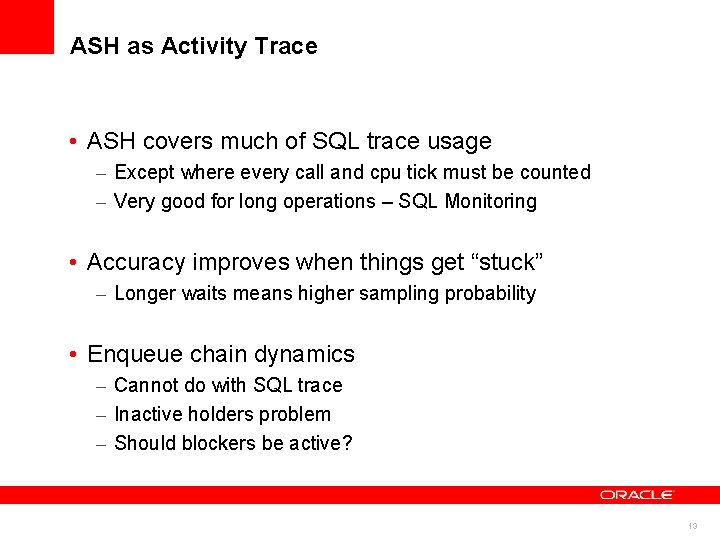
ASH as Activity Trace • ASH covers much of SQL trace usage – Except where every call and cpu tick must be counted – Very good for long operations – SQL Monitoring • Accuracy improves when things get “stuck” – Longer waits means higher sampling probability • Enqueue chain dynamics – Cannot do with SQL trace – Inactive holders problem – Should blockers be active? 13
<Insert Picture Here> Using ASH 14
ASH Use Cases • DB Time performance analysis – Aggregation and analytic functions • Activity tracking – Real-time SQL Monitoring • Performance event forensics – What happened? In what sequence? – Contention analysis, e. g. enqueue blockages • Event prediction – In general too hard – Outliers may be useful for some event types 15
Using ASH Simplified 16
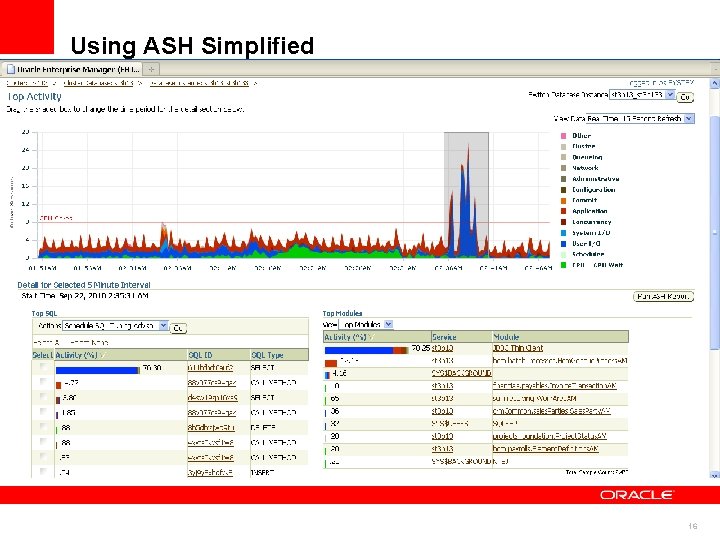
Top Activity Performance Analysis • DB Time sourced from ASH – Real-time only, history uses time model data (bug) • Average Active Sessions by waitclass – 15 -second bucketing • 5 -minute time selector – Focus on events of interest • Top lists for skew analysis and drill-down • Access to tools – ASH report, SQL Tune, STS 17
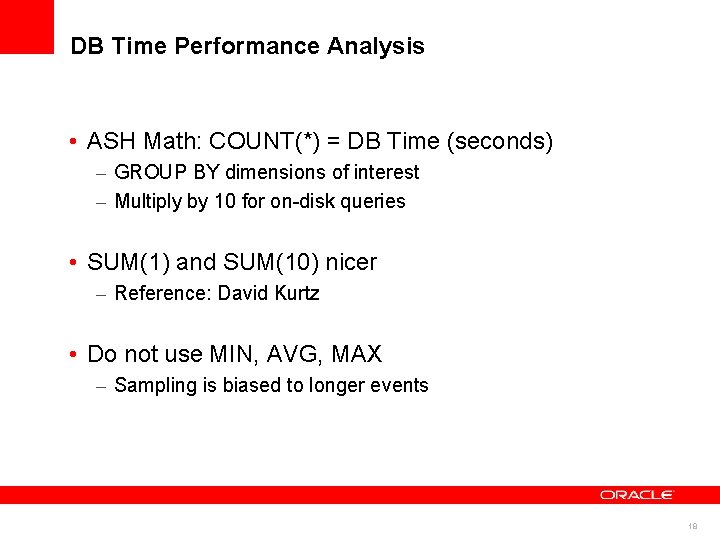
DB Time Performance Analysis • ASH Math: COUNT(*) = DB Time (seconds) – GROUP BY dimensions of interest – Multiply by 10 for on-disk queries • SUM(1) and SUM(10) nicer – Reference: David Kurtz • Do not use MIN, AVG, MAX – Sampling is biased to longer events 18
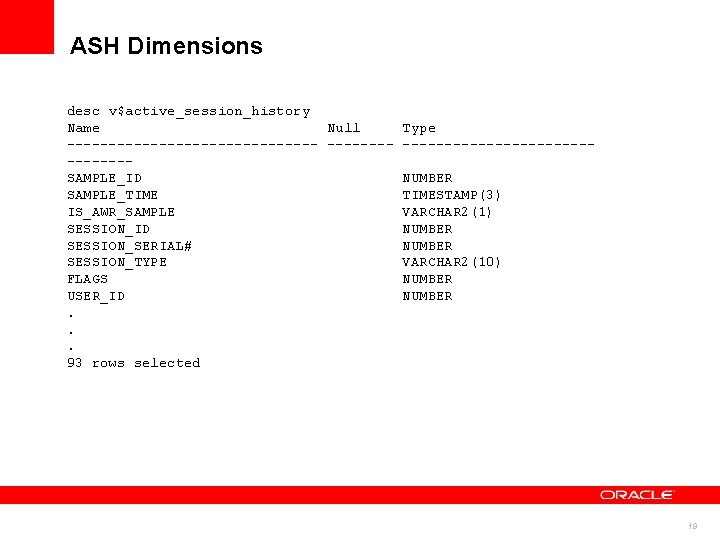
ASH Dimensions desc v$active_session_history Name Null Type ------------------- SAMPLE_ID NUMBER SAMPLE_TIME TIMESTAMP(3) IS_AWR_SAMPLE VARCHAR 2(1) SESSION_ID NUMBER SESSION_SERIAL# NUMBER SESSION_TYPE VARCHAR 2(10) FLAGS NUMBER USER_ID NUMBER . . . 93 rows selected 19
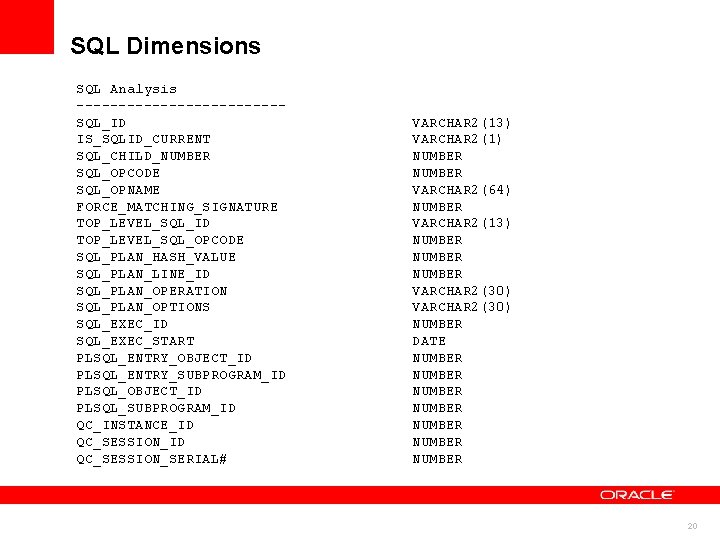
SQL Dimensions SQL Analysis ------------SQL_ID VARCHAR 2(13) IS_SQLID_CURRENT VARCHAR 2(1) SQL_CHILD_NUMBER SQL_OPCODE NUMBER SQL_OPNAME VARCHAR 2(64) FORCE_MATCHING_SIGNATURE NUMBER TOP_LEVEL_SQL_ID VARCHAR 2(13) TOP_LEVEL_SQL_OPCODE NUMBER SQL_PLAN_HASH_VALUE NUMBER SQL_PLAN_LINE_ID NUMBER SQL_PLAN_OPERATION VARCHAR 2(30) SQL_PLAN_OPTIONS VARCHAR 2(30) SQL_EXEC_ID NUMBER SQL_EXEC_START DATE PLSQL_ENTRY_OBJECT_ID NUMBER PLSQL_ENTRY_SUBPROGRAM_ID NUMBER PLSQL_OBJECT_ID NUMBER PLSQL_SUBPROGRAM_ID NUMBER QC_INSTANCE_ID NUMBER QC_SESSION_ID NUMBER QC_SESSION_SERIAL# NUMBER 20
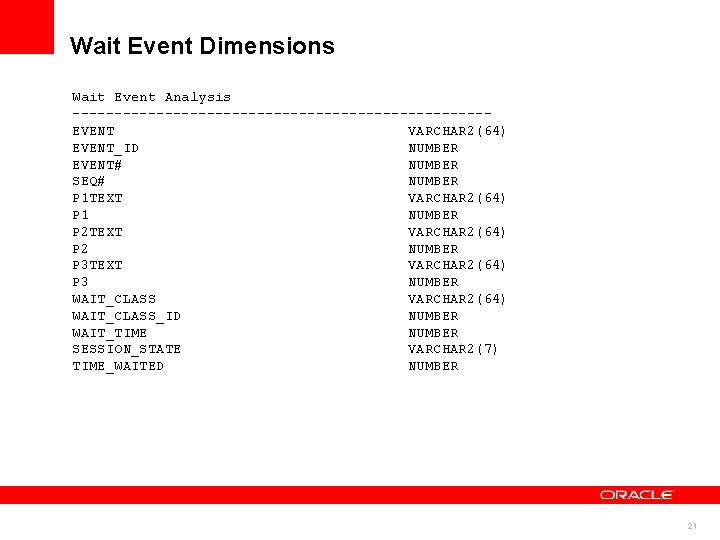
Wait Event Dimensions Wait Event Analysis -------------------------EVENT VARCHAR 2(64) EVENT_ID NUMBER EVENT# NUMBER SEQ# NUMBER P 1 TEXT VARCHAR 2(64) P 1 NUMBER P 2 TEXT VARCHAR 2(64) P 2 NUMBER P 3 TEXT VARCHAR 2(64) P 3 NUMBER WAIT_CLASS VARCHAR 2(64) WAIT_CLASS_ID NUMBER WAIT_TIME NUMBER SESSION_STATE VARCHAR 2(7) TIME_WAITED NUMBER 21
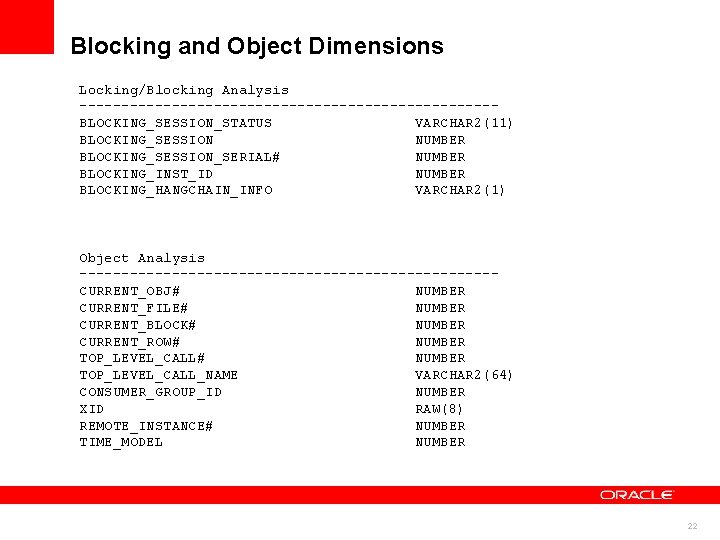
Blocking and Object Dimensions Locking/Blocking Analysis -------------------------BLOCKING_SESSION_STATUS VARCHAR 2(11) BLOCKING_SESSION NUMBER BLOCKING_SESSION_SERIAL# NUMBER BLOCKING_INST_ID NUMBER BLOCKING_HANGCHAIN_INFO VARCHAR 2(1) Object Analysis -------------------------CURRENT_OBJ# NUMBER CURRENT_FILE# NUMBER CURRENT_BLOCK# NUMBER CURRENT_ROW# NUMBER TOP_LEVEL_CALL# NUMBER TOP_LEVEL_CALL_NAME VARCHAR 2(64) CONSUMER_GROUP_ID NUMBER XID RAW(8) REMOTE_INSTANCE# NUMBER TIME_MODEL NUMBER 22
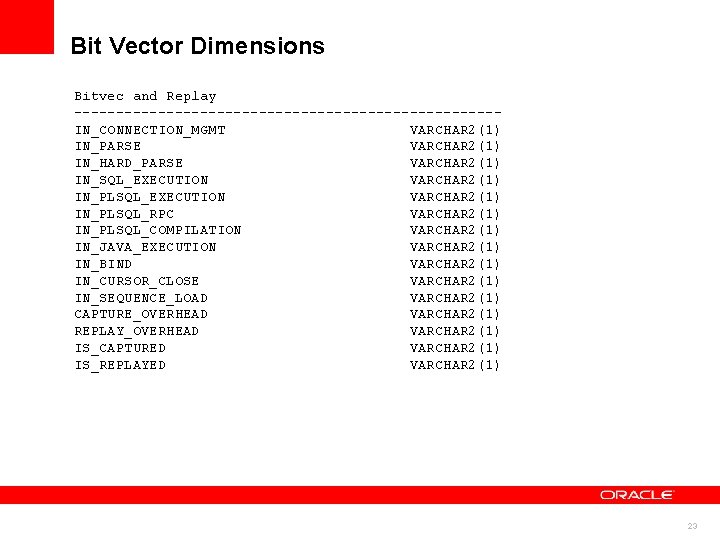
Bit Vector Dimensions Bitvec and Replay -------------------------- IN_CONNECTION_MGMT VARCHAR 2(1) IN_PARSE VARCHAR 2(1) IN_HARD_PARSE VARCHAR 2(1) IN_SQL_EXECUTION VARCHAR 2(1) IN_PLSQL_EXECUTION VARCHAR 2(1) IN_PLSQL_RPC VARCHAR 2(1) IN_PLSQL_COMPILATION VARCHAR 2(1) IN_JAVA_EXECUTION VARCHAR 2(1) IN_BIND VARCHAR 2(1) IN_CURSOR_CLOSE VARCHAR 2(1) IN_SEQUENCE_LOAD VARCHAR 2(1) CAPTURE_OVERHEAD VARCHAR 2(1) REPLAY_OVERHEAD VARCHAR 2(1) IS_CAPTURED VARCHAR 2(1) IS_REPLAYED VARCHAR 2(1) 23
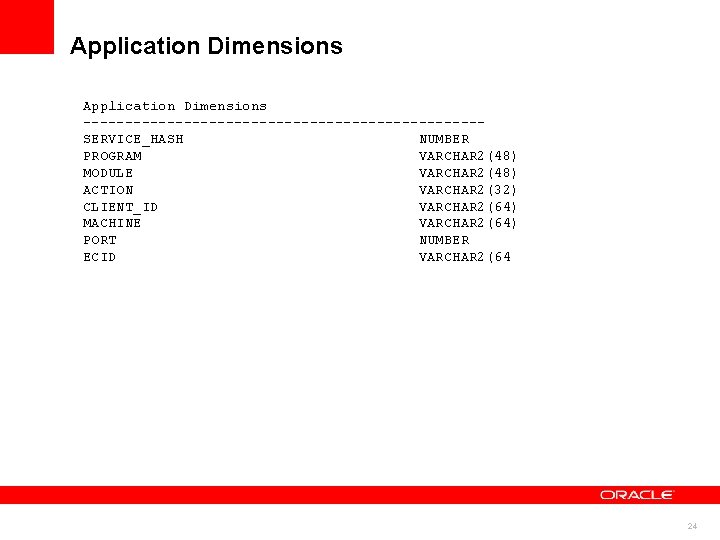
Application Dimensions ------------------------SERVICE_HASH NUMBER PROGRAM VARCHAR 2(48) MODULE VARCHAR 2(48) ACTION VARCHAR 2(32) CLIENT_ID VARCHAR 2(64) MACHINE VARCHAR 2(64) PORT NUMBER ECID VARCHAR 2(64 24
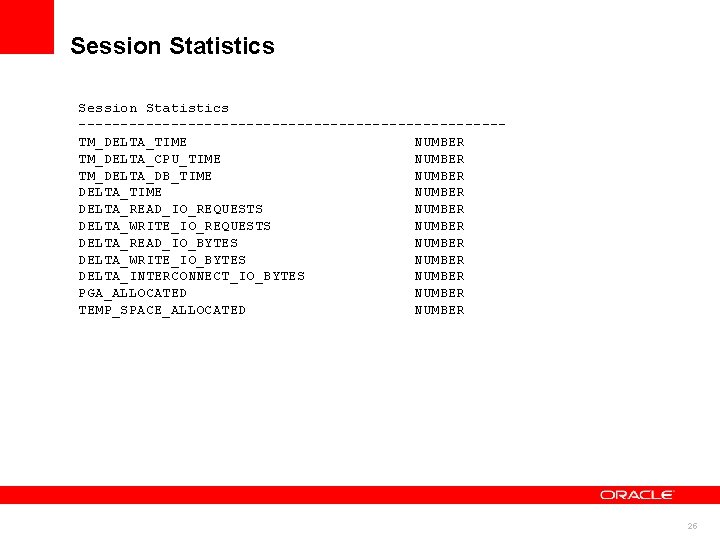
Session Statistics -------------------------TM_DELTA_TIME NUMBER TM_DELTA_CPU_TIME NUMBER TM_DELTA_DB_TIME NUMBER DELTA_TIME NUMBER DELTA_READ_IO_REQUESTS NUMBER DELTA_WRITE_IO_REQUESTS NUMBER DELTA_READ_IO_BYTES NUMBER DELTA_WRITE_IO_BYTES NUMBER DELTA_INTERCONNECT_IO_BYTES NUMBER PGA_ALLOCATED NUMBER TEMP_SPACE_ALLOCATED NUMBER 25
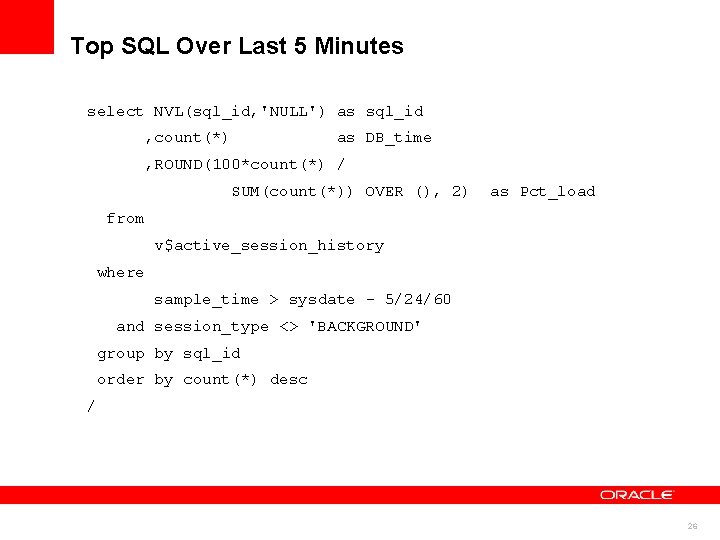
Top SQL Over Last 5 Minutes select NVL(sql_id, 'NULL') as sql_id , count(*) as DB_time , ROUND(100*count(*) / SUM(count(*)) OVER (), 2) as Pct_load from v$active_session_history where sample_time > sysdate - 5/24/60 and session_type <> 'BACKGROUND' group by sql_id order by count(*) desc / 26
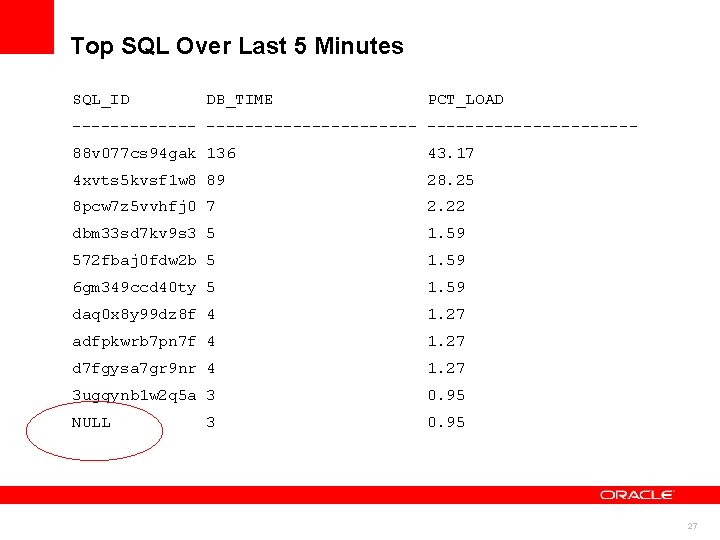
Top SQL Over Last 5 Minutes SQL_ID DB_TIME PCT_LOAD ------------------ 88 v 077 cs 94 gak 136 43. 17 4 xvts 5 kvsf 1 w 8 89 28. 25 8 pcw 7 z 5 vvhfj 0 7 2. 22 dbm 33 sd 7 kv 9 s 3 5 1. 59 572 fbaj 0 fdw 2 b 5 1. 59 6 gm 349 ccd 40 ty 5 1. 59 daq 0 x 8 y 99 dz 8 f 4 1. 27 adfpkwrb 7 pn 7 f 4 1. 27 d 7 fgysa 7 gr 9 nr 4 1. 27 3 ugqynb 1 w 2 q 5 a 3 0. 95 NULL 3 0. 95 27
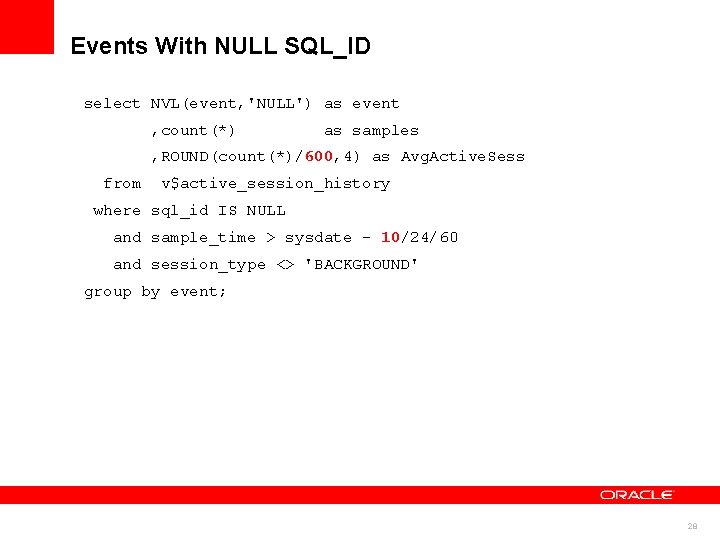
Events With NULL SQL_ID select NVL(event, 'NULL') as event , count(*) as samples , ROUND(count(*)/600, 4) as Avg. Active. Sess from v$active_session_history where sql_id IS NULL and sample_time > sysdate - 10/24/60 and session_type <> 'BACKGROUND' group by event; 28
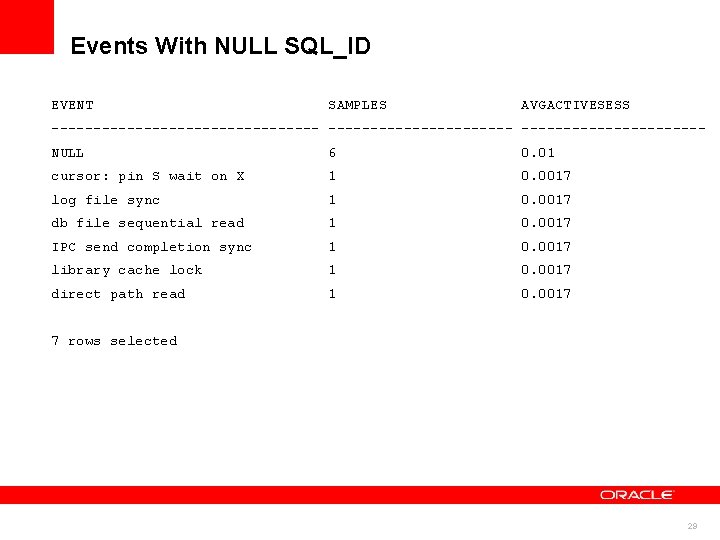
Events With NULL SQL_ID EVENT SAMPLES AVGACTIVESESS ---------------------- NULL 6 0. 01 cursor: pin S wait on X 1 0. 0017 log file sync 1 0. 0017 db file sequential read 1 0. 0017 IPC send completion sync 1 0. 0017 library cache lock 1 0. 0017 direct path read 1 0. 0017 7 rows selected 29
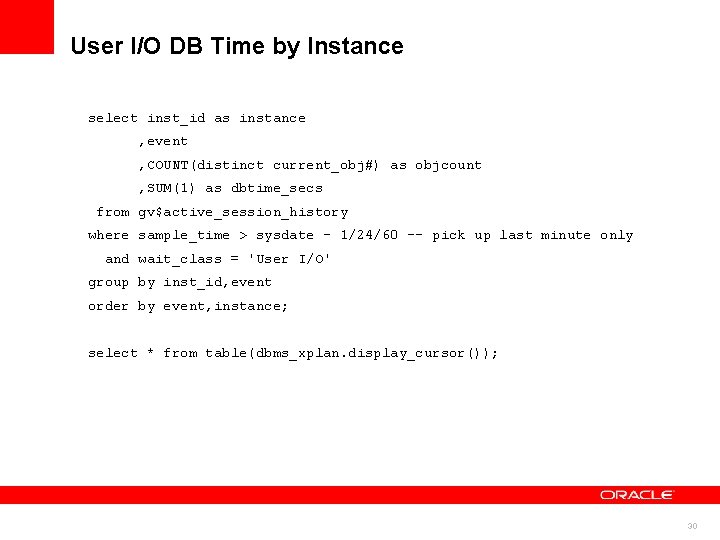
User I/O DB Time by Instance select inst_id as instance , event , COUNT(distinct current_obj#) as objcount , SUM(1) as dbtime_secs from gv$active_session_history where sample_time > sysdate - 1/24/60 -- pick up last minute only and wait_class = 'User I/O' group by inst_id, event order by event, instance; select * from table(dbms_xplan. display_cursor()); 30
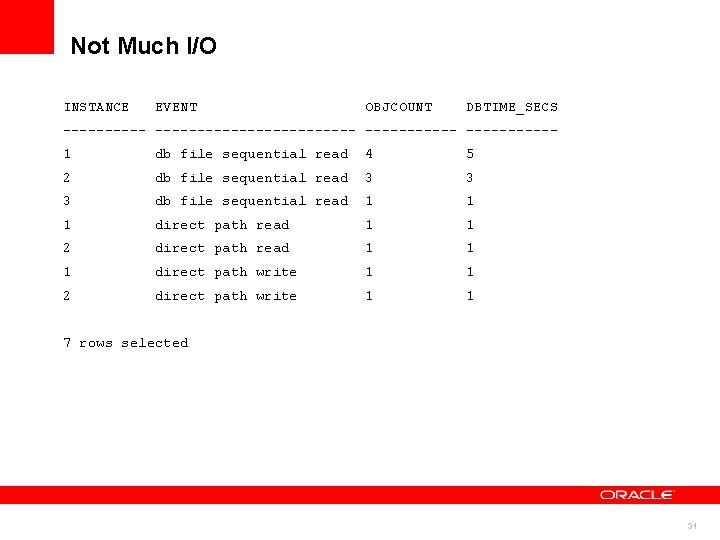
Not Much I/O INSTANCE EVENT OBJCOUNT DBTIME_SECS ----------------- -----1 db file sequential read 4 5 2 db file sequential read 3 3 3 db file sequential read 1 1 1 direct path read 1 1 2 direct path read 1 1 1 direct path write 1 1 2 direct path write 1 1 7 rows selected 31
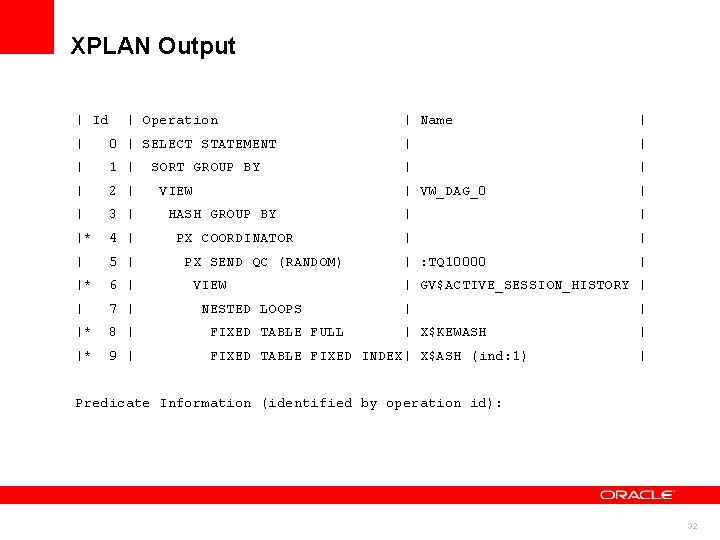
XPLAN Output | Id | Operation | Name | | 0 | SELECT STATEMENT | | 1 | SORT GROUP BY | | | 2 | VIEW | VW_DAG_0 | | 3 | HASH GROUP BY | |* 4 | PX COORDINATOR | | | 5 | PX SEND QC (RANDOM) | : TQ 10000 | |* 6 | VIEW | GV$ACTIVE_SESSION_HISTORY | | 7 | NESTED LOOPS | | |* 8 | FIXED TABLE FULL | X$KEWASH | |* 9 | FIXED TABLE FIXED INDEX| X$ASH (ind: 1) | Predicate Information (identified by operation id): 32
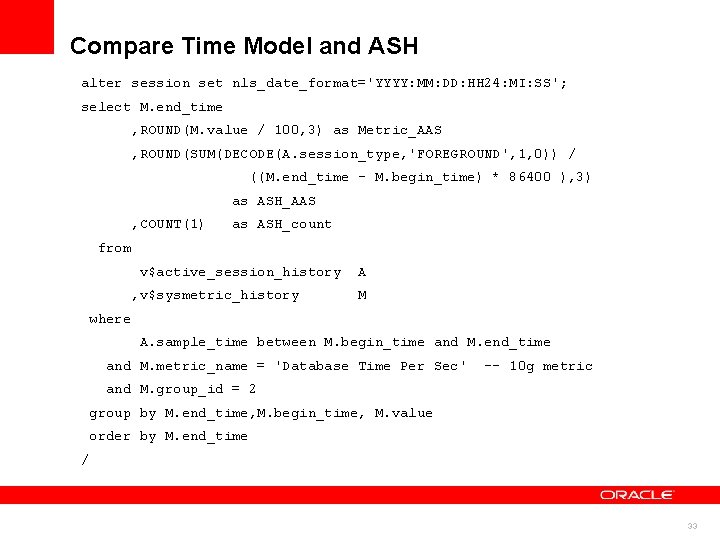
Compare Time Model and ASH alter session set nls_date_format='YYYY: MM: DD: HH 24: MI: SS'; select M. end_time , ROUND(M. value / 100, 3) as Metric_AAS , ROUND(SUM(DECODE(A. session_type, 'FOREGROUND', 1, 0)) / ((M. end_time - M. begin_time) * 86400 ), 3) as ASH_AAS , COUNT(1) as ASH_count from v$active_session_history A , v$sysmetric_history M where A. sample_time between M. begin_time and M. end_time and M. metric_name = 'Database Time Per Sec' -- 10 g metric and M. group_id = 2 group by M. end_time, M. begin_time, M. value order by M. end_time / 33
ASH Report 34
ASH Report 35
Instrument Applications • Separate major workloads by Service – Can be externally controlled at connection layer • Module, Action instrumented apps benefit • Client_ID • ECID (end-to-end tracking) 36
ASH Dumps • Dump ASH samples into text file on disk • Load into tables or spreadsheet • May need reference tables • Capture performance events forensic analysis 37
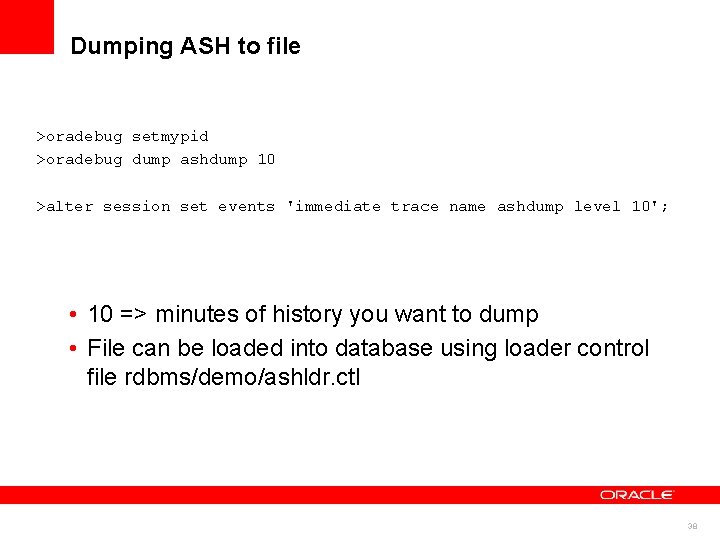
Dumping ASH to file >oradebug setmypid >oradebug dump ashdump 10 >alter session set events 'immediate trace name ashdump level 10'; • 10 => minutes of history you want to dump • File can be loaded into database using loader control file rdbms/demo/ashldr. ctl 38
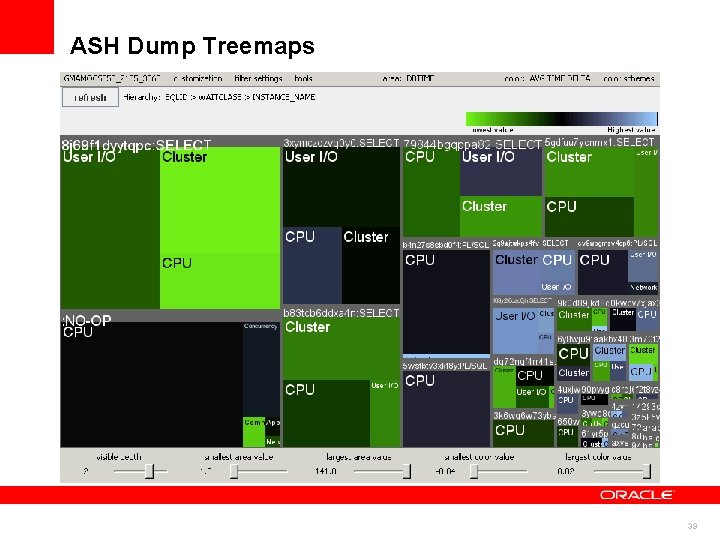
ASH Dump Treemaps 39
Conclusions • ASH can answer many questions – DB Time analysis at many scoping levels – Session activity over time – Workload characterization • Understand the mechanism for best results – Sampling is not tracing but is often good enough – ASH estimates DB Time quite accurately 40
41

42
- Slides: 42