
1 of 23 New Lecture And Lab Information
1 of 23 New Lecture And Lab Information Lectures: – Thursday 12: 00 – 13: 00 (room tba) – Friday 15: 00 – 16: 00 (A 28) Labs: – Wednesday 10: 00 – 11: 00 (A 305) – Wednesday 17: 00 – 18: 00 (Aungier St. 1 -005) Sorry for all of the messing around!
Computer Graphics 7: Viewing in 3 -D Course Website: http: //www. comp. dit. ie/bmacnamee
3 of 23 Contents In today’s lecture we are going to have a look at: – Transformations in 3 -D • How do transformations in 3 -D work? • 3 -D homogeneous coordinates and matrix based transformations – Projections • • History Geometrical Constructions Types of Projection in Computer Graphics
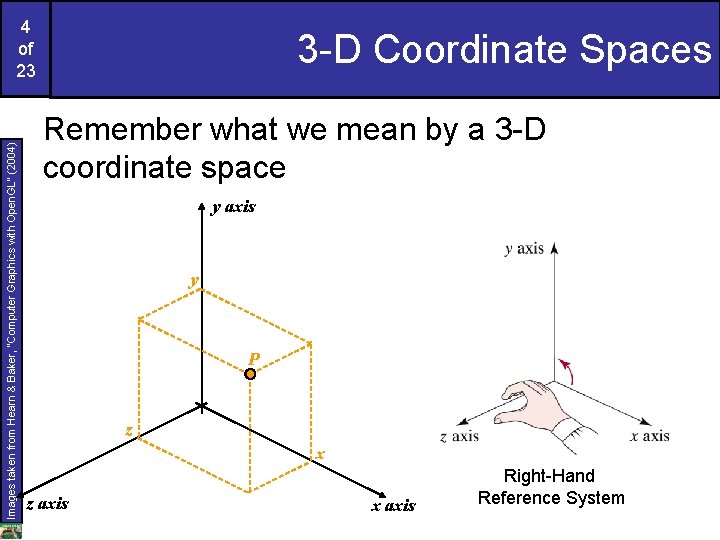
Images taken from Hearn & Baker, “Computer Graphics with Open. GL” (2004) 4 of 23 3 -D Coordinate Spaces Remember what we mean by a 3 -D coordinate space y axis y P z x z axis x axis Right-Hand Reference System
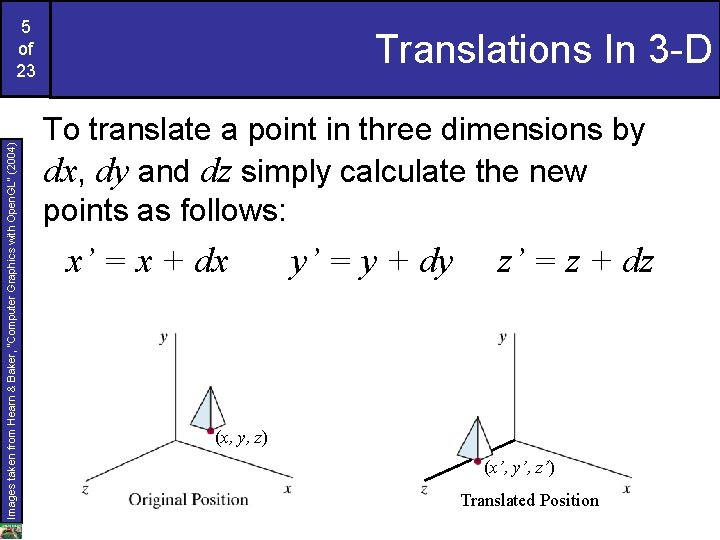
Images taken from Hearn & Baker, “Computer Graphics with Open. GL” (2004) 5 of 23 Translations In 3 -D To translate a point in three dimensions by dx, dy and dz simply calculate the new points as follows: x’ = x + dx y’ = y + dy z’ = z + dz (x, y, z) (x’, y’, z’) Translated Position
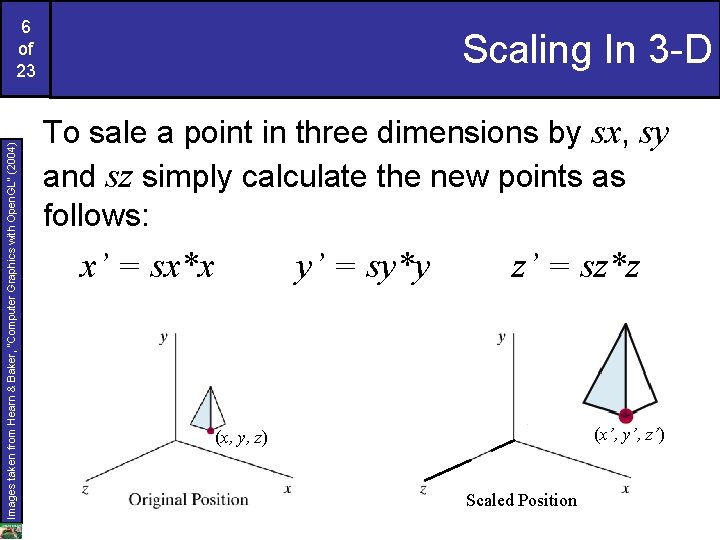
Images taken from Hearn & Baker, “Computer Graphics with Open. GL” (2004) 6 of 23 Scaling In 3 -D To sale a point in three dimensions by sx, sy and sz simply calculate the new points as follows: x’ = sx*x y’ = sy*y z’ = sz*z (x’, y’, z’) (x, y, z) Scaled Position
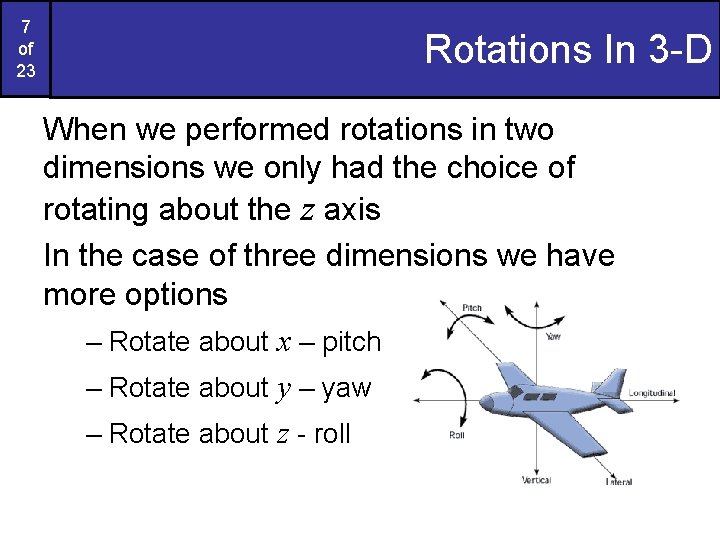
7 of 23 Rotations In 3 -D When we performed rotations in two dimensions we only had the choice of rotating about the z axis In the case of three dimensions we have more options – Rotate about x – pitch – Rotate about y – yaw – Rotate about z - roll
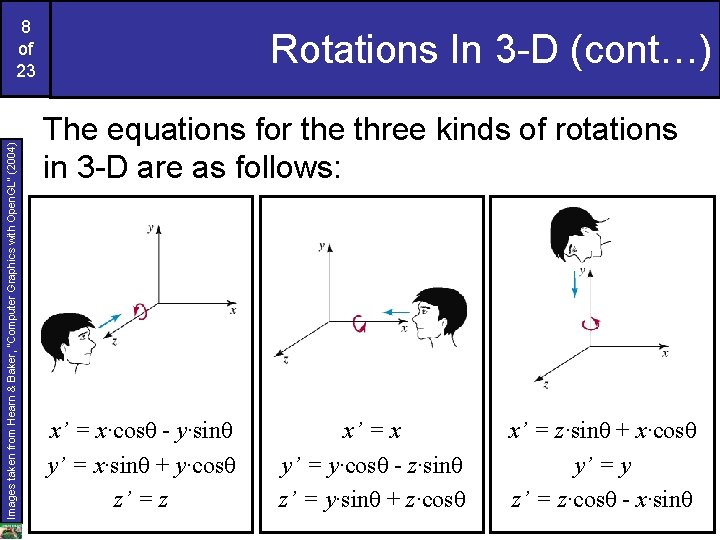
Images taken from Hearn & Baker, “Computer Graphics with Open. GL” (2004) 8 of 23 Rotations In 3 -D (cont…) The equations for the three kinds of rotations in 3 -D are as follows: x’ = x·cosθ - y·sinθ y’ = x·sinθ + y·cosθ z’ = z x’ = x y’ = y·cosθ - z·sinθ z’ = y·sinθ + z·cosθ x’ = z·sinθ + x·cosθ y’ = y z’ = z·cosθ - x·sinθ
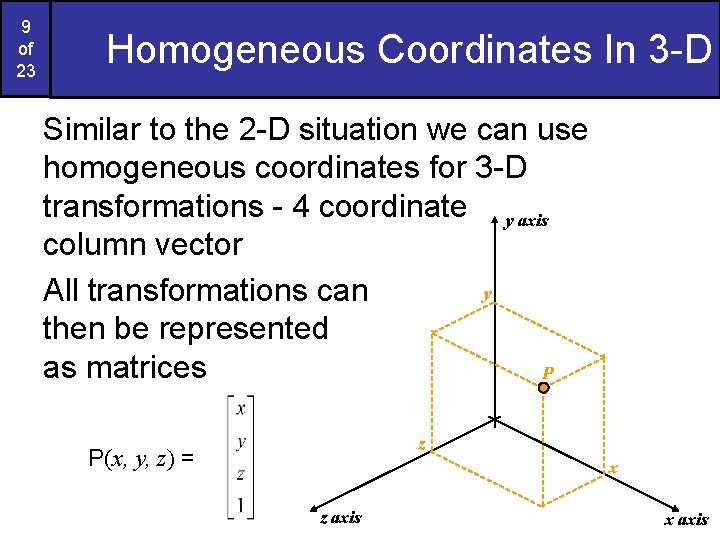
9 of 23 Homogeneous Coordinates In 3 -D Similar to the 2 -D situation we can use homogeneous coordinates for 3 -D transformations - 4 coordinate y axis column vector y All transformations can then be represented as matrices P z P(x, y, z) = x z axis x axis
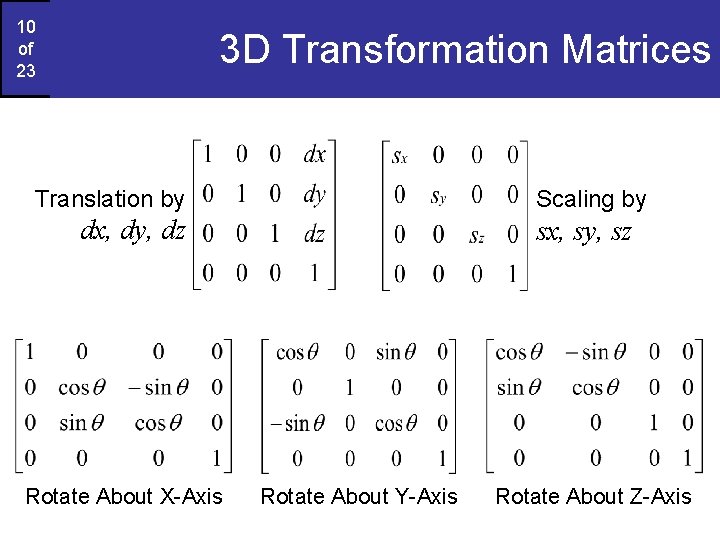
10 of 23 3 D Transformation Matrices Translation by Scaling by dx, dy, dz Rotate About X-Axis sx, sy, sz Rotate About Y-Axis Rotate About Z-Axis
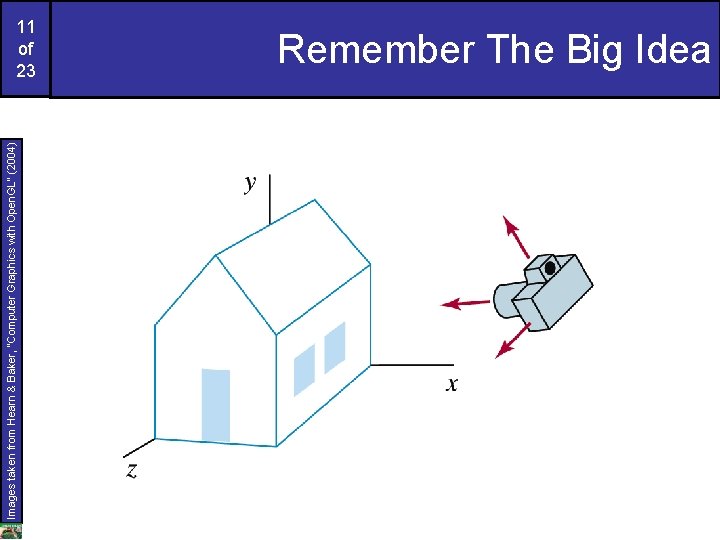
Images taken from Hearn & Baker, “Computer Graphics with Open. GL” (2004) 11 of 23 Remember The Big Idea
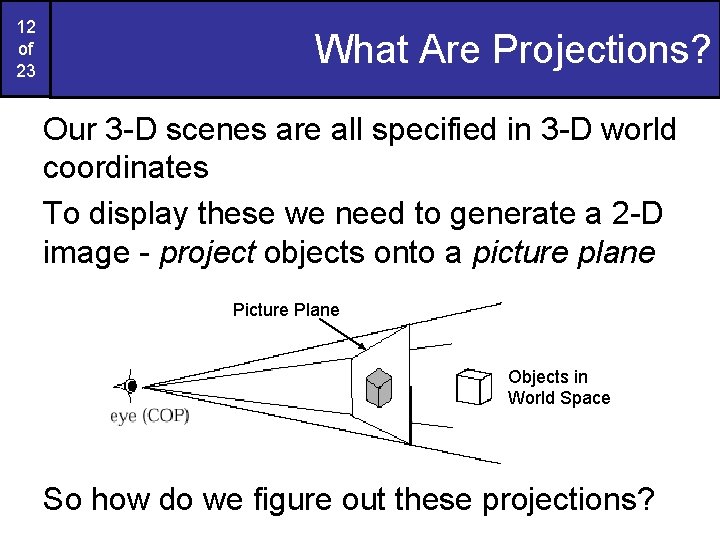
12 of 23 What Are Projections? Our 3 -D scenes are all specified in 3 -D world coordinates To display these we need to generate a 2 -D image - project objects onto a picture plane Picture Plane Objects in World Space So how do we figure out these projections?
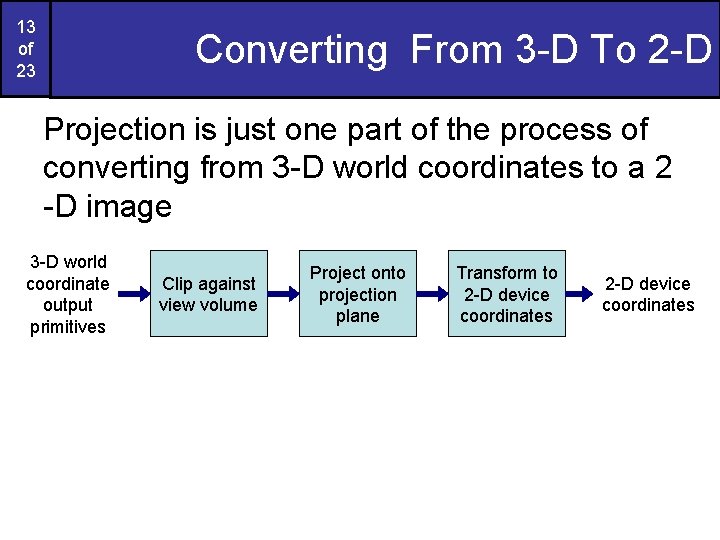
13 of 23 Converting From 3 -D To 2 -D Projection is just one part of the process of converting from 3 -D world coordinates to a 2 -D image 3 -D world coordinate output primitives Clip against view volume Project onto projection plane Transform to 2 -D device coordinates
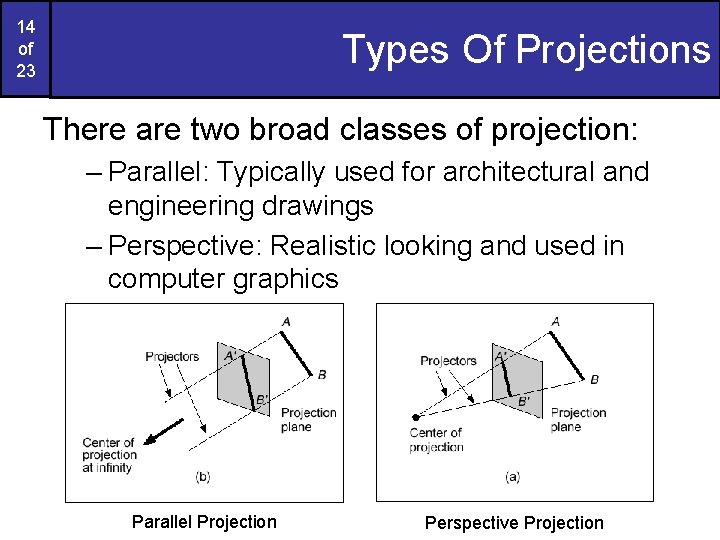
14 of 23 Types Of Projections There are two broad classes of projection: – Parallel: Typically used for architectural and engineering drawings – Perspective: Realistic looking and used in computer graphics Parallel Projection Perspective Projection
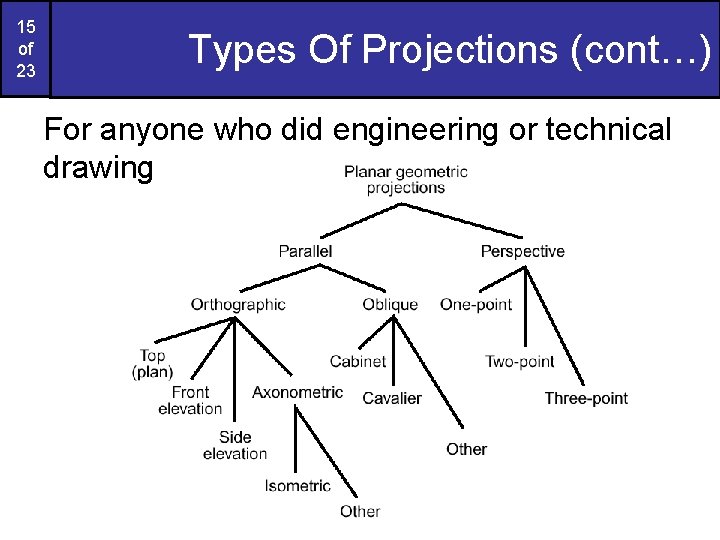
15 of 23 Types Of Projections (cont…) For anyone who did engineering or technical drawing
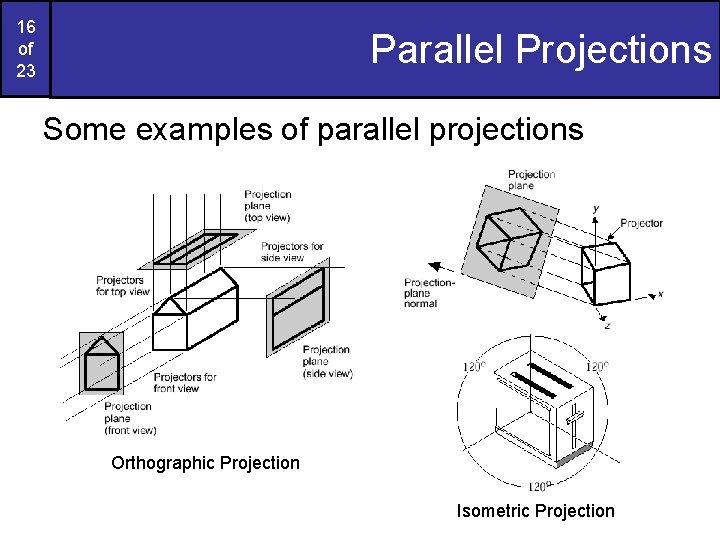
16 of 23 Parallel Projections Some examples of parallel projections Orthographic Projection Isometric Projection
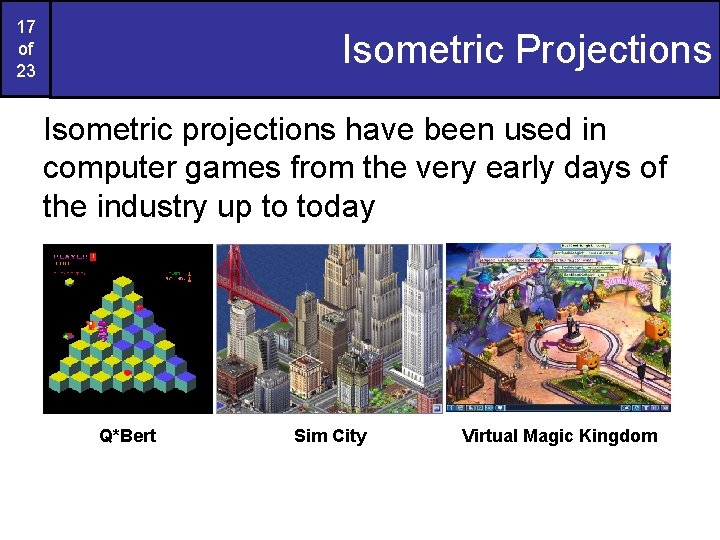
17 of 23 Isometric Projections Isometric projections have been used in computer games from the very early days of the industry up to today Q*Bert Sim City Virtual Magic Kingdom
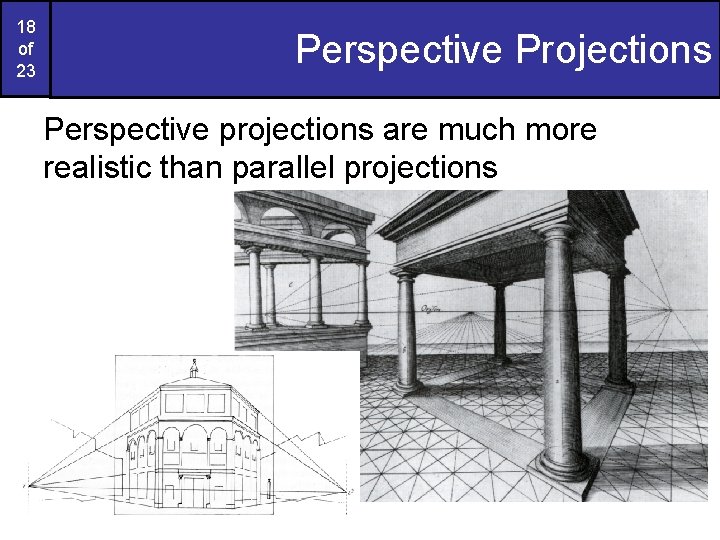
18 of 23 Perspective Projections Perspective projections are much more realistic than parallel projections
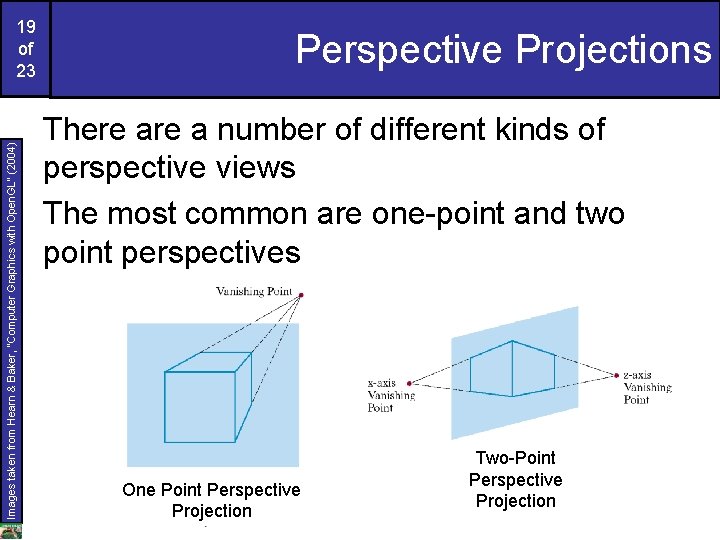
Images taken from Hearn & Baker, “Computer Graphics with Open. GL” (2004) 19 of 23 Perspective Projections There a number of different kinds of perspective views The most common are one-point and two point perspectives One Point Perspective Projection Two-Point Perspective Projection
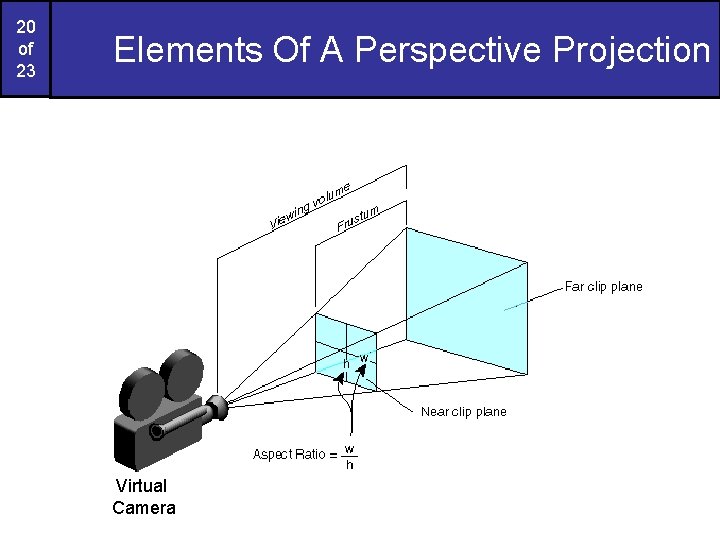
20 of 23 Elements Of A Perspective Projection Virtual Camera
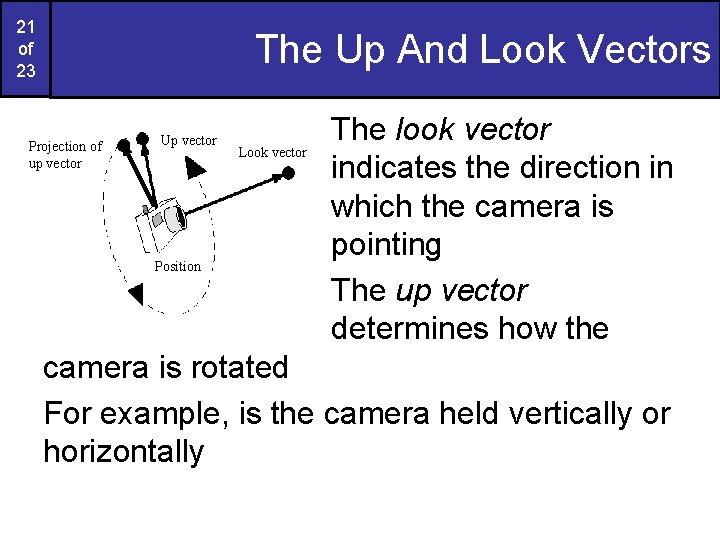
21 of 23 The Up And Look Vectors Projection of up vector Up vector Position Look vector The look vector indicates the direction in which the camera is pointing The up vector determines how the camera is rotated For example, is the camera held vertically or horizontally
22 of 23 Summary In today’s lecture we looked at: – Transformations in 3 -D • Very similar to those in 2 -D – Projections • 3 -D scenes must be projected onto a 2 -D image plane • Lots of ways to do this – Parallel projections – Perspective projections • The virtual camera
23 of 23 Who’s Choosing Graphics? A couple of quick questions for you: – Who is choosing graphics as an option? – Are there any problems with option timetabling? – What do you think of the course so far? • Is it too fast/slow? • Is it too easy/hard? • Is there anything in particular you want to cover?
- Slides: 23