
1 of 19 New Lecture And Lab Information

1 of 19 New Lecture And Lab Information Lectures: – Thursday 13: 00 – 14: 00 (A 322) • Does anyone miss lunch? – Friday 15: 00 – 16: 00 (A 28) Labs: – Wednesday 10: 00 – 11: 00 (A 305) – Wednesday 17: 00 – 18: 00 (Aungier St. 1 -005) Sorry for all of the messing around!
Computer Graphics 8: Perspective Projections Course Website: http: //www. comp. dit. ie/bmacnamee
3 of 19 Contents In today’s lecture we are going to have a look at how perspective projections work in computer graphics
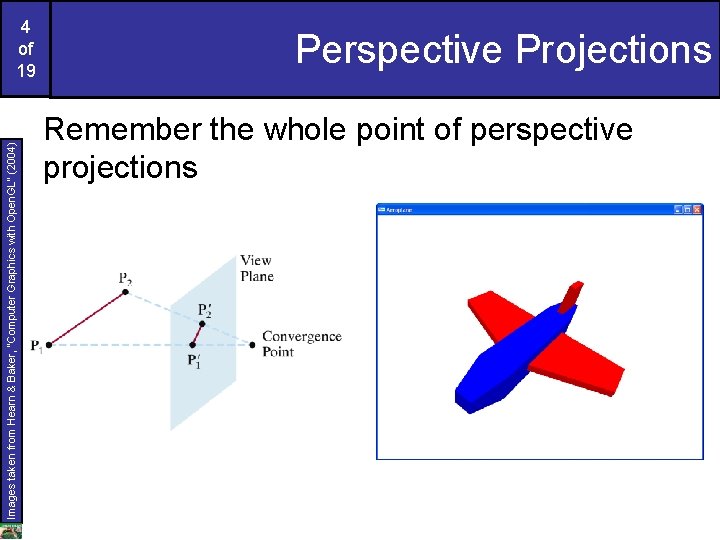
Images taken from Hearn & Baker, “Computer Graphics with Open. GL” (2004) 4 of 19 Perspective Projections Remember the whole point of perspective projections
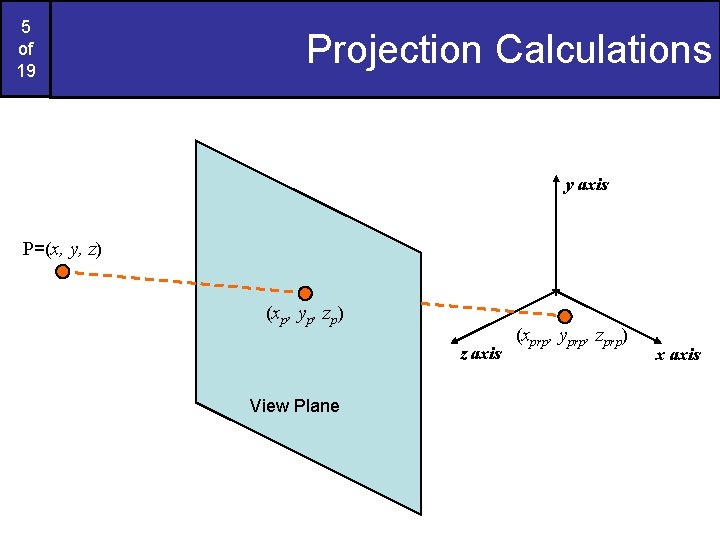
5 of 19 Projection Calculations y axis P=(x, y, z) (x p , y p , z p ) z axis View Plane (xprp, yprp, zprp) x axis
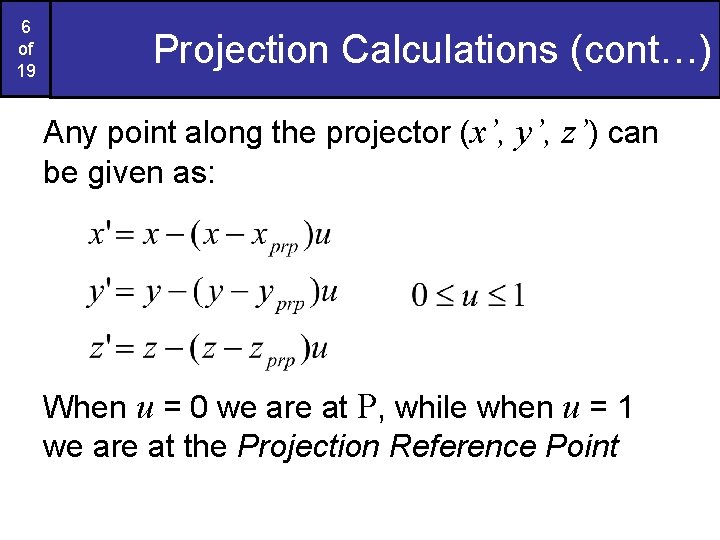
6 of 19 Projection Calculations (cont…) Any point along the projector (x’, y’, z’) can be given as: When u = 0 we are at P, while when u = 1 we are at the Projection Reference Point
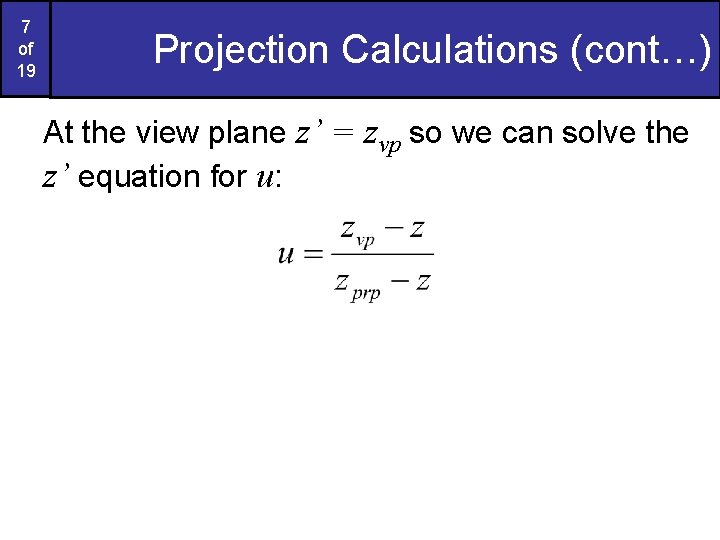
7 of 19 Projection Calculations (cont…) At the view plane z’ = zvp so we can solve the z’ equation for u:
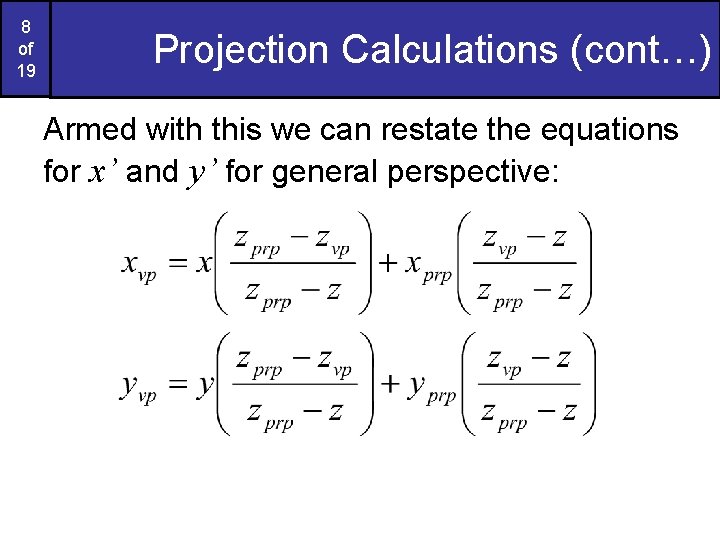
8 of 19 Projection Calculations (cont…) Armed with this we can restate the equations for x’ and y’ for general perspective:
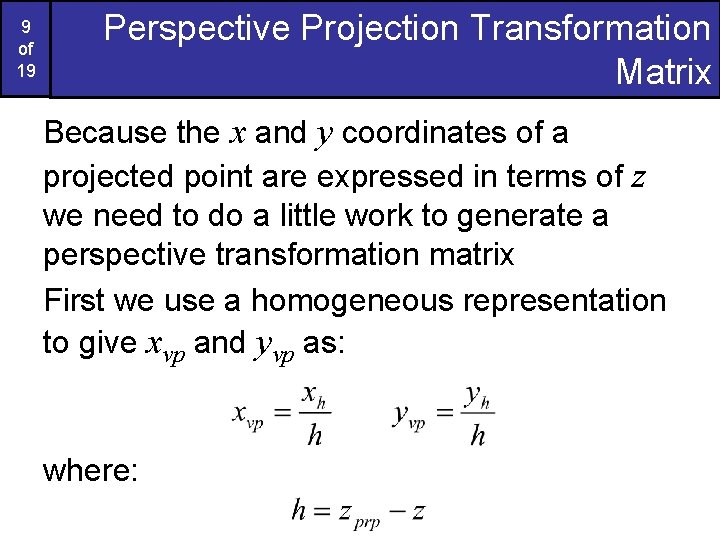
9 of 19 Perspective Projection Transformation Matrix Because the x and y coordinates of a projected point are expressed in terms of z we need to do a little work to generate a perspective transformation matrix First we use a homogeneous representation to give xvp and yvp as: where:
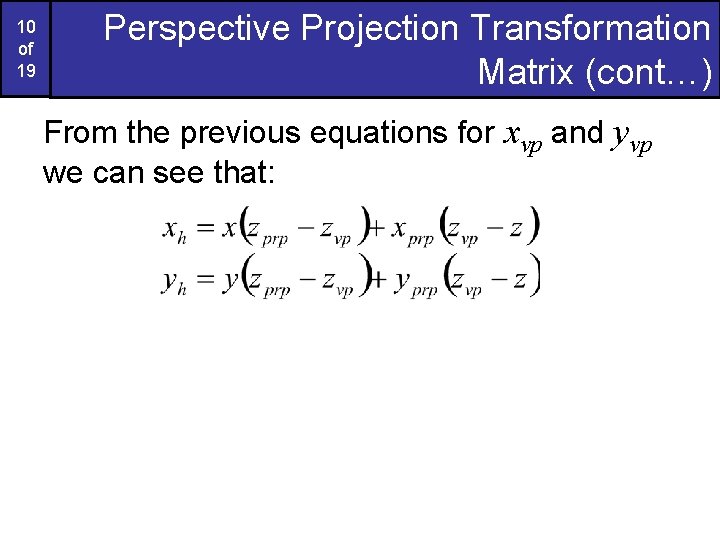
10 of 19 Perspective Projection Transformation Matrix (cont…) From the previous equations for xvp and yvp we can see that:
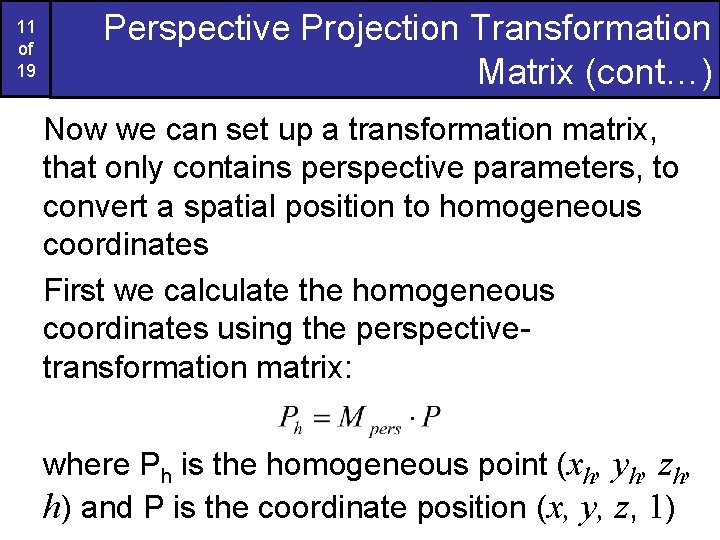
11 of 19 Perspective Projection Transformation Matrix (cont…) Now we can set up a transformation matrix, that only contains perspective parameters, to convert a spatial position to homogeneous coordinates First we calculate the homogeneous coordinates using the perspectivetransformation matrix: where Ph is the homogeneous point (xh, yh, zh, h) and P is the coordinate position (x, y, z, 1)
12 of 19 Perspective Projection Transformation Matrix (cont…) Setting up the matrix so that we calculate xh and yh is straightforward However, we also need to preserve the z values – depth information Otherwise the z coordinates are distorted by the homogeneous parameter h We don’t need to worry about the details here, but it means extra parameters (sz and tz) are added to the matrix
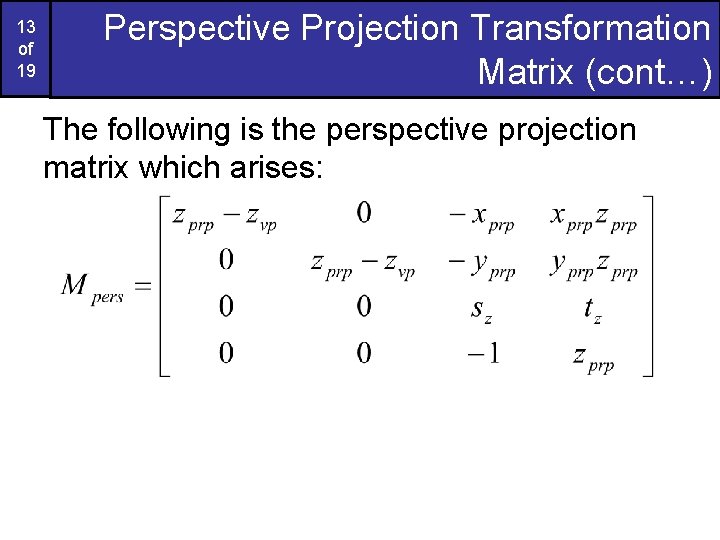
13 of 19 Perspective Projection Transformation Matrix (cont…) The following is the perspective projection matrix which arises:
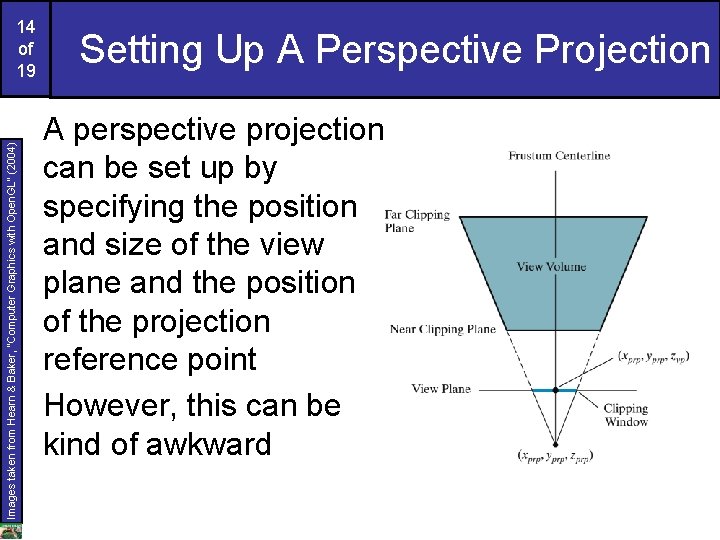
Images taken from Hearn & Baker, “Computer Graphics with Open. GL” (2004) 14 of 19 Setting Up A Perspective Projection A perspective projection can be set up by specifying the position and size of the view plane and the position of the projection reference point However, this can be kind of awkward
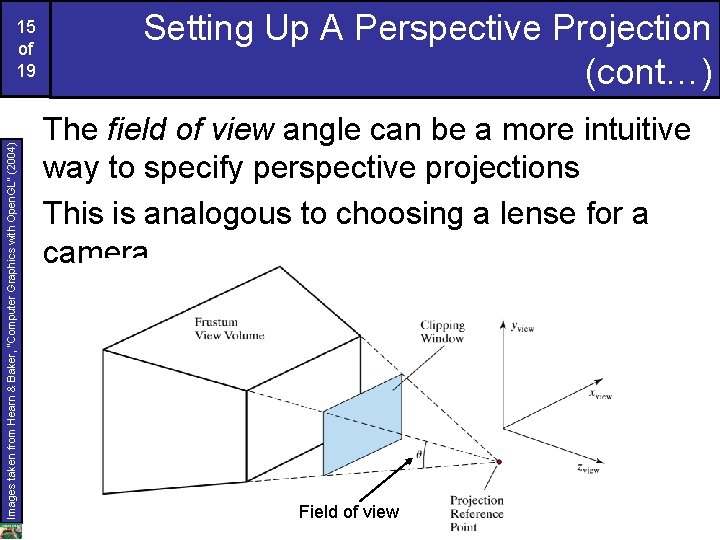
Images taken from Hearn & Baker, “Computer Graphics with Open. GL” (2004) 15 of 19 Setting Up A Perspective Projection (cont…) The field of view angle can be a more intuitive way to specify perspective projections This is analogous to choosing a lense for a camera Field of view
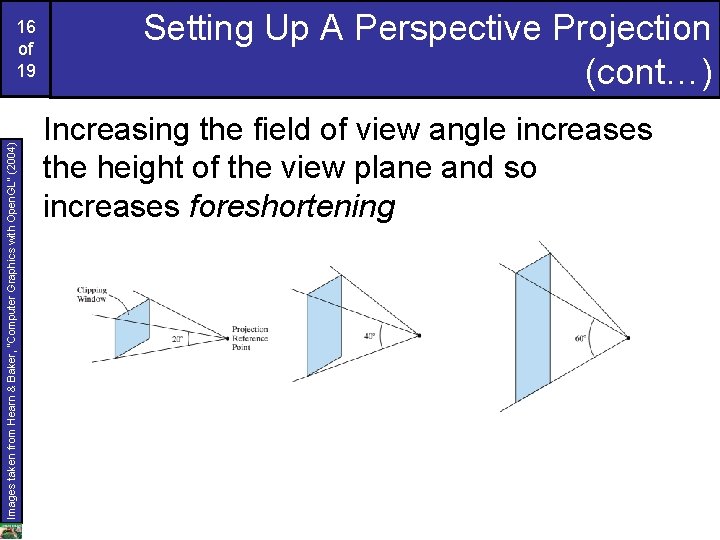
Images taken from Hearn & Baker, “Computer Graphics with Open. GL” (2004) 16 of 19 Setting Up A Perspective Projection (cont…) Increasing the field of view angle increases the height of the view plane and so increases foreshortening
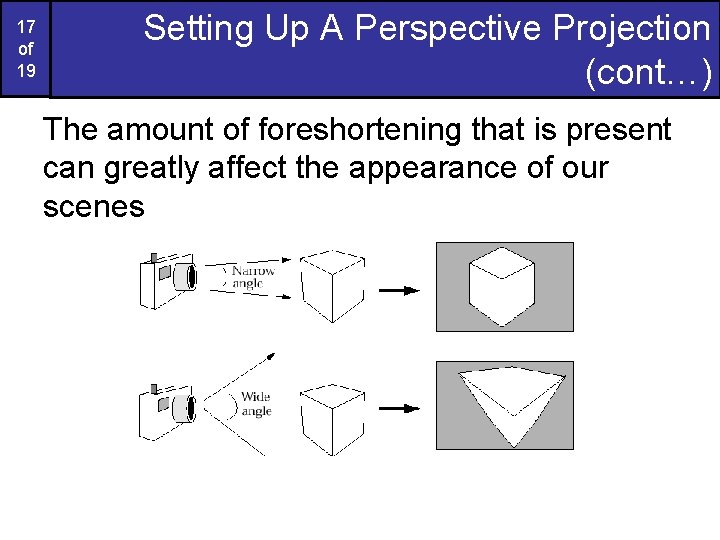
17 of 19 Setting Up A Perspective Projection (cont…) The amount of foreshortening that is present can greatly affect the appearance of our scenes
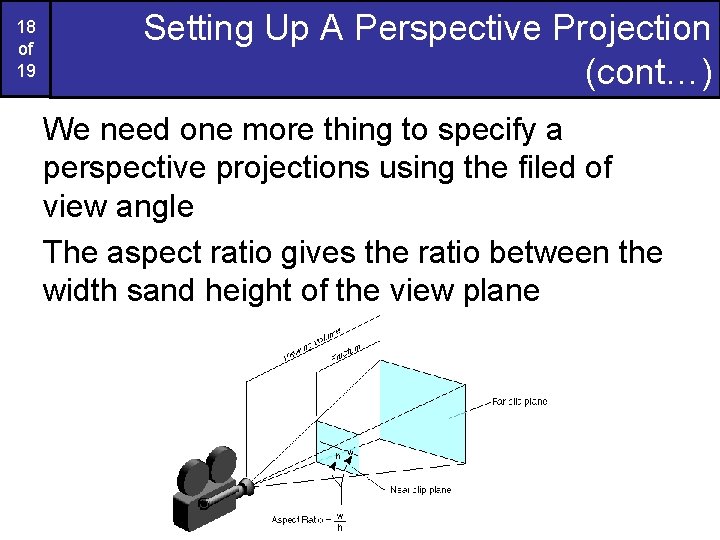
18 of 19 Setting Up A Perspective Projection (cont…) We need one more thing to specify a perspective projections using the filed of view angle The aspect ratio gives the ratio between the width sand height of the view plane
19 of 19 Summary In today’s class we looked at the detail of generating a perspective projection of a three dimensional scene
- Slides: 19