
1 need In UML interaction diagrams model the
- Slides: 37
1
need • In UML, interaction diagrams model the storyboards use for animation in film • These storyboards are built up in two ways • Models flows of control by ‘time ordering’ –(Sequence diagrams ) –Emphasizes passing of messages as they unfold over time • Models flows of control by ‘organization’ –(collaboration diagrams ) –Emphasizes the structural organization of the objects that interact 2
need • Interaction diagrams mainly contain –Objects –Messages –Links –May contain notes & constraints 3
need • Interaction diagrams mainly contain –Objects • The objects that participate in an interaction are either concrete things or prototypical things. • As a concrete thing, –an object represents something in the real world. – For example, p, an instance of the class Person, might denote a particular human. • Alternately, as a prototypical thing, – p might represent any instance of Person. –Messages • A message is a specification of a communication between objects that conveys information with the expectation that activity will ensue. 4
need • Interaction diagrams mainly contain –Links • A link is a semantic connection among objects. In general, a link is an instance of an association. • Wherever a class has an association to another class, there may be a link between the instances of the two classes; • wherever there is a link between two objects, one object can send a message to the other object. • A link specifies a path along which one object can dispatch a message to another (or the same) object. • Interaction diagrams mainly contain –May contain notes & constraints 5
6
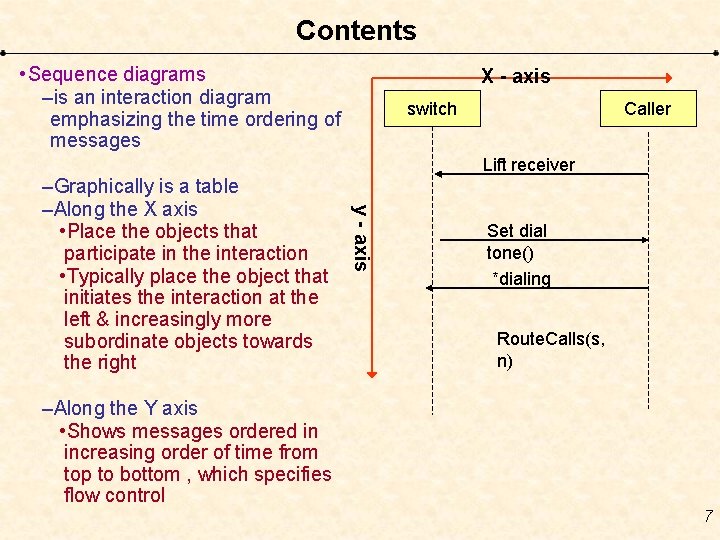
Contents • Sequence diagrams –is an interaction diagram emphasizing the time ordering of messages switch Caller Lift receiver y - axis –Graphically is a table –Along the X axis • Place the objects that participate in the interaction • Typically place the object that initiates the interaction at the left & increasingly more subordinate objects towards the right X - axis Set dial tone() *dialing Route. Calls(s, n) –Along the Y axis • Shows messages ordered in increasing order of time from top to bottom , which specifies flow control 7
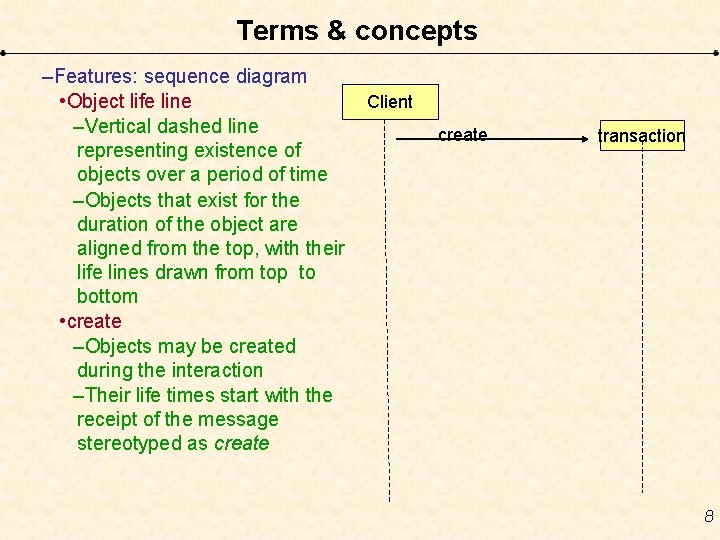
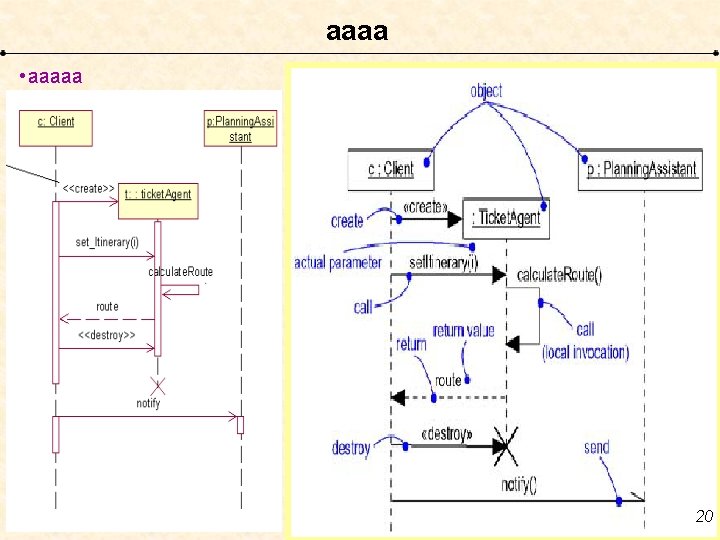
Terms & concepts –Features: sequence diagram • Object life line –Vertical dashed line representing existence of objects over a period of time –Objects that exist for the duration of the object are aligned from the top, with their life lines drawn from top to bottom • create –Objects may be created during the interaction –Their life times start with the receipt of the message stereotyped as create Client create transaction 8
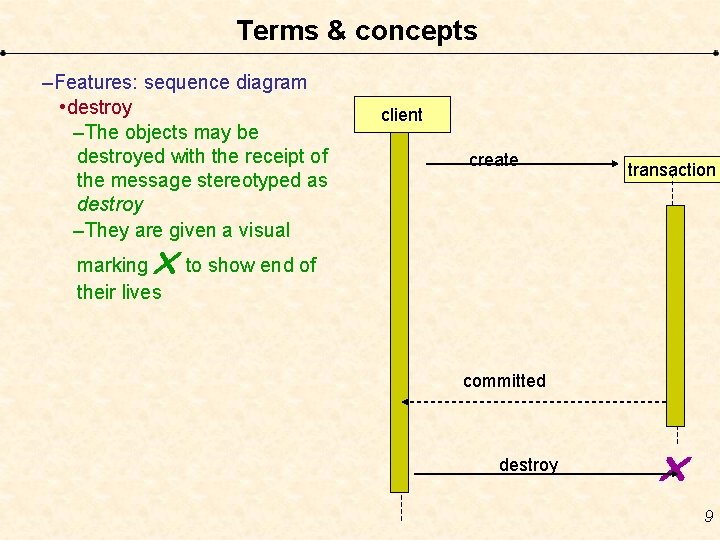
Terms & concepts –Features: sequence diagram • destroy –The objects may be destroyed with the receipt of the message stereotyped as destroy –They are given a visual client create transaction to show end of marking their lives committed destroy 9
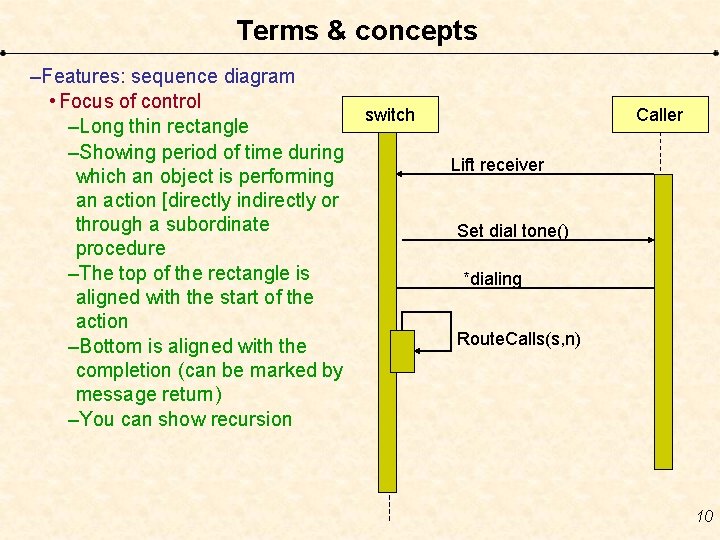
Terms & concepts –Features: sequence diagram • Focus of control –Long thin rectangle –Showing period of time during which an object is performing an action [directly indirectly or through a subordinate procedure –The top of the rectangle is aligned with the start of the action –Bottom is aligned with the completion (can be marked by message return) –You can show recursion switch Caller Lift receiver Set dial tone() *dialing Route. Calls(s, n) 10
Semantic equivalence • Sequence diagrams & collaboration diagrams – are semantically equivalent • You can convert one into another without loss of information. –However both diagrams are visually different 11
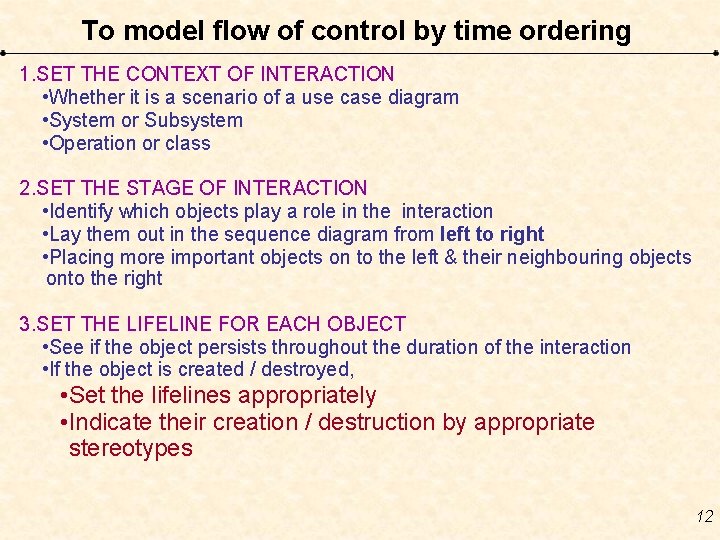
To model flow of control by time ordering 1. SET THE CONTEXT OF INTERACTION • Whether it is a scenario of a use case diagram • System or Subsystem • Operation or class 2. SET THE STAGE OF INTERACTION • Identify which objects play a role in the interaction • Lay them out in the sequence diagram from left to right • Placing more important objects on to the left & their neighbouring objects onto the right 3. SET THE LIFELINE FOR EACH OBJECT • See if the object persists throughout the duration of the interaction • If the object is created / destroyed, • Set the lifelines appropriately • Indicate their creation / destruction by appropriate stereotypes 12
To model flow of control by time ordering 4. Messages • Start with the message that initiates the interaction • Lay out all the subsequent messages from top to bottom between lifelines • Show each messages parameters as necessary 5. Focus of control • In order to show nesting of messages or points win time where actual computation is taking place, add the ‘focus of control’ 6. To show time / space constraints • Attach to each message a timing mark in order to show time 7. Attach conditions –Add pre & post conditions in square [] brackets if required. 13
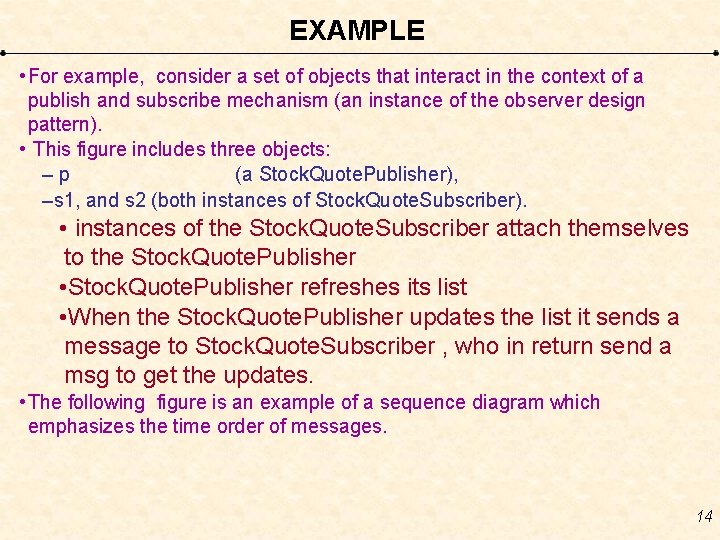
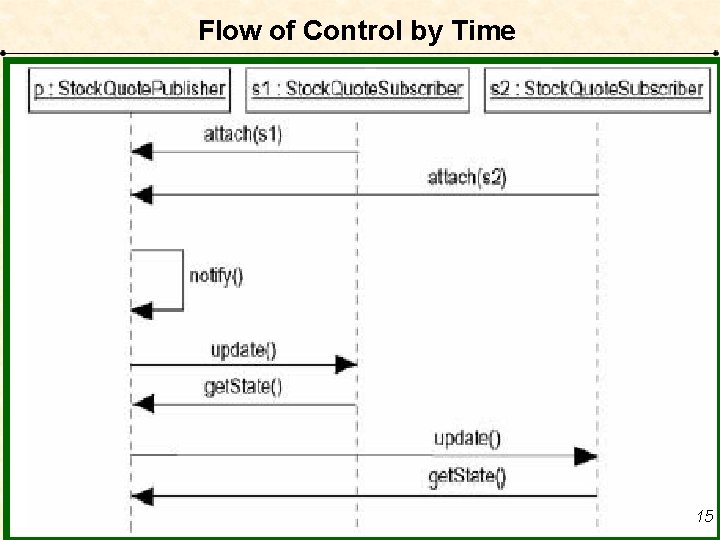
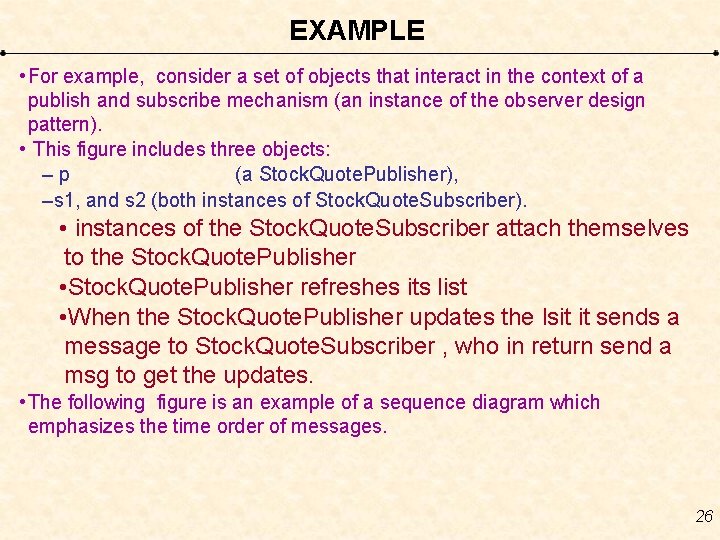
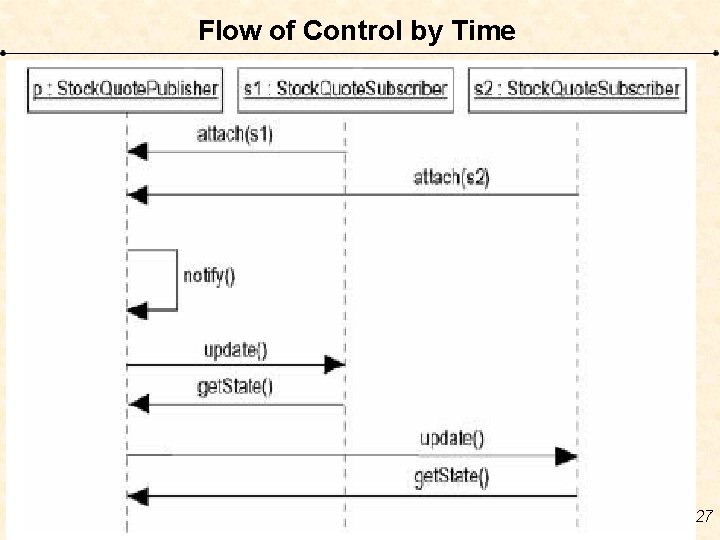
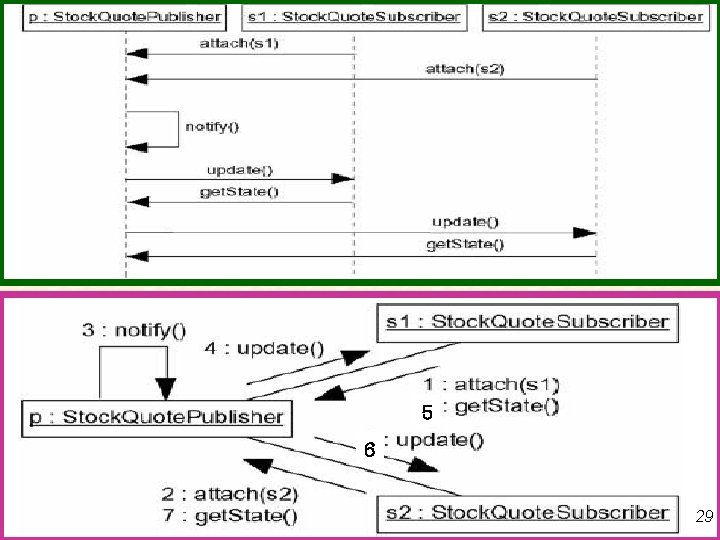
EXAMPLE • For example, consider a set of objects that interact in the context of a publish and subscribe mechanism (an instance of the observer design pattern). • This figure includes three objects: –p (a Stock. Quote. Publisher), –s 1, and s 2 (both instances of Stock. Quote. Subscriber). • instances of the Stock. Quote. Subscriber attach themselves to the Stock. Quote. Publisher • Stock. Quote. Publisher refreshes its list • When the Stock. Quote. Publisher updates the list it sends a message to Stock. Quote. Subscriber , who in return send a msg to get the updates. • The following figure is an example of a sequence diagram which emphasizes the time order of messages. 14
Flow of Control by Time 15
• Solve the example 16
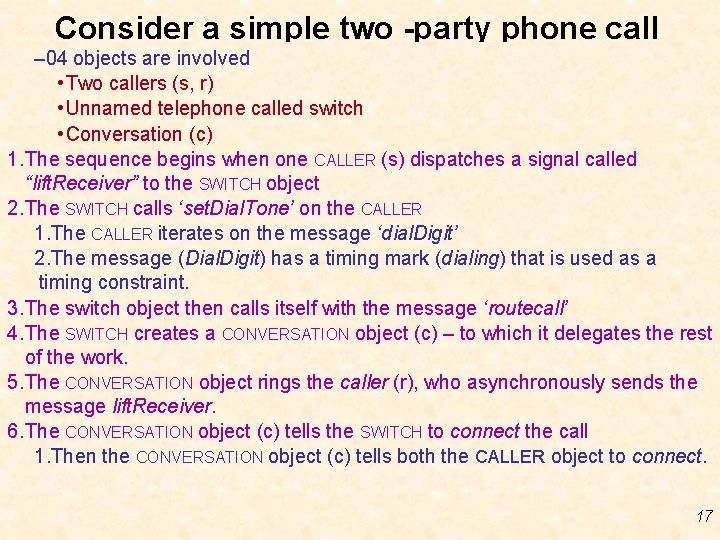
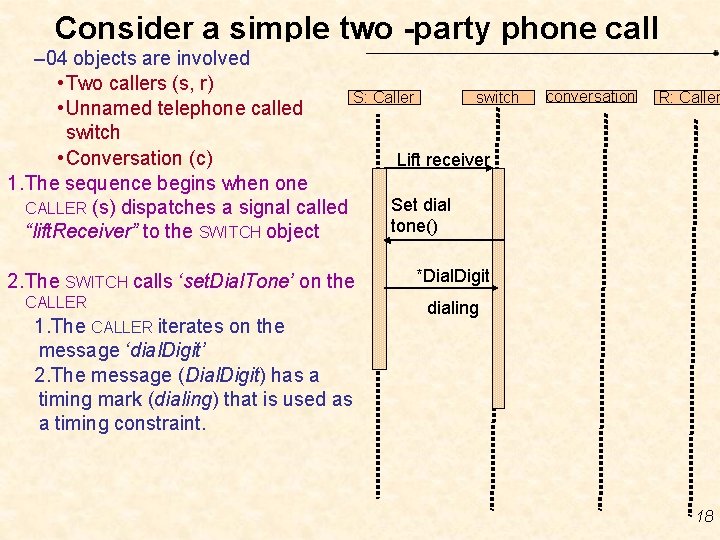
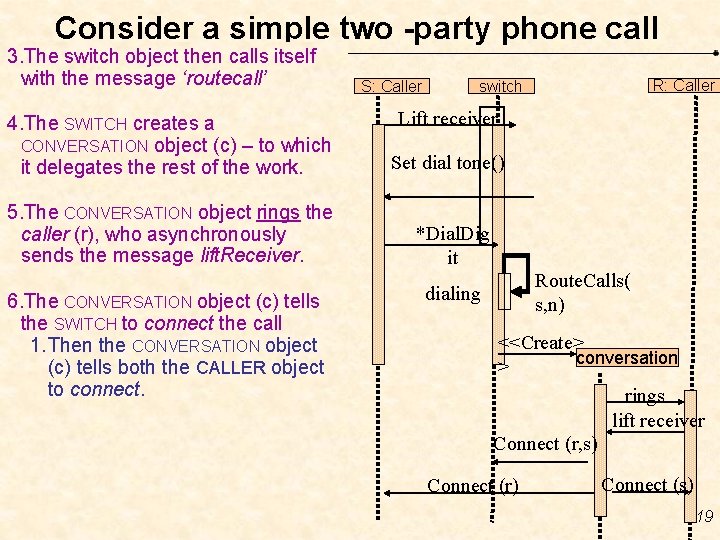
Consider a simple two -party phone call – 04 objects are involved • Two callers (s, r) • Unnamed telephone called switch • Conversation (c) 1. The sequence begins when one CALLER (s) dispatches a signal called “lift. Receiver” to the SWITCH object 2. The SWITCH calls ‘set. Dial. Tone’ on the CALLER 1. The CALLER iterates on the message ‘dial. Digit’ 2. The message (Dial. Digit) has a timing mark (dialing) that is used as a timing constraint. 3. The switch object then calls itself with the message ‘routecall’ 4. The SWITCH creates a CONVERSATION object (c) – to which it delegates the rest of the work. 5. The CONVERSATION object rings the caller (r), who asynchronously sends the message lift. Receiver. 6. The CONVERSATION object (c) tells the SWITCH to connect the call 1. Then the CONVERSATION object (c) tells both the CALLER object to connect. 17
Consider a simple two -party phone call – 04 objects are involved • Two callers (s, r) S: Caller switch • Unnamed telephone called switch • Conversation (c) Lift receiver 1. The sequence begins when one Set dial CALLER (s) dispatches a signal called tone() “lift. Receiver” to the SWITCH object 2. The SWITCH calls ‘set. Dial. Tone’ on the CALLER 1. The CALLER iterates on the message ‘dial. Digit’ 2. The message (Dial. Digit) has a timing mark (dialing) that is used as a timing constraint. conversation R: Caller *Dial. Digit dialing 18
Consider a simple two -party phone call 3. The switch object then calls itself with the message ‘routecall’ S: Caller Lift receiver 4. The SWITCH creates a CONVERSATION object (c) – to which it delegates the rest of the work. Set dial tone() 5. The CONVERSATION object rings the caller (r), who asynchronously sends the message lift. Receiver. *Dial. Dig it 6. The CONVERSATION object (c) tells the SWITCH to connect the call 1. Then the CONVERSATION object (c) tells both the CALLER object to connect. R: Caller switch Route. Calls( s, n) dialing <<Create> conversation > rings lift receiver Connect (r, s) Connect (r) Connect (s) 19
aaaa • aaaaa 20
21
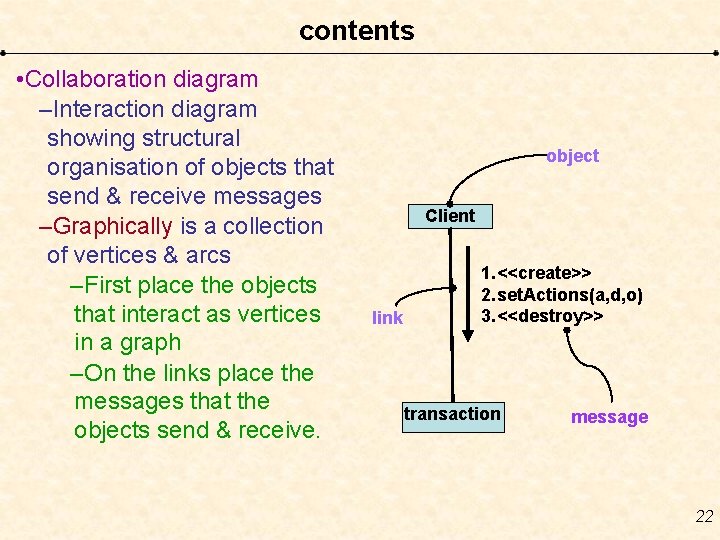
contents • Collaboration diagram –Interaction diagram showing structural organisation of objects that send & receive messages –Graphically is a collection of vertices & arcs –First place the objects that interact as vertices in a graph –On the links place the messages that the objects send & receive. object Client link 1. <<create>> 2. set. Actions(a, d, o) 3. <<destroy>> transaction message 22
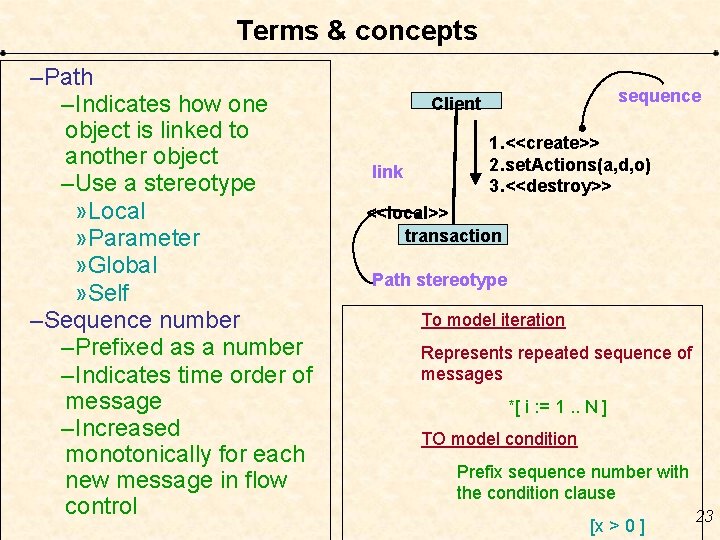
Terms & concepts –Path –Indicates how one object is linked to another object –Use a stereotype » Local » Parameter » Global » Self –Sequence number –Prefixed as a number –Indicates time order of message –Increased monotonically for each new message in flow control sequence Client link 1. <<create>> 2. set. Actions(a, d, o) 3. <<destroy>> <<local>> transaction Path stereotype To model iteration Represents repeated sequence of messages *[ i : = 1. . N ] TO model condition Prefix sequence number with the condition clause [x > 0 ] 23
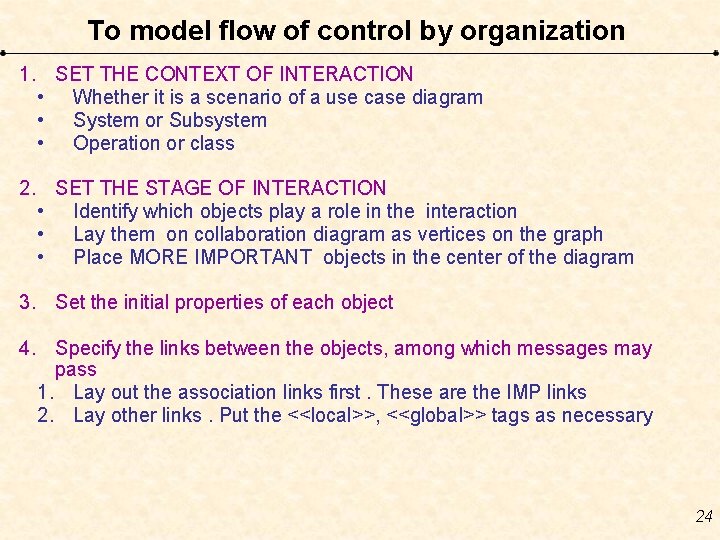
To model flow of control by organization 1. SET THE CONTEXT OF INTERACTION • Whether it is a scenario of a use case diagram • System or Subsystem • Operation or class 2. SET THE STAGE OF INTERACTION • Identify which objects play a role in the interaction • Lay them on collaboration diagram as vertices on the graph • Place MORE IMPORTANT objects in the center of the diagram 3. Set the initial properties of each object 4. Specify the links between the objects, among which messages may pass 1. Lay out the association links first. These are the IMP links 2. Lay other links. Put the <<local>>, <<global>> tags as necessary 24
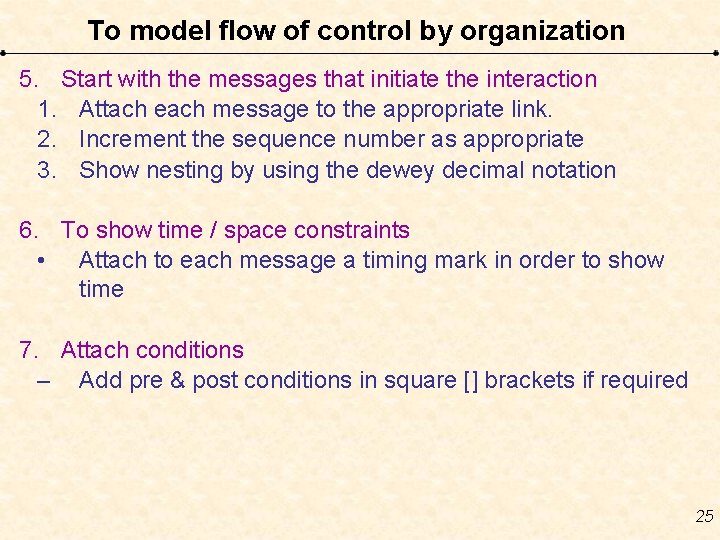
To model flow of control by organization 5. Start with the messages that initiate the interaction 1. Attach each message to the appropriate link. 2. Increment the sequence number as appropriate 3. Show nesting by using the dewey decimal notation 6. To show time / space constraints • Attach to each message a timing mark in order to show time 7. Attach conditions – Add pre & post conditions in square [] brackets if required 25
EXAMPLE • For example, consider a set of objects that interact in the context of a publish and subscribe mechanism (an instance of the observer design pattern). • This figure includes three objects: –p (a Stock. Quote. Publisher), –s 1, and s 2 (both instances of Stock. Quote. Subscriber). • instances of the Stock. Quote. Subscriber attach themselves to the Stock. Quote. Publisher • Stock. Quote. Publisher refreshes its list • When the Stock. Quote. Publisher updates the lsit it sends a message to Stock. Quote. Subscriber , who in return send a msg to get the updates. • The following figure is an example of a sequence diagram which emphasizes the time order of messages. 26
Flow of Control by Time 27
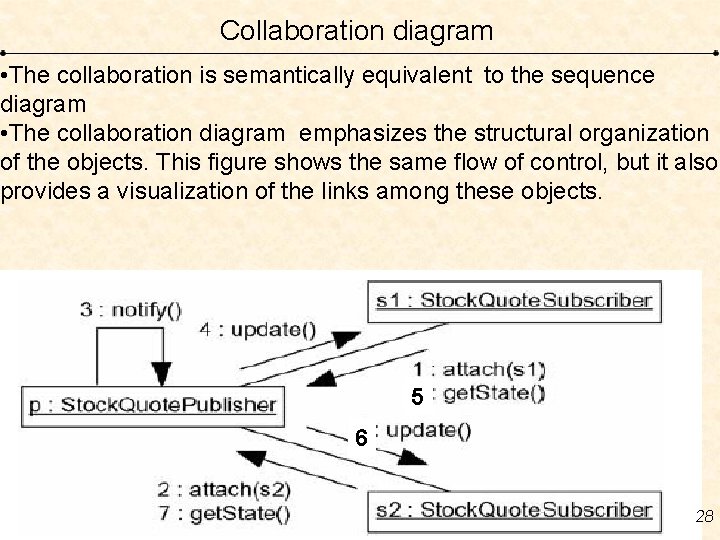
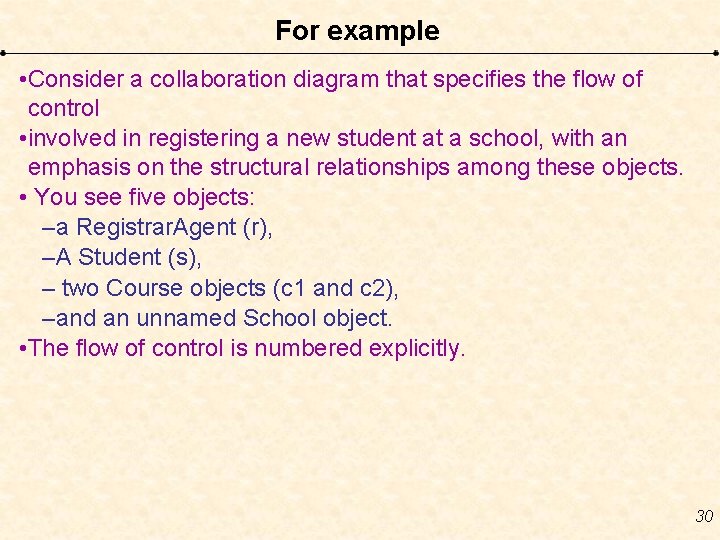
Collaboration diagram • The collaboration is semantically equivalent to the sequence diagram • The collaboration diagram emphasizes the structural organization of the objects. This figure shows the same flow of control, but it also provides a visualization of the links among these objects. 5 6 28
5 6 29
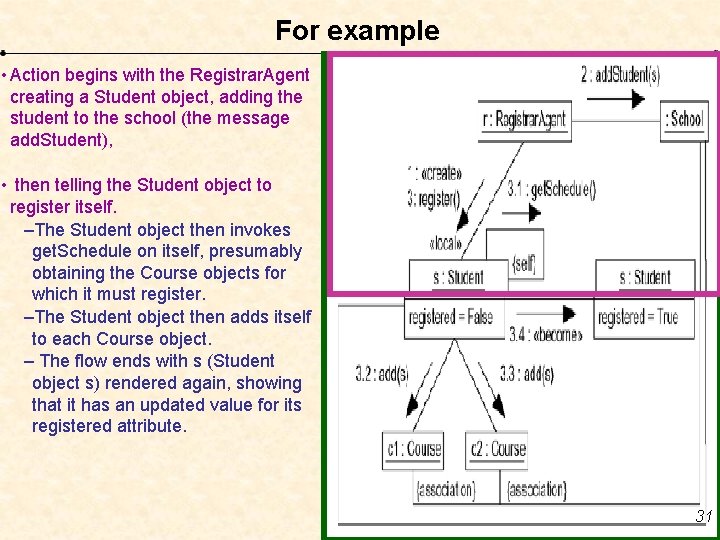
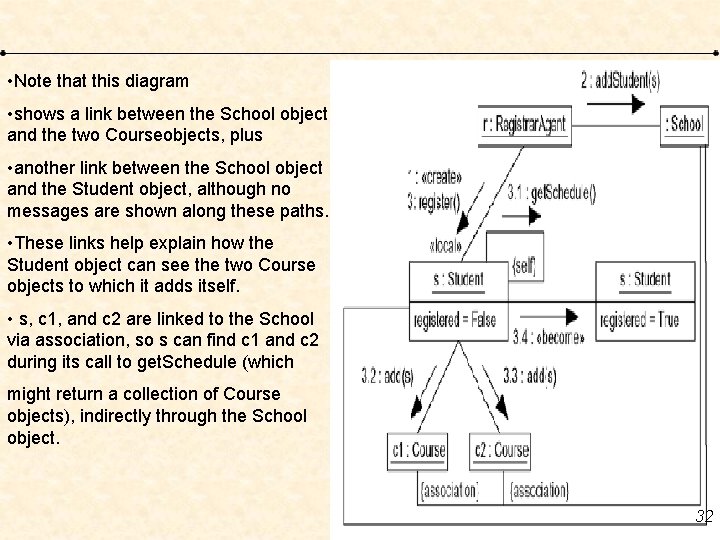
For example • Consider a collaboration diagram that specifies the flow of control • involved in registering a new student at a school, with an emphasis on the structural relationships among these objects. • You see five objects: –a Registrar. Agent (r), –A Student (s), – two Course objects (c 1 and c 2), –and an unnamed School object. • The flow of control is numbered explicitly. 30
For example • Action begins with the Registrar. Agent creating a Student object, adding the student to the school (the message add. Student), • then telling the Student object to register itself. –The Student object then invokes get. Schedule on itself, presumably obtaining the Course objects for which it must register. –The Student object then adds itself to each Course object. – The flow ends with s (Student object s) rendered again, showing that it has an updated value for its registered attribute. 31
• Note that this diagram • shows a link between the School object and the two Courseobjects, plus • another link between the School object and the Student object, although no messages are shown along these paths. • These links help explain how the Student object can see the two Course objects to which it adds itself. • s, c 1, and c 2 are linked to the School via association, so s can find c 1 and c 2 during its call to get. Schedule (which might return a collection of Course objects), indirectly through the School object. 32
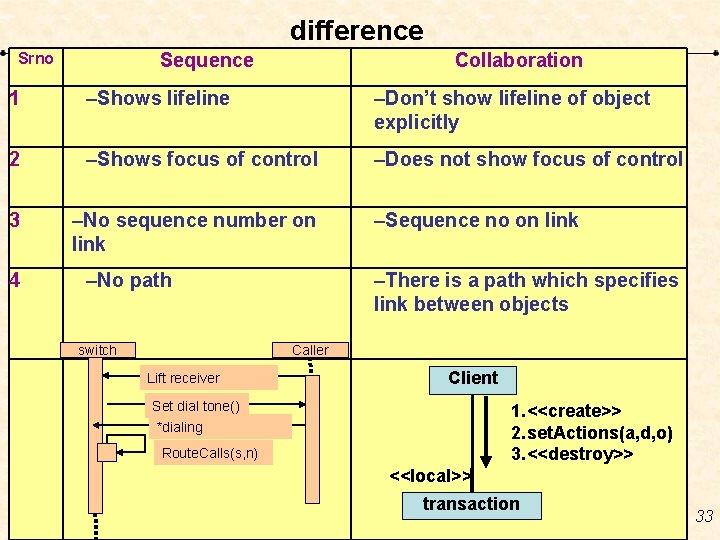
difference Srno Sequence Collaboration 1 –Shows lifeline –Don’t show lifeline of object explicitly 2 –Shows focus of control –Does not show focus of control 3 –No sequence number on link 4 –No path switch –Sequence no on link –There is a path which specifies link between objects Caller Lift receiver Client Set dial tone() *dialing 1. <<create>> 2. set. Actions(a, d, o) 3. <<destroy>> Route. Calls(s, n) <<local>> transaction 33
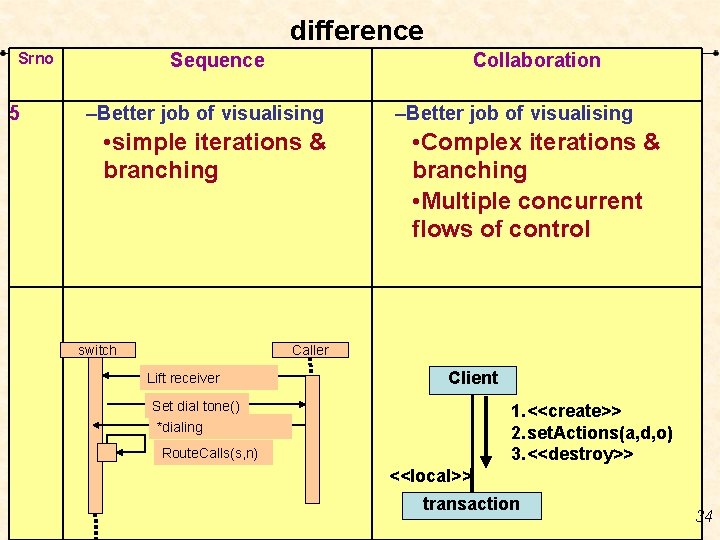
difference Srno 5 Sequence Collaboration –Better job of visualising • simple iterations & branching switch –Better job of visualising • Complex iterations & branching • Multiple concurrent flows of control Caller Lift receiver Client Set dial tone() *dialing 1. <<create>> 2. set. Actions(a, d, o) 3. <<destroy>> Route. Calls(s, n) <<local>> transaction 34
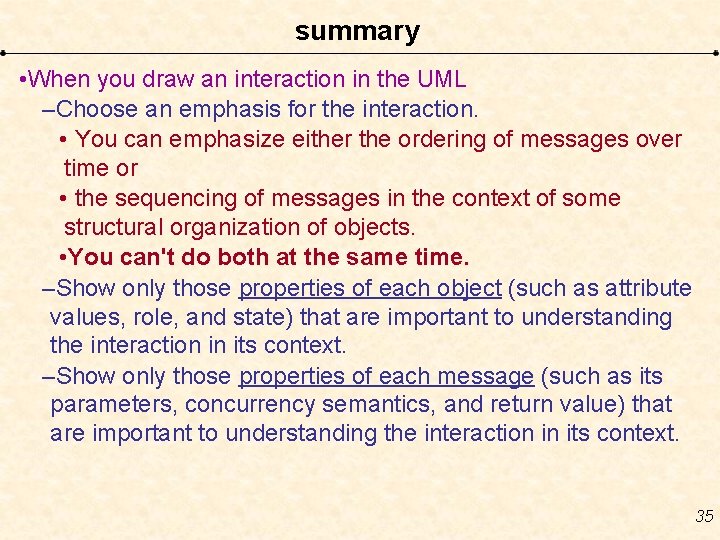
summary • When you draw an interaction in the UML –Choose an emphasis for the interaction. • You can emphasize either the ordering of messages over time or • the sequencing of messages in the context of some structural organization of objects. • You can't do both at the same time. –Show only those properties of each object (such as attribute values, role, and state) that are important to understanding the interaction in its context. –Show only those properties of each message (such as its parameters, concurrency semantics, and return value) that are important to understanding the interaction in its context. 35
REFERENCES Ø Ali Bahrami, “Object Oriented System Development”, Mc. Graw Hill. Ø Booch, Jacobson, Rumbagh, “The UML user Guide”, Pearson Education. 36
37