
1 MODULE 3 Conditional Statements 2 Conditional Statements


- Slides: 40
1 MODULE 3 Conditional Statements
2 Conditional Statements allow you to do different things in different situations. Imagine driving a car. You see a stoplight ahead. What you do next is dependent on the state of the stoplight. • IF the stoplight is green, THEN you continue. • IF the stoplight is yellow, THEN you prepare to stop. • IF the stoplight is red, THEN you stop.
3 Or what about age and voting? What do we want to do? 1) Ask the user for their age. 2) IF they are at least 18 years old, THEN tell them that they can vote. 3) ELSE inform them that they are too young to vote We can use an if/else statement to do this in Java!
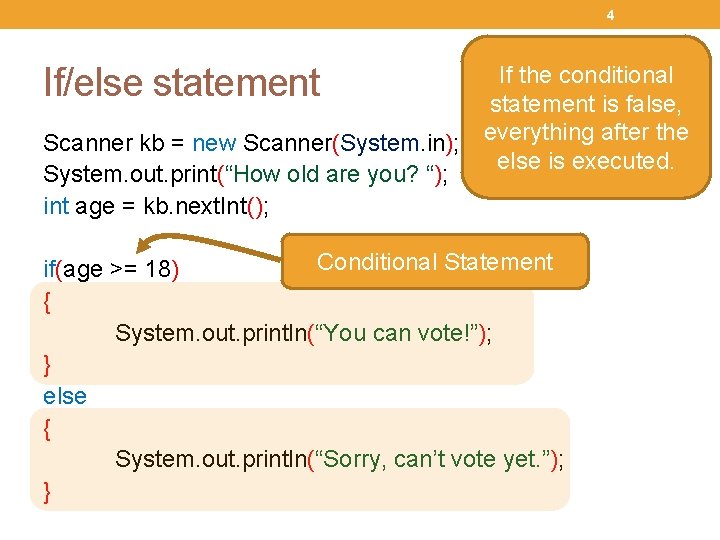
4 If the conditional statement is true, statement is false, everything within the after the Scanner kb = new Scanner(System. in); everything first set of curly else is executed. System. out. print(“How old are you? “); braces is executed. int age = kb. next. Int(); If/else statement Conditional Statement if(age >= 18) { System. out. println(“You can vote!”); } else { System. out. println(“Sorry, can’t vote yet. ”); }
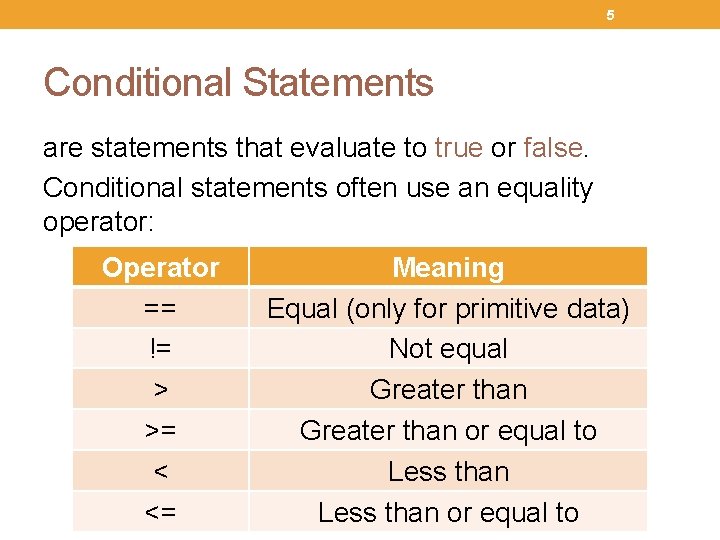
5 Conditional Statements are statements that evaluate to true or false. Conditional statements often use an equality operator: Operator == != > >= < <= Meaning Equal (only for primitive data) Not equal Greater than or equal to Less than or equal to
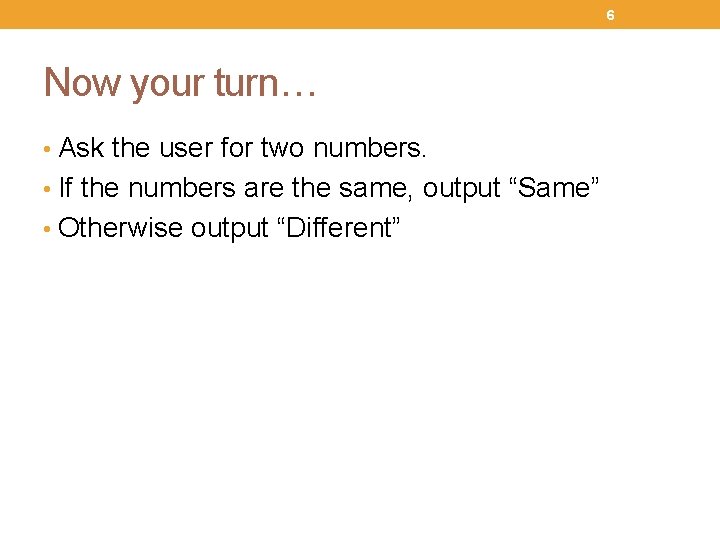
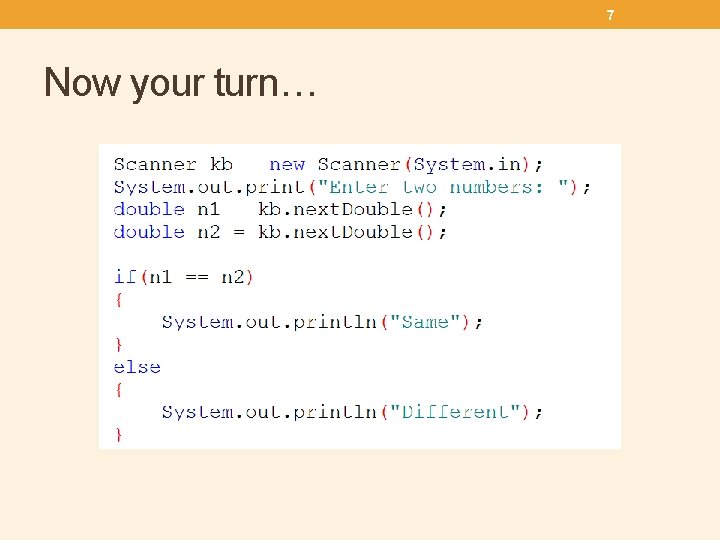
6 Now your turn… • Ask the user for two numbers. • If the numbers are the same, output “Same” • Otherwise output “Different”
7 Now your turn…
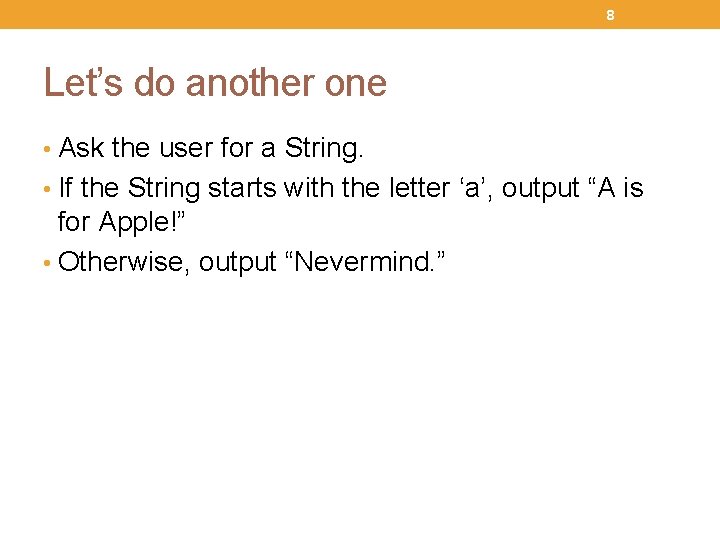
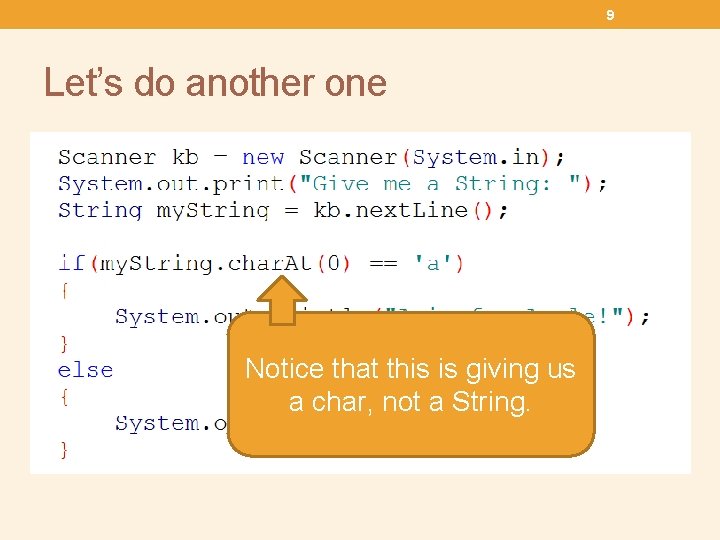
8 Let’s do another one • Ask the user for a String. • If the String starts with the letter ‘a’, output “A is for Apple!” • Otherwise, output “Nevermind. ”
9 Let’s do another one Notice that this is giving us a char, not a String.
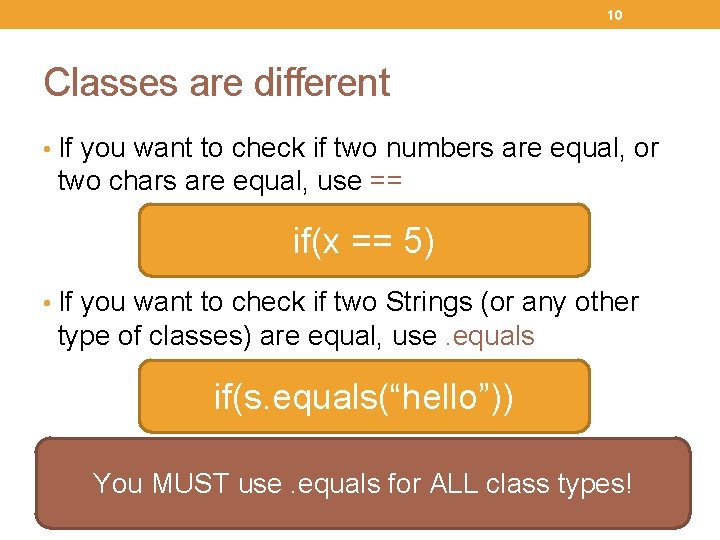
10 Classes are different • If you want to check if two numbers are equal, or two chars are equal, use == if(x == 5) • If you want to check if two Strings (or any other type of classes) are equal, use. equals if(s. equals(“hello”)) This is extra tricky because if(s == “hello”) will You MUST use. equals for ALL class types! compile just fine. It just won’t work properly!
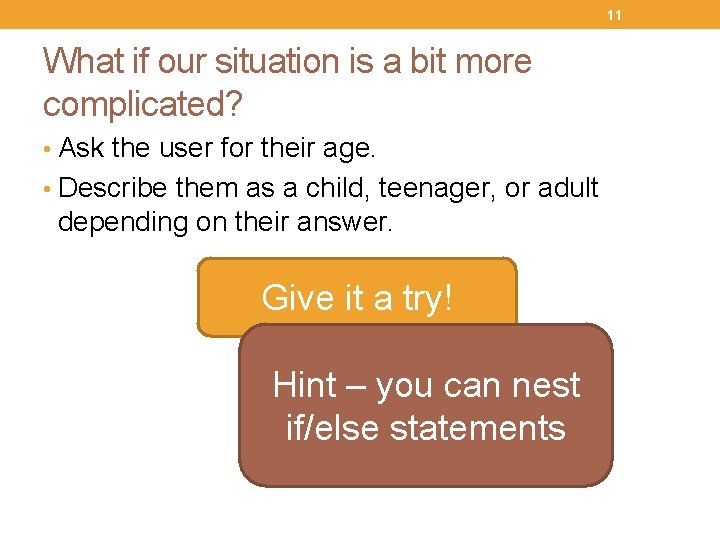
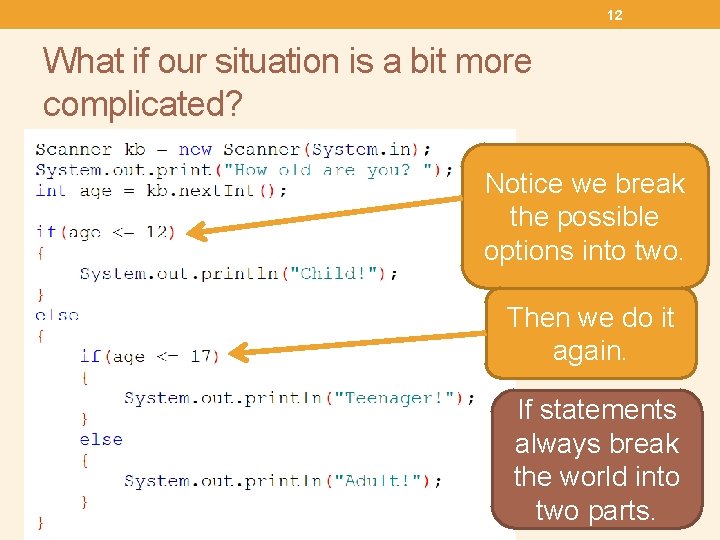
11 What if our situation is a bit more complicated? • Ask the user for their age. • Describe them as a child, teenager, or adult depending on their answer. Give it a try! Hint – you can nest if/else statements
12 What if our situation is a bit more complicated? Notice we break the possible options into two. Then we do it again. If statements always break the world into two parts.
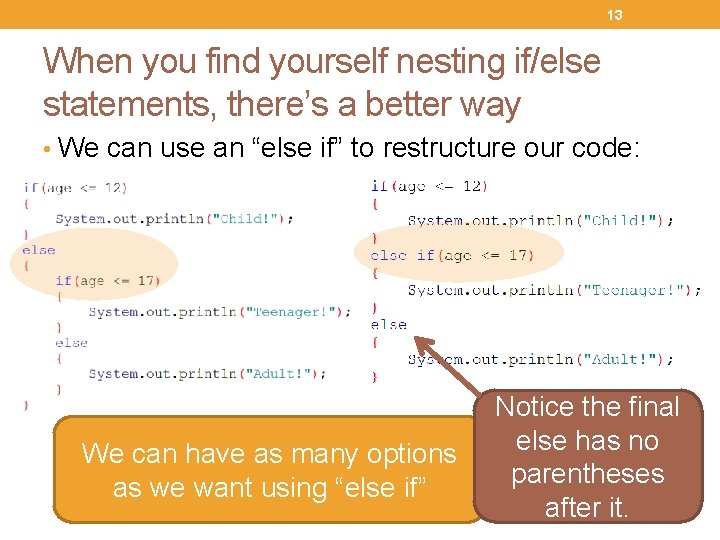
13 When you find yourself nesting if/else statements, there’s a better way • We can use an “else if” to restructure our code: We can have as many options as we want using “else if” Notice the final else has no parentheses after it.
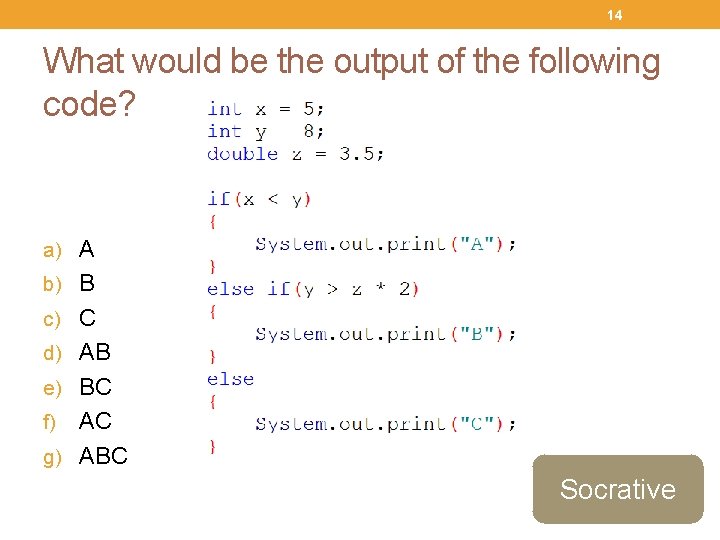
14 What would be the output of the following code? a) A b) B c) C d) AB e) BC AC g) ABC f) Socrative
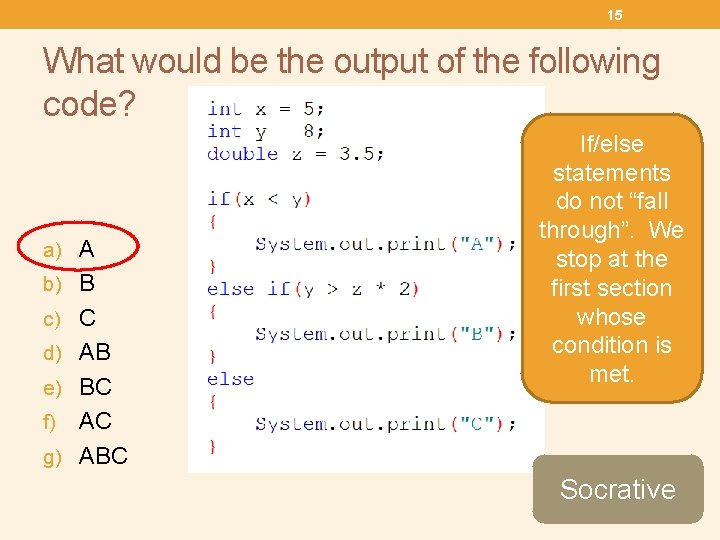
15 What would be the output of the following code? a) A b) B c) C d) AB e) BC If/else statements do not “fall through”. We stop at the first section whose condition is met. AC g) ABC f) Socrative
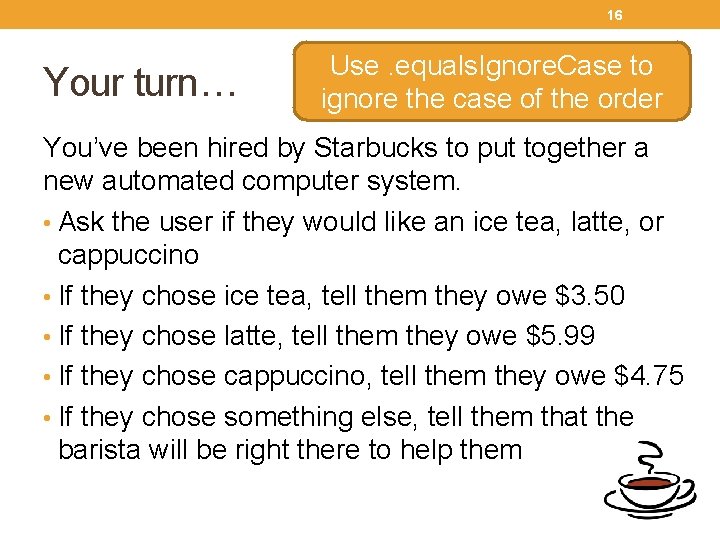
16 Your turn… Use. equals. Ignore. Case to ignore the case of the order You’ve been hired by Starbucks to put together a new automated computer system. • Ask the user if they would like an ice tea, latte, or cappuccino • If they chose ice tea, tell them they owe $3. 50 • If they chose latte, tell them they owe $5. 99 • If they chose cappuccino, tell them they owe $4. 75 • If they chose something else, tell them that the barista will be right there to help them
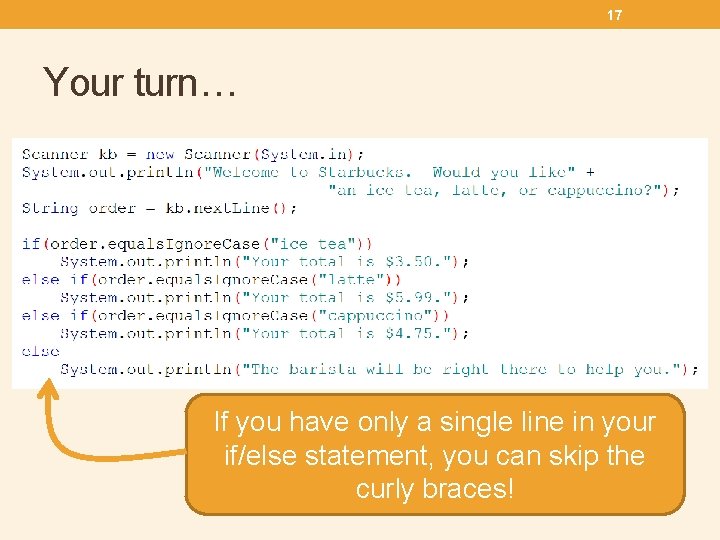
17 Your turn… If you have only a single line in your if/else statement, you can skip the curly braces!
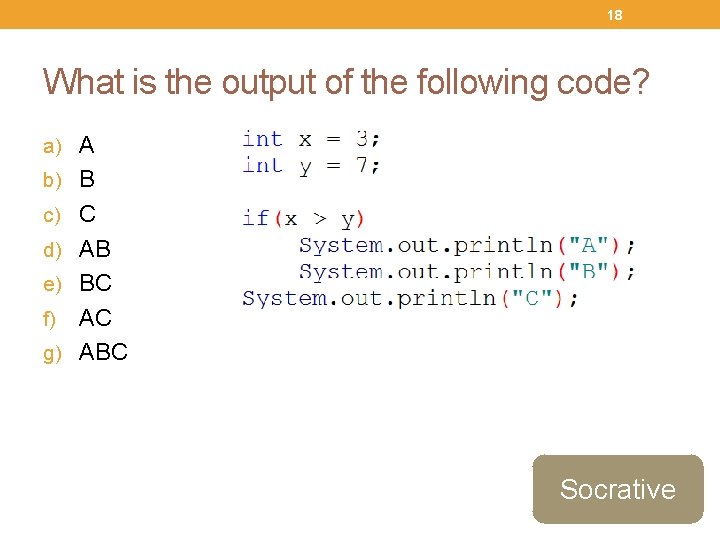
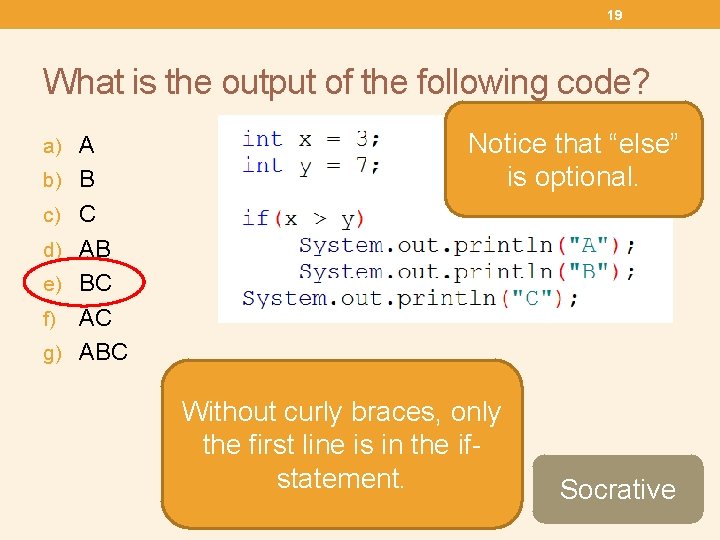
18 What is the output of the following code? a) A b) B c) C d) AB e) BC AC g) ABC f) Socrative
19 What is the output of the following code? a) A b) B Notice that “else” is optional. c) C d) AB e) BC AC g) ABC f) The computer ignores Without curly braces, only indentation. Good the first line is in the ifindentation is just for statement. people reading your code. Socrative
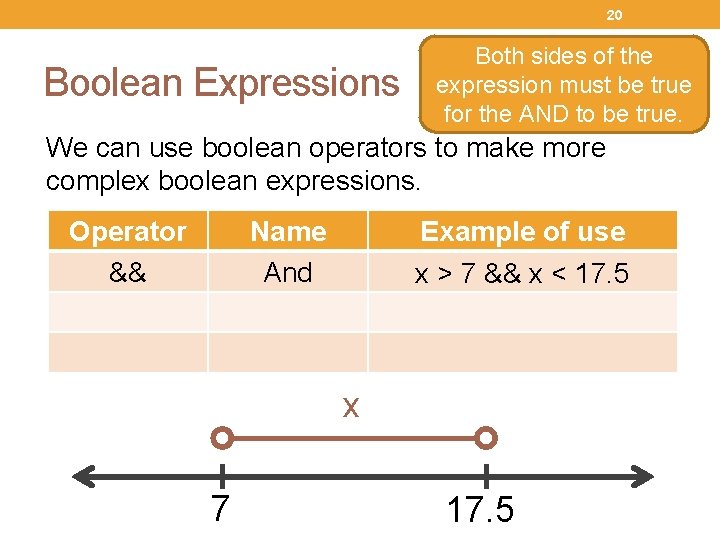
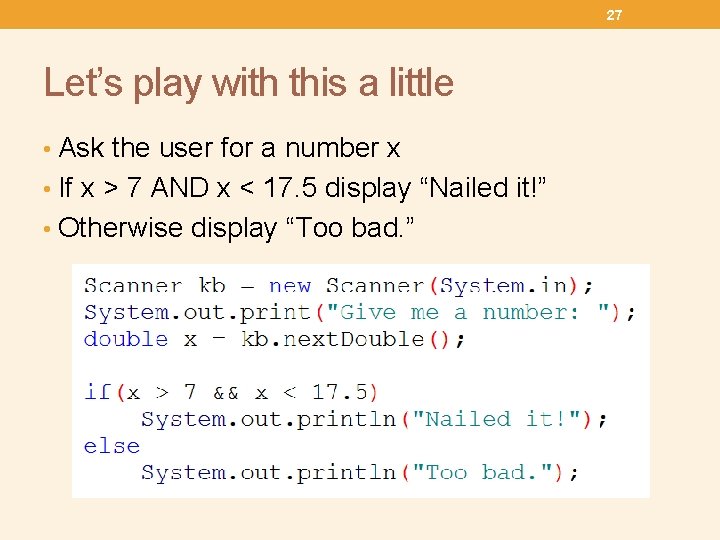
20 Boolean Expressions Both sides of the expression must be true for the AND to be true. We can use boolean operators to make more complex boolean expressions. Operator && Name And Example of use x > 7 && x < 17. 5 x 7 17. 5
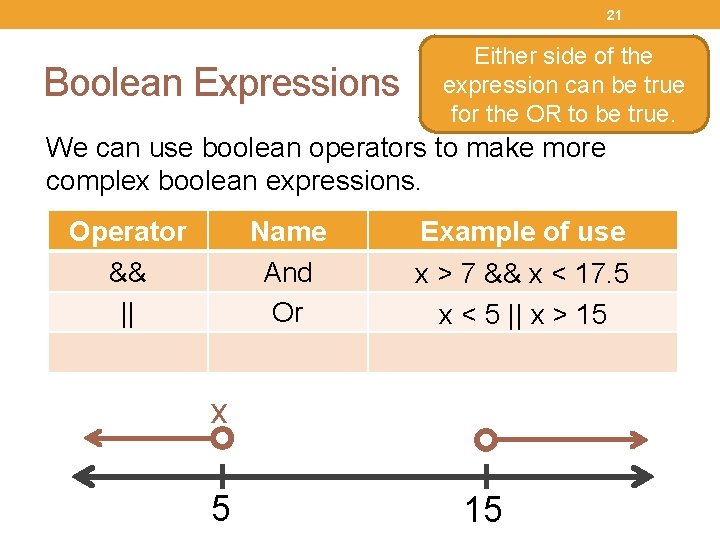
21 Boolean Expressions Either side of the expression can be true for the OR to be true. We can use boolean operators to make more complex boolean expressions. Operator && || Name And Or Example of use x > 7 && x < 17. 5 x < 5 || x > 15 x 5 15
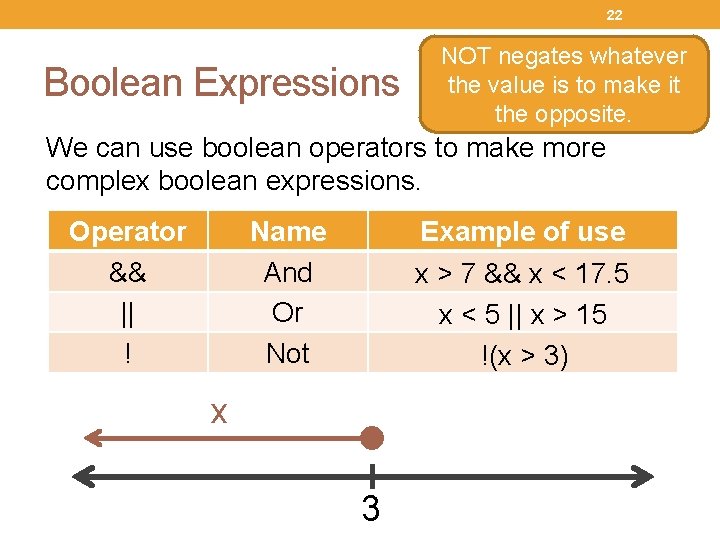
22 Boolean Expressions NOT negates whatever the value is to make it the opposite. We can use boolean operators to make more complex boolean expressions. Operator && || ! Name And Or Not Example of use x > 7 && x < 17. 5 x < 5 || x > 15 !(x > 3) x 3
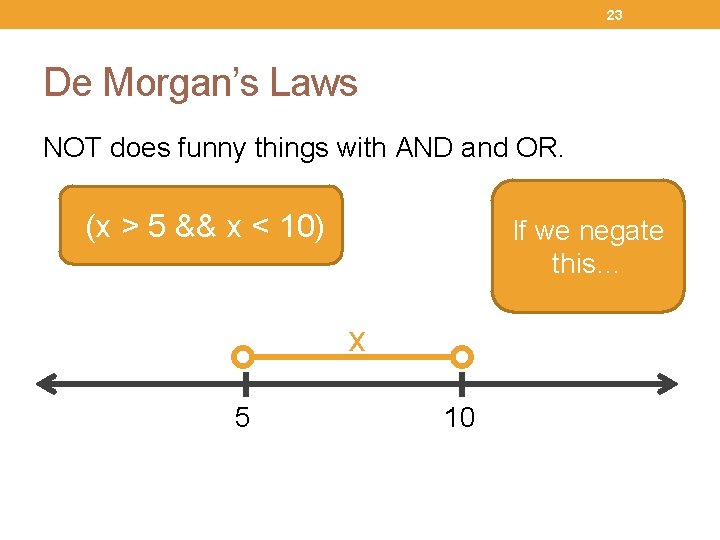
23 De Morgan’s Laws NOT does funny things with AND and OR. (x > 5 && x < 10) If we negate this… x 5 10
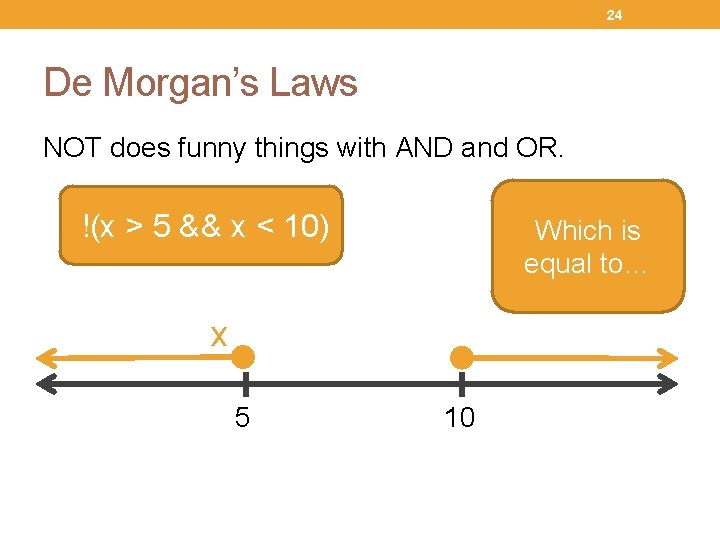
24 De Morgan’s Laws NOT does funny things with AND and OR. We suddenly Which is take the equal to… opposite !(x > 5 && x < 10) x 5 10
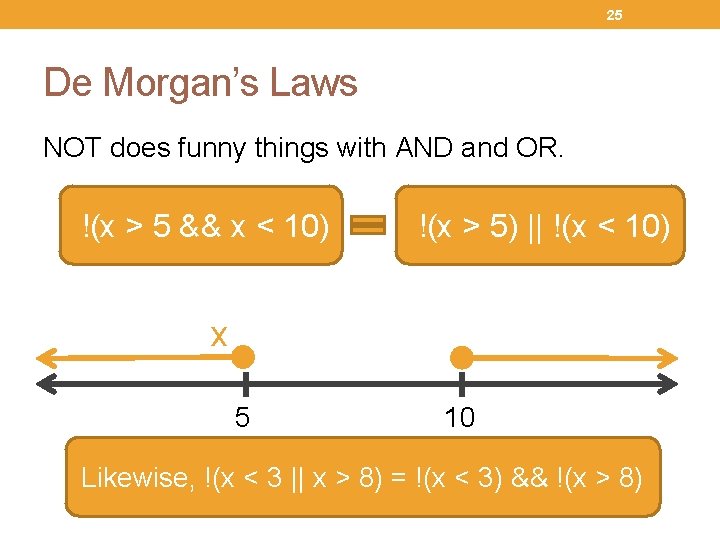
25 De Morgan’s Laws NOT does funny things with AND and OR. !(x > 5 && x < 10) !(x > 5) || !(x < 10) x 5 10 Likewise, !(x < 3 || x > 8) = !(x < 3) && !(x > 8)
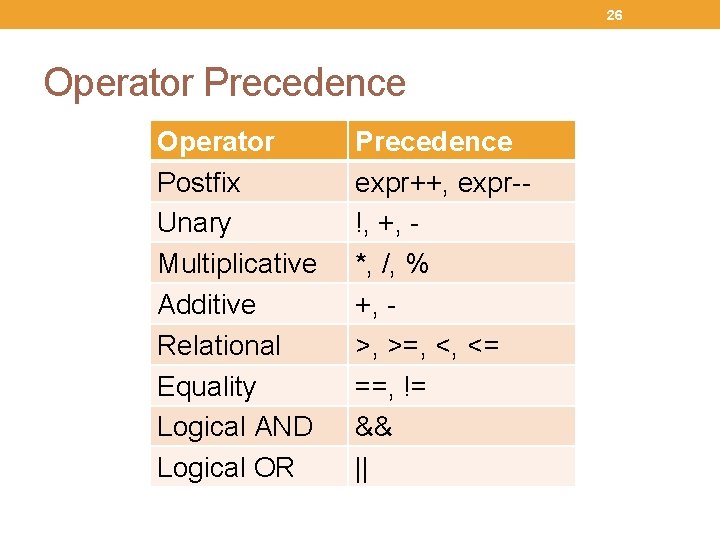
26 Operator Precedence Operator Postfix Unary Multiplicative Additive Relational Equality Logical AND Logical OR Precedence expr++, expr-!, +, *, /, % +, >, >=, <, <= ==, != && ||
27 Let’s play with this a little • Ask the user for a number x • If x > 7 AND x < 17. 5 display “Nailed it!” • Otherwise display “Too bad. ”
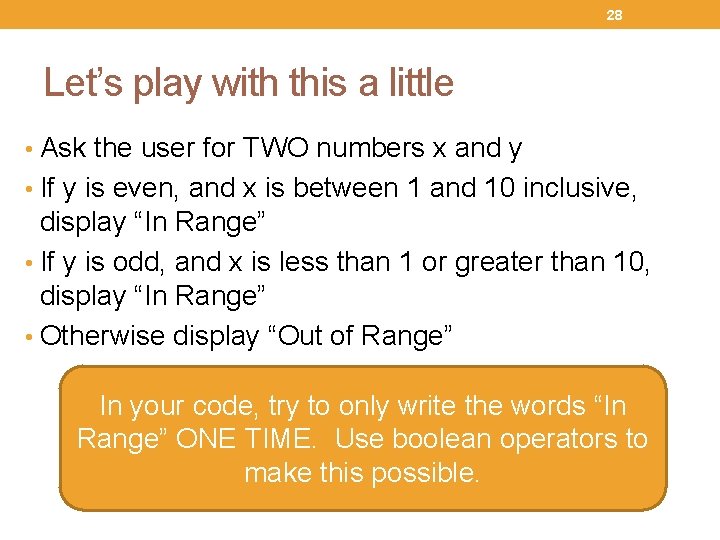
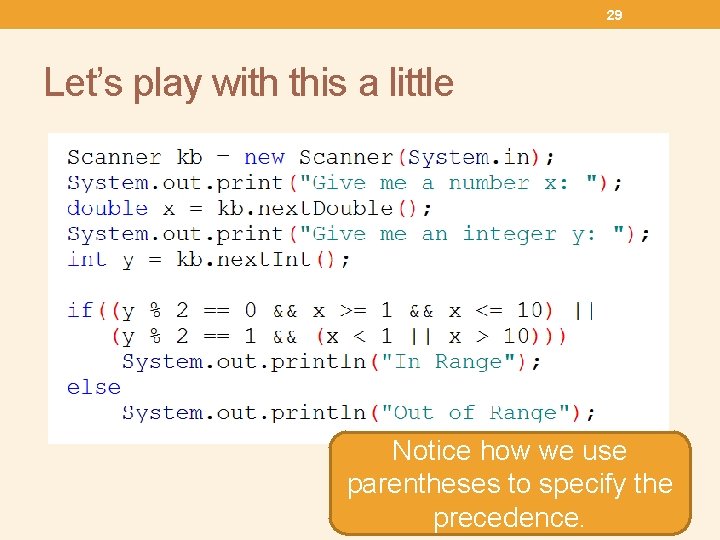
28 Let’s play with this a little • Ask the user for TWO numbers x and y • If y is even, and x is between 1 and 10 inclusive, display “In Range” • If y is odd, and x is less than 1 or greater than 10, display “In Range” • Otherwise display “Out of Range” In your code, try to only write the words “In Range” ONE TIME. Use boolean operators to make this possible.
29 Let’s play with this a little Notice how we use parentheses to specify the precedence.
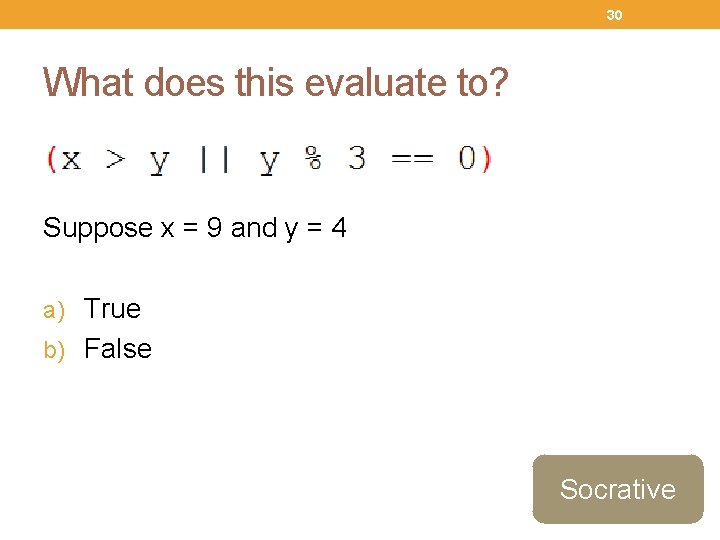
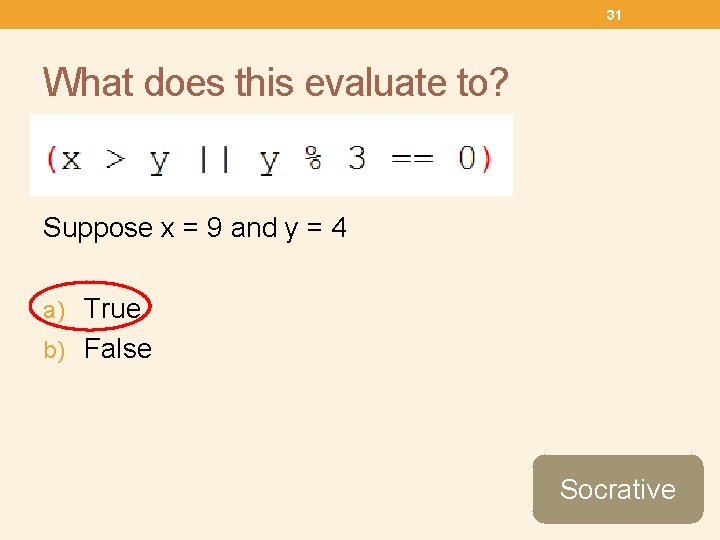
30 What does this evaluate to? Suppose x = 9 and y = 4 a) True b) False Socrative
31 What does this evaluate to? Suppose x = 9 and y = 4 a) True b) False Socrative
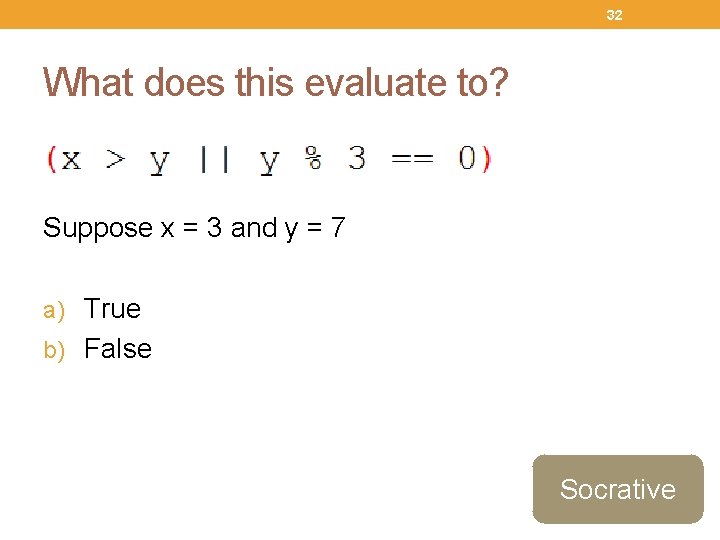
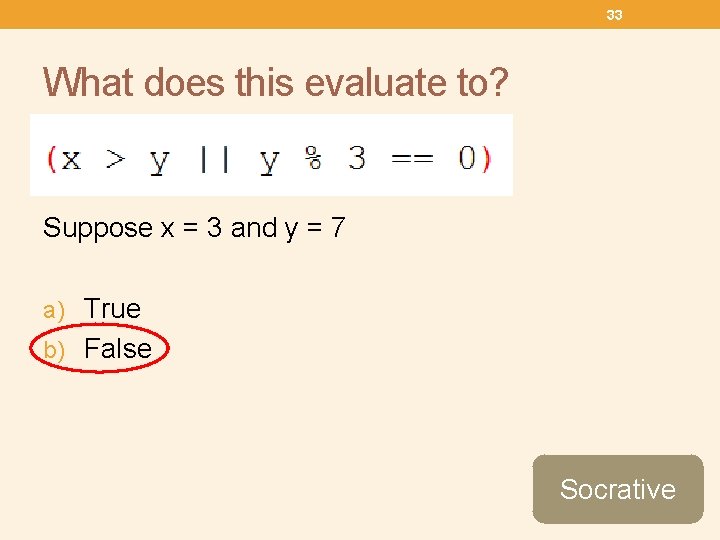
32 What does this evaluate to? Suppose x = 3 and y = 7 a) True b) False Socrative
33 What does this evaluate to? Suppose x = 3 and y = 7 a) True b) False Socrative
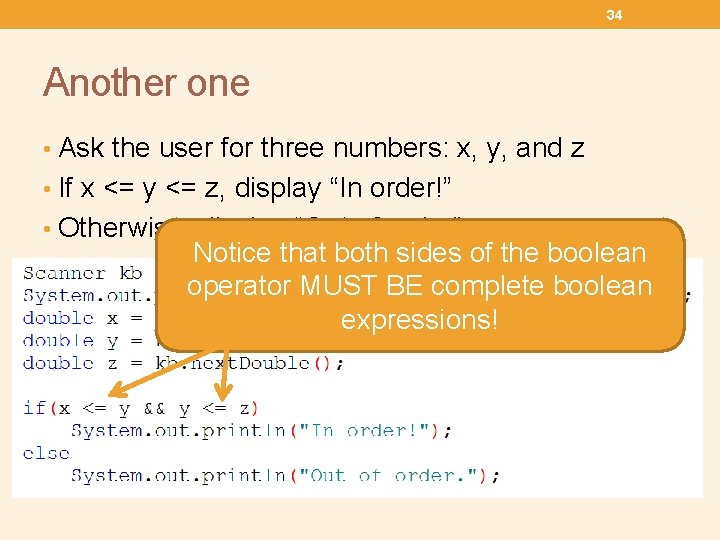
34 Another one • Ask the user for three numbers: x, y, and z • If x <= y <= z, display “In order!” • Otherwise, display “Out of order” Notice that both sides of the boolean operator MUST BE complete boolean expressions!
35 Project Working in teams of up to size three: • Program a Rock/Paper/Scissors game • The computer should choose a random number between 0 and 2. Each number should correspond to rock, paper, or scissors. • The user needs to choose rock, paper, or scissors. • Compare the computer’s choice with the users choice and announce who won. • Points will be given for style and readability
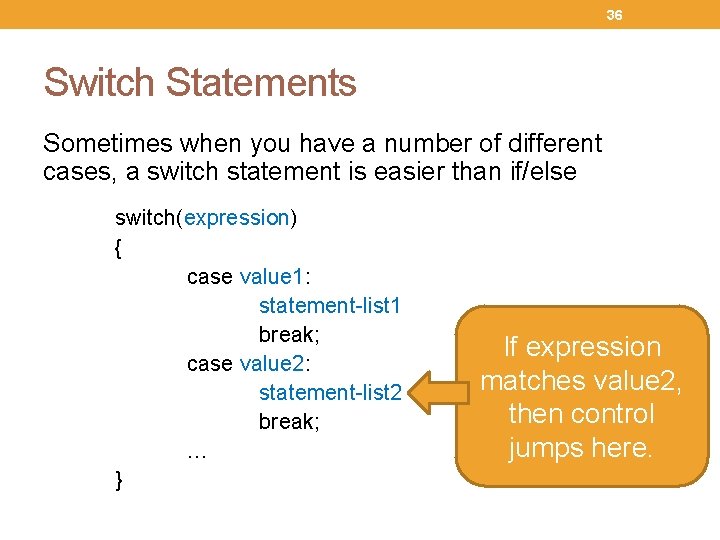
36 Switch Statements Sometimes when you have a number of different cases, a switch statement is easier than if/else switch(expression) { case value 1: statement-list 1 break; case value 2: statement-list 2 break; … } If expression matches value 2, then control jumps here.
37 Let’s do an example • Ask the user for an integer to represent the month • Use a switch statement to tell them what month corresponds with the number they chose.
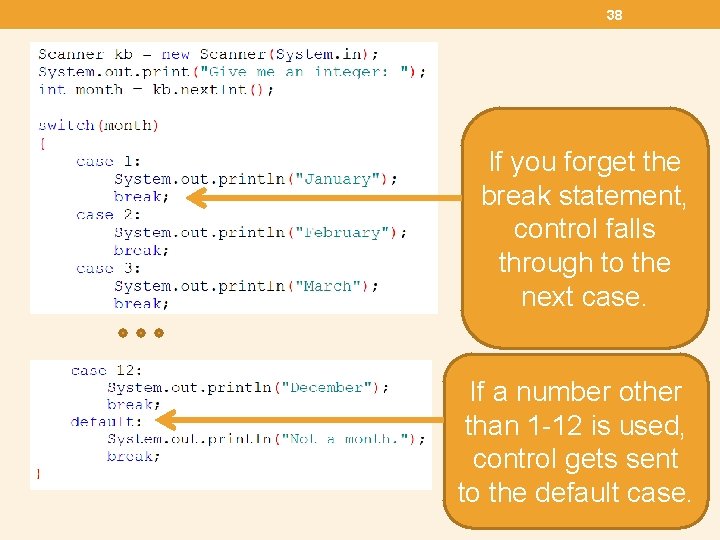
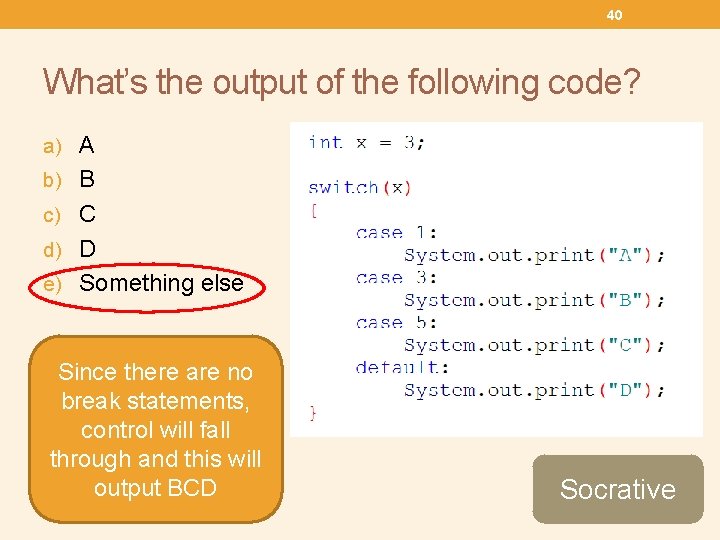
38 If you forget the break statement, control falls through to the next case. If a number other than 1 -12 is used, control gets sent to the default case.
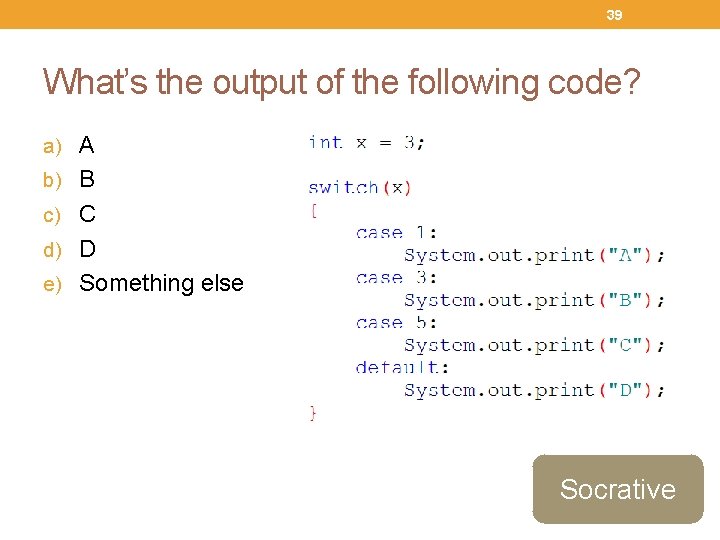
39 What’s the output of the following code? a) A b) B c) C d) D e) Something else Socrative
40 What’s the output of the following code? a) A b) B c) C d) D e) Something else Since there are no break statements, control will fall through and this will output BCD Socrative