
1 Manager Message Map Epic Upgrade Feature Secure
- Slides: 2
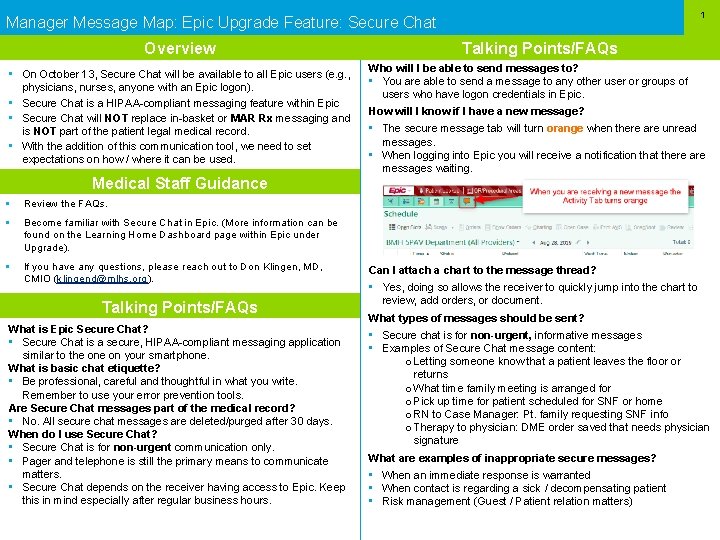
1 Manager Message Map: Epic Upgrade Feature: Secure Chat Overview • On October 13, Secure Chat will be available to all Epic users (e. g. , physicians, nurses, anyone with an Epic logon). • Secure Chat is a HIPAA-compliant messaging feature within Epic • Secure Chat will NOT replace in-basket or MAR Rx messaging and is NOT part of the patient legal medical record. • With the addition of this communication tool, we need to set expectations on how / where it can be used. Medical Staff Guidance § Review the FAQs. § Become familiar with Secure Chat in Epic. (More information can be found on the Learning Home Dashboard page within Epic under Upgrade). § If you have any questions, please reach out to Don Klingen, MD, CMIO (klingend@mlhs. org). Talking Points/FAQs What is Epic Secure Chat? • Secure Chat is a secure, HIPAA-compliant messaging application similar to the on your smartphone. What is basic chat etiquette? • Be professional, careful and thoughtful in what you write. Remember to use your error prevention tools. Are Secure Chat messages part of the medical record? • No. All secure chat messages are deleted/purged after 30 days. When do I use Secure Chat? • Secure Chat is for non-urgent communication only. • Pager and telephone is still the primary means to communicate matters. • Secure Chat depends on the receiver having access to Epic. Keep this in mind especially after regular business hours. Talking Points/FAQs Who will I be able to send messages to? • You are able to send a message to any other user or groups of users who have logon credentials in Epic. How will I know if I have a new message? • The secure message tab will turn orange when there are unread messages. • When logging into Epic you will receive a notification that there are messages waiting. Can I attach a chart to the message thread? • Yes, doing so allows the receiver to quickly jump into the chart to review, add orders, or document. What types of messages should be sent? • Secure chat is for non-urgent, informative messages • Examples of Secure Chat message content: o Letting someone know that a patient leaves the floor or returns o What time family meeting is arranged for o Pick up time for patient scheduled for SNF or home o RN to Case Manager: Pt. family requesting SNF info o Therapy to physician: DME order saved that needs physician signature What are examples of inappropriate secure messages? • When an immediate response is warranted • When contact is regarding a sick / decompensating patient • Risk management (Guest / Patient relation matters)
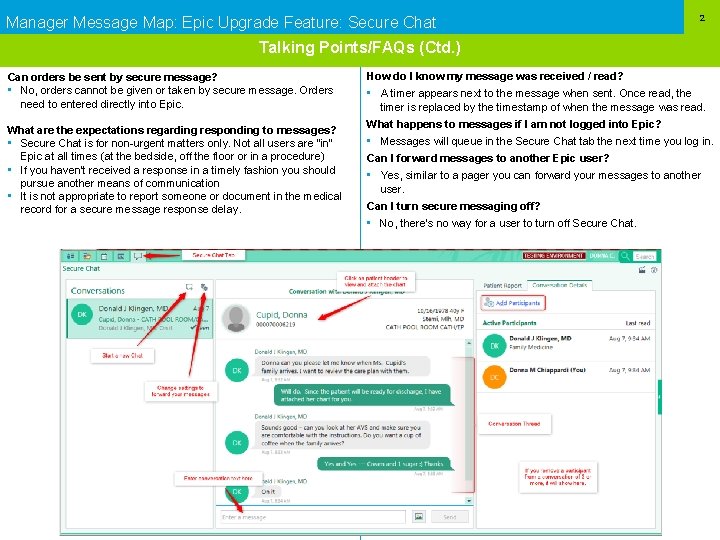
Manager Message Map: Epic Upgrade Feature: Secure Chat 2 Talking Points/FAQs (Ctd. ) Can orders be sent by secure message? • No, orders cannot be given or taken by secure message. Orders need to entered directly into Epic. What are the expectations regarding responding to messages? • Secure Chat is for non-urgent matters only. Not all users are “in” Epic at all times (at the bedside, off the floor or in a procedure) • If you haven’t received a response in a timely fashion you should pursue another means of communication • It is not appropriate to report someone or document in the medical record for a secure message response delay. How do I know my message was received / read? • A timer appears next to the message when sent. Once read, the timer is replaced by the timestamp of when the message was read. What happens to messages if I am not logged into Epic? • Messages will queue in the Secure Chat tab the next time you log in. Can I forward messages to another Epic user? • Yes, similar to a pager you can forward your messages to another user. Can I turn secure messaging off? • No, there’s no way for a user to turn off Secure Chat.