
1 Litium Certified Developer 2 Agenda About Litium
1 Litium Certified Developer
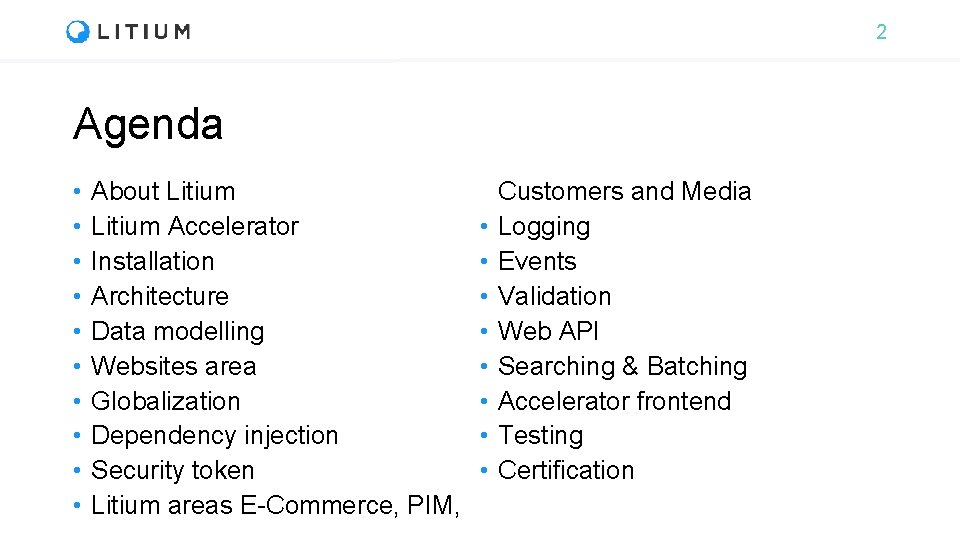
2 Agenda • • • About Litium Accelerator Installation Architecture Data modelling Websites area Globalization Dependency injection Security token Litium areas E-Commerce, PIM, • • Customers and Media Logging Events Validation Web API Searching & Batching Accelerator frontend Testing Certification
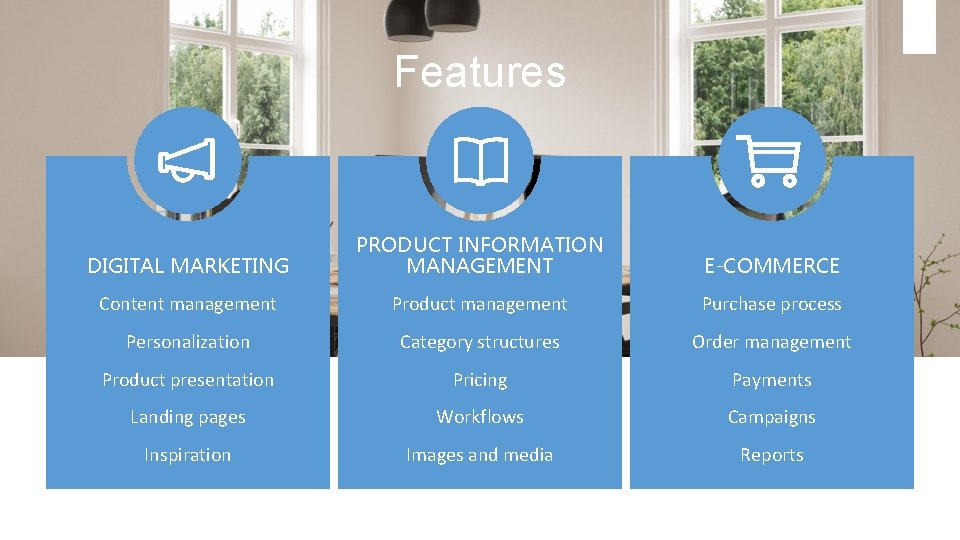
Features DIGITAL MARKETING PRODUCT INFORMATION MANAGEMENT E-COMMERCE Content management Product management Purchase process Personalization Category structures Order management Product presentation Pricing Payments Landing pages Workflows Campaigns Inspiration Images and media Reports
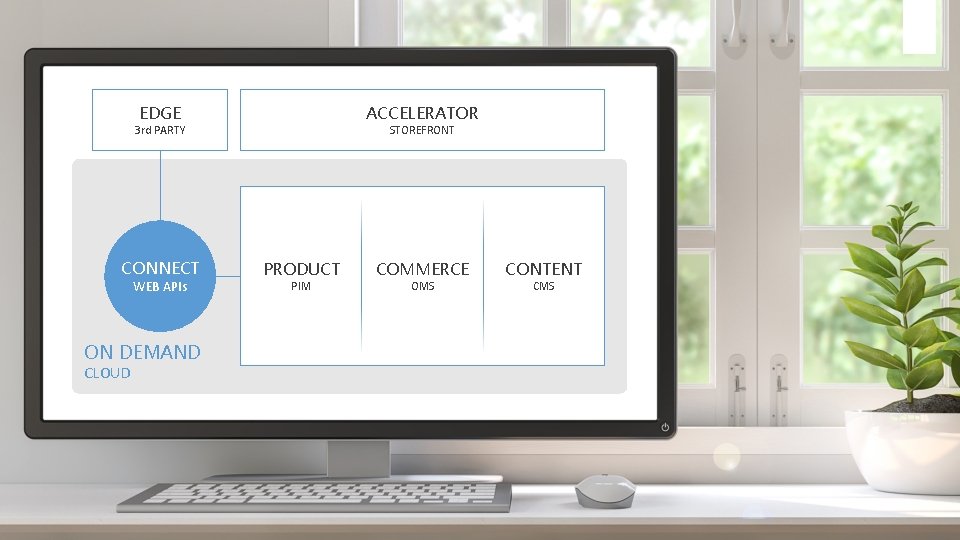
EDGE ACCELERATOR 3 rd PARTY CONNECT WEB APIs ON DEMAND CLOUD STOREFRONT PRODUCT PIM COMMERCE OMS CONTENT CMS
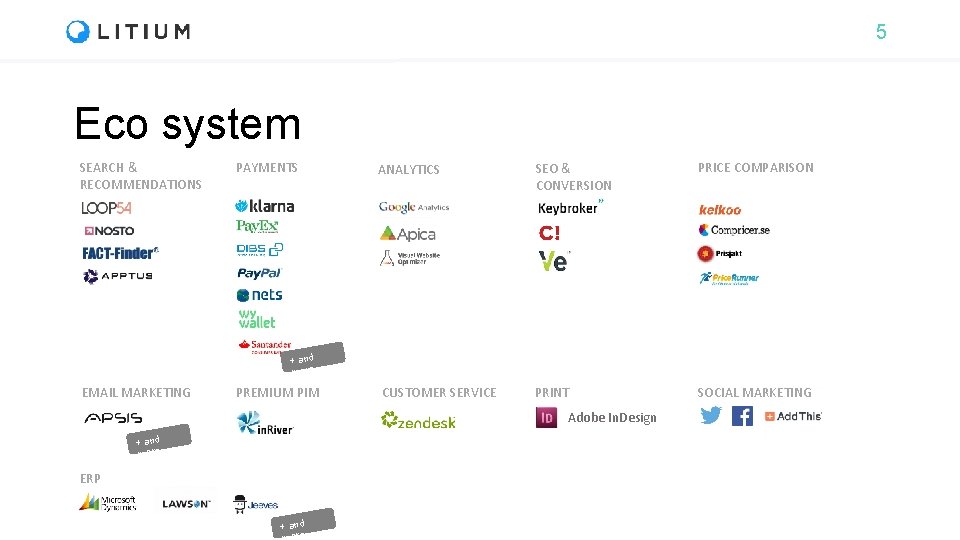
5 Eco system SEARCH & RECOMMENDATIONS PAYMENTS ANALYTICS SEO & CONVERSION PRICE COMPARISON CUSTOMER SERVICE PRINT SOCIAL MARKETING + and more EMAIL MARKETING PREMIUM PIM Adobe In. Design + and more ERP + and ore
6 Add. Ons • Following are some of the most frequently used Add. Ons • Product Media Mapper - To connect images and files to products automatically • Payment providers - Klarna, Dibs, Pay. Ex, Adyen, Pay. Pal, Nets, Handelsbanken Ecster, Skrill • Integration kit - Platform to develop file based integrations towards Litium
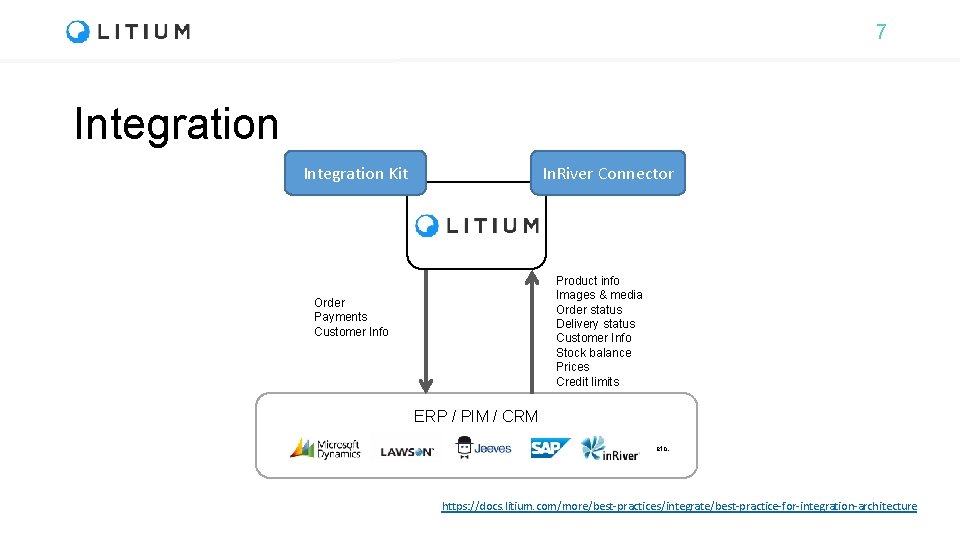
7 Integration Kit In. River Connector Product info Images & media Order status Delivery status Customer Info Stock balance Prices Credit limits Order Payments Customer Info ERP / PIM / CRM etc. https: //docs. litium. com/more/best-practices/integrate/best-practice-for-integration-architecture
8 Litium is based on standard technology • . NET Standard 2. 0 • Entity Framework Core (Microsoft/Open Source) • Newtonsoft JSON (Open Source) • Auto. Mapper (Open Source) • ASP. NET MVC 5 (Microsoft) • ASP. NET Web. API 5 (Microsoft) • Angular JS (Google/Open Source)
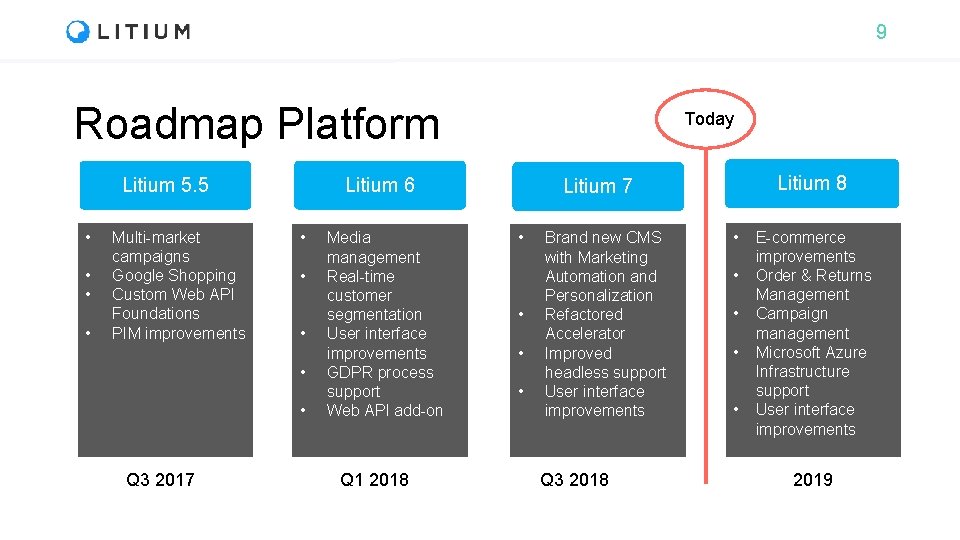
9 Roadmap Platform Litium 5. 5 • • Multi-market campaigns Google Shopping Custom Web API Foundations PIM improvements Litium 6 • • • Q 3 2017 Today Media management Real-time customer segmentation User interface improvements GDPR process support Web API add-on Q 1 2018 Litium 7 • • Brand new CMS with Marketing Automation and Personalization Refactored Accelerator Improved headless support User interface improvements Q 3 2018 • • • E-commerce improvements Order & Returns Management Campaign management Microsoft Azure Infrastructure support User interface improvements 2019
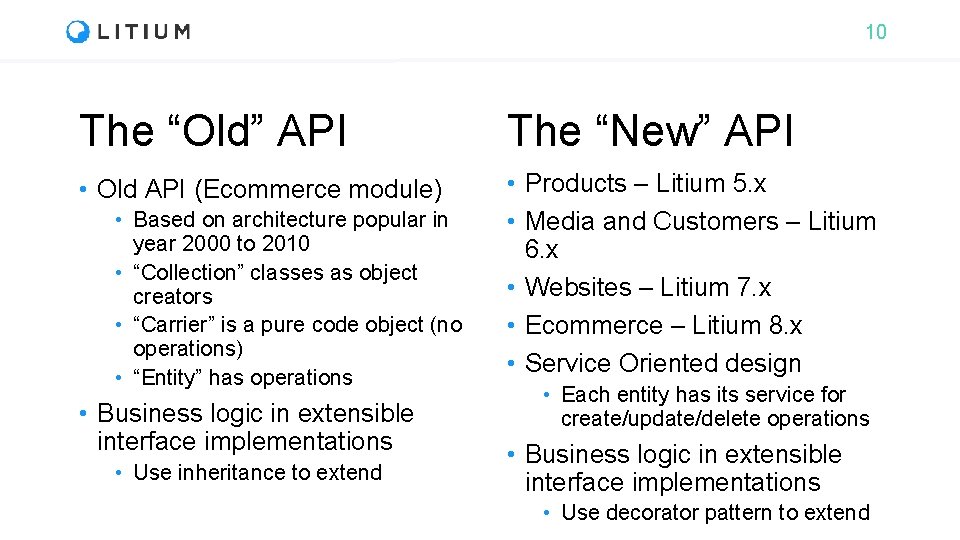
10 The “Old” API The “New” API • Old API (Ecommerce module) • Products – Litium 5. x • Media and Customers – Litium 6. x • Websites – Litium 7. x • Ecommerce – Litium 8. x • Service Oriented design • Based on architecture popular in year 2000 to 2010 • “Collection” classes as object creators • “Carrier” is a pure code object (no operations) • “Entity” has operations • Business logic in extensible interface implementations • Use inheritance to extend • Each entity has its service for create/update/delete operations • Business logic in extensible interface implementations • Use decorator pattern to extend
11 Litium Accelerator
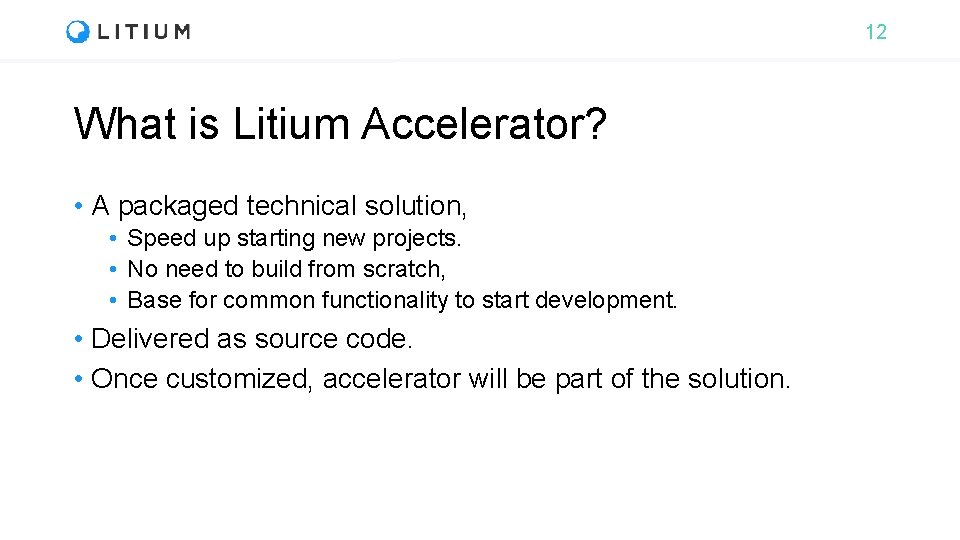
12 What is Litium Accelerator? • A packaged technical solution, • Speed up starting new projects. • No need to build from scratch, • Base for common functionality to start development. • Delivered as source code. • Once customized, accelerator will be part of the solution.

13 Litium Accelerator • A complete re-write for Litium 7 • Blocks instead of sections • Settings moved into platform • Business logic separation • ASP. NET Mvc, React and Redux (no JQuery) • Foundation Zurb - Responsive design framework
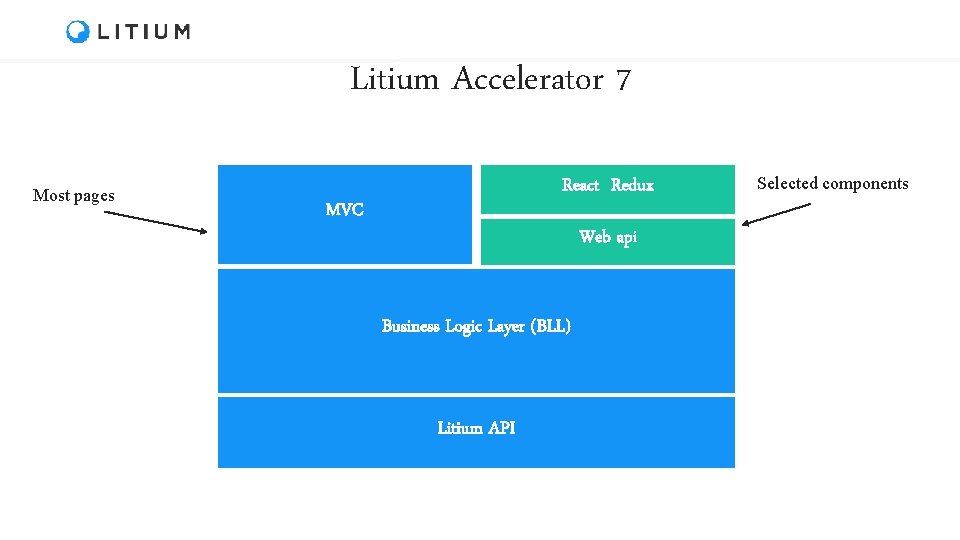
Litium Accelerator 7 Most pages React Redux MVC Web api Business Logic Layer (BLL) Litium API Selected components
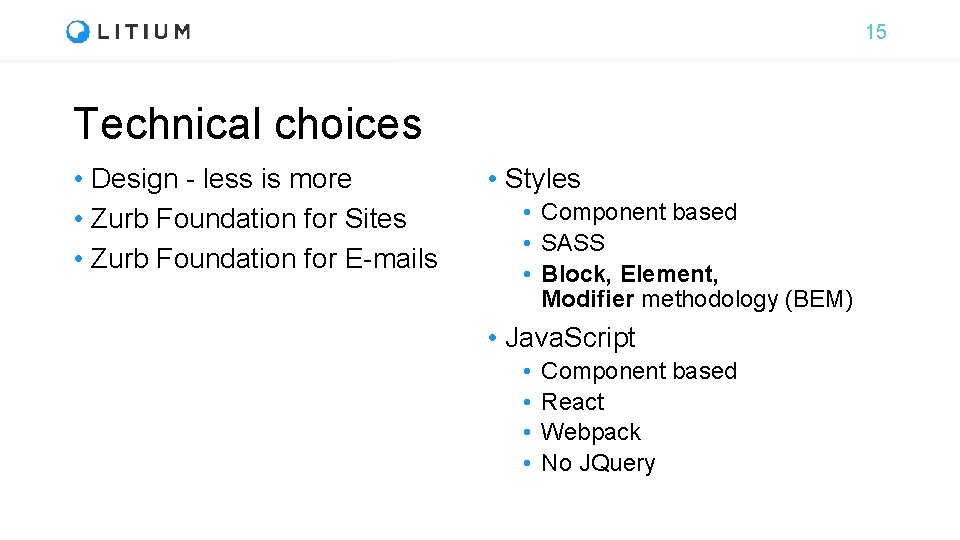
15 Technical choices • Design - less is more • Zurb Foundation for Sites • Zurb Foundation for E-mails • Styles • Component based • SASS • Block, Element, Modifier methodology (BEM) • Java. Script • • Component based React Webpack No JQuery
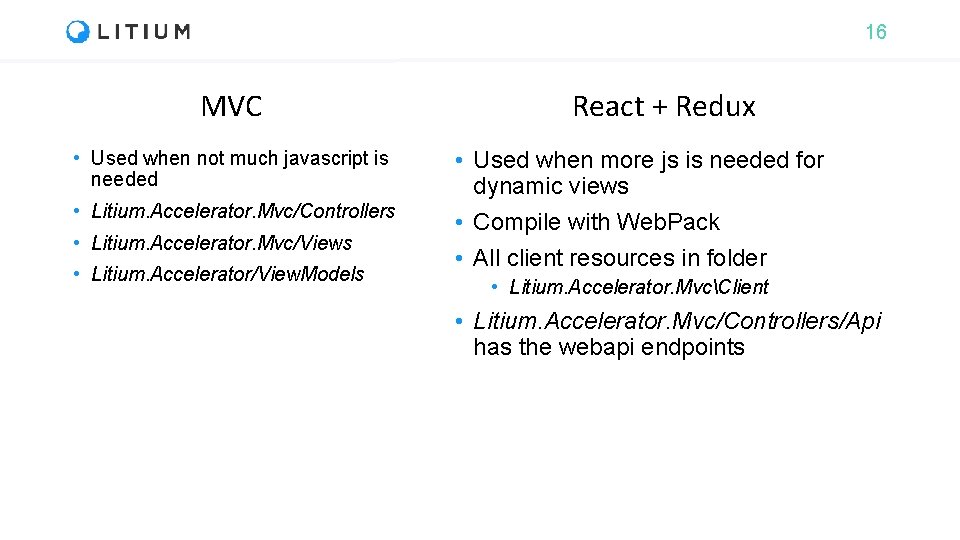
16 MVC • Used when not much javascript is needed • Litium. Accelerator. Mvc/Controllers • Litium. Accelerator. Mvc/Views • Litium. Accelerator/View. Models React + Redux • Used when more js is needed for dynamic views • Compile with Web. Pack • All client resources in folder • Litium. Accelerator. MvcClient • Litium. Accelerator. Mvc/Controllers/Api has the webapi endpoints
17 Installation
18 Installation • Installation of Litium is done through Visual Studio • With or without accelerator • Litium is available through a private Litium Nu. Get-feed • Nu. Get-feed is accessed with your user account in http: //docs. litium. com • All packages that start with Litium. * are distributed as individual nuget packages • One DLL = one Nu. Get package
19 Installation Pre-requisites • System requirements https: //docs. litium. com/documentation/get-started/systemrequirements • VS 2017 • Sql Server 2012 • . NET 4. 7. 2 dev pack • Litium Nu. Get feed https: //docs. litium. com/download/litium-nuget-feed • Requires docs. litium. com account with download rights • IIS (Should have. net development enabled through “Turn windows features on/off”)
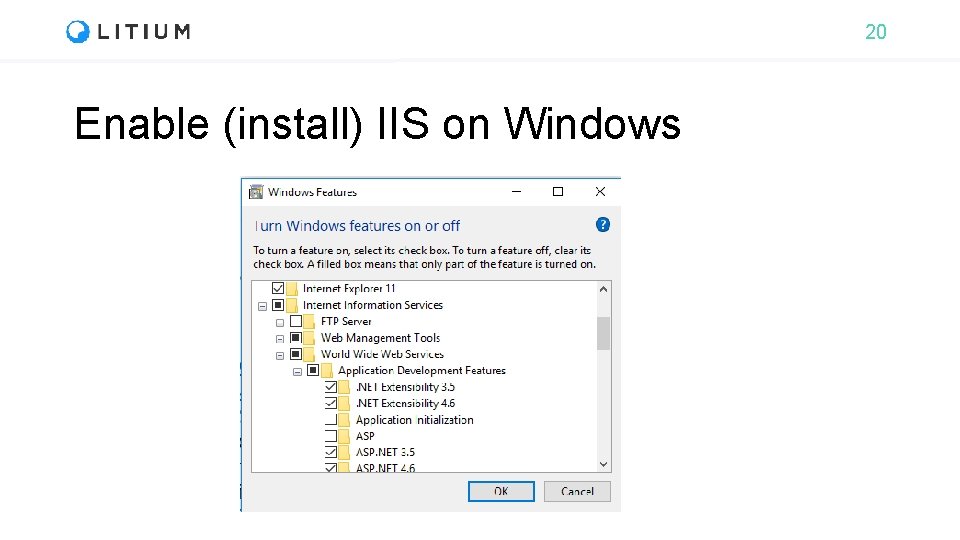
20 Enable (install) IIS on Windows
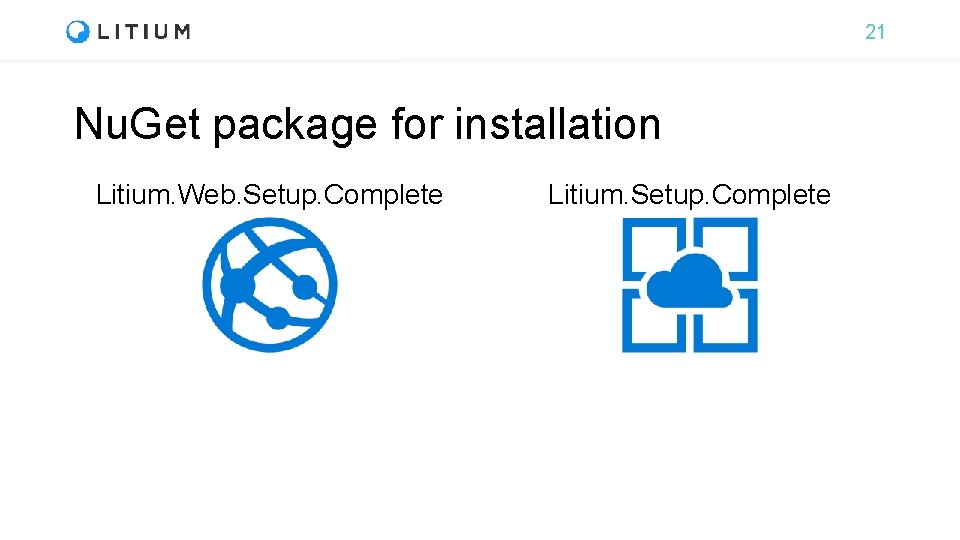
21 Nu. Get package for installation Litium. Web. Setup. Complete Litium. Setup. Complete
22 Distribution – Add-Ons/Accelerator • Compiled Add-Ons (e. g. payment provider add. Ons) • Install via Nu. Get packages • Accelerator and source code Add-Ons (e. g. Integration Kit) • Download from KC (Litium Knowledge Center) • The Litium platform and licensed Add-Ons (e. g. Accelerator and Integration Kit) can not be reused or shared after download
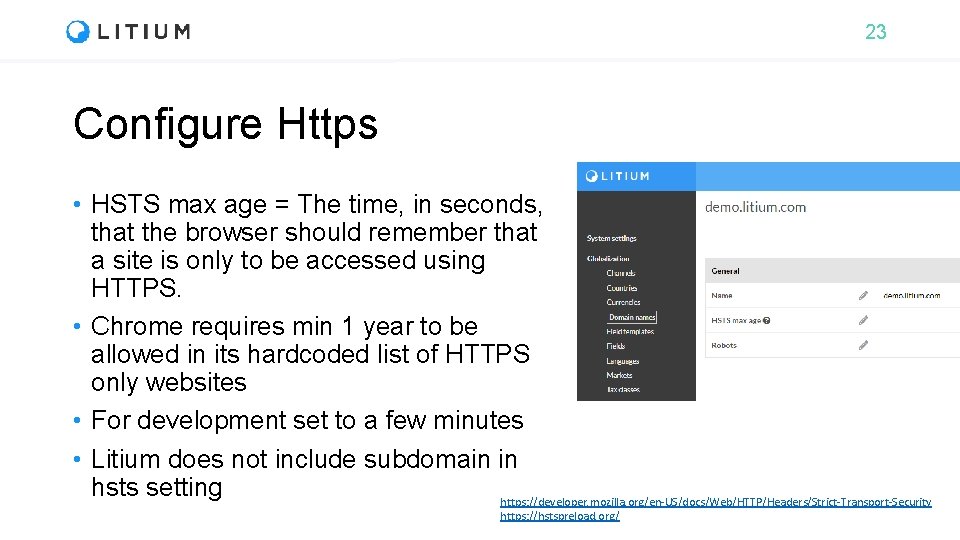
23 Configure Https • HSTS max age = The time, in seconds, that the browser should remember that a site is only to be accessed using HTTPS. • Chrome requires min 1 year to be allowed in its hardcoded list of HTTPS only websites • For development set to a few minutes • Litium does not include subdomain in hsts setting https: //developer. mozilla. org/en-US/docs/Web/HTTP/Headers/Strict-Transport-Security https: //hstspreload. org/
24 Task: Installation During this education we will build a bookstore webshop All tasks are available at https: //github. com/Litium. AB/Education/ in the Developer education/Bookstore folder
25 Installation review
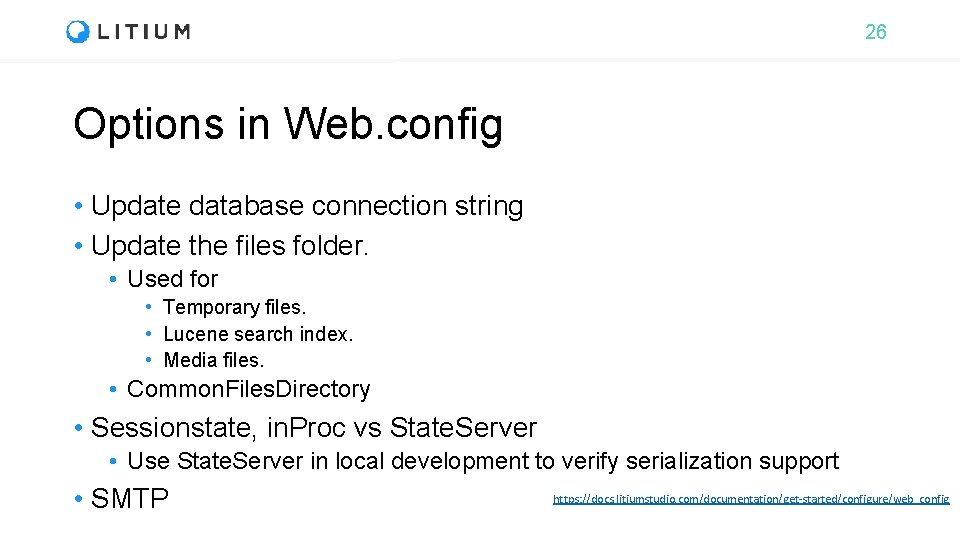
26 Options in Web. config • Update database connection string • Update the files folder. • Used for • Temporary files. • Lucene search index. • Media files. • Common. Files. Directory • Sessionstate, in. Proc vs State. Server • Use State. Server in local development to verify serialization support • SMTP https: //docs. litiumstudio. com/documentation/get-started/configure/web_config
27 Should you use IIS in dev? • IIS Express has limitations, by using IIS during development these will not come as a surprise when moving to production • If you ever need to check something, without opening visual studio! https: //msdn. microsoft. com/en-us/library/58 wxa 9 w 5(v=vs. 120). aspx
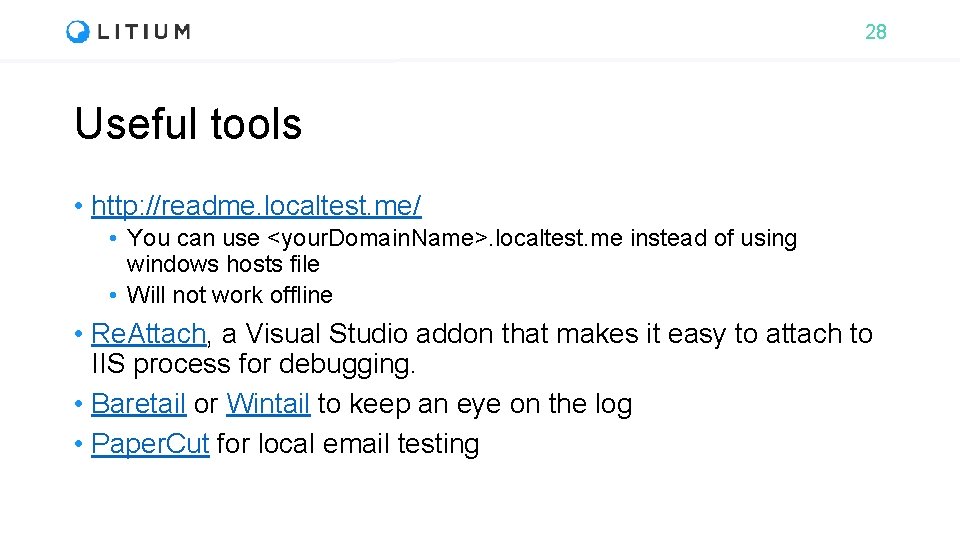
28 Useful tools • http: //readme. localtest. me/ • You can use <your. Domain. Name>. localtest. me instead of using windows hosts file • Will not work offline • Re. Attach, a Visual Studio addon that makes it easy to attach to IIS process for debugging. • Baretail or Wintail to keep an eye on the log • Paper. Cut for local email testing
29 Demo: Litum Accelerator
30 Login to backoffice • <mydomain>/litium • If you belong to the local administrators group in windows, use your windows account user name and password. • Otherwise, you need to change system. User. Group in Web. config to specify a different group to allow login locally. https: //docs. litium. com/documentation/get-started/web_config
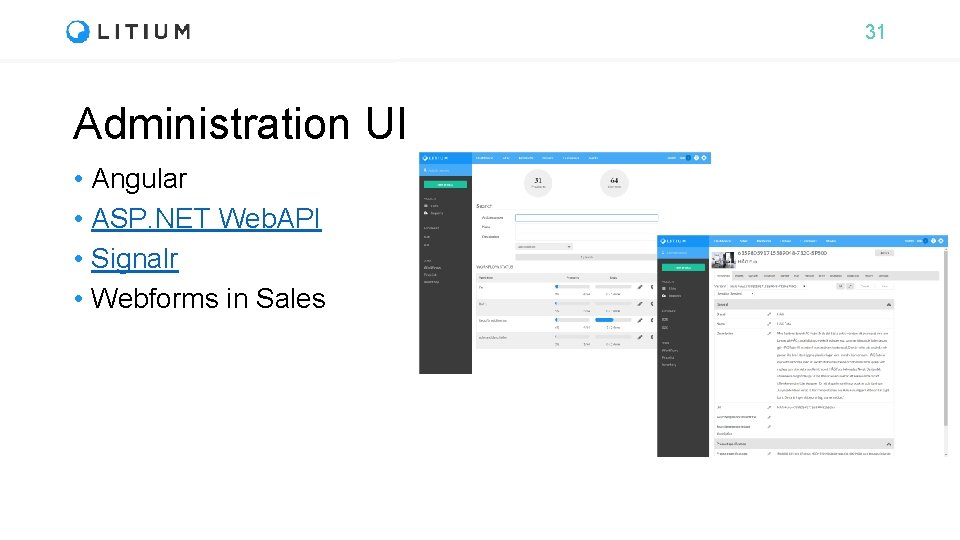
31 Administration UI • Angular • ASP. NET Web. API • Signalr • Webforms in Sales
32 Accelerator – What is deployed? • New site in websites area • New assortment in products area • Fields and templates in Blocks, Customers, Websites and PIM • Globalization artifacts • Channel, Country, Currency, Domain name, Market and Tax class
33 Demo: Litum Backoffice
34 Architecture
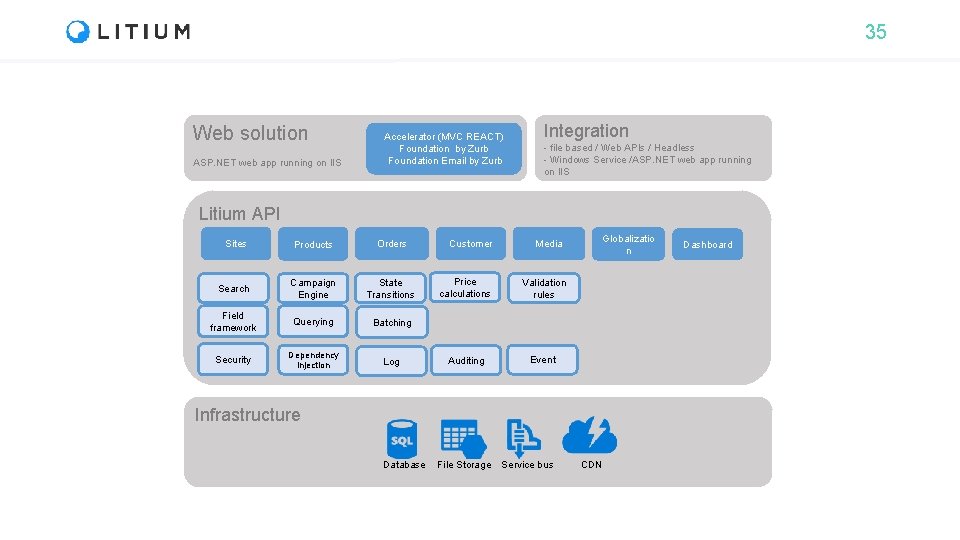
35 Web solution ASP. NET web app running on IIS Accelerator (MVC REACT) Foundation by Zurb Foundation Email by Zurb Integration - file based / Web APIs / Headless - Windows Service /ASP. NET web app running on IIS Litium API Sites Products Orders Search Campaign Engine State Transitions Field framework Querying Batching Security Dependency injection Log Customer Media Price calculations Validation rules Auditing Event Globalizatio n Infrastructure Database File Storage Service bus CDN Dashboard
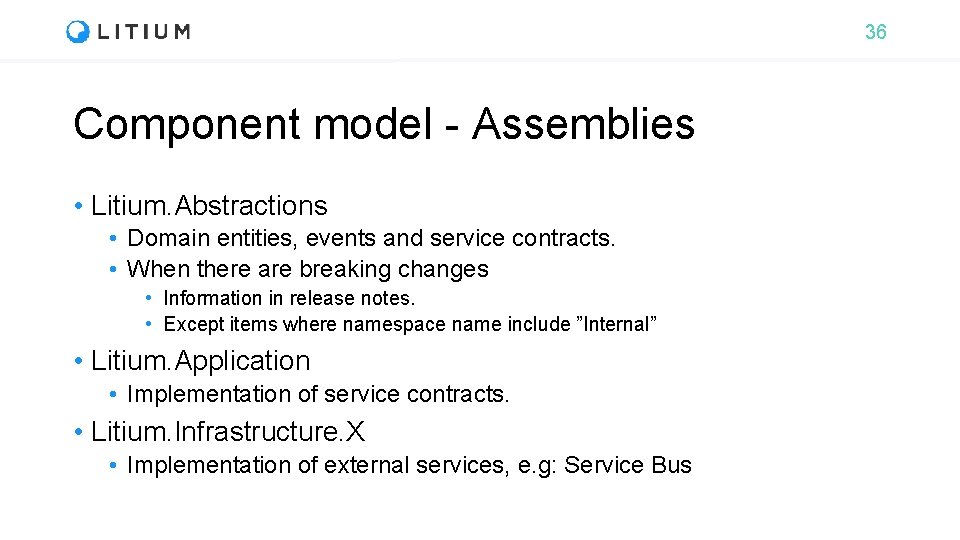
36 Component model - Assemblies • Litium. Abstractions • Domain entities, events and service contracts. • When there are breaking changes • Information in release notes. • Except items where namespace name include ”Internal” • Litium. Application • Implementation of service contracts. • Litium. Infrastructure. X • Implementation of external services, e. g: Service Bus
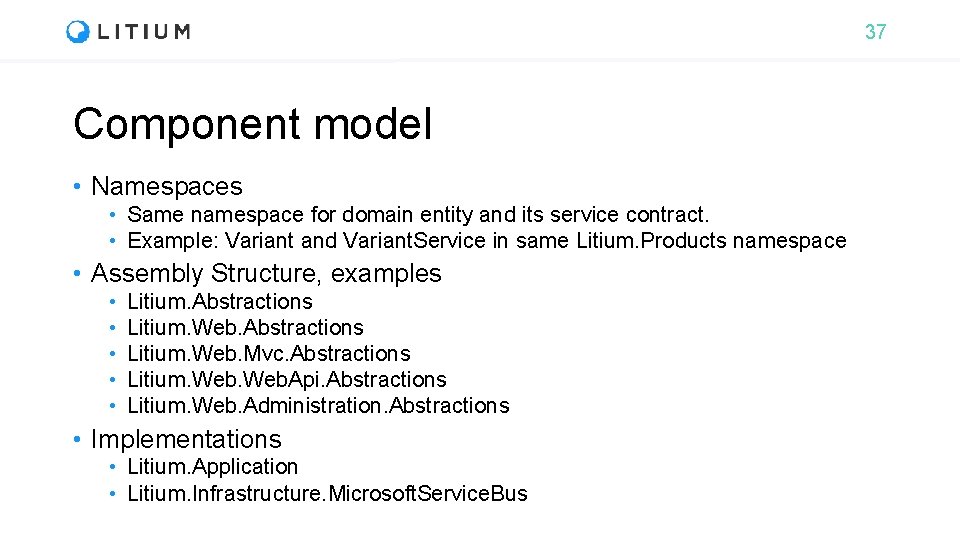
37 Component model • Namespaces • Same namespace for domain entity and its service contract. • Example: Variant and Variant. Service in same Litium. Products namespace • Assembly Structure, examples • • • Litium. Abstractions Litium. Web. Mvc. Abstractions Litium. Web. Api. Abstractions Litium. Web. Administration. Abstractions • Implementations • Litium. Application • Litium. Infrastructure. Microsoft. Service. Bus
38 Service Model • Litium contracts (Services) • Artifacts that have “methods” or “operations” • Interfaces • Implement an interface to extend the functionality • Or change default functionality by extending default implementation (service decorator pattern) • Example: IPrice. Calculator • Abstract Classes • Declare service definitions that implementation projects are not expected to change. • Example: Base. Product. Service
39 Concurrency • Optimistic concurrency is available only in Ecommerce area • Pessimistic locking – prevent edits when an entity is being edited • Optimistic locking – allow edit but check before save if the item has been edited since it was read • All other areas do not have concurrency checks • Can enforce pessimistic concurrency through Distributed. Lock object
40 Data Modelling
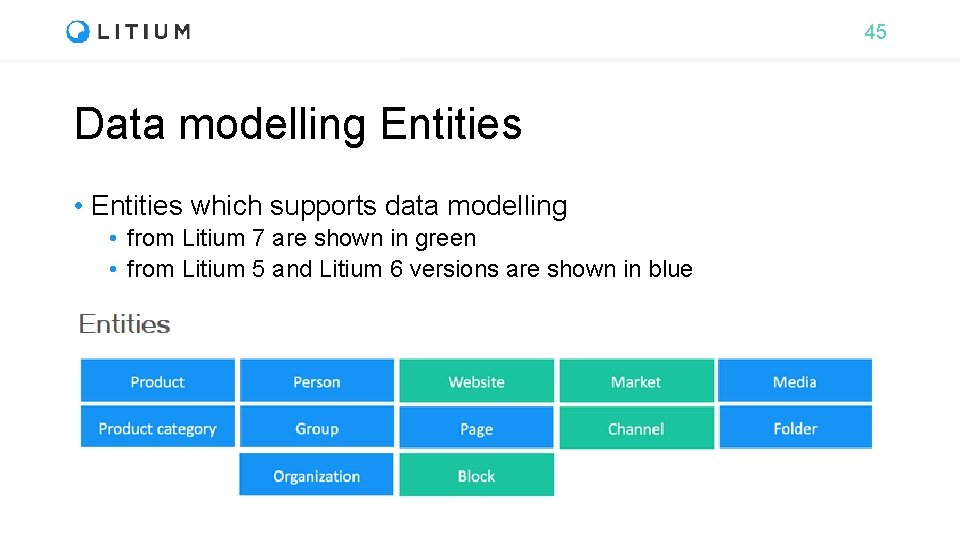
45 Data modelling Entities • Entities which supports data modelling • from Litium 7 are shown in green • from Litium 5 and Litium 6 versions are shown in blue
46 Field Framework Litium. Field. Framework • Handles all “dynamic” fields (fields defined in the project) • Can create your own field types • Field types are per Installation • The field does need not be added to the Field template to use it. • Consider field template as a grouping, and a way to point out the display template. • Field template is not the container of fields. • In accelerator, setup is done in SrcLitium. AcceleratorDefinitions
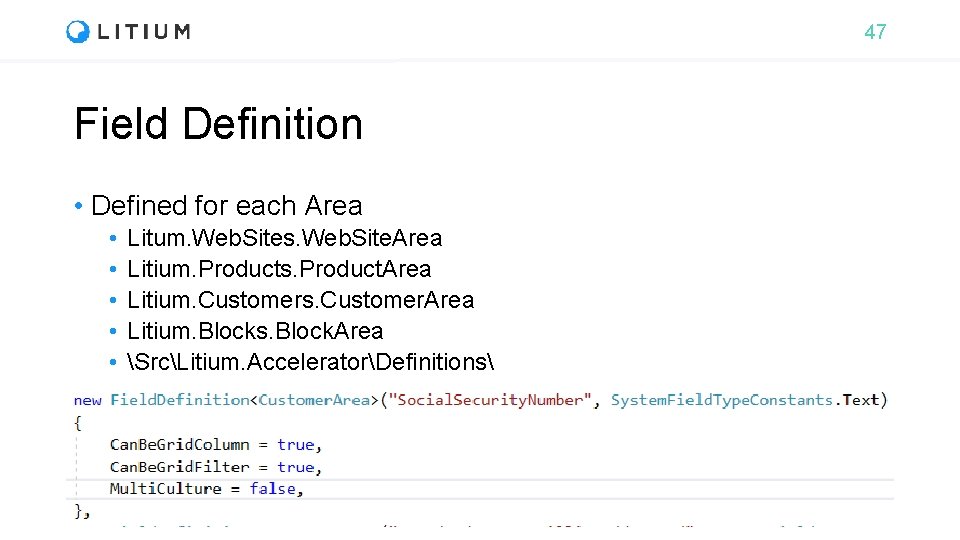
47 Field Definition • Defined for each Area • • • Litum. Web. Sites. Web. Site. Area Litium. Products. Product. Area Litium. Customers. Customer. Area Litium. Blocks. Block. Area SrcLitium. AcceleratorDefinitions
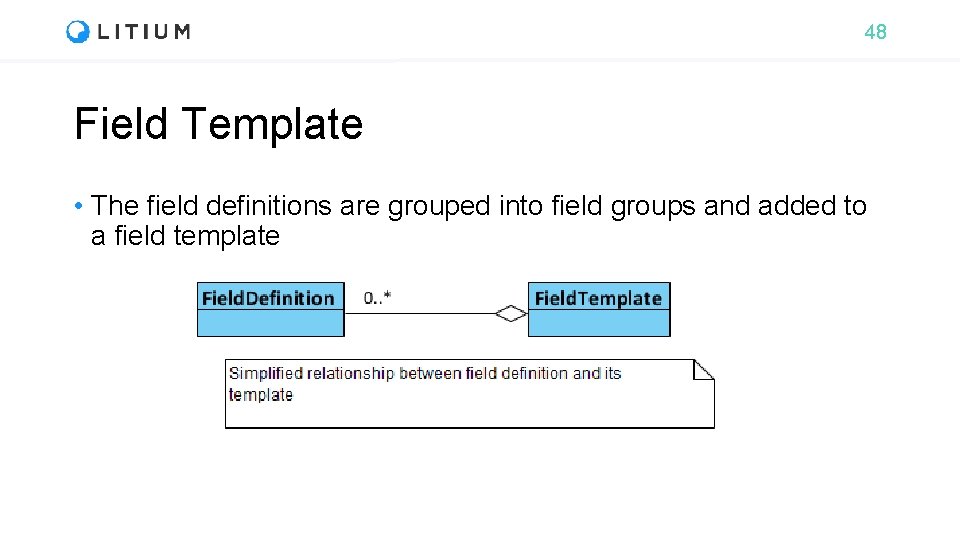
48 Field Template • The field definitions are grouped into field groups and added to a field template
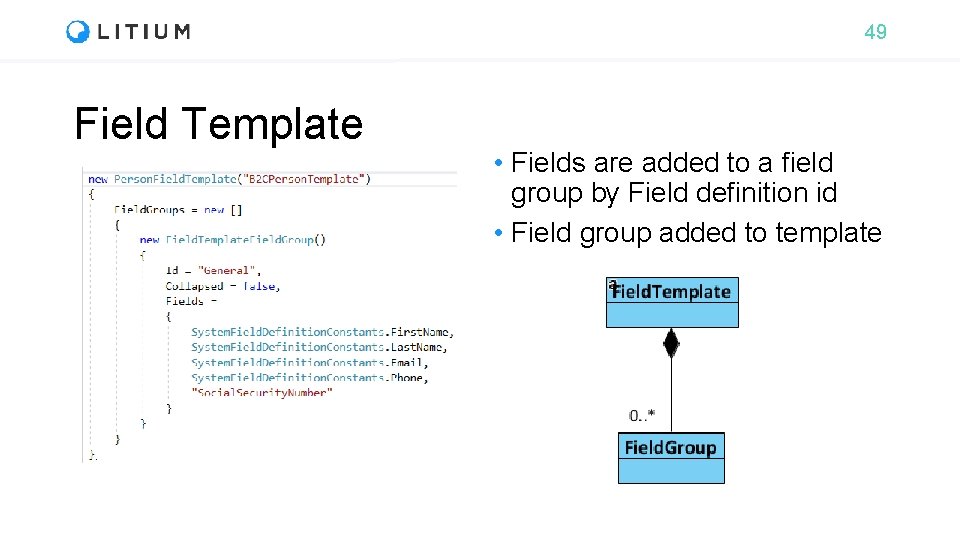
49 Field Template • Fields are added to a field group by Field definition id • Field group added to template
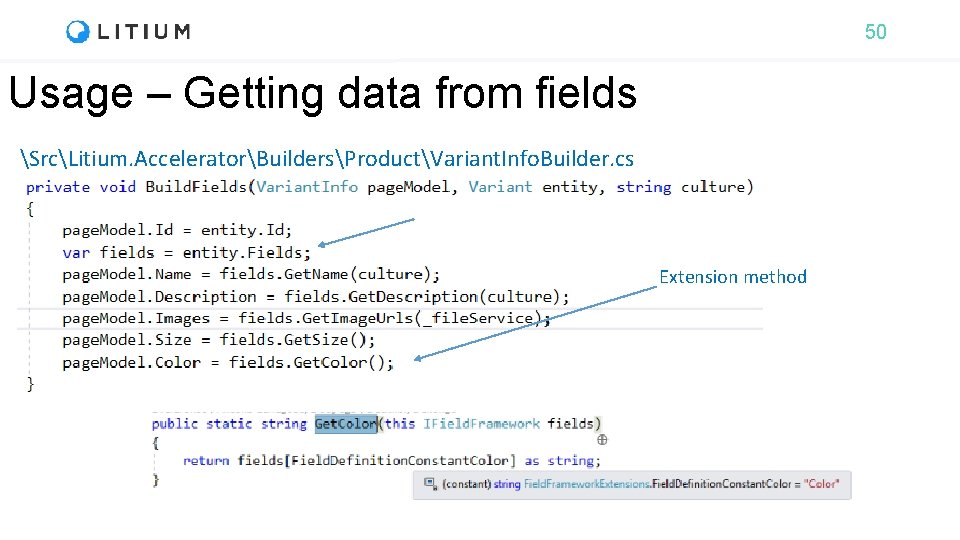
50 Usage – Getting data from fields SrcLitium. AcceleratorBuildersProductVariant. Info. Builder. cs Extension method
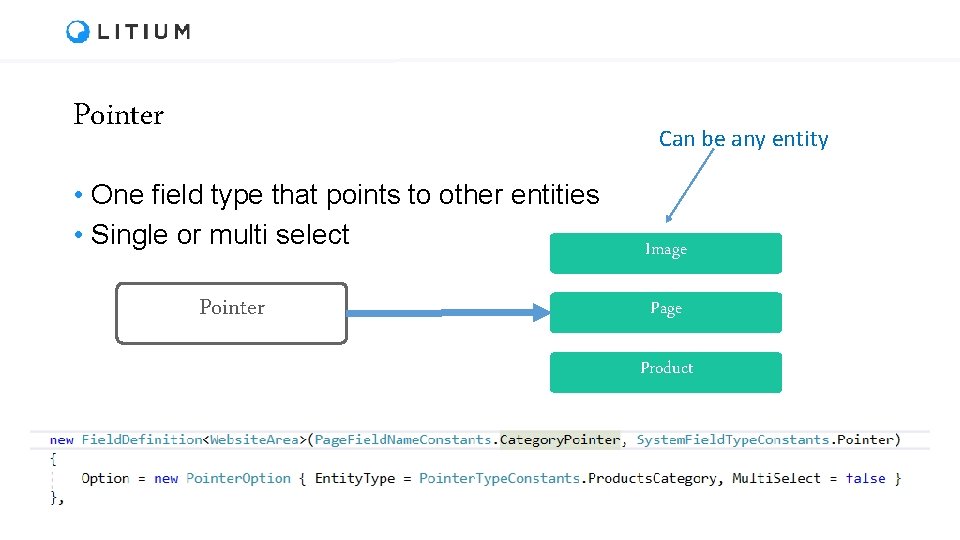
Pointer Can be any entity • One field type that points to other entities • Single or multi select Pointer Image Product
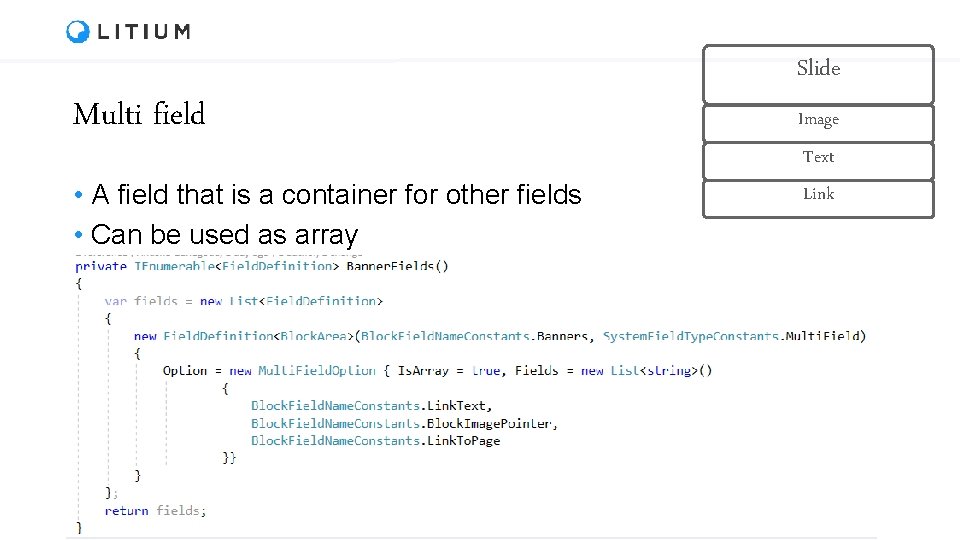
Multi field • A field that is a container for other fields • Can be used as array Slide Image Text Link
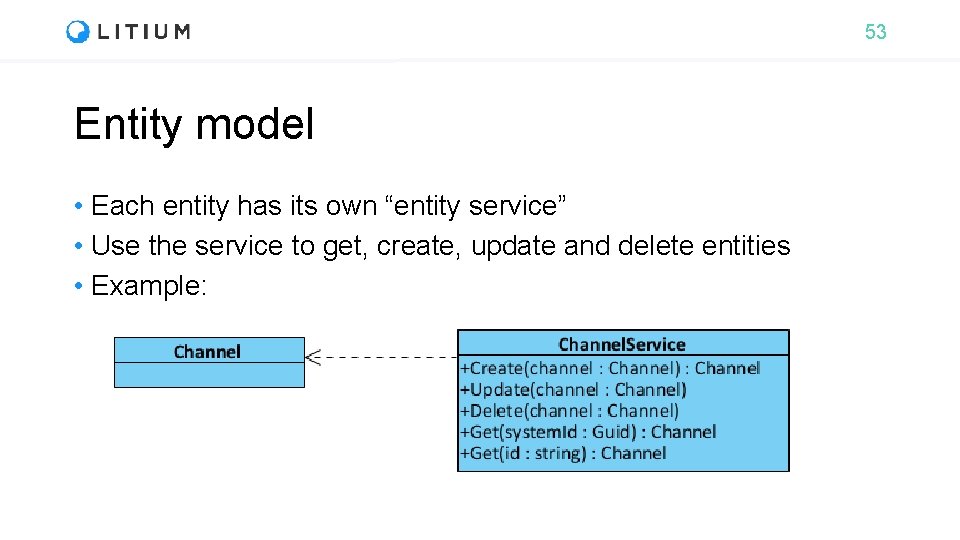
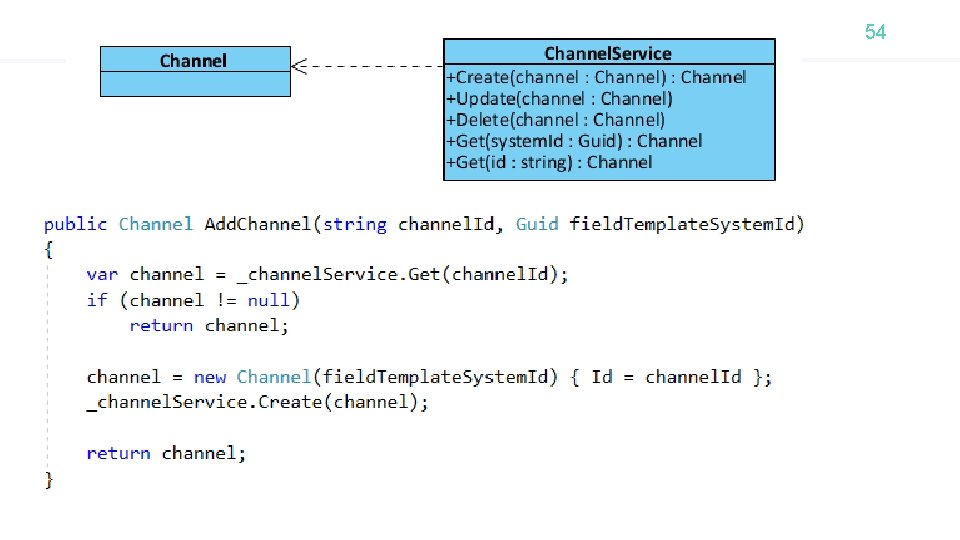
53 Entity model • Each entity has its own “entity service” • Use the service to get, create, update and delete entities • Example:
54
55 Entity model - Updating an entity • Create a updatable copy from calling the Make. Writable. Clone() method on the entity. • Then update the cloned copy and call the update method of the respective entity service. • The objects are read. Only because “Cached“ entities should be “non modifiable”
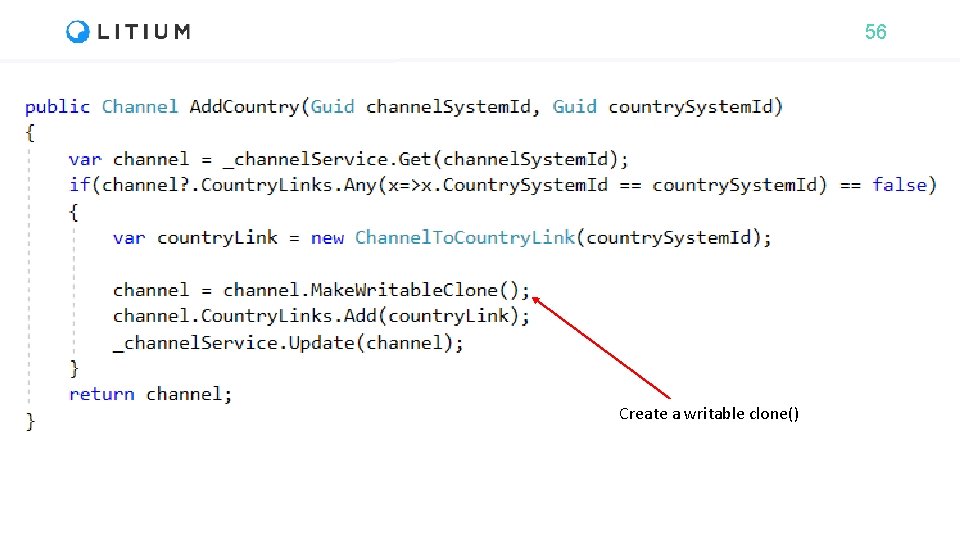
56 Create a writable clone()
57 Entity model - Relationships between entities • Where domain model contains relationships between: • “parent entity” – “child entity” • “entity” – “entity” • Parent entity only have “Links” to the child entities • The link has the System. Id of the child entity • The link may have additional information related to the relationship
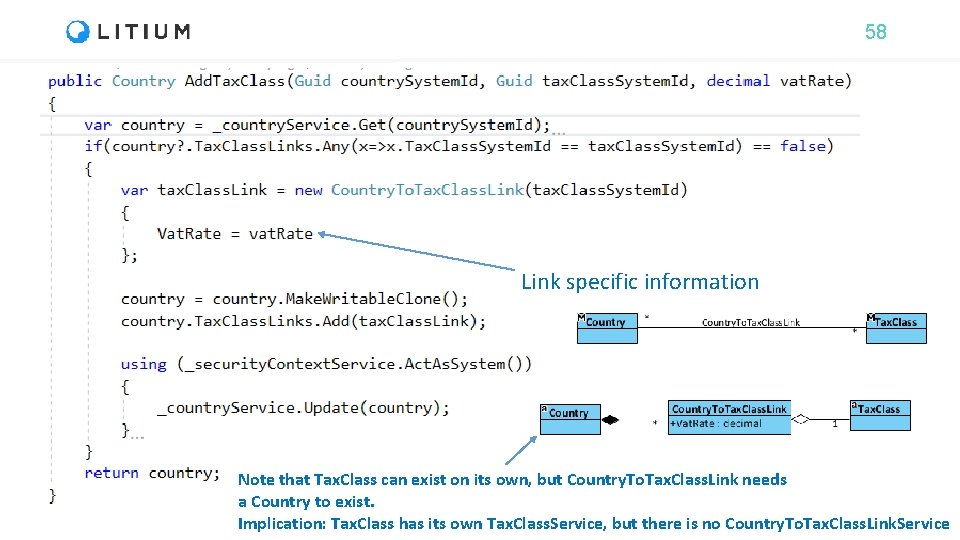
58 Link specific information Note that Tax. Class can exist on its own, but Country. To. Tax. Class. Link needs a Country to exist. Implication: Tax. Class has its own Tax. Class. Service, but there is no Country. To. Tax. Class. Link. Service
59 Auto. Mapper automapper. org What is Auto. Mapper? “Auto. Mapper is a simple little library built to solve a deceptively complex problem - getting rid of code that mapped one object to another. This type of code is rather dreary and boring to write, so why not invent a tool to do it for us? ”
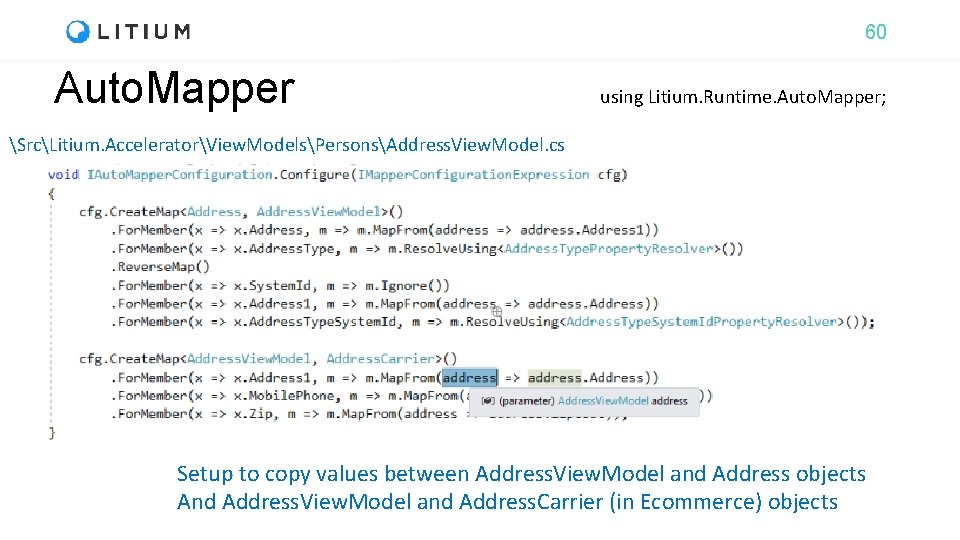
60 Auto. Mapper using Litium. Runtime. Auto. Mapper; SrcLitium. AcceleratorView. ModelsPersonsAddress. View. Model. cs Setup to copy values between Address. View. Model and Address objects And Address. View. Model and Address. Carrier (in Ecommerce) objects
61 Websites
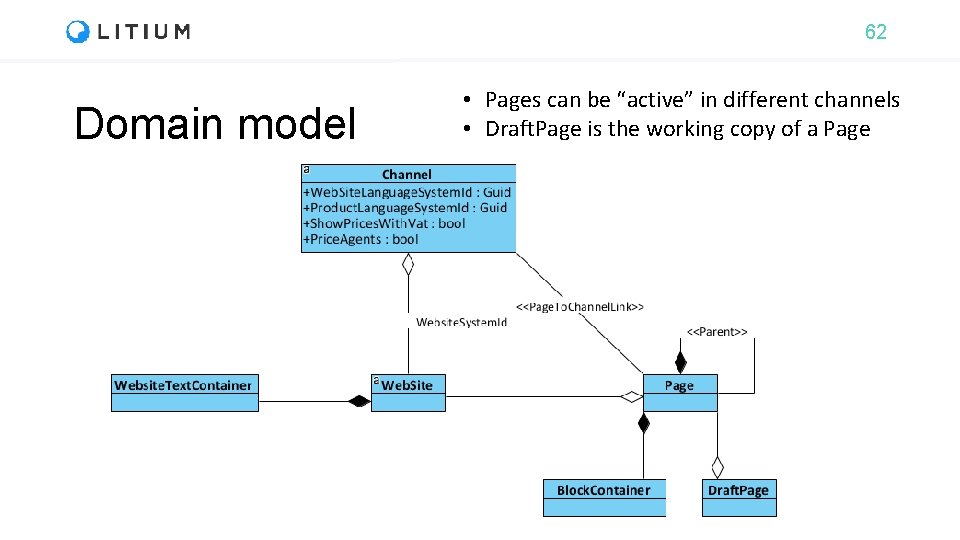
62 Domain model • Pages can be “active” in different channels • Draft. Page is the working copy of a Page
63 Task: Author page During this education we will build a bookstore webshop All tasks are available at https: //github. com/Litium. AB/Education/ in the Developer education/Bookstore folder
64 Blocks • New independent entity from L 7 • Has data modelling • Can be marked as • Global = true -> web pages that uses the block has reference to a “global instance” • Global = false -> web pages that uses the block has its own “block instance” • Information snippets • That can be reused • That can be moved inside the Container to change page structure
67 Task: Author block During this education we will build a bookstore webshop All tasks are available at https: //github. com/Litium. AB/Education/ in the Developer education/Bookstore folder
68 Globalization
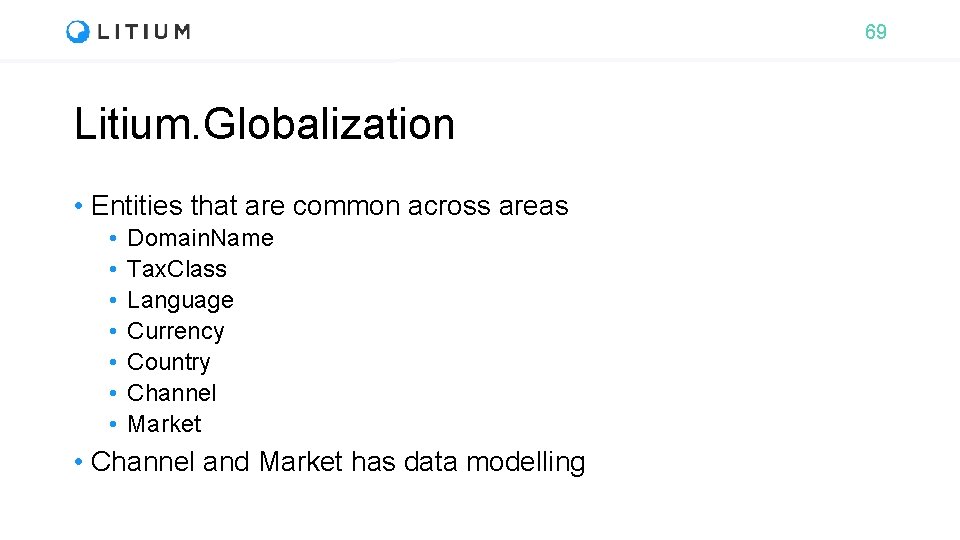
69 Litium. Globalization • Entities that are common across areas • • Domain. Name Tax. Class Language Currency Country Channel Market • Channel and Market has data modelling
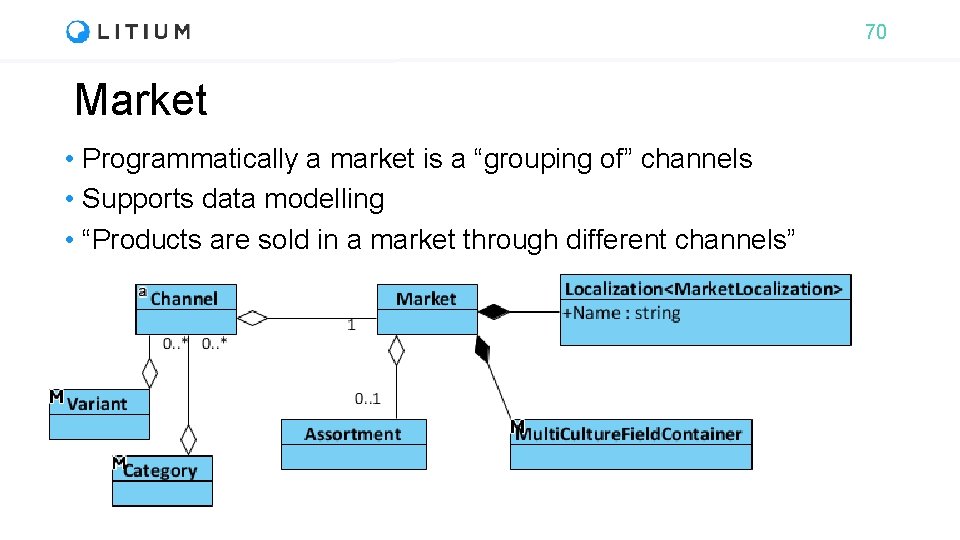
70 Market • Programmatically a market is a “grouping of” channels • Supports data modelling • “Products are sold in a market through different channels”
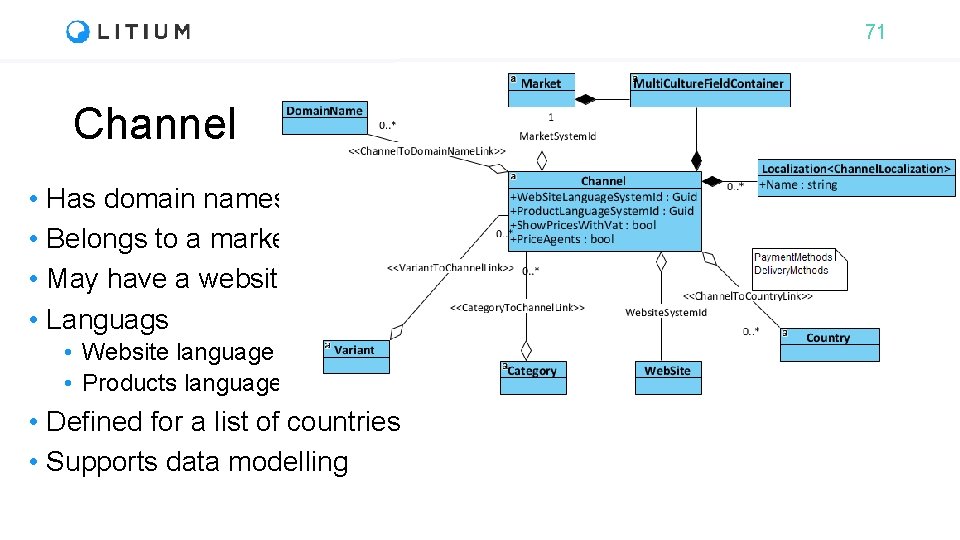
71 Channel • Has domain names • Belongs to a market • May have a website • Languags • Website language • Products language • Defined for a list of countries • Supports data modelling
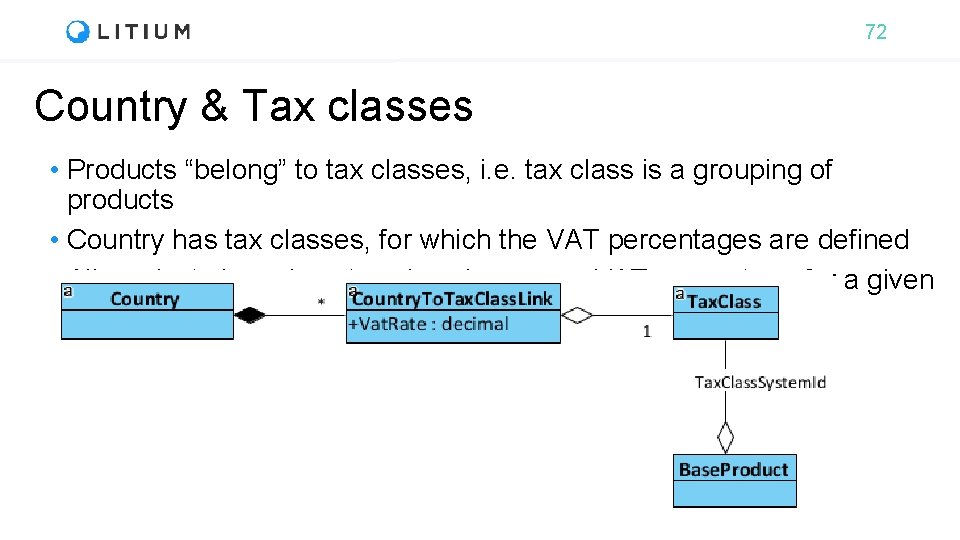
72 Country & Tax classes • Products “belong” to tax classes, i. e. tax class is a grouping of products • Country has tax classes, for which the VAT percentages are defined • All products in a given tax class has same VAT percentage for a given country
73 Dependency injection
74 Dependency injection Litium. Runtime. Dependency. Injection • What is it? • Say object A needs object B, the one who “creates/invokes” object A “gives” the object B to A. • Object A is not required to ”know”, how to find/create ”B” • If the reference from A to B is through an interface, the coupling between A and B is independent from implementation of B.
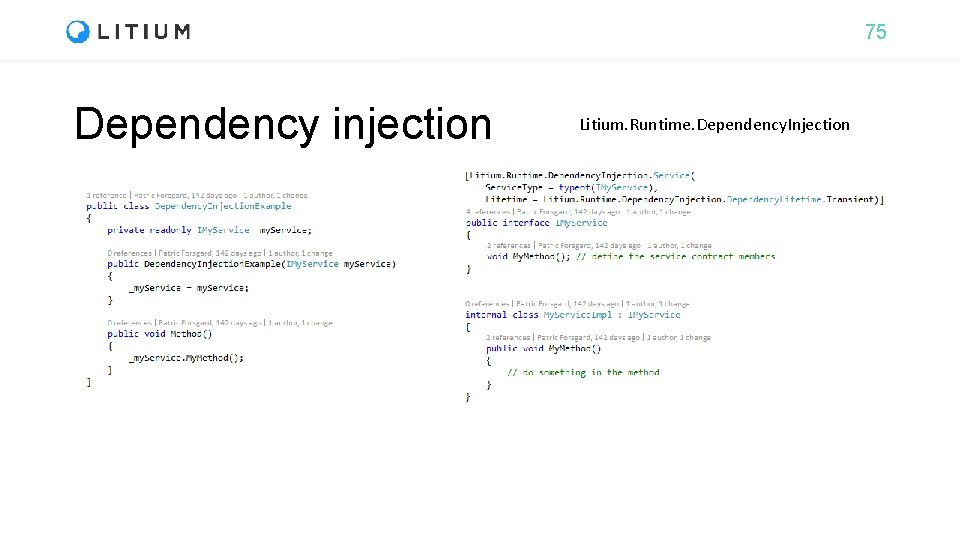
75 Dependency injection Litium. Runtime. Dependency. Injection
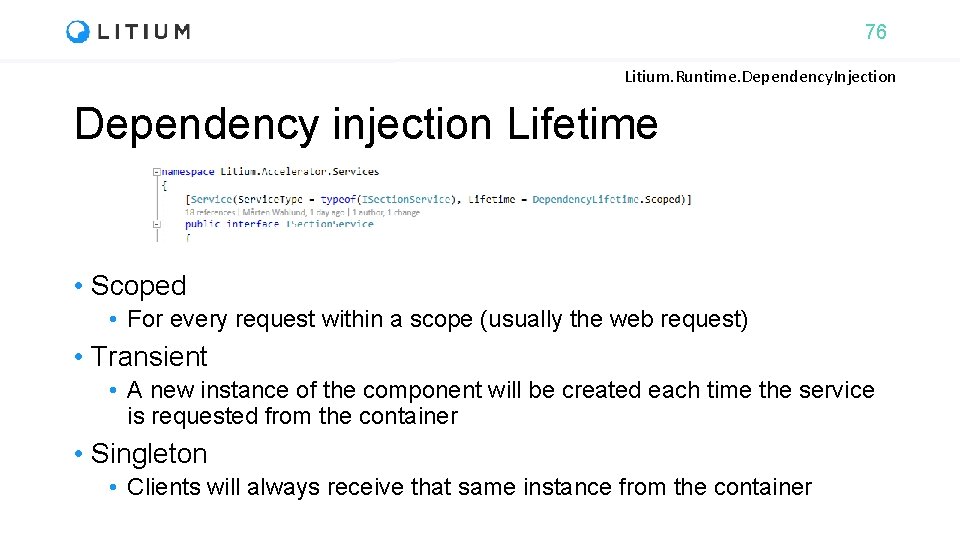
76 Litium. Runtime. Dependency. Injection Dependency injection Lifetime • Scoped • For every request within a scope (usually the web request) • Transient • A new instance of the component will be created each time the service is requested from the container • Singleton • Clients will always receive that same instance from the container
77 Task: Author service During this education we will build a bookstore webshop All tasks are available at https: //github. com/Litium. AB/Education/ in the Developer education/Bookstore folder
78 Litium Service Decorator • To change or replace default implementation • Usually to inject business logic • “Strategy pattern” in software design • To inject new business logic • “Decorator pattern” in software design • Advantages over “inheritance” (subclass) • Dynamically add/replace business logic • Reference Litium abstraction namespaces only • Extend without knowing which class implements interface
79 Task: Author service decorator During this education we will build a bookstore webshop All tasks are available at https: //github. com/Litium. AB/Education/ in the Developer education/Bookstore folder
80 Security token
81 Security Token • In Litium, permissions are enforced by using “Security. Token” object • Security. Token. Current. Security. Token contains the security token for the logged in user • Current token is automatically “applied” in the “code execution context” • Current running code has the current logged in users permissions • Just anonymous permission if no one is logged in
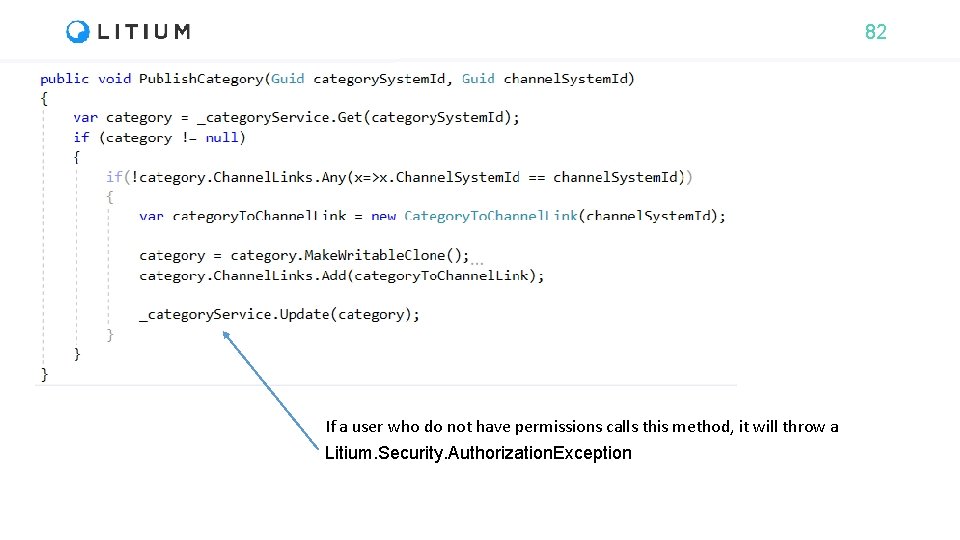
82 If a user who do not have permissions calls this method, it will throw a Litium. Security. Authorization. Exception
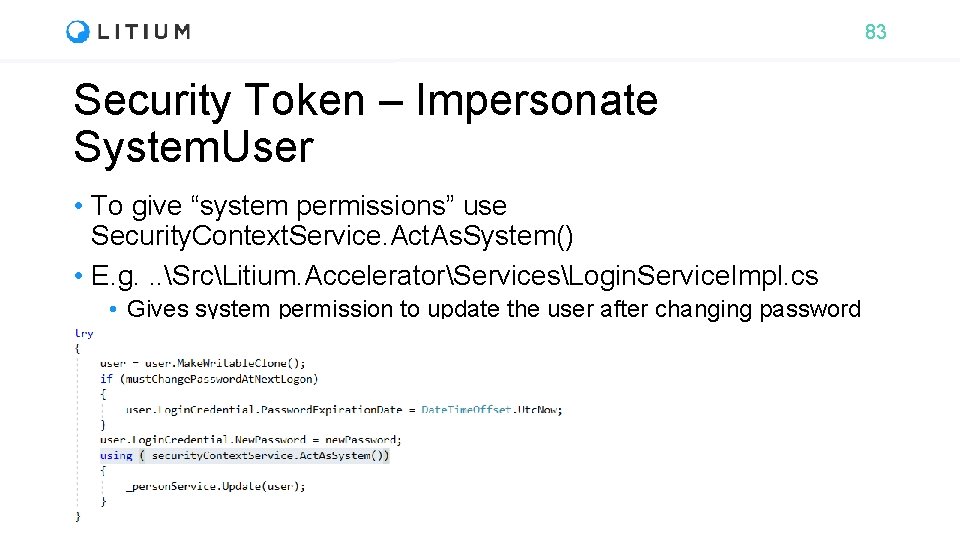
83 Security Token – Impersonate System. User • To give “system permissions” use Security. Context. Service. Act. As. System() • E. g. . . SrcLitium. AcceleratorServicesLogin. Service. Impl. cs • Gives system permission to update the user after changing password
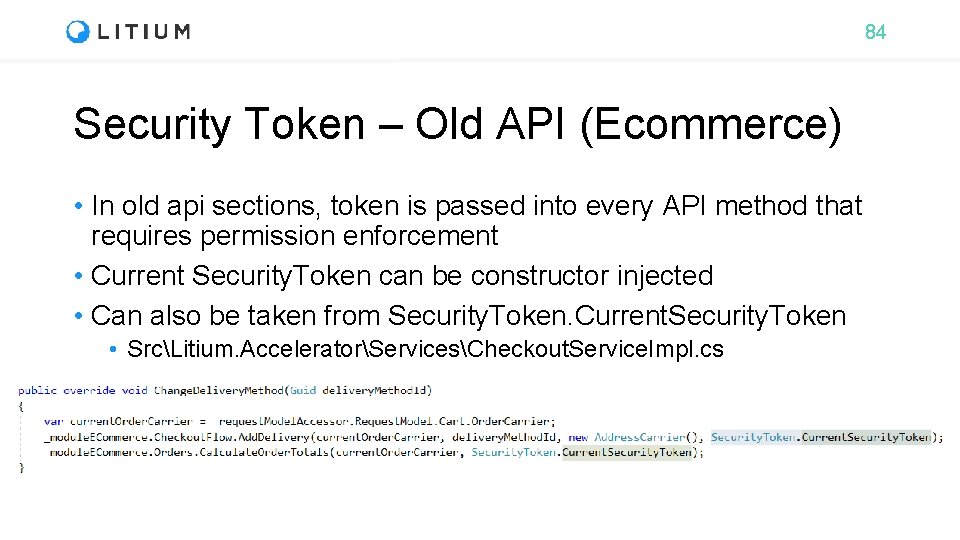
84 Security Token – Old API (Ecommerce) • In old api sections, token is passed into every API method that requires permission enforcement • Current Security. Token can be constructor injected • Can also be taken from Security. Token. Current. Security. Token • SrcLitium. AcceleratorServicesCheckout. Service. Impl. cs
85 Area: Ecommerce
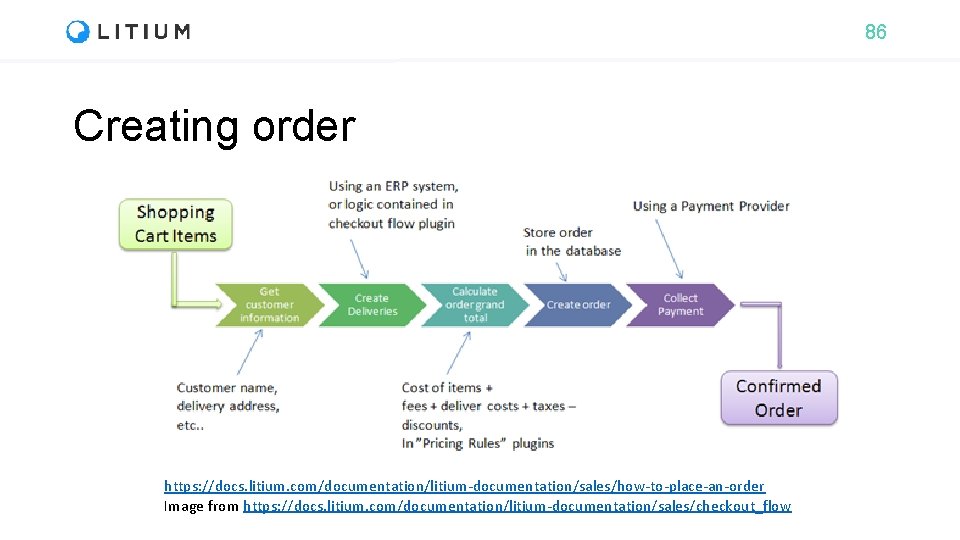
86 Creating order https: //docs. litium. com/documentation/litium-documentation/sales/how-to-place-an-order Image from https: //docs. litium. com/documentation/litium-documentation/sales/checkout_flow
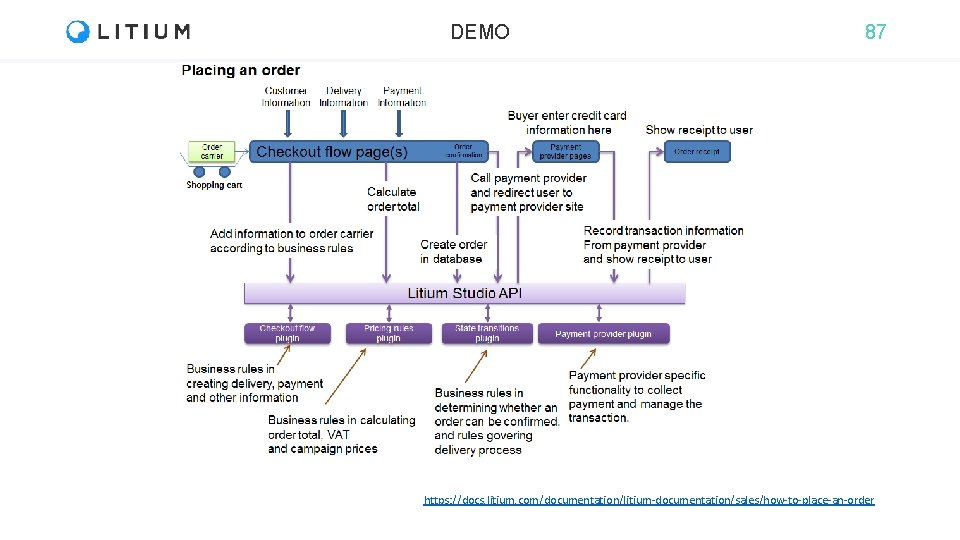
DEMO 87 https: //docs. litium. com/documentation/litium-documentation/sales/how-to-place-an-order
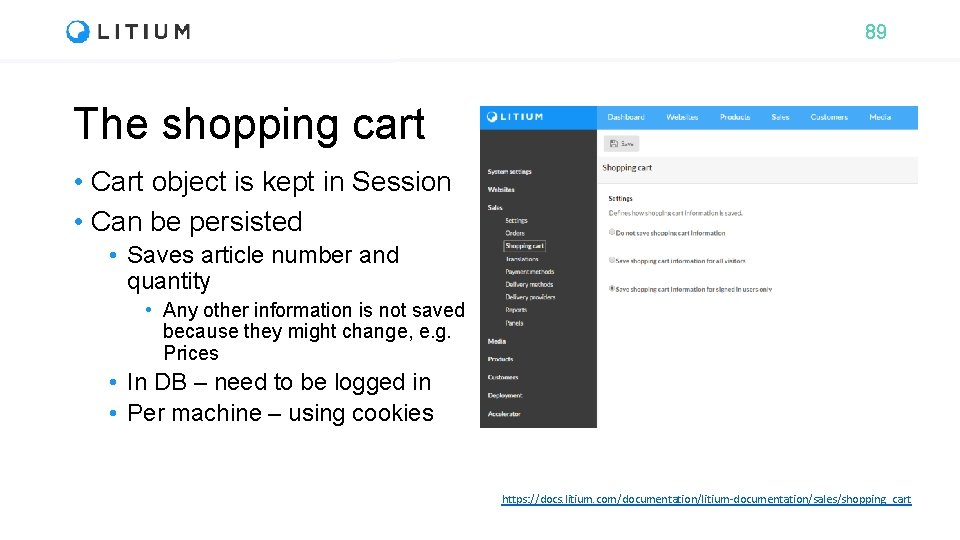
89 The shopping cart • Cart object is kept in Session • Can be persisted • Saves article number and quantity • Any other information is not saved because they might change, e. g. Prices • In DB – need to be logged in • Per machine – using cookies https: //docs. litium. com/documentation/litium-documentation/sales/shopping_cart
90 Checkoutflow info • Checkout flow is the process of buying the items in the shopping cart. • Checkout. Flow. Info Keeps additional information required during checkout that is not saved in the Order • Example: Used to pass Cancel. Url and Return. Url payment providers
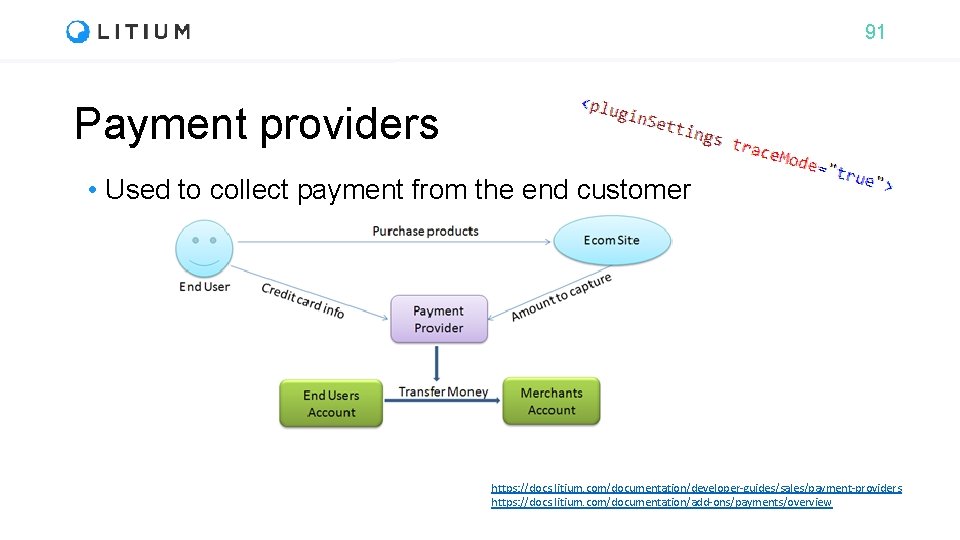
91 Payment providers • Used to collect payment from the end customer https: //docs. litium. com/documentation/developer-guides/sales/payment-providers https: //docs. litium. com/documentation/add-ons/payments/overview
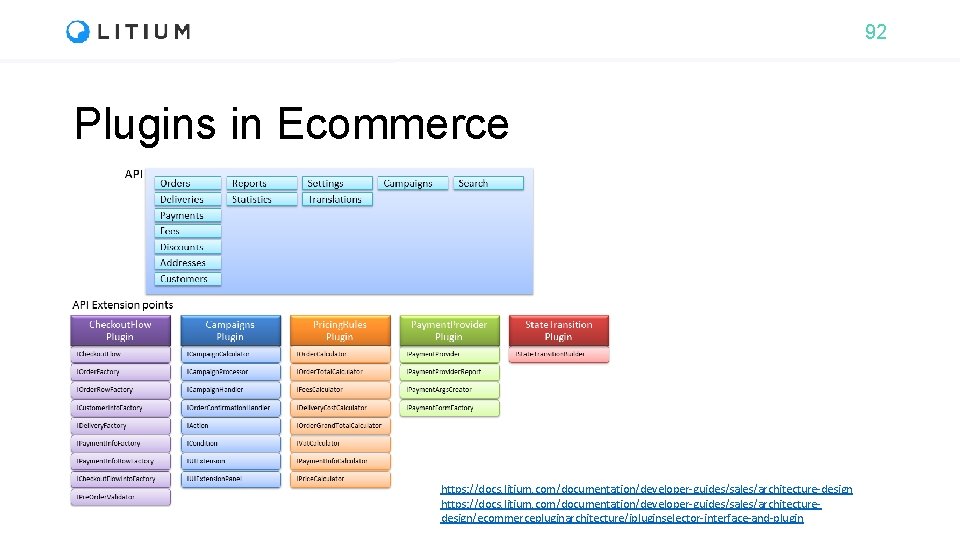
92 Plugins in Ecommerce https: //docs. litium. com/documentation/developer-guides/sales/architecture-design https: //docs. litium. com/documentation/developer-guides/sales/architecturedesign/ecommercepluginarchitecture/ipluginselector-interface-and-plugin
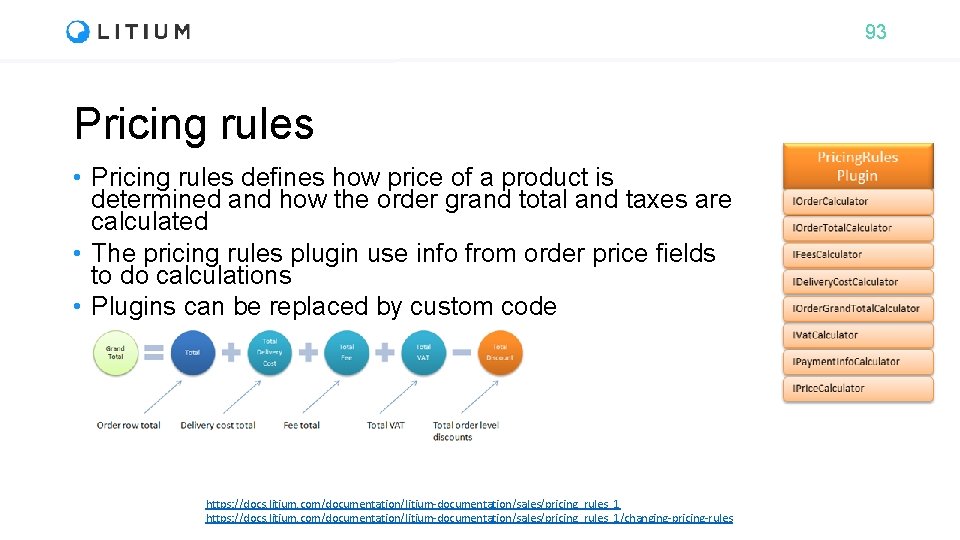
93 Pricing rules • Pricing rules defines how price of a product is determined and how the order grand total and taxes are calculated • The pricing rules plugin use info from order price fields to do calculations • Plugins can be replaced by custom code https: //docs. litium. com/documentation/litium-documentation/sales/pricing_rules_1/changing-pricing-rules
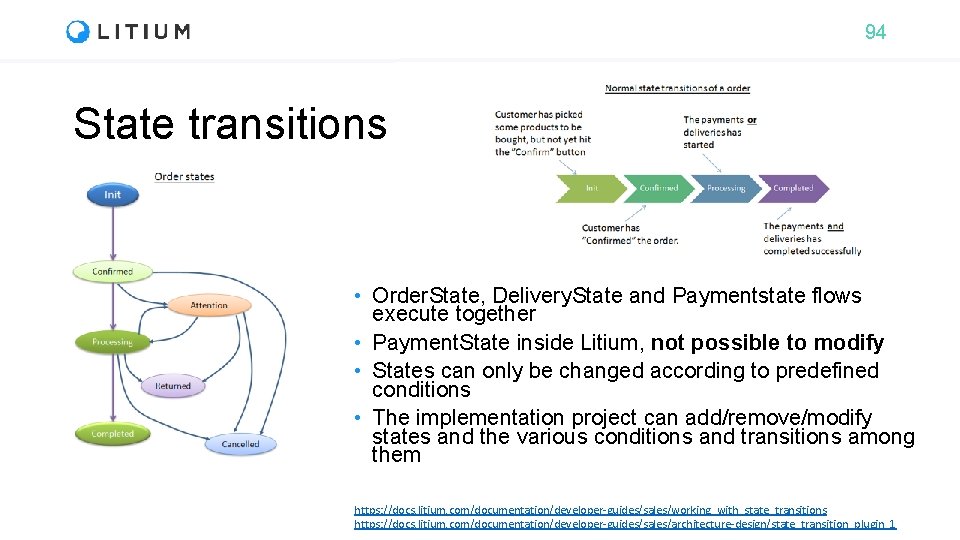
94 State transitions • Order. State, Delivery. State and Paymentstate flows execute together • Payment. State inside Litium, not possible to modify • States can only be changed according to predefined conditions • The implementation project can add/remove/modify states and the various conditions and transitions among them https: //docs. litium. com/documentation/developer-guides/sales/working_with_state_transitions https: //docs. litium. com/documentation/developer-guides/sales/architecture-design/state_transition_plugin_1
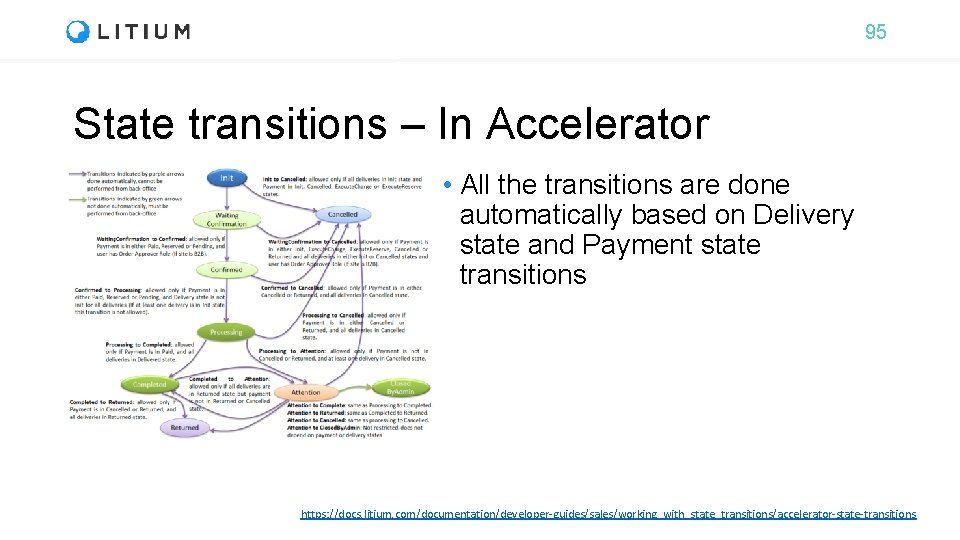
95 State transitions – In Accelerator • All the transitions are done automatically based on Delivery state and Payment state transitions https: //docs. litium. com/documentation/developer-guides/sales/working_with_state_transitions/accelerator-state-transitions
96 Campaigns • A campaign has a single action and multiple conditions • All conditions need to be true for action to be applied • Possible to develop custom campaign actions & conditions https: //docs. litium. com/documentation/developer-guides/sales/campaigns
97 Product Information Management PIM
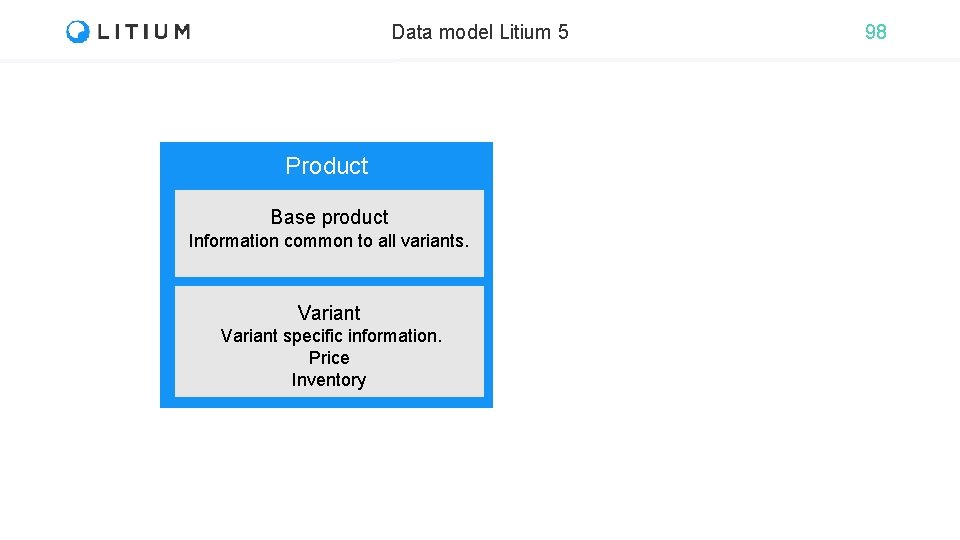
Data model Litium 5 Product Base product Information common to all variants. Variant specific information. Price Inventory 98
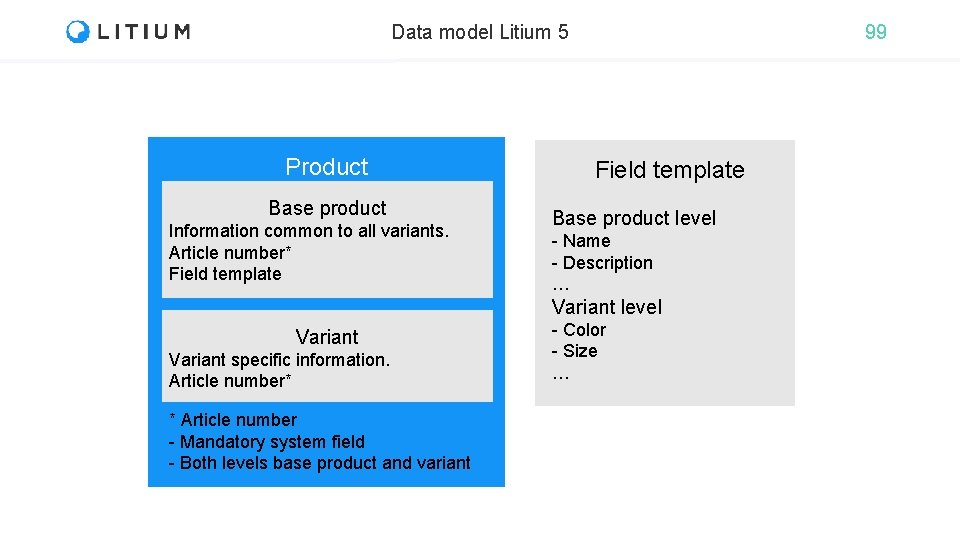
Data model Litium 5 Product Base product Information common to all variants. Article number* Field template 99 Field template Base product level - Name - Description … Variant level Variant specific information. Article number* * Article number - Mandatory system field - Both levels base product and variant - Color - Size …
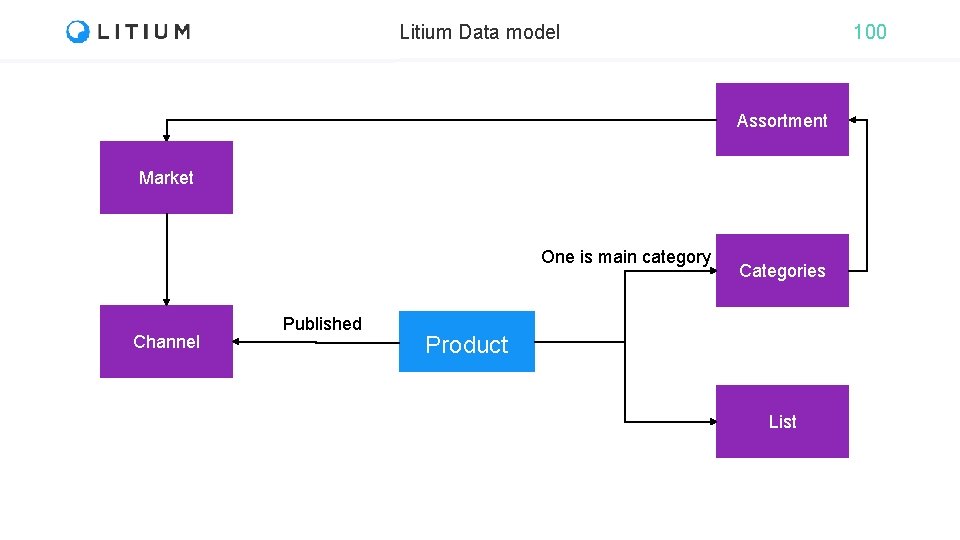
Litium Data model 100 Assortment Market One is main category Channel Published Categories Product List
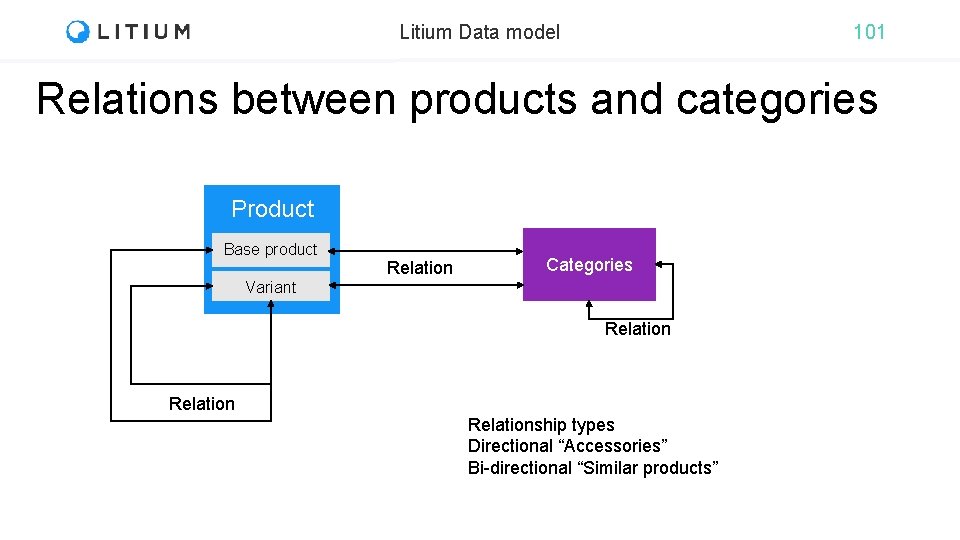
Litium Data model 101 Relations between products and categories Product Base product Relation Categories Variant Relationship types Directional “Accessories” Bi-directional “Similar products”
102 Display templates • Possible to use different template per website • ASP. NET MVC 5 • (or ASP. NET Web. Forms) • Products can use either base product url or variant url • When variant url is used it is possible to manage how variants are grouped in listings with IIndex. Document. Merger<Variant> • In Control Panel > Accelerator the default implementation has a UI to select grouping field
103 Extend PIM • Replace implementation logic • IPrice. Calculator • IStock. Status. Calculator
104 Task: Pricing rules During this education we will build a bookstore webshop All tasks are available at https: //github. com/Litium. AB/Education/ in the Developer education/Bookstore folder
105 Area: Customers
106 Customers (Relations module) • A registry of customers, groups & organizations • Registering a new customer • Accelerator creates a new customer from checkout page if “create account” checkbox is selected when creating an order • Register. New. User() method in SrcLitium. AcceleratorServicesCheckout. Service. Impl. cs
107 Area: Media
108 Media • Images and files stored here • Physically images are in the “Files folder” • Use Common. Files. Directory in multiserver scenarios • Products need to be enriched with respective images: ”media mapping” • Use media mapper add. On • Without media mapper addon • Write custom code to map the image
110 Logging
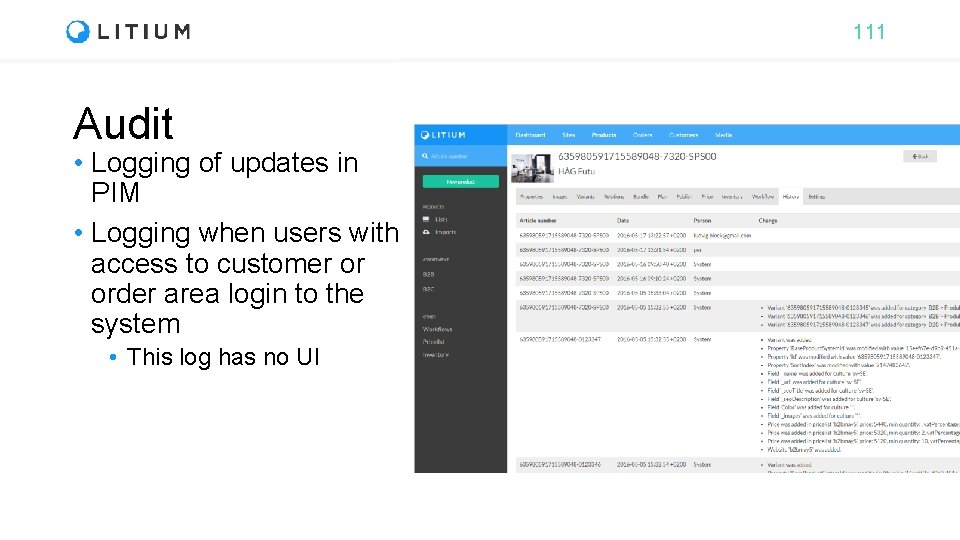
111 Audit • Logging of updates in PIM • Logging when users with access to customer or order area login to the system • This log has no UI
112 Error handling • Unhandled errors are logged in the event log • In web requests prefer Web. Log (Exceptional) • Handled errors should be logged by the developer. • Always log the exception when logging in try/catch • Constructor inject logger (IWeb. Log/ILogger<Type>) • In static classes (extension methods) • Use extension method on object, this. Log() or typeof(My. Class). Log()
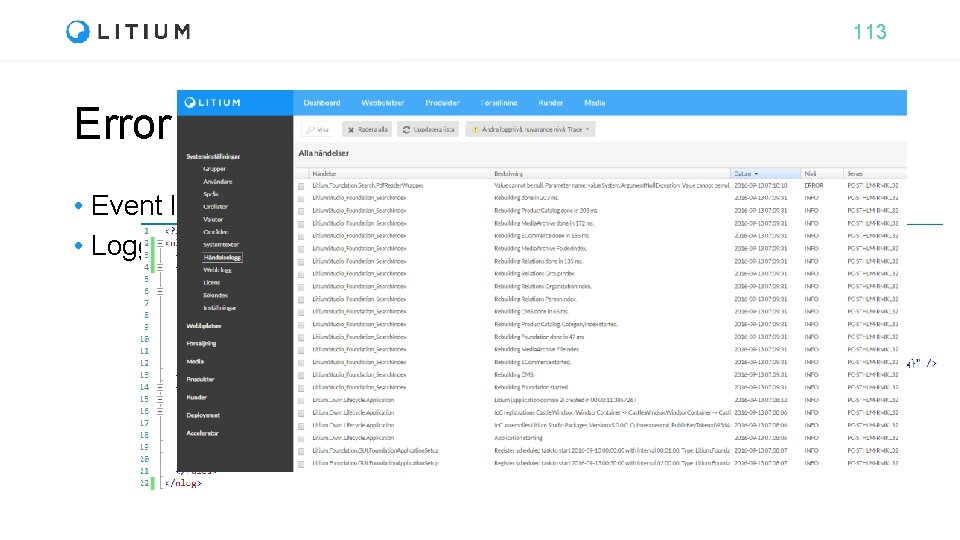
113 Error handling • Event log • Logging to a file
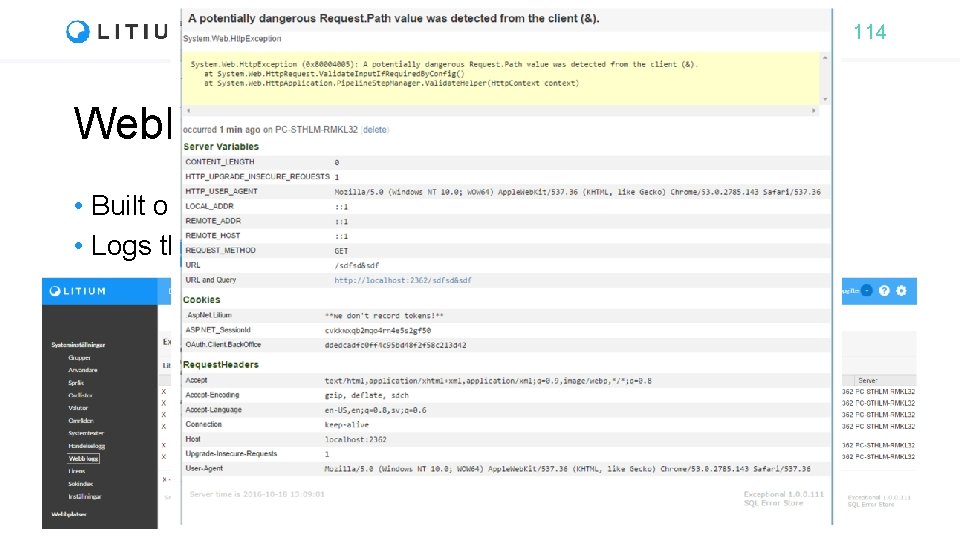
114 Web. Log • Built on Stack. Exchange Exceptional • Logs the whole web-request
115 Events
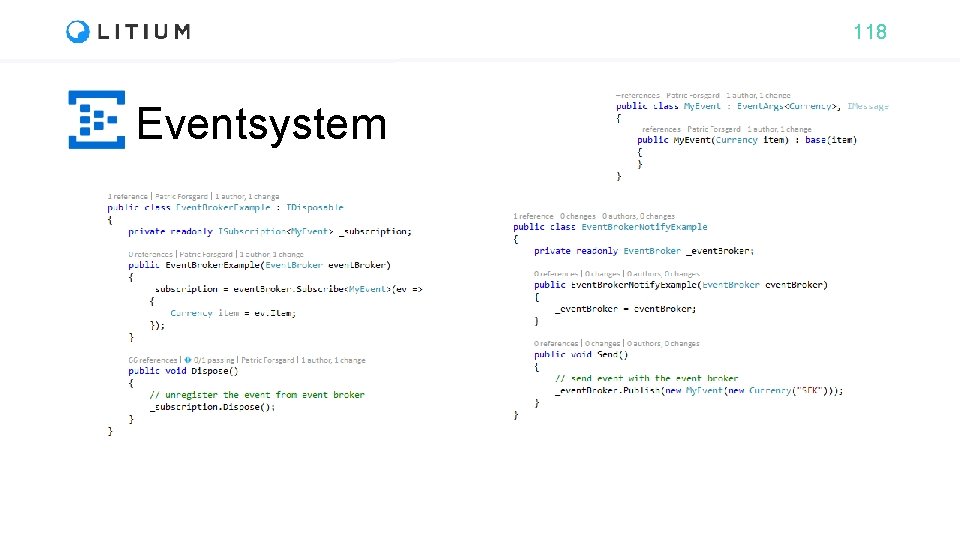
116 Event system • All events are handled by a an Event. Broker (publish/subscribe) • All events are triggered by the application • All events are local • i. e. in a multi server environment, if an entity is changed in one server, its changed event is raised only in that server. • If not declared otherwise explicitly (set scope when publishing event, remote scope sends via service bus to all applications)
117 Event system (new API) • All events have its own class. • The domain object is a parameter in the event handler method. • Event. Broker can be used in the project to write your own events, or to listen or to trigger existing events.
118 Eventsystem
119 Service bus • Used to send messages between applications. • Local on application if no Service Bus is configured • Queue outside application • Processed even if application restarts • Free up resources by running queue in the background • Two different types of message queues • Queue – Same message queue for all applications • Topic – Unique queue for each application • Used in all multi-server solutions • Web farms for load balancing • Multiple developers towards same database • Note: Servers are updated “Near real time”
120 Validation
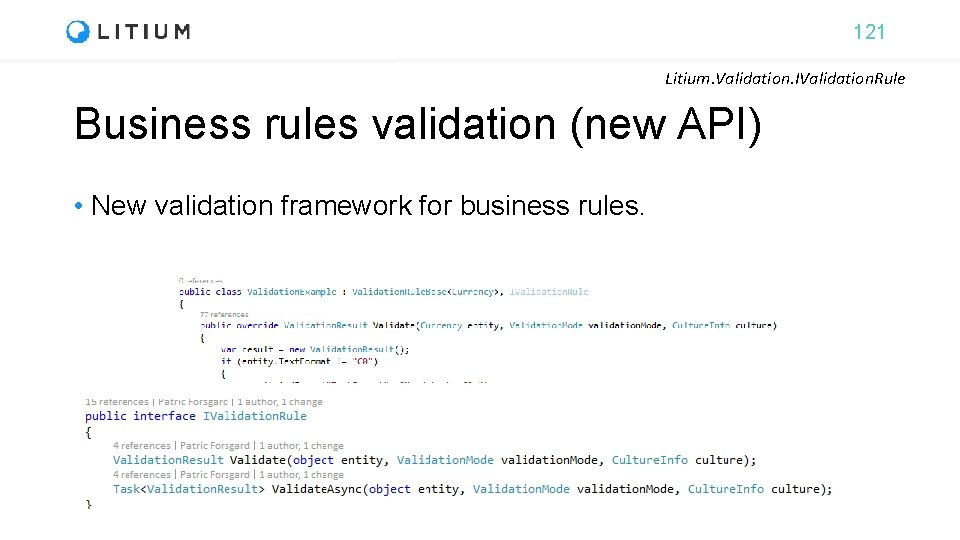
121 Litium. Validation. IValidation. Rule Business rules validation (new API) • New validation framework for business rules.
122 Task: Author field During this education we will build a bookstore webshop All tasks are available at https: //github. com/Litium. AB/Education/ in the Developer education/Bookstore folder
123 Task: Validation During this education we will build a bookstore webshop All tasks are available at https: //github. com/Litium. AB/Education/ in the Developer education/Bookstore folder
124 Web API
125 Web API • Useful for • RESTful applications • Integration when server is communicating with other servers. • Service Accounts – Access services without access to Litium Backend • Only. Jwt. Authorization - attribute to restrict API endpoint to only use JSON Web Token (JWT) • Only. Service. Account. Authorization – attribute to restrict API endpoint to only allow Service Accounts https: //docs. litium. com/documentation/architecture/web-api
126 Headless API Add. On • Platform to build use litium e-commerce via webapi’s • In particular to use external CMS systems with Litium as the Ecommerce processing and PIM data engine • https: //docs. litium. com/documentation/add-ons/integration/litium -headless-api
127 Task: Web API During this education we will build a bookstore webshop All tasks are available at https: //github. com/Litium. AB/Education/ in the Developer education/Bookstore folder
128 Searching & Batching
129 Batching data (new API) Litium. Data. Service. Create. Batch • Framework for handling batches of domain objects to • Delete, create or update • A batch is a single transaction • If one operation fails, the whole batch is rolled back. • All entities in a single batch are logged together in logging for auditing.
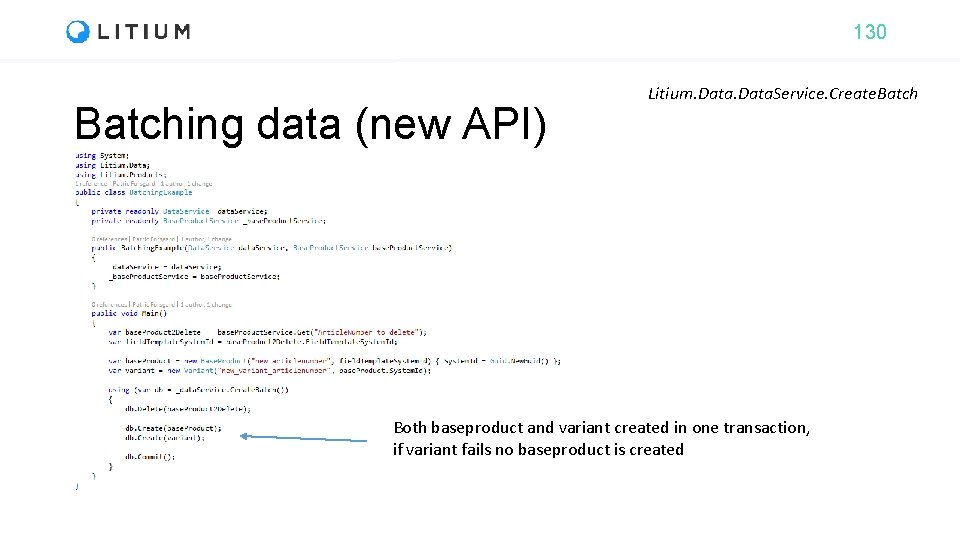
130 Batching data (new API) Litium. Data. Service. Create. Batch Both baseproduct and variant created in one transaction, if variant fails no baseproduct is created
131 Querying Litium. Data. Service. Create. Query • Querying direct towards database. • Do not use towards public site, without implementing own caching.
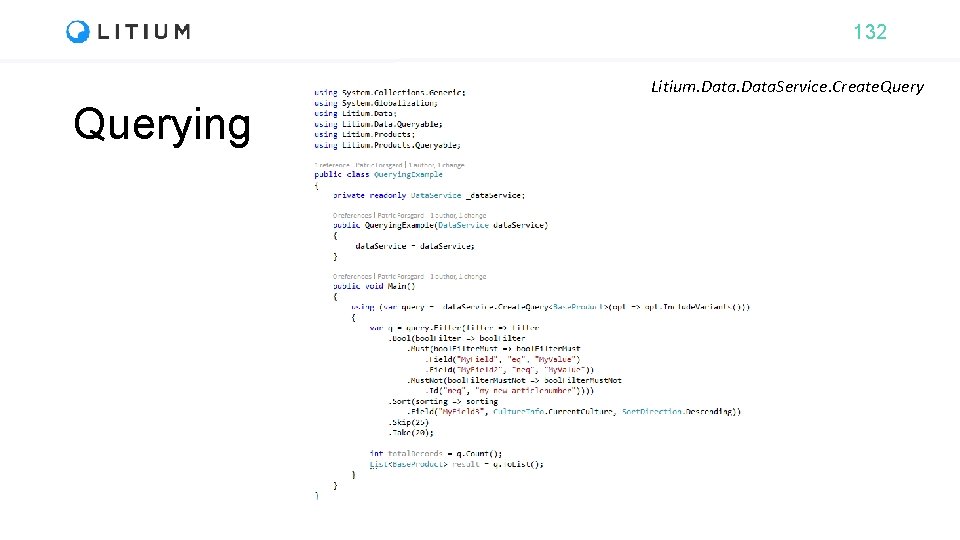
132 Litium. Data. Service. Create. Querying
133 Task: Data service During this education we will build a bookstore webshop All tasks are available at https: //github. com/Litium. AB/Education/ in the Developer education/Bookstore folder
134 Search • Litium uses Lucene as search engine • Search query • Conditions: Or / Exclude / Range • Paging, sorting • Tag. Terms • To view indexed values • Indexfiles stored in files directory https: //docs. litium. com/documentation/architecture/search
135 Task: Search During this education we will build a bookstore webshop All tasks are available at https: //github. com/Litium. AB/Education/ in the Developer education/Bookstore folder
136 Accelerator frontend development
Front end code structure • Component based • ES 6 • React + Redux • BEM (Block, Element, Modifier methodology) for CSS • Modular: Styling independent of elements type and nesting • Avoids multilevel nesting and minimal CSS selectors • Foundation Zurb • Foundation Email
138 Buy button – Rendering - Buy button is rendered in the MVC view _Variant. Item. cshtml - @Html. Buy. Button(model => model. Product. Item, css. Class: "product-detail__buy-button", is. Buy. Button: true) - Html. Helper Product. Item. View. Model. Html. Extensions. cs renders the html containing the javascript event: - window. __litium. events. on. Add. To. Cart. Button. Click() https: //docs. litium. com/documentation/litium-accelerators/develop/buy-button
139 Buy button – Client side - on. Add. To. Cart. Button. Click() is registered in ClientScriptsindex. js - It calls add. To. Cart(), imported from Cart. action. js - import { add as add. To. Cart, reorder } from '. /Actions/Cart. action’; - Add() in Cart. action. js then does the POST to the server at /api/cart/add https: //docs. litium. com/documentation/litium-accelerators/develop/buy-button
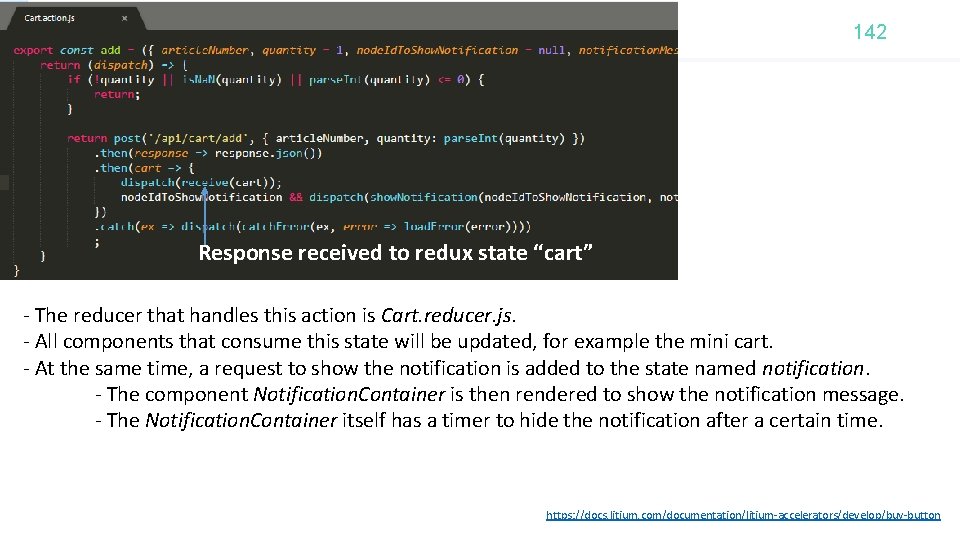
142 Response received to redux state “cart” - The reducer that handles this action is Cart. reducer. js. - All components that consume this state will be updated, for example the mini cart. - At the same time, a request to show the notification is added to the state named notification. - The component Notification. Container is then rendered to show the notification message. - The Notification. Container itself has a timer to hide the notification after a certain time. https: //docs. litium. com/documentation/litium-accelerators/develop/buy-button
143 Upgrading
144 Upgrading • As with installation, upgrading is done through Visual Studio • Upgrading data in database is done through upgrading script • There is no separate upgrading program
145 Next step
146 Support • Solution related help, License or technical questions • Litium Support: support@litium. com telefon: 036 -210 33 30 • Technical failures, bug reports • Litium Knowledge Center: docs. litium. com/support/report-a-bug • General Litium questions and discussions • Litium Forum https: //forum. litium. com • Slack
147 License • Litium need a license file to be accessed from a machine other than localhost • The installation is using a developer or demo license which only allows requests from the local computer. • Litium needs a license for all environments (test/prod/stage) that customers have access to • Request a License file from docs. litium. com/support/requestlicense
148 Bonus tasks
149
150 Certification
- Slides: 140