
1 Lab 2 Arrays Outline 2 1 2
1 Lab 2 - Arrays Outline 2. 1 2. 2 2. 3 2. 4 2. 5 2. 6 2. 7 2. 8 2. 9 Introduction Arrays Declaring Arrays Examples Using Arrays Passing Arrays to Functions Sorting Arrays Case Study: Computing Mean, Median and Mode Using Arrays Searching Arrays: Linear Search and Binary Search Multiple-Subscripted Arrays 2004 Benjamin X. Wang All rights reserved.
2 2. 1 Introduction • Arrays – Structures of related data items – Static entity (same size throughout program) • A few types – Pointer-based arrays (C-like) – Arrays as objects (C++) 2004 Benjamin X. Wang All rights reserved.
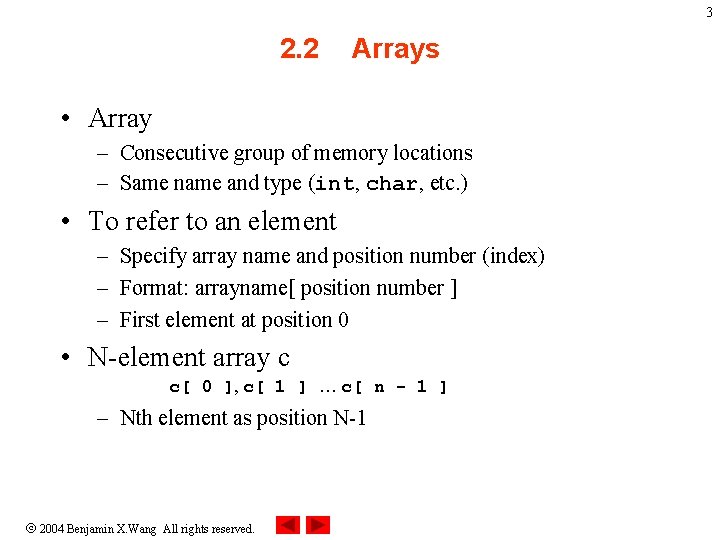
3 2. 2 Arrays • Array – Consecutive group of memory locations – Same name and type (int, char, etc. ) • To refer to an element – Specify array name and position number (index) – Format: arrayname[ position number ] – First element at position 0 • N-element array c c[ 0 ], c[ 1 ] … c[ n - 1 ] – Nth element as position N-1 2004 Benjamin X. Wang All rights reserved.
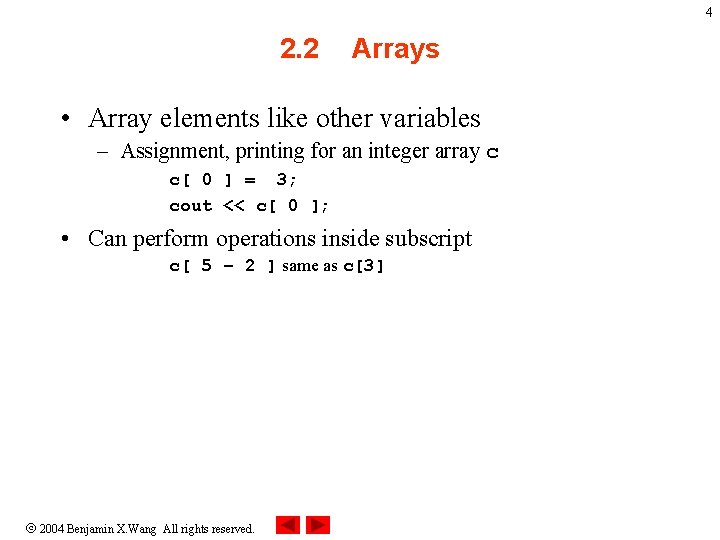
4 2. 2 Arrays • Array elements like other variables – Assignment, printing for an integer array c c[ 0 ] = 3; cout << c[ 0 ]; • Can perform operations inside subscript c[ 5 – 2 ] same as c[3] 2004 Benjamin X. Wang All rights reserved.
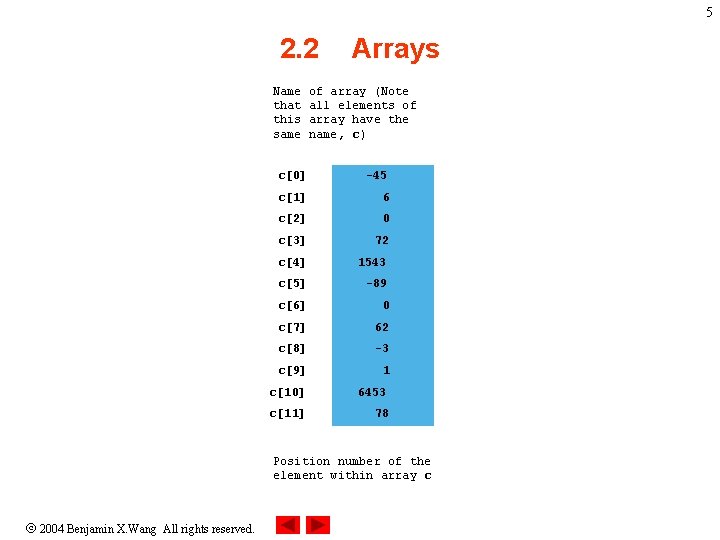
5 2. 2 Name that this same Arrays of array (Note all elements of array have the name, c) c[0] -45 c[1] 6 c[2] 0 c[3] 72 c[4] 1543 c[5] -89 c[6] 0 c[7] 62 c[8] -3 c[9] 1 c[10] 6453 c[11] 78 Position number of the element within array c 2004 Benjamin X. Wang All rights reserved.
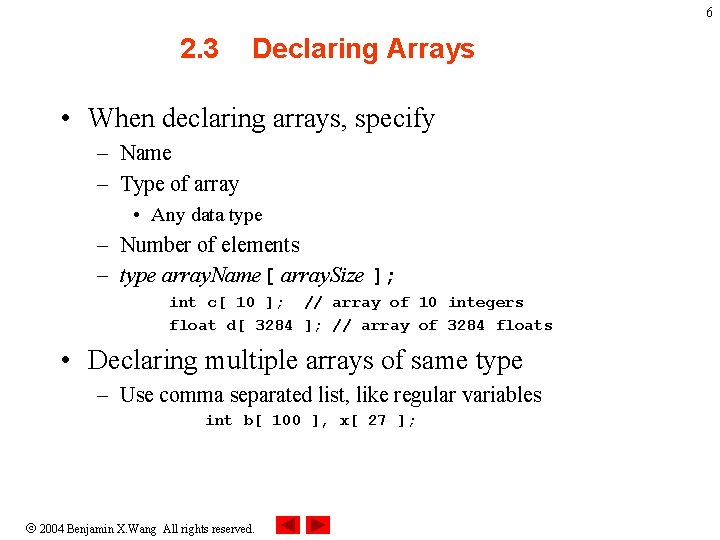
6 2. 3 Declaring Arrays • When declaring arrays, specify – Name – Type of array • Any data type – Number of elements – type array. Name[ array. Size ]; int c[ 10 ]; // array of 10 integers float d[ 3284 ]; // array of 3284 floats • Declaring multiple arrays of same type – Use comma separated list, like regular variables int b[ 100 ], x[ 27 ]; 2004 Benjamin X. Wang All rights reserved.
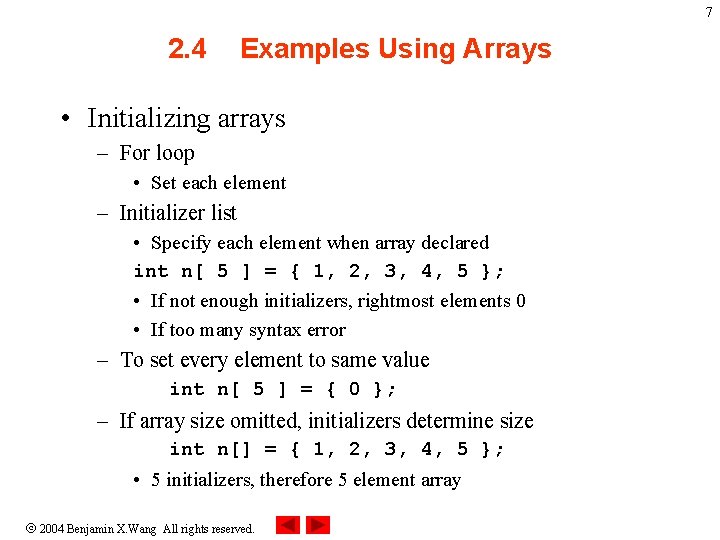
7 2. 4 Examples Using Arrays • Initializing arrays – For loop • Set each element – Initializer list • Specify each element when array declared int n[ 5 ] = { 1, 2, 3, 4, 5 }; • If not enough initializers, rightmost elements 0 • If too many syntax error – To set every element to same value int n[ 5 ] = { 0 }; – If array size omitted, initializers determine size int n[] = { 1, 2, 3, 4, 5 }; • 5 initializers, therefore 5 element array 2004 Benjamin X. Wang All rights reserved.
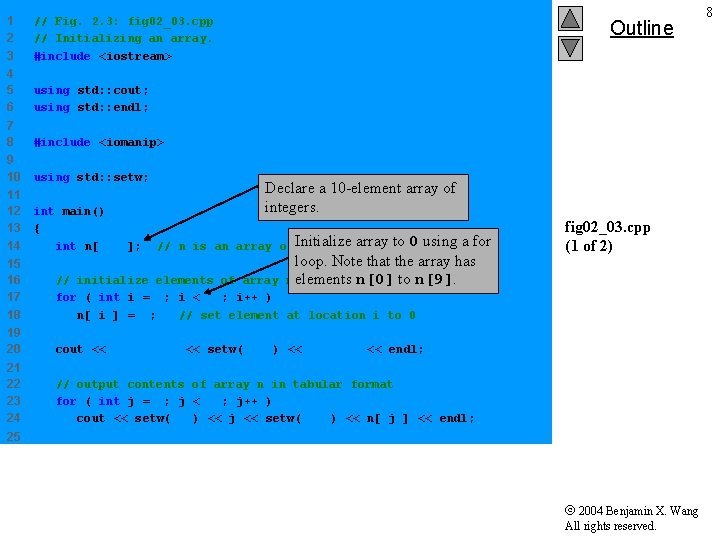
1 2 3 // Fig. 2. 3: fig 02_03. cpp // Initializing an array. #include <iostream> 4 5 6 using std: : cout; using std: : endl; 7 8 #include <iomanip> 9 10 using std: : setw; 11 12 13 14 int main() { int n[ 10 ]; Outline Declare a 10 -element array of integers. array to 0 using a for // n is an array of Initialize 10 integers loop. Note that the array has n[0] to n[9]. elements of array n elements to 0 15 16 17 18 // initialize for ( int i = 0; i < 10; i++ ) n[ i ] = 0; // set element at location i to 0 19 20 cout << "Element" << setw( 13 ) << "Value" << endl; 21 22 23 24 // output contents of array n in tabular format for ( int j = 0; j < 10; j++ ) cout << setw( 7 ) << j << setw( 13 ) << n[ j ] << endl; fig 02_03. cpp (1 of 2) 25 2004 Benjamin X. Wang All rights reserved. 8
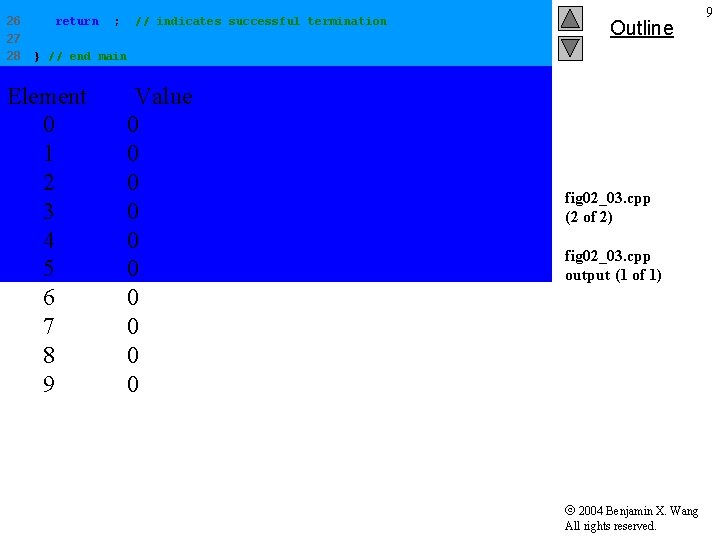
26 27 28 return 0; // indicates successful termination Outline } // end main Element 0 1 2 3 4 5 6 7 8 9 Value 0 0 0 0 0 fig 02_03. cpp (2 of 2) fig 02_03. cpp output (1 of 1) 2004 Benjamin X. Wang All rights reserved. 9
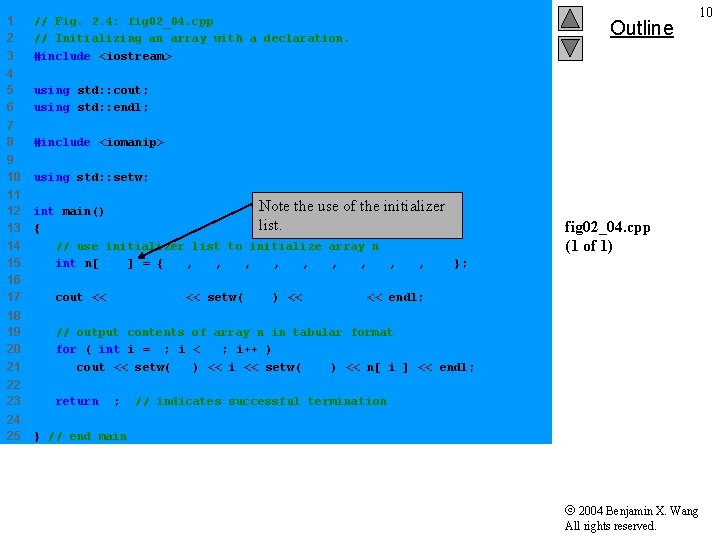
1 2 3 // Fig. 2. 4: fig 02_04. cpp // Initializing an array with a declaration. #include <iostream> 4 5 6 using std: : cout; using std: : endl; 7 8 #include <iomanip> 9 10 using std: : setw; 11 12 13 14 15 16 17 Note the use of the initializer int main() list. { // use initializer list to initialize array n int n[ 10 ] = { 32, 27, 64, 18, 95, 14, 90, 70, 60, 37 }; fig 02_04. cpp (1 of 1) cout << "Element" << setw( 13 ) << "Value" << endl; 18 19 20 21 // output contents of array n in tabular format for ( int i = 0; i < 10; i++ ) cout << setw( 7 ) << i << setw( 13 ) << n[ i ] << endl; 22 23 return 0; 24 25 Outline 10 // indicates successful termination } // end main 2004 Benjamin X. Wang All rights reserved.
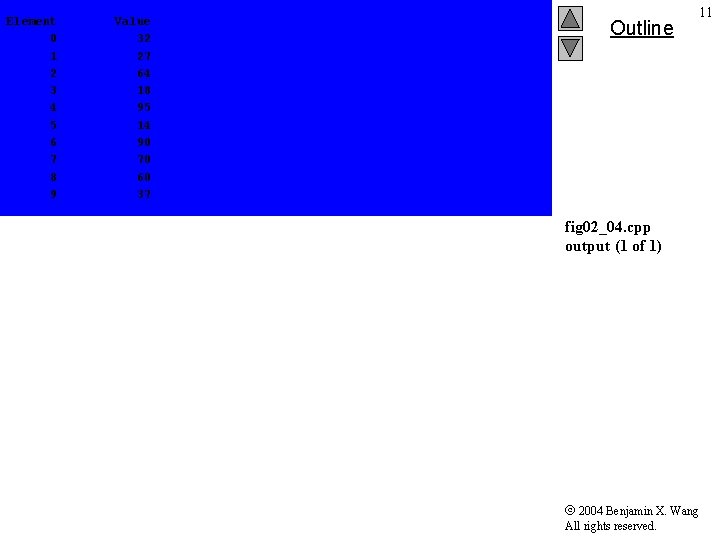
Element 0 1 2 3 4 5 6 7 8 9 Value 32 27 64 18 95 14 90 70 60 37 Outline 11 fig 02_04. cpp output (1 of 1) 2004 Benjamin X. Wang All rights reserved.
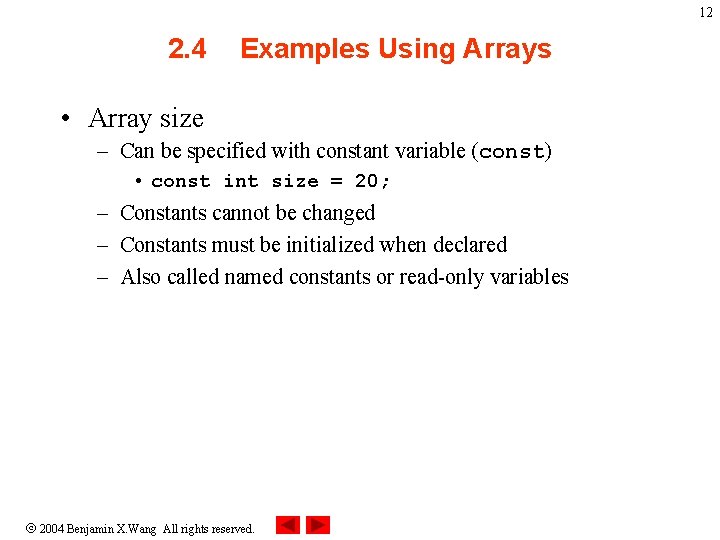
12 2. 4 Examples Using Arrays • Array size – Can be specified with constant variable (const) • const int size = 20; – Constants cannot be changed – Constants must be initialized when declared – Also called named constants or read-only variables 2004 Benjamin X. Wang All rights reserved.
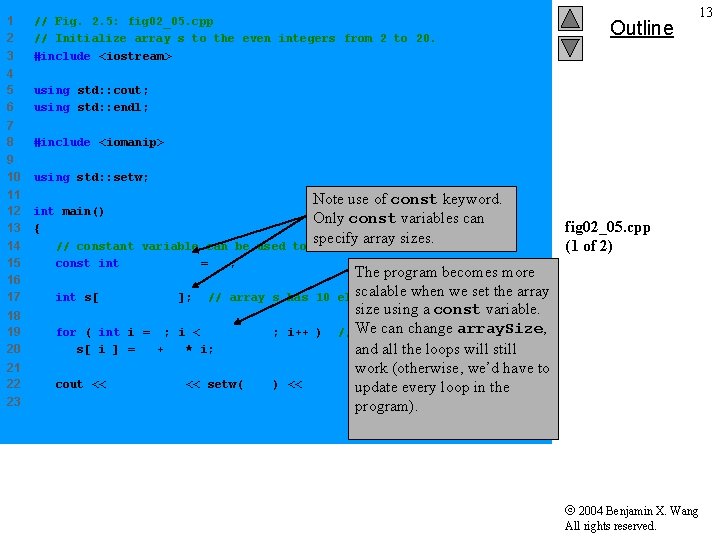
1 2 3 // Fig. 2. 5: fig 02_05. cpp // Initialize array s to the even integers from 2 to 20. #include <iostream> 4 5 6 using std: : cout; using std: : endl; 7 8 #include <iomanip> 9 10 using std: : setw; 11 12 13 14 15 16 17 Note use of const keyword. can int main() Only const variables { specify array sizes. // constant variable can be used to specify array size const int array. Size = 10; int s[ array. Size ]; // array s 18 19 20 for ( int i = 0; i < array. Size; s[ i ] = 2 + 2 * i; 21 22 cout << "Element" << setw( 13 ) 23 Outline 13 fig 02_05. cpp (1 of 2) The program becomes more scalable when we set the array has 10 elements size using a const variable. i++ ) // We setcan thechange valuesarray. Size, and all the loops will still work (otherwise, we’d have to << "Value"update << endl; every loop in the program). 2004 Benjamin X. Wang All rights reserved.
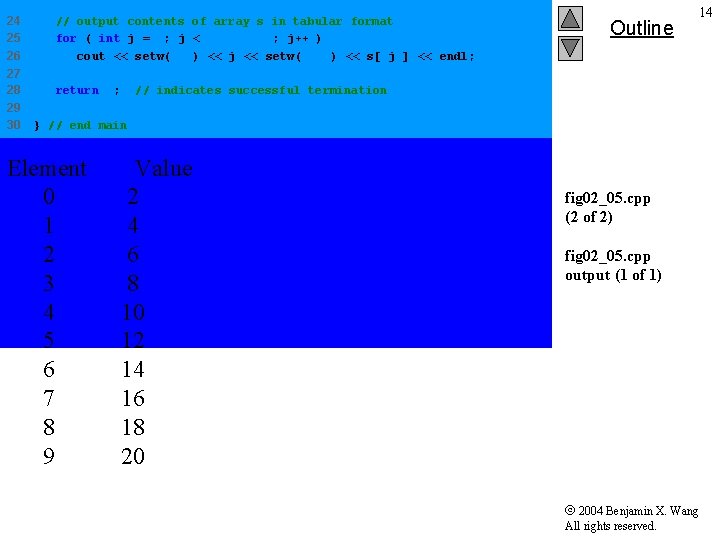
24 25 26 // output contents of array s in tabular format for ( int j = 0; j < array. Size; j++ ) cout << setw( 7 ) << j << setw( 13 ) << s[ j ] << endl; 27 28 return 0; 29 30 Outline 14 // indicates successful termination } // end main Element 0 1 2 3 4 5 6 7 8 9 Value 2 4 6 8 10 12 14 16 18 20 fig 02_05. cpp (2 of 2) fig 02_05. cpp output (1 of 1) 2004 Benjamin X. Wang All rights reserved.
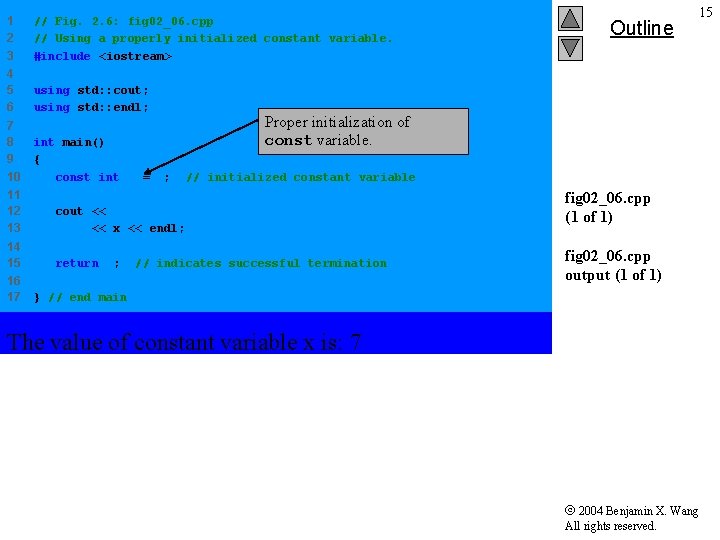
1 2 3 // Fig. 2. 6: fig 02_06. cpp // Using a properly initialized constant variable. #include <iostream> 4 5 6 using std: : cout; using std: : endl; 7 8 9 10 int main() { const int x = 7; Proper initialization of const variable. // initialized constant variable 11 12 13 cout << "The value of constant variable x is: " << x << endl; 14 15 return 0; 16 17 Outline 15 // indicates successful termination fig 02_06. cpp (1 of 1) fig 02_06. cpp output (1 of 1) } // end main The value of constant variable x is: 7 2004 Benjamin X. Wang All rights reserved.
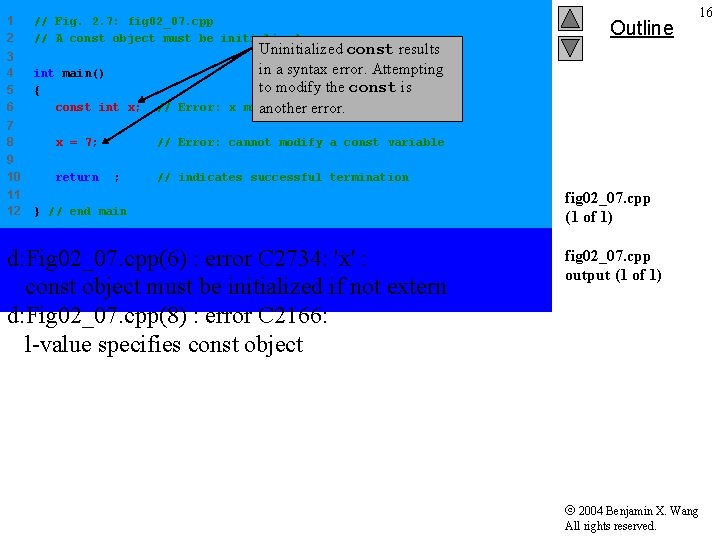
1 2 // Fig. 2. 7: fig 02_07. cpp // A const object must be initialized. 3 4 5 6 int main() { const int x; // Error: x Uninitialized const results in a syntax error. Attempting to modify the const is must be initialized another error. 7 8 x = 7; // Error: cannot modify a const variable 9 10 return 0; // indicates successful termination 11 12 Outline 16 } // end main d: Fig 02_07. cpp(6) : error C 2734: 'x' : const object must be initialized if not extern d: Fig 02_07. cpp(8) : error C 2166: l-value specifies const object fig 02_07. cpp (1 of 1) fig 02_07. cpp output (1 of 1) 2004 Benjamin X. Wang All rights reserved.
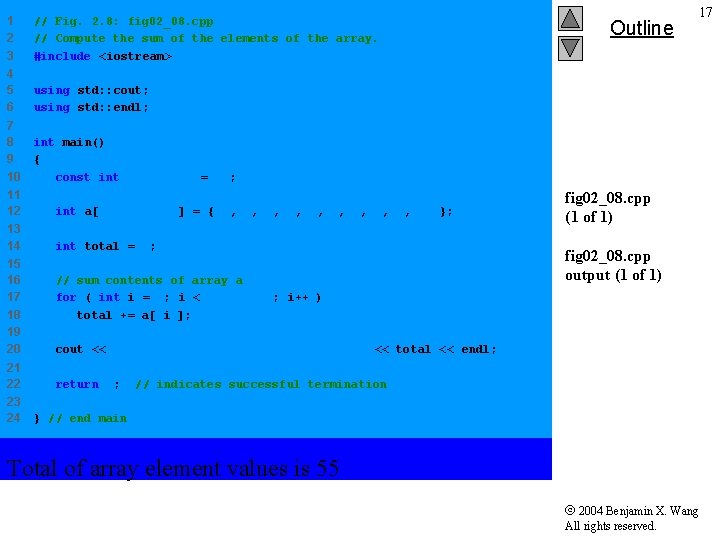
1 2 3 // Fig. 2. 8: fig 02_08. cpp // Compute the sum of the elements of the array. #include <iostream> 4 5 6 using std: : cout; using std: : endl; 7 8 9 10 int main() { const int array. Size = 10; 11 12 int a[ array. Size ] = { 1, 2, 3, 4, 5, 6, 7, 8, 9, 10 }; 13 14 int total = 0; 15 16 17 18 19 20 21 22 23 24 // sum contents of array a for ( int i = 0; i < array. Size; i++ ) total += a[ i ]; Outline 17 fig 02_08. cpp (1 of 1) fig 02_08. cpp output (1 of 1) cout << "Total of array element values is " << total << endl; return 0; // indicates successful termination } // end main Total of array element values is 55 2004 Benjamin X. Wang All rights reserved.
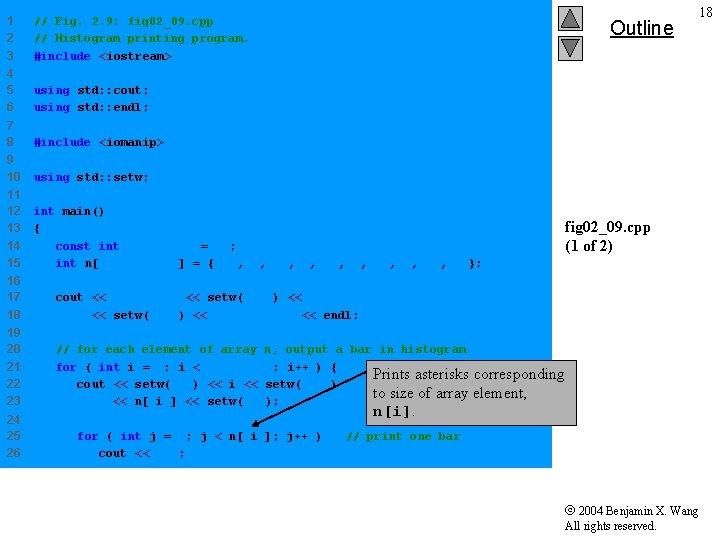
1 2 3 // Fig. 2. 9: fig 02_09. cpp // Histogram printing program. #include <iostream> 4 5 6 using std: : cout; using std: : endl; 7 8 #include <iomanip> 9 10 using std: : setw; 11 12 13 14 15 int main() { const int array. Size = 10; int n[ array. Size ] = { 19, 3, 15, 7, 11, 9, 13, 5, 17, 1 }; Outline 16 17 18 cout << "Element" << setw( 13 ) << "Value" << setw( 17 ) << "Histogram" << endl; 19 20 21 22 23 // for each element of array n, output a bar in histogram for ( int i = 0; i < array. Size; i++ ) { Prints asterisks corresponding cout << setw( 7 ) << i << setw( 13 ) to size of array element, << n[ i ] << setw( 9 ); 24 25 26 18 fig 02_09. cpp (1 of 2) n[i]. for ( int j = 0; j < n[ i ]; j++ ) cout << '*'; // print one bar 2004 Benjamin X. Wang All rights reserved.
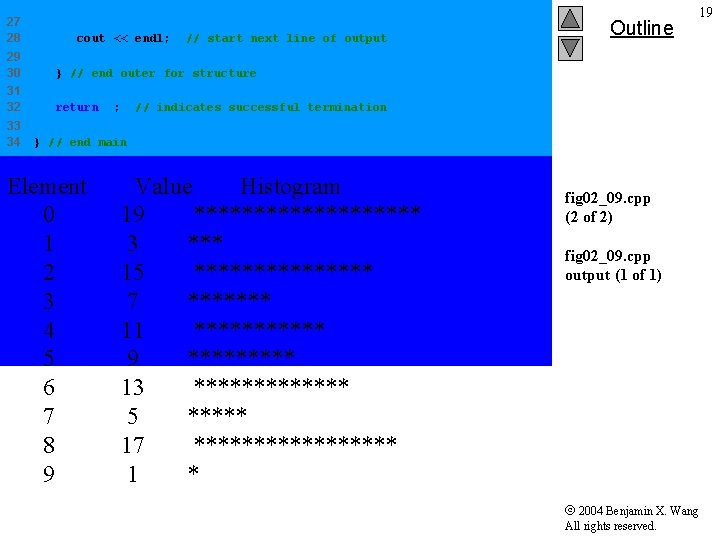
27 28 cout << endl; // start next line of output 29 30 } // end outer for structure 31 32 return 0; 33 34 Outline 19 // indicates successful termination } // end main Element 0 1 2 3 4 5 6 7 8 9 Value Histogram 19 ********** 3 *** 15 ******** 7 ******* 11 ****** 9 ***** 13 ******* 5 ***** 17 ********* 1 * fig 02_09. cpp (2 of 2) fig 02_09. cpp output (1 of 1) 2004 Benjamin X. Wang All rights reserved.
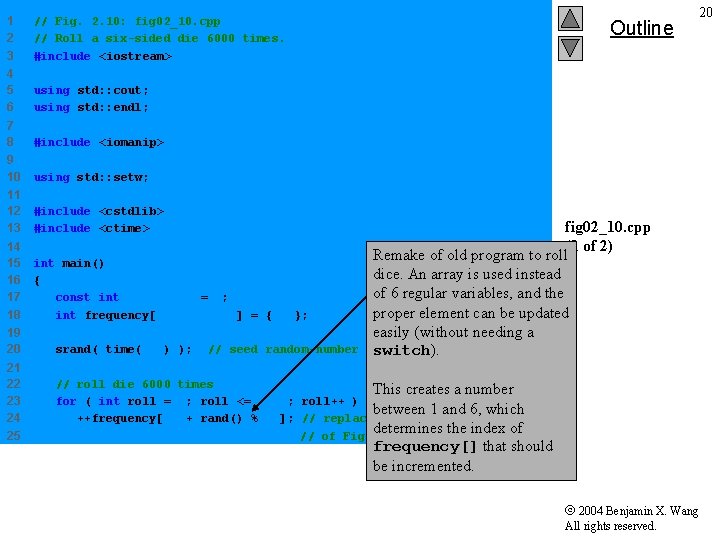
1 2 3 // Fig. 2. 10: fig 02_10. cpp // Roll a six-sided die 6000 times. #include <iostream> 4 5 6 using std: : cout; using std: : endl; 7 8 #include <iomanip> 9 10 using std: : setw; 11 12 13 #include <cstdlib> #include <ctime> 14 15 16 17 18 int main() { const int array. Size = 7; int frequency[ array. Size ] = { 0 }; Outline fig 02_10. cpp (1 of 2) Remake of old program to roll dice. An array is used instead of 6 regular variables, and the proper element can be updated easily (without needing a generator switch). 19 20 srand( time( 0 ) ); 21 22 23 24 25 // roll die 6000 times This creates a number for ( int roll = 1; roll <= 6000; roll++ ) between 1 and 6, which ++frequency[ 1 + rand() % 6 ]; // replaces 20 -line switch determines the index of // of Fig. 3. 8 // seed random-number 20 frequency[] that should be incremented. 2004 Benjamin X. Wang All rights reserved.
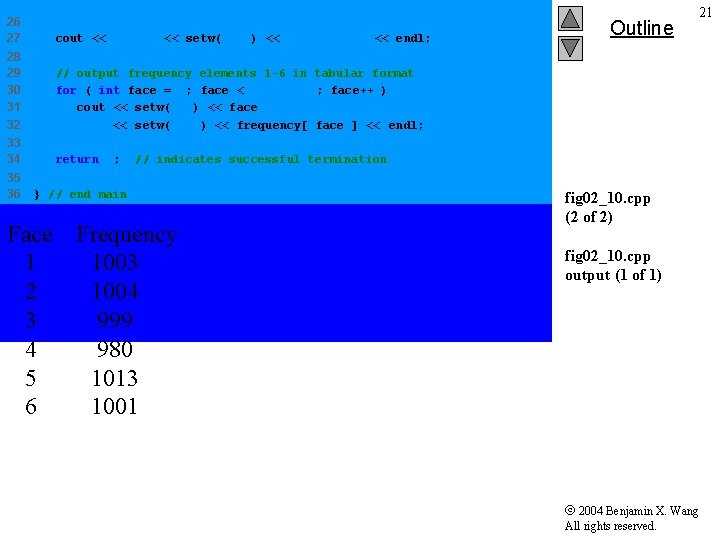
26 27 cout << "Face" << setw( 13 ) << "Frequency" << endl; 28 29 30 31 32 // output frequency elements 1 -6 in tabular format for ( int face = 1; face < array. Size; face++ ) cout << setw( 4 ) << face << setw( 13 ) << frequency[ face ] << endl; 33 34 return 0; 35 36 // indicates successful termination } // end main Face 1 2 3 4 5 6 Outline 21 Frequency 1003 1004 999 980 1013 1001 fig 02_10. cpp (2 of 2) fig 02_10. cpp output (1 of 1) 2004 Benjamin X. Wang All rights reserved.
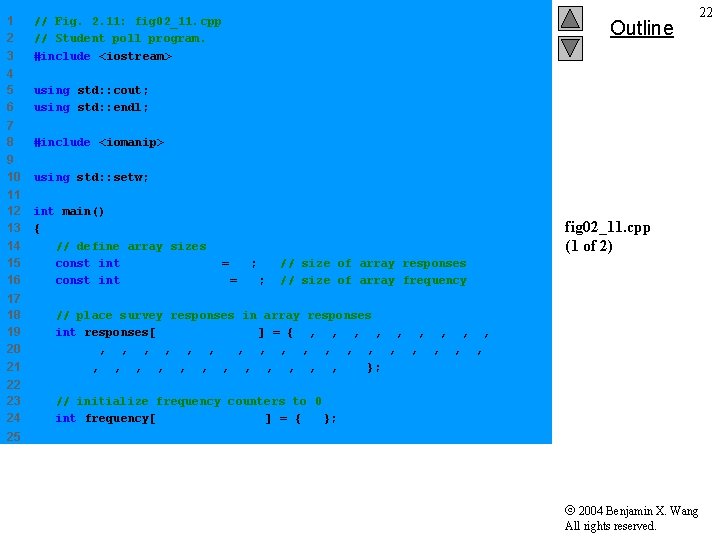
1 2 3 // Fig. 2. 11: fig 02_11. cpp // Student poll program. #include <iostream> 4 5 6 using std: : cout; using std: : endl; 7 8 #include <iomanip> 9 10 using std: : setw; 11 12 13 14 15 16 int main() { // define array sizes const int response. Size = 40; const int frequency. Size = 11; Outline 22 fig 02_11. cpp (1 of 2) // size of array responses // size of array frequency 17 18 19 20 21 // place survey responses in array responses int responses[ response. Size ] = { 1, 2, 6, 4, 8, 5, 9, 7, 8, 10, 1, 6, 3, 8, 6, 10, 3, 8, 2, 7, 6, 5, 7, 6, 8, 6, 7, 5, 6, 6, 5, 6, 7, 5, 6, 4, 8, 6, 8, 10 }; 22 23 24 // initialize frequency counters to 0 int frequency[ frequency. Size ] = { 0 }; 25 2004 Benjamin X. Wang All rights reserved.
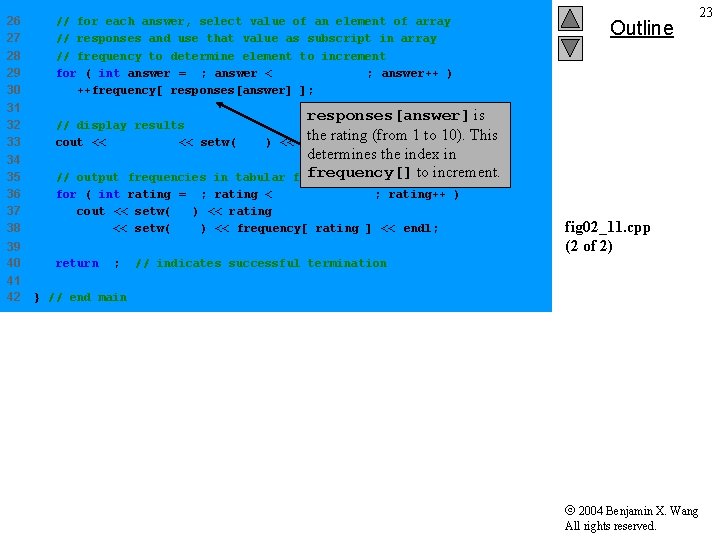
26 27 28 29 30 // for each answer, select value of an element of array // responses and use that value as subscript in array // frequency to determine element to increment for ( int answer = 0; answer < response. Size; answer++ ) ++frequency[ responses[answer] ]; 31 32 33 // display results the rating (from 1 to 10). cout << "Rating" << setw( 17 ) << "Frequency" << endl; 34 35 36 37 38 // output frequencies in tabular for ( int rating = 1; rating < frequency. Size; rating++ ) cout << setw( 6 ) << rating << setw( 17 ) << frequency[ rating ] << endl; 39 40 return 0; 41 42 Outline 23 responses[answer] is This determines the index in frequency[] to increment. format fig 02_11. cpp (2 of 2) // indicates successful termination } // end main 2004 Benjamin X. Wang All rights reserved.
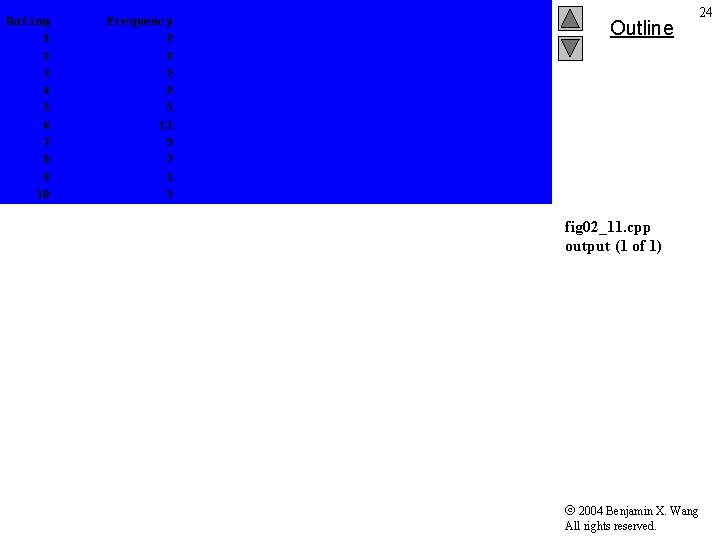
Rating 1 2 3 4 5 6 7 8 9 10 Frequency 2 2 5 11 5 7 1 3 Outline 24 fig 02_11. cpp output (1 of 1) 2004 Benjamin X. Wang All rights reserved.
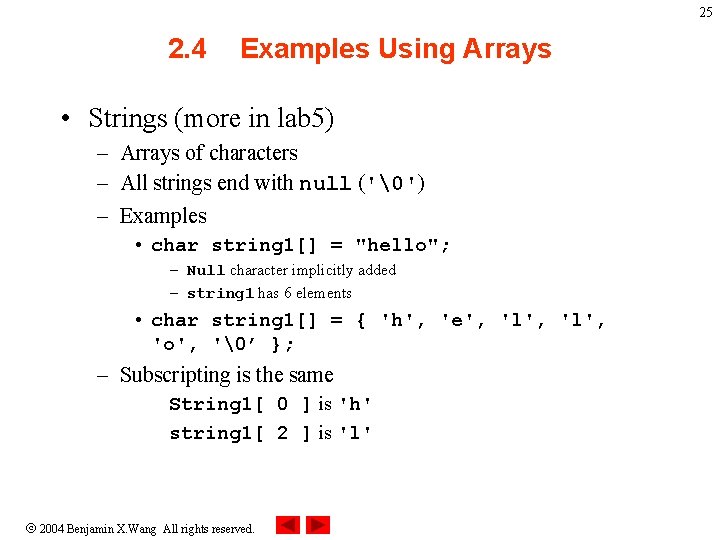
25 2. 4 Examples Using Arrays • Strings (more in lab 5) – Arrays of characters – All strings end with null ('') – Examples • char string 1[] = "hello"; – Null character implicitly added – string 1 has 6 elements • char string 1[] = { 'h', 'e', 'l', 'o', '’ }; – Subscripting is the same String 1[ 0 ] is 'h' string 1[ 2 ] is 'l' 2004 Benjamin X. Wang All rights reserved.
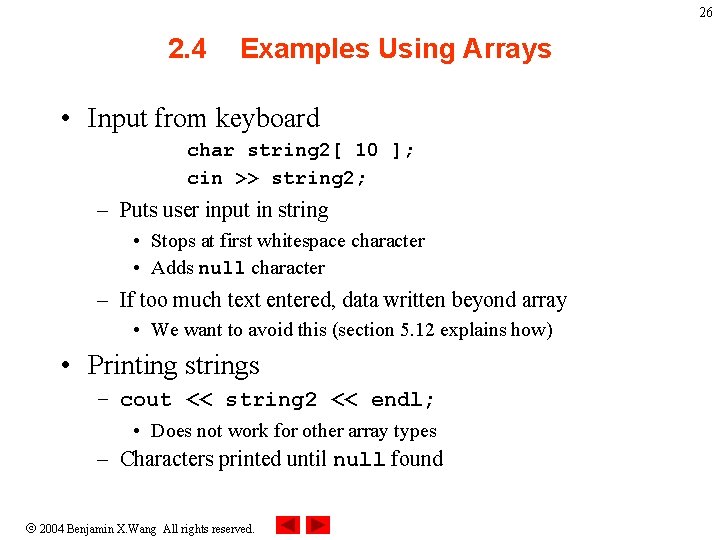
26 2. 4 Examples Using Arrays • Input from keyboard char string 2[ 10 ]; cin >> string 2; – Puts user input in string • Stops at first whitespace character • Adds null character – If too much text entered, data written beyond array • We want to avoid this (section 5. 12 explains how) • Printing strings – cout << string 2 << endl; • Does not work for other array types – Characters printed until null found 2004 Benjamin X. Wang All rights reserved.
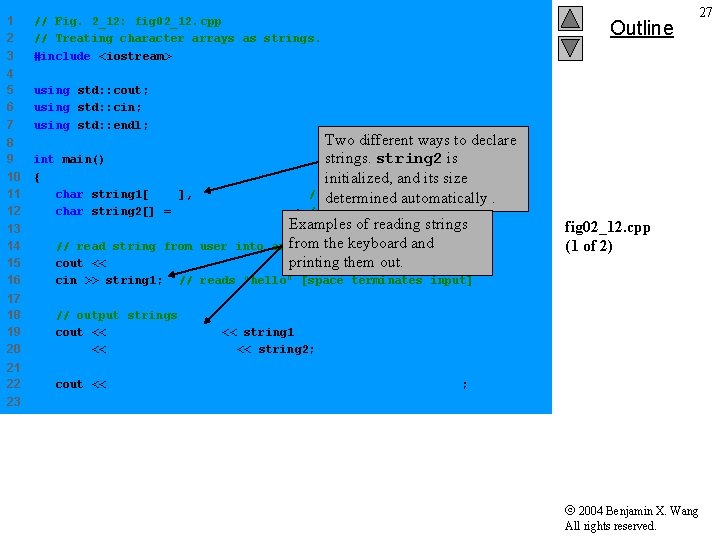
1 2 3 // Fig. 2_12: fig 02_12. cpp // Treating character arrays as strings. #include <iostream> 4 5 6 7 using std: : cout; using std: : cin; using std: : endl; 8 9 10 11 12 int main() { char string 1[ 20 ], char string 2[] = "string literal"; // reserves 15 characters Outline 27 Two different ways to declare strings. string 2 is initialized, and its size // determined reserves 20 characters. automatically Examples of reading strings fromstring 2 the keyboard and from user into array the string "helloprinting there": " ; out. them 13 14 15 16 // read string cout << "Enter cin >> string 1; 17 18 19 20 // output strings cout << "string 1 is: " << string 1 << "nstring 2 is: " << string 2; 21 22 cout << "nstring 1 with spaces between characters is: n" ; fig 02_12. cpp (1 of 2) // reads "hello" [space terminates input] 23 2004 Benjamin X. Wang All rights reserved.
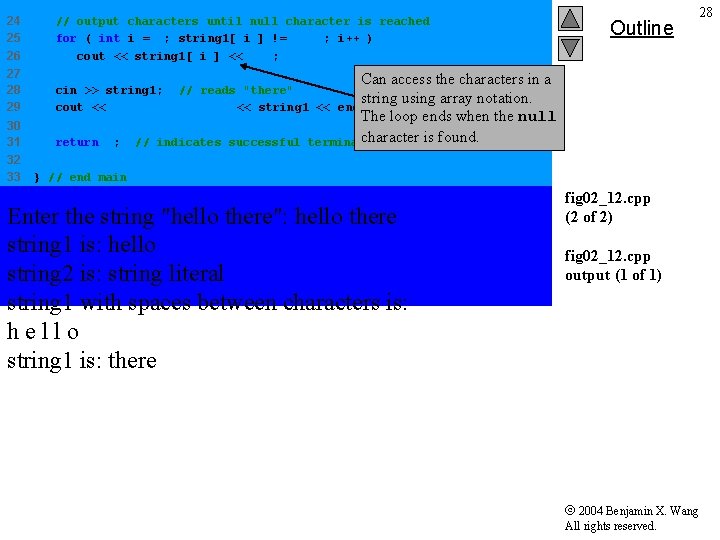
24 25 26 // output characters until null character is reached for ( int i = 0; string 1[ i ] != ''; i++ ) cout << string 1[ i ] << ' '; 27 28 29 cin >> string 1; // reads "there" string cout << "nstring 1 is: " << string 1 << endl; 30 31 return 0; 32 33 // indicates successful Outline 28 Can access the characters in a using array notation. The loop ends when the null character is found. termination } // end main Enter the string "hello there": hello there string 1 is: hello string 2 is: string literal string 1 with spaces between characters is: hello string 1 is: there fig 02_12. cpp (2 of 2) fig 02_12. cpp output (1 of 1) 2004 Benjamin X. Wang All rights reserved.
29 2. 4 Examples Using Arrays • Recall static storage – If static, local variables save values between function calls – Visible only in function body – Can declare local arrays to be static • Initialized to zero static int array[3]; • If not static – Created (and destroyed) in every function call 2004 Benjamin X. Wang All rights reserved.
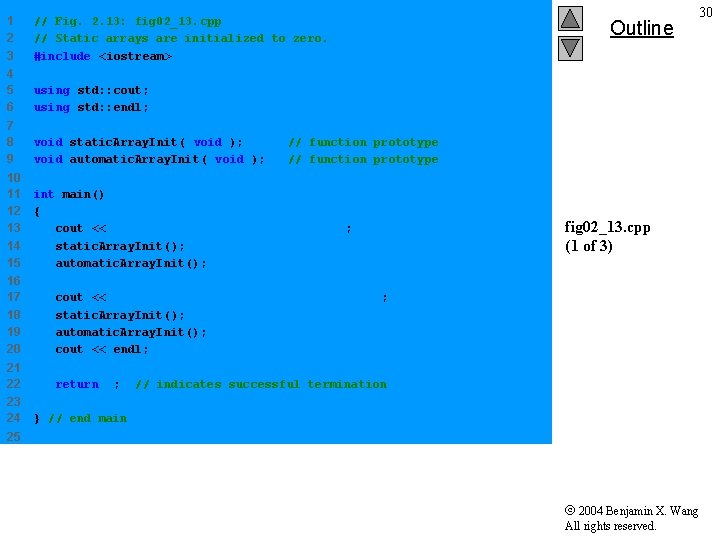
1 2 3 // Fig. 2. 13: fig 02_13. cpp // Static arrays are initialized to zero. #include <iostream> 4 5 6 using std: : cout; using std: : endl; 7 8 9 void static. Array. Init( void ); void automatic. Array. Init( void ); 10 11 12 13 14 15 int main() { cout << "First call to each function: n" ; static. Array. Init(); automatic. Array. Init(); // function prototype 16 17 18 19 20 cout << "nn. Second call to each function: n" ; static. Array. Init(); automatic. Array. Init(); cout << endl; 21 22 return 0; 23 24 Outline 30 fig 02_13. cpp (1 of 3) // indicates successful termination } // end main 25 2004 Benjamin X. Wang All rights reserved.
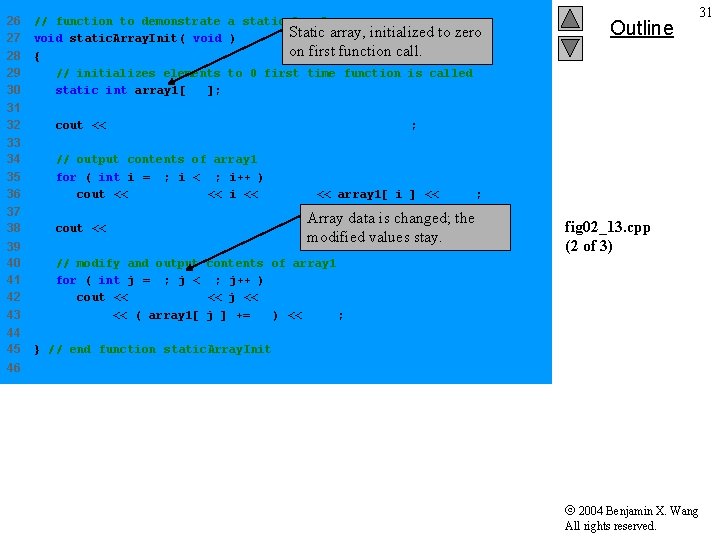
26 27 28 29 30 // function to demonstrate a static local array Static array, initialized to zero void static. Array. Init( void ) on first function call. { // initializes elements to 0 first time function is called static int array 1[ 3 ]; 31 32 cout << "n. Values on entering static. Array. Init: n"; 33 34 35 36 // output contents of array 1 for ( int i = 0; i < 3; i++ ) cout << "array 1[" << i << "] = " << array 1[ i ] << " 37 38 cout << "n. Values on exiting static. Array. Init: n"; 39 40 41 42 43 // modify and output for ( int j = 0; j < cout << "array 1[" << ( array 1[ 44 45 Outline 31 "; Array data is changed; the modified values stay. fig 02_13. cpp (2 of 3) contents of array 1 3; j++ ) << j << "] = " j ] += 5 ) << " "; } // end function static. Array. Init 46 2004 Benjamin X. Wang All rights reserved.
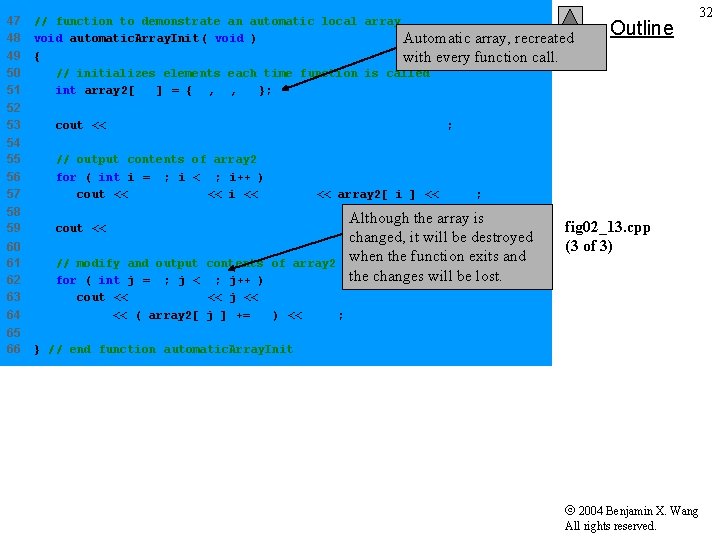
47 48 49 50 51 // function to demonstrate an automatic local array void automatic. Array. Init( void ) Automatic array, recreated { with every function call. // initializes elements each time function is called int array 2[ 3 ] = { 1, 2, 3 }; 52 53 cout << "nn. Values on entering automatic. Array. Init: n"; 54 55 56 57 // output contents of array 2 for ( int i = 0; i < 3; i++ ) cout << "array 2[" << i << "] = " << array 2[ i ] << " 58 59 cout << "n. Values on exiting automatic. Array. Init: n"; 60 61 62 63 64 // modify and output for ( int j = 0; j < cout << "array 2[" << ( array 2[ 65 66 contents of array 2 3; j++ ) << j << "] = " j ] += 5 ) << " "; Outline 32 "; Although the array is changed, it will be destroyed when the function exits and the changes will be lost. fig 02_13. cpp (3 of 3) } // end function automatic. Array. Init 2004 Benjamin X. Wang All rights reserved.
![First call to each function: Values on array 1[0] entering static. Array. Init: =](http://slidetodoc.com/presentation_image_h2/b5a81bb0df0a2035f8c0e5d5e0c270e7/image-33.jpg "First call to each function: Values on array 1[0] entering static. Array. Init: =")
First call to each function: Values on array 1[0] entering static. Array. Init: = 0 array 1[1] = 0 array 1[2] = 0 exiting static. Array. Init: = 5 array 1[1] = 5 array 1[2] = 5 Values on array 2[0] entering automatic. Array. Init: = 1 array 2[1] = 2 array 2[2] = 3 exiting automatic. Array. Init: = 6 array 2[1] = 7 array 2[2] = 8 Second call to each function: Values on array 1[0] entering static. Array. Init: = 5 array 1[1] = 5 array 1[2] = 5 exiting static. Array. Init: = 10 array 1[1] = 10 array 1[2] = 10 Values on array 2[0] entering automatic. Array. Init: = 1 array 2[1] = 2 array 2[2] = 3 exiting automatic. Array. Init: = 6 array 2[1] = 7 array 2[2] = 8 Outline 33 fig 02_13. cpp output (1 of 1) 2004 Benjamin X. Wang All rights reserved.
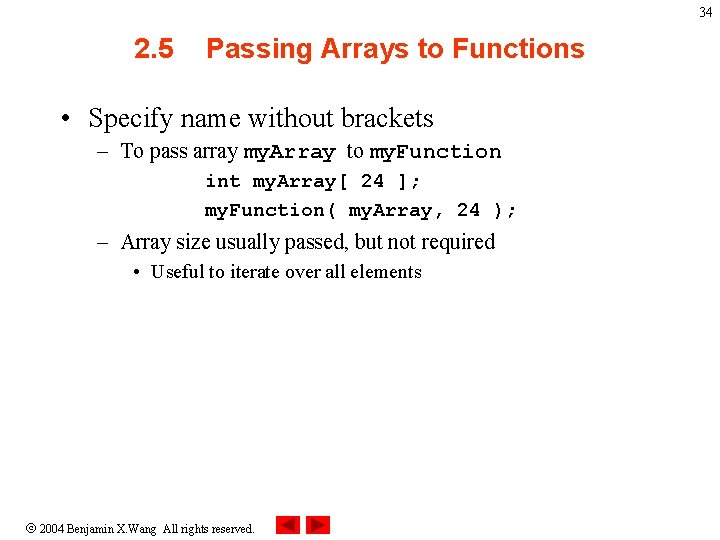
34 2. 5 Passing Arrays to Functions • Specify name without brackets – To pass array my. Array to my. Function int my. Array[ 24 ]; my. Function( my. Array, 24 ); – Array size usually passed, but not required • Useful to iterate over all elements 2004 Benjamin X. Wang All rights reserved.
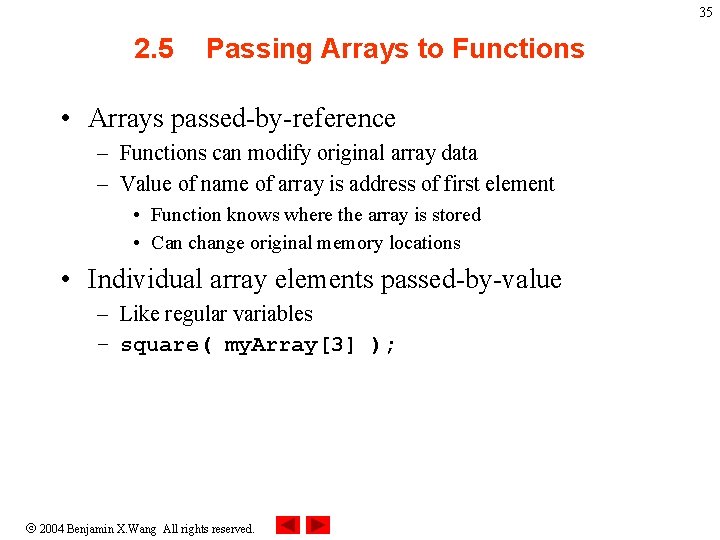
35 2. 5 Passing Arrays to Functions • Arrays passed-by-reference – Functions can modify original array data – Value of name of array is address of first element • Function knows where the array is stored • Can change original memory locations • Individual array elements passed-by-value – Like regular variables – square( my. Array[3] ); 2004 Benjamin X. Wang All rights reserved.
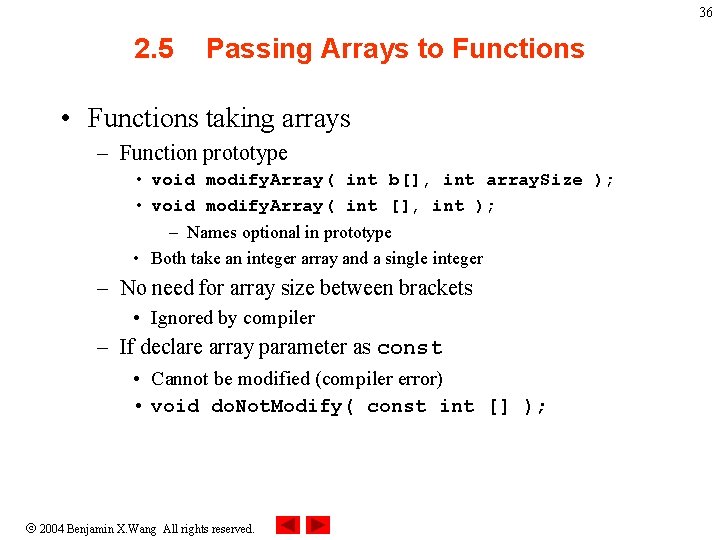
36 2. 5 Passing Arrays to Functions • Functions taking arrays – Function prototype • void modify. Array( int b[], int array. Size ); • void modify. Array( int [], int ); – Names optional in prototype • Both take an integer array and a single integer – No need for array size between brackets • Ignored by compiler – If declare array parameter as const • Cannot be modified (compiler error) • void do. Not. Modify( const int [] ); 2004 Benjamin X. Wang All rights reserved.
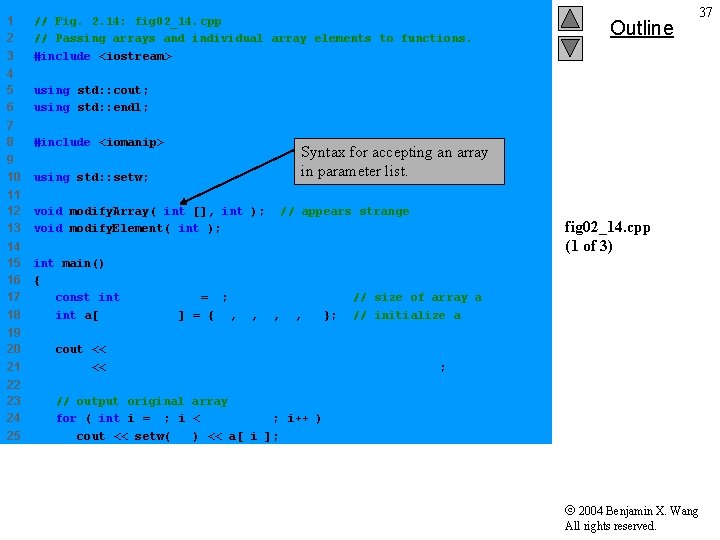
1 2 3 // Fig. 2. 14: fig 02_14. cpp // Passing arrays and individual array elements to functions. #include <iostream> 4 5 6 using std: : cout; using std: : endl; 7 8 #include <iomanip> 9 10 using std: : setw; 11 12 13 void modify. Array( int [], int ); void modify. Element( int ); 14 15 16 17 18 int main() { const int array. Size = 5; int a[ array. Size ] = { 0, 1, 2, 3, 4 }; Outline 37 Syntax for accepting an array in parameter list. // appears strange fig 02_14. cpp (1 of 3) // size of array a // initialize a 19 20 21 cout << "Effects of passing entire array by reference: " << "nn. The values of the original array are: n" ; 22 23 24 25 // output original array for ( int i = 0; i < array. Size; i++ ) cout << setw( 3 ) << a[ i ]; 2004 Benjamin X. Wang All rights reserved.
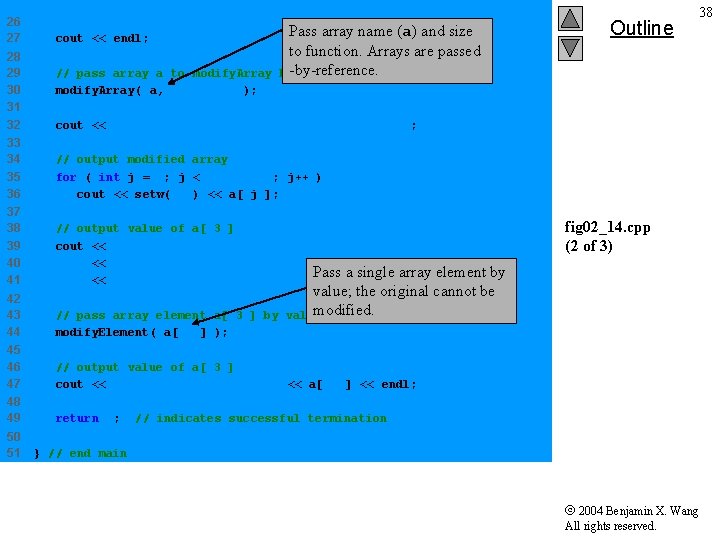
26 27 28 29 30 31 32 cout << endl; // pass array a to modify. Array( a, array. Size ); Pass array name (a) and size to function. Arrays are passed by-by-reference cout << "The values of the modified array are: n" ; 33 34 35 36 // output modified array for ( int j = 0; j < array. Size; j++ ) cout << setw( 3 ) << a[ j ]; 37 38 39 40 41 // output value of a[ 3 ] cout << "nnn" << "Effects of passing array element by value: " Pass a single array element << "nn. The value of a[3] is " << a[ 3 ] << 'n'; 42 43 44 // pass array element a[ 3 ] by modify. Element( a[ 3 ] ); 45 46 47 // output value of a[ 3 ] cout << "The value of a[3] is " << a[ 3 ] << endl; 48 49 return 0; 50 51 Outline 38 fig 02_14. cpp (2 of 3) by value; the original cannot be modified. value // indicates successful termination } // end main 2004 Benjamin X. Wang All rights reserved.
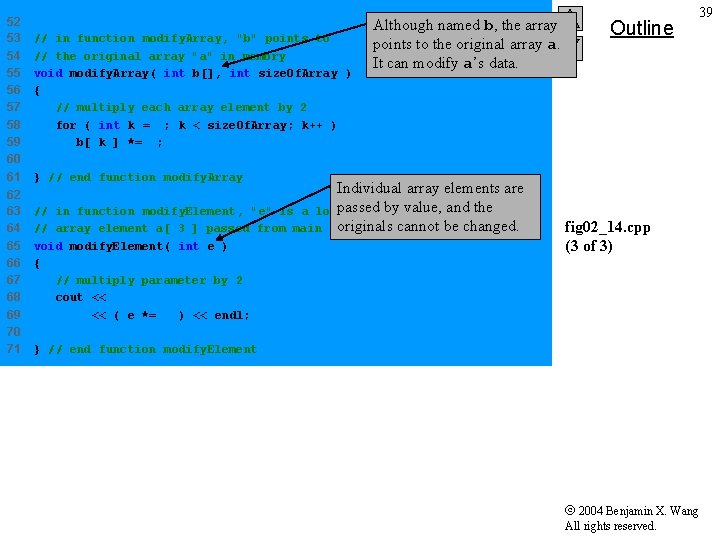
52 53 54 55 56 57 58 59 60 61 62 63 64 65 66 67 68 69 70 71 // in function modify. Array, "b" points to // the original array "a" in memory void modify. Array( int b[], int size. Of. Array ) { // multiply each array element by 2 for ( int k = 0; k < size. Of. Array; k++ ) b[ k ] *= 2; Although named b, the array points to the original array a. It can modify a’s data. Outline 39 } // end function modify. Array Individual array elements are passed in function modify. Element, "e" is a local copybyofvalue, and the array element a[ 3 ] passed from main originals cannot be changed. // // void modify. Element( int e ) { // multiply parameter by 2 cout << "Value in modify. Element is " << ( e *= 2 ) << endl; fig 02_14. cpp (3 of 3) } // end function modify. Element 2004 Benjamin X. Wang All rights reserved.
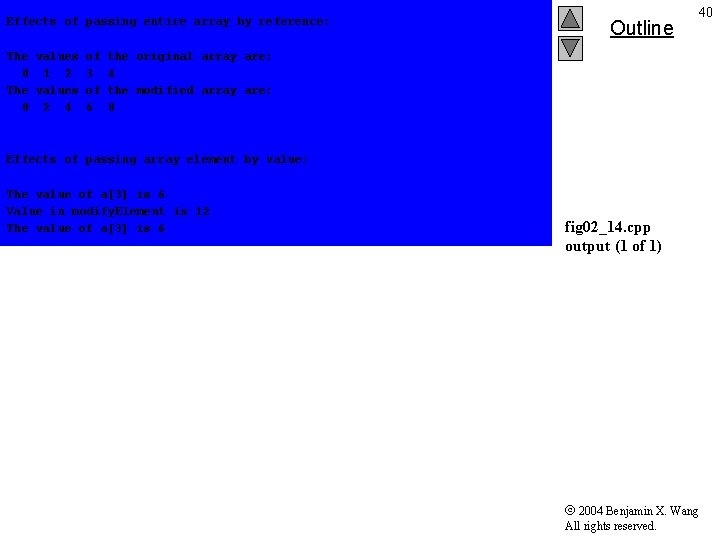
Effects of passing entire array by reference: The values of 0 1 2 3 The values of 0 2 4 6 Outline 40 the original array are: 4 the modified array are: 8 Effects of passing array element by value: The value of a[3] is 6 Value in modify. Element is 12 The value of a[3] is 6 fig 02_14. cpp output (1 of 1) 2004 Benjamin X. Wang All rights reserved.
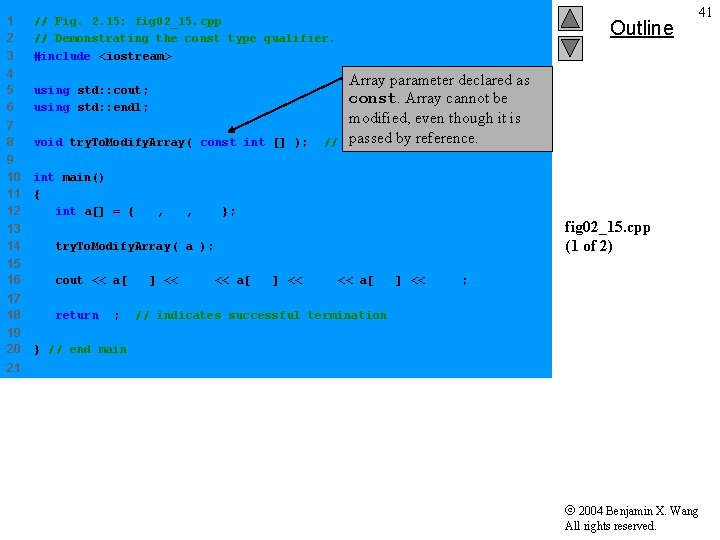
1 2 3 // Fig. 2. 15: fig 02_15. cpp // Demonstrating the const type qualifier. #include <iostream> 4 5 6 using std: : cout; using std: : endl; 7 8 void try. To. Modify. Array( const int [] ); 9 10 11 12 int main() { int a[] = { 10, 20, 30 }; // Outline Array parameter declared as const. Array cannot be modified, even though it is passed byprototype reference. function 13 14 try. To. Modify. Array( a ); 15 16 cout << a[ 0 ] << ' ' << a[ 1 ] << ' ' << a[ 2 ] << 'n'; 17 18 return 0; 19 20 41 fig 02_15. cpp (1 of 2) // indicates successful termination } // end main 21 2004 Benjamin X. Wang All rights reserved.
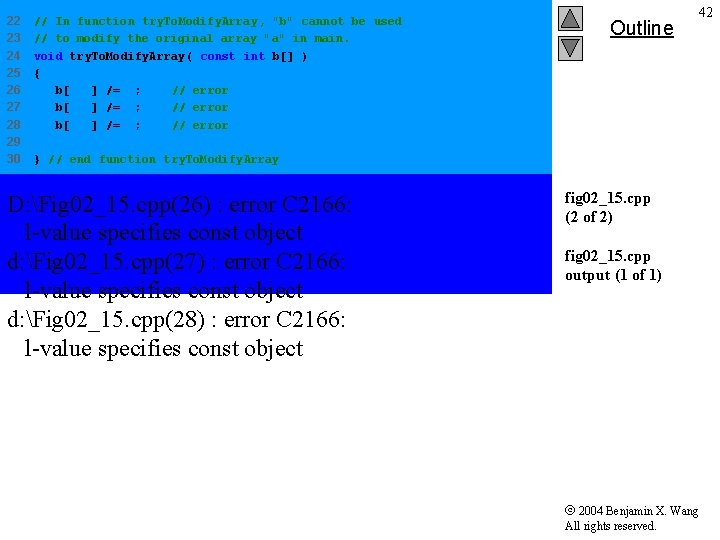
22 23 24 25 26 27 28 29 30 // In function try. To. Modify. Array, "b" cannot be used // to modify the original array "a" in main. void try. To. Modify. Array( const int b[] ) { b[ 0 ] /= 2; // error b[ 1 ] /= 2; // error b[ 2 ] /= 2; // error Outline 42 } // end function try. To. Modify. Array D: Fig 02_15. cpp(26) : error C 2166: l-value specifies const object d: Fig 02_15. cpp(27) : error C 2166: l-value specifies const object d: Fig 02_15. cpp(28) : error C 2166: l-value specifies const object fig 02_15. cpp (2 of 2) fig 02_15. cpp output (1 of 1) 2004 Benjamin X. Wang All rights reserved.
43 2. 6 Sorting Arrays • Sorting data – Important computing application – Virtually every organization must sort some data • Massive amounts must be sorted • Bubble sort (sinking sort) – Several passes through the array – Successive pairs of elements are compared • If increasing order (or identical), no change • If decreasing order, elements exchanged – Repeat these steps for every element 2004 Benjamin X. Wang All rights reserved.
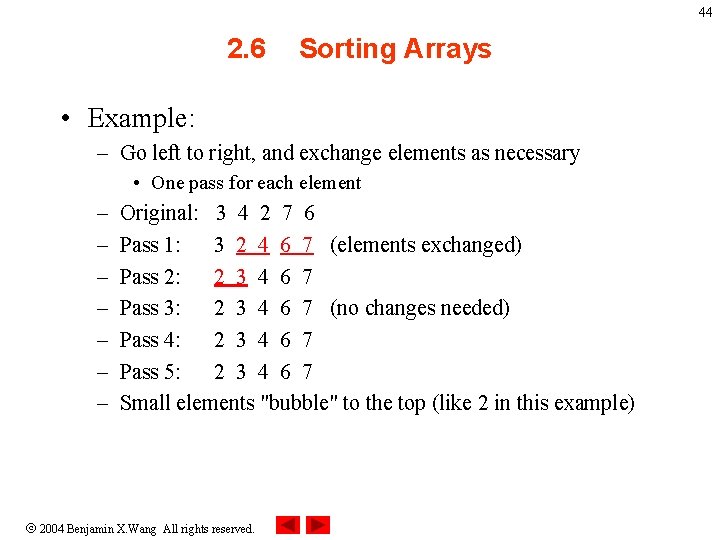
44 2. 6 Sorting Arrays • Example: – Go left to right, and exchange elements as necessary • One pass for each element – – – – Original: 3 4 2 7 6 Pass 1: 3 2 4 6 7 (elements exchanged) Pass 2: 2 3 4 6 7 Pass 3: 2 3 4 6 7 (no changes needed) Pass 4: 2 3 4 6 7 Pass 5: 2 3 4 6 7 Small elements "bubble" to the top (like 2 in this example) 2004 Benjamin X. Wang All rights reserved.
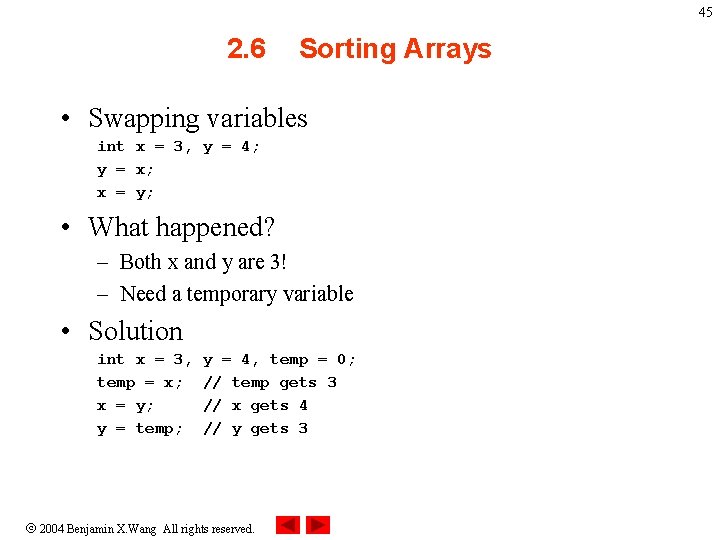
45 2. 6 Sorting Arrays • Swapping variables int x = 3, y = 4; y = x; x = y; • What happened? – Both x and y are 3! – Need a temporary variable • Solution int x = 3, temp = x; x = y; y = temp; y = 4, temp = 0; // temp gets 3 // x gets 4 // y gets 3 2004 Benjamin X. Wang All rights reserved.
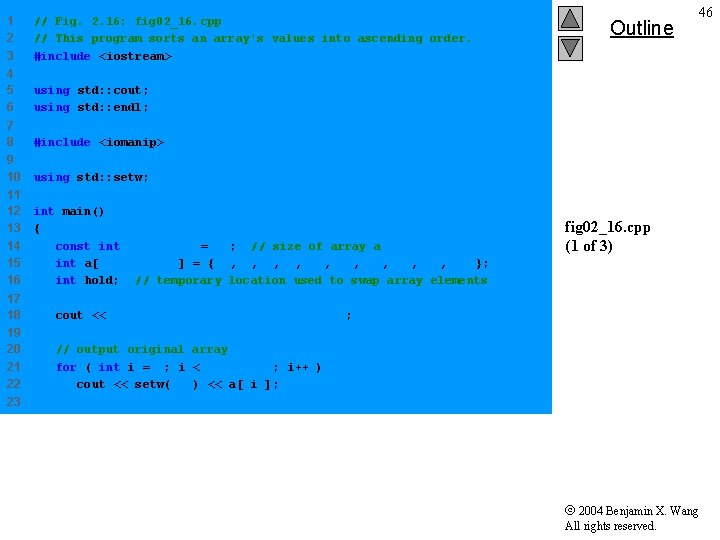
1 2 3 // Fig. 2. 16: fig 02_16. cpp // This program sorts an array's values into ascending order. #include <iostream> 4 5 6 using std: : cout; using std: : endl; 7 8 #include <iomanip> 9 10 using std: : setw; 11 12 13 14 15 16 int main() { const int array. Size = 10; // size of array a int a[ array. Size ] = { 2, 6, 4, 8, 10, 12, 89, 68, 45, 37 }; int hold; // temporary location used to swap array elements 17 18 cout << "Data items in original ordern" ; 19 20 21 22 // output original array for ( int i = 0; i < array. Size; i++ ) cout << setw( 4 ) << a[ i ]; Outline 46 fig 02_16. cpp (1 of 3) 23 2004 Benjamin X. Wang All rights reserved.
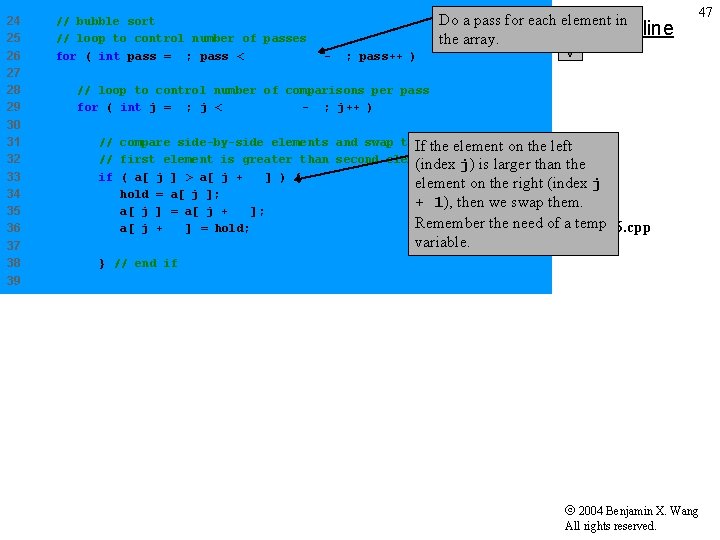
24 25 26 27 28 29 30 31 32 33 34 35 36 37 38 // bubble sort // loop to control number of passes for ( int pass = 0; pass < array. Size - 1; pass++ ) Do a pass for each element in Outline the array. 47 // loop to control number of comparisons per pass for ( int j = 0; j < array. Size - 1; j++ ) // compare side-by-side elements and swap them if element on the left If the // first element is greater than second element (index j) is larger than the if ( a[ j ] > a[ j + 1 ] ) { element on the right (index j hold = a[ j ]; + 1), then we swap them. a[ j ] = a[ j + 1 ]; Remember the need of afig 02_16. cpp temp a[ j + 1 ] = hold; variable. (2 of 3) } // end if 39 2004 Benjamin X. Wang All rights reserved.
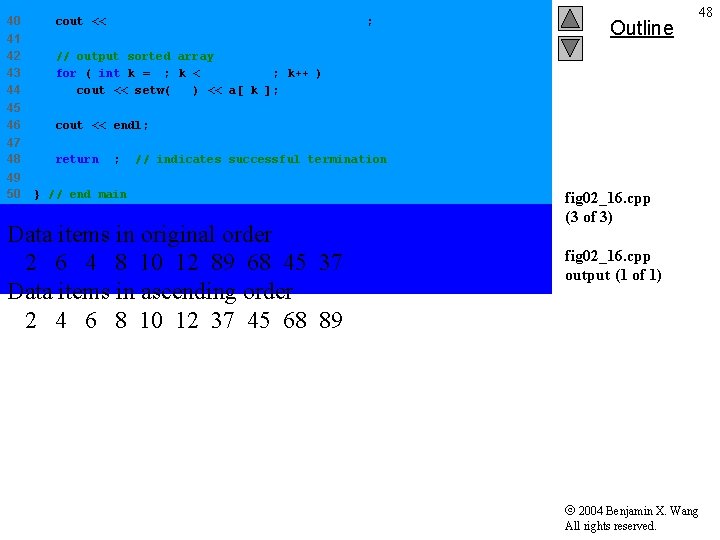
40 cout << "n. Data items in ascending ordern" ; 41 42 43 44 // output sorted array for ( int k = 0; k < array. Size; k++ ) cout << setw( 4 ) << a[ k ]; 45 46 cout << endl; 47 48 return 0; 49 50 Outline 48 // indicates successful termination } // end main Data items in original order 2 6 4 8 10 12 89 68 45 37 Data items in ascending order 2 4 6 8 10 12 37 45 68 89 fig 02_16. cpp (3 of 3) fig 02_16. cpp output (1 of 1) 2004 Benjamin X. Wang All rights reserved.
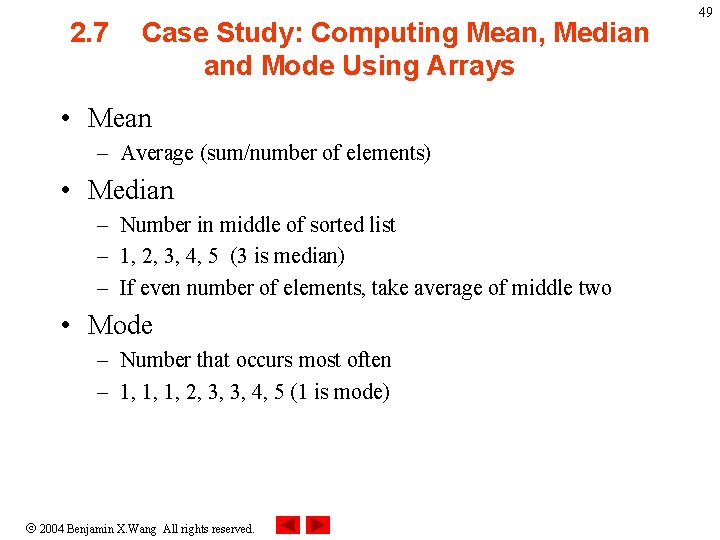
2. 7 Case Study: Computing Mean, Median and Mode Using Arrays • Mean – Average (sum/number of elements) • Median – Number in middle of sorted list – 1, 2, 3, 4, 5 (3 is median) – If even number of elements, take average of middle two • Mode – Number that occurs most often – 1, 1, 1, 2, 3, 3, 4, 5 (1 is mode) 2004 Benjamin X. Wang All rights reserved. 49
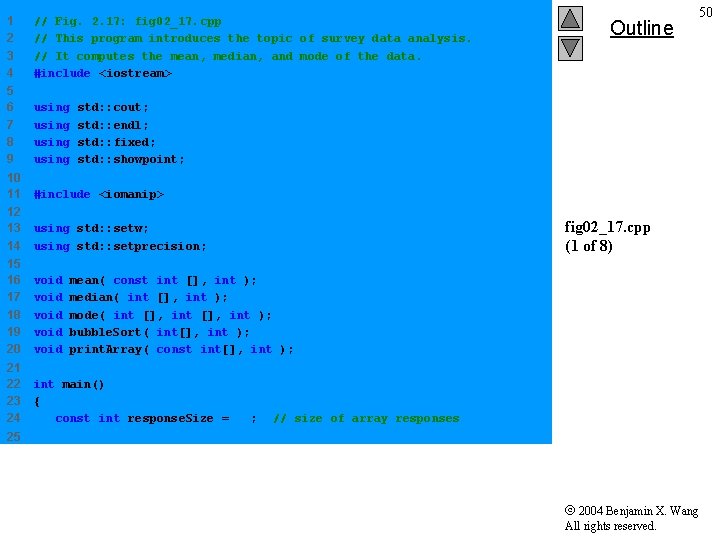
1 2 3 4 // Fig. 2. 17: fig 02_17. cpp // This program introduces the topic of survey data analysis. // It computes the mean, median, and mode of the data. #include <iostream> 5 6 7 8 9 using 10 11 #include <iomanip> 12 13 14 using std: : setw; using std: : setprecision; 15 16 17 18 19 20 void void 21 22 23 24 int main() { const int response. Size = 99; Outline 50 std: : cout; std: : endl; std: : fixed; std: : showpoint; fig 02_17. cpp (1 of 8) mean( const int [], int ); median( int [], int ); mode( int [], int ); bubble. Sort( int[], int ); print. Array( const int[], int ); // size of array responses 25 2004 Benjamin X. Wang All rights reserved.
![26 int frequency[ 10 ] = { 0 }; 27 28 29 30 31](http://slidetodoc.com/presentation_image_h2/b5a81bb0df0a2035f8c0e5d5e0c270e7/image-51.jpg "26 int frequency[ 10 ] = { 0 }; 27 28 29 30 31")
26 int frequency[ 10 ] = { 0 }; 27 28 29 30 31 32 33 34 35 36 37 38 39 // initialize array responses int response[ response. Size ] = { 6, 7, 8, 9, 8, 7, 8, 9, 5, 9, 8, 7, 8, 6, 7, 8, 9, 3, 9, 8, 7, 7, 8, 9, 7, 6, 7, 8, 7, 9, 8, 7, 8, 9, 7, 5, 6, 7, 2, 5, 3, 9, 4, 7, 8, 9, 6, 8, 7, 8, 9, 7, 4, 4, 2, 5, 3, 8, 7, 4, 5, 6, 1, 6, 5, 7, 8, 40 41 42 43 44 // process responses mean( response, response. Size ); median( response, response. Size ); mode( frequency, response. Size ); 45 46 return 0; 47 48 // initialize array frequency 8, 9, 7, 8, 8, 7, 8, 9, 9, 2, 5, 3, 6, 4, 7, 8, 5, 6, 7 }; Outline 51 fig 02_17. cpp (2 of 8) // indicates successful termination } // end main 49 2004 Benjamin X. Wang All rights reserved.
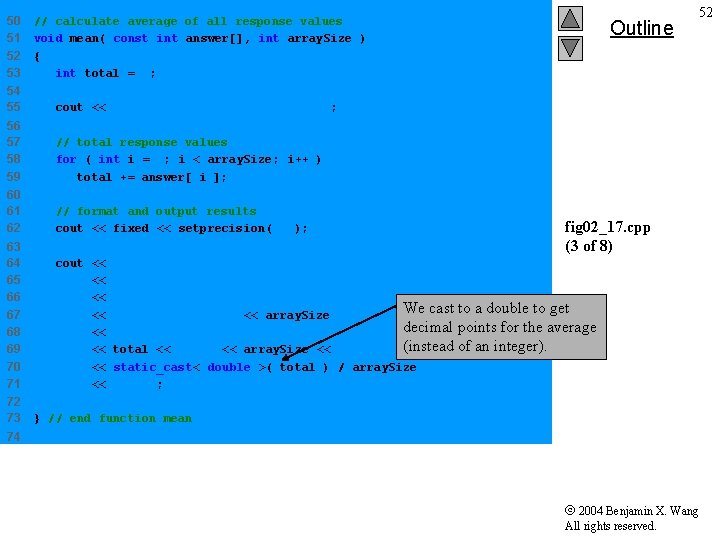
50 51 52 53 // calculate average of all response values void mean( const int answer[], int array. Size ) { int total = 0; 54 55 cout << "****n 56 57 58 59 // total response values for ( int i = 0; i < array. Size; i++ ) total += answer[ i ]; 60 61 62 // format and output results cout << fixed << setprecision( 4 ); 63 64 65 66 67 68 69 70 71 cout << << 72 73 Outline 52 Meann****n" ; fig 02_17. cpp (3 of 8) "The mean is the average value of the datan" "items. The mean is equal to the total ofn" "all the data items divided by the numbern" We cast to a double to get "of data items (" << array. Size "). The mean value fornthis run is: " decimal points for the average (instead of an integer). total << " / " << array. Size << " = " static_cast< double >( total ) / array. Size "nn"; } // end function mean 74 2004 Benjamin X. Wang All rights reserved.
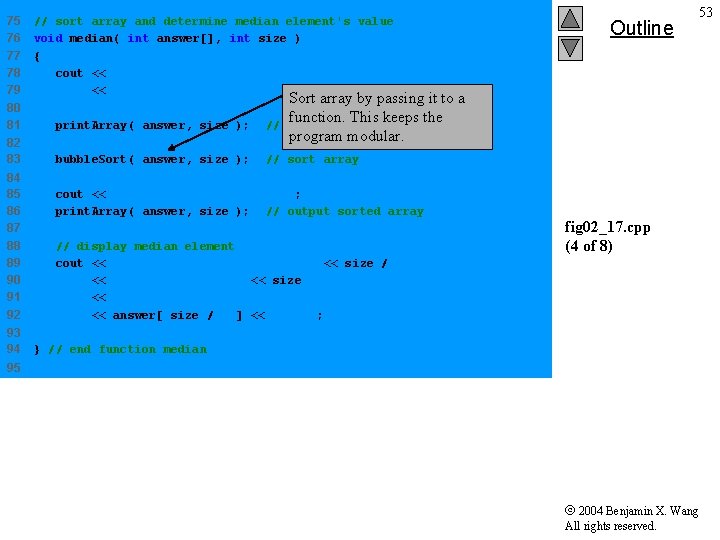
75 76 77 78 79 // sort array and determine median element's value void median( int answer[], int size ) { cout << "n****n Mediann****n" << "The unsorted array of responses is" ; Sort array by passing it to a function. This keeps the output unsorted array program modular. 80 81 print. Array( answer, size ); // 82 83 bubble. Sort( answer, size ); // sort array 84 85 86 87 88 89 90 91 92 93 94 Outline 53 cout << "nn. The sorted array is"; print. Array( answer, size ); // output sorted array // display median element cout << "nn. The median is element " << size / 2 << " ofnthe sorted " << size << " element array. n. For this run the median is " << answer[ size / 2 ] << "nn"; fig 02_17. cpp (4 of 8) } // end function median 95 2004 Benjamin X. Wang All rights reserved.
![96 // determine most frequent response 97 void mode( int freq[], int answer[], int](http://slidetodoc.com/presentation_image_h2/b5a81bb0df0a2035f8c0e5d5e0c270e7/image-54.jpg "96 // determine most frequent response 97 void mode( int freq[], int answer[], int")
96 // determine most frequent response 97 void mode( int freq[], int answer[], int size ) 98 { 99 int largest = 0; // represents largest frequency 100 int mode. Value = 0; // represents most frequent response 101 102 cout << "n****n 103 104 105 106 // initialize frequencies to 0 for ( int i = 1; i <= 9; i++ ) freq[ i ] = 0; 107 108 109 110 // summarize frequencies for ( int j = 0; j < size; j++ ) ++freq[ answer[ j ] ]; 111 112 113 114 115 116 // output headers for result columns cout << "Response" << setw( 11 ) << "Frequency" << setw( 19 ) << "Histogramnn" << setw( 55 ) << "1 1 2 2n" << setw( 56 ) << "5 0 5nn" ; Outline 54 Moden****n" ; fig 02_17. cpp (5 of 8) 117 2004 Benjamin X. Wang All rights reserved.
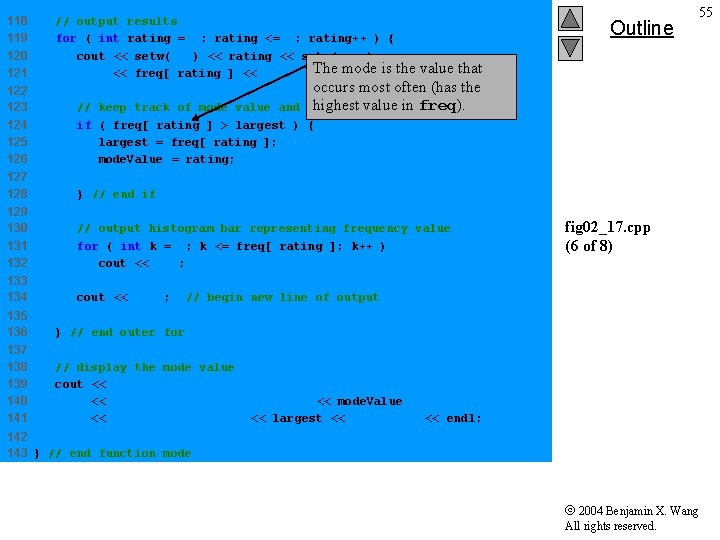
118 119 120 121 122 123 124 125 126 127 128 // output results for ( int rating = 1; rating <= 9; rating++ ) { cout << setw( 8 ) << rating << setw( 11 ) The mode is the << freq[ rating ] << " "; Outline 55 value that occurs most often (has the highest value in freq). largest fequency value // keep track of mode value and if ( freq[ rating ] > largest ) { largest = freq[ rating ]; mode. Value = rating; } // end if 129 130 131 132 // output histogram bar representing frequency value for ( int k = 1; k <= freq[ rating ]; k++ ) cout << '*'; 133 134 cout << 'n'; fig 02_17. cpp (6 of 8) // begin new line of output 135 136 } // end outer for 137 138 139 140 141 // display the mode value cout << "The mode is the most frequent value. n" << "For this run the mode is " << mode. Value << " which occurred " << largest << " times. " << endl; 142 143 } // end function mode 2004 Benjamin X. Wang All rights reserved.
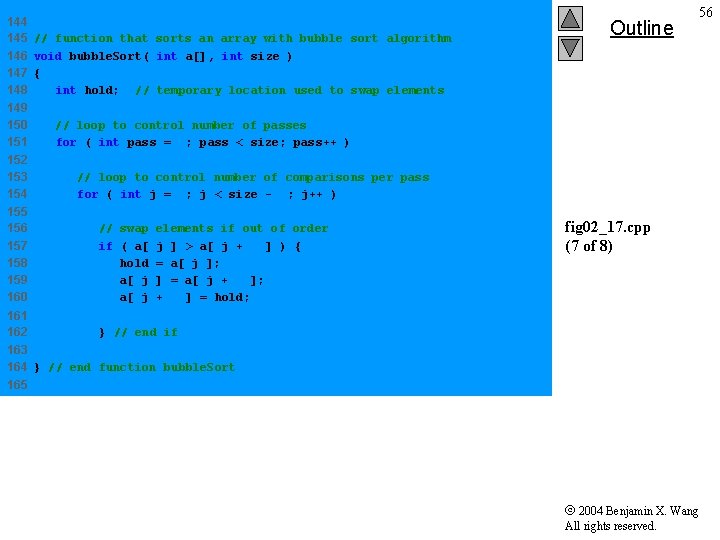
144 145 // function that sorts an array with bubble sort algorithm 146 void bubble. Sort( int a[], int size ) 147 { 148 int hold; // temporary location used to swap elements 149 150 151 152 153 154 Outline 56 // loop to control number of passes for ( int pass = 1; pass < size; pass++ ) // loop to control number of comparisons per pass for ( int j = 0; j < size - 1; j++ ) 155 156 157 158 159 160 // swap elements if out of order if ( a[ j ] > a[ j + 1 ] ) { hold = a[ j ]; a[ j ] = a[ j + 1 ]; a[ j + 1 ] = hold; 161 162 } // end if fig 02_17. cpp (7 of 8) 163 164 } // end function bubble. Sort 165 2004 Benjamin X. Wang All rights reserved.
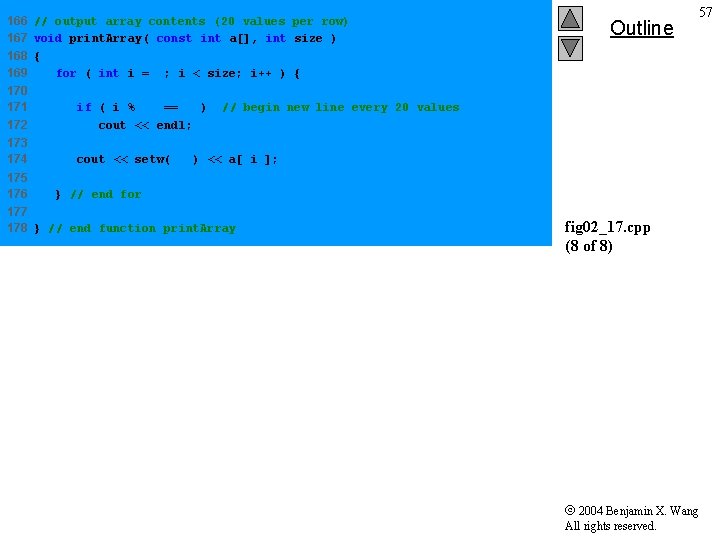
166 // output array contents (20 values per row) 167 void print. Array( const int a[], int size ) 168 { 169 for ( int i = 0; i < size; i++ ) { 170 171 172 if ( i % 20 == 0 ) cout << endl; 173 174 cout << setw( 2 ) << a[ i ]; 175 176 Outline 57 // begin new line every 20 values } // end for 177 178 } // end function print. Array fig 02_17. cpp (8 of 8) 2004 Benjamin X. Wang All rights reserved.
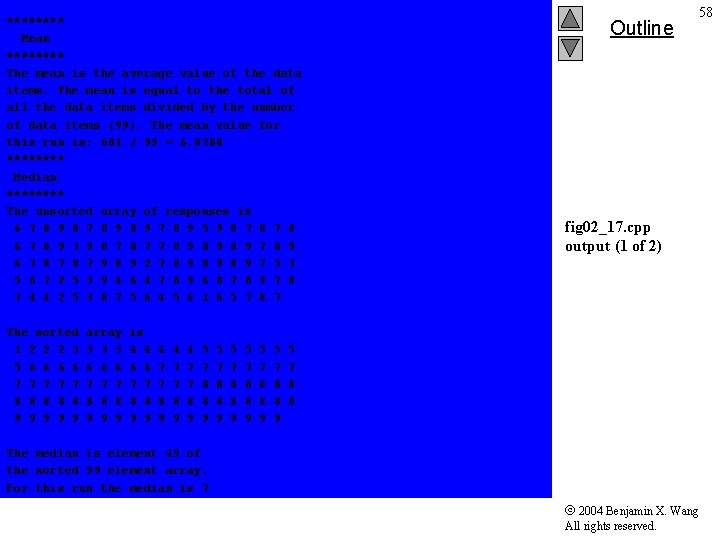
**** Mean **** The mean is the average value of the data items. The mean is equal to the total of all the data items divided by the number of data items (99). The mean value for this run is: 681 / 99 = 6. 8788 **** Median **** The unsorted array of responses is 6 7 8 9 8 9 7 8 9 5 9 8 7 8 6 7 8 9 3 9 8 7 7 8 9 8 9 7 8 9 6 7 8 7 9 8 9 2 7 8 9 8 9 7 5 3 5 6 7 2 5 3 9 4 6 4 7 8 9 6 8 7 8 9 7 8 7 4 4 2 5 3 8 7 5 6 4 5 6 1 6 5 7 8 7 The sorted 1 2 2 2 3 5 6 6 7 7 7 8 8 8 9 9 9 array 3 3 3 6 6 6 7 7 7 8 8 8 9 9 9 is 4 4 6 6 7 7 8 8 9 9 4 7 7 8 9 5 7 8 8 9 5 7 8 8 9 Outline 58 fig 02_17. cpp output (1 of 2) 5 7 8 8 The median is element 49 of the sorted 99 element array. For this run the median is 7 2004 Benjamin X. Wang All rights reserved.
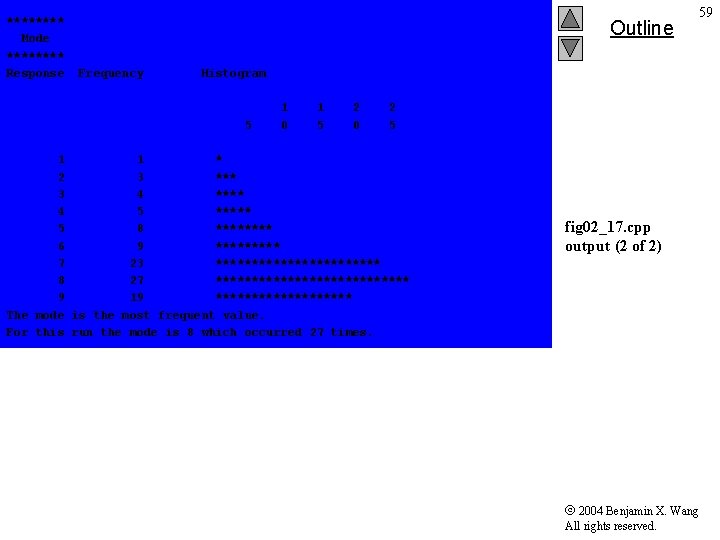
**** Mode **** Response Outline Frequency 59 Histogram 5 1 0 1 5 2 0 2 5 1 1 * 2 3 *** 3 4 **** 4 5 ***** 5 8 **** 6 9 ***** 7 23 ************ 8 27 ************** 9 19 ********** The mode is the most frequent value. For this run the mode is 8 which occurred 27 times. fig 02_17. cpp output (2 of 2) 2004 Benjamin X. Wang All rights reserved.
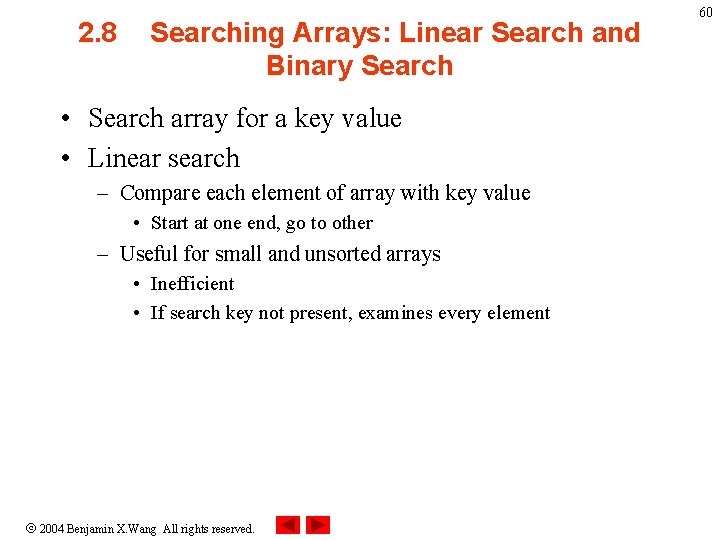
2. 8 Searching Arrays: Linear Search and Binary Search • Search array for a key value • Linear search – Compare each element of array with key value • Start at one end, go to other – Useful for small and unsorted arrays • Inefficient • If search key not present, examines every element 2004 Benjamin X. Wang All rights reserved. 60
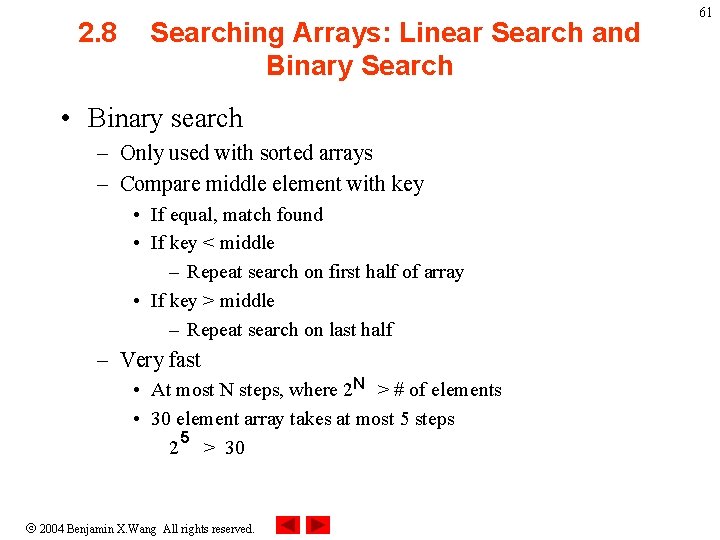
2. 8 Searching Arrays: Linear Search and Binary Search • Binary search – Only used with sorted arrays – Compare middle element with key • If equal, match found • If key < middle – Repeat search on first half of array • If key > middle – Repeat search on last half – Very fast • At most N steps, where 2 N > # of elements • 30 element array takes at most 5 steps 5 2 > 30 2004 Benjamin X. Wang All rights reserved. 61
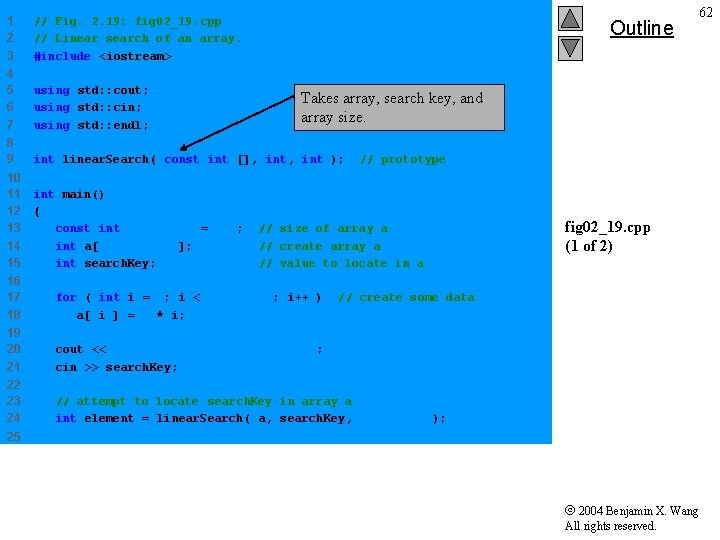
1 2 3 // Fig. 2. 19: fig 02_19. cpp // Linear search of an array. #include <iostream> 4 5 6 7 using std: : cout; using std: : cin; using std: : endl; 8 9 int linear. Search( const int [], int ); 10 11 12 13 14 15 int main() { const int array. Size = 100; int a[ array. Size ]; int search. Key; Outline 62 Takes array, search key, and array size. // prototype // size of array a // create array a // value to locate in a 16 17 18 for ( int i = 0; i < array. Size; i++ ) a[ i ] = 2 * i; 19 20 21 cout << "Enter integer search key: " ; cin >> search. Key; 22 23 24 // attempt to locate search. Key in array a int element = linear. Search( a, search. Key, array. Size ); fig 02_19. cpp (1 of 2) // create some data 25 2004 Benjamin X. Wang All rights reserved.
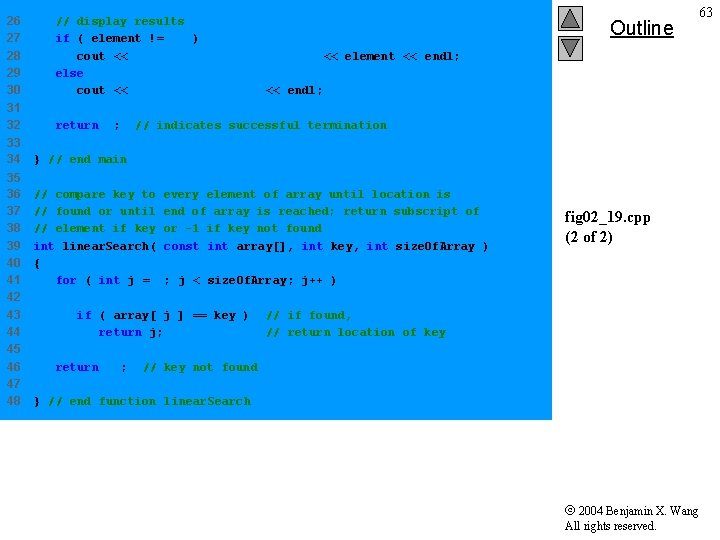
26 27 28 29 30 // display results if ( element != -1 ) cout << "Found value in element " << element << endl; else cout << "Value not found" << endl; 31 32 return 0; 33 34 35 36 37 38 39 40 41 42 43 44 45 46 47 48 Outline 63 // indicates successful termination } // end main // compare key to every element of array until location is // found or until end of array is reached; return subscript of // element if key or -1 if key not found int linear. Search( const int array[], int key, int size. Of. Array ) { for ( int j = 0; j < size. Of. Array; j++ ) if ( array[ j ] == key ) return j; return -1; fig 02_19. cpp (2 of 2) // if found, // return location of key // key not found } // end function linear. Search 2004 Benjamin X. Wang All rights reserved.
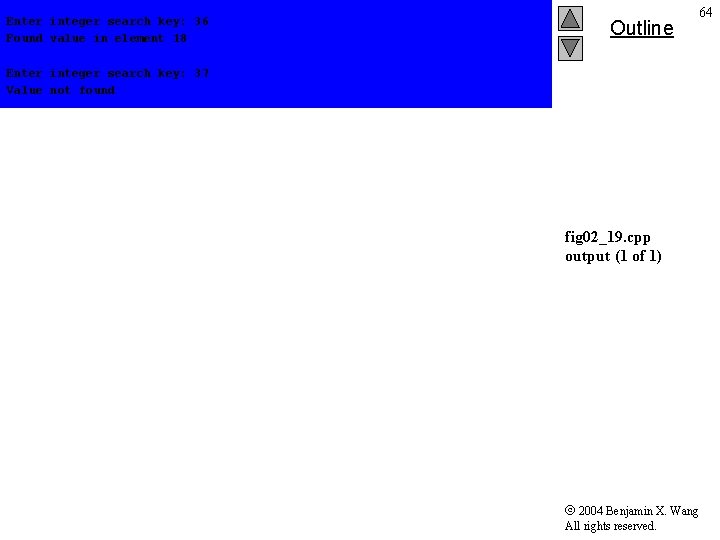
Enter integer search key: 36 Found value in element 18 Outline 64 Enter integer search key: 37 Value not found fig 02_19. cpp output (1 of 1) 2004 Benjamin X. Wang All rights reserved.
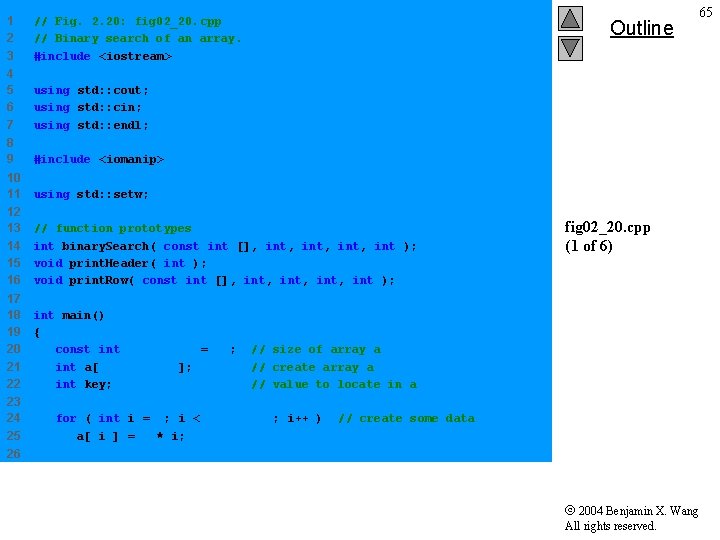
1 2 3 // Fig. 2. 20: fig 02_20. cpp // Binary search of an array. #include <iostream> 4 5 6 7 using std: : cout; using std: : cin; using std: : endl; 8 9 #include <iomanip> 10 11 using std: : setw; 12 13 14 15 16 // function prototypes int binary. Search( const int [], int, int ); void print. Header( int ); void print. Row( const int [], int, int ); 17 18 19 20 21 22 int main() { const int array. Size = 15; int a[ array. Size ]; int key; 23 24 25 Outline 65 fig 02_20. cpp (1 of 6) // size of array a // create array a // value to locate in a for ( int i = 0; i < array. Size; i++ ) a[ i ] = 2 * i; // create some data 26 2004 Benjamin X. Wang All rights reserved.
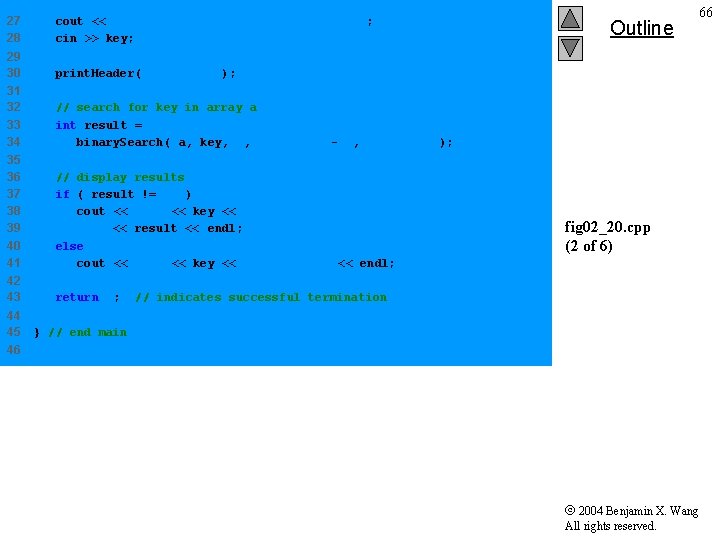
27 28 cout << "Enter a number between 0 and 28: " ; cin >> key; 29 30 print. Header( array. Size ); 31 32 33 34 // search for key in array a int result = binary. Search( a, key, 0, array. Size - 1, array. Size ); 35 36 37 38 39 40 41 // display results if ( result != -1 ) cout << 'n' << key << " found in array element " << result << endl; else cout << 'n' << key << " not found" << endl; 42 43 return 0; 44 45 Outline 66 fig 02_20. cpp (2 of 6) // indicates successful termination } // end main 46 2004 Benjamin X. Wang All rights reserved.
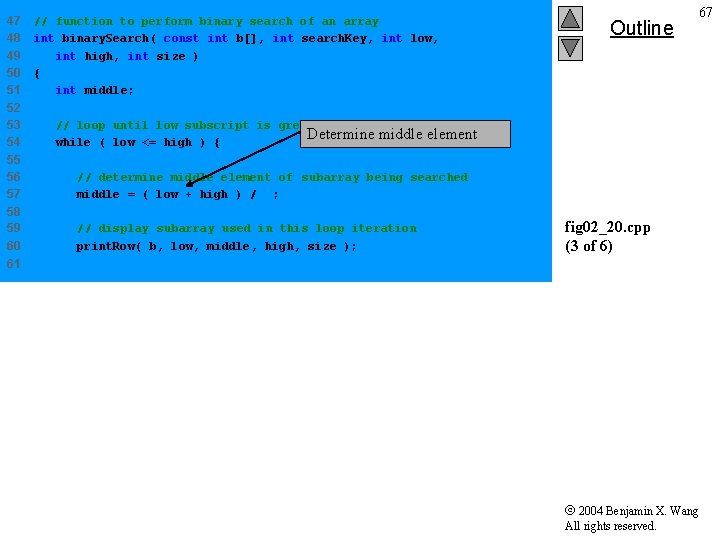
47 48 49 50 51 52 53 54 // function to perform binary search of an array int binary. Search( const int b[], int search. Key, int low, int high, int size ) { int middle; Outline 67 // loop until low subscript is greater than high subscript Determine middle element while ( low <= high ) { 55 56 57 // determine middle element of subarray being searched middle = ( low + high ) / 2; 58 59 60 // display subarray used in this loop iteration print. Row( b, low, middle, high, size ); fig 02_20. cpp (3 of 6) 61 2004 Benjamin X. Wang All rights reserved.
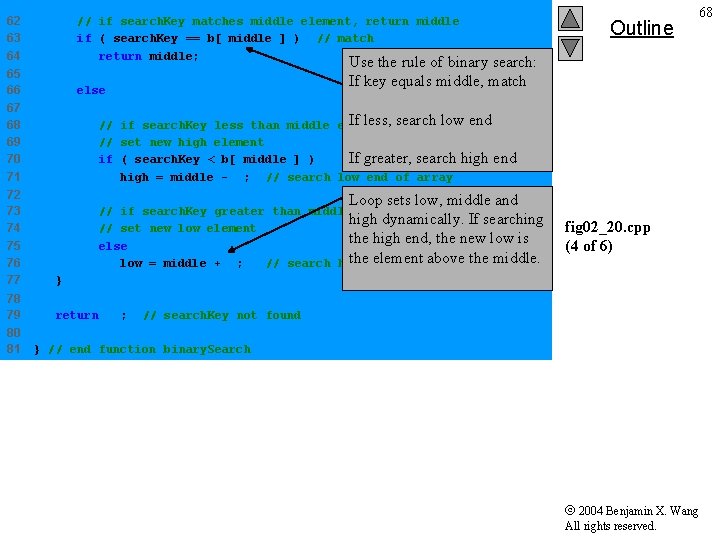
62 63 64 // if search. Key matches middle element, return middle if ( search. Key == b[ middle ] ) // match return middle; 65 66 else Use the rule of binary search: If key equals middle, match 67 68 69 70 71 If less, search low end // if search. Key less than middle element, // set new high element If greater, search high end if ( search. Key < b[ middle ] ) high = middle - 1; // search low end of array 72 73 74 75 76 77 // if search. Key greater than middle element, high dynamically. If searching // set new low element the high end, the new low is else the element above the middle. low = middle + 1; // search high end of array } 78 79 return -1; 80 81 Outline 68 Loop sets low, middle and fig 02_20. cpp (4 of 6) // search. Key not found } // end function binary. Search 2004 Benjamin X. Wang All rights reserved.
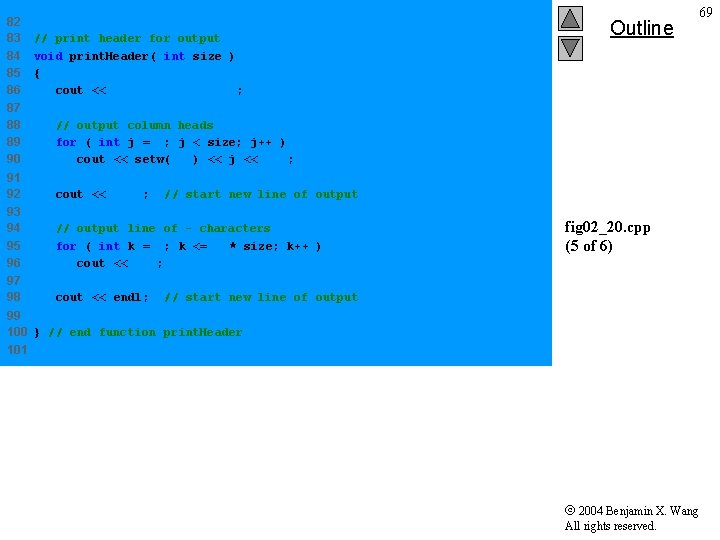
82 83 84 85 86 // print header for output void print. Header( int size ) { cout << "n. Subscripts: n"; 87 88 89 90 // output column heads for ( int j = 0; j < size; j++ ) cout << setw( 3 ) << j << ' '; 91 92 cout << 'n'; 93 94 95 96 // output line of - characters for ( int k = 1; k <= 4 * size; k++ ) cout << '-'; 97 98 cout << endl; Outline 69 // start new line of output fig 02_20. cpp (5 of 6) // start new line of output 99 100 } // end function print. Header 101 2004 Benjamin X. Wang All rights reserved.
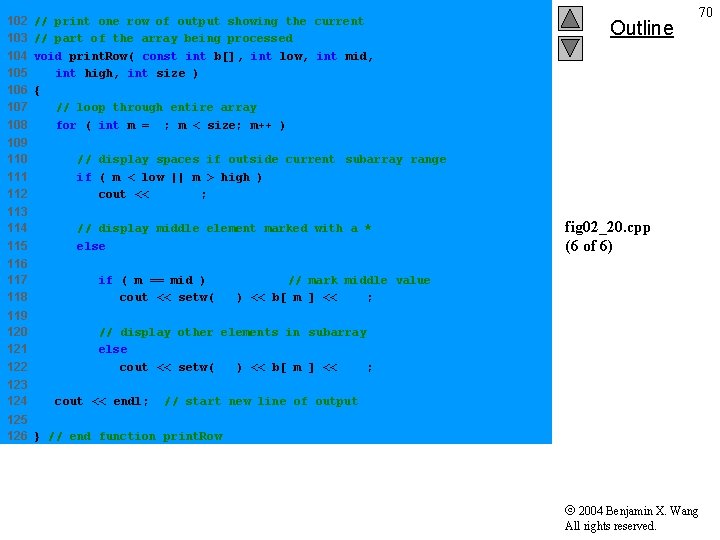
102 103 104 105 106 107 108 // print one row of output showing the current // part of the array being processed void print. Row( const int b[], int low, int mid, int high, int size ) { // loop through entire array for ( int m = 0; m < size; m++ ) 109 110 111 112 // display spaces if outside current subarray range if ( m < low || m > high ) cout << " "; 113 114 115 // display middle element marked with a * else 116 117 118 if ( m == mid ) // mark middle value cout << setw( 3 ) << b[ m ] << '*'; 119 120 121 122 // display other elements in subarray else cout << setw( 3 ) << b[ m ] << ' '; 123 124 cout << endl; Outline 70 fig 02_20. cpp (6 of 6) // start new line of output 125 126 } // end function print. Row 2004 Benjamin X. Wang All rights reserved.
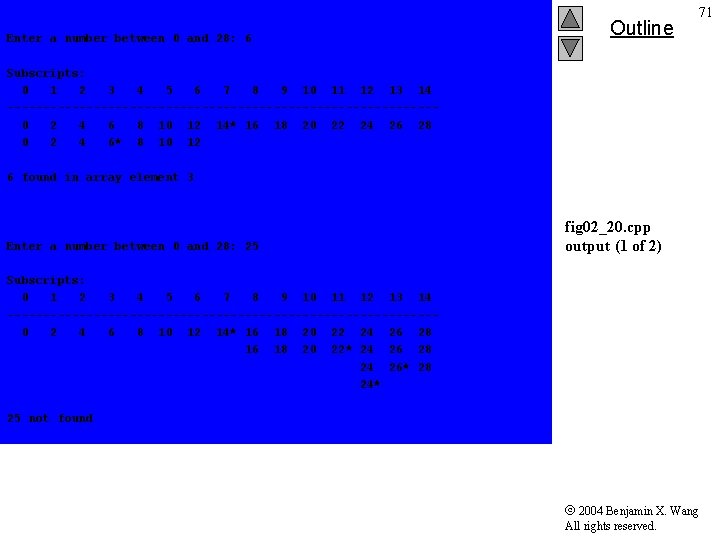
Enter a number between 0 and 28: 6 Outline 71 Subscripts: 0 1 2 3 4 5 6 7 8 9 10 11 12 13 14 ------------------------------0 2 4 6 8 10 12 14* 16 18 20 22 24 26 28 0 2 4 6* 8 10 12 6 found in array element 3 Enter a number between 0 and 28: 25 fig 02_20. cpp output (1 of 2) Subscripts: 0 1 2 3 4 5 6 7 8 9 10 11 12 13 14 ------------------------------0 2 4 6 8 10 12 14* 16 18 20 22 24 26 28 16 18 20 22* 24 26 28 24 26* 28 24* 25 not found 2004 Benjamin X. Wang All rights reserved.
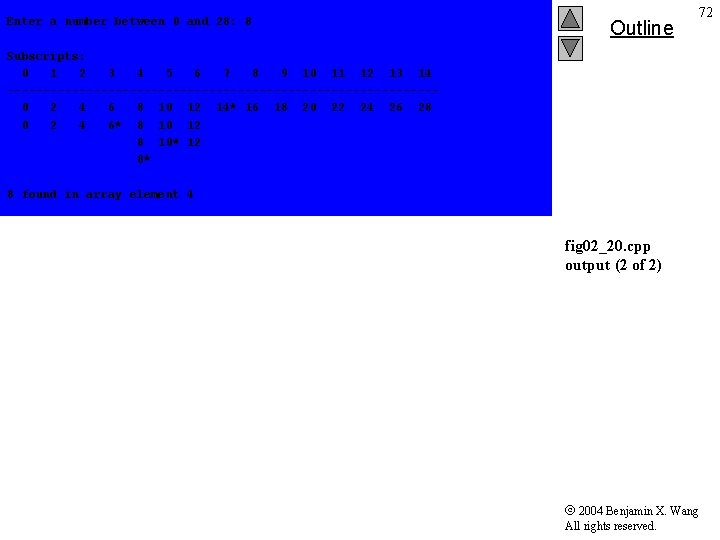
Enter a number between 0 and 28: 8 Outline 72 Subscripts: 0 1 2 3 4 5 6 7 8 9 10 11 12 13 14 ------------------------------0 2 4 6 8 10 12 14* 16 18 20 22 24 26 28 0 2 4 6* 8 10 12 8 10* 12 8* 8 found in array element 4 fig 02_20. cpp output (2 of 2) 2004 Benjamin X. Wang All rights reserved.
![73 2. 9 Multiple-Subscripted Arrays • Multiple subscripts – – a[ i ][ j](http://slidetodoc.com/presentation_image_h2/b5a81bb0df0a2035f8c0e5d5e0c270e7/image-73.jpg "73 2. 9 Multiple-Subscripted Arrays • Multiple subscripts – – a[ i ][ j")
73 2. 9 Multiple-Subscripted Arrays • Multiple subscripts – – a[ i ][ j ] Tables with rows and columns Specify row, then column “Array of arrays” • a[0] is an array of 4 elements • a[0][0] is the first element of that array Row 0 Column 0 a[ 0 ] Column 1 a[ 0 ][ 1 ] Column 2 a[ 0 ][ 2 ] Column 3 a[ 0 ][ 3 ] Row 1 a[ 1 ][ 0 ] a[ 1 ][ 2 ] a[ 1 ][ 3 ] Row 2 a[ 2 ][ 0 ] a[ 2 ][ 1 ] a[ 2 ][ 3 ] Column subscript Array name Row subscript 2004 Benjamin X. Wang All rights reserved.
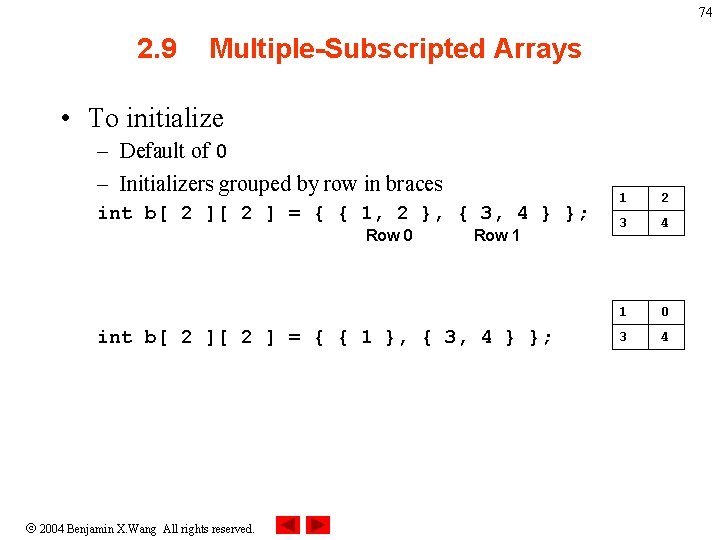
74 2. 9 Multiple-Subscripted Arrays • To initialize – Default of 0 – Initializers grouped by row in braces int b[ 2 ] = { { 1, 2 }, { 3, 4 } }; Row 0 Row 1 int b[ 2 ] = { { 1 }, { 3, 4 } }; 2004 Benjamin X. Wang All rights reserved. 1 2 3 4 1 0 3 4
![75 2. 9 Multiple-Subscripted Arrays • Referenced like normal cout << b[ 0 ][](http://slidetodoc.com/presentation_image_h2/b5a81bb0df0a2035f8c0e5d5e0c270e7/image-75.jpg "75 2. 9 Multiple-Subscripted Arrays • Referenced like normal cout << b[ 0 ][")
75 2. 9 Multiple-Subscripted Arrays • Referenced like normal cout << b[ 0 ][ 1 ]; – Outputs 0 – Cannot reference using commas 1 0 3 4 cout << b[ 0, 1 ]; • Syntax error • Function prototypes – Must specify sizes of subscripts • First subscript not necessary, as with single-scripted arrays – void print. Array( int [][ 3 ] ); 2004 Benjamin X. Wang All rights reserved.
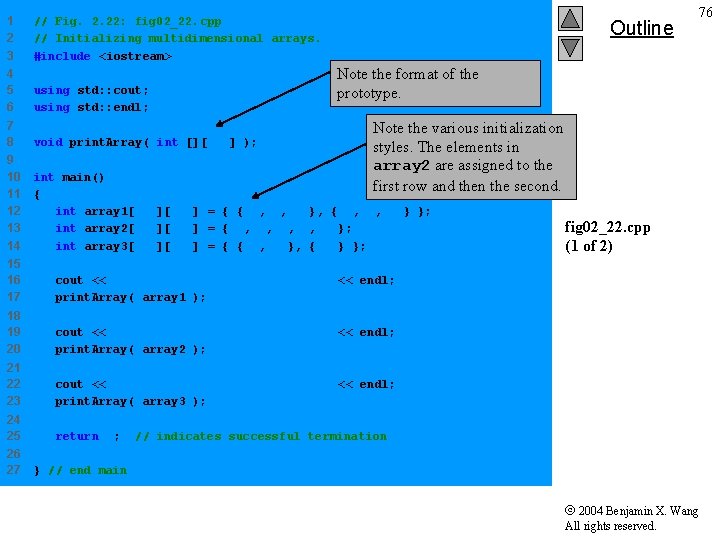
1 2 3 // Fig. 2. 22: fig 02_22. cpp // Initializing multidimensional arrays. #include <iostream> Outline Note the format of the prototype. 4 5 6 using std: : cout; using std: : endl; 7 8 void print. Array( int [][ 3 ] ); 9 10 11 12 13 14 int main() { int array 1[ 2 ][ 3 ] = { { 1, 2, 3 }, { 4, 5, 6 } }; int array 2[ 2 ][ 3 ] = { 1, 2, 3, 4, 5 }; int array 3[ 2 ][ 3 ] = { { 1, 2 }, { 4 } }; Note the various initialization styles. The elements in array 2 are assigned to the first row and then the second. 15 16 17 cout << "Values in array 1 by row are: " << endl; print. Array( array 1 ); 18 19 20 cout << "Values in array 2 by row are: " << endl; print. Array( array 2 ); 21 22 23 cout << "Values in array 3 by row are: " << endl; print. Array( array 3 ); 24 25 return 0; 26 27 76 fig 02_22. cpp (1 of 2) // indicates successful termination } // end main 2004 Benjamin X. Wang All rights reserved.
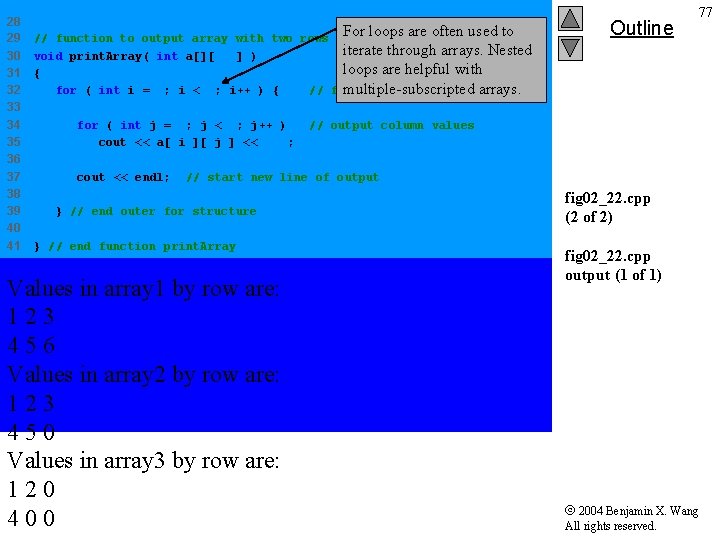
28 29 30 31 32 33 34 35 36 37 38 39 40 41 For loops are often used to // function to output array with two rows and three columns iterate through arrays. Nested void print. Array( int a[][ 3 ] ) loops are helpful with { multiple-subscripted arrays. for ( int i = 0; i < 2; i++ ) { // for each row for ( int j = 0; j < 3; j++ ) cout << a[ i ][ j ] << ' '; cout << endl; Outline 77 // output column values // start new line of output } // end outer for structure } // end function print. Array Values in array 1 by row are: 123 456 Values in array 2 by row are: 123 450 Values in array 3 by row are: 120 400 fig 02_22. cpp (2 of 2) fig 02_22. cpp output (1 of 1) 2004 Benjamin X. Wang All rights reserved.
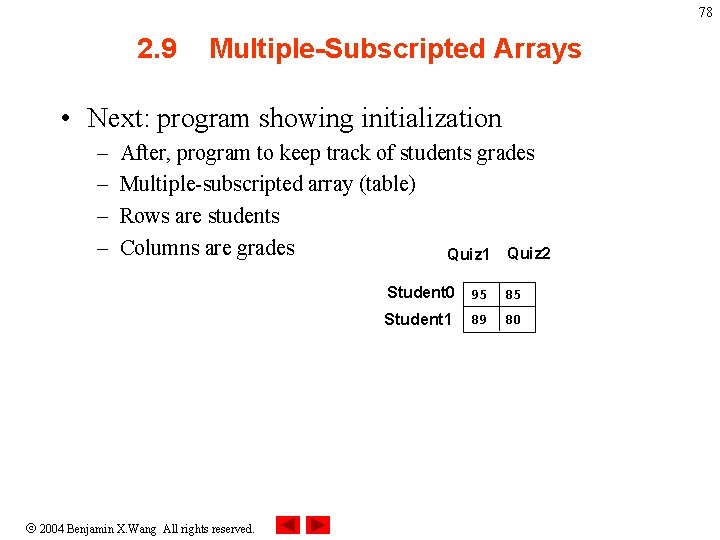
78 2. 9 Multiple-Subscripted Arrays • Next: program showing initialization – – After, program to keep track of students grades Multiple-subscripted array (table) Rows are students Columns are grades Quiz 1 Quiz 2 2004 Benjamin X. Wang All rights reserved. Student 0 95 85 Student 1 80 89
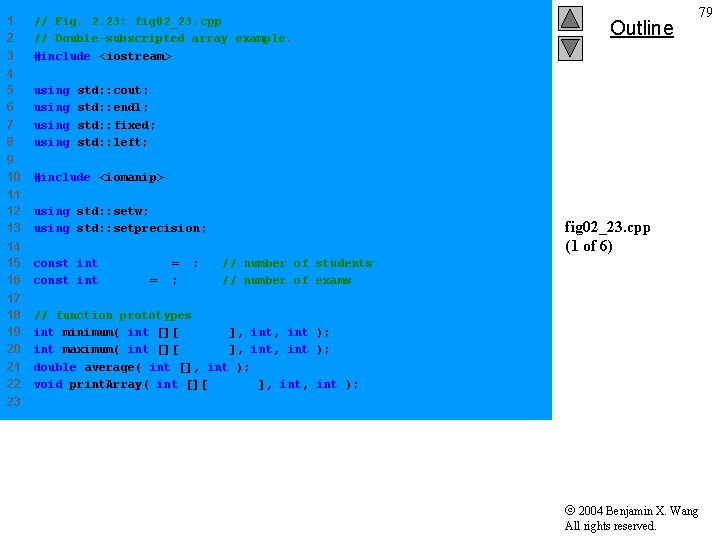
1 2 3 // Fig. 2. 23: fig 02_23. cpp // Double-subscripted array example. #include <iostream> 4 5 6 7 8 using 9 10 #include <iomanip> 11 12 13 using std: : setw; using std: : setprecision; 14 15 16 const int students = 3; const int exams = 4; 17 18 19 20 21 22 // function prototypes int minimum( int [][ exams ], int ); int maximum( int [][ exams ], int ); double average( int [], int ); void print. Array( int [][ exams ], int ); Outline 79 std: : cout; std: : endl; std: : fixed; std: : left; fig 02_23. cpp (1 of 6) // number of students // number of exams 23 2004 Benjamin X. Wang All rights reserved.
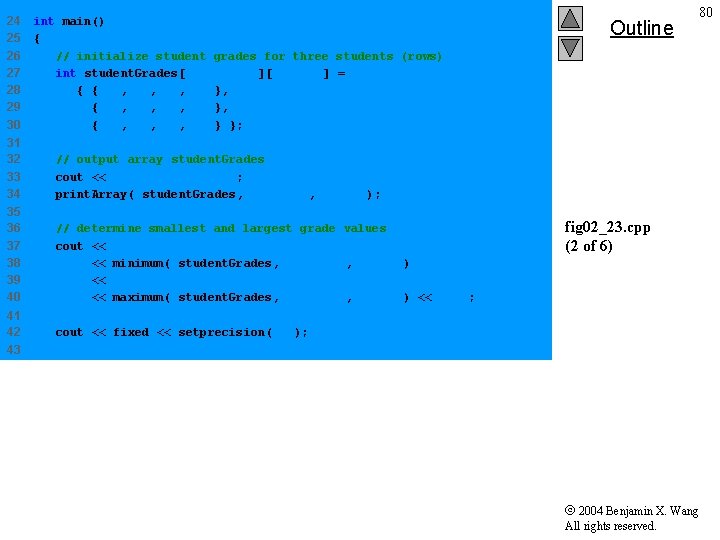
24 25 26 27 28 29 30 int main() { // initialize student grades for three students (rows) int student. Grades[ students ][ exams ] = { { 77, 68, 86, 73 }, { 96, 87, 89, 78 }, { 70, 90, 86, 81 } }; 31 32 33 34 // output array student. Grades cout << "The array is: n"; print. Array( student. Grades, students, exams ); 35 36 37 38 39 40 // determine smallest and largest grade values cout << "nn. Lowest grade: " << minimum( student. Grades, students, exams ) << "n. Highest grade: " << maximum( student. Grades, students, exams ) << 'n'; 41 42 cout << fixed << setprecision( 2 ); Outline 80 fig 02_23. cpp (2 of 6) 43 2004 Benjamin X. Wang All rights reserved.
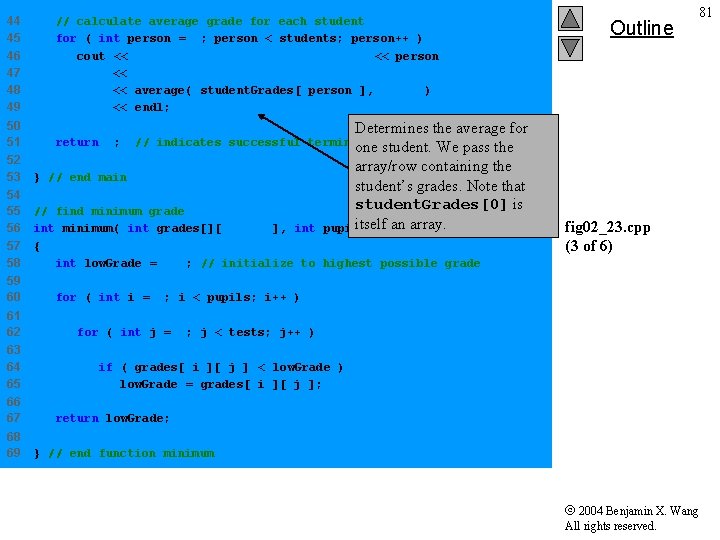
44 45 46 47 48 49 // calculate average grade for each student for ( int person = 0; person < students; person++ ) cout << "The average grade for student " << person << " is " << average( student. Grades[ person ], exams ) << endl; 50 51 return 0; Determines the average for one student. We pass the array/row containing the student’s grades. Note that student. Grades[0] is itselfint an array. pupils, tests ) // indicates successful termination 52 53 } // end main 54 55 56 57 58 // find minimum grade int minimum( int grades[][ exams ], int { int low. Grade = 100; // initialize to highest possible grade 59 60 61 62 63 64 65 66 67 68 69 Outline 81 fig 02_23. cpp (3 of 6) for ( int i = 0; i < pupils; i++ ) for ( int j = 0; j < tests; j++ ) if ( grades[ i ][ j ] < low. Grade ) low. Grade = grades[ i ][ j ]; return low. Grade; } // end function minimum 2004 Benjamin X. Wang All rights reserved.
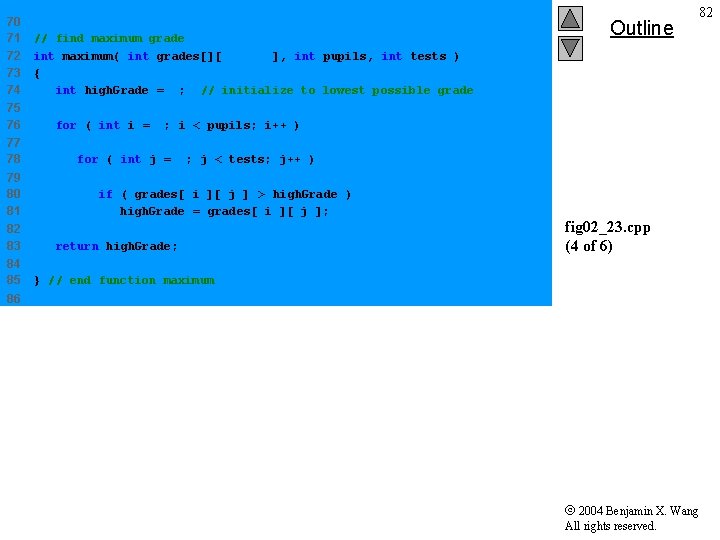
70 71 72 73 74 75 76 77 78 79 80 81 82 83 84 85 // find maximum grade int maximum( int grades[][ exams ], int pupils, int tests ) { int high. Grade = 0; // initialize to lowest possible grade Outline 82 for ( int i = 0; i < pupils; i++ ) for ( int j = 0; j < tests; j++ ) if ( grades[ i ][ j ] > high. Grade ) high. Grade = grades[ i ][ j ]; return high. Grade; fig 02_23. cpp (4 of 6) } // end function maximum 86 2004 Benjamin X. Wang All rights reserved.
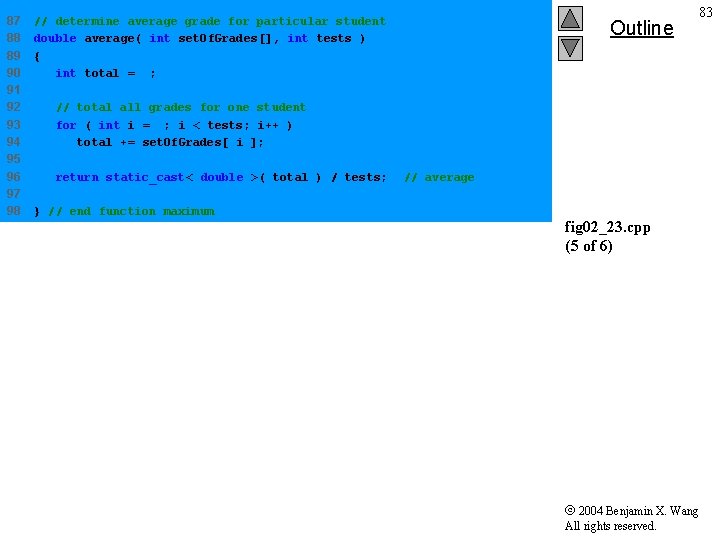
87 88 89 90 91 92 93 94 95 96 97 98 // determine average grade for particular student double average( int set. Of. Grades[], int tests ) { int total = 0; Outline 83 // total all grades for one student for ( int i = 0; i < tests; i++ ) total += set. Of. Grades[ i ]; return static_cast< double >( total ) / tests; } // end function maximum // average fig 02_23. cpp (5 of 6) 2004 Benjamin X. Wang All rights reserved.
![99 100 // Print the array 101 void print. Array( int grades[][ exams ],](http://slidetodoc.com/presentation_image_h2/b5a81bb0df0a2035f8c0e5d5e0c270e7/image-84.jpg "99 100 // Print the array 101 void print. Array( int grades[][ exams ],")
99 100 // Print the array 101 void print. Array( int grades[][ exams ], int pupils, int tests ) 102 { 103 // set left justification and output column heads 104 cout << left << " [0] [1] [2] [3]" ; 105 106 107 108 109 110 111 112 113 114 115 116 Outline 84 // output grades in tabular format for ( int i = 0; i < pupils; i++ ) { // output label for row cout << "nstudent. Grades[" << i << "] "; // output one grades for one student for ( int j = 0; j < tests; j++ ) cout << setw( 5 ) << grades[ i ][ j ]; fig 02_23. cpp (6 of 6) } // end outer for 117 118 } // end function print. Array 2004 Benjamin X. Wang All rights reserved.
![The array is: [0] student. Grades[0] 77 student. Grades[1] 96 student. Grades[2] 70 [1]](http://slidetodoc.com/presentation_image_h2/b5a81bb0df0a2035f8c0e5d5e0c270e7/image-85.jpg "The array is: [0] student. Grades[0] 77 student. Grades[1] 96 student. Grades[2] 70 [1]")
The array is: [0] student. Grades[0] 77 student. Grades[1] 96 student. Grades[2] 70 [1] 68 87 90 [2] 86 89 86 [3] 73 78 81 Outline 85 Lowest grade: 68 Highest grade: 96 The average grade for student 0 is 76. 00 The average grade for student 1 is 87. 50 The average grade for student 2 is 81. 75 fig 02_23. cpp output (1 of 1) 2004 Benjamin X. Wang All rights reserved.
- Slides: 85