
1 Introduction to Ruby SWEN 250 Personal Software
| 1 Introduction to Ruby SWEN 250 – Personal Software Engineering October 28, 2019
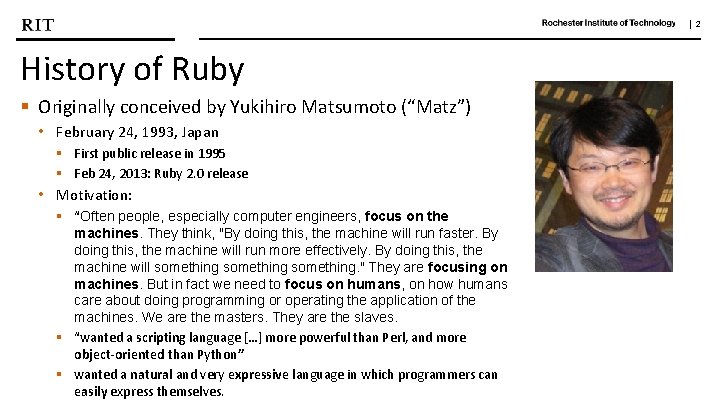
| 2 History of Ruby § Originally conceived by Yukihiro Matsumoto (“Matz”) • February 24, 1993, Japan § First public release in 1995 § Feb 24, 2013: Ruby 2. 0 release • Motivation: § “Often people, especially computer engineers, focus on the machines. They think, "By doing this, the machine will run faster. By doing this, the machine will run more effectively. By doing this, the machine will something. " They are focusing on machines. But in fact we need to focus on humans, on how humans care about doing programming or operating the application of the machines. We are the masters. They are the slaves. § “wanted a scripting language […] more powerful than Perl, and more object-oriented than Python” § wanted a natural and very expressive language in which programmers can easily express themselves.

| 3 What is Ruby? § Ruby is an interpreted, object-oriented, dynamically typed programming languages with a focus on simplicity and productivity. • Syntax inspired by Python and Perl • Semantics akin to dynamically class-based languages like Smalltalk • Scripting facilities akin to those of Python and Perl § § § Manipulation of text files File handling Execution of system tasks Support for regular expressions …
| 4 What is Ruby? § Ruby is an interpreted, object-oriented, , dynamically typed programming languages with a focus on simplicity and productivity. § Interpreted: • C/C++ § Compiled to assembly/Run directly on machine • Java § Compiled to bytecode/Interpreted by JVM • Ruby § Interpreted (no compilation)
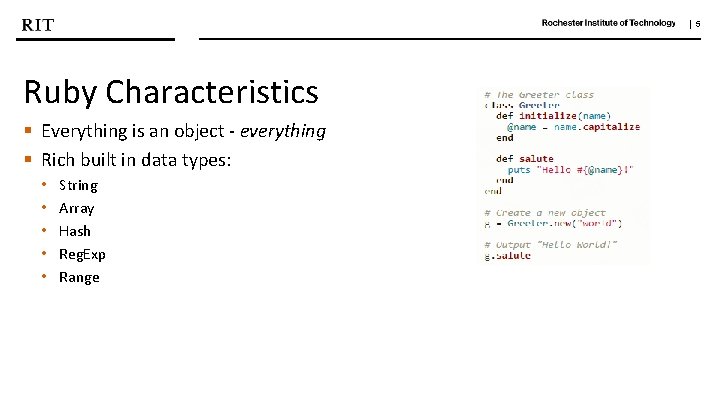
| 5 Ruby Characteristics § Everything is an object - everything § Rich built in data types: • • • String Array Hash Reg. Exp Range
| 6 Ruby’s “killer app” § Ruby on Rails (a. k. a. “Rails” or “Ro. R”) • • Open-source web-application framework Implemented in Ruby Allow to create powerful web applications Web-application = § Ruby program + database + webserver
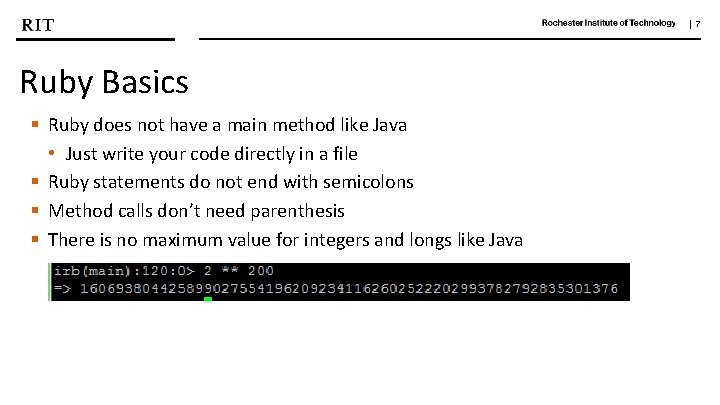
| 7 Ruby Basics § Ruby does not have a main method like Java • Just write your code directly in a file § Ruby statements do not end with semicolons § Method calls don’t need parenthesis § There is no maximum value for integers and longs like Java
| 8 Ruby Basics § Comments § String § Control Structure • Selection • Loops § § Arrays Hashes I/O Reg. Exps
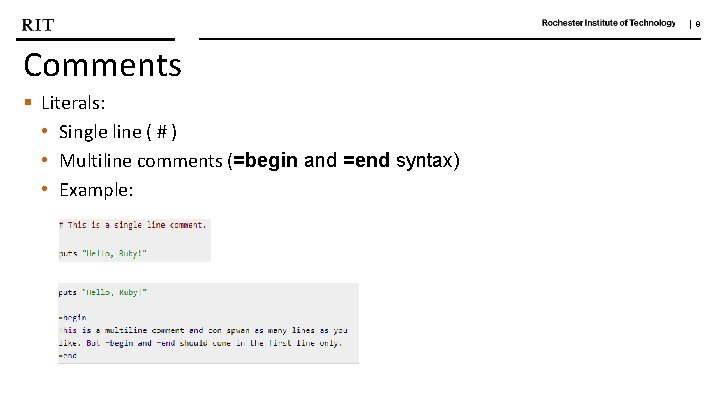
| 9 Comments § Literals: • Single line ( # ) • Multiline comments (=begin and =end syntax) • Example:
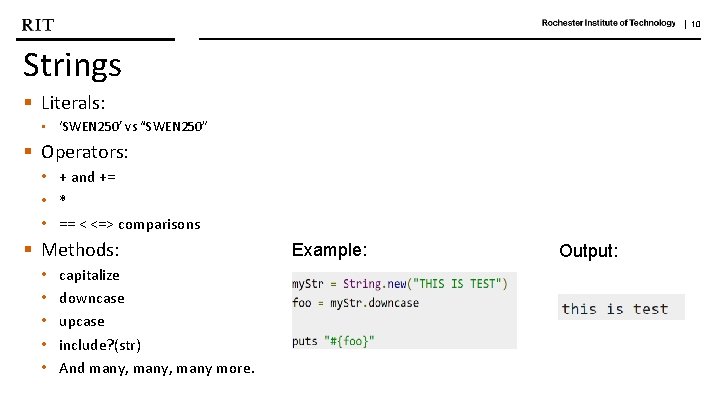
| 10 Strings § Literals: • ‘SWEN 250’ vs “SWEN 250” § Operators: • + and += • * • == < <=> comparisons § Methods: • • • capitalize downcase upcase include? (str) And many, many more. Example: Output:
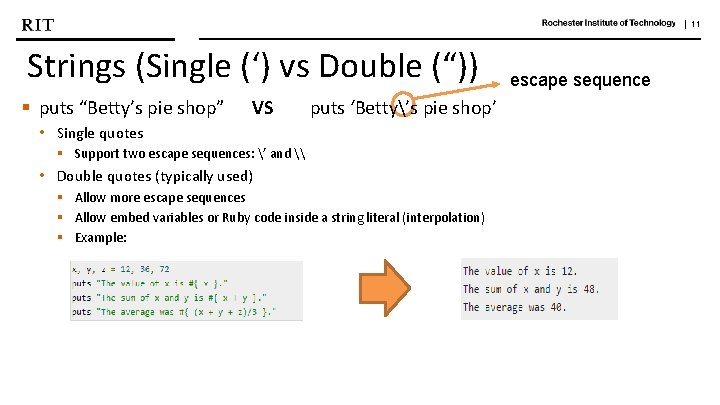
| 11 Strings (Single (‘) vs Double (“)) § puts “Betty’s pie shop” VS puts ‘Betty’s pie shop’ • Single quotes § Support two escape sequences: ’ and \ • Double quotes (typically used) § Allow more escape sequences § Allow embed variables or Ruby code inside a string literal (interpolation) § Example: escape sequence
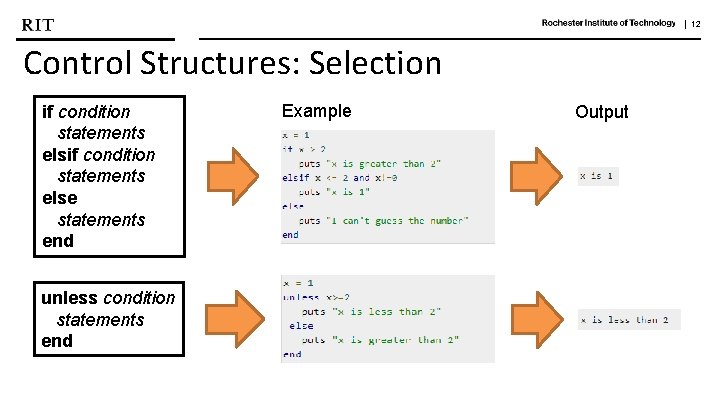
| 12 Control Structures: Selection if condition statements else statements end unless condition statements end Example Output
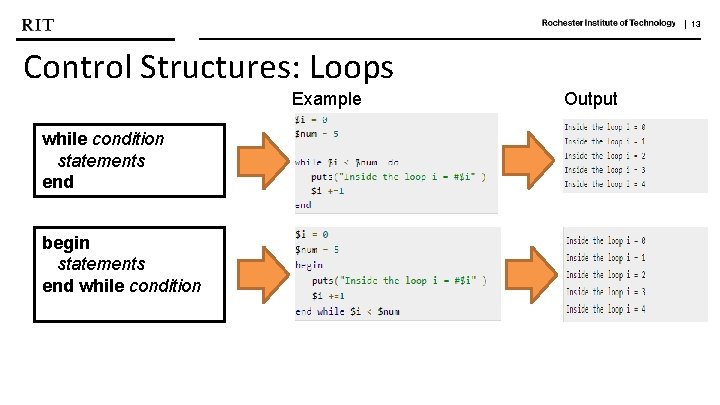
| 13 Control Structures: Loops Example while condition statements end begin statements end while condition Output
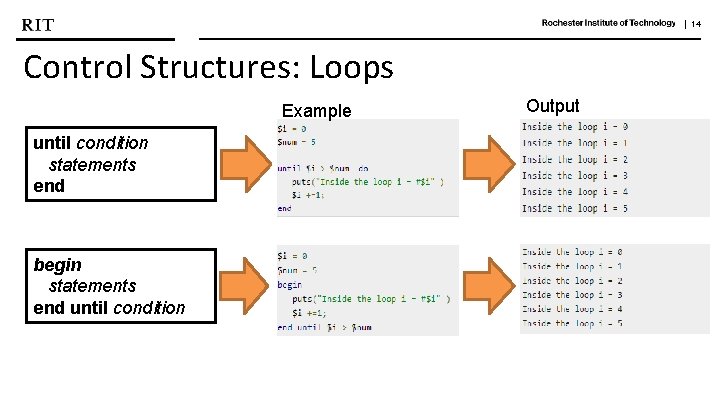
| 14 Control Structures: Loops Example until condition statements end begin statements end until condition Output
![| 15 Arrays Example Output § Literals: A = [1, "foo", [6, 7, 8],](http://slidetodoc.com/presentation_image/010ba8cc5b1a888a828f5f9c4ced9972/image-15.jpg "| 15 Arrays Example Output § Literals: A = [1, \"foo\", [6, 7, 8],")
| 15 Arrays Example Output § Literals: A = [1, "foo", [6, 7, 8], 9. 87] => [1, "foo", [6, 7, 8], 9. 87] A[1] => foo A[2][2] => 8 § Operators: • Intersection (&) Students. List = ["Robert", "Alice", "Jessamine"] puts Students. List & ["Robert", "Pippa", "Jessamine"] • Difference (-) Students. List = ["Robert", "Alice", "Jessamine", "Steven", "Charles", "Pippa"] => Steven Charles Pippa new. List = Students. List ["Robert", "Alice", "Jessamine"] puts new. List => Robert Jessamine
![| 16 Arrays § Operators: • Catenation (+) Example Student. List = [[1, 2]](http://slidetodoc.com/presentation_image/010ba8cc5b1a888a828f5f9c4ced9972/image-16.jpg "| 16 Arrays § Operators: • Catenation (+) Example Student. List = [[1, 2]")
| 16 Arrays § Operators: • Catenation (+) Example Student. List = [[1, 2] + [3, 4]] • Repetition (*int) array = [121, 47, 7] * 2 • Push on end (<< obj) Students. List = ["Robert", "Alice", "Jessamine"] Students. List<<"Emma" puts Students. List Output => [[1, 2, 3, 4]] => [121, 47, 7, 121, 47, 7] => Robert Alice Jessamine Emma
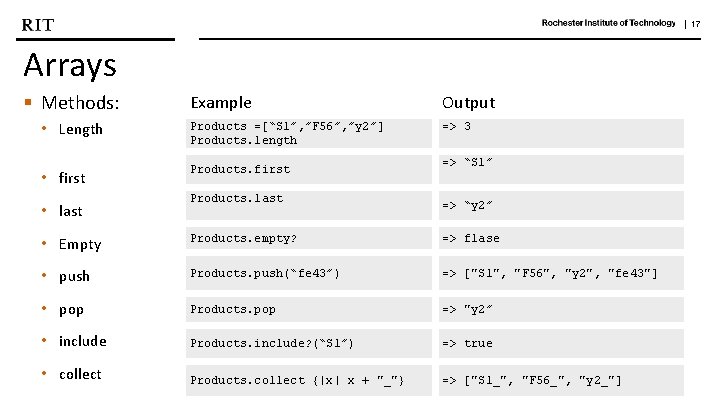
| 17 Arrays § Methods: Example Output • Length Products =[“S 1”, ”F 56”, ”y 2”] Products. length => 3 • first Products. first • last Products. last => “S 1” => “y 2” • Empty Products. empty? => flase • push Products. push(“fe 43”) => ["S 1", "F 56", "y 2", "fe 43"] • pop Products. pop => "y 2” • include Products. include? (“S 1”) => true • collect Products. collect {|x| x + "_"} => ["S 1_", "F 56_", "y 2_"]
![| 18 Hashes § Literals: § Operators: • h[key] = value § Methods: •](http://slidetodoc.com/presentation_image/010ba8cc5b1a888a828f5f9c4ced9972/image-18.jpg "| 18 Hashes § Literals: § Operators: • h[key] = value § Methods: •")
| 18 Hashes § Literals: § Operators: • h[key] = value § Methods: • each_key • each_value • each Example Output Test_grades = { "key 1" => "value 1" , "key 2" => "value 2" } => {"key 1"=>"value 1", "key 2"=>"value 2"} dictionary = { "one" => "eins", "two" => "zwei", "three" => "drei" } dictionary["zero"] = "null" puts dictionary => {"one"=>"eins", "two"=>"zwei", "three"=>"drei", "zero"=>"null"} dictionary. each_key {|key| puts key} => one two three zero dictionary. each_value {|value| puts value} =>eins Zwei drei null dictionary. each {|key, value| puts "#{key} is #{value}" } =>one is eins two is zwei three is drei zero is null
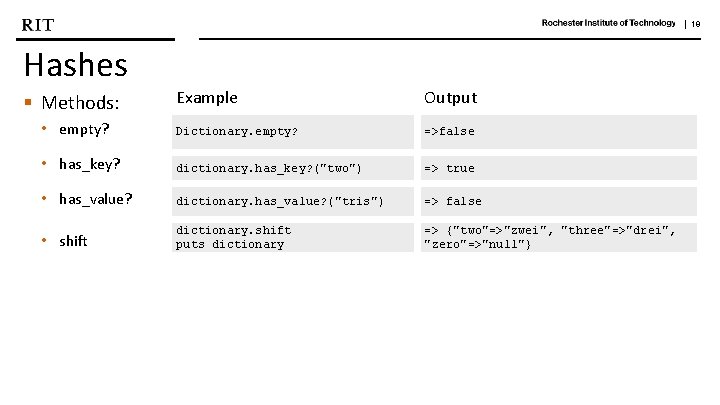
| 19 Hashes Example Output • empty? Dictionary. empty? =>false • has_key? dictionary. has_key? ("two") => true • has_value? dictionary. has_value? ("tris") => false • shift dictionary. shift puts dictionary => {"two"=>"zwei", "three"=>"drei", "zero"=>"null"} § Methods:
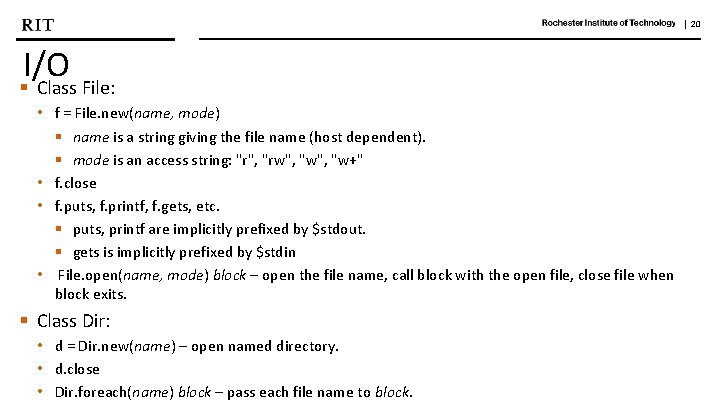
| 20 I/O § Class File: • f = File. new(name, mode) § name is a string giving the file name (host dependent). § mode is an access string: "r", "rw", "w+" • f. close • f. puts, f. printf, f. gets, etc. § puts, printf are implicitly prefixed by $stdout. § gets is implicitly prefixed by $stdin • File. open(name, mode) block – open the file name, call block with the open file, close file when block exits. § Class Dir: • d = Dir. new(name) – open named directory. • d. close • Dir. foreach(name) block – pass each file name to block.
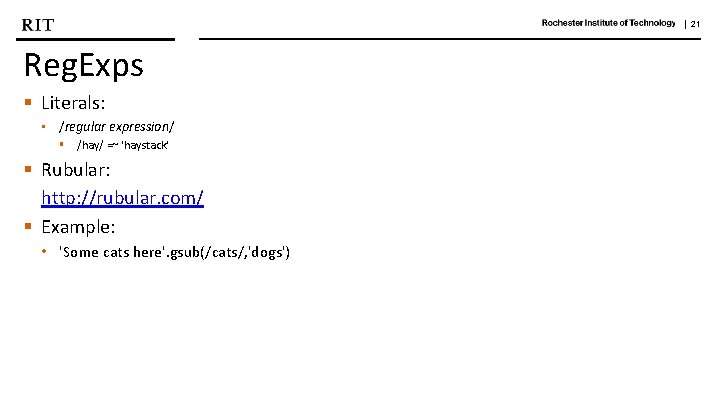
| 21 Reg. Exps § Literals: • /regular expression/ § /hay/ =~ 'haystack' § Rubular: http: //rubular. com/ § Example: • 'Some cats here'. gsub(/cats/, 'dogs')
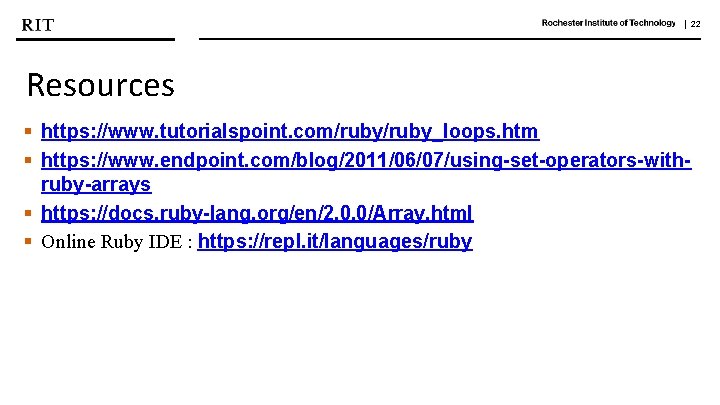
| 22 Resources § https: //www. tutorialspoint. com/ruby_loops. htm § https: //www. endpoint. com/blog/2011/06/07/using-set-operators-withruby-arrays § https: //docs. ruby-lang. org/en/2. 0. 0/Array. html § Online Ruby IDE : https: //repl. it/languages/ruby
- Slides: 22