
1 Introduction to Computers and Programming More Loops


- Slides: 27
1 Introduction to Computers and Programming More Loops 2000 Prentice Hall, Inc. All rights reserved. Modified for use with this course.
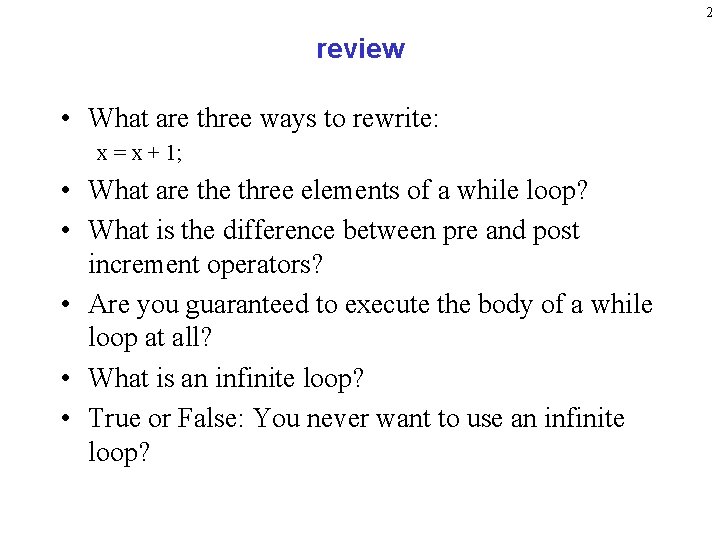
2 review • What are three ways to rewrite: x = x + 1; • What are three elements of a while loop? • What is the difference between pre and post increment operators? • Are you guaranteed to execute the body of a while loop at all? • What is an infinite loop? • True or False: You never want to use an infinite loop?
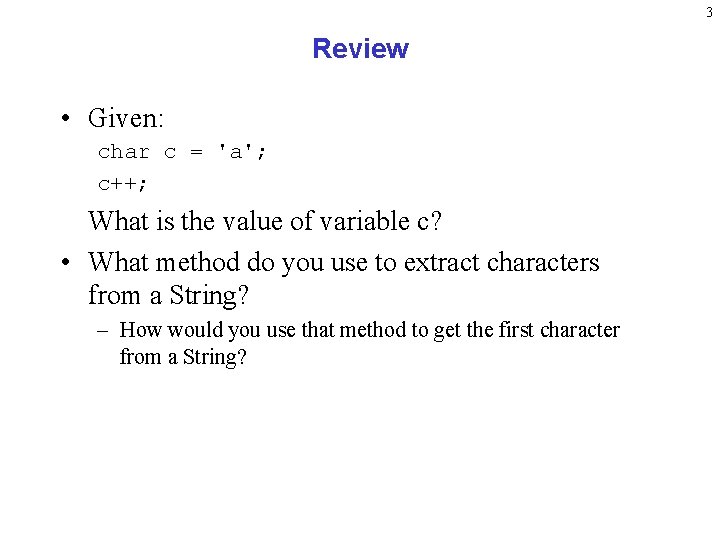
3 Review • Given: char c = 'a'; c++; What is the value of variable c? • What method do you use to extract characters from a String? – How would you use that method to get the first character from a String?
4 Sentinels
5 Sentinel-controlled repetition • Counter Controlled Repetition: – Simply means that we use a counter to tell you when to stop repeating a statement or group of statements – The examples from last class were counter-controlled repetition • However, what if we want the user or the input to decide when to end the program? – Use a sentinel
6 Understanding Sentinels • Sentinel: a special value that indicates the “end of data entry. ” • Also known as signal value, dummy value, or flag value • For example: – – -1 means end of data. 0 means end of data. "END" means ends of data Depends on the specific application you are building. • With a sentinel, we have an indefinite repetition, because the number of repetitions is unknown at the time we write the program (or start the loop). 2000 Prentice Hall, Inc. All rights reserved. Modified by Evan Korth
7 Using Sentinels • How are they used? – Programmer picks a value that would never be encountered for normal data – User enters normal data and then when done, enters the unusual value – The loop will stop when seeing the unusual value
8 Using Sentinels cont’d • For example, if entering age for people, you could pick a sentinel of – 1 • No one would expect to be – 1 year old. • It is a good practice is to remind the user in each iteration of the loop what the sentinel value is – For example, (" Enter the age of the current resident or – 1 to end" );
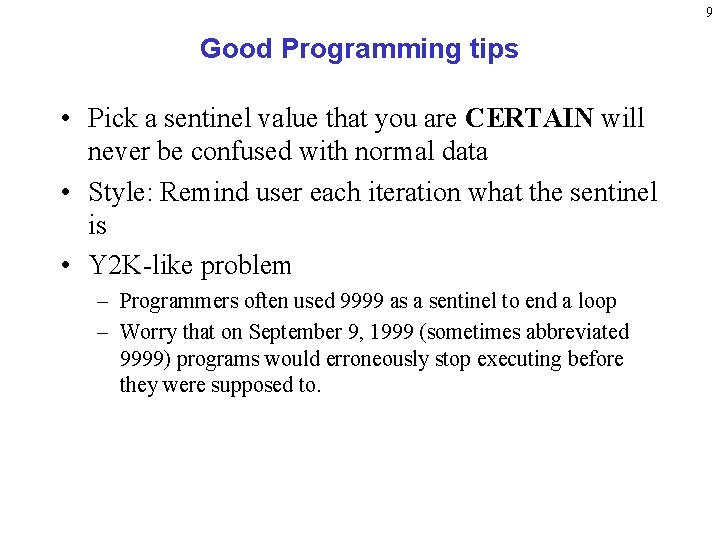
9 Good Programming tips • Pick a sentinel value that you are CERTAIN will never be confused with normal data • Style: Remind user each iteration what the sentinel is • Y 2 K-like problem – Programmers often used 9999 as a sentinel to end a loop – Worry that on September 9, 1999 (sometimes abbreviated 9999) programs would erroneously stop executing before they were supposed to.
10 Case Study: Using Sentinel Controlled Loops
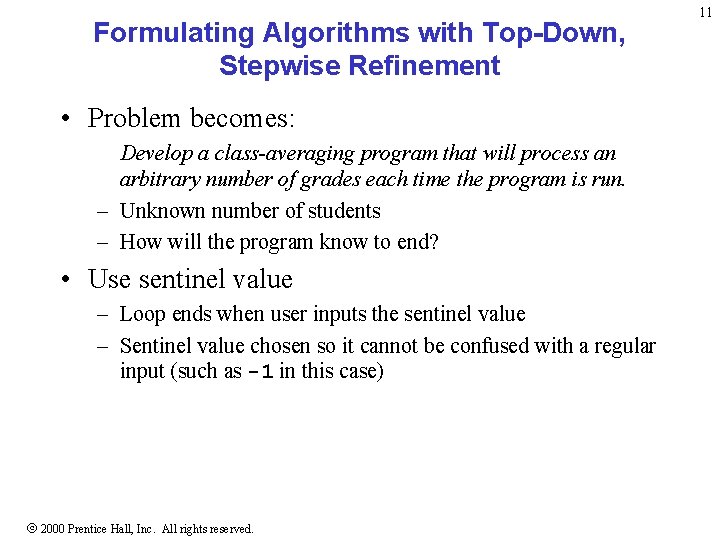
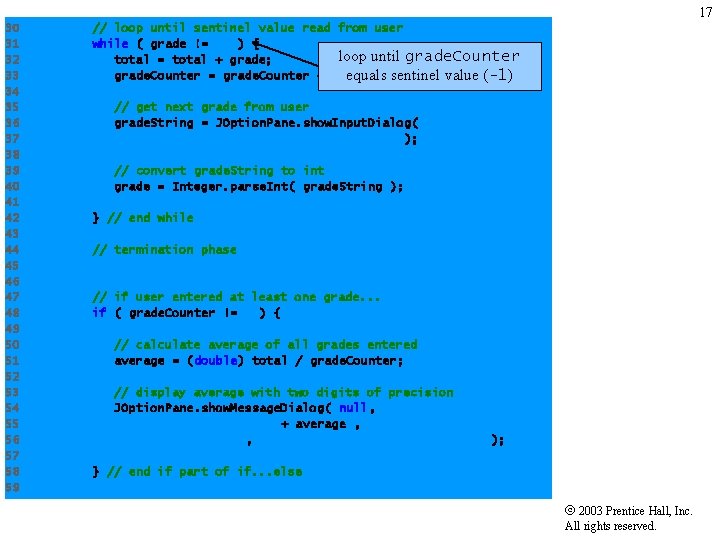
Formulating Algorithms with Top-Down, Stepwise Refinement • Problem becomes: Develop a class-averaging program that will process an arbitrary number of grades each time the program is run. – Unknown number of students – How will the program know to end? • Use sentinel value – Loop ends when user inputs the sentinel value – Sentinel value chosen so it cannot be confused with a regular input (such as -1 in this case) 2000 Prentice Hall, Inc. All rights reserved. 11
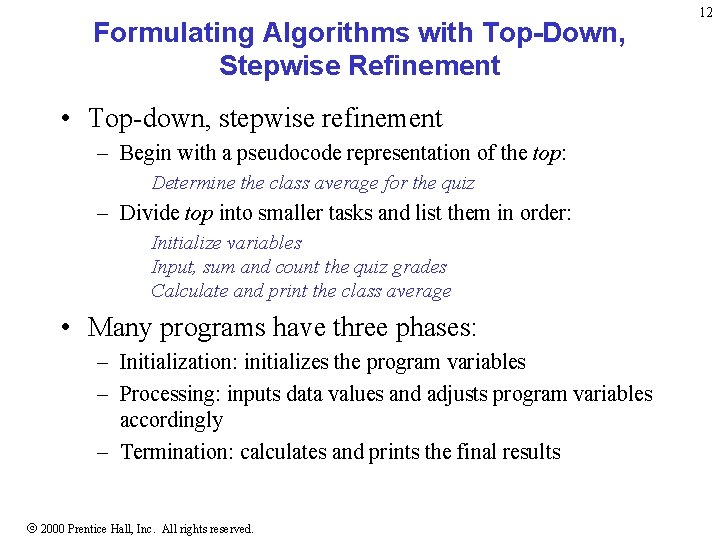
Formulating Algorithms with Top-Down, Stepwise Refinement • Top-down, stepwise refinement – Begin with a pseudocode representation of the top: Determine the class average for the quiz – Divide top into smaller tasks and list them in order: Initialize variables Input, sum and count the quiz grades Calculate and print the class average • Many programs have three phases: – Initialization: initializes the program variables – Processing: inputs data values and adjusts program variables accordingly – Termination: calculates and prints the final results 2000 Prentice Hall, Inc. All rights reserved. 12
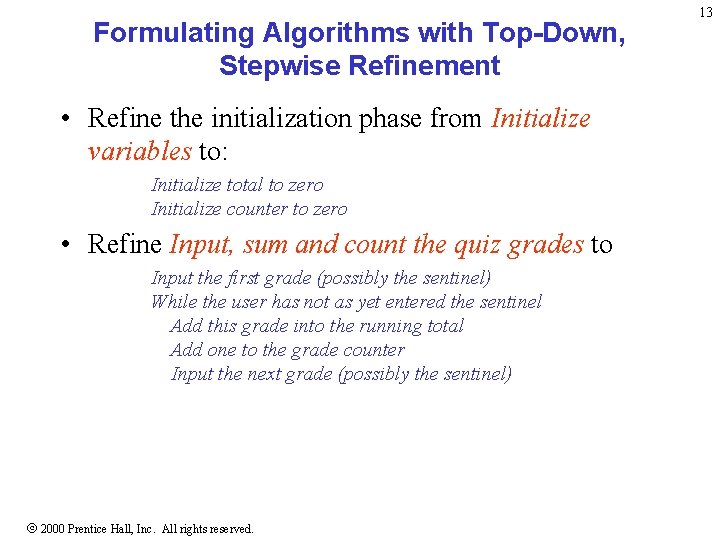
Formulating Algorithms with Top-Down, Stepwise Refinement • Refine the initialization phase from Initialize variables to: Initialize total to zero Initialize counter to zero • Refine Input, sum and count the quiz grades to Input the first grade (possibly the sentinel) While the user has not as yet entered the sentinel Add this grade into the running total Add one to the grade counter Input the next grade (possibly the sentinel) 2000 Prentice Hall, Inc. All rights reserved. 13
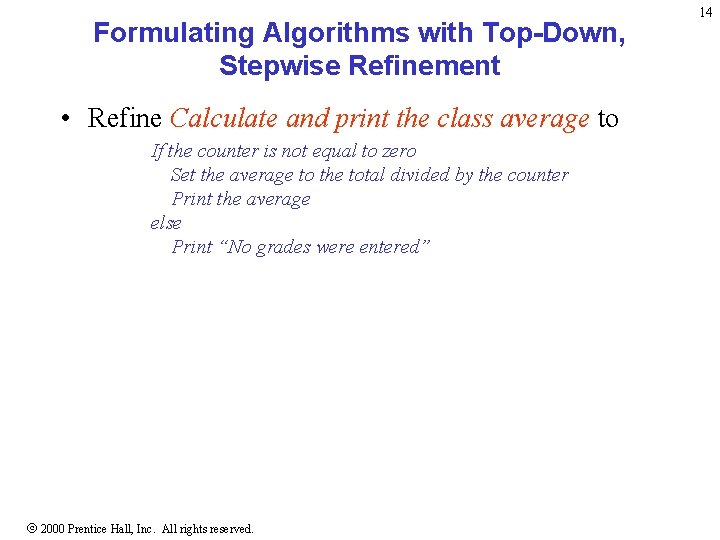
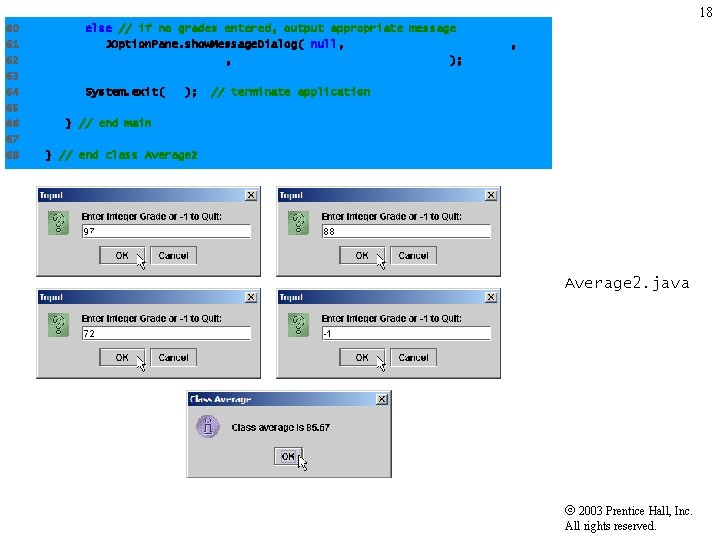
Formulating Algorithms with Top-Down, Stepwise Refinement • Refine Calculate and print the class average to If the counter is not equal to zero Set the average to the total divided by the counter Print the average else Print “No grades were entered” 2000 Prentice Hall, Inc. All rights reserved. 14
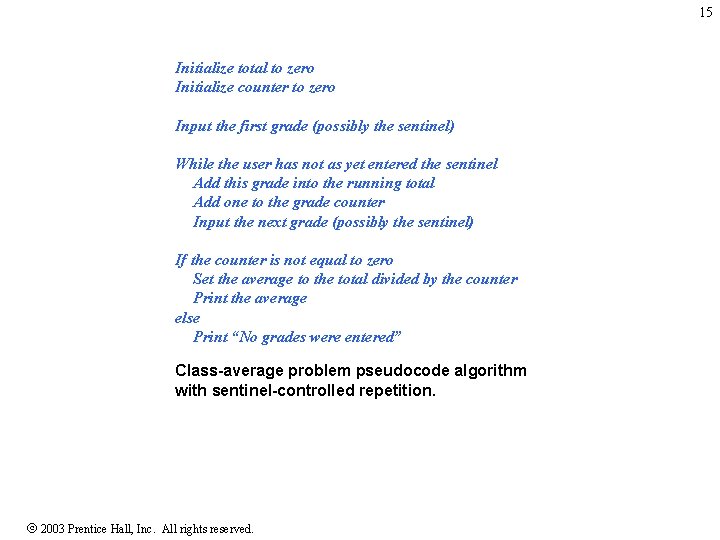
15 Initialize total to zero Initialize counter to zero Input the first grade (possibly the sentinel) While the user has not as yet entered the sentinel Add this grade into the running total Add one to the grade counter Input the next grade (possibly the sentinel) If the counter is not equal to zero Set the average to the total divided by the counter Print the average else Print “No grades were entered” Class-average problem pseudocode algorithm with sentinel-controlled repetition. 2003 Prentice Hall, Inc. All rights reserved.
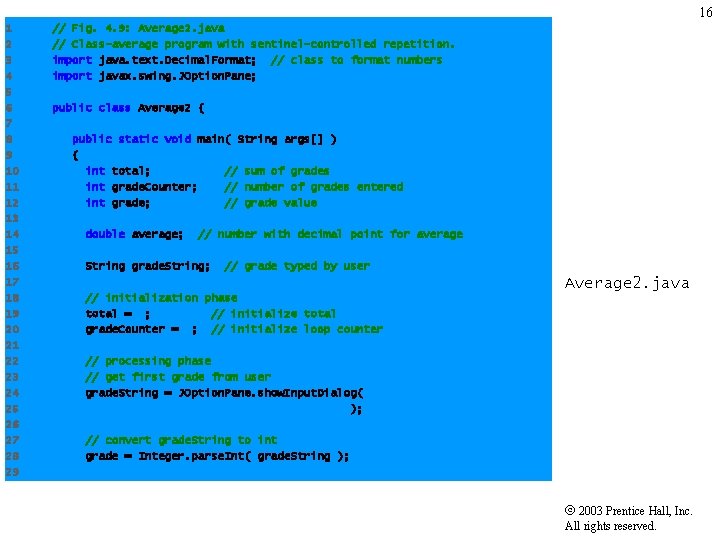
16 1 2 3 4 5 6 7 8 9 10 11 12 13 14 15 16 17 18 19 20 21 22 23 24 25 26 27 28 29 // Fig. 4. 9: Average 2. java // Class-average program with sentinel-controlled repetition. import java. text. Decimal. Format; // class to format numbers import javax. swing. JOption. Pane; public class Average 2 { public static void main( String args[] ) { int total; // sum of grades int grade. Counter; // number of grades entered int grade; // grade value double average; // number with decimal point for average String grade. String; // grade typed by user Average 2. java // initialization phase total = 0; // initialize total grade. Counter = 0; // initialize loop counter // processing phase // get first grade from user grade. String = JOption. Pane. show. Input. Dialog( "Enter Integer Grade or -1 to Quit: " ); // convert grade. String to int grade = Integer. parse. Int( grade. String ); 2003 Prentice Hall, Inc. All rights reserved.
17 30 31 32 33 34 35 36 37 38 39 40 41 42 43 44 45 46 47 48 49 50 51 52 53 54 55 56 57 58 59 // loop until sentinel value read from user while ( grade != -1 ) { loop//until total = total + grade; addgrade. Counter grade to total grade. Counter = grade. Counter + 1; equals // increment counter sentinel value (-1) // get next grade from user grade. String = JOption. Pane. show. Input. Dialog( "Enter Integer Grade or -1 to Quit: " ); // convert grade. String to int grade = Integer. parse. Int( grade. String ); } // end while // termination phase // if user entered at least one grade. . . if ( grade. Counter != 0 ) { // calculate average of all grades entered average = (double) total / grade. Counter; // display average with two digits of precision JOption. Pane. show. Message. Dialog( null, "Class average is " + average , "Class Average", JOption. Pane. INFORMATION_MESSAGE ); } // end if part of if. . . else 2003 Prentice Hall, Inc. All rights reserved.
18 60 61 62 63 64 65 66 67 68 else // if no grades entered, output appropriate message JOption. Pane. show. Message. Dialog( null, "No grades were entered", "Class Average", JOption. Pane. INFORMATION_MESSAGE ); System. exit( 0 ); // terminate application } // end main } // end class Average 2. java 2003 Prentice Hall, Inc. All rights reserved.
19 do/while Loop
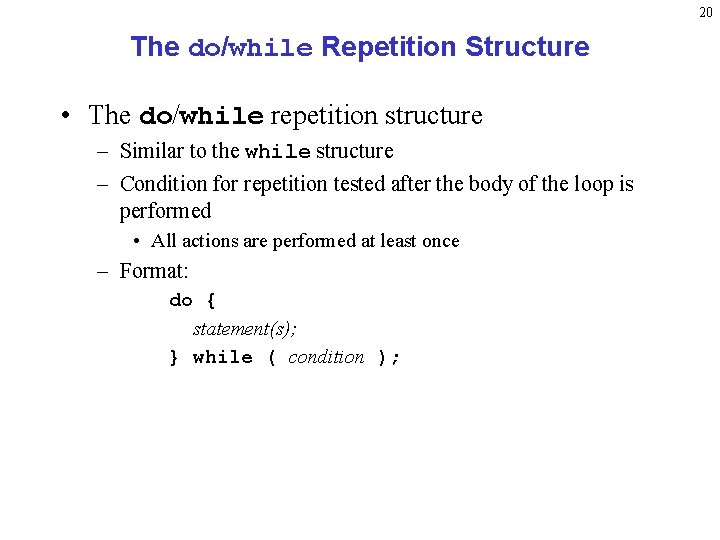
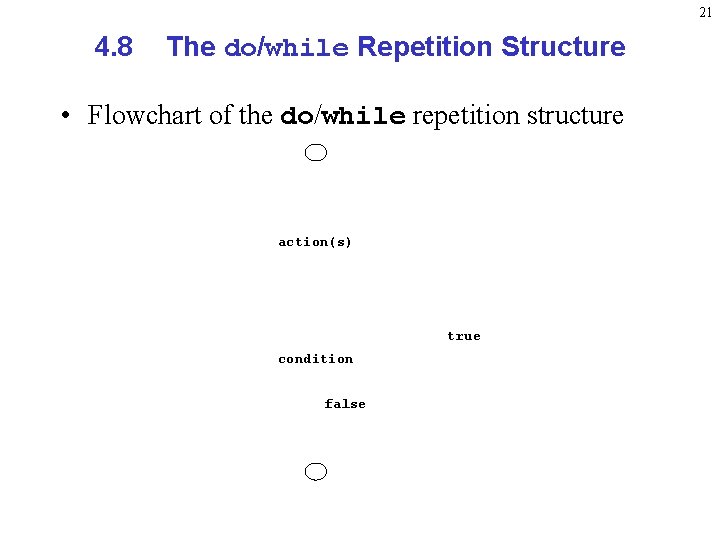
20 The do/while Repetition Structure • The do/while repetition structure – Similar to the while structure – Condition for repetition tested after the body of the loop is performed • All actions are performed at least once – Format: do { statement(s); } while ( condition );
21 4. 8 The do/while Repetition Structure • Flowchart of the do/while repetition structure action(s) true condition false
22 Keywords: break and continue
23 Using the Keywords break and continue
24 The continue Keyword
25 Summary of Looping
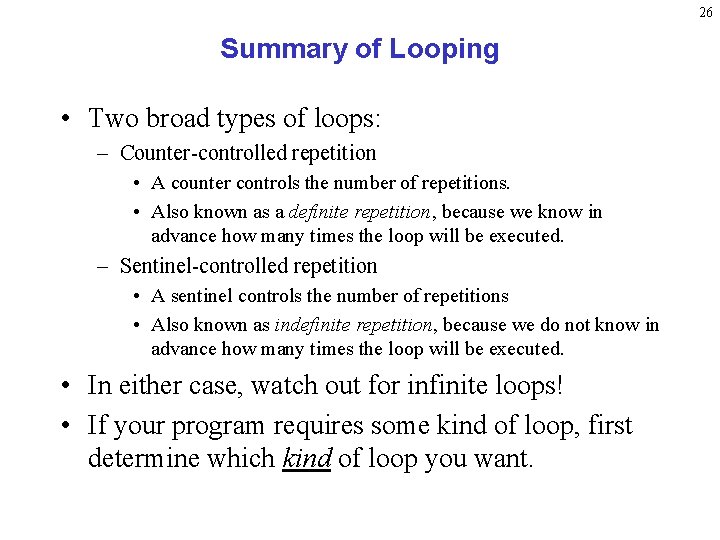
26 Summary of Looping • Two broad types of loops: – Counter-controlled repetition • A counter controls the number of repetitions. • Also known as a definite repetition, because we know in advance how many times the loop will be executed. – Sentinel-controlled repetition • A sentinel controls the number of repetitions • Also known as indefinite repetition, because we do not know in advance how many times the loop will be executed. • In either case, watch out for infinite loops! • If your program requires some kind of loop, first determine which kind of loop you want.
27 Summary of Looping • Once you know which kind of loop you want, determine which while loop you want: – While loops • condition is tested first; then action occurs. • While loops are much more common than do/while loops. – Do/while loops • action is run first; then, condition is tested. • Use this if you want to make sure that your loop is guaranteed to be run at least once.