
1 Introduction to Computers and Programming in JAVA
- Slides: 32
1 Introduction to Computers and Programming in JAVA: V 22. 0002 Mathematical Operators 2000 Prentice Hall, Inc. All rights reserved. Modified for use with this course.
2 Basic Mathematical Operators
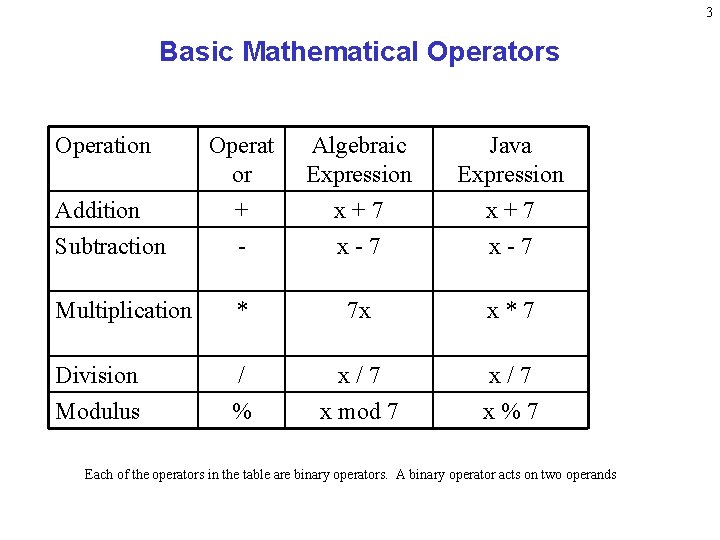
3 Basic Mathematical Operators Operation Operat or Algebraic Expression Java Expression Addition Subtraction + - x + 7 x - 7 Multiplication * 7 x x * 7 Division Modulus / % x / 7 x mod 7 x / 7 x % 7 Each of the operators in the table are binary operators. A binary operator acts on two operands
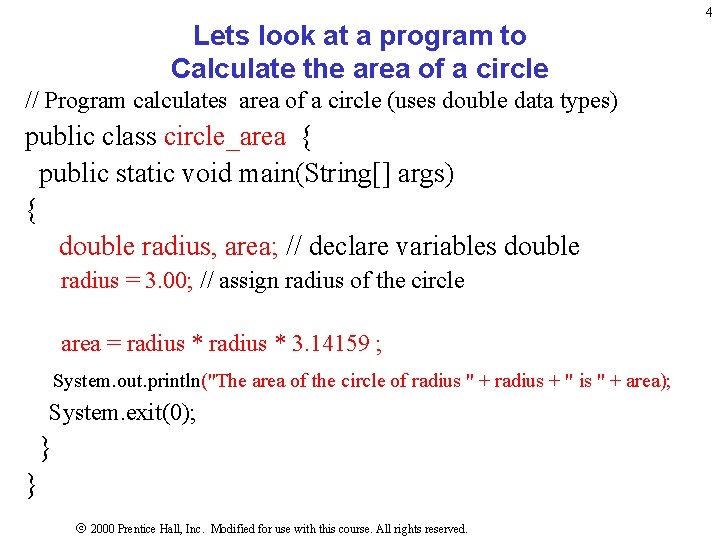
Lets look at a program to Calculate the area of a circle // Program calculates area of a circle (uses double data types) public class circle_area { public static void main(String[] args) { double radius, area; // declare variables double radius = 3. 00; // assign radius of the circle area = radius * 3. 14159 ; System. out. println("The area of the circle of radius " + radius + " is " + area); System. exit(0); } } 2000 Prentice Hall, Inc. Modified for use with this course. All rights reserved. 4
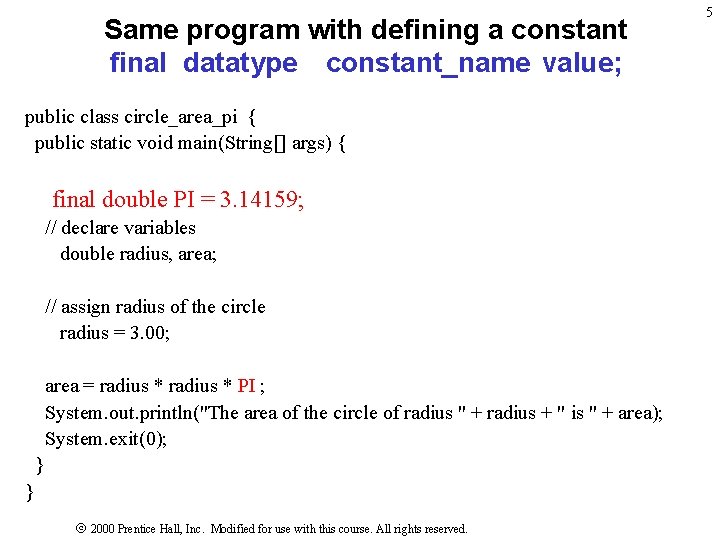
Same program with defining a constant final datatype constant_name value; public class circle_area_pi { public static void main(String[] args) { final double PI = 3. 14159; // declare variables double radius, area; // assign radius of the circle radius = 3. 00; area = radius * PI ; System. out. println("The area of the circle of radius " + radius + " is " + area); System. exit(0); } } 2000 Prentice Hall, Inc. Modified for use with this course. All rights reserved. 5
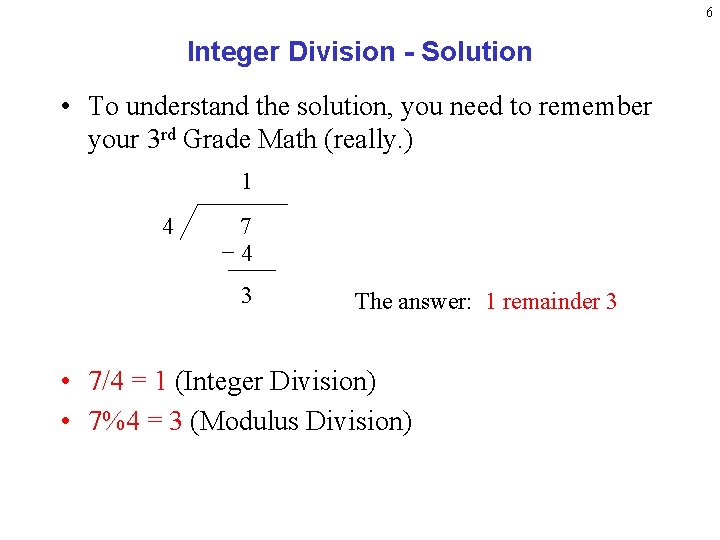
6 Integer Division - Solution • To understand the solution, you need to remember your 3 rd Grade Math (really. ) 1 4 7 4 3 The answer: 1 remainder 3 • 7/4 = 1 (Integer Division) • 7%4 = 3 (Modulus Division)
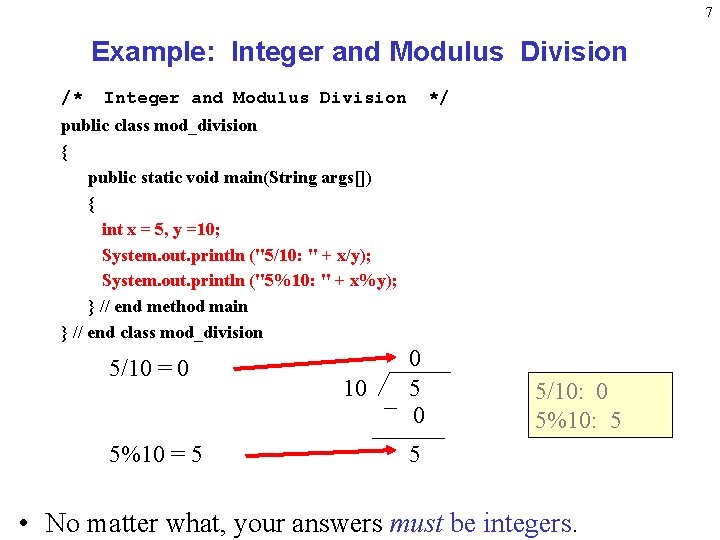
7 Example: Integer and Modulus Division /* Integer and Modulus Division */ public class mod_division { public static void main(String args[]) { int x = 5, y =10; System. out. println ("5/10: " + x/y); System. out. println ("5%10: " + x%y); } // end method main } // end class mod_division 5/10 = 0 5%10 = 5 10 0 5/10: 0 5%10: 5 5 • No matter what, your answers must be integers.
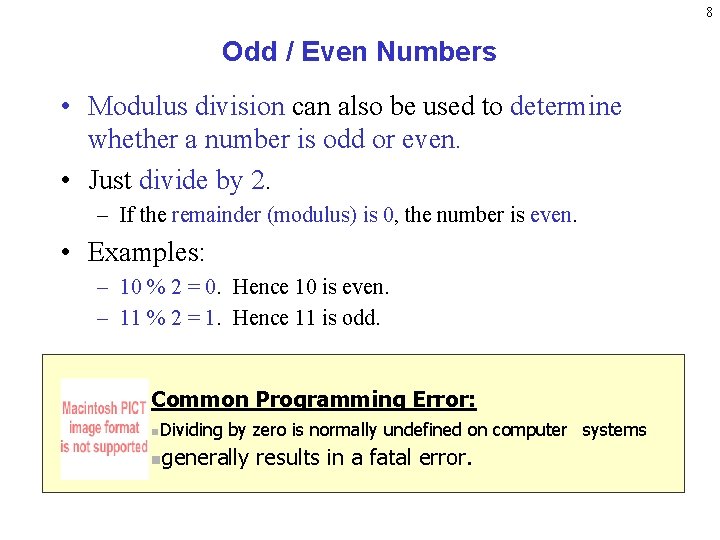
8 Odd / Even Numbers • Modulus division can also be used to determine whether a number is odd or even. • Just divide by 2. – If the remainder (modulus) is 0, the number is even. • Examples: – 10 % 2 = 0. Hence 10 is even. – 11 % 2 = 1. Hence 11 is odd. Common Programming Error: n. Dividing n by zero is normally undefined on computer systems generally results in a fatal error.
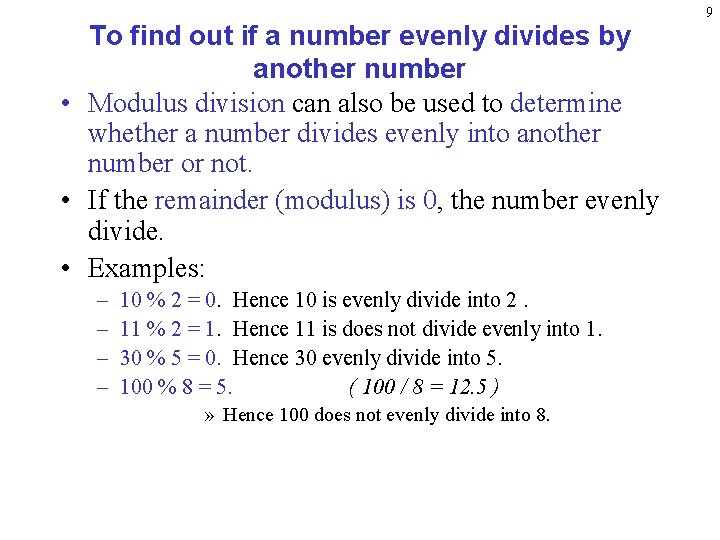
To find out if a number evenly divides by another number • Modulus division can also be used to determine whether a number divides evenly into another number or not. • If the remainder (modulus) is 0, the number evenly divide. • Examples: – – 10 % 2 = 0. Hence 10 is evenly divide into 2. 11 % 2 = 1. Hence 11 is does not divide evenly into 1. 30 % 5 = 0. Hence 30 evenly divide into 5. 100 % 8 = 5. ( 100 / 8 = 12. 5 ) » Hence 100 does not evenly divide into 8. 9
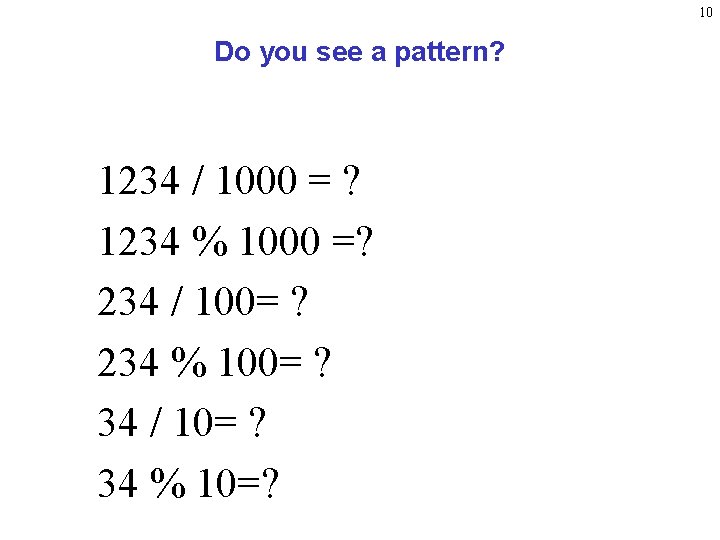
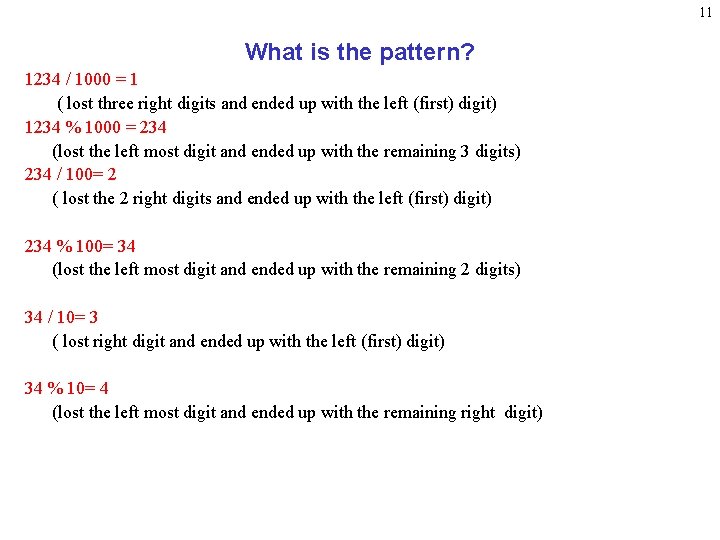
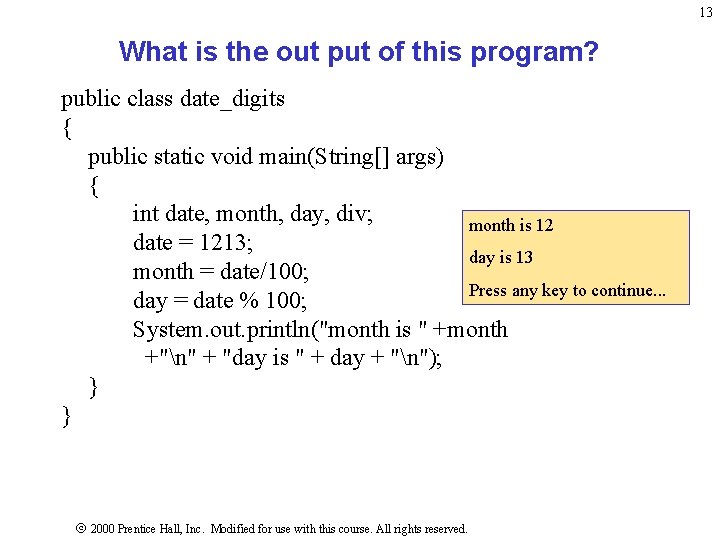
10 Do you see a pattern? 1234 / 1000 = ? 1234 % 1000 =? 234 / 100= ? 234 % 100= ? 34 / 10= ? 34 % 10=?
11 What is the pattern? 1234 / 1000 = 1 ( lost three right digits and ended up with the left (first) digit) 1234 % 1000 = 234 (lost the left most digit and ended up with the remaining 3 digits) 234 / 100= 2 ( lost the 2 right digits and ended up with the left (first) digit) 234 % 100= 34 (lost the left most digit and ended up with the remaining 2 digits) 34 / 10= 3 ( lost right digit and ended up with the left (first) digit) 34 % 10= 4 (lost the left most digit and ended up with the remaining right digit)
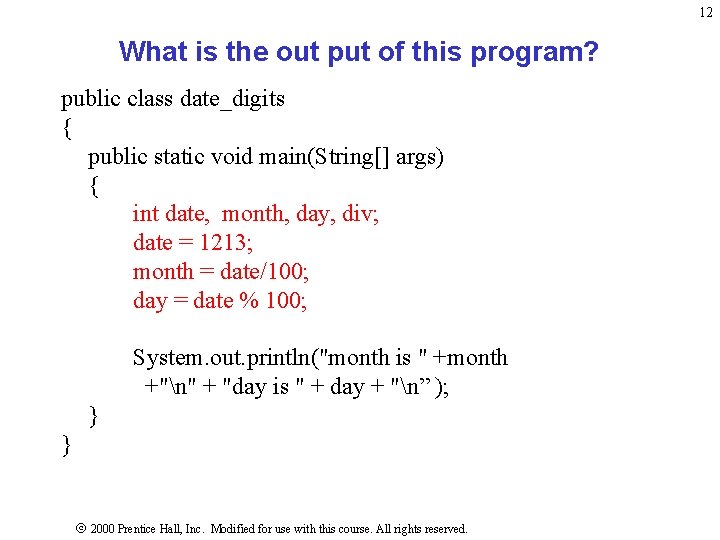
12 What is the out put of this program? public class date_digits { public static void main(String[] args) { int date, month, day, div; date = 1213; month = date/100; day = date % 100; System. out. println("month is " +month +"n" + "day is " + day + "n” ); } } 2000 Prentice Hall, Inc. Modified for use with this course. All rights reserved.
13 What is the out put of this program? public class date_digits { public static void main(String[] args) { int date, month, day, div; month is 12 date = 1213; day is 13 month = date/100; Press any key to continue. . . day = date % 100; System. out. println("month is " +month +"n" + "day is " + day + "n"); } } 2000 Prentice Hall, Inc. Modified for use with this course. All rights reserved.
14 Operator Precedence
15 Operator Precedence • Operator precedence represent rules for evaluating mathematical expressions. • Every programming language has similar rules.
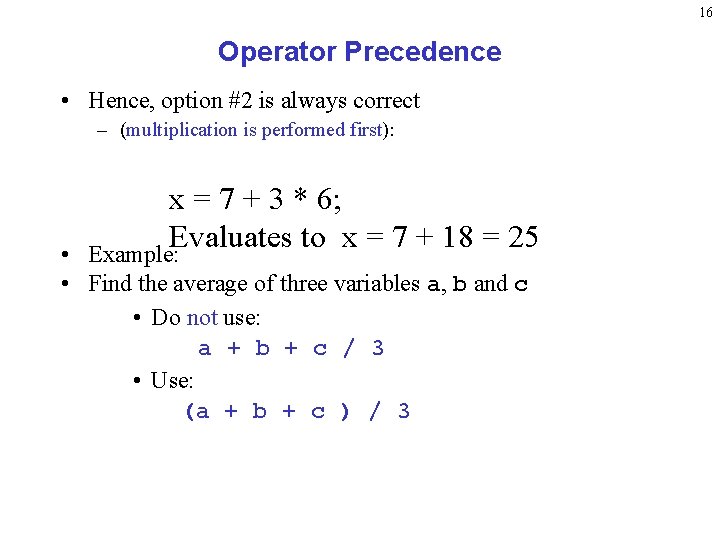
16 Operator Precedence • Hence, option #2 is always correct – (multiplication is performed first): x = 7 + 3 * 6; Evaluates to x = 7 + 18 = 25 Example: • • Find the average of three variables a, b and c • Do not use: a + b + c / 3 • Use: (a + b + c ) / 3
17 Lets look at a program to allow user to input data using an input text prompt window 2000 Prentice Hall, Inc. Modified for use with this course. All rights reserved.
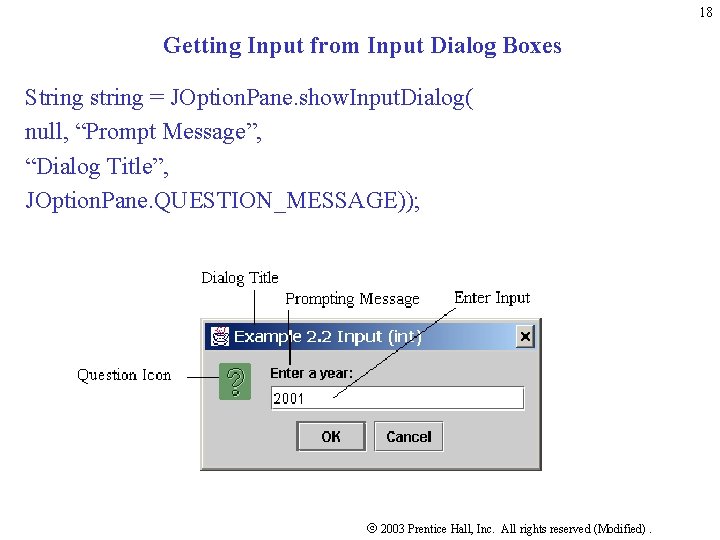
18 Getting Input from Input Dialog Boxes String string = JOption. Pane. show. Input. Dialog( null, “Prompt Message”, “Dialog Title”, JOption. Pane. QUESTION_MESSAGE)); 2003 Prentice Hall, Inc. All rights reserved (Modified).
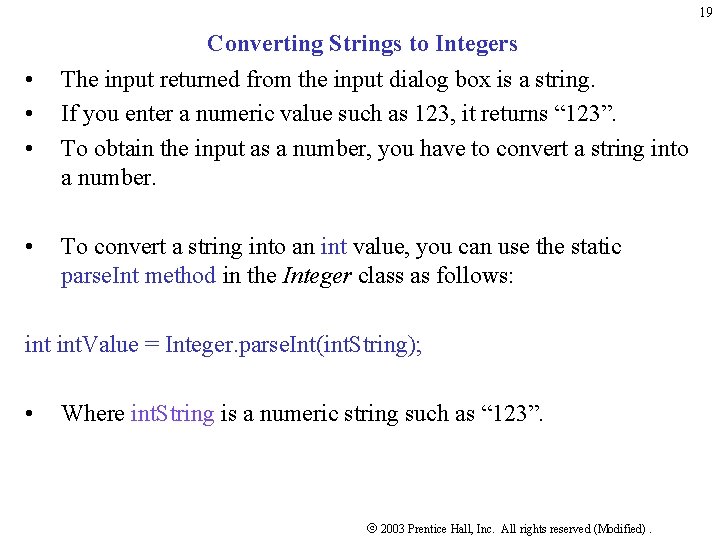
19 Converting Strings to Integers • • • • The input returned from the input dialog box is a string. If you enter a numeric value such as 123, it returns “ 123”. To obtain the input as a number, you have to convert a string into a number. To convert a string into an int value, you can use the static parse. Int method in the Integer class as follows: int. Value = Integer. parse. Int(int. String); • Where int. String is a numeric string such as “ 123”. 2003 Prentice Hall, Inc. All rights reserved (Modified).
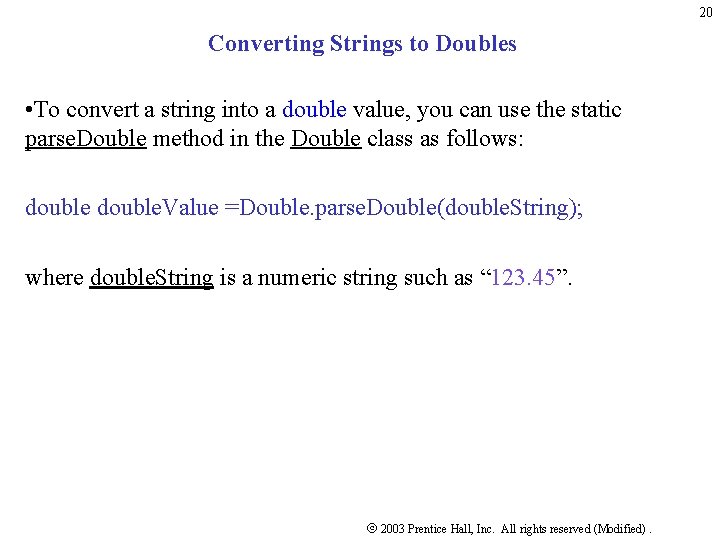
20 Converting Strings to Doubles • To convert a string into a double value, you can use the static parse. Double method in the Double class as follows: double. Value =Double. parse. Double(double. String); where double. String is a numeric string such as “ 123. 45”. 2003 Prentice Hall, Inc. All rights reserved (Modified).
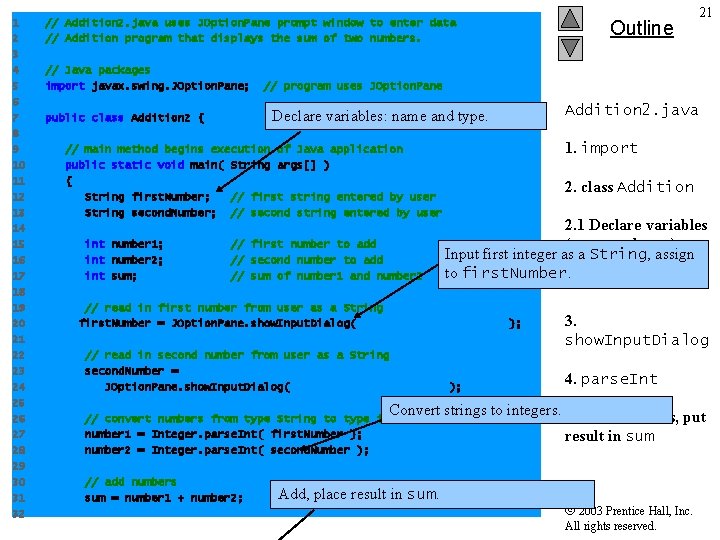
1 2 3 4 5 6 7 8 9 10 11 12 13 14 15 16 17 18 19 20 21 22 23 24 25 26 27 28 29 30 31 32 // Addition 2. java uses JOption. Pane prompt window to enter data // Addition program that displays the sum of two numbers. // Java packages import javax. swing. JOption. Pane; // program uses JOption. Pane Declare variables: name and type. public class Addition 2 { // main method begins execution of Java application public static void main( String args[] ) { String first. Number; // first string entered by user String second. Number; // second string entered by user int number 1; int number 2; int sum; Outline 21 // first number to add // second number to add // sum of number 1 and number 2 Addition 2. java 1. import 2. class Addition 2. 1 Declare variables (name and type) Input first integer as a String, assign to first. Number. // read in first number from user as a String first. Number = JOption. Pane. show. Input. Dialog( "Enter first integer" ); // read in second number from user as a String second. Number = JOption. Pane. show. Input. Dialog( "Enter second integer" ); 3. show. Input. Dialog 4. parse. Int Convert strings to integers. 5. Add numbers, put // convert numbers from type String to type int number 1 = Integer. parse. Int( first. Number ); number 2 = Integer. parse. Int( second. Number ); // add numbers sum = number 1 + number 2; Add, place result in sum 2003 Prentice Hall, Inc. All rights reserved.
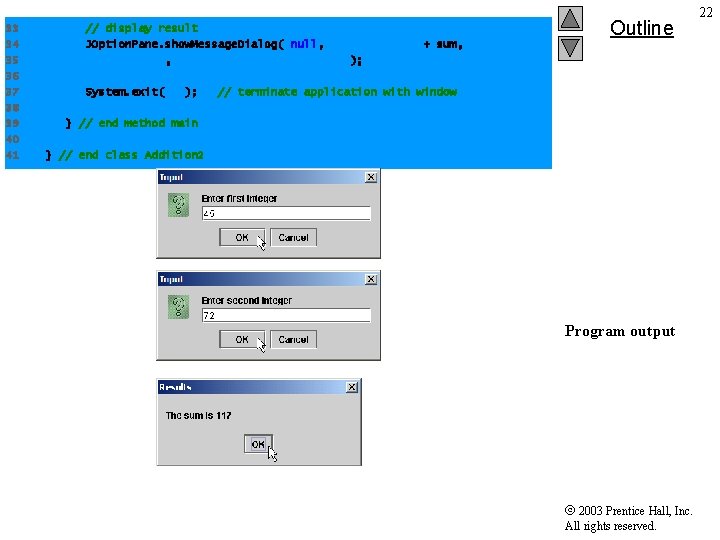
33 34 35 36 37 38 39 40 41 // display result JOption. Pane. show. Message. Dialog( null, "The sum is " + sum, "Results", JOption. Pane. PLAIN_MESSAGE ); System. exit( 0 ); Outline // terminate application with window } // end method main } // end class Addition 2 Program output 2003 Prentice Hall, Inc. All rights reserved. 22
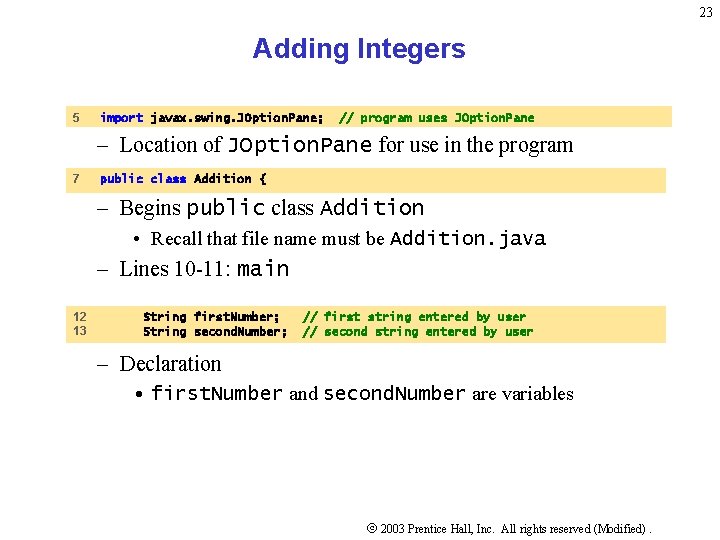
23 Adding Integers 5 import javax. swing. JOption. Pane; // program uses JOption. Pane – Location of JOption. Pane for use in the program 7 public class Addition { – Begins public class Addition • Recall that file name must be Addition. java – Lines 10 -11: main 12 13 String first. Number; String second. Number; // first string entered by user // second string entered by user – Declaration • first. Number and second. Number are variables 2003 Prentice Hall, Inc. All rights reserved (Modified).
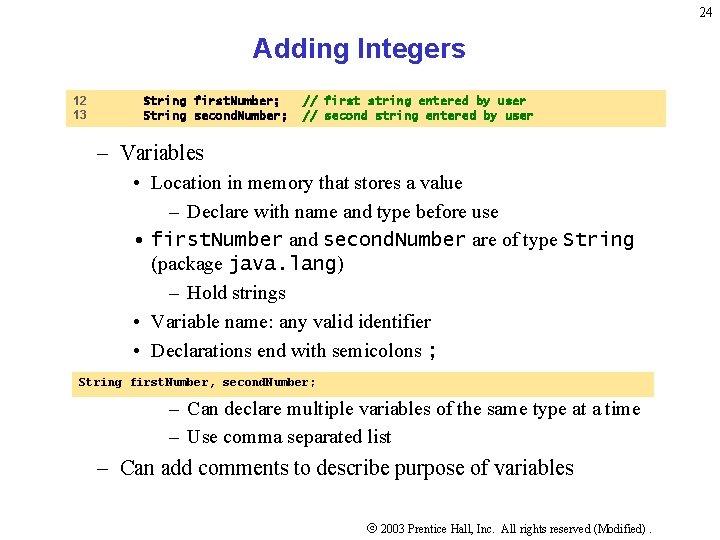
24 Adding Integers 12 13 String first. Number; String second. Number; // first string entered by user // second string entered by user – Variables • Location in memory that stores a value – Declare with name and type before use • first. Number and second. Number are of type String (package java. lang) – Hold strings • Variable name: any valid identifier • Declarations end with semicolons ; String first. Number, second. Number; – Can declare multiple variables of the same type at a time – Use comma separated list – Can add comments to describe purpose of variables 2003 Prentice Hall, Inc. All rights reserved (Modified).
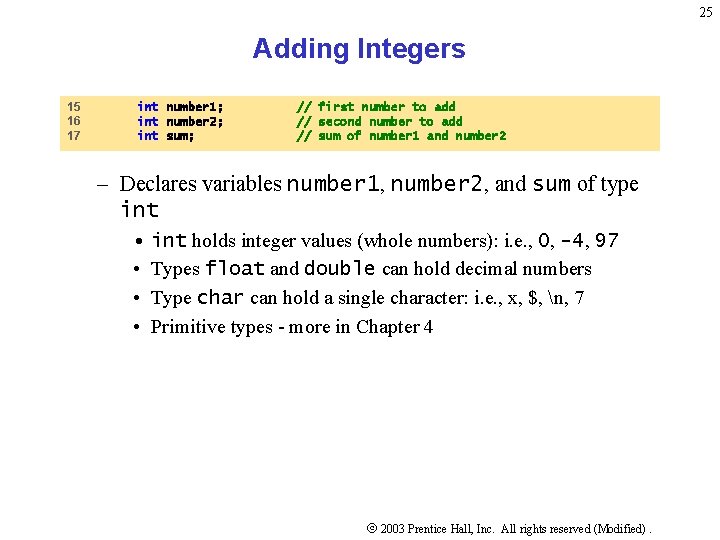
25 Adding Integers 15 16 17 int number 1; int number 2; int sum; // first number to add // second number to add // sum of number 1 and number 2 – Declares variables number 1, number 2, and sum of type int • int holds integer values (whole numbers): i. e. , 0, -4, 97 • Types float and double can hold decimal numbers • Type char can hold a single character: i. e. , x, $, n, 7 • Primitive types - more in Chapter 4 2003 Prentice Hall, Inc. All rights reserved (Modified).
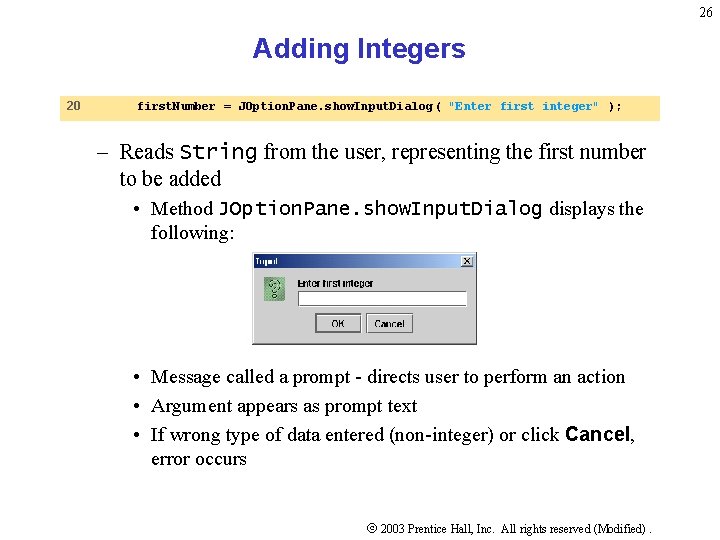
26 Adding Integers 20 first. Number = JOption. Pane. show. Input. Dialog ( "Enter first integer" ); – Reads String from the user, representing the first number to be added • Method JOption. Pane. show. Input. Dialog displays the following: • Message called a prompt - directs user to perform an action • Argument appears as prompt text • If wrong type of data entered (non-integer) or click Cancel, error occurs 2003 Prentice Hall, Inc. All rights reserved (Modified).
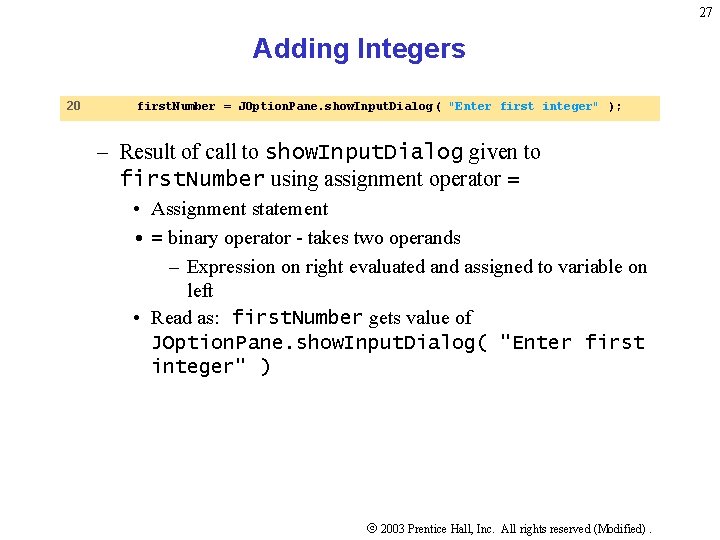
27 Adding Integers 20 first. Number = JOption. Pane. show. Input. Dialog ( "Enter first integer" ); – Result of call to show. Input. Dialog given to first. Number using assignment operator = • Assignment statement • = binary operator - takes two operands – Expression on right evaluated and assigned to variable on left • Read as: first. Number gets value of JOption. Pane. show. Input. Dialog( "Enter first integer" ) 2003 Prentice Hall, Inc. All rights reserved (Modified).
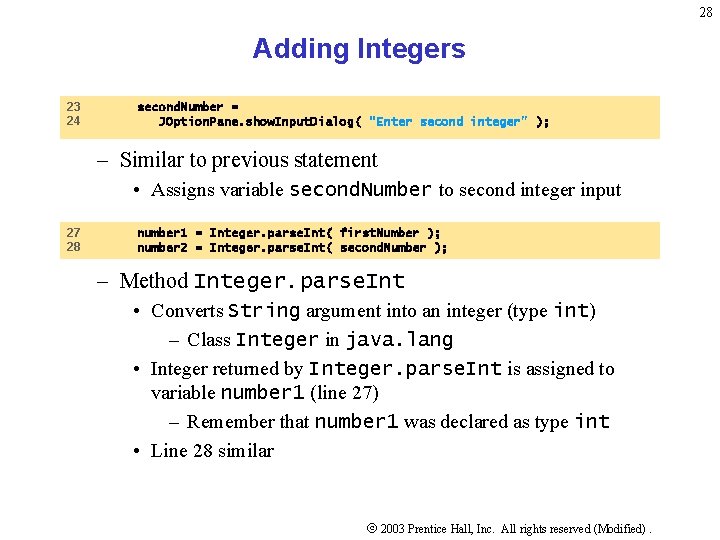
28 Adding Integers 23 24 second. Number = JOption. Pane. show. Input. Dialog( "Enter second integer" ); – Similar to previous statement • Assigns variable second. Number to second integer input 27 28 number 1 = Integer. parse. Int( first. Number ); number 2 = Integer. parse. Int( second. Number ); – Method Integer. parse. Int • Converts String argument into an integer (type int) – Class Integer in java. lang • Integer returned by Integer. parse. Int is assigned to variable number 1 (line 27) – Remember that number 1 was declared as type int • Line 28 similar 2003 Prentice Hall, Inc. All rights reserved (Modified).
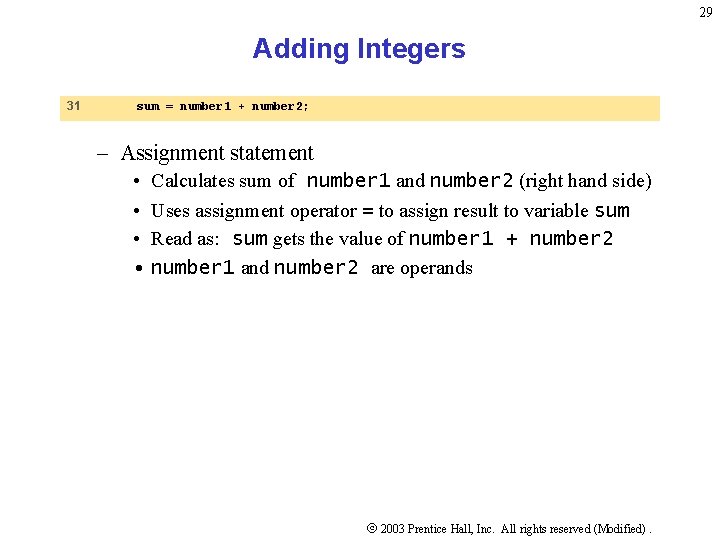
29 Adding Integers 31 sum = number 1 + number 2; – Assignment statement • Calculates sum of number 1 and number 2 (right hand side) • Uses assignment operator = to assign result to variable sum • Read as: sum gets the value of number 1 + number 2 • number 1 and number 2 are operands 2003 Prentice Hall, Inc. All rights reserved (Modified).
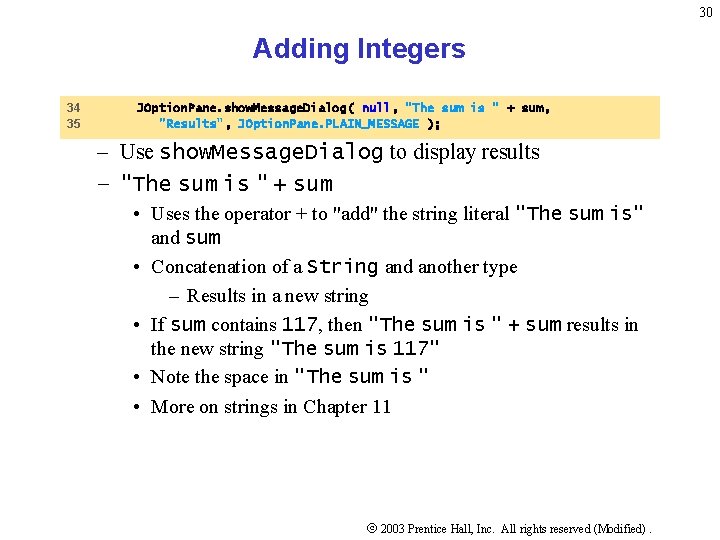
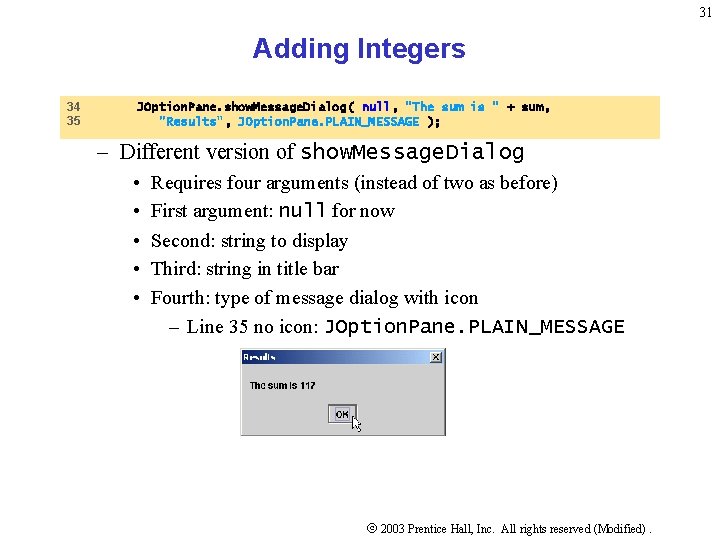
30 Adding Integers 34 35 JOption. Pane. show. Message. Dialog( null, "The sum is " + sum, "Results", JOption. Pane. PLAIN_MESSAGE ); – Use show. Message. Dialog to display results – "The sum is " + sum • Uses the operator + to "add" the string literal "The sum is" and sum • Concatenation of a String and another type – Results in a new string • If sum contains 117, then "The sum is " + sum results in the new string "The sum is 117" • Note the space in "The sum is " • More on strings in Chapter 11 2003 Prentice Hall, Inc. All rights reserved (Modified).
31 Adding Integers 34 35 JOption. Pane. show. Message. Dialog( null, "The sum is " + sum, "Results", JOption. Pane. PLAIN_MESSAGE ); – Different version of show. Message. Dialog • • • Requires four arguments (instead of two as before) First argument: null for now Second: string to display Third: string in title bar Fourth: type of message dialog with icon – Line 35 no icon: JOption. Pane. PLAIN_MESSAGE 2003 Prentice Hall, Inc. All rights reserved (Modified).
32 Adding Integers 2003 Prentice Hall, Inc. All rights reserved (Modified).