
1 INTRODUCTION OF SWIFT PLAYGROUND IN THE CLASSROOM





- Slides: 33
1 INTRODUCTION OF SWIFT PLAYGROUND IN THE CLASSROOM FOR VISUALLY IMPAIRED STUDENTS JANG HEE I
2 TABLE OF CONTENTS • Profile • Terms • History, benefits, and its limitations • Curriculum • Survey Results • Conclusion
3 PROFILE • Education • Master of Arts in Instructional Technology and Media, Teachers College, Columbia University • Bachelor of Arts in Computer Science and Mathematics, U of North Carolina at Chapel Hill • Work Experience • CEO and Founder, Cobrix LLC • Project Lead, 3 D Printing Lab, Korea Institute of Science and Technology • Principal Research Scientist, Korea IT Business Promotion Agency
4 TERMS • Computer Science? • Computational Thinking skills? Code? • Everyone Can Code curriculum? • Swift Playground?
5 TERMS • Computer Science As the foundation for all computing, computer science is defined as “the study of computers and algorithmic processes, including their principles, their hardware and software designs, their implementation, and their impact on society” (Tucker et. al, 2003)
6 TERMS • Computational Thinking Skills Computational thinking refers to the thought processes involved in expressing solutions as computational steps or algorithms that can be carried out by a computer. (Cuny, Snyder, & Wing, 2010; Aho, 2011; Lee, 2016). • Code is the language of technology (in other words, computational steps or algorithms) that powers technology around us.
7 TERMS • Everyone Can Code Apple created a comprehensive Everyone Can Code curriculum to help teachers teach coding to students from kindergarten to college. With teacher guides and lessons, students can learn the basics on i. Pad, then advance to building real apps on Mac.
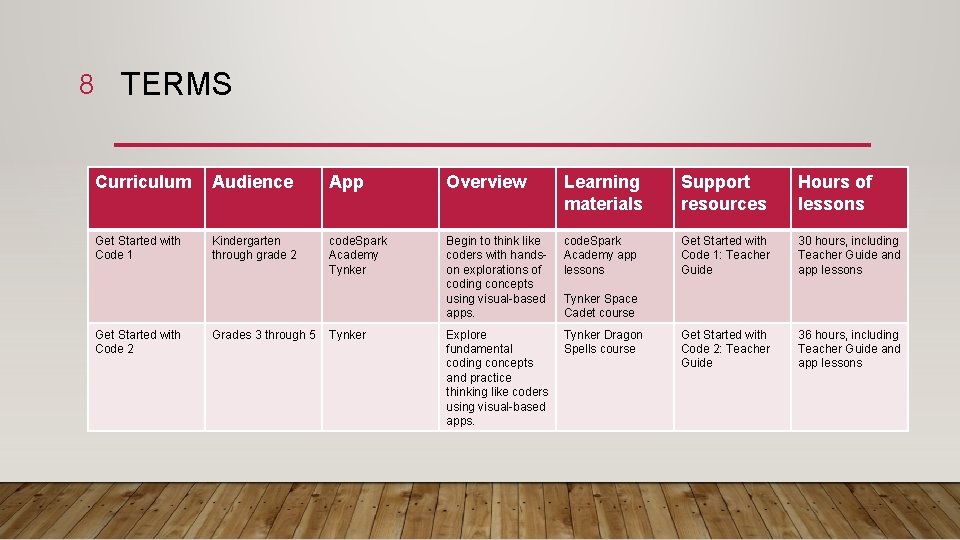
8 TERMS Curriculum Audience App Overview Learning materials Support resources Hours of lessons Get Started with Code 1 Kindergarten through grade 2 code. Spark Academy Tynker Begin to think like coders with handson explorations of coding concepts using visual-based apps. code. Spark Academy app lessons Get Started with Code 1: Teacher Guide 30 hours, including Teacher Guide and app lessons Explore fundamental coding concepts and practice thinking like coders using visual-based apps. Tynker Dragon Spells course Get Started with Code 2: Teacher Guide 36 hours, including Teacher Guide and app lessons Get Started with Code 2 Grades 3 through 5 Tynker Space Cadet course
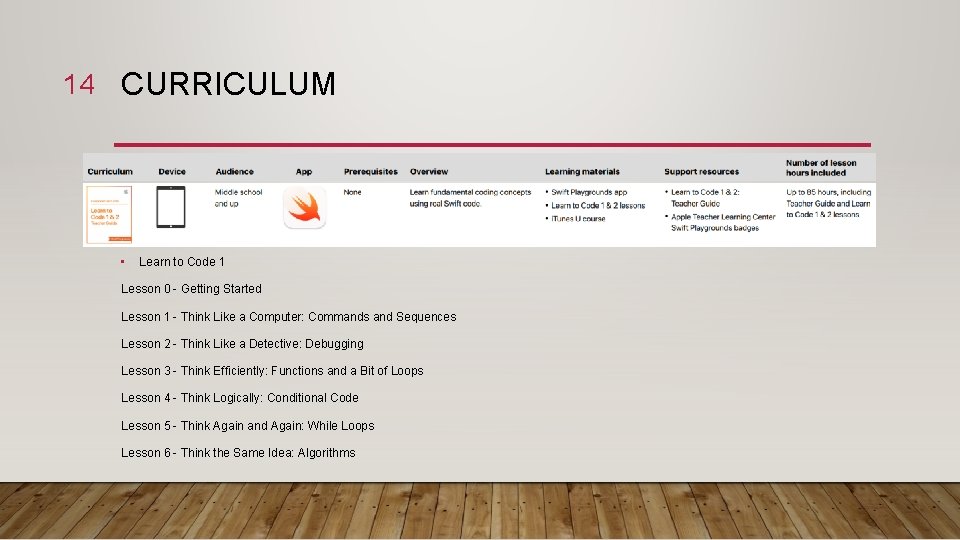
9 TERMS Curriculum Audience App Overview Learning materials Support resources Hours of lessons Learn to code 1 & 2 Middle school and up Swift Playground Learn fundamental coding concepts using real Swift code. Swift Playgrounds app Learn to Code 1 & 2: Teacher Guide Learn to Code 1 & 2 lessons i. Tunes U course Apple Teacher Learning Center Swift Playgrounds badges Up to 85 hours, including Teacher Guide and Learn to Code 1 & 2 lessons Swift Playgrounds app Learn to Code 3: Teacher Guide Learn to code 3 Middle School and up Swift Playground Expand coding skills and start thinking more like an app developer Learn to Code 3 lessons Up to 45 hours, including Teacher Guide and Learn to Code 3 lessons
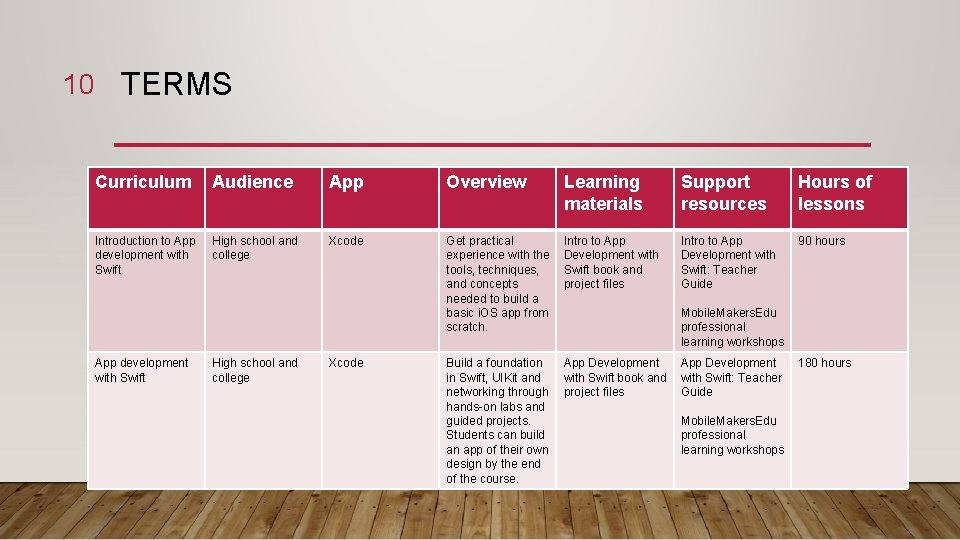
10 TERMS Curriculum Audience App Overview Learning materials Support resources Hours of lessons Introduction to App development with Swift High school and college Xcode Get practical experience with the tools, techniques, and concepts needed to build a basic i. OS app from scratch. Intro to App Development with Swift book and project files Intro to App Development with Swift: Teacher Guide 90 hours Build a foundation in Swift, UIKit and networking through hands-on labs and guided projects. Students can build an app of their own design by the end of the course. App Development with Swift book and project files App development with Swift High school and college Xcode Mobile. Makers. Edu professional learning workshops App Development with Swift: Teacher Guide Mobile. Makers. Edu professional learning workshops 180 hours
11 TERMS • Swift Playground Better watch a video than hear another word, follow the link!
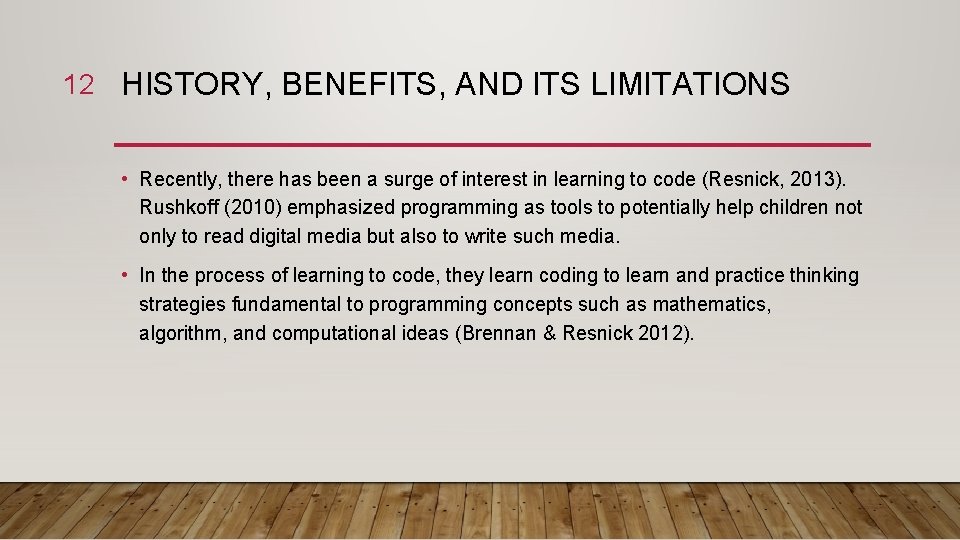
12 HISTORY, BENEFITS, AND ITS LIMITATIONS • Recently, there has been a surge of interest in learning to code (Resnick, 2013). Rushkoff (2010) emphasized programming as tools to potentially help children not only to read digital media but also to write such media. • In the process of learning to code, they learn coding to learn and practice thinking strategies fundamental to programming concepts such as mathematics, algorithm, and computational ideas (Brennan & Resnick 2012).
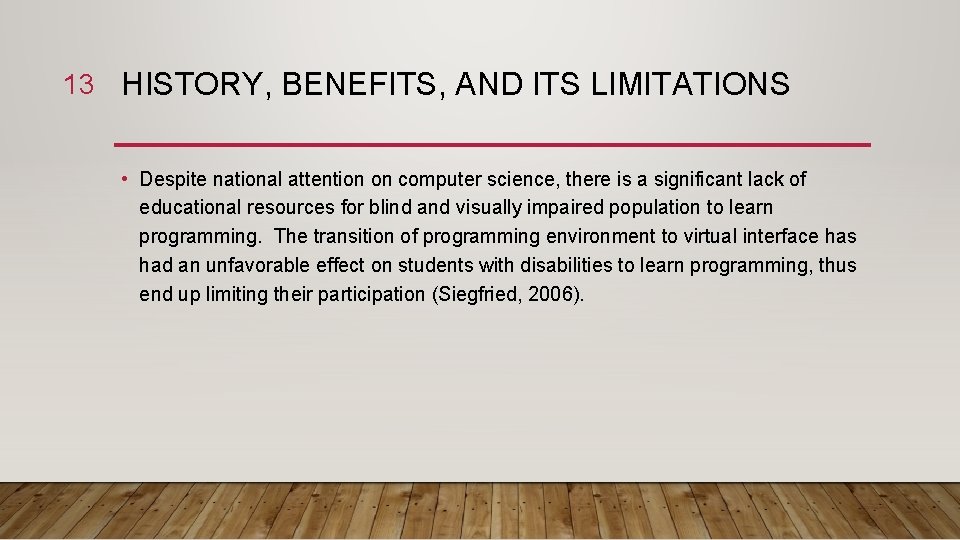
13 HISTORY, BENEFITS, AND ITS LIMITATIONS • Despite national attention on computer science, there is a significant lack of educational resources for blind and visually impaired population to learn programming. The transition of programming environment to virtual interface has had an unfavorable effect on students with disabilities to learn programming, thus end up limiting their participation (Siegfried, 2006).
14 CURRICULUM • Learn to Code 1 Lesson 0 - Getting Started Lesson 1 - Think Like a Computer: Commands and Sequences Lesson 2 - Think Like a Detective: Debugging Lesson 3 - Think Efficiently: Functions and a Bit of Loops Lesson 4 - Think Logically: Conditional Code Lesson 5 - Think Again and Again: While Loops Lesson 6 - Think the Same Idea: Algorithms
15 CURRICULUM • Learn to Code 2 Lesson 7 - Think Like a News. Bot: Variables Lesson 8 - Think Like an Architect: Types Lesson 9 - Think Specifically: Parameters Lesson 10 - Think Organized: Arrays Milestone Project App Design.
16 CURRICULUM • Learn to Code 1 & 2 Teacher Guide Introduction Activity Practice Reflection Journal
17 CURRICULUM • Lesson 1: Think Like a Computer: Commands and Sequences Objectives 1. Describe what commands and sequences are 2. Demonstrate the use of commands and sequences in an everyday situation 3. Code using commands and sequences Key Vocabulary Command, Sequence
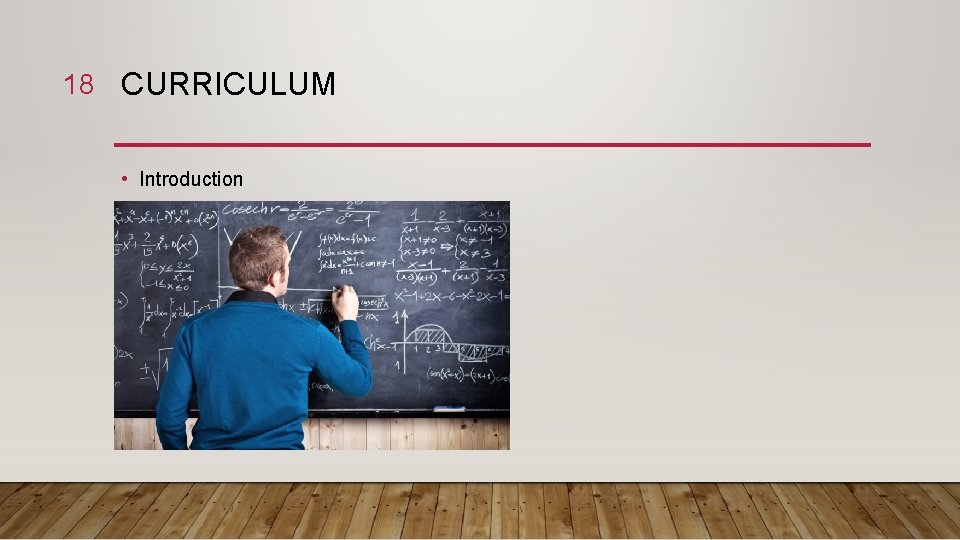
18 CURRICULUM • Introduction
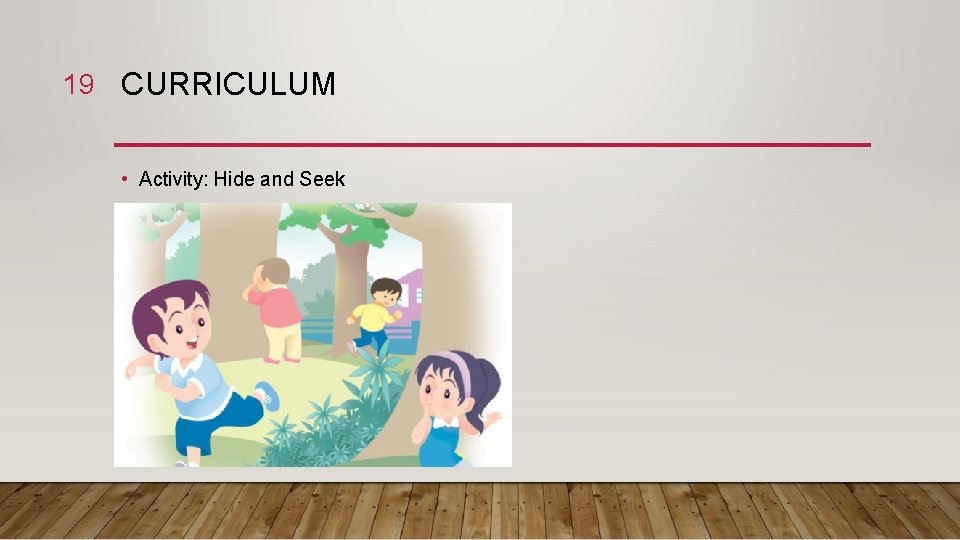
19 CURRICULUM • Activity: Hide and Seek
20 CURRICULUM • Practice Now, students will use Swift Playground and complete the puzzles. Students will develop coding skills by giving instructions using simple commands. By doing so, they’ll learn that commands are pieces of code that tell the program to perform a specific action executed in a specific order.
21 CURRICULUM • To view practice in action, follow the link!
22 CURRICULUM • Reflection How many moves did it take to solve the puzzle? If they added more moves, would they still solve the puzzle? How does thinking like a computer compare to thinking like a human? • Journal What is a command what is a sequence? What do they know about giving directions and thinking like a computer?
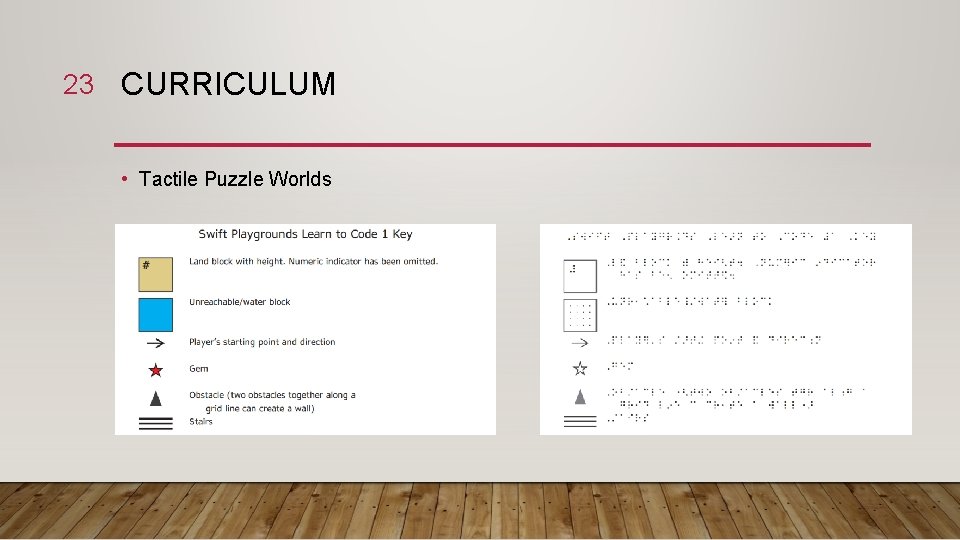
23 CURRICULUM • Tactile Puzzle Worlds
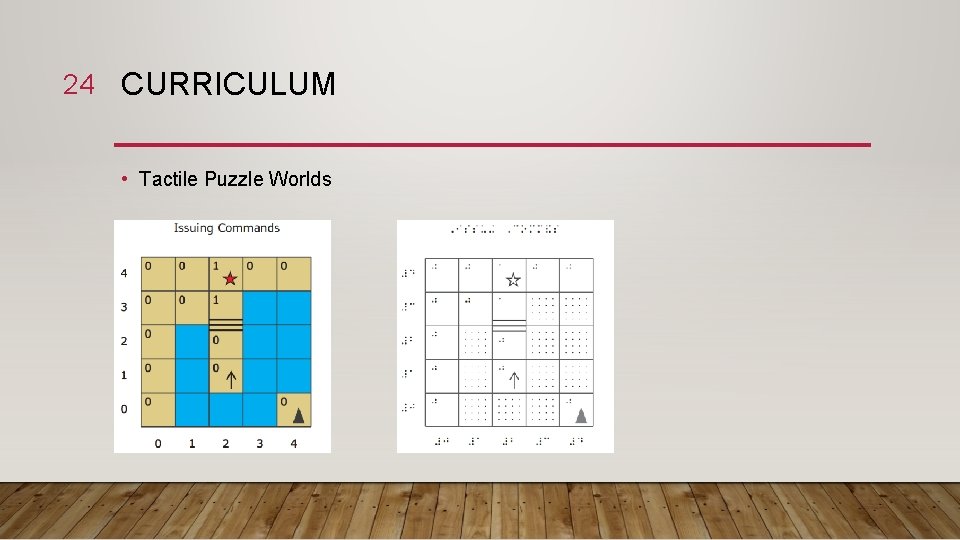
24 CURRICULUM • Tactile Puzzle Worlds
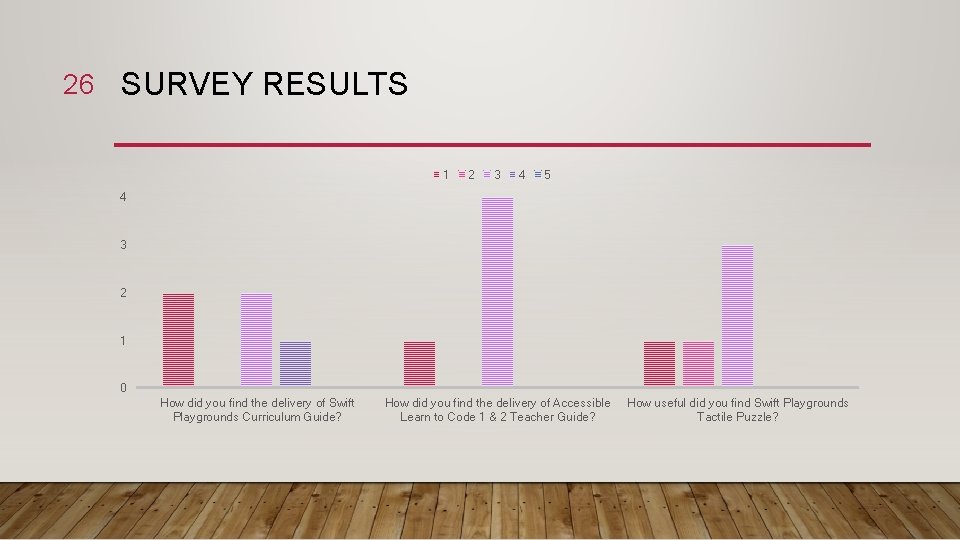
25 SURVEY RESULTS • Used vs. Not used, no significant difference but those who have used it expressed the slightly lower ratings than those who have not when it comes to student’s interaction with Swift Playground, the app.
26 SURVEY RESULTS 1 2 3 4 5 4 3 2 1 0 How did you find the delivery of Swift Playgrounds Curriculum Guide? How did you find the delivery of Accessible Learn to Code 1 & 2 Teacher Guide? How useful did you find Swift Playgrounds Tactile Puzzle?
27 SURVEY RESULTS 1 2 3 4 5 4 3 2 1 0 Do you expect your students to How would your students find it to find Swift Playground interesting? understand the problem? How would your students find providing the answer for the problem again based on the feedback?
28 SURVEY RESULTS • Suggestions 1. Hands on learning tools (for an example, robots) to work with Swift Playground 2. Tangible methods to understand the problem
29 CONCLUSION • Unlike coding tools not appropriate for blind and visually impaired learners, Swift Playground is a tool that could maintain thinking practices shared with CT for solving problems, designing projects, and communicating ideas and that are accessible to blind learners. • Yet, TVIs can make the best of it when…
30 CONCLUSION • Not enough TVIs have explored Everyone Can Code curriculum yet! Also, there is a weak consensus what resources TVIs need to further develop Everyone Can Code curriculum. • Build an online community and a support system among TVIs to share guidance and support each other with instructional practices to teach computer science to blind and visually impaired students (for an example, ask Apple to provide additional resources as a group of TVIs).
31 CONCLUSION • Support resources are lengthy and sometimes hard to understand, especially you are not tech-savvy TVI. Can an unexperienced TVI teach beyond the basic concepts of computational thinking? • Learn, Discuss, Share! It echoes the past suggestion; it is going to take a while to understand how Swift Playground and its curriculum works if you are novice TVI to Swift Playground, so keep a habit of learning and reviewing the materials by yourself and with your colleagues.
32 CONCLUSION • Would Swift Playground and its support materials be enough to keep students interested in and engaged in the lessons? • Be more tactile and use hands-on classroom activities rather than solely hold onto Swift Playground throughout the class (Swift Playground is an app that helps to teach computational thinking skills; however, there are other proven ways to teach computational thinking skills effectively, for an example, CS unplugged).
33 THANK YOU