
1 Hospital Transaction and Claims under AB PMJAY

1
Hospital Transaction and Claims under AB PM-JAY
Introduction Claim management will be a paperless process at all stages Beneficiaries shall not be required to pay any expenses 3 AB PM-JAY healthcare benefits would be cashless at any of the empanelled Health Care Providers (EHCP) across the country All transactions need to be maintained online in order to ensure real-time claim management, monitoring and reporting
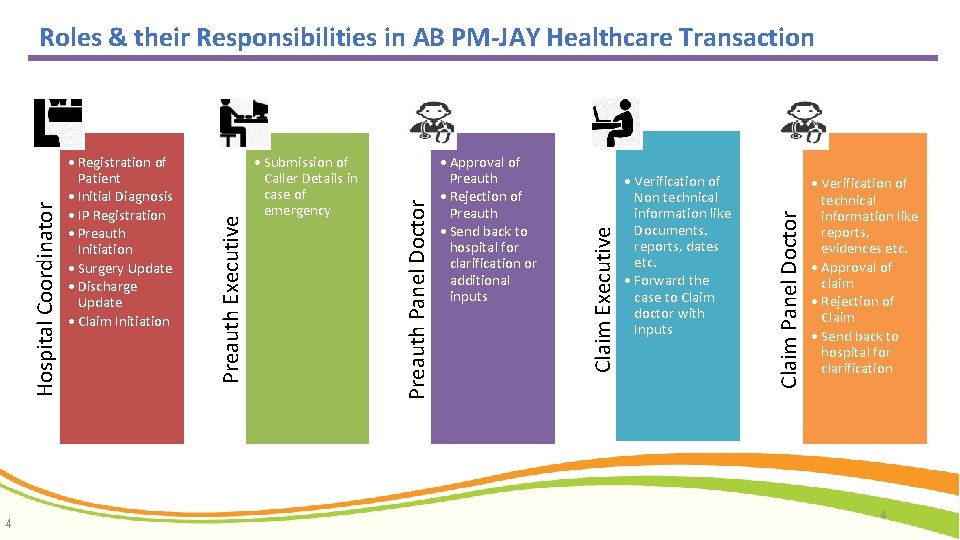
4 Verification of Non technical information like Documents, reports, dates etc. Forward the case to Claim doctor with Inputs Claim Panel Doctor Approval of Preauth Rejection of Preauth Send back to hospital for clarification or additional inputs Claim Executive Submission of Caller Details in case of emergency Preauth Panel Doctor Registration of Patient Initial Diagnosis IP Registration Preauth Initiation Surgery Update Discharge Update Claim Initiation Preauth Executive Hospital Coordinator Roles & their Responsibilities in AB PM-JAY Healthcare Transaction Verification of technical information like reports, evidences etc. Approval of claim Rejection of Claim Send back to hospital for clarification 4
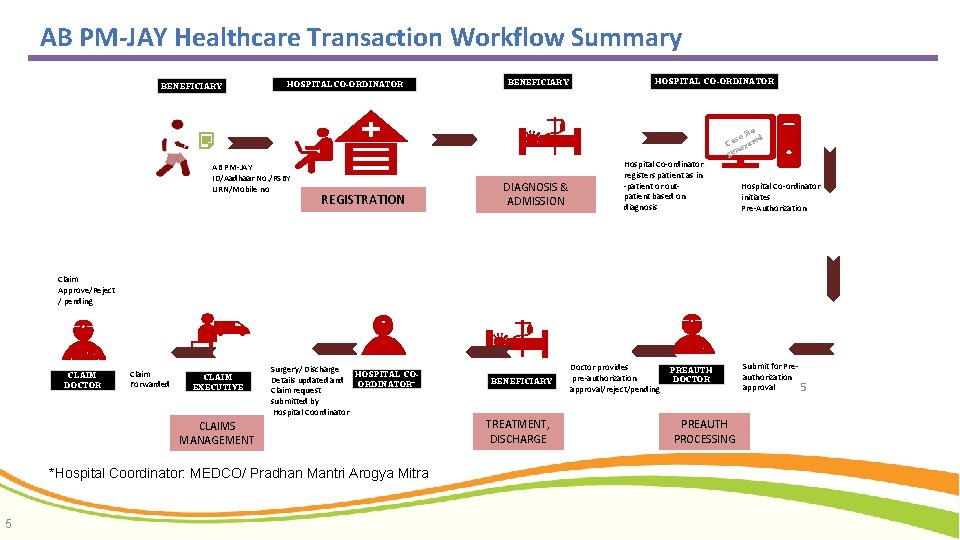
AB PM-JAY Healthcare Transaction Workflow Summary BENEFICIARY HOSPITAL CO-ORDINATOR AB PM-JAY ID/Aadhaar No. /RSBY URN/Mobile no REGISTRATION BENEFICIARY DIAGNOSIS & ADMISSION HOSPITAL CO-ORDINATOR Hospital Co-ordinator registers patient as in -patient or outpatient based on diagnosis No d se Ca erate n ge Hospital Co-ordinator initiates Pre-Authorization Claim Approve/Reject / pending CLAIM DOCTOR Claim Forwarded CLAIM EXECUTIVE Surgery/ Discharge HOSPITAL CODetails updated and ORDINATOR* Claim request submitted by Hospital Coordinator CLAIMS MANAGEMENT *Hospital Coordinator: MEDCO/ Pradhan Mantri Arogya Mitra 5 BENEFICIARY TREATMENT, DISCHARGE Doctor provides pre-authorization approval/reject/pending PREAUTH DOCTOR PREAUTH PROCESSING Submit for Preauthorization approval 5
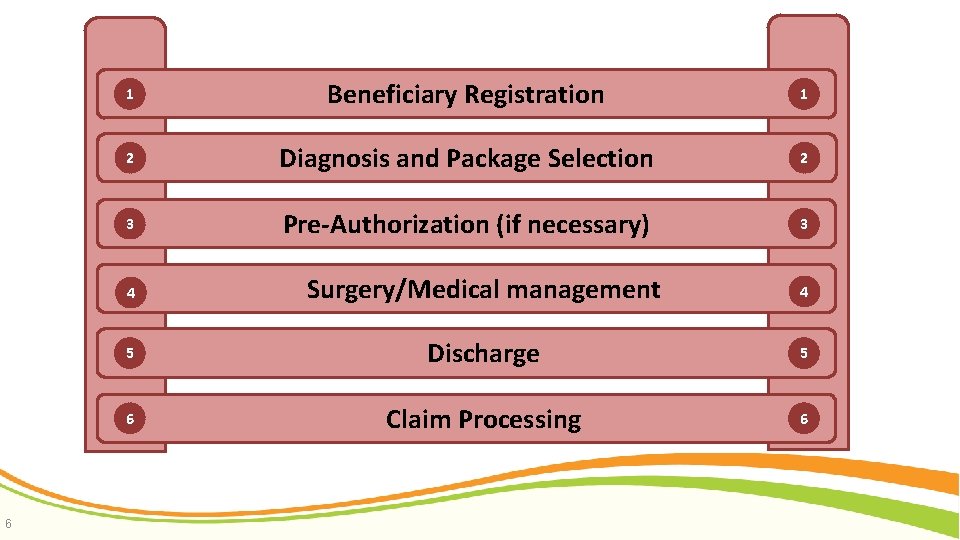
6 1 Beneficiary Registration 1 2 Diagnosis and Package Selection 2 3 Pre-Authorization (if necessary) 3 4 Surgery/Medical management 4 5 Discharge 5 6 Claim Processing 6
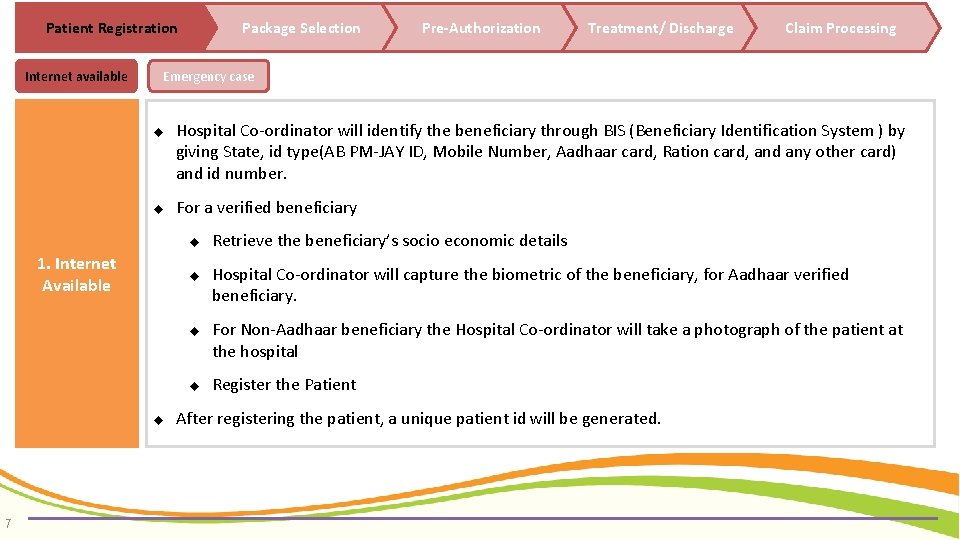
Patient Registration Internet available Package Selection Treatment/ Discharge Claim Processing Emergency case Hospital Co-ordinator will identify the beneficiary through BIS (Beneficiary Identification System ) by giving State, id type(AB PM-JAY ID, Mobile Number, Aadhaar card, Ration card, and any other card) and id number. For a verified beneficiary 1. Internet Available 7 Pre-Authorization Retrieve the beneficiary’s socio economic details Hospital Co-ordinator will capture the biometric of the beneficiary, for Aadhaar verified beneficiary. For Non-Aadhaar beneficiary the Hospital Co-ordinator will take a photograph of the patient at the hospital Register the Patient After registering the patient, a unique patient id will be generated.
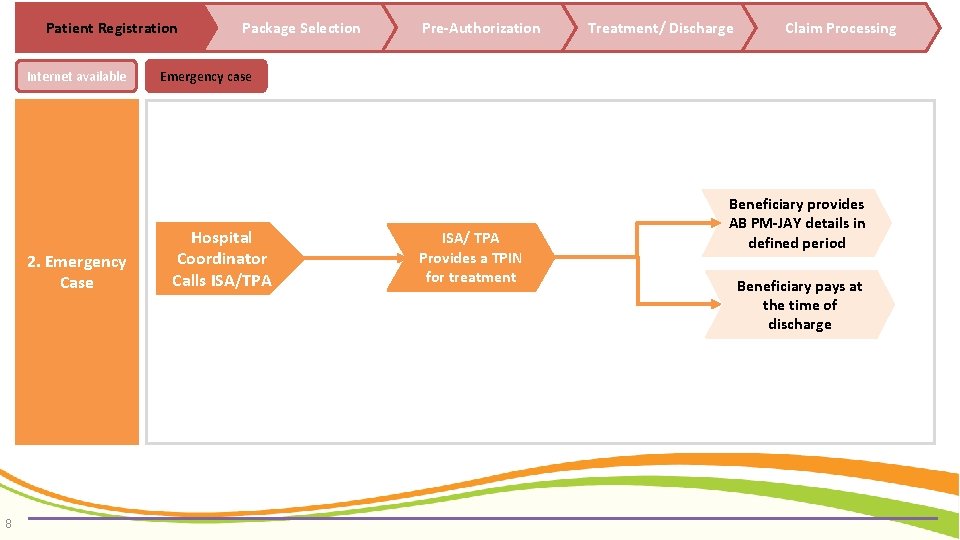
Patient Registration Internet available 2. Emergency Case 8 Package Selection Pre-Authorization Treatment/ Discharge Claim Processing Emergency case Hospital Coordinator Calls ISA/TPA ISA/ TPA Provides a TPIN for treatment Beneficiary provides AB PM-JAY details in defined period Beneficiary pays at the time of discharge
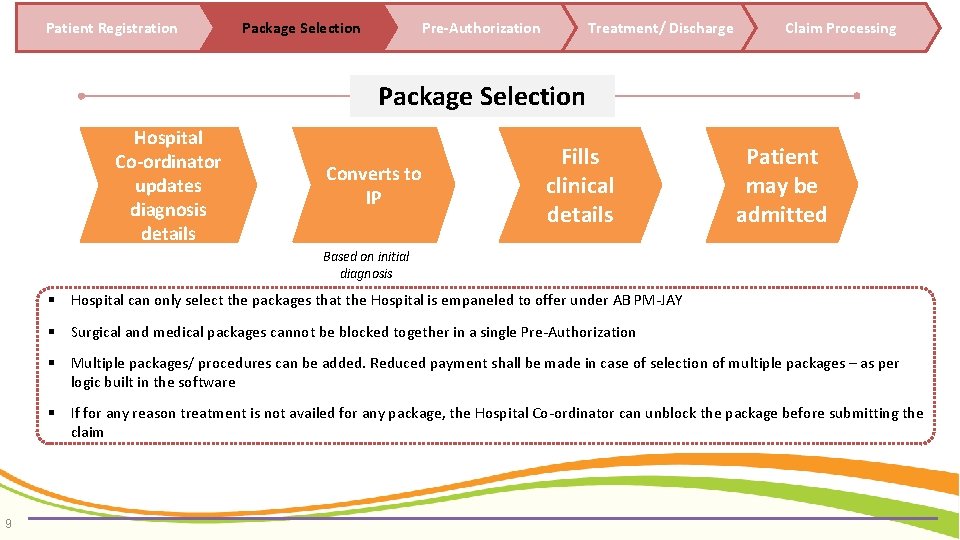
Patient Registration Package Selection Pre-Authorization Treatment/ Discharge Claim Processing Package Selection Hospital Co-ordinator updates diagnosis details Converts to IP Fills clinical details Patient may be admitted Based on initial diagnosis Hospital can only select the packages that the Hospital is empaneled to offer under AB PM-JAY Surgical and medical packages cannot be blocked together in a single Pre-Authorization Multiple packages/ procedures can be added. Reduced payment shall be made in case of selection of multiple packages – as per logic built in the software If for any reason treatment is not availed for any package, the Hospital Co-ordinator can unblock the package before submitting the claim 9
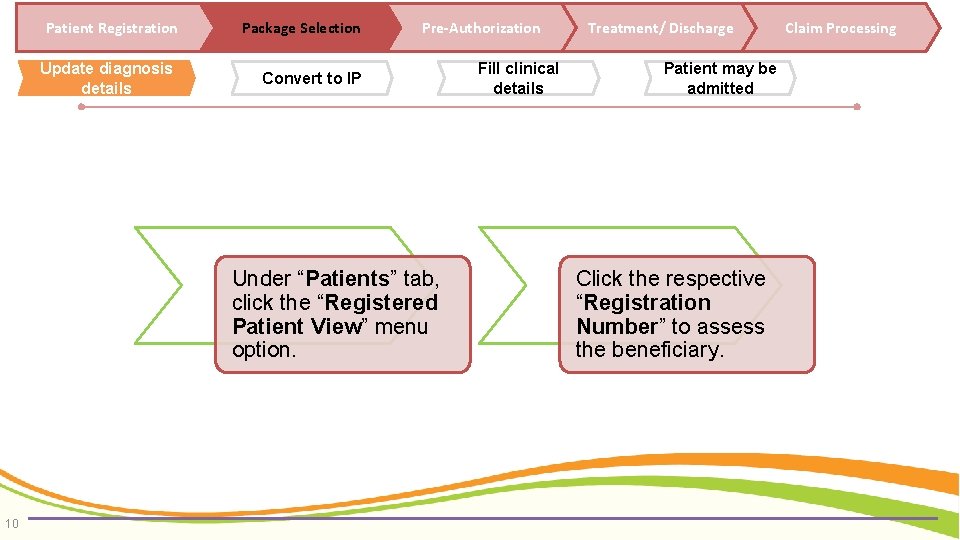
Patient Registration Package Selection Update diagnosis details Convert to IP Pre-Authorization Under “Patients” tab, click the “Registered Patient View” menu option. 10 Fill clinical details Treatment/ Discharge Patient may be admitted Click the respective “Registration Number” to assess the beneficiary. Claim Processing
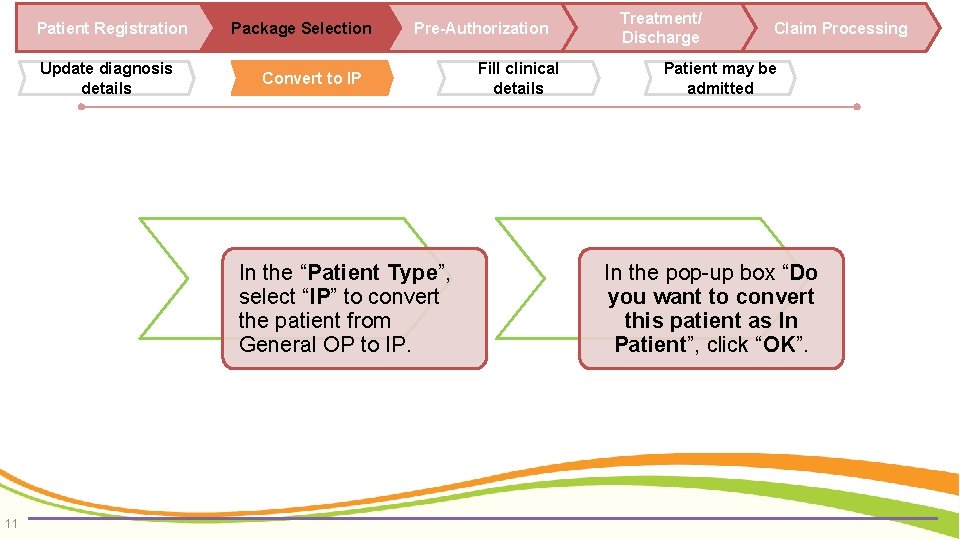
Patient Registration Update diagnosis details Package Selection Pre-Authorization Convert to IP In the “Patient Type”, select “IP” to convert the patient from General OP to IP. 11 Fill clinical details Treatment/ Discharge Claim Processing Patient may be admitted In the pop-up box “Do you want to convert this patient as In Patient”, click “OK”.
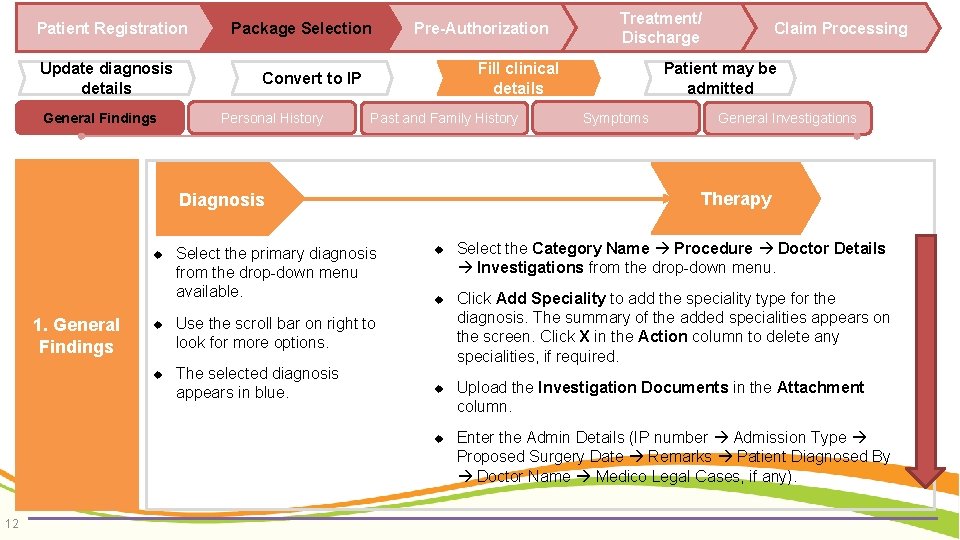
Patient Registration Update diagnosis details General Findings Package Selection Pre-Authorization Fill clinical details Convert to IP Personal History Past and Family History 1. General Findings Select the primary diagnosis from the drop-down menu available. Use the scroll bar on right to look for more options. The selected diagnosis appears in blue. 12 Claim Processing Patient may be admitted Symptoms General Investigations Therapy Diagnosis Treatment/ Discharge Select the Category Name Procedure Doctor Details Investigations from the drop-down menu. Click Add Speciality to add the speciality type for the diagnosis. The summary of the added specialities appears on the screen. Click X in the Action column to delete any specialities, if required. Upload the Investigation Documents in the Attachment column. Enter the Admin Details (IP number Admission Type Proposed Surgery Date Remarks Patient Diagnosed By Doctor Name Medico Legal Cases, if any).
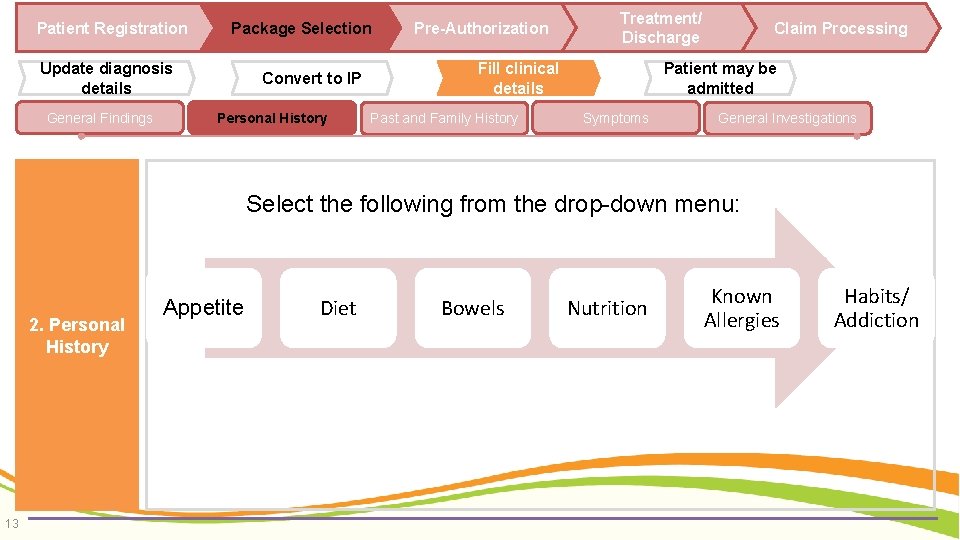
Patient Registration Package Selection Update diagnosis details General Findings Convert to IP Personal History Pre-Authorization Treatment/ Discharge Fill clinical details Past and Family History Claim Processing Patient may be admitted Symptoms General Investigations Select the following from the drop-down menu: 2. Personal History 13 Appetite Diet Bowels Nutrition Known Allergies Habits/ Addiction
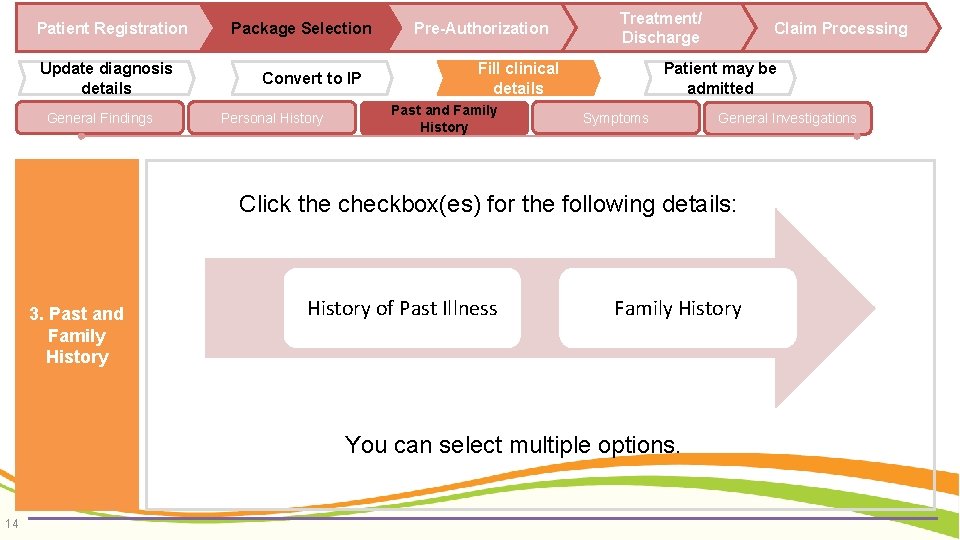
Patient Registration Update diagnosis details General Findings Package Selection Convert to IP Personal History Pre-Authorization Treatment/ Discharge Fill clinical details Past and Family History Claim Processing Patient may be admitted Symptoms General Investigations Click the checkbox(es) for the following details: 3. Past and Family History of Past Illness Family History You can select multiple options. 14
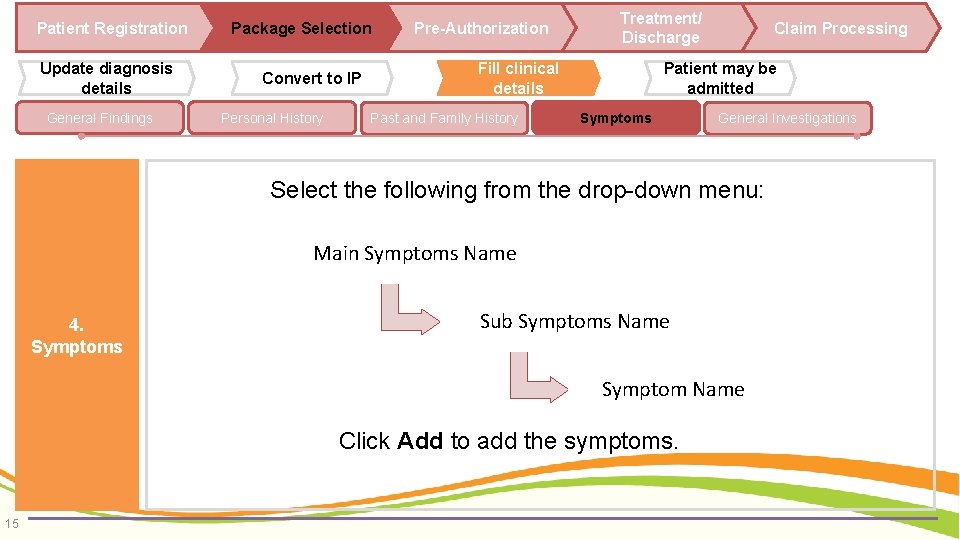
Patient Registration Update diagnosis details General Findings Package Selection Convert to IP Personal History Pre-Authorization Treatment/ Discharge Fill clinical details Past and Family History Claim Processing Patient may be admitted Symptoms General Investigations Select the following from the drop-down menu: Main Symptoms Name 4. Symptoms Sub Symptoms Name Symptom Name Click Add to add the symptoms. 15
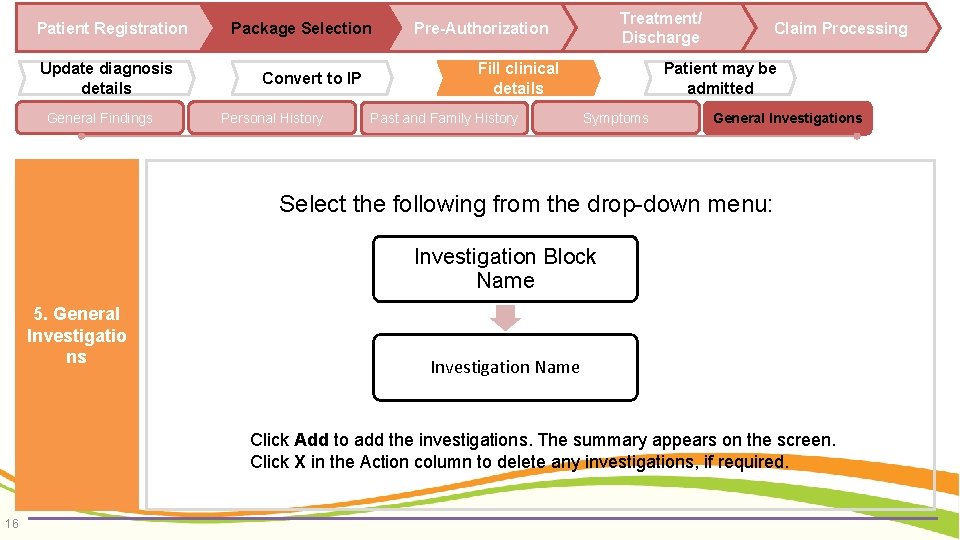
Patient Registration Update diagnosis details General Findings Package Selection Convert to IP Personal History Treatment/ Discharge Pre-Authorization Fill clinical details Past and Family History Claim Processing Patient may be admitted Symptoms General Investigations Select the following from the drop-down menu: Investigation Block Name 5. General Investigatio ns Investigation Name Click Add to add the investigations. The summary appears on the screen. Click X in the Action column to delete any investigations, if required. 16
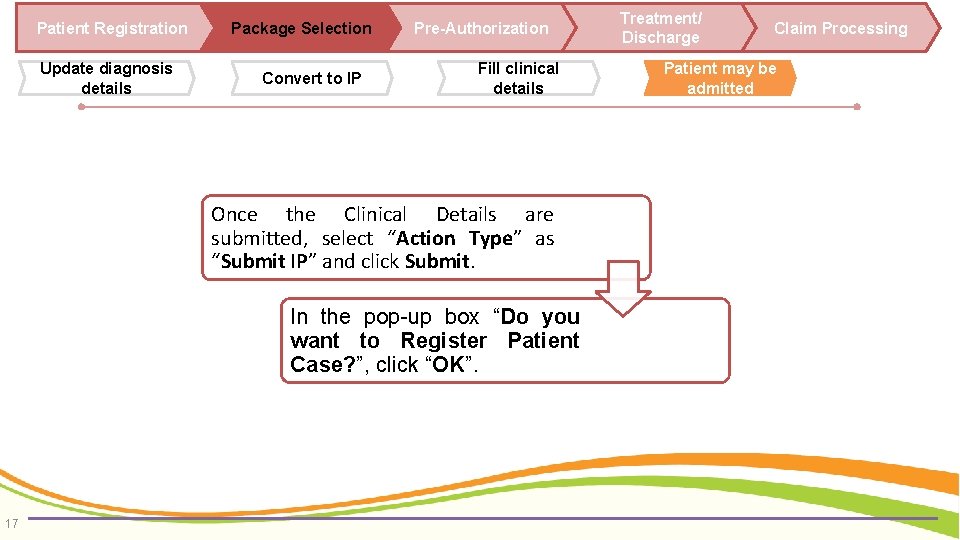
Patient Registration Update diagnosis details Package Selection Convert to IP Pre-Authorization Fill clinical details Once the Clinical Details are submitted, select “Action Type” as “Submit IP” and click Submit. In the pop-up box “Do you want to Register Patient Case? ”, click “OK”. 17 Treatment/ Discharge Claim Processing Patient may be admitted
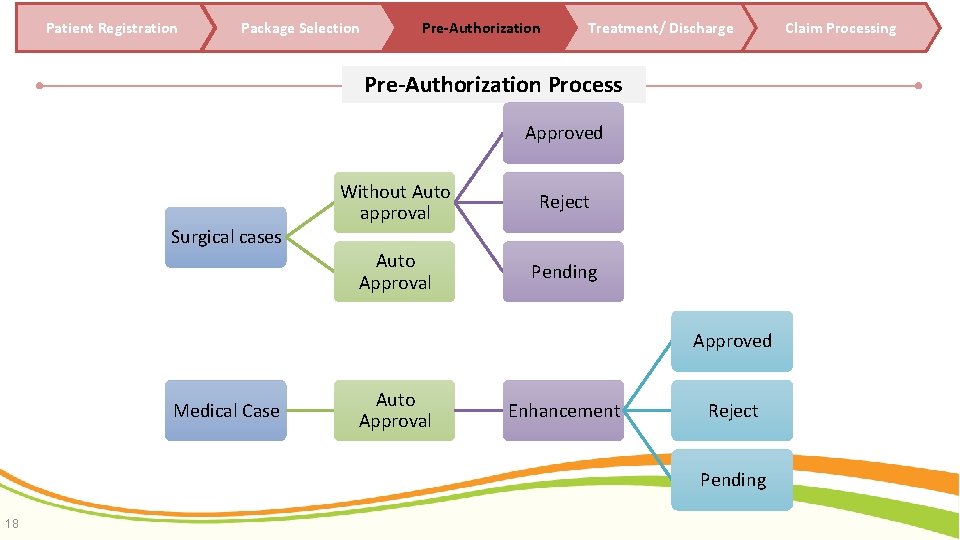
Patient Registration Package Selection Pre-Authorization Treatment/ Discharge Pre-Authorization Process Approved Surgical cases Without Auto approval Reject Auto Approval Pending Approved Medical Case Auto Approval Enhancement Reject Pending 18 Claim Processing
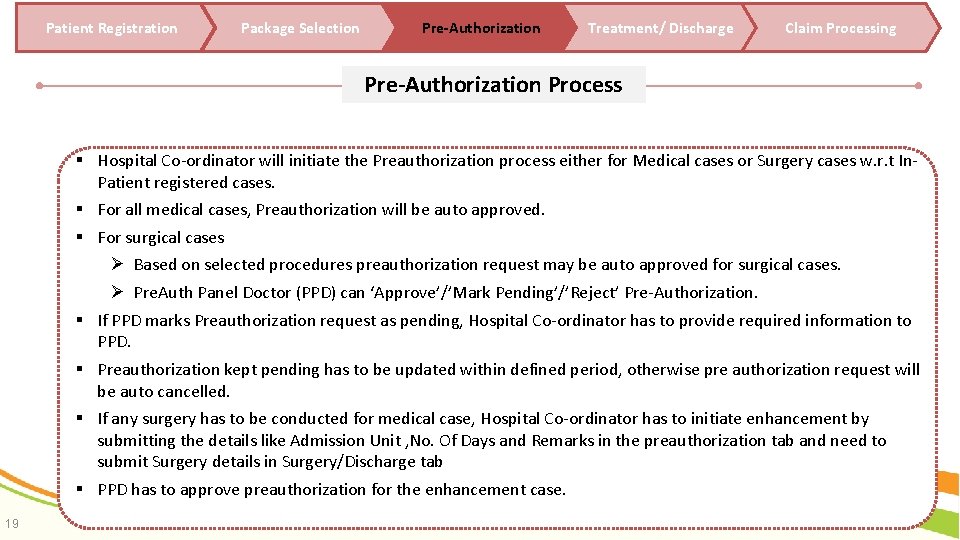
Patient Registration Package Selection Pre-Authorization Treatment/ Discharge Claim Processing Pre-Authorization Process Hospital Co-ordinator will initiate the Preauthorization process either for Medical cases or Surgery cases w. r. t In. Patient registered cases. For all medical cases, Preauthorization will be auto approved. For surgical cases Ø Based on selected procedures preauthorization request may be auto approved for surgical cases. Ø Pre. Auth Panel Doctor (PPD) can ‘Approve’/’Mark Pending’/’Reject’ Pre-Authorization. If PPD marks Preauthorization request as pending, Hospital Co-ordinator has to provide required information to PPD. Preauthorization kept pending has to be updated within defined period, otherwise pre authorization request will be auto cancelled. If any surgery has to be conducted for medical case, Hospital Co-ordinator has to initiate enhancement by submitting the details like Admission Unit , No. Of Days and Remarks in the preauthorization tab and need to submit Surgery details in Surgery/Discharge tab PPD has to approve preauthorization for the enhancement case. 19
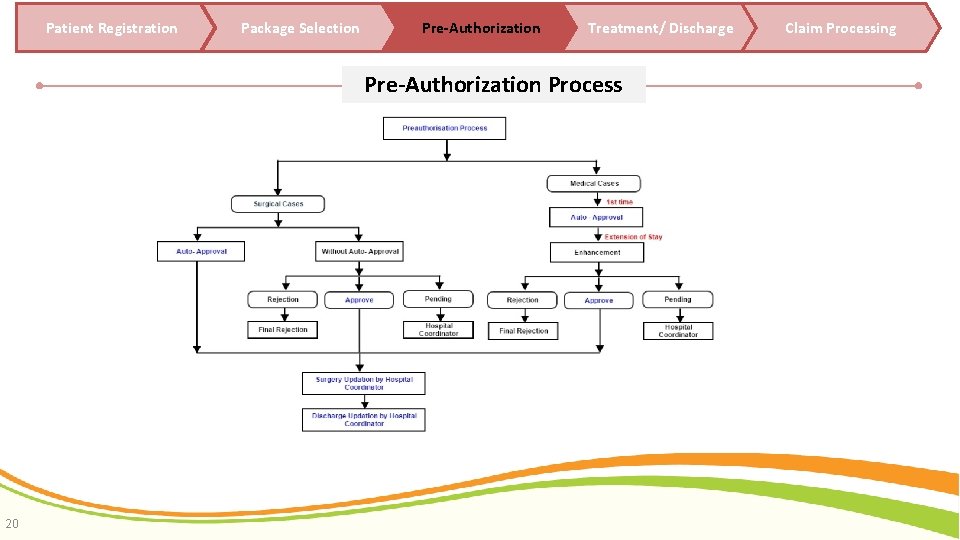
Patient Registration Package Selection Pre-Authorization Treatment/ Discharge Pre-Authorization Process 20 Claim Processing
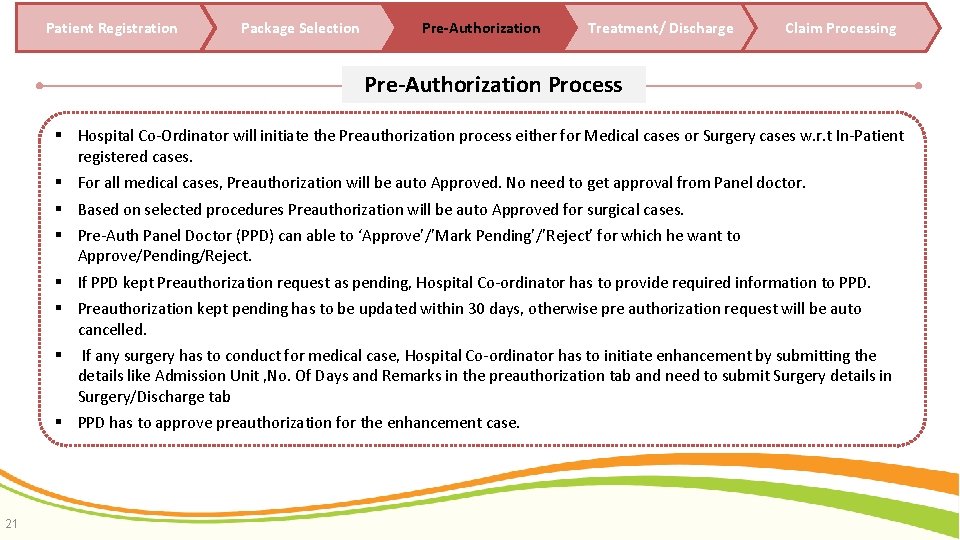
Patient Registration Package Selection Pre-Authorization Treatment/ Discharge Claim Processing Pre-Authorization Process Hospital Co-Ordinator will initiate the Preauthorization process either for Medical cases or Surgery cases w. r. t In-Patient registered cases. For all medical cases, Preauthorization will be auto Approved. No need to get approval from Panel doctor. Based on selected procedures Preauthorization will be auto Approved for surgical cases. Pre-Auth Panel Doctor (PPD) can able to ‘Approve’/’Mark Pending’/’Reject’ for which he want to Approve/Pending/Reject. If PPD kept Preauthorization request as pending, Hospital Co-ordinator has to provide required information to PPD. Preauthorization kept pending has to be updated within 30 days, otherwise pre authorization request will be auto cancelled. . If any surgery has to conduct for medical case, Hospital Co-ordinator has to initiate enhancement by submitting the details like Admission Unit , No. Of Days and Remarks in the preauthorization tab and need to submit Surgery details in Surgery/Discharge tab PPD has to approve preauthorization for the enhancement case. 21
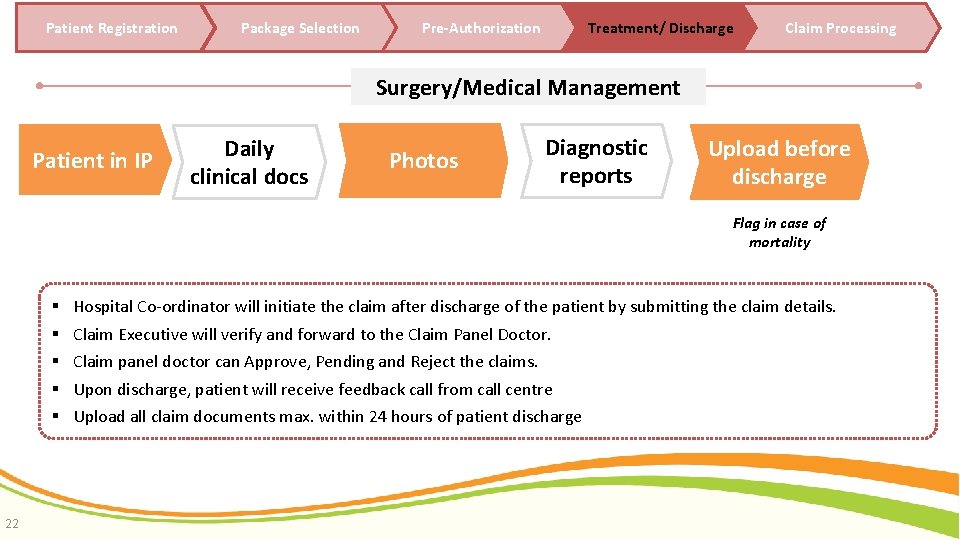
Patient Registration Package Selection Pre-Authorization Treatment/ Discharge Claim Processing Surgery/Medical Management Patient in IP Daily clinical docs Photos Diagnostic reports Upload before discharge Flag in case of mortality 22 Hospital Co-ordinator will initiate the claim after discharge of the patient by submitting the claim details. Claim Executive will verify and forward to the Claim Panel Doctor. Claim panel doctor can Approve, Pending and Reject the claims. Upon discharge, patient will receive feedback call from call centre Upload all claim documents max. within 24 hours of patient discharge
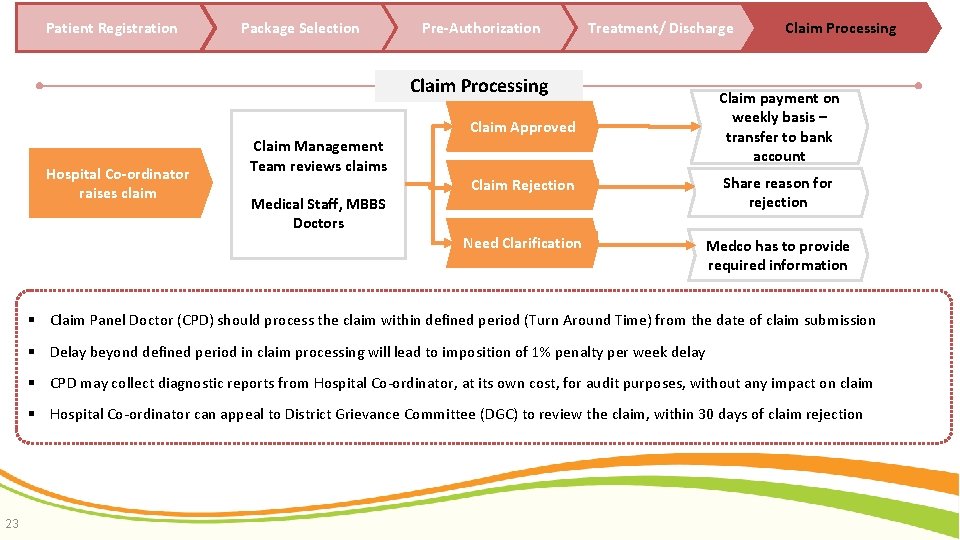
Patient Registration Package Selection Pre-Authorization Treatment/ Discharge Claim Processing Hospital Co-ordinator raises claim Claim Approved Claim payment on weekly basis – transfer to bank account Claim Rejection Share reason for rejection Need Clarification Medco has to provide required information Claim Management Team reviews claims Medical Staff, MBBS Doctors Claim Processing Claim Panel Doctor (CPD) should process the claim within defined period (Turn Around Time) from the date of claim submission Delay beyond defined period in claim processing will lead to imposition of 1% penalty per week delay CPD may collect diagnostic reports from Hospital Co-ordinator, at its own cost, for audit purposes, without any impact on claim Hospital Co-ordinator can appeal to District Grievance Committee (DGC) to review the claim, within 30 days of claim rejection 23
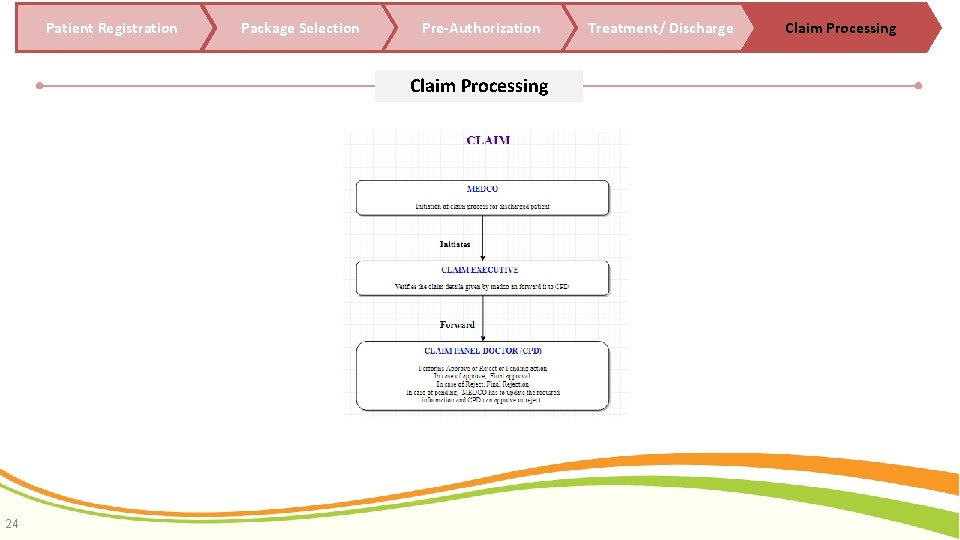
Patient Registration Package Selection Pre-Authorization Claim Processing 24 Treatment/ Discharge Claim Processing
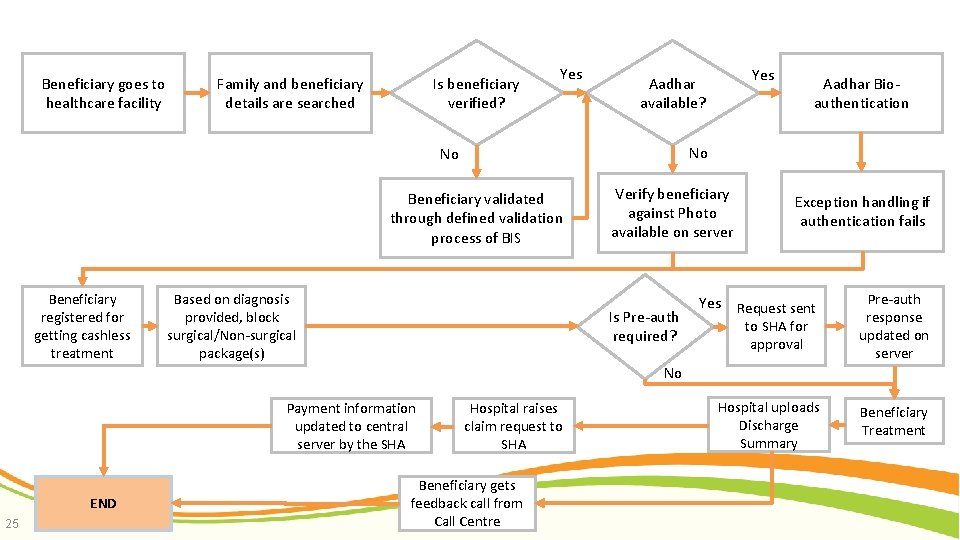
Beneficiary goes to healthcare facility Family and beneficiary details are searched Is beneficiary verified? Yes Aadhar Bioauthentication No No Beneficiary validated through defined validation process of BIS Beneficiary registered for getting cashless treatment Yes Aadhar available? Based on diagnosis provided, block surgical/Non-surgical package(s) Verify beneficiary against Photo available on server Is Pre-auth required? Exception handling if authentication fails Yes Request sent Pre-auth response updated on server Hospital uploads Discharge Summary Beneficiary Treatment to SHA for approval No Payment information updated to central server by the SHA END 25 Hospital raises claim request to SHA Beneficiary gets feedback call from Call Centre
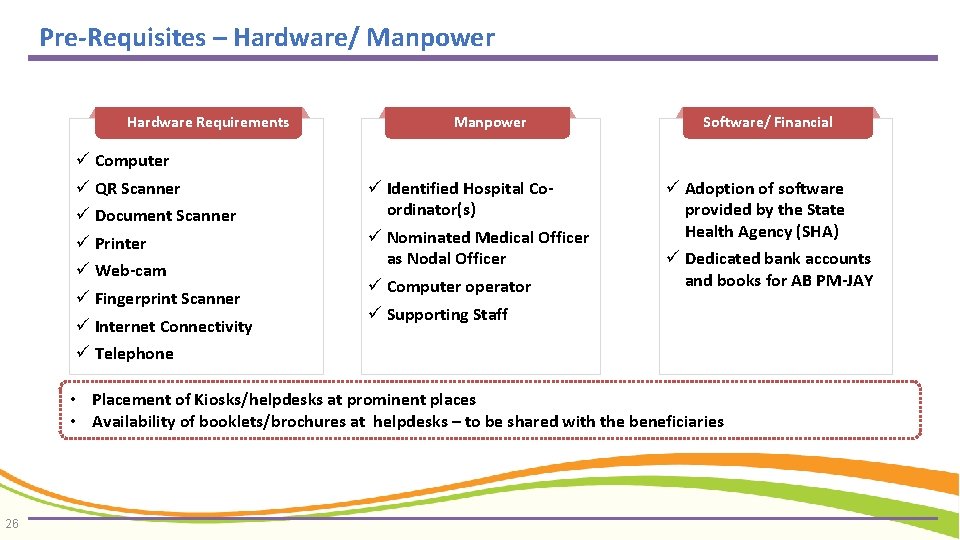
Pre-Requisites – Hardware/ Manpower ` Hardware Requirements Computer QR Scanner Document Scanner Printer Web-cam Fingerprint Scanner Internet Connectivity Telephone Manpower Identified Hospital Coordinator(s) Nominated Medical Officer as Nodal Officer Computer operator Supporting Staff ` Software/ Financial Adoption of software provided by the State Health Agency (SHA) Dedicated bank accounts and books for AB PM-JAY • Placement of Kiosks/helpdesks at prominent places • Availability of booklets/brochures at helpdesks – to be shared with the beneficiaries 26

Thanks !!!
- Slides: 27