
1 FRC 2010 Driver Station Doug Norman Stephanie
- Slides: 26
1
FRC 2010 Driver Station Doug Norman & Stephanie Brierty National Instruments January 8, 2010 Thanks to Joe Ross – Team 330 2
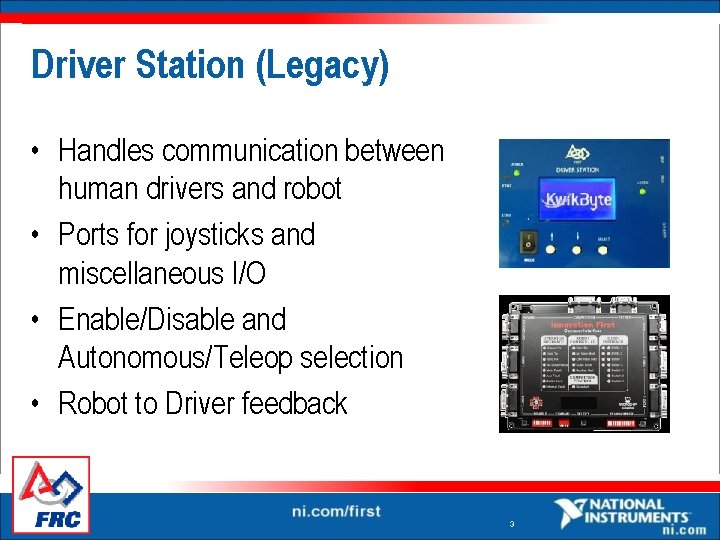
Driver Station (Legacy) • Handles communication between human drivers and robot • Ports for joysticks and miscellaneous I/O • Enable/Disable and Autonomous/Teleop selection • Robot to Driver feedback 3
Why Change Driver Stations? • Intel Classmate is consumer grade hardware Robust § Easier to upgrade § • On-board battery makes demos easier • Additional debugging output • Built in dashboard – no separate laptop needed 4
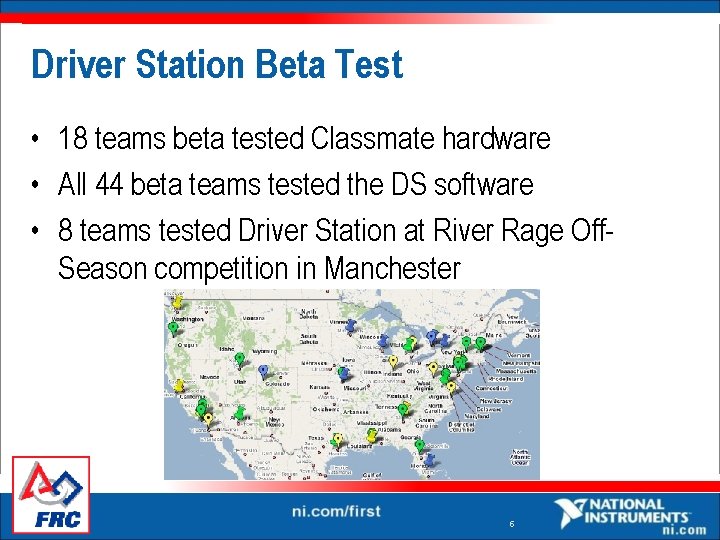
Driver Station Beta Test • 18 teams beta tested Classmate hardware • All 44 beta teams tested the DS software • 8 teams tested Driver Station at River Rage Off. Season competition in Manchester 5
6
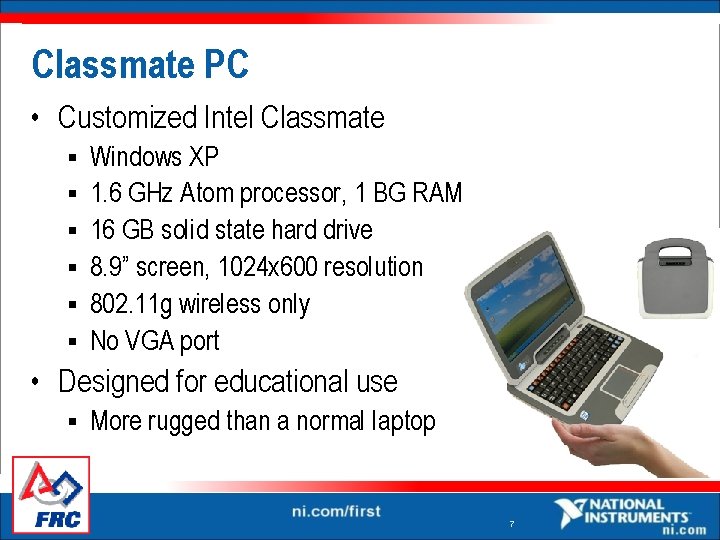
Classmate PC • Customized Intel Classmate § § § Windows XP 1. 6 GHz Atom processor, 1 BG RAM 16 GB solid state hard drive 8. 9” screen, 1024 x 600 resolution 802. 11 g wireless only No VGA port • Designed for educational use § More rugged than a normal laptop 7
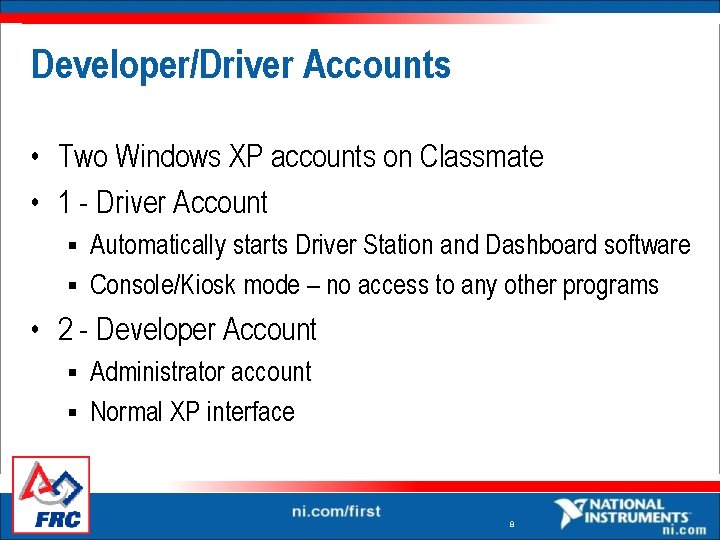
Developer/Driver Accounts • Two Windows XP accounts on Classmate • 1 - Driver Account Automatically starts Driver Station and Dashboard software § Console/Kiosk mode – no access to any other programs § • 2 - Developer Account Administrator account § Normal XP interface § 8
Pre-installed Software • Lab. VIEW and Java software loaded by default § C++ may be installed via memory stick or USB DVD drive • AVG Antivirus Get updates from the internet… § Or download updates on another computer and transfer § • Open Office • PDF reader 9
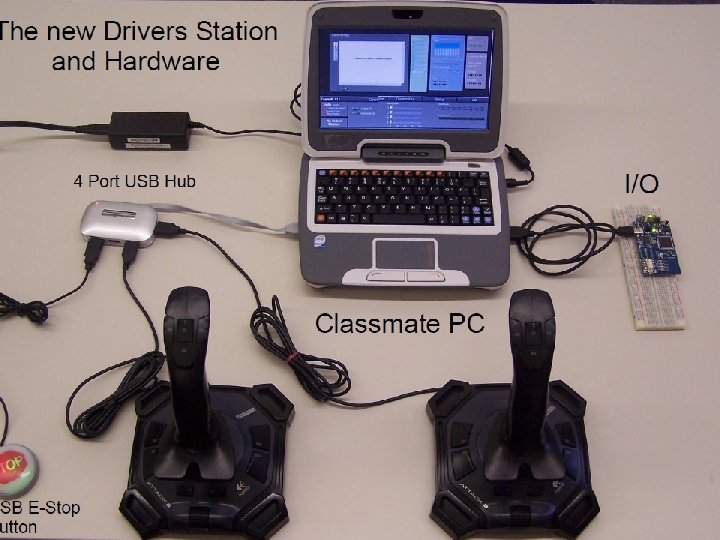
Joystick Connectivity • 2 USB ports on Classmate 1 for I/O module § 1 for USB hub § • 4 port USB hub supports 3 joysticks + E-Stop button • Joystick support through Windows standard Direct. Input API § Should allow a variety of joysticks and other input devices 10
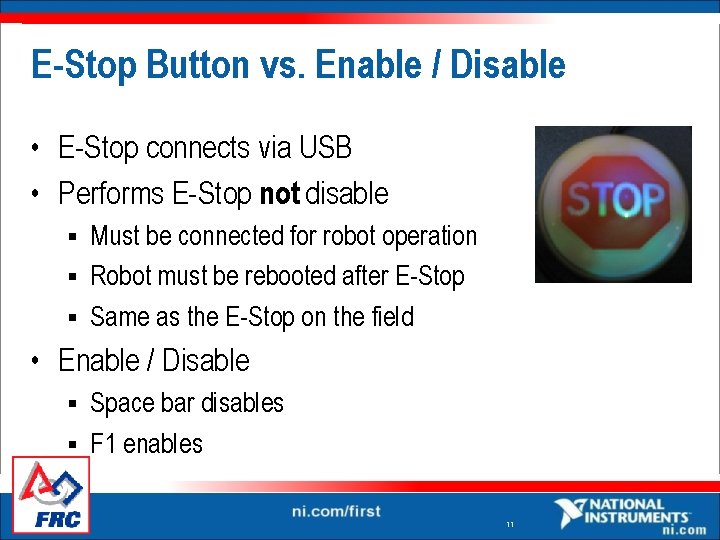
E-Stop Button vs. Enable / Disable • E-Stop connects via USB • Performs E-Stop not disable Must be connected for robot operation § Robot must be rebooted after E-Stop § Same as the E-Stop on the field § • Enable / Disable Space bar disables § F 1 enables § 11
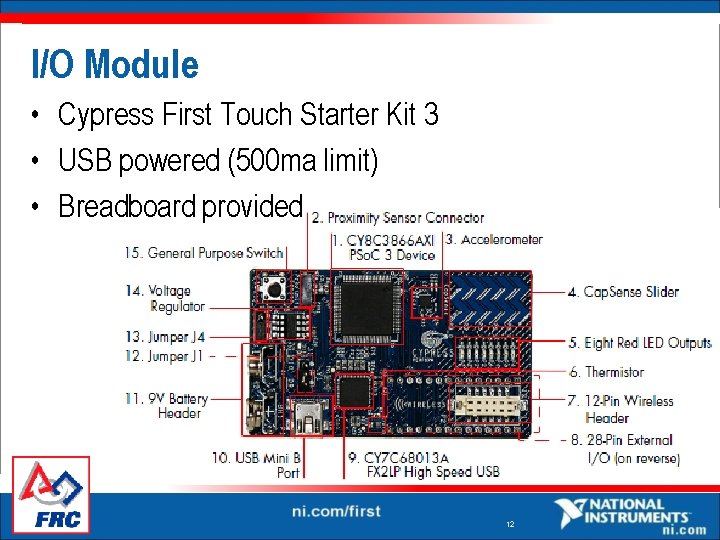
I/O Module • Cypress First Touch Starter Kit 3 • USB powered (500 ma limit) • Breadboard provided 12
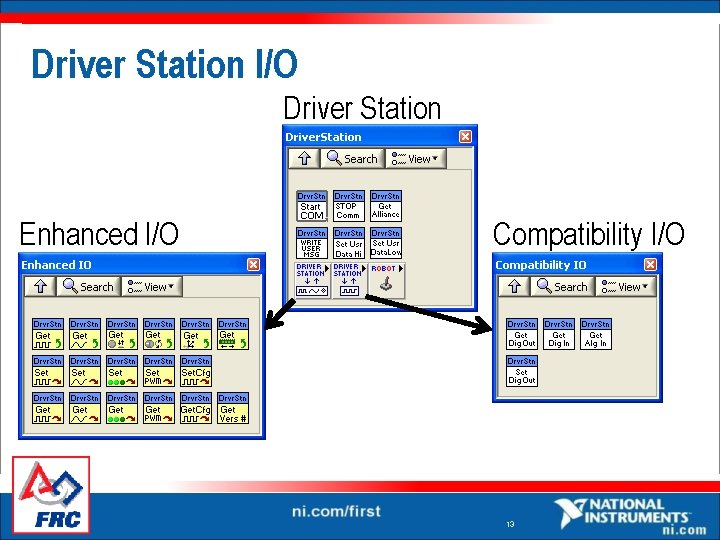
Driver Station I/O Driver Station Enhanced I/O Compatibility I/O 13
I/O Module – Compatibility I/O • Same I/O as Kwikbyte Driver Station 4 analog inputs – 3. 3 V reference § 8 digital inputs – with pull-up resistors § 8 digital outputs § • If you use Compatibility I/O, don’t use Enhanced I/O 14
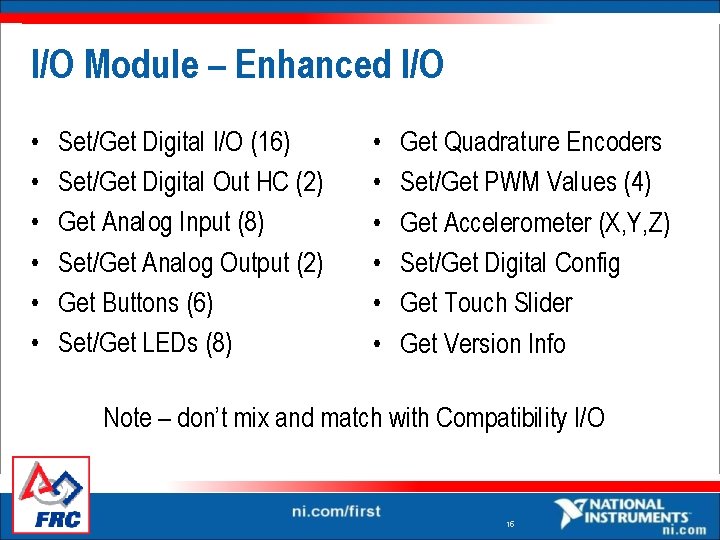
I/O Module – Enhanced I/O • • • Set/Get Digital I/O (16) Set/Get Digital Out HC (2) Get Analog Input (8) Set/Get Analog Output (2) Get Buttons (6) Set/Get LEDs (8) • • • Get Quadrature Encoders Set/Get PWM Values (4) Get Accelerometer (X, Y, Z) Set/Get Digital Config Get Touch Slider Get Version Info Note – don’t mix and match with Compatibility I/O 15
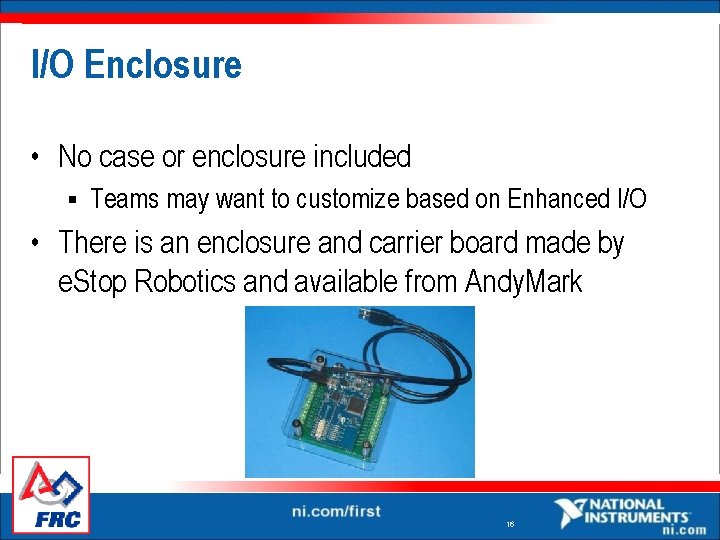
I/O Enclosure • No case or enclosure included § Teams may want to customize based on Enhanced I/O • There is an enclosure and carrier board made by e. Stop Robotics and available from Andy. Mark 16
Driver Station Software • The Driver Station software is an executable built with Lab. VIEW • Works only on Windows 2000/XP/Vista PC • Communication protocol is compatible with the Kwikbyte DS, making them interchangeable • Does everything the Kwikbyte DS did and more 17
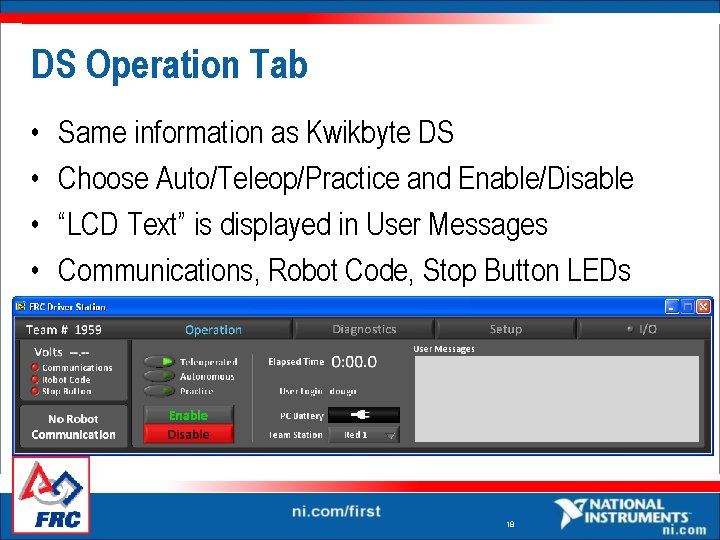
DS Operation Tab • • Same information as Kwikbyte DS Choose Auto/Teleop/Practice and Enable/Disable “LCD Text” is displayed in User Messages Communications, Robot Code, Stop Button LEDs 18
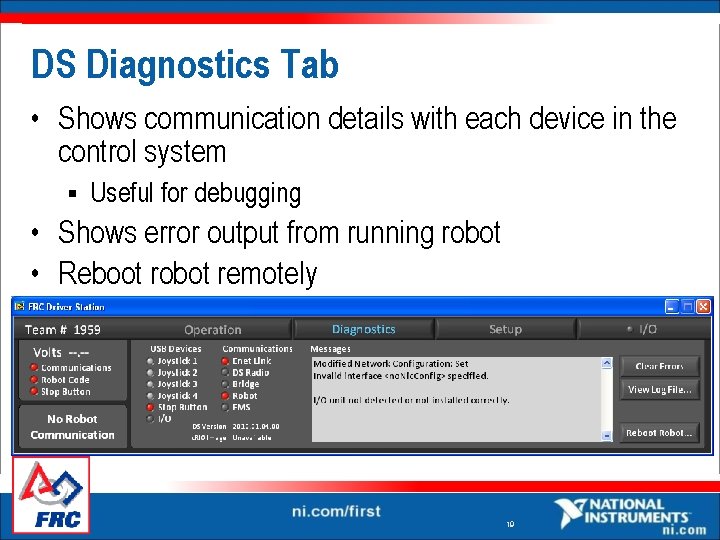
DS Diagnostics Tab • Shows communication details with each device in the control system § Useful for debugging • Shows error output from running robot • Reboot robot remotely 19
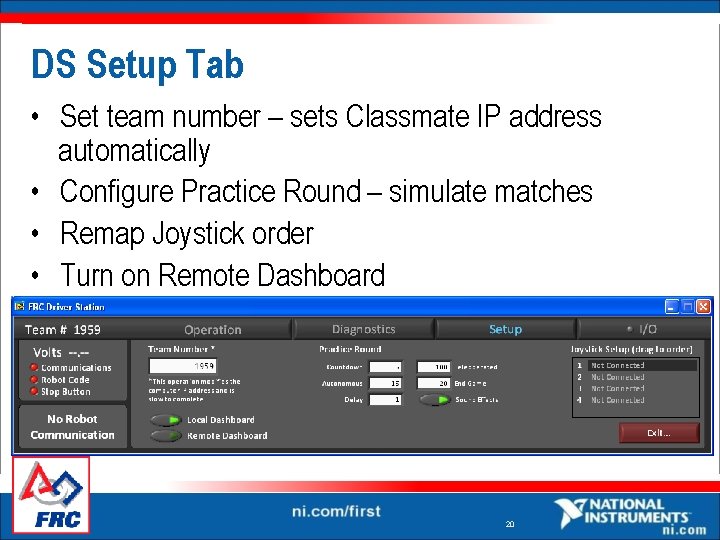
DS Setup Tab • Set team number – sets Classmate IP address automatically • Configure Practice Round – simulate matches • Remap Joystick order • Turn on Remote Dashboard 20
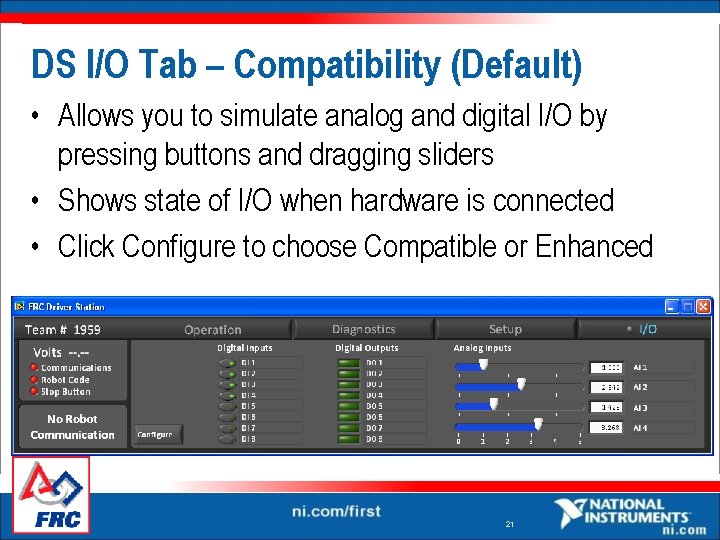
DS I/O Tab – Compatibility (Default) • Allows you to simulate analog and digital I/O by pressing buttons and dragging sliders • Shows state of I/O when hardware is connected • Click Configure to choose Compatible or Enhanced 21
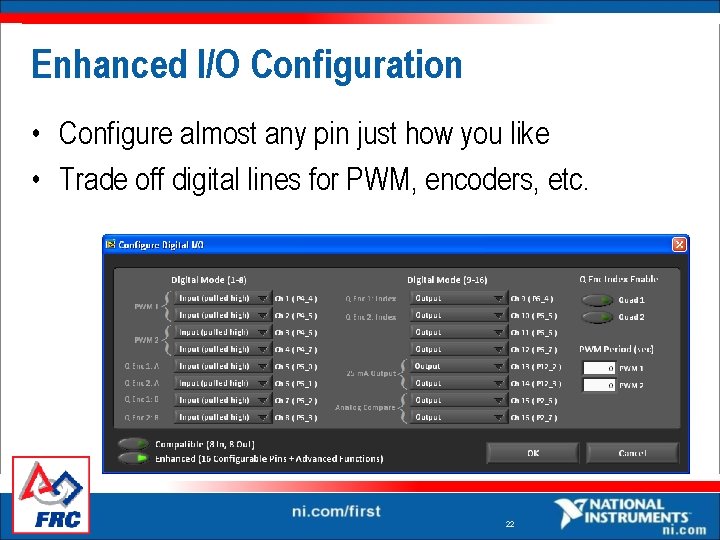
Enhanced I/O Configuration • Configure almost any pin just how you like • Trade off digital lines for PWM, encoders, etc. 22
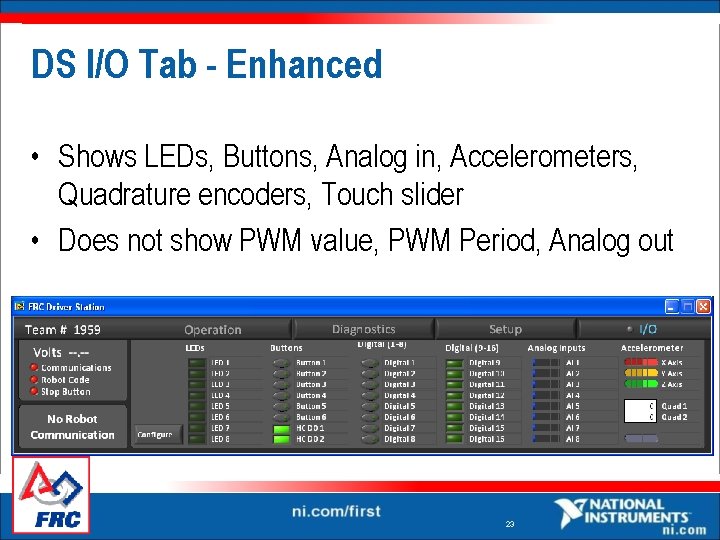
DS I/O Tab - Enhanced • Shows LEDs, Buttons, Analog in, Accelerometers, Quadrature encoders, Touch slider • Does not show PWM value, PWM Period, Analog out 23
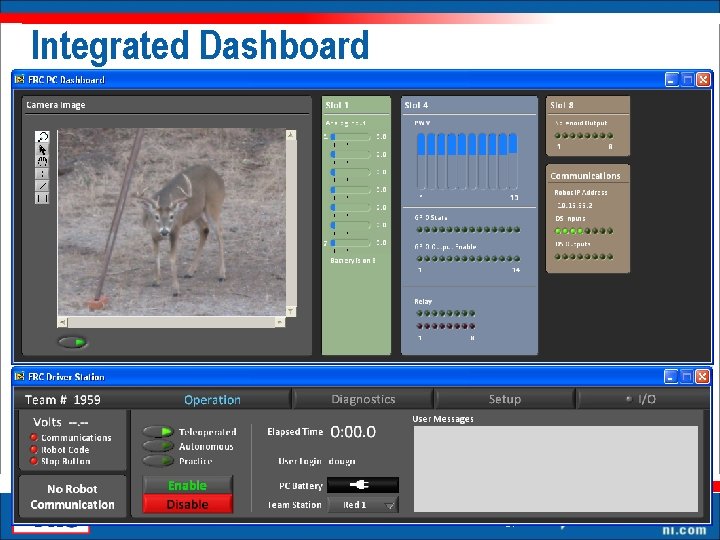
Integrated Dashboard 24
Dashboard – Design Your Own • The integrated dashboard may be replaced by an executable and run on the Classmate § C: Program FilesFRC DashboardDashboard. exe • Dashboard data may be re-routed to another computer § On Setup tab of Driver Station, choose Remote Dashboard and enter the remote Dashboard IP 25
Conclusions • New Driver Station hardware, Classmate, more robust • New Driver Station software Full featured: error reporting, live feedback, sets IP, etc. § Integrated Dashboard is fully customizable § Questions? 26